INPUT-OUTPUT
DISPLAY DEVICES
Presented By: Presented To:
Ankita Sharma Ms. Prabha Sharma
Aman
Anil Kumar
Amita
ACKNOWLEDGEMENT
This Project is a golden opportunity for learning and
self development. I consider myself very lucky and
honored to be part of this project.
My grateful thanks to Prof. Prabha Sharma, who in
spite of being extraordinary busy with her duties, took
time out to hear, guide and keep me on correct path. I
do not know where would I have been without her.
She was always so involved in the entire process,
shared her knowledge, and encouraged me to think.
Last but not the least there was so many who shared
valuable information that helped in the successful
completion of this project.
INPUT DEVICES
INTRODUCTION
 An input device is a piece of hardware by which a
user enters information into computer system.
 Example: mouse, trackball, joystick, voice systems,
touch screens,etc.
 A major goal in designing graphics packages is
device-independence – enhances portability of the
application
KEYBOARD
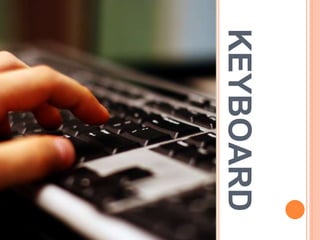
 An alphanumeric keyboard is used primarily as a device
for entering text strings.
 The keyboard is an efficient device for inputting such
nongraphic data as picture labels associated with
graphics display.
 Cursor control keys and function keys are common
features on general purpose keyboards.
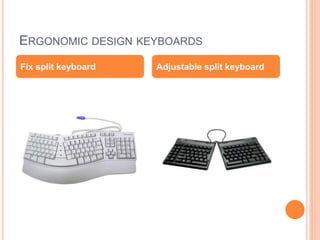
 These days, keyboard has a good ergonomic design ; it
has a detachable palm rest,slope adjustments,split keys
for natural hand .
 Two types ,which are the fix-split key board and the
adjustable split keyboard.The adjustable split keyboard
consist of several pieces which angles can be change
according to the user's preference.
ERGONOMIC DESIGN KEYBOARDS
Fix split keyboard Adjustable split keyboard
MOUSE
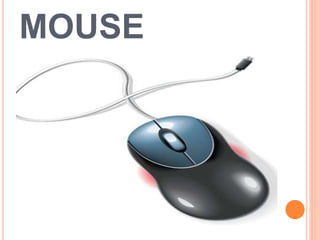
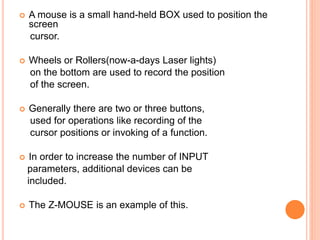
 A mouse is a small hand-held BOX used to position the
screen
cursor.
 Wheels or Rollers(now-a-days Laser lights)
on the bottom are used to record the position
of the screen.
 Generally there are two or three buttons,
used for operations like recording of the
cursor positions or invoking of a function.
 In order to increase the number of INPUT
parameters, additional devices can be
included.
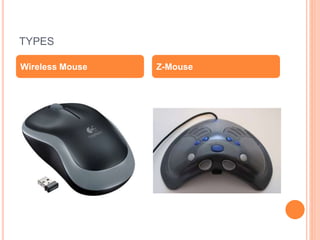
 The Z-MOUSE is an example of this.
TYPES
Wireless Mouse Z-Mouse
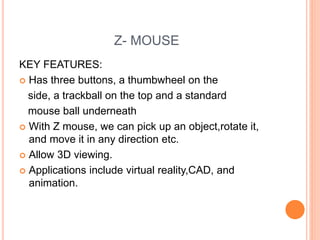
Z- MOUSE
KEY FEATURES:
 Has three buttons, a thumbwheel on the
side, a trackball on the top and a standard
mouse ball underneath
 With Z mouse, we can pick up an object,rotate it,
and move it in any direction etc.
 Allow 3D viewing.
 Applications include virtual reality,CAD, and
animation.
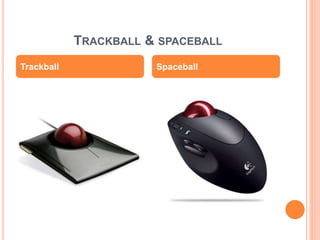
TRACKBALL & SPACEBALL
Trackball Spaceball
TRACKBALL
 It is a 2D positioning device.
 It consists a ball held by a socket
containing sensors to detect the rotation of
ball about TWO axis.
 User rolls the ball to move the cursor.
 They are often mounted on devices such as
keyboards, Z-mouse etc.
SPACEBALL
 It provides SIX degrees of freedom.
 It is a fix device.
 Movement detection is done using strain
gauges.
 Cursor can move in any direction.
 It is more efficient then trackball.
APPLICATIONS
 Used in CAD workstations
 In animation
 Sometimes on special Workstations such as
the radar consoles in air-traffic control
room
 In Gaming consoles
 People with a mobility impairment use
trackballs as an assistive technology input
device
JOYSTICK
KEY FEATURES:
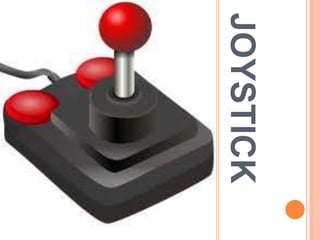
 Consists of a stick pivoted on a base.
 Used to steer the screen cursor.
 It also has one or two PUSH buttons as
input switches to perform certain actions.
 Most joystick are 2D, but 3D do exist.
 Distance moved from the CENTER position
corresponds to the screen cursor movement in
that direction.
APPLICATIONS
 In Gaming consoles
 In 3D animation
 Used to drive machines like cranes, mining trucks,
hydraulics etc.
 Used as assistive technology pointing device such
as in Electronic wheelchairs
DATAGLOVE
KEY FEATURES:
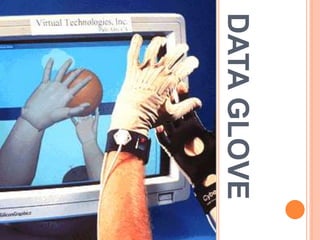
 Used to grasp a “virtual” object.
ď‚— Uses sensors to detect the Hand and
finger motion.
ď‚— Electromagnetic coupling between signals provides
information about the position and orientation of the
hand.
APPLICATIONS
 In 3D animation movies
 Visual effects
 Gestures can be categorized into useful
information,such as to recognize Sign Language or
other symbolic functions
 3D Virtual environment Games
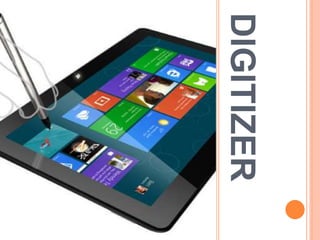
DIGITIZER
KEY FEATURES:
 Common device for drawing, painting,or
interactively selecting coordinate positions on an
object
 Typically, it is used to scan an Object and to input
discrete coordinate positions
 ONE TYPE of Digitizer is the Graphics Tablet
 It converts graphics and pictorial data into binary
inputs. A graphic tablet as digitizer is used for doing
fine works of drawing and images manipulation
applications.
APPLICATIONS
 Used in generating Computer generated graphic
images
 Used in creating characters for Animation
 In Technical drawings and CAD
 Used for Handwriting recognition
IMAGE
SCANNERS
KEY FEATURES:
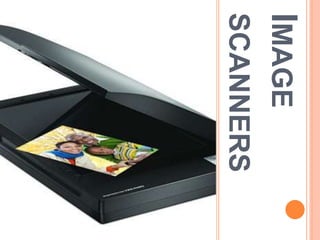
 In computing, a scanner is a device that optically
scans images, printed text, handwriting,
or an object, and converts it to a digital image.
 When the scanning is performed, the gradation
of gray scale or colors are recorded and stored in
an array.
 Once scanned, any kind of transformations can
be applied to the object image.
LIGHTPEN
KEY FEATURES:
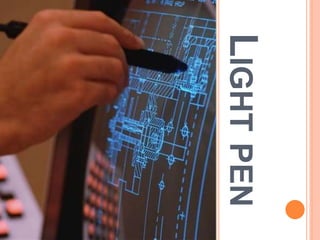
 A light pen is a computer input device in the form
of a light-sensitive wand used in conjunction with a
computer's CRT TV set or monitor.
 Allows the users to point to displayed objects and to
draw objects on screen.
 The position points are highly accurate and
sensitive.
 It generates electrical pulse which records the
position of the electron beam.
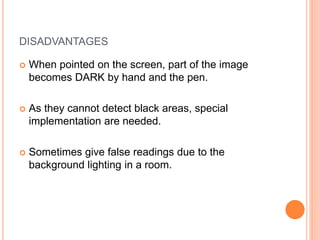
DISADVANTAGES
 When pointed on the screen, part of the image
becomes DARK by hand and the pen.
 As they cannot detect black areas, special
implementation are needed.
 Sometimes give false readings due to the
background lighting in a room.
BARCODEREADER
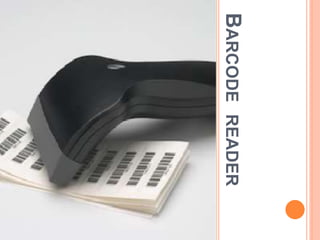
KEY FEATURES
 Bar Code Reader is a device used for reading bar
coded data (data in form of light and dark lines).
 Bar coded data is generally used in labelling
goods, numbering the books, etc. It may be a hand-
held scanner or may be embedded in a stationary
scanner.
 Bar Code Reader scans a bar code image,
converts it into an alphanumeric value, which is
then fed to the computer to which bar code reader
is connected.
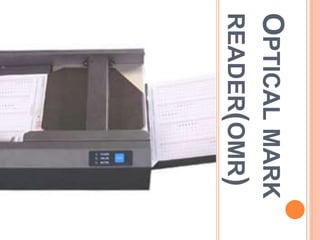
OPTICALMARK
READER(OMR)
KEY FEATURES
 OMR is a special type of optical scanner used to
recognize the type of mark made by pen or pencil.
 It is used where one out of a few alternatives is to
be selected and marked.
 It is specially used for checking the answer sheets
of examinations having multiple choice questions.
VOICESYSTEM
KEY FEATURES
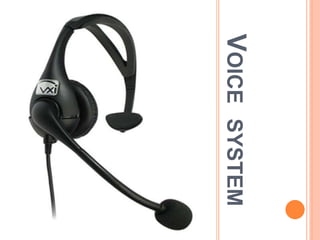
 The Voice system input can be used to initiate
graphics operations to enter data.
 Microphone is such designed to minimize input of
other background sounds.
 Words as spoken by the operator is stored so as to
analyze and recognize the speech pattern.
OUTPUT DISPLAY
DEVICES
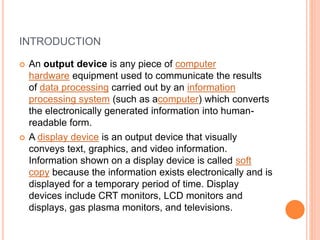
INTRODUCTION
 An output device is any piece of computer
hardware equipment used to communicate the results
of data processing carried out by an information
processing system (such as acomputer) which converts
the electronically generated information into human-
readable form.
 A display device is an output device that visually
conveys text, graphics, and video information.
Information shown on a display device is called soft
copy because the information exists electronically and is
displayed for a temporary period of time. Display
devices include CRT monitors, LCD monitors and
displays, gas plasma monitors, and televisions.
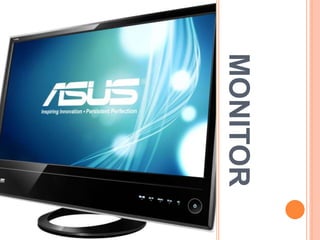
MONITOR
KEY FEATURES
 Monitor commonly called as Visual Display Unit
(VDU) is the main output device of a computer. It
forms images from tiny dots, called pixels, that are
arranged in a rectangular form. The sharpness of
the image depends upon the number of the pixels.
 There are two kinds of viewing screen used for
monitors:
 Cathode-Ray Tube (CRT)
 Flat-Panel Display
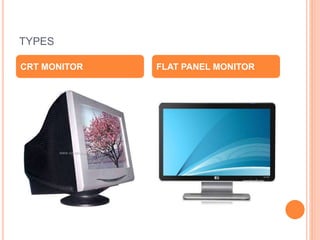
TYPES
CRT MONITOR FLAT PANEL MONITOR
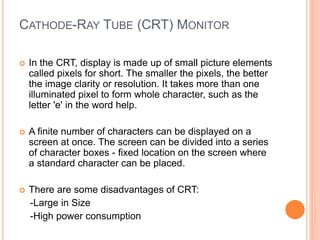
CATHODE-RAY TUBE (CRT) MONITOR
 In the CRT, display is made up of small picture elements
called pixels for short. The smaller the pixels, the better
the image clarity or resolution. It takes more than one
illuminated pixel to form whole character, such as the
letter 'e' in the word help.
 A finite number of characters can be displayed on a
screen at once. The screen can be divided into a series
of character boxes - fixed location on the screen where
a standard character can be placed.
 There are some disadvantages of CRT:
-Large in Size
-High power consumption
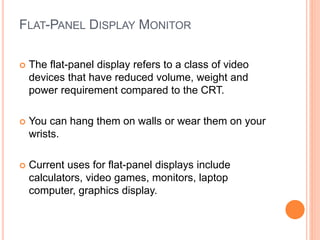
FLAT-PANEL DISPLAY MONITOR
 The flat-panel display refers to a class of video
devices that have reduced volume, weight and
power requirement compared to the CRT.
 You can hang them on walls or wear them on your
wrists.
 Current uses for flat-panel displays include
calculators, video games, monitors, laptop
computer, graphics display.
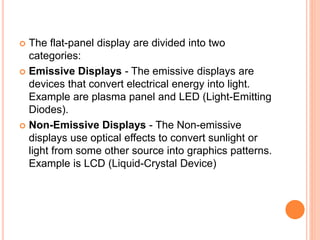
 The flat-panel display are divided into two
categories:
 Emissive Displays - The emissive displays are
devices that convert electrical energy into light.
Example are plasma panel and LED (Light-Emitting
Diodes).
 Non-Emissive Displays - The Non-emissive
displays use optical effects to convert sunlight or
light from some other source into graphics patterns.
Example is LCD (Liquid-Crystal Device)
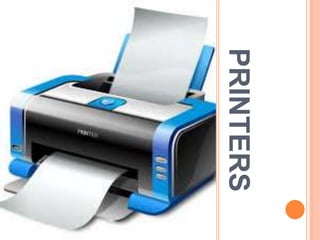
PRINTERS
INTRODUCTION
 Printer is the most important output device, which is
used to print information on paper.
 There are two types of printers:
-Impact Printers
-Non-Impact Printers
 The printers that print the characters by striking
against the ribbon and onto the paper, are called
impact printers.Example : Dot-Matrix printer
 The printers that print the characters without
striking against the ribbon and onto the paper are
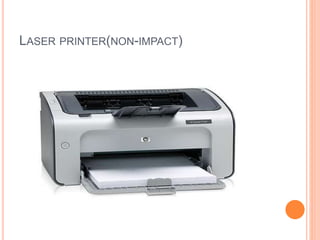
called Non-impact Printers.Example: Laser
printer,Inkjet printer
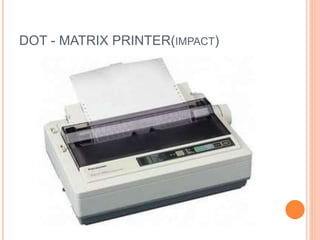
DOT - MATRIX PRINTER(IMPACT)
KEY FEATURES
 Character Printers are printers, which print one
character at a time.
 In the market, one of the most popular printer is Dot
Matrix Printer because of their ease of printing
features and economical price.
 Each character printed is in form of pattern of Dot's
and head consists of a Matrix of Pins of size(5*7,
7*9, 9*7 or 9*9) which comes out to form a
character that is why it is called Dot Matrix Printer.
 Advantages
1. Inexpensive
2. Widely Used
3. Other language characters can be printed
 Disadvantages
1. Slow Speed
2. Poor Quality
LASER PRINTER(NON-IMPACT)
KEY FEATURES
 These are non-impact page printers. They use laser
lights to produce the dots needed to form the characters
to be printed on a page.
 Advantages
1. Very high speed.
2. Very high quality output.
3. Gives good graphics quality.
4. Supports many fonts and different character sizes.
 Disadvantage
1. Expensive.
2. Cannot be used to produce multiple copies of a
document in a single printing.
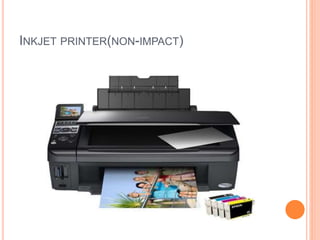
INKJET PRINTER(NON-IMPACT)
KEY FEATURES
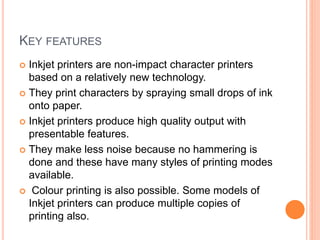
 Inkjet printers are non-impact character printers
based on a relatively new technology.
 They print characters by spraying small drops of ink
onto paper.
 Inkjet printers produce high quality output with
presentable features.
 They make less noise because no hammering is
done and these have many styles of printing modes
available.
 Colour printing is also possible. Some models of
Inkjet printers can produce multiple copies of
printing also.
 Advantages
1. High quality printing
2. More reliable
 Disadvantages
1. Expensive as cost per page is high
2. Slow as compared to laser printer
PLOTTERS
KEY FEATURES
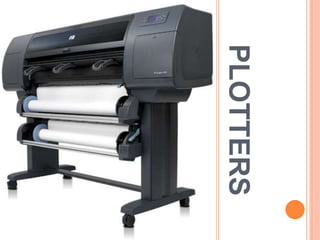
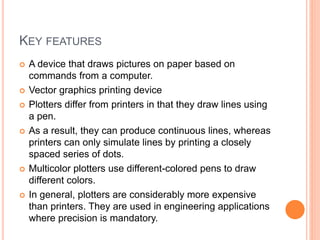
 A device that draws pictures on paper based on
commands from a computer.
 Vector graphics printing device
 Plotters differ from printers in that they draw lines using
a pen.
 As a result, they can produce continuous lines, whereas
printers can only simulate lines by printing a closely
spaced series of dots.
 Multicolor plotters use different-colored pens to draw
different colors.
 In general, plotters are considerably more expensive
than printers. They are used in engineering applications
where precision is mandatory.
TYPES OF PLOTTERS
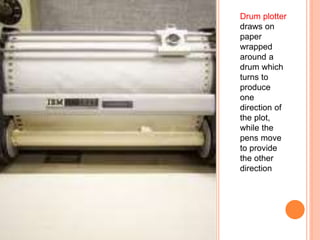
Drum plotter
draws on
paper
wrapped
around a
drum which
turns to
produce
one
direction of
the plot,
while the
pens move
to provide
the other
direction
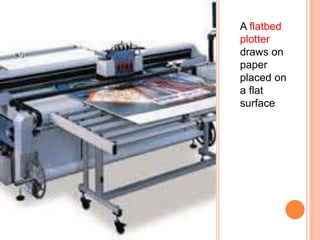
A flatbed
plotter
draws on
paper
placed on
a flat
surface
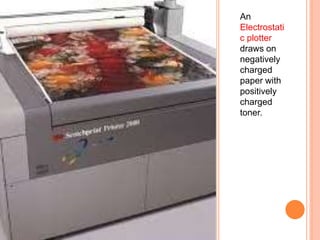
An
Electrostati
c plotter
draws on
negatively
charged
paper with
positively
charged
toner.
BIBLIOGRAPHY
 Computer Graphics Book by Donald Hearn ,M.
Pauline Baker (Pearson Edu. Publisher).
 http://www.tutorialspoint.com/computer_fundament
als/
 Applications-Input & Output Devices by Richa
Sharma.
 Computer Graphics Book by Amarendra N. Sinha
(TMH)
Input outputdisplaydevices-140819061228-phpapp02

Input outputdisplaydevices-140819061228-phpapp02

  • 1.
    INPUT-OUTPUT DISPLAY DEVICES Presented By:Presented To: Ankita Sharma Ms. Prabha Sharma Aman Anil Kumar Amita
  • 2.
    ACKNOWLEDGEMENT This Project isa golden opportunity for learning and self development. I consider myself very lucky and honored to be part of this project. My grateful thanks to Prof. Prabha Sharma, who in spite of being extraordinary busy with her duties, took time out to hear, guide and keep me on correct path. I do not know where would I have been without her. She was always so involved in the entire process, shared her knowledge, and encouraged me to think. Last but not the least there was so many who shared valuable information that helped in the successful completion of this project.
  • 3.
  • 4.
    INTRODUCTION  An inputdevice is a piece of hardware by which a user enters information into computer system.  Example: mouse, trackball, joystick, voice systems, touch screens,etc.  A major goal in designing graphics packages is device-independence – enhances portability of the application
  • 5.
  • 6.
     An alphanumerickeyboard is used primarily as a device for entering text strings.  The keyboard is an efficient device for inputting such nongraphic data as picture labels associated with graphics display.  Cursor control keys and function keys are common features on general purpose keyboards.  These days, keyboard has a good ergonomic design ; it has a detachable palm rest,slope adjustments,split keys for natural hand .  Two types ,which are the fix-split key board and the adjustable split keyboard.The adjustable split keyboard consist of several pieces which angles can be change according to the user's preference.
  • 7.
    ERGONOMIC DESIGN KEYBOARDS Fixsplit keyboard Adjustable split keyboard
  • 8.
  • 9.
     A mouseis a small hand-held BOX used to position the screen cursor.  Wheels or Rollers(now-a-days Laser lights) on the bottom are used to record the position of the screen.  Generally there are two or three buttons, used for operations like recording of the cursor positions or invoking of a function.  In order to increase the number of INPUT parameters, additional devices can be included.  The Z-MOUSE is an example of this.
  • 10.
  • 11.
    Z- MOUSE KEY FEATURES: Has three buttons, a thumbwheel on the side, a trackball on the top and a standard mouse ball underneath  With Z mouse, we can pick up an object,rotate it, and move it in any direction etc.  Allow 3D viewing.  Applications include virtual reality,CAD, and animation.
  • 12.
  • 13.
    TRACKBALL  It isa 2D positioning device.  It consists a ball held by a socket containing sensors to detect the rotation of ball about TWO axis.  User rolls the ball to move the cursor.  They are often mounted on devices such as keyboards, Z-mouse etc.
  • 14.
    SPACEBALL  It providesSIX degrees of freedom.  It is a fix device.  Movement detection is done using strain gauges.  Cursor can move in any direction.  It is more efficient then trackball.
  • 15.
    APPLICATIONS  Used inCAD workstations  In animation  Sometimes on special Workstations such as the radar consoles in air-traffic control room  In Gaming consoles  People with a mobility impairment use trackballs as an assistive technology input device
  • 16.
  • 17.
    KEY FEATURES:  Consistsof a stick pivoted on a base.  Used to steer the screen cursor.  It also has one or two PUSH buttons as input switches to perform certain actions.  Most joystick are 2D, but 3D do exist.  Distance moved from the CENTER position corresponds to the screen cursor movement in that direction.
  • 18.
    APPLICATIONS  In Gamingconsoles  In 3D animation  Used to drive machines like cranes, mining trucks, hydraulics etc.  Used as assistive technology pointing device such as in Electronic wheelchairs
  • 19.
  • 20.
    KEY FEATURES:  Usedto grasp a “virtual” object.  Uses sensors to detect the Hand and finger motion.  Electromagnetic coupling between signals provides information about the position and orientation of the hand.
  • 21.
    APPLICATIONS  In 3Danimation movies  Visual effects  Gestures can be categorized into useful information,such as to recognize Sign Language or other symbolic functions  3D Virtual environment Games
  • 22.
  • 23.
    KEY FEATURES:  Commondevice for drawing, painting,or interactively selecting coordinate positions on an object  Typically, it is used to scan an Object and to input discrete coordinate positions  ONE TYPE of Digitizer is the Graphics Tablet  It converts graphics and pictorial data into binary inputs. A graphic tablet as digitizer is used for doing fine works of drawing and images manipulation applications.
  • 24.
    APPLICATIONS  Used ingenerating Computer generated graphic images  Used in creating characters for Animation  In Technical drawings and CAD  Used for Handwriting recognition
  • 25.
  • 26.
    KEY FEATURES:  Incomputing, a scanner is a device that optically scans images, printed text, handwriting, or an object, and converts it to a digital image.  When the scanning is performed, the gradation of gray scale or colors are recorded and stored in an array.  Once scanned, any kind of transformations can be applied to the object image.
  • 27.
  • 28.
    KEY FEATURES:  Alight pen is a computer input device in the form of a light-sensitive wand used in conjunction with a computer's CRT TV set or monitor.  Allows the users to point to displayed objects and to draw objects on screen.  The position points are highly accurate and sensitive.  It generates electrical pulse which records the position of the electron beam.
  • 29.
    DISADVANTAGES  When pointedon the screen, part of the image becomes DARK by hand and the pen.  As they cannot detect black areas, special implementation are needed.  Sometimes give false readings due to the background lighting in a room.
  • 30.
  • 31.
    KEY FEATURES  BarCode Reader is a device used for reading bar coded data (data in form of light and dark lines).  Bar coded data is generally used in labelling goods, numbering the books, etc. It may be a hand- held scanner or may be embedded in a stationary scanner.  Bar Code Reader scans a bar code image, converts it into an alphanumeric value, which is then fed to the computer to which bar code reader is connected.
  • 32.
  • 33.
    KEY FEATURES  OMRis a special type of optical scanner used to recognize the type of mark made by pen or pencil.  It is used where one out of a few alternatives is to be selected and marked.  It is specially used for checking the answer sheets of examinations having multiple choice questions.
  • 34.
  • 35.
    KEY FEATURES  TheVoice system input can be used to initiate graphics operations to enter data.  Microphone is such designed to minimize input of other background sounds.  Words as spoken by the operator is stored so as to analyze and recognize the speech pattern.
  • 36.
  • 37.
    INTRODUCTION  An outputdevice is any piece of computer hardware equipment used to communicate the results of data processing carried out by an information processing system (such as acomputer) which converts the electronically generated information into human- readable form.  A display device is an output device that visually conveys text, graphics, and video information. Information shown on a display device is called soft copy because the information exists electronically and is displayed for a temporary period of time. Display devices include CRT monitors, LCD monitors and displays, gas plasma monitors, and televisions.
  • 38.
  • 39.
    KEY FEATURES  Monitorcommonly called as Visual Display Unit (VDU) is the main output device of a computer. It forms images from tiny dots, called pixels, that are arranged in a rectangular form. The sharpness of the image depends upon the number of the pixels.  There are two kinds of viewing screen used for monitors:  Cathode-Ray Tube (CRT)  Flat-Panel Display
  • 40.
  • 41.
    CATHODE-RAY TUBE (CRT)MONITOR  In the CRT, display is made up of small picture elements called pixels for short. The smaller the pixels, the better the image clarity or resolution. It takes more than one illuminated pixel to form whole character, such as the letter 'e' in the word help.  A finite number of characters can be displayed on a screen at once. The screen can be divided into a series of character boxes - fixed location on the screen where a standard character can be placed.  There are some disadvantages of CRT: -Large in Size -High power consumption
  • 42.
    FLAT-PANEL DISPLAY MONITOR The flat-panel display refers to a class of video devices that have reduced volume, weight and power requirement compared to the CRT.  You can hang them on walls or wear them on your wrists.  Current uses for flat-panel displays include calculators, video games, monitors, laptop computer, graphics display.
  • 43.
     The flat-paneldisplay are divided into two categories:  Emissive Displays - The emissive displays are devices that convert electrical energy into light. Example are plasma panel and LED (Light-Emitting Diodes).  Non-Emissive Displays - The Non-emissive displays use optical effects to convert sunlight or light from some other source into graphics patterns. Example is LCD (Liquid-Crystal Device)
  • 44.
  • 45.
    INTRODUCTION  Printer isthe most important output device, which is used to print information on paper.  There are two types of printers: -Impact Printers -Non-Impact Printers  The printers that print the characters by striking against the ribbon and onto the paper, are called impact printers.Example : Dot-Matrix printer  The printers that print the characters without striking against the ribbon and onto the paper are called Non-impact Printers.Example: Laser printer,Inkjet printer
  • 46.
    DOT - MATRIXPRINTER(IMPACT)
  • 47.
    KEY FEATURES  CharacterPrinters are printers, which print one character at a time.  In the market, one of the most popular printer is Dot Matrix Printer because of their ease of printing features and economical price.  Each character printed is in form of pattern of Dot's and head consists of a Matrix of Pins of size(5*7, 7*9, 9*7 or 9*9) which comes out to form a character that is why it is called Dot Matrix Printer.
  • 48.
     Advantages 1. Inexpensive 2.Widely Used 3. Other language characters can be printed  Disadvantages 1. Slow Speed 2. Poor Quality
  • 49.
  • 50.
    KEY FEATURES  Theseare non-impact page printers. They use laser lights to produce the dots needed to form the characters to be printed on a page.  Advantages 1. Very high speed. 2. Very high quality output. 3. Gives good graphics quality. 4. Supports many fonts and different character sizes.  Disadvantage 1. Expensive. 2. Cannot be used to produce multiple copies of a document in a single printing.
  • 51.
  • 52.
    KEY FEATURES  Inkjetprinters are non-impact character printers based on a relatively new technology.  They print characters by spraying small drops of ink onto paper.  Inkjet printers produce high quality output with presentable features.  They make less noise because no hammering is done and these have many styles of printing modes available.  Colour printing is also possible. Some models of Inkjet printers can produce multiple copies of printing also.
  • 53.
     Advantages 1. Highquality printing 2. More reliable  Disadvantages 1. Expensive as cost per page is high 2. Slow as compared to laser printer
  • 54.
  • 55.
    KEY FEATURES  Adevice that draws pictures on paper based on commands from a computer.  Vector graphics printing device  Plotters differ from printers in that they draw lines using a pen.  As a result, they can produce continuous lines, whereas printers can only simulate lines by printing a closely spaced series of dots.  Multicolor plotters use different-colored pens to draw different colors.  In general, plotters are considerably more expensive than printers. They are used in engineering applications where precision is mandatory.
  • 56.
  • 57.
    Drum plotter draws on paper wrapped arounda drum which turns to produce one direction of the plot, while the pens move to provide the other direction
  • 58.
  • 59.
  • 60.
    BIBLIOGRAPHY  Computer GraphicsBook by Donald Hearn ,M. Pauline Baker (Pearson Edu. Publisher).  http://www.tutorialspoint.com/computer_fundament als/  Applications-Input & Output Devices by Richa Sharma.  Computer Graphics Book by Amarendra N. Sinha (TMH)