DEFINITION
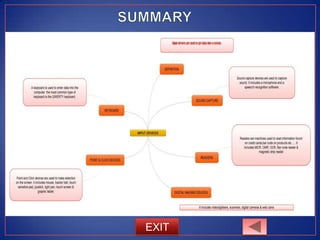
• Input devices are used to get data into a system.
• They should be able to do this as accurately and quickly
as possible, and with the minimum of human
intervention.
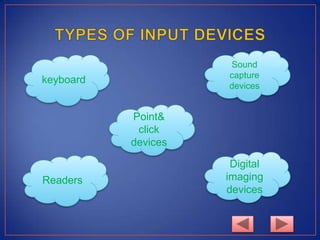
keyboard
Point&
click
devices
Readers
Digital
imaging
devices
Sound
capture
devices
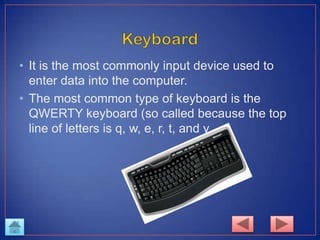
• It is the most commonly input device used to
enter data into the computer.
• The most common type of keyboard is the
QWERTY keyboard (so called because the top
line of letters is q, w, e, r, t, and y.
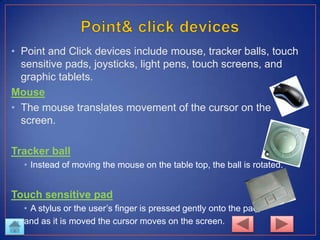
• Point and Click devices include mouse, tracker balls, touch
sensitive pads, joysticks, light pens, touch screens, and
graphic tablets.
Mouse
• The mouse translates movement of the cursor on the
screen.
Tracker ball
• Instead of moving the mouse on the table top, the ball is rotated.
Touch sensitive pad
• A stylus or the user’s finger is pressed gently onto the pad,
and as it is moved the cursor moves on the screen.
.
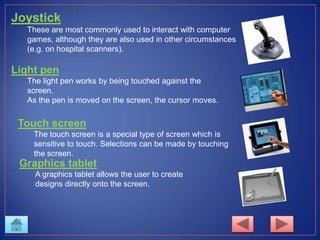
Joystick
These are most commonly used to interact with computer
games, although they are also used in other circumstances
(e.g. on hospital scanners).
Light pen
The light pen works by being touched against the
screen.
As the pen is moved on the screen, the cursor moves.
Touch screen
The touch screen is a special type of screen which is
sensitive to touch. Selections can be made by touching
the screen.
Graphics tablet
A graphics tablet allows the user to create
designs directly onto the screen.
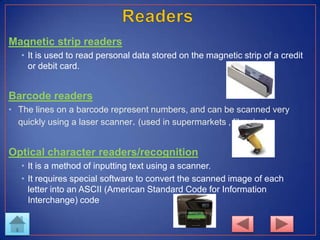
Magnetic strip readers
• It is used to read personal data stored on the magnetic strip of a credit
or debit card.
Barcode readers
• The lines on a barcode represent numbers, and can be scanned very
quickly using a laser scanner. (used in supermarkets , libraries)
Optical character readers/recognition
• It is a method of inputting text using a scanner.
• It requires special software to convert the scanned image of each
letter into an ASCII (American Standard Code for Information
Interchange) code
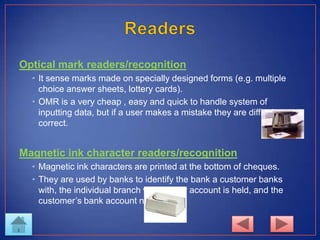
Optical mark readers/recognition
• It sense marks made on specially designed forms (e.g. multiple
choice answer sheets, lottery cards).
• OMR is a very cheap , easy and quick to handle system of
inputting data, but if a user makes a mistake they are difficult to
correct.
Magnetic ink character readers/recognition
• Magnetic ink characters are printed at the bottom of cheques.
• They are used by banks to identify the bank a customer banks
with, the individual branch where their account is held, and the
customer’s bank account number.
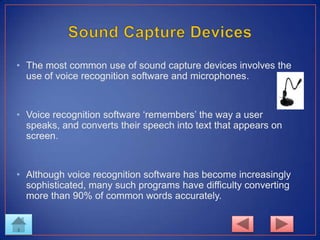
• The most common use of sound capture devices involves the
use of voice recognition software and microphones.
• Voice recognition software ‘remembers’ the way a user
speaks, and converts their speech into text that appears on
screen.
• Although voice recognition software has become increasingly
sophisticated, many such programs have difficulty converting
more than 90% of common words accurately.
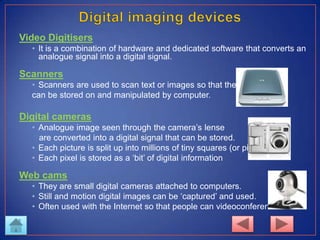
Video Digitisers
• It is a combination of hardware and dedicated software that converts an
analogue signal into a digital signal.
Scanners
• Scanners are used to scan text or images so that they
can be stored on and manipulated by computer.
Digital cameras
• Analogue image seen through the camera’s lense
are converted into a digital signal that can be stored.
• Each picture is split up into millions of tiny squares (or pixels).
• Each pixel is stored as a ‘bit’ of digital information
Web cams
• They are small digital cameras attached to computers.
• Still and motion digital images can be ‘captured’ and used.
• Often used with the Internet so that people can videoconference.
EXIT

Input devices

  • 1.
    DEFINITION • Input devicesare used to get data into a system. • They should be able to do this as accurately and quickly as possible, and with the minimum of human intervention.
  • 2.
  • 3.
    • It isthe most commonly input device used to enter data into the computer. • The most common type of keyboard is the QWERTY keyboard (so called because the top line of letters is q, w, e, r, t, and y.
  • 4.
    • Point andClick devices include mouse, tracker balls, touch sensitive pads, joysticks, light pens, touch screens, and graphic tablets. Mouse • The mouse translates movement of the cursor on the screen. Tracker ball • Instead of moving the mouse on the table top, the ball is rotated. Touch sensitive pad • A stylus or the user’s finger is pressed gently onto the pad, and as it is moved the cursor moves on the screen. .
  • 5.
    Joystick These are mostcommonly used to interact with computer games, although they are also used in other circumstances (e.g. on hospital scanners). Light pen The light pen works by being touched against the screen. As the pen is moved on the screen, the cursor moves. Touch screen The touch screen is a special type of screen which is sensitive to touch. Selections can be made by touching the screen. Graphics tablet A graphics tablet allows the user to create designs directly onto the screen.
  • 6.
    Magnetic strip readers •It is used to read personal data stored on the magnetic strip of a credit or debit card. Barcode readers • The lines on a barcode represent numbers, and can be scanned very quickly using a laser scanner. (used in supermarkets , libraries) Optical character readers/recognition • It is a method of inputting text using a scanner. • It requires special software to convert the scanned image of each letter into an ASCII (American Standard Code for Information Interchange) code
  • 7.
    Optical mark readers/recognition •It sense marks made on specially designed forms (e.g. multiple choice answer sheets, lottery cards). • OMR is a very cheap , easy and quick to handle system of inputting data, but if a user makes a mistake they are difficult to correct. Magnetic ink character readers/recognition • Magnetic ink characters are printed at the bottom of cheques. • They are used by banks to identify the bank a customer banks with, the individual branch where their account is held, and the customer’s bank account number.
  • 8.
    • The mostcommon use of sound capture devices involves the use of voice recognition software and microphones. • Voice recognition software ‘remembers’ the way a user speaks, and converts their speech into text that appears on screen. • Although voice recognition software has become increasingly sophisticated, many such programs have difficulty converting more than 90% of common words accurately.
  • 9.
    Video Digitisers • Itis a combination of hardware and dedicated software that converts an analogue signal into a digital signal. Scanners • Scanners are used to scan text or images so that they can be stored on and manipulated by computer. Digital cameras • Analogue image seen through the camera’s lense are converted into a digital signal that can be stored. • Each picture is split up into millions of tiny squares (or pixels). • Each pixel is stored as a ‘bit’ of digital information Web cams • They are small digital cameras attached to computers. • Still and motion digital images can be ‘captured’ and used. • Often used with the Internet so that people can videoconference.
  • 10.