ADVANCED INFOPATH DEVELOPMENT
http://melick-rajee.blogspot.com/
INFOPATH DEVELOPMENT OPTIONS

   There are three development categories

     Form Library
     Site Content Type
     Administrator Approval
FORM LIBRARY ..
   When to Use ?
     Targeting one SharePoint List/Library
     You don’t want to reuse it
     You don’t need it across several sites and libraries


   Two approaches
     SharePoint First Approach
     InfoPath First Approach


   List vs. Libraries
       List uses InfoPath for display purposes
       Library uses InfoPath for display as well as store
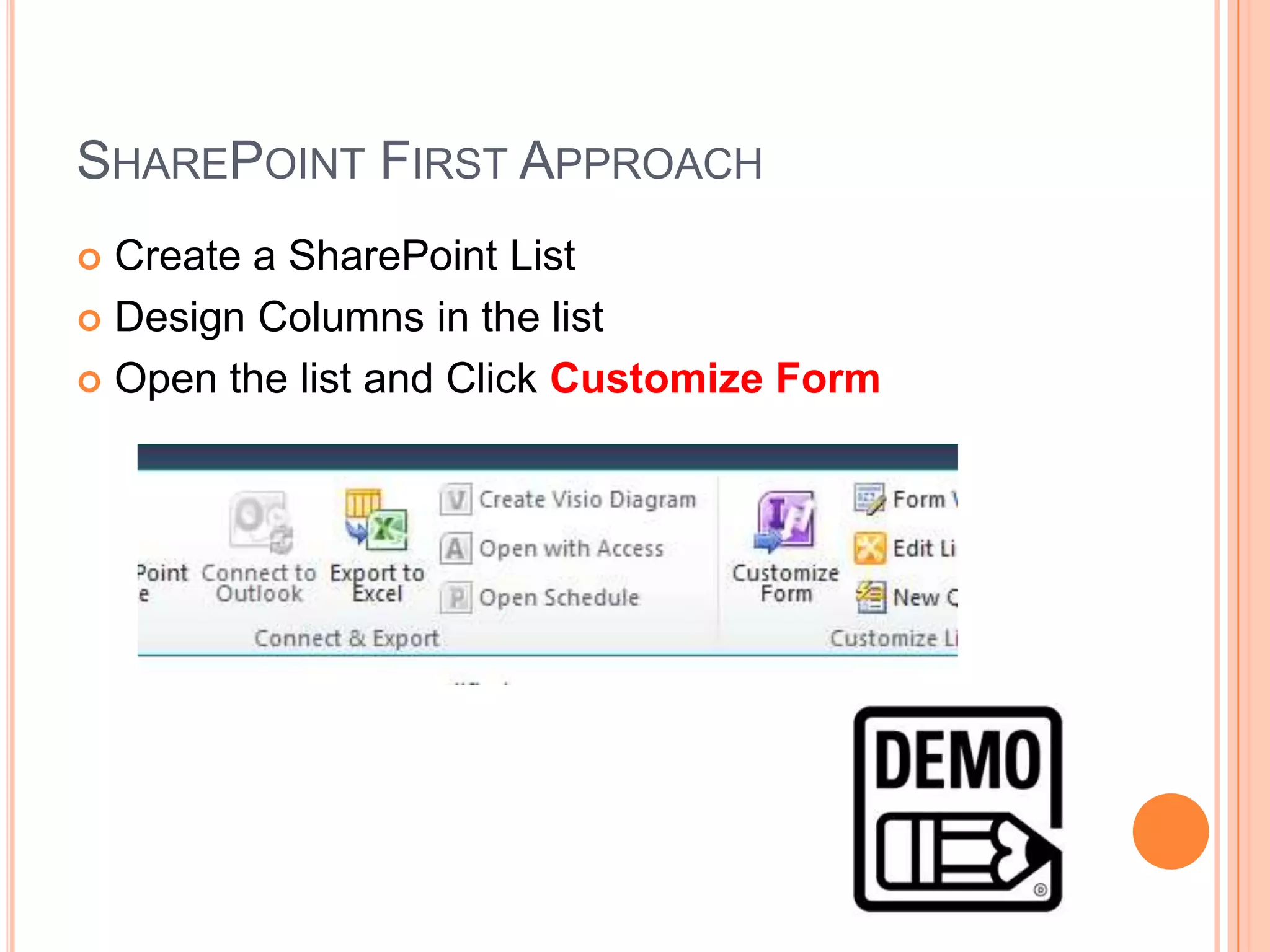
SHAREPOINT FIRST APPROACH
 Create a SharePoint List
 Design Columns in the list

 Open the list and Click Customize Form
INFOPATH FIRST APPROACH (LIST)
 Open the InfoPath
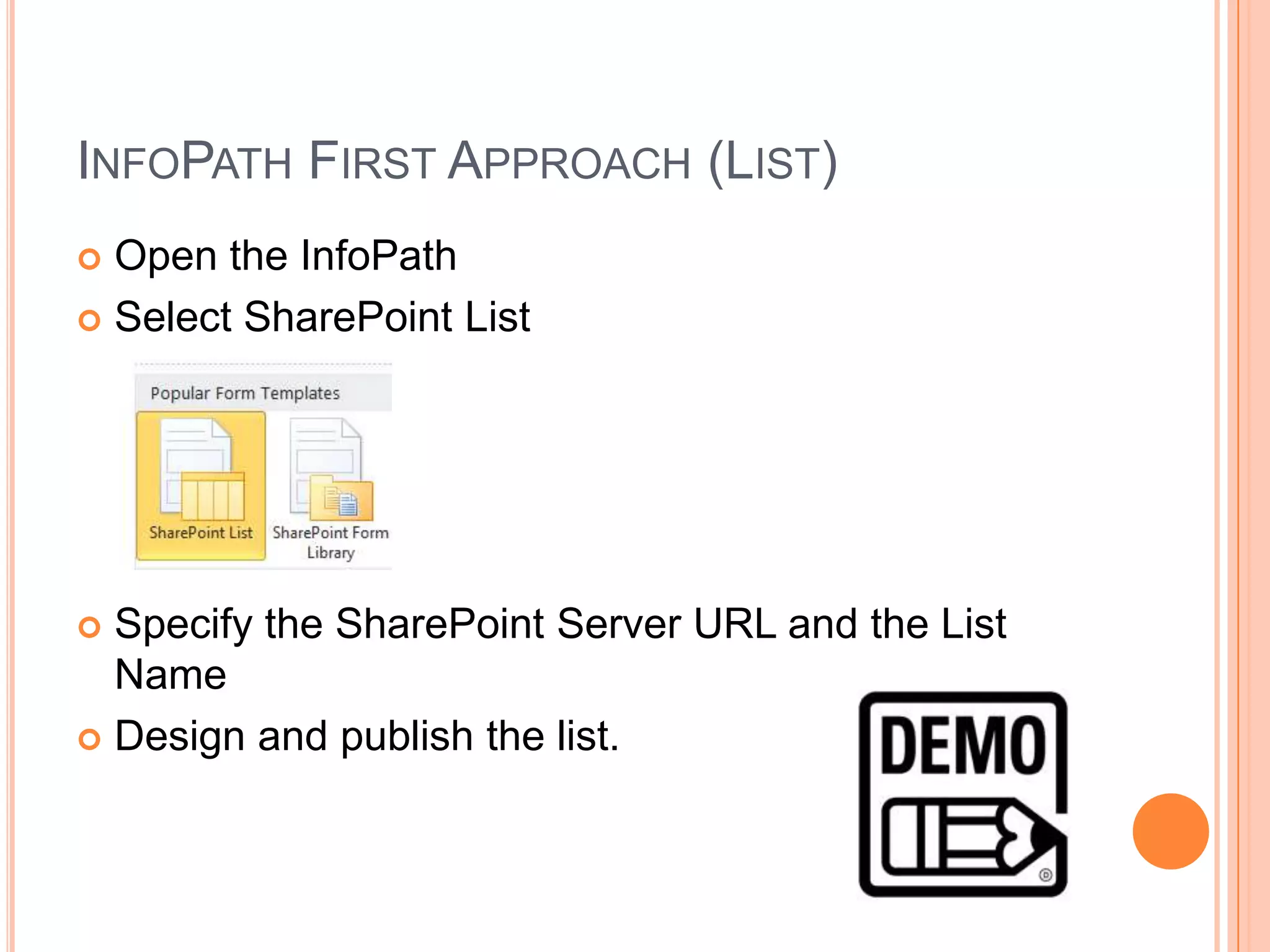
 Select SharePoint List


 Specify the SharePoint Server URL and the List
  Name
 Design and publish the list.
SHAREPOINT FIRST APPROACH(FORM)
 Create InfoPath Bank Form
 Design the Interface

 Submit to the library
     Create a New Form
     Update Form

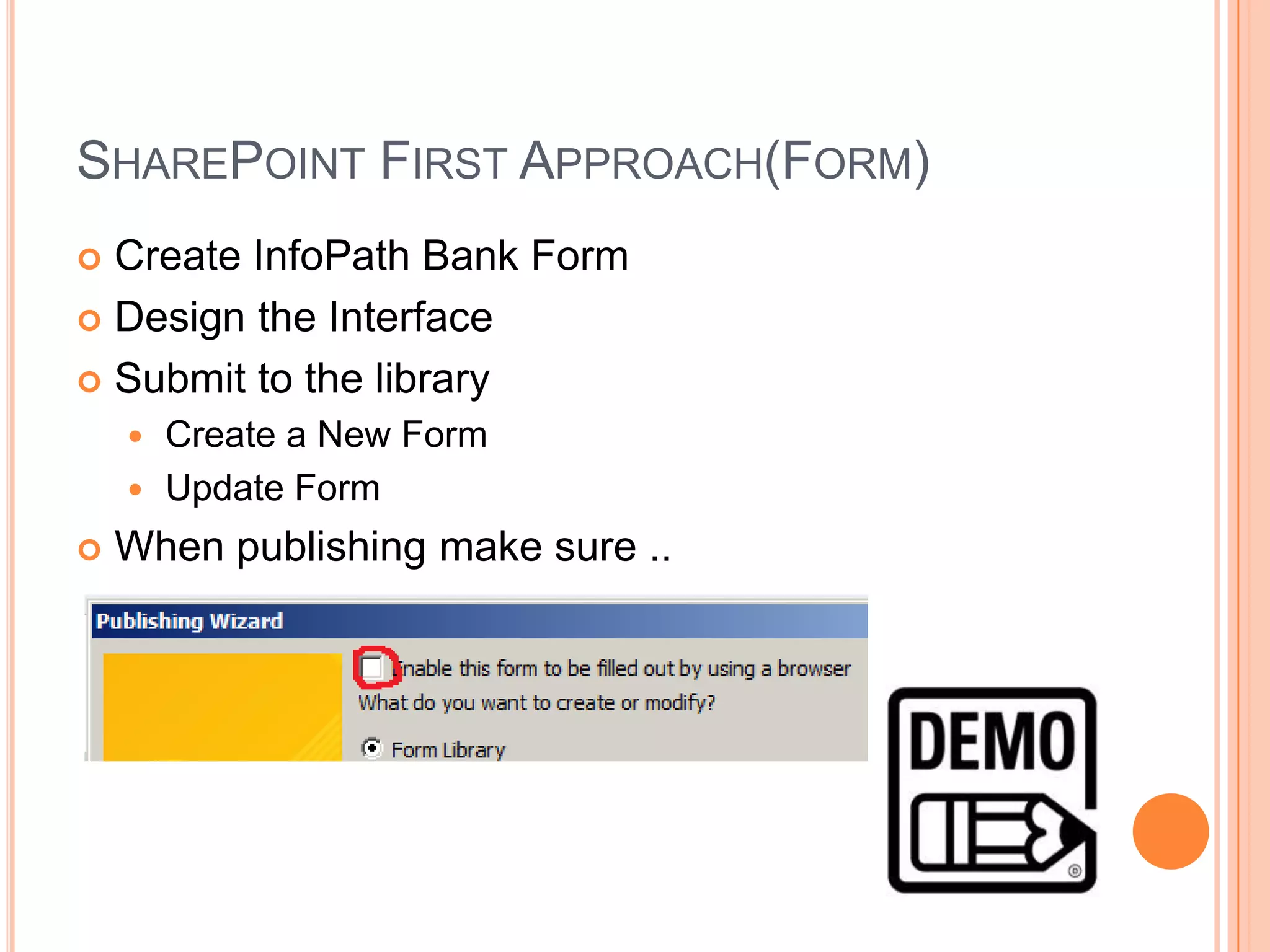
   When publishing make sure ..
SHAREPOINT FIRST APPROACH(FORM) ..
   Problems ..
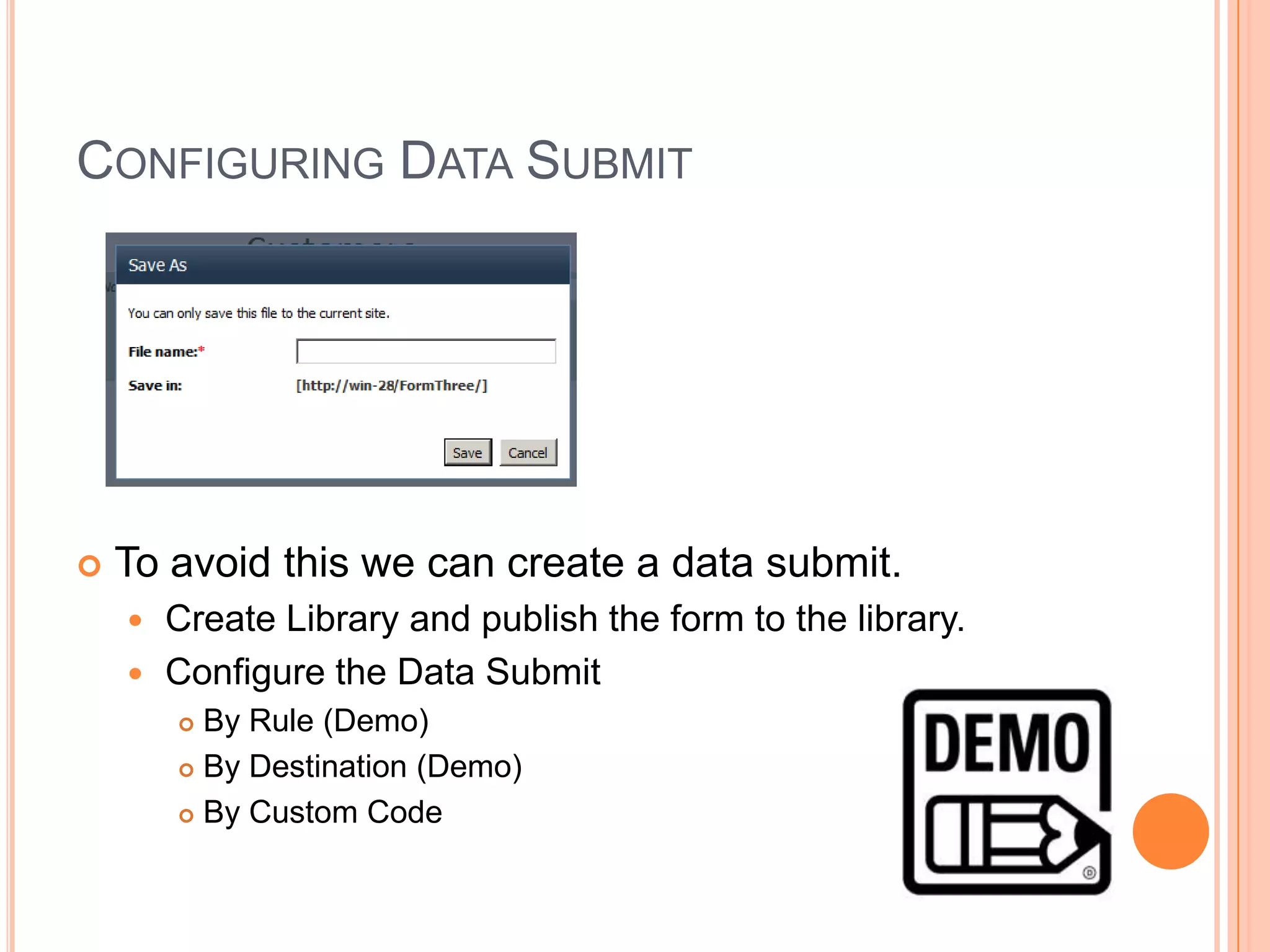
       You need to give a name manually.


     You need to specify a submit connection to avoid this.
     [ Will see later ]
SITE CONTENT TYPE
 Allows to deploy as a SharePoint Content Type
 Inheriting Content Type Advantages
     Work Flows
     Reusability


   One Form can contain many Content Types

   When to use ?
     Need to reuse the template when creating the list
     Need to maintain a template across the site/collection
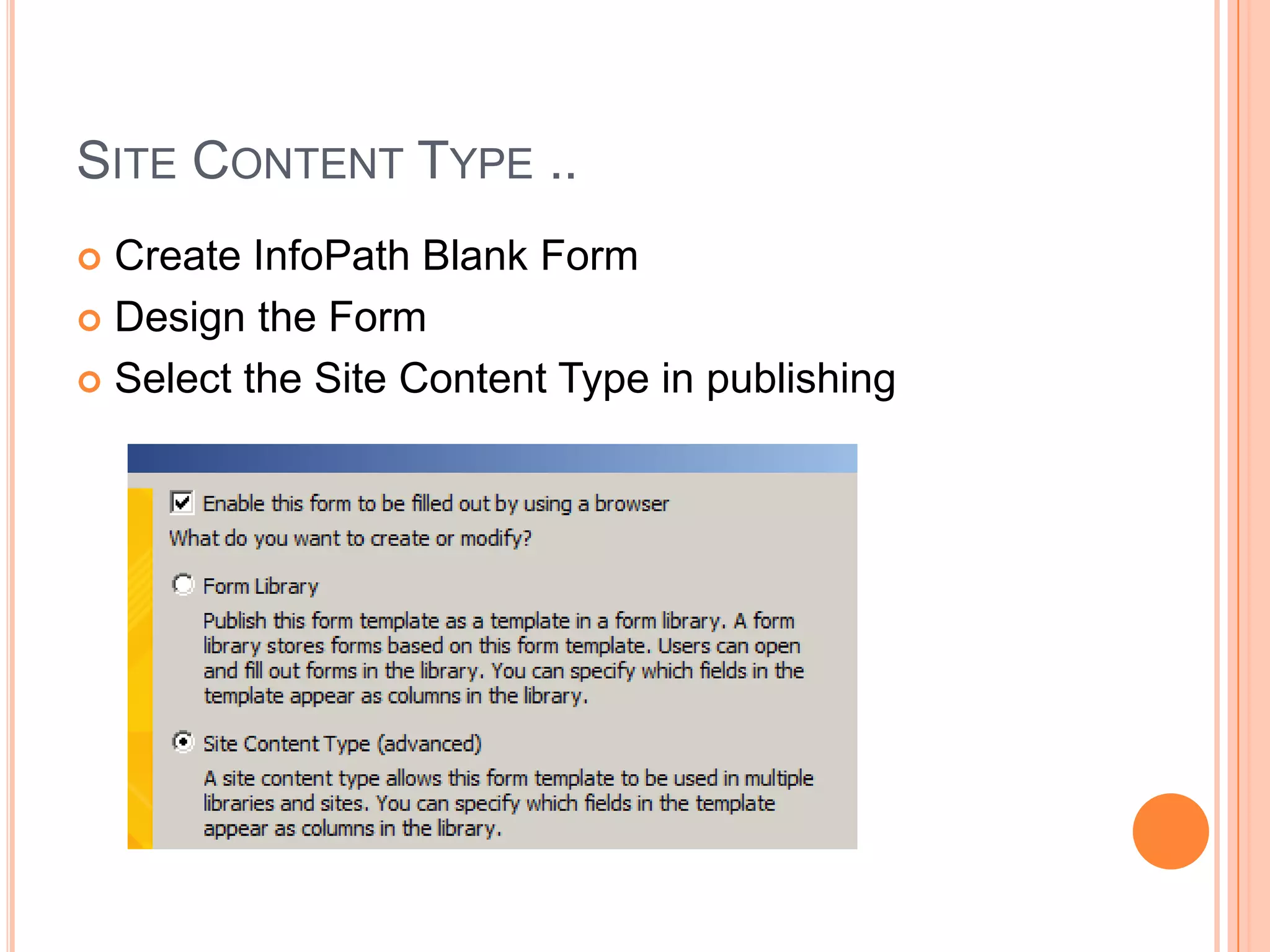
SITE CONTENT TYPE ..
 Create InfoPath Blank Form
 Design the Form

 Select the Site Content Type in publishing
SITE CONTENT TYPE ..
 Create the Content Type
 Specify the location and name

 [Check the Content Type in Site Content Types]


 Create a Form Library based on the
site content type.
ADMINISTRATOR APPROVAL
   Allows you to embed
     VSTA
     Visual Studio code behind

   InfoPath browser-compatible form templates

   When to use ?
     Forms with code behind
     Should be bowser compatible
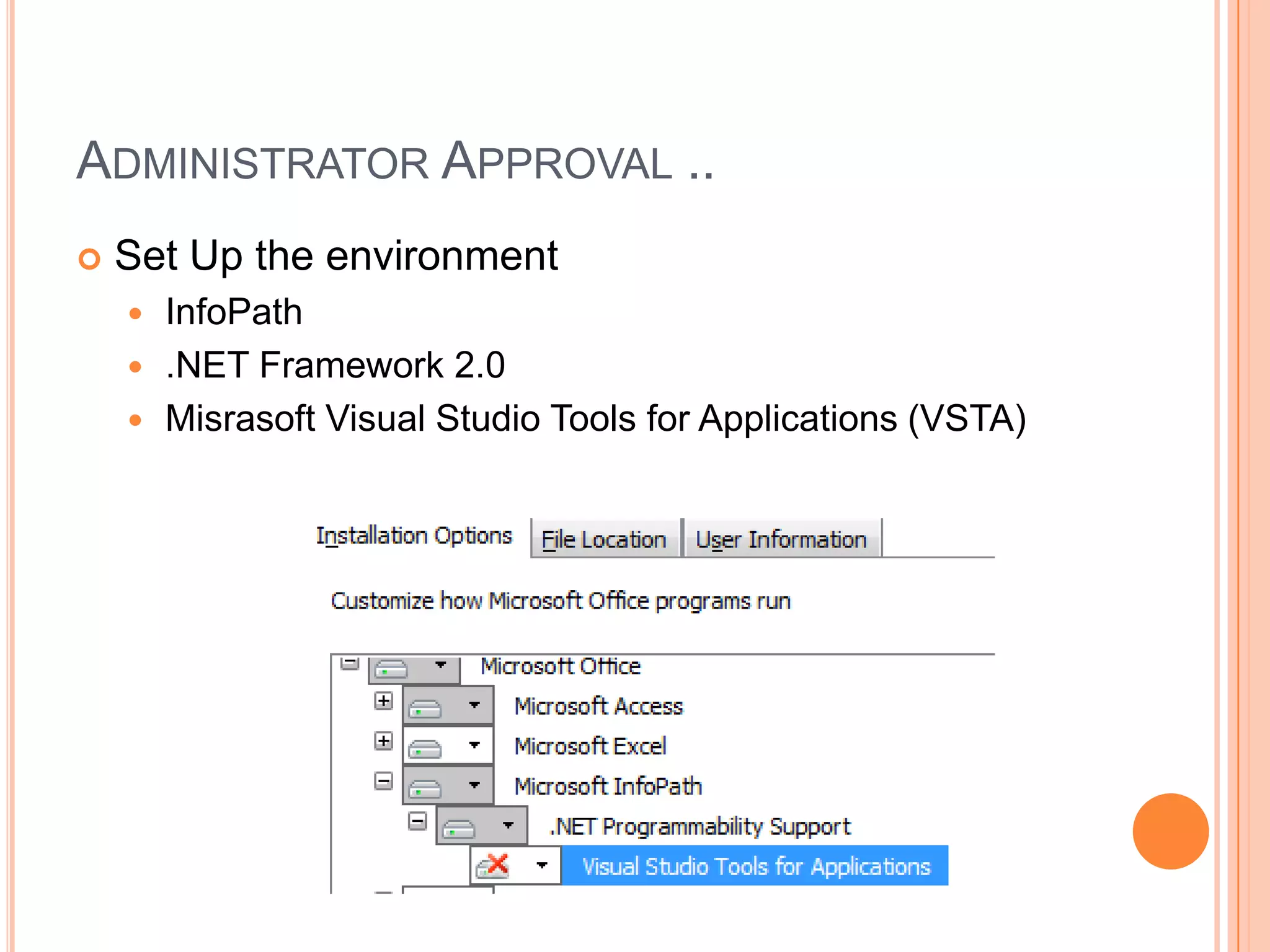
ADMINISTRATOR APPROVAL ..
   Set Up the environment
     InfoPath
     .NET Framework 2.0
     Misrasoft Visual Studio Tools for Applications (VSTA)
ADMINISTRATOR APPROVAL ..
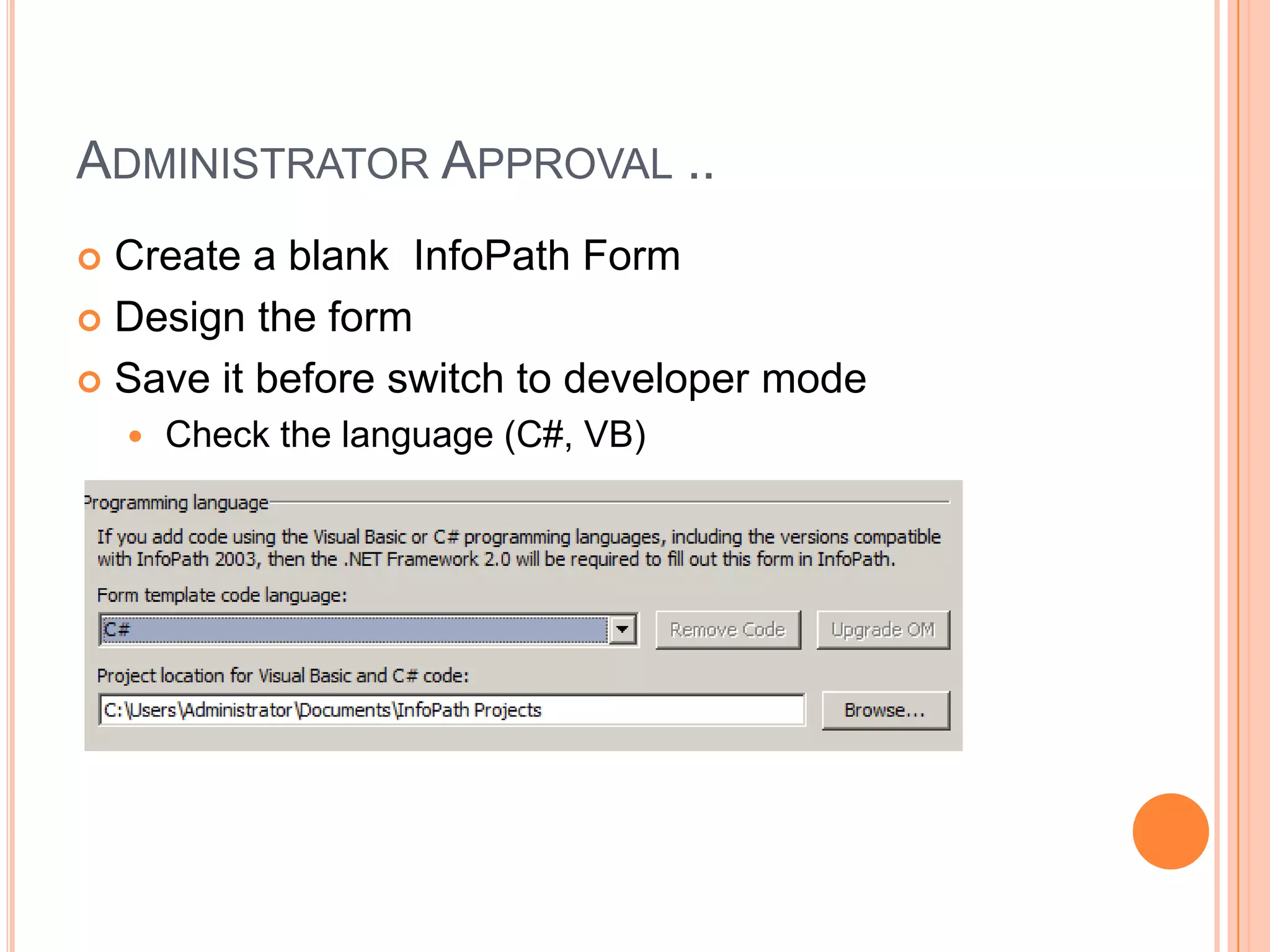
 Create a blank InfoPath Form
 Design the form

 Save it before switch to developer mode
       Check the language (C#, VB)
ADMINISTRATOR APPROVAL ..
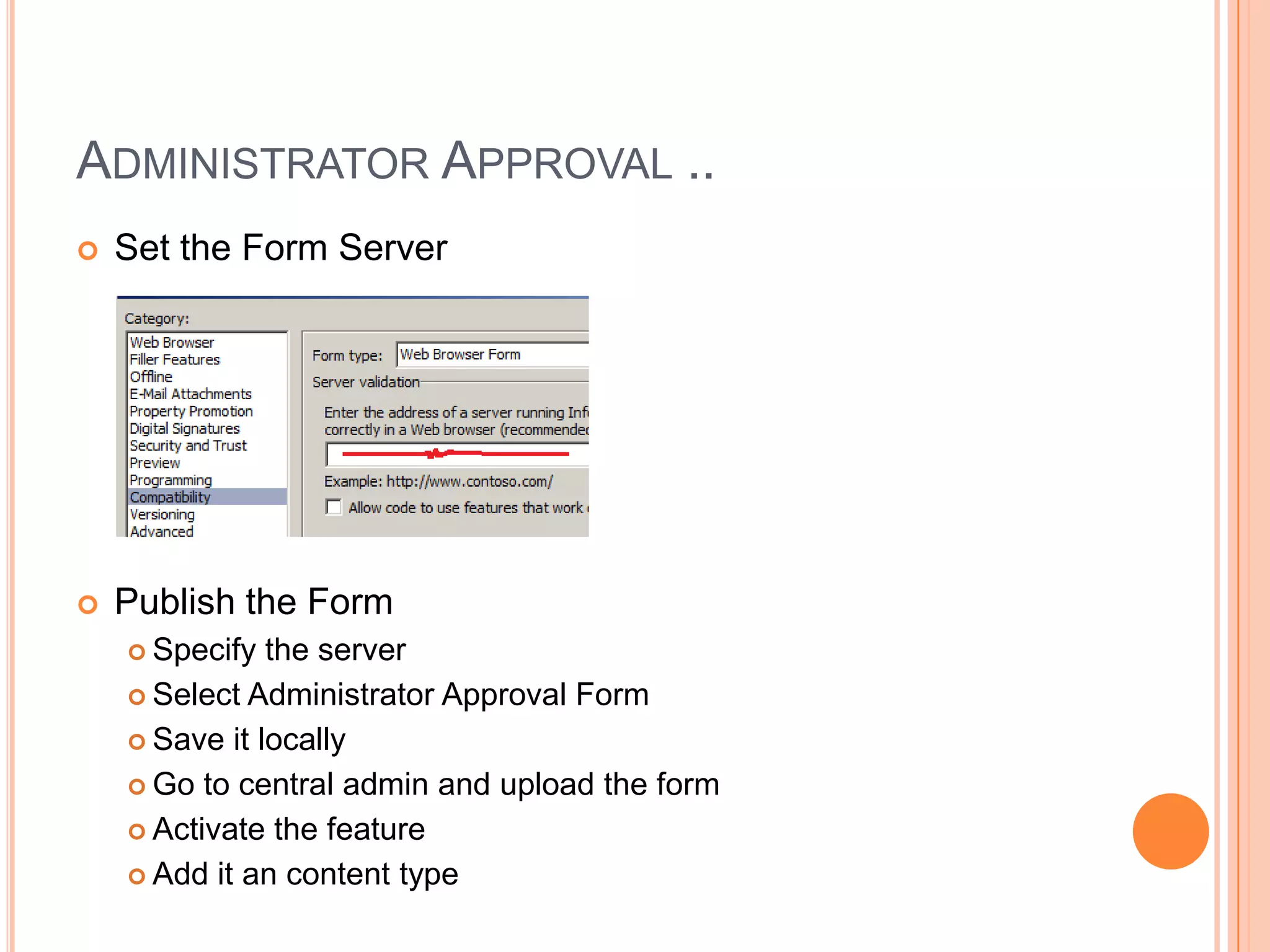
   Set the Form Server


   Publish the Form
     Specify  the server
     Select Administrator Approval Form

     Save it locally

     Go to central admin and upload the form

     Activate the feature

     Add it an content type
ADMINISTRATOR APPROVAL ..
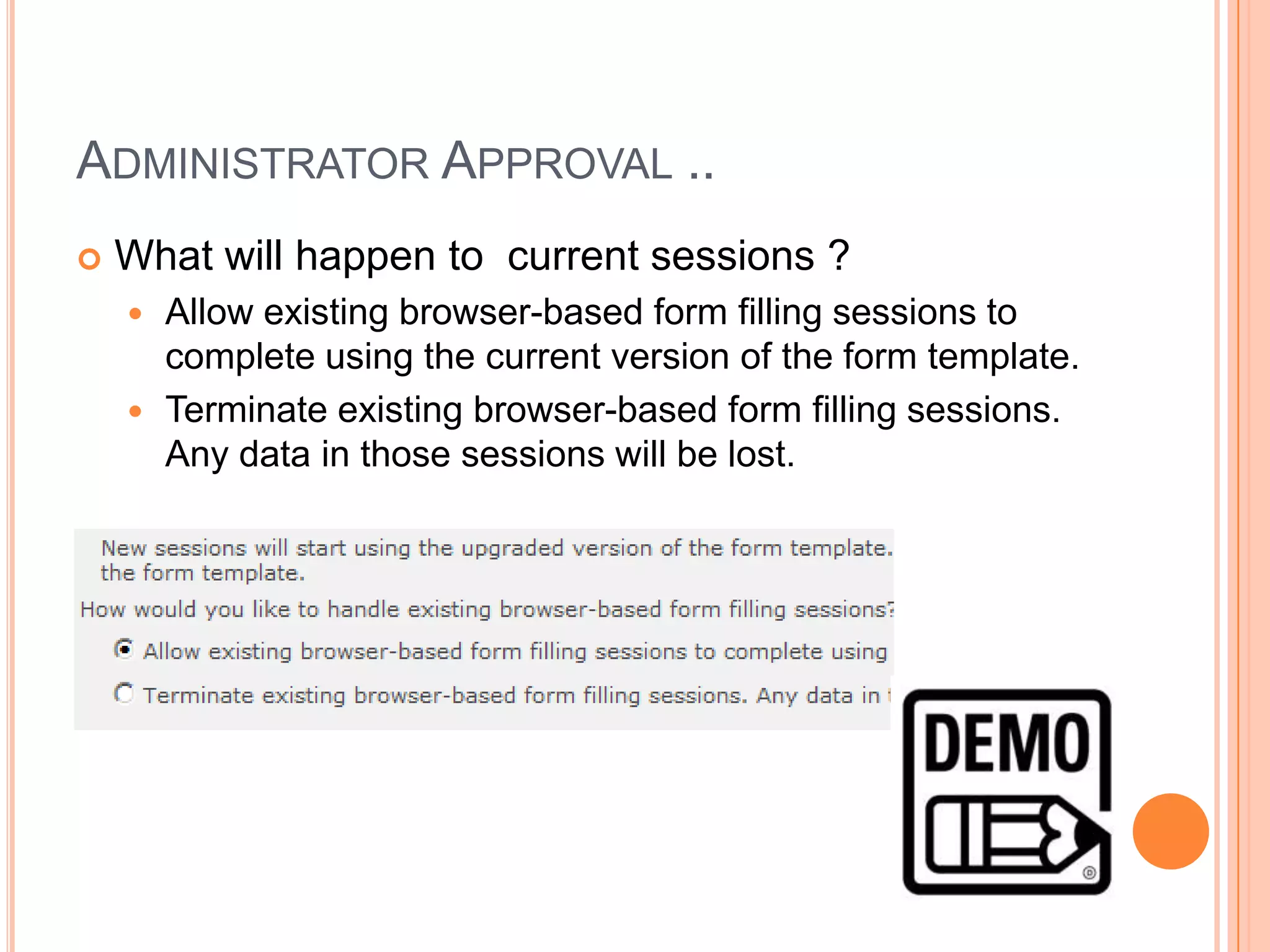
   What will happen to current sessions ?
     Allow existing browser-based form filling sessions to
      complete using the current version of the form template.
     Terminate existing browser-based form filling sessions.
      Any data in those sessions will be lost.
CHANGING BUTTONS
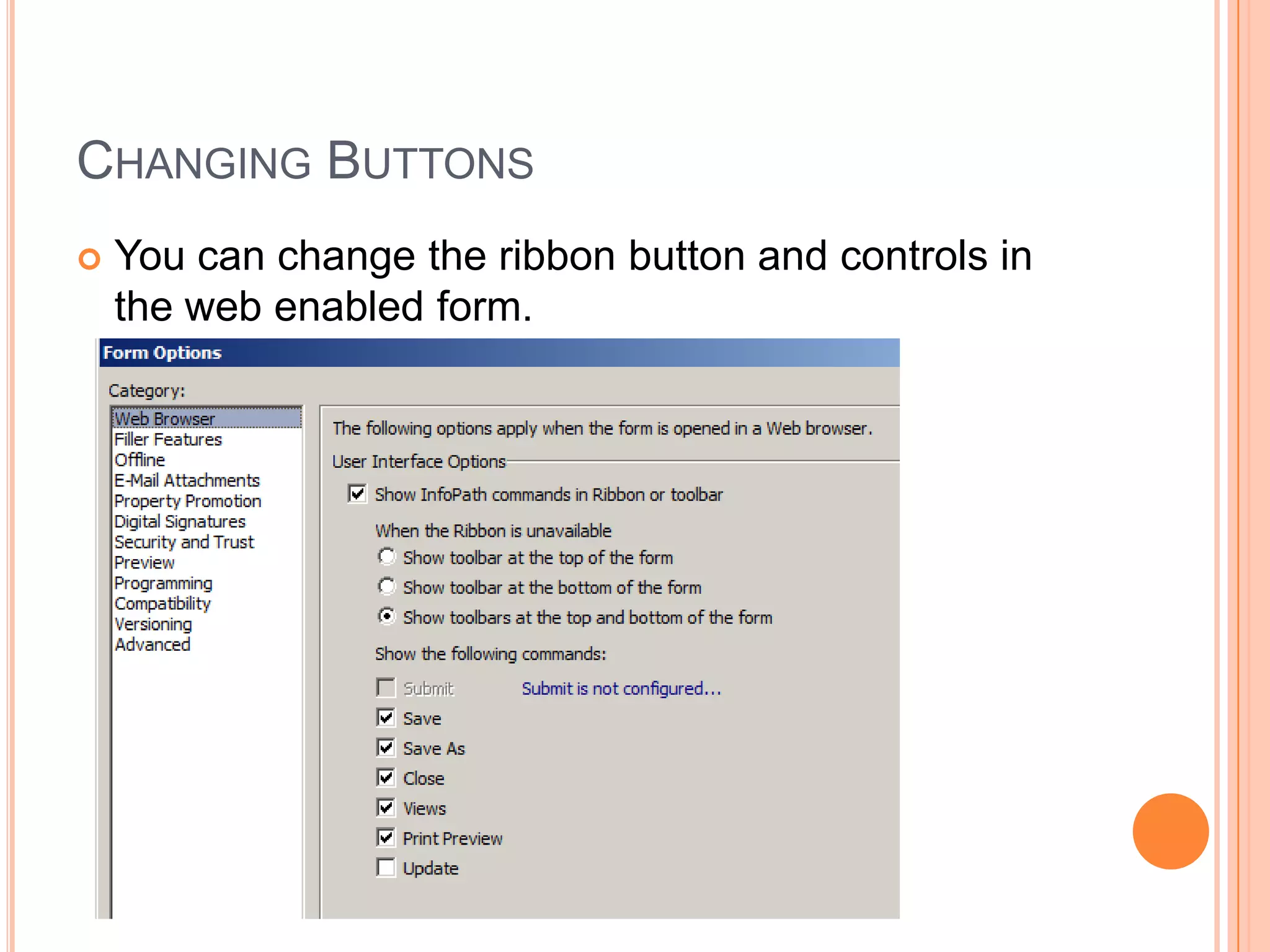
   You can change the ribbon button and controls in
    the web enabled form.
CONFIGURING DATA SUBMIT


   To avoid this we can create a data submit.
     Create Library and publish the form to the library.
     Configure the Data Submit
         By Rule (Demo)
         By Destination (Demo)

         By Custom Code
CONFIGURING DATA SUBMIT ..
   Other Options

     To a web service
     To a document library on a SharePoint site
     As an Email Message
     To the hosting environment
           (XmlFormView Control)
CONFIGURING DATA RETRIEVE
   Receive Data is a mechanism to connect to other
    sources and retrieve information.

       SOAP Web service
       REST Web service
       SharePoint Library or List
       Database (SQL Server)
       XML Document

       Passing Parameters
ACCESS VALUES PROGRAMMATICALLY
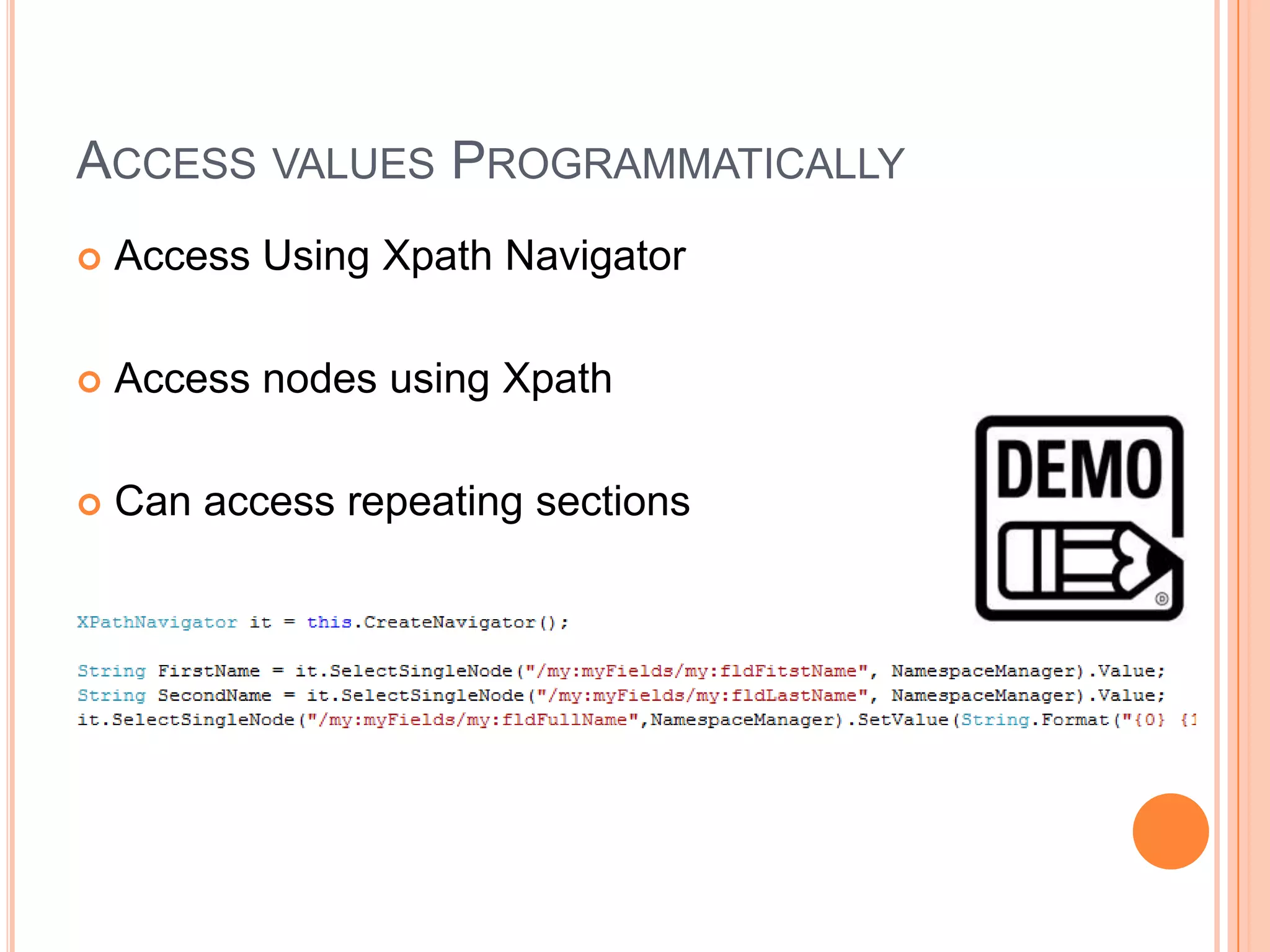
   Access Using Xpath Navigator

   Access nodes using Xpath

   Can access repeating sections
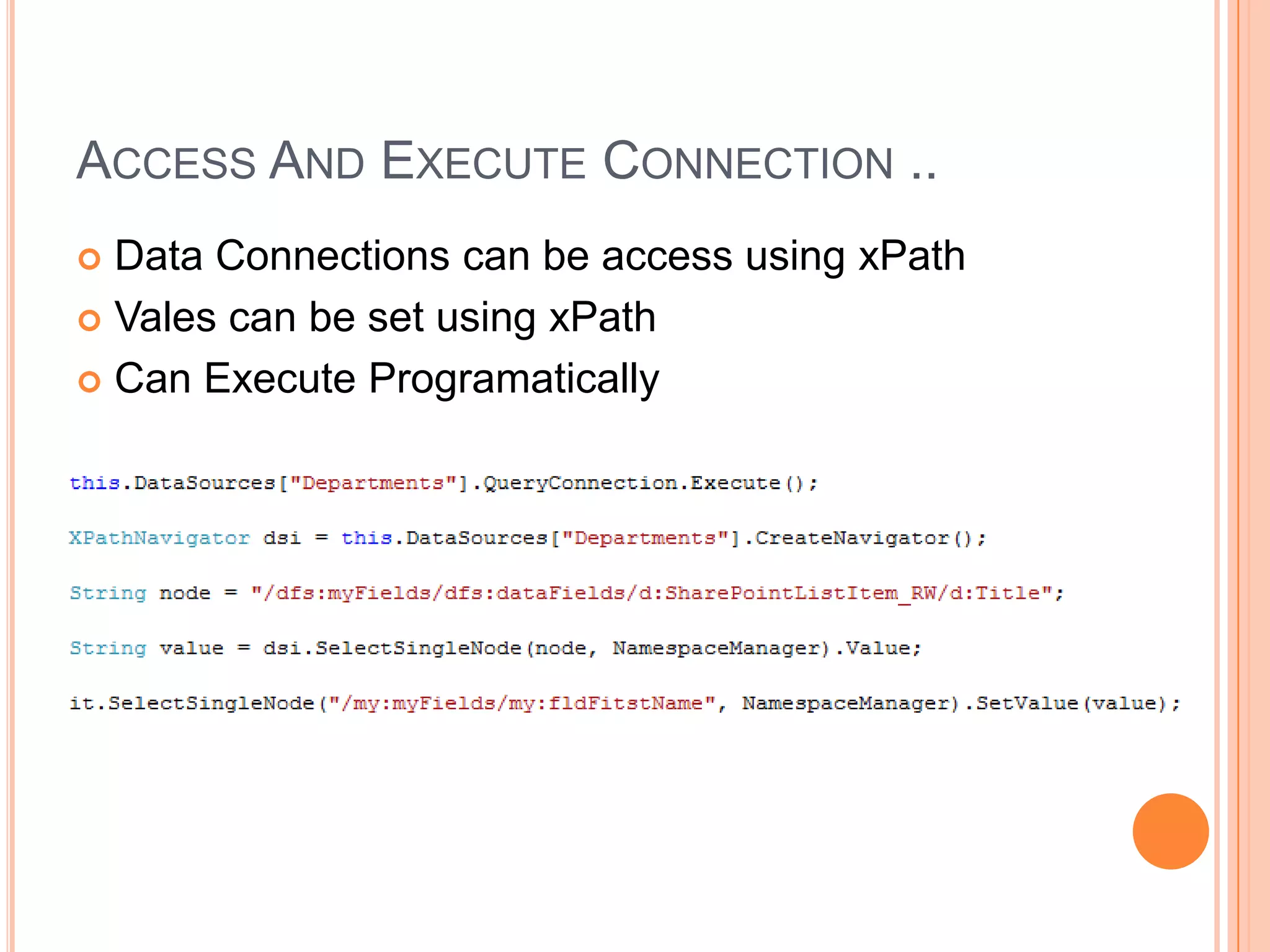
ACCESS AND EXECUTE CONNECTION ..
 Data Connections can be access using xPath
 Vales can be set using xPath

 Can Execute Programatically
THANK YOU !
http://melick-rajee.blogspot.com/

Info path advanced development @ Sri Lanka SharePoint Forum

  • 1.
  • 2.
    INFOPATH DEVELOPMENT OPTIONS  There are three development categories  Form Library  Site Content Type  Administrator Approval
  • 3.
    FORM LIBRARY ..  When to Use ?  Targeting one SharePoint List/Library  You don’t want to reuse it  You don’t need it across several sites and libraries  Two approaches  SharePoint First Approach  InfoPath First Approach  List vs. Libraries  List uses InfoPath for display purposes  Library uses InfoPath for display as well as store
  • 4.
    SHAREPOINT FIRST APPROACH Create a SharePoint List  Design Columns in the list  Open the list and Click Customize Form
  • 5.
    INFOPATH FIRST APPROACH(LIST)  Open the InfoPath  Select SharePoint List  Specify the SharePoint Server URL and the List Name  Design and publish the list.
  • 6.
    SHAREPOINT FIRST APPROACH(FORM) Create InfoPath Bank Form  Design the Interface  Submit to the library  Create a New Form  Update Form  When publishing make sure ..
  • 7.
    SHAREPOINT FIRST APPROACH(FORM)..  Problems ..  You need to give a name manually.  You need to specify a submit connection to avoid this.  [ Will see later ]
  • 8.
    SITE CONTENT TYPE Allows to deploy as a SharePoint Content Type  Inheriting Content Type Advantages  Work Flows  Reusability  One Form can contain many Content Types  When to use ?  Need to reuse the template when creating the list  Need to maintain a template across the site/collection
  • 9.
    SITE CONTENT TYPE..  Create InfoPath Blank Form  Design the Form  Select the Site Content Type in publishing
  • 10.
    SITE CONTENT TYPE..  Create the Content Type  Specify the location and name  [Check the Content Type in Site Content Types]  Create a Form Library based on the site content type.
  • 11.
    ADMINISTRATOR APPROVAL  Allows you to embed  VSTA  Visual Studio code behind  InfoPath browser-compatible form templates  When to use ?  Forms with code behind  Should be bowser compatible
  • 12.
    ADMINISTRATOR APPROVAL ..  Set Up the environment  InfoPath  .NET Framework 2.0  Misrasoft Visual Studio Tools for Applications (VSTA)
  • 13.
    ADMINISTRATOR APPROVAL .. Create a blank InfoPath Form  Design the form  Save it before switch to developer mode  Check the language (C#, VB)
  • 14.
    ADMINISTRATOR APPROVAL ..  Set the Form Server  Publish the Form  Specify the server  Select Administrator Approval Form  Save it locally  Go to central admin and upload the form  Activate the feature  Add it an content type
  • 15.
    ADMINISTRATOR APPROVAL ..  What will happen to current sessions ?  Allow existing browser-based form filling sessions to complete using the current version of the form template.  Terminate existing browser-based form filling sessions. Any data in those sessions will be lost.
  • 16.
    CHANGING BUTTONS  You can change the ribbon button and controls in the web enabled form.
  • 17.
    CONFIGURING DATA SUBMIT  To avoid this we can create a data submit.  Create Library and publish the form to the library.  Configure the Data Submit  By Rule (Demo)  By Destination (Demo)  By Custom Code
  • 18.
    CONFIGURING DATA SUBMIT..  Other Options  To a web service  To a document library on a SharePoint site  As an Email Message  To the hosting environment  (XmlFormView Control)
  • 19.
    CONFIGURING DATA RETRIEVE  Receive Data is a mechanism to connect to other sources and retrieve information.  SOAP Web service  REST Web service  SharePoint Library or List  Database (SQL Server)  XML Document  Passing Parameters
  • 20.
    ACCESS VALUES PROGRAMMATICALLY  Access Using Xpath Navigator  Access nodes using Xpath  Can access repeating sections
  • 21.
    ACCESS AND EXECUTECONNECTION ..  Data Connections can be access using xPath  Vales can be set using xPath  Can Execute Programatically
  • 22.