Disclaimer
• This presentation may contain product features that are currently under development.
• This overview of new technology represents no commitment from VMware to deliver these
features in any generally available product.
• Features are subject to change, and must not be included in contracts, purchase orders, or
sales agreements of any kind.
• Technical feasibility and market demand will affect final delivery.
• Pricing and packaging for any new technologies or features discussed or presented have not
been determined.
2
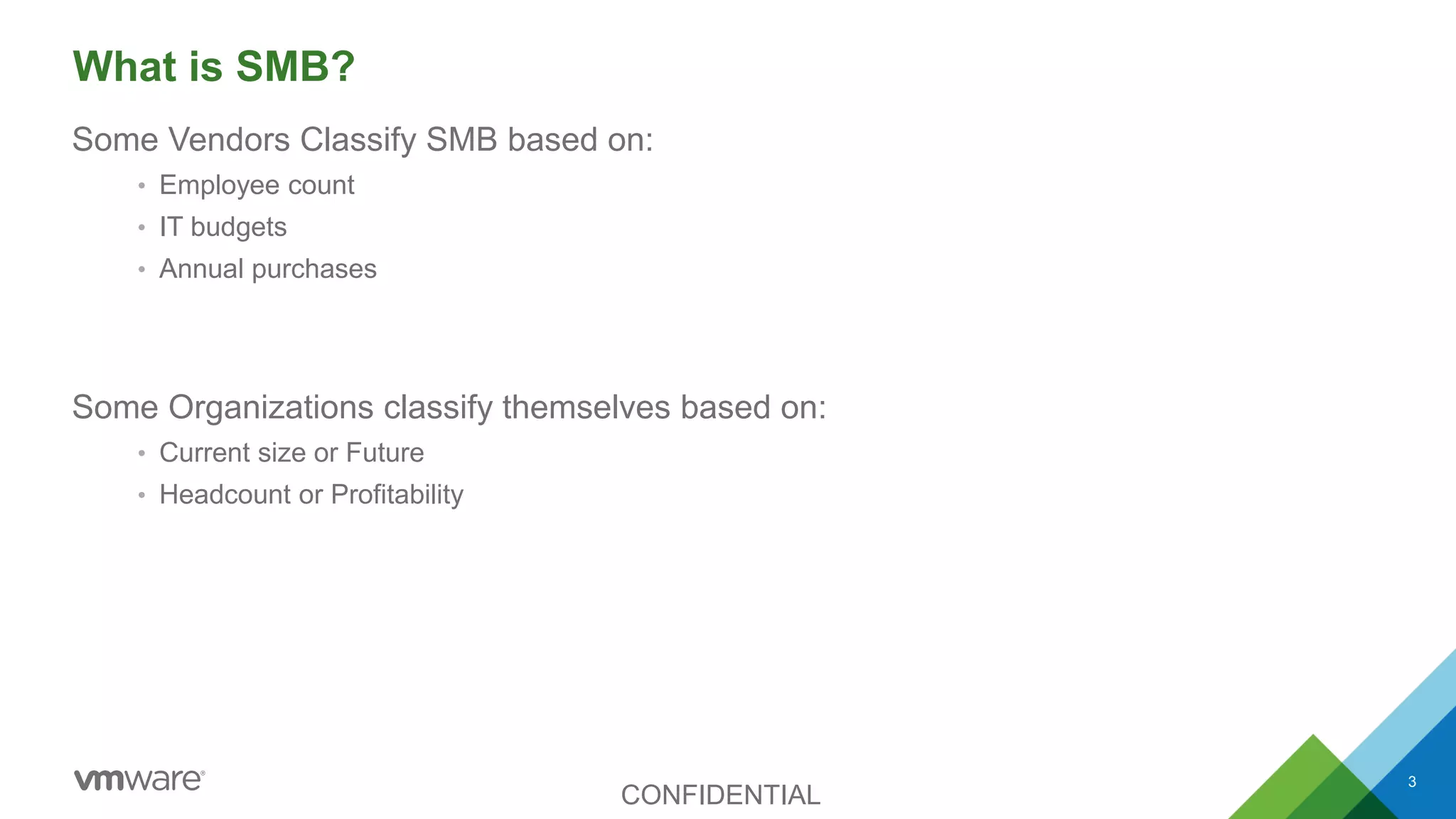
What is SMB?
Some Vendors Classify SMB based on:
• Employee count
• IT budgets
• Annual purchases
Some Organizations classify themselves based on:
• Current size or Future
• Headcount or Profitability
CONFIDENTIAL
3
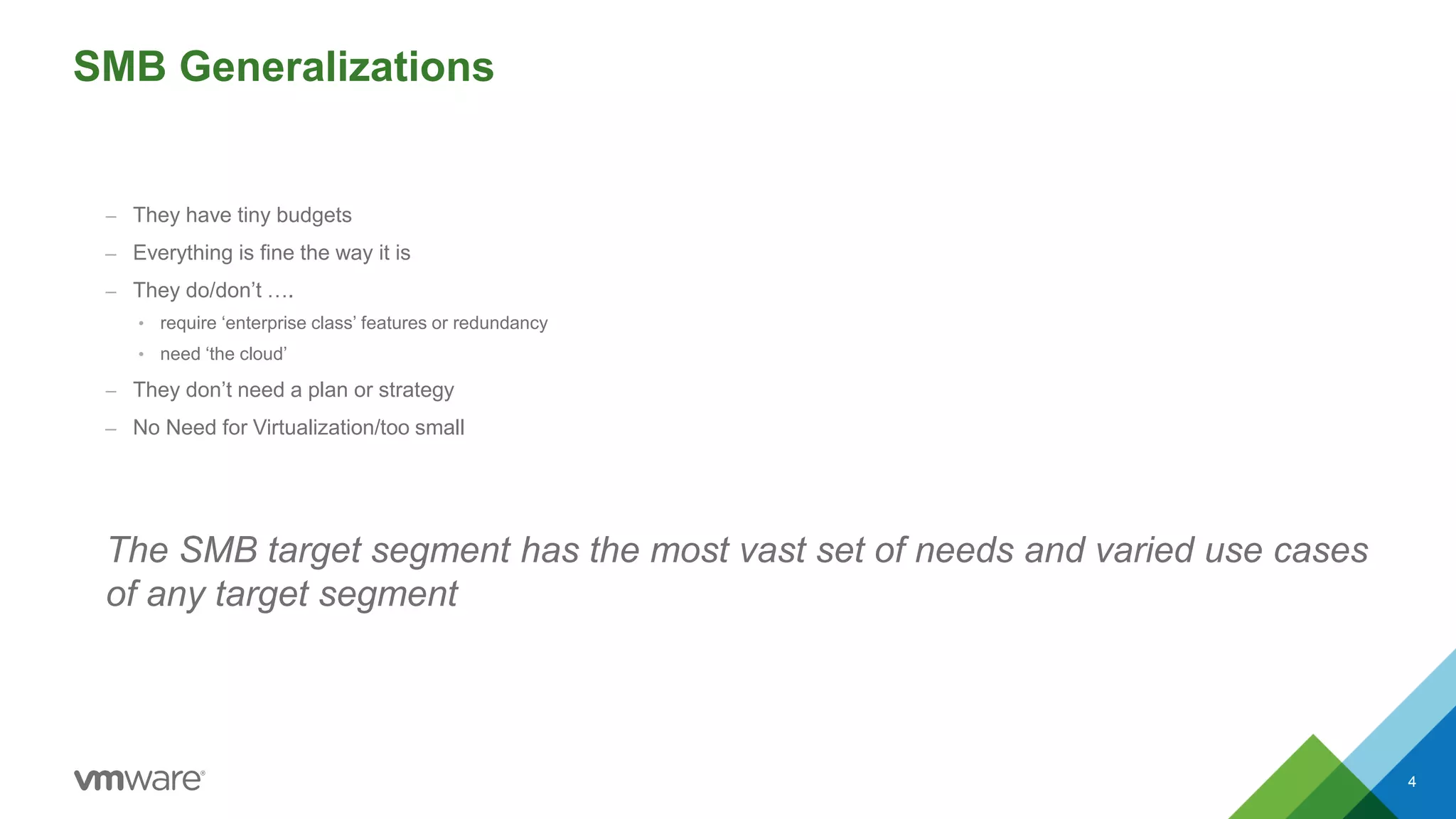
SMB Generalizations
– They have tiny budgets
– Everything is fine the way it is
– They do/don’t ….
• require ‘enterprise class’ features or redundancy
• need ‘the cloud’
– They don’t need a plan or strategy
– No Need for Virtualization/too small
The SMB target segment has the most vast set of needs and varied use cases
of any target segment
4
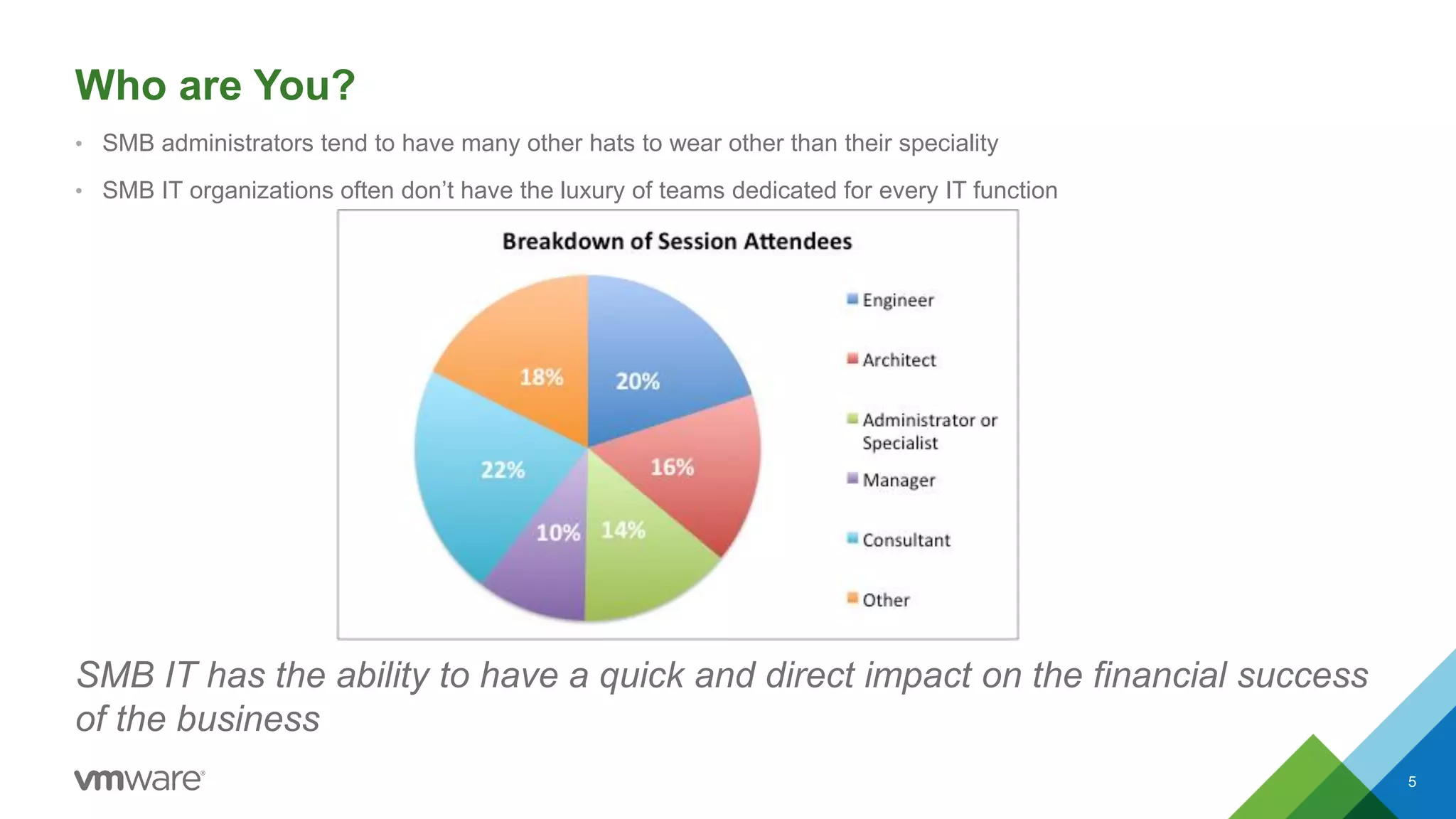
Who are You?
• SMB administrators tend to have many other hats to wear other than their speciality
• SMB IT organizations often don’t have the luxury of teams dedicated for every IT function
SMB IT has the ability to have a quick and direct impact on the financial success
of the business
5
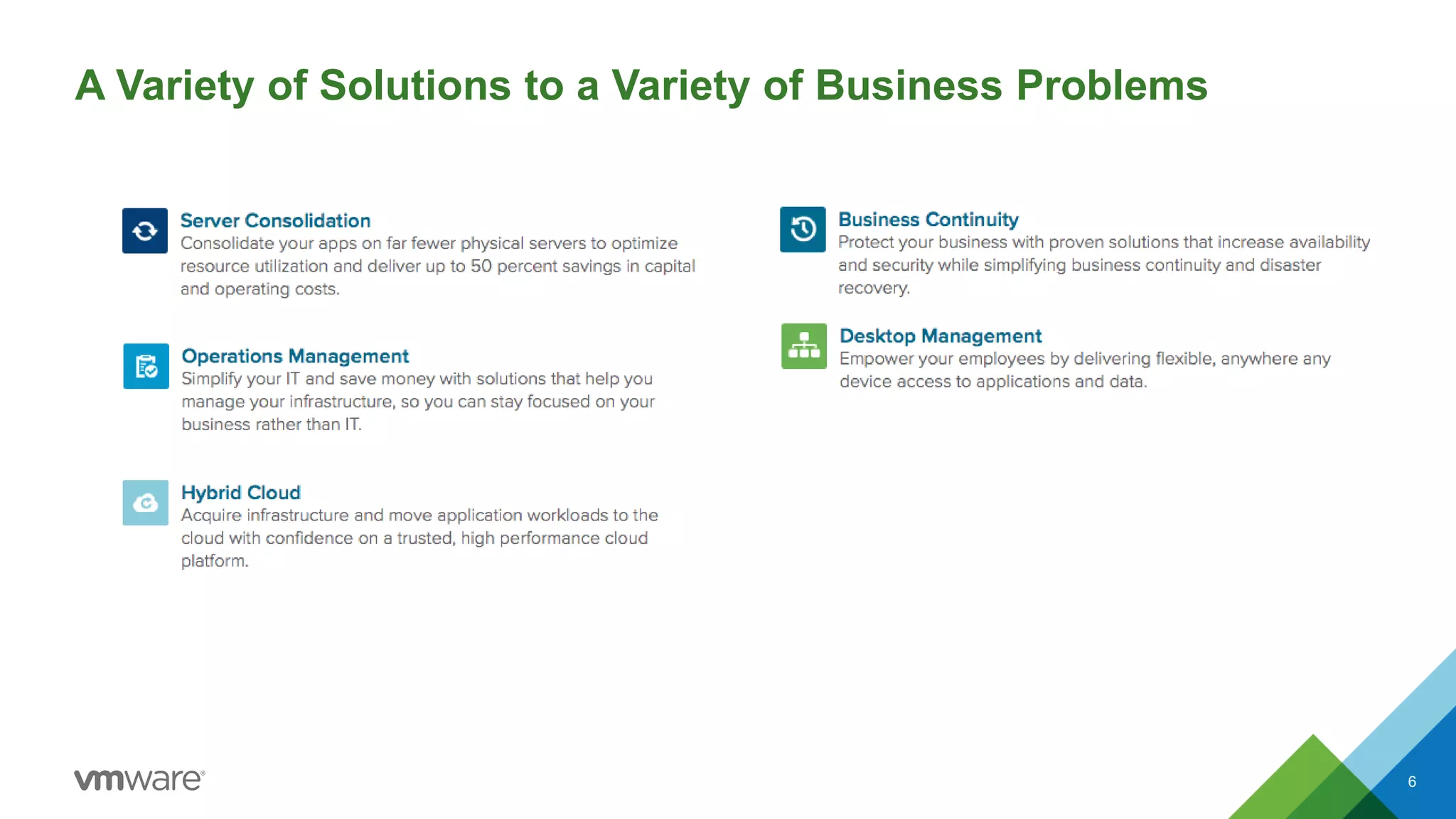
A Variety of Solutions to a Variety of Business Problems
6
It’s Your Turn
What is a challenge you are facing today or anticipate facing in
your organization?
• Backup and Recovery
• Desktop Virtualization
• Disaster Recovery
• Management
• Storage
• Something else?
Reference Slides From Here on
Out
Will add several architectural reference slides to pull up to aid
conversation if attendees need better visual representations of
the discussion
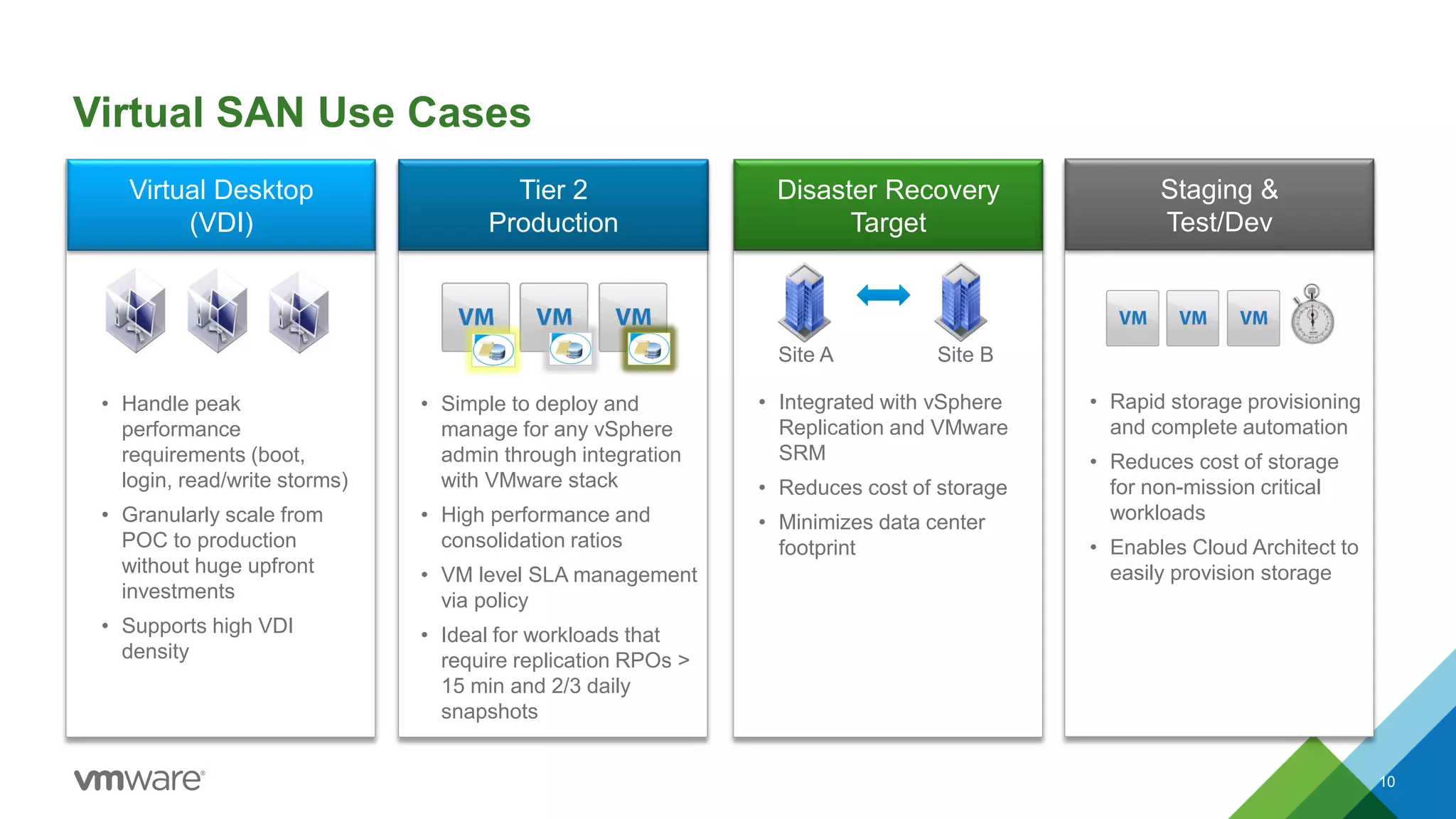
Virtual Desktop
(VDI)
Tier 2
Production
Disaster Recovery
Target
• Simple to deploy and
manage for any vSphere
admin through integration
with VMware stack
• High performance and
consolidation ratios
• VM level SLA management
via policy
• Ideal for workloads that
require replication RPOs >
15 min and 2/3 daily
snapshots
• Integrated with vSphere
Replication and VMware
SRM
• Reduces cost of storage
• Minimizes data center
footprint
• Handle peak
performance
requirements (boot,
login, read/write storms)
• Granularly scale from
POC to production
without huge upfront
investments
• Supports high VDI
density
Virtual SAN Use Cases
10
Site A Site B
Staging &
Test/Dev
• Rapid storage provisioning
and complete automation
• Reduces cost of storage
for non-mission critical
workloads
• Enables Cloud Architect to
easily provision storage
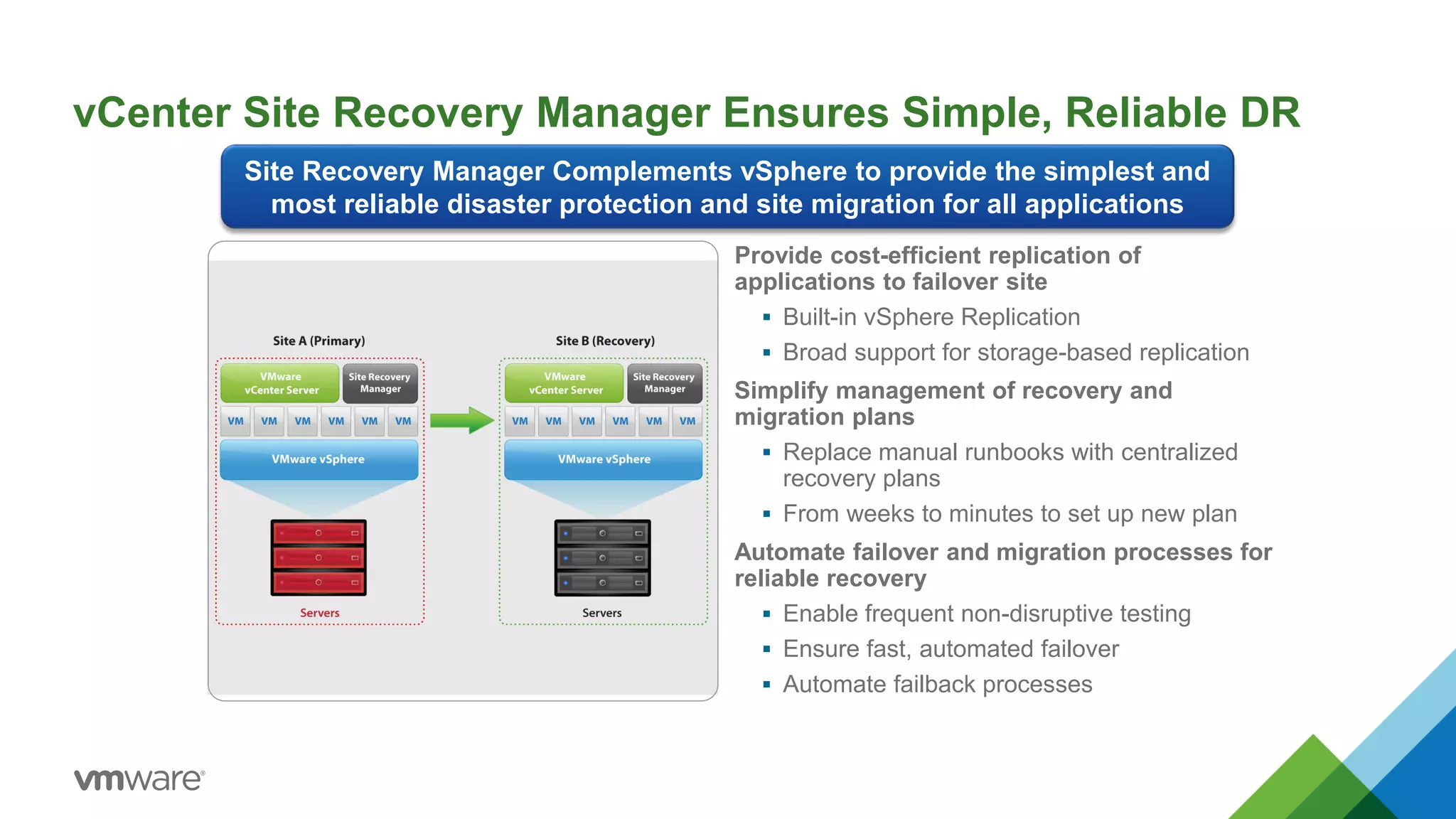
vCenter Site Recovery Manager Ensures Simple, Reliable DR
Provide cost-efficient replication of
applications to failover site
 Built-in vSphere Replication
 Broad support for storage-based replication
Simplify management of recovery and
migration plans
 Replace manual runbooks with centralized
recovery plans
 From weeks to minutes to set up new plan
Automate failover and migration processes for
reliable recovery
 Enable frequent non-disruptive testing
 Ensure fast, automated failover
 Automate failback processes
Site Recovery Manager Complements vSphere to provide the simplest and
most reliable disaster protection and site migration for all applications
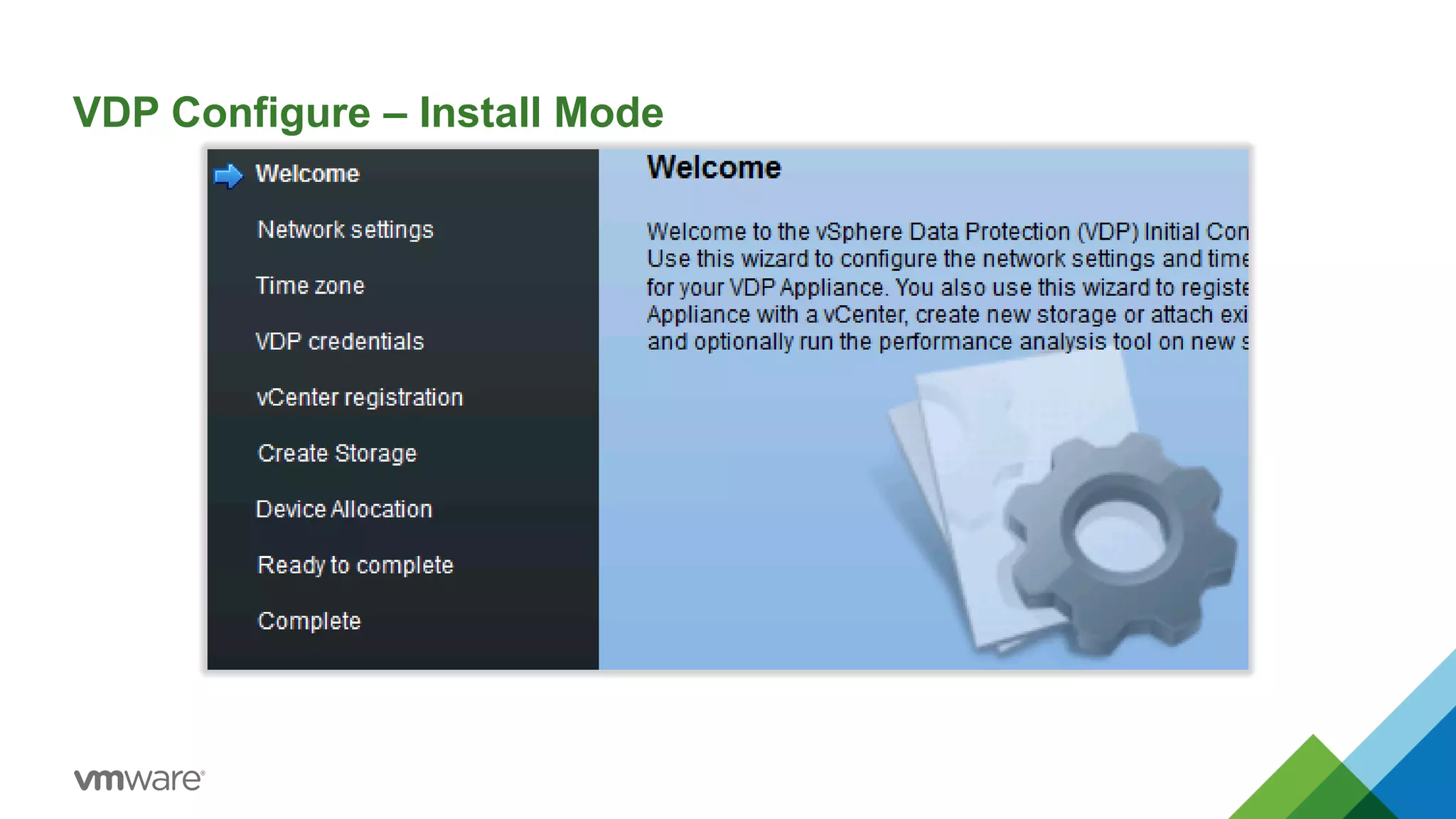
VDP Configure – Install Mode
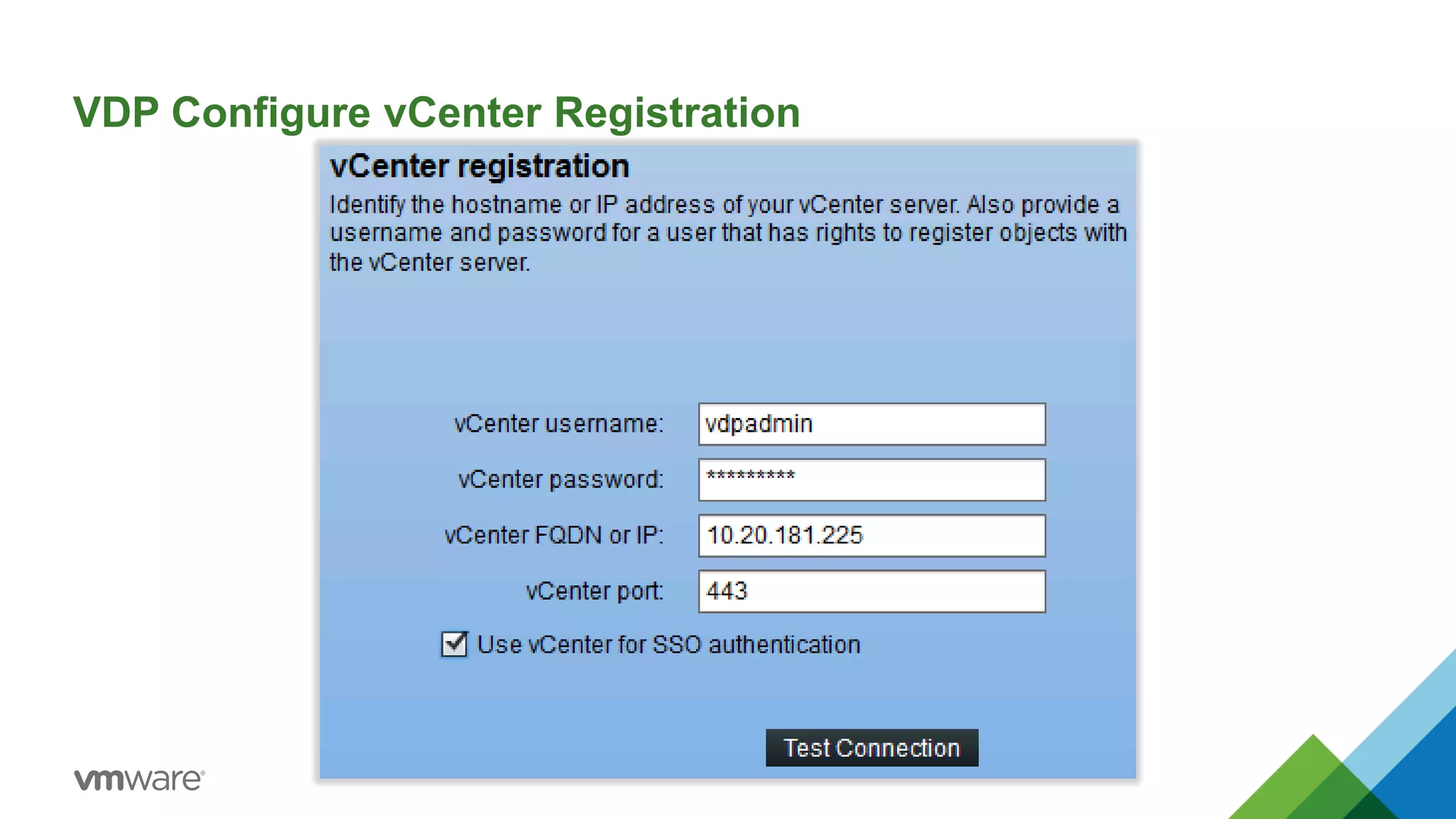
VDP Configure vCenter Registration
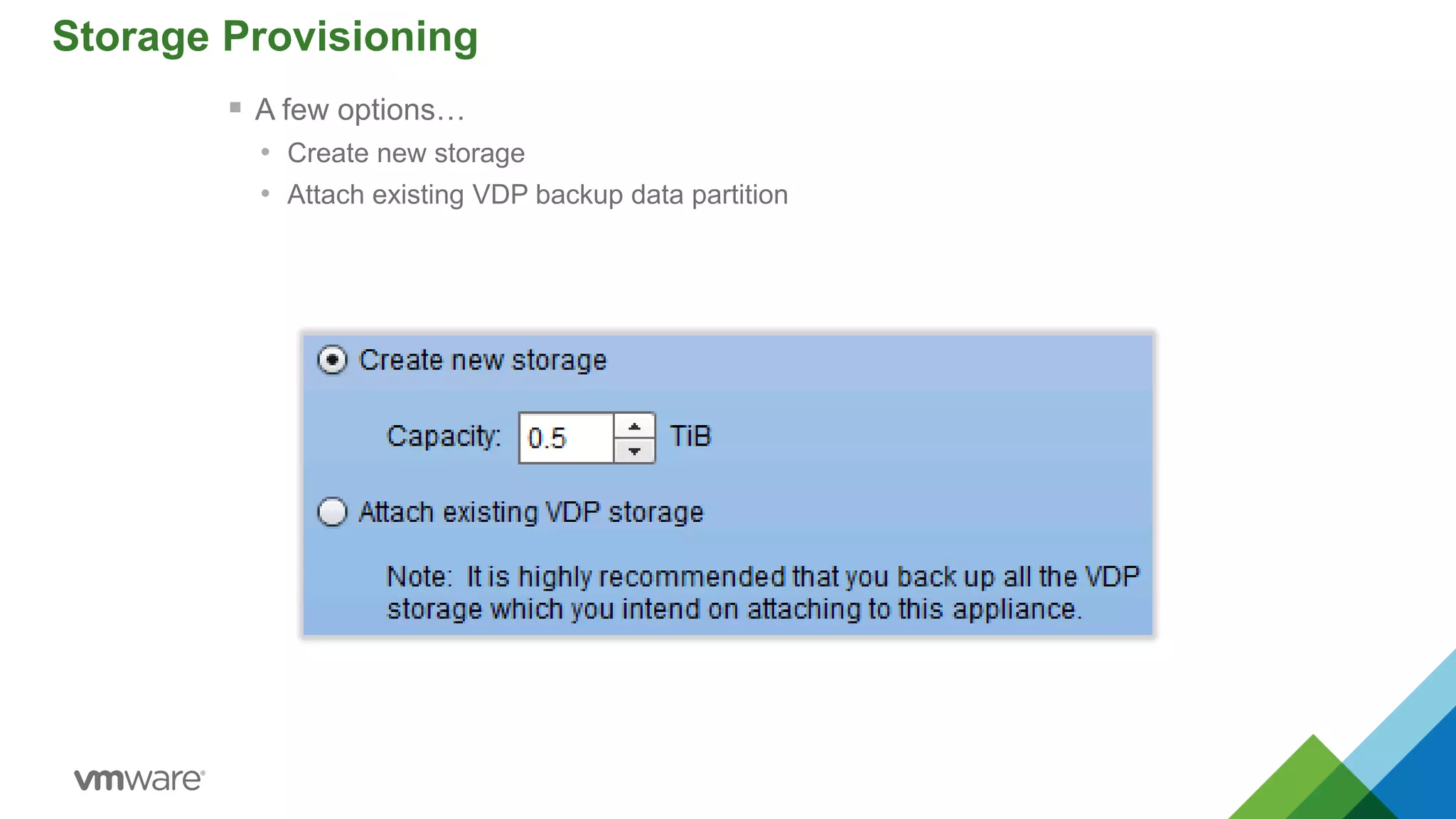
Storage Provisioning
 A few options…
• Create new storage
• Attach existing VDP backup data partition
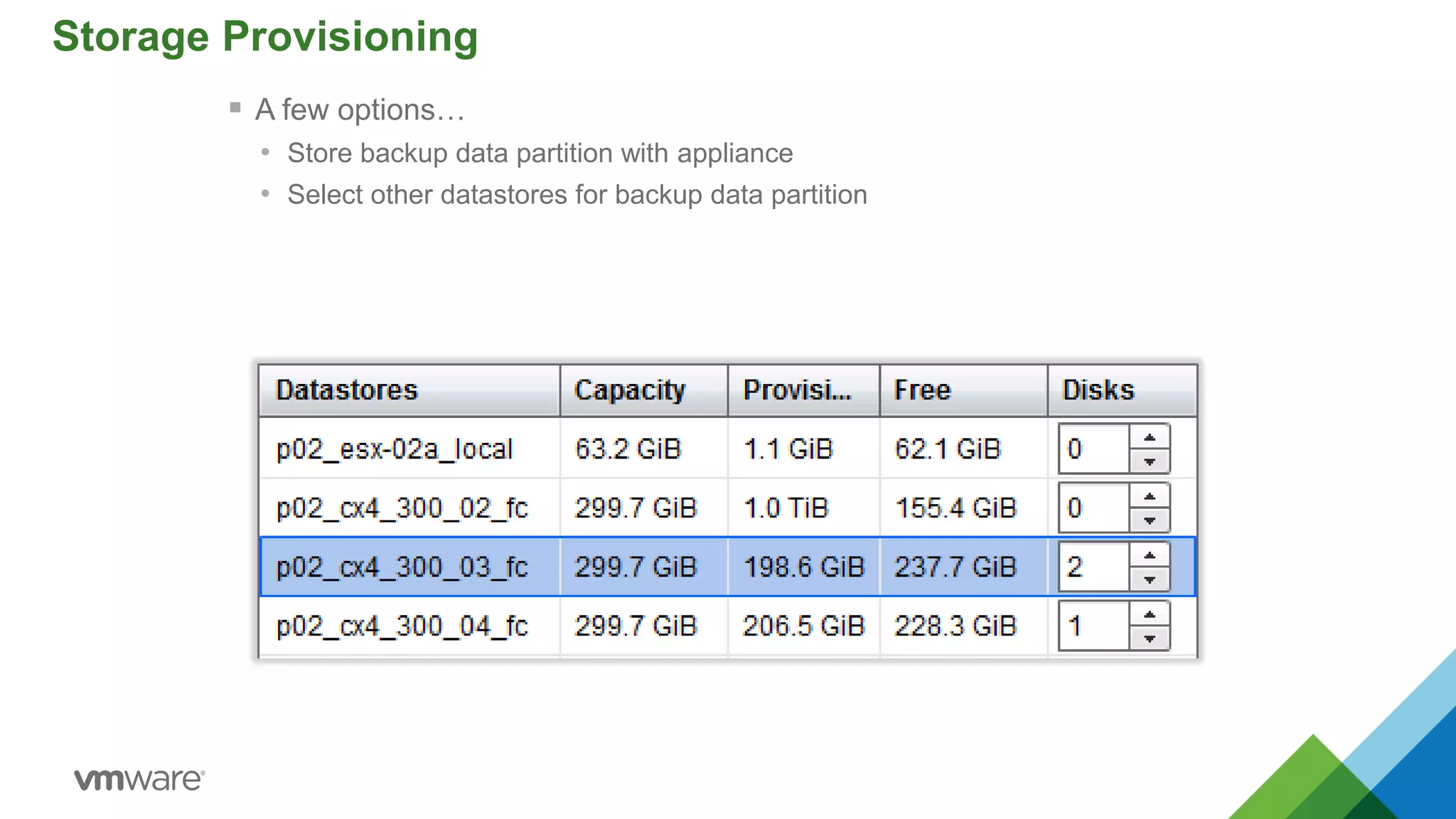
Storage Provisioning
 A few options…
• Store backup data partition with appliance
• Select other datastores for backup data partition
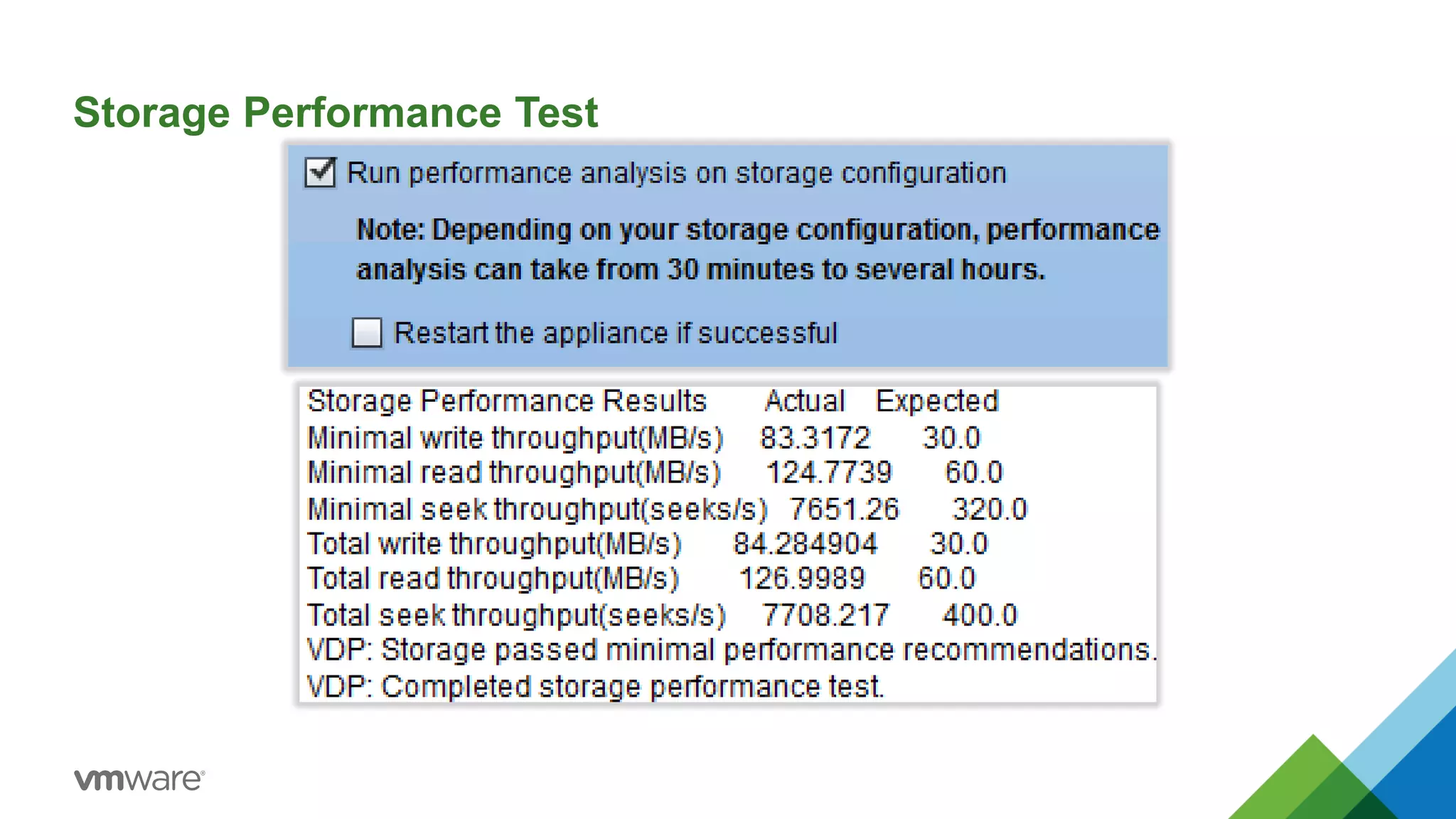
Storage Performance Test
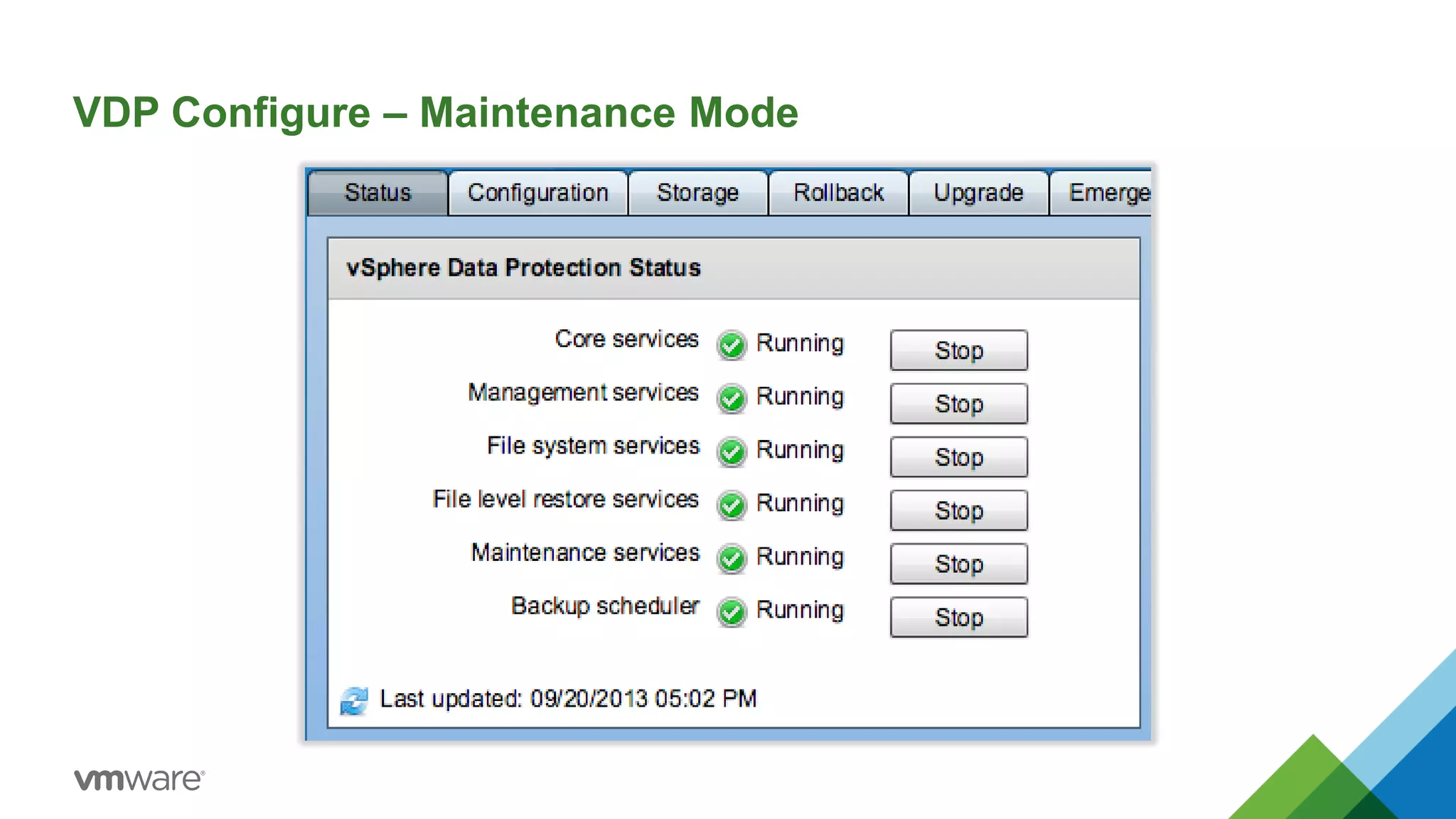
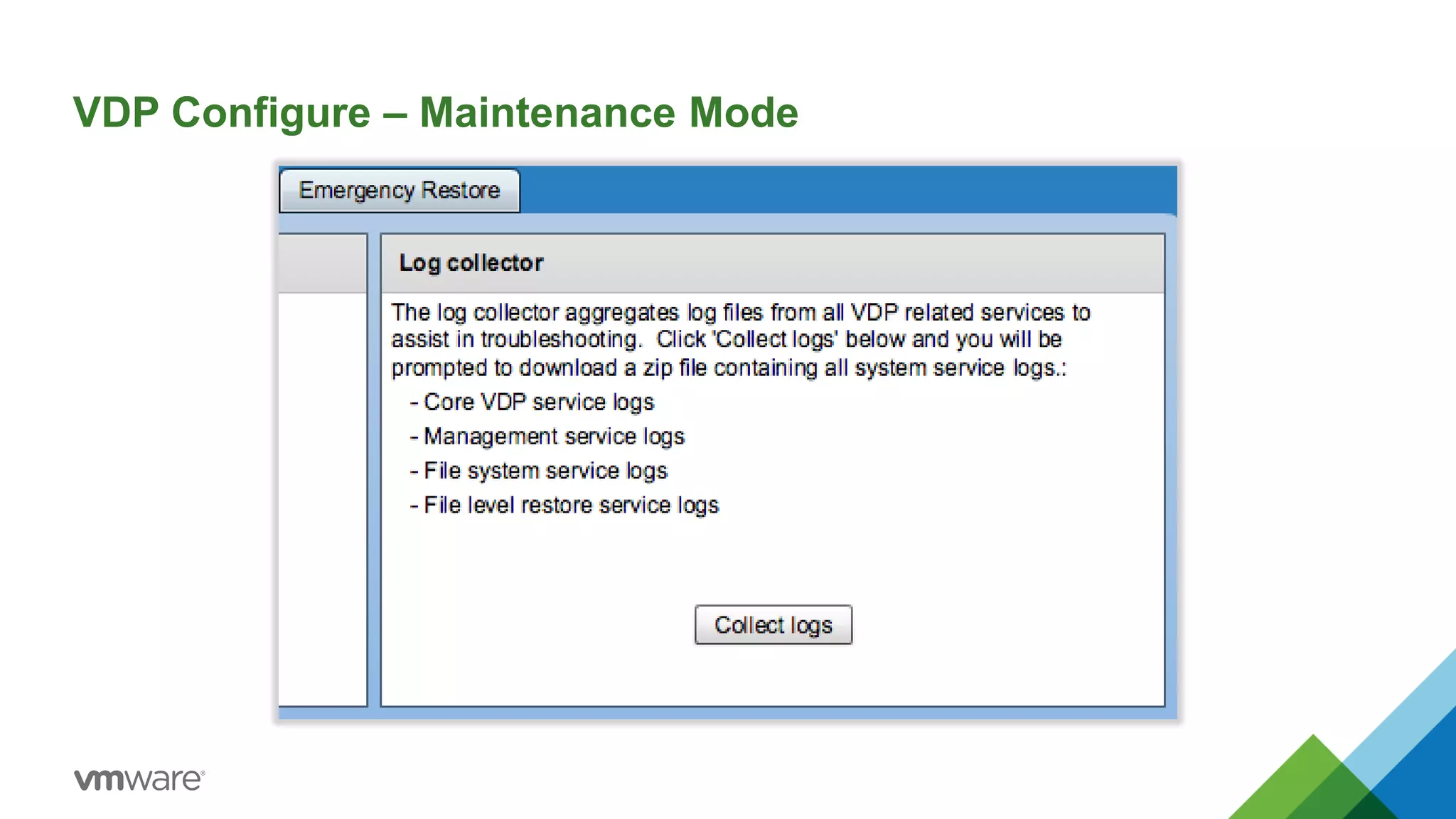
VDP Configure – Maintenance Mode
Additional Resources
19
Product Page
http://www.vmware.com/products/
VMware Community
https://communities.vmware.com/
VIP Tool
http://featurewalkthrough.vmware.com
Hands-On-Labs
http://hol.vmware.com/
Free Evaluations
http://www.vmware.com/
Thanks for Attending!
Doug Baer
dbaer@vmware.com
Special Thanks to:
Sean Crookston
scrookston@vmware.com
VMworld Europe 2014: Ask the Experts - Design Advice for Small and Midsize Business

VMworld Europe 2014: Ask the Experts - Design Advice for Small and Midsize Business

  • 2.
    Disclaimer • This presentationmay contain product features that are currently under development. • This overview of new technology represents no commitment from VMware to deliver these features in any generally available product. • Features are subject to change, and must not be included in contracts, purchase orders, or sales agreements of any kind. • Technical feasibility and market demand will affect final delivery. • Pricing and packaging for any new technologies or features discussed or presented have not been determined. 2
  • 3.
    What is SMB? SomeVendors Classify SMB based on: • Employee count • IT budgets • Annual purchases Some Organizations classify themselves based on: • Current size or Future • Headcount or Profitability CONFIDENTIAL 3
  • 4.
    SMB Generalizations – Theyhave tiny budgets – Everything is fine the way it is – They do/don’t …. • require ‘enterprise class’ features or redundancy • need ‘the cloud’ – They don’t need a plan or strategy – No Need for Virtualization/too small The SMB target segment has the most vast set of needs and varied use cases of any target segment 4
  • 5.
    Who are You? •SMB administrators tend to have many other hats to wear other than their speciality • SMB IT organizations often don’t have the luxury of teams dedicated for every IT function SMB IT has the ability to have a quick and direct impact on the financial success of the business 5
  • 6.
    A Variety ofSolutions to a Variety of Business Problems 6
  • 7.
    It’s Your Turn Whatis a challenge you are facing today or anticipate facing in your organization? • Backup and Recovery • Desktop Virtualization • Disaster Recovery • Management • Storage • Something else?
  • 9.
    Reference Slides FromHere on Out Will add several architectural reference slides to pull up to aid conversation if attendees need better visual representations of the discussion
  • 10.
    Virtual Desktop (VDI) Tier 2 Production DisasterRecovery Target • Simple to deploy and manage for any vSphere admin through integration with VMware stack • High performance and consolidation ratios • VM level SLA management via policy • Ideal for workloads that require replication RPOs > 15 min and 2/3 daily snapshots • Integrated with vSphere Replication and VMware SRM • Reduces cost of storage • Minimizes data center footprint • Handle peak performance requirements (boot, login, read/write storms) • Granularly scale from POC to production without huge upfront investments • Supports high VDI density Virtual SAN Use Cases 10 Site A Site B Staging & Test/Dev • Rapid storage provisioning and complete automation • Reduces cost of storage for non-mission critical workloads • Enables Cloud Architect to easily provision storage
  • 11.
    vCenter Site RecoveryManager Ensures Simple, Reliable DR Provide cost-efficient replication of applications to failover site  Built-in vSphere Replication  Broad support for storage-based replication Simplify management of recovery and migration plans  Replace manual runbooks with centralized recovery plans  From weeks to minutes to set up new plan Automate failover and migration processes for reliable recovery  Enable frequent non-disruptive testing  Ensure fast, automated failover  Automate failback processes Site Recovery Manager Complements vSphere to provide the simplest and most reliable disaster protection and site migration for all applications
  • 12.
    VDP Configure –Install Mode
  • 13.
  • 14.
    Storage Provisioning  Afew options… • Create new storage • Attach existing VDP backup data partition
  • 15.
    Storage Provisioning  Afew options… • Store backup data partition with appliance • Select other datastores for backup data partition
  • 16.
  • 17.
    VDP Configure –Maintenance Mode
  • 18.
    VDP Configure –Maintenance Mode
  • 19.
    Additional Resources 19 Product Page http://www.vmware.com/products/ VMwareCommunity https://communities.vmware.com/ VIP Tool http://featurewalkthrough.vmware.com Hands-On-Labs http://hol.vmware.com/ Free Evaluations http://www.vmware.com/
  • 20.
    Thanks for Attending! DougBaer dbaer@vmware.com Special Thanks to: Sean Crookston scrookston@vmware.com