–Terry Pratchett
“Sooner or later all things are numbers, yes?”
Hasitha Ediriweera
Associate Software Engineer
Typefi Systems Pvt Ltd
AN INTRODUCTION TO
DIGITAL IMAGE PROCESSING WITH MATLAB
 What is Matlab, What is Image, What is Digital Image & Computer Imaging
 Computer Vision & Image Processing
 Natural Processor
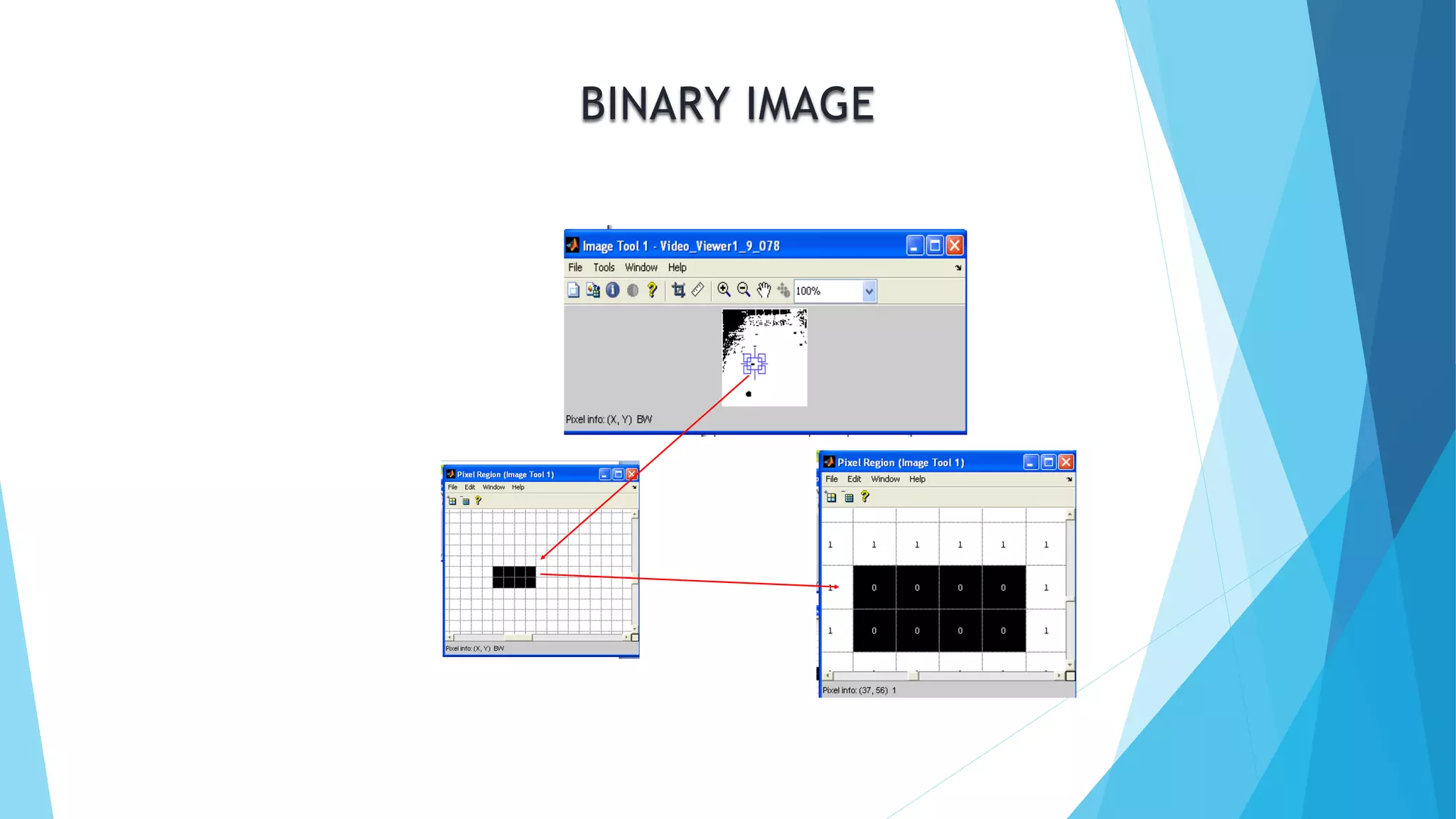
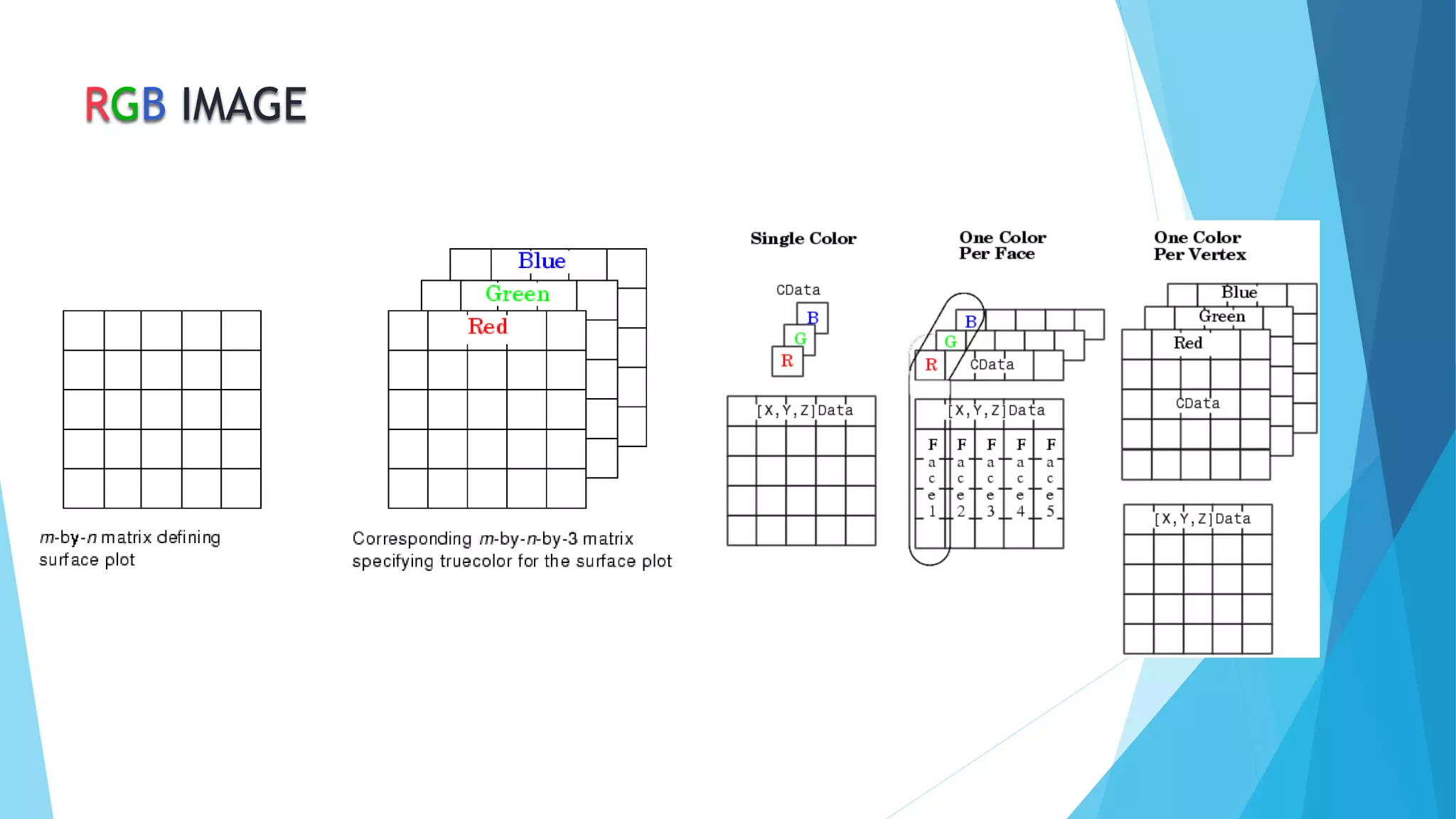
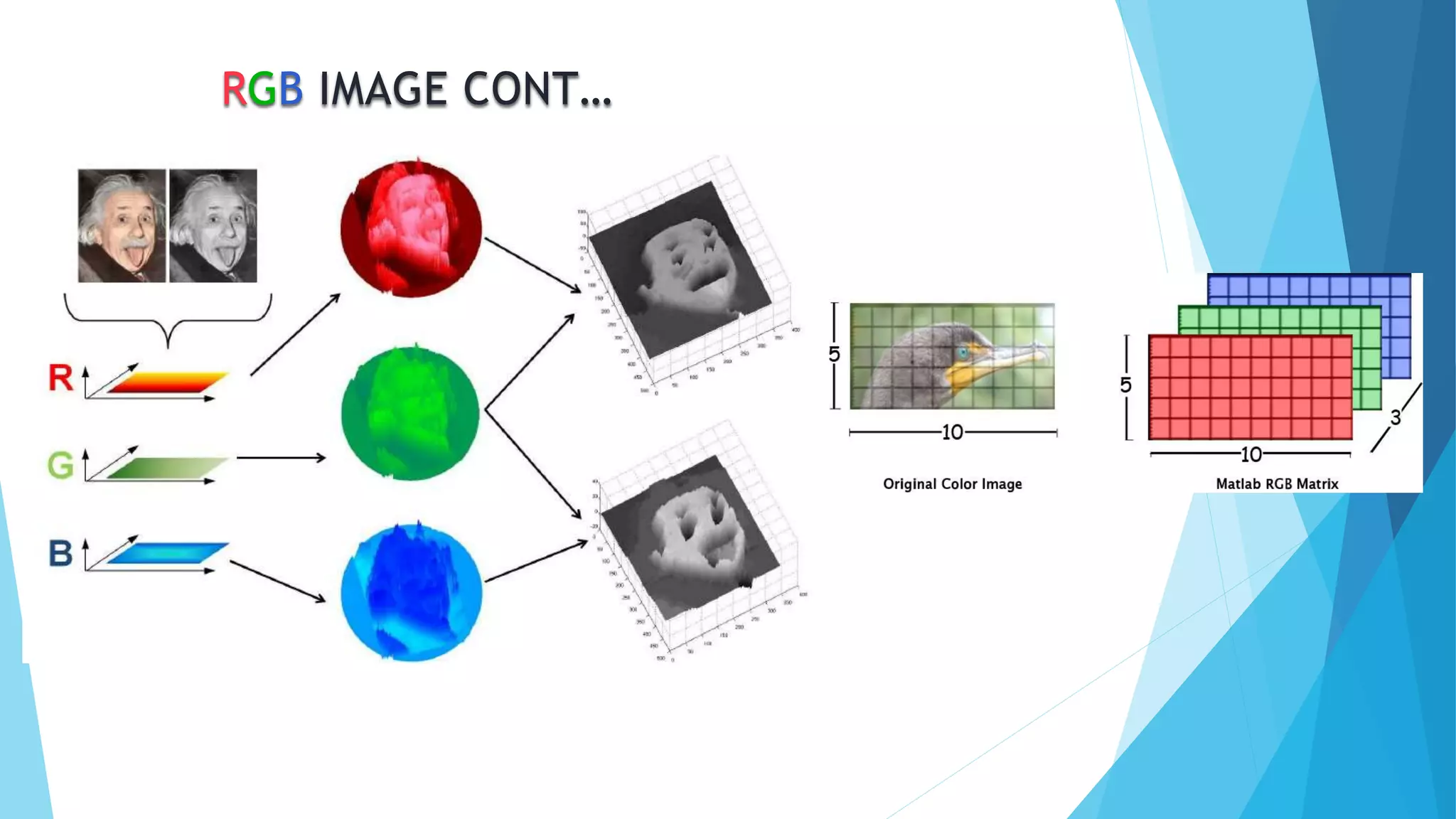
 Image Matrix, RGB, Gray Scale & Binary image Matrix
 Extracting objects of specific colours from an image
 Count Number of objects
 Thresholding, Image segmentation
WHAT IS MATLAB.?
MATLAB is a numerical computing environment
which allows matrix manipulation,
plotting of functions and data,
implementation of algorithms ,
creation of user interfaces ,
and interfacing with programs
in other languages like C / C++ and Fortran.
WHAT IS IMAGE
An image is a single picture which represents
something. It may be a picture of a person, of
people or animals, or of an outdoor scene, or
a microphotograph of an electronic
component, or the result of medical imaging.
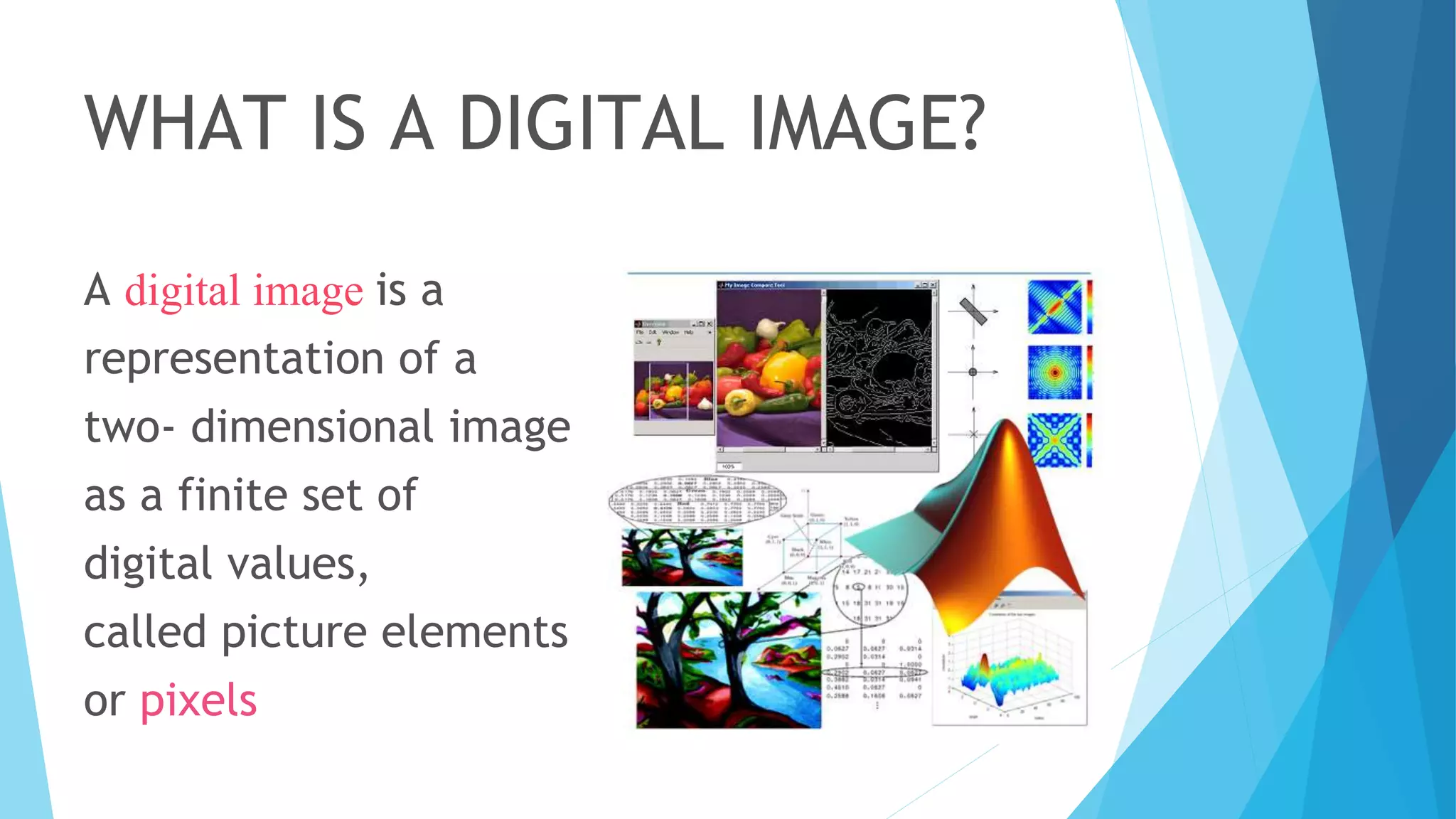
WHAT IS A DIGITAL IMAGE?
A digital image is a
representation of a
two- dimensional image
as a finite set of
digital values,
called picture elements
or pixels
COMPUTER IMAGING
It’s defined as the acquisition and processing of visual
information by computer.
• The ultimate receiver of information is:
– Computer
– Human visual system
• So we have two categories:-
– Computer vision
– Image processing
COMPUTER VISION AND IMAGE
PROCESSING
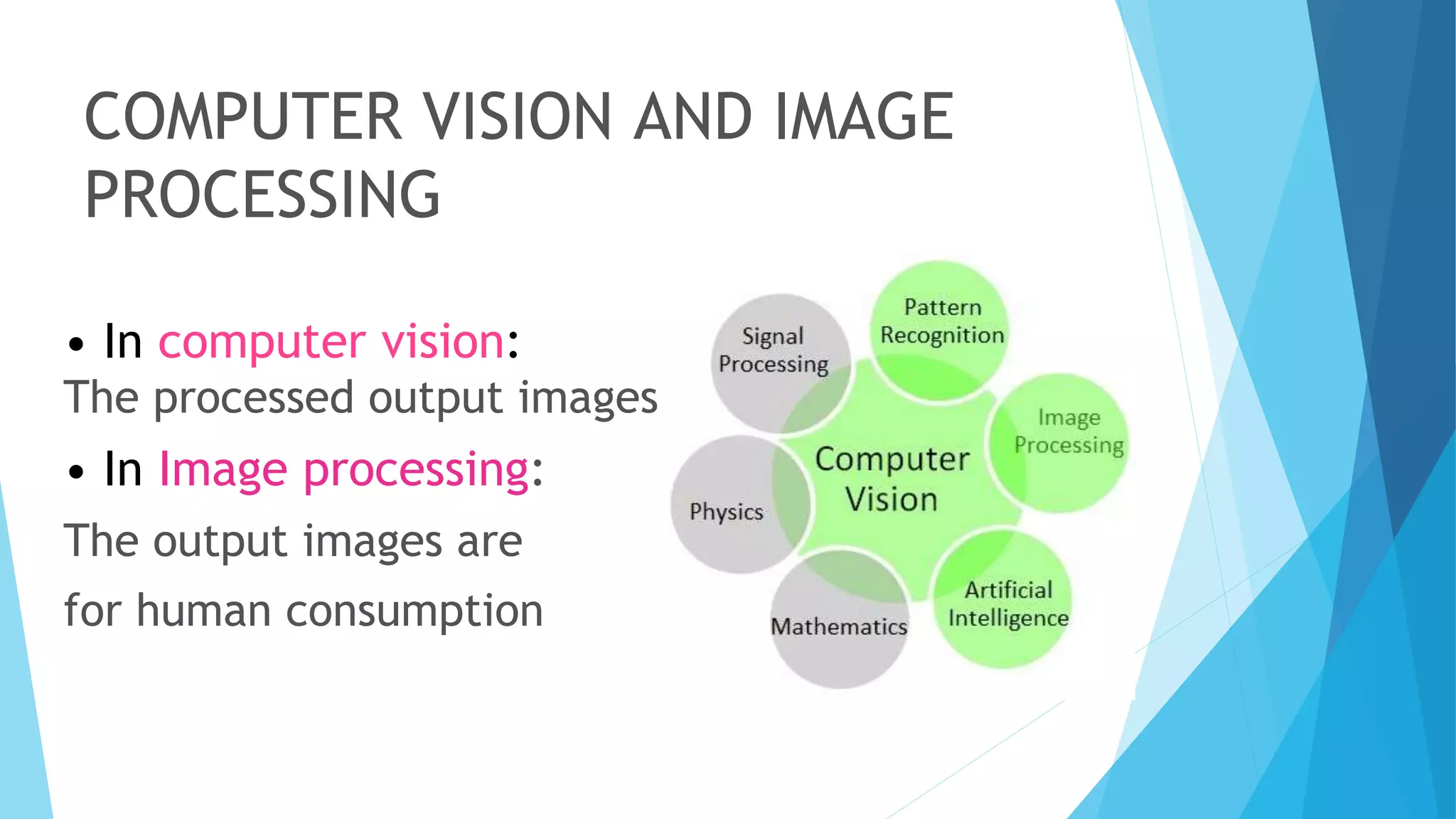
• In computer vision:
The processed output images
• In Image processing:
The output images are
for human consumption
VISION
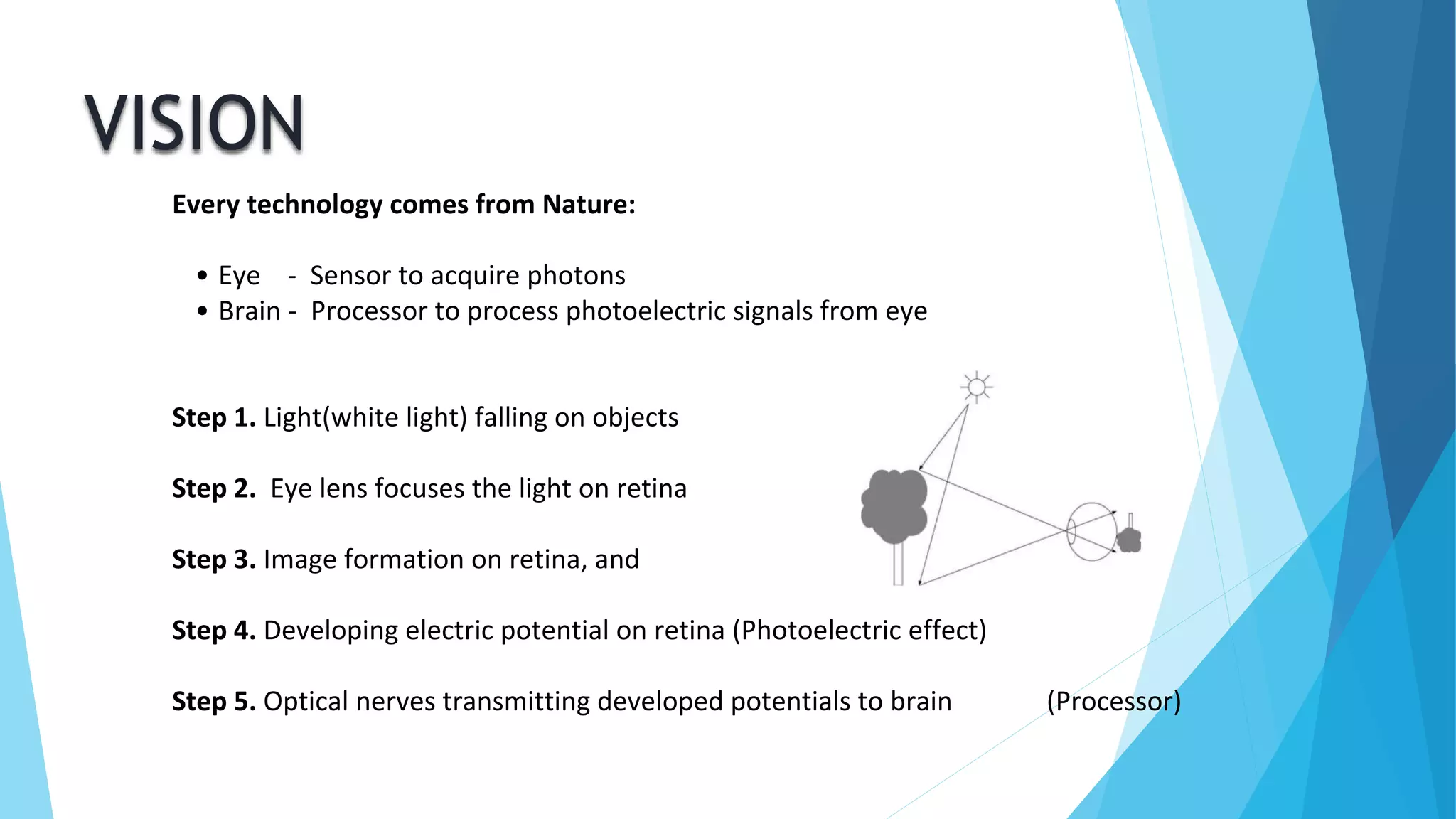
Every technology comes from Nature:
• Eye - Sensor to acquire photons
• Brain - Processor to process photoelectric signals from eye
Step 1. Light(white light) falling on objects
Step 2. Eye lens focuses the light on retina
Step 3. Image formation on retina, and
Step 4. Developing electric potential on retina (Photoelectric effect)
Step 5. Optical nerves transmitting developed potentials to brain (Processor)
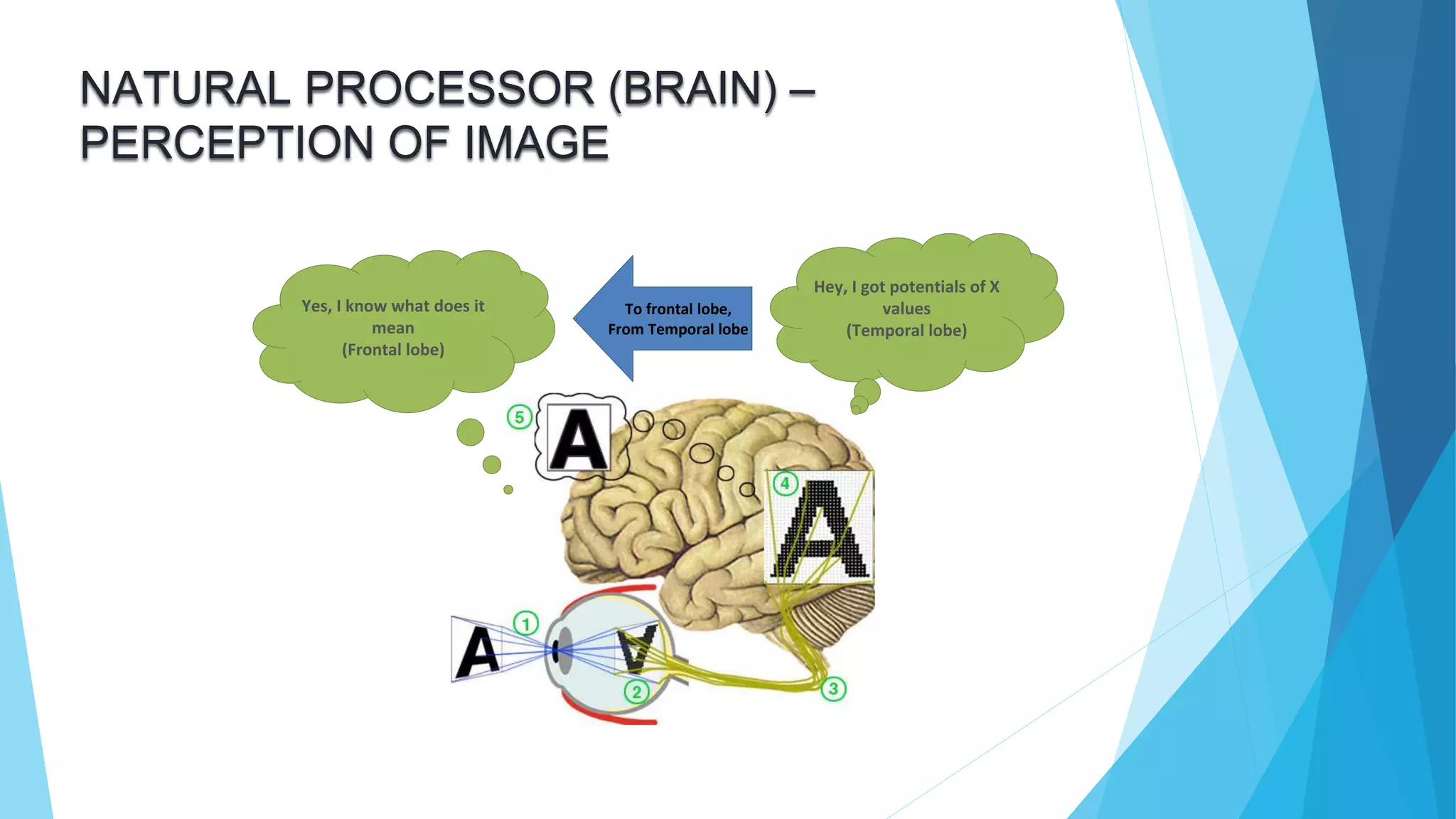
NATURAL PROCESSOR (BRAIN) –
PERCEPTION OF IMAGE
Hey, I got potentials of X
values
(Temporal lobe)
Yes, I know what does it
mean
(Frontal lobe)
To frontal lobe,
From Temporal lobe
COMPUTER VISION
• One of the computer vision fields is image analysis.
• It involves the examination of image data to facilitate
solving a vision problem.
• Image analysis has 2 topics:
– Feature extraction: acquiring higher level image
information
– Pattern classification taking these higher level of
information and identifying objects within the image
IMAGE MATRIX..?
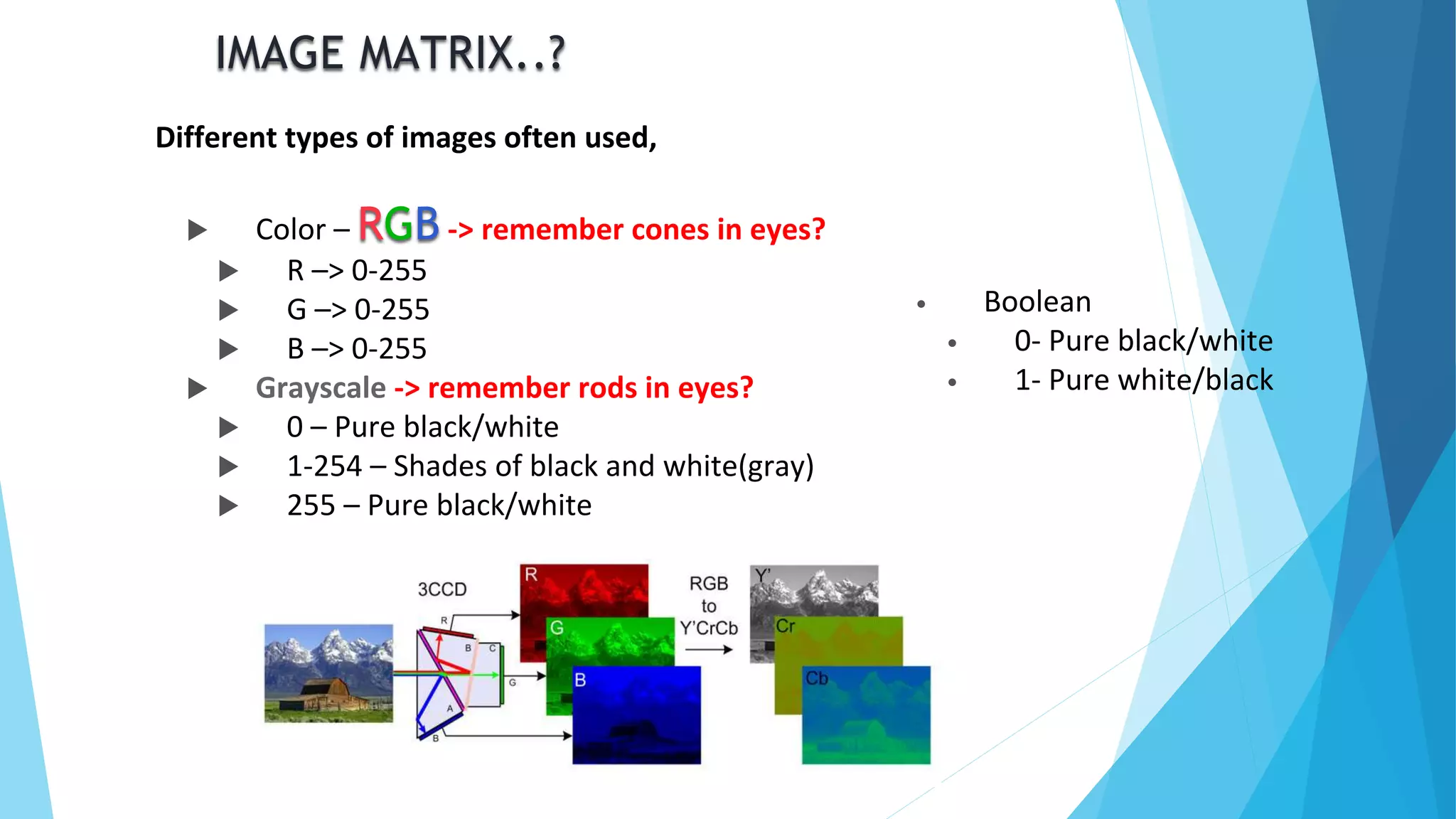
Different types of images often used,
 Color – RGB -> remember cones in eyes?
 R –> 0-255
 G –> 0-255
 B –> 0-255
 Grayscale -> remember rods in eyes?
 0 – Pure black/white
 1-254 – Shades of black and white(gray)
 255 – Pure black/white
• Boolean
• 0- Pure black/white
• 1- Pure white/black
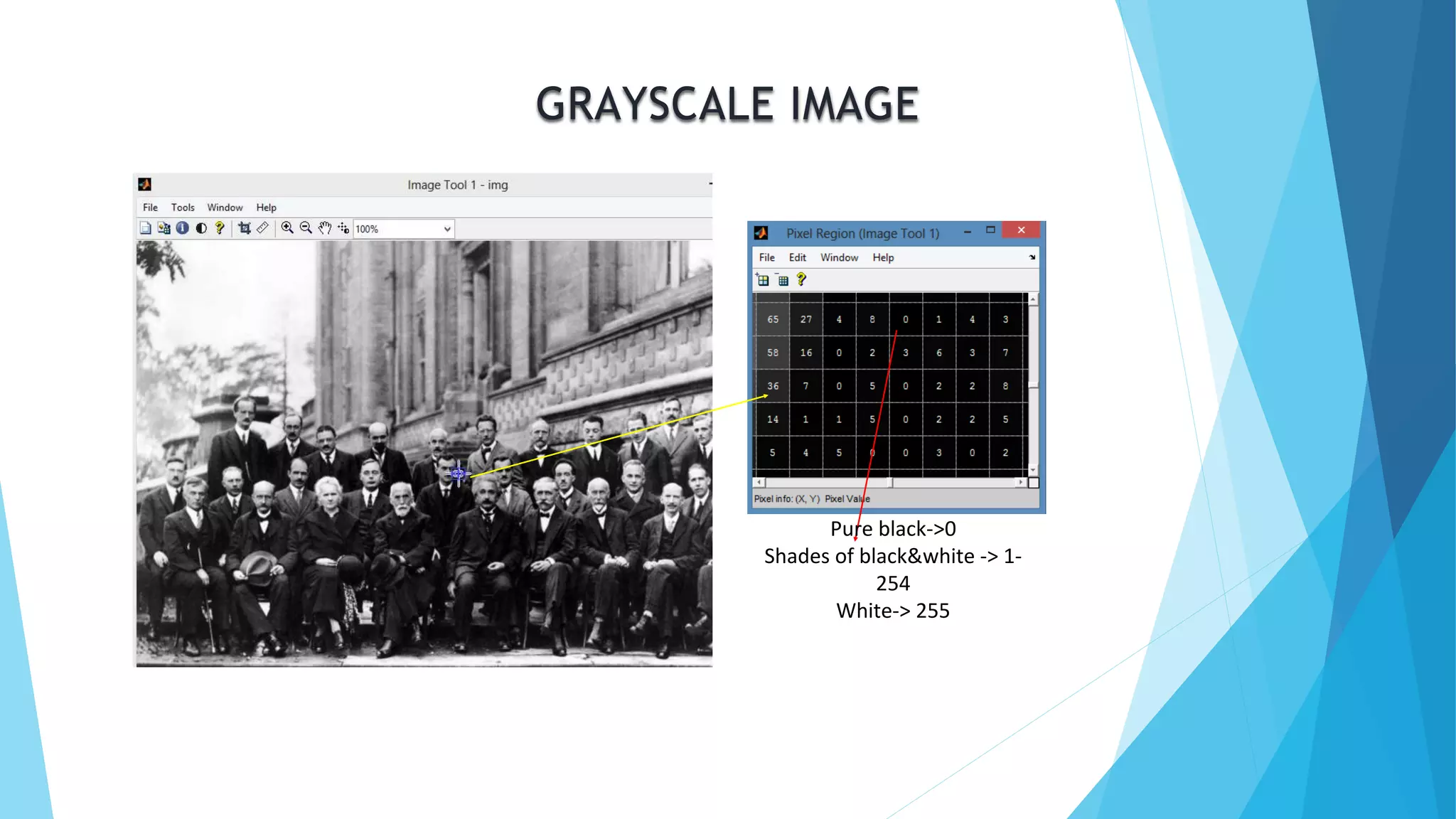
GRAYSCALE IMAGE
Pure black->0
Shades of black&white -> 1-
254
White-> 255
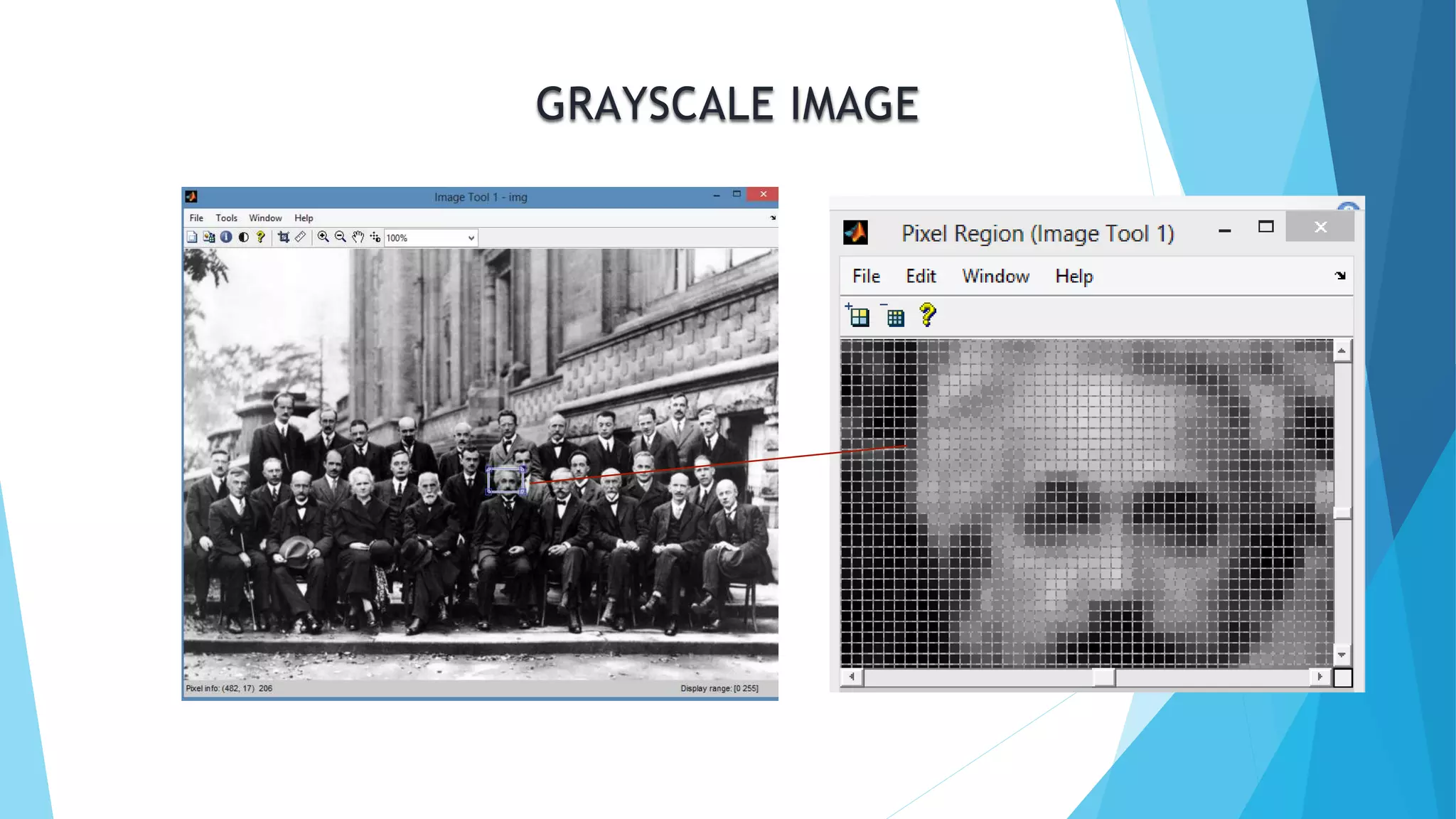
GRAYSCALE IMAGE
BINARY IMAGE
RGB IMAGE
RGB IMAGE CONT…
BORED WITH FUNDAMENTALS?
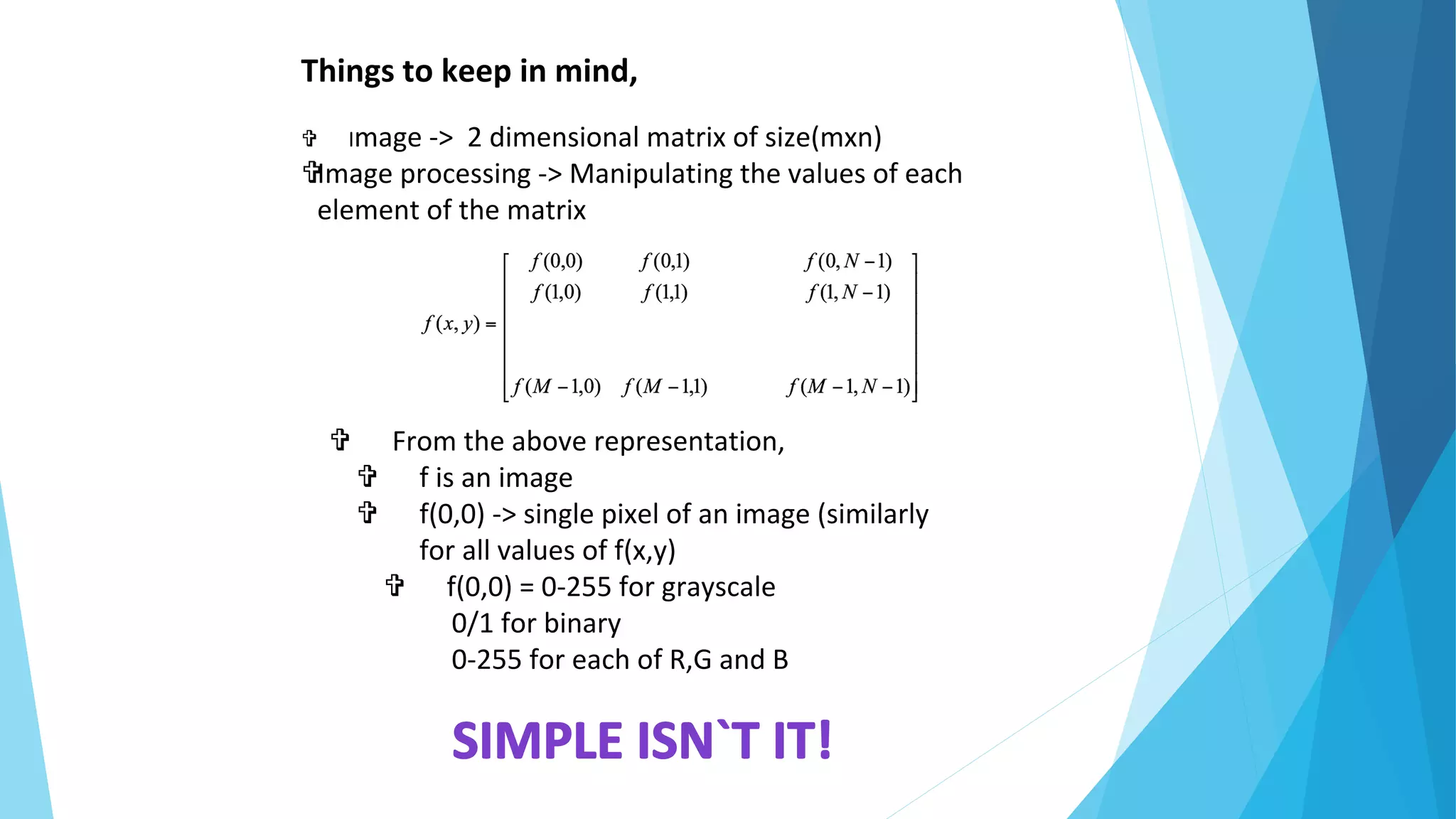
Things to keep in mind,
 Image -> 2 dimensional matrix of size(mxn)
Image processing -> Manipulating the values of each
element of the matrix
 From the above representation,
 f is an image
 f(0,0) -> single pixel of an image (similarly
for all values of f(x,y)
 f(0,0) = 0-255 for grayscale
0/1 for binary
0-255 for each of R,G and B
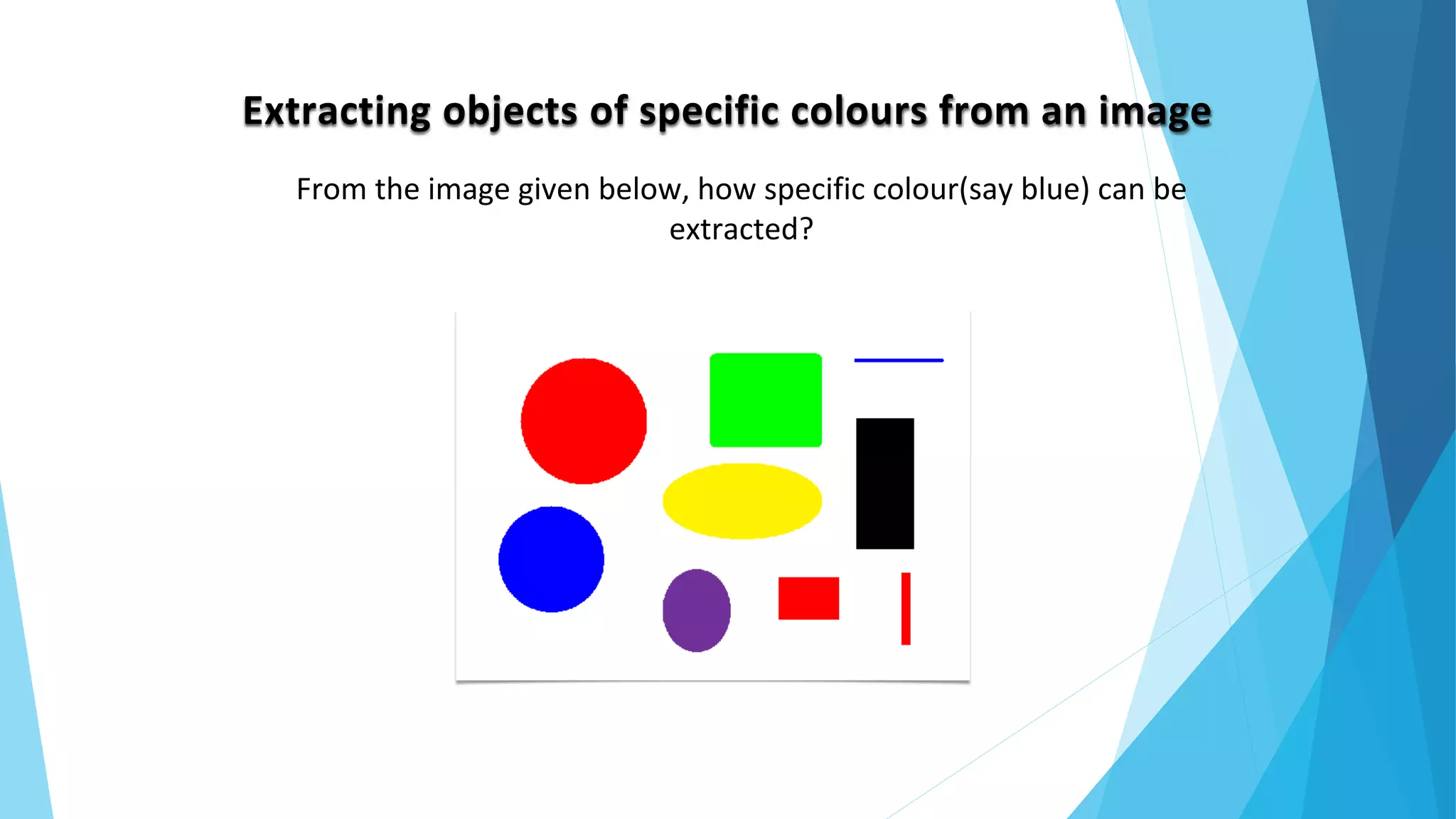
Extracting objects of specific colours from an image
From the image given below, how specific colour(say blue) can be
extracted?
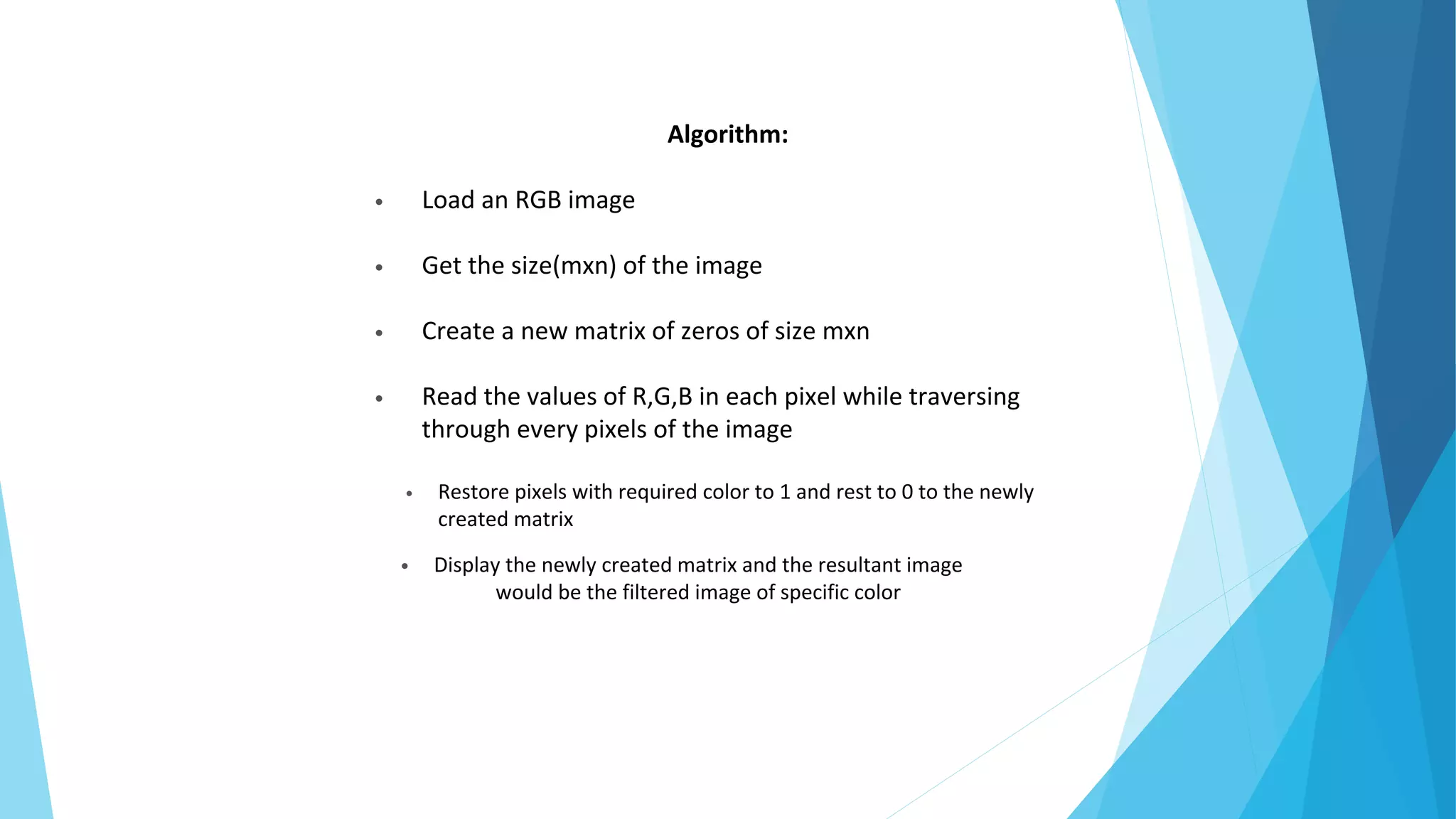
Algorithm:
• Load an RGB image
• Get the size(mxn) of the image
• Create a new matrix of zeros of size mxn
• Read the values of R,G,B in each pixel while traversing
through every pixels of the image
• Restore pixels with required color to 1 and rest to 0 to the newly
created matrix
• Display the newly created matrix and the resultant image
would be the filtered image of specific color
Solution!
Input image:
Output image(Extracted blue objects):
Snippet:
c=imread('F:matlab sample images1.png');
[m,n,t]=size(c);
tmp=zeros(m,n);
for i=1:m
for j=1:n
if(c(i,j,1)==0 && c(i,j,2)==0 && c(i,j,3)==255)
tmp(i,j)=1;
end
end
end
imshow(tmp);
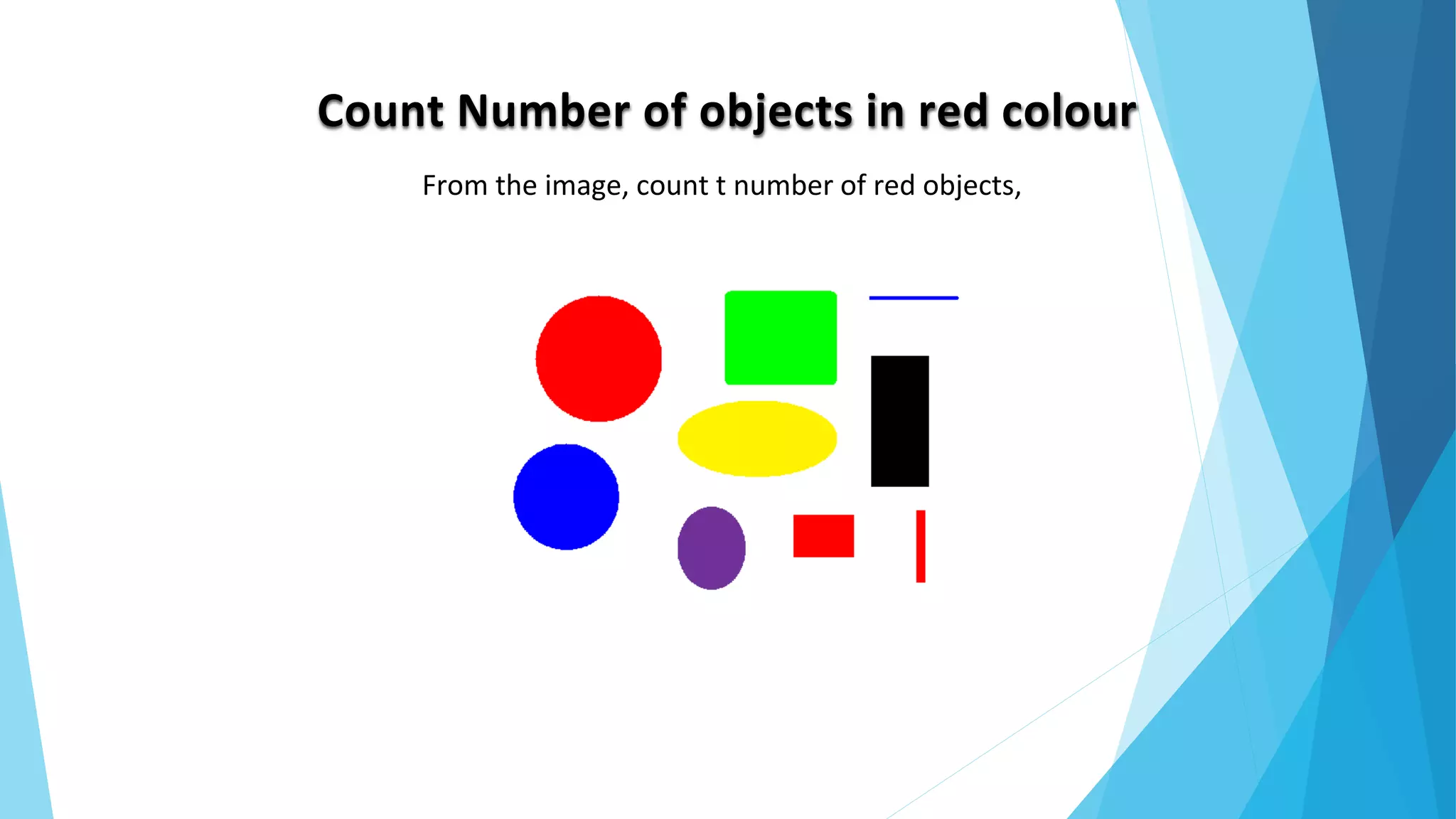
Count Number of objects in red colour
From the image, count t number of red objects,
Algorithm:
 Load the image
 Get the size of the image
 Find appropriate threshold level for red color
 Traverse through every pixel,
 Replace pixels with red threshold to 1 and remaining pixels to 0
 Find the objects with enclosed boundaries in the new image
 Count the boundaries to know number of objects
Solution!
Input image:
Output image(Extracted red objects):
Snippet:
c=imread('F:matlab sample
images1.png');
[m,n,t]=size(c);
tmp=zeros(m,n);
for i=1:m
for j=1:n
if(c(i,j,1)==255 && c(i,j,2)==0
&& c(i,j,3)==0)
tmp(i,j)=1;
end
end
end
imshow(tmp);
ss=bwboundaries(tmp);
num=length(ss);
Output: num = 3
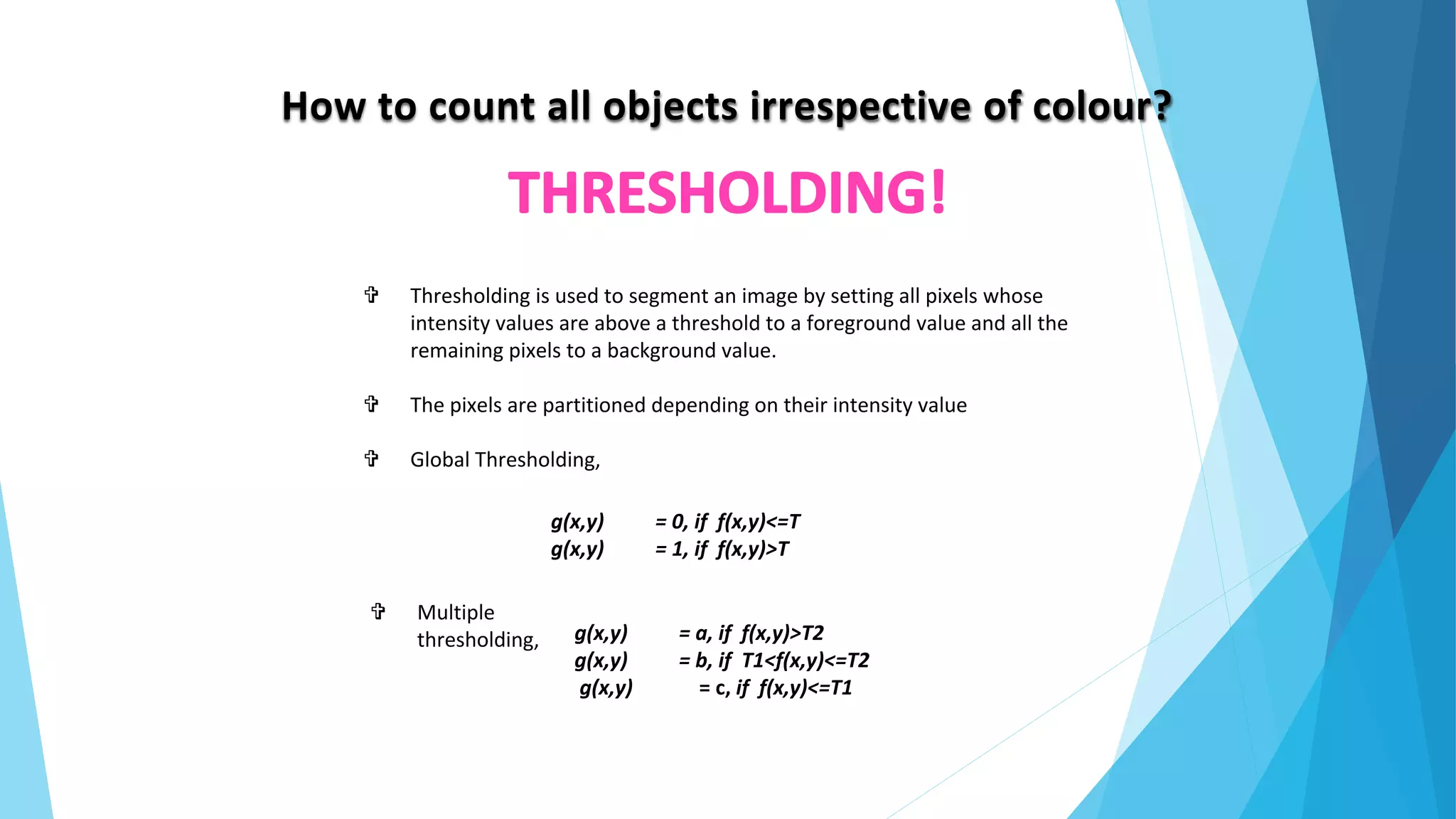
How to count all objects irrespective of colour?
 Thresholding is used to segment an image by setting all pixels whose
intensity values are above a threshold to a foreground value and all the
remaining pixels to a background value.
 The pixels are partitioned depending on their intensity value
 Global Thresholding,
g(x,y) = 0, if f(x,y)<=T
g(x,y) = 1, if f(x,y)>T
g(x,y) = a, if f(x,y)>T2
g(x,y) = b, if T1<f(x,y)<=T2
g(x,y) = c, if f(x,y)<=T1
 Multiple
thresholding,
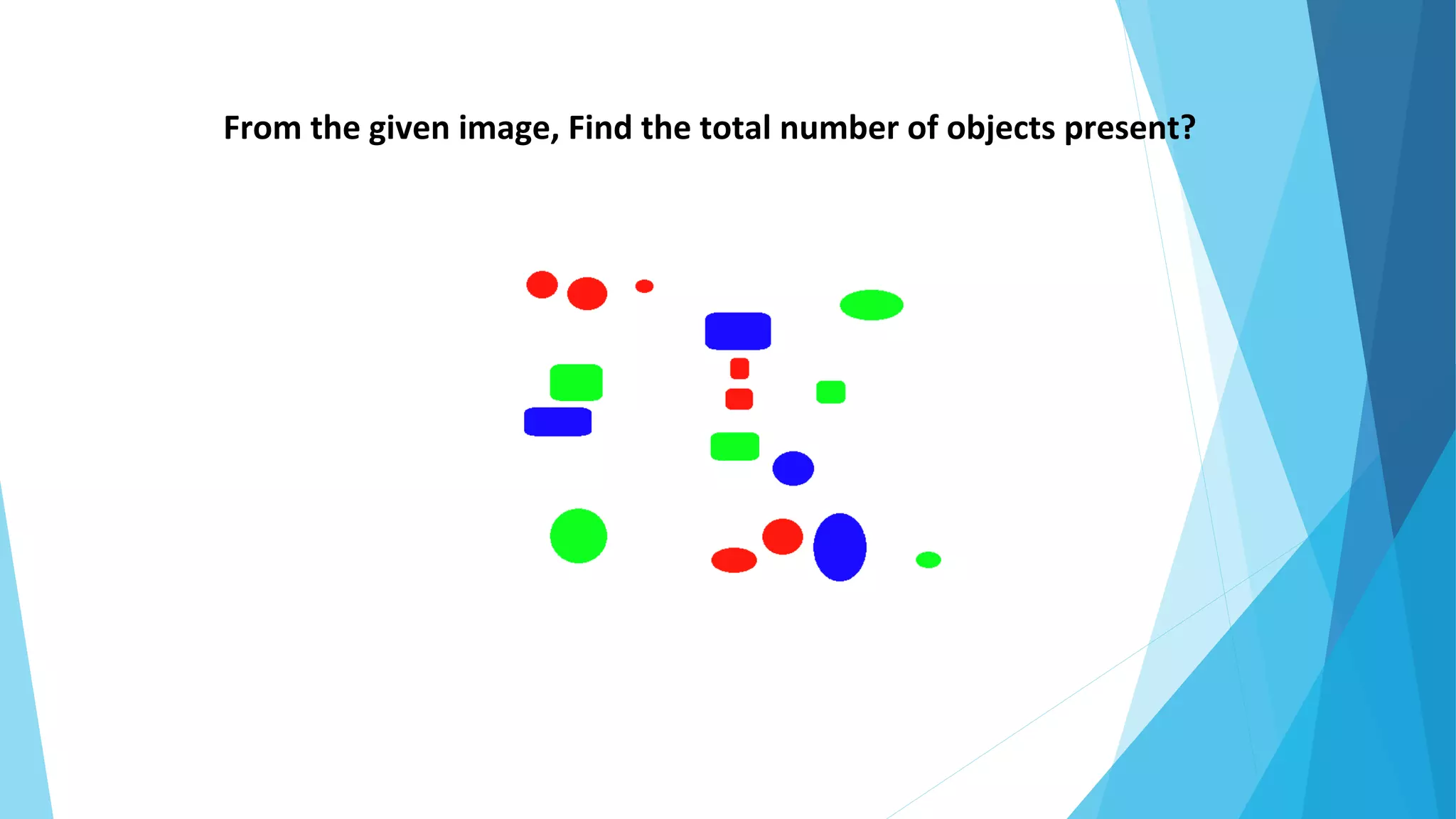
From the given image, Find the total number of objects present?
Algorithm:
 Load the image
 Convert the image into grayscale(incase of an RGB image)
 Fix a certain threshold level to be applied to the image
 Convert the image into binary by applying the threshold
level
 Count the boundaries to count the number of objects
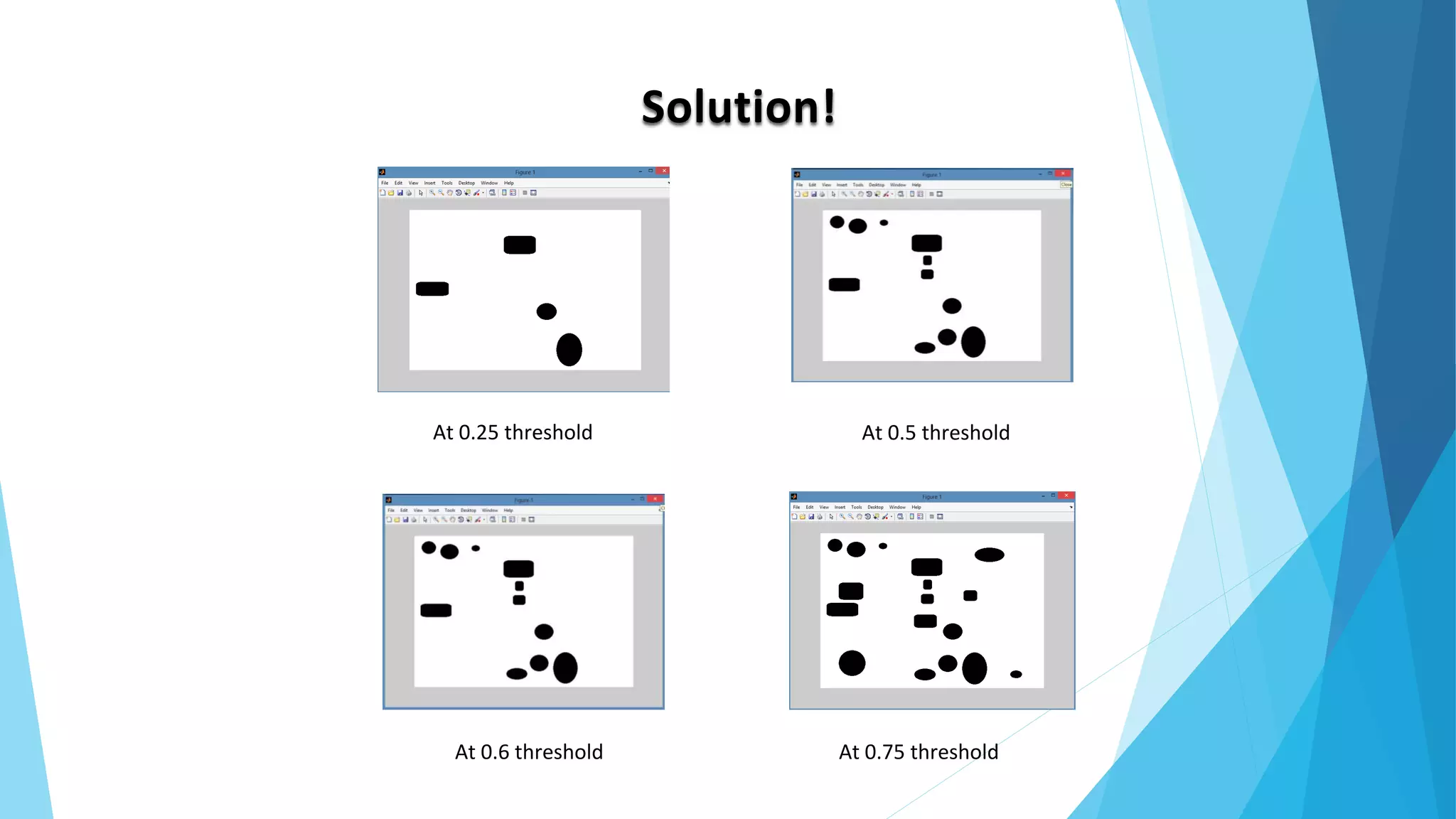
Solution!
At 0.25 threshold At 0.5 threshold
At 0.6 threshold At 0.75 threshold
Snippet:
img=imread('F:matlab sample imagescolor.png');
img1=rgb2gray(img);
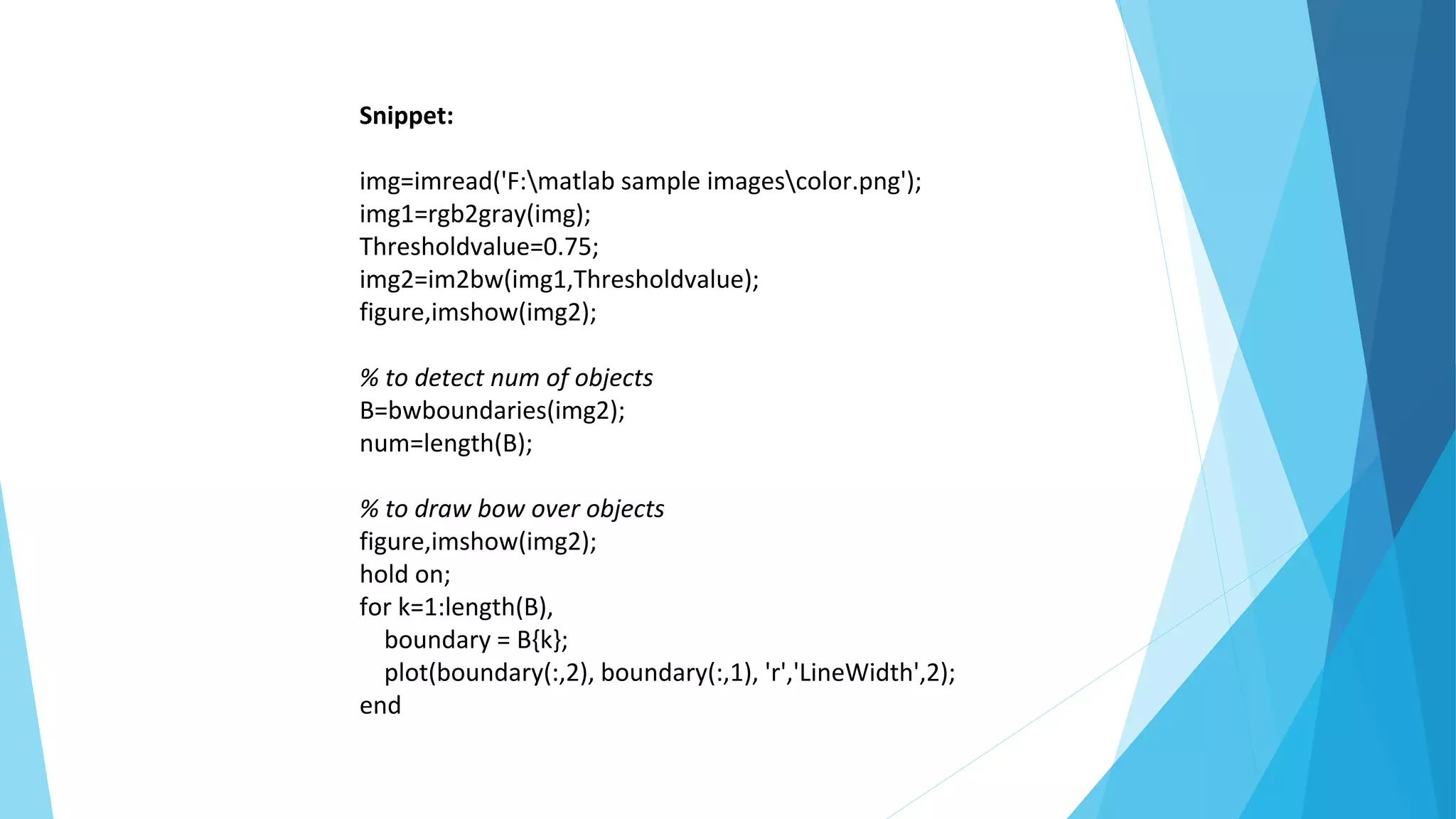
Thresholdvalue=0.75;
img2=im2bw(img1,Thresholdvalue);
figure,imshow(img2);
% to detect num of objects
B=bwboundaries(img2);
num=length(B);
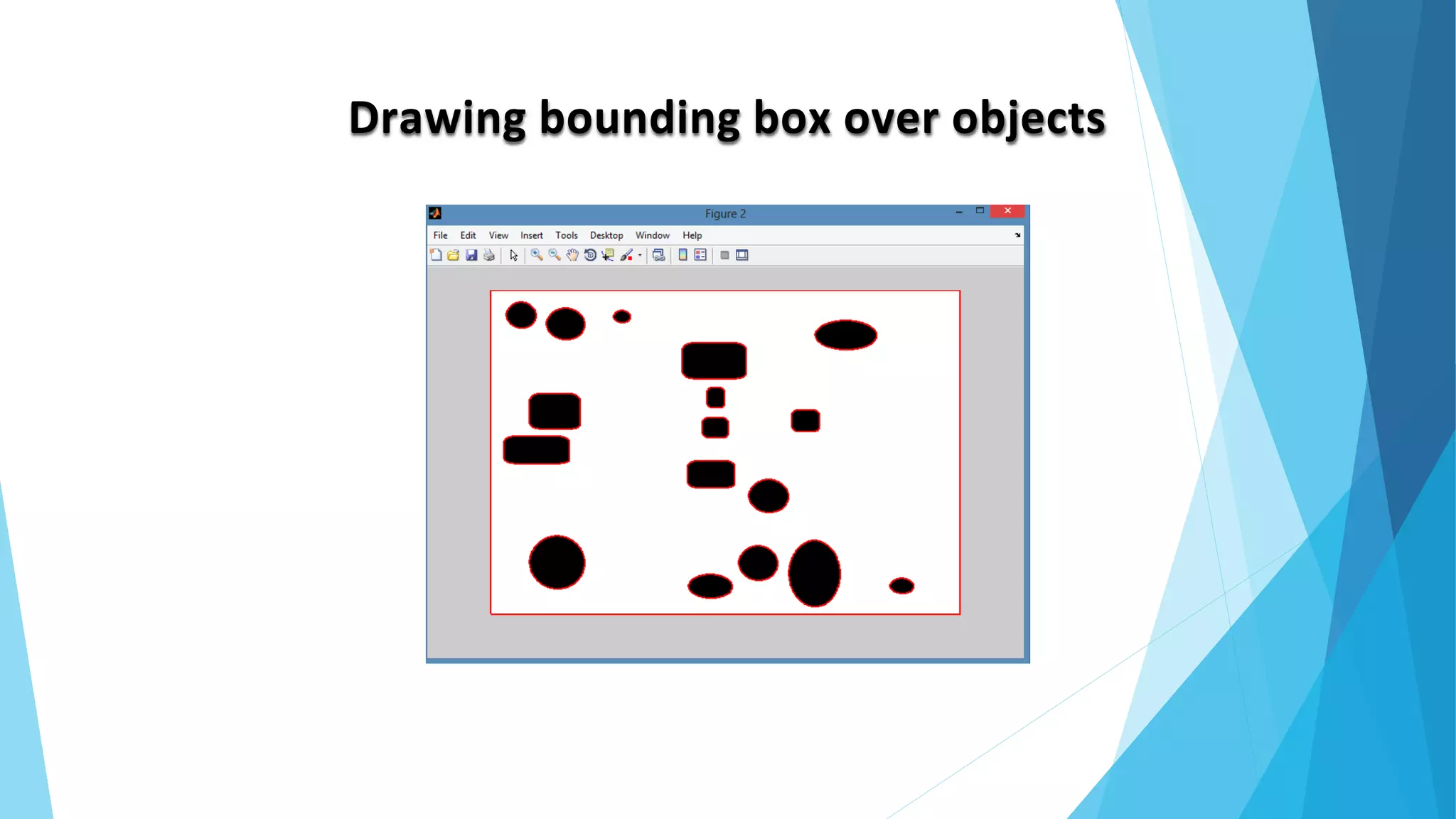
Drawing bounding box over objects
Snippet:
img=imread('F:matlab sample imagescolor.png');
img1=rgb2gray(img);
Thresholdvalue=0.75;
img2=im2bw(img1,Thresholdvalue);
figure,imshow(img2);
% to detect num of objects
B=bwboundaries(img2);
num=length(B);
% to draw bow over objects
figure,imshow(img2);
hold on;
for k=1:length(B),
boundary = B{k};
plot(boundary(:,2), boundary(:,1), 'r','LineWidth',2);
end
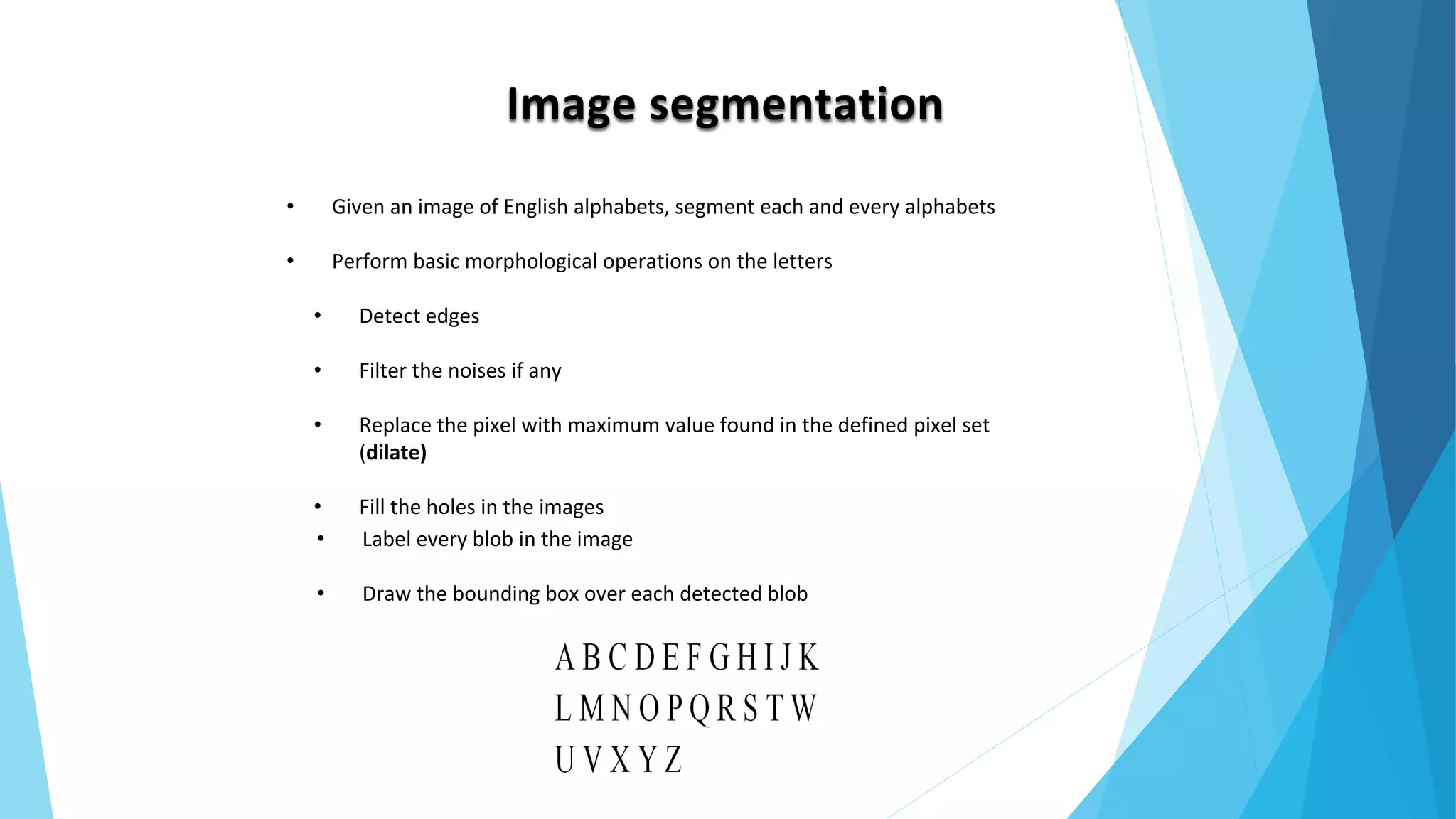
Image segmentation
• Given an image of English alphabets, segment each and every alphabets
• Perform basic morphological operations on the letters
• Detect edges
• Filter the noises if any
• Replace the pixel with maximum value found in the defined pixel set
(dilate)
• Fill the holes in the images
• Label every blob in the image
• Draw the bounding box over each detected blob
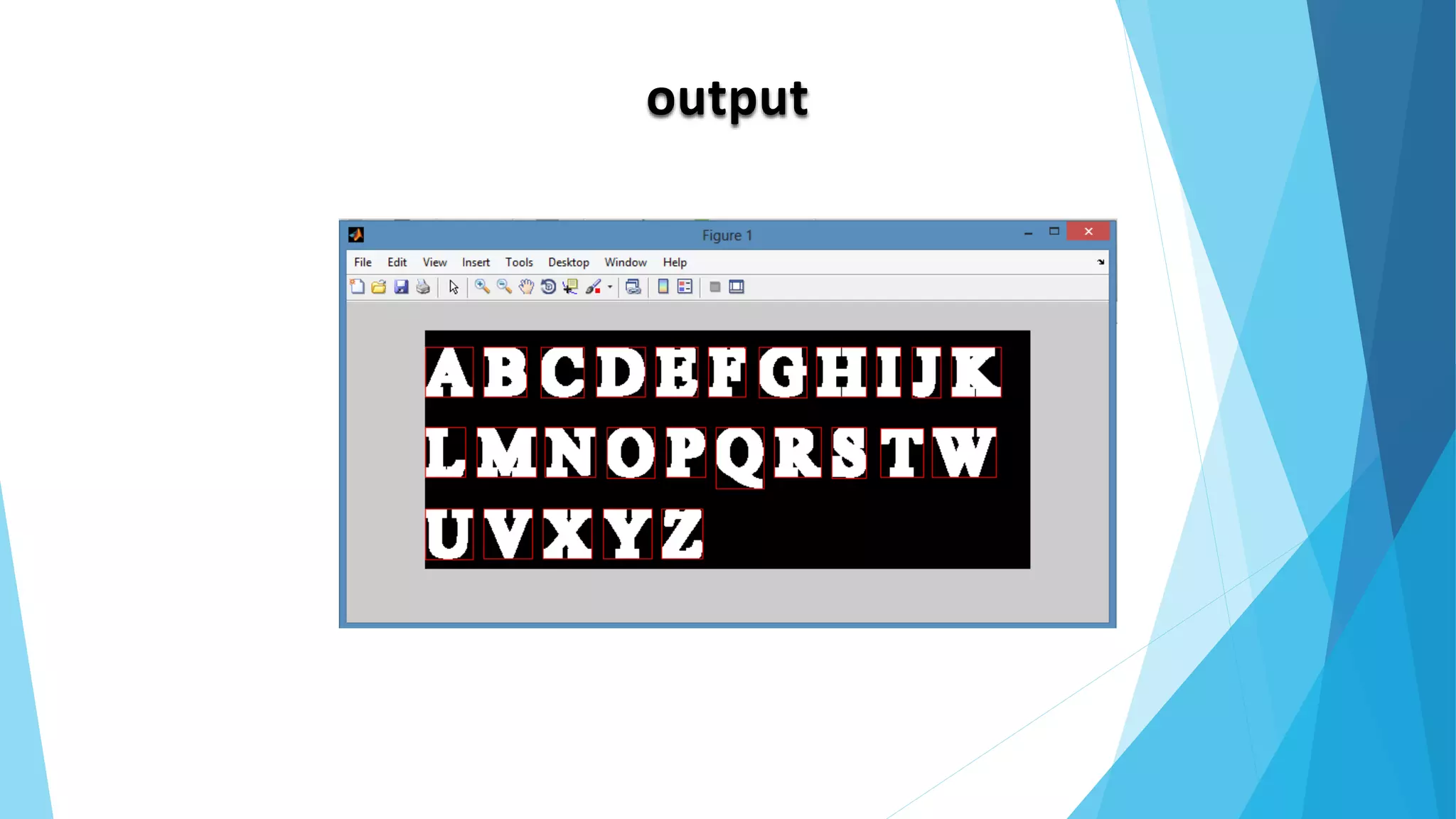
output
Snippet:
a=imread('F:matlab sample imagesMYWORDS.png');
im=rgb2gray(a);
c=edge(im);
se = strel('square',8);
I= imdilate(c, se);
img=imfill(I,'holes');
figure,imshow(img);
[Ilabel num] = bwlabel(img);
disp(num);
Iprops = regionprops(Ilabel);
Ibox = [Iprops.BoundingBox];
Ibox = reshape(Ibox,[4 num]);
imshow(I)
hold on;
for cnt = 1:num
rectangle('position',Ibox(:,cnt),'edgecolor','r');
end
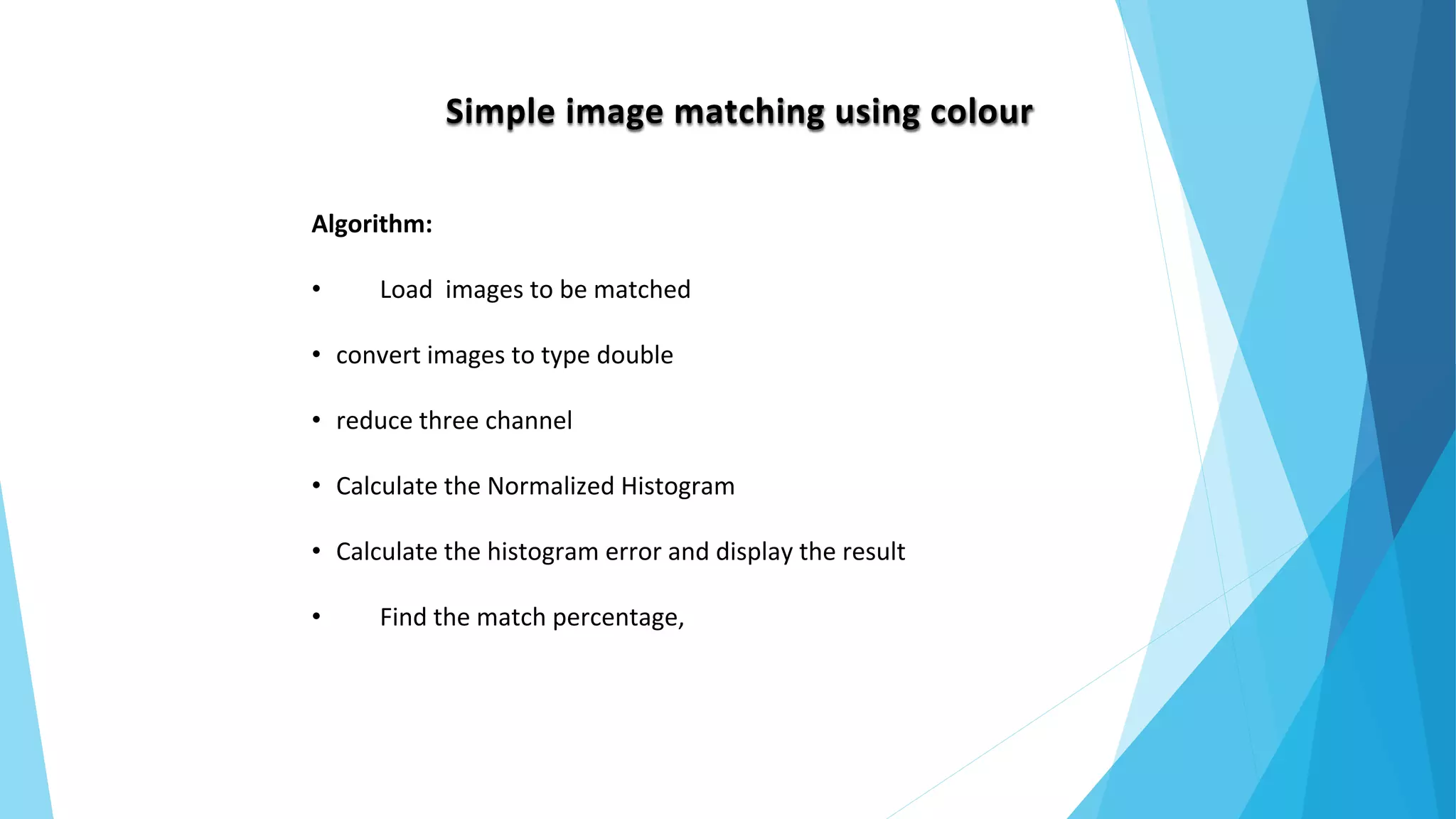
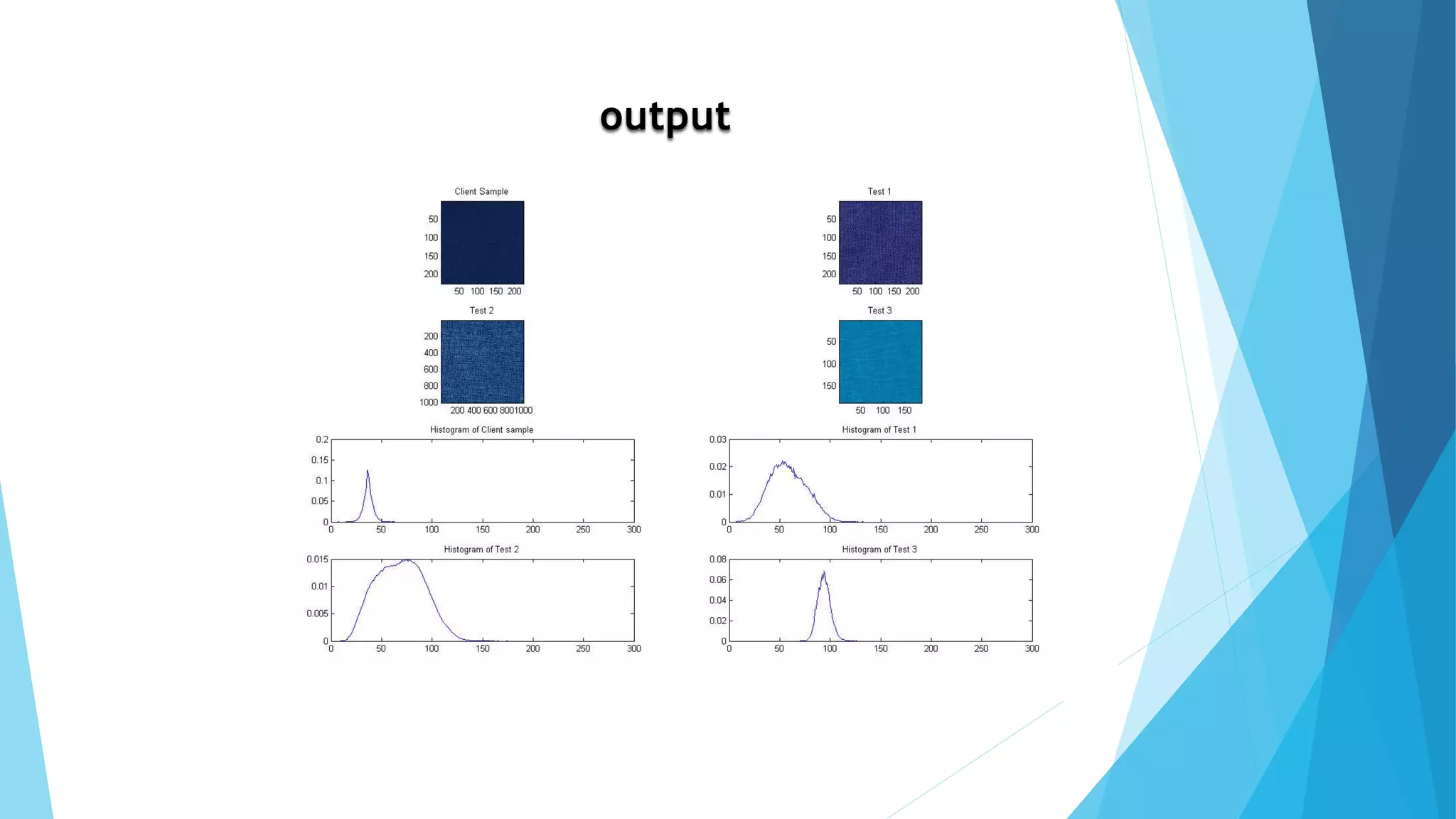
Simple image matching using colour
Algorithm:
• Load images to be matched
• convert images to type double
• reduce three channel
• Calculate the Normalized Histogram
• Calculate the histogram error and display the result
• Find the match percentage,
output
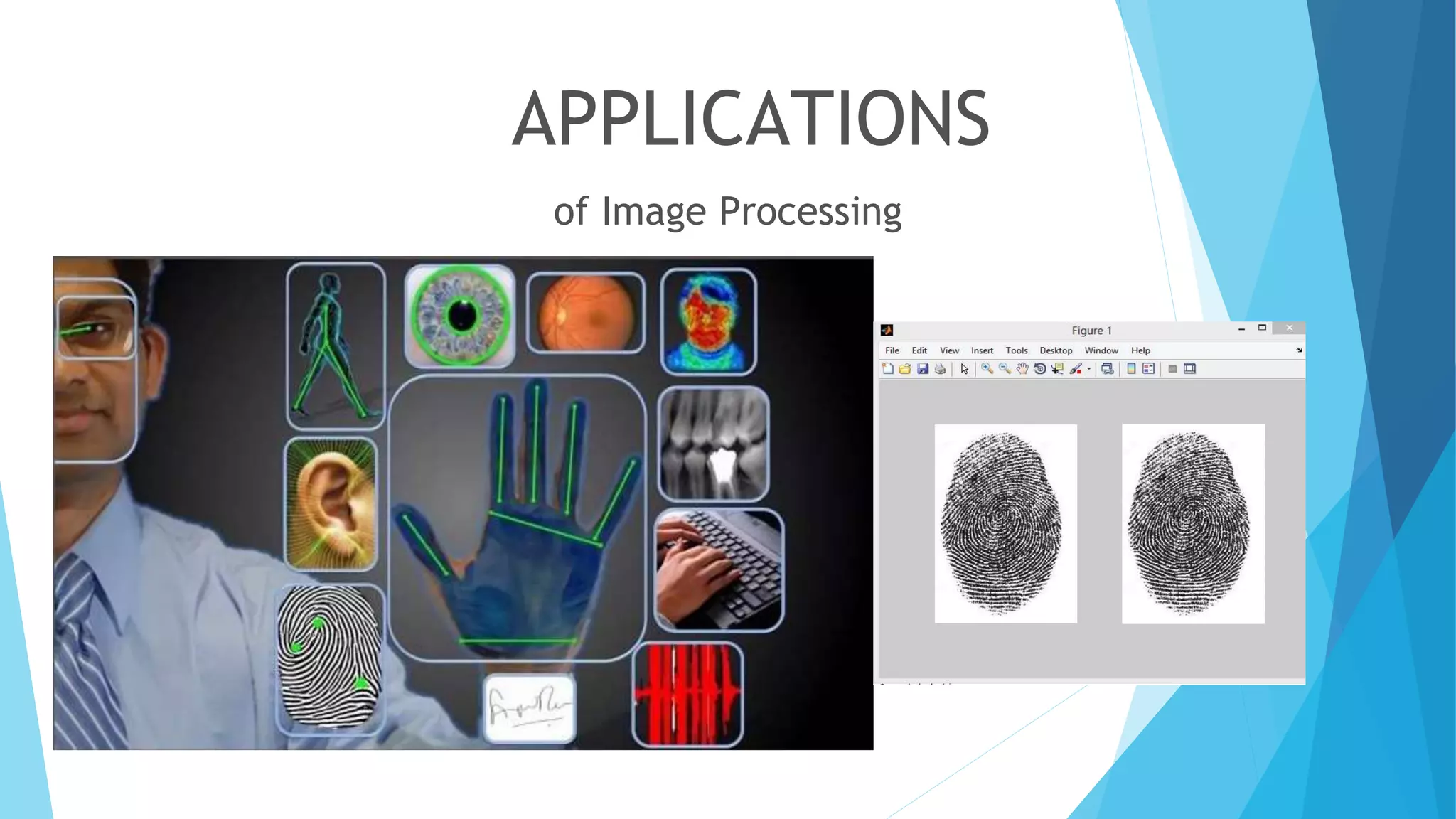
APPLICATIONS
of Image Processing
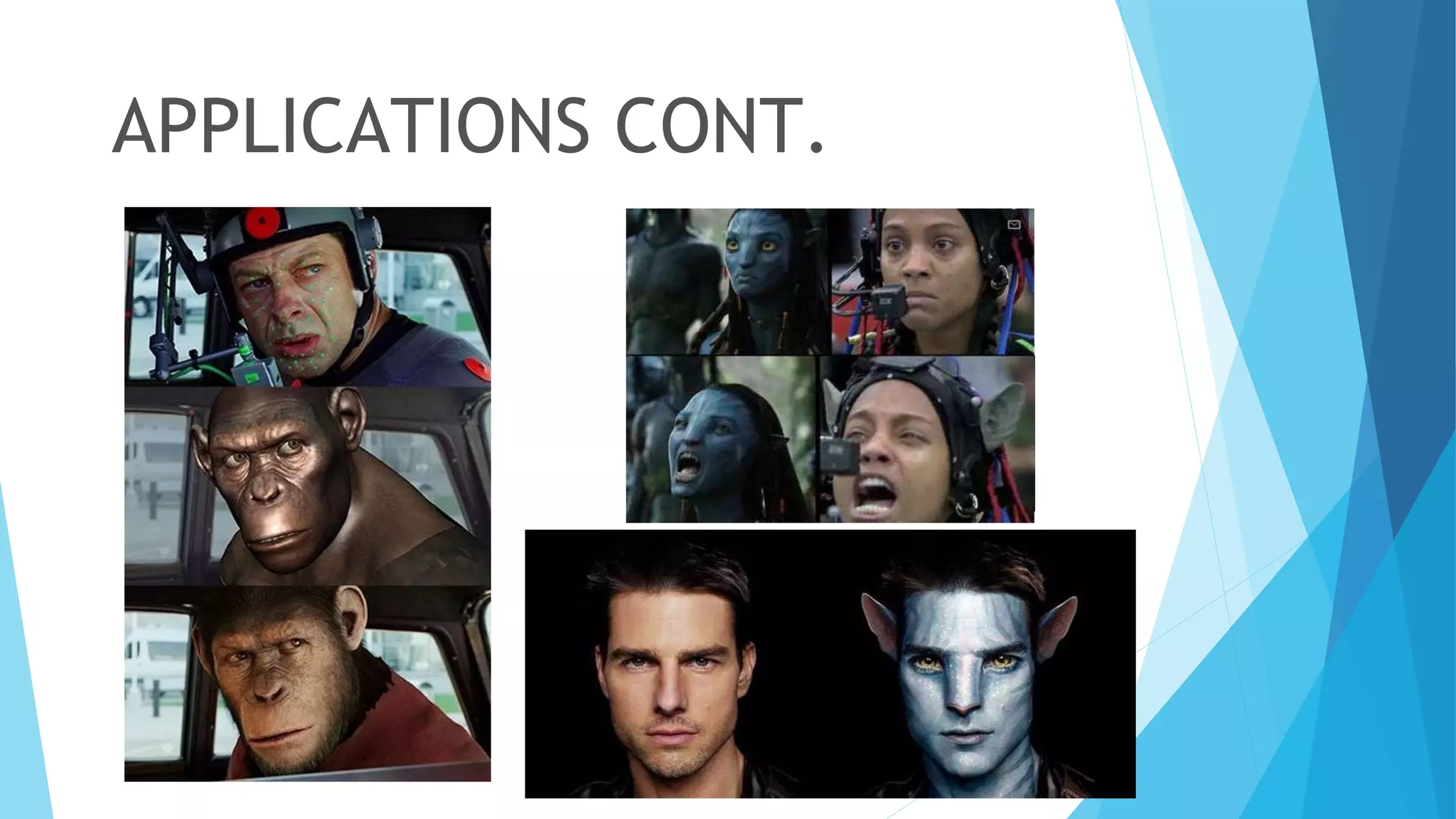
APPLICATIONS CONT.
–Terry Pratchett
“Sooner or later all things are numbers, yes?”
Don’t forget..
Q & A

ImageProcessingWithMatlab(HasithaEdiriweera)

  • 1.
    –Terry Pratchett “Sooner orlater all things are numbers, yes?” Hasitha Ediriweera Associate Software Engineer Typefi Systems Pvt Ltd
  • 2.
    AN INTRODUCTION TO DIGITALIMAGE PROCESSING WITH MATLAB  What is Matlab, What is Image, What is Digital Image & Computer Imaging  Computer Vision & Image Processing  Natural Processor  Image Matrix, RGB, Gray Scale & Binary image Matrix  Extracting objects of specific colours from an image  Count Number of objects  Thresholding, Image segmentation
  • 3.
    WHAT IS MATLAB.? MATLABis a numerical computing environment which allows matrix manipulation, plotting of functions and data, implementation of algorithms , creation of user interfaces , and interfacing with programs in other languages like C / C++ and Fortran.
  • 4.
    WHAT IS IMAGE Animage is a single picture which represents something. It may be a picture of a person, of people or animals, or of an outdoor scene, or a microphotograph of an electronic component, or the result of medical imaging.
  • 5.
    WHAT IS ADIGITAL IMAGE? A digital image is a representation of a two- dimensional image as a finite set of digital values, called picture elements or pixels
  • 6.
    COMPUTER IMAGING It’s definedas the acquisition and processing of visual information by computer. • The ultimate receiver of information is: – Computer – Human visual system • So we have two categories:- – Computer vision – Image processing
  • 7.
    COMPUTER VISION ANDIMAGE PROCESSING • In computer vision: The processed output images • In Image processing: The output images are for human consumption
  • 8.
    VISION Every technology comesfrom Nature: • Eye - Sensor to acquire photons • Brain - Processor to process photoelectric signals from eye Step 1. Light(white light) falling on objects Step 2. Eye lens focuses the light on retina Step 3. Image formation on retina, and Step 4. Developing electric potential on retina (Photoelectric effect) Step 5. Optical nerves transmitting developed potentials to brain (Processor)
  • 9.
    NATURAL PROCESSOR (BRAIN)– PERCEPTION OF IMAGE Hey, I got potentials of X values (Temporal lobe) Yes, I know what does it mean (Frontal lobe) To frontal lobe, From Temporal lobe
  • 10.
    COMPUTER VISION • Oneof the computer vision fields is image analysis. • It involves the examination of image data to facilitate solving a vision problem. • Image analysis has 2 topics: – Feature extraction: acquiring higher level image information – Pattern classification taking these higher level of information and identifying objects within the image
  • 11.
    IMAGE MATRIX..? Different typesof images often used,  Color – RGB -> remember cones in eyes?  R –> 0-255  G –> 0-255  B –> 0-255  Grayscale -> remember rods in eyes?  0 – Pure black/white  1-254 – Shades of black and white(gray)  255 – Pure black/white • Boolean • 0- Pure black/white • 1- Pure white/black
  • 12.
    GRAYSCALE IMAGE Pure black->0 Shadesof black&white -> 1- 254 White-> 255
  • 13.
  • 14.
  • 15.
  • 16.
  • 17.
  • 18.
    Things to keepin mind,  Image -> 2 dimensional matrix of size(mxn) Image processing -> Manipulating the values of each element of the matrix  From the above representation,  f is an image  f(0,0) -> single pixel of an image (similarly for all values of f(x,y)  f(0,0) = 0-255 for grayscale 0/1 for binary 0-255 for each of R,G and B
  • 19.
    Extracting objects ofspecific colours from an image From the image given below, how specific colour(say blue) can be extracted?
  • 20.
    Algorithm: • Load anRGB image • Get the size(mxn) of the image • Create a new matrix of zeros of size mxn • Read the values of R,G,B in each pixel while traversing through every pixels of the image • Restore pixels with required color to 1 and rest to 0 to the newly created matrix • Display the newly created matrix and the resultant image would be the filtered image of specific color
  • 21.
    Solution! Input image: Output image(Extractedblue objects): Snippet: c=imread('F:matlab sample images1.png'); [m,n,t]=size(c); tmp=zeros(m,n); for i=1:m for j=1:n if(c(i,j,1)==0 && c(i,j,2)==0 && c(i,j,3)==255) tmp(i,j)=1; end end end imshow(tmp);
  • 22.
    Count Number ofobjects in red colour From the image, count t number of red objects,
  • 23.
    Algorithm:  Load theimage  Get the size of the image  Find appropriate threshold level for red color  Traverse through every pixel,  Replace pixels with red threshold to 1 and remaining pixels to 0  Find the objects with enclosed boundaries in the new image  Count the boundaries to know number of objects
  • 24.
    Solution! Input image: Output image(Extractedred objects): Snippet: c=imread('F:matlab sample images1.png'); [m,n,t]=size(c); tmp=zeros(m,n); for i=1:m for j=1:n if(c(i,j,1)==255 && c(i,j,2)==0 && c(i,j,3)==0) tmp(i,j)=1; end end end imshow(tmp); ss=bwboundaries(tmp); num=length(ss); Output: num = 3
  • 25.
    How to countall objects irrespective of colour?  Thresholding is used to segment an image by setting all pixels whose intensity values are above a threshold to a foreground value and all the remaining pixels to a background value.  The pixels are partitioned depending on their intensity value  Global Thresholding, g(x,y) = 0, if f(x,y)<=T g(x,y) = 1, if f(x,y)>T g(x,y) = a, if f(x,y)>T2 g(x,y) = b, if T1<f(x,y)<=T2 g(x,y) = c, if f(x,y)<=T1  Multiple thresholding,
  • 26.
    From the givenimage, Find the total number of objects present?
  • 27.
    Algorithm:  Load theimage  Convert the image into grayscale(incase of an RGB image)  Fix a certain threshold level to be applied to the image  Convert the image into binary by applying the threshold level  Count the boundaries to count the number of objects
  • 28.
    Solution! At 0.25 thresholdAt 0.5 threshold At 0.6 threshold At 0.75 threshold
  • 29.
  • 30.
  • 31.
    Snippet: img=imread('F:matlab sample imagescolor.png'); img1=rgb2gray(img); Thresholdvalue=0.75; img2=im2bw(img1,Thresholdvalue); figure,imshow(img2); %to detect num of objects B=bwboundaries(img2); num=length(B); % to draw bow over objects figure,imshow(img2); hold on; for k=1:length(B), boundary = B{k}; plot(boundary(:,2), boundary(:,1), 'r','LineWidth',2); end
  • 32.
    Image segmentation • Givenan image of English alphabets, segment each and every alphabets • Perform basic morphological operations on the letters • Detect edges • Filter the noises if any • Replace the pixel with maximum value found in the defined pixel set (dilate) • Fill the holes in the images • Label every blob in the image • Draw the bounding box over each detected blob
  • 33.
  • 34.
    Snippet: a=imread('F:matlab sample imagesMYWORDS.png'); im=rgb2gray(a); c=edge(im); se= strel('square',8); I= imdilate(c, se); img=imfill(I,'holes'); figure,imshow(img); [Ilabel num] = bwlabel(img); disp(num); Iprops = regionprops(Ilabel); Ibox = [Iprops.BoundingBox]; Ibox = reshape(Ibox,[4 num]); imshow(I) hold on; for cnt = 1:num rectangle('position',Ibox(:,cnt),'edgecolor','r'); end
  • 35.
    Simple image matchingusing colour Algorithm: • Load images to be matched • convert images to type double • reduce three channel • Calculate the Normalized Histogram • Calculate the histogram error and display the result • Find the match percentage,
  • 36.
  • 37.
  • 38.
  • 39.
    –Terry Pratchett “Sooner orlater all things are numbers, yes?” Don’t forget.. Q & A

Editor's Notes

  • #9 a scenario about Eye & Brain - Sensor to acquire photons and Processor to process photoelectric signals from eye
  • #11 Image analysis has 2 topics: – Feature extraction: acquiring higher level image information – Pattern classification taking these higher level of information and identifying objects within the image
  • #16 m by n matrix represent binary or grayscale image. because it can only contain 0,1 or 0-255 pixel value , Bt in RGB it similar bt, contain 3 values for each pixel..its for red,green and Blue. Simply its like 3 matrix.
  • #17 This is how we create RGB image using RED , GREEN and BLUE images. Simply if it is a RGB image, It contain 3 images.
  • #26 segment an image by setting all pixels whose intensity values are above a threshold to a foreground value and all the remaining pixels to a background value