In thislecture we will look at image enhancement point
processing techniques:
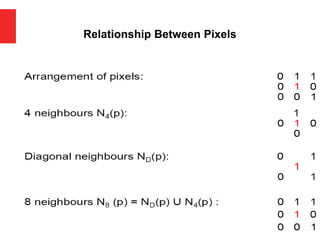
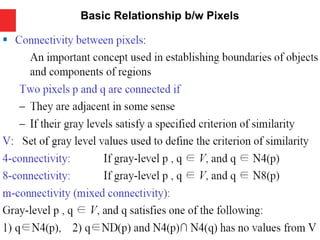
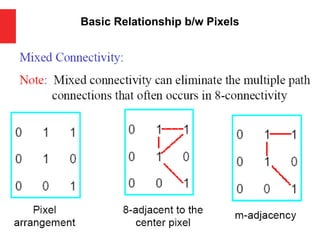
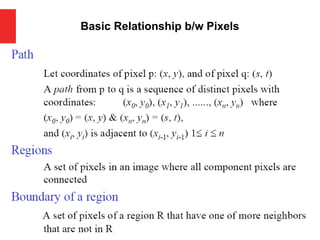
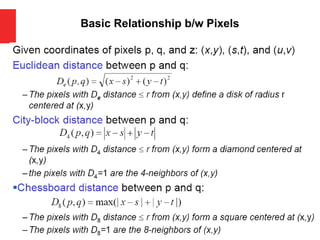
Connectivity & Relationship b/w Pixels
What is Image Processing
What is point processing?
Negative images
Thresholding
Logarithmic transformation
Power law transforms
Grey level slicing
Bit plane slicing
Contents
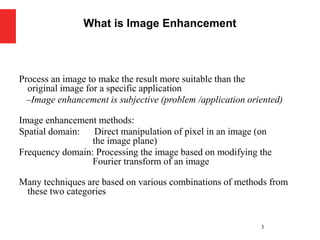
3.
Process an imageto make the result more suitable than the
original image for a specific application
–Image enhancement is subjective (problem /application oriented)
Image enhancement methods:
Spatial domain: Direct manipulation of pixel in an image (on
the image plane)
Frequency domain: Processing the image based on modifying the
Fourier transform of an image
Many techniques are based on various combinations of methods from
these two categories
3
What is Image Enhancement
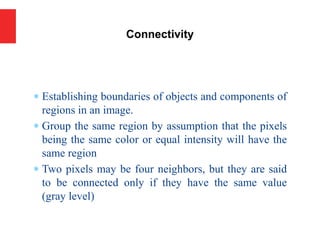
Establishing boundariesof objects and components of
regions in an image.
Group the same region by assumption that the pixels
being the same color or equal intensity will have the
same region
Two pixels may be four neighbors, but they are said
to be connected only if they have the same value
(gray level)
Connectivity
So far whenwe have spoken about image grey level
values we have said they are in the range [0, 255]
Where 0 is black and 255 is white
There is no reason why we have to use this range
The range [0,255] stems from display technologes
For many of the image processing operations in this
lecture grey levels are assumed to be given in the range
[0.0, 1.0]
A Note About Grey Levels
11.
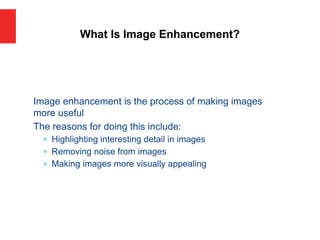
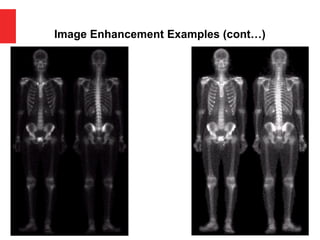
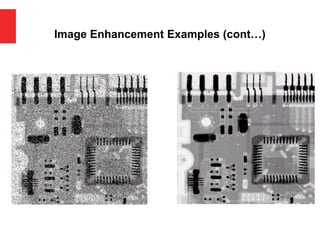
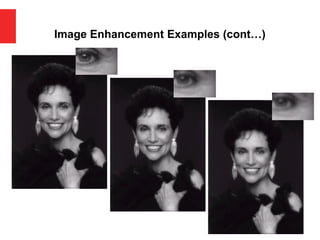
Image enhancement isthe process of making images
more useful
The reasons for doing this include:
Highlighting interesting detail in images
Removing noise from images
Making images more visually appealing
What Is Image Enhancement?
There are twobroad categories of image enhancement
techniques
Spatial domain techniques
Direct manipulation of image pixels
Frequency domain techniques
Manipulation of Fourier transform or wavelet transform of an
image
For the moment we will concentrate on techniques that
operate in the spatial domain
Spatial & Frequency Domains
17.
Process an imageto make the result more suitable than the
original image for a specific application
–Image enhancement is subjective (problem /application oriented)
Image enhancement methods:
Spatial domain: Direct manipulation of pixel in an image (on
the image plane)
Frequency domain: Processing the image based on modifying the
Fourier transform of an image
Many techniques are based on various combinations of methods from
these two categories
Image Engancement
Spatial domain enhancementmethods can be generalized as
g(x,y)=T[f(x,y)]
f(x,y): input image
g(x,y): processed (output) image
T[*]: an operator on f (or a set of input images),
defined over neighborhood of (x,y)
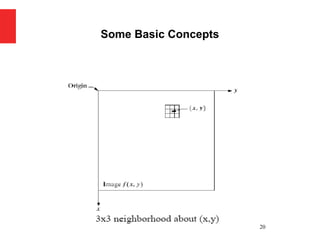
Neighborhood about (x,y): a square or rectangular
sub-image area centered at (x,y)
19
Some Basic Concepts
g(x,y) = T[f(x,y)]
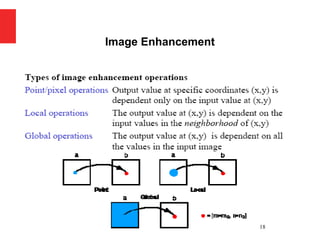
Pixel/point operation:
Neighborhood of size 1x1: g depends only on f at (x,y)
T: a gray-level/intensity transformation/mapping function
Let r = f(x,y) s = g(x,y)
r and s represent gray levels of f and g at (x,y)
Then s = T(r)
Local operations:
g depends on the predefined number of neighbors of f at (x,y)
Implemented by using mask processing or filtering
Masks (filters, windows, kernels, templates) :
a small (e.g. 3×3) 2-D array, in which the values of the
coefficients determine the nature of the process
Some Basic Concepts
22.
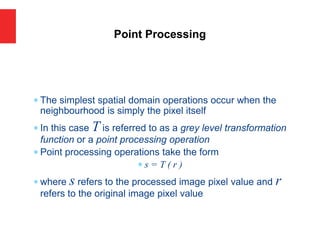
The simplestspatial domain operations occur when the
neighbourhood is simply the pixel itself
In this case T is referred to as a grey level transformation
function or a point processing operation
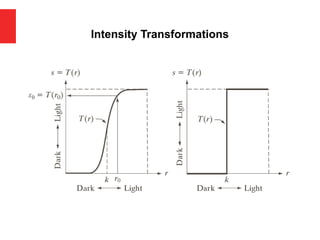
Point processing operations take the form
s = T ( r )
where s refers to the processed image pixel value and r
refers to the original image pixel value
Point Processing
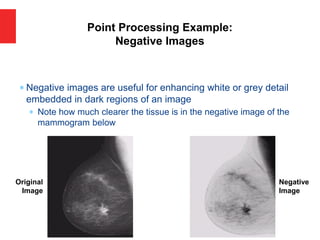
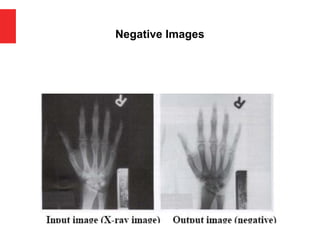
Negative imagesare useful for enhancing white or grey detail
embedded in dark regions of an image
Note how much clearer the tissue is in the negative image of the
mammogram below
Point Processing Example:
Negative Images
Original
Image
Negative
Image
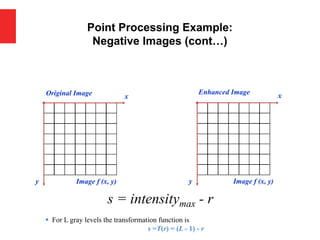
Point Processing Example:
NegativeImages (cont…)
Original Image x
y Image f (x, y)
Enhanced Image x
y Image f (x, y)
s = intensitymax - r
▪ For L gray levels the transformation function is
s =T(r) = (L - 1) - r
27.
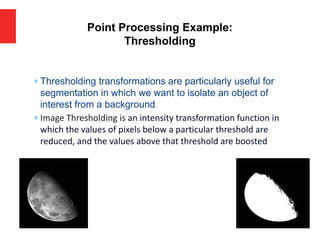
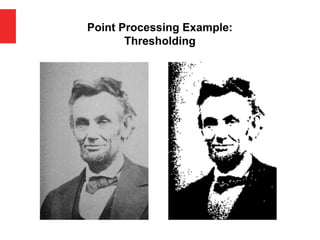
Thresholding transformationsare particularly useful for
segmentation in which we want to isolate an object of
interest from a background
Image Thresholding is an intensity transformation function in
which the values of pixels below a particular threshold are
reduced, and the values above that threshold are boosted
Point Processing Example:
Thresholding
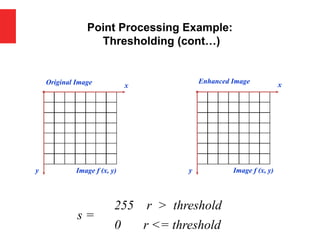
s =
255
0 r <= threshold
r > threshold
28.
Pixels areeither classified as "foreground" (object of interest) or
"background" (everything else), based on their intensity values
Some common thresholding techniques include:
•Global Thresholding: A single threshold value is applied to the entire
image.
•Adaptive Thresholding: Different threshold values are used for different
regions of the image, allowing for better handling of variations in
illumination.
•Otsu's Thresholding: Automatically calculates an optimal threshold
value based on the image histogram, aiming to minimize intra-class
variance.
•Edge-based Thresholding: Thresholding based on edge detection results,
useful for detecting objects with well-defined edges.
•Color Thresholding: Extending thresholding to color images by applying
thresholds separately to different color channels.
Point Processing Thresholding continue…
Point Processing Example:
Thresholding(cont…)
Original Image x
y Image f (x, y)
Enhanced Image x
y Image f (x, y)
s =
0 r <= threshold
255 r > threshold
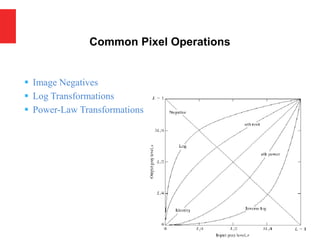
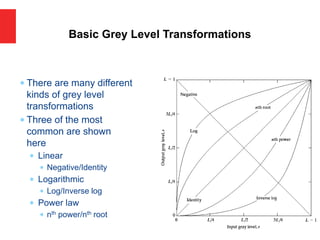
There aremany different
kinds of grey level
transformations
Three of the most
common are shown
here
Linear
Negative/Identity
Logarithmic
Log/Inverse log
Power law
nth power/nth root
Basic Grey Level Transformations
The generalform of the log transformation is
s = c * log(1 + r)
The log transformation maps a narrow range of low input
grey level values into a wider range of output values
The inverse log transformation performs the opposite
transformation
Log functions are particularly useful when the input grey
level values may have an extremely large range of values
Logarithmic Transformations
08/01/2018
37
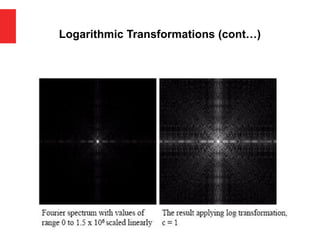
Properties of logtransformations
–For lower amplitudes of input image the range of gray levels is
expanded
–For higher amplitudes of input image the range of gray levels is
compressed
Application:
This transformation is suitable for the case when the dynamic
range of a processed image far exceeds the capability of the
display device (e.g. display of the Fourier spectrum of an
image)
Also called “dynamic-range compression / expansion”
Logarithmic Transformations
38.
Logarithmic Transformations (cont…)
OriginalImage x
y Image f (x, y)
Enhanced Image x
y Image f (x, y)
s = log(1 + r)
We usually set c to 1
Grey levels must be in the range [0.0, 1.0]
39.
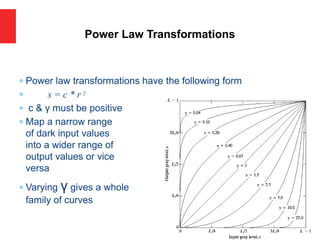
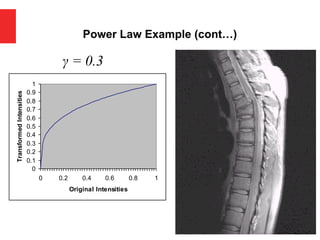
Power lawtransformations have the following form
s = c * r γ
c & γ must be positive
Map a narrow range
of dark input values
into a wider range of
output values or vice
versa
Varying γ gives a whole
family of curves
Power Law Transformations
40.
We usuallyset c to 1
Grey levels must be in the range [0.0, 1.0]
Power Law Transformations (cont…)
Original Image x
y Image f (x, y)
Enhanced Image x
y Image f (x, y)
s = r γ
41.
For γ <1: Expands values of dark pixels,
compress values of brighter pixels
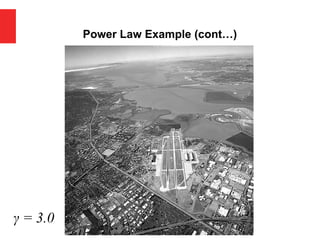
For γ > 1: Compresses values of dark pixels,
expand values of brighter pixels
If γ=1 & c=1: Identity transformation (s = r)
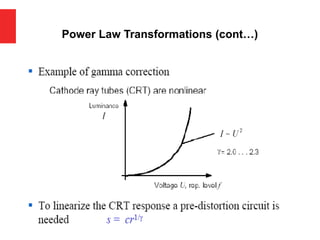
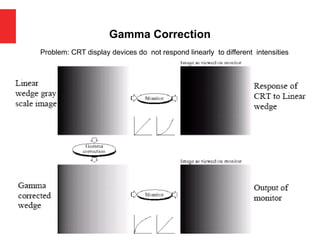
A variety of devices (image capture, printing, display) respond
according to power law and need to be corrected
Gamma (γ) correction
The process used to correct the power-law response phenomena
Power Law Transformations (cont…)
Power Law Example(cont…)
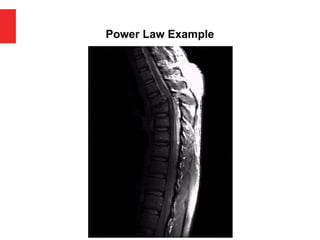
γ = 0.6
0
0.1
0.2
0.3
0.4
0.5
0.6
0.7
0.8
0.9
1
0 0.2 0.4 0.6 0.8 1
Old Intensities
Transformed
Intensities
44.
Power Law Example(cont…)
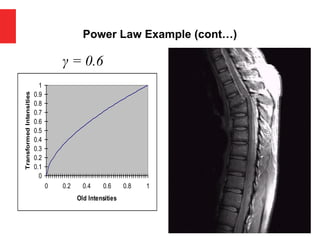
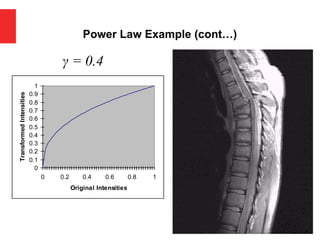
γ = 0.4
0
0.1
0.2
0.3
0.4
0.5
0.6
0.7
0.8
0.9
1
0 0.2 0.4 0.6 0.8 1
Original Intensities
Transformed
Intensities
45.
Power Law Example(cont…)
γ = 0.3
0
0.1
0.2
0.3
0.4
0.5
0.6
0.7
0.8
0.9
1
0 0.2 0.4 0.6 0.8 1
Original Intensities
Transformed
Intensities
46.
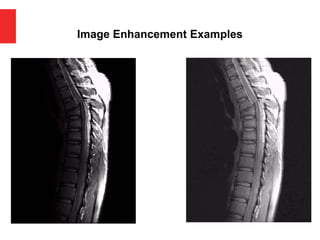
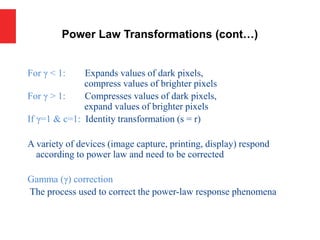
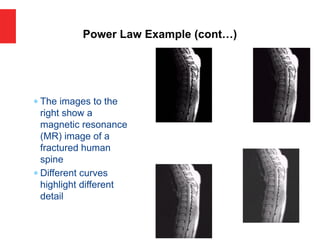
The imagesto the
right show a
magnetic resonance
(MR) image of a
fractured human
spine
Different curves
highlight different
detail
Power Law Example (cont…)
Power Law Example(cont…)
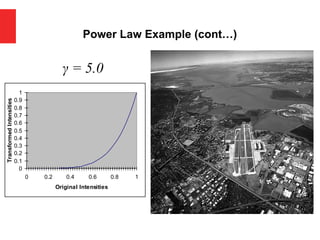
γ = 5.0
0
0.1
0.2
0.3
0.4
0.5
0.6
0.7
0.8
0.9
1
0 0.2 0.4 0.6 0.8 1
Original Intensities
Transformed
Intensities
51.
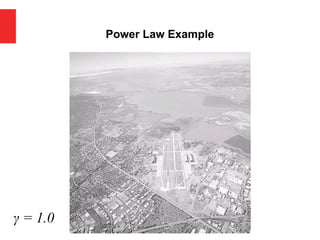
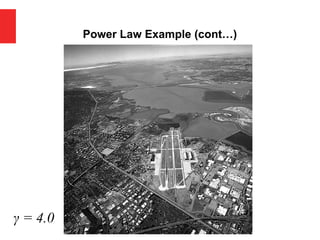
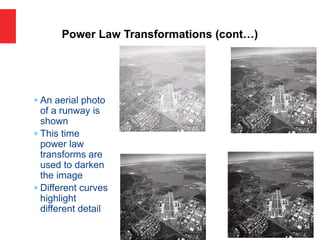
An aerialphoto
of a runway is
shown
This time
power law
transforms are
used to darken
the image
Different curves
highlight
different detail
Power Law Transformations (cont…)
Piecewise Linear Transformation
Itinvolves dividing the intensity range of the image into multiple
segments and applying a linear transformation to each segment
individually.
1. Dividing the Intensity Range: The first step is to divide the intensity range
of the image into multiple segments
2. Defining Transformation Functions: For each segment, a linear
transformation function is defined. This function maps the intensity values
within that segment to new values, adjusting the contrast as desired. These
transformation functions can be simple linear equations or more complex
functions
3. Applying Transformations:
4. Combining Results:
57.
Piecewise Linear Transformation
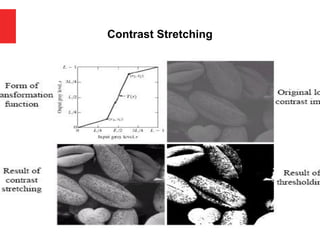
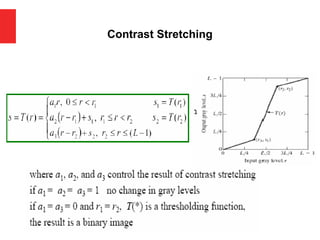
ContrastStretching
Is type of gray level transformation that is used for image enhancement. It is a spatial domain
method. It is used for manipulation of an image so that the result is more suitable than the
original for a specific application.
Goal:
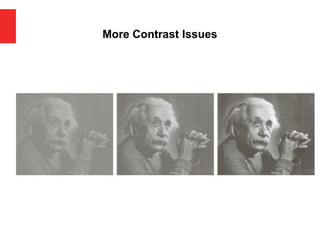
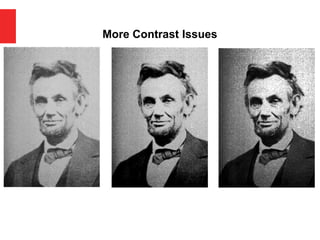
Increase the dynamic range of the gray levels for low
contrast images
Low-contrast images can result from
–poor illumination
–lack of dynamic range in the imaging sensor
–wrong setting of a lens aperture during image acquisition
58.
Contrast Stretching [continue…]
Contraststretching, also known as histogram stretching or
normalization, is a basic image enhancement technique used to
improve the contrast in an image by expanding the range of
intensity values. The goal of contrast stretching is to utilize the
entire dynamic range of pixel values available in the image,
thereby increasing the visual separation between different
objects or features in the image.
The process of contrast stretching involves mapping the original
intensity values of the image to a new range of values. This is
typically done by linearly scaling the intensity values from their
original range to a new range, often spanning from 0 to 255 (for an
8-bit grayscale image).
59.
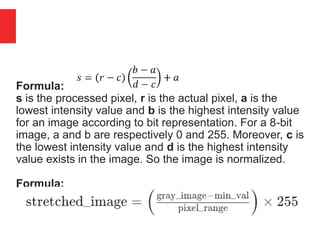
Formula:
s is theprocessed pixel, r is the actual pixel, a is the
lowest intensity value and b is the highest intensity value
for an image according to bit representation. For a 8-bit
image, a and b are respectively 0 and 255. Moreover, c is
the lowest intensity value and d is the highest intensity
value exists in the image. So the image is normalized.
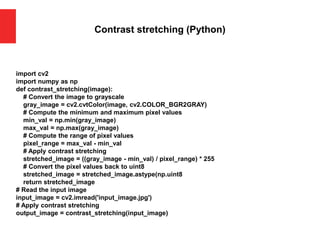
Formula:
60.
Contrast stretching (Python)
importcv2
import numpy as np
def contrast_stretching(image):
# Convert the image to grayscale
gray_image = cv2.cvtColor(image, cv2.COLOR_BGR2GRAY)
# Compute the minimum and maximum pixel values
min_val = np.min(gray_image)
max_val = np.max(gray_image)
# Compute the range of pixel values
pixel_range = max_val - min_val
# Apply contrast stretching
stretched_image = ((gray_image - min_val) / pixel_range) * 255
# Convert the pixel values back to uint8
stretched_image = stretched_image.astype(np.uint8
return stretched_image
# Read the input image
input_image = cv2.imread('input_image.jpg')
# Apply contrast stretching
output_image = contrast_stretching(input_image)
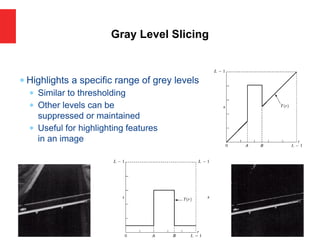
Highlights aspecific range of grey levels
Similar to thresholding
Other levels can be
suppressed or maintained
Useful for highlighting features
in an image
Gray Level Slicing
64.
Gray level slicing,also known as intensity level slicing or gray
value slicing, is an image processing technique used to
highlight specific intensity ranges within a grayscale image
while suppressing the rest. It involves selectively enhancing
or suppressing certain gray levels to emphasize particular
features or regions of interest in the image.
65.
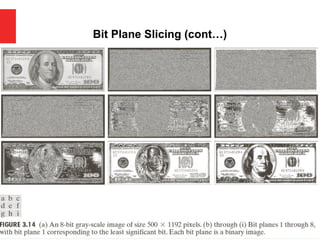
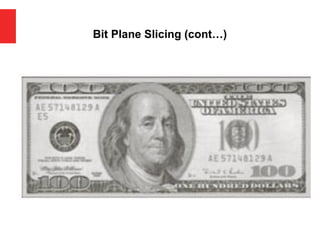
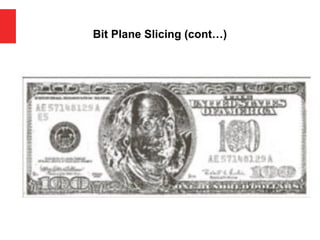
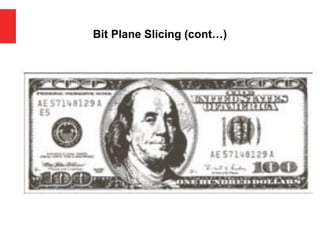
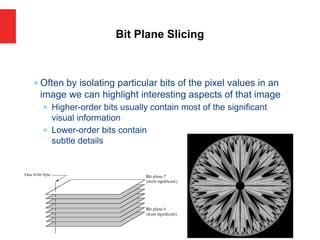
Often byisolating particular bits of the pixel values in an
image we can highlight interesting aspects of that image
Higher-order bits usually contain most of the significant
visual information
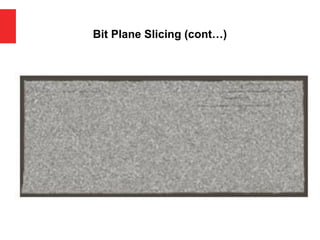
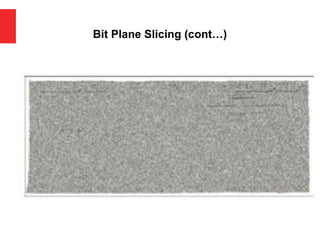
Lower-order bits contain
subtle details
Bit Plane Slicing
66.
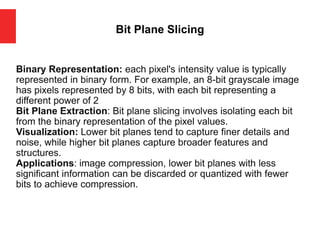
Bit Plane Slicing
BinaryRepresentation: each pixel's intensity value is typically
represented in binary form. For example, an 8-bit grayscale image
has pixels represented by 8 bits, with each bit representing a
different power of 2
Bit Plane Extraction: Bit plane slicing involves isolating each bit
from the binary representation of the pixel values.
Visualization: Lower bit planes tend to capture finer details and
noise, while higher bit planes capture broader features and
structures.
Applications: image compression, lower bit planes with less
significant information can be discarded or quantized with fewer
bits to achieve compression.
67.
Bit Plane Slicing(cont…)
[10000000] [01000000]
[00100000] [00001000]
[00000100] [00000001]
Bit Plane Slicing(cont…)
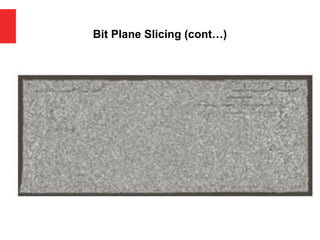
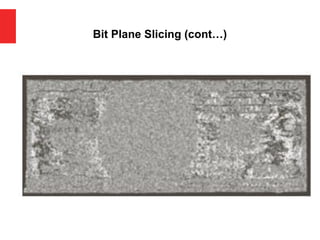
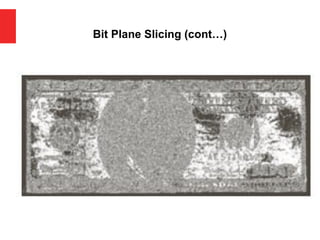
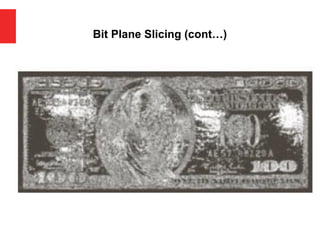
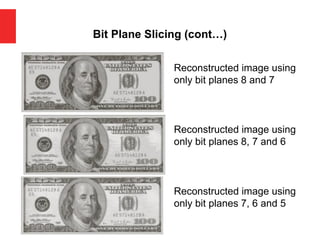
Reconstructed image using
only bit planes 8 and 7
Reconstructed image using
only bit planes 8, 7 and 6
Reconstructed image using
only bit planes 7, 6 and 5
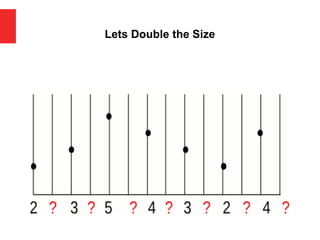
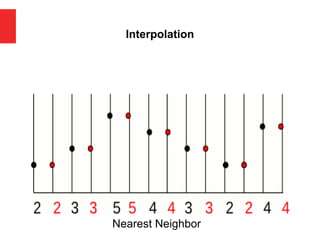
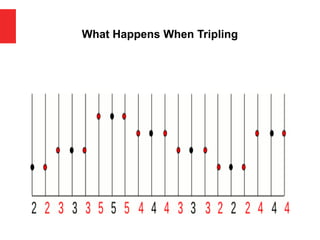
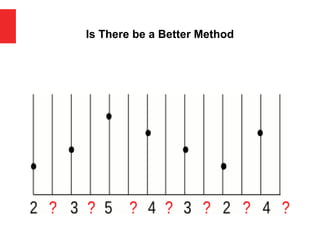
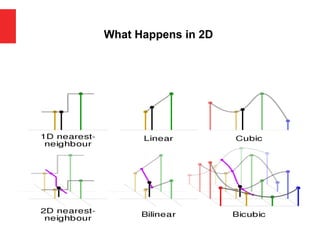
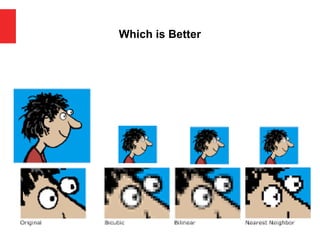
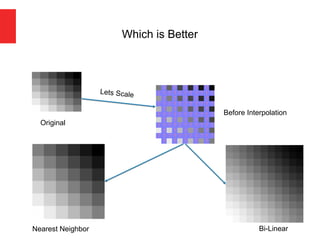
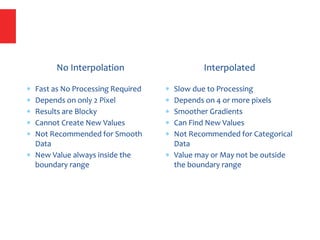
No Interpolation
Fastas No Processing Required
Depends on only 2 Pixel
Results are Blocky
Cannot Create New Values
Not Recommended for Smooth
Data
New Value always inside the
boundary range
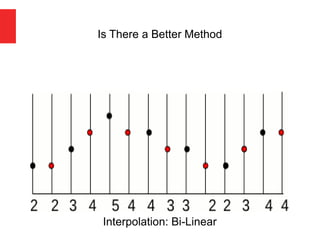
Interpolated
Slow due to Processing
Depends on 4 or more pixels
Smoother Gradients
Can Find New Values
Not Recommended for Categorical
Data
Value may or May not be outside
the boundary range

![So far when we have spoken about image grey level
values we have said they are in the range [0, 255]
Where 0 is black and 255 is white
There is no reason why we have to use this range
The range [0,255] stems from display technologes
For many of the image processing operations in this
lecture grey levels are assumed to be given in the range
[0.0, 1.0]
A Note About Grey Levels](https://image.slidesharecdn.com/iiplecture-03pointprocessing-250831090431-cdac40d2/85/IIP-Lecture-03-Pointt-Processinggg-pdf-10-320.jpg)
![Spatial domain enhancement methods can be generalized as
g(x,y)=T[f(x,y)]
f(x,y): input image
g(x,y): processed (output) image
T[*]: an operator on f (or a set of input images),
defined over neighborhood of (x,y)
Neighborhood about (x,y): a square or rectangular
sub-image area centered at (x,y)
19
Some Basic Concepts](https://image.slidesharecdn.com/iiplecture-03pointprocessing-250831090431-cdac40d2/85/IIP-Lecture-03-Pointt-Processinggg-pdf-19-320.jpg)
![g(x,y) = T [f(x,y)]
Pixel/point operation:
Neighborhood of size 1x1: g depends only on f at (x,y)
T: a gray-level/intensity transformation/mapping function
Let r = f(x,y) s = g(x,y)
r and s represent gray levels of f and g at (x,y)
Then s = T(r)
Local operations:
g depends on the predefined number of neighbors of f at (x,y)
Implemented by using mask processing or filtering
Masks (filters, windows, kernels, templates) :
a small (e.g. 3×3) 2-D array, in which the values of the
coefficients determine the nature of the process
Some Basic Concepts](https://image.slidesharecdn.com/iiplecture-03pointprocessing-250831090431-cdac40d2/85/IIP-Lecture-03-Pointt-Processinggg-pdf-21-320.jpg)
![Logarithmic Transformations (cont…)
Original Image x
y Image f (x, y)
Enhanced Image x
y Image f (x, y)
s = log(1 + r)
We usually set c to 1
Grey levels must be in the range [0.0, 1.0]](https://image.slidesharecdn.com/iiplecture-03pointprocessing-250831090431-cdac40d2/85/IIP-Lecture-03-Pointt-Processinggg-pdf-38-320.jpg)
![ We usually set c to 1
Grey levels must be in the range [0.0, 1.0]
Power Law Transformations (cont…)
Original Image x
y Image f (x, y)
Enhanced Image x
y Image f (x, y)
s = r γ](https://image.slidesharecdn.com/iiplecture-03pointprocessing-250831090431-cdac40d2/85/IIP-Lecture-03-Pointt-Processinggg-pdf-40-320.jpg)
![Contrast Stretching [continue…]
Contrast stretching, also known as histogram stretching or
normalization, is a basic image enhancement technique used to
improve the contrast in an image by expanding the range of
intensity values. The goal of contrast stretching is to utilize the
entire dynamic range of pixel values available in the image,
thereby increasing the visual separation between different
objects or features in the image.
The process of contrast stretching involves mapping the original
intensity values of the image to a new range of values. This is
typically done by linearly scaling the intensity values from their
original range to a new range, often spanning from 0 to 255 (for an
8-bit grayscale image).](https://image.slidesharecdn.com/iiplecture-03pointprocessing-250831090431-cdac40d2/85/IIP-Lecture-03-Pointt-Processinggg-pdf-58-320.jpg)
![Bit Plane Slicing (cont…)
[10000000] [01000000]
[00100000] [00001000]
[00000100] [00000001]](https://image.slidesharecdn.com/iiplecture-03pointprocessing-250831090431-cdac40d2/85/IIP-Lecture-03-Pointt-Processinggg-pdf-67-320.jpg)