ICT – Information & 
Communication Technology 
Presented by – Derek D. Ramdatt 
Head of Department 
Technology Education Dep’t 
Rio Claro East Secondary School
WHAT IS ICT? 
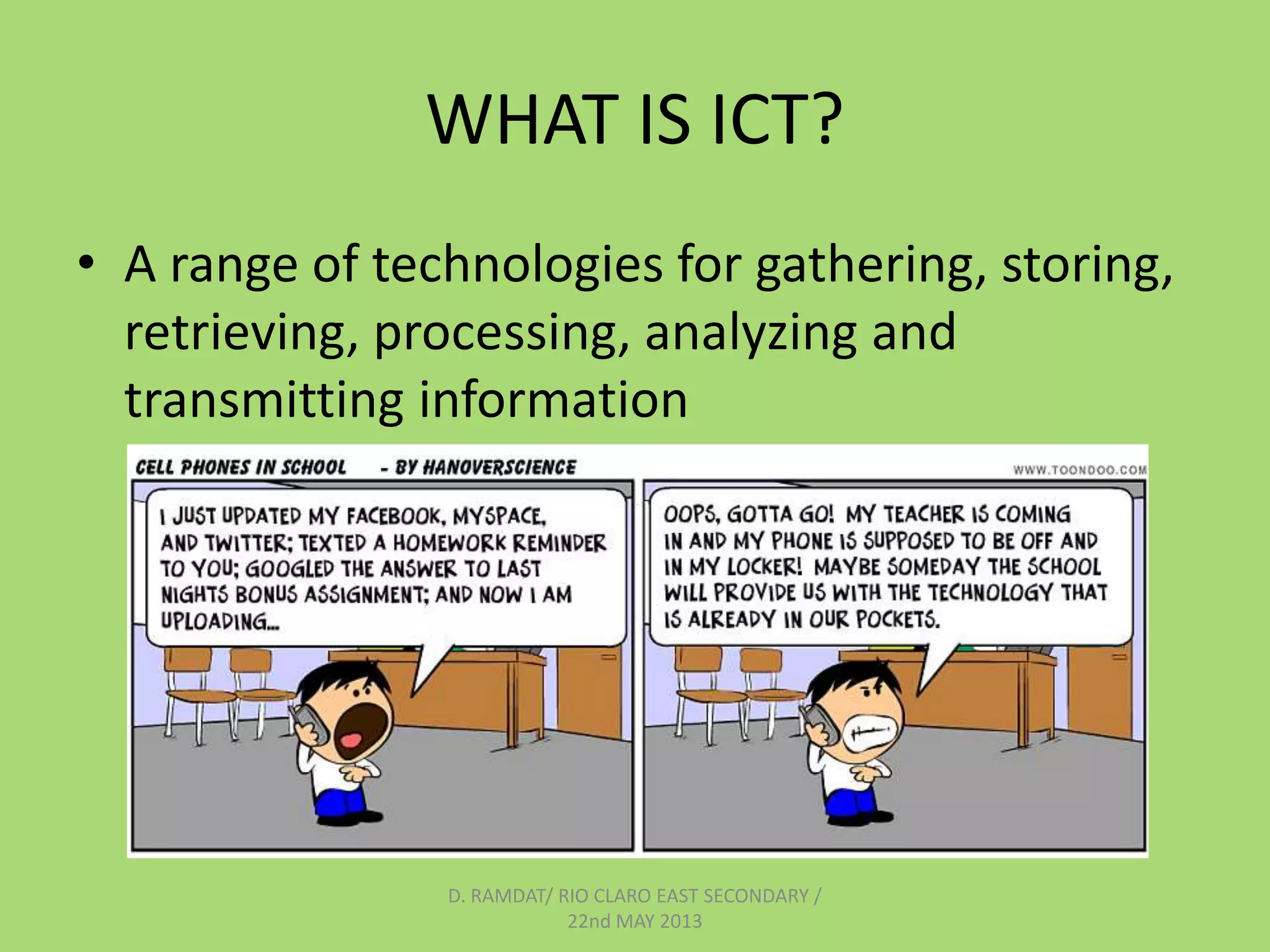
• A range of technologies for gathering, storing, 
retrieving, processing, analyzing and 
transmitting information 
D. RAMDAT/ RIO CLARO EAST SECONDARY / 
22nd MAY 2013
WHY USE ICT’s? 
Engages students 
Aids student retention of knowledge 
Motivates interest in the subject matter 
Illustrates the relevance of many 
concepts. 
D. RAMDAT/ RIO CLARO EAST SECONDARY / 
22nd MAY 2013
D. RAMDAT/ RIO CLARO EAST SECONDARY / 
22nd MAY 2013
USES OF ICT IN SCHOOLS 
• Development of a broad set of information literacy and related 
skills. 
• Using the Internet to gather information for research and projects, 
and for educator resources and learning support materials; 
• Using specialist educational software for specific curriculum 
objectives; 
• Using basic ICT applications to enhance teaching and learning, 
developing computer literacy skills in the process; 
• Facilitating communication to support a range of communication 
strategies amongst educators and learners across the globe and 
within the school; 
• ICT-related learning areas, such as Information Technology or 
similar subjects. 
D. RAMDAT/ RIO CLARO EAST SECONDARY / 
22nd MAY 2013
CLASSROOM IMPACT OF ICT 
Some of the most important conclusions from recent studies on 
benefits of technology for education will show that: 
• Learners provided with technology-rich learning environments 
continue to perform well on standardized tests and develop a 
variety of competencies not usually measured which include: 
– increased social awareness and self confidence 
– increased capacity to communicate effectively about complex 
processes 
– more independent learning 
– increase self-initiative 
– spontaneous sharing of ideas 
– higher quality assignments 
– higher attendance 
– improved writing skills 
– improved higher order thinking skills. 
D. RAMDAT/ RIO CLARO EAST SECONDARY / 
22nd MAY 2013
• The use of the Internet as an educational tool when 
integrated into curriculum is extending learning 
opportunities for learners by increasing skills in conducting 
independent research, interpersonal communications, 
written expression, and motivation while significantly 
extending learning beyond the walls of the classroom. 
• Online learning improves student achievement at least as 
much as traditional methods of instruction while expanding 
student access to high quality instruction previously 
unavailable to rural schools. 
• Telecommunications serves as an effective bridge between 
teachers and learners that can facilitate their 
communications and it is the actions of educators, and not 
the technology, that will initiate and sustain desired 
educational change 
Cradler: http://home.earthlink.net/~cradler/techprog.htm 
D. RAMDAT/ RIO CLARO EAST SECONDARY / 
22nd MAY 2013
ENHANCING HOW CHILDREN LEARN 
• A major scientific accomplishment of the twentieth 
century has been the great advancements in understanding 
cognition — that is, the mental processes of thinking, 
perceiving, and remembering. For example, cognitive 
research has shown that learning is most effective when 
four fundamental characteristics are present: 
(1) active engagement, 
(2) participation in groups, 
(3) frequent interaction and feedback, and 
(4) connections to realworld contexts. 
D. RAMDAT/ RIO CLARO EAST SECONDARY / 
22nd MAY 2013
• Interestingly, some of the pioneers in learning 
research also have been pioneers in exploring 
how technologies can improve learning. These 
connections are not coincidental. As scientists 
have understood more about the fundamental 
characteristics of learning, they have realized that 
the structure and resources of traditional 
classrooms often provide quite poor support for 
learning, whereas technology—when used 
effectively —can enable ways of teaching that are 
much better matched to how children learn. 
• Roschelle, J., Pea, R., Hoadley, C., Gordin, D., Means, B. (2001). Changing How and What 
Children Learn in School with Computer-Based Technologies. The Future of Children, 10(2). 
Los Altos, CA: Packard Foundation. 76-101.” 
http://ctl.sri.com/publications/downloads/PackardChangingLearning.pdf 
D. RAMDAT/ RIO CLARO EAST SECONDARY / 
22nd MAY 2013
THE ROLE OF THE TEACHER IN THE 
USE OF ICT 
With the inevitable proliferation of ICT in the classroom, the role of the 
teacher must change, and here are four key reasons why this must 
happen: 
• Firstly, the role of the teacher must change because ICT will cause 
certain teaching resources to become obsolete. For example, the 
use of overhead projectors and chalkboards may no longer be 
necessary if learners all have access to the same networked 
resource on which the teacher is presenting information. 
• Furthermore, if students are distributed throughout several 
classrooms - which is becoming more common place - localised 
resources such as projectors and chalkboards become redundant 
and new electronic forms of distributed communication must be 
employed. 
D. RAMDAT/ RIO CLARO EAST SECONDARY / 
22nd MAY 2013
• Secondly, ICT may also make some assessment 
methods redundant. Low level (factual) 
knowledge for example, has been traditionally 
tested by the use of multiple choice questions. 
In an ICT environment, on-line tests can easily 
be used which instantly provide the teacher 
with a wide range of information associated 
with the learner's score. 
D. RAMDAT/ RIO CLARO EAST SECONDARY / 
22nd MAY 2013
• Thirdly, the role of the teacher must change in the sense that it is 
no longer sufficient for teachers merely to impart content 
knowledge. It will however, be crucial for teachers to encourage 
critical thinking skills, promote information literacy, and nurture 
collaborative working practices to prepare children for a new world 
in which no job is guaranteed for life, and where people switch 
careers several times. One of the most ubiquitous forms of ICT - the 
Internet - gives access to an exponentially growing storehouse of 
information sources, almost unlimited networks of people and 
computers, and unprecedented learning and research 
opportunities. The Internet is a network of networks, providing 
opportunities for inquiry-based learning where teachers and 
students are able to access some of the world's largest information 
archives. Students and teachers are able to connect with each 
other, learn flexibly, and collaborate with others around the world. 
Generally speaking, geographical distance is no longer a barrier, and 
the age of the 'borderless' provision of education is upon us (THES, 
March 2000). 
D. RAMDAT/ RIO CLARO EAST SECONDARY / 
22nd MAY 2013
• Finally, teachers must begin to reappraise the 
methods by which they meet children's' learning 
needs and match curricula to the requirements of 
human thought. The Internet can be an excellent 
way to adapt information to meet the 
characteristics of human information processing. 
Traditional methods of imparting knowledge, 
such as lectures and books are characterized by a 
linear progression of information. Human minds 
are more adaptable than this, using non-linear 
strategies for problem solving, representation 
and the storage and retrieval of information 
• (See for example Collins and Quillian, 1969; Collins and Loftus, 1975). Hypertext software enables teachers to provide their students with the non-linear 
means to match non-linear human thinking processes (Semenov, 2000: 29-30) 
Steve Wheeler - Keynote Speech delivered to the National Czech Teachers Conference, University of Western Bohemia, Czech Republic May 20, 2000 
D. RAMDAT/ RIO CLARO EAST SECONDARY / 
22nd MAY 2013
TIPS ON THE USE OF ICTS IN THE 
CLASSROOM 
 Plan lesson then integrate media based on the 
objectives 
 Provide a clear link between what you want 
your students to learn and the media. Care must 
be taken to provide the proper learning context. 
 Take time to integrate media effectively into a 
course. This is not edutainment, it is the 
conscious use of media to increase student 
learning. 
D. RAMDAT/ RIO CLARO EAST SECONDARY / 
22nd MAY 2013
TIPS ON THE USE OF ICTS IN THE 
CLASSROOM (cont’d) 
 Use the subtitles feature for visual media. This is 
especially useful in focusing student attention on the 
message from the media. 
 Be prepared. Technology does not work 100% of the 
time, so have a back up plan. If the media equipment 
does not work, go to plan B and continue your class 
without missing a beat. 
 Evaluate student understanding. Students respond to 
incentives. Relate media to the lesson task at hand. 
D. RAMDAT/ RIO CLARO EAST SECONDARY / 
22nd MAY 2013
EVALUATING INTERNET SOURCES 
Determine Authority 
 Is it absolutely clear which company or organisation is 
responsible for the information on the site? 
 Is there a link to a page describing what the company 
or organisation does and the people who are involved 
(an “About Us” page)? 
 Is there a valid way of making sure the company or 
organisation is legit – meaning, is this a real place that 
has real contact information (email only is not 
enough)? 
D. RAMDAT/ RIO CLARO EAST SECONDARY / 
22nd MAY 2013
EVALUATING INTERNET SOURCES 
Determine Accuracy 
 Can I easily figure out who wrote the information? 
 Are all factual claims clearly substantiated, that is, 
are there cited (linked) sources? 
 Are there any glaring grammatical and spelling 
errors? 
 How long ago was the page updated? 
 Can you verify the expertise of the author? Are the 
writer’s qualifications clearly stated somewhere on 
the site? 
D. RAMDAT/ RIO CLARO EAST SECONDARY / 
22nd MAY 2013
Evaluating Internet Sources 
Determine Motivation 
• Is there an overwhelming bias in the 
information? 
• Is the URL appropriate to the content? 
This is a good way to determine quickly if 
the site is legit for your purposes. 
• Are the ads clearly separated from the 
content? 
D. RAMDAT/ RIO CLARO EAST SECONDARY / 
22nd MAY 2013
Evaluating Internet Sources 
Use Common Sense 
Just because something made its way on to 
the Web absolutely does not mean that it’s 
credible, reliable, or even true. 
D. RAMDAT/ RIO CLARO EAST SECONDARY / 
22nd MAY 2013
WHEN TO USE VIDEOS 
 Set induction 
 Conceptualize methods 
 Reinforce facts 
 Initiate discussion 
D. RAMDAT/ RIO CLARO EAST SECONDARY / 
22nd MAY 2013
VIDEO GUIDELINES 
• Must be relevant as it is one of the most 
powerful media 
• Used to bring out objective not just be related 
to topic 
• Good quality 
• Culturally relevant 
D. RAMDAT/ RIO CLARO EAST SECONDARY / 
22nd MAY 2013
WHEN USING AUDIO FILES 
• It is easy for listener to become distracted 
therefore: 
– Voice on audio should capture attention without 
being distracting 
– Keep presentations short 
– Should be clear 
• Beware of inaudible foreign accents 
• Excessive static 
D. RAMDAT/ RIO CLARO EAST SECONDARY / 
22nd MAY 2013
EXAMPLES OF ICT’s 
 Application Use Standard Office Applications - Main 
Examples Word processing 
E.g. Microsoft Word: Write letters, reports etc 
 Spreadsheets 
E.g. Microsoft Excel; Analyse financial information; 
calculations; create forecasting models etc 
 Database software 
E.g. Oracle, Microsoft SQL Server, Access; Managing data 
in many forms, from basic lists (e.g. customer contacts 
through to complex material (e.g. catalogue) 
D. RAMDAT/ RIO CLARO EAST SECONDARY / 
22nd MAY 2013
D. RAMDAT/ RIO CLARO EAST SECONDARY / 
22nd MAY 2013 
 Presentation software 
E.g. Microsoft PowerPoint, Windows Movie Maker, Microsoft 
OneNote; make presentations, either directly using a computer 
screen or data projector. Publish in digital format via email or over 
the Internet 
 Desktop publishing 
E.g. Adobe Indesign, Quark Express, Microsoft Publisher; produce 
newsletters, magazines and other complex documents. 
 Graphics software 
E.g Adobe Photoshop and Illustrator; Macromedia Freehand and 
Fireworks; create and edit images such as logos, drawings or 
pictures for use in DTP, web sites or other publications
ICT INTEGRATION WITH THE USE 
OF THE INTERNET 
• Blogs 
• Wiki 
• Prezi 
• Voki 
• Google drive 
https://drive.google.com/?tab=mo&authuser=0#my-drive 
• Emails 
• Edmodo http://www.edmodo.com/ 
• Microsoft Partners in Learning http://www.pil-network. 
com/ 
D. RAMDAT/ RIO CLARO EAST SECONDARY / 
22nd MAY 2013
WHAT ARE BLOGS? 
"...a web-based publication consisting primarily 
of periodic articles, most often in reverse 
chronological order. 
http://edublogs.org/10-ways-to-use-your-edublog- 
to-teach/ 
D. RAMDAT/ RIO CLARO EAST SECONDARY / 
22nd MAY 2013
CREATE A BLOG 
• Sample of a blog 
http://techedteachers.edublogs.org/ 
• Tutorial 
http://www.youtube.com/watch?v=3FIk653lvkk 
• Blog Website 
http://edublogs.org/ 
D. RAMDAT/ RIO CLARO EAST SECONDARY / 
22nd MAY 2013
WHAT IS A WIKI? 
• A wiki is a "type of website that allows the 
visitors themselves to easily add, remove, and 
otherwise edit and change some available 
content… (Wikipedia, 2006) 
D. RAMDAT/ RIO CLARO EAST SECONDARY / 
22nd MAY 2013
CREATE A WIKI 
Sample of a Wiki website 
http://technologyeducationteachers.pbworks.com/w/page/36637666/Fro 
ntPage 
Username: selenatricia Password: selena1234 
D. RAMDAT/ RIO CLARO EAST SECONDARY / 
22nd MAY 2013 
Wiki tutorial 
http://alison.com/ (Steps: Register or login/Search Pb works) 
Website 
http://pbworks.com/
WHAT IS PREZI? 
Prezi is a web-based presentation 
application and storytelling tool that uses a 
single canvas instead of traditional slides. Text, 
images, videos and other presentation objects 
are placed on the infinite canvas and grouped 
together in frames. The canvas allows users to 
create non-linear presentations, where users 
can zoom in and out of a visual map. 
Cited by: http://en.wikipedia.org/wiki/Prezi 
D. RAMDAT/ RIO CLARO EAST SECONDARY / 
22nd MAY 2013
Create a Prezi Presentation 
Sample of Prezi 
http://prezi.com/m2olz7kaucjl/health-and-safety-in-the- 
technology-education-classroom/ 
Tutorial 
http://www.youtube.com/watch?v=pxhqD0hNx4Q 
Website 
http://prezi.com 
D. RAMDAT/ RIO CLARO EAST SECONDARY / 
22nd MAY 2013
WHAT IS A VOKI? 
Voki is a FREE service that lets you: 
• Create customized avatars. 
• Add voice to your Voki avatars. 
• Post your Voki to any blog, website, or profile. 
• Take advantage of Voki's learning resources. 
D. RAMDAT/ RIO CLARO EAST SECONDARY / 
22nd MAY 2013
CREATE A VOKI 
Sample: 
http://www.voki.com/mywebsite.php 
Tutorial: 
http://www.youtube.com/embed/3O4rQXcBrp4 
Website: 
http://www.voki.com/ 
D. RAMDAT/ RIO CLARO EAST SECONDARY / 
22nd MAY 2013
WHICH SUBJECT AREAS CAN ENGAGE 
ICT? 
D. RAMDAT/ RIO CLARO EAST SECONDARY / 
22nd MAY 2013
D. RAMDAT/ RIO CLARO EAST SECONDARY / 
22nd MAY 2013
D. RAMDAT/ RIO CLARO EAST SECONDARY / 
22nd MAY 2013
THEORY OF MINIMALLY INVASIVE 
LEARNING 
D. RAMDAT/ RIO CLARO EAST SECONDARY / 
22nd MAY 2013
GROUP WORK 
• Teachers will access www.edmodo.com and 
register as a STUDENT. 
• Search for Rio Claro East Secondary School 
• Look for Mr. Ramdatt’s group – “Rio Claro East 
Secondary Teach” 
• Join the group by entering the code ‘dnt6dz’ 
• On completion of your task, you will upload 
your product to the group 
D. RAMDAT/ RIO CLARO EAST SECONDARY / 
22nd MAY 2013

Ict – information & communication technology

  • 1.
    ICT – Information& Communication Technology Presented by – Derek D. Ramdatt Head of Department Technology Education Dep’t Rio Claro East Secondary School
  • 2.
    WHAT IS ICT? • A range of technologies for gathering, storing, retrieving, processing, analyzing and transmitting information D. RAMDAT/ RIO CLARO EAST SECONDARY / 22nd MAY 2013
  • 3.
    WHY USE ICT’s? Engages students Aids student retention of knowledge Motivates interest in the subject matter Illustrates the relevance of many concepts. D. RAMDAT/ RIO CLARO EAST SECONDARY / 22nd MAY 2013
  • 4.
    D. RAMDAT/ RIOCLARO EAST SECONDARY / 22nd MAY 2013
  • 5.
    USES OF ICTIN SCHOOLS • Development of a broad set of information literacy and related skills. • Using the Internet to gather information for research and projects, and for educator resources and learning support materials; • Using specialist educational software for specific curriculum objectives; • Using basic ICT applications to enhance teaching and learning, developing computer literacy skills in the process; • Facilitating communication to support a range of communication strategies amongst educators and learners across the globe and within the school; • ICT-related learning areas, such as Information Technology or similar subjects. D. RAMDAT/ RIO CLARO EAST SECONDARY / 22nd MAY 2013
  • 6.
    CLASSROOM IMPACT OFICT Some of the most important conclusions from recent studies on benefits of technology for education will show that: • Learners provided with technology-rich learning environments continue to perform well on standardized tests and develop a variety of competencies not usually measured which include: – increased social awareness and self confidence – increased capacity to communicate effectively about complex processes – more independent learning – increase self-initiative – spontaneous sharing of ideas – higher quality assignments – higher attendance – improved writing skills – improved higher order thinking skills. D. RAMDAT/ RIO CLARO EAST SECONDARY / 22nd MAY 2013
  • 7.
    • The useof the Internet as an educational tool when integrated into curriculum is extending learning opportunities for learners by increasing skills in conducting independent research, interpersonal communications, written expression, and motivation while significantly extending learning beyond the walls of the classroom. • Online learning improves student achievement at least as much as traditional methods of instruction while expanding student access to high quality instruction previously unavailable to rural schools. • Telecommunications serves as an effective bridge between teachers and learners that can facilitate their communications and it is the actions of educators, and not the technology, that will initiate and sustain desired educational change Cradler: http://home.earthlink.net/~cradler/techprog.htm D. RAMDAT/ RIO CLARO EAST SECONDARY / 22nd MAY 2013
  • 8.
    ENHANCING HOW CHILDRENLEARN • A major scientific accomplishment of the twentieth century has been the great advancements in understanding cognition — that is, the mental processes of thinking, perceiving, and remembering. For example, cognitive research has shown that learning is most effective when four fundamental characteristics are present: (1) active engagement, (2) participation in groups, (3) frequent interaction and feedback, and (4) connections to realworld contexts. D. RAMDAT/ RIO CLARO EAST SECONDARY / 22nd MAY 2013
  • 9.
    • Interestingly, someof the pioneers in learning research also have been pioneers in exploring how technologies can improve learning. These connections are not coincidental. As scientists have understood more about the fundamental characteristics of learning, they have realized that the structure and resources of traditional classrooms often provide quite poor support for learning, whereas technology—when used effectively —can enable ways of teaching that are much better matched to how children learn. • Roschelle, J., Pea, R., Hoadley, C., Gordin, D., Means, B. (2001). Changing How and What Children Learn in School with Computer-Based Technologies. The Future of Children, 10(2). Los Altos, CA: Packard Foundation. 76-101.” http://ctl.sri.com/publications/downloads/PackardChangingLearning.pdf D. RAMDAT/ RIO CLARO EAST SECONDARY / 22nd MAY 2013
  • 10.
    THE ROLE OFTHE TEACHER IN THE USE OF ICT With the inevitable proliferation of ICT in the classroom, the role of the teacher must change, and here are four key reasons why this must happen: • Firstly, the role of the teacher must change because ICT will cause certain teaching resources to become obsolete. For example, the use of overhead projectors and chalkboards may no longer be necessary if learners all have access to the same networked resource on which the teacher is presenting information. • Furthermore, if students are distributed throughout several classrooms - which is becoming more common place - localised resources such as projectors and chalkboards become redundant and new electronic forms of distributed communication must be employed. D. RAMDAT/ RIO CLARO EAST SECONDARY / 22nd MAY 2013
  • 11.
    • Secondly, ICTmay also make some assessment methods redundant. Low level (factual) knowledge for example, has been traditionally tested by the use of multiple choice questions. In an ICT environment, on-line tests can easily be used which instantly provide the teacher with a wide range of information associated with the learner's score. D. RAMDAT/ RIO CLARO EAST SECONDARY / 22nd MAY 2013
  • 12.
    • Thirdly, therole of the teacher must change in the sense that it is no longer sufficient for teachers merely to impart content knowledge. It will however, be crucial for teachers to encourage critical thinking skills, promote information literacy, and nurture collaborative working practices to prepare children for a new world in which no job is guaranteed for life, and where people switch careers several times. One of the most ubiquitous forms of ICT - the Internet - gives access to an exponentially growing storehouse of information sources, almost unlimited networks of people and computers, and unprecedented learning and research opportunities. The Internet is a network of networks, providing opportunities for inquiry-based learning where teachers and students are able to access some of the world's largest information archives. Students and teachers are able to connect with each other, learn flexibly, and collaborate with others around the world. Generally speaking, geographical distance is no longer a barrier, and the age of the 'borderless' provision of education is upon us (THES, March 2000). D. RAMDAT/ RIO CLARO EAST SECONDARY / 22nd MAY 2013
  • 13.
    • Finally, teachersmust begin to reappraise the methods by which they meet children's' learning needs and match curricula to the requirements of human thought. The Internet can be an excellent way to adapt information to meet the characteristics of human information processing. Traditional methods of imparting knowledge, such as lectures and books are characterized by a linear progression of information. Human minds are more adaptable than this, using non-linear strategies for problem solving, representation and the storage and retrieval of information • (See for example Collins and Quillian, 1969; Collins and Loftus, 1975). Hypertext software enables teachers to provide their students with the non-linear means to match non-linear human thinking processes (Semenov, 2000: 29-30) Steve Wheeler - Keynote Speech delivered to the National Czech Teachers Conference, University of Western Bohemia, Czech Republic May 20, 2000 D. RAMDAT/ RIO CLARO EAST SECONDARY / 22nd MAY 2013
  • 14.
    TIPS ON THEUSE OF ICTS IN THE CLASSROOM  Plan lesson then integrate media based on the objectives  Provide a clear link between what you want your students to learn and the media. Care must be taken to provide the proper learning context.  Take time to integrate media effectively into a course. This is not edutainment, it is the conscious use of media to increase student learning. D. RAMDAT/ RIO CLARO EAST SECONDARY / 22nd MAY 2013
  • 15.
    TIPS ON THEUSE OF ICTS IN THE CLASSROOM (cont’d)  Use the subtitles feature for visual media. This is especially useful in focusing student attention on the message from the media.  Be prepared. Technology does not work 100% of the time, so have a back up plan. If the media equipment does not work, go to plan B and continue your class without missing a beat.  Evaluate student understanding. Students respond to incentives. Relate media to the lesson task at hand. D. RAMDAT/ RIO CLARO EAST SECONDARY / 22nd MAY 2013
  • 16.
    EVALUATING INTERNET SOURCES Determine Authority  Is it absolutely clear which company or organisation is responsible for the information on the site?  Is there a link to a page describing what the company or organisation does and the people who are involved (an “About Us” page)?  Is there a valid way of making sure the company or organisation is legit – meaning, is this a real place that has real contact information (email only is not enough)? D. RAMDAT/ RIO CLARO EAST SECONDARY / 22nd MAY 2013
  • 17.
    EVALUATING INTERNET SOURCES Determine Accuracy  Can I easily figure out who wrote the information?  Are all factual claims clearly substantiated, that is, are there cited (linked) sources?  Are there any glaring grammatical and spelling errors?  How long ago was the page updated?  Can you verify the expertise of the author? Are the writer’s qualifications clearly stated somewhere on the site? D. RAMDAT/ RIO CLARO EAST SECONDARY / 22nd MAY 2013
  • 18.
    Evaluating Internet Sources Determine Motivation • Is there an overwhelming bias in the information? • Is the URL appropriate to the content? This is a good way to determine quickly if the site is legit for your purposes. • Are the ads clearly separated from the content? D. RAMDAT/ RIO CLARO EAST SECONDARY / 22nd MAY 2013
  • 19.
    Evaluating Internet Sources Use Common Sense Just because something made its way on to the Web absolutely does not mean that it’s credible, reliable, or even true. D. RAMDAT/ RIO CLARO EAST SECONDARY / 22nd MAY 2013
  • 20.
    WHEN TO USEVIDEOS  Set induction  Conceptualize methods  Reinforce facts  Initiate discussion D. RAMDAT/ RIO CLARO EAST SECONDARY / 22nd MAY 2013
  • 21.
    VIDEO GUIDELINES •Must be relevant as it is one of the most powerful media • Used to bring out objective not just be related to topic • Good quality • Culturally relevant D. RAMDAT/ RIO CLARO EAST SECONDARY / 22nd MAY 2013
  • 22.
    WHEN USING AUDIOFILES • It is easy for listener to become distracted therefore: – Voice on audio should capture attention without being distracting – Keep presentations short – Should be clear • Beware of inaudible foreign accents • Excessive static D. RAMDAT/ RIO CLARO EAST SECONDARY / 22nd MAY 2013
  • 23.
    EXAMPLES OF ICT’s  Application Use Standard Office Applications - Main Examples Word processing E.g. Microsoft Word: Write letters, reports etc  Spreadsheets E.g. Microsoft Excel; Analyse financial information; calculations; create forecasting models etc  Database software E.g. Oracle, Microsoft SQL Server, Access; Managing data in many forms, from basic lists (e.g. customer contacts through to complex material (e.g. catalogue) D. RAMDAT/ RIO CLARO EAST SECONDARY / 22nd MAY 2013
  • 24.
    D. RAMDAT/ RIOCLARO EAST SECONDARY / 22nd MAY 2013  Presentation software E.g. Microsoft PowerPoint, Windows Movie Maker, Microsoft OneNote; make presentations, either directly using a computer screen or data projector. Publish in digital format via email or over the Internet  Desktop publishing E.g. Adobe Indesign, Quark Express, Microsoft Publisher; produce newsletters, magazines and other complex documents.  Graphics software E.g Adobe Photoshop and Illustrator; Macromedia Freehand and Fireworks; create and edit images such as logos, drawings or pictures for use in DTP, web sites or other publications
  • 25.
    ICT INTEGRATION WITHTHE USE OF THE INTERNET • Blogs • Wiki • Prezi • Voki • Google drive https://drive.google.com/?tab=mo&authuser=0#my-drive • Emails • Edmodo http://www.edmodo.com/ • Microsoft Partners in Learning http://www.pil-network. com/ D. RAMDAT/ RIO CLARO EAST SECONDARY / 22nd MAY 2013
  • 26.
    WHAT ARE BLOGS? "...a web-based publication consisting primarily of periodic articles, most often in reverse chronological order. http://edublogs.org/10-ways-to-use-your-edublog- to-teach/ D. RAMDAT/ RIO CLARO EAST SECONDARY / 22nd MAY 2013
  • 27.
    CREATE A BLOG • Sample of a blog http://techedteachers.edublogs.org/ • Tutorial http://www.youtube.com/watch?v=3FIk653lvkk • Blog Website http://edublogs.org/ D. RAMDAT/ RIO CLARO EAST SECONDARY / 22nd MAY 2013
  • 28.
    WHAT IS AWIKI? • A wiki is a "type of website that allows the visitors themselves to easily add, remove, and otherwise edit and change some available content… (Wikipedia, 2006) D. RAMDAT/ RIO CLARO EAST SECONDARY / 22nd MAY 2013
  • 29.
    CREATE A WIKI Sample of a Wiki website http://technologyeducationteachers.pbworks.com/w/page/36637666/Fro ntPage Username: selenatricia Password: selena1234 D. RAMDAT/ RIO CLARO EAST SECONDARY / 22nd MAY 2013 Wiki tutorial http://alison.com/ (Steps: Register or login/Search Pb works) Website http://pbworks.com/
  • 30.
    WHAT IS PREZI? Prezi is a web-based presentation application and storytelling tool that uses a single canvas instead of traditional slides. Text, images, videos and other presentation objects are placed on the infinite canvas and grouped together in frames. The canvas allows users to create non-linear presentations, where users can zoom in and out of a visual map. Cited by: http://en.wikipedia.org/wiki/Prezi D. RAMDAT/ RIO CLARO EAST SECONDARY / 22nd MAY 2013
  • 31.
    Create a PreziPresentation Sample of Prezi http://prezi.com/m2olz7kaucjl/health-and-safety-in-the- technology-education-classroom/ Tutorial http://www.youtube.com/watch?v=pxhqD0hNx4Q Website http://prezi.com D. RAMDAT/ RIO CLARO EAST SECONDARY / 22nd MAY 2013
  • 32.
    WHAT IS AVOKI? Voki is a FREE service that lets you: • Create customized avatars. • Add voice to your Voki avatars. • Post your Voki to any blog, website, or profile. • Take advantage of Voki's learning resources. D. RAMDAT/ RIO CLARO EAST SECONDARY / 22nd MAY 2013
  • 33.
    CREATE A VOKI Sample: http://www.voki.com/mywebsite.php Tutorial: http://www.youtube.com/embed/3O4rQXcBrp4 Website: http://www.voki.com/ D. RAMDAT/ RIO CLARO EAST SECONDARY / 22nd MAY 2013
  • 34.
    WHICH SUBJECT AREASCAN ENGAGE ICT? D. RAMDAT/ RIO CLARO EAST SECONDARY / 22nd MAY 2013
  • 35.
    D. RAMDAT/ RIOCLARO EAST SECONDARY / 22nd MAY 2013
  • 36.
    D. RAMDAT/ RIOCLARO EAST SECONDARY / 22nd MAY 2013
  • 37.
    THEORY OF MINIMALLYINVASIVE LEARNING D. RAMDAT/ RIO CLARO EAST SECONDARY / 22nd MAY 2013
  • 38.
    GROUP WORK •Teachers will access www.edmodo.com and register as a STUDENT. • Search for Rio Claro East Secondary School • Look for Mr. Ramdatt’s group – “Rio Claro East Secondary Teach” • Join the group by entering the code ‘dnt6dz’ • On completion of your task, you will upload your product to the group D. RAMDAT/ RIO CLARO EAST SECONDARY / 22nd MAY 2013