© 2013 SOLARWINDS WORLDWIDE, LLC. ALL RIGHTS RESERVED.
Hyper-V® 2012 vs vSphere® 5.1
Understanding the Differences
June 2013
About the Speakers
» Scott Lowe
 20 years experience in the IT industry
 Prolific author of thousands of articles and 4 books
 Top virtualization blogger, two-time vExpert
 Founder and Managing Consultant, The 1610 Group
Follow me on Twitter @otherscottlowe
» Lawrence Garvin
 SolarWinds Head Geek for Systems Management
 Microsoft Certified IT Professional
 Microsoft MVP (eight consecutive times)
 25 years experience in the IT Industry
© 2013 SOLARWINDS WORLDWIDE, LLC. ALL RIGHTS RESERVED.
Agenda
» Why Should You Learn About Hyper-V?
» Hypervisor Types and Footprints
» Kernel Variances
» A Similarity: CPU Scheduling Controls
» vSphere Memory Handling
» Hyper-V Dynamic Memory
» Product Storage Options
» vSphere Storage Capabilities
» Networking
» Workload Migrations
» Cost Comparison Scenario
3
© 2013 SOLARWINDS WORLDWIDE, LLC. ALL RIGHTS RESERVED.
Why Should You Learn About Hyper-V?
» You may not always be working with VMware®
» With Windows® 2012, Microsoft® released a new version of
Hyper-V with new features, a trend continuing with the
release of Windows Server® 2012 R2
» For many organizations, Hyper-V 2008 R2 proved to be ok for
limited workloads while Hyper-V 2012 has largely closed the
gap
» For those with existing Microsoft infrastructures, Hyper-V may
be the best fit
» We’re in the multi-hypervisor age
4
© 2013 SOLARWINDS WORLDWIDE, LLC. ALL RIGHTS RESERVED.
Hypervisor Types and Footprints
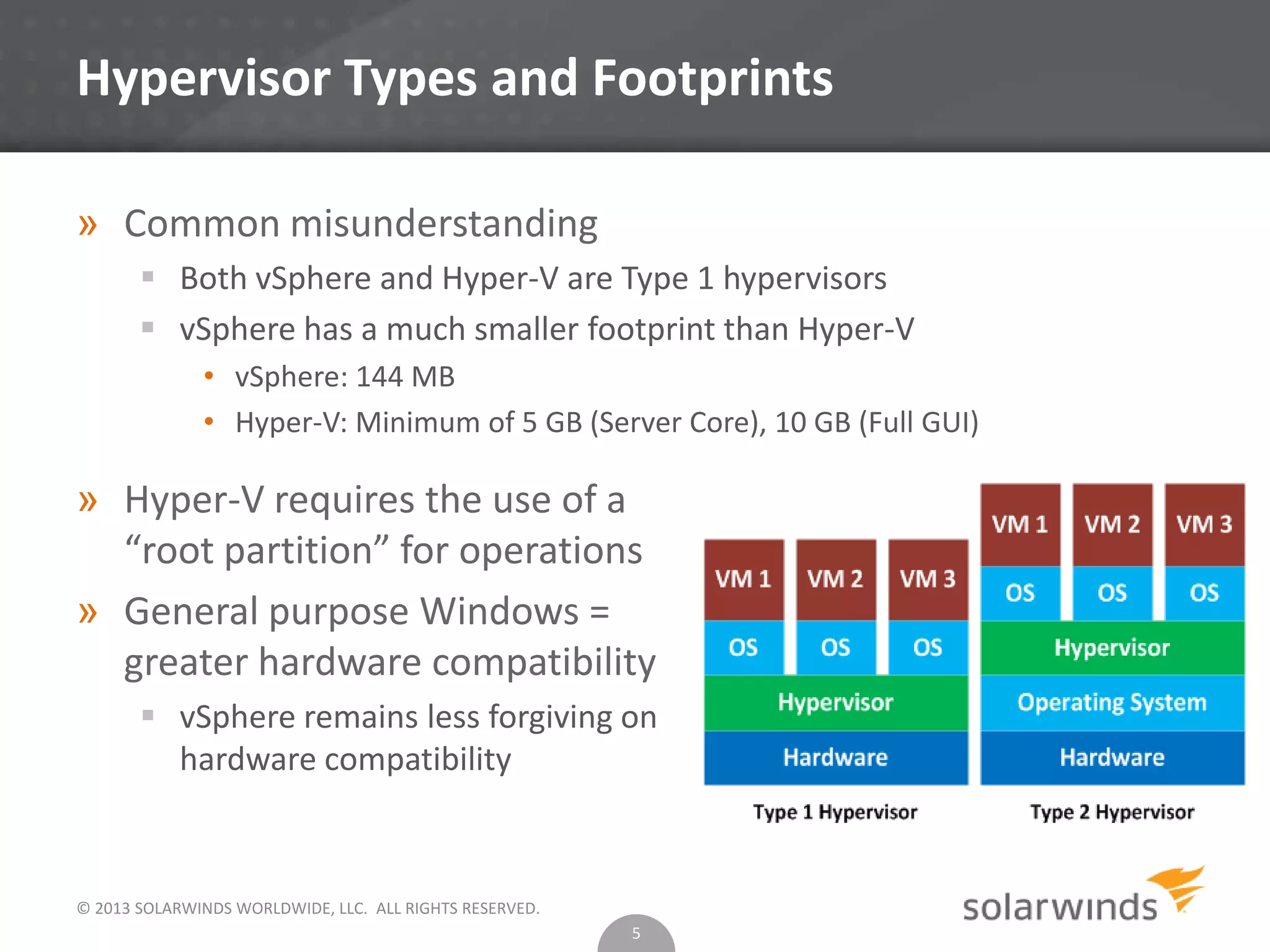
» Common misunderstanding
 Both vSphere and Hyper-V are Type 1 hypervisors
 vSphere has a much smaller footprint than Hyper-V
• vSphere: 144 MB
• Hyper-V: Minimum of 5 GB (Server Core), 10 GB (Full GUI)
5
» Hyper-V requires the use of a
“root partition” for operations
» General purpose Windows =
greater hardware compatibility
 vSphere remains less forgiving on
hardware compatibility
© 2012 SOLARWINDS WORLDWIDE, LLC. ALL RIGHTS RESERVED.
Kernel Variances
» vSphere
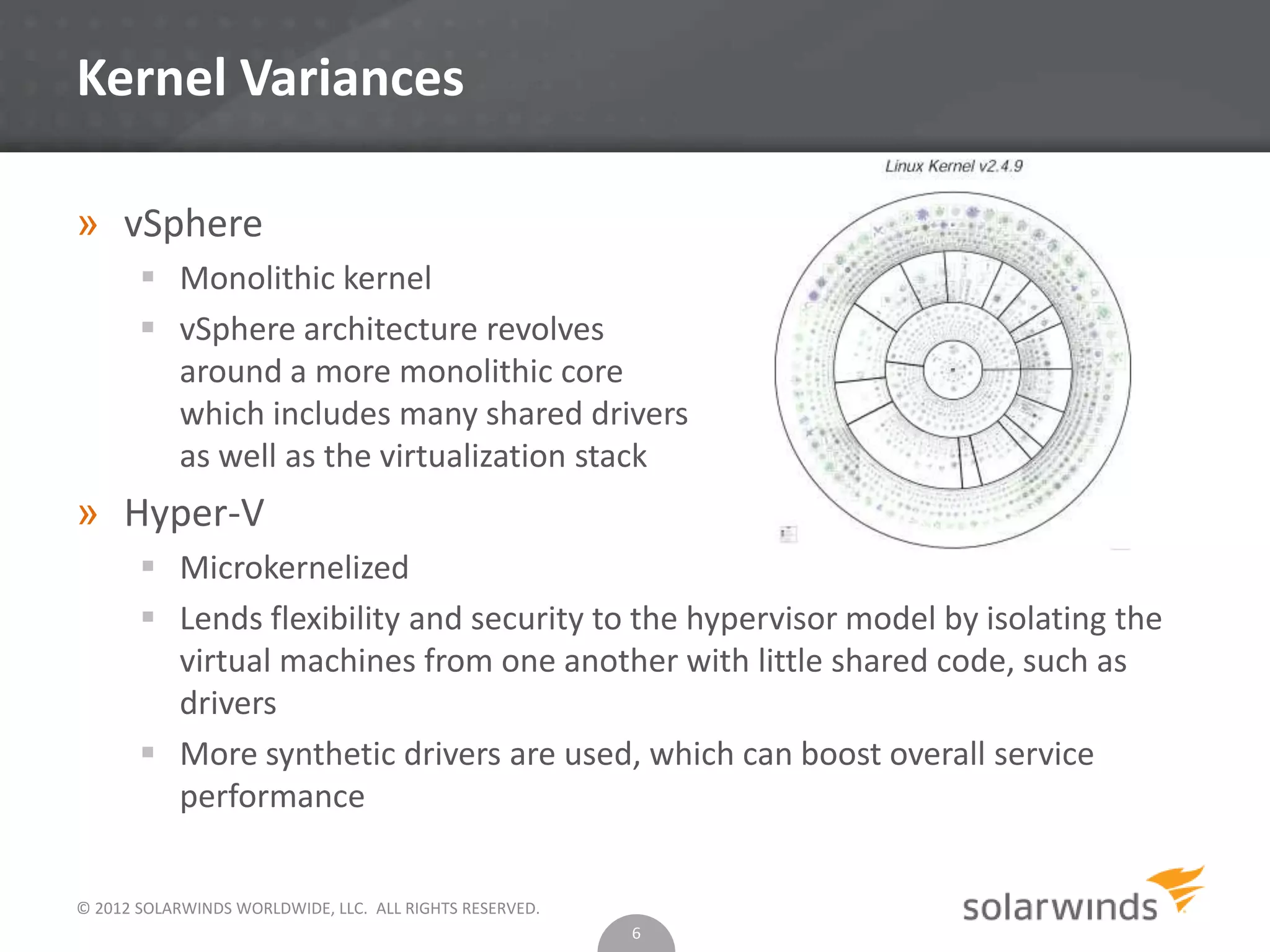
 Monolithic kernel
 vSphere architecture revolves
around a more monolithic core
which includes many shared drivers
as well as the virtualization stack
» Hyper-V
 Microkernelized
 Lends flexibility and security to the hypervisor model by isolating the
virtual machines from one another with little shared code, such as
drivers
 More synthetic drivers are used, which can boost overall service
performance
6
© 2013 SOLARWINDS WORLDWIDE, LLC. ALL RIGHTS RESERVED.
A Similarity: CPU Scheduling Controls
» vSphere
 Shares. If a VM has a share value that is half of
another, it’s entitled to only half the CPU resources.
 Reservation. A guarantee that a virtual machine will
receive at least some level of resourcing.
 Limit. Limits the ability of the virtual machine to
consume unlimited resources.
 vSphere has a powerful CPU scheduling mechanism in
place that ensures that virtual machines receive
attention from the system. VMware has produced a
white paper that goes into great technical depth for
how this scheduling is achieved.
• http://www.vmware.com/files/pdf/techpaper/VMware-
vSphere-CPU-Sched-Perf.pdf
7
© 2013 SOLARWINDS WORLDWIDE, LLC. ALL RIGHTS RESERVED.
A Similarity: CPU Scheduling Controls
» Hyper-V
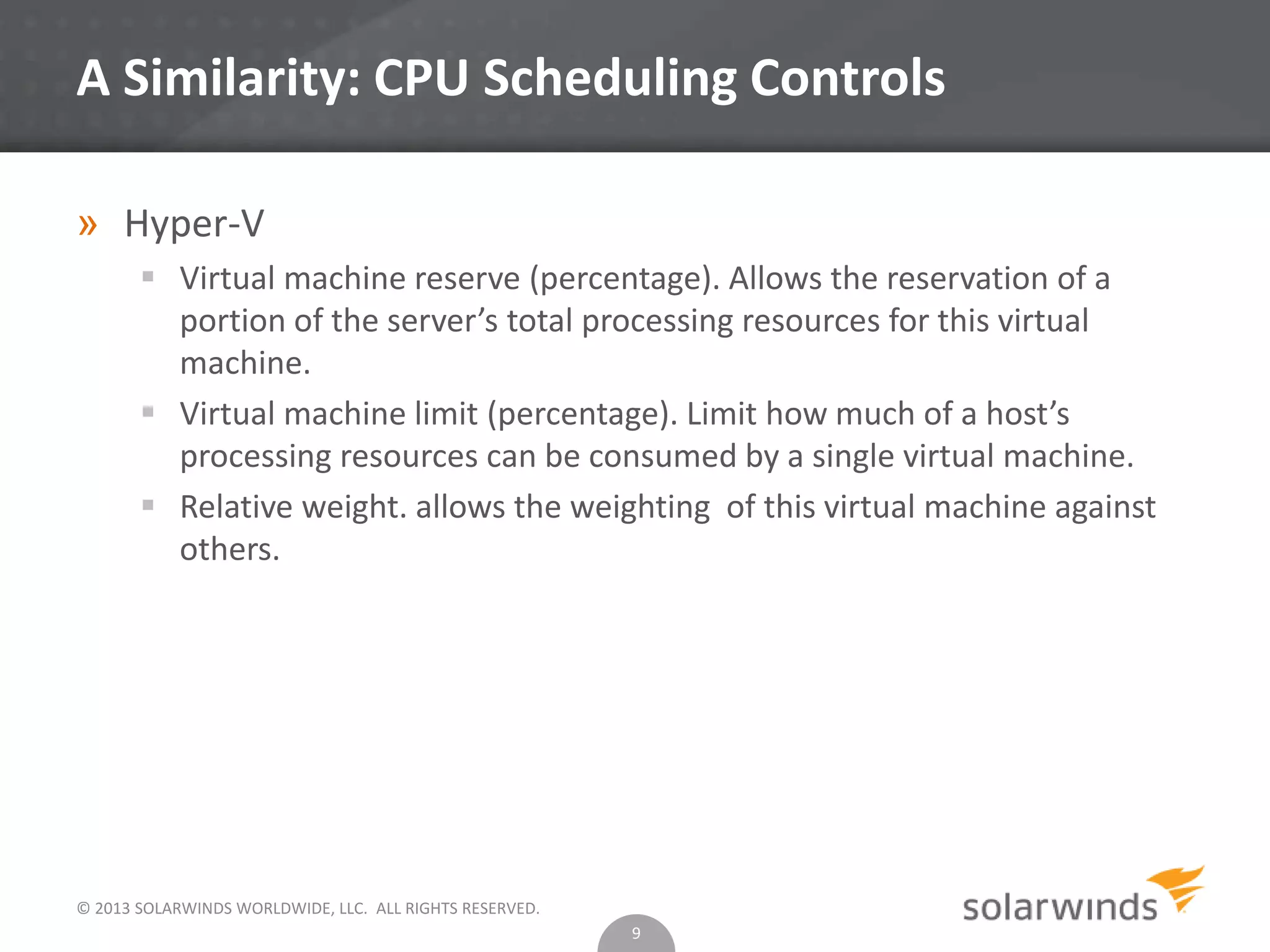
 Virtual machine reserve (percentage). Allows the reservation of a
portion of the server’s total processing resources for this virtual
machine.
 Virtual machine limit (percentage). Limit how much of a host’s
processing resources can be consumed by a single virtual machine.
 Relative weight. allows the weighting of this virtual machine against
others.
8
© 2013 SOLARWINDS WORLDWIDE, LLC. ALL RIGHTS RESERVED.
A Similarity: CPU Scheduling Controls
» Hyper-V
 Virtual machine reserve (percentage). Allows the reservation of a
portion of the server’s total processing resources for this virtual
machine.
 Virtual machine limit (percentage). Limit how much of a host’s
processing resources can be consumed by a single virtual machine.
 Relative weight. allows the weighting of this virtual machine against
others.
9
© 2013 SOLARWINDS WORLDWIDE, LLC. ALL RIGHTS RESERVED.
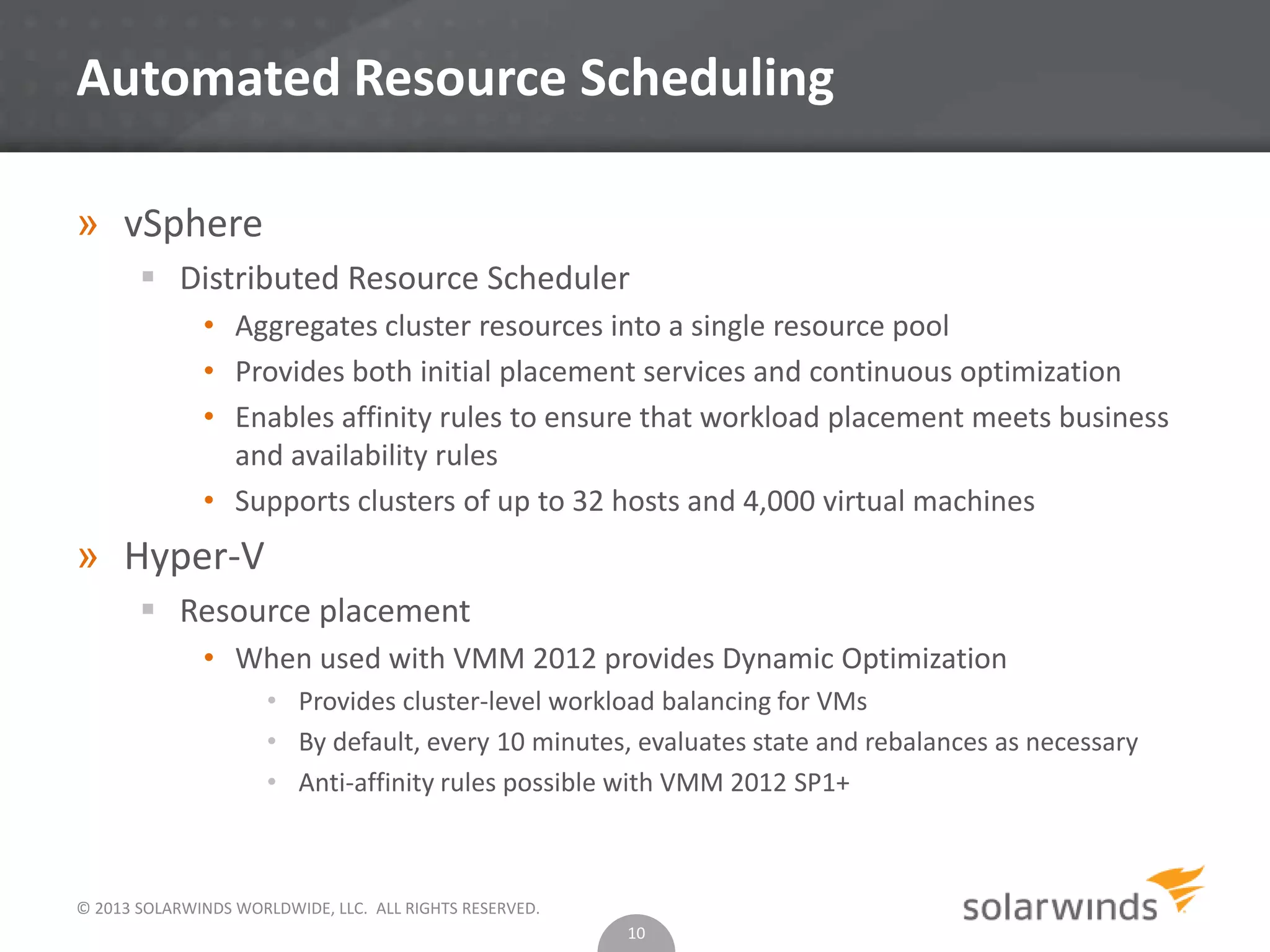
Automated Resource Scheduling
» vSphere
 Distributed Resource Scheduler
• Aggregates cluster resources into a single resource pool
• Provides both initial placement services and continuous optimization
• Enables affinity rules to ensure that workload placement meets business
and availability rules
• Supports clusters of up to 32 hosts and 4,000 virtual machines
» Hyper-V
 Resource placement
• When used with VMM 2012 provides Dynamic Optimization
• Provides cluster-level workload balancing for VMs
• By default, every 10 minutes, evaluates state and rebalances as necessary
• Anti-affinity rules possible with VMM 2012 SP1+
10
© 2013 SOLARWINDS WORLDWIDE, LLC. ALL RIGHTS RESERVED.
vSphere Memory Handling
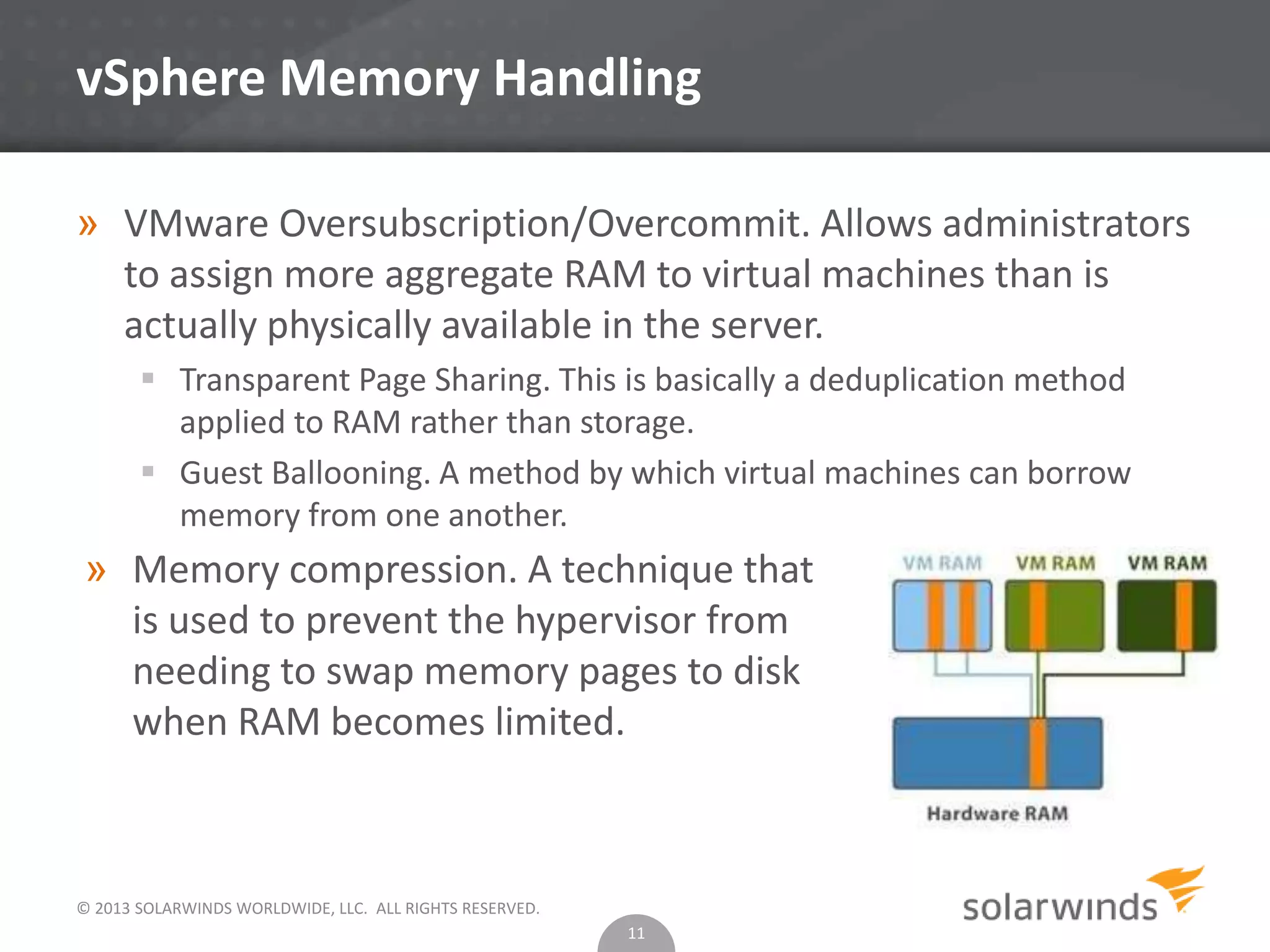
» VMware Oversubscription/Overcommit. Allows administrators
to assign more aggregate RAM to virtual machines than is
actually physically available in the server.
 Transparent Page Sharing. This is basically a deduplication method
applied to RAM rather than storage.
 Guest Ballooning. A method by which virtual machines can borrow
memory from one another.
11
» Memory compression. A technique that
is used to prevent the hypervisor from
needing to swap memory pages to disk
when RAM becomes limited.
© 2013 SOLARWINDS WORLDWIDE, LLC. ALL RIGHTS RESERVED.
Hyper-V Memory Handling
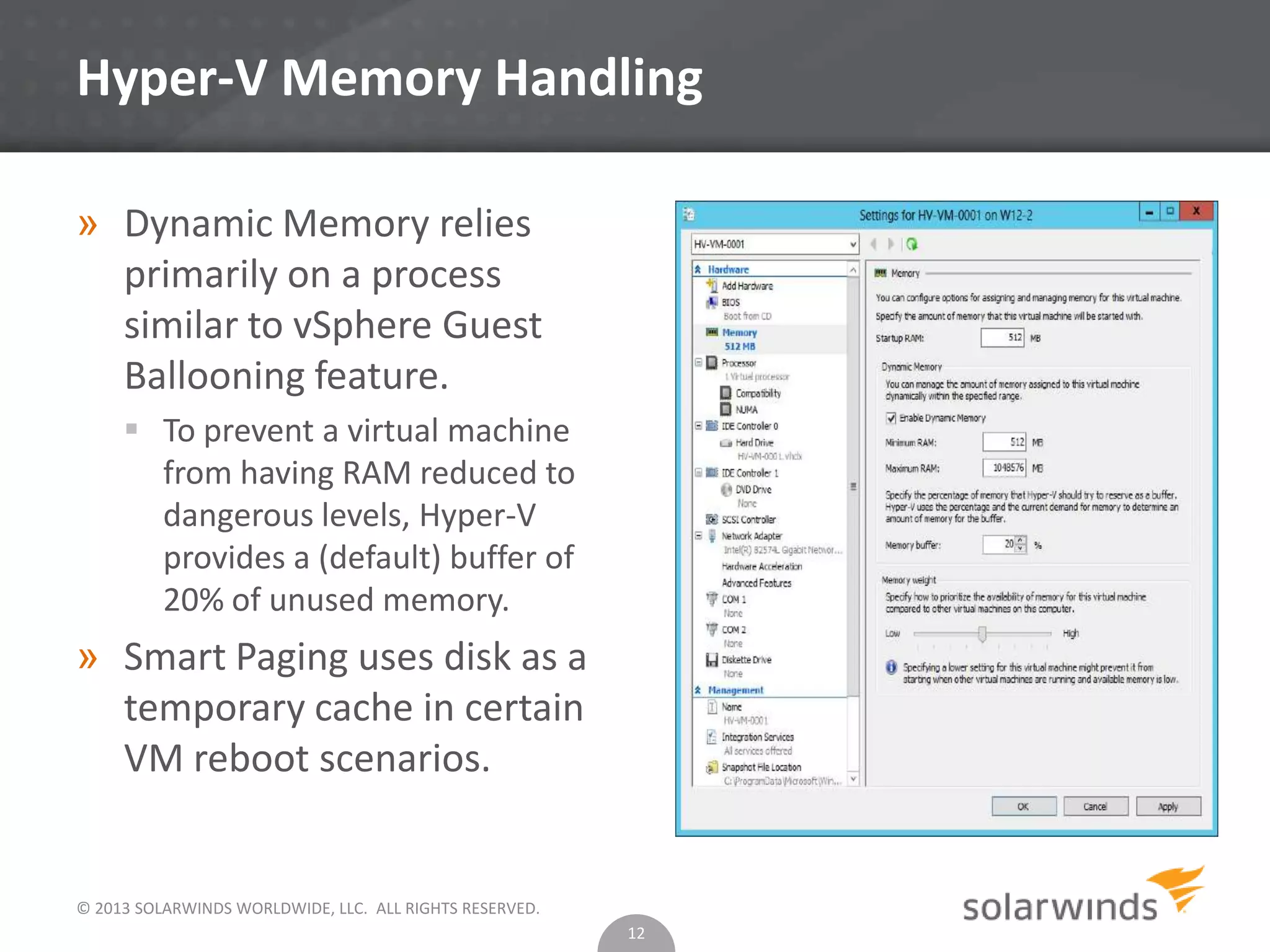
» Dynamic Memory relies
primarily on a process
similar to vSphere Guest
Ballooning feature.
 To prevent a virtual machine
from having RAM reduced to
dangerous levels, Hyper-V
provides a (default) buffer of
20% of unused memory.
» Smart Paging uses disk as a
temporary cache in certain
VM reboot scenarios.
12
© 2013 SOLARWINDS WORLDWIDE, LLC. ALL RIGHTS RESERVED.
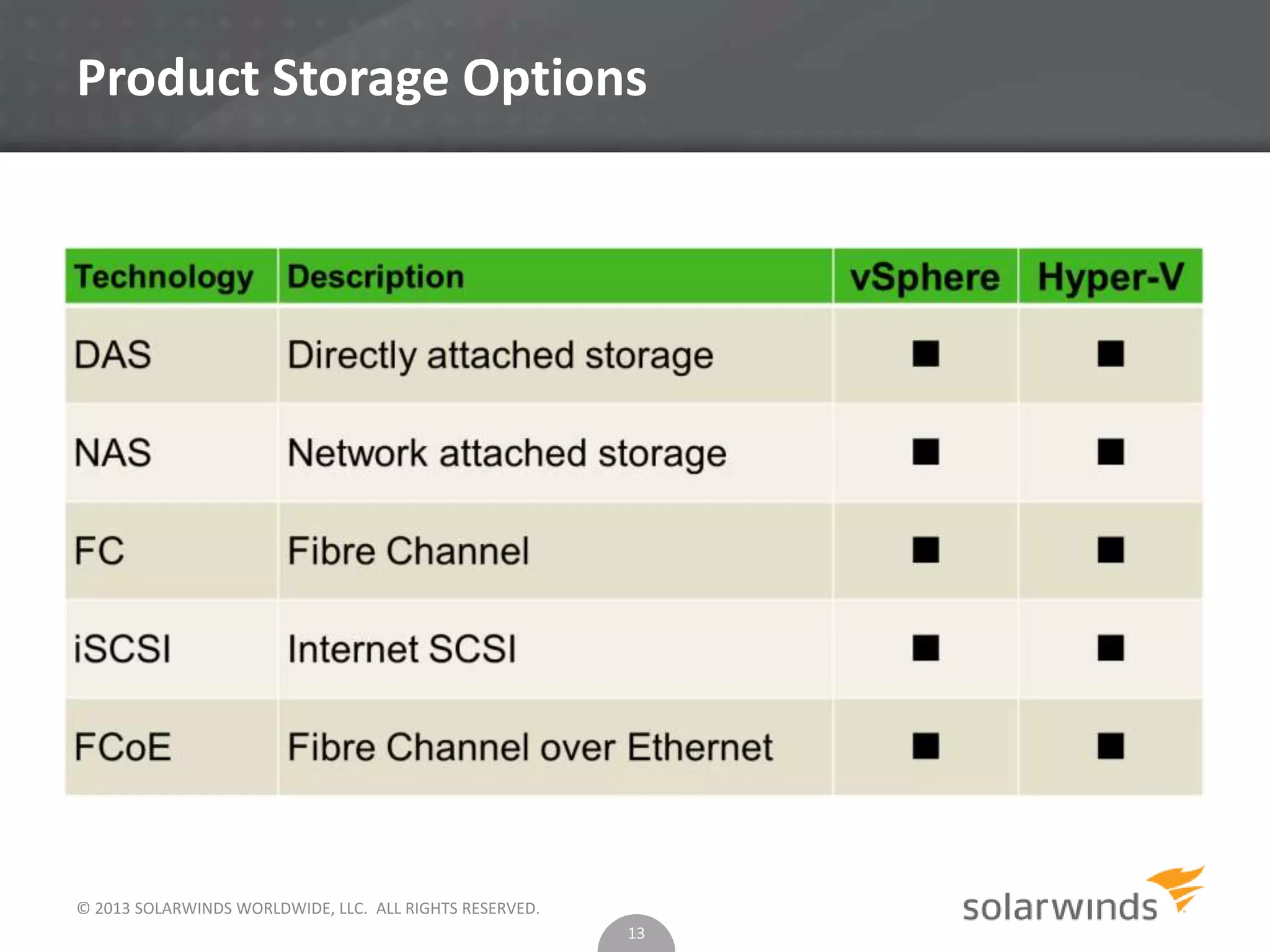
Product Storage Options
13
© 2013 SOLARWINDS WORLDWIDE, LLC. ALL RIGHTS RESERVED.
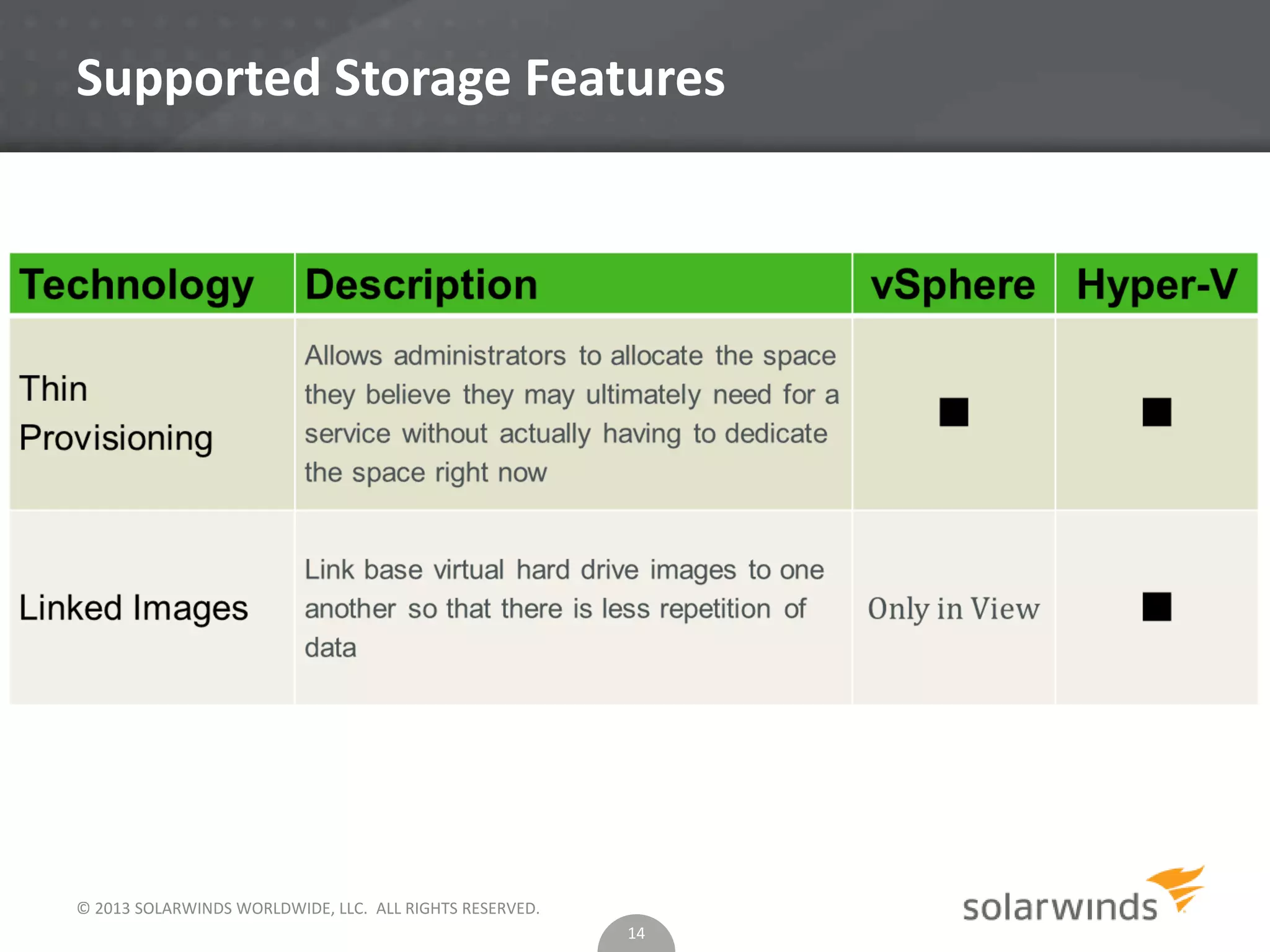
Supported Storage Features
14
© 2013 SOLARWINDS WORLDWIDE, LLC. ALL RIGHTS RESERVED.
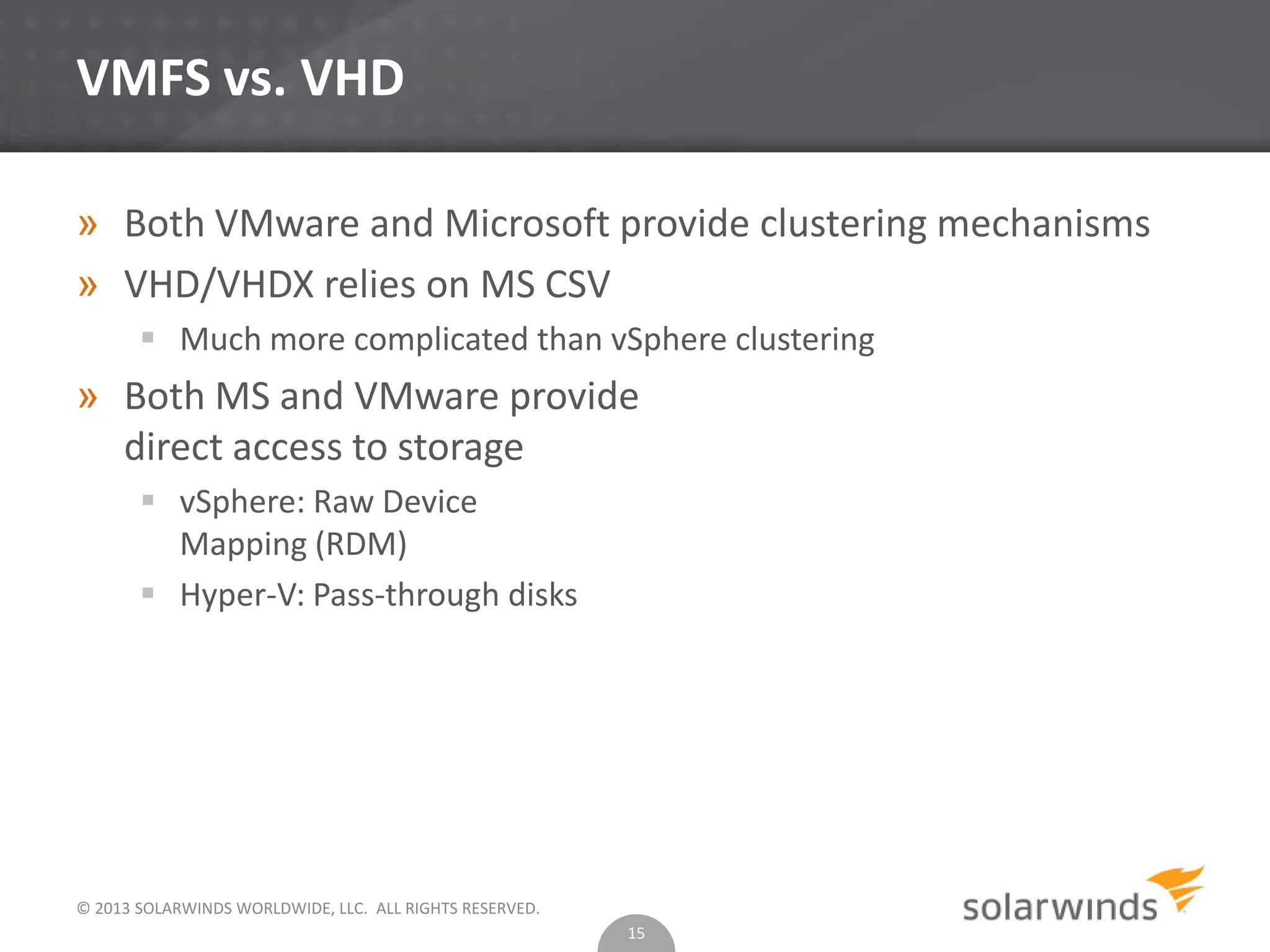
VMFS vs. VHD
» Both VMware and Microsoft provide clustering mechanisms
» VHD/VHDX relies on MS CSV
 Much more complicated than vSphere clustering
» Both MS and VMware provide
direct access to storage
 vSphere: Raw Device
Mapping (RDM)
 Hyper-V: Pass-through disks
15
© 2013 SOLARWINDS WORLDWIDE, LLC. ALL RIGHTS RESERVED.
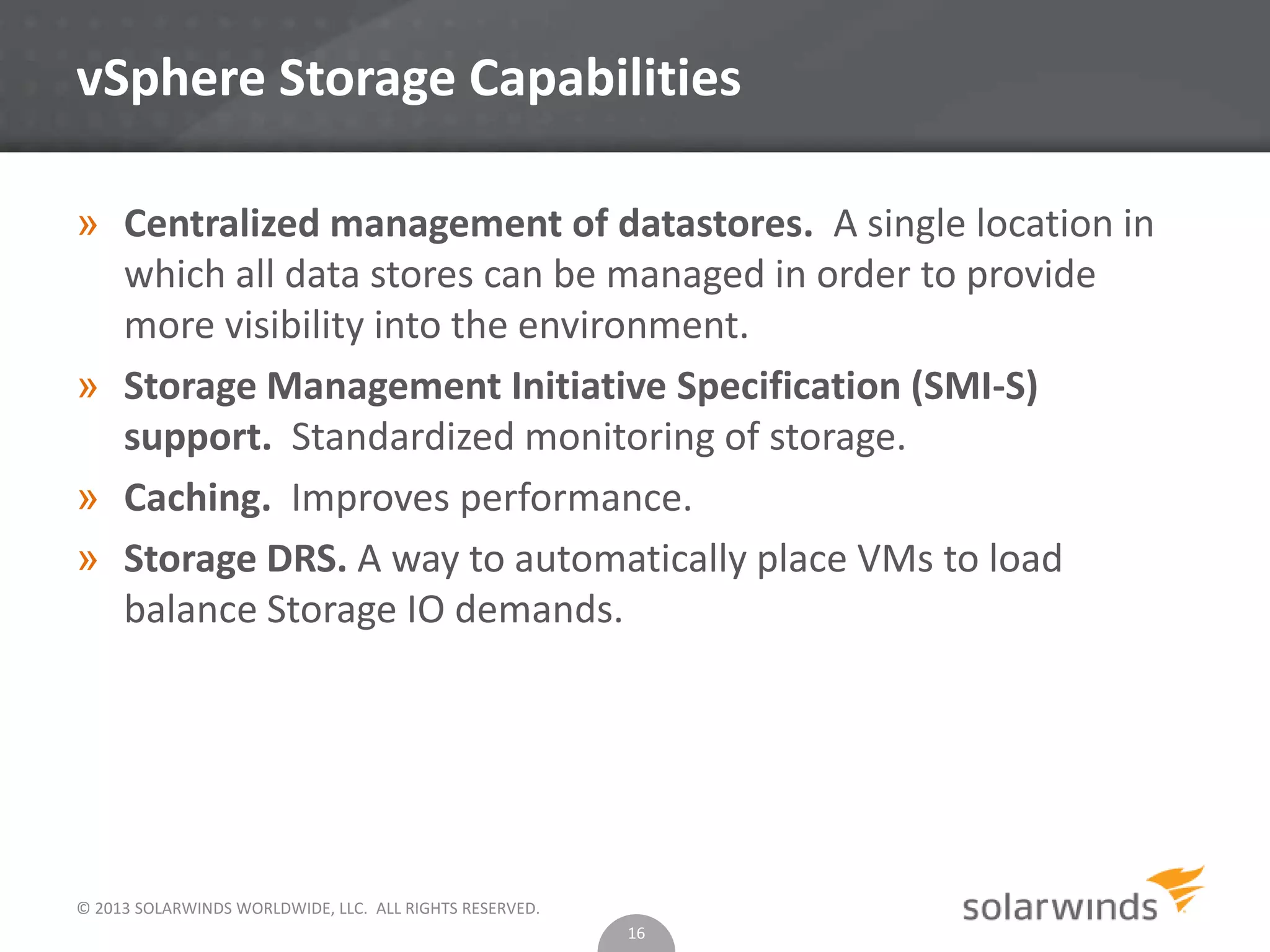
vSphere Storage Capabilities
» Centralized management of datastores. A single location in
which all data stores can be managed in order to provide
more visibility into the environment.
» Storage Management Initiative Specification (SMI-S)
support. Standardized monitoring of storage.
» Caching. Improves performance.
» Storage DRS. A way to automatically place VMs to load
balance Storage IO demands.
16
© 2013 SOLARWINDS WORLDWIDE, LLC. ALL RIGHTS RESERVED.
Hyper-V Storage Capabilities
» Centralized management of datastores. A single location in
which all data stores can be managed in order to provide
more visibility into the environment. Provided with VMM.
» Storage Management Initiative Specification (SMI-S)
support. Standardized monitoring of storage.
» No good answer yet to storage DRS.
17
© 2013 SOLARWINDS WORLDWIDE, LLC. ALL RIGHTS RESERVED.
Power Management
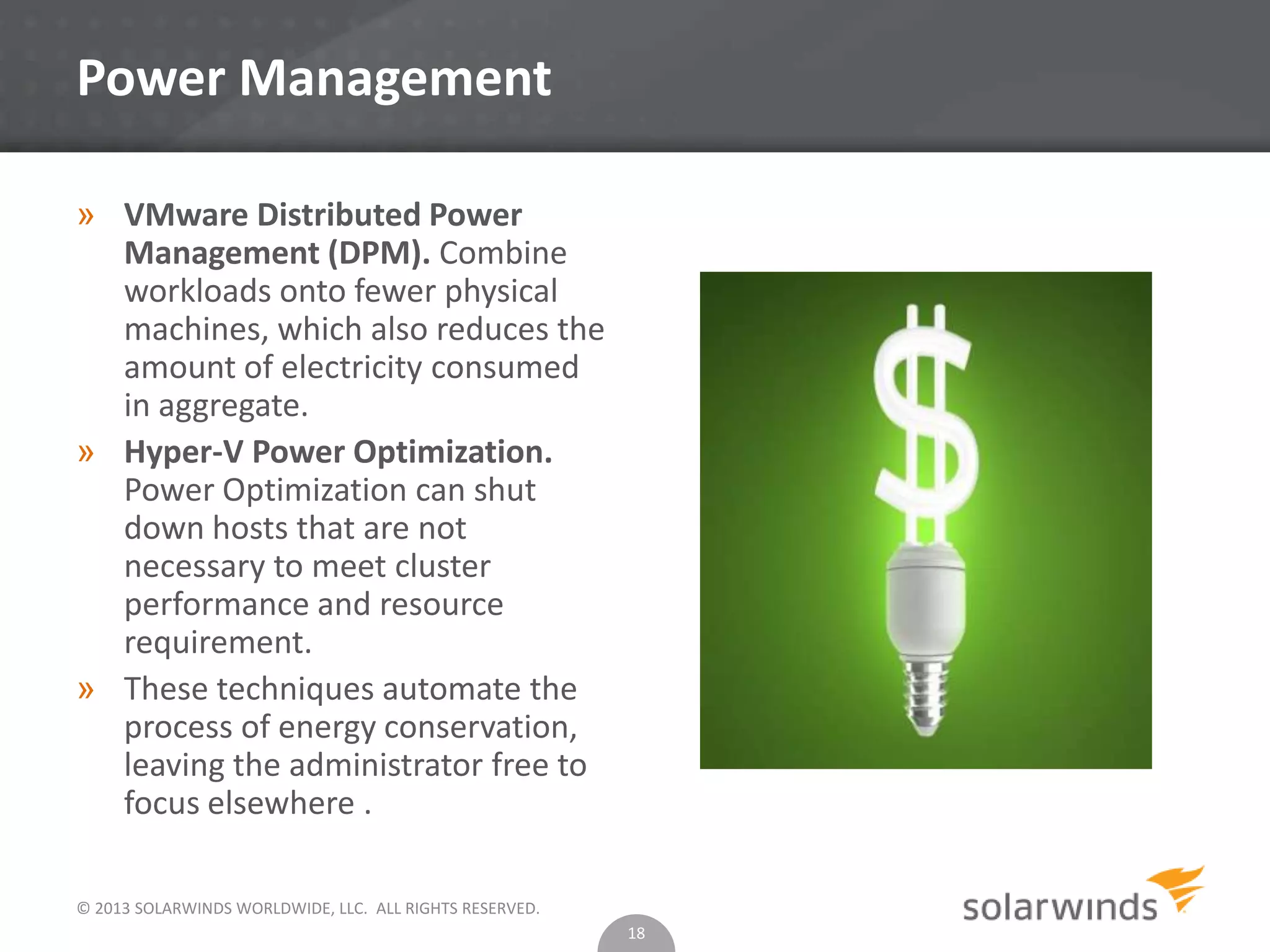
» VMware Distributed Power
Management (DPM). Combine
workloads onto fewer physical
machines, which also reduces the
amount of electricity consumed
in aggregate.
» Hyper-V Power Optimization.
Power Optimization can shut
down hosts that are not
necessary to meet cluster
performance and resource
requirement.
» These techniques automate the
process of energy conservation,
leaving the administrator free to
focus elsewhere .
18
© 2013 SOLARWINDS WORLDWIDE, LLC. ALL RIGHTS RESERVED.
vSphere Network Features
» vSphere
 TCP Segmentation Offload. The TCP/IP stack can submit frames of up
to 64 KB to the NIC -- the NIC then repackages these frames into sizes
that fit inside the network’s maximum transmission unit (MTU) size.
 NetQueue. Enables the system to process multiple network receive
requests simultaneously across multiple CPUs.
 iSCSI. iSCSI traffic results in a “double hit” from a CPU overhead
perspective.
 Distributed Virtual Switch. A virtual device that spans multiple
vSphere hosts (Enterprise Plus only). vSphere also includes port
mirroring capability.
19
© 2013 SOLARWINDS WORLDWIDE, LLC. ALL RIGHTS RESERVED.
Hyper-V Network Features
» Large Send Offload (LSO). Provides Hyper-V hosts with the
ability to submit larger frames – in this case up to 256KB in
size – to the network adapter for further processing
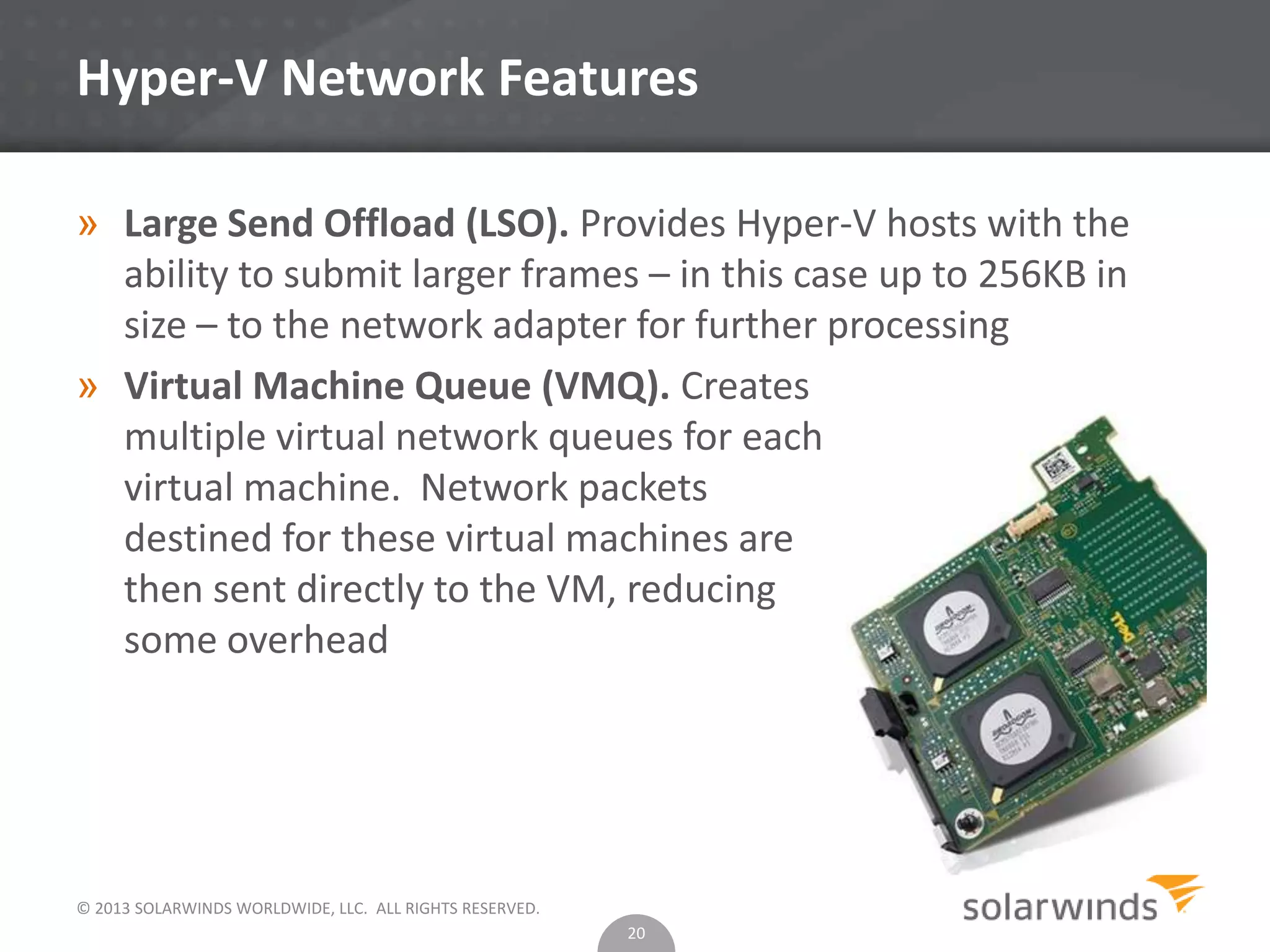
» Virtual Machine Queue (VMQ). Creates
multiple virtual network queues for each
virtual machine. Network packets
destined for these virtual machines are
then sent directly to the VM, reducing
some overhead
20
© 2013 SOLARWINDS WORLDWIDE, LLC. ALL RIGHTS RESERVED.
Hyper-V Network Features
» SR-IOV. enables an administrator to directly assign a
supported physical NIC to a virtual machine. This option
carries with it some network throughout and host CPU
performance benefits since the hypervisor does not have to
abstract and manage the network communications for that
adapter.
» Hyper-V Extensible Switch
 Included in all editions of Hyper-V, including the free edition. This
software construct runs in the management partition and brings to
Hyper-V a host of capabilities. Most importantly, the software switch
greatly simplifies the deployment of Hyper-V into multi-tenant
environments by offering private VLANs, DHCP Guard, and improved
monitoring capabilities. Microsoft extensible switch also includes port
mirroring capabilities.
21
© 2013 SOLARWINDS WORLDWIDE, LLC. ALL RIGHTS RESERVED.
Workload Migration
» vSphere
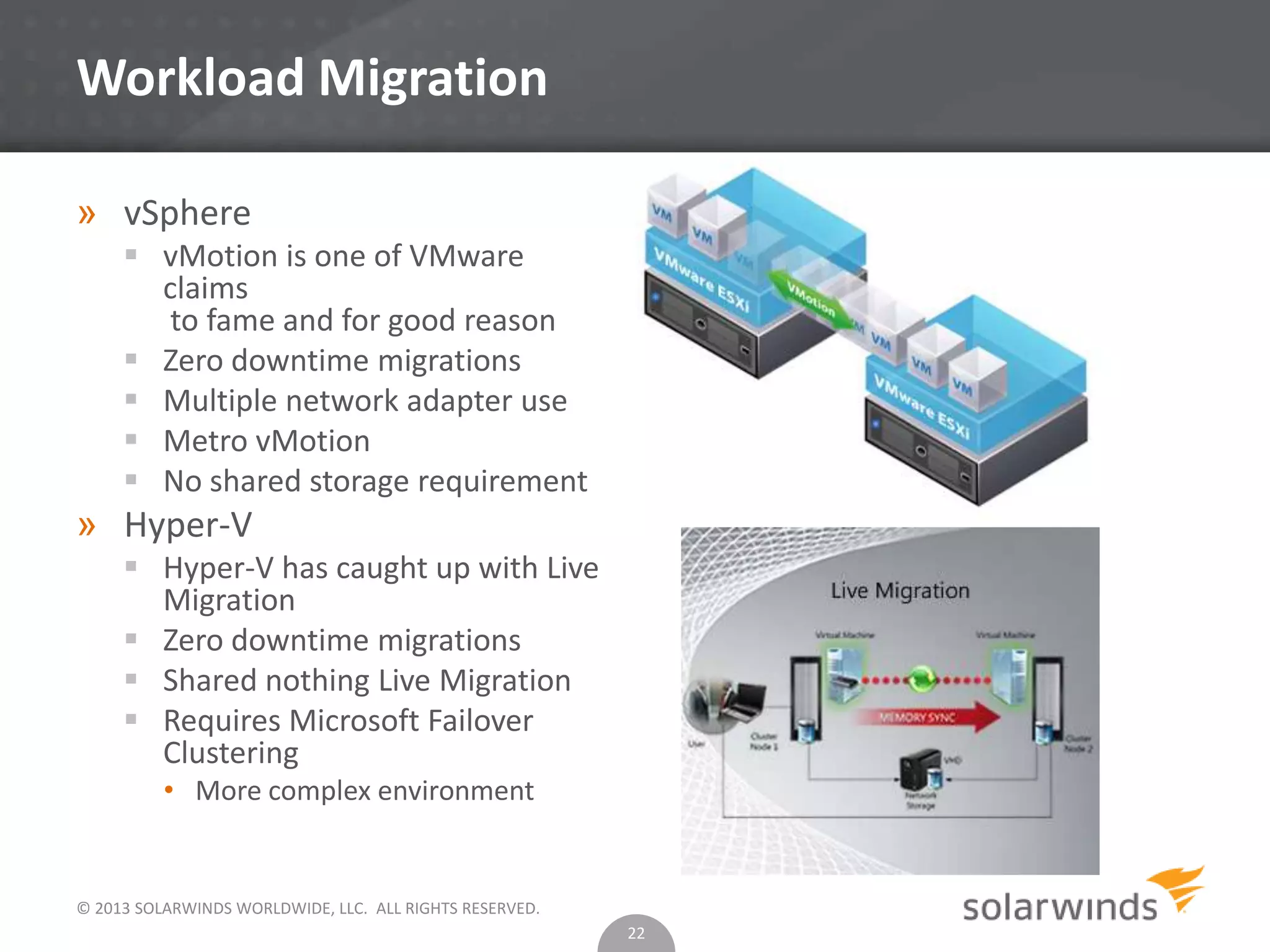
 vMotion is one of VMware
claims
to fame and for good reason
 Zero downtime migrations
 Multiple network adapter use
 Metro vMotion
 No shared storage requirement
» Hyper-V
 Hyper-V has caught up with Live
Migration
 Zero downtime migrations
 Shared nothing Live Migration
 Requires Microsoft Failover
Clustering
• More complex environment
22
© 2013 SOLARWINDS WORLDWIDE, LLC. ALL RIGHTS RESERVED.
Storage Migration
» vSphere
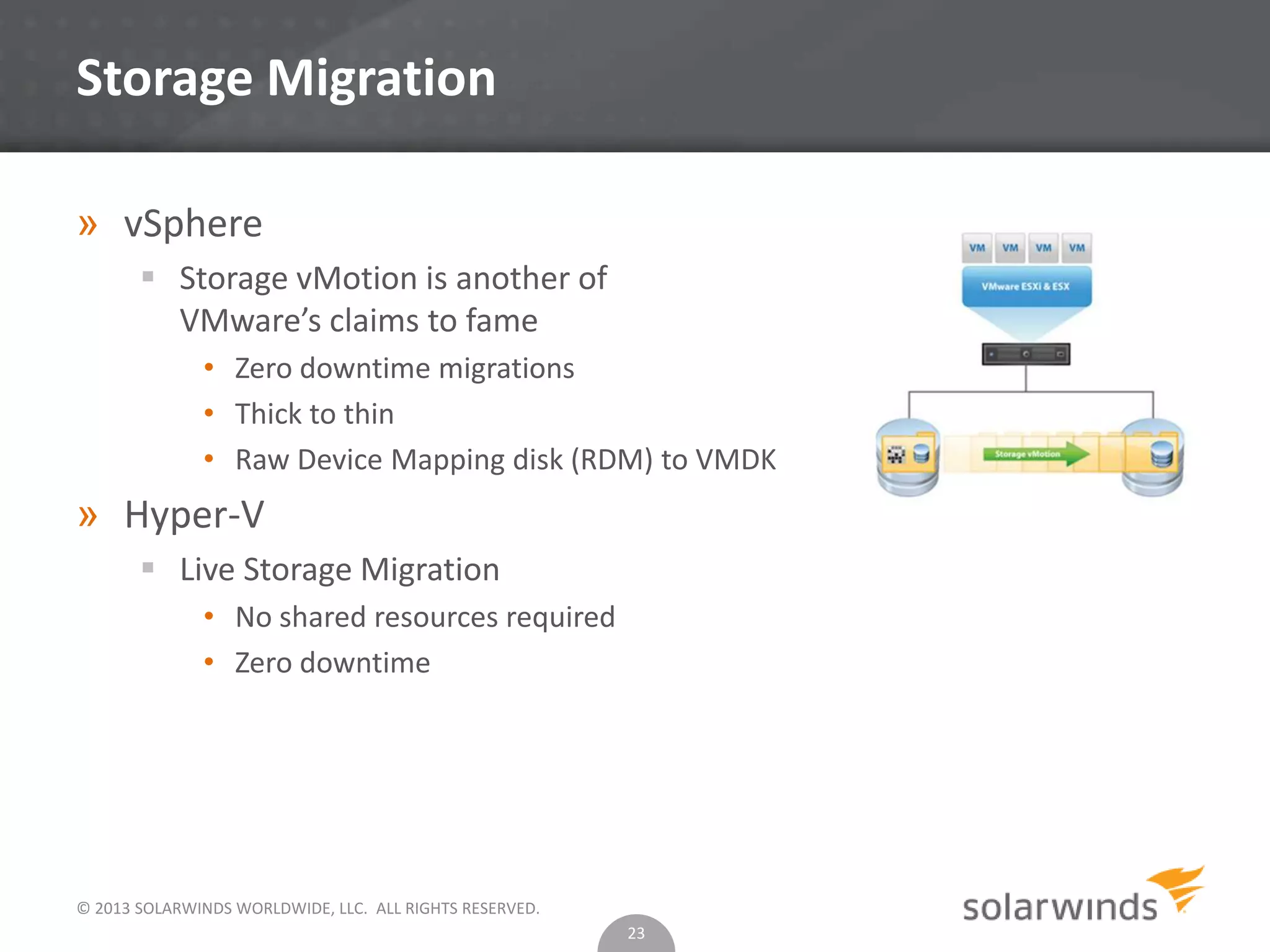
 Storage vMotion is another of
VMware’s claims to fame
• Zero downtime migrations
• Thick to thin
• Raw Device Mapping disk (RDM) to VMDK
» Hyper-V
 Live Storage Migration
• No shared resources required
• Zero downtime
23
© 2013 SOLARWINDS WORLDWIDE, LLC. ALL RIGHTS RESERVED.
Availability
» vSphere
 VMware High Availability
• Monitors virtual machines to detect operating system and hardware
failures and moves workloads to other hosts
 VMware Fault Tolerance
• Continuous protection for mission critical workloads by running a shadow
copy of a protected VM
» Hyper-V
 Vastly simplified in Hyper-V 2012, but still behind VMware
 Relies on MSCS
24
© 2013 SOLARWINDS WORLDWIDE, LLC. ALL RIGHTS RESERVED.
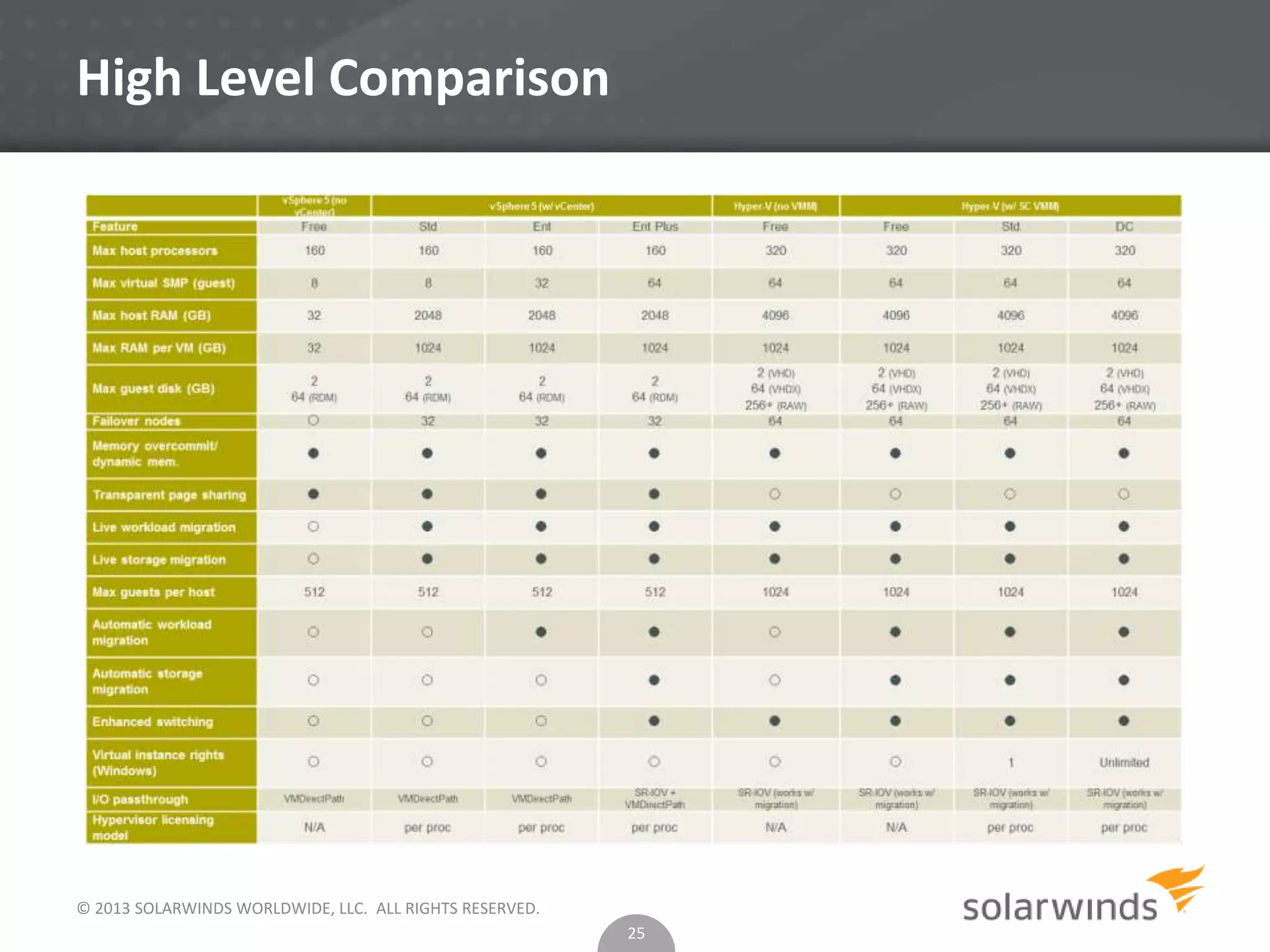
High Level Comparison
25
© 2013 SOLARWINDS WORLDWIDE, LLC. ALL RIGHTS RESERVED.
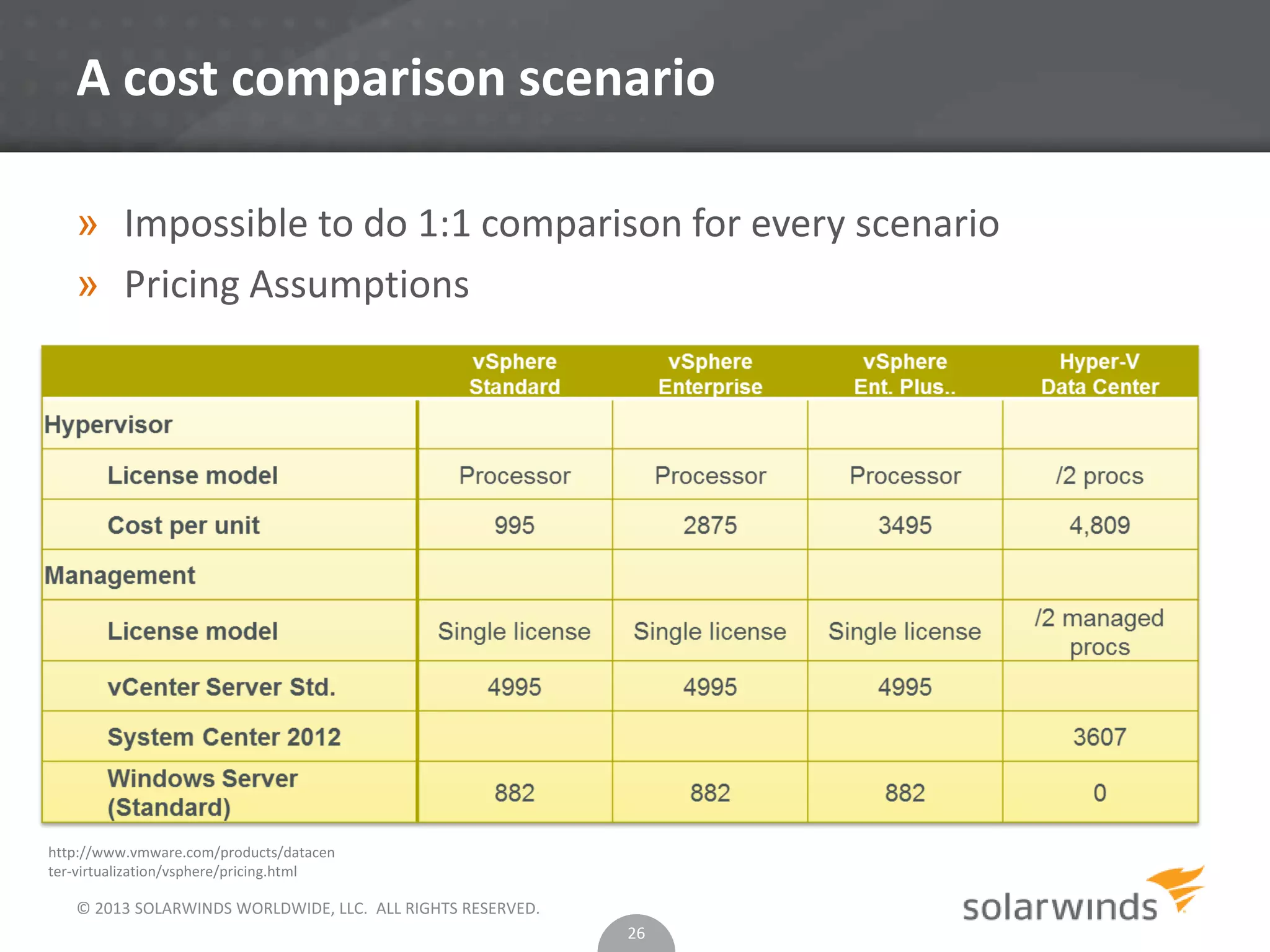
A cost comparison scenario
» Impossible to do 1:1 comparison for every scenario
» Pricing Assumptions
26
http://www.vmware.com/products/datacen
ter-virtualization/vsphere/pricing.html
© 2013 SOLARWINDS WORLDWIDE, LLC. ALL RIGHTS RESERVED.
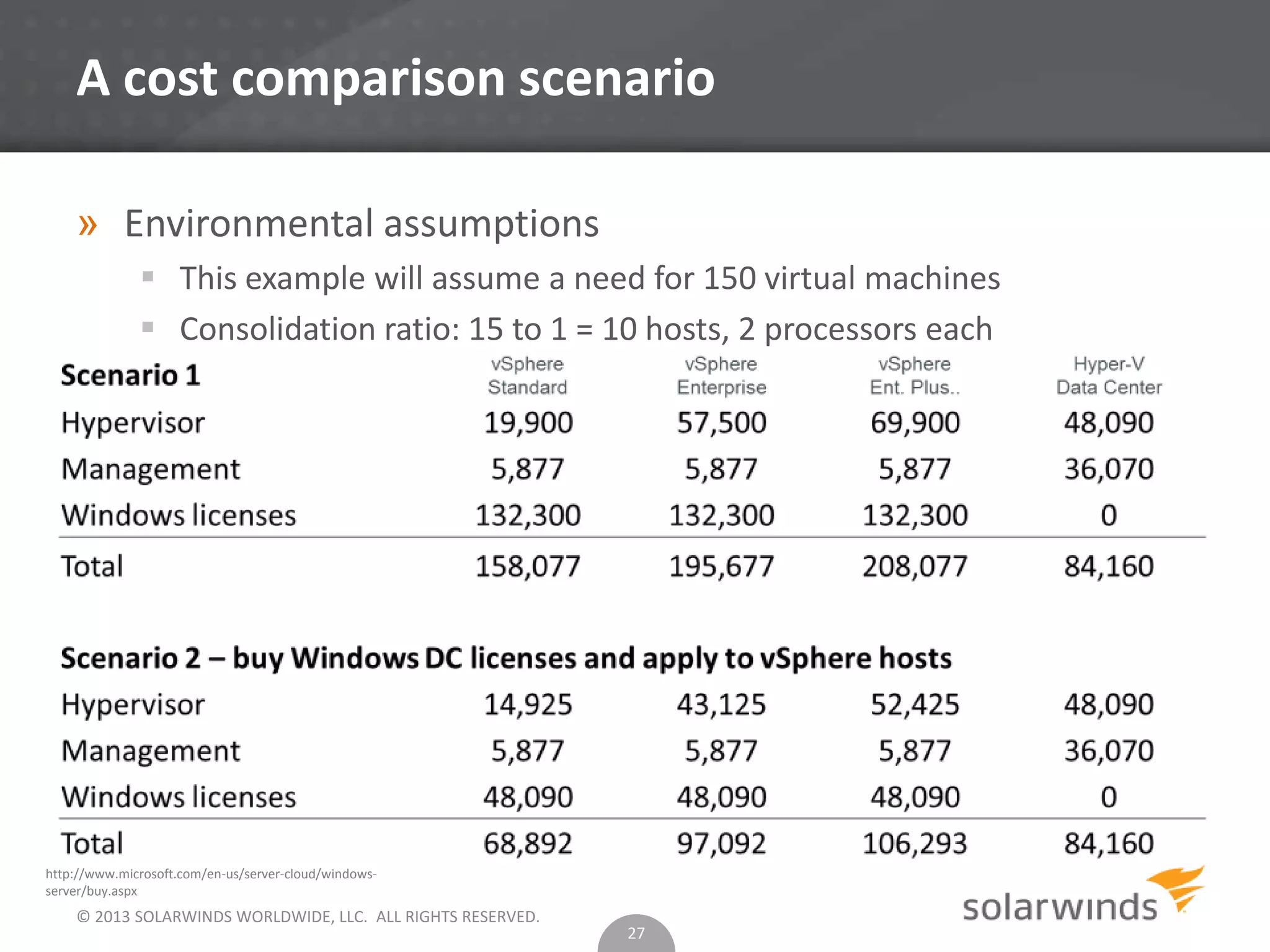
A cost comparison scenario
» Environmental assumptions
 This example will assume a need for 150 virtual machines
 Consolidation ratio: 15 to 1 = 10 hosts, 2 processors each
27
http://www.microsoft.com/en-us/server-cloud/windows-
server/buy.aspx
© 2013 SOLARWINDS WORLDWIDE, LLC. ALL RIGHTS RESERVED.
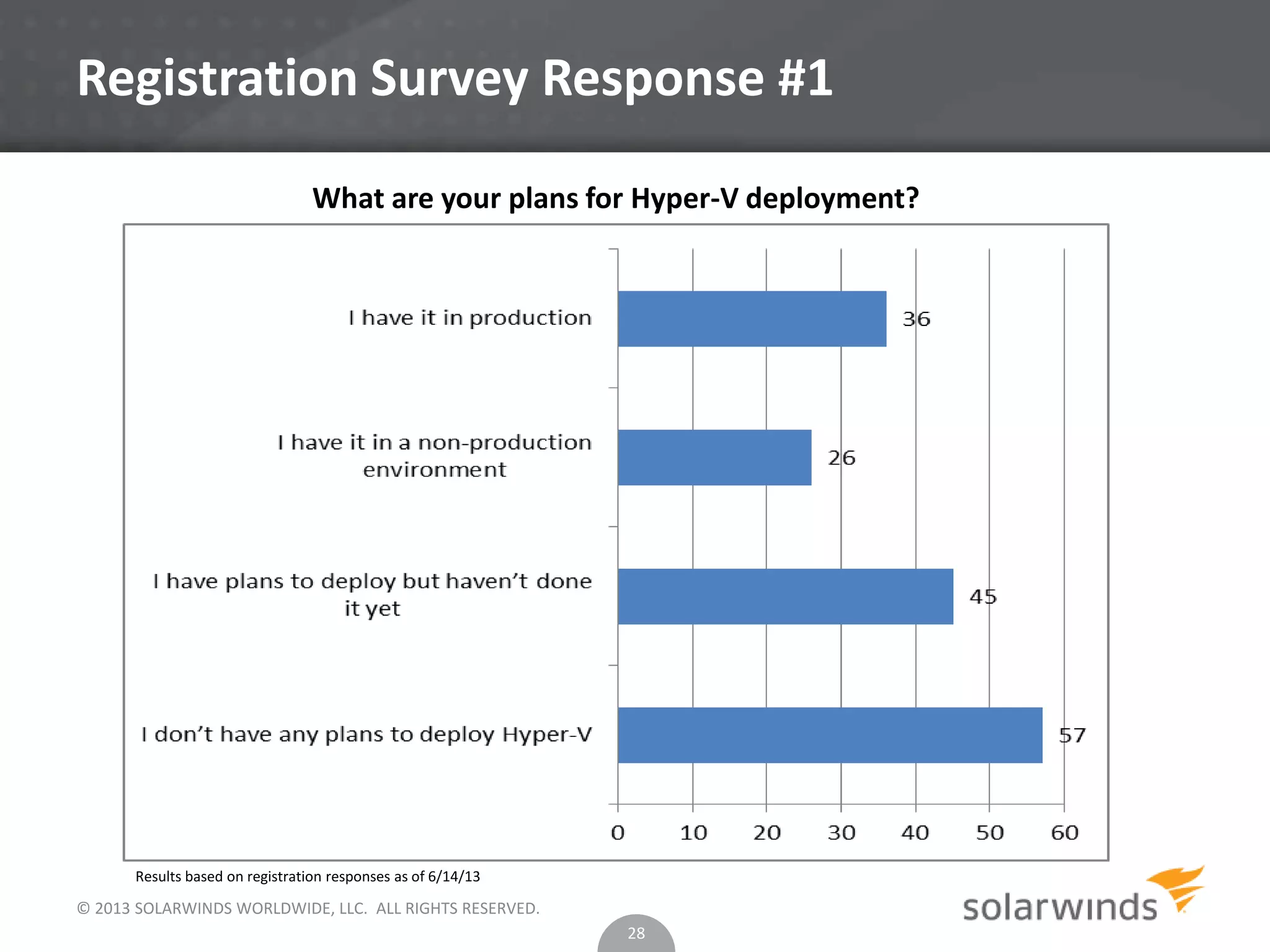
Registration Survey Response #1
28
What are your plans for Hyper-V deployment?
Results based on registration responses as of 6/14/13
© 2013 SOLARWINDS WORLDWIDE, LLC. ALL RIGHTS RESERVED.
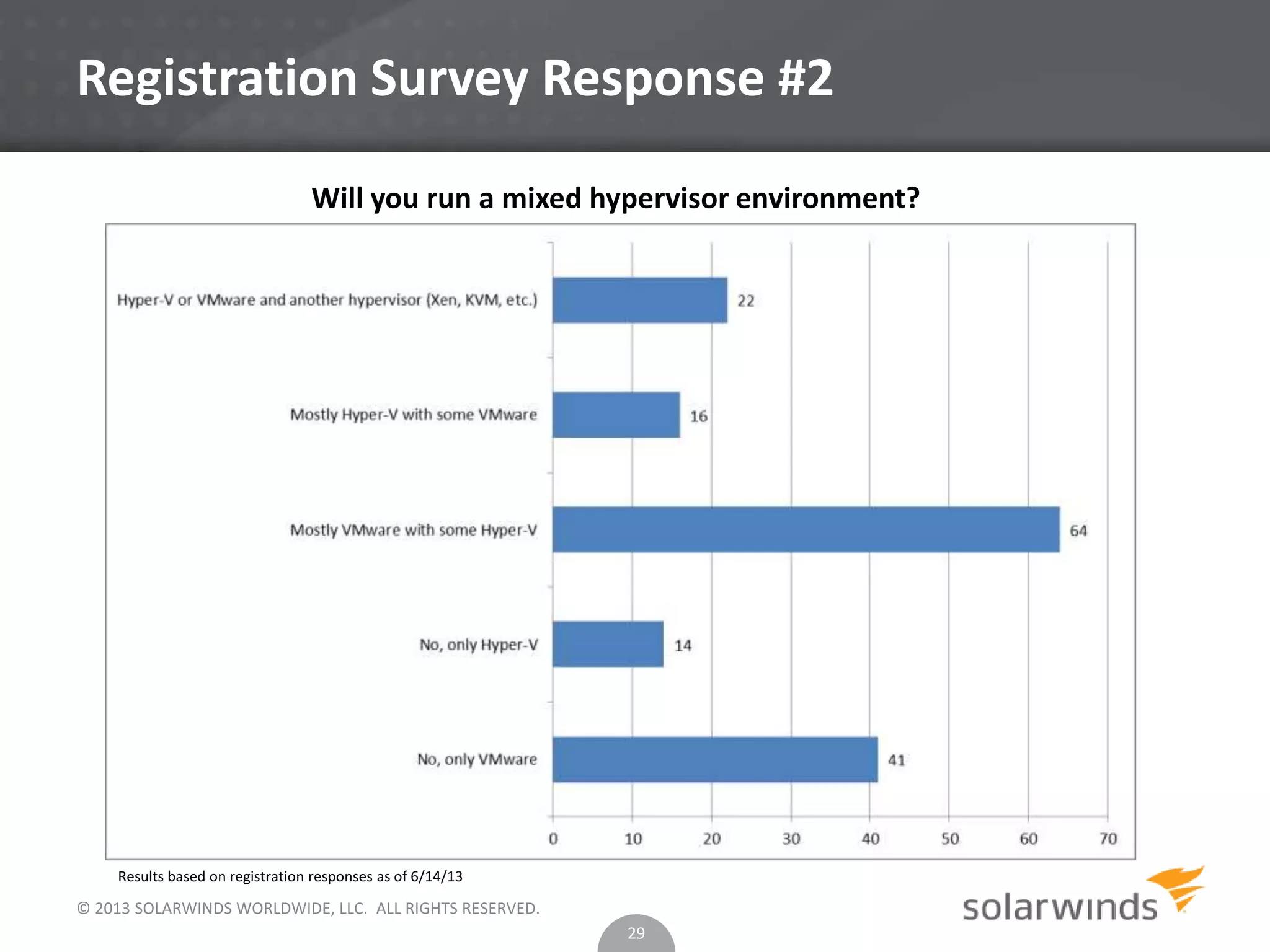
Registration Survey Response #2
29
Will you run a mixed hypervisor environment?
Results based on registration responses as of 6/14/13
© 2013 SOLARWINDS WORLDWIDE, LLC. ALL RIGHTS RESERVED.
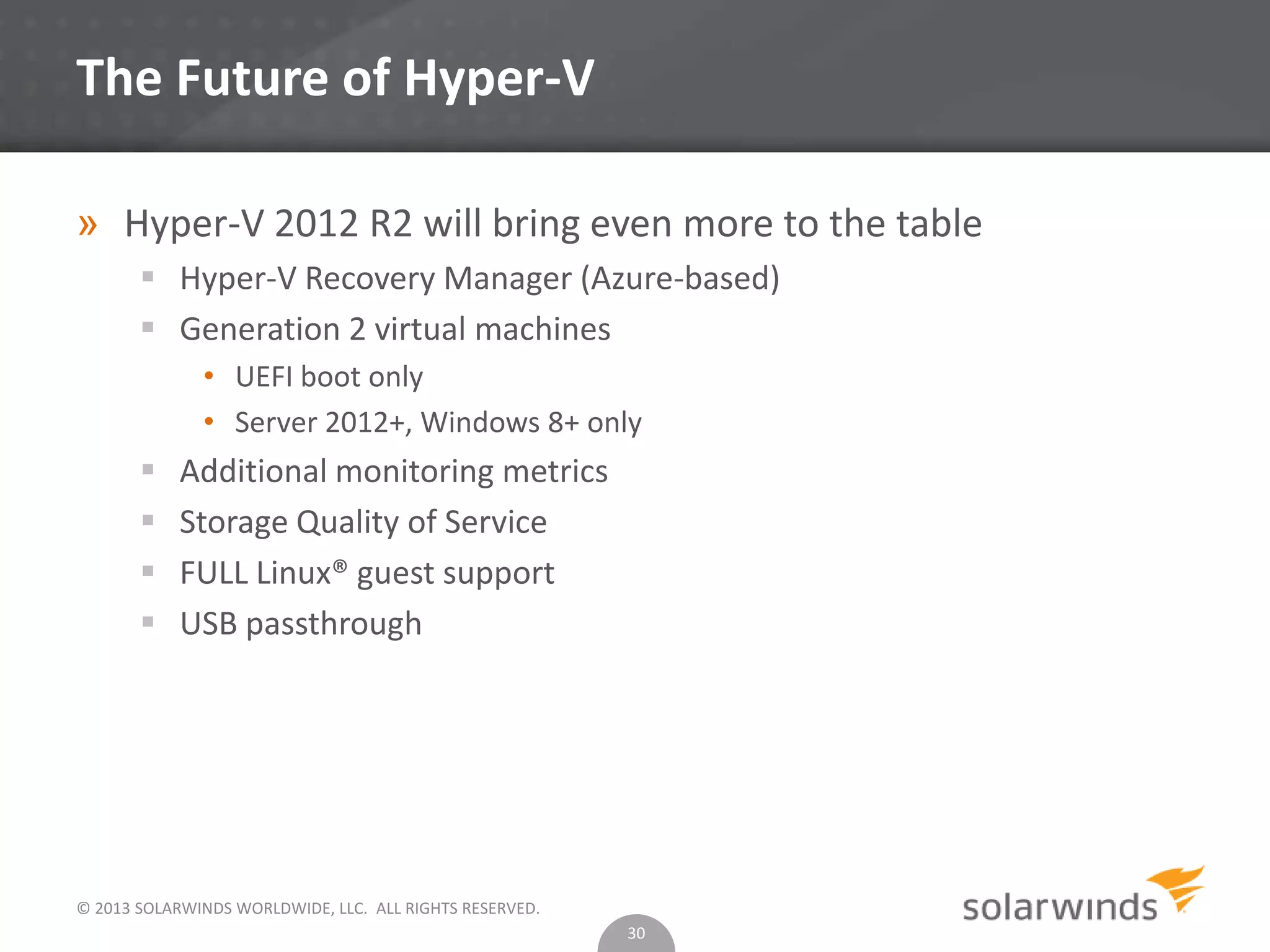
The Future of Hyper-V
» Hyper-V 2012 R2 will bring even more to the table
 Hyper-V Recovery Manager (Azure-based)
 Generation 2 virtual machines
• UEFI boot only
• Server 2012+, Windows 8+ only
 Additional monitoring metrics
 Storage Quality of Service
 FULL Linux® guest support
 USB passthrough
30
© 2013 SOLARWINDS WORLDWIDE, LLC. ALL RIGHTS RESERVED.
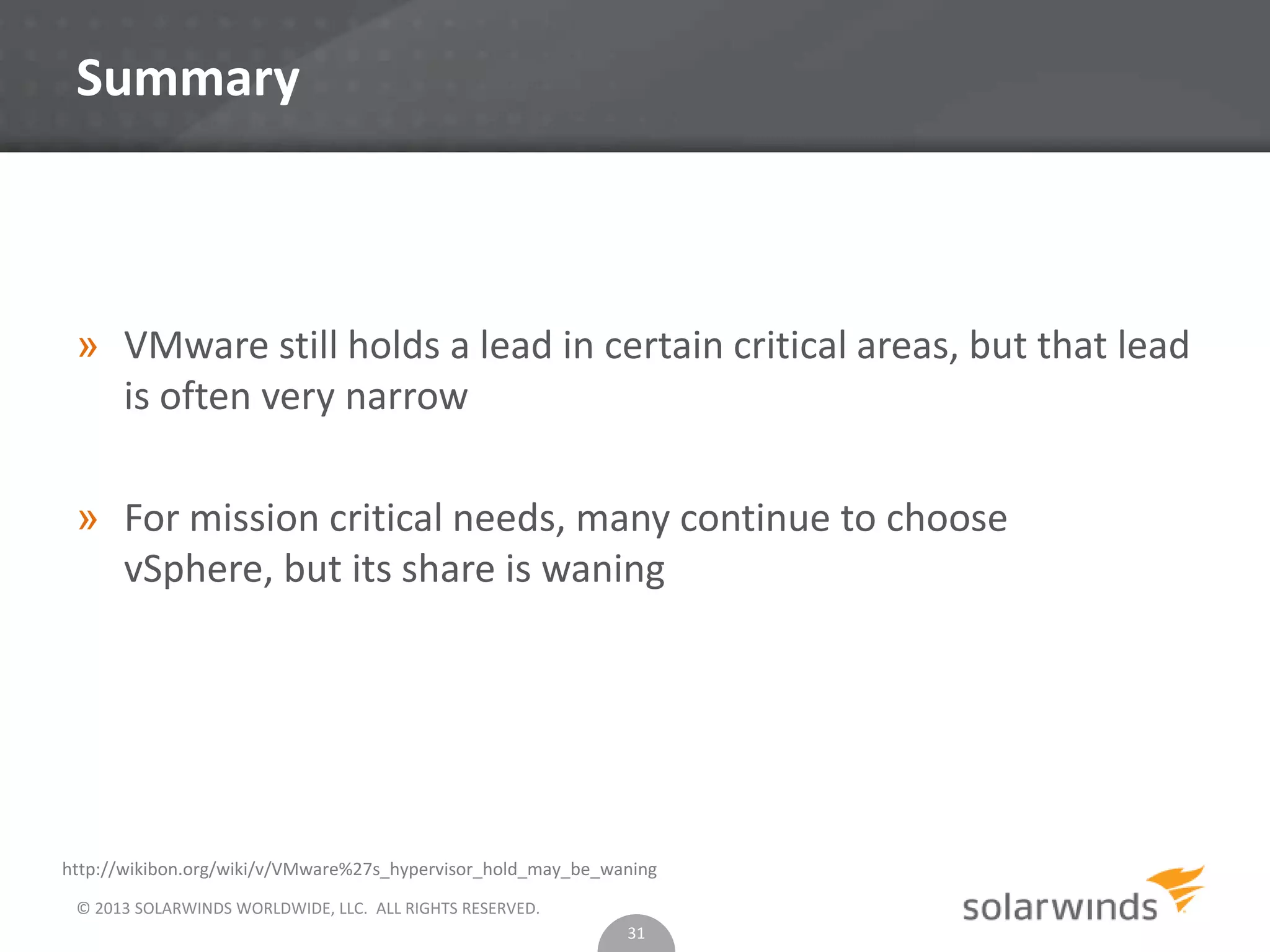
Summary
» VMware still holds a lead in certain critical areas, but that lead
is often very narrow
» For mission critical needs, many continue to choose
vSphere, but its share is waning
31
http://wikibon.org/wiki/v/VMware%27s_hypervisor_hold_may_be_waning
© 2013 SOLARWINDS WORLDWIDE, LLC. ALL RIGHTS RESERVED.
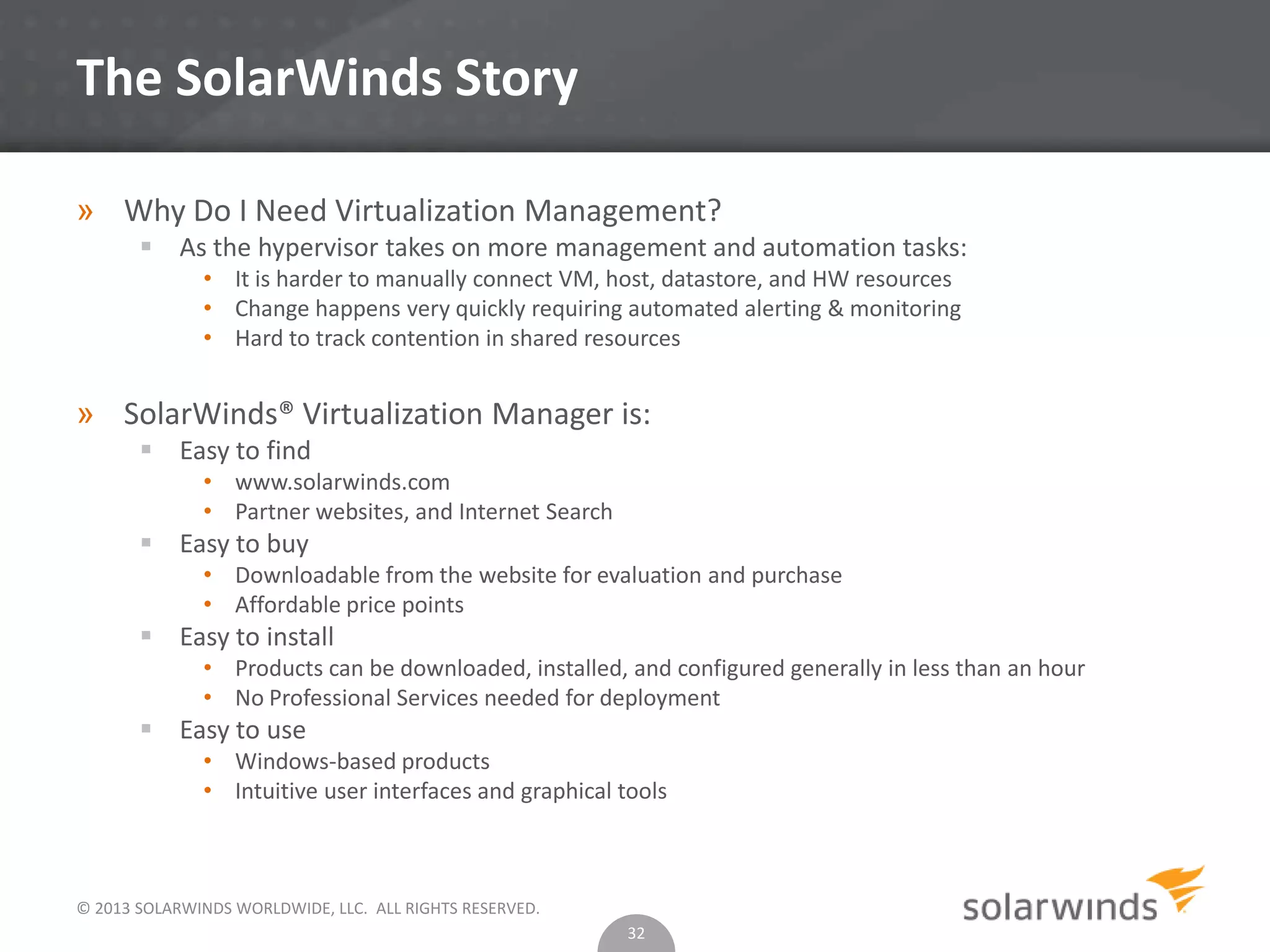
The SolarWinds Story
» Why Do I Need Virtualization Management?
 As the hypervisor takes on more management and automation tasks:
• It is harder to manually connect VM, host, datastore, and HW resources
• Change happens very quickly requiring automated alerting & monitoring
• Hard to track contention in shared resources
» SolarWinds® Virtualization Manager is:
 Easy to find
• www.solarwinds.com
• Partner websites, and Internet Search
 Easy to buy
• Downloadable from the website for evaluation and purchase
• Affordable price points
 Easy to install
• Products can be downloaded, installed, and configured generally in less than an hour
• No Professional Services needed for deployment
 Easy to use
• Windows-based products
• Intuitive user interfaces and graphical tools
32
© 2013 SOLARWINDS WORLDWIDE, LLC. ALL RIGHTS RESERVED.
Questions & Answers
33
© 2013 SOLARWINDS WORLDWIDE, LLC. ALL RIGHTS RESERVED.
Thank You
The SOLARWINDS and SOLARWINDS & Design marks are the exclusive property of
SolarWinds Worldwide, LLC, are registered with the U.S. Patent and Trademark
Office, and may be registered or pending registration in other countries. All other
SolarWinds trademarks, service marks, and logos may be common law marks, registered
or pending registration in the United States or in other countries. All other trademarks
mentioned herein are used for identification purposes only and may be or are
trademarks or registered trademarks of their respective companies.

Hyper v® 2012 vs v sphere™ 5.1 understanding the differences

  • 1.
    © 2013 SOLARWINDSWORLDWIDE, LLC. ALL RIGHTS RESERVED. Hyper-V® 2012 vs vSphere® 5.1 Understanding the Differences June 2013
  • 2.
    About the Speakers »Scott Lowe  20 years experience in the IT industry  Prolific author of thousands of articles and 4 books  Top virtualization blogger, two-time vExpert  Founder and Managing Consultant, The 1610 Group Follow me on Twitter @otherscottlowe » Lawrence Garvin  SolarWinds Head Geek for Systems Management  Microsoft Certified IT Professional  Microsoft MVP (eight consecutive times)  25 years experience in the IT Industry © 2013 SOLARWINDS WORLDWIDE, LLC. ALL RIGHTS RESERVED.
  • 3.
    © 2013 SOLARWINDSWORLDWIDE, LLC. ALL RIGHTS RESERVED. Agenda » Why Should You Learn About Hyper-V? » Hypervisor Types and Footprints » Kernel Variances » A Similarity: CPU Scheduling Controls » vSphere Memory Handling » Hyper-V Dynamic Memory » Product Storage Options » vSphere Storage Capabilities » Networking » Workload Migrations » Cost Comparison Scenario 3
  • 4.
    © 2013 SOLARWINDSWORLDWIDE, LLC. ALL RIGHTS RESERVED. Why Should You Learn About Hyper-V? » You may not always be working with VMware® » With Windows® 2012, Microsoft® released a new version of Hyper-V with new features, a trend continuing with the release of Windows Server® 2012 R2 » For many organizations, Hyper-V 2008 R2 proved to be ok for limited workloads while Hyper-V 2012 has largely closed the gap » For those with existing Microsoft infrastructures, Hyper-V may be the best fit » We’re in the multi-hypervisor age 4
  • 5.
    © 2013 SOLARWINDSWORLDWIDE, LLC. ALL RIGHTS RESERVED. Hypervisor Types and Footprints » Common misunderstanding  Both vSphere and Hyper-V are Type 1 hypervisors  vSphere has a much smaller footprint than Hyper-V • vSphere: 144 MB • Hyper-V: Minimum of 5 GB (Server Core), 10 GB (Full GUI) 5 » Hyper-V requires the use of a “root partition” for operations » General purpose Windows = greater hardware compatibility  vSphere remains less forgiving on hardware compatibility
  • 6.
    © 2012 SOLARWINDSWORLDWIDE, LLC. ALL RIGHTS RESERVED. Kernel Variances » vSphere  Monolithic kernel  vSphere architecture revolves around a more monolithic core which includes many shared drivers as well as the virtualization stack » Hyper-V  Microkernelized  Lends flexibility and security to the hypervisor model by isolating the virtual machines from one another with little shared code, such as drivers  More synthetic drivers are used, which can boost overall service performance 6
  • 7.
    © 2013 SOLARWINDSWORLDWIDE, LLC. ALL RIGHTS RESERVED. A Similarity: CPU Scheduling Controls » vSphere  Shares. If a VM has a share value that is half of another, it’s entitled to only half the CPU resources.  Reservation. A guarantee that a virtual machine will receive at least some level of resourcing.  Limit. Limits the ability of the virtual machine to consume unlimited resources.  vSphere has a powerful CPU scheduling mechanism in place that ensures that virtual machines receive attention from the system. VMware has produced a white paper that goes into great technical depth for how this scheduling is achieved. • http://www.vmware.com/files/pdf/techpaper/VMware- vSphere-CPU-Sched-Perf.pdf 7
  • 8.
    © 2013 SOLARWINDSWORLDWIDE, LLC. ALL RIGHTS RESERVED. A Similarity: CPU Scheduling Controls » Hyper-V  Virtual machine reserve (percentage). Allows the reservation of a portion of the server’s total processing resources for this virtual machine.  Virtual machine limit (percentage). Limit how much of a host’s processing resources can be consumed by a single virtual machine.  Relative weight. allows the weighting of this virtual machine against others. 8
  • 9.
    © 2013 SOLARWINDSWORLDWIDE, LLC. ALL RIGHTS RESERVED. A Similarity: CPU Scheduling Controls » Hyper-V  Virtual machine reserve (percentage). Allows the reservation of a portion of the server’s total processing resources for this virtual machine.  Virtual machine limit (percentage). Limit how much of a host’s processing resources can be consumed by a single virtual machine.  Relative weight. allows the weighting of this virtual machine against others. 9
  • 10.
    © 2013 SOLARWINDSWORLDWIDE, LLC. ALL RIGHTS RESERVED. Automated Resource Scheduling » vSphere  Distributed Resource Scheduler • Aggregates cluster resources into a single resource pool • Provides both initial placement services and continuous optimization • Enables affinity rules to ensure that workload placement meets business and availability rules • Supports clusters of up to 32 hosts and 4,000 virtual machines » Hyper-V  Resource placement • When used with VMM 2012 provides Dynamic Optimization • Provides cluster-level workload balancing for VMs • By default, every 10 minutes, evaluates state and rebalances as necessary • Anti-affinity rules possible with VMM 2012 SP1+ 10
  • 11.
    © 2013 SOLARWINDSWORLDWIDE, LLC. ALL RIGHTS RESERVED. vSphere Memory Handling » VMware Oversubscription/Overcommit. Allows administrators to assign more aggregate RAM to virtual machines than is actually physically available in the server.  Transparent Page Sharing. This is basically a deduplication method applied to RAM rather than storage.  Guest Ballooning. A method by which virtual machines can borrow memory from one another. 11 » Memory compression. A technique that is used to prevent the hypervisor from needing to swap memory pages to disk when RAM becomes limited.
  • 12.
    © 2013 SOLARWINDSWORLDWIDE, LLC. ALL RIGHTS RESERVED. Hyper-V Memory Handling » Dynamic Memory relies primarily on a process similar to vSphere Guest Ballooning feature.  To prevent a virtual machine from having RAM reduced to dangerous levels, Hyper-V provides a (default) buffer of 20% of unused memory. » Smart Paging uses disk as a temporary cache in certain VM reboot scenarios. 12
  • 13.
    © 2013 SOLARWINDSWORLDWIDE, LLC. ALL RIGHTS RESERVED. Product Storage Options 13
  • 14.
    © 2013 SOLARWINDSWORLDWIDE, LLC. ALL RIGHTS RESERVED. Supported Storage Features 14
  • 15.
    © 2013 SOLARWINDSWORLDWIDE, LLC. ALL RIGHTS RESERVED. VMFS vs. VHD » Both VMware and Microsoft provide clustering mechanisms » VHD/VHDX relies on MS CSV  Much more complicated than vSphere clustering » Both MS and VMware provide direct access to storage  vSphere: Raw Device Mapping (RDM)  Hyper-V: Pass-through disks 15
  • 16.
    © 2013 SOLARWINDSWORLDWIDE, LLC. ALL RIGHTS RESERVED. vSphere Storage Capabilities » Centralized management of datastores. A single location in which all data stores can be managed in order to provide more visibility into the environment. » Storage Management Initiative Specification (SMI-S) support. Standardized monitoring of storage. » Caching. Improves performance. » Storage DRS. A way to automatically place VMs to load balance Storage IO demands. 16
  • 17.
    © 2013 SOLARWINDSWORLDWIDE, LLC. ALL RIGHTS RESERVED. Hyper-V Storage Capabilities » Centralized management of datastores. A single location in which all data stores can be managed in order to provide more visibility into the environment. Provided with VMM. » Storage Management Initiative Specification (SMI-S) support. Standardized monitoring of storage. » No good answer yet to storage DRS. 17
  • 18.
    © 2013 SOLARWINDSWORLDWIDE, LLC. ALL RIGHTS RESERVED. Power Management » VMware Distributed Power Management (DPM). Combine workloads onto fewer physical machines, which also reduces the amount of electricity consumed in aggregate. » Hyper-V Power Optimization. Power Optimization can shut down hosts that are not necessary to meet cluster performance and resource requirement. » These techniques automate the process of energy conservation, leaving the administrator free to focus elsewhere . 18
  • 19.
    © 2013 SOLARWINDSWORLDWIDE, LLC. ALL RIGHTS RESERVED. vSphere Network Features » vSphere  TCP Segmentation Offload. The TCP/IP stack can submit frames of up to 64 KB to the NIC -- the NIC then repackages these frames into sizes that fit inside the network’s maximum transmission unit (MTU) size.  NetQueue. Enables the system to process multiple network receive requests simultaneously across multiple CPUs.  iSCSI. iSCSI traffic results in a “double hit” from a CPU overhead perspective.  Distributed Virtual Switch. A virtual device that spans multiple vSphere hosts (Enterprise Plus only). vSphere also includes port mirroring capability. 19
  • 20.
    © 2013 SOLARWINDSWORLDWIDE, LLC. ALL RIGHTS RESERVED. Hyper-V Network Features » Large Send Offload (LSO). Provides Hyper-V hosts with the ability to submit larger frames – in this case up to 256KB in size – to the network adapter for further processing » Virtual Machine Queue (VMQ). Creates multiple virtual network queues for each virtual machine. Network packets destined for these virtual machines are then sent directly to the VM, reducing some overhead 20
  • 21.
    © 2013 SOLARWINDSWORLDWIDE, LLC. ALL RIGHTS RESERVED. Hyper-V Network Features » SR-IOV. enables an administrator to directly assign a supported physical NIC to a virtual machine. This option carries with it some network throughout and host CPU performance benefits since the hypervisor does not have to abstract and manage the network communications for that adapter. » Hyper-V Extensible Switch  Included in all editions of Hyper-V, including the free edition. This software construct runs in the management partition and brings to Hyper-V a host of capabilities. Most importantly, the software switch greatly simplifies the deployment of Hyper-V into multi-tenant environments by offering private VLANs, DHCP Guard, and improved monitoring capabilities. Microsoft extensible switch also includes port mirroring capabilities. 21
  • 22.
    © 2013 SOLARWINDSWORLDWIDE, LLC. ALL RIGHTS RESERVED. Workload Migration » vSphere  vMotion is one of VMware claims to fame and for good reason  Zero downtime migrations  Multiple network adapter use  Metro vMotion  No shared storage requirement » Hyper-V  Hyper-V has caught up with Live Migration  Zero downtime migrations  Shared nothing Live Migration  Requires Microsoft Failover Clustering • More complex environment 22
  • 23.
    © 2013 SOLARWINDSWORLDWIDE, LLC. ALL RIGHTS RESERVED. Storage Migration » vSphere  Storage vMotion is another of VMware’s claims to fame • Zero downtime migrations • Thick to thin • Raw Device Mapping disk (RDM) to VMDK » Hyper-V  Live Storage Migration • No shared resources required • Zero downtime 23
  • 24.
    © 2013 SOLARWINDSWORLDWIDE, LLC. ALL RIGHTS RESERVED. Availability » vSphere  VMware High Availability • Monitors virtual machines to detect operating system and hardware failures and moves workloads to other hosts  VMware Fault Tolerance • Continuous protection for mission critical workloads by running a shadow copy of a protected VM » Hyper-V  Vastly simplified in Hyper-V 2012, but still behind VMware  Relies on MSCS 24
  • 25.
    © 2013 SOLARWINDSWORLDWIDE, LLC. ALL RIGHTS RESERVED. High Level Comparison 25
  • 26.
    © 2013 SOLARWINDSWORLDWIDE, LLC. ALL RIGHTS RESERVED. A cost comparison scenario » Impossible to do 1:1 comparison for every scenario » Pricing Assumptions 26 http://www.vmware.com/products/datacen ter-virtualization/vsphere/pricing.html
  • 27.
    © 2013 SOLARWINDSWORLDWIDE, LLC. ALL RIGHTS RESERVED. A cost comparison scenario » Environmental assumptions  This example will assume a need for 150 virtual machines  Consolidation ratio: 15 to 1 = 10 hosts, 2 processors each 27 http://www.microsoft.com/en-us/server-cloud/windows- server/buy.aspx
  • 28.
    © 2013 SOLARWINDSWORLDWIDE, LLC. ALL RIGHTS RESERVED. Registration Survey Response #1 28 What are your plans for Hyper-V deployment? Results based on registration responses as of 6/14/13
  • 29.
    © 2013 SOLARWINDSWORLDWIDE, LLC. ALL RIGHTS RESERVED. Registration Survey Response #2 29 Will you run a mixed hypervisor environment? Results based on registration responses as of 6/14/13
  • 30.
    © 2013 SOLARWINDSWORLDWIDE, LLC. ALL RIGHTS RESERVED. The Future of Hyper-V » Hyper-V 2012 R2 will bring even more to the table  Hyper-V Recovery Manager (Azure-based)  Generation 2 virtual machines • UEFI boot only • Server 2012+, Windows 8+ only  Additional monitoring metrics  Storage Quality of Service  FULL Linux® guest support  USB passthrough 30
  • 31.
    © 2013 SOLARWINDSWORLDWIDE, LLC. ALL RIGHTS RESERVED. Summary » VMware still holds a lead in certain critical areas, but that lead is often very narrow » For mission critical needs, many continue to choose vSphere, but its share is waning 31 http://wikibon.org/wiki/v/VMware%27s_hypervisor_hold_may_be_waning
  • 32.
    © 2013 SOLARWINDSWORLDWIDE, LLC. ALL RIGHTS RESERVED. The SolarWinds Story » Why Do I Need Virtualization Management?  As the hypervisor takes on more management and automation tasks: • It is harder to manually connect VM, host, datastore, and HW resources • Change happens very quickly requiring automated alerting & monitoring • Hard to track contention in shared resources » SolarWinds® Virtualization Manager is:  Easy to find • www.solarwinds.com • Partner websites, and Internet Search  Easy to buy • Downloadable from the website for evaluation and purchase • Affordable price points  Easy to install • Products can be downloaded, installed, and configured generally in less than an hour • No Professional Services needed for deployment  Easy to use • Windows-based products • Intuitive user interfaces and graphical tools 32
  • 33.
    © 2013 SOLARWINDSWORLDWIDE, LLC. ALL RIGHTS RESERVED. Questions & Answers 33
  • 34.
    © 2013 SOLARWINDSWORLDWIDE, LLC. ALL RIGHTS RESERVED. Thank You The SOLARWINDS and SOLARWINDS & Design marks are the exclusive property of SolarWinds Worldwide, LLC, are registered with the U.S. Patent and Trademark Office, and may be registered or pending registration in other countries. All other SolarWinds trademarks, service marks, and logos may be common law marks, registered or pending registration in the United States or in other countries. All other trademarks mentioned herein are used for identification purposes only and may be or are trademarks or registered trademarks of their respective companies.