11/23/13 Htaccess File Tutorial and Tips.
www.9lessons.info/2013/11/htaccess-file-tutorial-and-tips.html 1/4
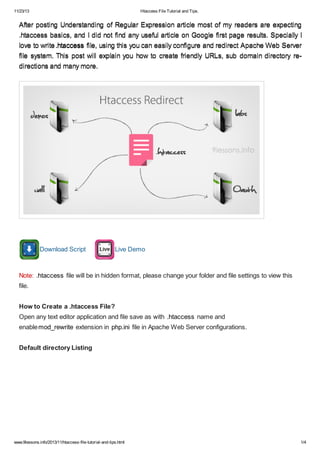
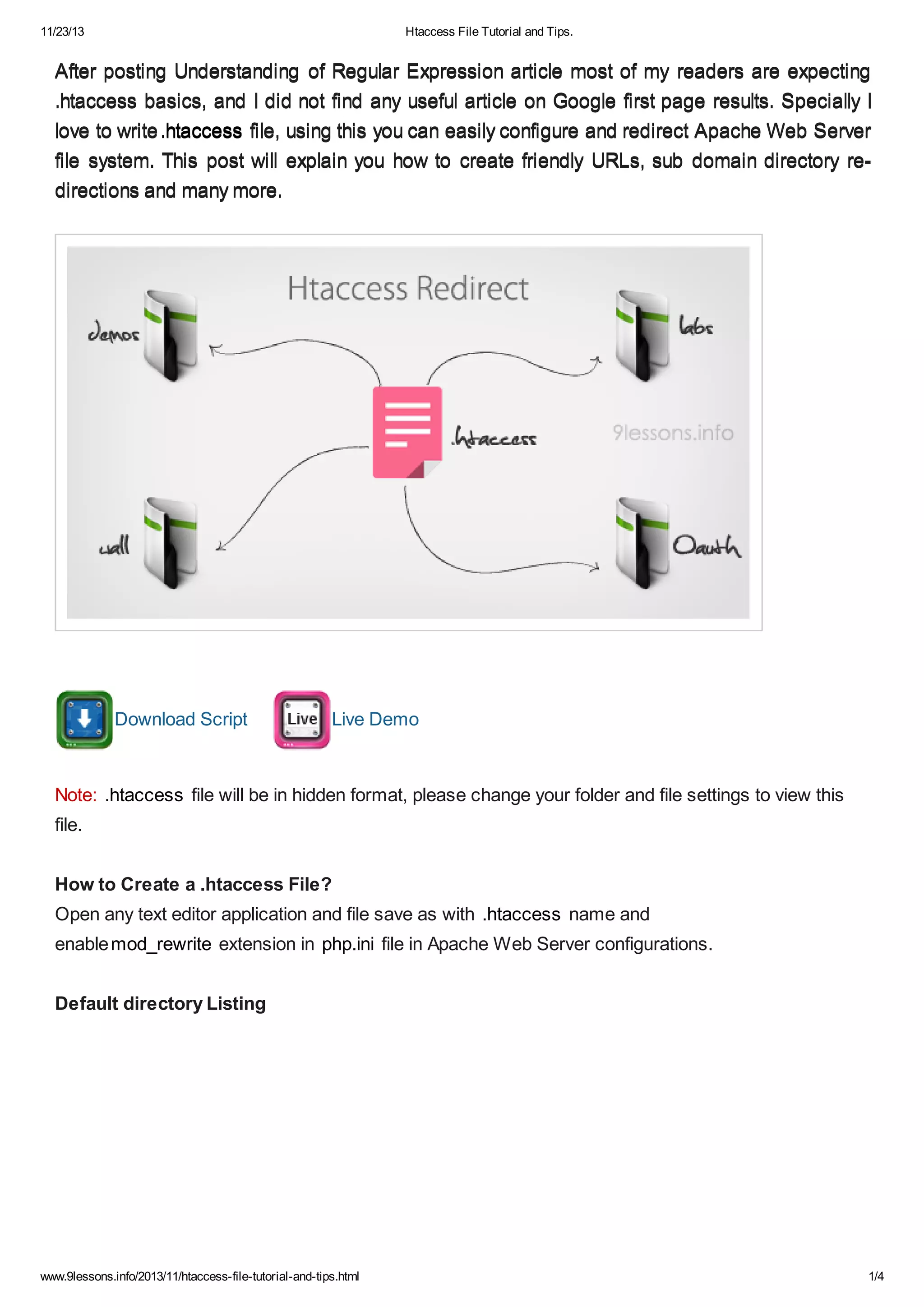
After posting Understanding of Regular Expression article most of my readers are expectingAfter posting Understanding of Regular Expression article most of my readers are expecting
.htaccess basics, and I did not find any useful article on Google first page results. Specially I.htaccess basics, and I did not find any useful article on Google first page results. Specially I
love to writelove to write.htaccess.htaccess file, using this you can easily configure and redirect Apache Web Serverfile, using this you can easily configure and redirect Apache Web Server
file system. This post will explain you how to create friendly URLs, sub domain directory re-file system. This post will explain you how to create friendly URLs, sub domain directory re-
directions and many more.directions and many more.
Download Script Live Demo
Note: .htaccess file will be in hidden format, please change your folder and file settings to view this
file.
How to Create a .htaccess File?
Open any text editor application and file save as with .htaccess name and
enablemod_rewrite extension in php.ini file in Apache Web Server configurations.
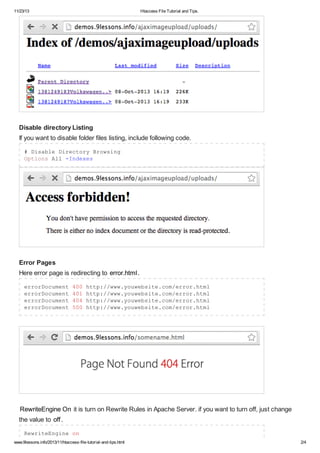
Default directory Listing
11/23/13 Htaccess File Tutorial and Tips.
www.9lessons.info/2013/11/htaccess-file-tutorial-and-tips.html 2/4
Disable directory Listing
If you want to disable folder files listing, include following code.
# Disable Directory Browsing
Options All -Indexes
Error Pages
Here error page is redirecting to error.html.
errorDocument 400 http://www.youwebsite.com/error.html
errorDocument 401 http://www.youwebsite.com/error.html
errorDocument 404 http://www.youwebsite.com/error.html
errorDocument 500 http://www.youwebsite.com/error.html
RewriteEngine On it is turn on Rewrite Rules in Apache Server. if you want to turn off, just change
the value to off.
RewriteEngine on
11/23/13 Htaccess File Tutorial and Tips.
www.9lessons.info/2013/11/htaccess-file-tutorial-and-tips.html 3/4
Domain Redirection
.htacces code for redirecting yourwebsite.com to www.yourwebsite.com
RewriteCond %{HTTP_HOST} ^yourwebsite.com
RewriteRule (.*) http://www.yourwebsite.com/$1 [R=301,L]
Sub Domain Redirection
Sub domain redirection mapping to folder. Here http://www.yourwebsite.com is connecting
to website_folder folder.
RewriteCond %{HTTP_HOST} ^www.yourwebsite.com$
RewriteCond %{REQUEST_URI} !^/website_folder/
RewriteRule (.*) /website_folder/$1
Here http://subdomain.yourwebsite.com is connecting to subdomain_folderfolder.
RewriteCond %{HTTP_HOST} ^subdomain.yourwebsite.com$
RewriteCond %{REQUEST_URI} !^/subdomain_folder/
RewriteRule (.*) /subdomain_folder/$1
Htaccess File Inside The Folder.
Old Domain Redirection
htaccess code for redirecting old domain(abc.com) to new domain(xyz.com). Live
demo fglogin.com is now redirecting to oauthlogin.com
RewriteCond %{HTTP_HOST} ^abc.com
RewriteRule (.*) http://www.xyz.com/$1 [R=301,L]
RewriteCond %{HTTP_HOST} ^www.abc.com
RewriteRule (.*) http://www.abc.com/$1 [R=301,L]
Friendly URLs
Friendly/Pretty URLs help in search engine rankings.
Profile URL
Profile parameter allows [a-zA-Z0-9_-] these inputs. More help read Understanding Regular
Expression
http://labs.9lessons.info/profile.php?username=srinivas
to
http://labs.9lessons.info/srinivas
RewriteRule ^([a-zA-Z0-9_-]+)$ profile.php?username=$1
11/23/13 Htaccess File Tutorial and Tips.
www.9lessons.info/2013/11/htaccess-file-tutorial-and-tips.html 4/4
RewriteRule ^([a-zA-Z0-9_-]+)/$ profile.php?username=$1
Messages URL
http://labs.9lessons.info/messages.php?message_username=srinivas
to
http://labs.9lessons.info/messages/srinivas
RewriteRule ^messages/([a-zA-Z0-9_-]+)$ messages.php?
message_username=$1
RewriteRule ^messages/([a-zA-Z0-9_-]+)/$ messages.php?
message_username=$1
Friends URL
http://labs.9lessons.info/friends.php?username=srinivas
to
http://labs.9lessons.info/friends/srinivas
RewriteRule ^friends/([a-zA-Z0-9_-]+)$ friends.php?username=$1
RewriteRule ^friends/([a-zA-Z0-9_-]+)/$ friends.php?username=$1
Friends URL with Two Parameters
Here the first parameter allows [a-zA-Z0-9_-] and second parameter allows only number [0-9]
http://labs.9lessons.info/friends.php?username=srinivas&page=2
to
http://labs.9lessons.info/friends/srinivas/2
RewriteRule ^friends/([a-zA-Z0-9_-]+)/([0-9]+)$ friends.php?
username=$1&page=$2
RewriteRule ^friends/([a-zA-Z0-9_-]+)/([0-9]+)/$ friends.php?
username=$1&page=$2
Hiding File Extension
http://www.yourwebsite.com/index.html
to
http://www.yourwebsite.com/index
RewriteRule ^([^/.]+)/?$ $1.html

Htaccess file tutorial and tips

  • 1.
    11/23/13 Htaccess FileTutorial and Tips. www.9lessons.info/2013/11/htaccess-file-tutorial-and-tips.html 1/4 After posting Understanding of Regular Expression article most of my readers are expectingAfter posting Understanding of Regular Expression article most of my readers are expecting .htaccess basics, and I did not find any useful article on Google first page results. Specially I.htaccess basics, and I did not find any useful article on Google first page results. Specially I love to writelove to write.htaccess.htaccess file, using this you can easily configure and redirect Apache Web Serverfile, using this you can easily configure and redirect Apache Web Server file system. This post will explain you how to create friendly URLs, sub domain directory re-file system. This post will explain you how to create friendly URLs, sub domain directory re- directions and many more.directions and many more. Download Script Live Demo Note: .htaccess file will be in hidden format, please change your folder and file settings to view this file. How to Create a .htaccess File? Open any text editor application and file save as with .htaccess name and enablemod_rewrite extension in php.ini file in Apache Web Server configurations. Default directory Listing
  • 2.
    11/23/13 Htaccess FileTutorial and Tips. www.9lessons.info/2013/11/htaccess-file-tutorial-and-tips.html 2/4 Disable directory Listing If you want to disable folder files listing, include following code. # Disable Directory Browsing Options All -Indexes Error Pages Here error page is redirecting to error.html. errorDocument 400 http://www.youwebsite.com/error.html errorDocument 401 http://www.youwebsite.com/error.html errorDocument 404 http://www.youwebsite.com/error.html errorDocument 500 http://www.youwebsite.com/error.html RewriteEngine On it is turn on Rewrite Rules in Apache Server. if you want to turn off, just change the value to off. RewriteEngine on
  • 3.
    11/23/13 Htaccess FileTutorial and Tips. www.9lessons.info/2013/11/htaccess-file-tutorial-and-tips.html 3/4 Domain Redirection .htacces code for redirecting yourwebsite.com to www.yourwebsite.com RewriteCond %{HTTP_HOST} ^yourwebsite.com RewriteRule (.*) http://www.yourwebsite.com/$1 [R=301,L] Sub Domain Redirection Sub domain redirection mapping to folder. Here http://www.yourwebsite.com is connecting to website_folder folder. RewriteCond %{HTTP_HOST} ^www.yourwebsite.com$ RewriteCond %{REQUEST_URI} !^/website_folder/ RewriteRule (.*) /website_folder/$1 Here http://subdomain.yourwebsite.com is connecting to subdomain_folderfolder. RewriteCond %{HTTP_HOST} ^subdomain.yourwebsite.com$ RewriteCond %{REQUEST_URI} !^/subdomain_folder/ RewriteRule (.*) /subdomain_folder/$1 Htaccess File Inside The Folder. Old Domain Redirection htaccess code for redirecting old domain(abc.com) to new domain(xyz.com). Live demo fglogin.com is now redirecting to oauthlogin.com RewriteCond %{HTTP_HOST} ^abc.com RewriteRule (.*) http://www.xyz.com/$1 [R=301,L] RewriteCond %{HTTP_HOST} ^www.abc.com RewriteRule (.*) http://www.abc.com/$1 [R=301,L] Friendly URLs Friendly/Pretty URLs help in search engine rankings. Profile URL Profile parameter allows [a-zA-Z0-9_-] these inputs. More help read Understanding Regular Expression http://labs.9lessons.info/profile.php?username=srinivas to http://labs.9lessons.info/srinivas RewriteRule ^([a-zA-Z0-9_-]+)$ profile.php?username=$1
  • 4.
    11/23/13 Htaccess FileTutorial and Tips. www.9lessons.info/2013/11/htaccess-file-tutorial-and-tips.html 4/4 RewriteRule ^([a-zA-Z0-9_-]+)/$ profile.php?username=$1 Messages URL http://labs.9lessons.info/messages.php?message_username=srinivas to http://labs.9lessons.info/messages/srinivas RewriteRule ^messages/([a-zA-Z0-9_-]+)$ messages.php? message_username=$1 RewriteRule ^messages/([a-zA-Z0-9_-]+)/$ messages.php? message_username=$1 Friends URL http://labs.9lessons.info/friends.php?username=srinivas to http://labs.9lessons.info/friends/srinivas RewriteRule ^friends/([a-zA-Z0-9_-]+)$ friends.php?username=$1 RewriteRule ^friends/([a-zA-Z0-9_-]+)/$ friends.php?username=$1 Friends URL with Two Parameters Here the first parameter allows [a-zA-Z0-9_-] and second parameter allows only number [0-9] http://labs.9lessons.info/friends.php?username=srinivas&page=2 to http://labs.9lessons.info/friends/srinivas/2 RewriteRule ^friends/([a-zA-Z0-9_-]+)/([0-9]+)$ friends.php? username=$1&page=$2 RewriteRule ^friends/([a-zA-Z0-9_-]+)/([0-9]+)/$ friends.php? username=$1&page=$2 Hiding File Extension http://www.yourwebsite.com/index.html to http://www.yourwebsite.com/index RewriteRule ^([^/.]+)/?$ $1.html