About PowerPoint File
 Microsoft PowerPoint application is an important part
of MS Office suite
 It enables you to create presentation files for multiple
purposes
 To make presentation file more attractive, you can add
different file objects like pictures, chart tables, media
clips and other items
 Preferably used by students and employees to generate
projects in a impressive way
Real-time Scenario
“While working on PPT file, all of a sudden the app
crashed. Later when I tried to open PPT file, it didn’t
respond since the application had crashed while it was
being edited at previous stage. If this is the case then how
would to overcome this issue?”
Queries
 Is it possible to repair such corrupt PPT file quickly?
 Can I access all my slides from PPT file?
 How to fix damaged PowerPoint file?
 Can I overcome corruption issues with PPT file?
 Which software I must prefer to repair damage
PowerPoint file?
 How do I regain my PowerPoint presentation files?
Solution
 If you are the one who is having corrupted PPT file and
looking how to fix PPT file then here is the solution
 One of the easy solution for repairing damaged
PowerPoint file is by using inbuilt feature of “Open
and Repair” option which is available in PowerPoint
application
 Not satisfied with Open and Repair feature then you
have to opt for reliable third party tool to fix corrupt
PPT file
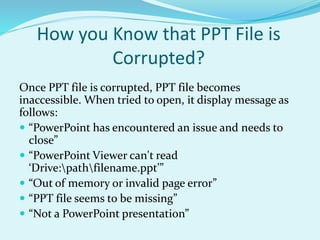
How you Know that PPT File is
Corrupted?
Once PPT file is corrupted, PPT file becomes
inaccessible. When tried to open, it display message as
follows:
 “PowerPoint has encountered an issue and needs to
close”
 “PowerPoint Viewer can't read
‘Drive:pathfilename.ppt’”
 “Out of memory or invalid page error”
 “PPT file seems to be missing”
 “Not a PowerPoint presentation”
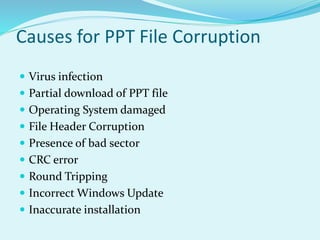
Causes for PPT File Corruption
 Virus infection
 Partial download of PPT file
 Operating System damaged
 File Header Corruption
 Presence of bad sector
 CRC error
 Round Tripping
 Incorrect Windows Update
 Inaccurate installation
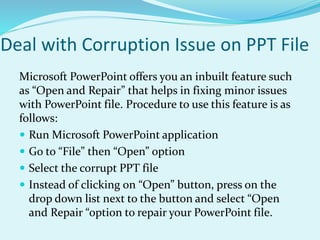
Deal with Corruption Issue on PPT File
Microsoft PowerPoint offers you an inbuilt feature such
as “Open and Repair” that helps in fixing minor issues
with PowerPoint file. Procedure to use this feature is as
follows:
 Run Microsoft PowerPoint application
 Go to “File” then “Open” option
 Select the corrupt PPT file
 Instead of clicking on “Open” button, press on the
drop down list next to the button and select “Open
and Repair “option to repair your PowerPoint file.
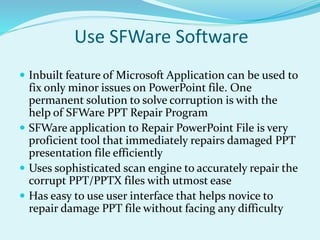
Use SFWare Software
 Inbuilt feature of Microsoft Application can be used to
fix only minor issues on PowerPoint file. One
permanent solution to solve corruption is with the
help of SFWare PPT Repair Program
 SFWare application to Repair PowerPoint File is very
proficient tool that immediately repairs damaged PPT
presentation file efficiently
 Uses sophisticated scan engine to accurately repair the
corrupt PPT/PPTX files with utmost ease
 Has easy to use user interface that helps novice to
repair damage PPT file without facing any difficulty
Advantages of SFWare Application
 Able to repair any type of corruption in the presentation,
remove any recoverable information inside the file like
modules, tables, VBA code, controls, forms, hyperlinks,
OLE object, slide number, header &and footer, comments
etc.
 Can restore any type of issues like header & footer
corruption, WordArt objects, charts, tables.
 Easily fixes the corruption in your .pptx, .ppt, .pptm files
and helps you to get them back in a healthy form.
 Repair PPT file on any MS PowerPoint version such as
2000, 2003, 20007 and 2010.
 Preview the repaired file before saving it to desired location
System Requirements:
 Operating Systems Supported: Windows 10, Windows
8 / 8.1, Window 7, Windows Vista, Windows XP,
Windows Server 2008 and 2003 (32bit and 64bit)
 File Systems Supported: FAT16, FAT32, NRFS, NTFS5
and EXFAT
 File Formats Supported: PPT, PPTX and PPS
 Hardware Specifications: 50MB (For installation), 1GB
RAM
Download SFWare Repair PowerPoint
File
Thinking on how to download SFWare Utility? Well, just
hit on this link- http://www.sfware.com/repair-
powerpoint-file/ to download SFWare Wizard and get
your corrupted PowerPoint file repaired just in a matter
of few minutes.

How to Repair PPT Files

  • 2.
    About PowerPoint File Microsoft PowerPoint application is an important part of MS Office suite  It enables you to create presentation files for multiple purposes  To make presentation file more attractive, you can add different file objects like pictures, chart tables, media clips and other items  Preferably used by students and employees to generate projects in a impressive way
  • 3.
    Real-time Scenario “While workingon PPT file, all of a sudden the app crashed. Later when I tried to open PPT file, it didn’t respond since the application had crashed while it was being edited at previous stage. If this is the case then how would to overcome this issue?”
  • 4.
    Queries  Is itpossible to repair such corrupt PPT file quickly?  Can I access all my slides from PPT file?  How to fix damaged PowerPoint file?  Can I overcome corruption issues with PPT file?  Which software I must prefer to repair damage PowerPoint file?  How do I regain my PowerPoint presentation files?
  • 5.
    Solution  If youare the one who is having corrupted PPT file and looking how to fix PPT file then here is the solution  One of the easy solution for repairing damaged PowerPoint file is by using inbuilt feature of “Open and Repair” option which is available in PowerPoint application  Not satisfied with Open and Repair feature then you have to opt for reliable third party tool to fix corrupt PPT file
  • 6.
    How you Knowthat PPT File is Corrupted? Once PPT file is corrupted, PPT file becomes inaccessible. When tried to open, it display message as follows:  “PowerPoint has encountered an issue and needs to close”  “PowerPoint Viewer can't read ‘Drive:pathfilename.ppt’”  “Out of memory or invalid page error”  “PPT file seems to be missing”  “Not a PowerPoint presentation”
  • 7.
    Causes for PPTFile Corruption  Virus infection  Partial download of PPT file  Operating System damaged  File Header Corruption  Presence of bad sector  CRC error  Round Tripping  Incorrect Windows Update  Inaccurate installation
  • 8.
    Deal with CorruptionIssue on PPT File Microsoft PowerPoint offers you an inbuilt feature such as “Open and Repair” that helps in fixing minor issues with PowerPoint file. Procedure to use this feature is as follows:  Run Microsoft PowerPoint application  Go to “File” then “Open” option  Select the corrupt PPT file  Instead of clicking on “Open” button, press on the drop down list next to the button and select “Open and Repair “option to repair your PowerPoint file.
  • 9.
    Use SFWare Software Inbuilt feature of Microsoft Application can be used to fix only minor issues on PowerPoint file. One permanent solution to solve corruption is with the help of SFWare PPT Repair Program  SFWare application to Repair PowerPoint File is very proficient tool that immediately repairs damaged PPT presentation file efficiently  Uses sophisticated scan engine to accurately repair the corrupt PPT/PPTX files with utmost ease  Has easy to use user interface that helps novice to repair damage PPT file without facing any difficulty
  • 10.
    Advantages of SFWareApplication  Able to repair any type of corruption in the presentation, remove any recoverable information inside the file like modules, tables, VBA code, controls, forms, hyperlinks, OLE object, slide number, header &and footer, comments etc.  Can restore any type of issues like header & footer corruption, WordArt objects, charts, tables.  Easily fixes the corruption in your .pptx, .ppt, .pptm files and helps you to get them back in a healthy form.  Repair PPT file on any MS PowerPoint version such as 2000, 2003, 20007 and 2010.  Preview the repaired file before saving it to desired location
  • 11.
    System Requirements:  OperatingSystems Supported: Windows 10, Windows 8 / 8.1, Window 7, Windows Vista, Windows XP, Windows Server 2008 and 2003 (32bit and 64bit)  File Systems Supported: FAT16, FAT32, NRFS, NTFS5 and EXFAT  File Formats Supported: PPT, PPTX and PPS  Hardware Specifications: 50MB (For installation), 1GB RAM
  • 12.
    Download SFWare RepairPowerPoint File Thinking on how to download SFWare Utility? Well, just hit on this link- http://www.sfware.com/repair- powerpoint-file/ to download SFWare Wizard and get your corrupted PowerPoint file repaired just in a matter of few minutes.