Innovation Process – Style 3


              Text Here                                               Text Here
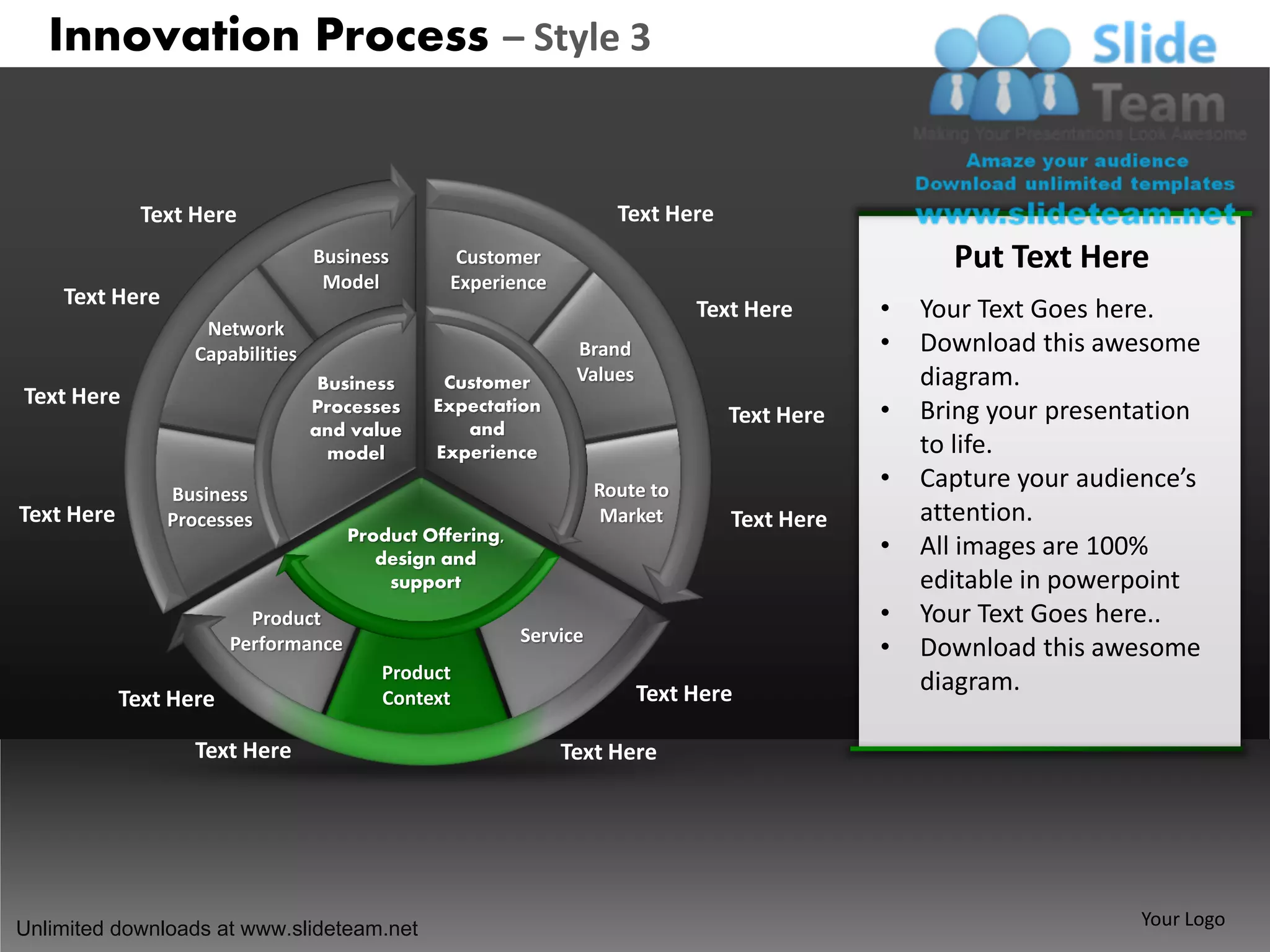
                                  Business        Customer                                          Put Text Here
                                   Model         Experience
    Text Here
                                                                               Text Here      •   Your Text Goes here.
                    Network
                   Capabilities                                 Brand                         •   Download this awesome
                                   Business     Customer        Values                            diagram.
Text Here                         Processes    Expectation
                                                                                  Text Here   •   Bring your presentation
                                  and value       and
                                    model      Experience                                         to life.
                                                                    Route to                  •   Capture your audience’s
                Business
Text Here       Processes                                            Market       Text Here       attention.
                                      Product Offering,
                                         design and
                                                                                              •   All images are 100%
                                          support                                                 editable in powerpoint
                          Product                                                             •   Your Text Goes here..
                                                          Service
                        Performance                                                           •   Download this awesome
                                         Product
                                                                         Text Here                diagram.
            Text Here                    Context

                   Text Here                                  Text Here


Unlimited downloads at www.slideteam.net                                                                            Your Logo
All images are 100% editable in Powerpoint
 “Change color, size and orientation of any icon
 to your liking”
 Ungrouping the object
                                                    2
                 1
                                                         3


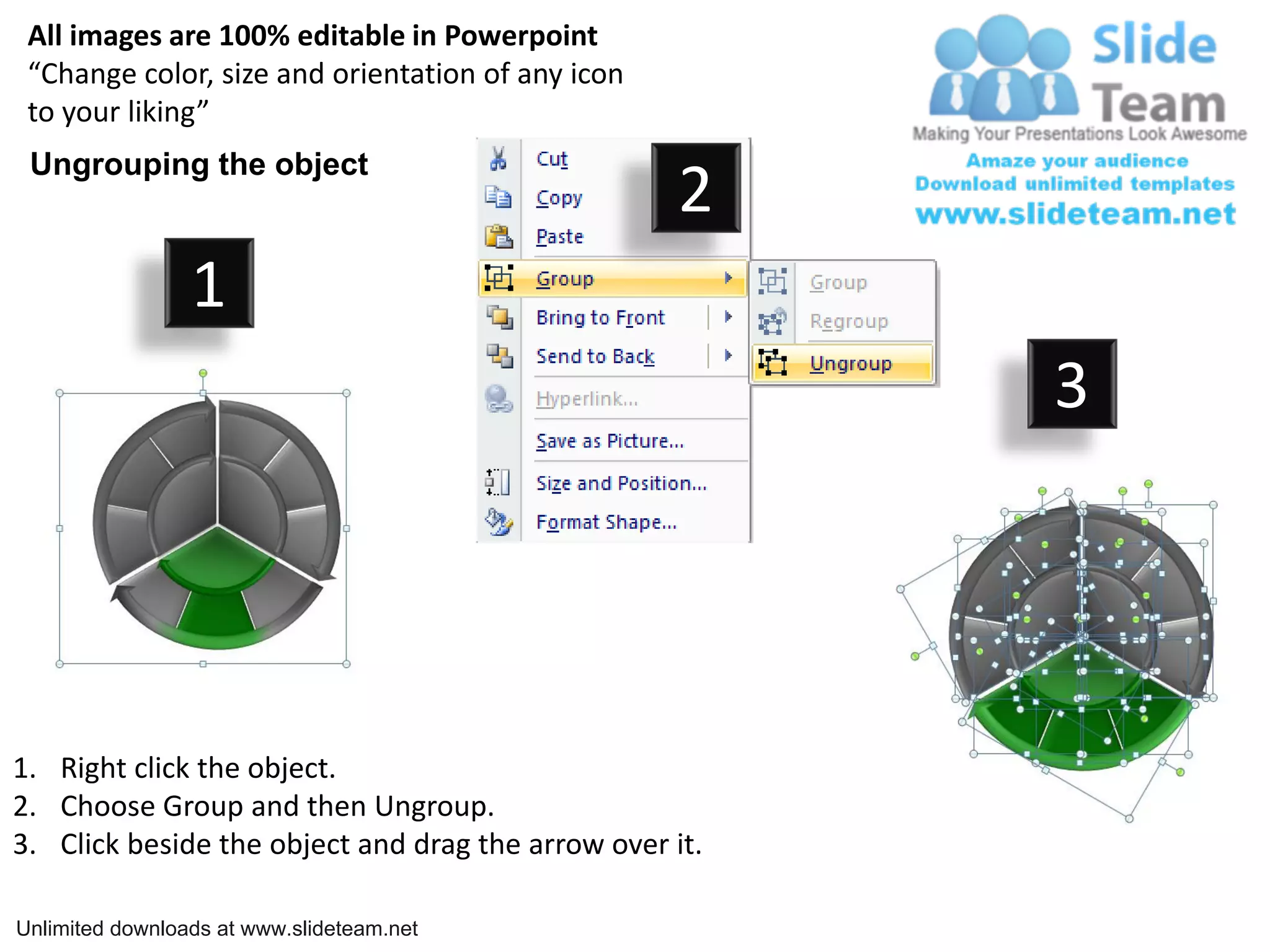
1. Right click the object.
2. Choose Group and then Ungroup.
3. Click beside the object and drag the arrow over it.

Unlimited downloads at www.slideteam.net
Edit Color


               1                             2                             3


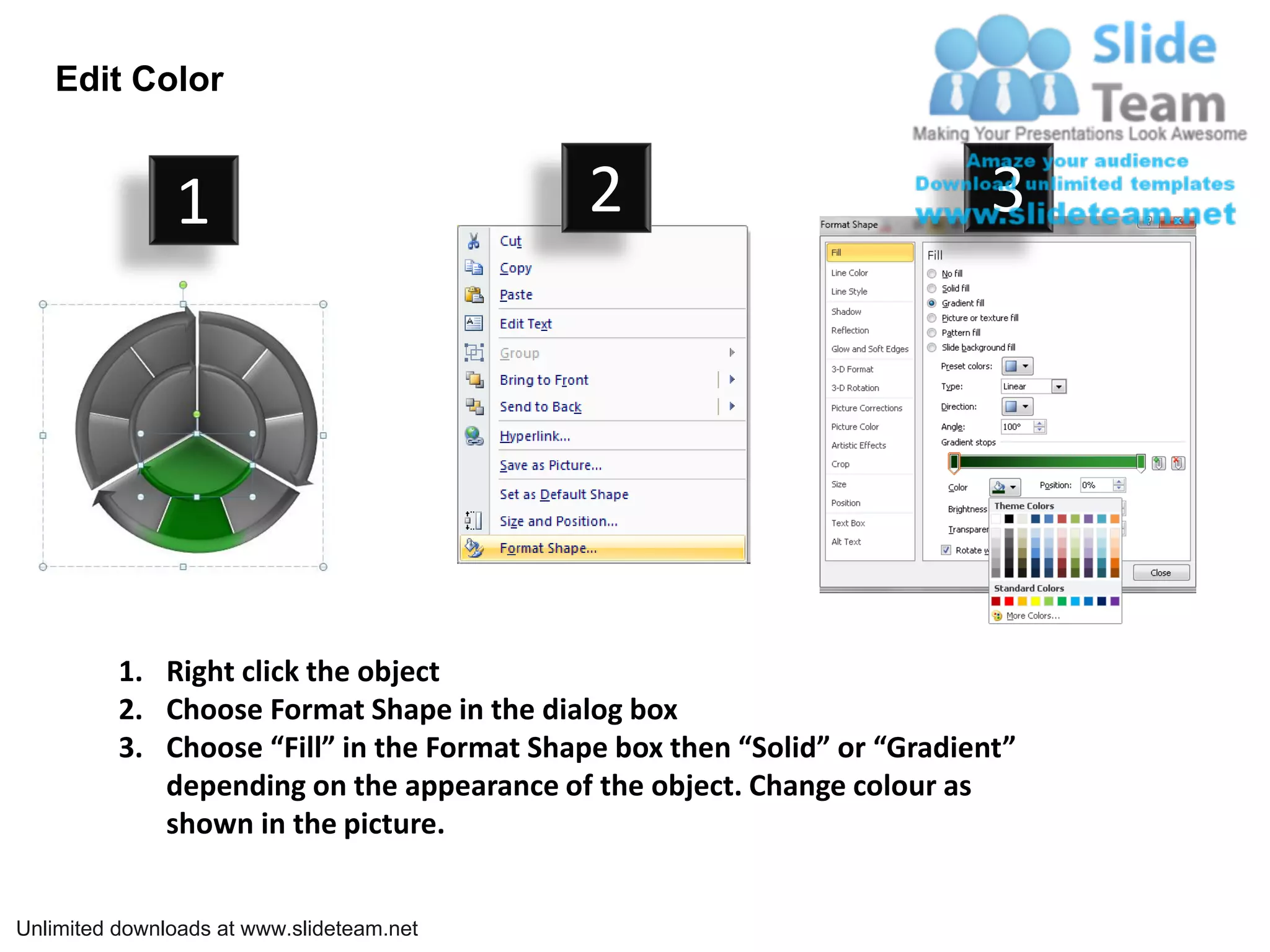
          1. Right click the object
          2. Choose Format Shape in the dialog box
          3. Choose “Fill” in the Format Shape box then “Solid” or “Gradient”
             depending on the appearance of the object. Change colour as
             shown in the picture.


Unlimited downloads at www.slideteam.net

How to create make construction innovation process 3 power point slides and ppt presentation clipart info graphics

  • 1.
    Innovation Process –Style 3 Text Here Text Here Business Customer Put Text Here Model Experience Text Here Text Here • Your Text Goes here. Network Capabilities Brand • Download this awesome Business Customer Values diagram. Text Here Processes Expectation Text Here • Bring your presentation and value and model Experience to life. Route to • Capture your audience’s Business Text Here Processes Market Text Here attention. Product Offering, design and • All images are 100% support editable in powerpoint Product • Your Text Goes here.. Service Performance • Download this awesome Product Text Here diagram. Text Here Context Text Here Text Here Unlimited downloads at www.slideteam.net Your Logo
  • 2.
    All images are100% editable in Powerpoint “Change color, size and orientation of any icon to your liking” Ungrouping the object 2 1 3 1. Right click the object. 2. Choose Group and then Ungroup. 3. Click beside the object and drag the arrow over it. Unlimited downloads at www.slideteam.net
  • 3.
    Edit Color 1 2 3 1. Right click the object 2. Choose Format Shape in the dialog box 3. Choose “Fill” in the Format Shape box then “Solid” or “Gradient” depending on the appearance of the object. Change colour as shown in the picture. Unlimited downloads at www.slideteam.net