How Not To GIT
Lucas Gomes <@x8lucas8x>
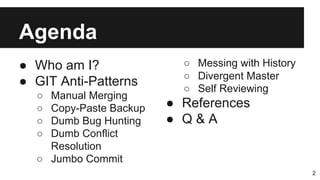
Agenda
● Who am I?
● GIT Anti-Patterns
○ Manual Merging
○ Copy-Paste Backup
○ Dumb Bug Hunting
○ Dumb Conflict
Resolution
○ Jumbo Commit
2
○ Messing with History
○ Divergent Master
○ Self Reviewing
● References
● Q & A
Software Engineer
Passionate Hacker
ArchLinux Zealot
FOSS Enthusiast
I’m fond of doing
things that last
and all that jazz.
Lucas Lira Gomes
3
contact@x8lucas8x.com
linkedin.com/in/x8lucas8x
facebook.com/x8lucas8x
youtube.com/X80lucas08X
twitter.com/x8lucas8x
x8lucas8x.com
github.com/x8lucas8x
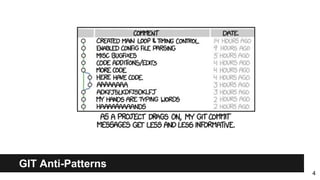
GIT Anti-Patterns
4
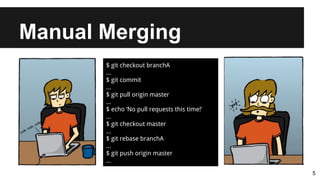
Manual Merging
5
$ git checkout branchA
...
$ git commit
...
$ git pull origin master
...
$ echo ‘No pull requests this time!’
...
$ git checkout master
...
$ git rebase branchA
...
$ git push origin master
...
Manual Merging
6
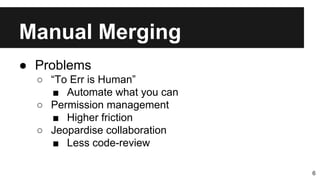
● Problems
○ “To Err is Human”
■ Automate what you can
○ Permission management
■ Higher friction
○ Jeopardise collaboration
■ Less code-review
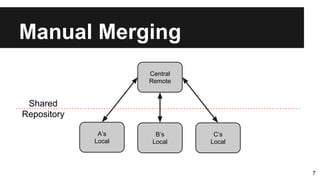
Manual Merging
7
A’s
Local
B’s
Local
C’s
Local
Central
Remote
Shared
Repository
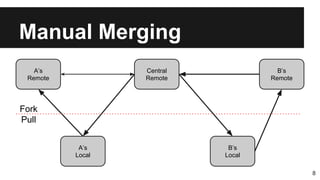
Manual Merging
8
A’s
Local
B’s
Local
Central
Remote
A’s
Remote
B’s
Remote
Fork
Pull
Manual Merging
9
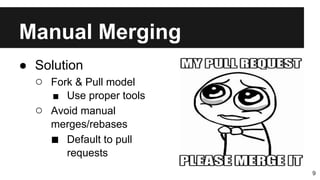
● Solution
○ Fork & Pull model
■ Use proper tools
○ Avoid manual
merges/rebases
■ Default to pull
requests
Manual Merging
10
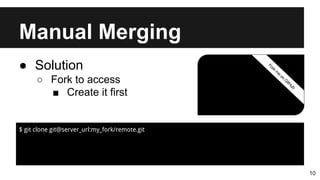
● Solution
○ Fork to access
■ Create it first
$ git clone git@server_url:my_fork/remote.git
Manual Merging
11
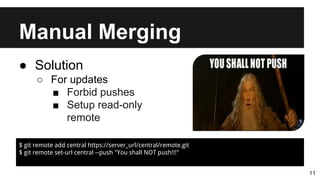
● Solution
○ For updates
■ Forbid pushes
■ Setup read-only
remote
$ git remote add central https://server_url/central/remote.git
$ git remote set-url central --push "You shall NOT push!!!"
Copy-Paste Backup
12
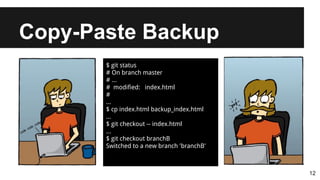
$ git status
# On branch master
# ...
# modified: index.html
#
...
$ cp index.html backup_index.html
...
$ git checkout -- index.html
...
$ git checkout branchB
Switched to a new branch 'branchB'
Copy-Paste Backup
13
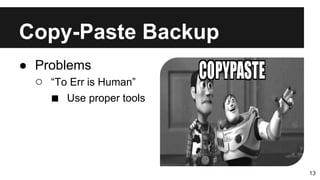
● Problems
○ “To Err is Human”
■ Use proper tools
Copy-Paste Backup
14
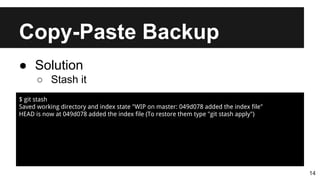
● Solution
○ Stash it
$ git stash
Saved working directory and index state "WIP on master: 049d078 added the index file"
HEAD is now at 049d078 added the index file (To restore them type "git stash apply")
Copy-Paste Backup
15
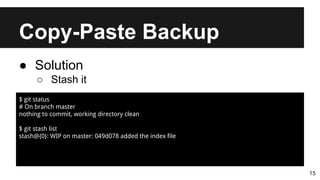
● Solution
○ Stash it
$ git status
# On branch master
nothing to commit, working directory clean
$ git stash list
stash@{0}: WIP on master: 049d078 added the index file
Copy-Paste Backup
16
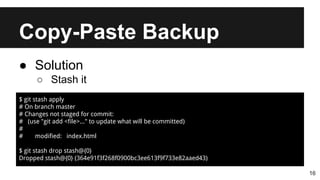
● Solution
○ Stash it
$ git stash apply
# On branch master
# Changes not staged for commit:
# (use "git add <file>..." to update what will be committed)
#
# modified: index.html
$ git stash drop stash@{0}
Dropped stash@{0} (364e91f3f268f0900bc3ee613f9f733e82aaed43)
Dumb Bug Hunting
17
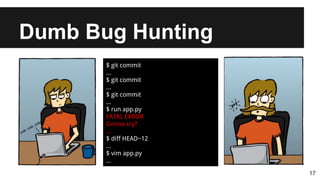
$ git commit
...
$ git commit
...
$ git commit
...
$ run app.py
FATAL ERROR
Gonna cry?
...
$ diff HEAD~12
...
$ vim app.py
...
Dumb Bug Hunting
18
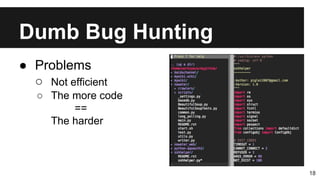
● Problems
○ Not efficient
○ The more code
==
The harder
Dumb Bug Hunting
19
● Solution
○ Manual Bitsec
$ git bisect start
$ git bisect bad BAD_SHA1_HASH
$ git bisect good GOOD_SHA1_HASH
Bisecting: 6 revisions left to test after this
[b047b02ea83310a70fd603dc8cd7a6cd13d15c04] secure this thing
Dumb Bug Hunting
20
● Solution
○ Manual Bitsec
$ git bisect good
Bisecting: 3 revisions left to test after this
[b047b02ea83310a70fd603dc8cd7a6cd13d15c04] secure this thing
$ git bisect bad
Bisecting: 1 revisions left to test after this
[f71ce38690acf49c1f3c9bea38e09d82a5ce6014] drop exceptions table
Dumb Bug Hunting
21
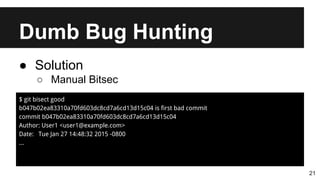
● Solution
○ Manual Bitsec
$ git bisect good
b047b02ea83310a70fd603dc8cd7a6cd13d15c04 is first bad commit
commit b047b02ea83310a70fd603dc8cd7a6cd13d15c04
Author: User1 <user1@example.com>
Date: Tue Jan 27 14:48:32 2015 -0800
...
Dumb Bug Hunting
22
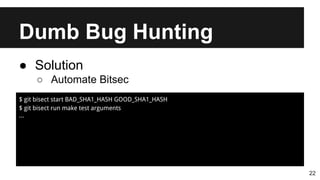
● Solution
○ Automate Bitsec
$ git bisect start BAD_SHA1_HASH GOOD_SHA1_HASH
$ git bisect run make test arguments
...
Dumb Conflict Resolution
23
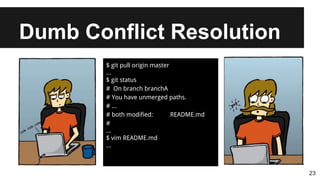
$ git pull origin master
...
$ git status
# On branch branchA
# You have unmerged paths.
# ...
# both modified: README.md
#
...
$ vim README.md
...
Dumb Conflict Resolution
24
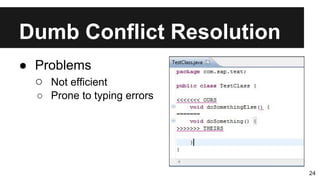
● Problems
○ Not efficient
○ Prone to typing errors
Dumb Conflict Resolution
25
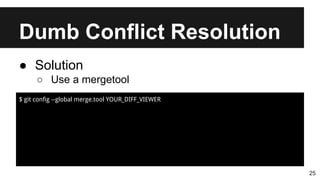
● Solution
○ Use a mergetool
$ git config --global merge.tool YOUR_DIFF_VIEWER
Dumb Conflict Resolution
26
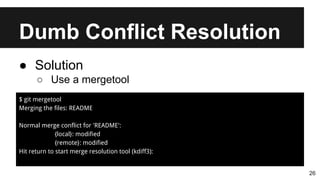
● Solution
○ Use a mergetool
$ git mergetool
Merging the files: README
Normal merge conflict for 'README':
{local}: modified
{remote}: modified
Hit return to start merge resolution tool (kdiff3):
Dumb Conflict Resolution
27
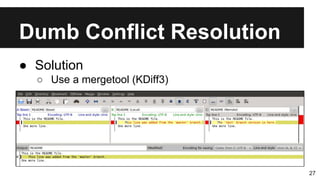
● Solution
○ Use a mergetool (KDiff3)
Dumb Conflict Resolution
28
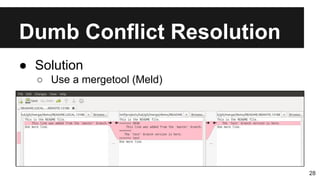
● Solution
○ Use a mergetool (Meld)
Dumb Conflict Resolution
29
● Solution
○ Use a mergetool
■ emerge
■ gvimdiff
■ vimdiff
■ Your IDE’s differ
Jumbo Commit
30
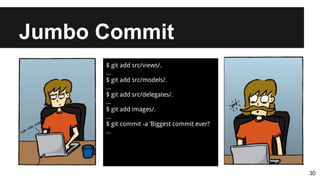
$ git add src/views/.
...
$ git add src/models/.
...
$ git add src/delegates/.
...
$ git add images/.
...
$ git commit -a ‘Biggest commit ever!’
...
Jumbo Commit
31
● Problems
○ Long-term results
■ Team
○ Review procrastination
■ Higher cognitive load
○ Pulls are more prone to
conflict
Jumbo Commit
32
● Solution
○ Divide and conquer
■ Create granular
commits
Messing with History
33
$ git pull origin master
...
$ git log
...
$ git commit --amend
...
$ git push origin master
...
# ! [rejected] master -> master
(non-fast-forward)
...
Messing with History
34
● Problems
○ Cannot push
○ If forced (push -f)
■ Breaks others’
history
■ Lose commits
Messing with History
35
● Solution
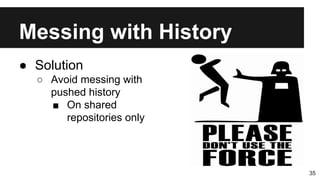
○ Avoid messing with
pushed history
■ On shared
repositories only
Messing with History
36
● Solution
○ Use Git Revert
$ git revert DESIRED_SHA1_HASH
Divergent Master
37
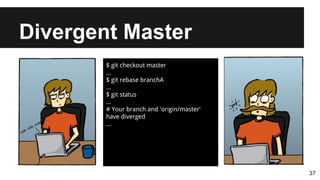
$ git checkout master
...
$ git rebase branchA
...
$ git status
...
# Your branch and 'origin/master'
have diverged
...
Divergent Master
38
● Problems
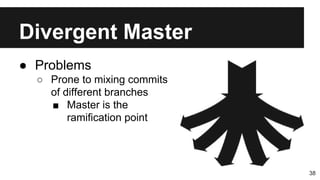
○ Prone to mixing commits
of different branches
■ Master is the
ramification point
Divergent Master
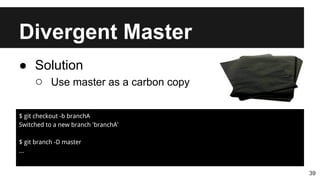
39
● Solution
○ Use master as a carbon copy
$ git checkout -b branchA
Switched to a new branch 'branchA'
$ git branch -D master
...
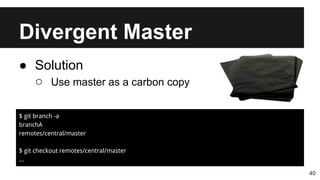
Divergent Master
40
● Solution
○ Use master as a carbon copy
$ git branch -a
branchA
remotes/central/master
$ git checkout remotes/central/master
...
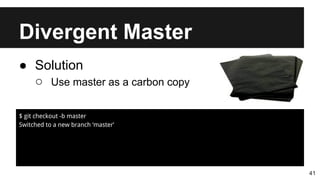
Divergent Master
41
● Solution
○ Use master as a carbon copy
$ git checkout -b master
Switched to a new branch ‘master’
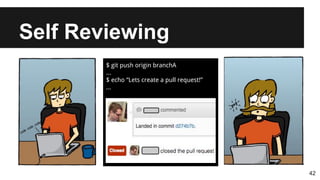
Self Reviewing
42
$ git push origin branchA
...
$ echo “Lets create a pull request!”
...
Self Reviewing
43
● Problems
○ Team specialisation
■ “Not my code"
○ Less opportunity
■ Learning
■ Training
Self Reviewing
44
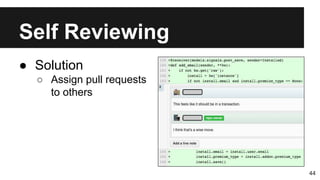
● Solution
○ Assign pull requests
to others
References
1. https://www.git-scm.com/
2. http://www.atlassian.com/git/tutorials/
45
How Not To GIT
Lucas Gomes <@x8lucas8x>

How Not To GIT