Hive Quick Start

  © 2010 Cloudera, Inc.
Background
•  Started at Facebook	
•  Data was collected
   by nightly cron
   jobs into Oracle DB	
•  “ETL” via hand-
   coded python	
•  Grew from 10s of
   GBs (2006) to 1 TB/
   day new data
   (2007), now 10x
   that.	


                  © 2010 Cloudera, Inc.
Hadoop as Enterprise Data
          Warehouse
•  Scribe and MySQL data loaded
   into Hadoop HDFS	
•  Hadoop MapReduce jobs to
   process data	
•  Missing components:	
 –  Command-line interface for “end users”
 –  Ad-hoc query support
   • … without writing full MapReduce jobs
 –  Schema information
                 © 2010 Cloudera, Inc.
Hive Applications
•  Log processing	
•  Text mining	
•  Document indexing	
•  Customer-facing business
   intelligence (e.g., Google
   Analytics)	
•  Predictive modeling, hypothesis
   testing	
             © 2010 Cloudera, Inc.
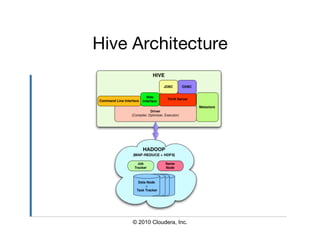
Hive Architecture


     © 2010 Cloudera, Inc.
Data Model
•  Tables	
  –  Typed columns (int, float, string, date,
     boolean)
  –  Also, array/map/struct for JSON-like data
•  Partitions	
  –  e.g., to range-partition tables by date
•  Buckets	
  –  Hash partitions within ranges (useful for
     sampling, join optimization)

                  © 2010 Cloudera, Inc.
Column Data Types
                        
CREATE TABLE t (
  s STRING,
  f FLOAT,
  a ARRAY<MAP<STRING, STRUCT<p1:INT,
  p2:INT>>);

SELECT s, f, a[0][‘foobar’].p2 FROM t;


                 © 2010 Cloudera, Inc.
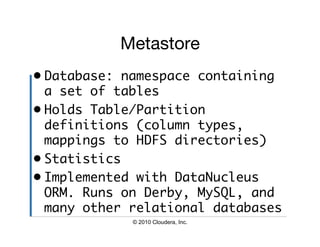
Metastore
•  Database: namespace containing
   a set of tables	
•  Holds Table/Partition
   definitions (column types,
   mappings to HDFS directories)	
•  Statistics	
•  Implemented with DataNucleus
   ORM. Runs on Derby, MySQL, and
   many other relational databases	
             © 2010 Cloudera, Inc.
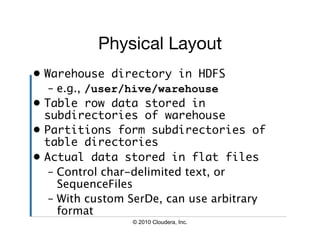
Physical Layout
•  Warehouse directory in HDFS	
    –  e.g., /user/hive/warehouse
•  Table row data stored in
   subdirectories of warehouse	
•  Partitions form subdirectories of
   table directories	
•  Actual data stored in flat files	
    –  Control char-delimited text, or
       SequenceFiles
    –  With custom SerDe, can use arbitrary
       format
                  © 2010 Cloudera, Inc.
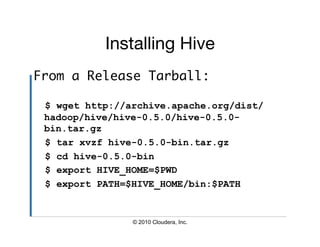
Installing Hive
                         
From a Release Tarball:	

 $ wget http://archive.apache.org/dist/
 hadoop/hive/hive-0.5.0/hive-0.5.0-
 bin.tar.gz
 $ tar xvzf hive-0.5.0-bin.tar.gz
 $ cd hive-0.5.0-bin
 $ export HIVE_HOME=$PWD
 $ export PATH=$HIVE_HOME/bin:$PATH


                © 2010 Cloudera, Inc.
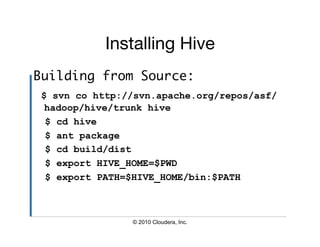
Installing Hive
                          
Building from Source:	
 $ svn co http://svn.apache.org/repos/asf/
  hadoop/hive/trunk hive
  $ cd hive
  $ ant package
  $ cd build/dist
  $ export HIVE_HOME=$PWD
  $ export PATH=$HIVE_HOME/bin:$PATH


                © 2010 Cloudera, Inc.
Installing Hive
                          
Other Options:	
•  Use a Git Mirror:	
  –  git://github.com/apache/hive.git


•  Cloudera Hive Packages	
  –  Redhat and Debian
  –  Packages include backported patches
  –  See archive.cloudera.com

                 © 2010 Cloudera, Inc.
Hive Dependencies
                      
•  Java 1.6	
•  Hadoop 0.17-0.20	
•  Hive *MUST* be able to find
   Hadoop:	
 –  $HADOOP_HOME=<hadoop-install-dir>
 –  Add $HADOOP_HOME/bin to $PATH


              © 2010 Cloudera, Inc.
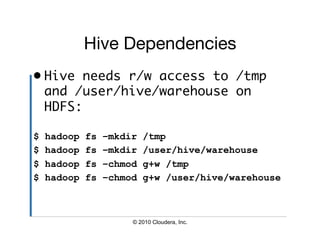
Hive Dependencies
                             
•  Hive needs r/w access to /tmp
   and /user/hive/warehouse on
   HDFS:	

$   hadoop   fs   –mkdir   /tmp
$   hadoop   fs   –mkdir   /user/hive/warehouse
$   hadoop   fs   –chmod   g+w /tmp
$   hadoop   fs   –chmod   g+w /user/hive/warehouse


                       © 2010 Cloudera, Inc.
Hive Configuration
•  Default configuration in
   $HIVE_HOME/conf/hive-default.xml	
    –  DO NOT TOUCH THIS FILE!

•  Re(Define) properties in
   $HIVE_HOME/conf/hive-site.xml	

•  Use $HIVE_CONF_DIR to specify
   alternate conf dir location	

               © 2010 Cloudera, Inc.
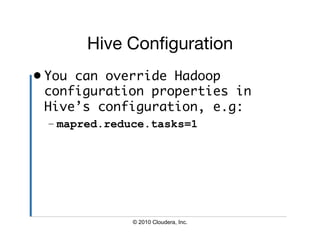
Hive Configuration
•  You can override Hadoop
   configuration properties in
   Hive’s configuration, e.g:	
 – mapred.reduce.tasks=1


              © 2010 Cloudera, Inc.
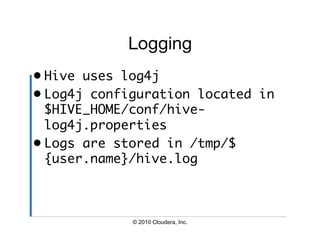
Logging
•  Hive uses log4j	
•  Log4j configuration located in
   $HIVE_HOME/conf/hive-
   log4j.properties	
•  Logs are stored in /tmp/$
   {user.name}/hive.log	


             © 2010 Cloudera, Inc.
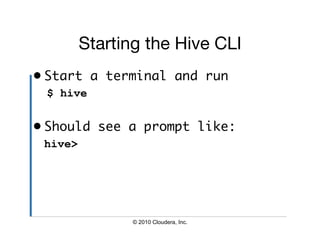
Starting the Hive CLI
•  Start a terminal and run	
 $ hive


•  Should see a prompt like:	
 hive>


                © 2010 Cloudera, Inc.
Hive CLI Commands
                      
•  Set a Hive or Hadoop conf prop:	
 – hive> set propkey=value;
•  List all properties and values:	
 – hive> set –v;
•  Add a resource to the DCache:	
 – hive> add [ARCHIVE|FILE|JAR]
   filename;


              © 2010 Cloudera, Inc.
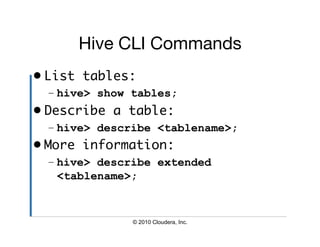
Hive CLI Commands
                      
•  List tables:	
  – hive> show tables;
•  Describe a table:	
  – hive> describe <tablename>;
•  More information:	
  – hive> describe extended
    <tablename>;


               © 2010 Cloudera, Inc.
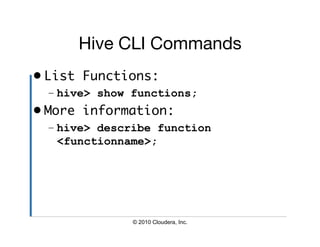
Hive CLI Commands
                      
•  List Functions:	
  – hive> show functions;
•  More information:	
  – hive> describe function
    <functionname>;


               © 2010 Cloudera, Inc.
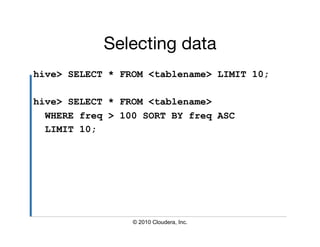
Selecting data
hive> SELECT * FROM <tablename> LIMIT 10;

hive> SELECT * FROM <tablename>
  WHERE freq > 100 SORT BY freq ASC
  LIMIT 10;


                 © 2010 Cloudera, Inc.
Manipulating Tables
                         
•  DDL operations	
  –  SHOW TABLES
  –  CREATE TABLE
  –  ALTER TABLE
  –  DROP TABLE


                © 2010 Cloudera, Inc.
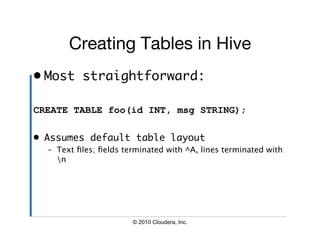
Creating Tables in Hive
                             
•  Most straightforward:	

CREATE TABLE foo(id INT, msg STRING);

•  Assumes default table layout	
  –  Text files; fields terminated with ^A, lines terminated with
     n


                        © 2010 Cloudera, Inc.
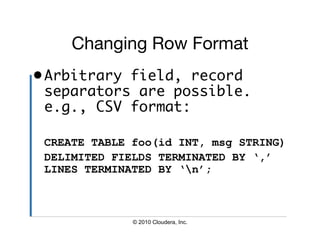
Changing Row Format
                       
• Arbitrary field, record
  separators are possible.
  e.g., CSV format:	

 CREATE TABLE foo(id INT, msg STRING)
 DELIMITED FIELDS TERMINATED BY ‘,’
 LINES TERMINATED BY ‘n’;


              © 2010 Cloudera, Inc.
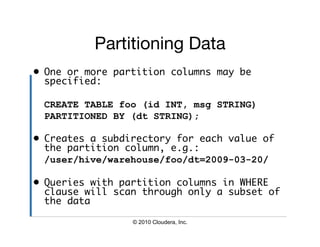
Partitioning Data
                          
•  One or more partition columns may be
   specified:	

 CREATE TABLE foo (id INT, msg STRING)
 PARTITIONED BY (dt STRING);

•  Creates a subdirectory for each value of
   the partition column, e.g.:	
 	/user/hive/warehouse/foo/dt=2009-03-20/

•  Queries with partition columns in WHERE
   clause will scan through only a subset of
   the data	

                 © 2010 Cloudera, Inc.
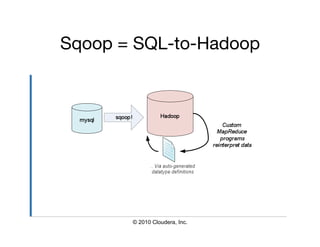
Sqoop = SQL-to-Hadoop


       © 2010 Cloudera, Inc.
Sqoop: Features
                             
•  JDBC-based interface (MySQL, Oracle, PostgreSQL,
   etc…)	
•  Automatic datatype generation	
    –  Reads column info from table and generates Java classes
    –  Can be used in further MapReduce processing passes
•  Uses MapReduce to read tables from database	
    –  Can select individual table (or subset of columns)
    –  Can read all tables in database
•  Supports most JDBC standard types and null values	


                        © 2010 Cloudera, Inc.
Example input
                               
mysql> use corp;
Database changed
mysql> describe employees;
+------------+-------------+------+-----+---------+----------------+
| Field      | Type        | Null | Key | Default | Extra          |
+------------+-------------+------+-----+---------+----------------+
| id         | int(11)     | NO   | PRI | NULL    | auto_increment |
| firstname | varchar(32) | YES |       | NULL    |                |
| lastname   | varchar(32) | YES |      | NULL    |                |
| jobtitle   | varchar(64) | YES |      | NULL    |                |
| start_date | date        | YES |      | NULL    |                |
| dept_id    | int(11)     | YES |      | NULL    |                |
+------------+-------------+------+-----+---------+----------------+


                          © 2010 Cloudera, Inc.
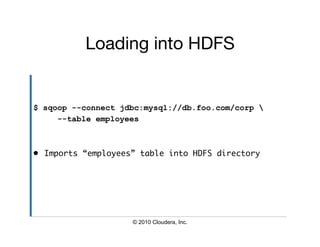
Loading into HDFS


$ sqoop --connect jdbc:mysql://db.foo.com/corp 
     --table employees


•  Imports “employees” table into HDFS directory	


                     © 2010 Cloudera, Inc.
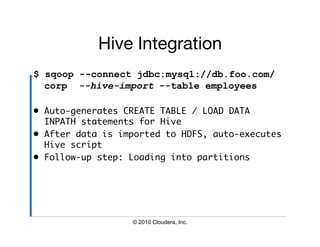
Hive Integration
$ sqoop --connect jdbc:mysql://db.foo.com/
  corp --hive-import --table employees

•  Auto-generates CREATE TABLE / LOAD DATA
   INPATH statements for Hive	
•  After data is imported to HDFS, auto-executes
   Hive script	
•  Follow-up step: Loading into partitions	


                   © 2010 Cloudera, Inc.
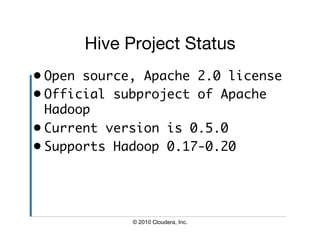
Hive Project Status
•  Open source, Apache 2.0 license	
•  Official subproject of Apache
   Hadoop	
•  Current version is 0.5.0	
•  Supports Hadoop 0.17-0.20	


             © 2010 Cloudera, Inc.
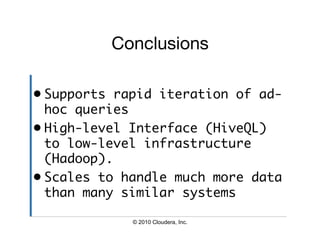
Conclusions

•  Supports rapid iteration of ad-
   hoc queries	
•  High-level Interface (HiveQL)
   to low-level infrastructure
   (Hadoop).	
•  Scales to handle much more data
   than many similar systems	

             © 2010 Cloudera, Inc.
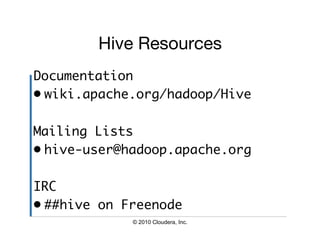
Hive Resources
                      
Documentation	
•  wiki.apache.org/hadoop/Hive	

Mailing Lists	
•  hive-user@hadoop.apache.org	

IRC	
•  ##hive on Freenode	
             © 2010 Cloudera, Inc.
Carl Steinbach
carl@cloudera.com
Hive Quick Start Tutorial

Hive Quick Start Tutorial

  • 1.
    Hive Quick Start © 2010 Cloudera, Inc.
  • 2.
    Background •  Started atFacebook •  Data was collected by nightly cron jobs into Oracle DB •  “ETL” via hand- coded python •  Grew from 10s of GBs (2006) to 1 TB/ day new data (2007), now 10x that. © 2010 Cloudera, Inc.
  • 3.
    Hadoop as EnterpriseData Warehouse •  Scribe and MySQL data loaded into Hadoop HDFS •  Hadoop MapReduce jobs to process data •  Missing components: –  Command-line interface for “end users” –  Ad-hoc query support • … without writing full MapReduce jobs –  Schema information © 2010 Cloudera, Inc.
  • 4.
    Hive Applications •  Logprocessing •  Text mining •  Document indexing •  Customer-facing business intelligence (e.g., Google Analytics) •  Predictive modeling, hypothesis testing © 2010 Cloudera, Inc.
  • 5.
    Hive Architecture © 2010 Cloudera, Inc.
  • 6.
    Data Model •  Tables –  Typed columns (int, float, string, date, boolean) –  Also, array/map/struct for JSON-like data •  Partitions –  e.g., to range-partition tables by date •  Buckets –  Hash partitions within ranges (useful for sampling, join optimization) © 2010 Cloudera, Inc.
  • 7.
    Column Data Types CREATE TABLE t ( s STRING, f FLOAT, a ARRAY<MAP<STRING, STRUCT<p1:INT, p2:INT>>); SELECT s, f, a[0][‘foobar’].p2 FROM t; © 2010 Cloudera, Inc.
  • 8.
    Metastore •  Database: namespacecontaining a set of tables •  Holds Table/Partition definitions (column types, mappings to HDFS directories) •  Statistics •  Implemented with DataNucleus ORM. Runs on Derby, MySQL, and many other relational databases © 2010 Cloudera, Inc.
  • 9.
    Physical Layout •  Warehousedirectory in HDFS –  e.g., /user/hive/warehouse •  Table row data stored in subdirectories of warehouse •  Partitions form subdirectories of table directories •  Actual data stored in flat files –  Control char-delimited text, or SequenceFiles –  With custom SerDe, can use arbitrary format © 2010 Cloudera, Inc.
  • 10.
    Installing Hive From a Release Tarball: $ wget http://archive.apache.org/dist/ hadoop/hive/hive-0.5.0/hive-0.5.0- bin.tar.gz $ tar xvzf hive-0.5.0-bin.tar.gz $ cd hive-0.5.0-bin $ export HIVE_HOME=$PWD $ export PATH=$HIVE_HOME/bin:$PATH © 2010 Cloudera, Inc.
  • 11.
    Installing Hive Building from Source: $ svn co http://svn.apache.org/repos/asf/ hadoop/hive/trunk hive $ cd hive $ ant package $ cd build/dist $ export HIVE_HOME=$PWD $ export PATH=$HIVE_HOME/bin:$PATH © 2010 Cloudera, Inc.
  • 12.
    Installing Hive Other Options: •  Use a Git Mirror: –  git://github.com/apache/hive.git •  Cloudera Hive Packages –  Redhat and Debian –  Packages include backported patches –  See archive.cloudera.com © 2010 Cloudera, Inc.
  • 13.
    Hive Dependencies •  Java 1.6 •  Hadoop 0.17-0.20 •  Hive *MUST* be able to find Hadoop: –  $HADOOP_HOME=<hadoop-install-dir> –  Add $HADOOP_HOME/bin to $PATH © 2010 Cloudera, Inc.
  • 14.
    Hive Dependencies •  Hive needs r/w access to /tmp and /user/hive/warehouse on HDFS: $ hadoop fs –mkdir /tmp $ hadoop fs –mkdir /user/hive/warehouse $ hadoop fs –chmod g+w /tmp $ hadoop fs –chmod g+w /user/hive/warehouse © 2010 Cloudera, Inc.
  • 15.
    Hive Configuration •  Defaultconfiguration in $HIVE_HOME/conf/hive-default.xml –  DO NOT TOUCH THIS FILE! •  Re(Define) properties in $HIVE_HOME/conf/hive-site.xml •  Use $HIVE_CONF_DIR to specify alternate conf dir location © 2010 Cloudera, Inc.
  • 16.
    Hive Configuration •  Youcan override Hadoop configuration properties in Hive’s configuration, e.g: – mapred.reduce.tasks=1 © 2010 Cloudera, Inc.
  • 17.
    Logging •  Hive useslog4j •  Log4j configuration located in $HIVE_HOME/conf/hive- log4j.properties •  Logs are stored in /tmp/$ {user.name}/hive.log © 2010 Cloudera, Inc.
  • 18.
    Starting the HiveCLI •  Start a terminal and run $ hive •  Should see a prompt like: hive> © 2010 Cloudera, Inc.
  • 19.
    Hive CLI Commands •  Set a Hive or Hadoop conf prop: – hive> set propkey=value; •  List all properties and values: – hive> set –v; •  Add a resource to the DCache: – hive> add [ARCHIVE|FILE|JAR] filename; © 2010 Cloudera, Inc.
  • 20.
    Hive CLI Commands •  List tables: – hive> show tables; •  Describe a table: – hive> describe <tablename>; •  More information: – hive> describe extended <tablename>; © 2010 Cloudera, Inc.
  • 21.
    Hive CLI Commands •  List Functions: – hive> show functions; •  More information: – hive> describe function <functionname>; © 2010 Cloudera, Inc.
  • 22.
    Selecting data hive> SELECT* FROM <tablename> LIMIT 10; hive> SELECT * FROM <tablename> WHERE freq > 100 SORT BY freq ASC LIMIT 10; © 2010 Cloudera, Inc.
  • 23.
    Manipulating Tables •  DDL operations –  SHOW TABLES –  CREATE TABLE –  ALTER TABLE –  DROP TABLE © 2010 Cloudera, Inc.
  • 24.
    Creating Tables inHive •  Most straightforward: CREATE TABLE foo(id INT, msg STRING); •  Assumes default table layout –  Text files; fields terminated with ^A, lines terminated with n © 2010 Cloudera, Inc.
  • 25.
    Changing Row Format • Arbitrary field, record separators are possible. e.g., CSV format: CREATE TABLE foo(id INT, msg STRING) DELIMITED FIELDS TERMINATED BY ‘,’ LINES TERMINATED BY ‘n’; © 2010 Cloudera, Inc.
  • 26.
    Partitioning Data •  One or more partition columns may be specified: CREATE TABLE foo (id INT, msg STRING) PARTITIONED BY (dt STRING); •  Creates a subdirectory for each value of the partition column, e.g.: /user/hive/warehouse/foo/dt=2009-03-20/ •  Queries with partition columns in WHERE clause will scan through only a subset of the data © 2010 Cloudera, Inc.
  • 27.
    Sqoop = SQL-to-Hadoop © 2010 Cloudera, Inc.
  • 28.
    Sqoop: Features •  JDBC-based interface (MySQL, Oracle, PostgreSQL, etc…) •  Automatic datatype generation –  Reads column info from table and generates Java classes –  Can be used in further MapReduce processing passes •  Uses MapReduce to read tables from database –  Can select individual table (or subset of columns) –  Can read all tables in database •  Supports most JDBC standard types and null values © 2010 Cloudera, Inc.
  • 29.
    Example input mysql> use corp; Database changed mysql> describe employees; +------------+-------------+------+-----+---------+----------------+ | Field | Type | Null | Key | Default | Extra | +------------+-------------+------+-----+---------+----------------+ | id | int(11) | NO | PRI | NULL | auto_increment | | firstname | varchar(32) | YES | | NULL | | | lastname | varchar(32) | YES | | NULL | | | jobtitle | varchar(64) | YES | | NULL | | | start_date | date | YES | | NULL | | | dept_id | int(11) | YES | | NULL | | +------------+-------------+------+-----+---------+----------------+ © 2010 Cloudera, Inc.
  • 30.
    Loading into HDFS $sqoop --connect jdbc:mysql://db.foo.com/corp --table employees •  Imports “employees” table into HDFS directory © 2010 Cloudera, Inc.
  • 31.
    Hive Integration $ sqoop--connect jdbc:mysql://db.foo.com/ corp --hive-import --table employees •  Auto-generates CREATE TABLE / LOAD DATA INPATH statements for Hive •  After data is imported to HDFS, auto-executes Hive script •  Follow-up step: Loading into partitions © 2010 Cloudera, Inc.
  • 32.
    Hive Project Status • Open source, Apache 2.0 license •  Official subproject of Apache Hadoop •  Current version is 0.5.0 •  Supports Hadoop 0.17-0.20 © 2010 Cloudera, Inc.
  • 33.
    Conclusions •  Supports rapiditeration of ad- hoc queries •  High-level Interface (HiveQL) to low-level infrastructure (Hadoop). •  Scales to handle much more data than many similar systems © 2010 Cloudera, Inc.
  • 34.
    Hive Resources Documentation •  wiki.apache.org/hadoop/Hive Mailing Lists •  hive-user@hadoop.apache.org IRC •  ##hive on Freenode © 2010 Cloudera, Inc.
  • 35.