Android Graphics and Animations
          Romain Guy and Chet Haase
                            Google
Welcome
   @romainguy
   @chethaase
Agenda
• Architecture
• Graphics
• Animations


                 3
Agenda
• Architecture
• Graphics
• Animations


                 4
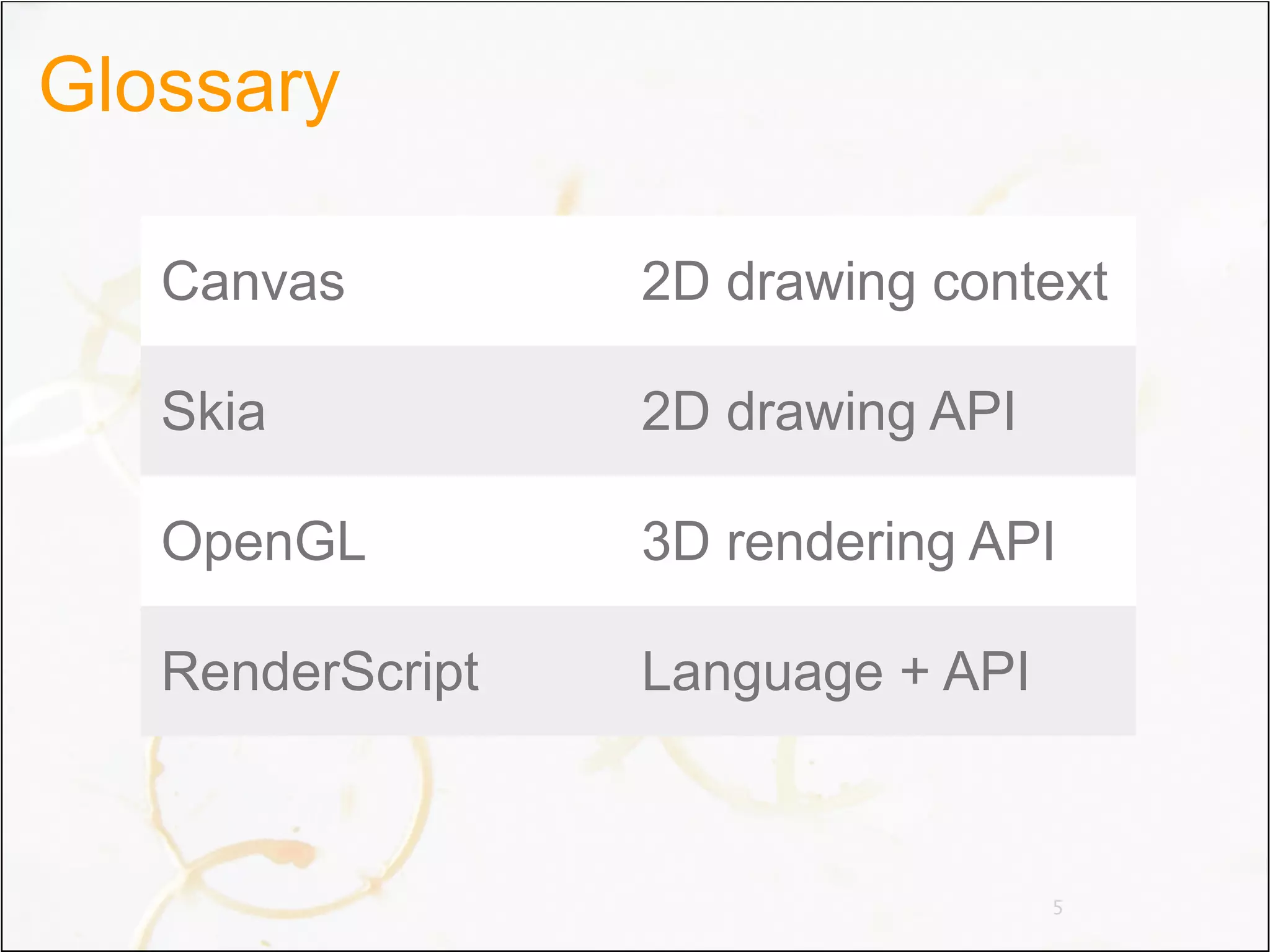
Glossary

   Canvas         2D drawing context

   Skia           2D drawing API

   OpenGL         3D rendering API

   RenderScript   Language + API


                                   5
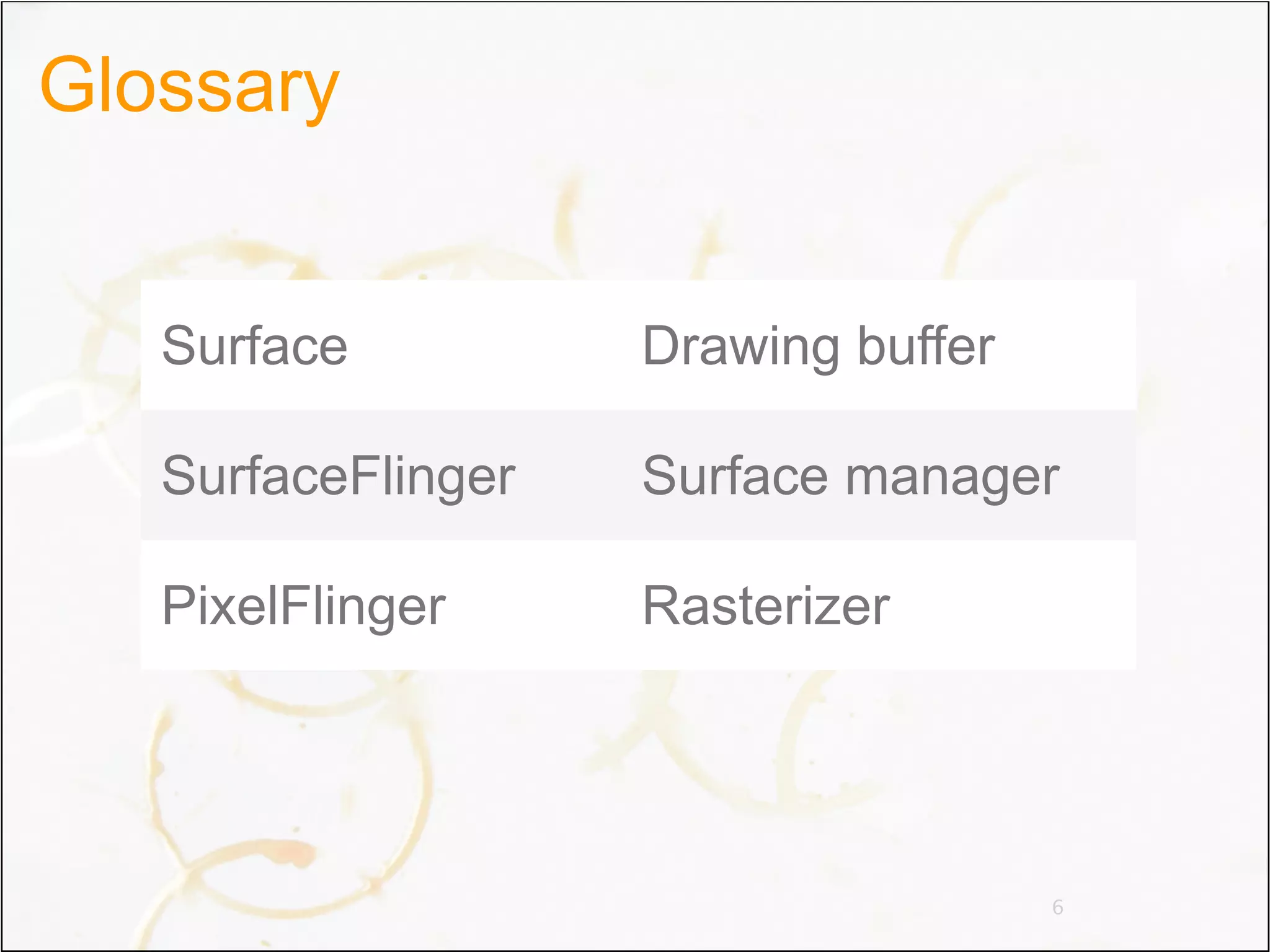
Glossary


   Surface          Drawing buffer

   SurfaceFlinger   Surface manager

   PixelFlinger     Rasterizer


                                     6
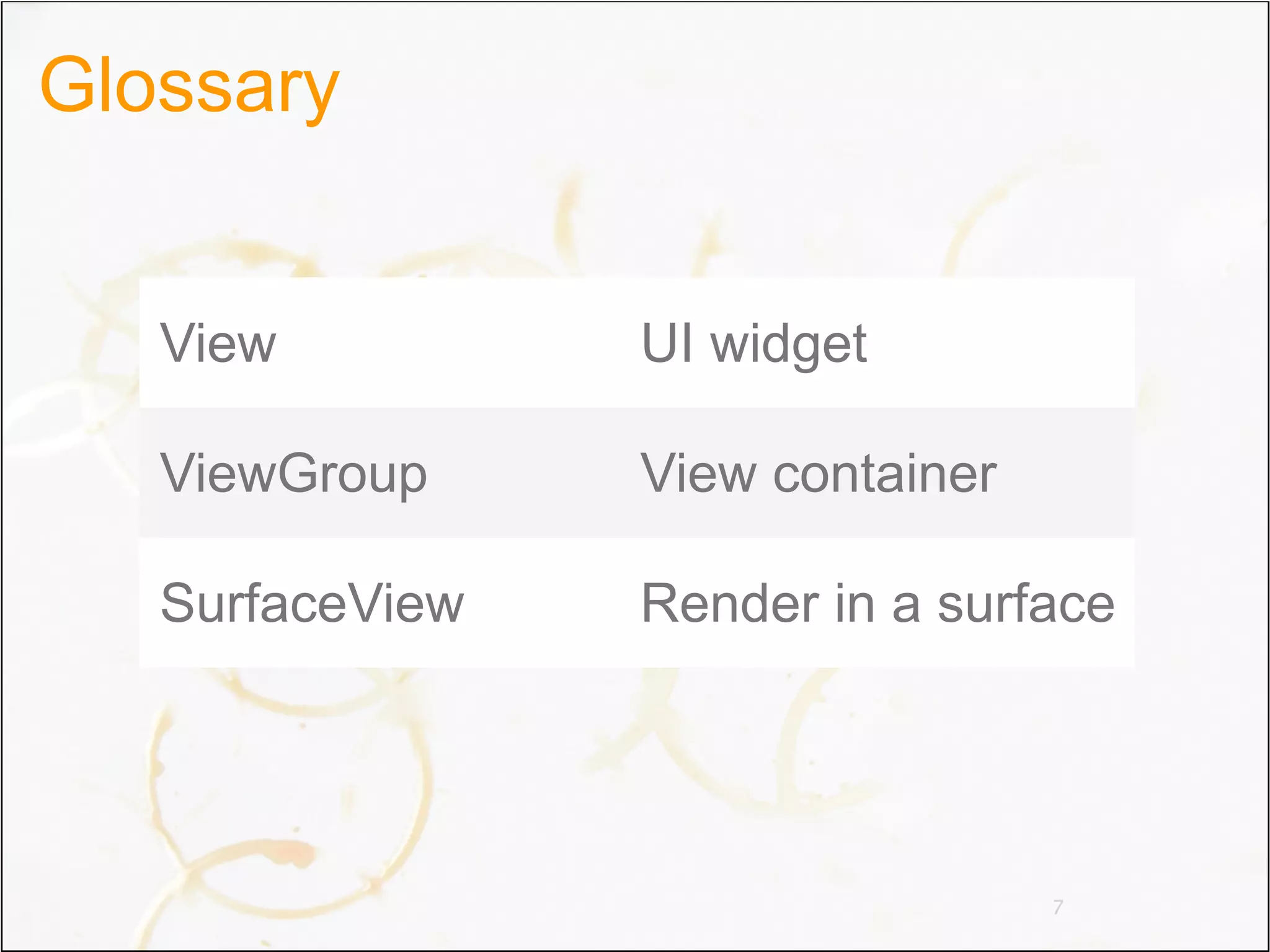
Glossary


   View          UI widget

   ViewGroup     View container

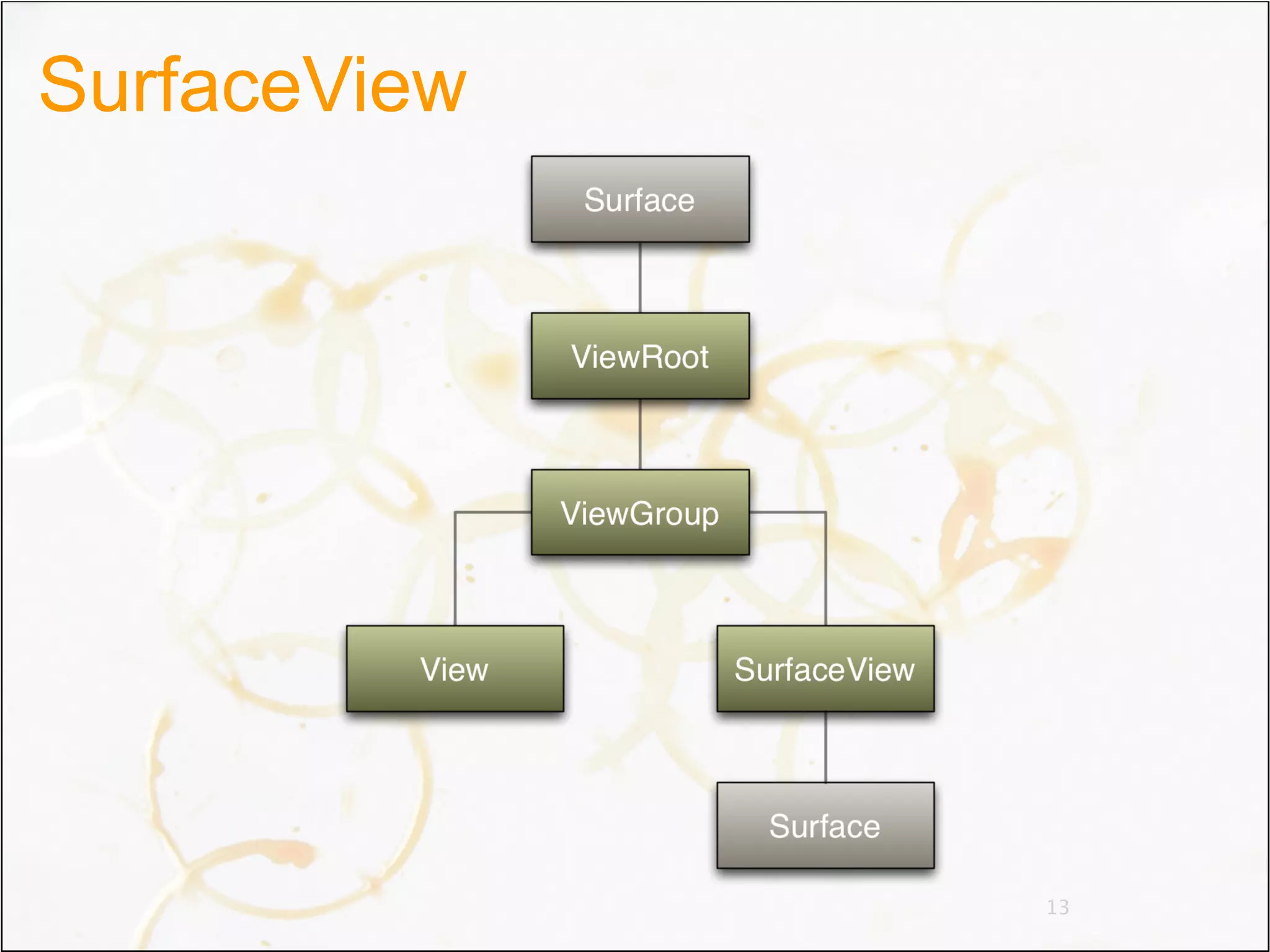
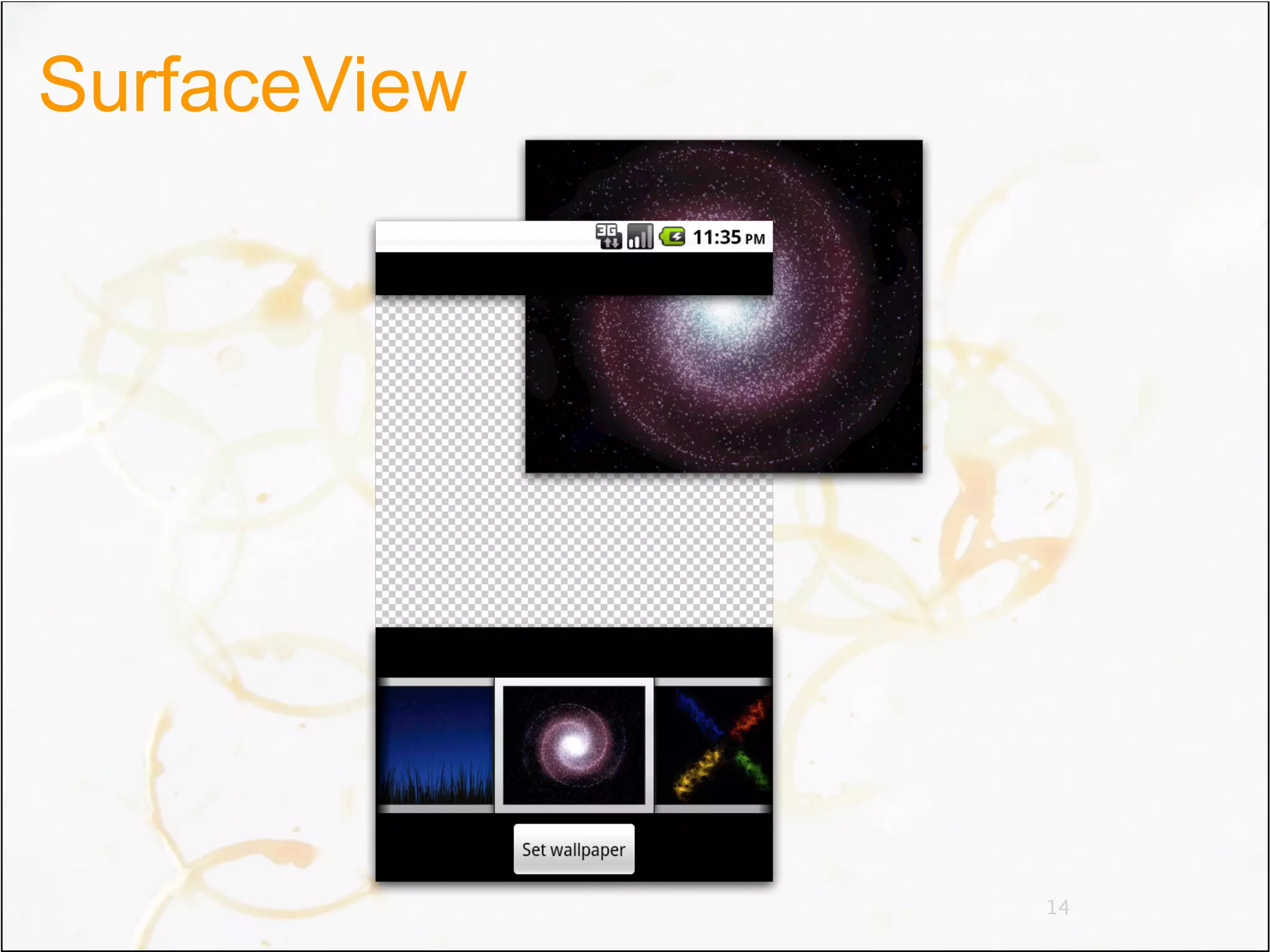
   SurfaceView   Render in a surface


                                  7
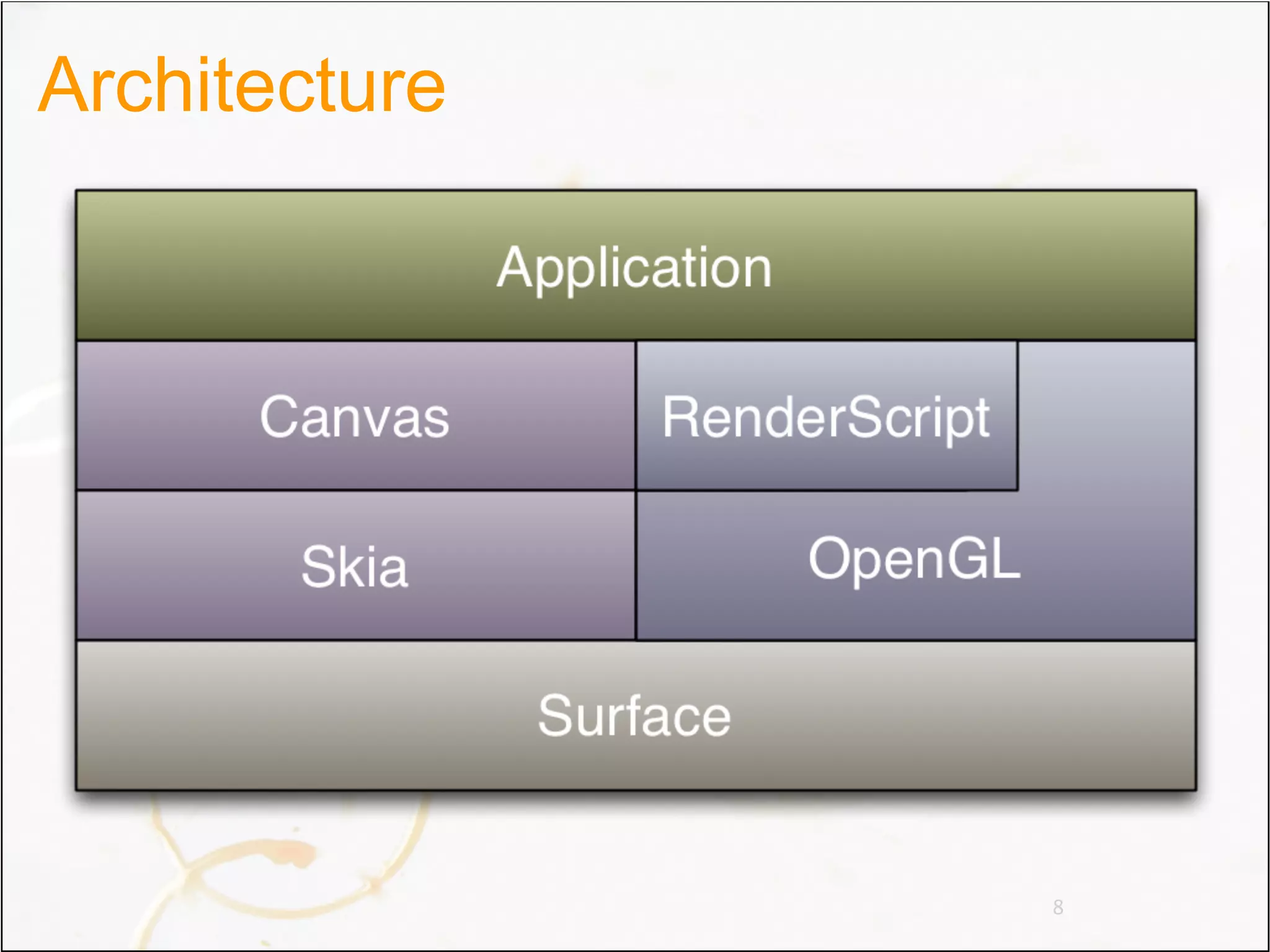
Architecture


               8
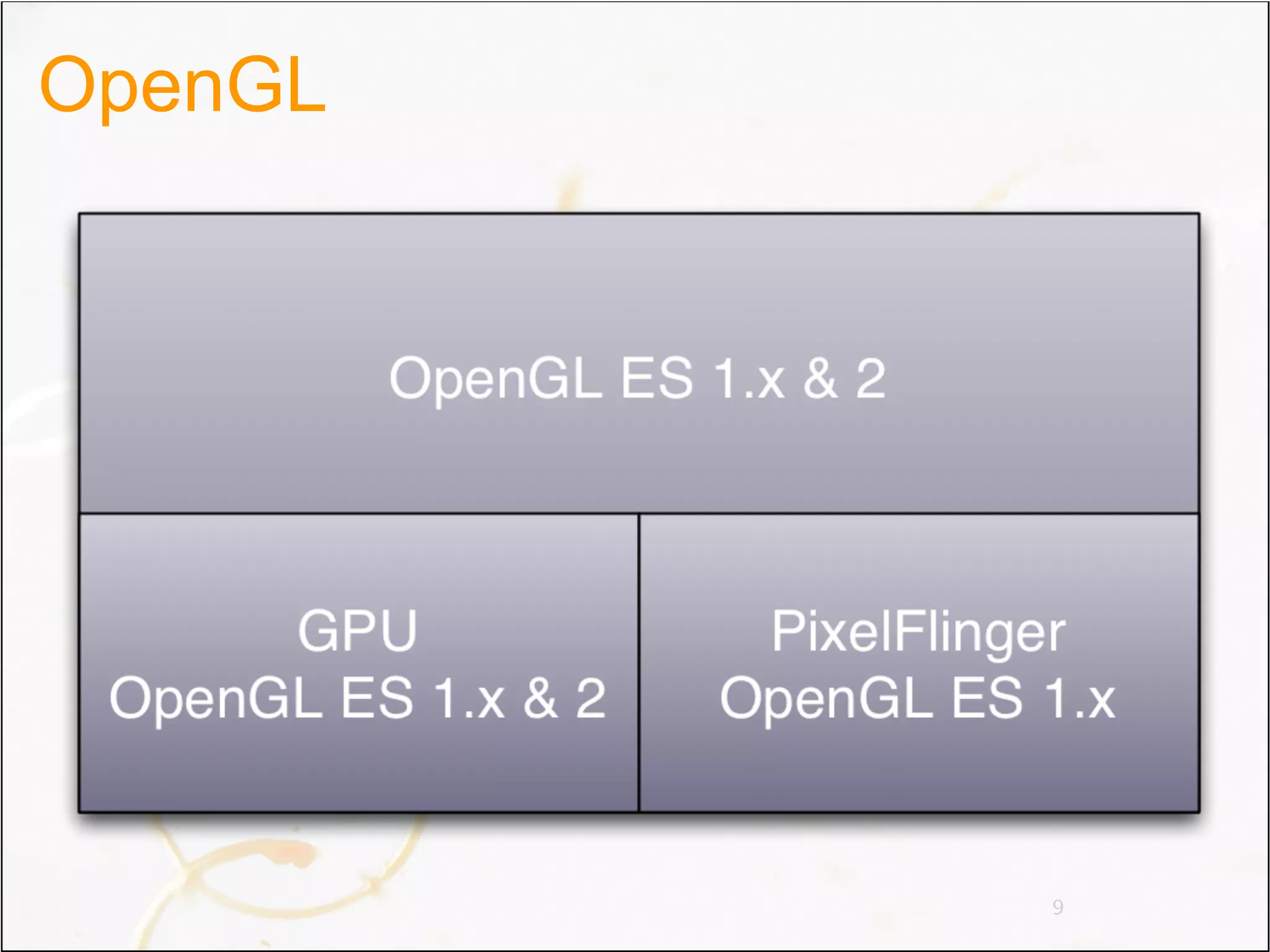
OpenGL


         9
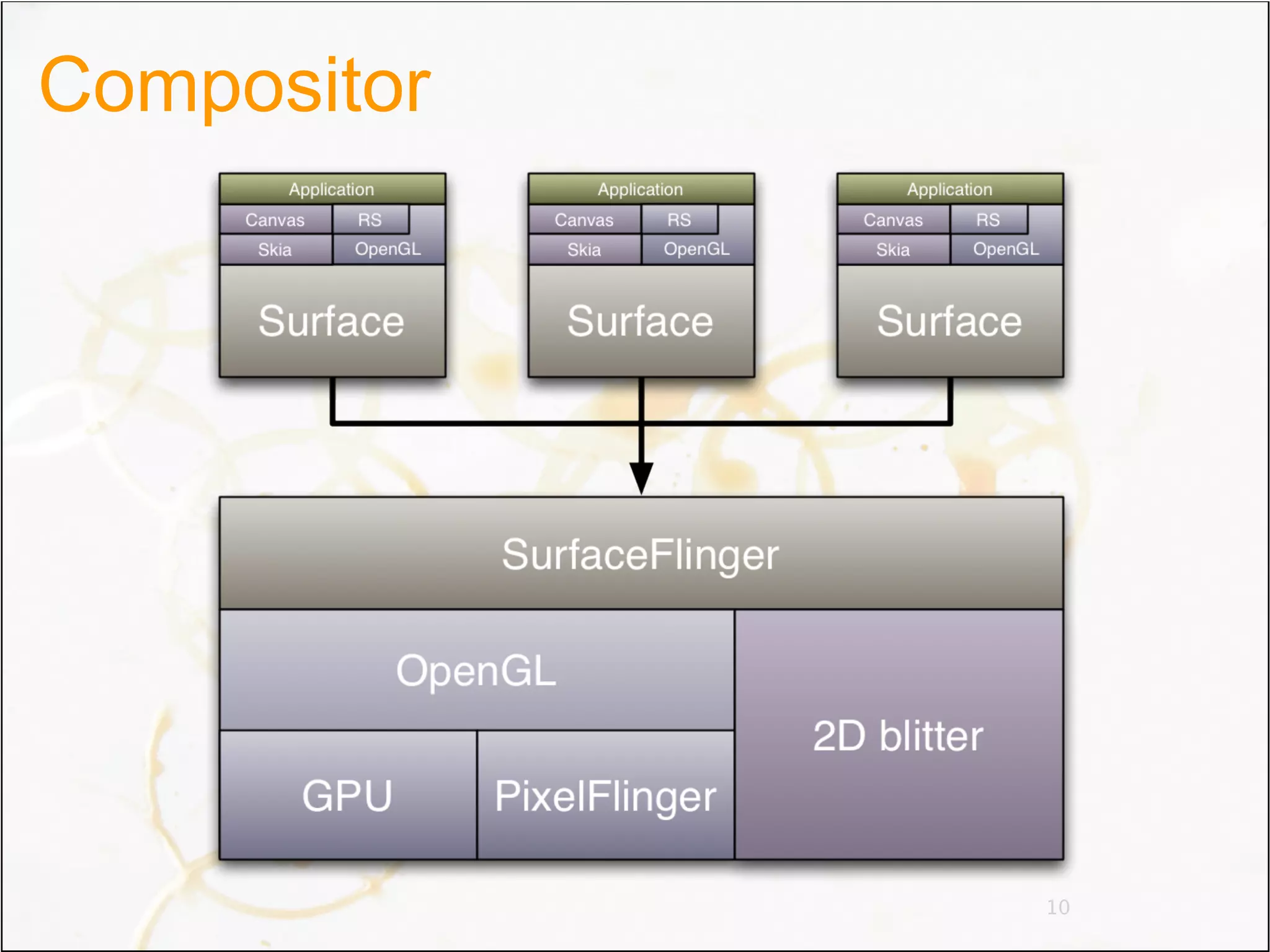
Compositor


             10
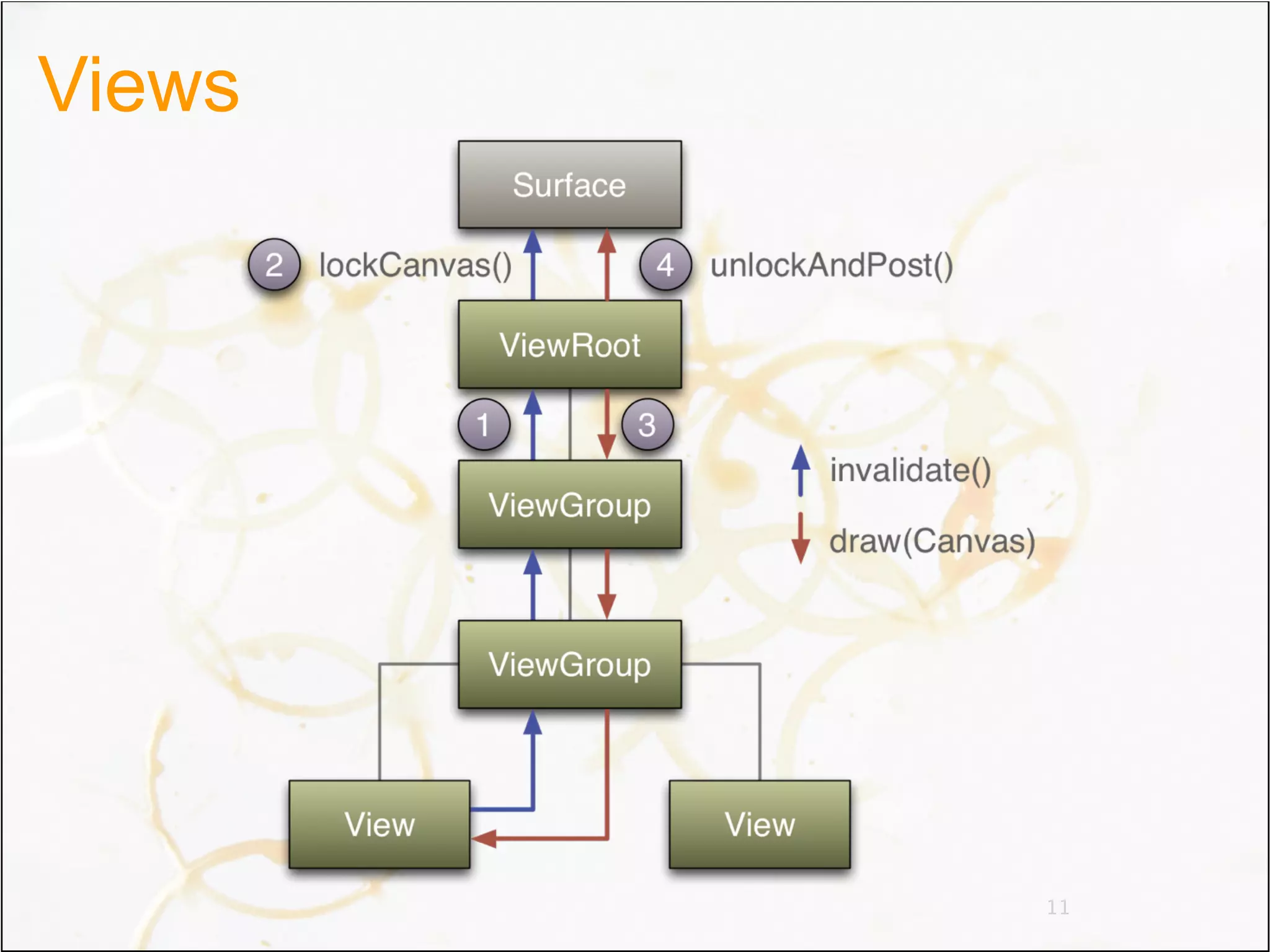
Views


        11
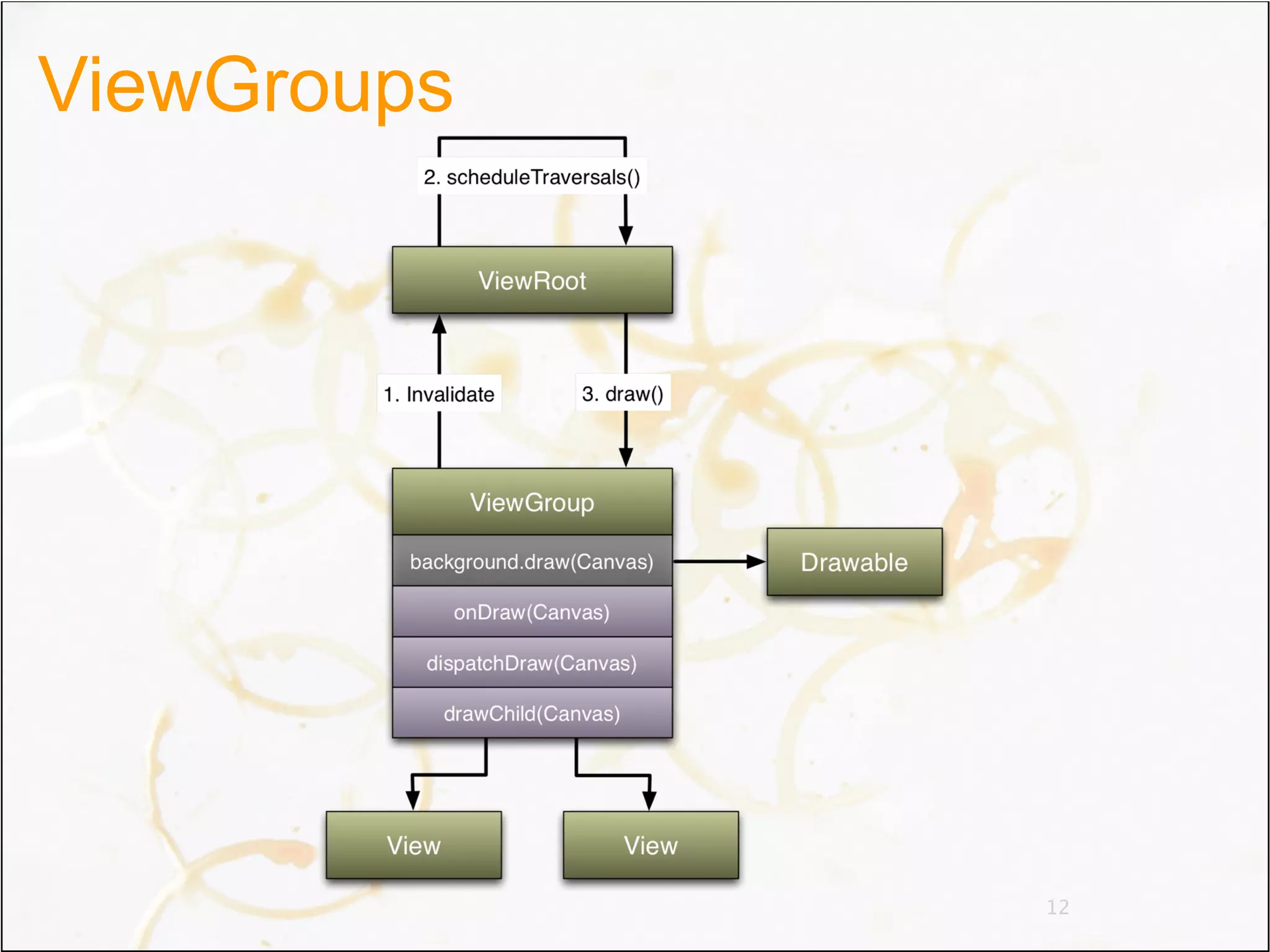
ViewGroups


             12
SurfaceView


              13
SurfaceView


              14
Agenda
• Architecture
• Graphics
• Animations


                 15
Demo
Drawing tools
• Paints
• Shaders
• ColorFilters
• Xfermodes
• Bitmaps


                 17
Paints
• Canvas is almost stateless
 – Transformations
 – Layers
• Paint has many states
 – Color, opacity, filtering, dithering, anti-aliasing...
• Don’t allocate paints onDraw()
 – Paint is not cheap


                                                     18
Shaders
• Draw horizontal span of colors
 – Text, paths, rounded rectangles, etc.
• Kinda like fragment shaders
• Pre-defined set
 –   LinearGradient
 –   RadialGradient
 –   SweepGradient
 –   BitmapShader
 –   ComposeShader


                                           19
Color filters
• Math operation on each pixel
• Pre-defined set
 – ColorMatrixColorFilter
 – LightingColorFilter
 – PorterDuffColorFilter


                                 20
Xfermodes
• Weird name for blending modes
• Porter-Duff alpha blending
 – SrcOver
 – DstOut
 – etc.
• Color blending
 –   Darken
 –   Lighten
 –   Multiply
 –   Screen
                                  21
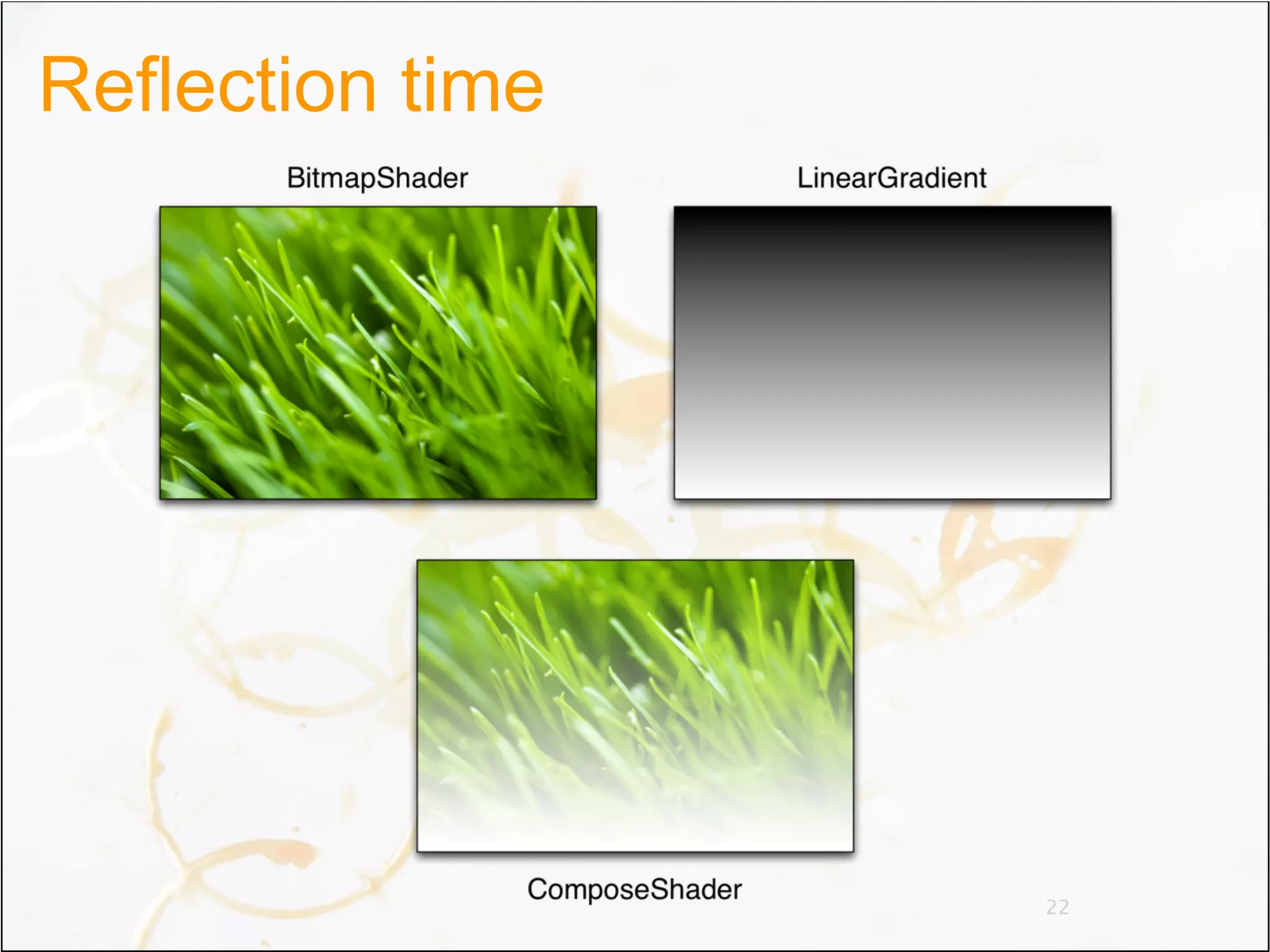
Reflection time


                  22
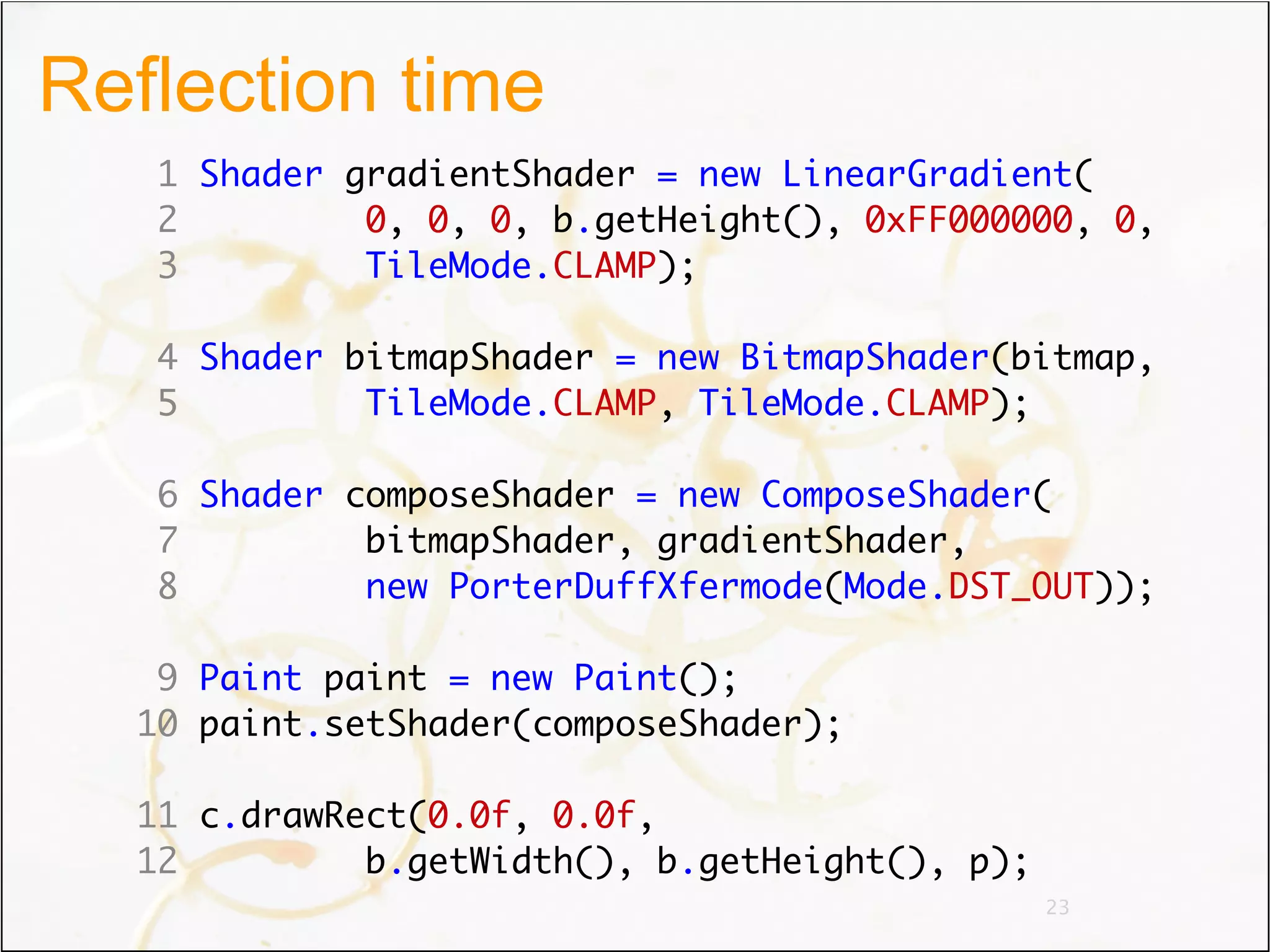
Reflection time
   1 Shader gradientShader = new LinearGradient(
   2         0, 0, 0, b.getHeight(), 0xFF000000, 0,
   3         TileMode.CLAMP);

   4 Shader bitmapShader = new BitmapShader(bitmap,
   5         TileMode.CLAMP, TileMode.CLAMP);

   6 Shader composeShader = new ComposeShader(
   7         bitmapShader, gradientShader,
   8         new PorterDuffXfermode(Mode.DST_OUT));

   9 Paint paint = new Paint();
  10 paint.setShader(composeShader);

  11 c.drawRect(0.0f, 0.0f,
  12         b.getWidth(), b.getHeight(), p);
                                                23
Bitmaps
• Mutable or immutable
• Density
• Recyclable
• 4 formats


                         24
Formats
• ALPHA_8
  To store alpha masks (font cache, etc.)
• ARGB_4444
  Don’t use it
• ARGB_8888
  Full color, translucency, it’s awesome
• RGB_565
  No alpha channel, saves memory, dithering


                                        25
Choose the right format
• Quality
 – Preload Bitmaps in the right format
 – Paint.setDither(true)
 – Drawable.setDither(true)
• Performance
• Avoid blending
 – Opaque ARGB_8888 bitmaps are optimized
• Render onto compatible surfaces
 – Draw 32 bits onto 32 bits windows, etc.
 – getWindow().getAttributes().format
                                            26
Bitmaps demo
Performance
                             16 bits
              16 bits                       32 bits
                            dithered


  ARGB_8888   6.0 ms        7.5 ms          2.0 ms


  ARGB_4444   4.0 ms        5.0 ms          3.5 ms


   RGB_565    0.5 ms        0.5 ms          6.0 ms

               Performance measured with HVGA 2.2 emulator

                                                   28
In Gingerbread...
• All windows are 32 bits
 – Transparent: RGBA_8888
 – Opaque: RGBX_8888
• OpenGL surfaces are 16 bits
• All bitmaps loaded in 32 bits (ARGB_8888)
• For quality reasons
 – No more banding, no more dithering


                                        29
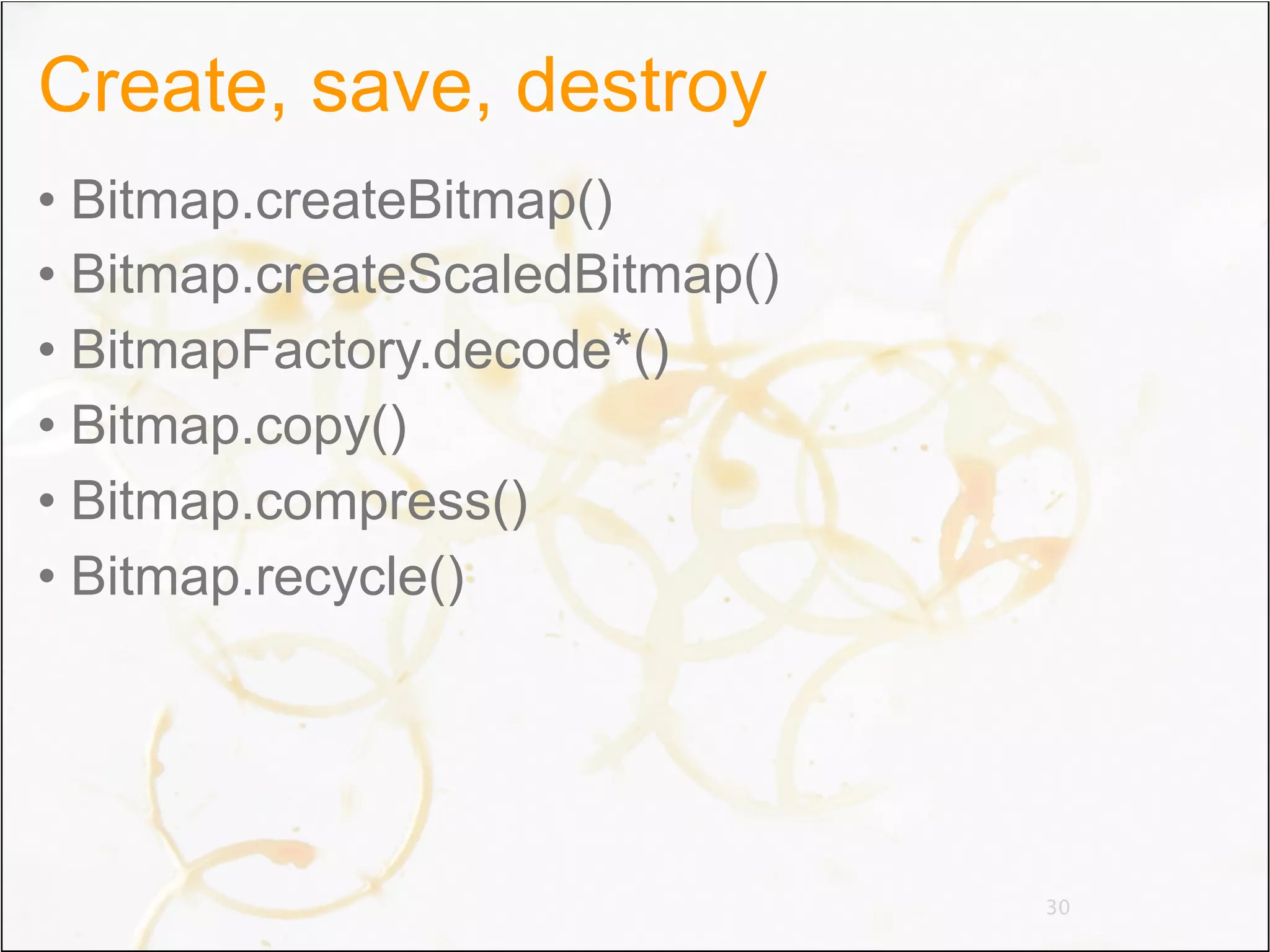
Create, save, destroy
• Bitmap.createBitmap()
• Bitmap.createScaledBitmap()
• BitmapFactory.decode*()
• Bitmap.copy()
• Bitmap.compress()
• Bitmap.recycle()


                                30
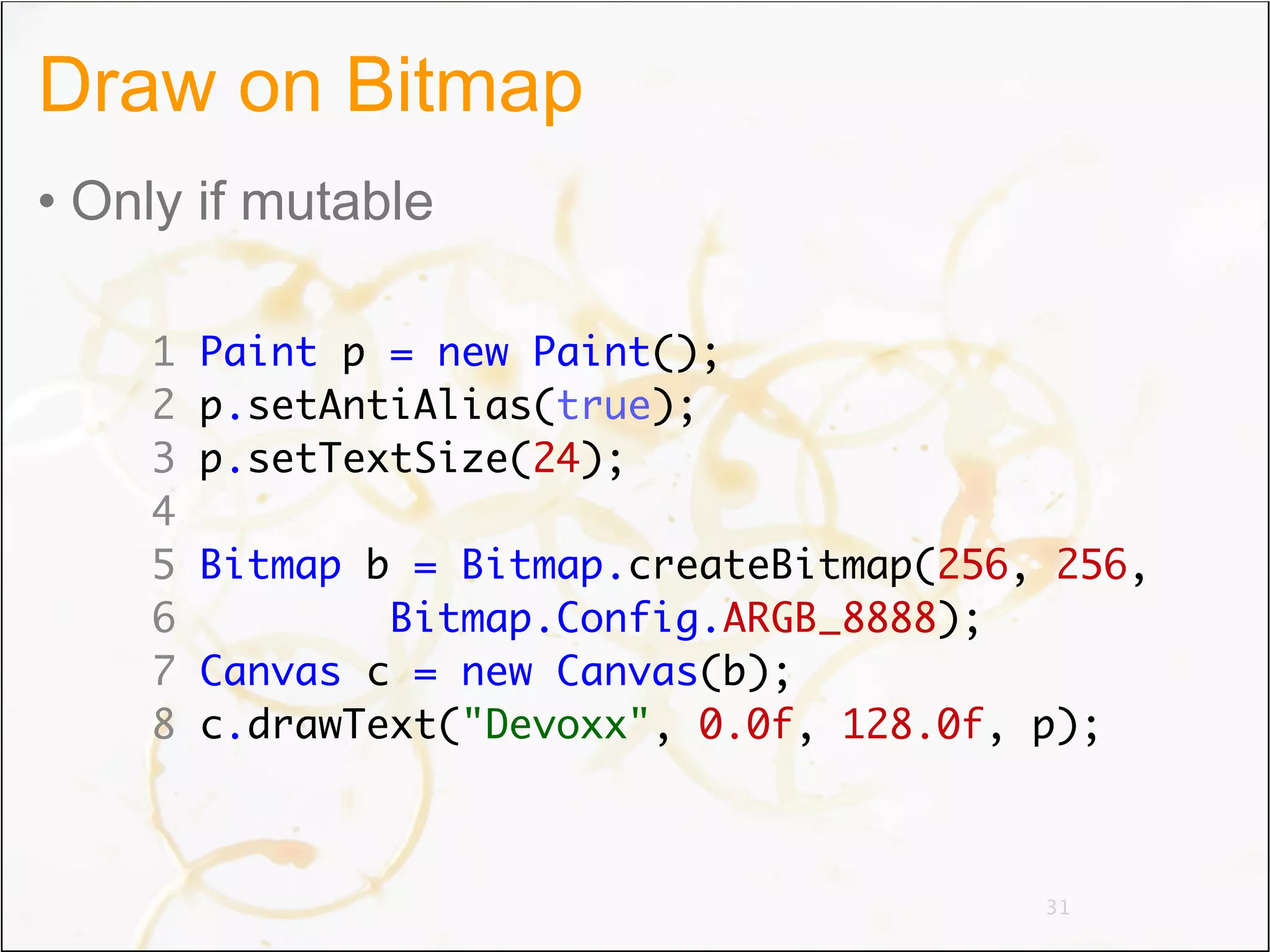
Draw on Bitmap
• Only if mutable

    1   Paint p = new Paint();
    2   p.setAntiAlias(true);
    3   p.setTextSize(24);
    4
    5   Bitmap b = Bitmap.createBitmap(256, 256,
    6           Bitmap.Config.ARGB_8888);
    7   Canvas c = new Canvas(b);
    8   c.drawText("Devoxx", 0.0f, 128.0f, p);


                                           31
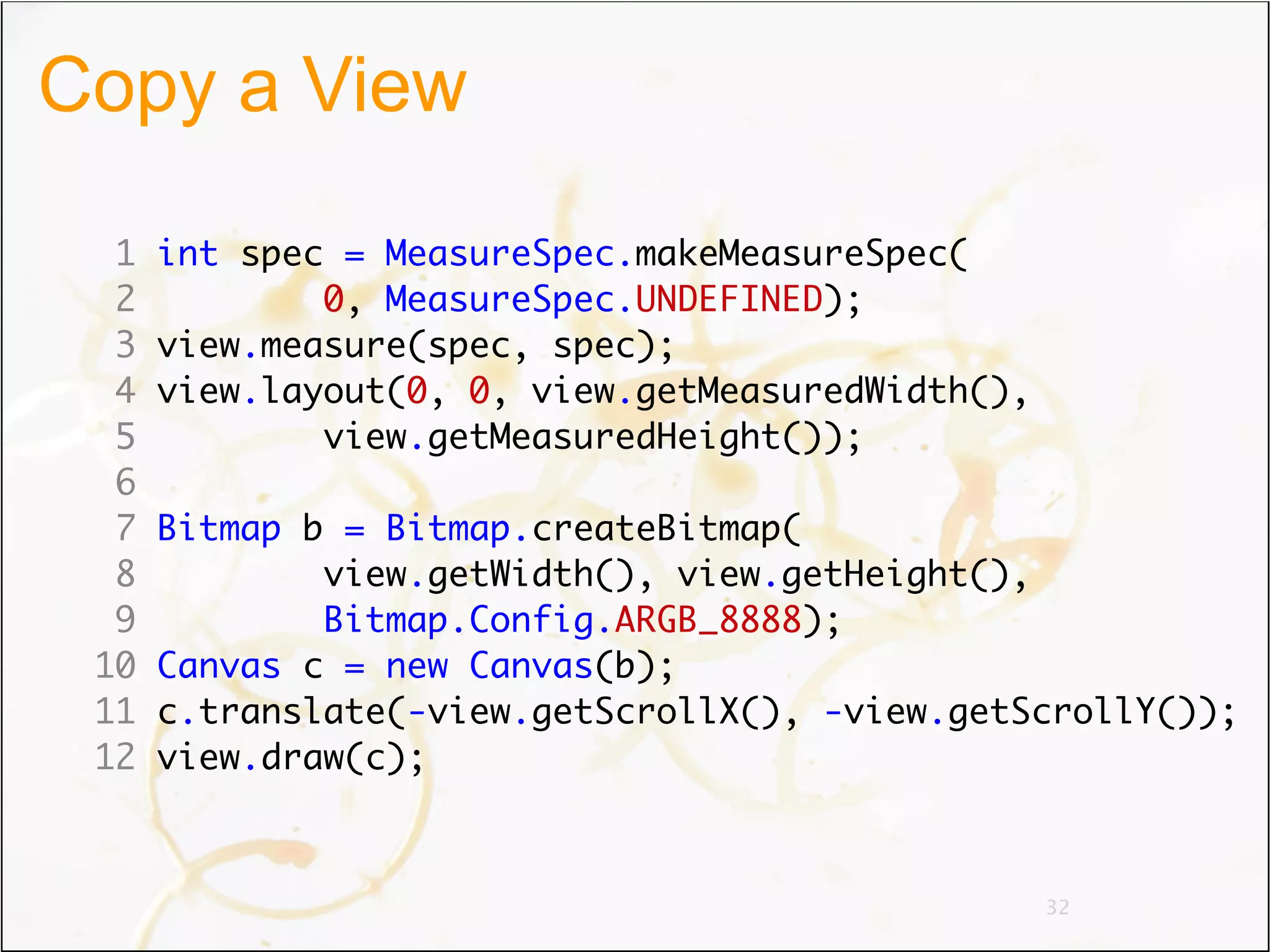
Copy a View

  1   int spec = MeasureSpec.makeMeasureSpec(
  2           0, MeasureSpec.UNDEFINED);
  3   view.measure(spec, spec);
  4   view.layout(0, 0, view.getMeasuredWidth(),
  5           view.getMeasuredHeight());
  6
  7   Bitmap b = Bitmap.createBitmap(
  8           view.getWidth(), view.getHeight(),
  9           Bitmap.Config.ARGB_8888);
 10   Canvas c = new Canvas(b);
 11   c.translate(-view.getScrollX(), -view.getScrollY());
 12   view.draw(c);


                                                   32
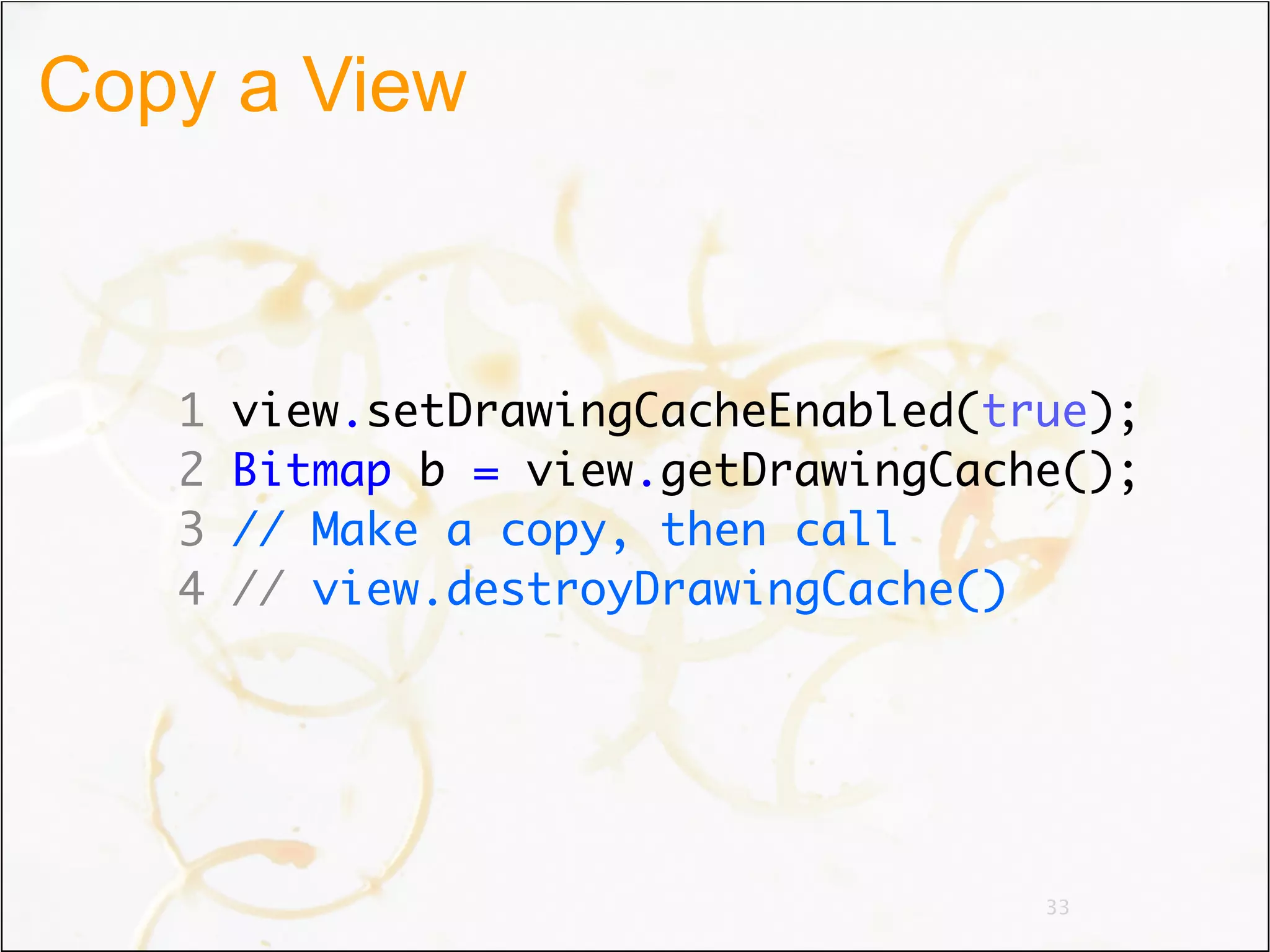
Copy a View


   1   view.setDrawingCacheEnabled(true);
   2   Bitmap b = view.getDrawingCache();
   3   // Make a copy, then call
   4   // view.destroyDrawingCache()


                                     33
Agenda
• Architecture
• Graphics
• Animations


                 34
Animation in Android
• Motivation
• Current Animation Support
 –Animation superclass
 –Animation subclasses
• The Future!


                              35
Why Animation?
• Liven up the UI
• Transition between application states
• Keep the user engaged


                                          36
Animation Superclass
• Timing: duration, startDelay
• Repetition: repeatMode, repeatCount
• Easing: Interpolator
• End state: fillAfter, fillBefore


                                        37
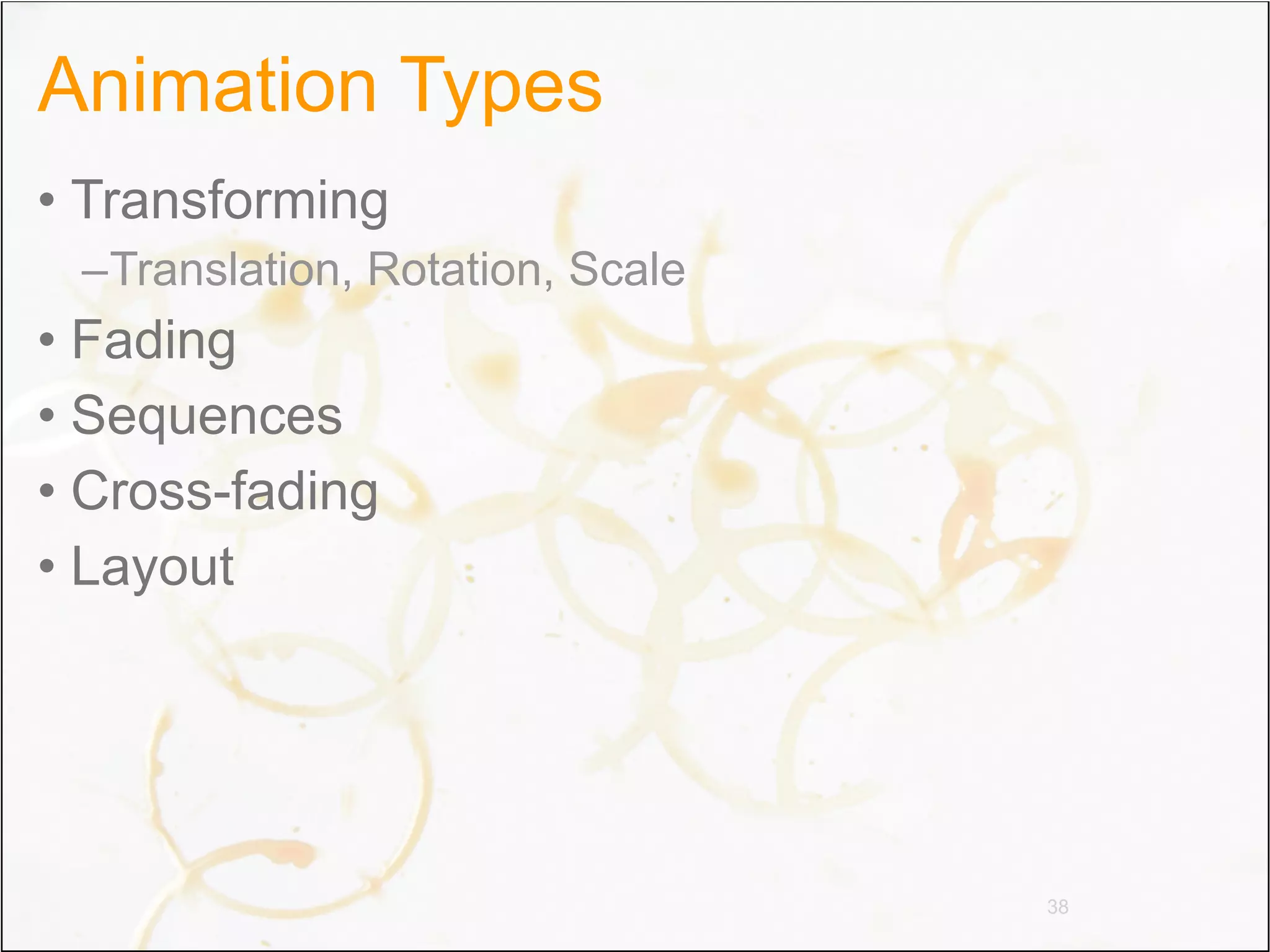
Animation Types
• Transforming
 –Translation, Rotation, Scale
• Fading
• Sequences
• Cross-fading
• Layout


                                 38
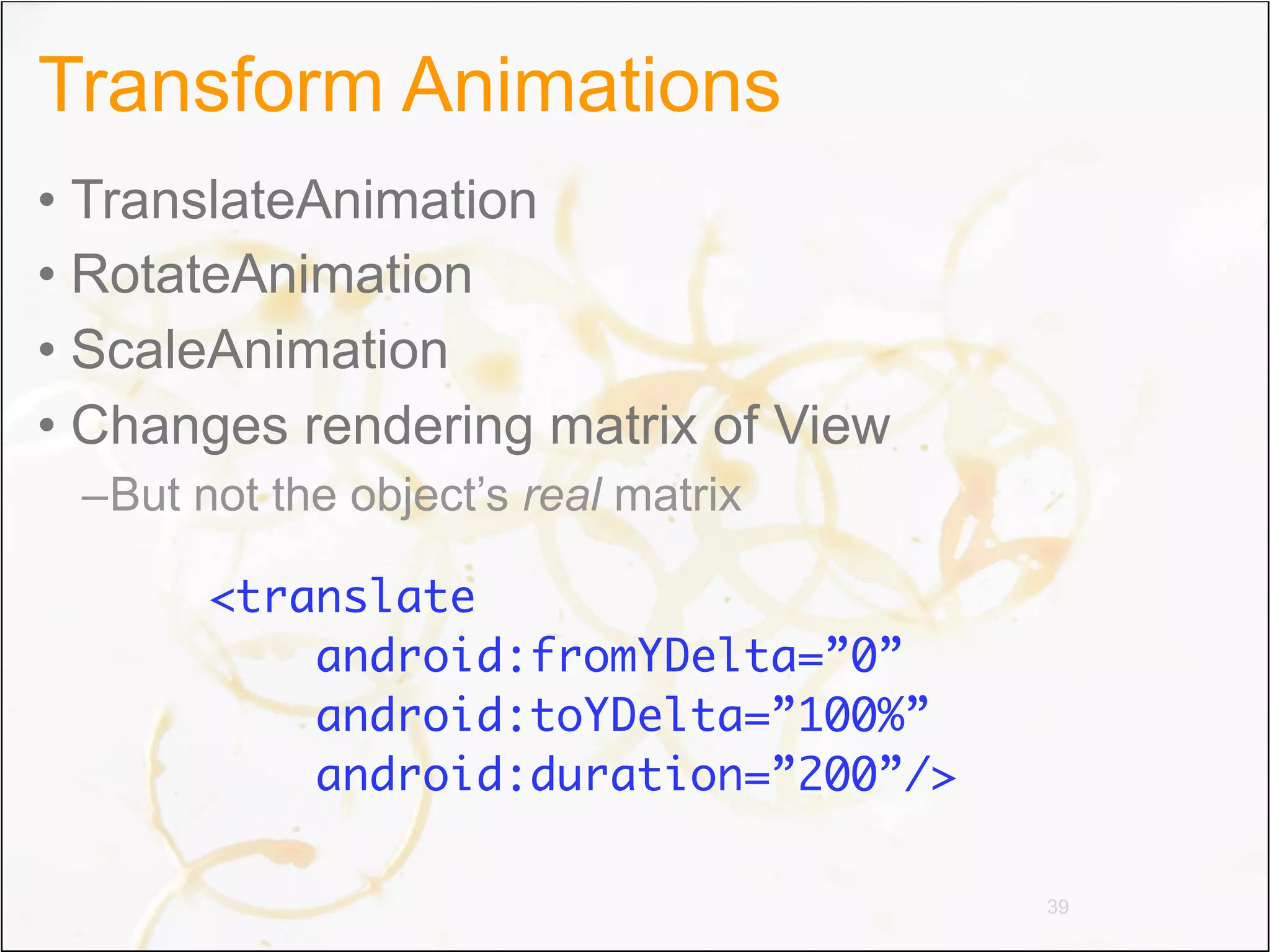
Transform Animations
• TranslateAnimation
• RotateAnimation
• ScaleAnimation
• Changes rendering matrix of View
 –But not the object’s real matrix

       <translate
           android:fromYDelta=”0”
           android:toYDelta=”100%”
           android:duration=”200”/>

                                      39
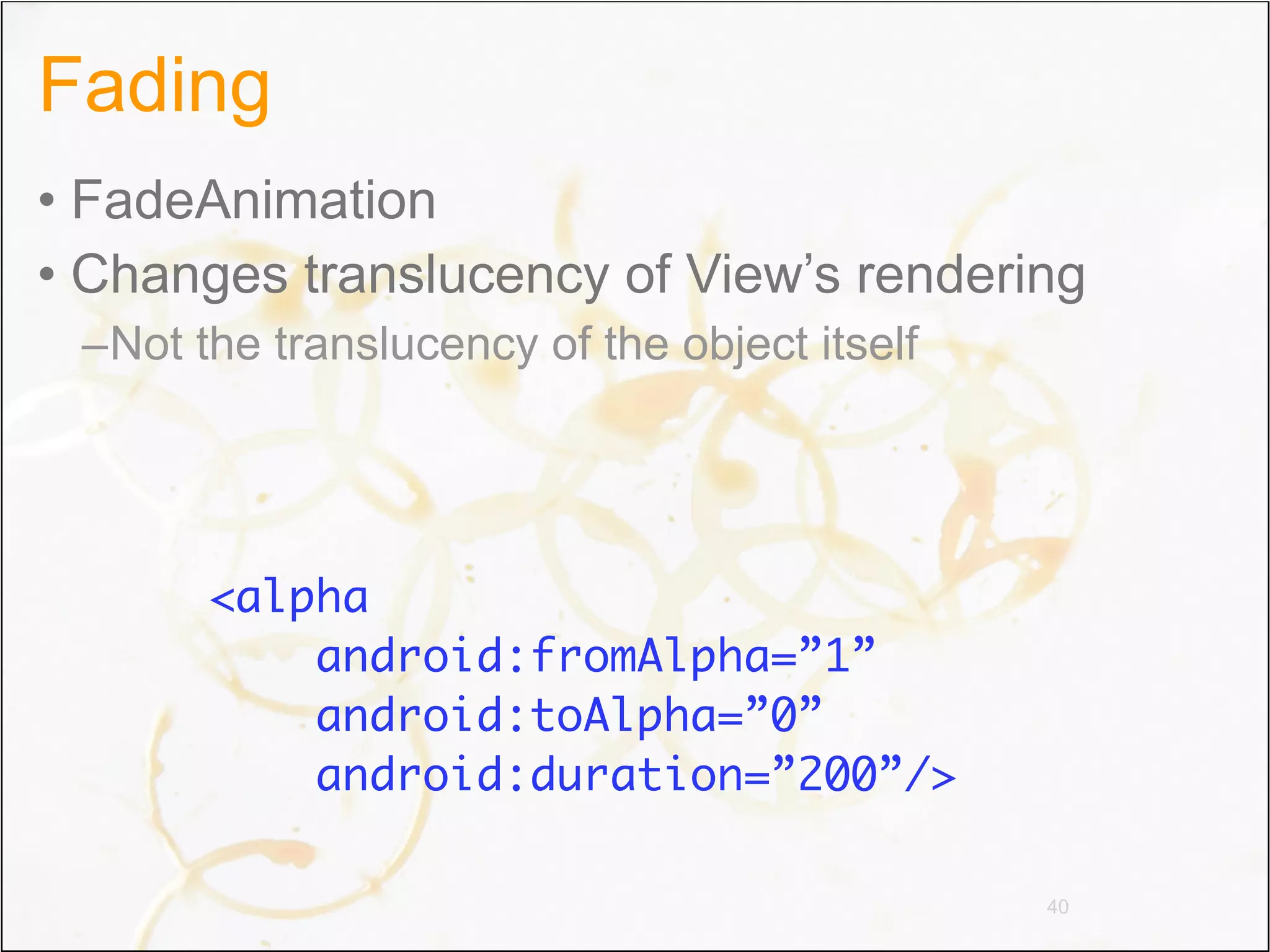
Fading
• FadeAnimation
• Changes translucency of View’s rendering
 –Not the translucency of the object itself


       <alpha
           android:fromAlpha=”1”
           android:toAlpha=”0”
           android:duration=”200”/>

                                              40
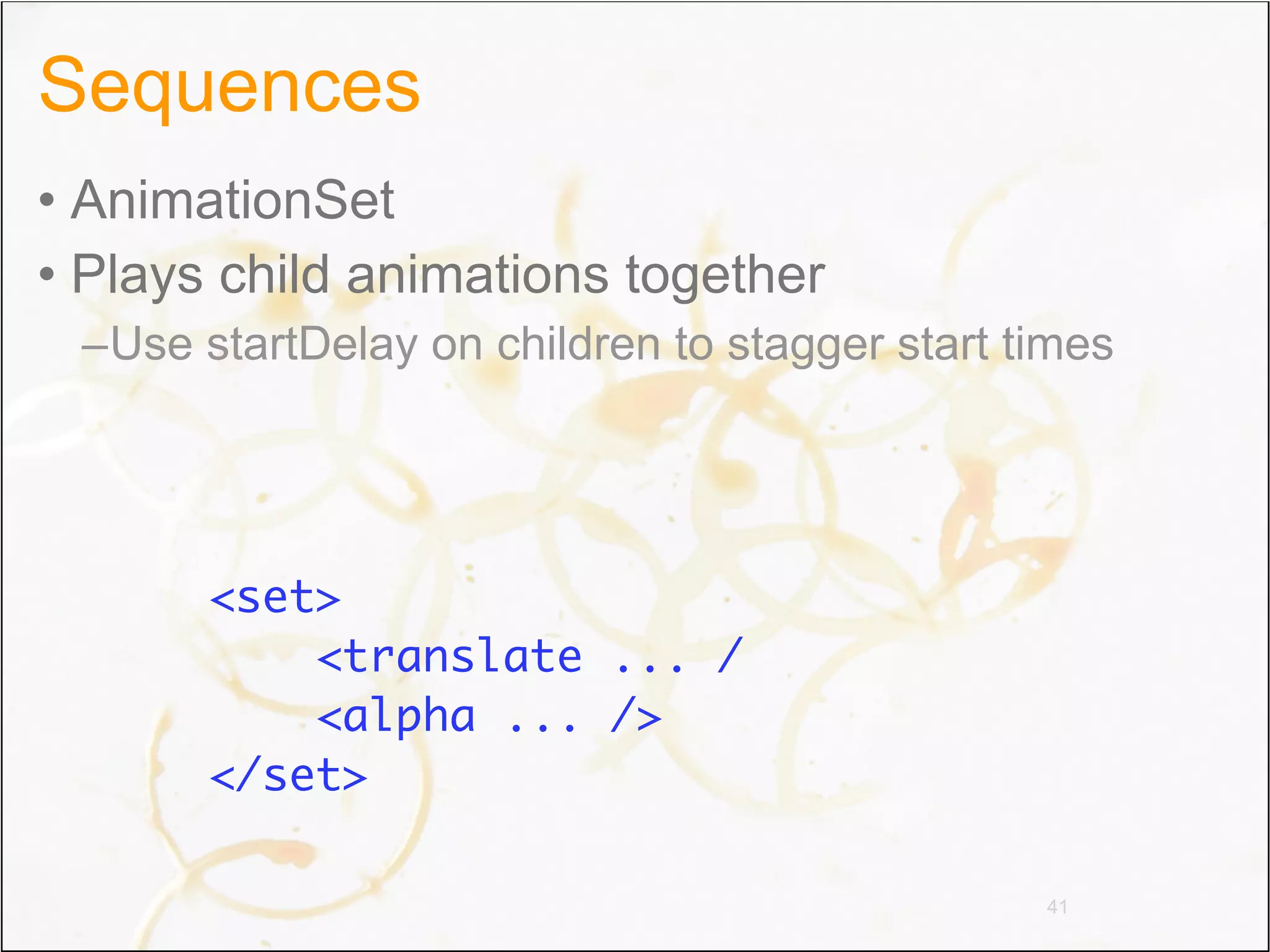
Sequences
• AnimationSet
• Plays child animations together
 –Use startDelay on children to stagger start times


       <set>
           <translate ... /
           <alpha ... />
       </set>

                                               41
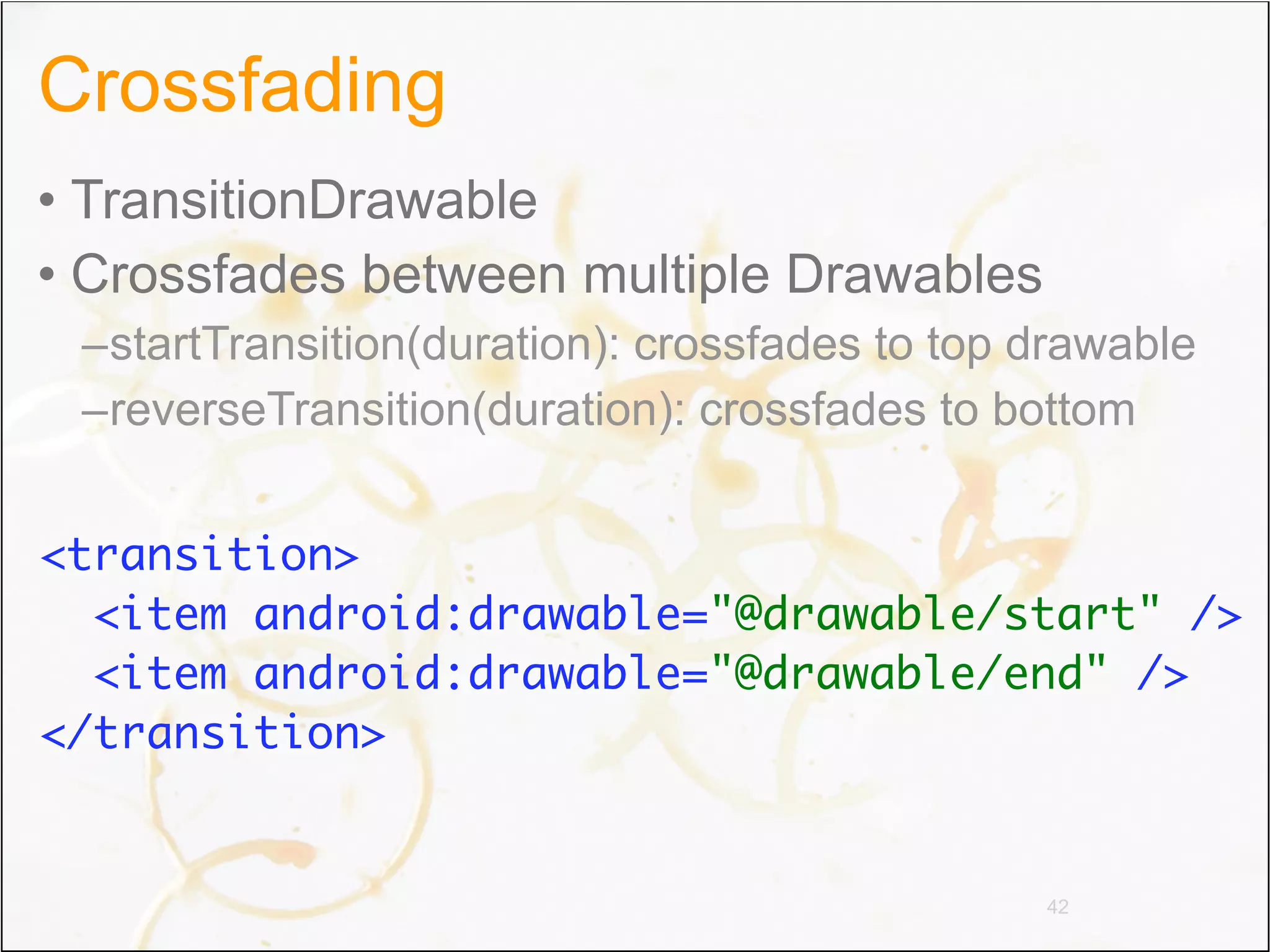
Crossfading
• TransitionDrawable
• Crossfades between multiple Drawables
 –startTransition(duration): crossfades to top drawable
 –reverseTransition(duration): crossfades to bottom


<transition>
  <item android:drawable="@drawable/start" />
  <item android:drawable="@drawable/end" />
</transition>


                                               42
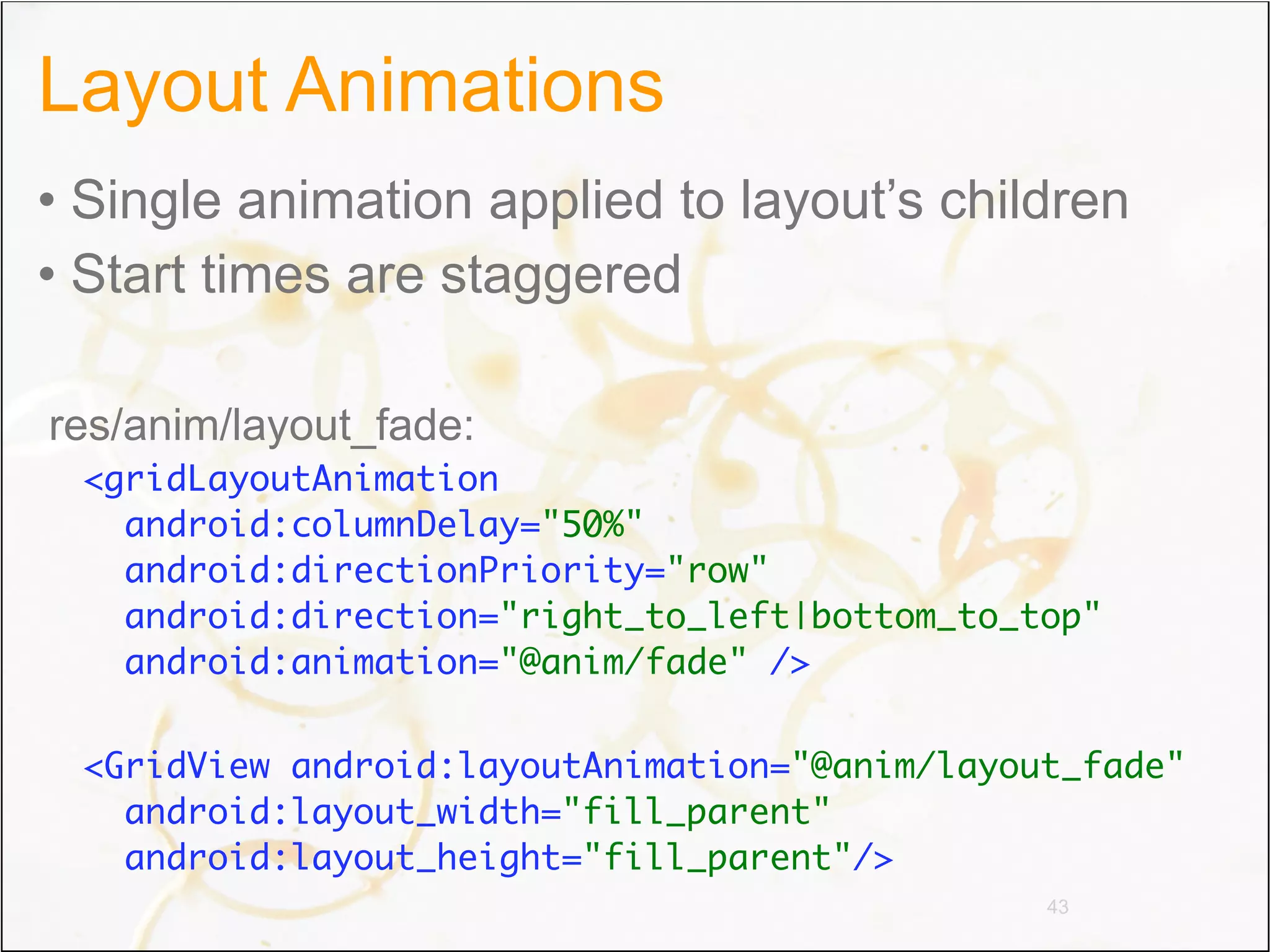
Layout Animations
• Single animation applied to layout’s children
• Start times are staggered

res/anim/layout_fade:
 <gridLayoutAnimation
   android:columnDelay="50%"
   android:directionPriority="row"
   android:direction="right_to_left|bottom_to_top"
   android:animation="@anim/fade" />

 <GridView android:layoutAnimation="@anim/layout_fade"
   android:layout_width="fill_parent"
   android:layout_height="fill_parent"/>
                                               43
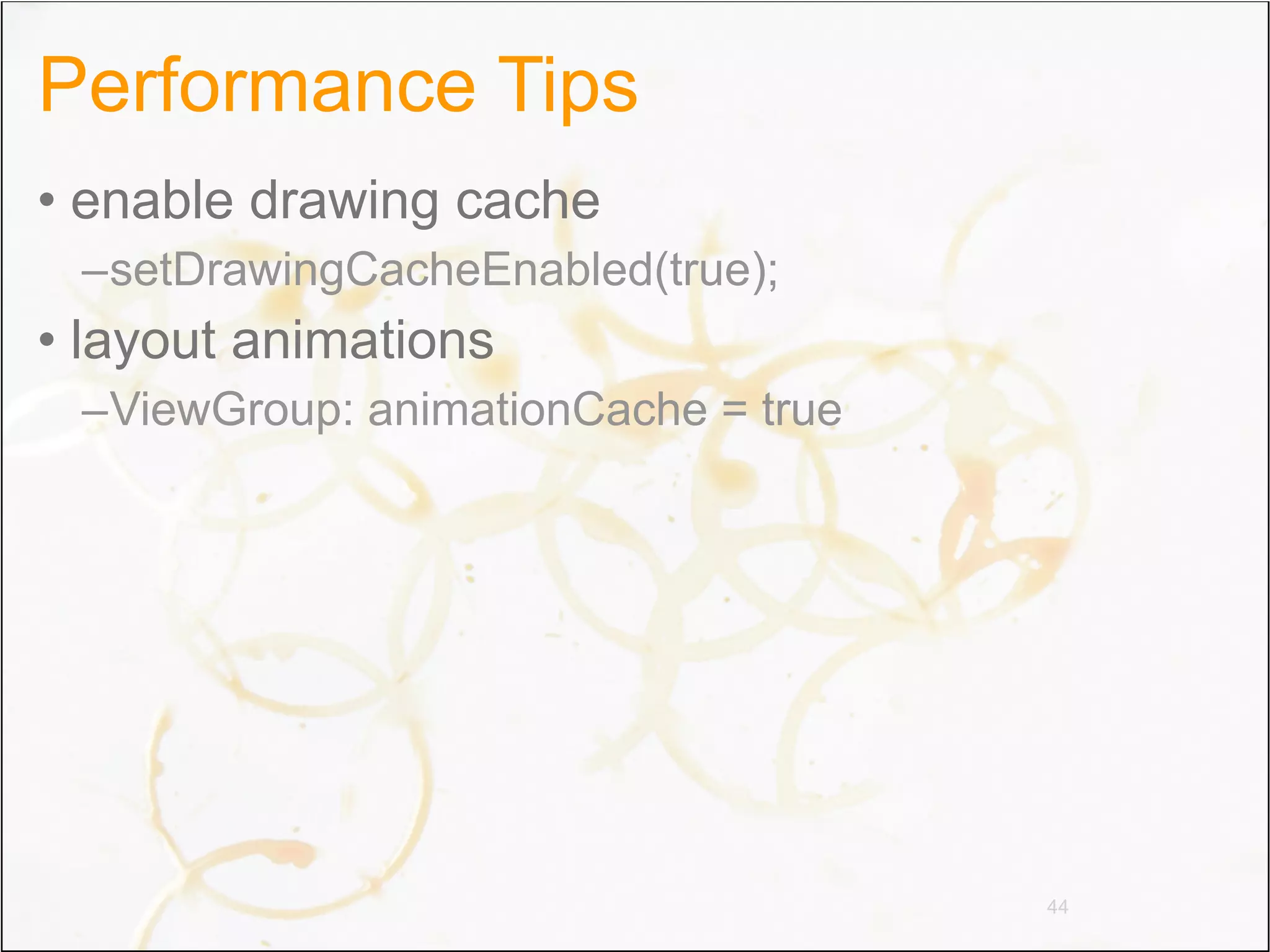
Performance Tips
• enable drawing cache
 –setDrawingCacheEnabled(true);
• layout animations
 –ViewGroup: animationCache = true


                                     44
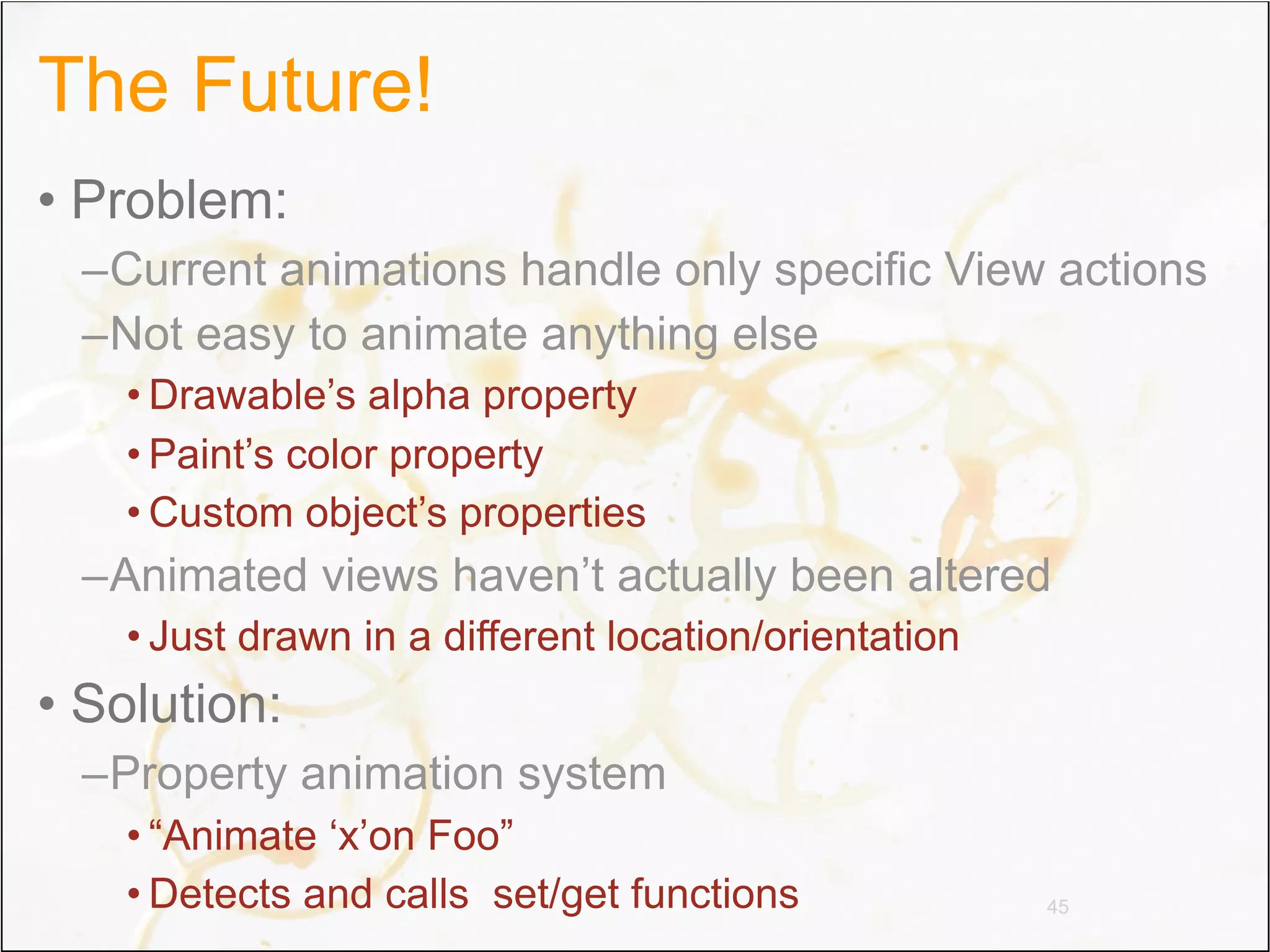
The Future!
• Problem:
 –Current animations handle only specific View actions
 –Not easy to animate anything else
   • Drawable’s alpha property
   • Paint’s color property
   • Custom object’s properties
 –Animated views haven’t actually been altered
   • Just drawn in a different location/orientation
• Solution:
 –Property animation system
   • “Animate ‘x’on Foo”
   • Detects and calls set/get functions              45
Discla
                                     im
The Future                   not re er: This API
                                    pre           ex
                            any pa sent a com ample does
                                    rt           m
                           interfa icular imple itment to
                                   c             menta
                          If ther e in any fut          t
                                  e were       ure re ion or
                         is not           s          lease.
                                 guara uch a releas
                                        nteed         e, whic
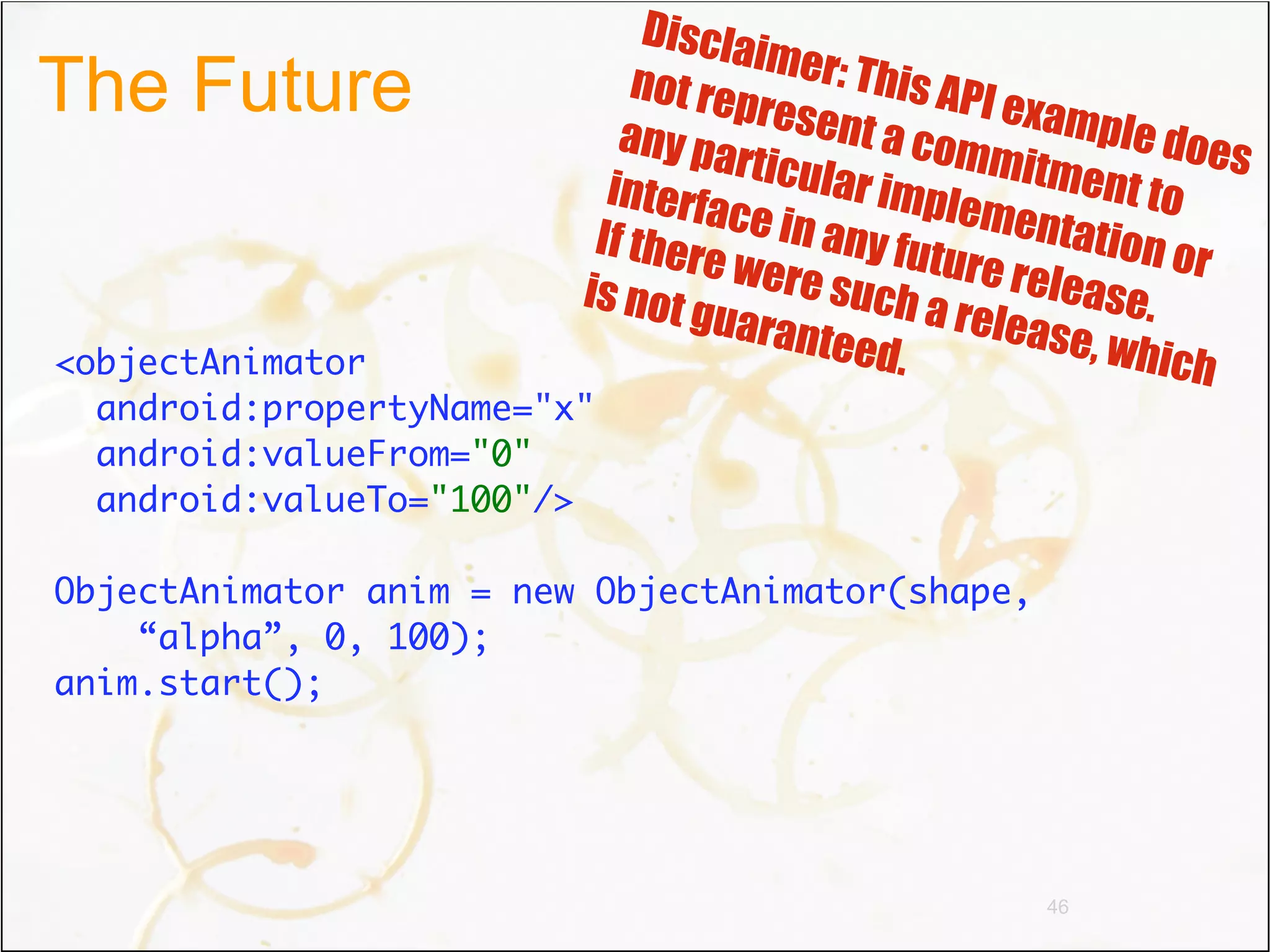
<objectAnimator                              .               h
  android:propertyName="x"
  android:valueFrom="0"
  android:valueTo="100"/>

ObjectAnimator anim = new ObjectAnimator(shape,
    “alpha”, 0, 100);
anim.start();


                                                  46
For More Information
• Android developer site
 –developer.android.com
• Romain
 –@romainguy
 –curious-creature.org
• Chet
 –@chethaase
 –graphics-geek.blogspot.com


                               47
Q&A

Graphicsand animations devoxx2010 (1)

  • 1.
    Android Graphics andAnimations Romain Guy and Chet Haase Google
  • 2.
    Welcome @romainguy @chethaase
  • 3.
  • 4.
  • 5.
    Glossary Canvas 2D drawing context Skia 2D drawing API OpenGL 3D rendering API RenderScript Language + API 5
  • 6.
    Glossary Surface Drawing buffer SurfaceFlinger Surface manager PixelFlinger Rasterizer 6
  • 7.
    Glossary View UI widget ViewGroup View container SurfaceView Render in a surface 7
  • 8.
  • 9.
  • 10.
  • 11.
  • 12.
  • 13.
  • 14.
  • 15.
  • 16.
  • 17.
    Drawing tools • Paints •Shaders • ColorFilters • Xfermodes • Bitmaps 17
  • 18.
    Paints • Canvas isalmost stateless – Transformations – Layers • Paint has many states – Color, opacity, filtering, dithering, anti-aliasing... • Don’t allocate paints onDraw() – Paint is not cheap 18
  • 19.
    Shaders • Draw horizontalspan of colors – Text, paths, rounded rectangles, etc. • Kinda like fragment shaders • Pre-defined set – LinearGradient – RadialGradient – SweepGradient – BitmapShader – ComposeShader 19
  • 20.
    Color filters • Mathoperation on each pixel • Pre-defined set – ColorMatrixColorFilter – LightingColorFilter – PorterDuffColorFilter 20
  • 21.
    Xfermodes • Weird namefor blending modes • Porter-Duff alpha blending – SrcOver – DstOut – etc. • Color blending – Darken – Lighten – Multiply – Screen 21
  • 22.
  • 23.
    Reflection time 1 Shader gradientShader = new LinearGradient( 2 0, 0, 0, b.getHeight(), 0xFF000000, 0, 3 TileMode.CLAMP); 4 Shader bitmapShader = new BitmapShader(bitmap, 5 TileMode.CLAMP, TileMode.CLAMP); 6 Shader composeShader = new ComposeShader( 7 bitmapShader, gradientShader, 8 new PorterDuffXfermode(Mode.DST_OUT)); 9 Paint paint = new Paint(); 10 paint.setShader(composeShader); 11 c.drawRect(0.0f, 0.0f, 12 b.getWidth(), b.getHeight(), p); 23
  • 24.
    Bitmaps • Mutable orimmutable • Density • Recyclable • 4 formats 24
  • 25.
    Formats • ALPHA_8 To store alpha masks (font cache, etc.) • ARGB_4444 Don’t use it • ARGB_8888 Full color, translucency, it’s awesome • RGB_565 No alpha channel, saves memory, dithering 25
  • 26.
    Choose the rightformat • Quality – Preload Bitmaps in the right format – Paint.setDither(true) – Drawable.setDither(true) • Performance • Avoid blending – Opaque ARGB_8888 bitmaps are optimized • Render onto compatible surfaces – Draw 32 bits onto 32 bits windows, etc. – getWindow().getAttributes().format 26
  • 27.
  • 28.
    Performance 16 bits 16 bits 32 bits dithered ARGB_8888 6.0 ms 7.5 ms 2.0 ms ARGB_4444 4.0 ms 5.0 ms 3.5 ms RGB_565 0.5 ms 0.5 ms 6.0 ms Performance measured with HVGA 2.2 emulator 28
  • 29.
    In Gingerbread... • Allwindows are 32 bits – Transparent: RGBA_8888 – Opaque: RGBX_8888 • OpenGL surfaces are 16 bits • All bitmaps loaded in 32 bits (ARGB_8888) • For quality reasons – No more banding, no more dithering 29
  • 30.
    Create, save, destroy •Bitmap.createBitmap() • Bitmap.createScaledBitmap() • BitmapFactory.decode*() • Bitmap.copy() • Bitmap.compress() • Bitmap.recycle() 30
  • 31.
    Draw on Bitmap •Only if mutable 1 Paint p = new Paint(); 2 p.setAntiAlias(true); 3 p.setTextSize(24); 4 5 Bitmap b = Bitmap.createBitmap(256, 256, 6 Bitmap.Config.ARGB_8888); 7 Canvas c = new Canvas(b); 8 c.drawText("Devoxx", 0.0f, 128.0f, p); 31
  • 32.
    Copy a View 1 int spec = MeasureSpec.makeMeasureSpec( 2 0, MeasureSpec.UNDEFINED); 3 view.measure(spec, spec); 4 view.layout(0, 0, view.getMeasuredWidth(), 5 view.getMeasuredHeight()); 6 7 Bitmap b = Bitmap.createBitmap( 8 view.getWidth(), view.getHeight(), 9 Bitmap.Config.ARGB_8888); 10 Canvas c = new Canvas(b); 11 c.translate(-view.getScrollX(), -view.getScrollY()); 12 view.draw(c); 32
  • 33.
    Copy a View 1 view.setDrawingCacheEnabled(true); 2 Bitmap b = view.getDrawingCache(); 3 // Make a copy, then call 4 // view.destroyDrawingCache() 33
  • 34.
  • 35.
    Animation in Android •Motivation • Current Animation Support –Animation superclass –Animation subclasses • The Future! 35
  • 36.
    Why Animation? • Livenup the UI • Transition between application states • Keep the user engaged 36
  • 37.
    Animation Superclass • Timing:duration, startDelay • Repetition: repeatMode, repeatCount • Easing: Interpolator • End state: fillAfter, fillBefore 37
  • 38.
    Animation Types • Transforming –Translation, Rotation, Scale • Fading • Sequences • Cross-fading • Layout 38
  • 39.
    Transform Animations • TranslateAnimation •RotateAnimation • ScaleAnimation • Changes rendering matrix of View –But not the object’s real matrix <translate android:fromYDelta=”0” android:toYDelta=”100%” android:duration=”200”/> 39
  • 40.
    Fading • FadeAnimation • Changestranslucency of View’s rendering –Not the translucency of the object itself <alpha android:fromAlpha=”1” android:toAlpha=”0” android:duration=”200”/> 40
  • 41.
    Sequences • AnimationSet • Playschild animations together –Use startDelay on children to stagger start times <set> <translate ... / <alpha ... /> </set> 41
  • 42.
    Crossfading • TransitionDrawable • Crossfadesbetween multiple Drawables –startTransition(duration): crossfades to top drawable –reverseTransition(duration): crossfades to bottom <transition> <item android:drawable="@drawable/start" /> <item android:drawable="@drawable/end" /> </transition> 42
  • 43.
    Layout Animations • Singleanimation applied to layout’s children • Start times are staggered res/anim/layout_fade: <gridLayoutAnimation android:columnDelay="50%" android:directionPriority="row" android:direction="right_to_left|bottom_to_top" android:animation="@anim/fade" /> <GridView android:layoutAnimation="@anim/layout_fade" android:layout_width="fill_parent" android:layout_height="fill_parent"/> 43
  • 44.
    Performance Tips • enabledrawing cache –setDrawingCacheEnabled(true); • layout animations –ViewGroup: animationCache = true 44
  • 45.
    The Future! • Problem: –Current animations handle only specific View actions –Not easy to animate anything else • Drawable’s alpha property • Paint’s color property • Custom object’s properties –Animated views haven’t actually been altered • Just drawn in a different location/orientation • Solution: –Property animation system • “Animate ‘x’on Foo” • Detects and calls set/get functions 45
  • 46.
    Discla im The Future not re er: This API pre ex any pa sent a com ample does rt m interfa icular imple itment to c menta If ther e in any fut t e were ure re ion or is not s lease. guara uch a releas nteed e, whic <objectAnimator . h android:propertyName="x" android:valueFrom="0" android:valueTo="100"/> ObjectAnimator anim = new ObjectAnimator(shape, “alpha”, 0, 100); anim.start(); 46
  • 47.
    For More Information •Android developer site –developer.android.com • Romain –@romainguy –curious-creature.org • Chet –@chethaase –graphics-geek.blogspot.com 47
  • 48.