By Kerry Fitzgibbon
                                               Ph: 0410 081 028
Join me on Facebook: www.facebook.com/socialmediawithkerry
                                     Twitter: @kerryfitzgibbon
                    Linkedin: www.linkedin/in/kerryfitzgibbon
      Google+: https://plus.google.com/115905008529577621942
Agenda
  1: Getting started on Google+1 – Invitation Only
  2: Setting up and optimizing your profile – links and importing
  contacts, finding and inviting friends
  3: Key Features of Google+: Circles, Hangouts and Sparks
  4: +1 button on your website: - SEO Optimization
  5: Advanced Features: Authors Ref, +snippets, +1 google ads
  6: Google+ for business coming 2011
  If you haven’t got your google+1 invite please email me at
  kerry@socialmediaplusone.com
How to get started on Google+1
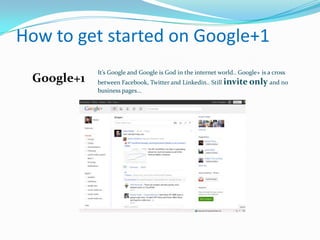
            It’s Google and Google is God in the internet world.. Google+ is a cross
 Google+1   between Facebook, Twitter and Linkedin.. Still invite only and no
            business pages...
Key Features on Google+
 • Streams

 • Circles

 • Hangouts

 • Sparks
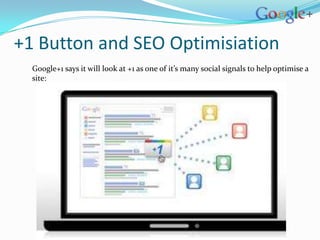
+1 Button and SEO Optimisiation
  Google+1 says it will look at +1 as one of it’s many social signals to help optimise a
  site:
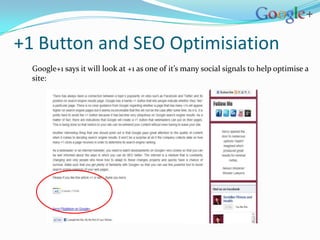
+1 Button and SEO Optimisiation
  Google+1 says it will look at +1 as one of it’s many social signals to help optimise a
  site:
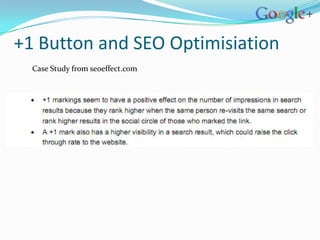
+1 Button and SEO Optimisiation
  Case Study from seoeffect.com
Advanced Google+ Features
 •Authors Ref

 •Linking back to website

 •+snippets (+1 to share with circles, +snippet will show up with title,
 description and image

 •Google Ads optimisation
Business coming in 2011
Summary
 Google Plus Profile optimized
 Stream – what to write, who to follow
 Setting up circles
 Live video conferences
 News updates


 Which social media network is right for your business?
 Advanced Features
Kerry@socialmediaplusone.com

Google plus one webinar notes for slide share

  • 1.
    By Kerry Fitzgibbon Ph: 0410 081 028 Join me on Facebook: www.facebook.com/socialmediawithkerry Twitter: @kerryfitzgibbon Linkedin: www.linkedin/in/kerryfitzgibbon Google+: https://plus.google.com/115905008529577621942
  • 2.
    Agenda 1:Getting started on Google+1 – Invitation Only 2: Setting up and optimizing your profile – links and importing contacts, finding and inviting friends 3: Key Features of Google+: Circles, Hangouts and Sparks 4: +1 button on your website: - SEO Optimization 5: Advanced Features: Authors Ref, +snippets, +1 google ads 6: Google+ for business coming 2011 If you haven’t got your google+1 invite please email me at kerry@socialmediaplusone.com
  • 3.
    How to getstarted on Google+1 It’s Google and Google is God in the internet world.. Google+ is a cross Google+1 between Facebook, Twitter and Linkedin.. Still invite only and no business pages...
  • 4.
    Key Features onGoogle+ • Streams • Circles • Hangouts • Sparks
  • 5.
    +1 Button andSEO Optimisiation Google+1 says it will look at +1 as one of it’s many social signals to help optimise a site:
  • 6.
    +1 Button andSEO Optimisiation Google+1 says it will look at +1 as one of it’s many social signals to help optimise a site:
  • 7.
    +1 Button andSEO Optimisiation Case Study from seoeffect.com
  • 8.
    Advanced Google+ Features •Authors Ref •Linking back to website •+snippets (+1 to share with circles, +snippet will show up with title, description and image •Google Ads optimisation
  • 9.
  • 10.
    Summary  Google PlusProfile optimized  Stream – what to write, who to follow  Setting up circles  Live video conferences  News updates  Which social media network is right for your business?  Advanced Features
  • 11.

Editor's Notes

  • #4 20 million + people on google+... 16 days to reach 10 million users, facebook took 852 days, twitter 780 days
  • #5 Streams this is your news feed just like facebook.. However you can control what you see through circles: Circles drop and drag, create different circles