Google Cloud
Study Jams –
Kick-off Session
Course Overview
GenAI
Arcade Game
Google Cloud Computing
Foundations (GCCF)
Deadline: 30th October
Timelines to be followed
Week 1
GCCF
[Course1 – Course4]
Cloud Fundamentals
Cloud Infrastructure
Networking & Security
Data ML & AI
Oct11-Oct16
Generative AI
Prompt Engineering
Cloud Vision API
NLP API
Prompt Engineering
Cloud Vision API
Oct17 - Oct22
GCCF
[Course4 – Course8]
Manage Resources
Infrastructure tasks
Build Secure networks
Perform Data ML&AI tasks
Oct23 - Oct28
Week 2 Week 3
& Share them on your LinkedIn
Earn Cloud Skill batches
and Certificates
Win Swags
Wait! There’s more
We want you to get ready to BUILD ON CLOUD
Bring your ideas to life using
technology powered by GOOGLE.
Incase someone doesn’t receive
the email / access code :
Provided
Incorrect Email Address
or
for Non Gmail Account -
email is blocked by admin
Check Updates or
Promotions or Forums
or Spam Folder
Check
Registered Email
Address of
Participant
(the one provided in
second placeholder
while registering)
In case they don’t see the email, please reach out to the support team at dscsupport@qwiklabs.com
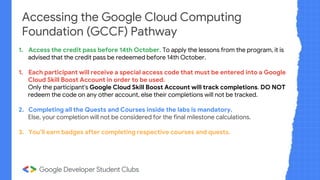
Accessing the Google Cloud Computing
Foundation (GCCF) Pathway
1. Access the credit pass before 14th October. To apply the lessons from the program, it is
advised that the credit pass be redeemed before 14th October.
1. Each participant will receive a special access code that must be entered into a Google
Cloud Skill Boost Account in order to be used.
Only the participant's Google Cloud Skill Boost Account will track completions. DO NOT
redeem the code on any other account, else their completions will not be tracked.
2. Completing all the Quests and Courses inside the labs is mandatory.
Else, your completion will not be considered for the final milestone calculations.
3. You’ll earn badges after completing respective courses and quests.
Pathway Completions Tier
Rewards for
participants
Rewards for
Facilitators
80 or more enrolled participants
complete Gen AI + Google Cloud Skill
Boost Pathway
Gold
80 t-shirts +
80 bottles + 80 bags
80 sticker sheets
1 Sweatshirt +
1 bottle +
1 headphone +
1 powerbank
60-79 enrolled participants
complete Gen AI + Google Cloud Skill
Boost Pathway
Silver
60 t-shirts +
60 bottles +
60 sticker sheets
1 Sweatshirt +
1 bottle +
1 powerbank
40-59 enrolled participants
complete Gen AI + Google Cloud Skill
Boost Pathway
Bronze
40 t-shirts +
40 sticker sheets
1 Sweatshirt +
1 sticker sheet
Note:
1. It is mandatory to complete both the Gen AI and Google Cloud Skill Boost pathway defined in the course successfully
Milestones and recognition
If there any challenges working
on the Google Cloud Skill Boost
Platform, email
dscsupport@qwiklabs.com
The team there will respond quickly.
In case you get stuck!
Pre-requisites
APIs
Virtual Machines
What is SSH?
OS (Before the lab begins CLI? Shell? Ubuntu)
Pre-requisites
APIs
- An API is a set of rules and protocols that
allows different software applications to
communicate with each other.
- It defines the methods and data formats that
applications can use to request and exchange
information.
- In the context of cloud computing, APIs are
vital for interacting with cloud services and
resources, enabling automation, integration, and
management.
Pre-requisites
Virtual Machines
A virtual machine is a software emulation of a physical
computer, running an operating system and applications
like a physical computer.
Pre-requisites
SSH (Secure Shell):
- SSH is a secure network protocol used to establish a secure and encrypted
connection between two computers, typically over an insecure network.
- It allows secure access to a remote computer or server over the internet.
- SSH is commonly used for remote administration of servers and for secure file
transfers.
Congratulations!
Cloud Infrastructure?
What is a Bucket?
A bucket, in the context of cloud storage, is a fundamental storage
container provided by cloud service providers. It's essentially a logical unit
to store and organize data within a cloud storage system.
How to create a Bucket?
You can use something called gsutil which is a command-line tool provided by Google
Cloud Platform for interacting with Google Cloud Storage. It allows you to manage buckets
and objects within those buckets.
Example:
gsutil mb gs://<YOUR-BUCKET-NAME>
mb: The mb stands for "make bucket,"
Structured Vs Unstructured Data
Structured data is what most people are used to
working with and typically fits within columns and
rows in spreadsheets or relational databases
SQL is a query language used to handle such kind of
data.
Unstructured data is information stored in a non-tabular
form such as documents, images, and audio files.
Cloud and Data
You can decide what service to use based on your data.
Let’s dive in
What to look for in
Upcoming Sessions?
These sessions are meant to accelerate your learning and
keep you on track of the timeline.
-More hands on Labs
-Doubts Solving
THANK
YOU!

Google Cloud Study Jams Kickoff Session

  • 1.
    Google Cloud Study Jams– Kick-off Session
  • 2.
    Course Overview GenAI Arcade Game GoogleCloud Computing Foundations (GCCF) Deadline: 30th October
  • 3.
    Timelines to befollowed Week 1 GCCF [Course1 – Course4] Cloud Fundamentals Cloud Infrastructure Networking & Security Data ML & AI Oct11-Oct16 Generative AI Prompt Engineering Cloud Vision API NLP API Prompt Engineering Cloud Vision API Oct17 - Oct22 GCCF [Course4 – Course8] Manage Resources Infrastructure tasks Build Secure networks Perform Data ML&AI tasks Oct23 - Oct28 Week 2 Week 3
  • 4.
    & Share themon your LinkedIn Earn Cloud Skill batches and Certificates
  • 5.
  • 6.
    Wait! There’s more Wewant you to get ready to BUILD ON CLOUD Bring your ideas to life using technology powered by GOOGLE.
  • 7.
    Incase someone doesn’treceive the email / access code : Provided Incorrect Email Address or for Non Gmail Account - email is blocked by admin Check Updates or Promotions or Forums or Spam Folder Check Registered Email Address of Participant (the one provided in second placeholder while registering) In case they don’t see the email, please reach out to the support team at dscsupport@qwiklabs.com
  • 8.
    Accessing the GoogleCloud Computing Foundation (GCCF) Pathway 1. Access the credit pass before 14th October. To apply the lessons from the program, it is advised that the credit pass be redeemed before 14th October. 1. Each participant will receive a special access code that must be entered into a Google Cloud Skill Boost Account in order to be used. Only the participant's Google Cloud Skill Boost Account will track completions. DO NOT redeem the code on any other account, else their completions will not be tracked. 2. Completing all the Quests and Courses inside the labs is mandatory. Else, your completion will not be considered for the final milestone calculations. 3. You’ll earn badges after completing respective courses and quests.
  • 9.
    Pathway Completions Tier Rewardsfor participants Rewards for Facilitators 80 or more enrolled participants complete Gen AI + Google Cloud Skill Boost Pathway Gold 80 t-shirts + 80 bottles + 80 bags 80 sticker sheets 1 Sweatshirt + 1 bottle + 1 headphone + 1 powerbank 60-79 enrolled participants complete Gen AI + Google Cloud Skill Boost Pathway Silver 60 t-shirts + 60 bottles + 60 sticker sheets 1 Sweatshirt + 1 bottle + 1 powerbank 40-59 enrolled participants complete Gen AI + Google Cloud Skill Boost Pathway Bronze 40 t-shirts + 40 sticker sheets 1 Sweatshirt + 1 sticker sheet Note: 1. It is mandatory to complete both the Gen AI and Google Cloud Skill Boost pathway defined in the course successfully Milestones and recognition
  • 10.
    If there anychallenges working on the Google Cloud Skill Boost Platform, email dscsupport@qwiklabs.com The team there will respond quickly. In case you get stuck!
  • 14.
    Pre-requisites APIs Virtual Machines What isSSH? OS (Before the lab begins CLI? Shell? Ubuntu)
  • 15.
    Pre-requisites APIs - An APIis a set of rules and protocols that allows different software applications to communicate with each other. - It defines the methods and data formats that applications can use to request and exchange information. - In the context of cloud computing, APIs are vital for interacting with cloud services and resources, enabling automation, integration, and management.
  • 16.
    Pre-requisites Virtual Machines A virtualmachine is a software emulation of a physical computer, running an operating system and applications like a physical computer.
  • 17.
    Pre-requisites SSH (Secure Shell): -SSH is a secure network protocol used to establish a secure and encrypted connection between two computers, typically over an insecure network. - It allows secure access to a remote computer or server over the internet. - SSH is commonly used for remote administration of servers and for secure file transfers.
  • 18.
  • 19.
  • 20.
    What is aBucket? A bucket, in the context of cloud storage, is a fundamental storage container provided by cloud service providers. It's essentially a logical unit to store and organize data within a cloud storage system. How to create a Bucket? You can use something called gsutil which is a command-line tool provided by Google Cloud Platform for interacting with Google Cloud Storage. It allows you to manage buckets and objects within those buckets. Example: gsutil mb gs://<YOUR-BUCKET-NAME> mb: The mb stands for "make bucket,"
  • 21.
    Structured Vs UnstructuredData Structured data is what most people are used to working with and typically fits within columns and rows in spreadsheets or relational databases SQL is a query language used to handle such kind of data. Unstructured data is information stored in a non-tabular form such as documents, images, and audio files.
  • 22.
    Cloud and Data Youcan decide what service to use based on your data.
  • 23.
  • 24.
    What to lookfor in Upcoming Sessions? These sessions are meant to accelerate your learning and keep you on track of the timeline. -More hands on Labs -Doubts Solving
  • 25.