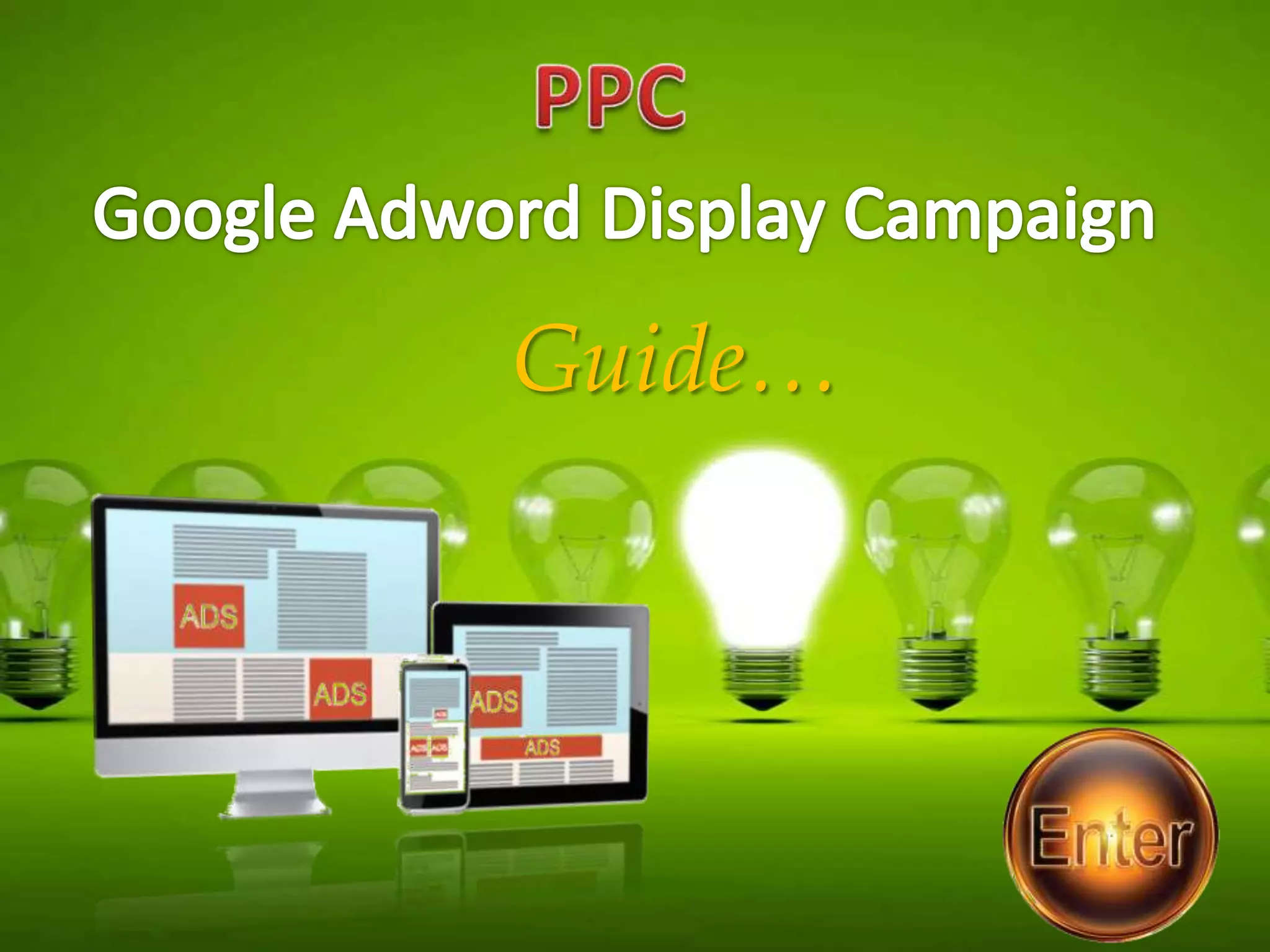

Guide…
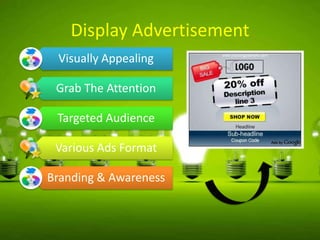
Display Advertisement
Visually Appealing
Grab The Attention
Targeted Audience
Various Ads Format
Branding & Awareness
Display Campaign Sub Type
All features : Includes all features of display campaign
Mobile Apps : Display ads on Mobile Apps
Remarketing : Target people who previously visited
your website

Engagement : Lightbox & hover ads
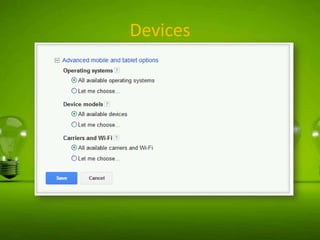
Devices
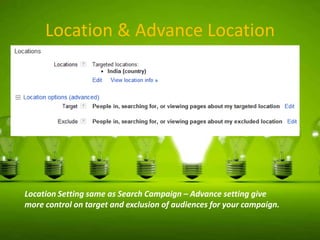
Location & Advance Location

Location Setting same as Search Campaign – Advance setting give
more control on target and exclusion of audiences for your campaign.
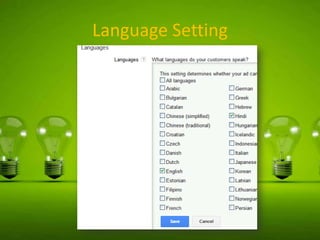
Language Setting
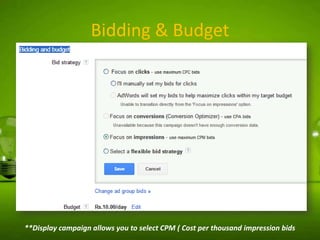
Bidding & Budget

**Display campaign allows you to select CPM ( Cost per thousand impression bids
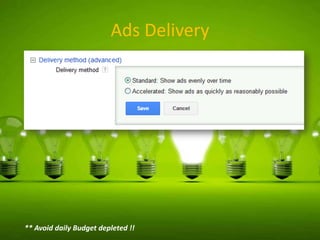
Ads Delivery

** Avoid daily Budget depleted !!
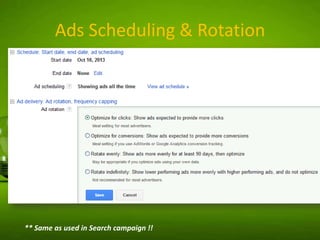
Ads Scheduling & Rotation

** Same as used in Search campaign !!
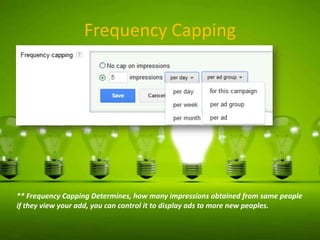
Frequency Capping

** Frequency Capping Determines, how many impressions obtained from same people
if they view your add, you can control it to display ads to more new peoples.
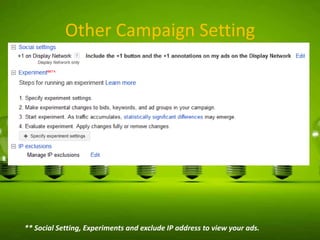
Other Campaign Setting

** Social Setting, Experiments and exclude IP address to view your ads.
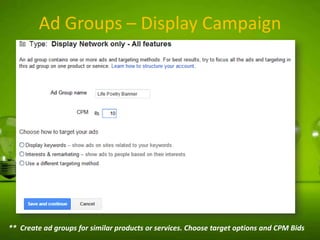
Ad Groups – Display Campaign

** Create ad groups for similar products or services. Choose target options and CPM Bids
Display Campaign – Target Options
Display Keywords – Also known as Contextual Targeting ( sites related to
search term ) . Work as automatic placements !

Interests & Remarketing – Category wise selection OR define a
retargeting list of audience !

Different Targeting Method

Topics – Pages about specific subject
Placements – Choose own website list to show
ads. Also known as Managed placements

Age – Define age group of audience
Gender
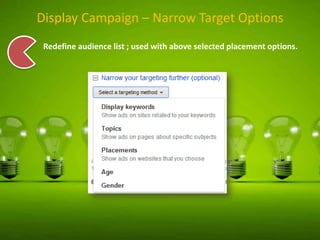
Display Campaign – Narrow Target Options
Redefine audience list ; used with above selected placement options.
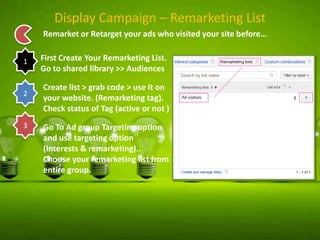
Display Campaign – Remarketing List
Remarket or Retarget your ads who visited your site before…
1

2

3

First Create Your Remarketing List.
Go to shared library >> Audiences
Create list > grab code > use it on
your website. (Remarketing tag).
Check status of Tag (active or not )
Go To Ad group Targeting option
and use targeting option
(Interests & remarketing)..
Choose your remarketing list from
entire group.
Display Campaign – Ads Type
In Display Campaign You can create Visual Ads !!

Text
Ads

Image
Ads

Ad
Gallery

Ap
Digital
Content
Ad

WAP
Mobile
Ads
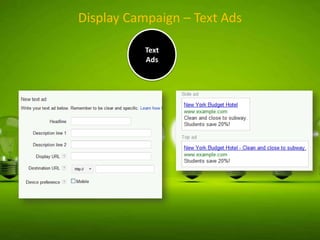
Display Campaign – Text Ads
Text
Ads
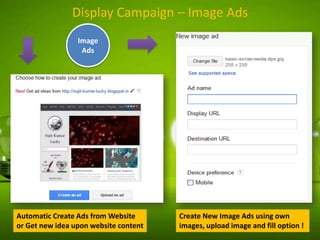
Display Campaign – Image Ads
Image
Ads

Automatic Create Ads from Website
or Get new idea upon website content

Create New Image Ads using own
images, upload image and fill option !
Ad
Gallery

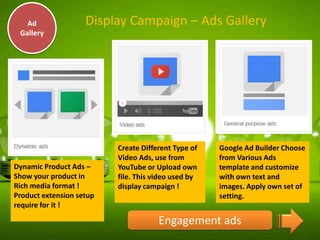
Display Campaign – Ads Gallery

Dynamic Product Ads –
Show your product in
Rich media format !
Product extension setup
require for it !

Create Different Type of
Video Ads, use from
YouTube or Upload own
file. This video used by
display campaign !

Google Ad Builder Choose
from Various Ads
template and customize
with own text and
images. Apply own set of
setting.

Engagement ads
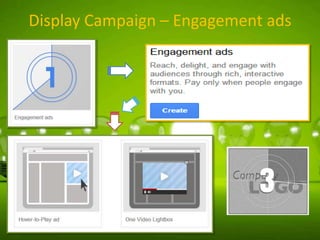
Display Campaign – Engagement ads
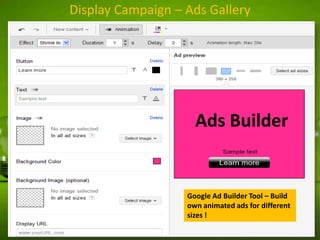
Display Campaign – Ads Gallery

Ads Builder

Google Ad Builder Tool – Build
own animated ads for different
sizes !
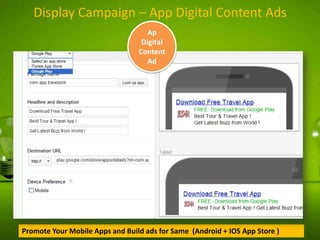
Display Campaign – App Digital Content Ads
Ap
Digital
Content
Ad

Promote Your Mobile Apps and Build ads for Same (Android + IOS App Store )
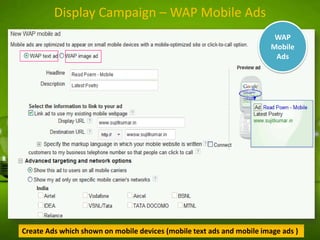
Display Campaign – WAP Mobile Ads
WAP
Mobile
Ads

Create Ads which shown on mobile devices (mobile text ads and mobile image ads )
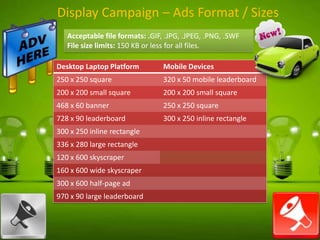
Display Campaign – Ads Format / Sizes
Acceptable file formats: .GIF, .JPG, .JPEG, .PNG, .SWF
File size limits: 150 KB or less for all files.
Desktop Laptop Platform

Mobile Devices

250 x 250 square

320 x 50 mobile leaderboard

200 x 200 small square

200 x 200 small square

468 x 60 banner

250 x 250 square

728 x 90 leaderboard

300 x 250 inline rectangle

300 x 250 inline rectangle
336 x 280 large rectangle
120 x 600 skyscraper
160 x 600 wide skyscraper
300 x 600 half-page ad
970 x 90 large leaderboard
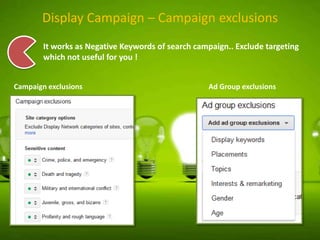
Display Campaign – Campaign exclusions
It works as Negative Keywords of search campaign.. Exclude targeting
which not useful for you !
Campaign exclusions

Ad Group exclusions
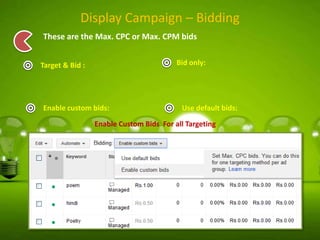
Display Campaign – Bidding
These are the Max. CPC or Max. CPM bids
Bid only:

Target & Bid :

Enable custom bids:

Use default bids:

Enable Custom Bids For all Targeting
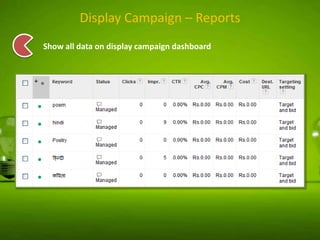
Display Campaign – Reports
Show all data on display campaign dashboard
Contact
Sujit Kumar Lucky from India involves in search and digital
marketing.. Author @ SEOIDIOTS.info.

 WEB : http://www.seoidiots.info
 Email : info@seoidiots.info
 Facebook : https://www.facebook.com/seoidiots
 Twitter : @sujit_kr_lucky

Google Adword Display Campaign Guide – Step By Step : SK SeoIdiots

  • 1.
  • 2.
    Display Advertisement Visually Appealing GrabThe Attention Targeted Audience Various Ads Format Branding & Awareness
  • 3.
    Display Campaign SubType All features : Includes all features of display campaign Mobile Apps : Display ads on Mobile Apps Remarketing : Target people who previously visited your website Engagement : Lightbox & hover ads
  • 4.
  • 5.
    Location & AdvanceLocation Location Setting same as Search Campaign – Advance setting give more control on target and exclusion of audiences for your campaign.
  • 6.
  • 7.
    Bidding & Budget **Displaycampaign allows you to select CPM ( Cost per thousand impression bids
  • 8.
    Ads Delivery ** Avoiddaily Budget depleted !!
  • 9.
    Ads Scheduling &Rotation ** Same as used in Search campaign !!
  • 10.
    Frequency Capping ** FrequencyCapping Determines, how many impressions obtained from same people if they view your add, you can control it to display ads to more new peoples.
  • 11.
    Other Campaign Setting **Social Setting, Experiments and exclude IP address to view your ads.
  • 12.
    Ad Groups –Display Campaign ** Create ad groups for similar products or services. Choose target options and CPM Bids
  • 13.
    Display Campaign –Target Options Display Keywords – Also known as Contextual Targeting ( sites related to search term ) . Work as automatic placements ! Interests & Remarketing – Category wise selection OR define a retargeting list of audience ! Different Targeting Method Topics – Pages about specific subject Placements – Choose own website list to show ads. Also known as Managed placements Age – Define age group of audience Gender
  • 14.
    Display Campaign –Narrow Target Options Redefine audience list ; used with above selected placement options.
  • 15.
    Display Campaign –Remarketing List Remarket or Retarget your ads who visited your site before… 1 2 3 First Create Your Remarketing List. Go to shared library >> Audiences Create list > grab code > use it on your website. (Remarketing tag). Check status of Tag (active or not ) Go To Ad group Targeting option and use targeting option (Interests & remarketing).. Choose your remarketing list from entire group.
  • 16.
    Display Campaign –Ads Type In Display Campaign You can create Visual Ads !! Text Ads Image Ads Ad Gallery Ap Digital Content Ad WAP Mobile Ads
  • 17.
    Display Campaign –Text Ads Text Ads
  • 18.
    Display Campaign –Image Ads Image Ads Automatic Create Ads from Website or Get new idea upon website content Create New Image Ads using own images, upload image and fill option !
  • 19.
    Ad Gallery Display Campaign –Ads Gallery Dynamic Product Ads – Show your product in Rich media format ! Product extension setup require for it ! Create Different Type of Video Ads, use from YouTube or Upload own file. This video used by display campaign ! Google Ad Builder Choose from Various Ads template and customize with own text and images. Apply own set of setting. Engagement ads
  • 20.
    Display Campaign –Engagement ads
  • 21.
    Display Campaign –Ads Gallery Ads Builder Google Ad Builder Tool – Build own animated ads for different sizes !
  • 22.
    Display Campaign –App Digital Content Ads Ap Digital Content Ad Promote Your Mobile Apps and Build ads for Same (Android + IOS App Store )
  • 23.
    Display Campaign –WAP Mobile Ads WAP Mobile Ads Create Ads which shown on mobile devices (mobile text ads and mobile image ads )
  • 24.
    Display Campaign –Ads Format / Sizes Acceptable file formats: .GIF, .JPG, .JPEG, .PNG, .SWF File size limits: 150 KB or less for all files. Desktop Laptop Platform Mobile Devices 250 x 250 square 320 x 50 mobile leaderboard 200 x 200 small square 200 x 200 small square 468 x 60 banner 250 x 250 square 728 x 90 leaderboard 300 x 250 inline rectangle 300 x 250 inline rectangle 336 x 280 large rectangle 120 x 600 skyscraper 160 x 600 wide skyscraper 300 x 600 half-page ad 970 x 90 large leaderboard
  • 25.
    Display Campaign –Campaign exclusions It works as Negative Keywords of search campaign.. Exclude targeting which not useful for you ! Campaign exclusions Ad Group exclusions
  • 26.
    Display Campaign –Bidding These are the Max. CPC or Max. CPM bids Bid only: Target & Bid : Enable custom bids: Use default bids: Enable Custom Bids For all Targeting
  • 27.
    Display Campaign –Reports Show all data on display campaign dashboard
  • 28.
    Contact Sujit Kumar Luckyfrom India involves in search and digital marketing.. Author @ SEOIDIOTS.info.  WEB : http://www.seoidiots.info  Email : info@seoidiots.info  Facebook : https://www.facebook.com/seoidiots  Twitter : @sujit_kr_lucky