初探GitHub Copilot
彰化軟體公司 奇步應
用
陳佳新
jarsing@chibuapp.com
2025-03-01
主
力
是LINE聊天機器
人
2014年創立,2015年返鄉
法
人
/基
金
會 政府機關 學校/企業
協助企業數位賦能
地
方
創
生
的軟體公司
奇奇
步步
在
地
幸
福
生
活
感
有
一
個部落格叫做【奇步老爹】
Microsoft AI MVP
2023/2/9
LINE API Expert
2019/11/22
GDG Changhua Organizer
歡
迎
蒞
臨
彰
化
奇步應
用
彰化旅
行
+ 彰化AMA
小
聚
專
門
提供數位
轉型解決
方
案
跟我們
一
起玩彰化
數位轉型|內容
行
銷
創業家講座|讀書會
科技 媒體
工
作站
奇步關係企業
今
日
大
綱
一
、立即在VS Code中開通
二
、參考資料&推薦資源
三、Q&A:
自
備4題避免尬聊
① 立即在VS Code中開通
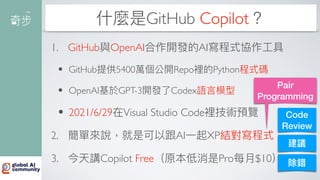
什麼是GitHub Copilot?
1. GitHub與OpenAI合作開發的AI寫程式協作
工
具
• GitHub提供5400萬個公開Repo裡的Python程式碼
• OpenAI基於GPT-3開發了Codex語
言
模型
• 2021/6/29在Visual Studio Code裡技術預覽
2. 簡單來說,就是可以跟AI
一
起XP結對寫程式
3. 今天講Copilot Free(原本低消是Pro每
月
$10)
Pair
Programming
Code
Review
建議
除錯
為什麼需要GitHub Copilot?
因為工程師總是一個人孤獨地寫程式!
如何使
用
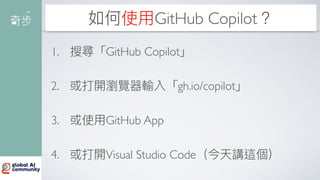
GitHub Copilot?
1. 搜尋「GitHub Copilot」
2. 或打開瀏覽器輸入「gh.io/copilot」
3. 或使
用
GitHub App
4. 或打開Visual Studio Code(今天講這個)
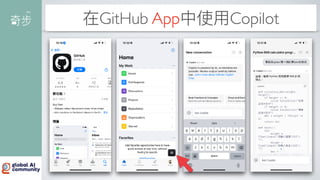
在GitHub App中使
用
Copilot
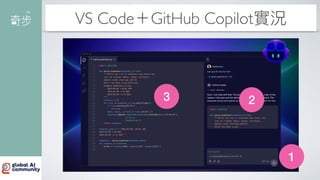
VS Code+GitHub Copilot實況
1
2
3
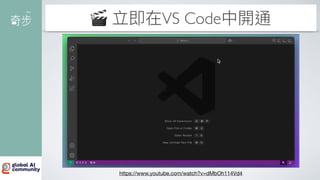
🎬 立即在VS Code中開通
https://www.youtube.com/watch?v=dMbOh114Vd4
💡 複習
一
下有哪些步驟
1. 點擊標題列的Coplit圖
示
,開啟Copilot
面
板
2. 點擊「登入以使
用
Copilot免費版」(如果沒有
登入過的話),使
用
GitHub帳號登入
3. 在Ask Copilot
面
板中輸入,跟Copilot聊天
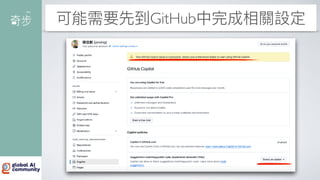
可能需要先到GitHub中完成相關設定
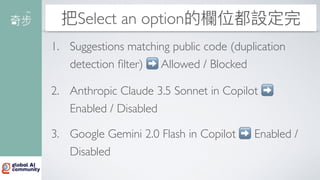
把Select an option的欄位都設定完
1. Suggestions matching public code (duplication
detection
fi
lter) ➡ Allowed / Blocked
2. Anthropic Claude 3.5 Sonnet in Copilot ➡
Enabled / Disabled
3. Google Gemini 2.0 Flash in Copilot ➡ Enabled /
Disabled
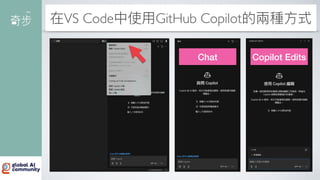
在VS Code中使
用
GitHub Copilot的兩種
方
式
Chat Copilot Edits
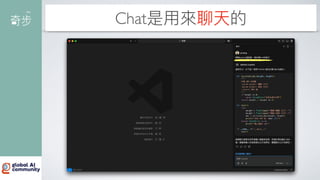
Chat是
用
來聊天的
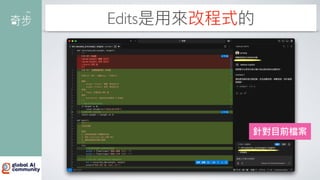
Edits是
用
來改程式的
針對
目
前檔案
常
用
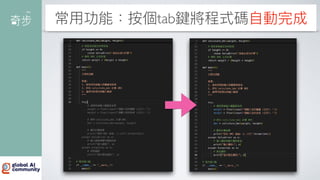
功能:按個tab鍵將程式碼
自
動完成
常
用
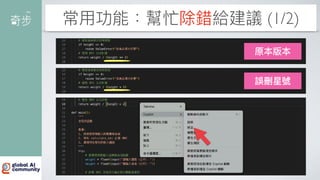
功能:幫忙除錯給建議 (1/2)
原本版本
誤刪星號
常
用
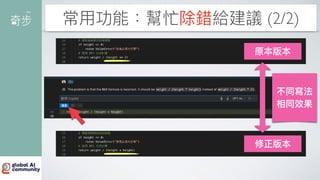
功能:幫忙除錯給建議 (2/2)
原本版本
修正版本
不同寫法
相同效果
在VS Code中啟
用
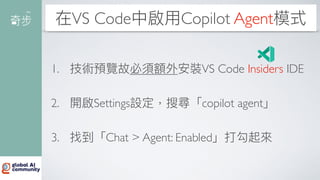
Copilot Agent模式
1. 技術預覽故必須額外安裝VS Code Insiders IDE
2. 開啟Settings設定,搜尋「copilot agent」
3. 找到「Chat > Agent: Enabled」打勾起來
召喚Agent幫我蓋Landing Page (1/4)
1
2
3
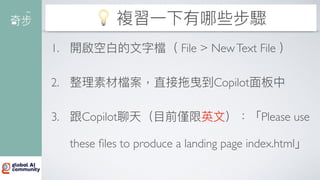
💡 複習
一
下有哪些步驟
1. 開啟空
白
的
文
字檔( File > NewText File )
2. 整理素材檔案,直接拖曳到Copilot
面
板中
3. 跟Copilot聊天(
目
前僅限英
文
):「Please use
these
fi
les to produce a landing page index.html」
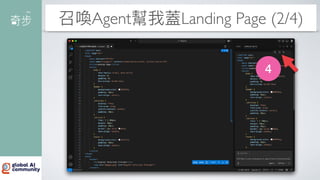
召喚Agent幫我蓋Landing Page (2/4)
4
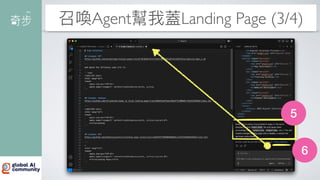
召喚Agent幫我蓋Landing Page (3/4)
6
5
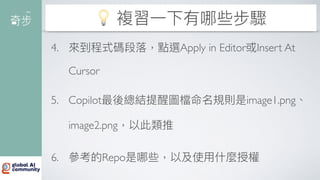
💡 複習
一
下有哪些步驟
4. 來到程式碼段落,點選Apply in Editor或Insert At
Cursor
5. Copilot最後總結提醒圖檔命名規則是image1.png、
image2.png,以此類推
6. 參考的Repo是哪些,以及使
用
什麼授權
召喚Agent幫我蓋Landing Page (4/4)
🤔
未完待續
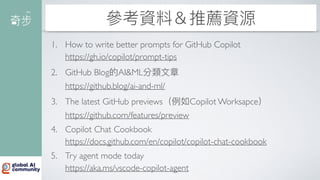
② 參考資料&推薦資源
參考資料&推薦資源
1. How to write better prompts for GitHub Copilot
https://gh.io/copilot/prompt-tips
2. GitHub Blog的AI&ML分類
文
章
https://github.blog/ai-and-ml/
3. The latest GitHub previews(例如Copilot Worksapce)
https://github.com/features/preview
4. Copilot Chat Cookbook
https://docs.github.com/en/copilot/copilot-chat-cookbook
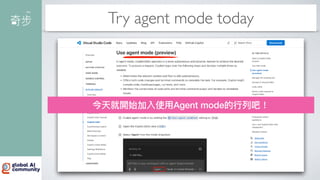
5. Try agent mode today
https://aka.ms/vscode-copilot-agent
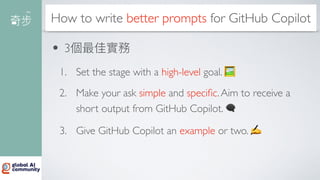
How to write better prompts for GitHub Copilot
• 3個最佳實務
1. Set the stage with a high-level goal. 🖼
2. Make your ask simple and speci
fi
c.Aim to receive a
short output from GitHub Copilot. 🗨
3. Give GitHub Copilot an example or two. ✍
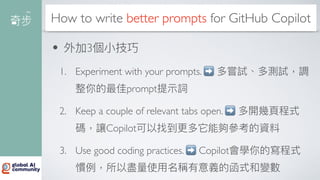
How to write better prompts for GitHub Copilot
• 外加3個
小
技巧
1. Experiment with your prompts. ➡ 多嘗試、多測試,調
整你的最佳prompt提
示
詞
2. Keep a couple of relevant tabs open. ➡ 多開幾
頁
程式
碼,讓Copilot可以找到更多它能夠參考的資料
3. Use good coding practices. ➡ Copilot會學你的寫程式
慣例,所以盡量使
用
名稱有意義的函式和變數
GitHub Blog的AI&ML分類
文
章
最新
文
章裡,滿滿Copilot主題!
The latest GitHub previews
有興趣就申請加入等待名單
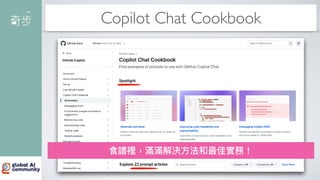
Copilot Chat Cookbook
食譜裡,滿滿解決
方
法和最佳實務!
Try agent mode today
今天就開始加入使
用
Agent mode的
行
列吧!
Q&A
😁
自
備4題,避免尬聊 😁
1. 【問】產出的code能
用
嗎?
2. 【問】價格怎麼計算?
3. 【問】有哪些模型可以選
用
?
4. 【問】Agent mode厲害嗎?
【問題①】產出的code能
用
嗎?
•
見
仁
見
智,但是
至
少節省時間
• 麥肯錫:「完成任務的速度快了56%!」
• 因為在VS Code IDE開通GitHub Copilot =
Google + ChatGPT + Stack Over
fl
ow + GitHub
【問題②】價格怎麼計算?
https://github.com/features/copilot/plans?cft=copilot_li.features_copilot
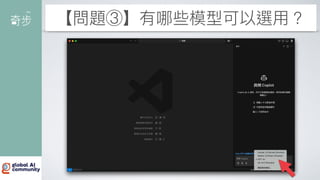
【問題③】有哪些模型可以選
用
?
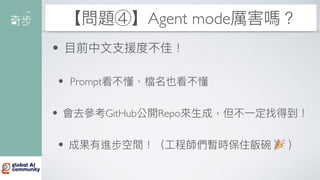
【問題④】Agent mode厲害嗎?
•
目
前中
文
支
援度不佳!
• Prompt看不懂、檔名也看不懂
• 會去參考GitHub公開Repo來
生
成,但不
一
定找得到!
• 成果有進步空間!(
工
程師們暫時保住飯碗 🎉 )
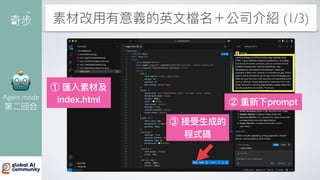
素材改
用
有意義的英
文
檔名+公司介紹 (1/3)
② 重新下prompt
① 匯入素材及
index.html
③ 接受
生
成的
程式碼
🤖
Agent mode
第
二
回合
素材改
用
有意義的英
文
檔名+公司介紹 (2/3)
😍
美觀多了
素材改
用
有意義的英
文
檔名+公司介紹 (3/3)
Edits
一
下:
改成RWD響
應式網站
📱
手
機上看
也沒問題
🫡 感謝聆聽,歡迎指教 🙏
陳佳新
https://facebook.com/jarsing
奇步應
用
https://facebook.com/chibuapp
❤ 惠賜 ⭐
五星好評
數位轉型
領導品牌

初探GitHub Copilot - 2025 Global AI Bootcamp