facebook
Katie Feldman
Katie Feldman Logout
View photos of Katie
Send Katie a message
Poke Katie
Wall Info Photos Videos
Write something…
Share
Friends
name
Date
Name message
name
name name
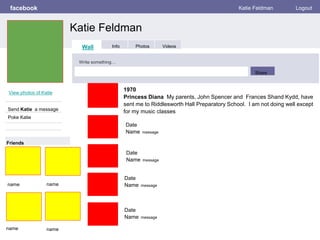
1970
Princess Diana My parents, John Spencer and Frances Shand Kydd, have
sent me to Riddlesworth Hall Preparatory School. I am not doing well except
for my music classes
Date
Name message
Date
Name message
Date
Name message
fakebook PROFILE NAME Logout
Date
Name message
Date
Name message
Date
Name message
Date
Name message
Date
Name message
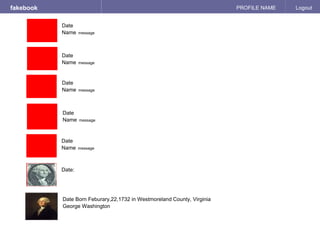
Date:
Date Born Feburary,22,1732 in Westmoreland County, Virginia
George Washington
Personal Information
fakebook Profile NAME Logout
Send _____ a message
Basic Information
Photos
Activities:
Interests:
Favorite Music:
Favorite Movies:
Favorite TV Shows:
Favorite Books:
Album Title
Date
4 Albums
Contact Information
Address:
Phone Number:
Email Address:
Birthday:
Political:
Religion:
Hometown:
Education:
Album Title
Date
Katie Feldman
Info Photos VideosWall
fakebook Profile Name Logout
Photos of _____ # Photos
NAME Albums 2 Photo Albums
Album Name
5 photos
Profile Pictures
1 photo
Album Name
5 photos
Katie Feldman
Info Photos VideosWall
fakebook PROFILE NAME Logout
Wall
Info
Photos
Videos
___#___ Videos
Video Topic/Title Video Topic/Title Video Topic/Title
Katie Feldman
Wall Info Photos VideosWall
BIBLIOGRAPHY

George washington

  • 1.
    facebook Katie Feldman Katie FeldmanLogout View photos of Katie Send Katie a message Poke Katie Wall Info Photos Videos Write something… Share Friends name Date Name message name name name 1970 Princess Diana My parents, John Spencer and Frances Shand Kydd, have sent me to Riddlesworth Hall Preparatory School. I am not doing well except for my music classes Date Name message Date Name message Date Name message
  • 2.
    fakebook PROFILE NAMELogout Date Name message Date Name message Date Name message Date Name message Date Name message Date: Date Born Feburary,22,1732 in Westmoreland County, Virginia George Washington
  • 3.
    Personal Information fakebook ProfileNAME Logout Send _____ a message Basic Information Photos Activities: Interests: Favorite Music: Favorite Movies: Favorite TV Shows: Favorite Books: Album Title Date 4 Albums Contact Information Address: Phone Number: Email Address: Birthday: Political: Religion: Hometown: Education: Album Title Date Katie Feldman Info Photos VideosWall
  • 4.
    fakebook Profile NameLogout Photos of _____ # Photos NAME Albums 2 Photo Albums Album Name 5 photos Profile Pictures 1 photo Album Name 5 photos Katie Feldman Info Photos VideosWall
  • 5.
    fakebook PROFILE NAMELogout Wall Info Photos Videos ___#___ Videos Video Topic/Title Video Topic/Title Video Topic/Title Katie Feldman Wall Info Photos VideosWall
  • 6.

Editor's Notes

  • #2 Working with this template:   Green Boxes represents profile photo - replace with a relevant image.   Yellow boxes represent friends' profile photos - replace each with a photo of a person.  Enter the name of person pictured below the photo. Red boxes represent the profile photo of your person. Replace each red block with the image. Text boxes next to profile picture: include the date the post would have been made (corresponding to an event in the person’s life), the person's name, and DETAILS of the event.
  • #4 Replace green boxes with same profile image as the one on slide one. Replace Profile Name with name of person featured on this page.   Orange boxes represent covers of photo albums. Albums would be filled with “like” images. Replace each orange box with a relevant photo  (it should represent a significant element of the person's life). Name the photo album and include a likely date. Enter Basic Information - other than networks, most of this is factual information. Enter Personal Information - selections should reflect the time period or known details about the person. Enter Contact information -  Address should reflect last known location of residence, phone number can be made up, email address should be creative and reflect the person's significance.
  • #5 Replace Green box with profile photo. Replace profile name of person featured in this profile.  In the “Photos Of” section.... replace the ____ with the name of the person replace # with the number of photos shown. replace each white box with a relevant photo   In the NAME albums sections... replace the orange boxes with the album cover image you used on Slide 5 (it should represent a significant element of the person's life)...name the album replace the green box with a photo of the person - it can be same one used in the profile area or a different one.
  • #6 Replace Green box with profile photo. Replace profile name with of person featured in this profile.  In the Video's Of section.... replace the ____ with the name of the person replace # with the number of photos shown. replace each white box with a relevant video from YouTube.   To insert the video: 1. Insert menu 2. Video 3. search YouTube for a video 4. click on the video to play it 5. click the select video button. 6. resize the video to fit.