Functions
What Is A Function?
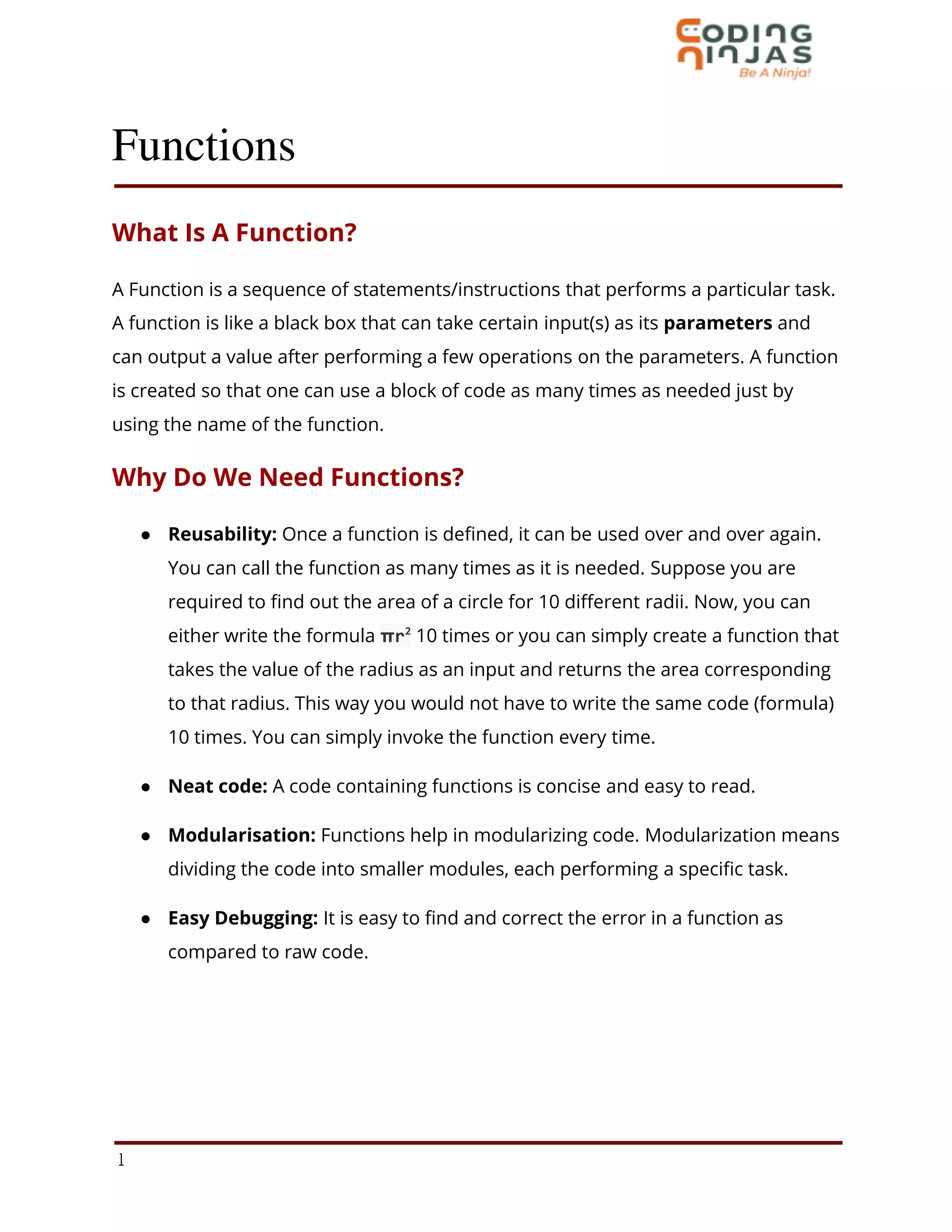
A Function is a sequence of statements/instructions that performs a particular task.
A function is like a black box that can take certain input(s) as its parameters and
can output a value after performing a few operations on the parameters. A function
is created so that one can use a block of code as many times as needed just by
using the name of the function.
Why Do We Need Functions?
● Reusability: Once a function is defined, it can be used over and over again.
You can call the function as many times as it is needed. Suppose you are
required to find out the area of a circle for 10 different radii. Now, you can
either write the formula πr2
10 times or you can simply create a function that
takes the value of the radius as an input and returns the area corresponding
to that radius. This way you would not have to write the same code (formula)
10 times. You can simply invoke the function every time.
● Neat code: A code containing functions is concise and easy to read.
● Modularisation: Functions help in modularizing code. Modularization means
dividing the code into smaller modules, each performing a specific task.
● Easy Debugging: It is easy to find and correct the error in a function as
compared to raw code.
1
Defining Functions In Python
A function, once defined, can be invoked as many times as needed by using its
name, without having to rewrite its code.
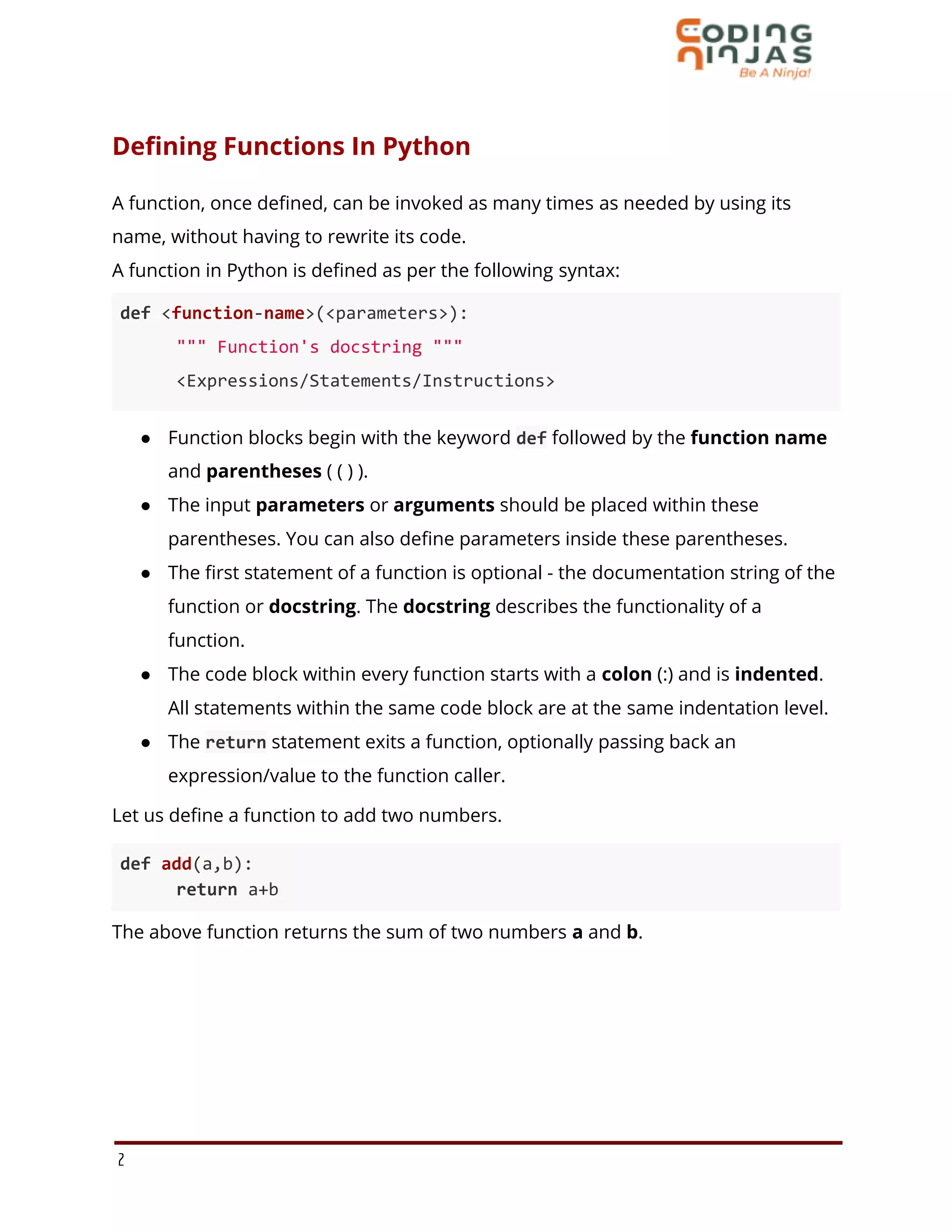
A function in Python is defined as per the following syntax:
def <function-name>(<parameters>):
""" Function's docstring """
<Expressions/Statements/Instructions>
● Function blocks begin with the keyword def followed by the function name
and parentheses ( ( ) ).
● The input parameters or arguments should be placed within these
parentheses. You can also define parameters inside these parentheses.
● The first statement of a function is optional - the documentation string of the
function or docstring. The docstring describes the functionality of a
function.
● The code block within every function starts with a colon (:) and is indented.
All statements within the same code block are at the same indentation level.
● The return statement exits a function, optionally passing back an
expression/value to the function caller.
Let us define a function to add two numbers.
def add(a,b):
return a+b
The above function returns the sum of two numbers a and b.
2
The return Statement
A return statement is used to end the execution of the function call and it “returns”
the result (value of the expression following the return keyword) to the caller. The
statements after the return statements are not executed. If the return statement is
without any expression, then the special value None is returned.
In the example given above, the sum a+b is returned.
Note: In Python, you need not specify the return type i.e. the data type of returned
value.
Calling/Invoking A Function
Once you have defined a function, you can call it from another function, program,
or even the Python prompt. To use a function that has been defined earlier, you
need to write a function call.
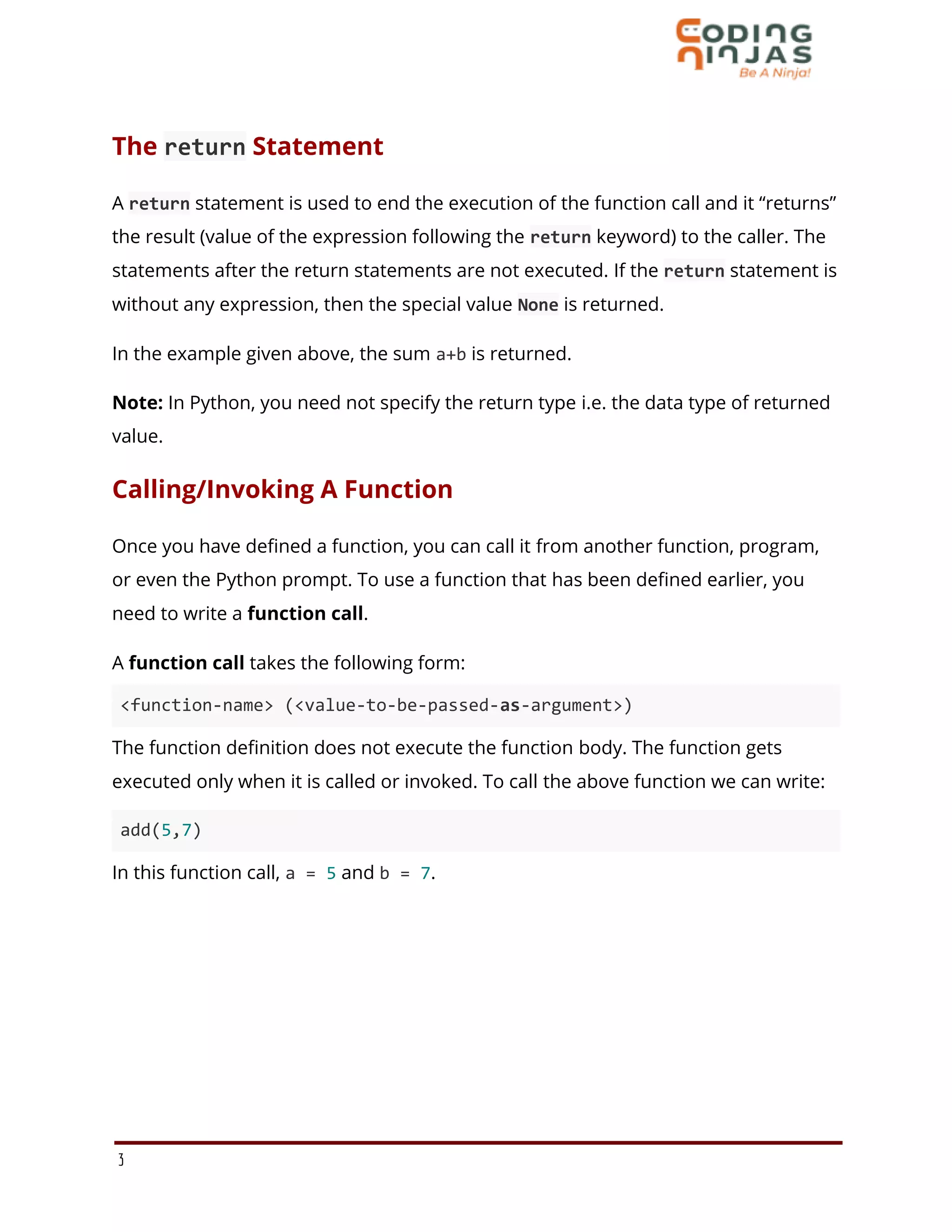
A function call takes the following form:
<function-name> (<value-to-be-passed-as-argument>)
The function definition does not execute the function body. The function gets
executed only when it is called or invoked. To call the above function we can write:
add(5,7)
In this function call, a = 5 and b = 7.
3
Arguments And Parameters
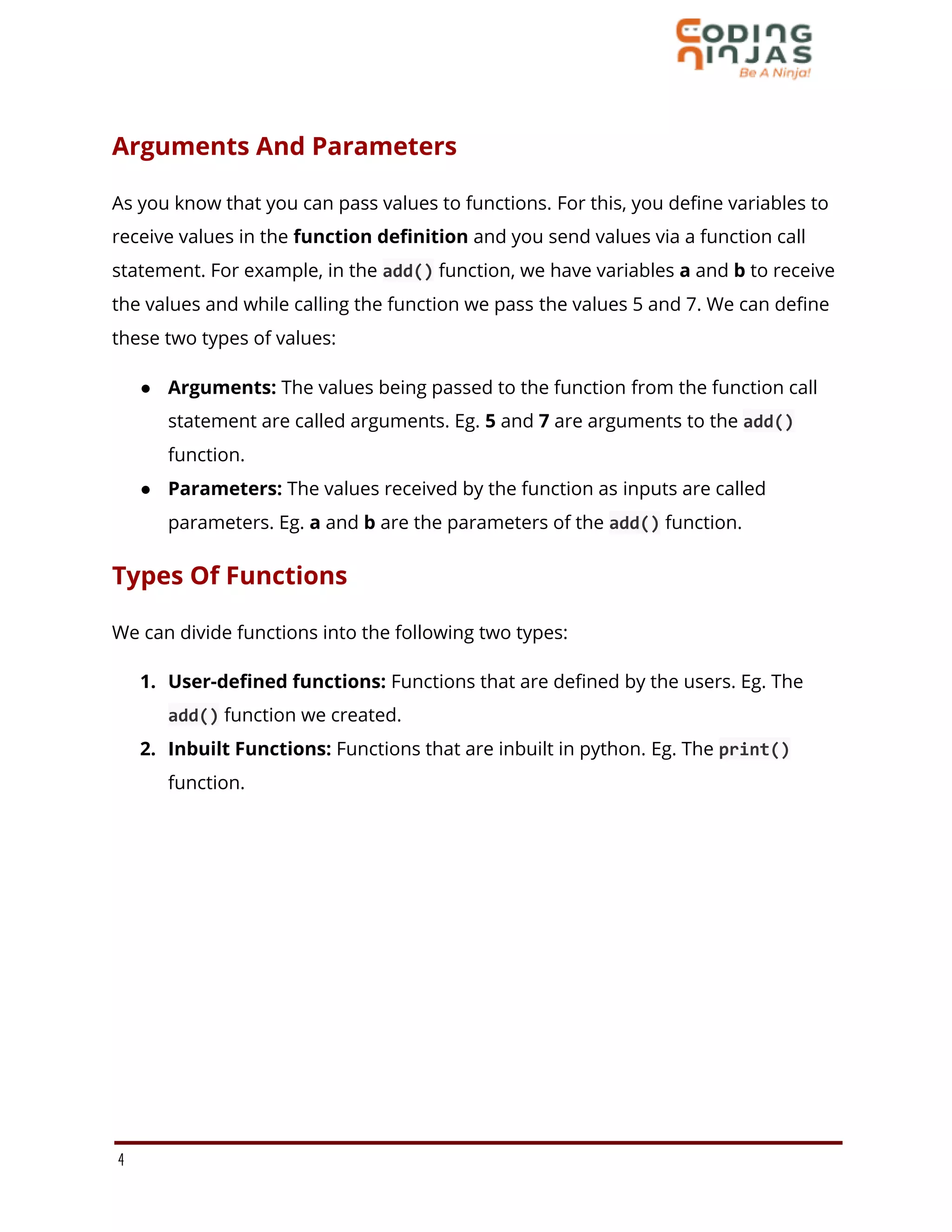
As you know that you can pass values to functions. For this, you define variables to
receive values in the function definition and you send values via a function call
statement. For example, in the add() function, we have variables a and b to receive
the values and while calling the function we pass the values 5 and 7. We can define
these two types of values:
● Arguments: The values being passed to the function from the function call
statement are called arguments. Eg. 5 and 7 are arguments to the add()
function.
● Parameters: The values received by the function as inputs are called
parameters. Eg. a and b are the parameters of the add() function.
Types Of Functions
We can divide functions into the following two types:
1. User-defined functions: Functions that are defined by the users. Eg. The
add() function we created.
2. Inbuilt Functions: Functions that are inbuilt in python. Eg. The print()
function.
4
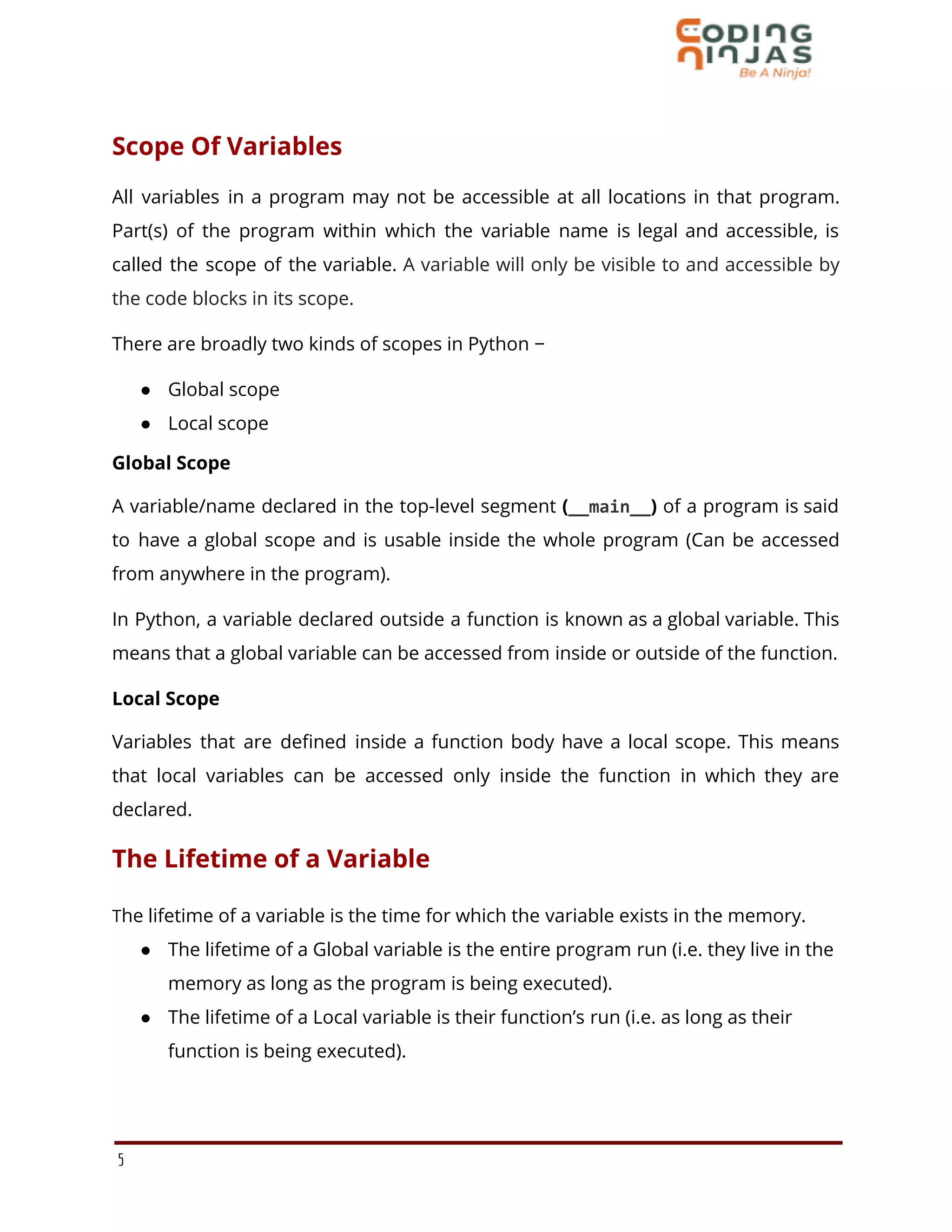
Scope Of Variables
All variables in a program may not be accessible at all locations in that program.
Part(s) of the program within which the variable name is legal and accessible, is
called the scope of the variable. A variable will only be visible to and accessible by
the code blocks in its scope.
There are broadly two kinds of scopes in Python −
● Global scope
● Local scope
Global Scope
A variable/name declared in the top-level segment (__main__) of a program is said
to have a global scope and is usable inside the whole program (Can be accessed
from anywhere in the program).
In Python, a variable declared outside a function is known as a global variable. This
means that a global variable can be accessed from inside or outside of the function.
Local Scope
Variables that are defined inside a function body have a local scope. This means
that local variables can be accessed only inside the function in which they are
declared.
The Lifetime of a Variable
The lifetime of a variable is the time for which the variable exists in the memory.
● The lifetime of a Global variable is the entire program run (i.e. they live in the
memory as long as the program is being executed).
● The lifetime of a Local variable is their function’s run (i.e. as long as their
function is being executed).
5
Creating a Global Variable
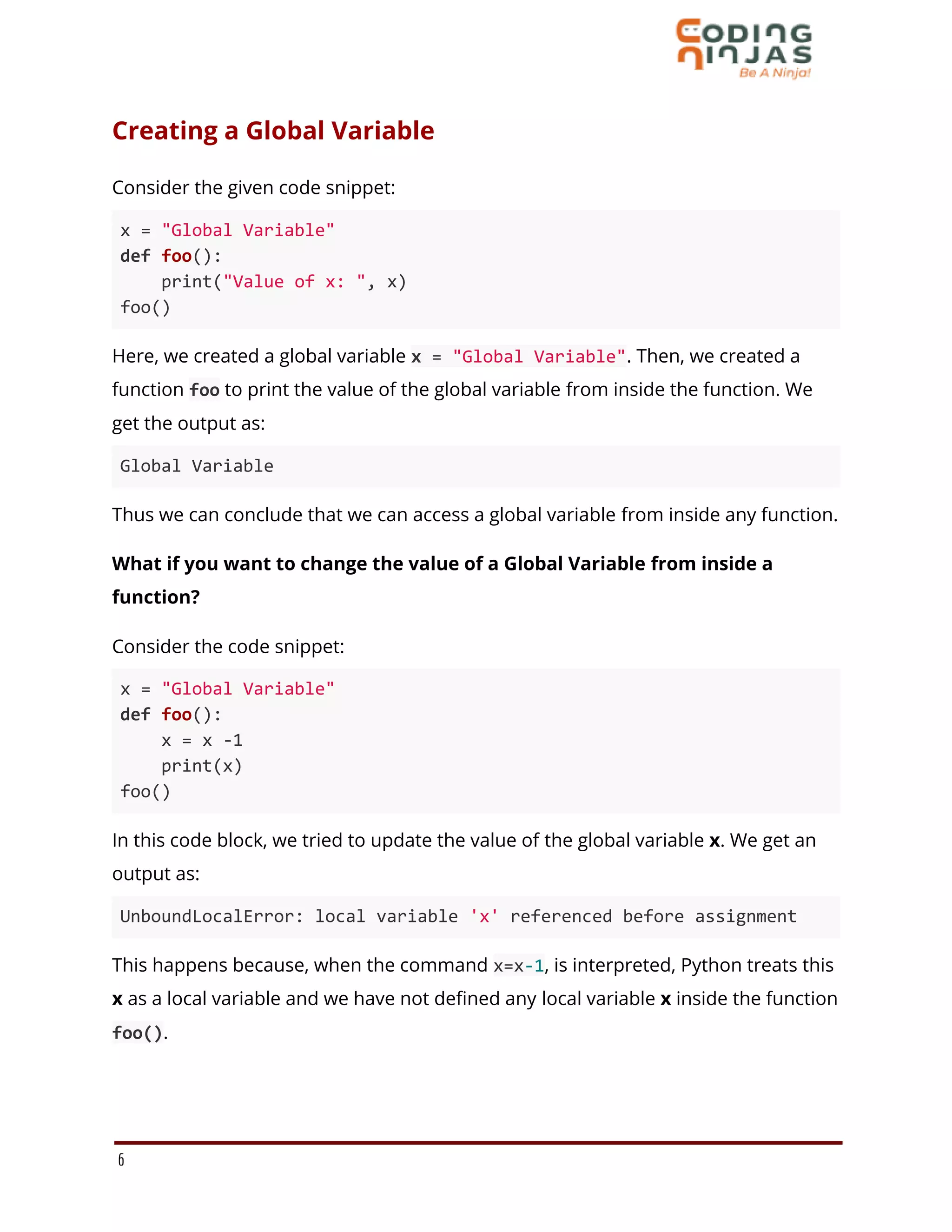
Consider the given code snippet:
x = "Global Variable"
def foo():
print("Value of x: ", x)
foo()
Here, we created a global variable x = "Global Variable". Then, we created a
function foo to print the value of the global variable from inside the function. We
get the output as:
Global Variable
Thus we can conclude that we can access a global variable from inside any function.
What if you want to change the value of a Global Variable from inside a
function?
Consider the code snippet:
x = "Global Variable"
def foo():
x = x -1
print(x)
foo()
In this code block, we tried to update the value of the global variable x. We get an
output as:
UnboundLocalError: local variable 'x' referenced before assignment
This happens because, when the command x=x-1, is interpreted, Python treats this
x as a local variable and we have not defined any local variable x inside the function
foo().
6
Creating a Local Variable
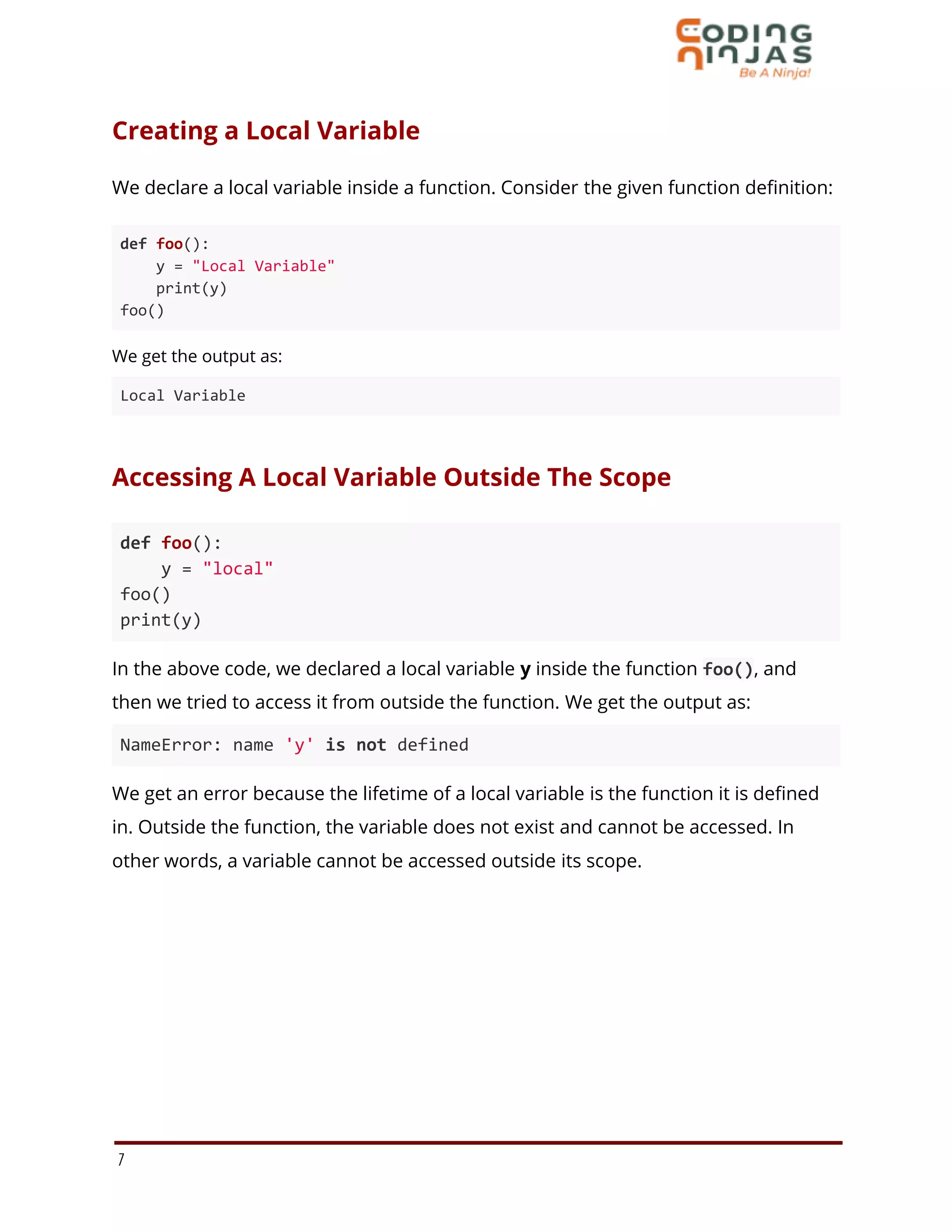
We declare a local variable inside a function. Consider the given function definition:
def foo():
y = "Local Variable"
print(y)
foo()
We get the output as:
Local Variable
Accessing A Local Variable Outside The Scope
def foo():
y = "local"
foo()
print(y)
In the above code, we declared a local variable y inside the function foo(), and
then we tried to access it from outside the function. We get the output as:
NameError: name 'y' is not defined
We get an error because the lifetime of a local variable is the function it is defined
in. Outside the function, the variable does not exist and cannot be accessed. In
other words, a variable cannot be accessed outside its scope.
7
Global Variable And Local Variable With The Same Name
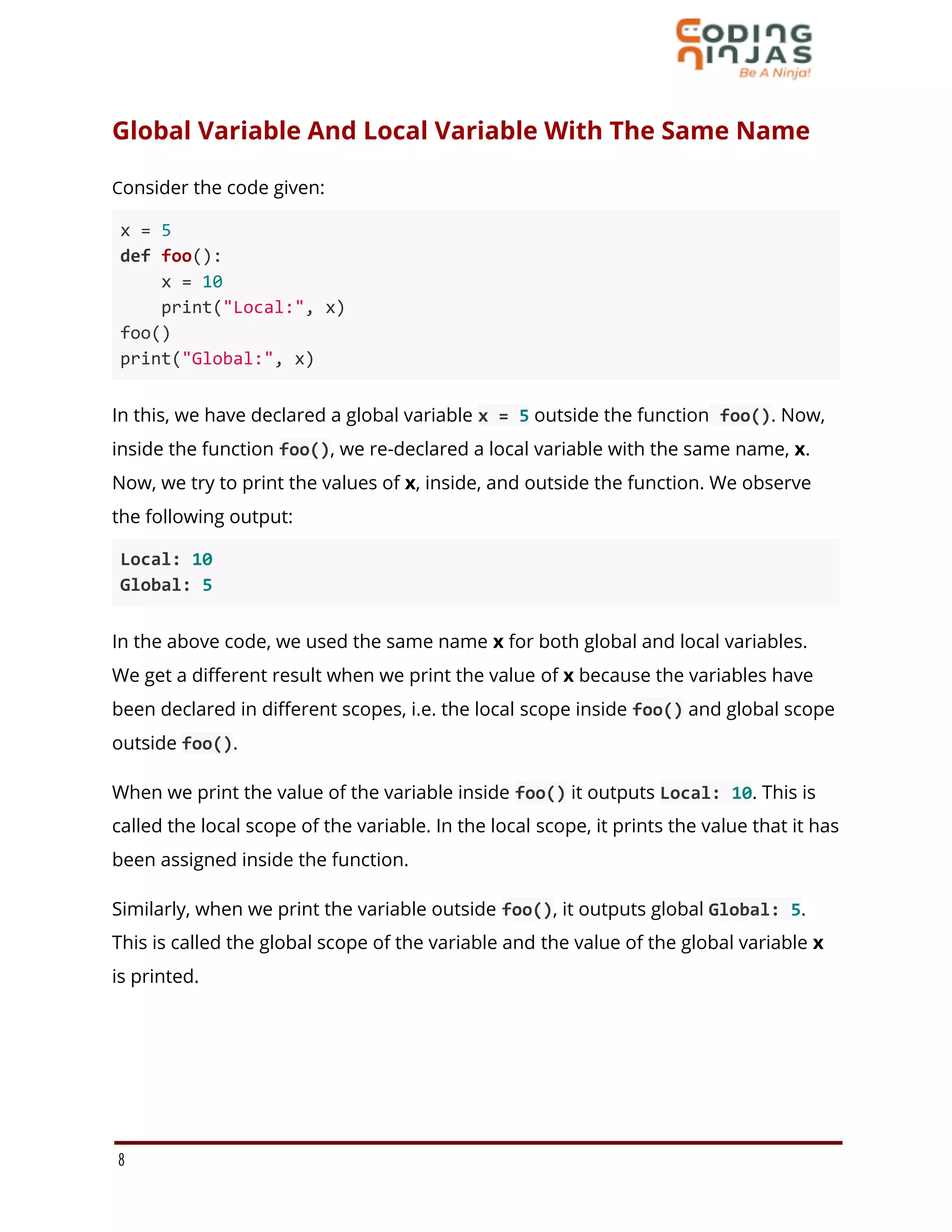
Consider the code given:
x = 5
def foo():
x = 10
print("Local:", x)
foo()
print("Global:", x)
In this, we have declared a global variable x = 5 outside the function foo(). Now,
inside the function foo(), we re-declared a local variable with the same name, x.
Now, we try to print the values of x, inside, and outside the function. We observe
the following output:
Local: 10
Global: 5
In the above code, we used the same name x for both global and local variables.
We get a different result when we print the value of x because the variables have
been declared in different scopes, i.e. the local scope inside foo() and global scope
outside foo().
When we print the value of the variable inside foo() it outputs Local: 10. This is
called the local scope of the variable. In the local scope, it prints the value that it has
been assigned inside the function.
Similarly, when we print the variable outside foo(), it outputs global Global: 5.
This is called the global scope of the variable and the value of the global variable x
is printed.
8
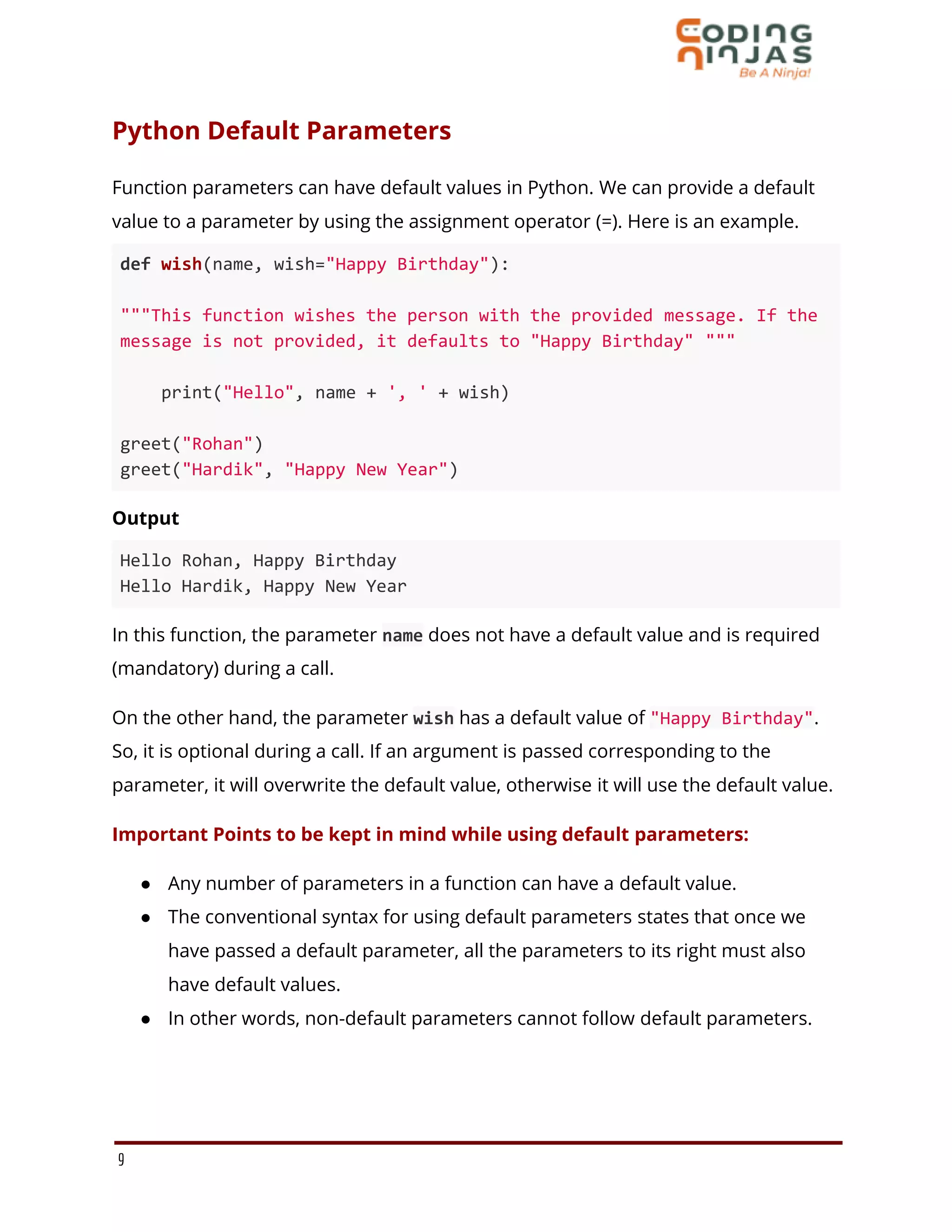
Python Default Parameters
Function parameters can have default values in Python. We can provide a default
value to a parameter by using the assignment operator (=). Here is an example.
def wish(name, wish="Happy Birthday"):
"""This function wishes the person with the provided message. If the
message is not provided, it defaults to "Happy Birthday" """
print("Hello", name + ', ' + wish)
greet("Rohan")
greet("Hardik", "Happy New Year")
Output
Hello Rohan, Happy Birthday
Hello Hardik, Happy New Year
In this function, the parameter name does not have a default value and is required
(mandatory) during a call.
On the other hand, the parameter wish has a default value of "Happy Birthday".
So, it is optional during a call. If an argument is passed corresponding to the
parameter, it will overwrite the default value, otherwise it will use the default value.
Important Points to be kept in mind while using default parameters:
● Any number of parameters in a function can have a default value.
● The conventional syntax for using default parameters states that once we
have passed a default parameter, all the parameters to its right must also
have default values.
● In other words, non-default parameters cannot follow default parameters.
9
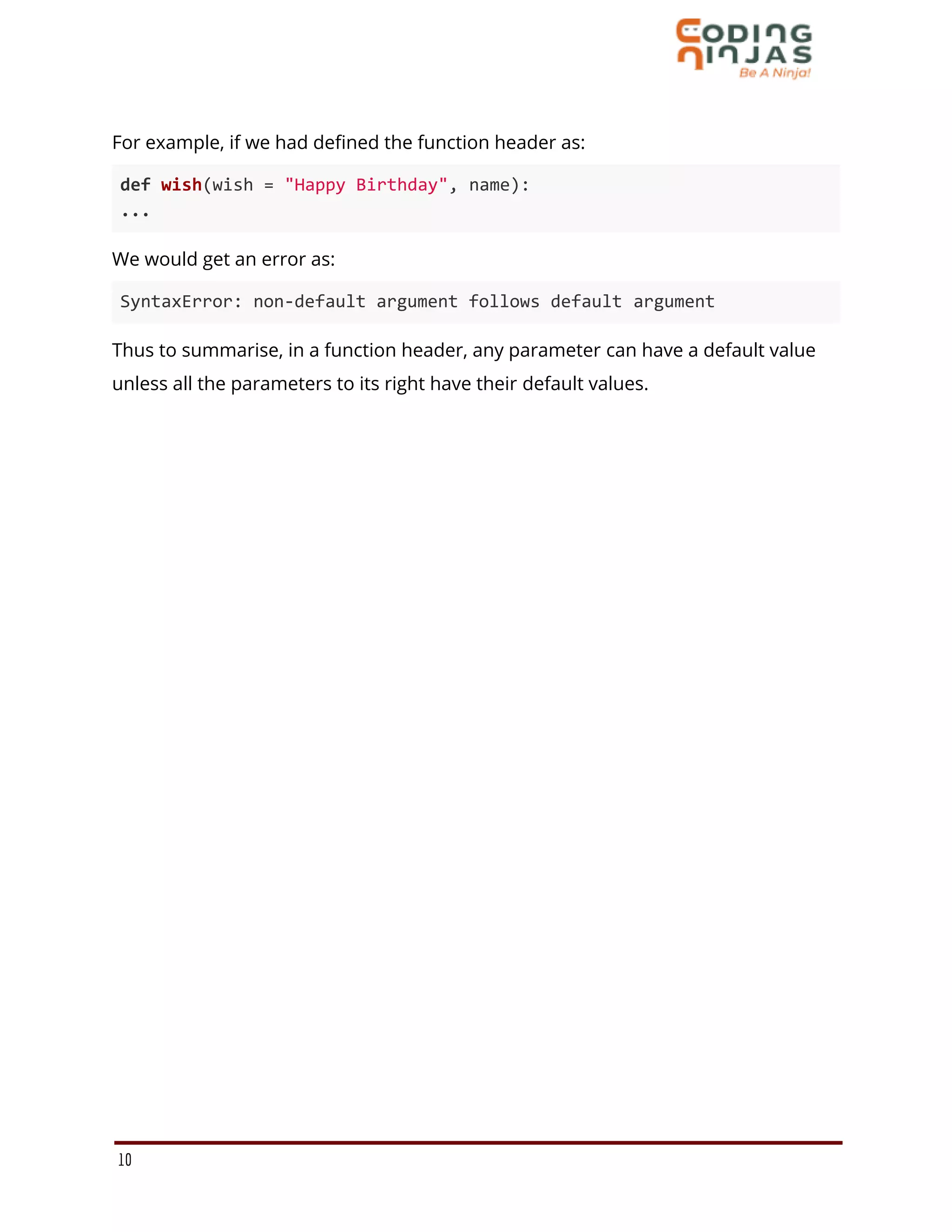
For example, if we had defined the function header as:
def wish(wish = "Happy Birthday", name):
...
We would get an error as:
SyntaxError: non-default argument follows default argument
Thus to summarise, in a function header, any parameter can have a default value
unless all the parameters to its right have their default values.
10

Function

  • 1.
    Functions What Is AFunction? A Function is a sequence of statements/instructions that performs a particular task. A function is like a black box that can take certain input(s) as its parameters and can output a value after performing a few operations on the parameters. A function is created so that one can use a block of code as many times as needed just by using the name of the function. Why Do We Need Functions? ● Reusability: Once a function is defined, it can be used over and over again. You can call the function as many times as it is needed. Suppose you are required to find out the area of a circle for 10 different radii. Now, you can either write the formula πr2 10 times or you can simply create a function that takes the value of the radius as an input and returns the area corresponding to that radius. This way you would not have to write the same code (formula) 10 times. You can simply invoke the function every time. ● Neat code: A code containing functions is concise and easy to read. ● Modularisation: Functions help in modularizing code. Modularization means dividing the code into smaller modules, each performing a specific task. ● Easy Debugging: It is easy to find and correct the error in a function as compared to raw code. 1
  • 2.
    Defining Functions InPython A function, once defined, can be invoked as many times as needed by using its name, without having to rewrite its code. A function in Python is defined as per the following syntax: def <function-name>(<parameters>): """ Function's docstring """ <Expressions/Statements/Instructions> ● Function blocks begin with the keyword def followed by the function name and parentheses ( ( ) ). ● The input parameters or arguments should be placed within these parentheses. You can also define parameters inside these parentheses. ● The first statement of a function is optional - the documentation string of the function or docstring. The docstring describes the functionality of a function. ● The code block within every function starts with a colon (:) and is indented. All statements within the same code block are at the same indentation level. ● The return statement exits a function, optionally passing back an expression/value to the function caller. Let us define a function to add two numbers. def add(a,b): return a+b The above function returns the sum of two numbers a and b. 2
  • 3.
    The return Statement Areturn statement is used to end the execution of the function call and it “returns” the result (value of the expression following the return keyword) to the caller. The statements after the return statements are not executed. If the return statement is without any expression, then the special value None is returned. In the example given above, the sum a+b is returned. Note: In Python, you need not specify the return type i.e. the data type of returned value. Calling/Invoking A Function Once you have defined a function, you can call it from another function, program, or even the Python prompt. To use a function that has been defined earlier, you need to write a function call. A function call takes the following form: <function-name> (<value-to-be-passed-as-argument>) The function definition does not execute the function body. The function gets executed only when it is called or invoked. To call the above function we can write: add(5,7) In this function call, a = 5 and b = 7. 3
  • 4.
    Arguments And Parameters Asyou know that you can pass values to functions. For this, you define variables to receive values in the function definition and you send values via a function call statement. For example, in the add() function, we have variables a and b to receive the values and while calling the function we pass the values 5 and 7. We can define these two types of values: ● Arguments: The values being passed to the function from the function call statement are called arguments. Eg. 5 and 7 are arguments to the add() function. ● Parameters: The values received by the function as inputs are called parameters. Eg. a and b are the parameters of the add() function. Types Of Functions We can divide functions into the following two types: 1. User-defined functions: Functions that are defined by the users. Eg. The add() function we created. 2. Inbuilt Functions: Functions that are inbuilt in python. Eg. The print() function. 4
  • 5.
    Scope Of Variables Allvariables in a program may not be accessible at all locations in that program. Part(s) of the program within which the variable name is legal and accessible, is called the scope of the variable. A variable will only be visible to and accessible by the code blocks in its scope. There are broadly two kinds of scopes in Python − ● Global scope ● Local scope Global Scope A variable/name declared in the top-level segment (__main__) of a program is said to have a global scope and is usable inside the whole program (Can be accessed from anywhere in the program). In Python, a variable declared outside a function is known as a global variable. This means that a global variable can be accessed from inside or outside of the function. Local Scope Variables that are defined inside a function body have a local scope. This means that local variables can be accessed only inside the function in which they are declared. The Lifetime of a Variable The lifetime of a variable is the time for which the variable exists in the memory. ● The lifetime of a Global variable is the entire program run (i.e. they live in the memory as long as the program is being executed). ● The lifetime of a Local variable is their function’s run (i.e. as long as their function is being executed). 5
  • 6.
    Creating a GlobalVariable Consider the given code snippet: x = "Global Variable" def foo(): print("Value of x: ", x) foo() Here, we created a global variable x = "Global Variable". Then, we created a function foo to print the value of the global variable from inside the function. We get the output as: Global Variable Thus we can conclude that we can access a global variable from inside any function. What if you want to change the value of a Global Variable from inside a function? Consider the code snippet: x = "Global Variable" def foo(): x = x -1 print(x) foo() In this code block, we tried to update the value of the global variable x. We get an output as: UnboundLocalError: local variable 'x' referenced before assignment This happens because, when the command x=x-1, is interpreted, Python treats this x as a local variable and we have not defined any local variable x inside the function foo(). 6
  • 7.
    Creating a LocalVariable We declare a local variable inside a function. Consider the given function definition: def foo(): y = "Local Variable" print(y) foo() We get the output as: Local Variable Accessing A Local Variable Outside The Scope def foo(): y = "local" foo() print(y) In the above code, we declared a local variable y inside the function foo(), and then we tried to access it from outside the function. We get the output as: NameError: name 'y' is not defined We get an error because the lifetime of a local variable is the function it is defined in. Outside the function, the variable does not exist and cannot be accessed. In other words, a variable cannot be accessed outside its scope. 7
  • 8.
    Global Variable AndLocal Variable With The Same Name Consider the code given: x = 5 def foo(): x = 10 print("Local:", x) foo() print("Global:", x) In this, we have declared a global variable x = 5 outside the function foo(). Now, inside the function foo(), we re-declared a local variable with the same name, x. Now, we try to print the values of x, inside, and outside the function. We observe the following output: Local: 10 Global: 5 In the above code, we used the same name x for both global and local variables. We get a different result when we print the value of x because the variables have been declared in different scopes, i.e. the local scope inside foo() and global scope outside foo(). When we print the value of the variable inside foo() it outputs Local: 10. This is called the local scope of the variable. In the local scope, it prints the value that it has been assigned inside the function. Similarly, when we print the variable outside foo(), it outputs global Global: 5. This is called the global scope of the variable and the value of the global variable x is printed. 8
  • 9.
    Python Default Parameters Functionparameters can have default values in Python. We can provide a default value to a parameter by using the assignment operator (=). Here is an example. def wish(name, wish="Happy Birthday"): """This function wishes the person with the provided message. If the message is not provided, it defaults to "Happy Birthday" """ print("Hello", name + ', ' + wish) greet("Rohan") greet("Hardik", "Happy New Year") Output Hello Rohan, Happy Birthday Hello Hardik, Happy New Year In this function, the parameter name does not have a default value and is required (mandatory) during a call. On the other hand, the parameter wish has a default value of "Happy Birthday". So, it is optional during a call. If an argument is passed corresponding to the parameter, it will overwrite the default value, otherwise it will use the default value. Important Points to be kept in mind while using default parameters: ● Any number of parameters in a function can have a default value. ● The conventional syntax for using default parameters states that once we have passed a default parameter, all the parameters to its right must also have default values. ● In other words, non-default parameters cannot follow default parameters. 9
  • 10.
    For example, ifwe had defined the function header as: def wish(wish = "Happy Birthday", name): ... We would get an error as: SyntaxError: non-default argument follows default argument Thus to summarise, in a function header, any parameter can have a default value unless all the parameters to its right have their default values. 10