The Free Enterprise 
Load Balancer 
Mike Soule
Goals 
• High Availability 
• Scalability 
• Performance 
• Maintainability
Goals: From… 
www
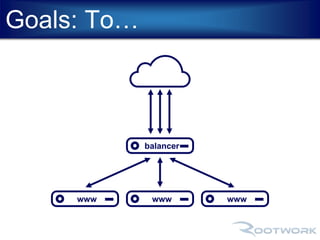
Goals: To… 
balancer 
www www www
Web Server Preparation 
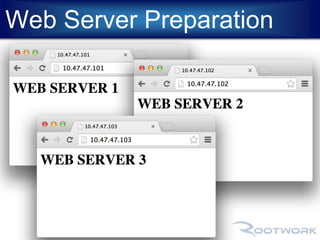
• Three Identical Web Servers 
- IPs: 10.47.47.101-103 
- Default page (index.html) to identify 
which web server 
- Open http port (80)
Web Server Preparation
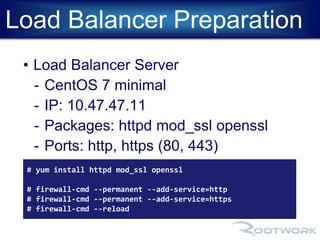
Load Balancer Preparation 
• Load Balancer Server 
- CentOS 7 minimal 
- IP: 10.47.47.11 
- Packages: httpd mod_ssl openssl 
- Ports: http, https (80, 443) 
# yum install httpd mod_ssl openssl 
# firewall-cmd --permanent --add-service=http 
# firewall-cmd --permanent --add-service=https 
# firewall-cmd --reload
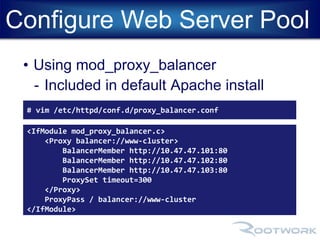
Configure Web Server Pool 
• Using mod_proxy_balancer 
- Included in default Apache install 
# vim /etc/httpd/conf.d/proxy_balancer.conf 
<IfModule mod_proxy_balancer.c> 
<Proxy balancer://www-cluster> 
BalancerMember http://10.47.47.101:80 
BalancerMember http://10.47.47.102:80 
BalancerMember http://10.47.47.103:80 
ProxySet timeout=300 
</Proxy> 
ProxyPass / balancer://www-cluster 
</IfModule>
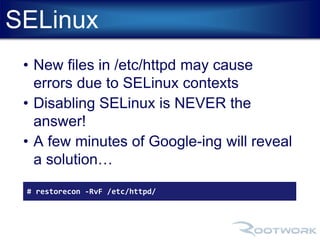
SELinux 
• New files in /etc/httpd may cause 
errors due to SELinux contexts 
• Disabling SELinux is NEVER the 
answer! 
• A few minutes of Google-ing will reveal 
a solution… 
# restorecon -RvF /etc/httpd/
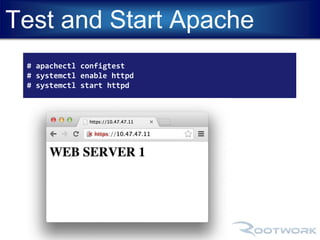
Test and Start Apache 
# apachectl configtest 
# systemctl enable httpd 
# systemctl start httpd
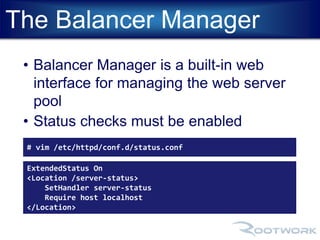
The Balancer Manager 
• Balancer Manager is a built-in web 
interface for managing the web server 
pool 
• Status checks must be enabled 
# vim /etc/httpd/conf.d/status.conf 
ExtendedStatus On 
<Location /server-status> 
SetHandler server-status 
Require host localhost 
</Location>
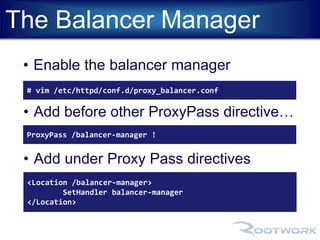
The Balancer Manager 
• Enable the balancer manager 
# vim /etc/httpd/conf.d/proxy_balancer.conf 
• Add before other ProxyPass directive… 
ProxyPass /balancer-manager ! 
• Add under Proxy Pass directives 
<Location /balancer-manager> 
SetHandler balancer-manager 
</Location>
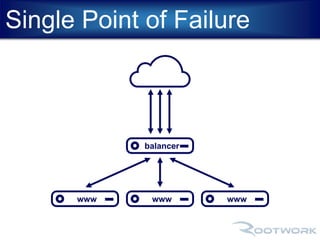
But wait, we created a 
single point of failure… 
#OMGWTFBBQ!
Single Point of Failure 
balancer 
www www www
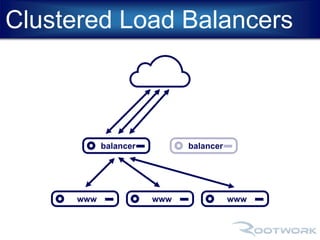
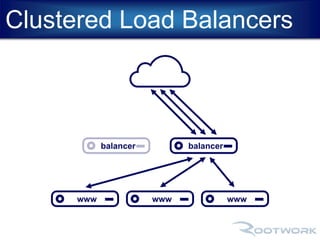
Clustered Load Balancers 
balancer balancer 
www www www
Clustered Load Balancers 
balancer balancer 
www www www
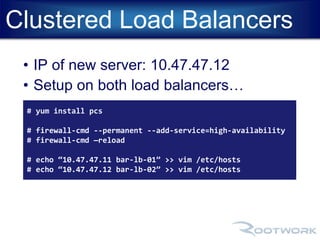
Clustered Load Balancers 
• IP of new server: 10.47.47.12 
• Setup on both load balancers… 
# yum install pcs 
# firewall-cmd --permanent --add-service=high-availability 
# firewall-cmd —reload 
# echo “10.47.47.11 bar-lb-01” >> vim /etc/hosts 
# echo “10.47.47.12 bar-lb-02” >> vim /etc/hosts
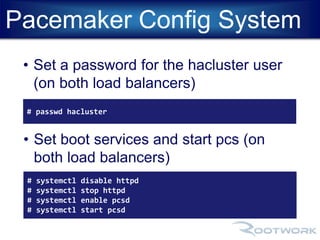
Pacemaker Config System 
• Set a password for the hacluster user 
(on both load balancers) 
# passwd hacluster 
• Set boot services and start pcs (on 
both load balancers) 
# systemctl disable httpd 
# systemctl stop httpd 
# systemctl enable pcsd 
# systemctl start pcsd
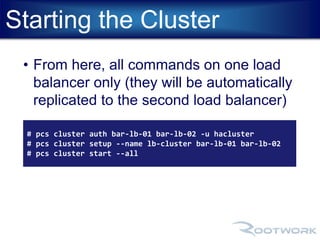
Starting the Cluster 
• From here, all commands on one load 
balancer only (they will be automatically 
replicated to the second load balancer) 
# pcs cluster auth bar-lb-01 bar-lb-02 -u hacluster 
# pcs cluster setup --name lb-cluster bar-lb-01 bar-lb-02 
# pcs cluster start --all
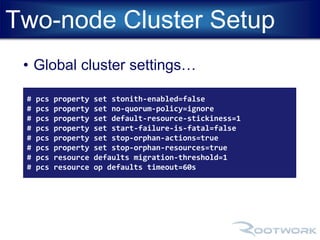
Two-node Cluster Setup 
• Global cluster settings… 
# pcs property set stonith-enabled=false 
# pcs property set no-quorum-policy=ignore 
# pcs property set default-resource-stickiness=1 
# pcs property set start-failure-is-fatal=false 
# pcs property set stop-orphan-actions=true 
# pcs property set stop-orphan-resources=true 
# pcs resource defaults migration-threshold=1 
# pcs resource op defaults timeout=60s
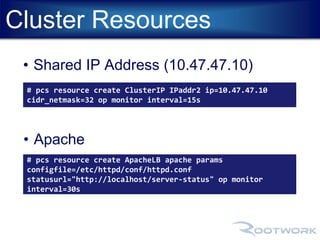
Cluster Resources 
• Shared IP Address (10.47.47.10) 
# pcs resource create ClusterIP IPaddr2 ip=10.47.47.10 
cidr_netmask=32 op monitor interval=15s 
• Apache 
# pcs resource create ApacheLB apache params 
configfile=/etc/httpd/conf/httpd.conf 
statusurl="http://localhost/server-status" op monitor 
interval=30s
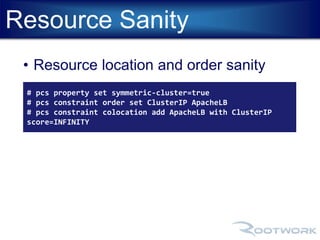
Resource Sanity 
• Resource location and order sanity 
# pcs property set symmetric-cluster=true 
# pcs constraint order set ClusterIP ApacheLB 
# pcs constraint colocation add ApacheLB with ClusterIP 
score=INFINITY
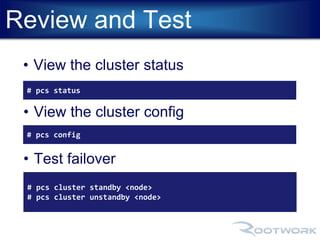
Review and Test 
• View the cluster status 
# pcs status 
• View the cluster config 
# pcs config 
• Test failover 
# pcs cluster standby <node> 
# pcs cluster unstandby <node>
Cluster Web UI 
• https://10.47.47.11:2224/
Free enterpriseloadbalancer

Free enterpriseloadbalancer

  • 1.
    The Free Enterprise Load Balancer Mike Soule
  • 2.
    Goals • HighAvailability • Scalability • Performance • Maintainability
  • 3.
  • 4.
  • 5.
    Web Server Preparation • Three Identical Web Servers - IPs: 10.47.47.101-103 - Default page (index.html) to identify which web server - Open http port (80)
  • 6.
  • 7.
    Load Balancer Preparation • Load Balancer Server - CentOS 7 minimal - IP: 10.47.47.11 - Packages: httpd mod_ssl openssl - Ports: http, https (80, 443) # yum install httpd mod_ssl openssl # firewall-cmd --permanent --add-service=http # firewall-cmd --permanent --add-service=https # firewall-cmd --reload
  • 8.
    Configure Web ServerPool • Using mod_proxy_balancer - Included in default Apache install # vim /etc/httpd/conf.d/proxy_balancer.conf <IfModule mod_proxy_balancer.c> <Proxy balancer://www-cluster> BalancerMember http://10.47.47.101:80 BalancerMember http://10.47.47.102:80 BalancerMember http://10.47.47.103:80 ProxySet timeout=300 </Proxy> ProxyPass / balancer://www-cluster </IfModule>
  • 9.
    SELinux • Newfiles in /etc/httpd may cause errors due to SELinux contexts • Disabling SELinux is NEVER the answer! • A few minutes of Google-ing will reveal a solution… # restorecon -RvF /etc/httpd/
  • 10.
    Test and StartApache # apachectl configtest # systemctl enable httpd # systemctl start httpd
  • 11.
    The Balancer Manager • Balancer Manager is a built-in web interface for managing the web server pool • Status checks must be enabled # vim /etc/httpd/conf.d/status.conf ExtendedStatus On <Location /server-status> SetHandler server-status Require host localhost </Location>
  • 12.
    The Balancer Manager • Enable the balancer manager # vim /etc/httpd/conf.d/proxy_balancer.conf • Add before other ProxyPass directive… ProxyPass /balancer-manager ! • Add under Proxy Pass directives <Location /balancer-manager> SetHandler balancer-manager </Location>
  • 13.
    But wait, wecreated a single point of failure… #OMGWTFBBQ!
  • 14.
    Single Point ofFailure balancer www www www
  • 15.
    Clustered Load Balancers balancer balancer www www www
  • 16.
    Clustered Load Balancers balancer balancer www www www
  • 17.
    Clustered Load Balancers • IP of new server: 10.47.47.12 • Setup on both load balancers… # yum install pcs # firewall-cmd --permanent --add-service=high-availability # firewall-cmd —reload # echo “10.47.47.11 bar-lb-01” >> vim /etc/hosts # echo “10.47.47.12 bar-lb-02” >> vim /etc/hosts
  • 18.
    Pacemaker Config System • Set a password for the hacluster user (on both load balancers) # passwd hacluster • Set boot services and start pcs (on both load balancers) # systemctl disable httpd # systemctl stop httpd # systemctl enable pcsd # systemctl start pcsd
  • 19.
    Starting the Cluster • From here, all commands on one load balancer only (they will be automatically replicated to the second load balancer) # pcs cluster auth bar-lb-01 bar-lb-02 -u hacluster # pcs cluster setup --name lb-cluster bar-lb-01 bar-lb-02 # pcs cluster start --all
  • 20.
    Two-node Cluster Setup • Global cluster settings… # pcs property set stonith-enabled=false # pcs property set no-quorum-policy=ignore # pcs property set default-resource-stickiness=1 # pcs property set start-failure-is-fatal=false # pcs property set stop-orphan-actions=true # pcs property set stop-orphan-resources=true # pcs resource defaults migration-threshold=1 # pcs resource op defaults timeout=60s
  • 21.
    Cluster Resources •Shared IP Address (10.47.47.10) # pcs resource create ClusterIP IPaddr2 ip=10.47.47.10 cidr_netmask=32 op monitor interval=15s • Apache # pcs resource create ApacheLB apache params configfile=/etc/httpd/conf/httpd.conf statusurl="http://localhost/server-status" op monitor interval=30s
  • 22.
    Resource Sanity •Resource location and order sanity # pcs property set symmetric-cluster=true # pcs constraint order set ClusterIP ApacheLB # pcs constraint colocation add ApacheLB with ClusterIP score=INFINITY
  • 23.
    Review and Test • View the cluster status # pcs status • View the cluster config # pcs config • Test failover # pcs cluster standby <node> # pcs cluster unstandby <node>
  • 24.
    Cluster Web UI • https://10.47.47.11:2224/