FORENSIC IMAGING
SUBMITTED BY:
Pooja Nikam
Sem-V
SUBMITTED to:
Mr. dineshkamble
Contents
 Forensic Imaging
 Introduction
 Types of Forensic Imaging
 Tools of Forensic Imaging
 First incidence Response
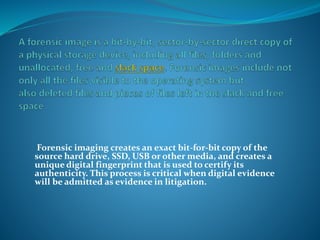
Forensic imaging creates an exact bit-for-bit copy of the
source hard drive, SSD, USB or other media, and creates a
unique digital fingerprint that is used to certify its
authenticity. This process is critical when digital evidence
will be admitted as evidence in litigation.
Types of forensic imaging
 Physical image :
 A physical image of a hard drive will capture all of the
ones and zeros contained on the drive . It will capture
the deleted space on the hard drive even if the drive
has been recently formatted. It will capture all deleted
files and file fragment on a hard drive .
 If one is making a physical image of a one T.B drive the
resulting image file will be one T.B unless compression
algorithms are used.
 Logical Image
 Logical image of hard drive will capture all the “active”
data if you look at the my computer icon on your
computer and browser through the C drive you are
viewing the logical drive and active files . This is what
will be captured if one forms a logical capture .
 Typically deleted space, deleted files and fragments
will not be captured .If one is making a logical image
of 1TB drive, but only 30GB is active files ,then the
resulting image will be 30 GB un compressed .
 TARGET COLLECTION
 If a specific set of files or documents are being
requested it may be possible to selectively copy only
those items from a storage medium to an image file .
This is what we call a targeted collection . If only one
folder residing on a network share has responsive
documents it may be prudent or necessary to preserve
those documents.
 This may be difficult to do if a custodian is not
organized or the custodian has email in eight different
PSTs and none are in separate folders or with current
technology its also possible to run search terms or
other filters across set of data and only capture those
files that match the criteria . Targeted collections can
greatly reduce the volume of data collected and
subsequently reduce costs at all stages of the discovery
process
Tools for forensic imaging
 In imaging, the complete drive or device is transferred To a
similar file and is stored in some other device.
 FTK Imager
 The Forensic Toolkit Imager (FTK Imager) is a commercial
forensic imaging software package distributed by AccessData.
The FTK Imager Lite version can be installed and executed from
a CD/DVD or USB media. It supports imaging of active/live or
inactive systems. It can be installed on a pen drive to make the
setup portable. Portable setups are required in case of acquiring
a live system where we cannot shut it down due to possibility of
data loss.
 FTK imager is only used for imaging. Whereas, for analysis
another package is available, that is FTK. Acquired image can be
shifted to larger memory and then investigations can be
performed
 DriveImage XML V2.50
 This is by ‘Runtime software’ the said software is very
small. It can also make image and can restore the
same. It supports logical and physical imaging. It
allows going through the acquired image and
extracting individual file from the image to local/host
file system. It is actually utility software where we can
schedule the operations
 Acronis True Image Home
 It is well-known utility software. It is not at all a digital
forensic tool but is used to make image of entire drive or
partition and restore it on same or different device. It is not
only useful for investigation but also for damage control.
Companies take system back up after specific period in case
of any kind of failure in the system the last successful back
up is restored to reduce the intensity of damage. It can be
installed on any system or we can make a bootable media to
do the imaging
 SOLO 4
 This is an independent hardware unit to copy / clone one
drive on another. It has very simple touch screen interface
and supports Serial Advanced Technology Attachment
(SATA), External Serial Advanced Technology Attachment
(E-SATA), Universal Serial Bus (USB), Statistical Analysis
System (SAS) etc. It can clone one source drive in to 2
drives simultaneously (one-many cloning). It has 1 to 1, 2 to
2 and 1 to 2 options. It has LAN interface too. It is portable
and it has high speed. It has it’s built in write blocker so the
chances of accidental damage is greatly reduced.
 Forensic Dossier
 Logicube manufactured this product. Even after its
discontinuation, the product is still available in the
market. It is almost similar to SOLO 4. The user can
see the drive information and can replicate drives. This
tool has a built-in GPS facility to mark the location of
operation. It can wipe old drive so we can use it for a
new case.
 EnCase forensic imager
 It is one of the well-known software from Guidance software.
 It is proprietary software. It supports live acquisition. For
systems with Redundant array of independent Disks (RAID)
technology live acquisition is the only option. In such cases, this
software is better than others. Even when the machine is
shutting down the evidence extraction is not so easy or feasible,
then live acquisition is the only option. In addition, it supports
dumping RAM so later investigator can access the contents in
RAM. Moreover, later on we can study the acquired image on
another machine. While imaging tools asks about preferences,
which includes drives to be imaged, nature of target image file
(single or split, in case if split, maximum size of individual file).
It asks for RAM image too. It is very useful for investigation on
RAID .
First Incident Response
 After visiting scene or site, there are many possibilities,
they are as follows:
 A. Shut downed machines
 1 Tag every connection and take photo.
 2 Search for the physical evidence first.
 3 Open and find out the storage device
 4 Make enough documentation (serial no, size,
manufacturer of disk, etc.)
 5 Seal it in a proper way and go for further operations
 B. Live machines with no harmful activity
 1 Take a photo of current activity first. Ensure that after
shutting down the system, it will not harm the
investigation.
 2 Hibernate option will be beneficial so after imaging
we can directly resume the system
 C. Live machine with harmful activity going on
(destroying data etc.)
 1 Capture a snapshot
 2 As soon as possible, remove the power cord to avoid
further damage.
 3 Then start with imaging of the disk
Forensic imaging

Forensic imaging

  • 1.
    FORENSIC IMAGING SUBMITTED BY: PoojaNikam Sem-V SUBMITTED to: Mr. dineshkamble
  • 2.
    Contents  Forensic Imaging Introduction  Types of Forensic Imaging  Tools of Forensic Imaging  First incidence Response
  • 3.
    Forensic imaging createsan exact bit-for-bit copy of the source hard drive, SSD, USB or other media, and creates a unique digital fingerprint that is used to certify its authenticity. This process is critical when digital evidence will be admitted as evidence in litigation.
  • 4.
    Types of forensicimaging  Physical image :  A physical image of a hard drive will capture all of the ones and zeros contained on the drive . It will capture the deleted space on the hard drive even if the drive has been recently formatted. It will capture all deleted files and file fragment on a hard drive .  If one is making a physical image of a one T.B drive the resulting image file will be one T.B unless compression algorithms are used.
  • 5.
     Logical Image Logical image of hard drive will capture all the “active” data if you look at the my computer icon on your computer and browser through the C drive you are viewing the logical drive and active files . This is what will be captured if one forms a logical capture .  Typically deleted space, deleted files and fragments will not be captured .If one is making a logical image of 1TB drive, but only 30GB is active files ,then the resulting image will be 30 GB un compressed .
  • 6.
     TARGET COLLECTION If a specific set of files or documents are being requested it may be possible to selectively copy only those items from a storage medium to an image file . This is what we call a targeted collection . If only one folder residing on a network share has responsive documents it may be prudent or necessary to preserve those documents.
  • 7.
     This maybe difficult to do if a custodian is not organized or the custodian has email in eight different PSTs and none are in separate folders or with current technology its also possible to run search terms or other filters across set of data and only capture those files that match the criteria . Targeted collections can greatly reduce the volume of data collected and subsequently reduce costs at all stages of the discovery process
  • 8.
    Tools for forensicimaging  In imaging, the complete drive or device is transferred To a similar file and is stored in some other device.  FTK Imager  The Forensic Toolkit Imager (FTK Imager) is a commercial forensic imaging software package distributed by AccessData. The FTK Imager Lite version can be installed and executed from a CD/DVD or USB media. It supports imaging of active/live or inactive systems. It can be installed on a pen drive to make the setup portable. Portable setups are required in case of acquiring a live system where we cannot shut it down due to possibility of data loss.  FTK imager is only used for imaging. Whereas, for analysis another package is available, that is FTK. Acquired image can be shifted to larger memory and then investigations can be performed
  • 9.
     DriveImage XMLV2.50  This is by ‘Runtime software’ the said software is very small. It can also make image and can restore the same. It supports logical and physical imaging. It allows going through the acquired image and extracting individual file from the image to local/host file system. It is actually utility software where we can schedule the operations
  • 10.
     Acronis TrueImage Home  It is well-known utility software. It is not at all a digital forensic tool but is used to make image of entire drive or partition and restore it on same or different device. It is not only useful for investigation but also for damage control. Companies take system back up after specific period in case of any kind of failure in the system the last successful back up is restored to reduce the intensity of damage. It can be installed on any system or we can make a bootable media to do the imaging
  • 11.
     SOLO 4 This is an independent hardware unit to copy / clone one drive on another. It has very simple touch screen interface and supports Serial Advanced Technology Attachment (SATA), External Serial Advanced Technology Attachment (E-SATA), Universal Serial Bus (USB), Statistical Analysis System (SAS) etc. It can clone one source drive in to 2 drives simultaneously (one-many cloning). It has 1 to 1, 2 to 2 and 1 to 2 options. It has LAN interface too. It is portable and it has high speed. It has it’s built in write blocker so the chances of accidental damage is greatly reduced.
  • 12.
     Forensic Dossier Logicube manufactured this product. Even after its discontinuation, the product is still available in the market. It is almost similar to SOLO 4. The user can see the drive information and can replicate drives. This tool has a built-in GPS facility to mark the location of operation. It can wipe old drive so we can use it for a new case.
  • 13.
     EnCase forensicimager  It is one of the well-known software from Guidance software.  It is proprietary software. It supports live acquisition. For systems with Redundant array of independent Disks (RAID) technology live acquisition is the only option. In such cases, this software is better than others. Even when the machine is shutting down the evidence extraction is not so easy or feasible, then live acquisition is the only option. In addition, it supports dumping RAM so later investigator can access the contents in RAM. Moreover, later on we can study the acquired image on another machine. While imaging tools asks about preferences, which includes drives to be imaged, nature of target image file (single or split, in case if split, maximum size of individual file). It asks for RAM image too. It is very useful for investigation on RAID .
  • 14.
    First Incident Response After visiting scene or site, there are many possibilities, they are as follows:  A. Shut downed machines  1 Tag every connection and take photo.  2 Search for the physical evidence first.  3 Open and find out the storage device  4 Make enough documentation (serial no, size, manufacturer of disk, etc.)  5 Seal it in a proper way and go for further operations
  • 15.
     B. Livemachines with no harmful activity  1 Take a photo of current activity first. Ensure that after shutting down the system, it will not harm the investigation.  2 Hibernate option will be beneficial so after imaging we can directly resume the system
  • 16.
     C. Livemachine with harmful activity going on (destroying data etc.)  1 Capture a snapshot  2 As soon as possible, remove the power cord to avoid further damage.  3 Then start with imaging of the disk