1
Mrs. K.KASTHURI ,M.Sc., M.Phil., M.Tech.,
Assistant Professor
Department of Information Technology
V.V.Vanniaperumal College for Women
Virudhunagar
Console oriented Input/Output
 Console oriented – use terminal
(keyboard/screen)
 scanf(“%d”,&i) – read data from keyboard
 printf(“%d”,i) – print data to monitor
 Suitable for small volumes of data
 Data lost when program terminated
Real-life applications
 Large data volumes
 E.g. physical experiments (CERN collider),
human genome, population records etc.
 Need for flexible approach to store/retrieve
data
 Concept of files
Files
 File – place on disc where group of related
data is stored
 E.g. your C programs, executables
 High-level programming languages support file
operations
 Naming
 Opening
 Reading
 Writing
 Closing
Defining and opening file
 To store data file in secondary memory
(disc) must specify to OS
 Filename (e.g. sort.c, input.data)
 Data structure (e.g. FILE)
 Purpose (e.g. reading, writing, appending)
Filename
 String of characters that make up a valid filename
for OS
 May contain two parts
 Primary
 Optional period with extension
 Examples: a.out, prog.c, text.out
Here
a, prog and text is name of the file.
placed after . (out,c) is the extension.
It indicates the filetype.
General format for opening file
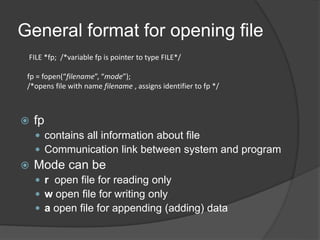
 fp
 contains all information about file
 Communication link between system and program
 Mode can be
 r open file for reading only
 w open file for writing only
 a open file for appending (adding) data
FILE *fp; /*variable fp is pointer to type FILE*/
fp = fopen(“filename”, “mode”);
/*opens file with name filename , assigns identifier to fp */
Different modes
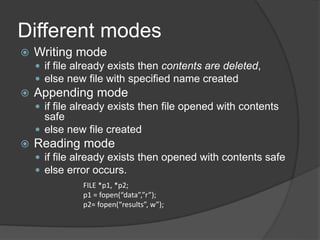
 Writing mode
 if file already exists then contents are deleted,
 else new file with specified name created
 Appending mode
 if file already exists then file opened with contents
safe
 else new file created
 Reading mode
 if file already exists then opened with contents safe
 else error occurs.
FILE *p1, *p2;
p1 = fopen(“data”,”r”);
p2= fopen(“results”, w”);
Additional modes
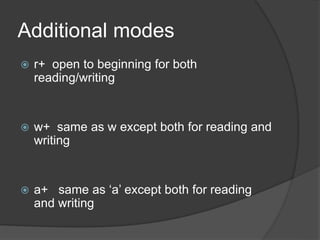
 r+ open to beginning for both
reading/writing
 w+ same as w except both for reading and
writing
 a+ same as ‘a’ except both for reading
and writing
Closing a file
 File must be closed as soon as all operations on it completed
 Ensures
 All outstanding information associated with file flushed out from buffers
 All links to file broken
 Accidental misuse of file prevented
 If want to change mode of file, then first close and open again
Closing a file
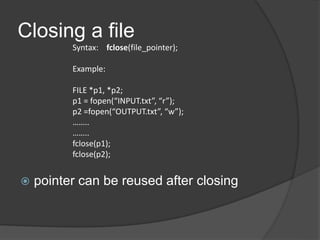
 pointer can be reused after closing
Syntax: fclose(file_pointer);
Example:
FILE *p1, *p2;
p1 = fopen(“INPUT.txt”, “r”);
p2 =fopen(“OUTPUT.txt”, “w”);
……..
……..
fclose(p1);
fclose(p2);
Input/Output operations on files
 C provides several different functions for reading/writing
 getc() – read a character
 putc() – write a character
 fprintf() – write set of data values
 fscanf() – read set of data values
 getw() – read integer
 putw() – write integer
getc() and putc()
 handle one character at a time like getchar()
and putchar()
 syntax: putc(c,fp1);
 c : a character variable
 fp1 : pointer to file opened with mode w
 syntax: c = getc(fp2);
 c : a character variable
 fp2 : pointer to file opened with mode r
 file pointer moves by one character position
after every getc() and putc()
 getc() returns end-of-file marker EOF when file
end reached
Program to read/write using
getc/putc
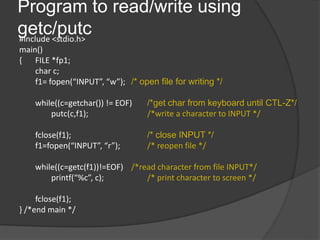
#include <stdio.h>
main()
{ FILE *fp1;
char c;
f1= fopen(“INPUT”, “w”); /* open file for writing */
while((c=getchar()) != EOF) /*get char from keyboard until CTL-Z*/
putc(c,f1); /*write a character to INPUT */
fclose(f1); /* close INPUT */
f1=fopen(“INPUT”, “r”); /* reopen file */
while((c=getc(f1))!=EOF) /*read character from file INPUT*/
printf(“%c”, c); /* print character to screen */
fclose(f1);
} /*end main */
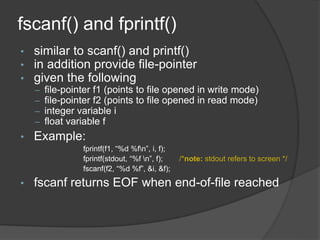
fscanf() and fprintf()
• similar to scanf() and printf()
• in addition provide file-pointer
• given the following
– file-pointer f1 (points to file opened in write mode)
– file-pointer f2 (points to file opened in read mode)
– integer variable i
– float variable f
• Example:
fprintf(f1, “%d %fn”, i, f);
fprintf(stdout, “%f n”, f); /*note: stdout refers to screen */
fscanf(f2, “%d %f”, &i, &f);
• fscanf returns EOF when end-of-file reached
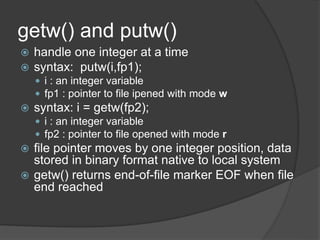
getw() and putw()
 handle one integer at a time
 syntax: putw(i,fp1);
 i : an integer variable
 fp1 : pointer to file ipened with mode w
 syntax: i = getw(fp2);
 i : an integer variable
 fp2 : pointer to file opened with mode r
 file pointer moves by one integer position, data
stored in binary format native to local system
 getw() returns end-of-file marker EOF when file
end reached
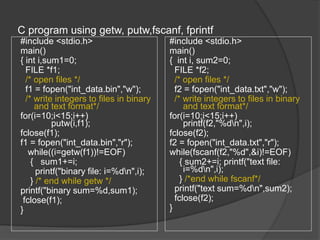
C program using getw, putw,fscanf, fprintf
#include <stdio.h>
main()
{ int i,sum1=0;
FILE *f1;
/* open files */
f1 = fopen("int_data.bin","w");
/* write integers to files in binary
and text format*/
for(i=10;i<15;i++)
putw(i,f1);
fclose(f1);
f1 = fopen("int_data.bin","r");
while((i=getw(f1))!=EOF)
{ sum1+=i;
printf("binary file: i=%dn",i);
} /* end while getw */
printf("binary sum=%d,sum1);
fclose(f1);
}
#include <stdio.h>
main()
{ int i, sum2=0;
FILE *f2;
/* open files */
f2 = fopen("int_data.txt","w");
/* write integers to files in binary
and text format*/
for(i=10;i<15;i++)
printf(f2,"%dn",i);
fclose(f2);
f2 = fopen("int_data.txt","r");
while(fscanf(f2,"%d",&i)!=EOF)
{ sum2+=i; printf("text file:
i=%dn",i);
} /*end while fscanf*/
printf("text sum=%dn",sum2);
fclose(f2);
}
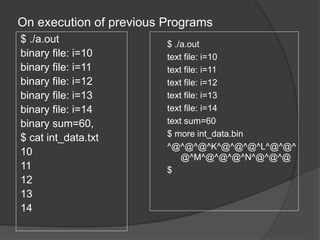
On execution of previous Programs
$ ./a.out
binary file: i=10
binary file: i=11
binary file: i=12
binary file: i=13
binary file: i=14
binary sum=60,
$ cat int_data.txt
10
11
12
13
14
$ ./a.out
text file: i=10
text file: i=11
text file: i=12
text file: i=13
text file: i=14
text sum=60
$ more int_data.bin
^@^@^@^K^@^@^@^L^@^@^
@^M^@^@^@^N^@^@^@
$
Command line arguments
 can give input to C program from command line
E.g. > prog.c 10 name1
name2 ….
 how to use these arguments?
main ( int argc, char *argv[] )
 argc – gives a count of number of arguments
(including program name)
 char *argv[] defines an array of pointers to character
(or array of strings)
 argv[0] – program name
 argv[1] to argv[argc -1] give the other arguments as
strings
Example args.c
$ cc args.c -o args.out
$ ./args.out 2 join leave 6
6
leave
join
2
./args.out
$
#include <stdio.h>
main(int argc,char *argv[])
{
while(argc>0) /* print out all arguments in reverse order*/
{
printf("%sn",argv[argc-1]);
argc--;
}
}

Files_in_C.ppt

  • 1.
    1 Mrs. K.KASTHURI ,M.Sc.,M.Phil., M.Tech., Assistant Professor Department of Information Technology V.V.Vanniaperumal College for Women Virudhunagar
  • 2.
    Console oriented Input/Output Console oriented – use terminal (keyboard/screen)  scanf(“%d”,&i) – read data from keyboard  printf(“%d”,i) – print data to monitor  Suitable for small volumes of data  Data lost when program terminated
  • 3.
    Real-life applications  Largedata volumes  E.g. physical experiments (CERN collider), human genome, population records etc.  Need for flexible approach to store/retrieve data  Concept of files
  • 4.
    Files  File –place on disc where group of related data is stored  E.g. your C programs, executables  High-level programming languages support file operations  Naming  Opening  Reading  Writing  Closing
  • 5.
    Defining and openingfile  To store data file in secondary memory (disc) must specify to OS  Filename (e.g. sort.c, input.data)  Data structure (e.g. FILE)  Purpose (e.g. reading, writing, appending)
  • 6.
    Filename  String ofcharacters that make up a valid filename for OS  May contain two parts  Primary  Optional period with extension  Examples: a.out, prog.c, text.out Here a, prog and text is name of the file. placed after . (out,c) is the extension. It indicates the filetype.
  • 7.
    General format foropening file  fp  contains all information about file  Communication link between system and program  Mode can be  r open file for reading only  w open file for writing only  a open file for appending (adding) data FILE *fp; /*variable fp is pointer to type FILE*/ fp = fopen(“filename”, “mode”); /*opens file with name filename , assigns identifier to fp */
  • 8.
    Different modes  Writingmode  if file already exists then contents are deleted,  else new file with specified name created  Appending mode  if file already exists then file opened with contents safe  else new file created  Reading mode  if file already exists then opened with contents safe  else error occurs. FILE *p1, *p2; p1 = fopen(“data”,”r”); p2= fopen(“results”, w”);
  • 9.
    Additional modes  r+open to beginning for both reading/writing  w+ same as w except both for reading and writing  a+ same as ‘a’ except both for reading and writing
  • 10.
    Closing a file File must be closed as soon as all operations on it completed  Ensures  All outstanding information associated with file flushed out from buffers  All links to file broken  Accidental misuse of file prevented  If want to change mode of file, then first close and open again
  • 11.
    Closing a file pointer can be reused after closing Syntax: fclose(file_pointer); Example: FILE *p1, *p2; p1 = fopen(“INPUT.txt”, “r”); p2 =fopen(“OUTPUT.txt”, “w”); …….. …….. fclose(p1); fclose(p2);
  • 12.
    Input/Output operations onfiles  C provides several different functions for reading/writing  getc() – read a character  putc() – write a character  fprintf() – write set of data values  fscanf() – read set of data values  getw() – read integer  putw() – write integer
  • 13.
    getc() and putc() handle one character at a time like getchar() and putchar()  syntax: putc(c,fp1);  c : a character variable  fp1 : pointer to file opened with mode w  syntax: c = getc(fp2);  c : a character variable  fp2 : pointer to file opened with mode r  file pointer moves by one character position after every getc() and putc()  getc() returns end-of-file marker EOF when file end reached
  • 14.
    Program to read/writeusing getc/putc #include <stdio.h> main() { FILE *fp1; char c; f1= fopen(“INPUT”, “w”); /* open file for writing */ while((c=getchar()) != EOF) /*get char from keyboard until CTL-Z*/ putc(c,f1); /*write a character to INPUT */ fclose(f1); /* close INPUT */ f1=fopen(“INPUT”, “r”); /* reopen file */ while((c=getc(f1))!=EOF) /*read character from file INPUT*/ printf(“%c”, c); /* print character to screen */ fclose(f1); } /*end main */
  • 15.
    fscanf() and fprintf() •similar to scanf() and printf() • in addition provide file-pointer • given the following – file-pointer f1 (points to file opened in write mode) – file-pointer f2 (points to file opened in read mode) – integer variable i – float variable f • Example: fprintf(f1, “%d %fn”, i, f); fprintf(stdout, “%f n”, f); /*note: stdout refers to screen */ fscanf(f2, “%d %f”, &i, &f); • fscanf returns EOF when end-of-file reached
  • 16.
    getw() and putw() handle one integer at a time  syntax: putw(i,fp1);  i : an integer variable  fp1 : pointer to file ipened with mode w  syntax: i = getw(fp2);  i : an integer variable  fp2 : pointer to file opened with mode r  file pointer moves by one integer position, data stored in binary format native to local system  getw() returns end-of-file marker EOF when file end reached
  • 17.
    C program usinggetw, putw,fscanf, fprintf #include <stdio.h> main() { int i,sum1=0; FILE *f1; /* open files */ f1 = fopen("int_data.bin","w"); /* write integers to files in binary and text format*/ for(i=10;i<15;i++) putw(i,f1); fclose(f1); f1 = fopen("int_data.bin","r"); while((i=getw(f1))!=EOF) { sum1+=i; printf("binary file: i=%dn",i); } /* end while getw */ printf("binary sum=%d,sum1); fclose(f1); } #include <stdio.h> main() { int i, sum2=0; FILE *f2; /* open files */ f2 = fopen("int_data.txt","w"); /* write integers to files in binary and text format*/ for(i=10;i<15;i++) printf(f2,"%dn",i); fclose(f2); f2 = fopen("int_data.txt","r"); while(fscanf(f2,"%d",&i)!=EOF) { sum2+=i; printf("text file: i=%dn",i); } /*end while fscanf*/ printf("text sum=%dn",sum2); fclose(f2); }
  • 18.
    On execution ofprevious Programs $ ./a.out binary file: i=10 binary file: i=11 binary file: i=12 binary file: i=13 binary file: i=14 binary sum=60, $ cat int_data.txt 10 11 12 13 14 $ ./a.out text file: i=10 text file: i=11 text file: i=12 text file: i=13 text file: i=14 text sum=60 $ more int_data.bin ^@^@^@^K^@^@^@^L^@^@^ @^M^@^@^@^N^@^@^@ $
  • 19.
    Command line arguments can give input to C program from command line E.g. > prog.c 10 name1 name2 ….  how to use these arguments? main ( int argc, char *argv[] )  argc – gives a count of number of arguments (including program name)  char *argv[] defines an array of pointers to character (or array of strings)  argv[0] – program name  argv[1] to argv[argc -1] give the other arguments as strings
  • 20.
    Example args.c $ ccargs.c -o args.out $ ./args.out 2 join leave 6 6 leave join 2 ./args.out $ #include <stdio.h> main(int argc,char *argv[]) { while(argc>0) /* print out all arguments in reverse order*/ { printf("%sn",argv[argc-1]); argc--; } }