Fast Deterministic Screenshot
Tests
Arnold Noronha
Why?
How do you test views?
• Move out logic
• Robolectric, Espresso
What about rendering?
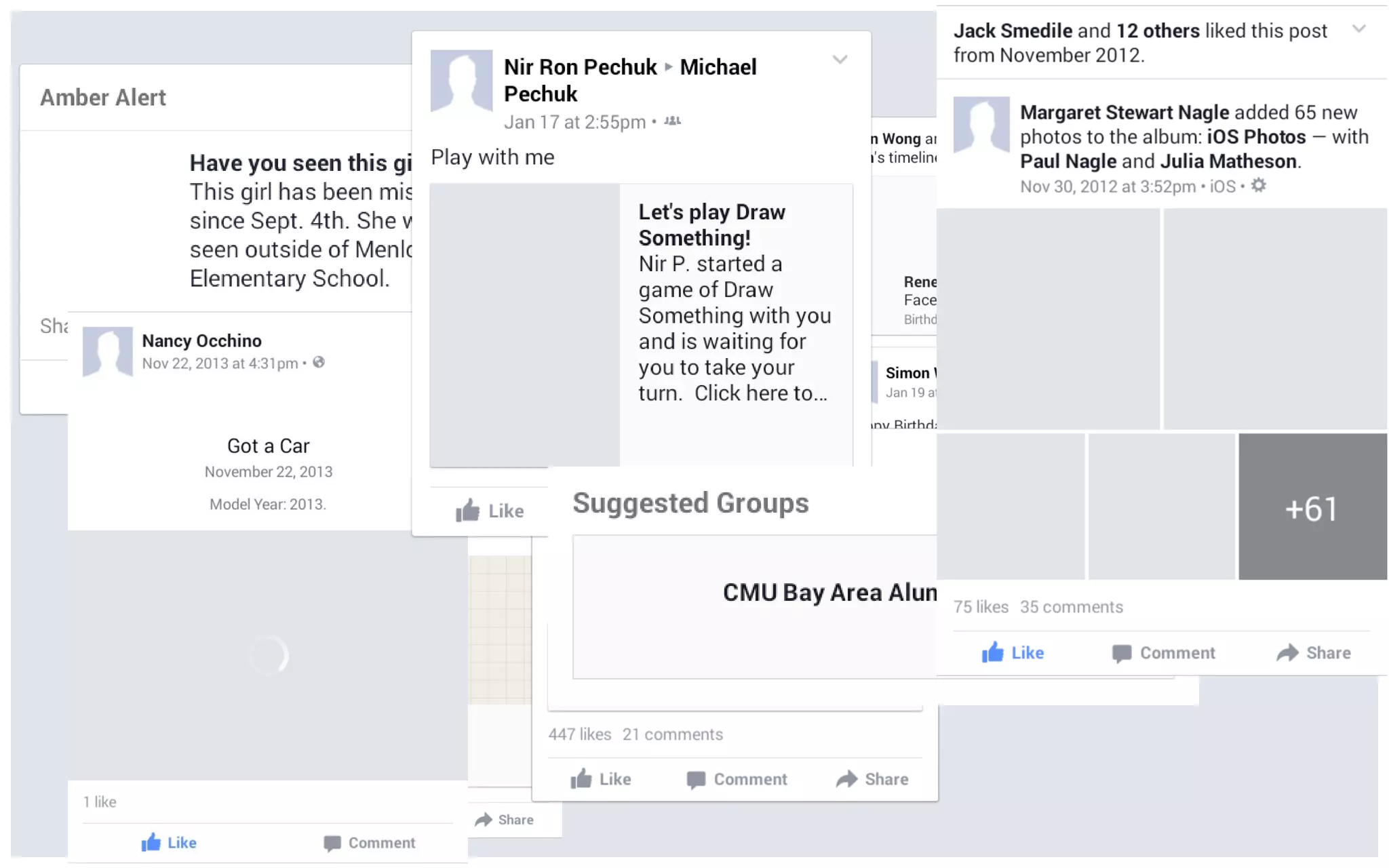
Consider News Feed
But we’re really good at re-using code
Views and layouts affect rendering at multiple places in the
app
How can we catch UI regressions?
How does test driven development look like for UI?
TDD for rendering?
Fast feedback loop in development
Catch regressions in continuous integration
Determinism is hard
Our approach
▪ Mimic measure(), layout() and draw()
▪ All on the test thread
▪ Fast and deterministic!
Open Source!
Let’s talk code
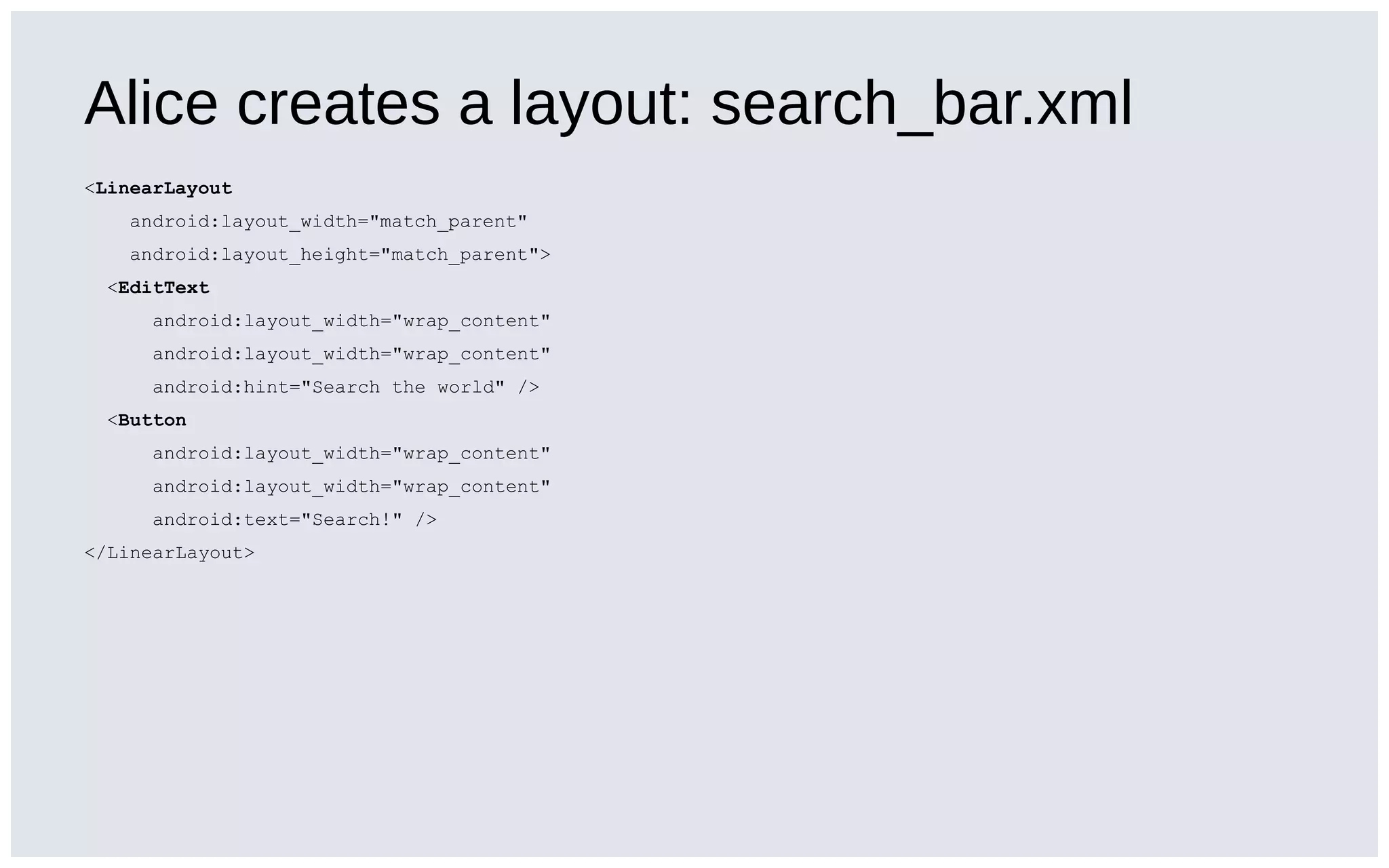
Alice creates a layout: search_bar.xml
<LinearLayout
android:layout_width="match_parent"
android:layout_height="match_parent">
<EditText
android:layout_width="wrap_content"
android:hint="Search the world" />
<Button
android:layout_width="wrap_content"
android:text="Search!" />
</LinearLayout>
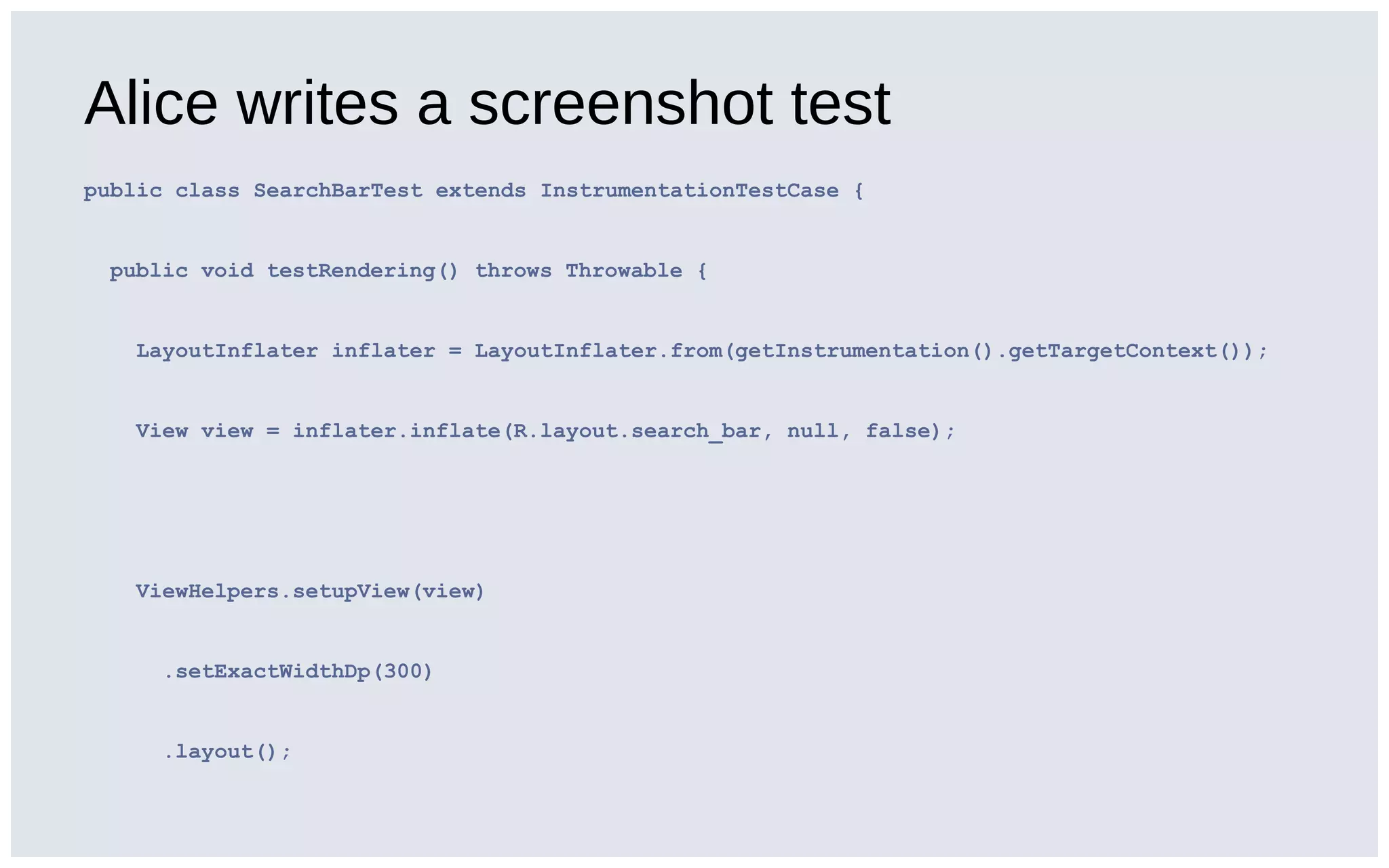
Alice writes a screenshot test
public class SearchBarTest extends InstrumentationTestCase {
public void testRendering() throws Throwable {
LayoutInflater inflater = LayoutInflater.from(getInstrumentation().getTargetContext());
View view = inflater.inflate(R.layout.search_bar, null, false);
ViewHelpers.setupView(view)
.setExactWidthDp(300)
.layout();
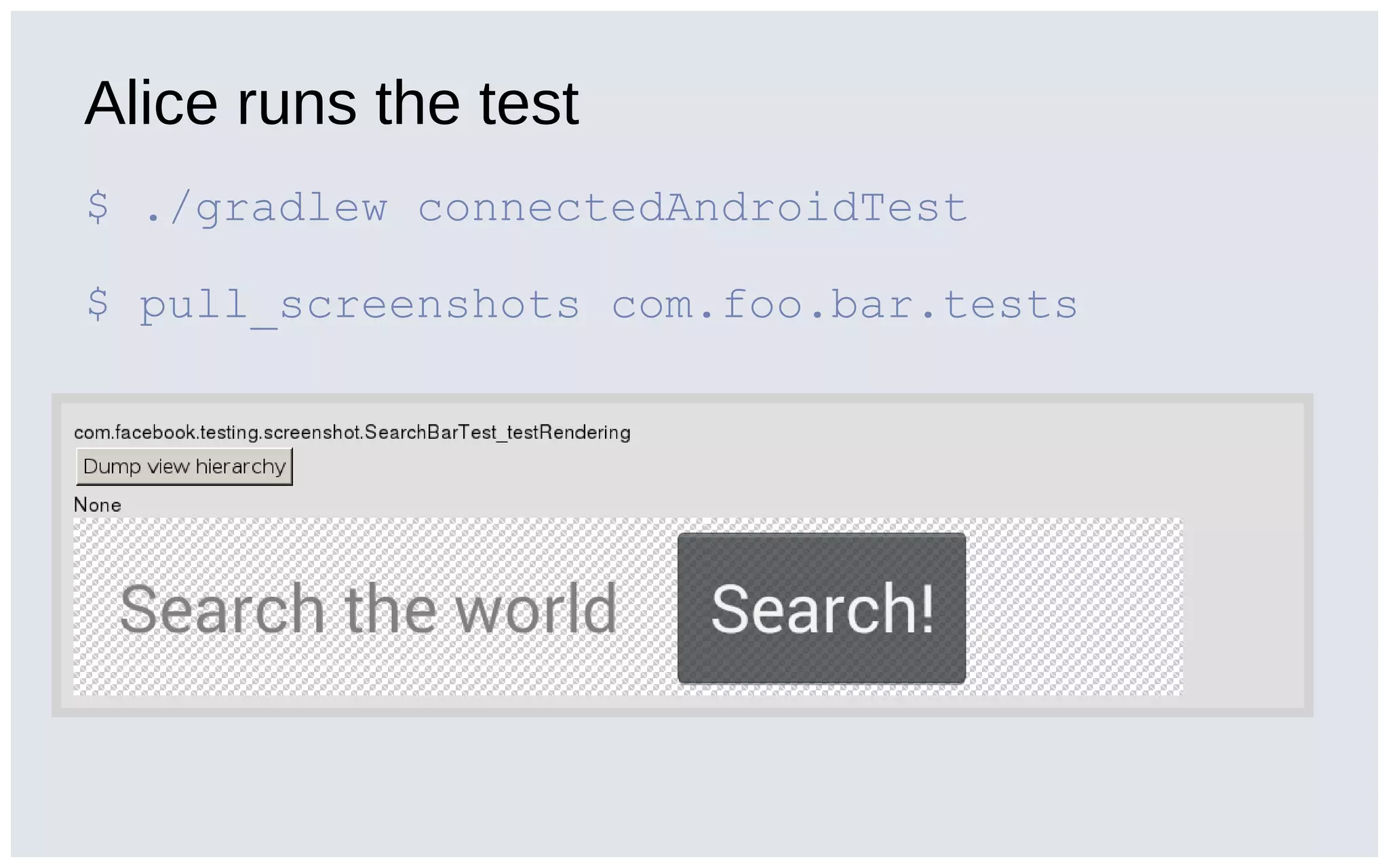
Alice runs the test
$ ./gradlew connectedAndroidTest
$ pull_screenshots com.foo.bar.tests
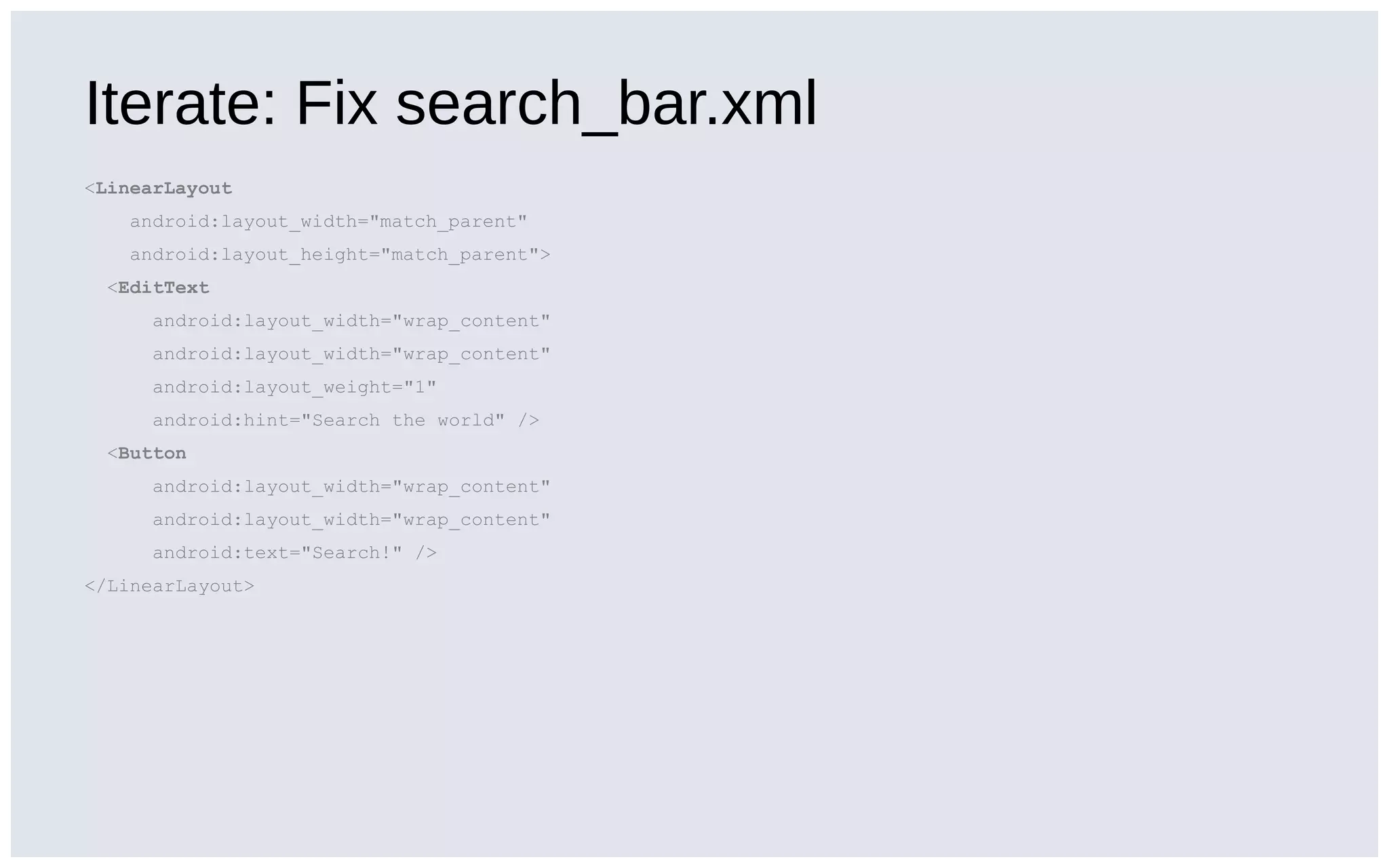
Iterate: Fix search_bar.xml
<LinearLayout
android:layout_width="match_parent"
android:layout_height="match_parent">
<EditText
android:layout_width="wrap_content"
android:layout_weight="1"
android:hint="Search the world" />
<Button
android:layout_width="wrap_content"
android:text="Search!" />
</LinearLayout>
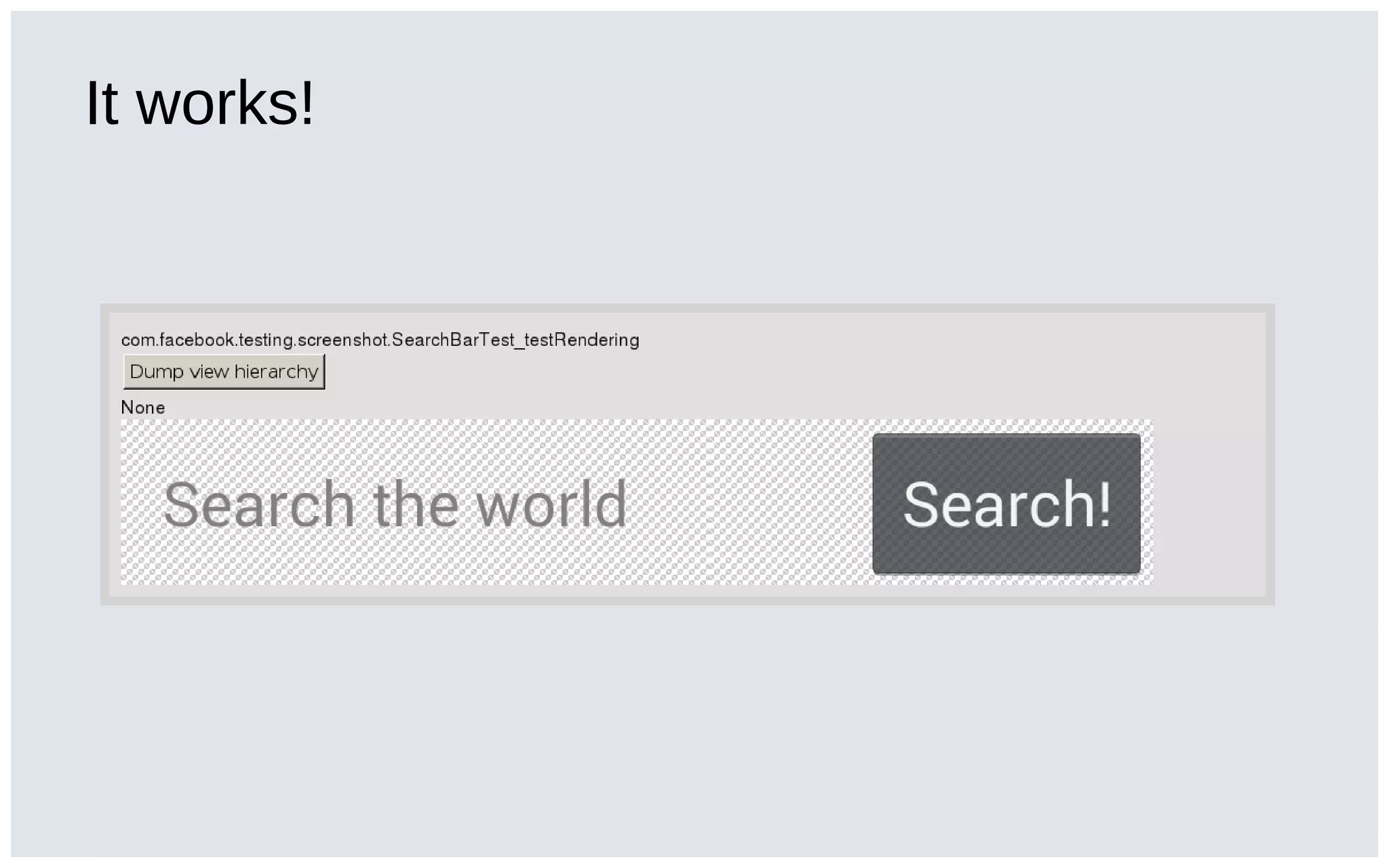
It works!
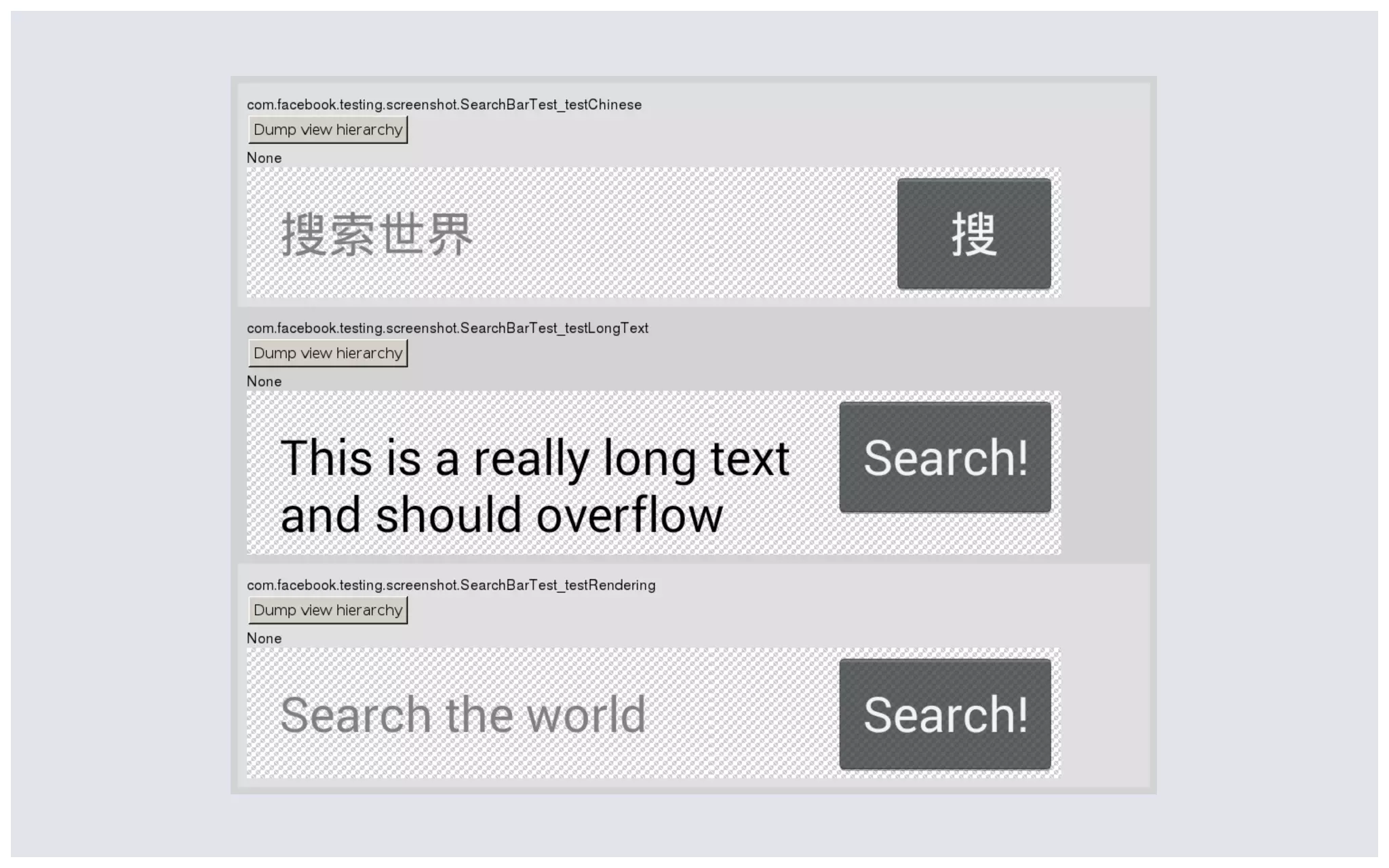
Test in multiple configurations!
Tracking regressions
The Record/Verify model
Record/Verify
• Not much tooling required
• Used by iOS teams at Facebook
More work for the developer
• At Facebook we have 3-4 changes a day
• But only ~1 regression a week.
• Optimize workflow for the intentional changes!
Continuous integration and bisect
This is what we do at Facebook
• Run the tests hourly
• Bisect changes to commit and notify author
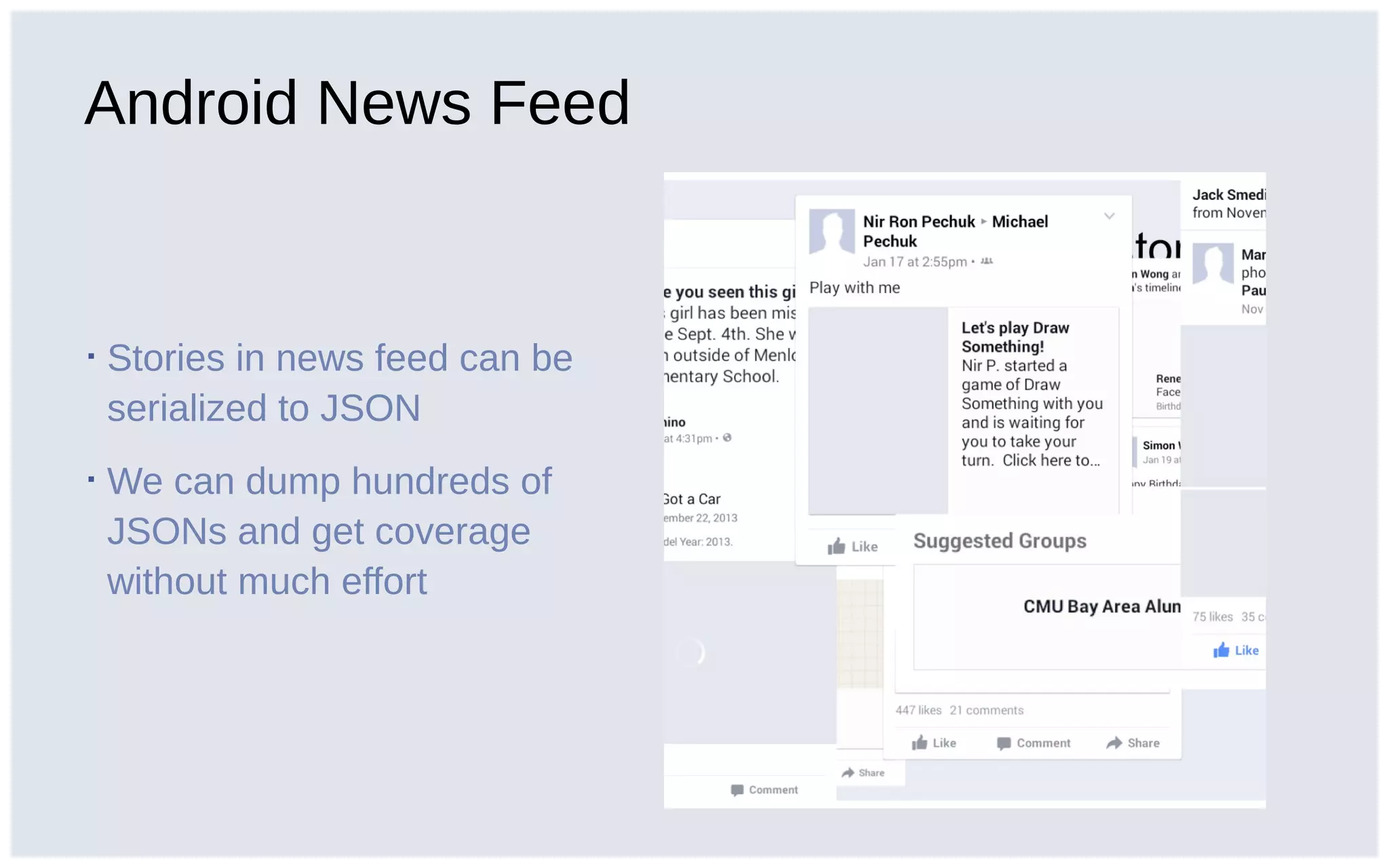
Android News Feed
▪ Stories in news feed can be
serialized to JSON
▪ We can dump hundreds of
JSONs and get coverage
without much effort
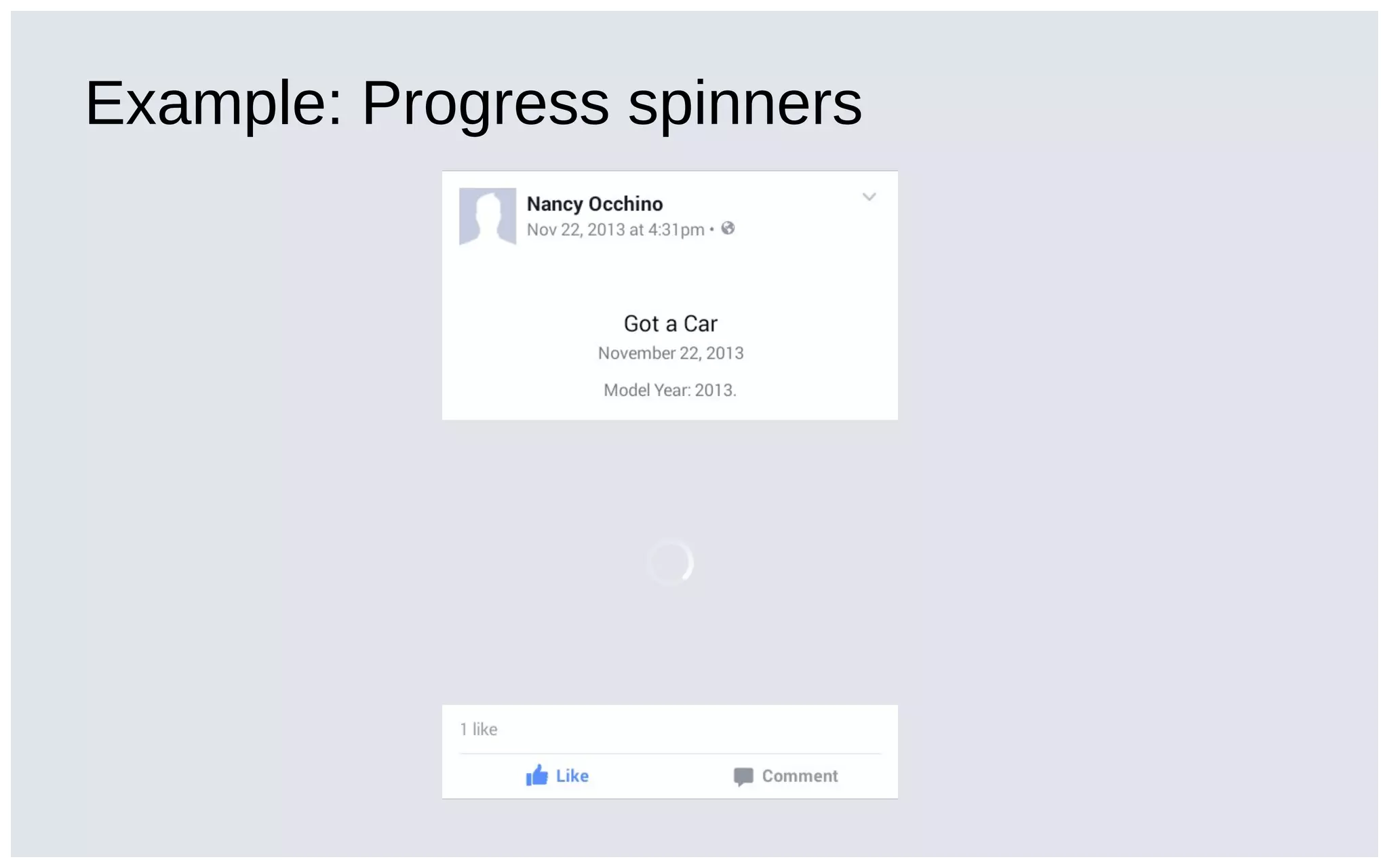
Example: Progress spinners
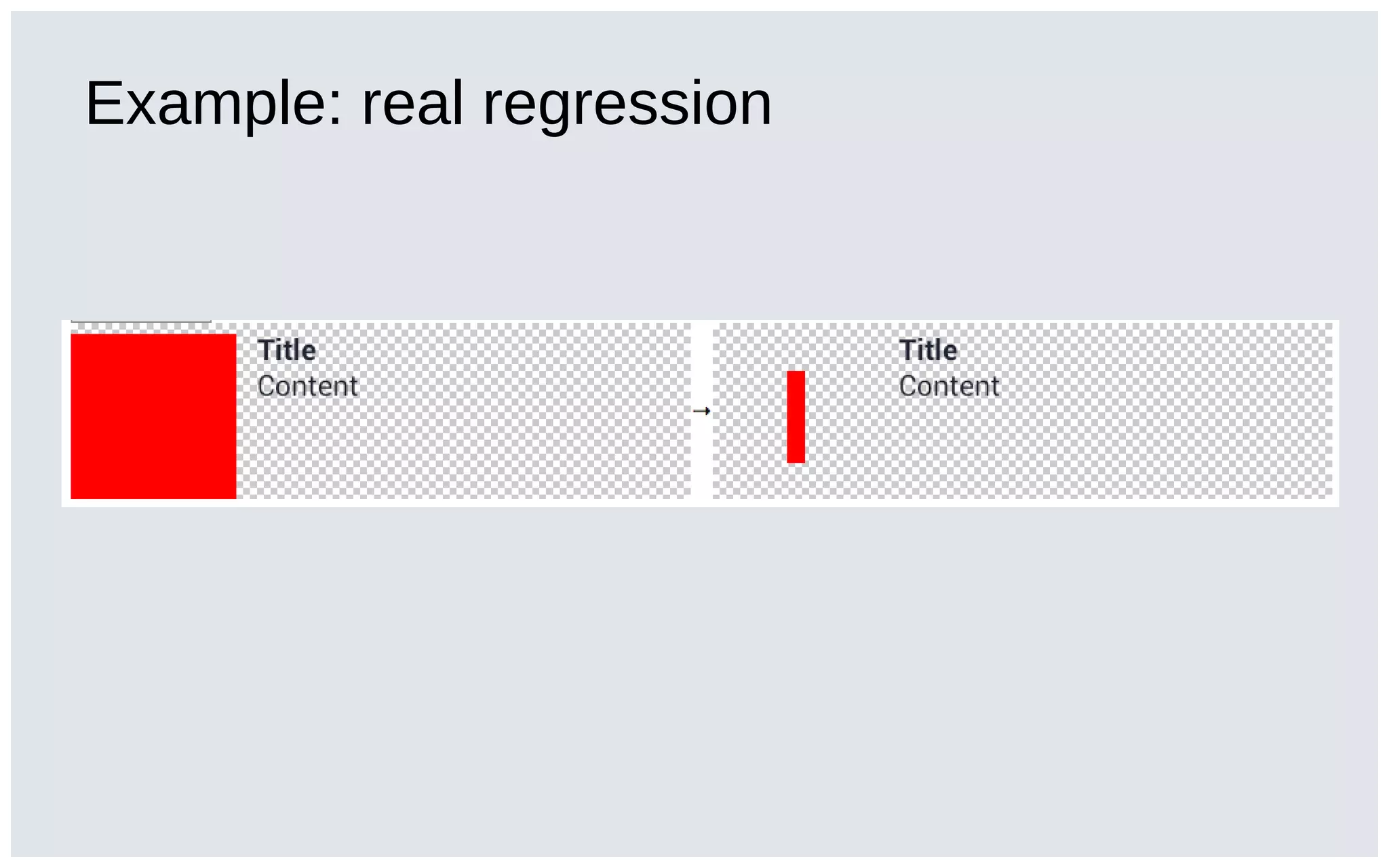
Example: real regression
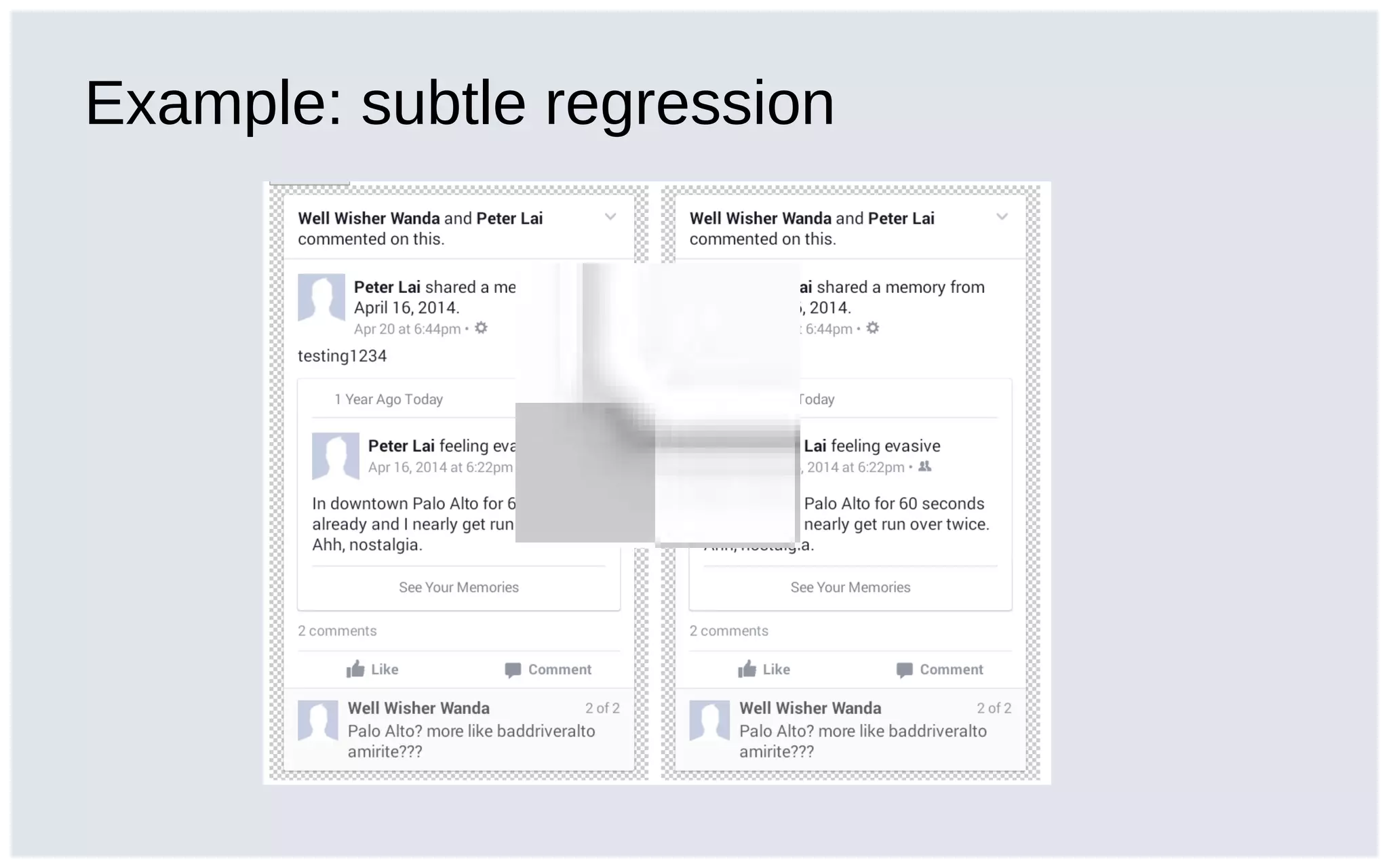
Example: subtle regression
Thank you!
http://github.com/facebook/screenshot-test-for-android
screenshot-test-for-android@googlegroups.com
Questions?

Fast deterministic screenshot tests for Android

Editor's Notes

  • #4 How do you test views? Most seasoned developers will tell you that in order to test a view you move all the logic out side the view, and unit test the logic. Excellent advice. Augmenting that, you can use Robolectric or Espresso to make assertions on the view state, or even assertions on view interaction. Both of these are very valuable, but…
  • #5 But what about rendering? Why do we dismiss the need for testing paddings and margins and colors? Perhaps you’d say, well, the view doesn’t change that often so it doesn’t break often, but you and me both know deep down that that’s a lie.
  • #6 Consider Facebook&amp;apos;s newsfeed: our stories and views are laid out in hundreds of different configurations depending on the story content. These hundreds of configurations means impossible to test the affects of a commit completely. Especially considering we at Facebook like code reusability, and our views and layouts are extensively reused. (For instance, refer to our DroidCon 2014 talk on multi-row.)
  • #7 See multi-row But reusing views has different a different set of problems compared to reusing infrastructure classes. Changing an infrastructure class while keeping the API unchanged will keep your tests passing, but changing a view almost definitely means all your dependent views are going to change! But this means tweaking a view can result in unintended regressions in other configurations We needed a way to catch these regressions automatically .. and for developers to have more confidence in their changes.
  • #9 Fast feedback loop: product developers have to keep tweaking paddings and margins and colors, and between each tweak they have to rebuild the app and navigate to their view. This is much much more slower than backend engineers might achieve with TDD where the tests tell you whether your code is correct. Lot of surface area for regressions which can’t all be covered with pure unit tests: can lead to brittle over-specified tests
  • #10 Monkeyrunner test runs outside of the process, which means less control over external factors affecting the rendering. Even if you run the screenshots as part of an instrumentation test, the UI is rendered on a different thread from the test thread which makes it hard to screenshot things like animations. We needed determinism for this to be practical
  • #14 Alice wants to build a new search bar for her app. Alice and her teammates have already built a tonne of amazing features, and have pulled in many dependencies to this makes building her app really slow. It&amp;apos;s hard to iterate in such an environment. Alice wants to build a UI and then plug it into the app only when it&amp;apos;s ready.
  • #15 Alice wants to know if this renders correctly, so she writes a screenshot test, this is just an instrumentation test which calls the Screenshot library.
  • #16 I’m not going to show a slide for how to run the tests. It runs like a normal instrumentation test, which basically uses whatever test infrastructure you already have, be it buck or gradle. After the test runs, the screenshots are stored on a device, and we provide you a script to pull those screenshots and generate an output. This is how it looks like:
  • #17 Alice wants to build a new search bar for her app. Alice and her teammates have already built a tonne of amazing features, and have pulled in many dependencies to this makes building her app really slow. It&amp;apos;s hard to iterate in such an environment. Alice wants to build a UI and then plug it into the app only when it&amp;apos;s ready.
  • #19 For instance, different backgrounds, different text typed out View all renderings with one single run No harm committing all of these screenshot tests because they’re fast
  • #20 Notice that it’s possible to render it in different languages too. Btw, look at the second screenshot here. When writing this test, I expected EditText to be single line by default, and I wrote the test just to demonstrate this specific edge case. But then it turned out that you need singleLine=“true” explicitly. I fixed this in the sample code, but wanted to show you how I was able to iterate on these edge cases without having to plug this into a real app.
  • #22 This is perfectly decent model, and in fact we do use this currently for iOS snapshot tests inside facebook. This option requires the least bit of tooling, but suffers from some developer efficiency problems. Force all your developers to use the same exact emulator configuration. But also:
  • #25 This is what we do at facebook for android. At Facebook, we run the tests hourly and if we detect that any renderings changed, we bisect and find the blame commit and notify the author and subscribers
  • #27 Extremely lightweight: talk more about how we don’t even require the author to explain a change, just close it. Developer efficiency is paramount. Btw, notice that none of these renderings have images attached to it. Our screenshot tests are deterministic and don’t hit the network, while not impossible handling images in the framework tends to be more than just dumping a json which is why we haven’t done it.