Exadata Deployment Life Cycle
BY UMAIR MANSOOB
Agenda
• Introduction
• Planning
• OEDA Utility
• Hardware Install
• Download Software
• Elastic Configuration
• Software Install
• Validate Install
Umair MansoobExadata Deployment Life Cycle
Who Am I
• Oracle Certified Administrator from Oracle 7 – 12c
• Exadata Certified Implementation Specialist since 2011
• Oracle Database Performance Tuning Certified Expert
• Oracle Business Intelligence Foundation Suite 11g Certified Implementation Specialist
• Oracle Database Data Warehousing Certified Implementation Specialist
• Multiple Exadata Implementations / POC’s for large financial organizations
• Migrate / Upgrade databases between various versions of Oracle
• Capacity Planning for Oracle Engineered Systems
• Database Consolidation to Exadata / 12c Platform
• Architect Databases for OLTP and OLAP applications
• Not an Oracle Employee or Nor I represent Oracle in any way
Umair MansoobExadata Deployment Life Cycle
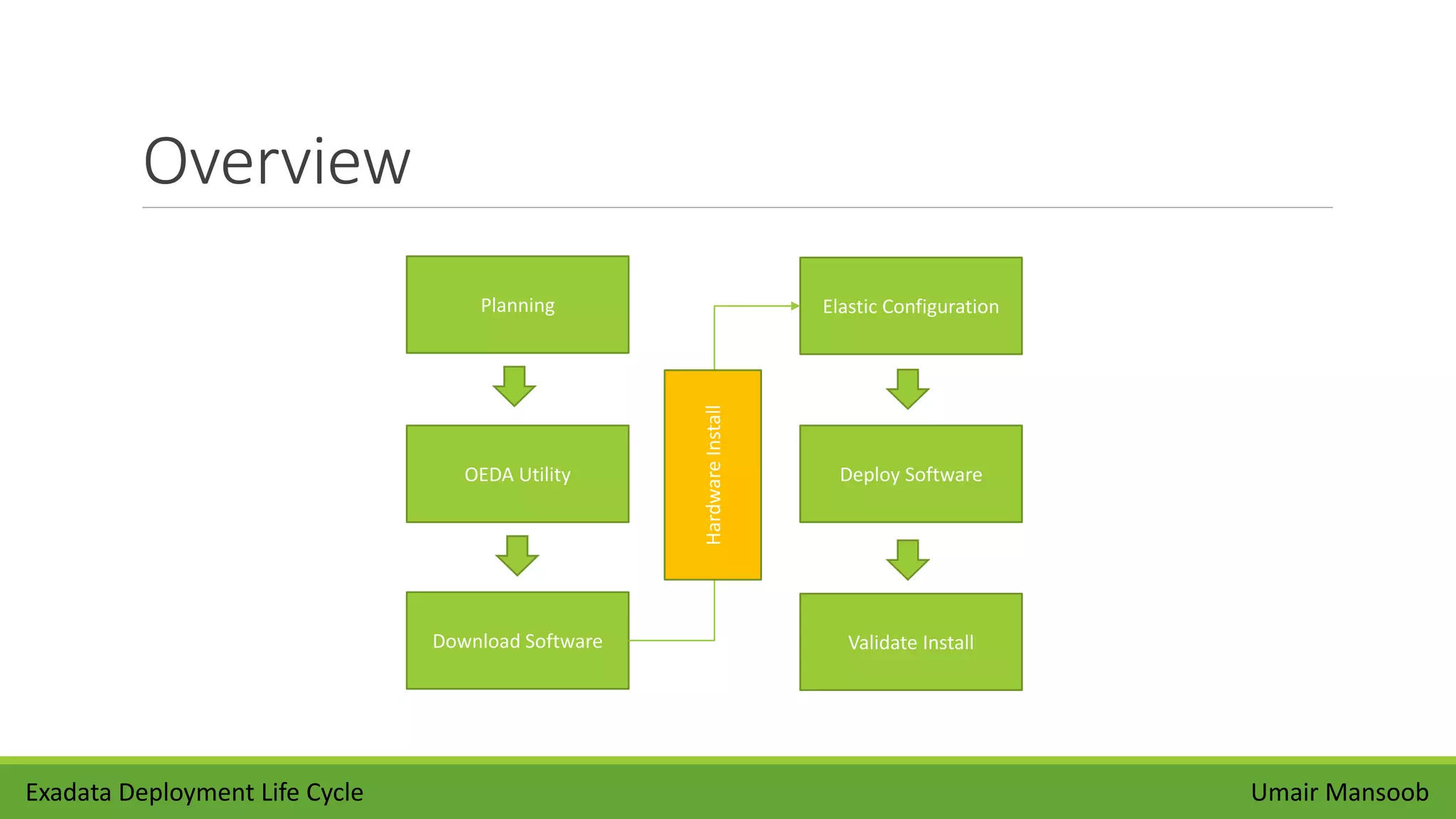
Overview
Planning
OEDA Utility
Download Software
Elastic Configuration
Deploy Software
Validate Install
Umair MansoobExadata Deployment Life Cycle
HardwareInstall
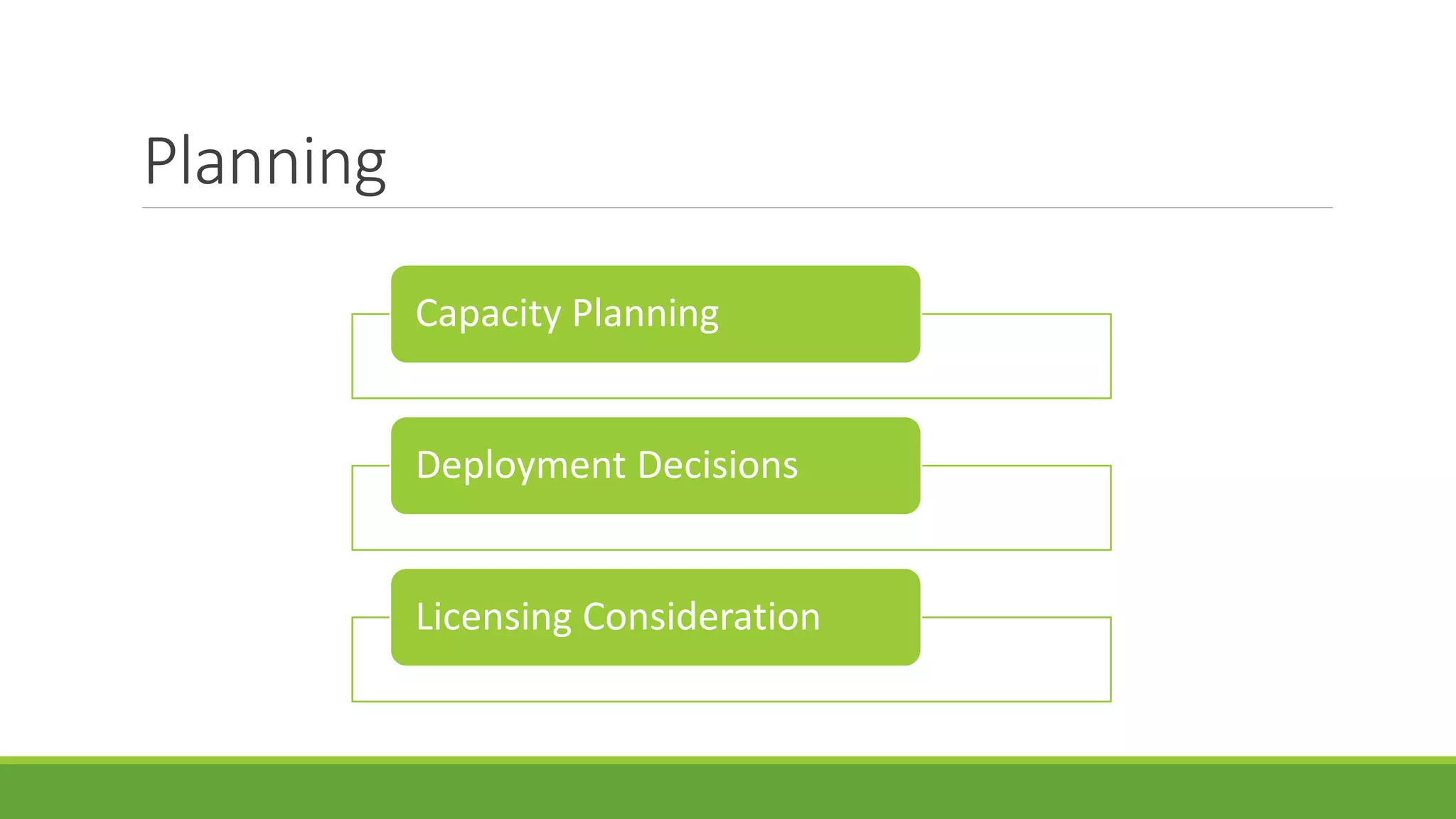
Planning
Capacity Planning
Deployment Decisions
Licensing Consideration
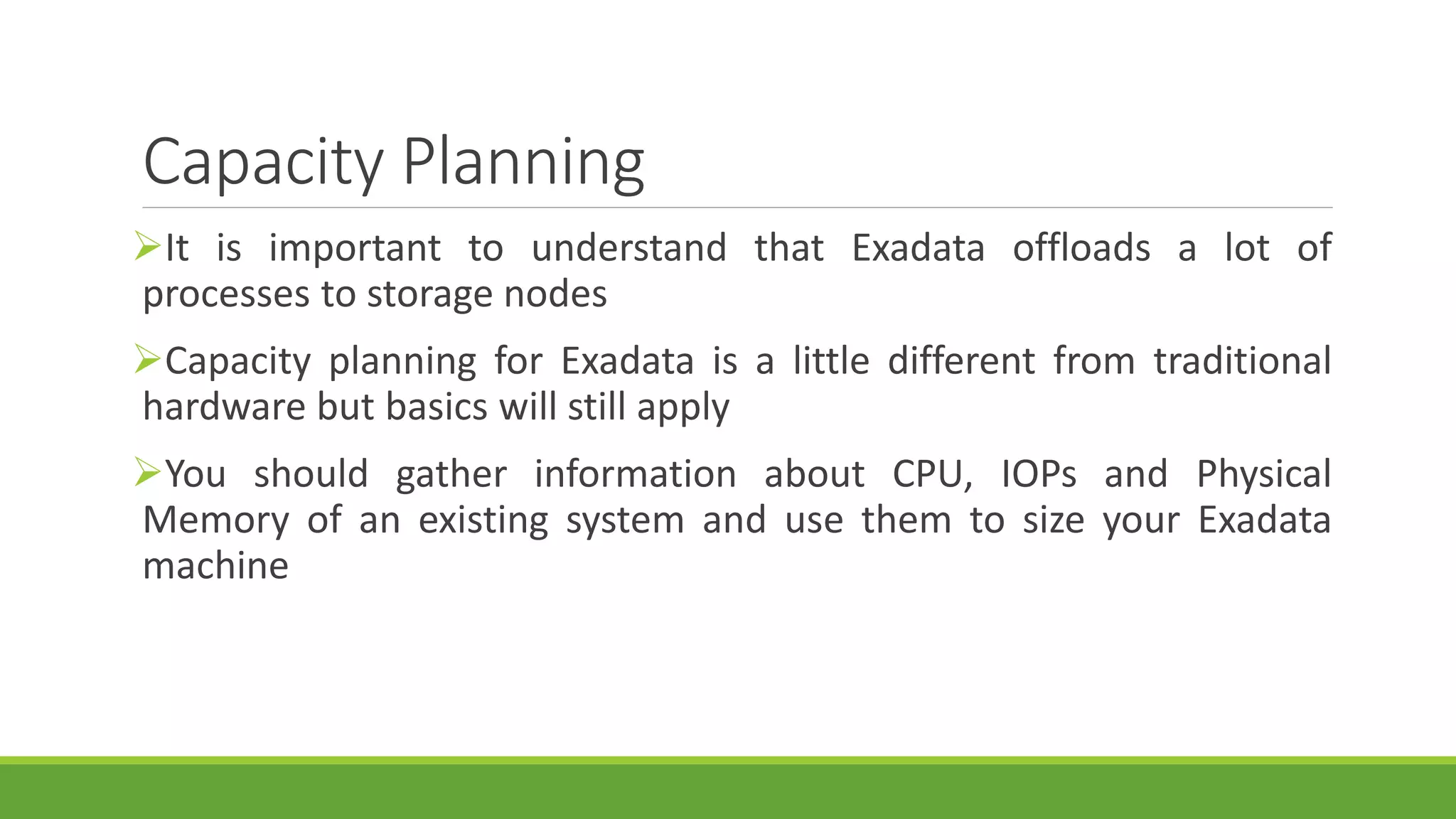
Capacity Planning
It is important to understand that Exadata offloads a lot of
processes to storage nodes
Capacity planning for Exadata is a little different from traditional
hardware but basics will still apply
You should gather information about CPU, IOPs and Physical
Memory of an existing system and use them to size your Exadata
machine
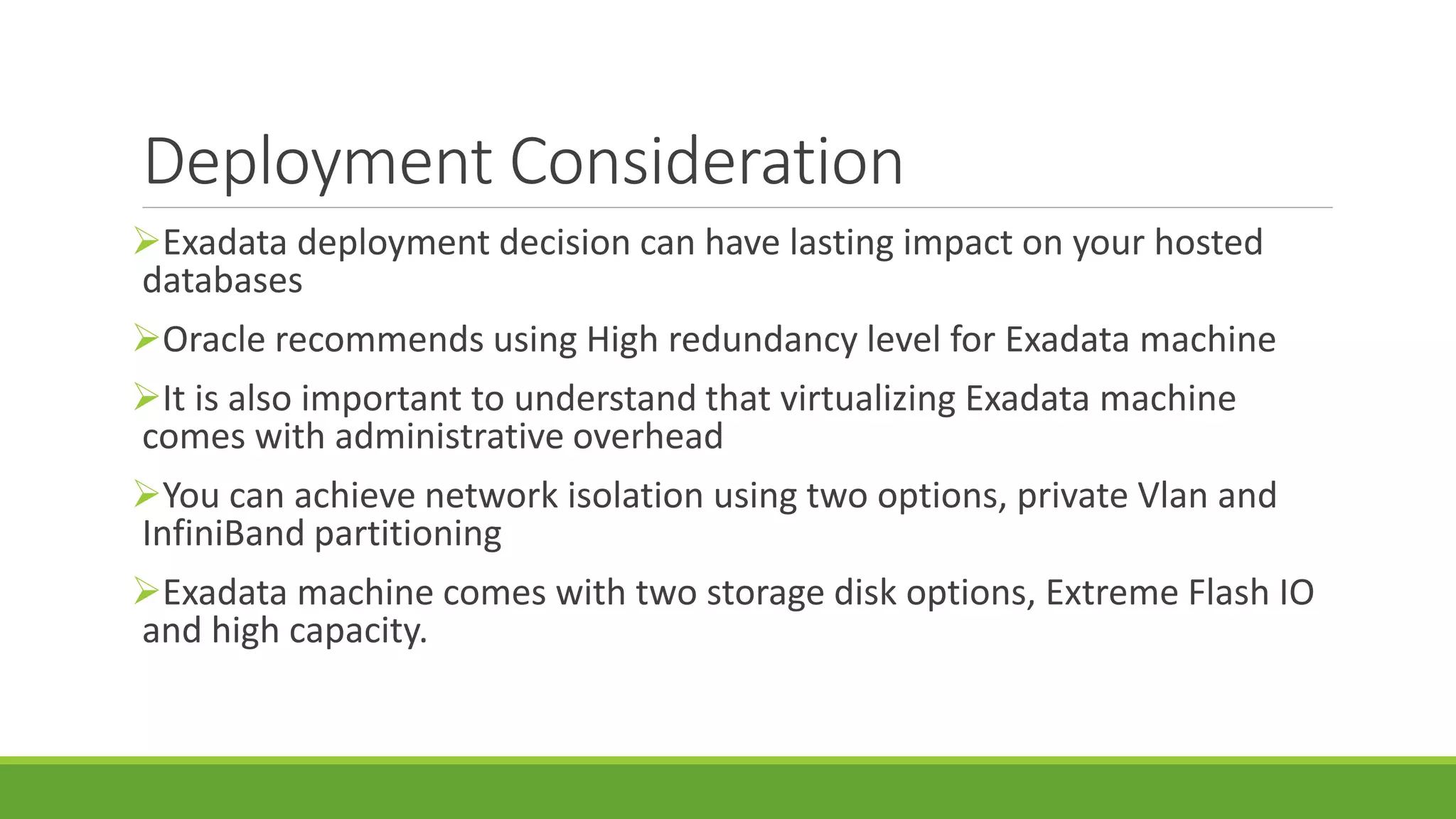
Deployment Consideration
Exadata deployment decision can have lasting impact on your hosted
databases
Oracle recommends using High redundancy level for Exadata machine
It is also important to understand that virtualizing Exadata machine
comes with administrative overhead
You can achieve network isolation using two options, private Vlan and
InfiniBand partitioning
Exadata machine comes with two storage disk options, Extreme Flash IO
and high capacity.
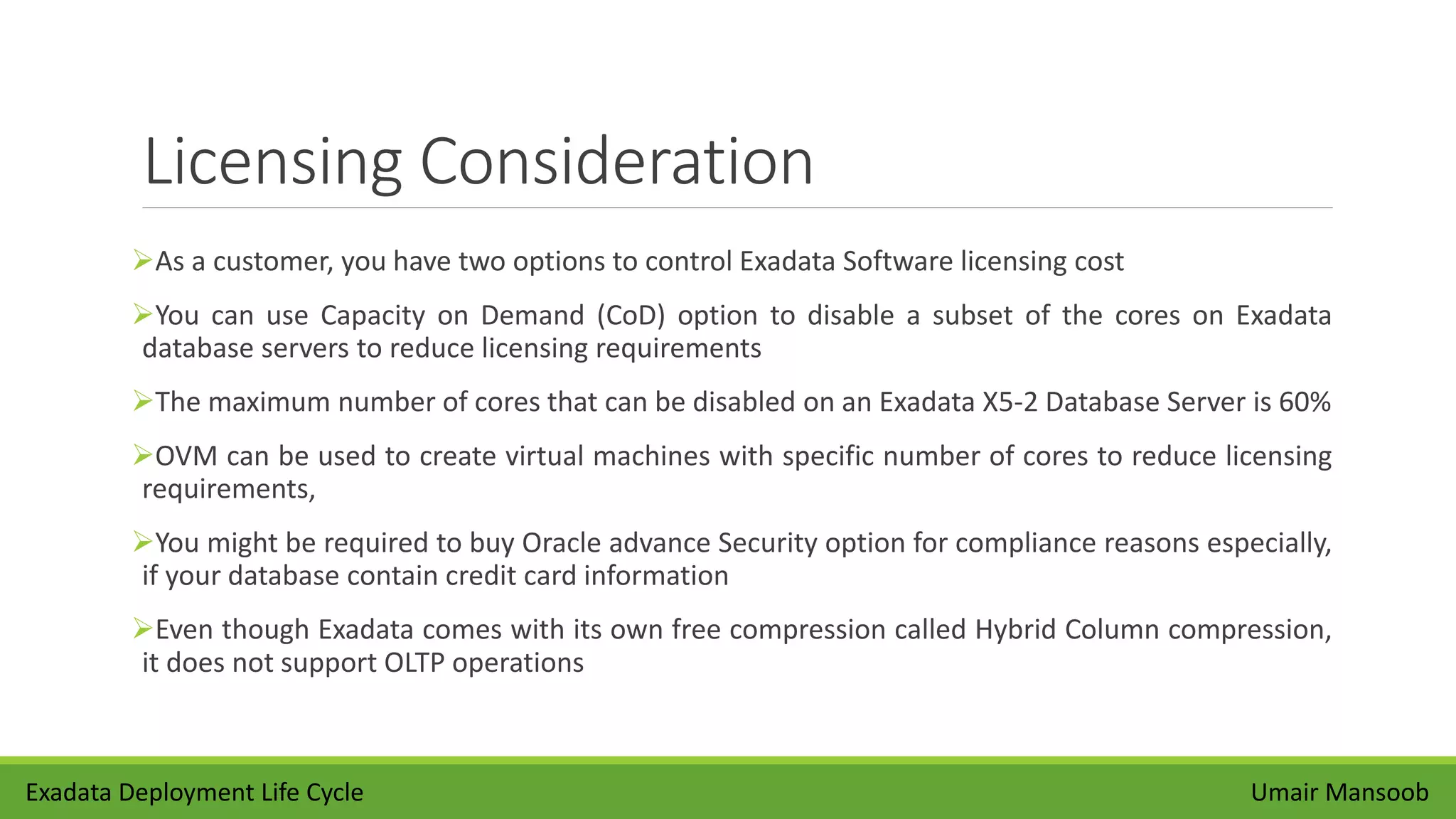
Licensing Consideration
As a customer, you have two options to control Exadata Software licensing cost
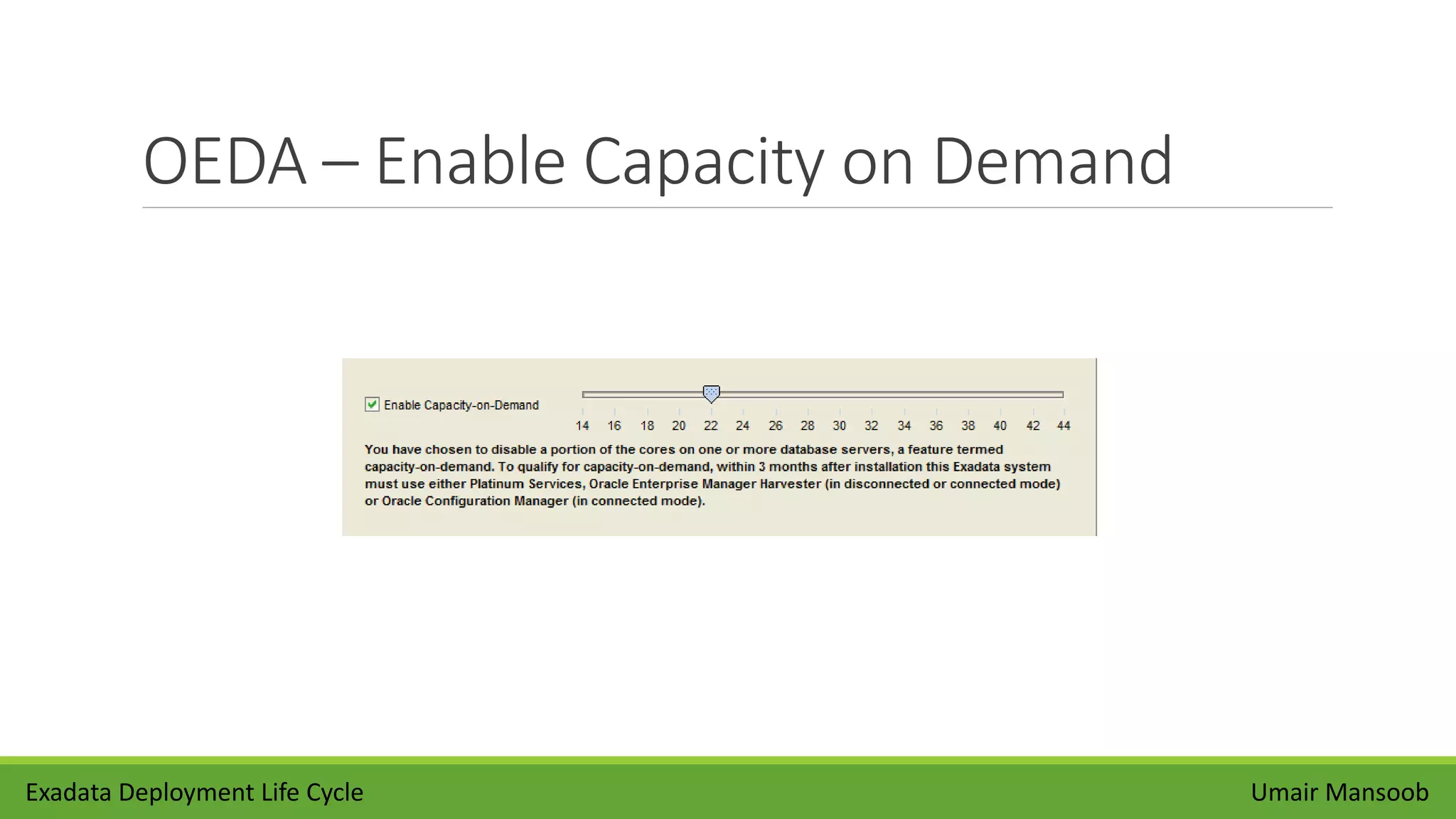
You can use Capacity on Demand (CoD) option to disable a subset of the cores on Exadata
database servers to reduce licensing requirements
The maximum number of cores that can be disabled on an Exadata X5-2 Database Server is 60%
OVM can be used to create virtual machines with specific number of cores to reduce licensing
requirements,
You might be required to buy Oracle advance Security option for compliance reasons especially,
if your database contain credit card information
Even though Exadata comes with its own free compression called Hybrid Column compression,
it does not support OLTP operations
Umair MansoobExadata Deployment Life Cycle
OEDA Utility
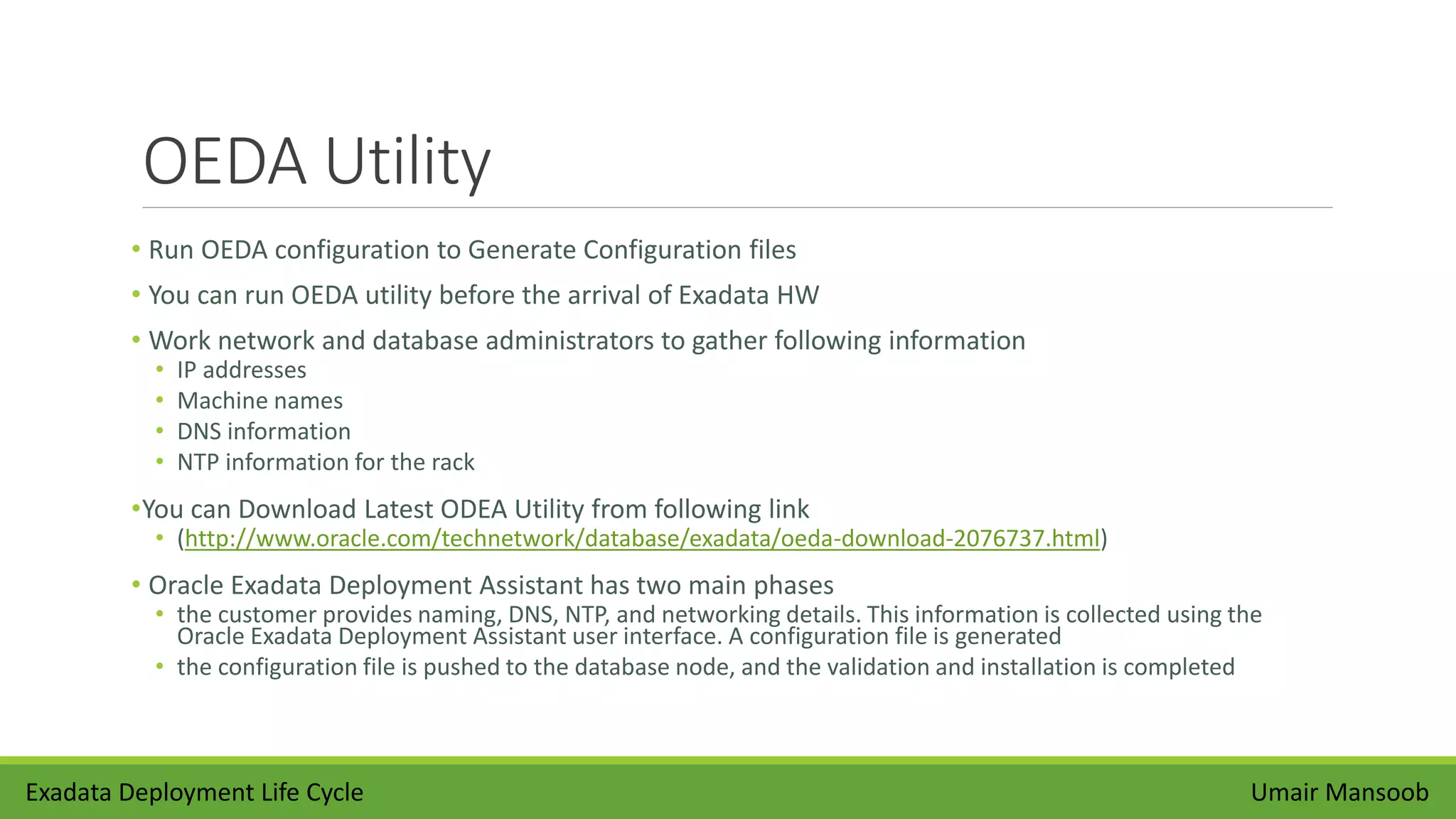
• Run OEDA configuration to Generate Configuration files
• You can run OEDA utility before the arrival of Exadata HW
• Work network and database administrators to gather following information
• IP addresses
• Machine names
• DNS information
• NTP information for the rack
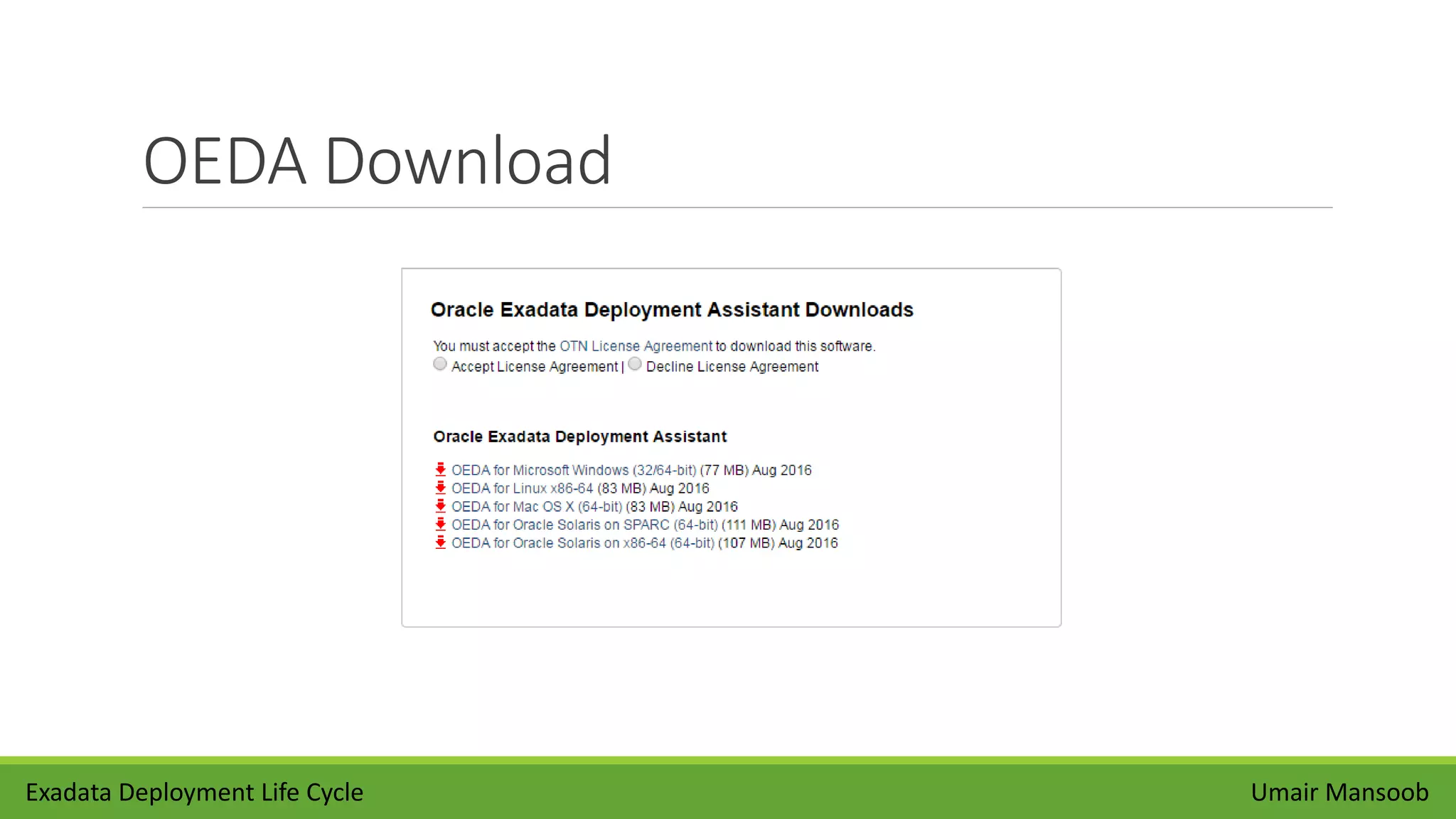
•You can Download Latest ODEA Utility from following link
• (http://www.oracle.com/technetwork/database/exadata/oeda-download-2076737.html)
• Oracle Exadata Deployment Assistant has two main phases
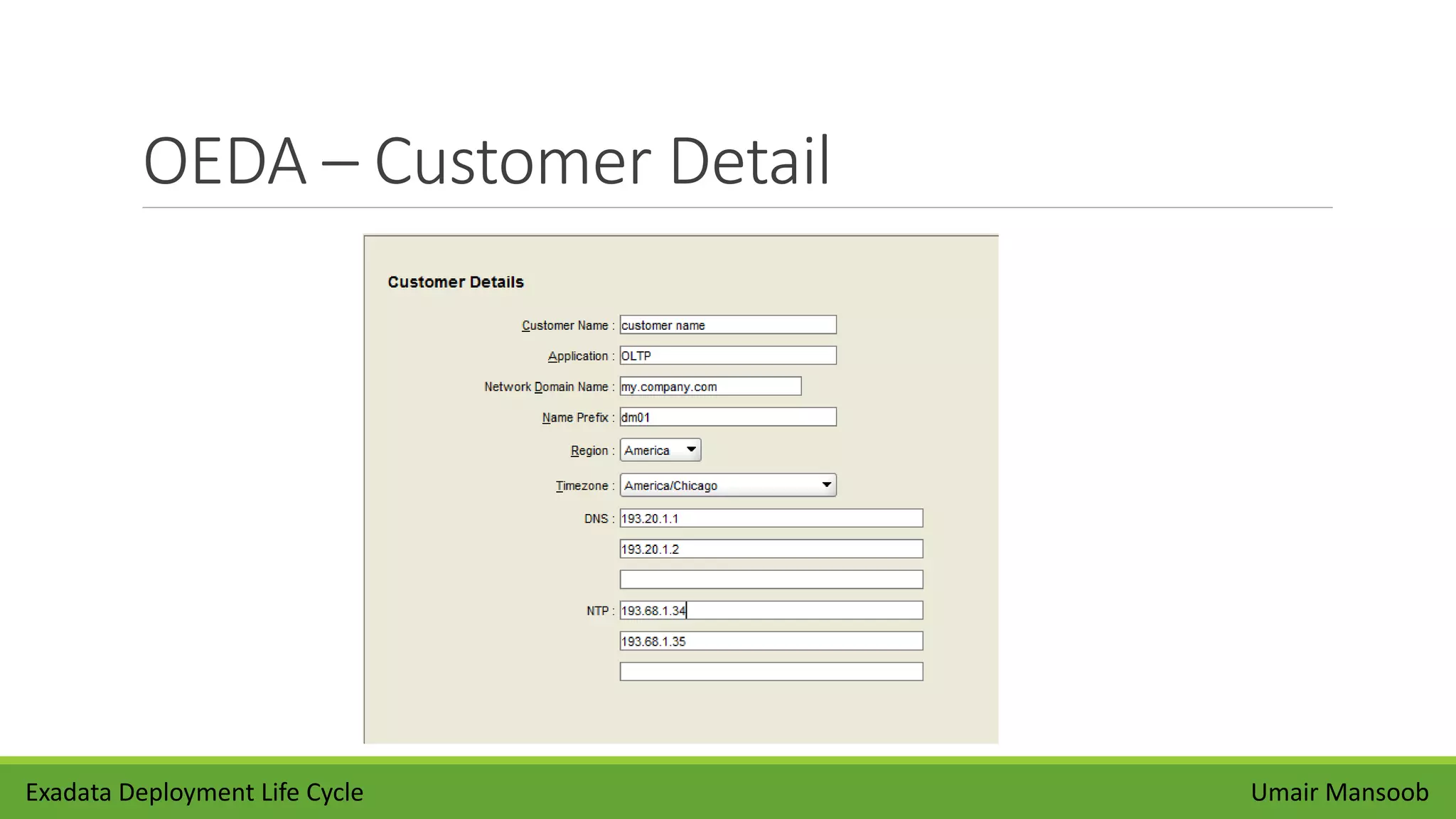
• the customer provides naming, DNS, NTP, and networking details. This information is collected using the
Oracle Exadata Deployment Assistant user interface. A configuration file is generated
• the configuration file is pushed to the database node, and the validation and installation is completed
Umair MansoobExadata Deployment Life Cycle
OEDA Download
Exadata Deployment Life Cycle Umair Mansoob
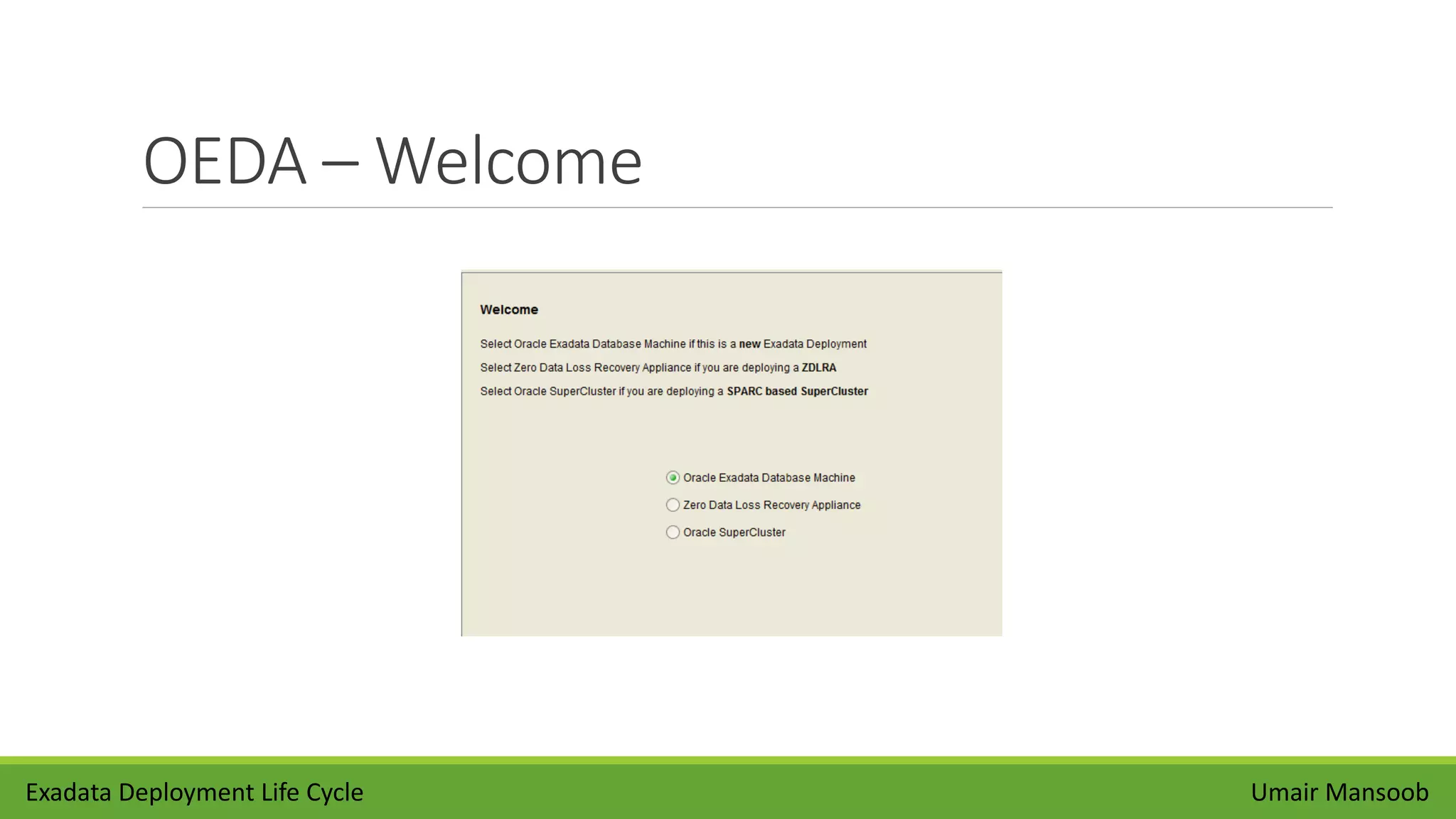
OEDA – Welcome
Umair MansoobExadata Deployment Life Cycle
OEDA – Customer Detail
Umair MansoobExadata Deployment Life Cycle
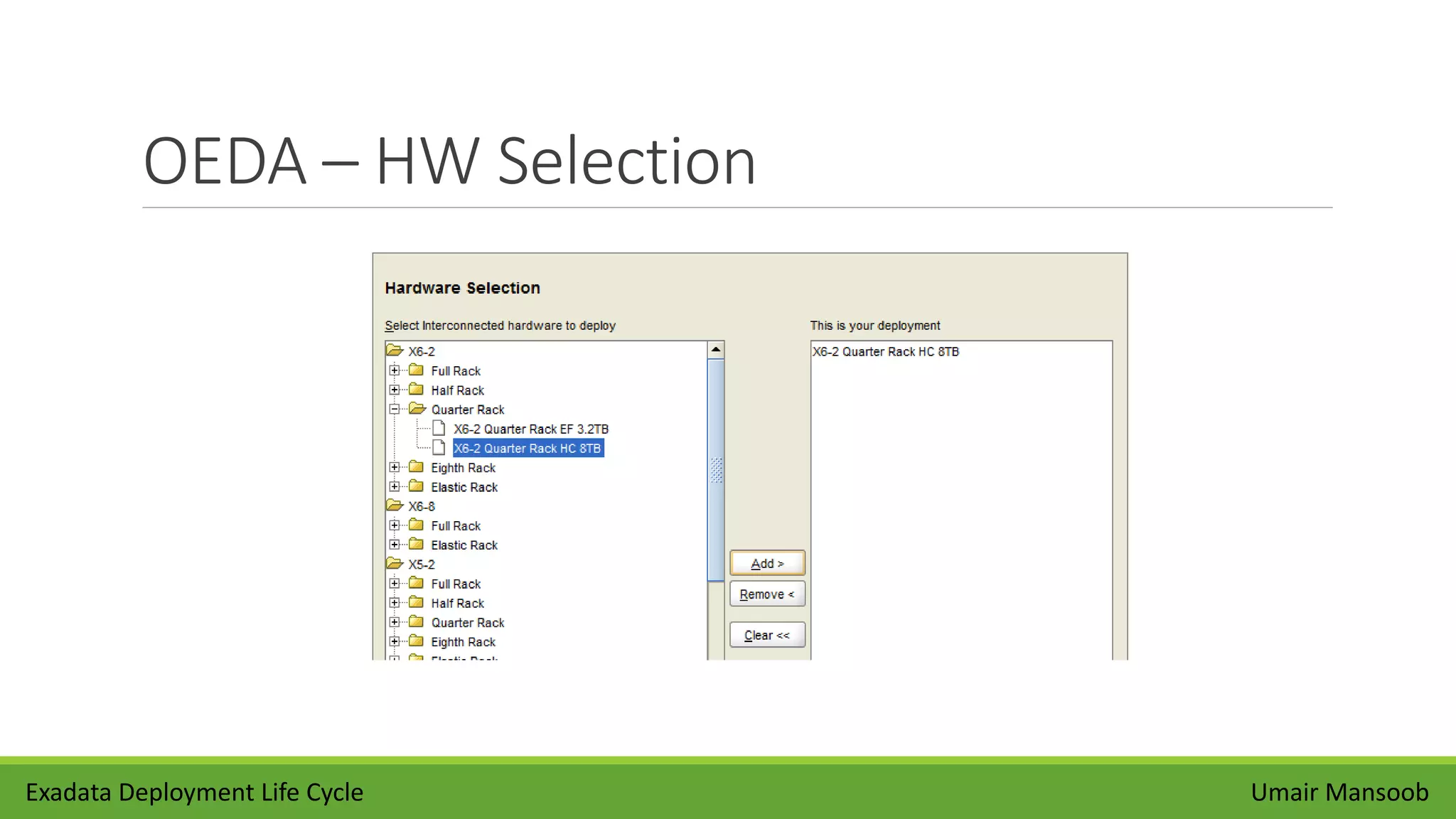
OEDA – HW Selection
Umair MansoobExadata Deployment Life Cycle
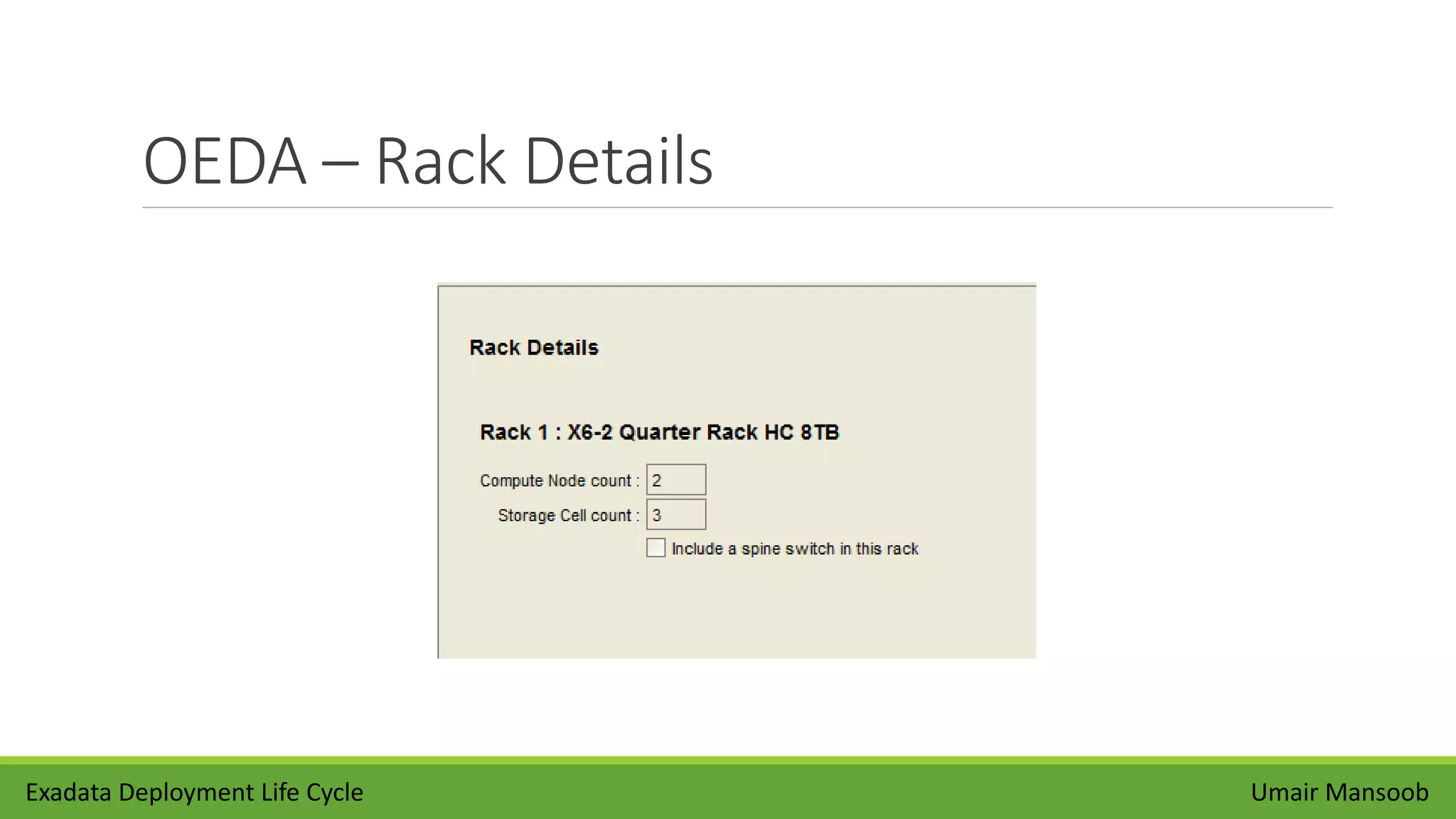
OEDA – Rack Details
Umair MansoobExadata Deployment Life Cycle
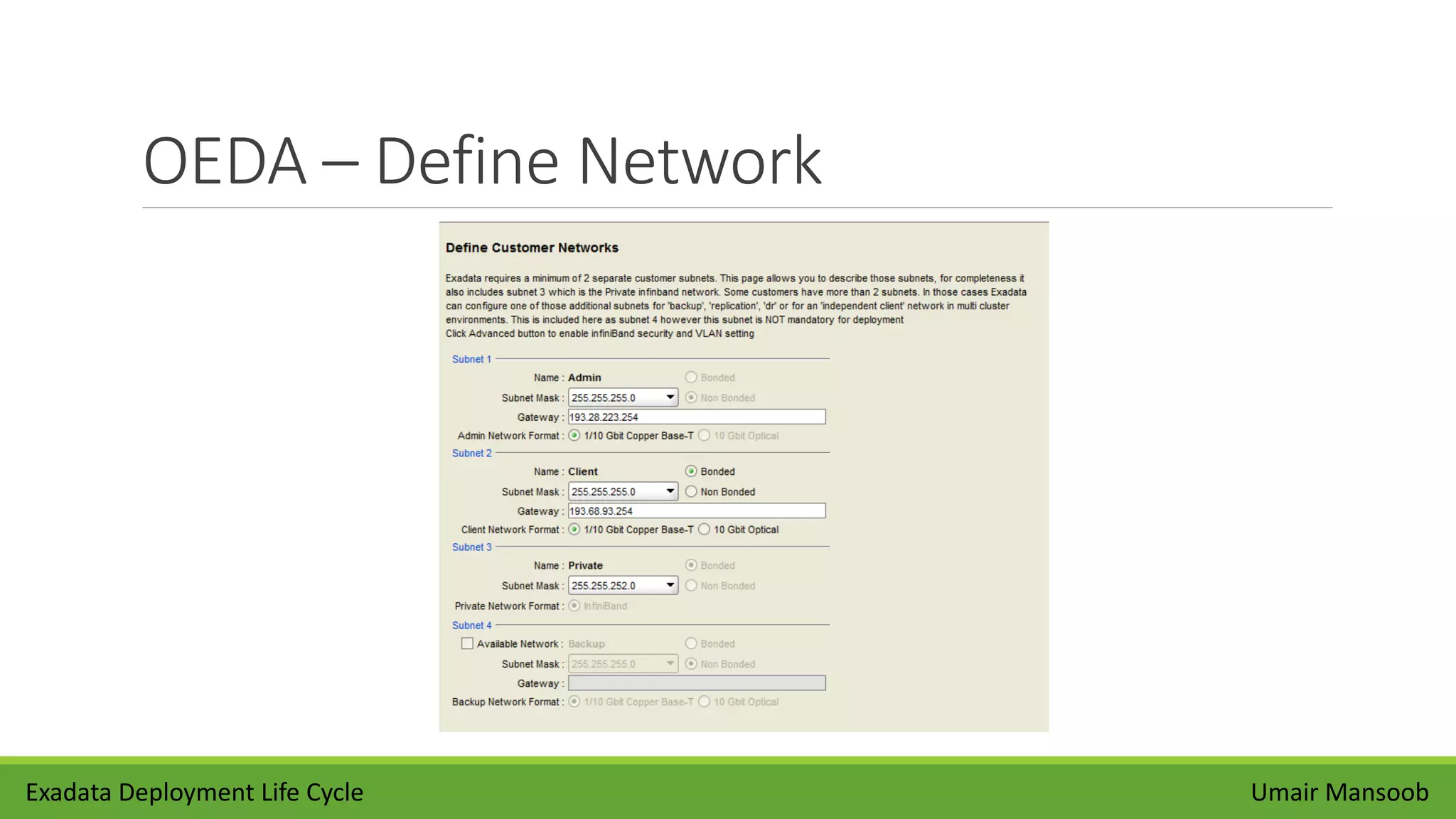
OEDA – Define Network
Umair MansoobExadata Deployment Life Cycle
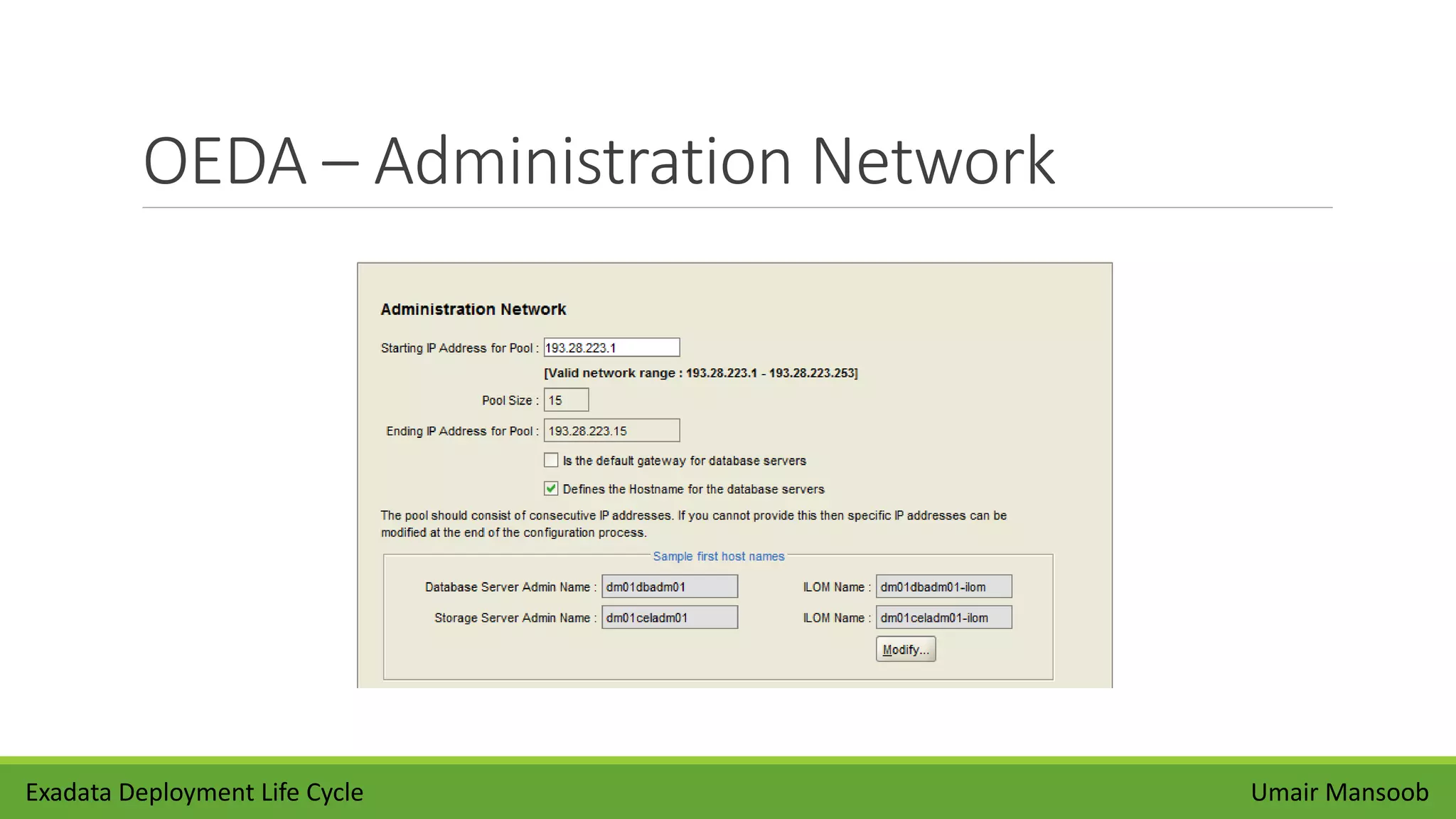
OEDA – Administration Network
Umair MansoobExadata Deployment Life Cycle
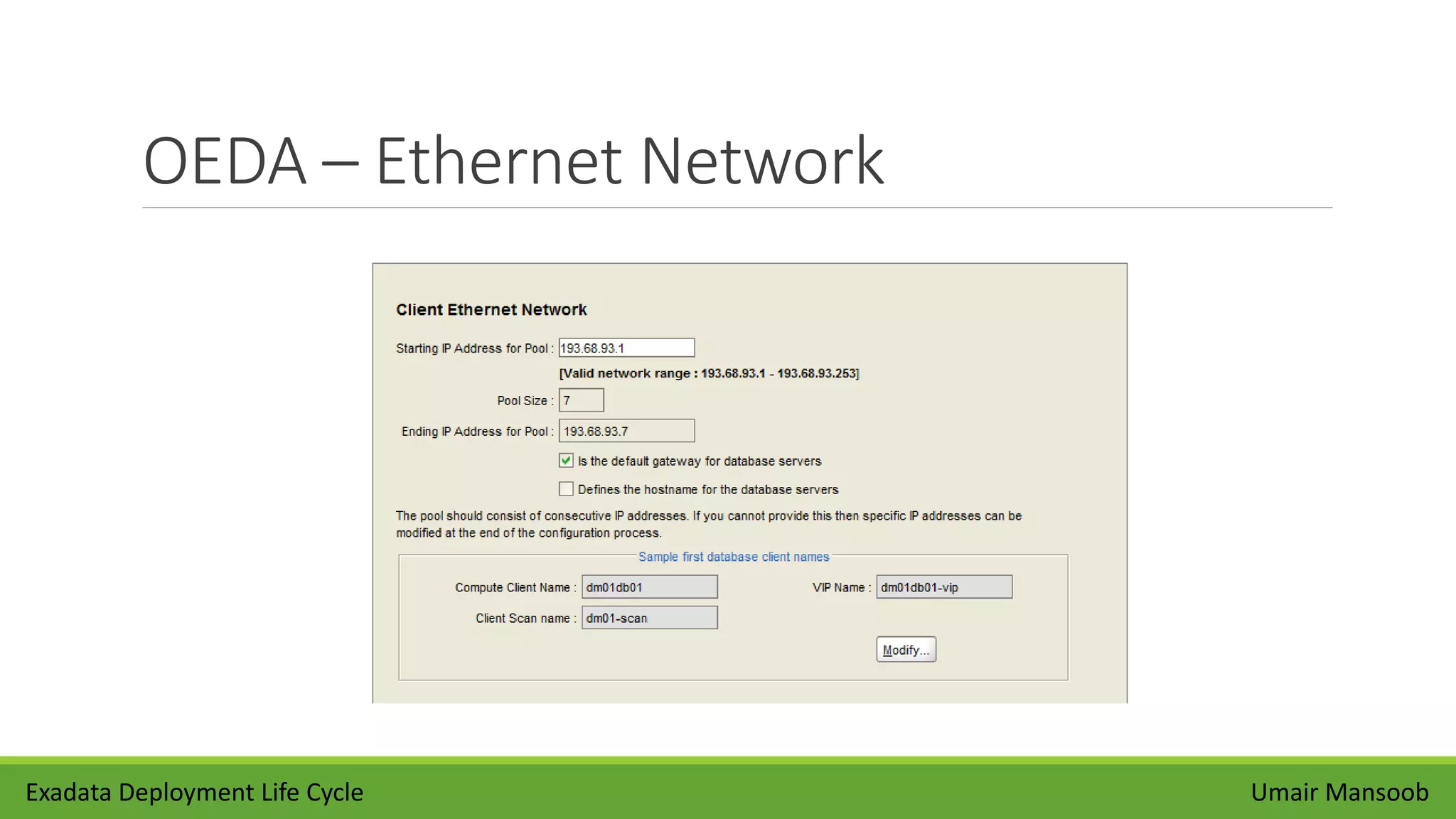
OEDA – Ethernet Network
Umair MansoobExadata Deployment Life Cycle
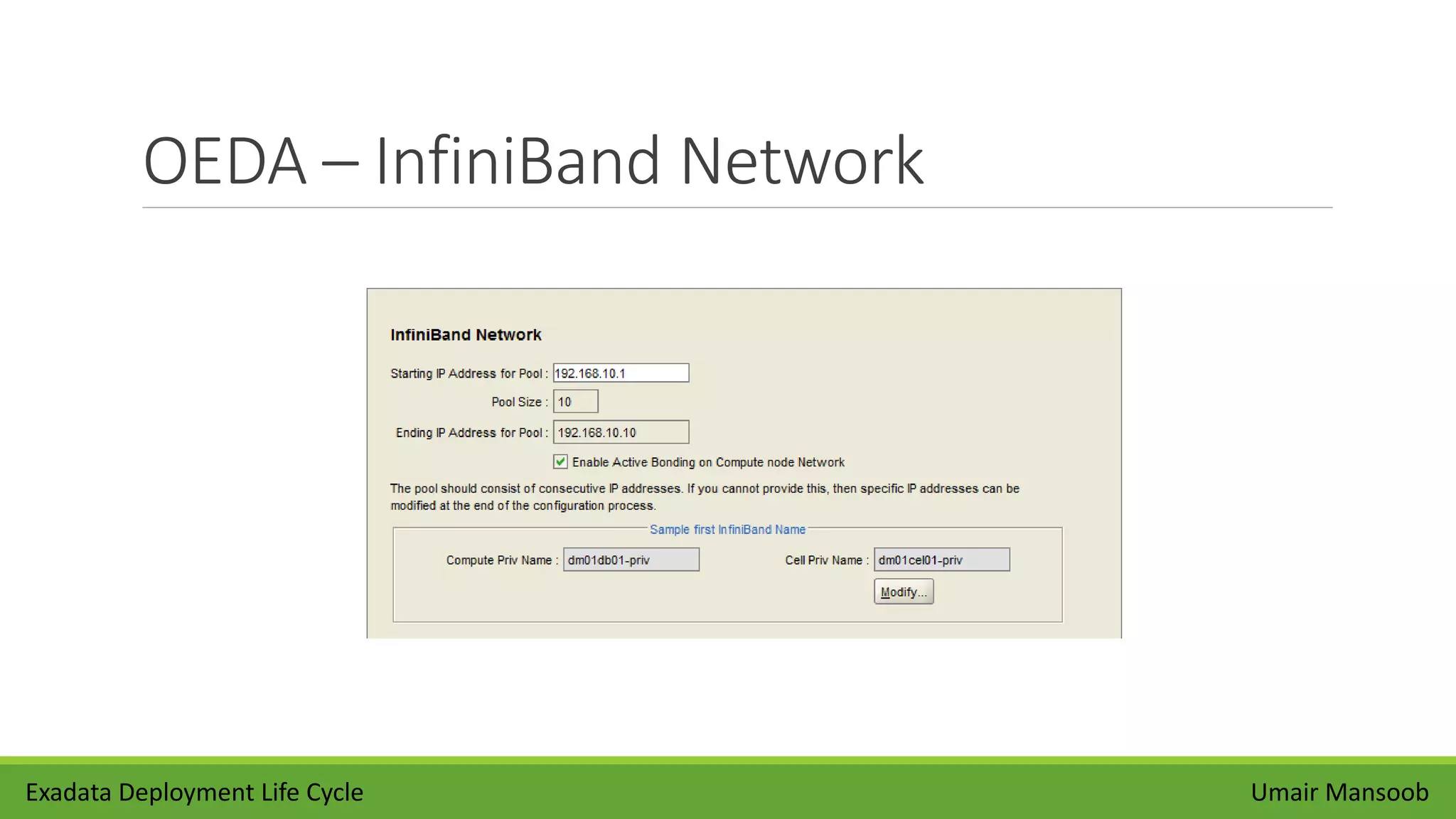
OEDA – InfiniBand Network
Umair MansoobExadata Deployment Life Cycle
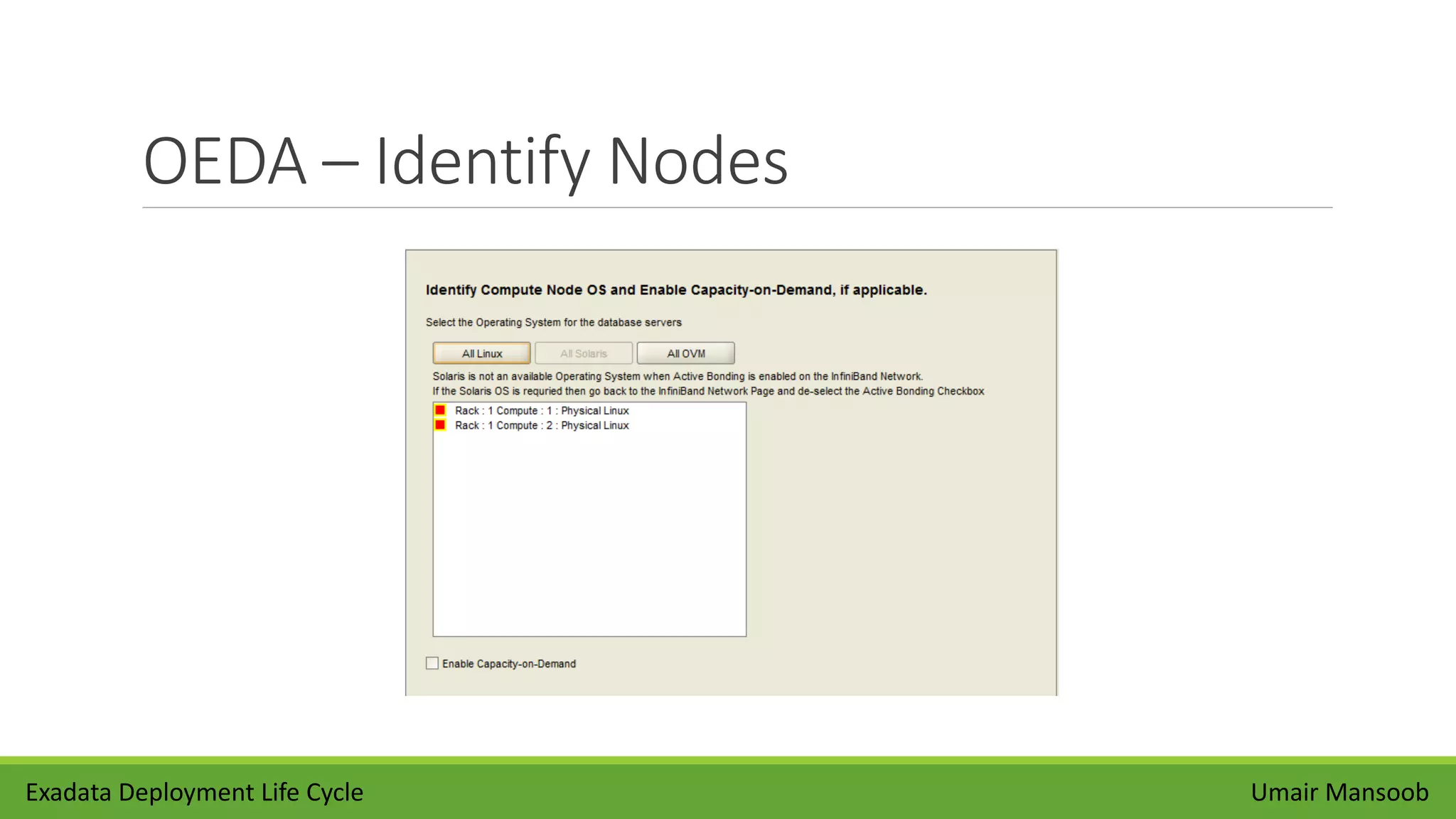
OEDA – Identify Nodes
Umair MansoobExadata Deployment Life Cycle
OEDA – Enable Capacity on Demand
Umair MansoobExadata Deployment Life Cycle
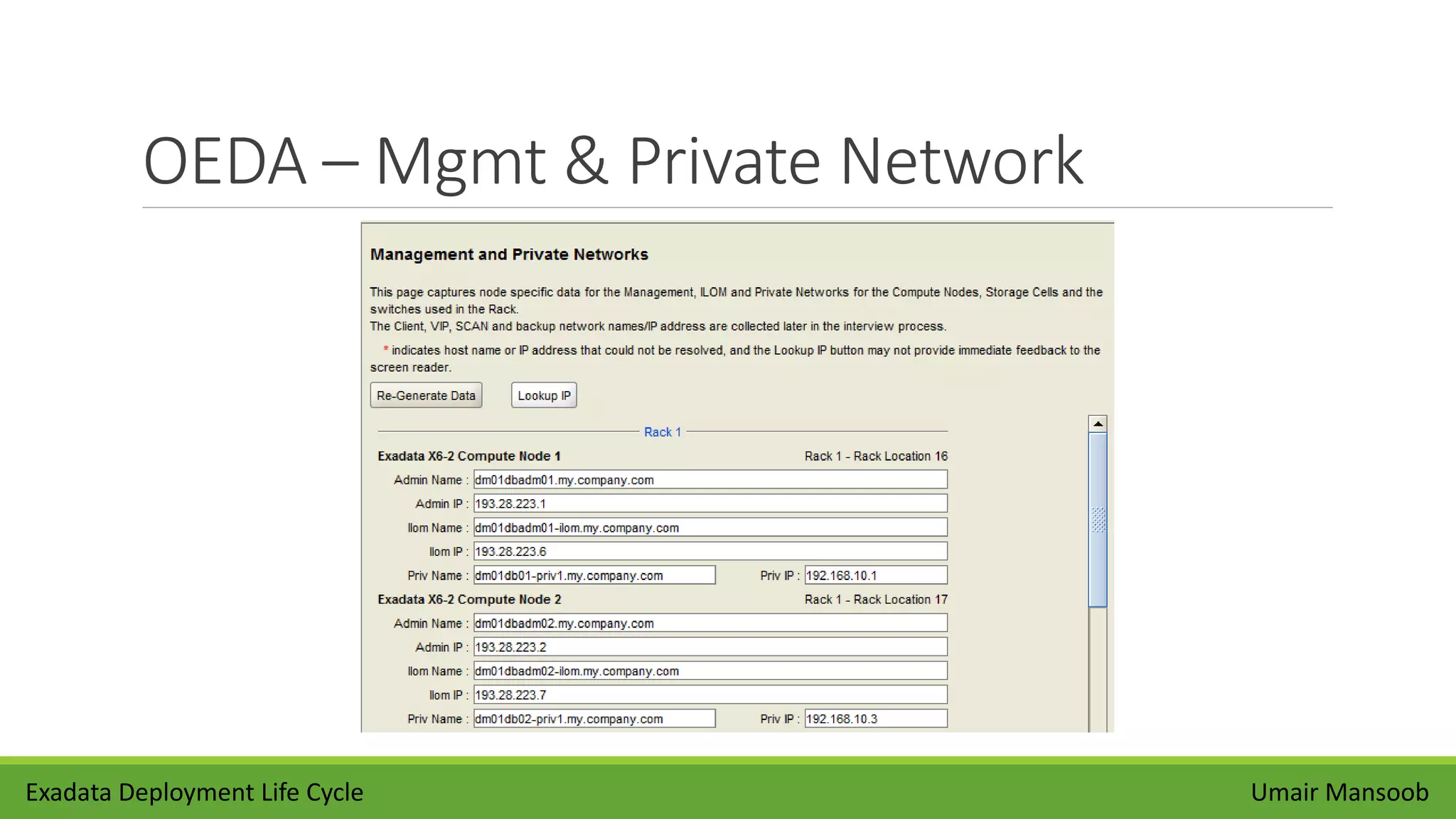
OEDA – Mgmt & Private Network
Umair MansoobExadata Deployment Life Cycle
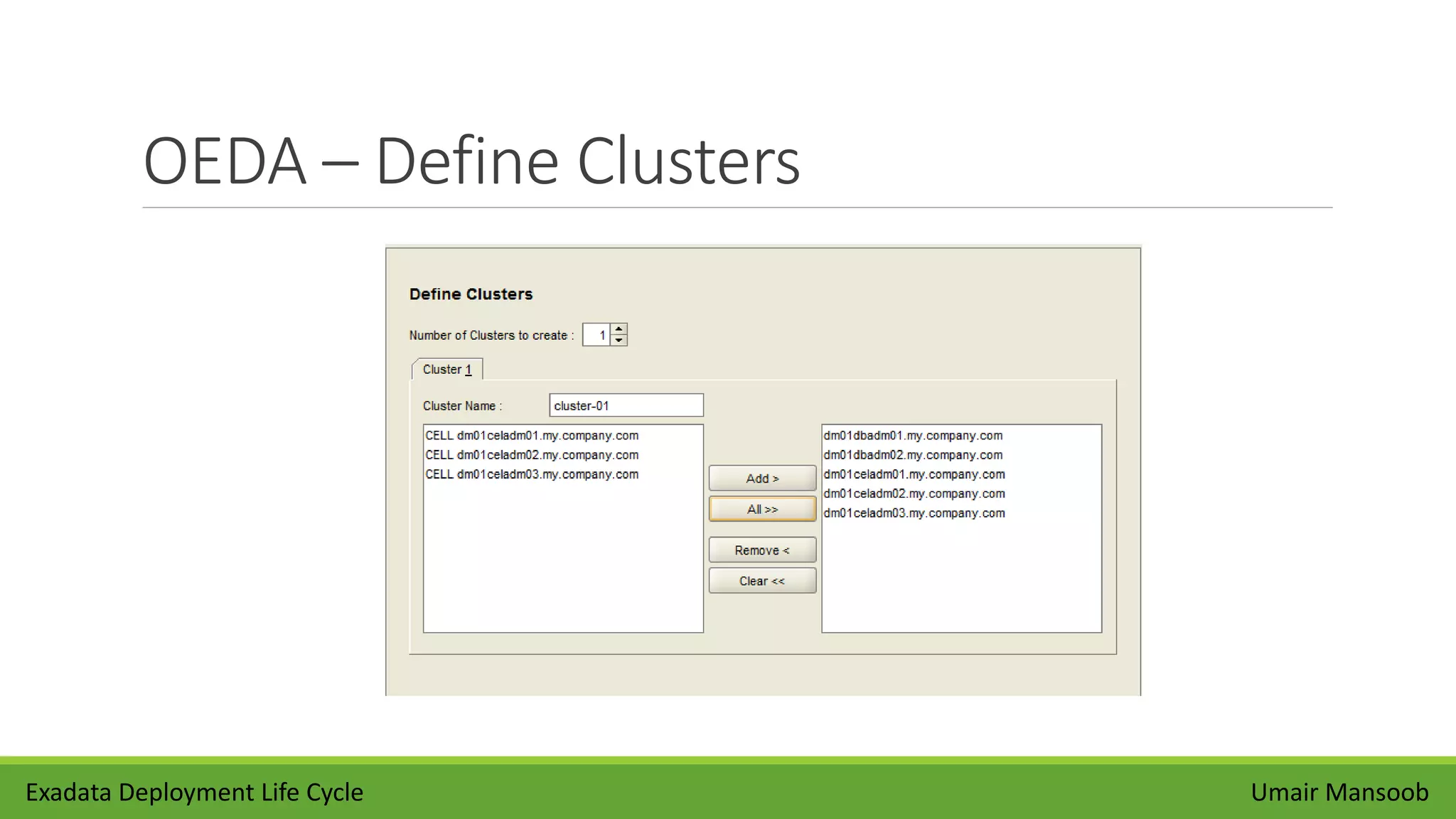
OEDA – Define Clusters
Umair MansoobExadata Deployment Life Cycle
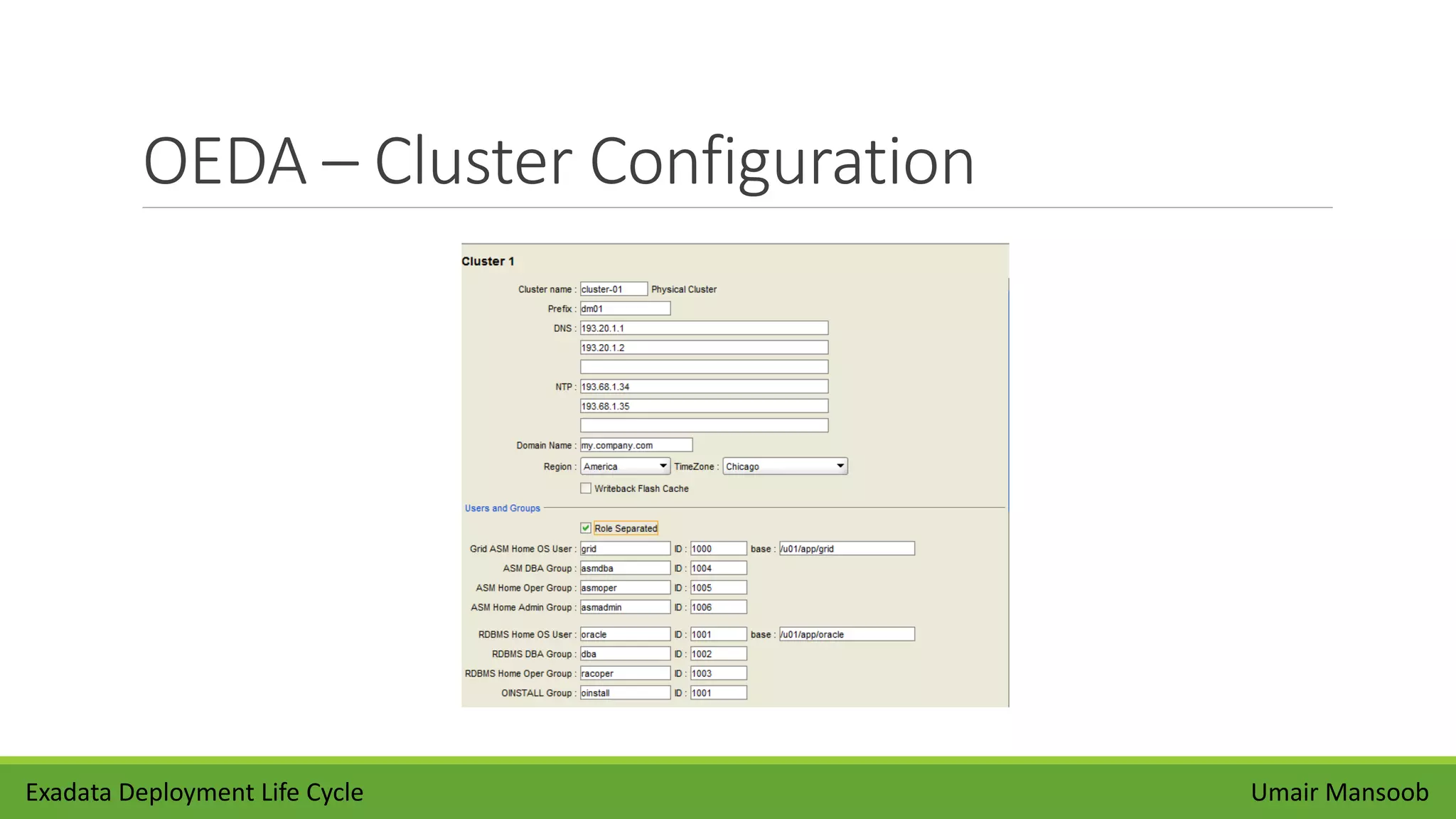
OEDA – Cluster Configuration
Umair MansoobExadata Deployment Life Cycle
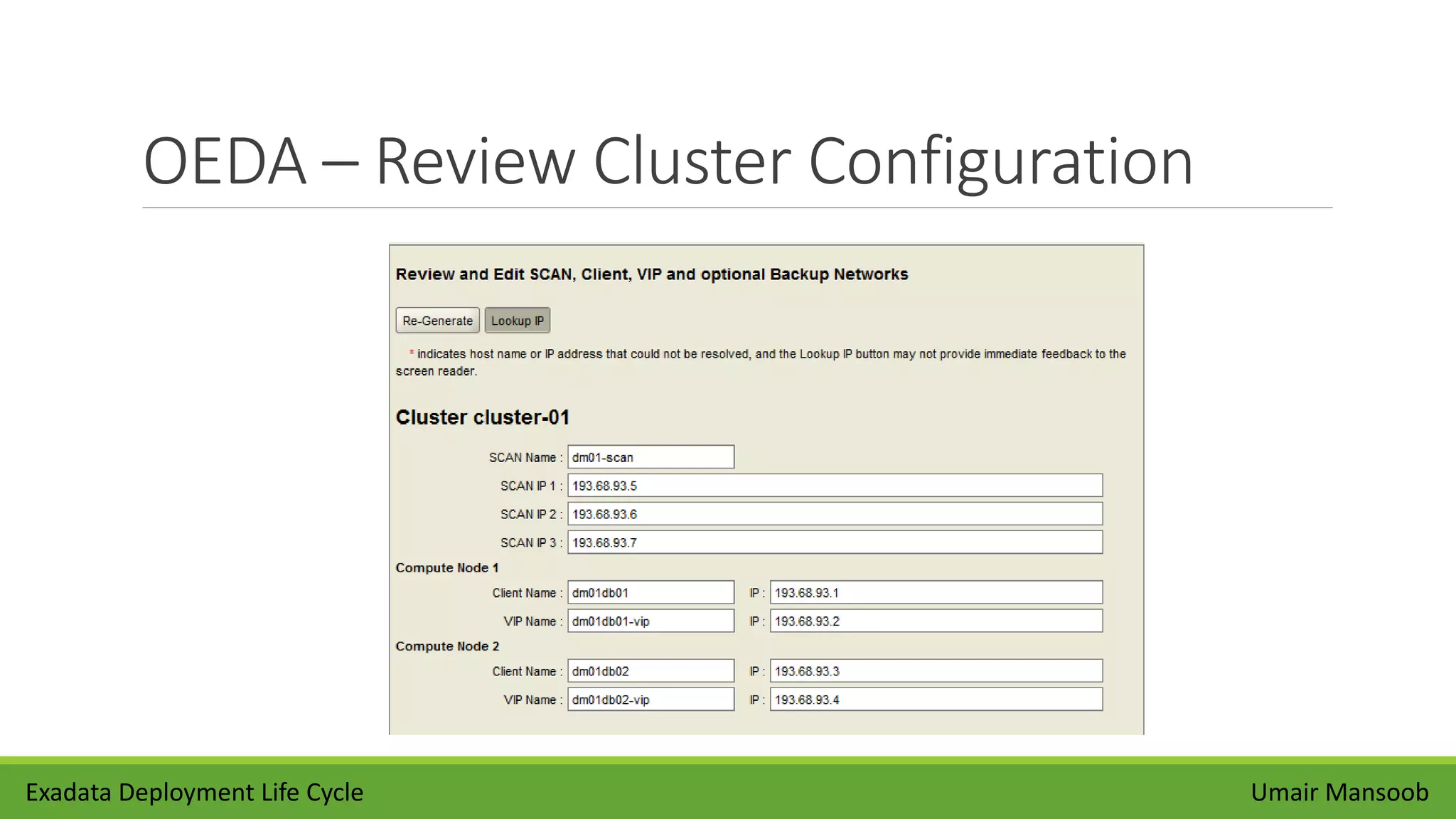
OEDA – Review Cluster Configuration
Umair MansoobExadata Deployment Life Cycle
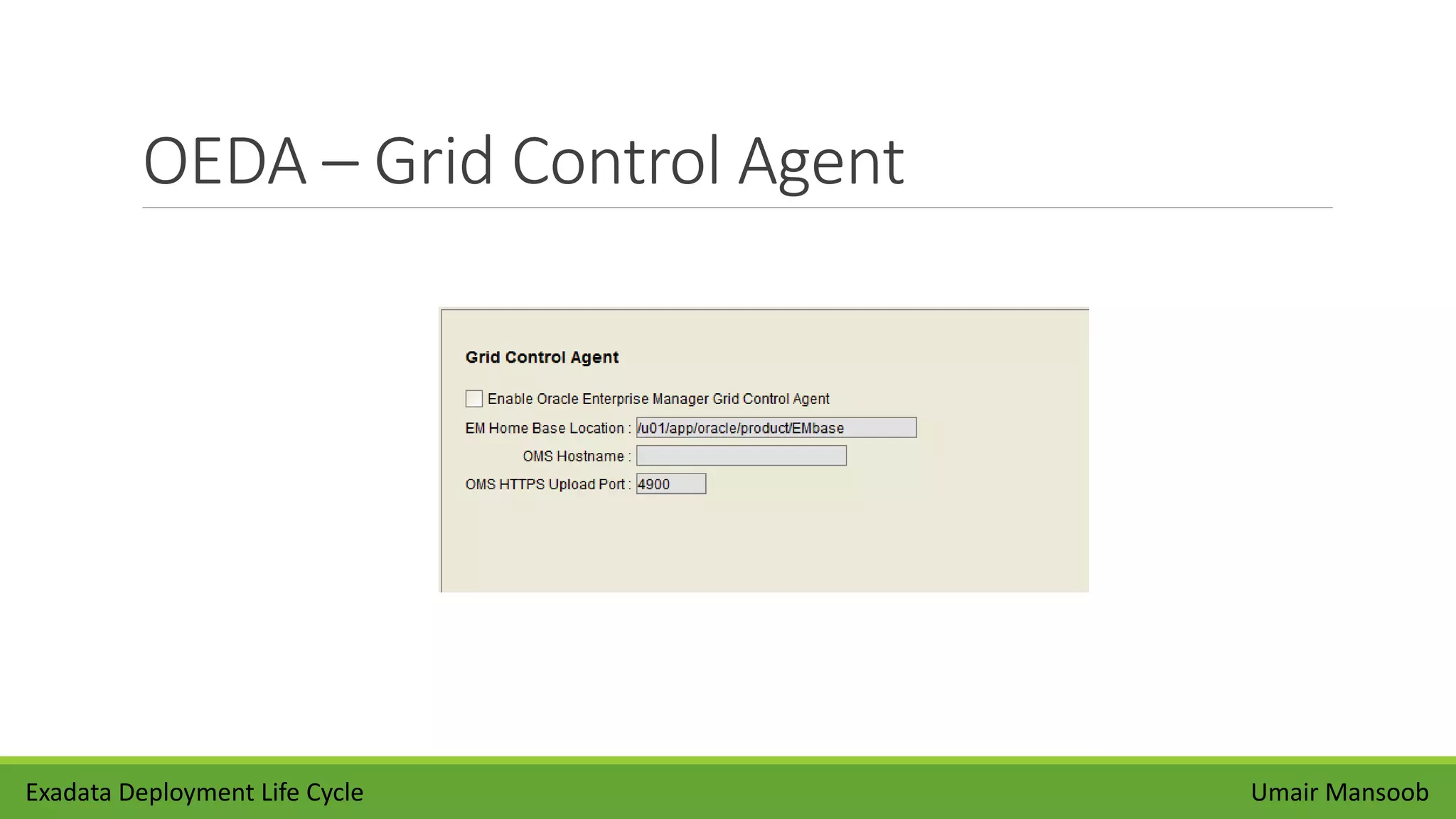
OEDA – Grid Control Agent
Umair MansoobExadata Deployment Life Cycle
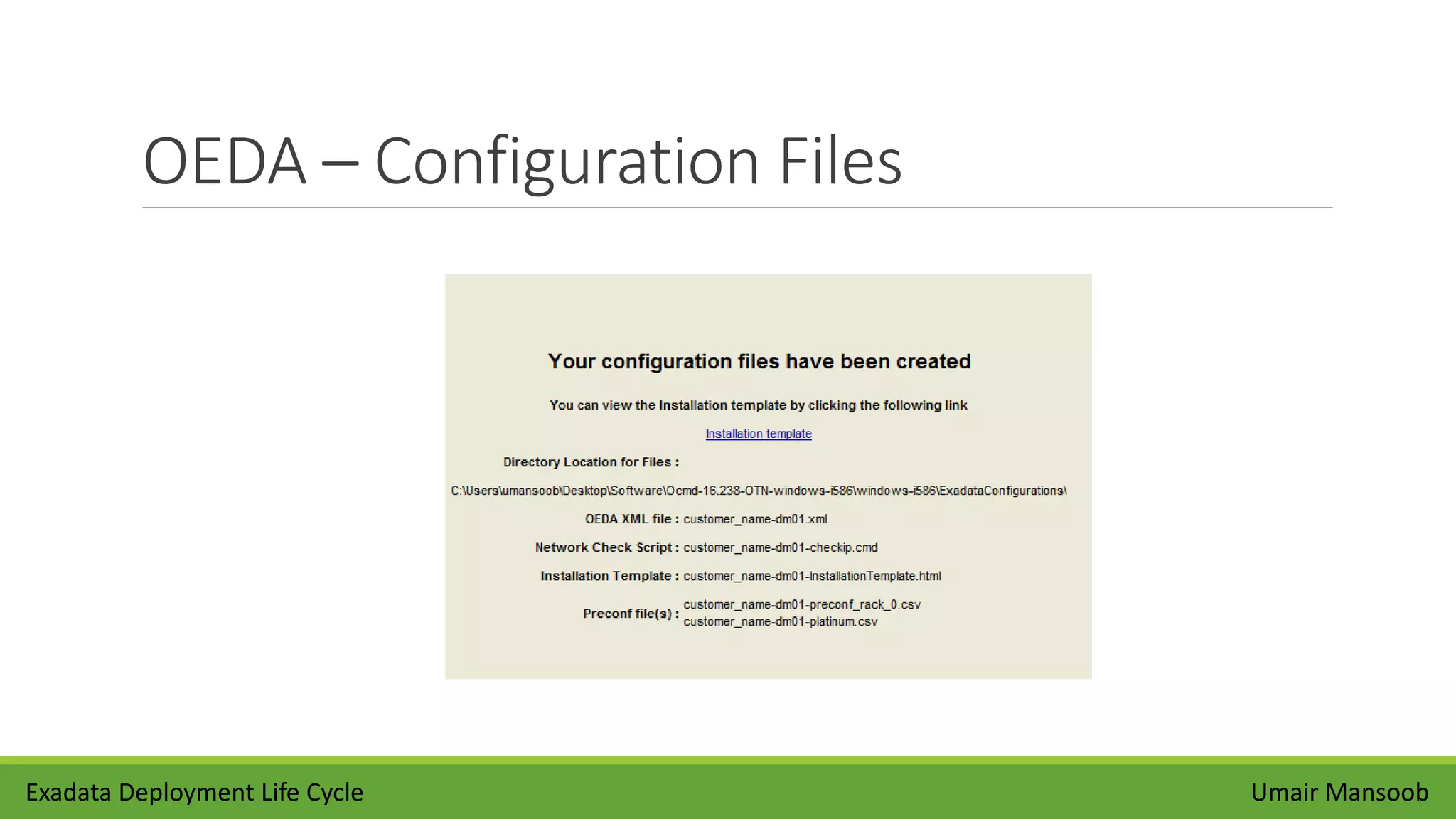
OEDA – Configuration Files
Umair MansoobExadata Deployment Life Cycle
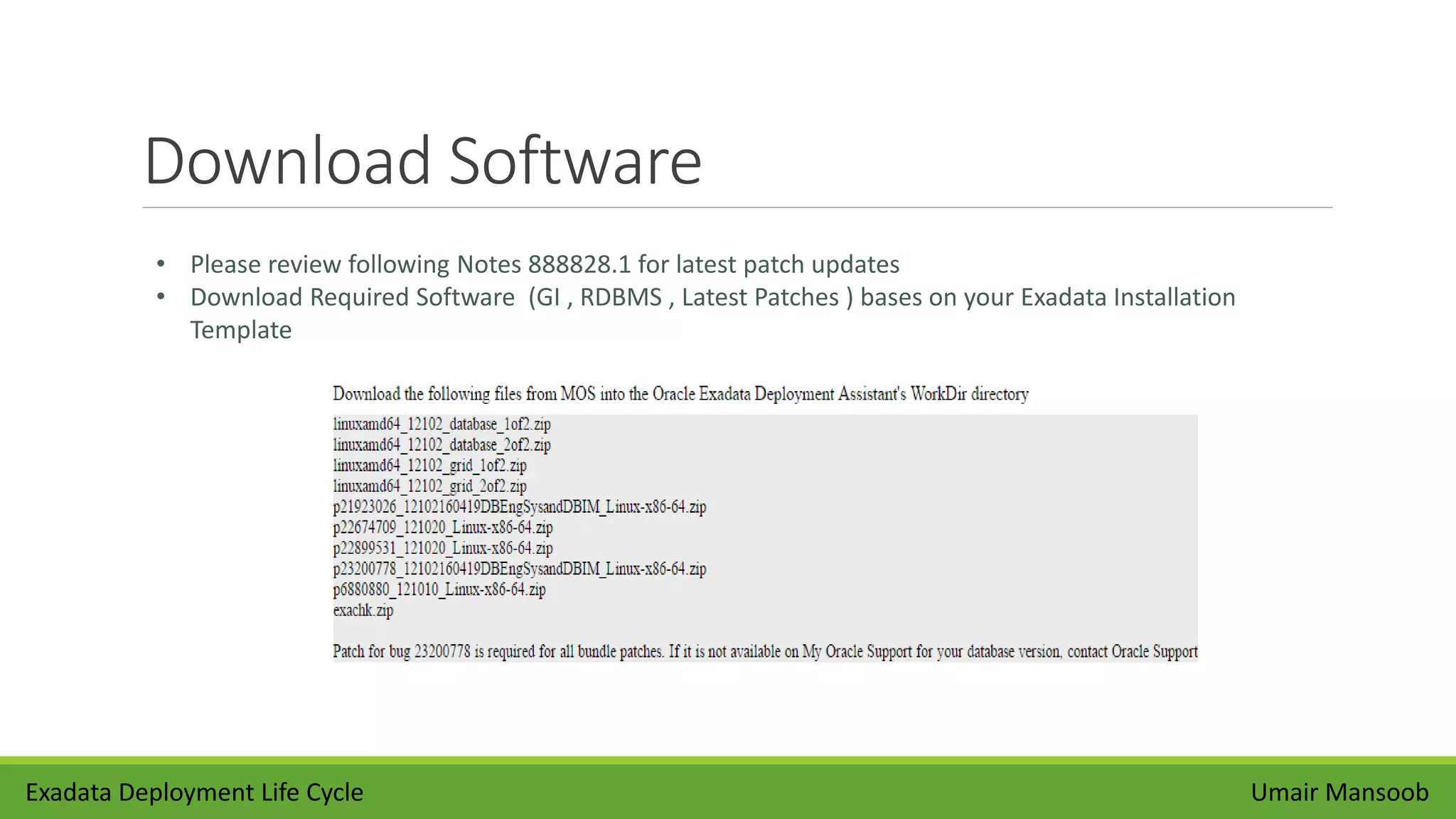
Download Software
Umair Mansoob
• Please review following Notes 888828.1 for latest patch updates
• Download Required Software (GI , RDBMS , Latest Patches ) bases on your Exadata Installation
Template
Exadata Deployment Life Cycle
Hardware Install
Umair Mansoob
• Mostly Perform By Oracle
• Unpacking Oracle Exadata Rack
• Powering on the System
• Connecting to Network
• Checking Exadata Database & Storage Server
• Checking InfiniBand Network
Exadata Deployment Life Cycle
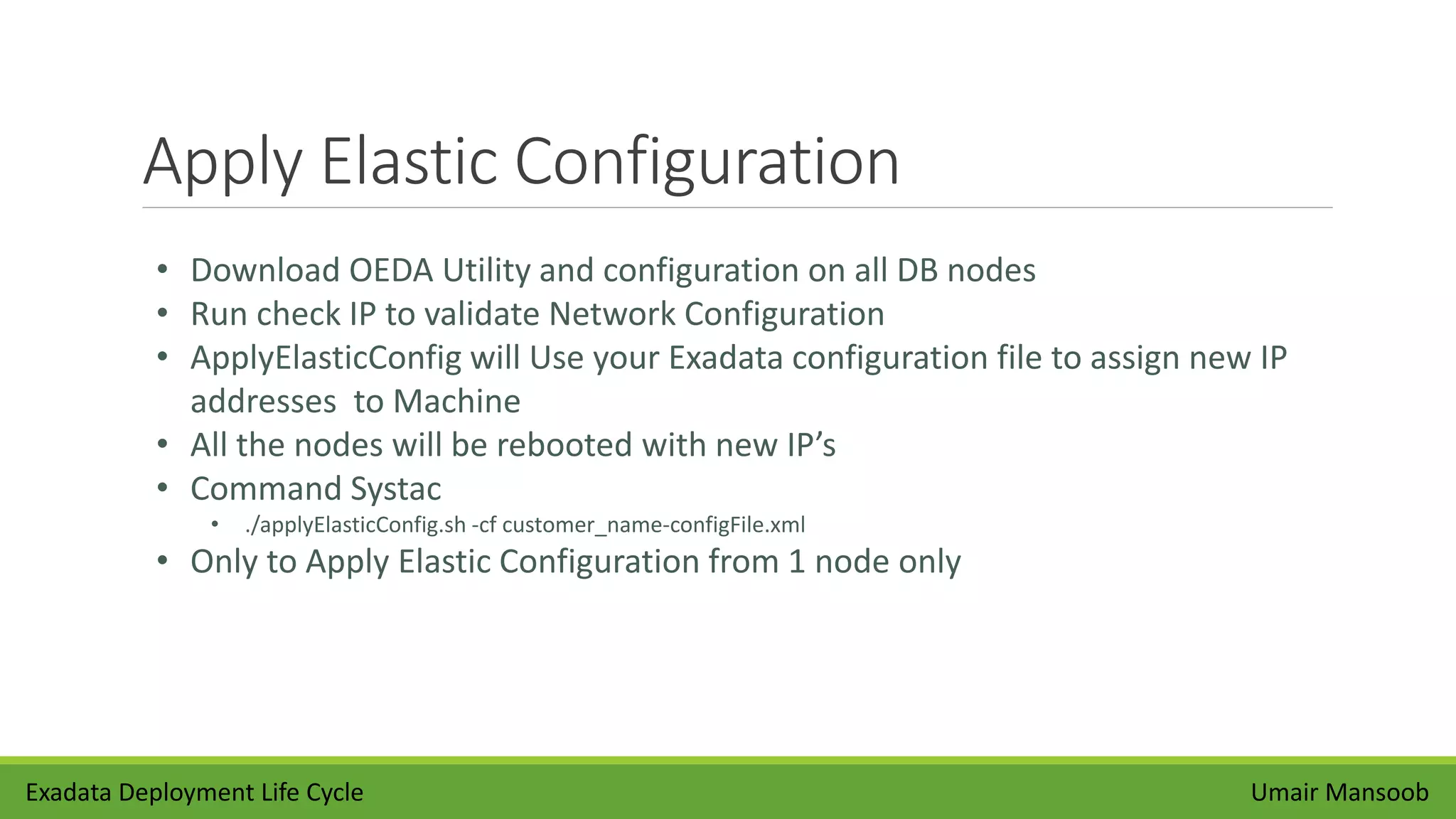
Apply Elastic Configuration
Umair Mansoob
• Download OEDA Utility and configuration on all DB nodes
• Run check IP to validate Network Configuration
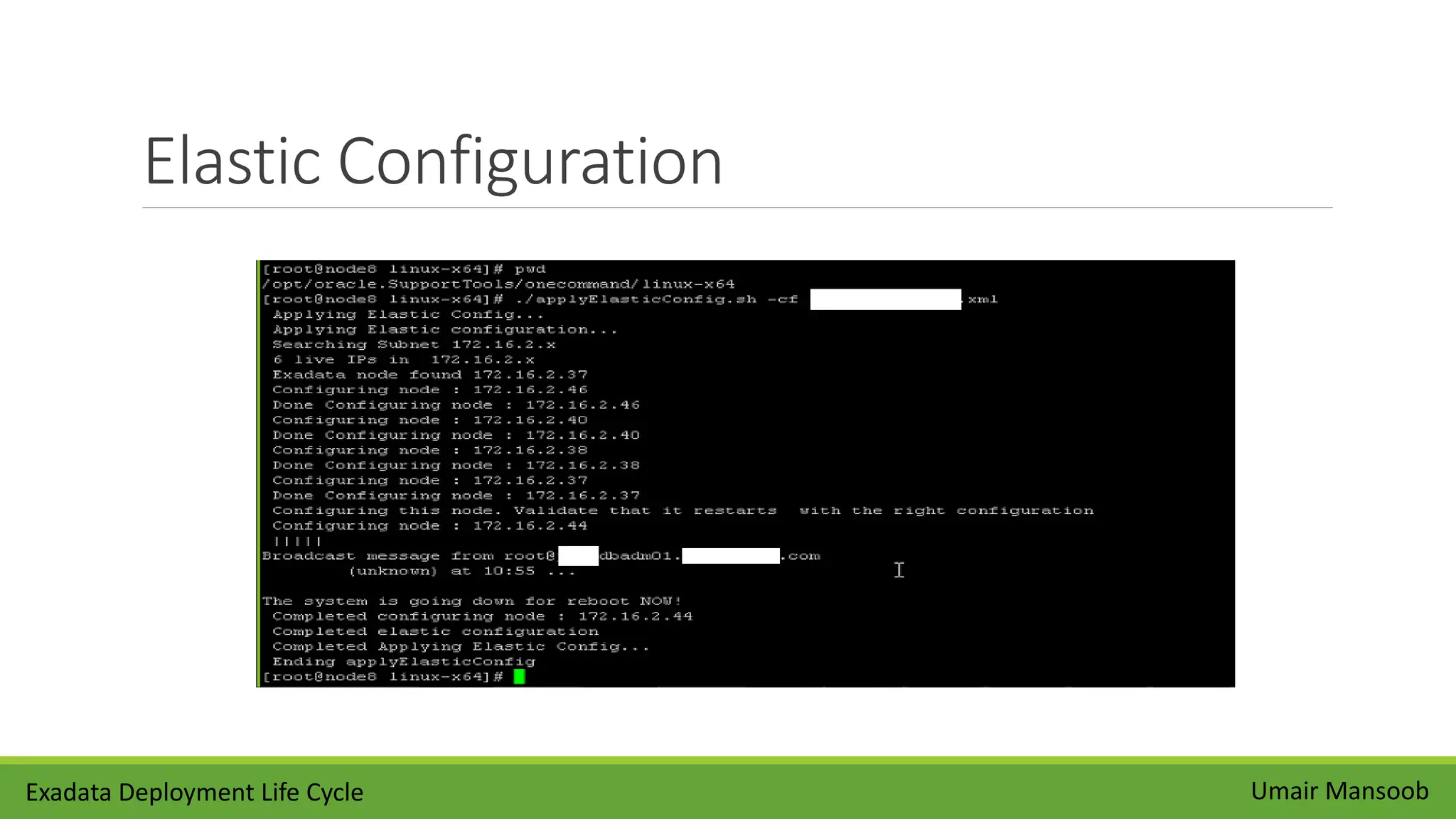
• ApplyElasticConfig will Use your Exadata configuration file to assign new IP
addresses to Machine
• All the nodes will be rebooted with new IP’s
• Command Systac
• ./applyElasticConfig.sh -cf customer_name-configFile.xml
• Only to Apply Elastic Configuration from 1 node only
Exadata Deployment Life Cycle
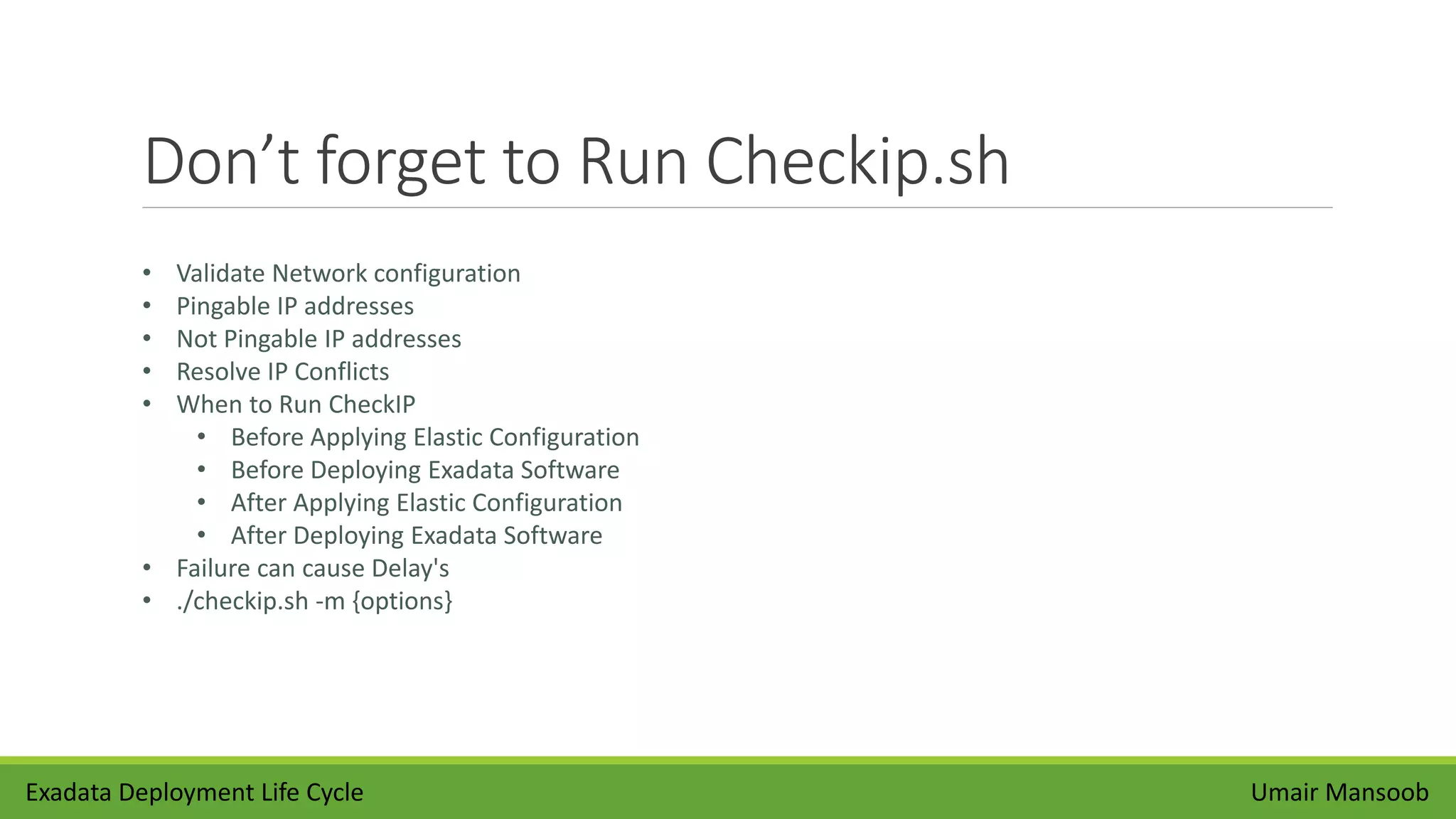
Don’t forget to Run Checkip.sh
Umair Mansoob
• Validate Network configuration
• Pingable IP addresses
• Not Pingable IP addresses
• Resolve IP Conflicts
• When to Run CheckIP
• Before Applying Elastic Configuration
• Before Deploying Exadata Software
• After Applying Elastic Configuration
• After Deploying Exadata Software
• Failure can cause Delay's
• ./checkip.sh -m {options}
Exadata Deployment Life Cycle
Elastic Configuration
Exadata Deployment Life Cycle Umair Mansoob
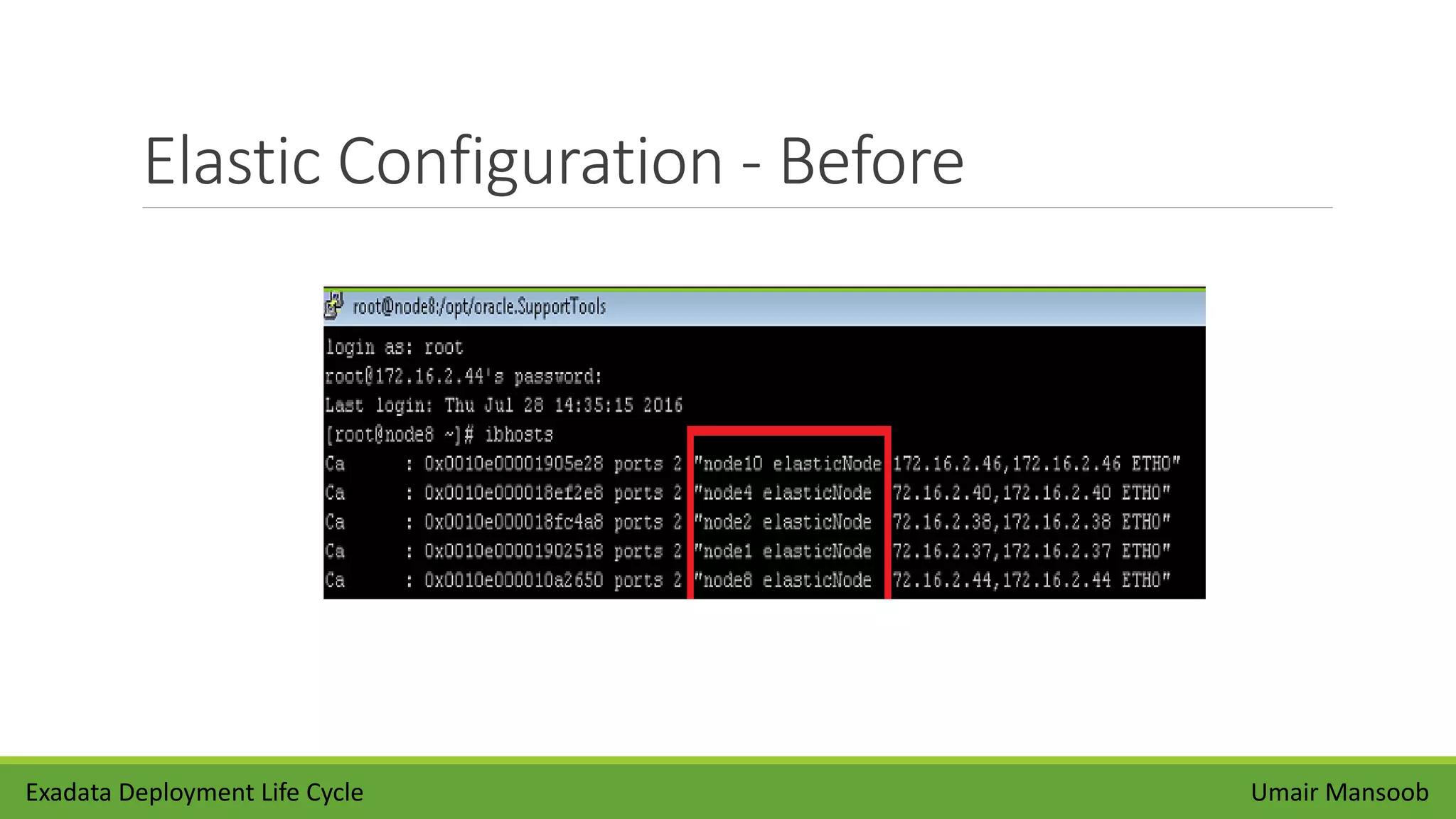
Elastic Configuration - Before
Exadata Deployment Life Cycle Umair Mansoob
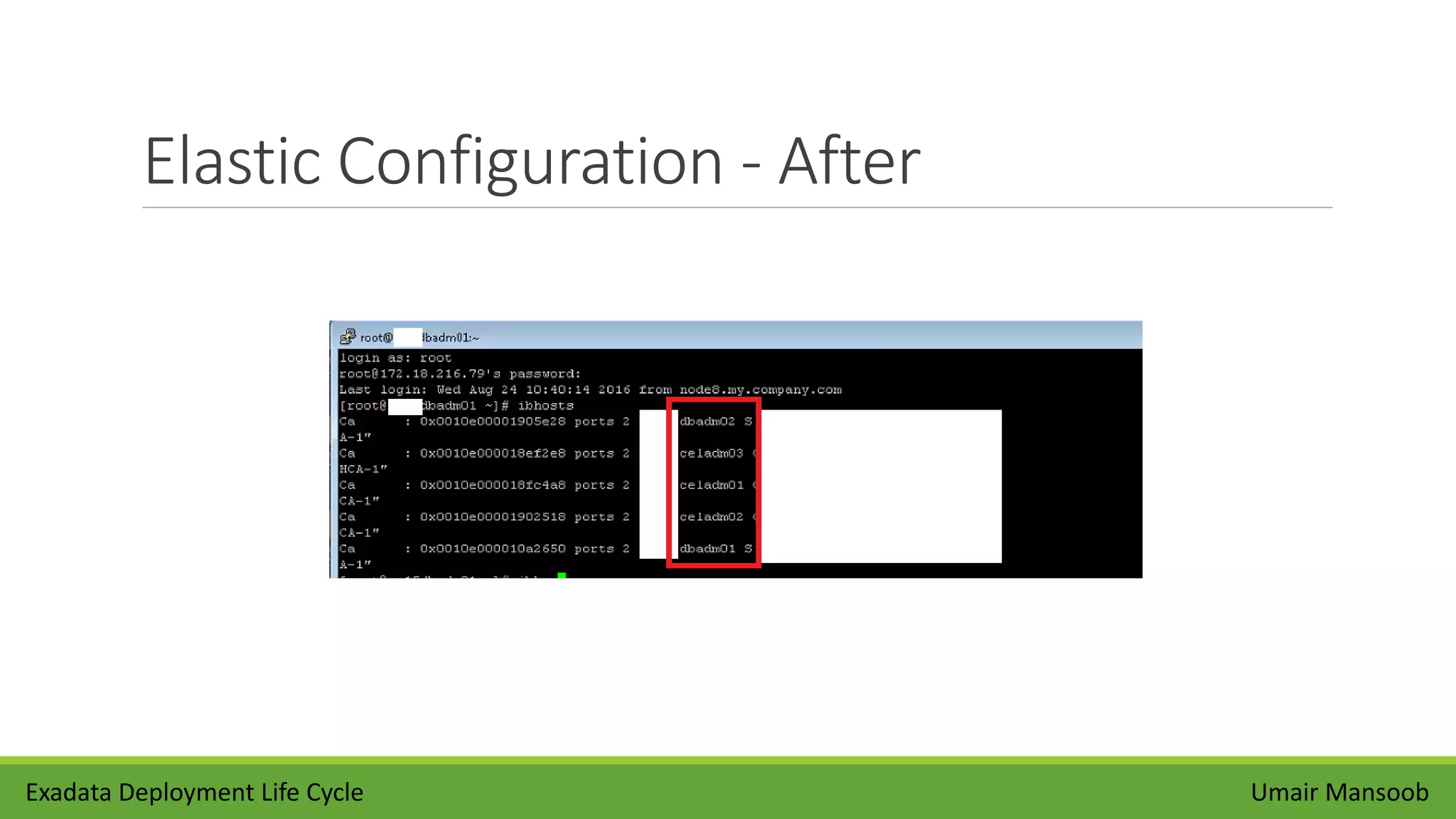
Elastic Configuration - After
Exadata Deployment Life Cycle Umair Mansoob
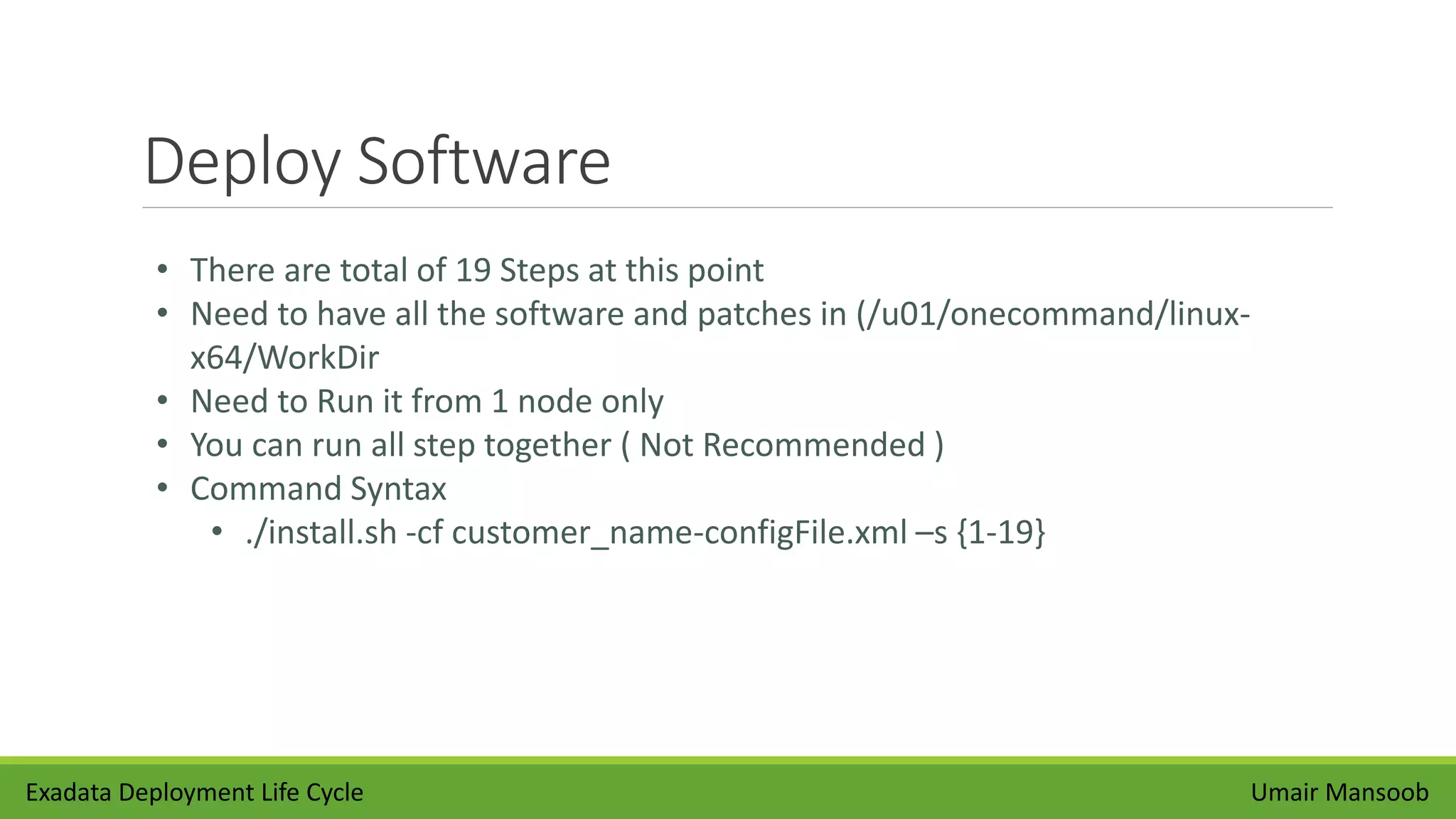
Deploy Software
Umair Mansoob
• There are total of 19 Steps at this point
• Need to have all the software and patches in (/u01/onecommand/linux-
x64/WorkDir
• Need to Run it from 1 node only
• You can run all step together ( Not Recommended )
• Command Syntax
• ./install.sh -cf customer_name-configFile.xml –s {1-19}
Exadata Deployment Life Cycle
Deploy Software Steps
Umair MansoobExadata Deployment Life Cycle
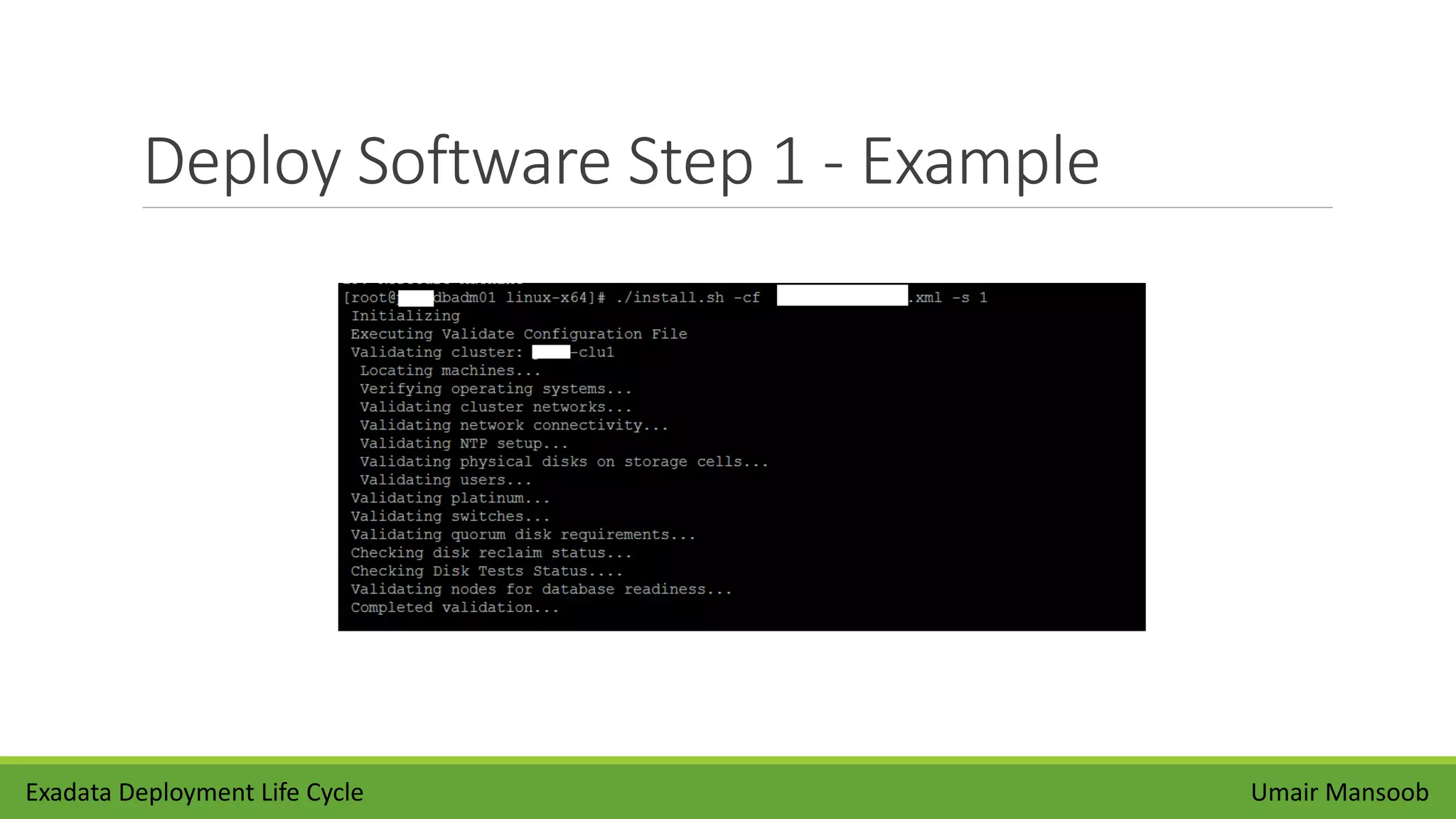
Deploy Software Step 1 - Example
Umair MansoobExadata Deployment Life Cycle
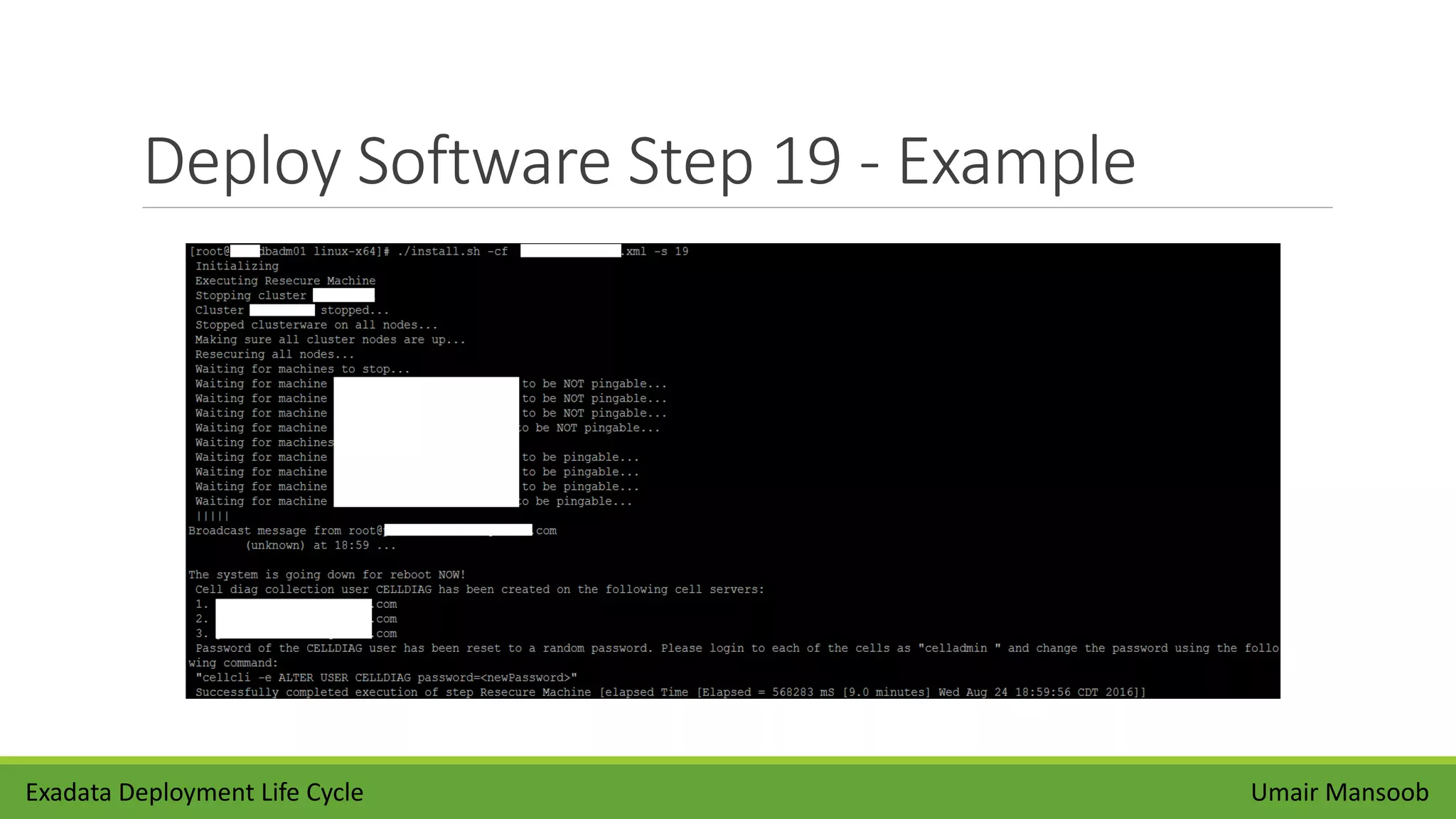
Deploy Software Step 19 - Example
Umair MansoobExadata Deployment Life Cycle
Validate Install
Umair Mansoob
• Change root password for all the nodes including storage nodes
• Review Installation Summary Report
• Run Exachk Report
• Validate ASR configuration
• Configure Exadata Monitoring ( OEM )
Exadata Deployment Life Cycle
Thank You
Umair Mansoob
Umair Mansoob
773-297-2061
umairmansoob@gmail.com
http://blog.umairmansoob.com/
Exadata Deployment Life Cycle

Exadata deployment life cycle

  • 1.
    Exadata Deployment LifeCycle BY UMAIR MANSOOB
  • 2.
    Agenda • Introduction • Planning •OEDA Utility • Hardware Install • Download Software • Elastic Configuration • Software Install • Validate Install Umair MansoobExadata Deployment Life Cycle
  • 3.
    Who Am I •Oracle Certified Administrator from Oracle 7 – 12c • Exadata Certified Implementation Specialist since 2011 • Oracle Database Performance Tuning Certified Expert • Oracle Business Intelligence Foundation Suite 11g Certified Implementation Specialist • Oracle Database Data Warehousing Certified Implementation Specialist • Multiple Exadata Implementations / POC’s for large financial organizations • Migrate / Upgrade databases between various versions of Oracle • Capacity Planning for Oracle Engineered Systems • Database Consolidation to Exadata / 12c Platform • Architect Databases for OLTP and OLAP applications • Not an Oracle Employee or Nor I represent Oracle in any way Umair MansoobExadata Deployment Life Cycle
  • 4.
    Overview Planning OEDA Utility Download Software ElasticConfiguration Deploy Software Validate Install Umair MansoobExadata Deployment Life Cycle HardwareInstall
  • 5.
  • 6.
    Capacity Planning It isimportant to understand that Exadata offloads a lot of processes to storage nodes Capacity planning for Exadata is a little different from traditional hardware but basics will still apply You should gather information about CPU, IOPs and Physical Memory of an existing system and use them to size your Exadata machine
  • 7.
    Deployment Consideration Exadata deploymentdecision can have lasting impact on your hosted databases Oracle recommends using High redundancy level for Exadata machine It is also important to understand that virtualizing Exadata machine comes with administrative overhead You can achieve network isolation using two options, private Vlan and InfiniBand partitioning Exadata machine comes with two storage disk options, Extreme Flash IO and high capacity.
  • 8.
    Licensing Consideration As acustomer, you have two options to control Exadata Software licensing cost You can use Capacity on Demand (CoD) option to disable a subset of the cores on Exadata database servers to reduce licensing requirements The maximum number of cores that can be disabled on an Exadata X5-2 Database Server is 60% OVM can be used to create virtual machines with specific number of cores to reduce licensing requirements, You might be required to buy Oracle advance Security option for compliance reasons especially, if your database contain credit card information Even though Exadata comes with its own free compression called Hybrid Column compression, it does not support OLTP operations Umair MansoobExadata Deployment Life Cycle
  • 9.
    OEDA Utility • RunOEDA configuration to Generate Configuration files • You can run OEDA utility before the arrival of Exadata HW • Work network and database administrators to gather following information • IP addresses • Machine names • DNS information • NTP information for the rack •You can Download Latest ODEA Utility from following link • (http://www.oracle.com/technetwork/database/exadata/oeda-download-2076737.html) • Oracle Exadata Deployment Assistant has two main phases • the customer provides naming, DNS, NTP, and networking details. This information is collected using the Oracle Exadata Deployment Assistant user interface. A configuration file is generated • the configuration file is pushed to the database node, and the validation and installation is completed Umair MansoobExadata Deployment Life Cycle
  • 10.
    OEDA Download Exadata DeploymentLife Cycle Umair Mansoob
  • 11.
    OEDA – Welcome UmairMansoobExadata Deployment Life Cycle
  • 12.
    OEDA – CustomerDetail Umair MansoobExadata Deployment Life Cycle
  • 13.
    OEDA – HWSelection Umair MansoobExadata Deployment Life Cycle
  • 14.
    OEDA – RackDetails Umair MansoobExadata Deployment Life Cycle
  • 15.
    OEDA – DefineNetwork Umair MansoobExadata Deployment Life Cycle
  • 16.
    OEDA – AdministrationNetwork Umair MansoobExadata Deployment Life Cycle
  • 17.
    OEDA – EthernetNetwork Umair MansoobExadata Deployment Life Cycle
  • 18.
    OEDA – InfiniBandNetwork Umair MansoobExadata Deployment Life Cycle
  • 19.
    OEDA – IdentifyNodes Umair MansoobExadata Deployment Life Cycle
  • 20.
    OEDA – EnableCapacity on Demand Umair MansoobExadata Deployment Life Cycle
  • 21.
    OEDA – Mgmt& Private Network Umair MansoobExadata Deployment Life Cycle
  • 22.
    OEDA – DefineClusters Umair MansoobExadata Deployment Life Cycle
  • 23.
    OEDA – ClusterConfiguration Umair MansoobExadata Deployment Life Cycle
  • 24.
    OEDA – ReviewCluster Configuration Umair MansoobExadata Deployment Life Cycle
  • 25.
    OEDA – GridControl Agent Umair MansoobExadata Deployment Life Cycle
  • 26.
    OEDA – ConfigurationFiles Umair MansoobExadata Deployment Life Cycle
  • 27.
    Download Software Umair Mansoob •Please review following Notes 888828.1 for latest patch updates • Download Required Software (GI , RDBMS , Latest Patches ) bases on your Exadata Installation Template Exadata Deployment Life Cycle
  • 28.
    Hardware Install Umair Mansoob •Mostly Perform By Oracle • Unpacking Oracle Exadata Rack • Powering on the System • Connecting to Network • Checking Exadata Database & Storage Server • Checking InfiniBand Network Exadata Deployment Life Cycle
  • 29.
    Apply Elastic Configuration UmairMansoob • Download OEDA Utility and configuration on all DB nodes • Run check IP to validate Network Configuration • ApplyElasticConfig will Use your Exadata configuration file to assign new IP addresses to Machine • All the nodes will be rebooted with new IP’s • Command Systac • ./applyElasticConfig.sh -cf customer_name-configFile.xml • Only to Apply Elastic Configuration from 1 node only Exadata Deployment Life Cycle
  • 30.
    Don’t forget toRun Checkip.sh Umair Mansoob • Validate Network configuration • Pingable IP addresses • Not Pingable IP addresses • Resolve IP Conflicts • When to Run CheckIP • Before Applying Elastic Configuration • Before Deploying Exadata Software • After Applying Elastic Configuration • After Deploying Exadata Software • Failure can cause Delay's • ./checkip.sh -m {options} Exadata Deployment Life Cycle
  • 31.
  • 32.
    Elastic Configuration -Before Exadata Deployment Life Cycle Umair Mansoob
  • 33.
    Elastic Configuration -After Exadata Deployment Life Cycle Umair Mansoob
  • 34.
    Deploy Software Umair Mansoob •There are total of 19 Steps at this point • Need to have all the software and patches in (/u01/onecommand/linux- x64/WorkDir • Need to Run it from 1 node only • You can run all step together ( Not Recommended ) • Command Syntax • ./install.sh -cf customer_name-configFile.xml –s {1-19} Exadata Deployment Life Cycle
  • 35.
    Deploy Software Steps UmairMansoobExadata Deployment Life Cycle
  • 36.
    Deploy Software Step1 - Example Umair MansoobExadata Deployment Life Cycle
  • 37.
    Deploy Software Step19 - Example Umair MansoobExadata Deployment Life Cycle
  • 38.
    Validate Install Umair Mansoob •Change root password for all the nodes including storage nodes • Review Installation Summary Report • Run Exachk Report • Validate ASR configuration • Configure Exadata Monitoring ( OEM ) Exadata Deployment Life Cycle
  • 39.
    Thank You Umair Mansoob UmairMansoob 773-297-2061 umairmansoob@gmail.com http://blog.umairmansoob.com/ Exadata Deployment Life Cycle