Evaluation Four
How did you use media technologies in the construction, production,
research, planning and evaluation stages?
My AS and A2
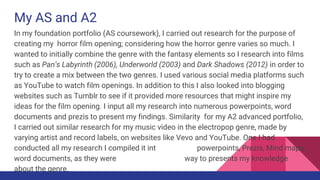
In my foundation portfolio (AS coursework), I carried out research for the purpose of
creating my horror film opening; considering how the horror genre varies so much. I
wanted to initially combine the genre with the fantasy elements so I research into films
such as Pan’s Labyrinth (2006), Underworld (2003) and Dark Shadows (2012) in order to
try to create a mix between the two genres. I used various social media platforms such
as YouTube to watch film openings. In addition to this I also looked into blogging
websites such as Tumblr to see if it provided more resources that might inspire my
ideas for the film opening. I input all my research into numerous powerpoints, word
documents and prezis to present my findings. Similarity for my A2 advanced portfolio,
I carried out similar research for my music video in the electropop genre, made by
varying artist and record labels, on websites like Vevo and YouTube. One I had
conducted all my research I compiled it into Vox pops, powerpoints, Prezis, Mind maps,
word documents, as they were the most ethisciant way to presents my knowledge
about the genre.
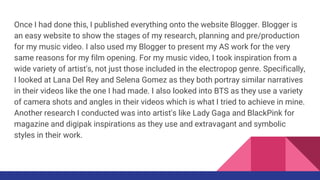
Once I had done this, I published everything onto the website Blogger. Blogger is
an easy website to show the stages of my research, planning and pre/production
for my music video. I also used my Blogger to present my AS work for the very
same reasons for my film opening. For my music video, I took inspiration from a
wide variety of artist's, not just those included in the electropop genre. Specifically,
I looked at Lana Del Rey and Selena Gomez as they both portray similar narratives
in their videos like the one I had made. I also looked into BTS as they use a variety
of camera shots and angles in their videos which is what I tried to achieve in mine.
Another research I conducted was into artist's like Lady Gaga and BlackPink for
magazine and digipak inspirations as they use and extravagant and symbolic
styles in their work.
Software
Throughout my journey from AS to A2, I noticeably developed my skills across my
research, planning and production. This is evident across my two blogs, as the
quality of my written work and presentation, is significantly more detailed and
refined. The variety of software use in my work has increased, with the use of
Prezi, which is an interactive way of creating a powerpoint, I found this to be a
much easier way to present my work, as I could shift between slides and pictures
which showed more depth to my writing. Another program that I developed my
knowledge in since AS is Photoshop this can be seen through the comparison of
my digipak for my music video and last years movie logo. I also used the software
‘Pixlr’ to create a logo for my record label, before ultimately choosing the finalised
one ‘Golden Age Records’. I found Pixlr slightly difficult to use as the program was
different to Photoshop which is the one I was more accustomed to.
Due to this I decided that when it came to creating the digipak and poster, I would
use Photoshop despite not having direct access to it which resulted in me having
to carry around a Toshiba laptop during the time of creating my ancillary products.
When it came to assembling the various parts of footage for both the AS and A2, a
Mac was used, however with the AS I used Final Cut Pro where as in A2 I decided
to use Adobe Pro which I found to have more features to edit my video such as
saturation, blended brightness and clip freeze, this helped me produces a better
quality video, than I had previously produced in AS. After the video had been
edited, I then uploaded it onto YouTube, publicly, so that we were able to gain
some audience feedback from it, and then made and then made it availableon the
blog by embedding the link into the post.
Planning, Pre-production and Presentation
When it came to the planning for my music video, I started by coming up with
initial ideas to present what would be included in the music video. I originally
wrote them down as a mind map however it didn't look professional so I decided
to use ‘Bubble.us’ which is an online mind mapping software, the format was
easier to read and I was able to complete my finalised ideas for my music video
efficiently. When it came to arranging the plan for costumes, props, cast and
locations, I used Powerpoint for costumes however for the rest I used report
format Word documents to compile the information needed into each task. I also
used this for my lyric annotations as I used a Powerpoint to separate verses and
the chorus into different sides allowing for a more detailed explanation as to
what would happen during each point in the song.
Additionally I also created a storyboard that went into even further detail, showing
what each shot was for each scene and how long it lasted for. This was useful in
the editing of the video as I has a baseline for what shots I needed to place in
certain parts of the song. The storyboard was created by hand, scanned into the
computer and uploaded onto the blog as a new post. Both of the ancillary tasks,
magazine posterand digipak were also drawn out by hand during the planning
stage. They were both scanned in and then placed into a powerpoint with a
detailed description of everything shown and a reason as to why is was placed
onto them. Then using Adobe Photoshop edited the pictures before cropping them
into squares, a circle and culoum to form the digipak. For the poster I made sure
to take a horizontal picture of the artist to resemble the magazine format,
typographically both poster and digipak were the same for continuity. I used
powerpoints if I had lots of information to present and there were topics that I
needed to cover, such as the one I made for my music video analysis.
The same was used for the planning of the costume. I used Google Report to
cover my task of Star Theory. I was able to included a high amount of relevant
information without overcrowding the area of focus, and not making it too long
and tedious as would happen if I used a Powerpoint.
Hardware
When it came to filming my media products, I had used various pieces of
equipment, more in my A2 (advanced portfolio) than my AS (foundation portfolio).
For my AS I had used a Sony HD Camcorder, this particular equipment was useful
at the time, however noticeably the quality of the footage that was uploaded later
onto the Macs was significantly lower than what I thought it would. I also came
across a technical issue with the Camcorder, which resulted in me having to film
some shots with a Samsung A3 camera, It was also noted that some shots were
better quality than the ones taken my the Camcorder. These issues were taken
into consideration for my A2 work.
For my A2 work I used two different types of cameras to record my footage with.
The majority of the footage was filmed by a DSLR Canon EOS, however as it ran
out of battery while I was at a distant location, I had no choice but to film two
shots with a Samsung Galaxy S9+ camera, surprisingly the shots filmed by this
camera has incredibly high quality which blended in well with the shots filmed by
the Canon EOS making little to no difference between them when editing.
Comparing my AS and A2 work, their is a clear difference in the quality of the
footage, and the editing of the products, as I have a deeper knowledge and
experience in understanding what is needed to create a professional quality media
product through all the research that I have conducted over the year.

Evaluation four (1)

  • 1.
    Evaluation Four How didyou use media technologies in the construction, production, research, planning and evaluation stages?
  • 2.
    My AS andA2 In my foundation portfolio (AS coursework), I carried out research for the purpose of creating my horror film opening; considering how the horror genre varies so much. I wanted to initially combine the genre with the fantasy elements so I research into films such as Pan’s Labyrinth (2006), Underworld (2003) and Dark Shadows (2012) in order to try to create a mix between the two genres. I used various social media platforms such as YouTube to watch film openings. In addition to this I also looked into blogging websites such as Tumblr to see if it provided more resources that might inspire my ideas for the film opening. I input all my research into numerous powerpoints, word documents and prezis to present my findings. Similarity for my A2 advanced portfolio, I carried out similar research for my music video in the electropop genre, made by varying artist and record labels, on websites like Vevo and YouTube. One I had conducted all my research I compiled it into Vox pops, powerpoints, Prezis, Mind maps, word documents, as they were the most ethisciant way to presents my knowledge about the genre.
  • 3.
    Once I haddone this, I published everything onto the website Blogger. Blogger is an easy website to show the stages of my research, planning and pre/production for my music video. I also used my Blogger to present my AS work for the very same reasons for my film opening. For my music video, I took inspiration from a wide variety of artist's, not just those included in the electropop genre. Specifically, I looked at Lana Del Rey and Selena Gomez as they both portray similar narratives in their videos like the one I had made. I also looked into BTS as they use a variety of camera shots and angles in their videos which is what I tried to achieve in mine. Another research I conducted was into artist's like Lady Gaga and BlackPink for magazine and digipak inspirations as they use and extravagant and symbolic styles in their work.
  • 4.
    Software Throughout my journeyfrom AS to A2, I noticeably developed my skills across my research, planning and production. This is evident across my two blogs, as the quality of my written work and presentation, is significantly more detailed and refined. The variety of software use in my work has increased, with the use of Prezi, which is an interactive way of creating a powerpoint, I found this to be a much easier way to present my work, as I could shift between slides and pictures which showed more depth to my writing. Another program that I developed my knowledge in since AS is Photoshop this can be seen through the comparison of my digipak for my music video and last years movie logo. I also used the software ‘Pixlr’ to create a logo for my record label, before ultimately choosing the finalised one ‘Golden Age Records’. I found Pixlr slightly difficult to use as the program was different to Photoshop which is the one I was more accustomed to.
  • 5.
    Due to thisI decided that when it came to creating the digipak and poster, I would use Photoshop despite not having direct access to it which resulted in me having to carry around a Toshiba laptop during the time of creating my ancillary products. When it came to assembling the various parts of footage for both the AS and A2, a Mac was used, however with the AS I used Final Cut Pro where as in A2 I decided to use Adobe Pro which I found to have more features to edit my video such as saturation, blended brightness and clip freeze, this helped me produces a better quality video, than I had previously produced in AS. After the video had been edited, I then uploaded it onto YouTube, publicly, so that we were able to gain some audience feedback from it, and then made and then made it availableon the blog by embedding the link into the post.
  • 6.
    Planning, Pre-production andPresentation When it came to the planning for my music video, I started by coming up with initial ideas to present what would be included in the music video. I originally wrote them down as a mind map however it didn't look professional so I decided to use ‘Bubble.us’ which is an online mind mapping software, the format was easier to read and I was able to complete my finalised ideas for my music video efficiently. When it came to arranging the plan for costumes, props, cast and locations, I used Powerpoint for costumes however for the rest I used report format Word documents to compile the information needed into each task. I also used this for my lyric annotations as I used a Powerpoint to separate verses and the chorus into different sides allowing for a more detailed explanation as to what would happen during each point in the song.
  • 7.
    Additionally I alsocreated a storyboard that went into even further detail, showing what each shot was for each scene and how long it lasted for. This was useful in the editing of the video as I has a baseline for what shots I needed to place in certain parts of the song. The storyboard was created by hand, scanned into the computer and uploaded onto the blog as a new post. Both of the ancillary tasks, magazine posterand digipak were also drawn out by hand during the planning stage. They were both scanned in and then placed into a powerpoint with a detailed description of everything shown and a reason as to why is was placed onto them. Then using Adobe Photoshop edited the pictures before cropping them into squares, a circle and culoum to form the digipak. For the poster I made sure to take a horizontal picture of the artist to resemble the magazine format, typographically both poster and digipak were the same for continuity. I used powerpoints if I had lots of information to present and there were topics that I needed to cover, such as the one I made for my music video analysis.
  • 8.
    The same wasused for the planning of the costume. I used Google Report to cover my task of Star Theory. I was able to included a high amount of relevant information without overcrowding the area of focus, and not making it too long and tedious as would happen if I used a Powerpoint.
  • 9.
    Hardware When it cameto filming my media products, I had used various pieces of equipment, more in my A2 (advanced portfolio) than my AS (foundation portfolio). For my AS I had used a Sony HD Camcorder, this particular equipment was useful at the time, however noticeably the quality of the footage that was uploaded later onto the Macs was significantly lower than what I thought it would. I also came across a technical issue with the Camcorder, which resulted in me having to film some shots with a Samsung A3 camera, It was also noted that some shots were better quality than the ones taken my the Camcorder. These issues were taken into consideration for my A2 work.
  • 10.
    For my A2work I used two different types of cameras to record my footage with. The majority of the footage was filmed by a DSLR Canon EOS, however as it ran out of battery while I was at a distant location, I had no choice but to film two shots with a Samsung Galaxy S9+ camera, surprisingly the shots filmed by this camera has incredibly high quality which blended in well with the shots filmed by the Canon EOS making little to no difference between them when editing. Comparing my AS and A2 work, their is a clear difference in the quality of the footage, and the editing of the products, as I have a deeper knowledge and experience in understanding what is needed to create a professional quality media product through all the research that I have conducted over the year.