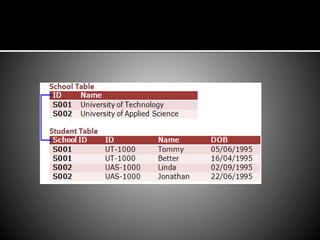
ERD between two tables
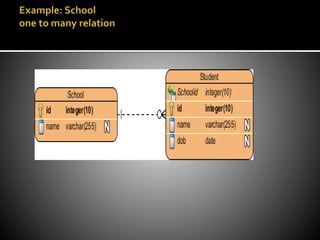
 An entity relationship diagram (ERD) shows
the relationships of entity sets stored in a
database.An entity in this context is a
component of data. In other words, ER
diagrams illustrate the logical structure of
databases.
 Identify the entities.
 The first step in making an ERD is to identify
all of the entities you will use. An entity is
nothing more than a rectangle with a
description of something that your system
stores information about.This could be a
customer, a manager, an invoice, a schedule,
etc.
 Identify relationships.
 Look at two entities, are they related? If so
draw a solid line connecting the two entities.
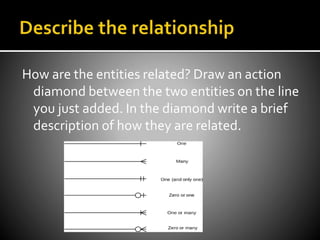
How are the entities related? Draw an action
diamond between the two entities on the line
you just added. In the diamond write a brief
description of how they are related.
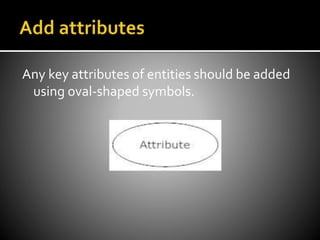
Any key attributes of entities should be added
using oval-shaped symbols.
Continue to connect the entities with lines, and
adding diamonds to describe each
relationship until all relationships have been
described. Each of your entities may not have
any relationships, some may have multiple
relationships.That is okay.
THANKS
If you have any question about this you can email me at:
hafizhamza313@gmail.com

Entity relationship diagram

  • 1.
  • 2.
     An entityrelationship diagram (ERD) shows the relationships of entity sets stored in a database.An entity in this context is a component of data. In other words, ER diagrams illustrate the logical structure of databases.
  • 4.
     Identify theentities.  The first step in making an ERD is to identify all of the entities you will use. An entity is nothing more than a rectangle with a description of something that your system stores information about.This could be a customer, a manager, an invoice, a schedule, etc.
  • 5.
     Identify relationships. Look at two entities, are they related? If so draw a solid line connecting the two entities.
  • 6.
    How are theentities related? Draw an action diamond between the two entities on the line you just added. In the diamond write a brief description of how they are related.
  • 7.
    Any key attributesof entities should be added using oval-shaped symbols.
  • 8.
    Continue to connectthe entities with lines, and adding diamonds to describe each relationship until all relationships have been described. Each of your entities may not have any relationships, some may have multiple relationships.That is okay.
  • 10.
    THANKS If you haveany question about this you can email me at: hafizhamza313@gmail.com