The Tao of EndNote is Scholarly Joy. EndNotes X3 Lissa Lord [email_address] Spring 2010
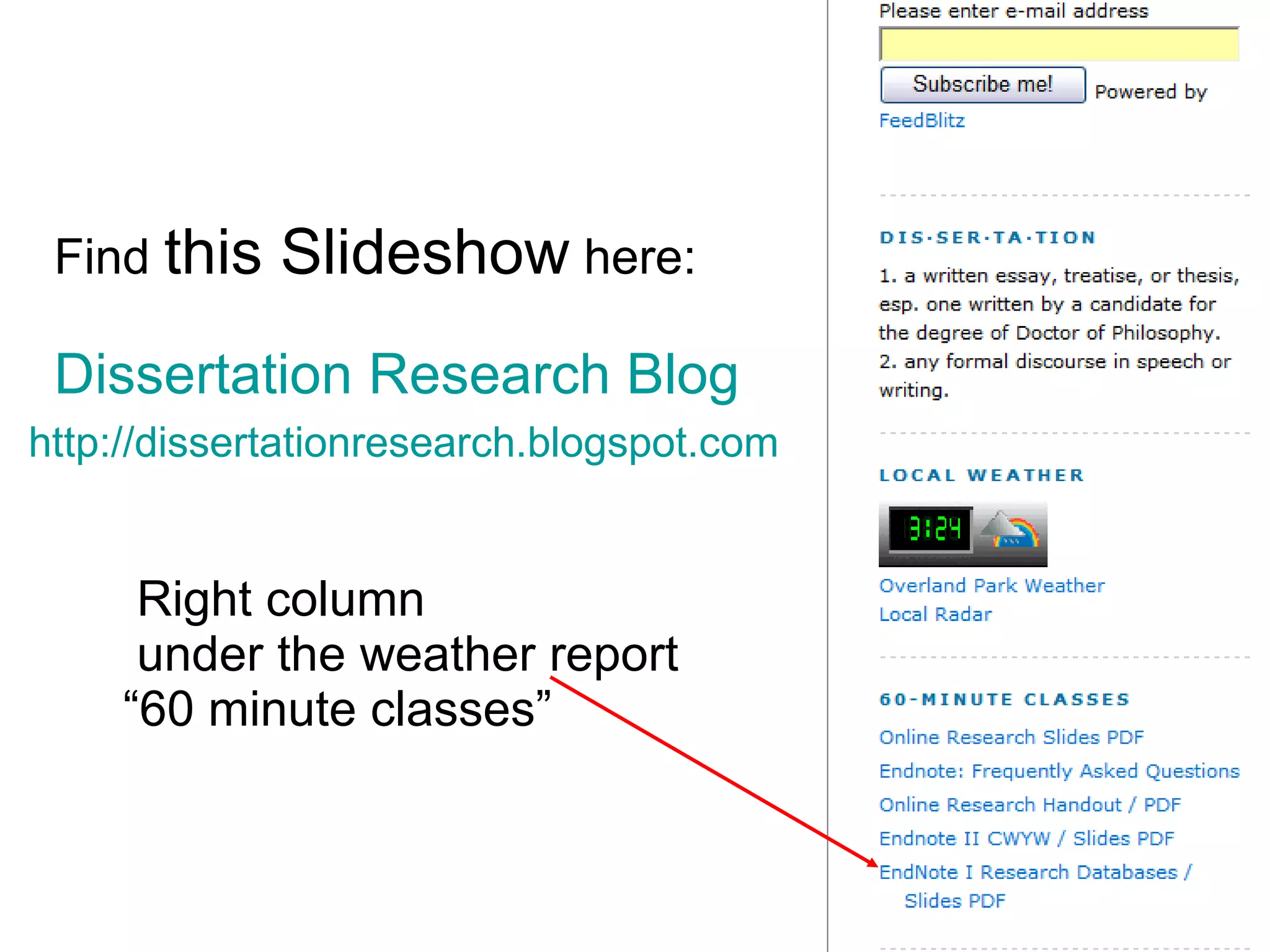
Find  this Slideshow  here:   Dissertation Research Blog   http://dissertationresearch.blogspot.com     Right column    under the weather report   “60 minute classes”
B egin research with  EndNote Use  EndNote  for bibliographies in citing footnotes or endnotes EndNote  organizes citations from journals, books, government sources, websites and databases saved during research EndNote  is  keyword  searchable Free:   Graduate students, faculty and staff at KU
New Computer? New Windows operating system? Windows 2007? “ EndNote X3  should  work properly on 64-bit Windows operating systems.”  http://www.endnote.com/support/faqs/Install/faq28.asp
Installing Endnote  on your computer
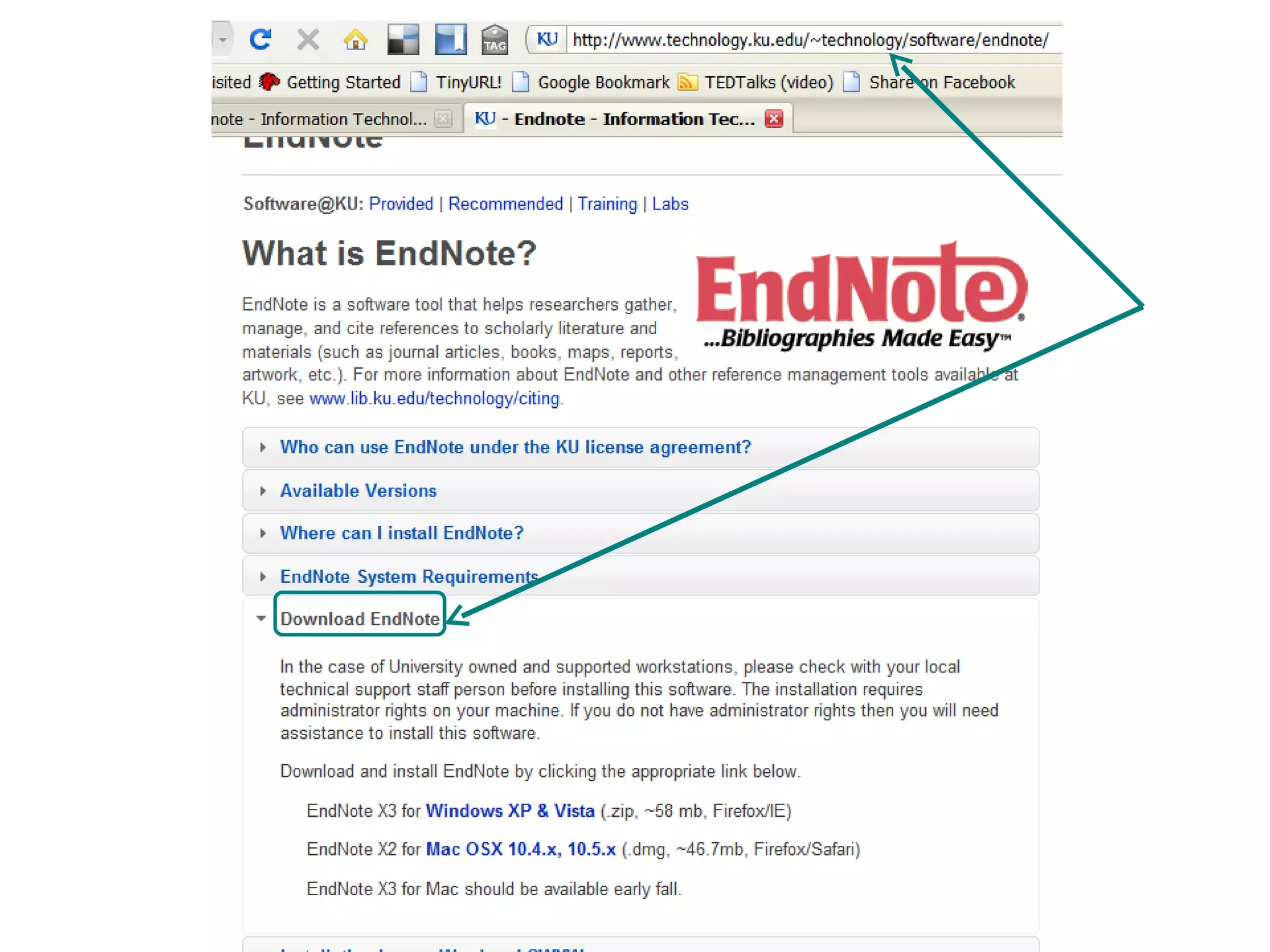
Downloading & Extracting  EndNote X3 KU  www.ku.edu   Search:  download endnote KU EndNote download site:  http://www.technology.ku.edu/~technology/software/endnote/   Read  entire screen  before download
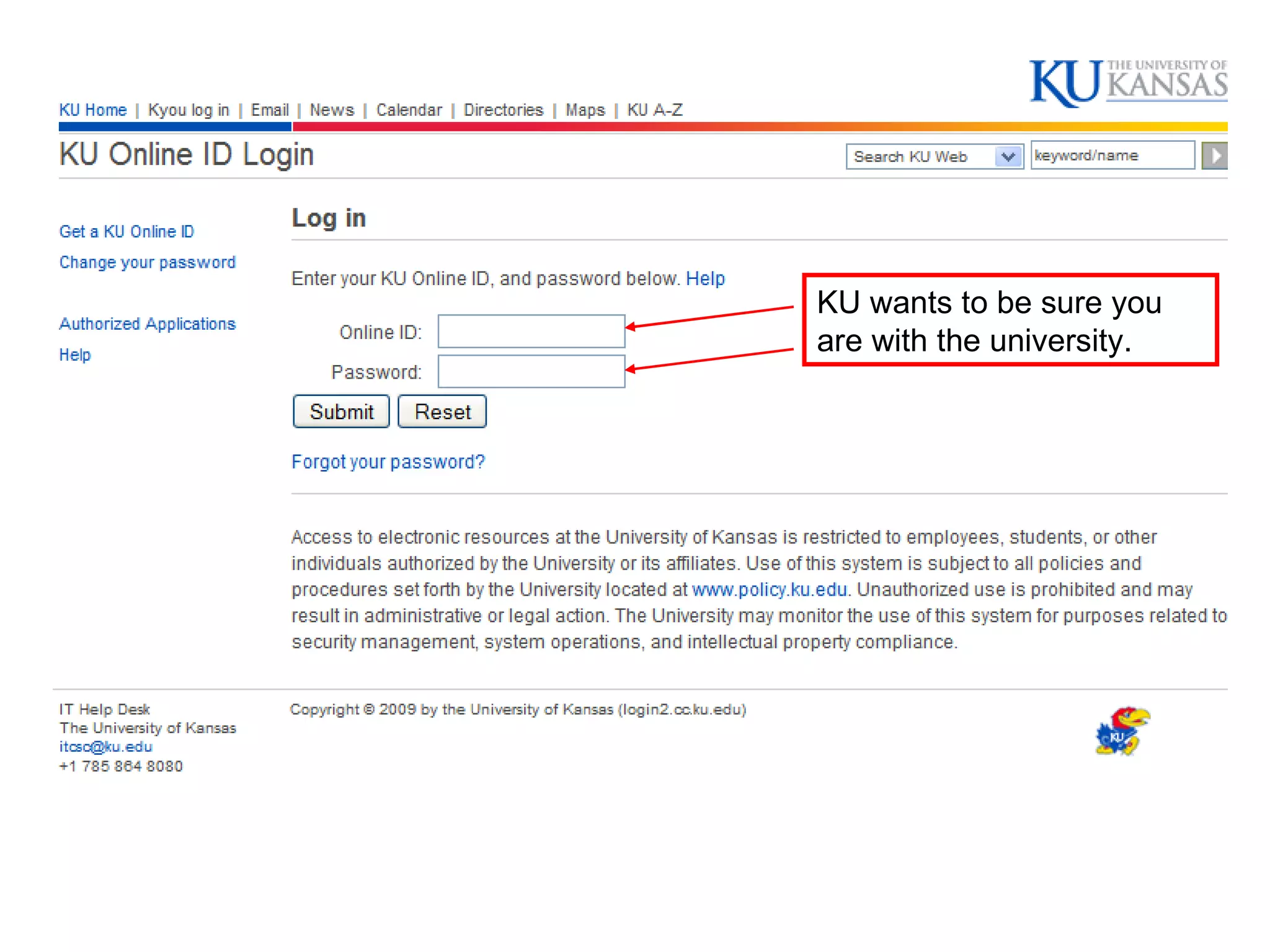
KU wants to be sure you are with the university.
 
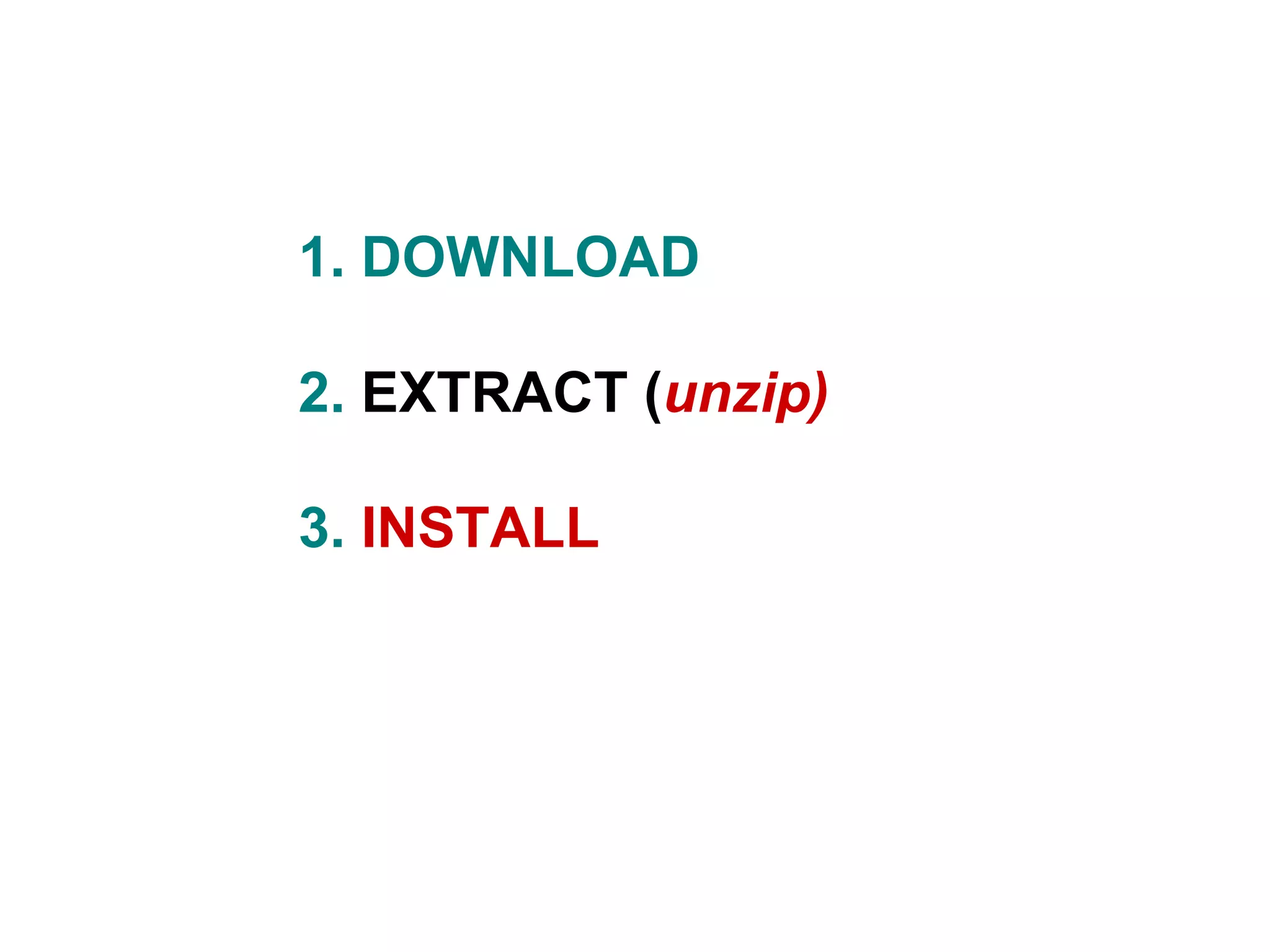
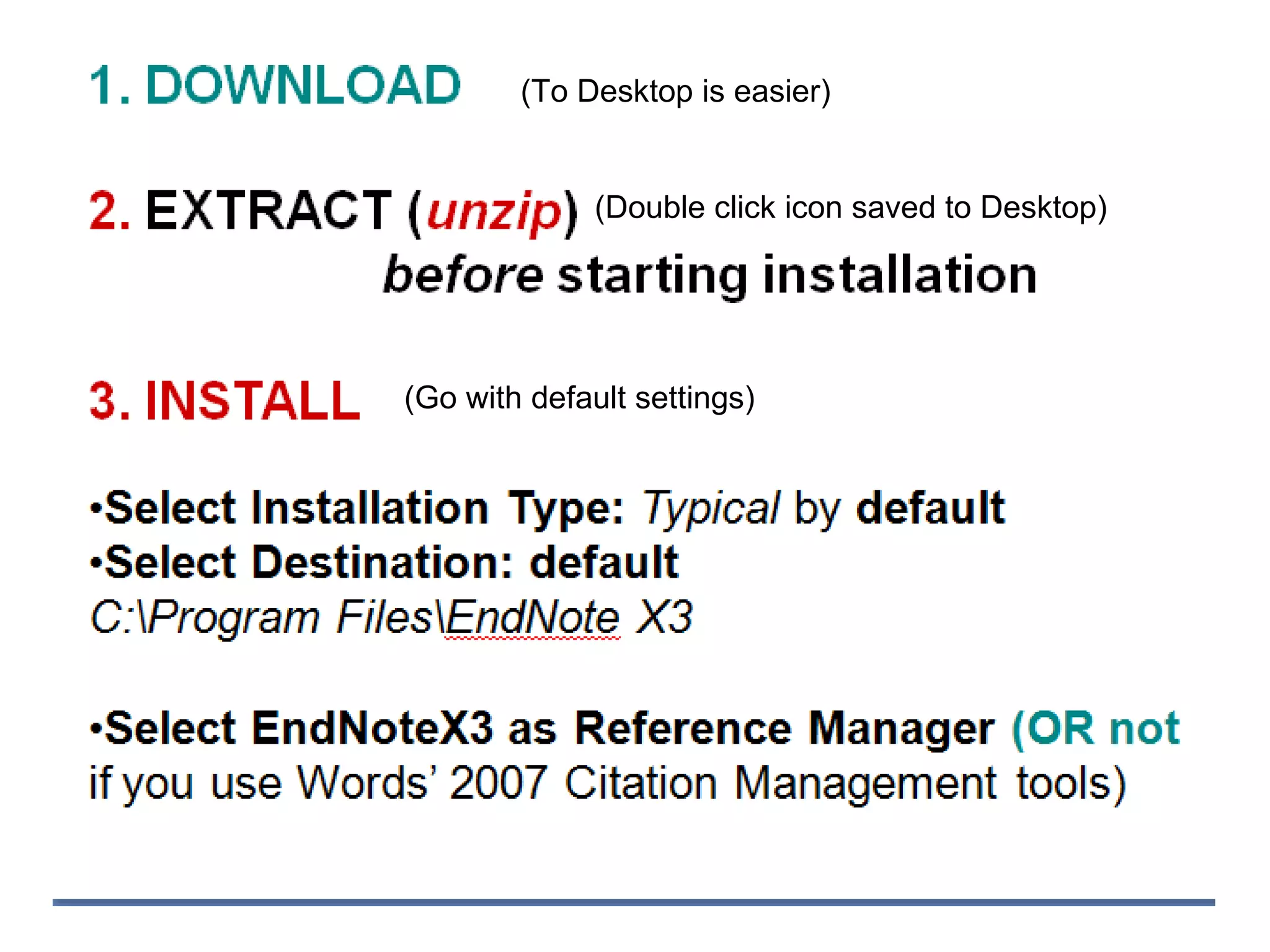
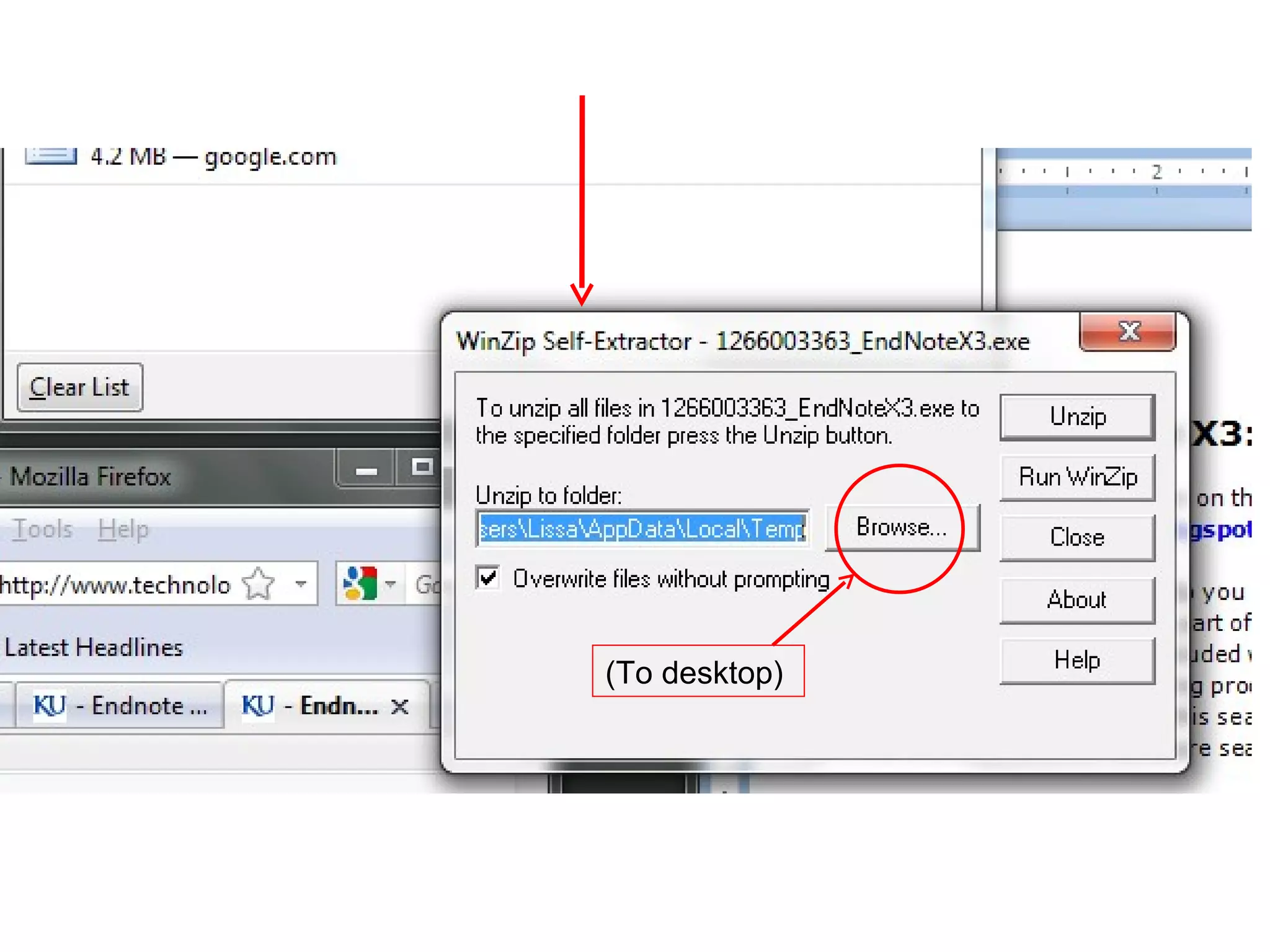
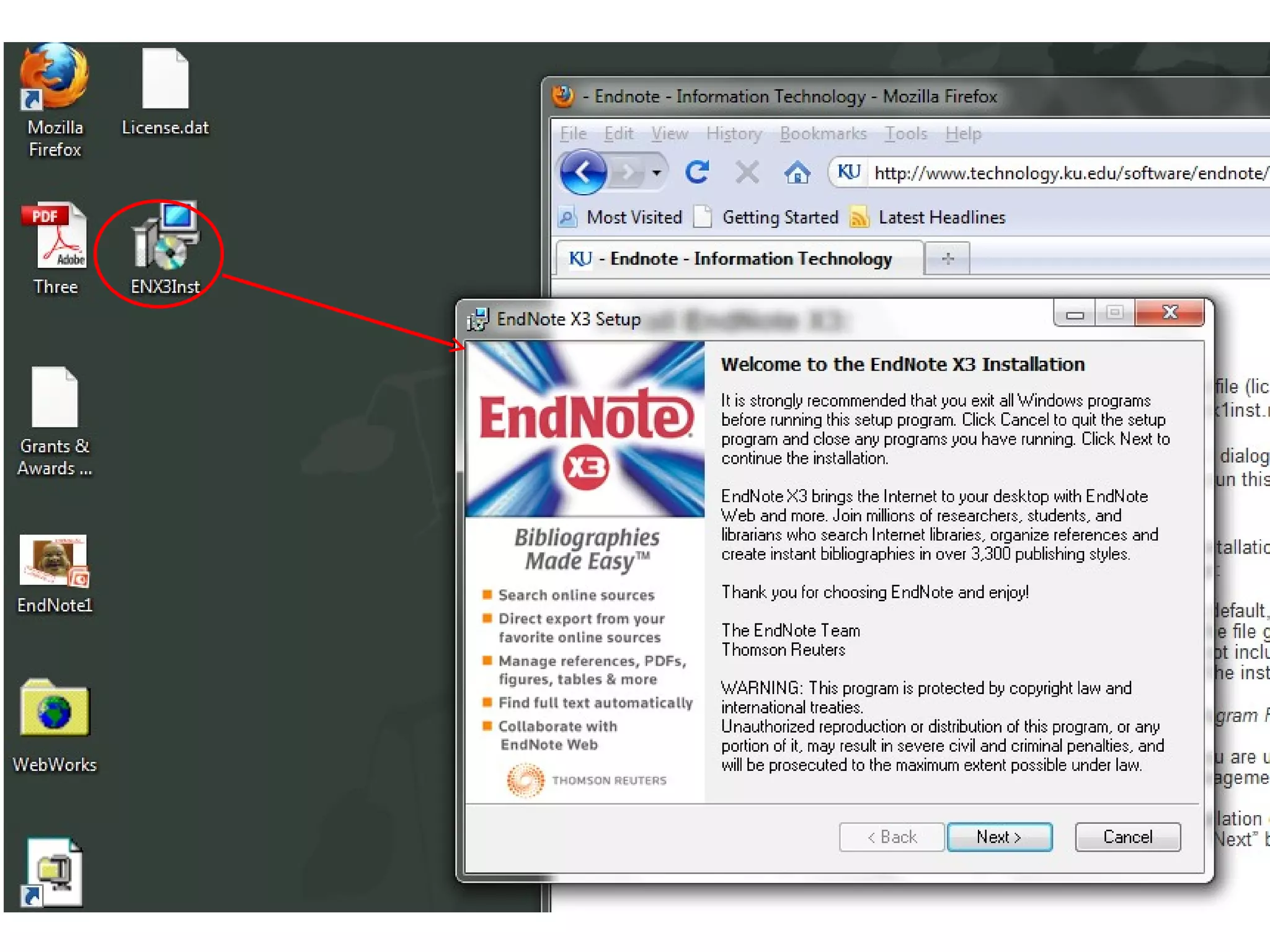
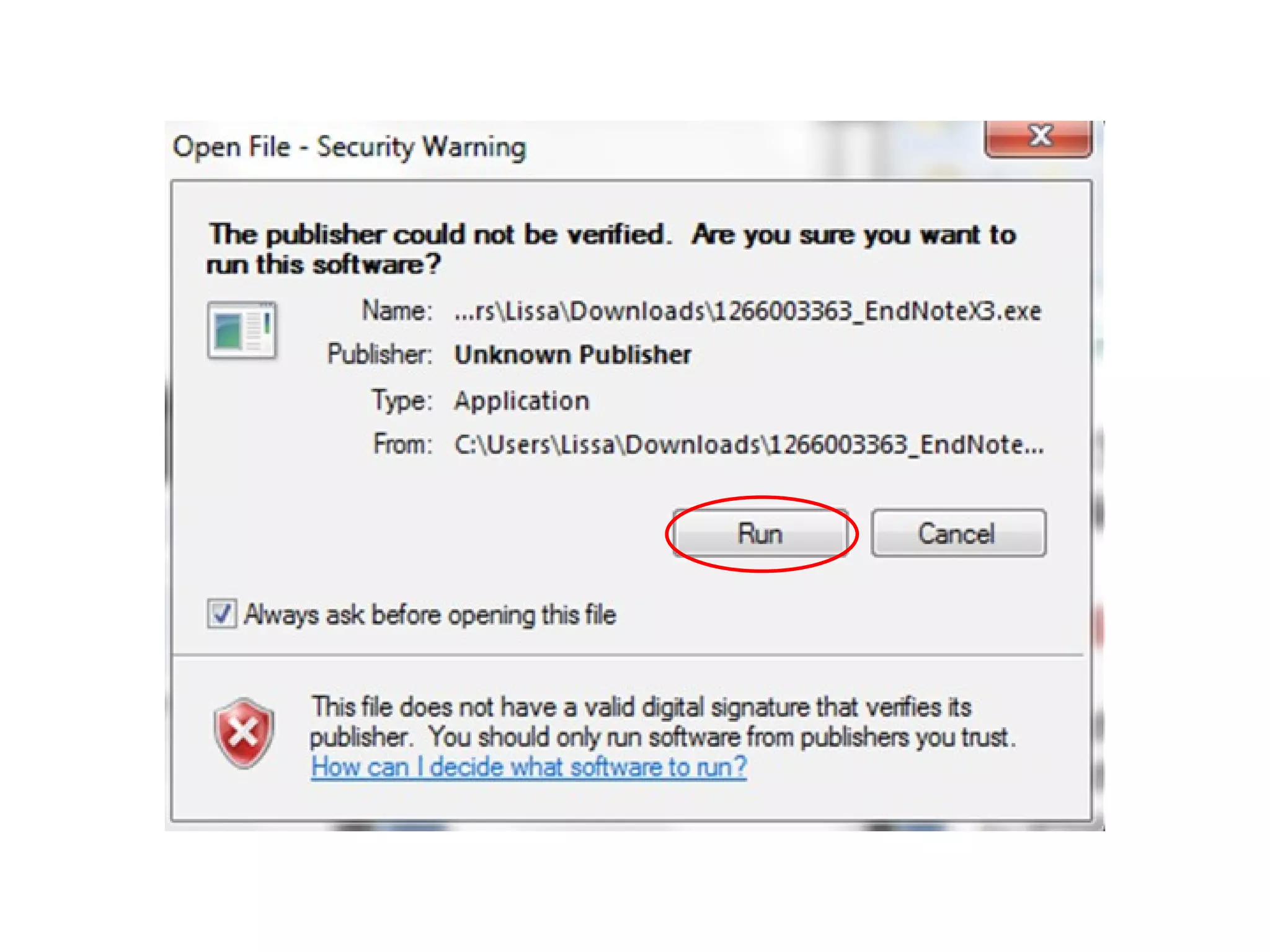
1. DOWNLOAD  2.   EXTRACT ( unzip) 3.  INSTALL
(To Desktop is easier) (Go with default settings) (Double click icon saved to Desktop)
(To desktop)
 
 
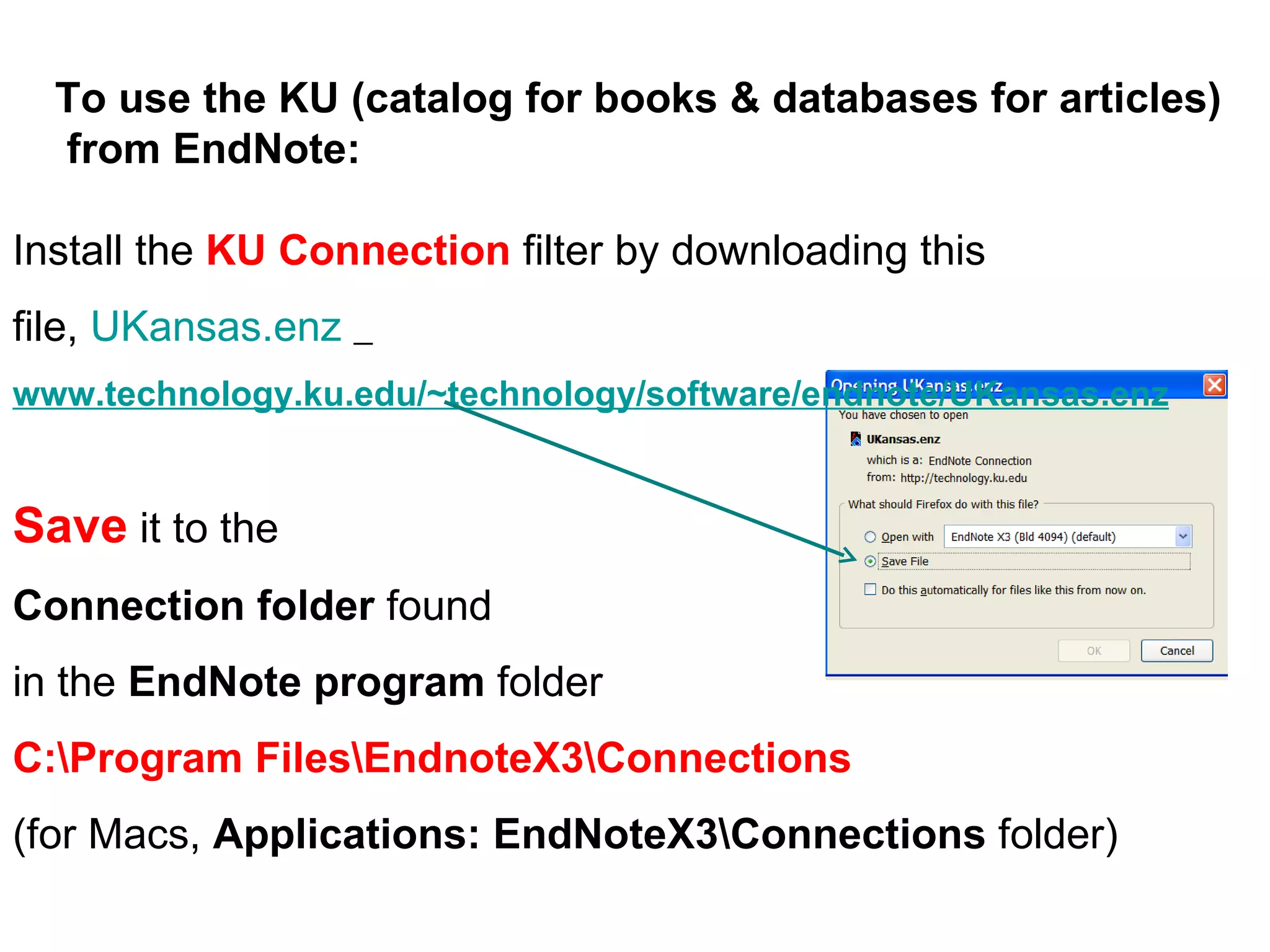
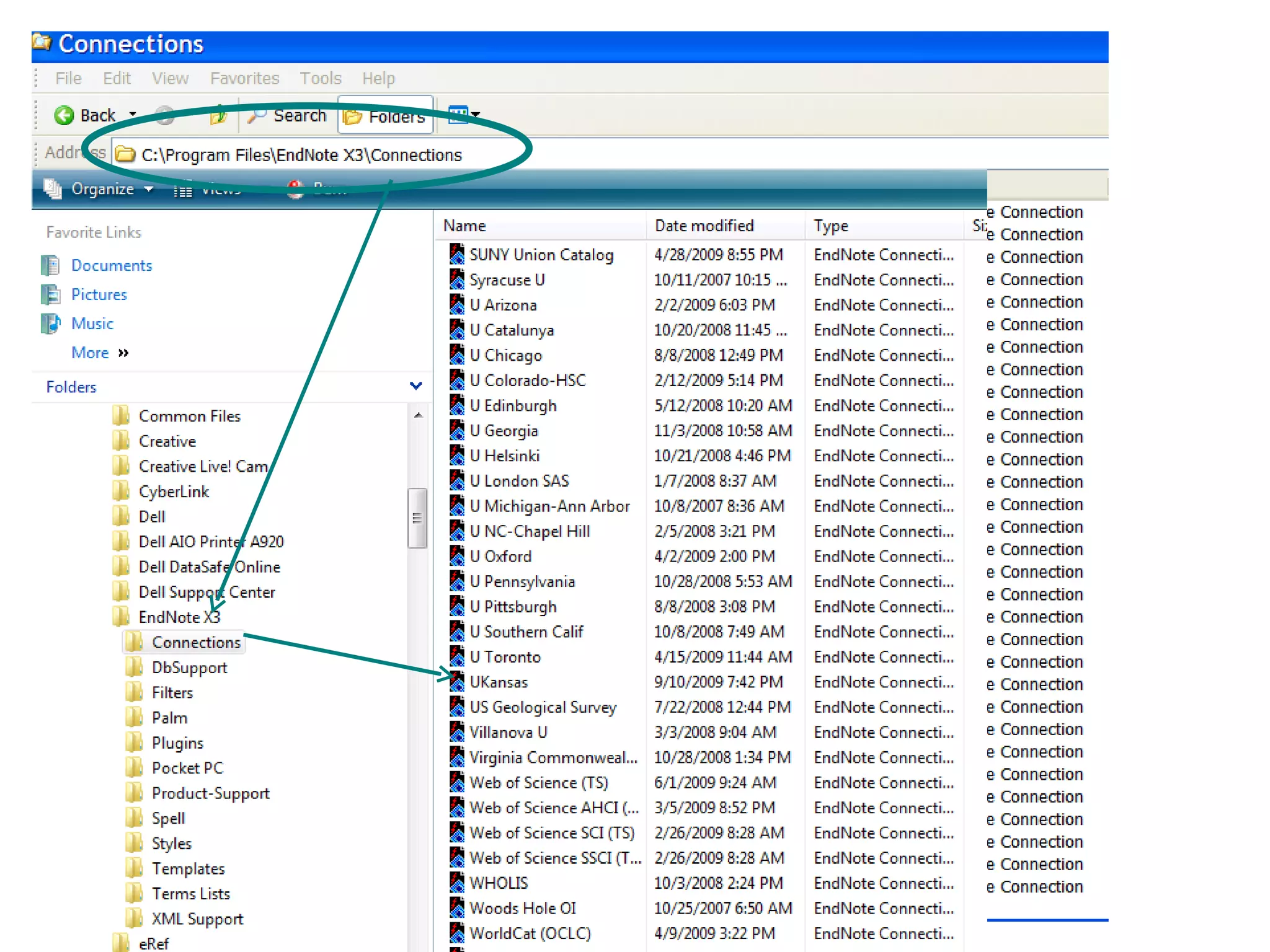
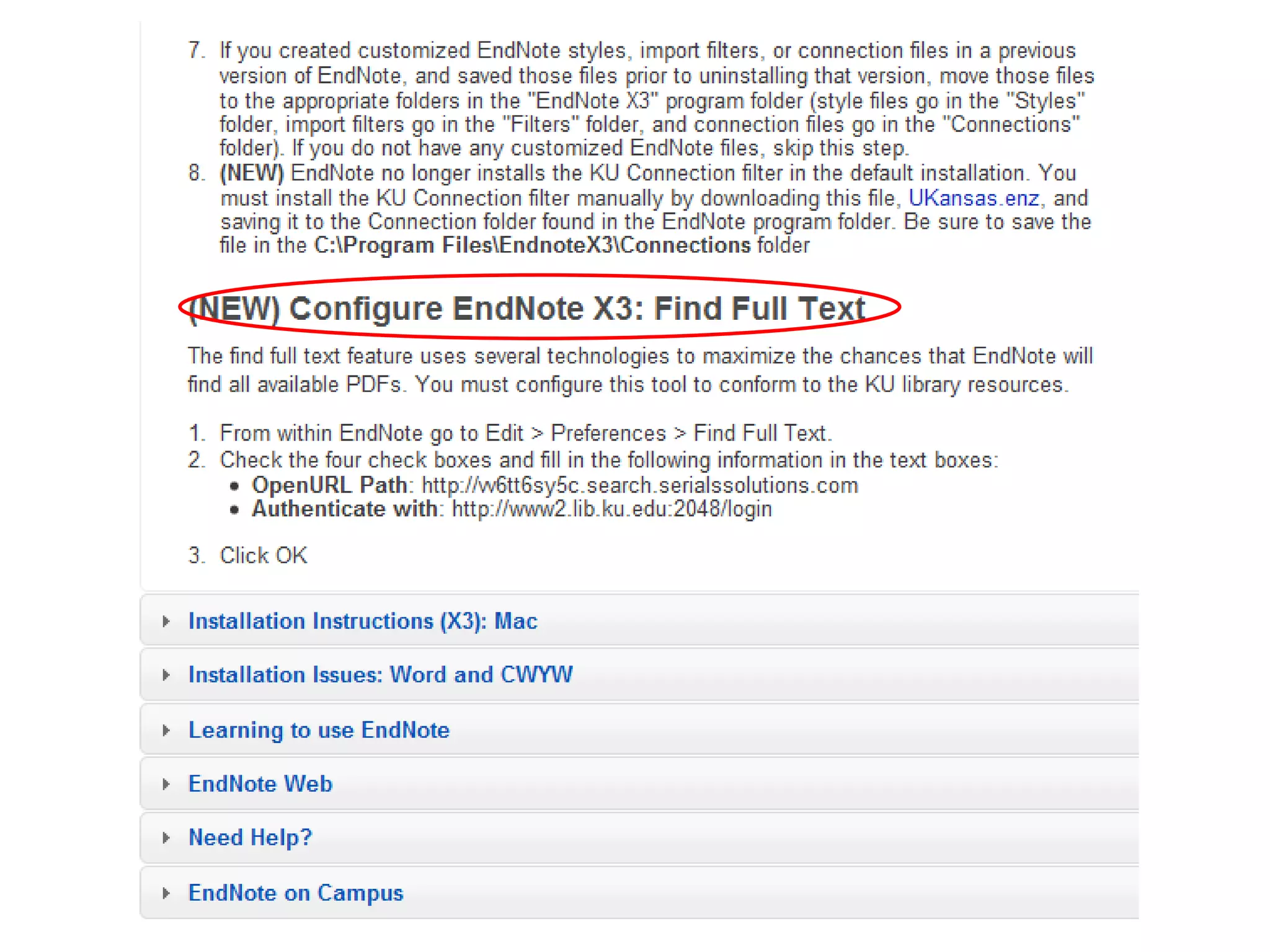
Install the  KU Connection  filter by downloading this file,  UKansas.enz   www.technology.ku.edu/~technology/software/endnote/UKansas.enz Save  it to the  Connection folder  found  in the  EndNote program  folder C:\Program Files\EndnoteX3\Connections   (for Macs,  Applications: EndNoteX3\Connections  folder) To use the KU (catalog for books & databases for articles)  from EndNote:
 
 
A good idea: Restart your computer and open EndNote X3 from the start button on your computer.
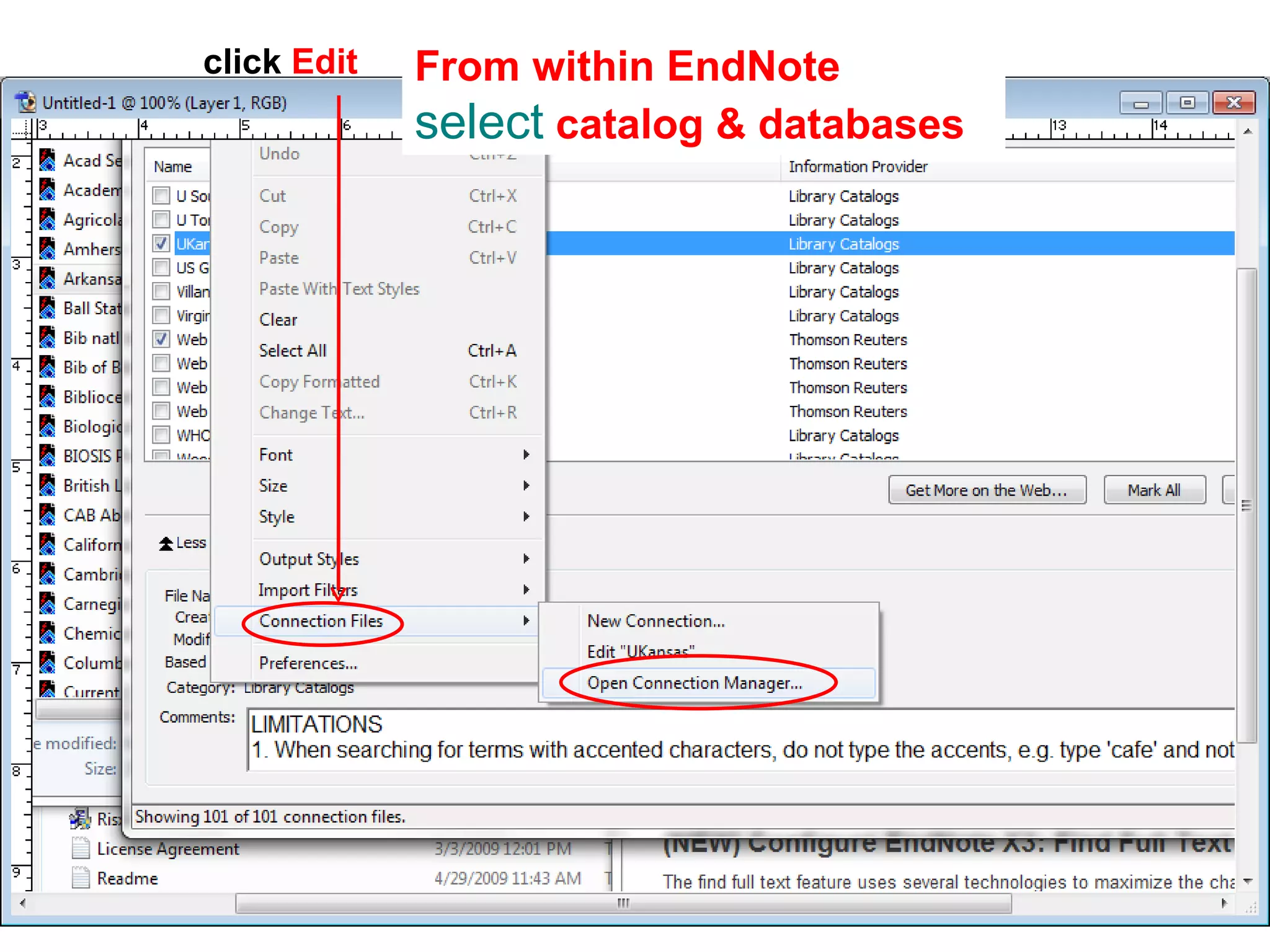
click  Edit  From within EndNote  select  catalog & databases
 Trouble?  The IT helpdesk helped me out, big time HelpDesk Email:  [email_address]
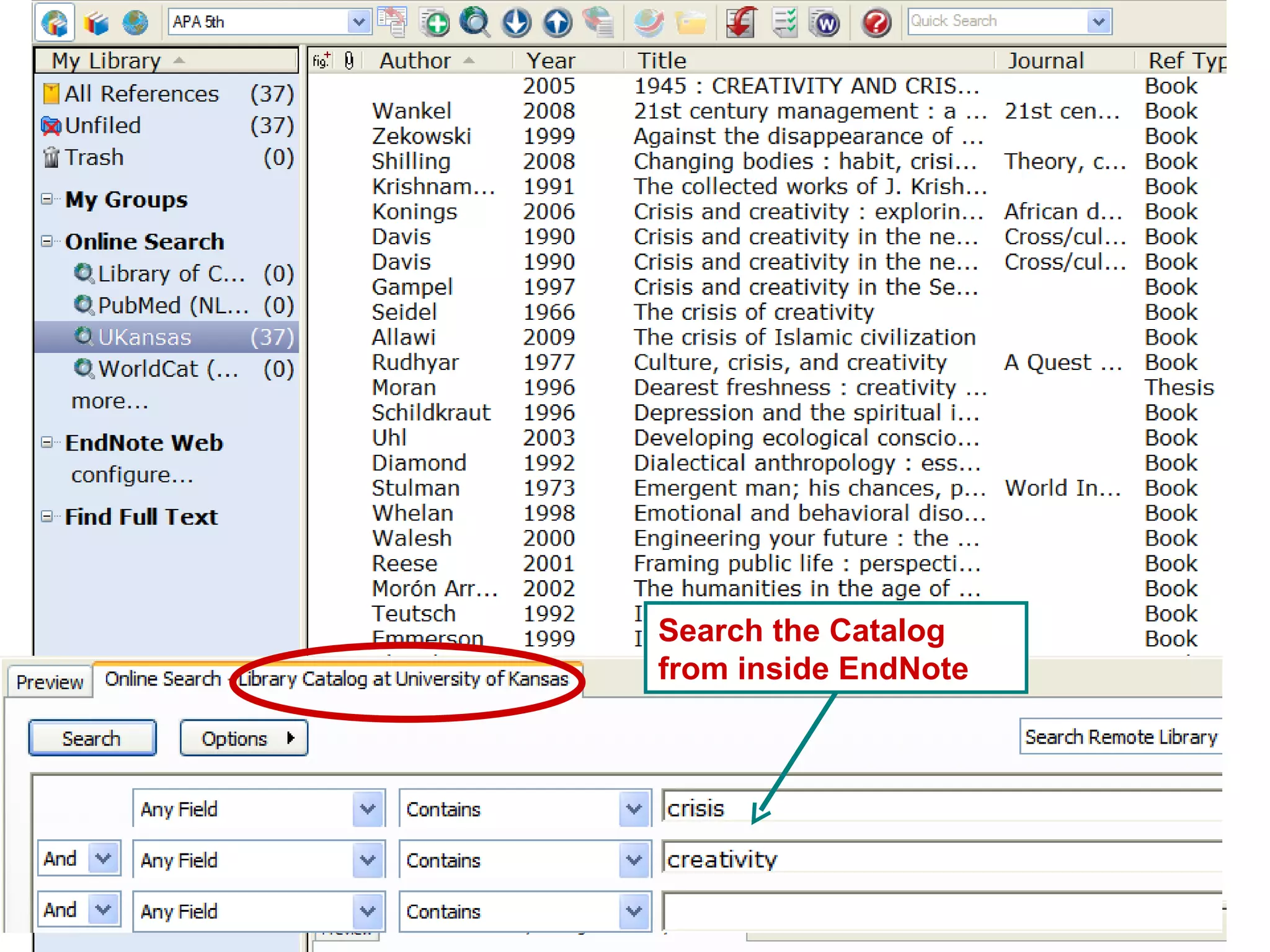
Search the Catalog from inside EndNote
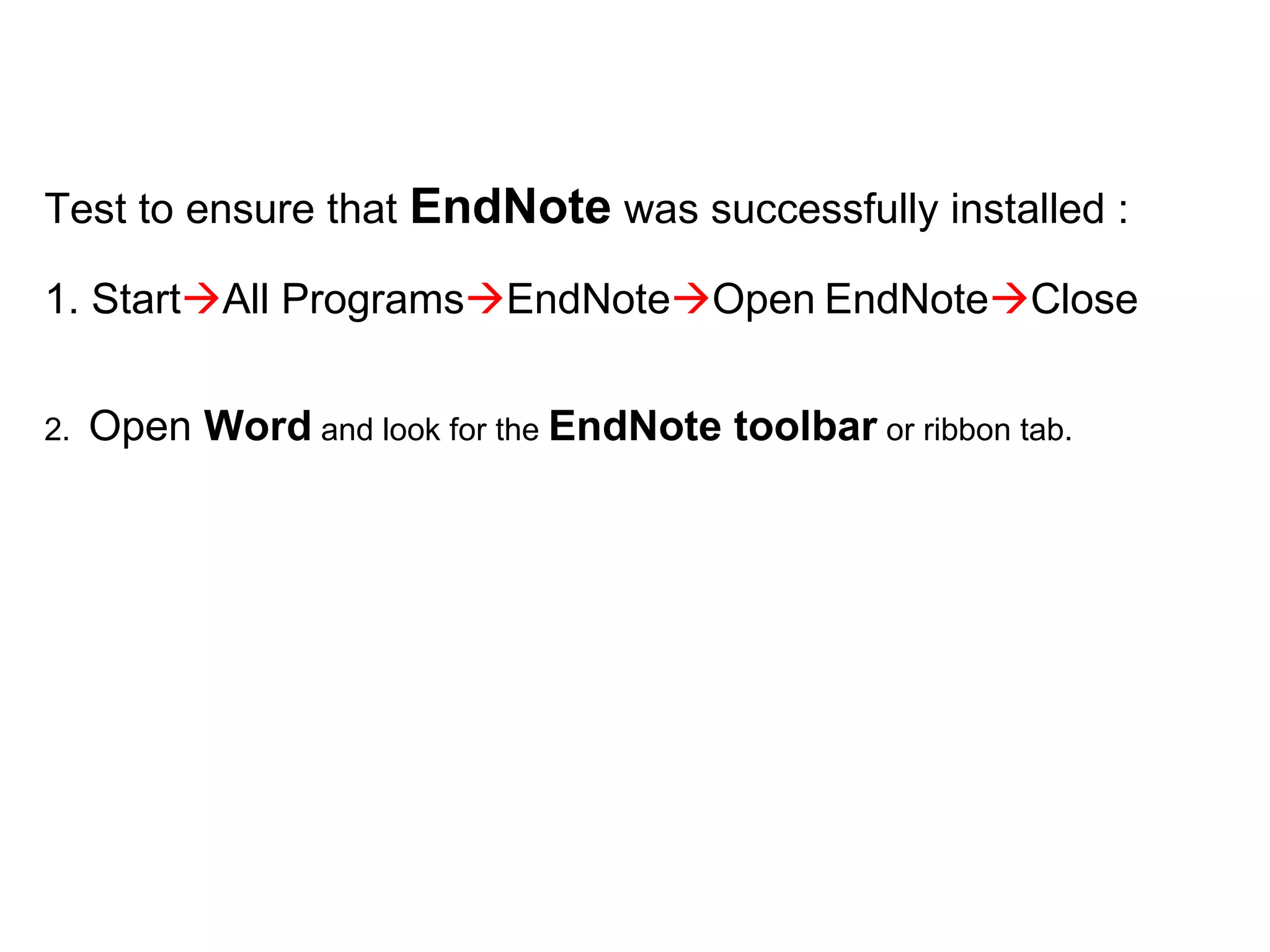
Test to ensure that  EndNote  was successfully installed :  1. Start  All Programs  EndNote  Open   EndNote  Close 2.  Open  Word  and look for the  EndNote toolbar  or ribbon tab.
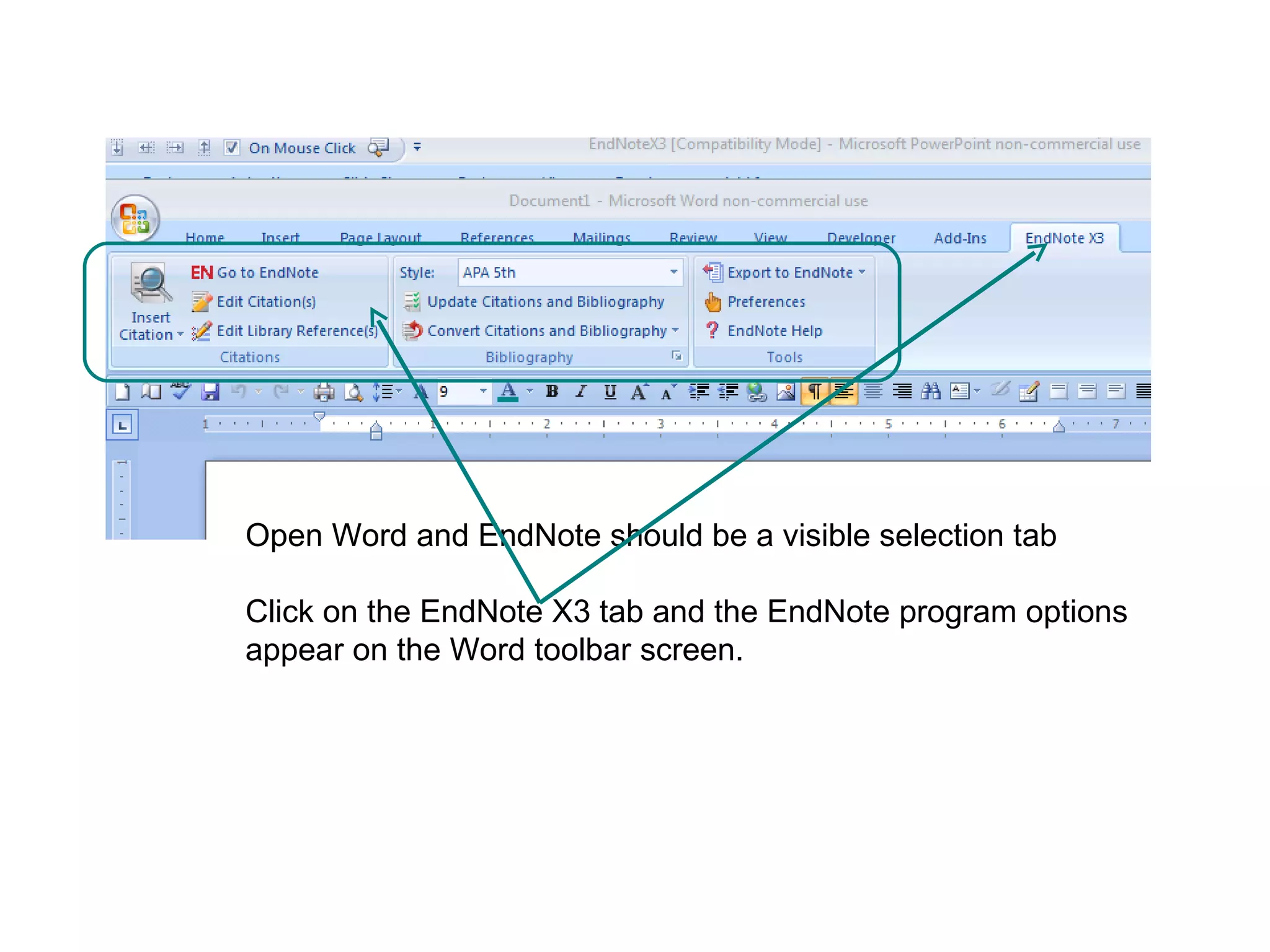
Open Word and EndNote should be a visible selection tab Click on the EndNote X3 tab and the EndNote program options appear on the Word toolbar screen.
http://www.endnote.com Help from EndNote online
Using Endnote  for the first time
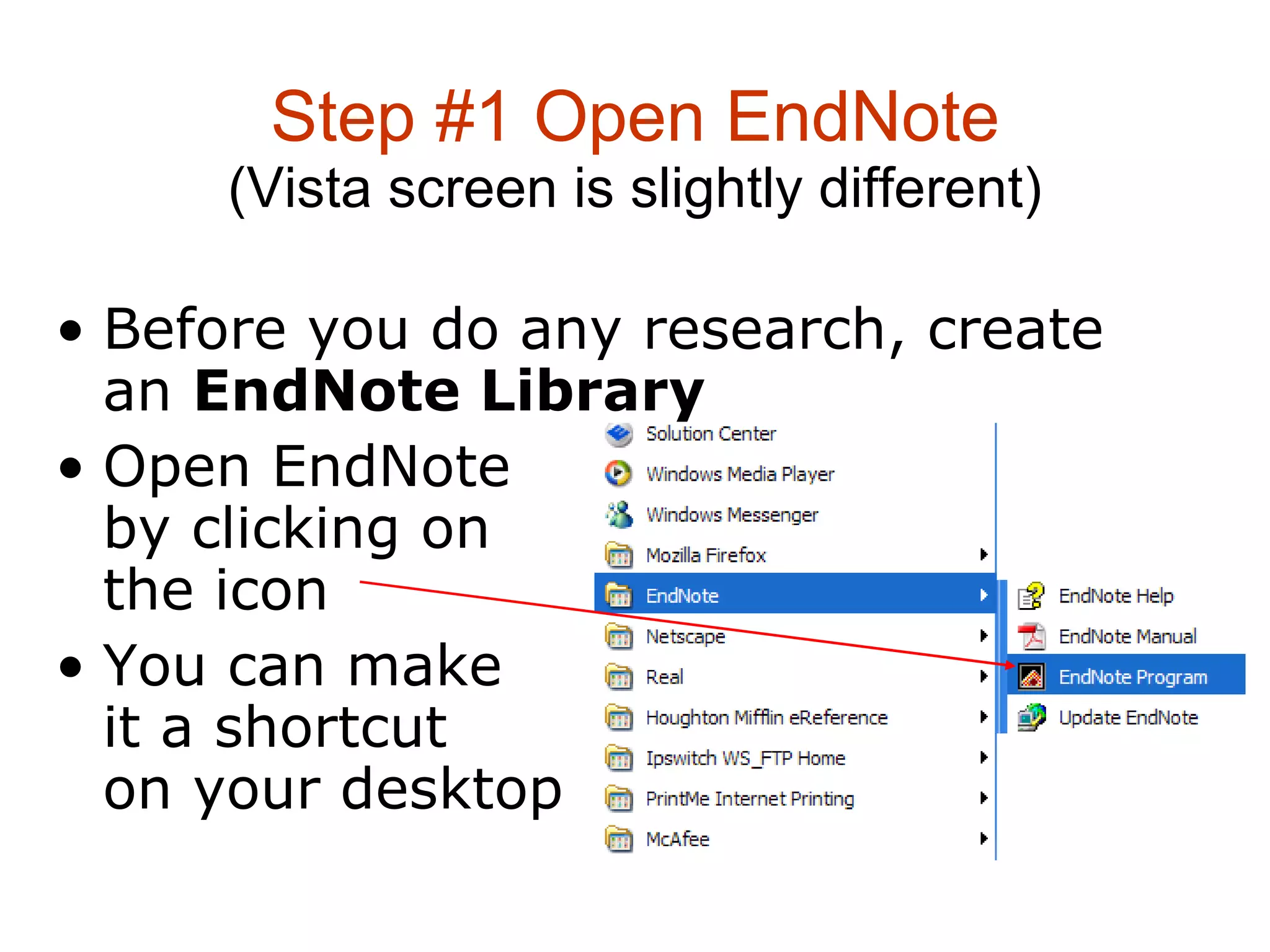
Step #1 Open EndNote (Vista screen is slightly different) Before you do any research, create an  EndNote Library   Open EndNote  by clicking on  the icon  You can make  it a shortcut  on your desktop
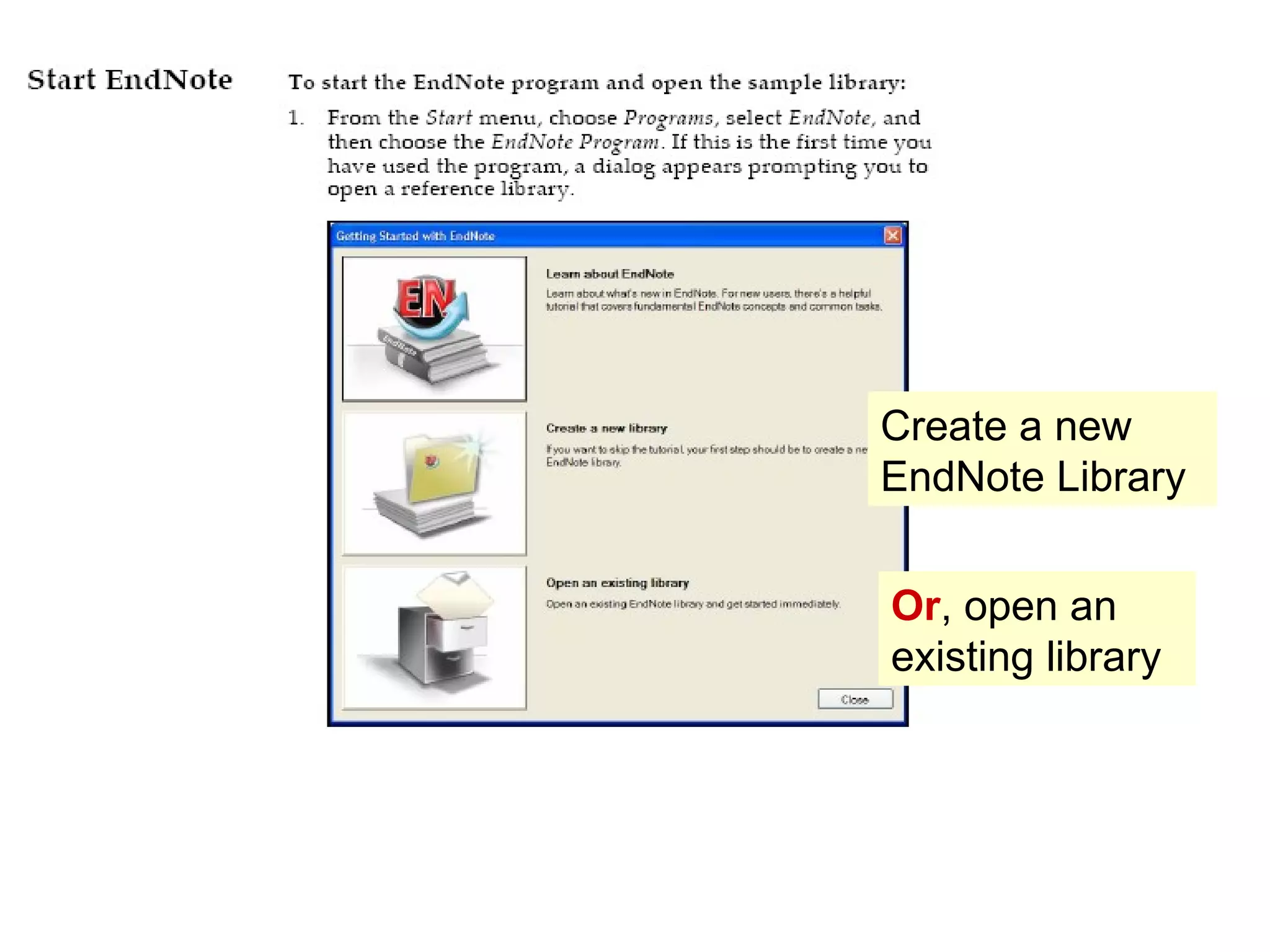
Create a new EndNote Library Or , open an existing library
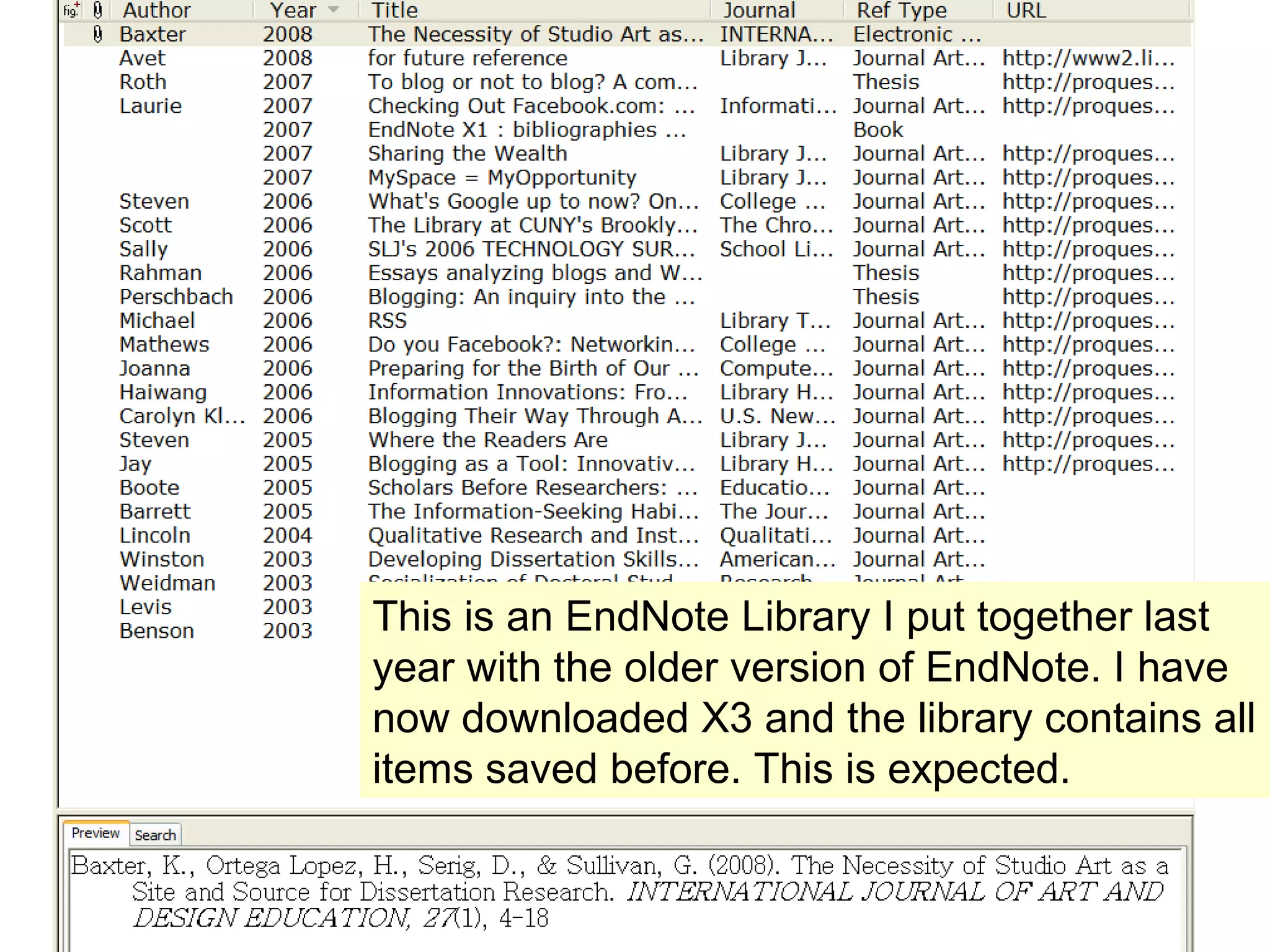
This is an EndNote Library I put together last year with the older version of EndNote. I have now downloaded X3 and the library contains all items saved before. This is expected.
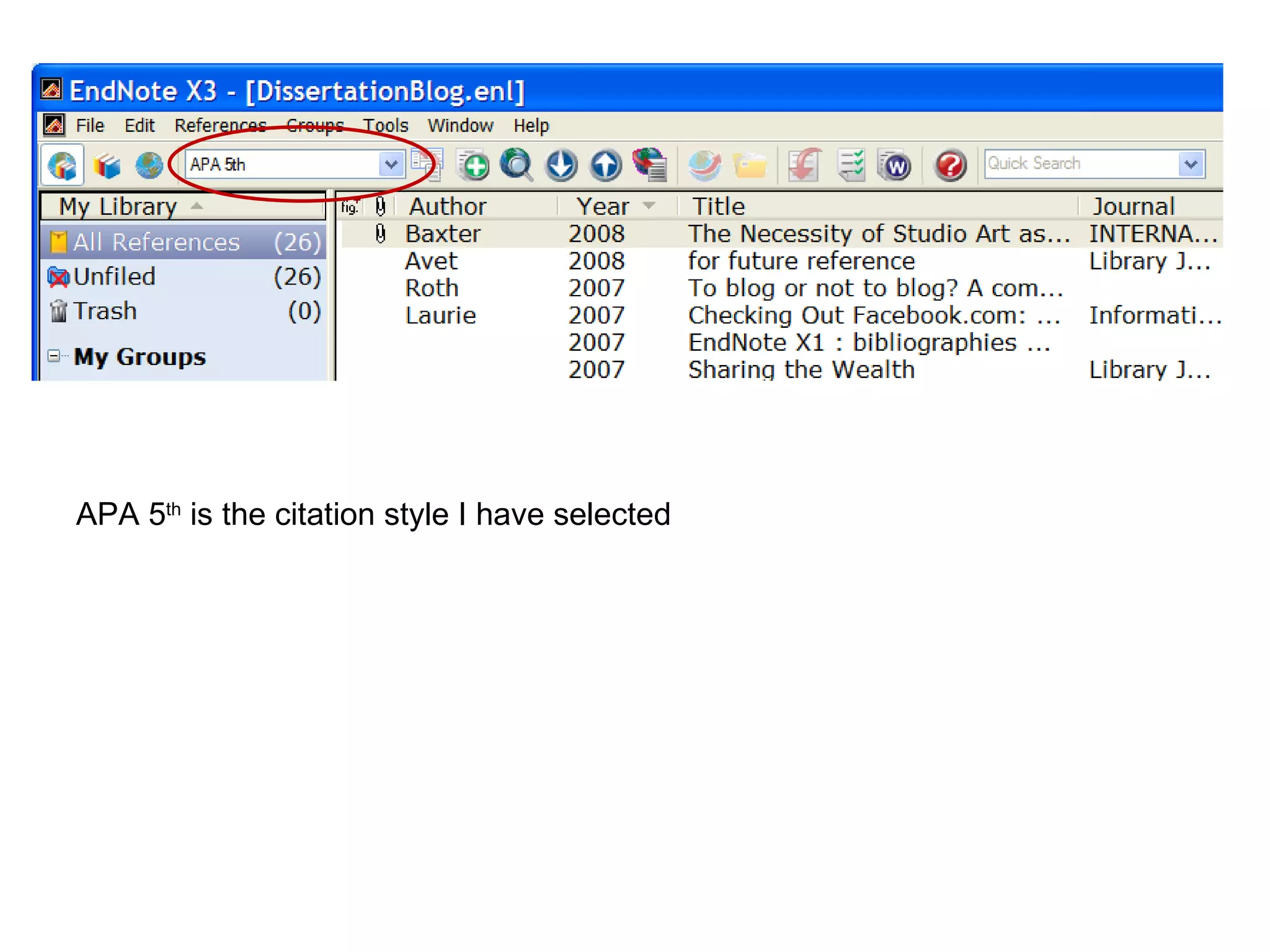
APA 5 th  is the citation style I have selected
Importing References from Database Search Results
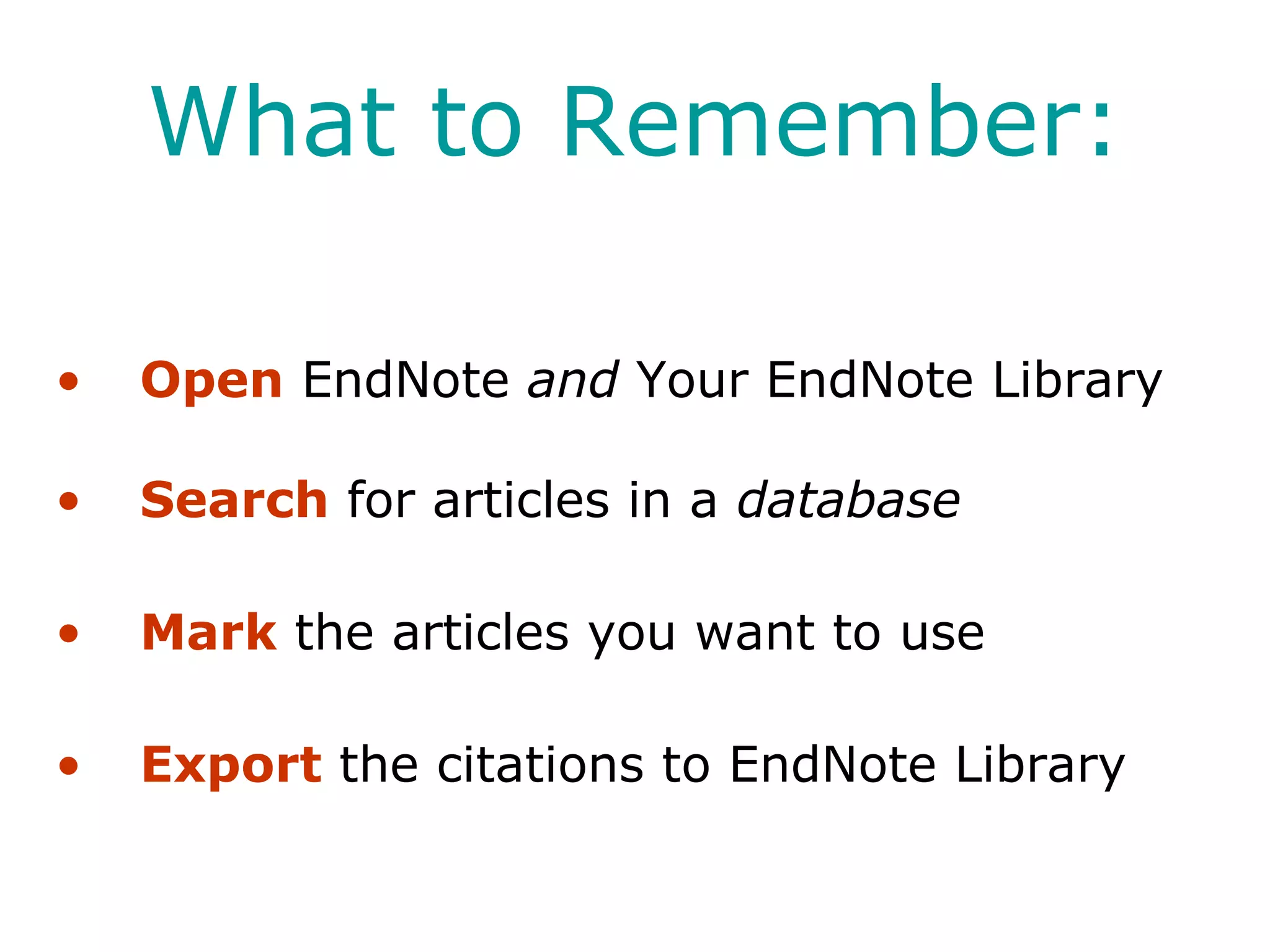
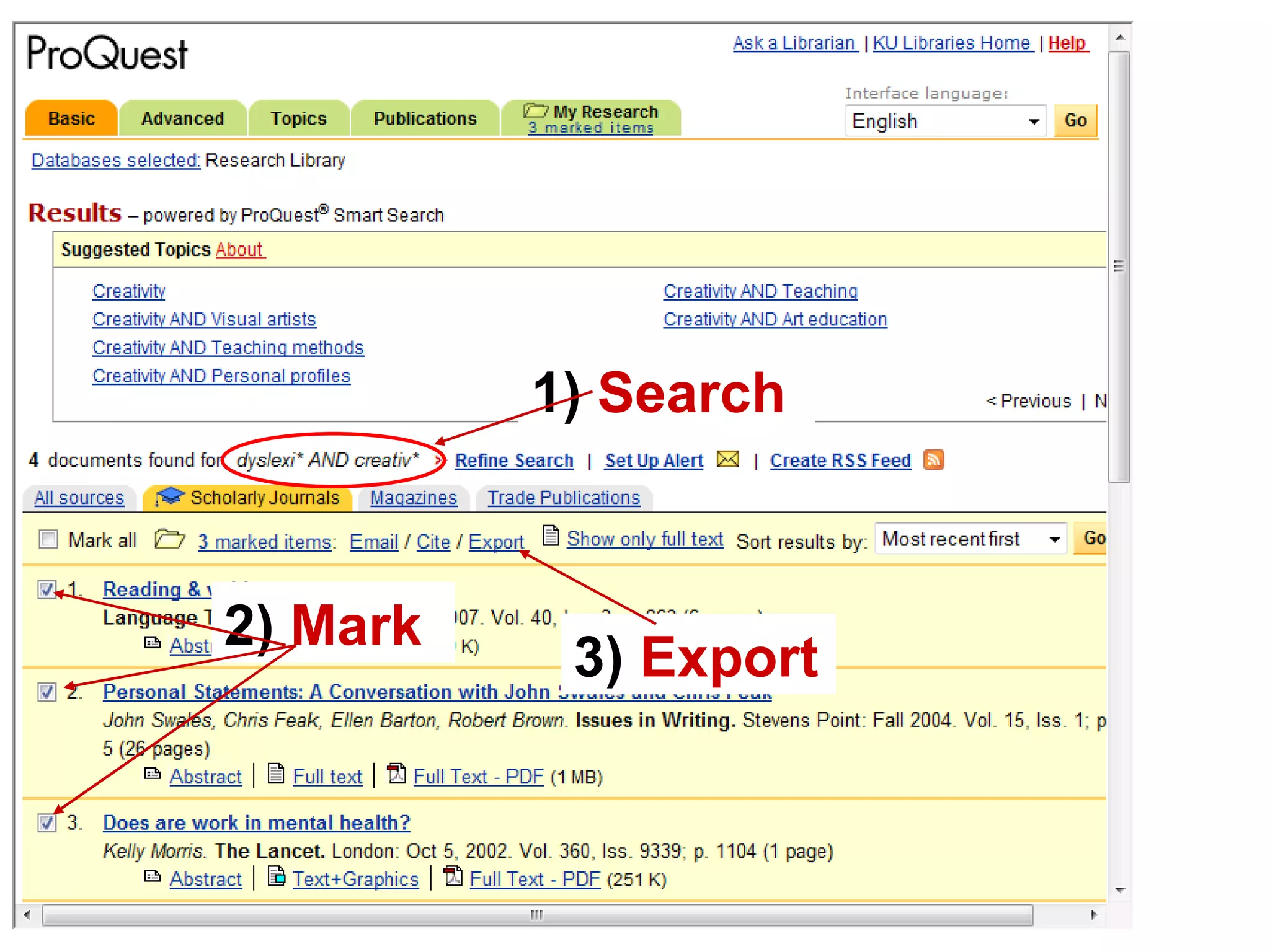
What to Remember: Open  EndNote  and  Your EndNote Library Search  for articles in a  database Mark  the articles you want to use Export  the citations to EndNote Library
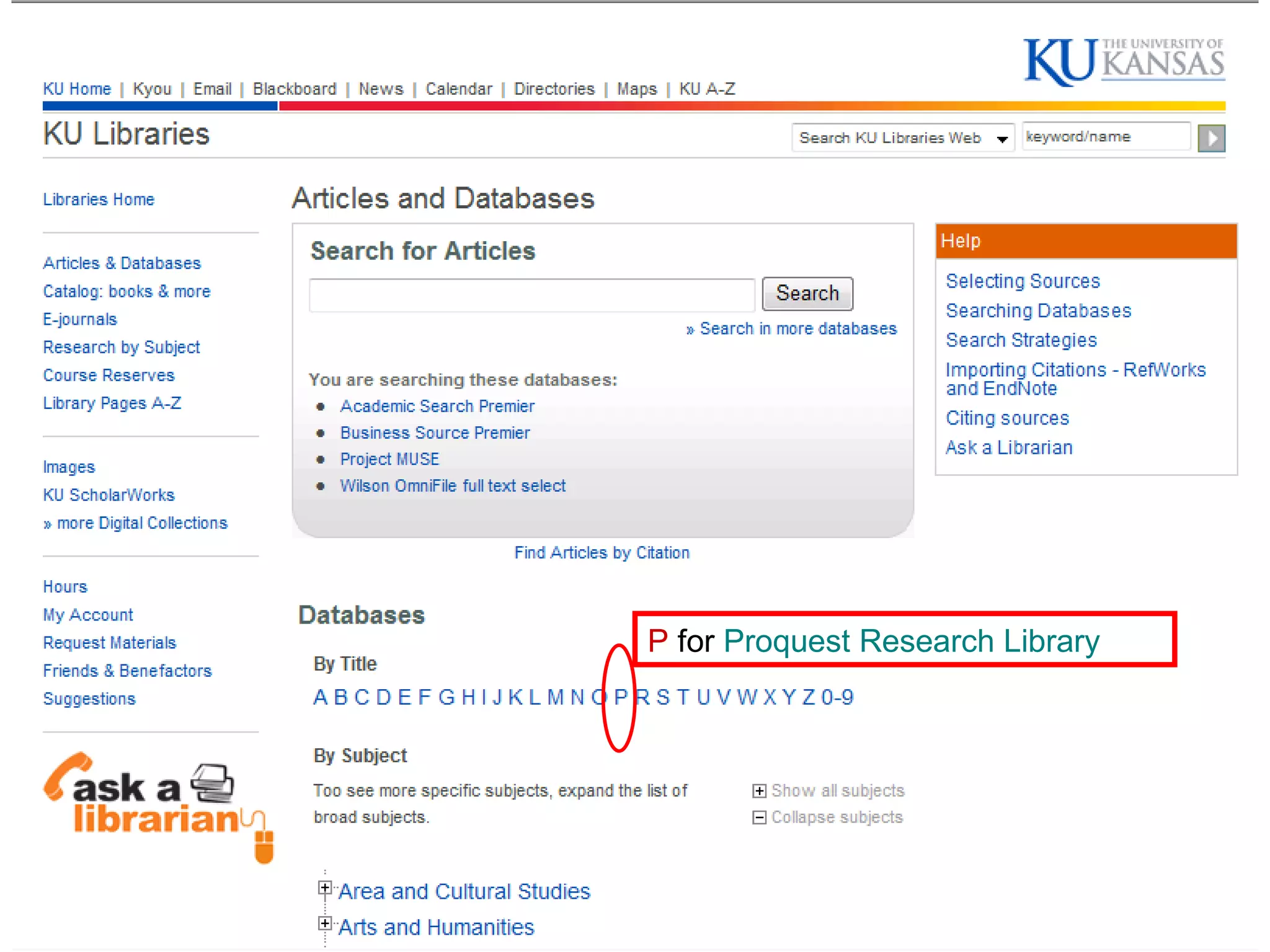
Time for research Open   EndNote library Go to KU Libraries Homepage  http://www.lib.ku.edu Click  Articles and Databases  from the index in the left hand column  Select an individual database that fits your research needs  Note:  if you would like a refresher on literature searches, send me   an email and we’ll make an appointment.  [email_address]
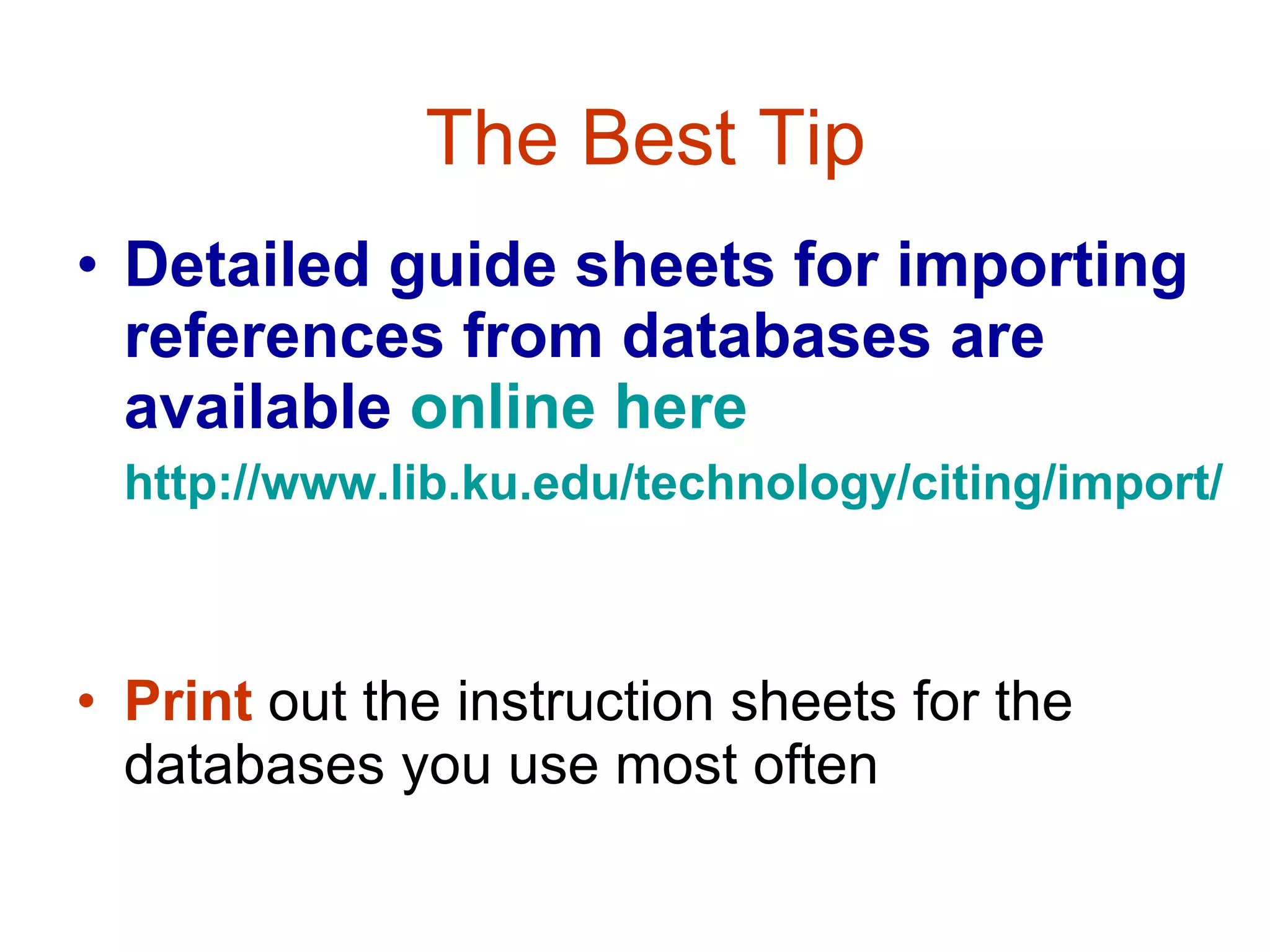
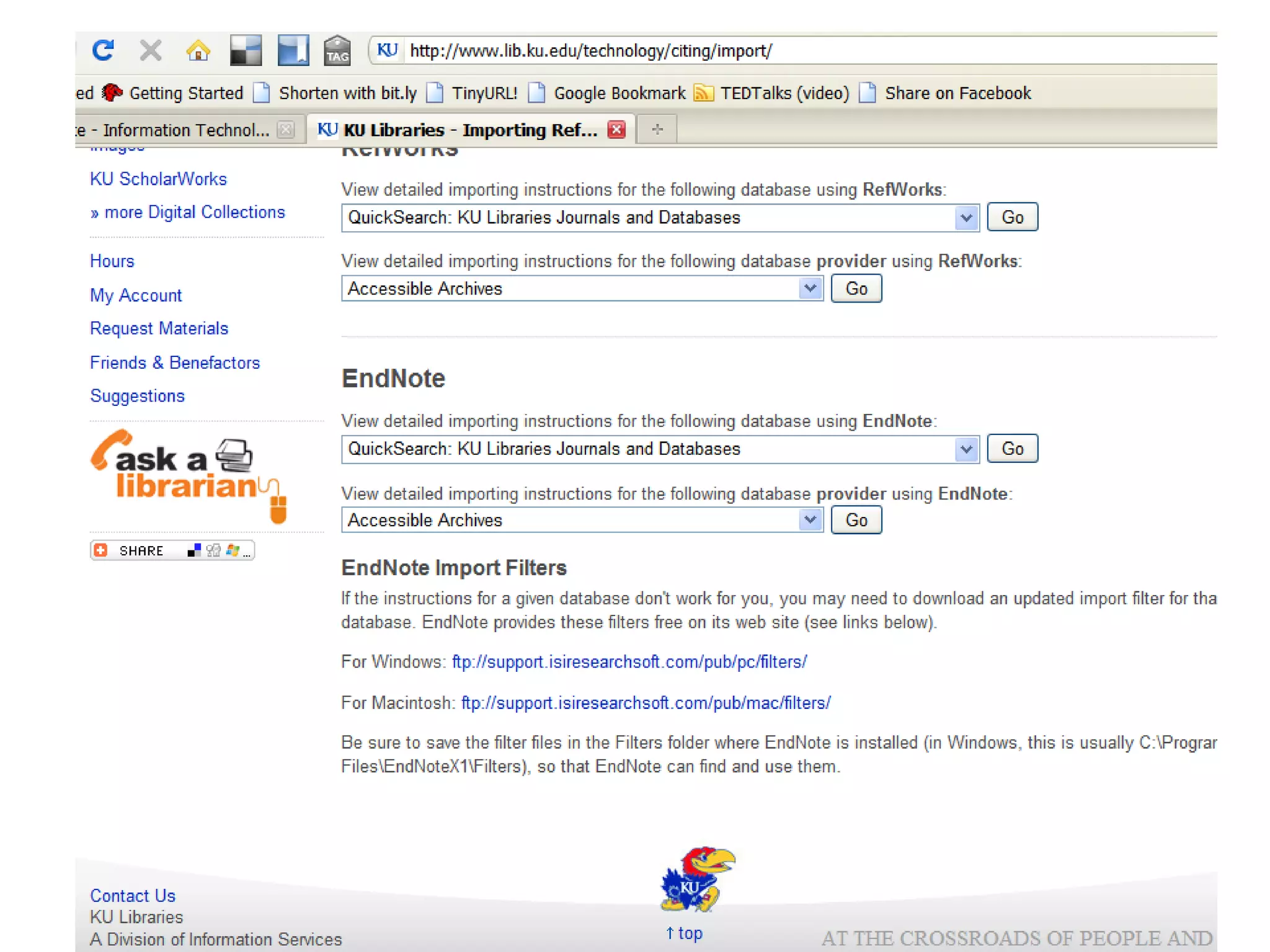
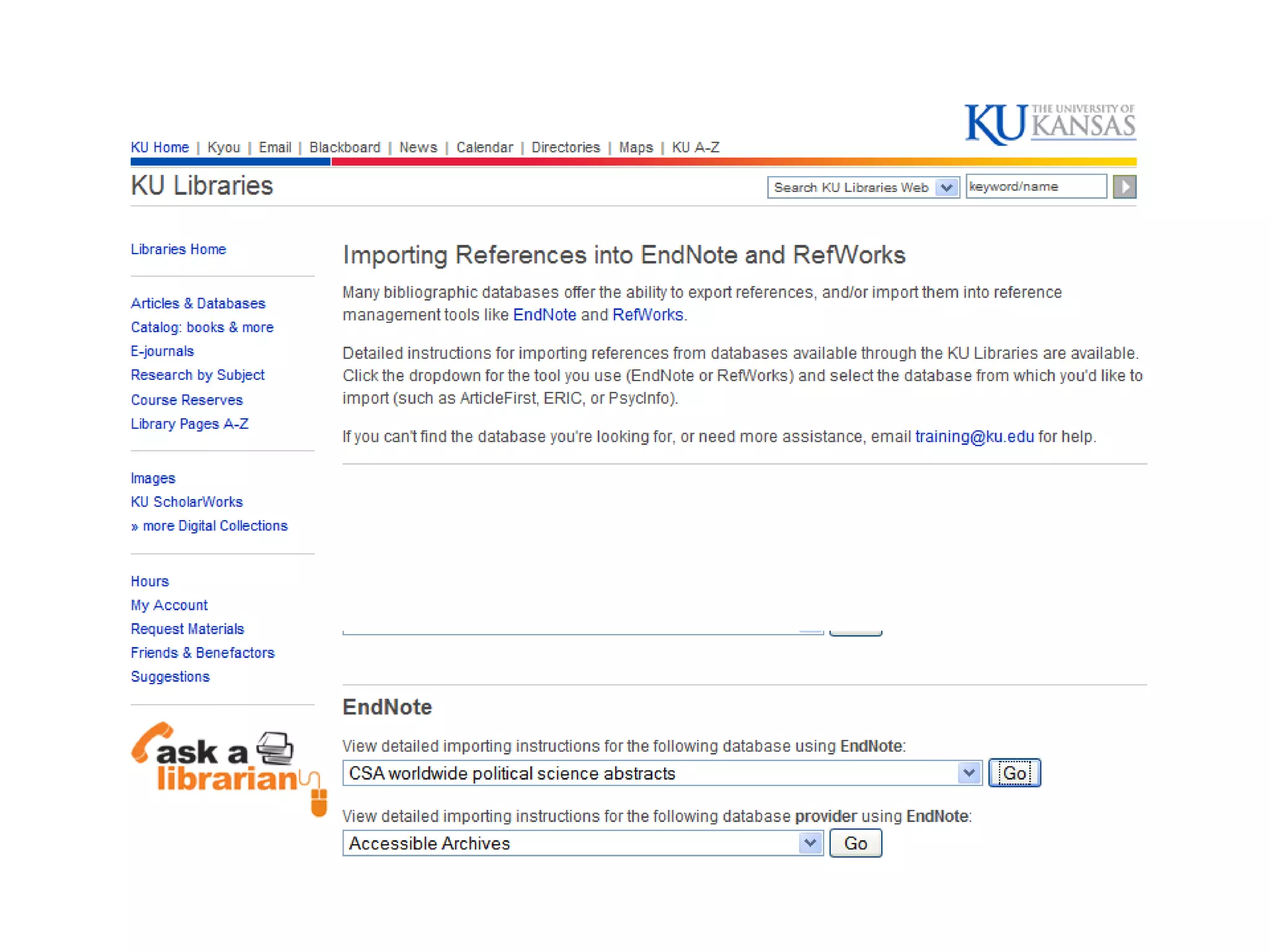
The Best Tip Detailed guide sheets for importing references from databases are available   online here   http://www.lib.ku.edu/technology/citing/import /   Print  out the instruction sheets for the databases you use most often
 
P  for  Proquest Research Library
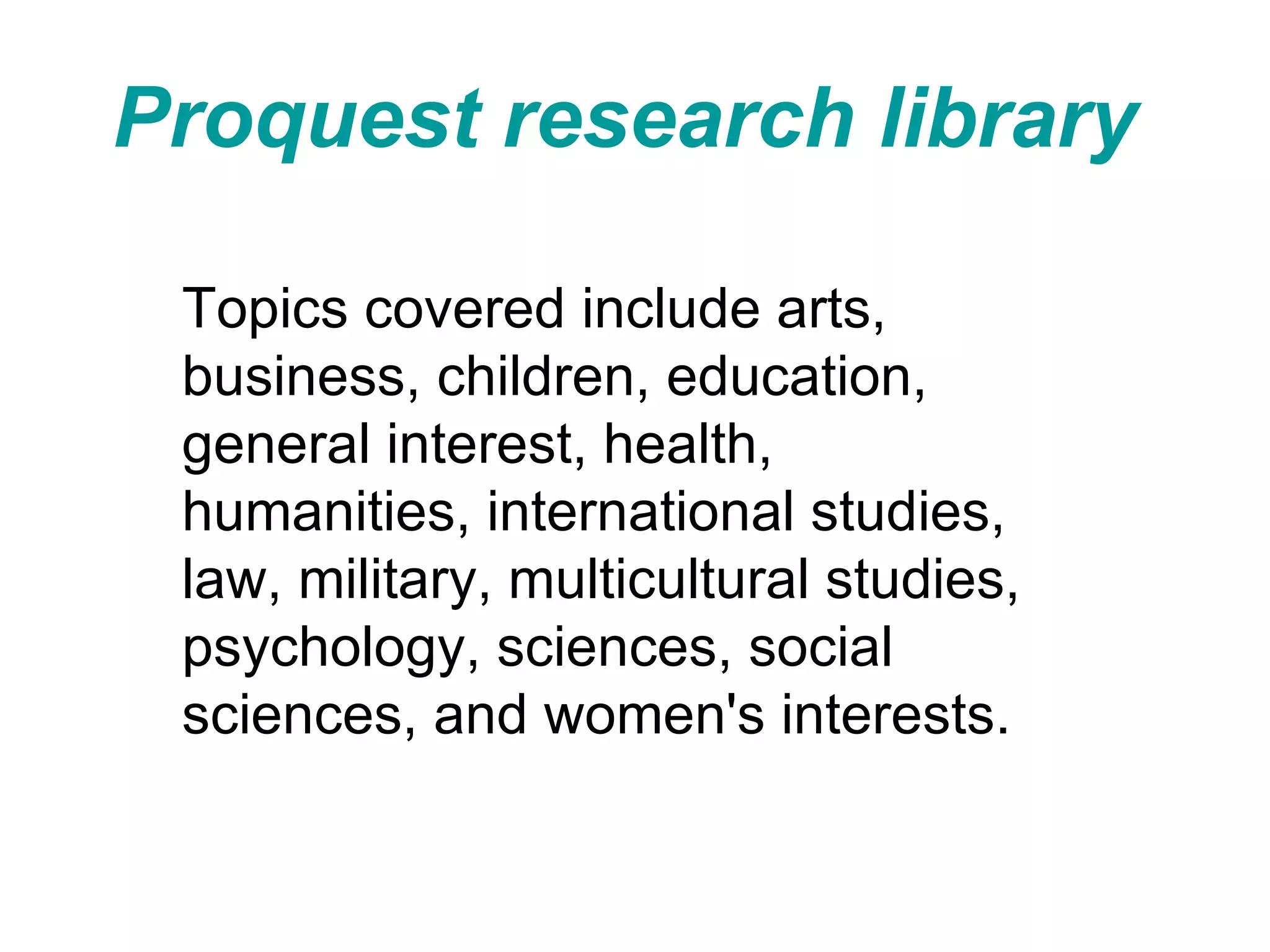
Proquest research library   Topics covered include arts, business, children, education, general interest, health, humanities, international studies, law, military, multicultural studies, psychology, sciences, social sciences, and women's interests.
1)  Search 3)  Export 2)  Mark
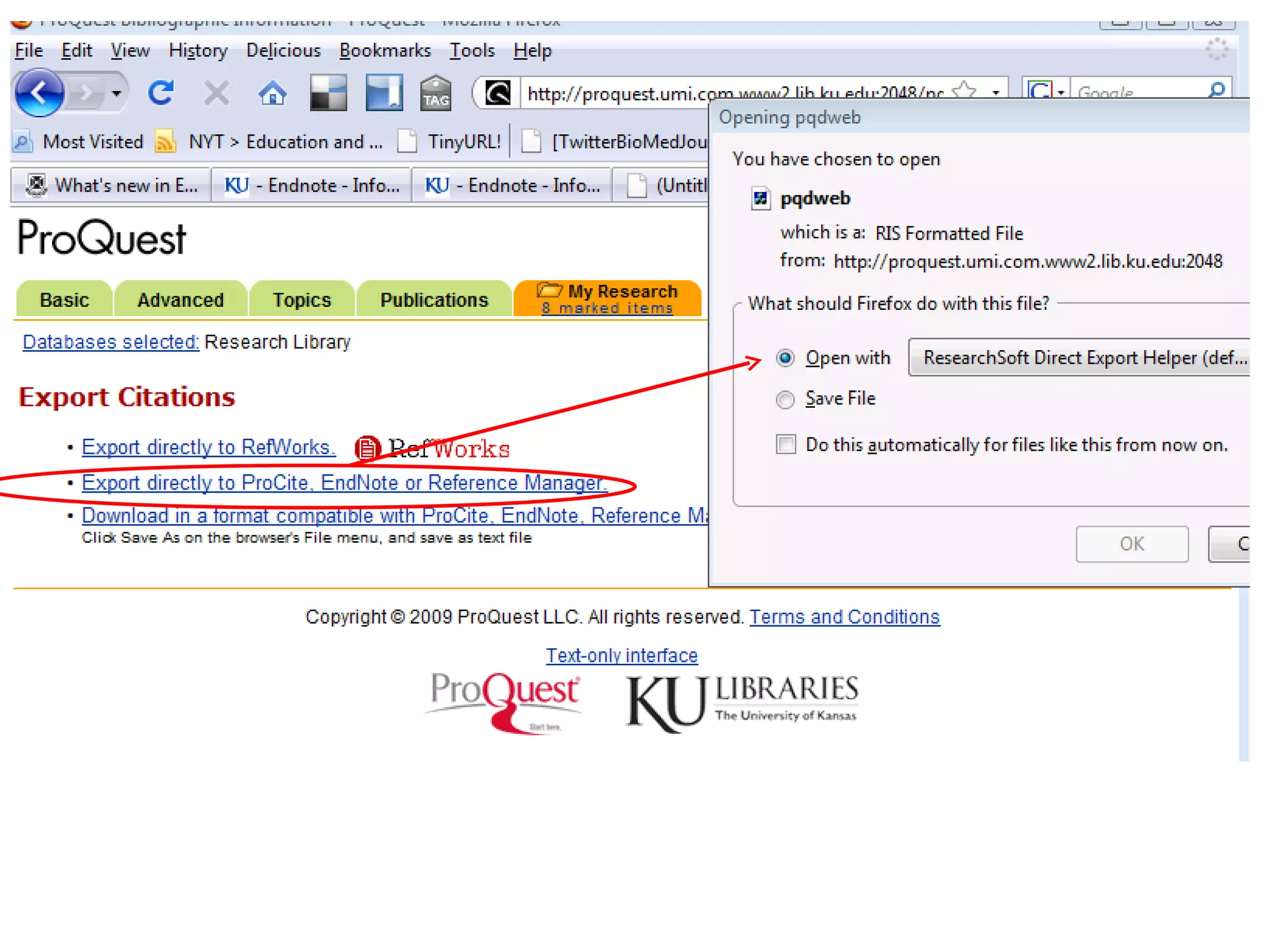
Use the drop down menu to select the directory and file into which the marked citations will be exported.
Exported Citations Click on  References  from Endnote and select  Show All   which will put all your citations into one list
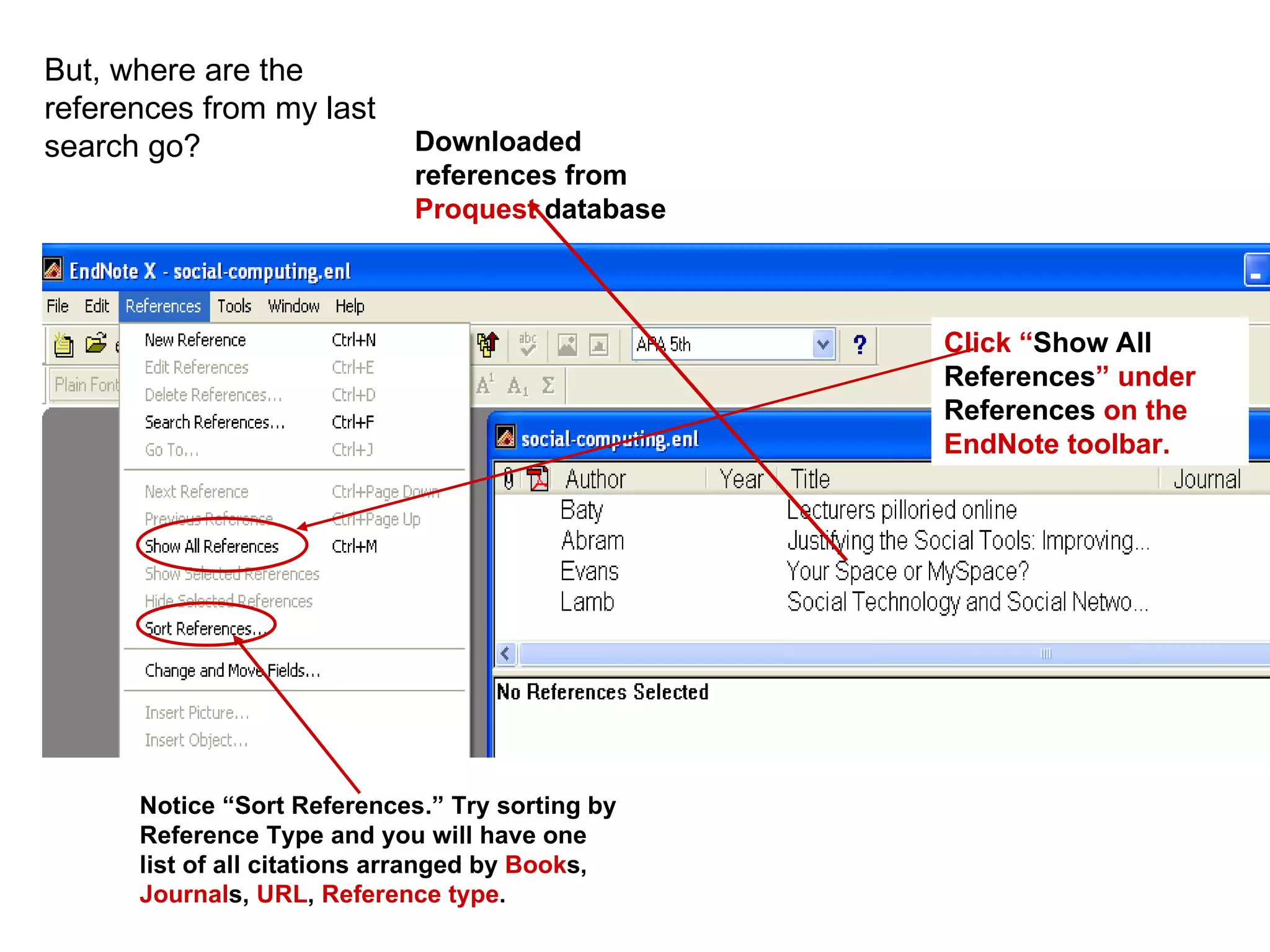
But, where are the references from my last search go?  Downloaded references from  Proquest  database Click “ Show All References ” under  References  on the EndNote toolbar. Notice “Sort References.” Try sorting by Reference Type and you will have one list of all citations arranged by  Book s,  Journal s,  URL ,  Reference type .
 
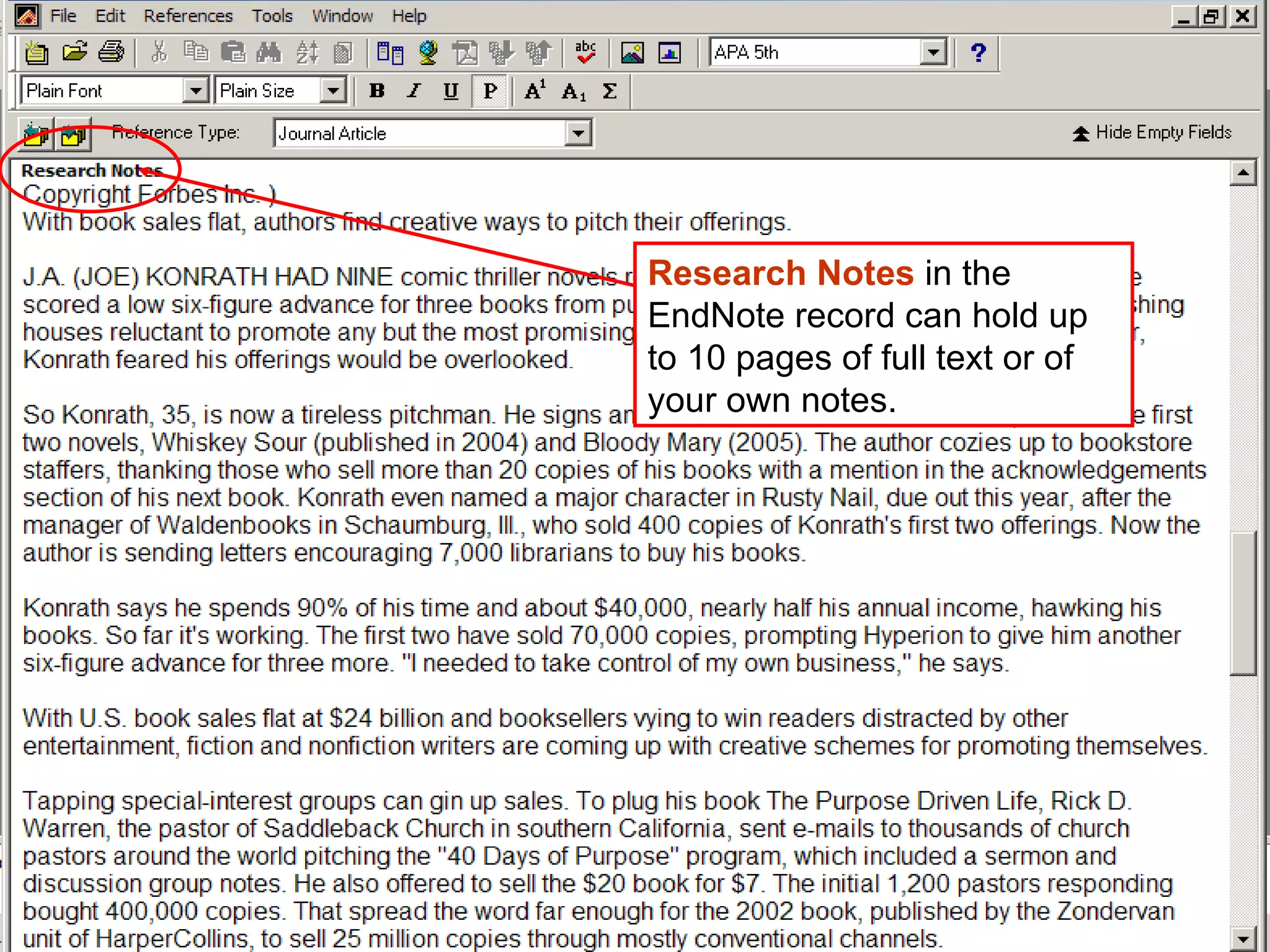
Research Notes  in the EndNote record can hold up to 10 pages of full text or of your own notes.
Wilson OmniFile Provides indexing, abstracting and full-text content to journal articles in a variety of disciplines.
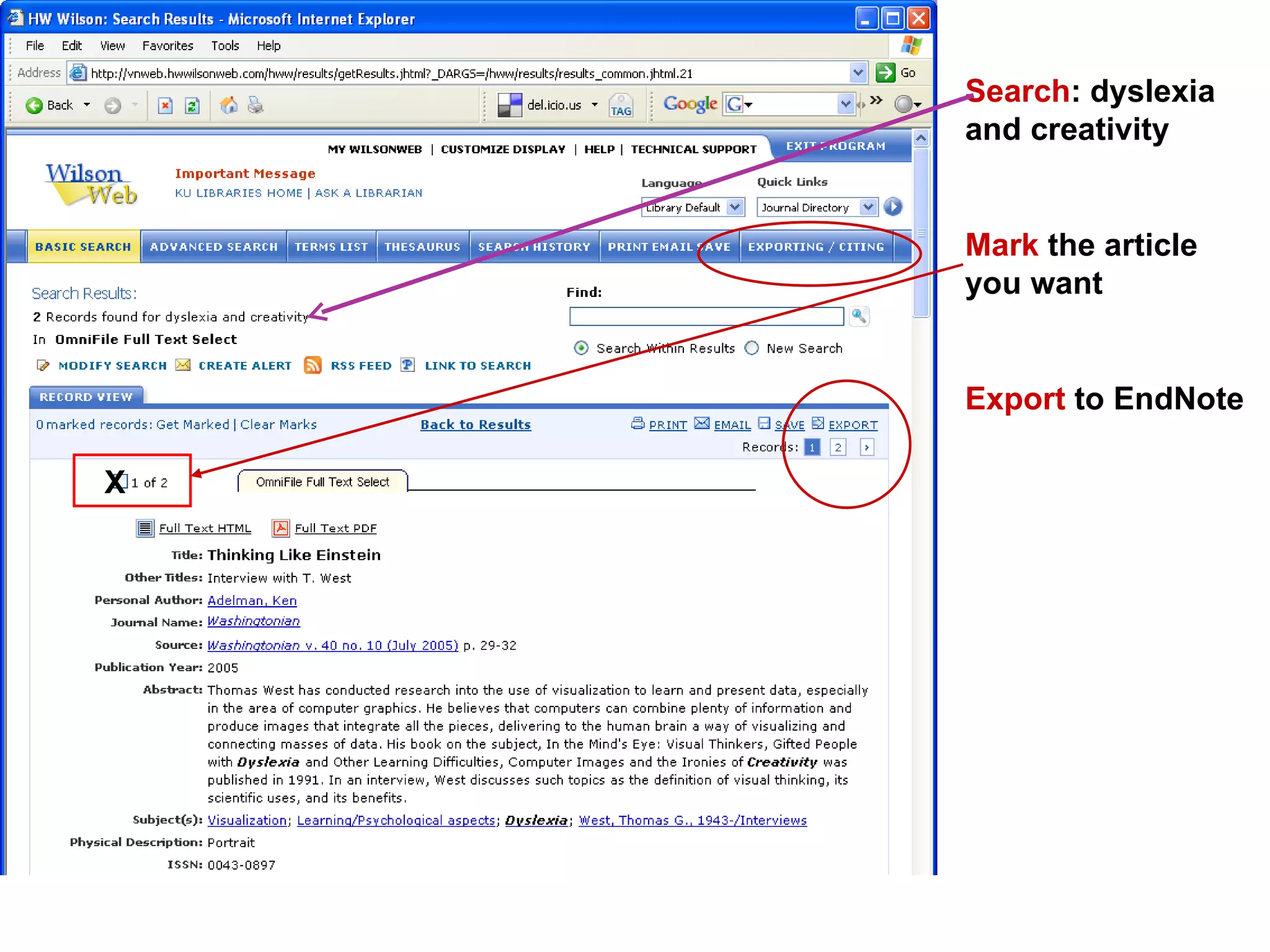
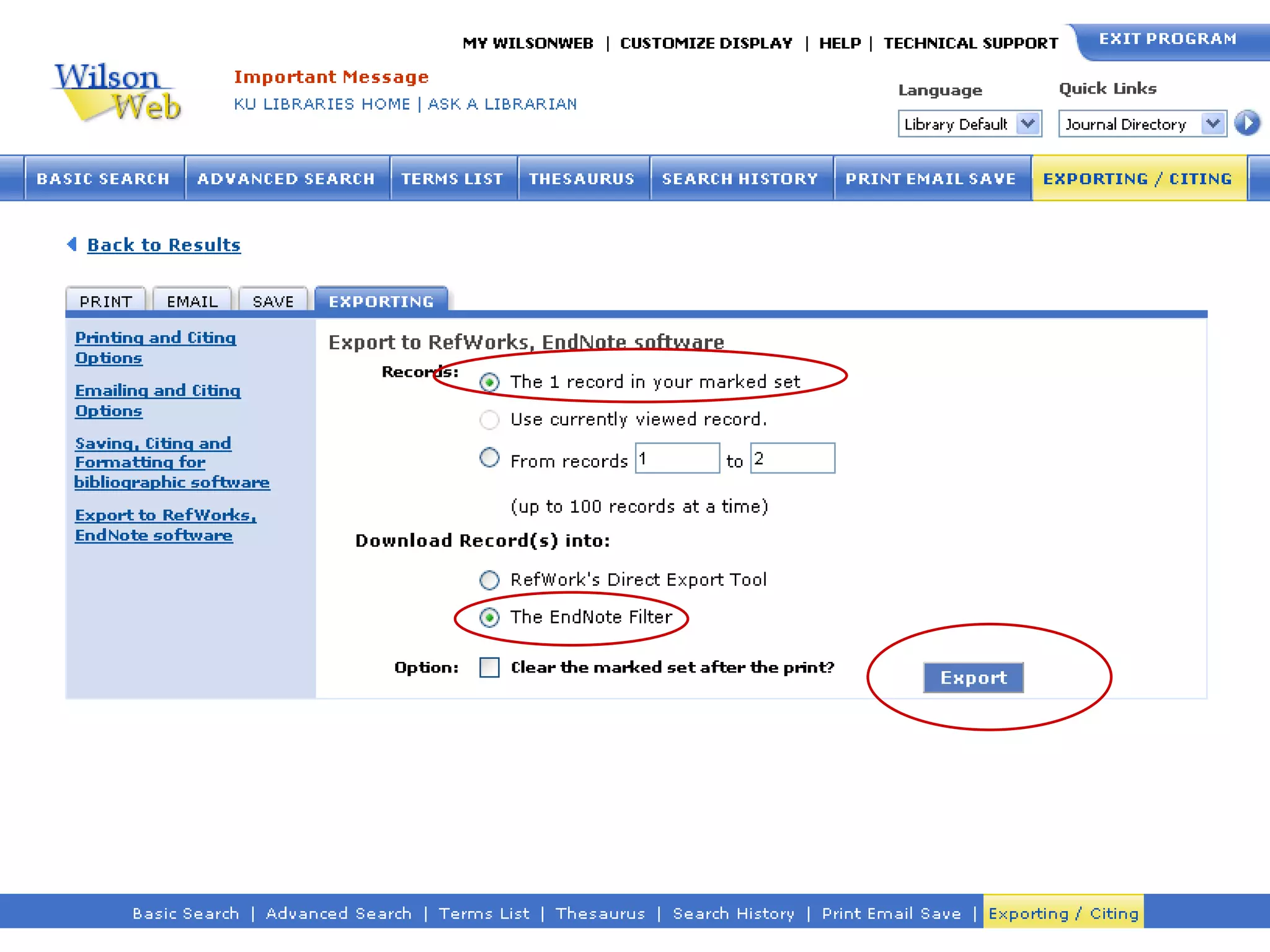
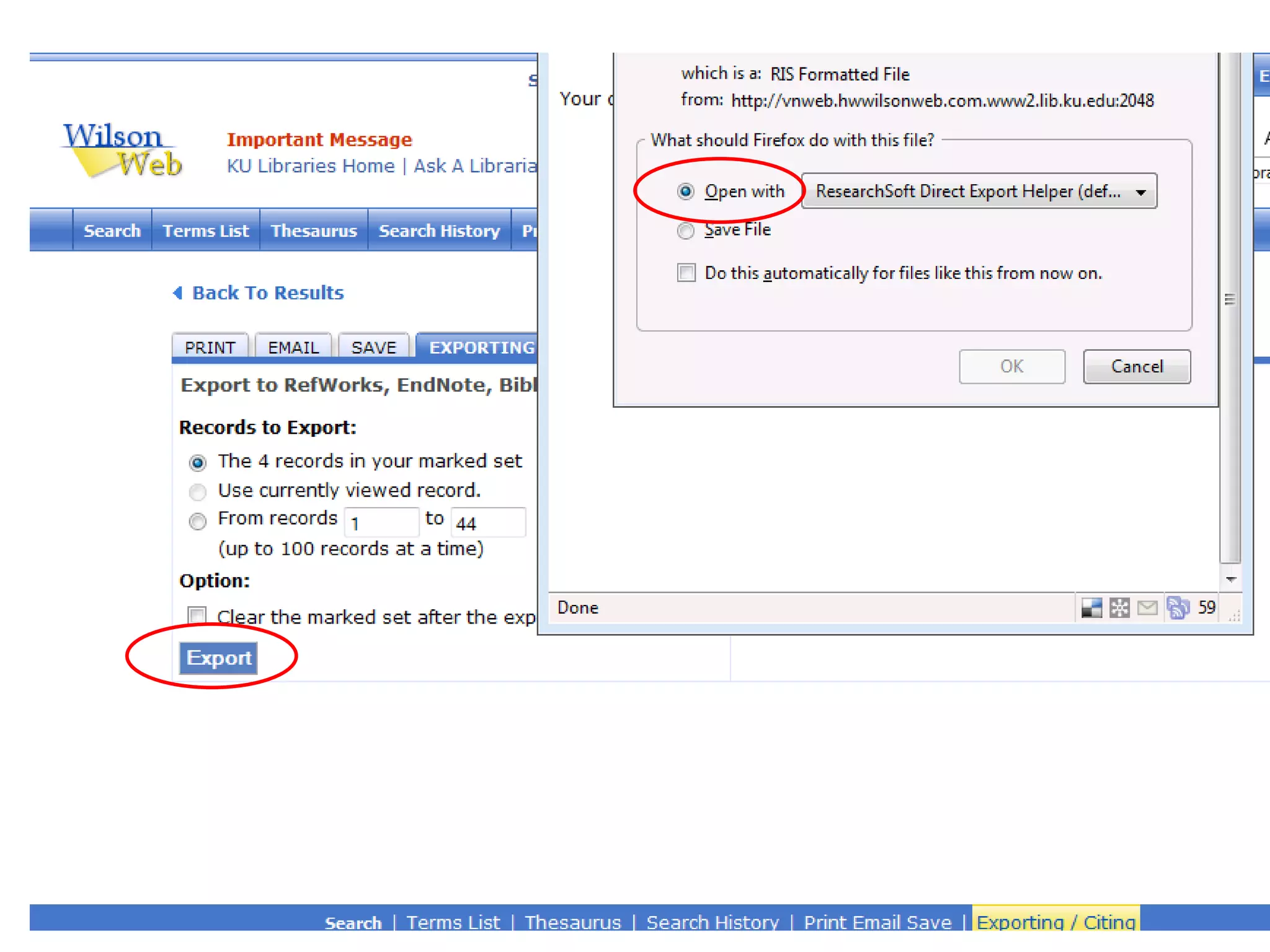
Search : dyslexia and creativity Mark  the article you want Export  to EndNote X
 
 
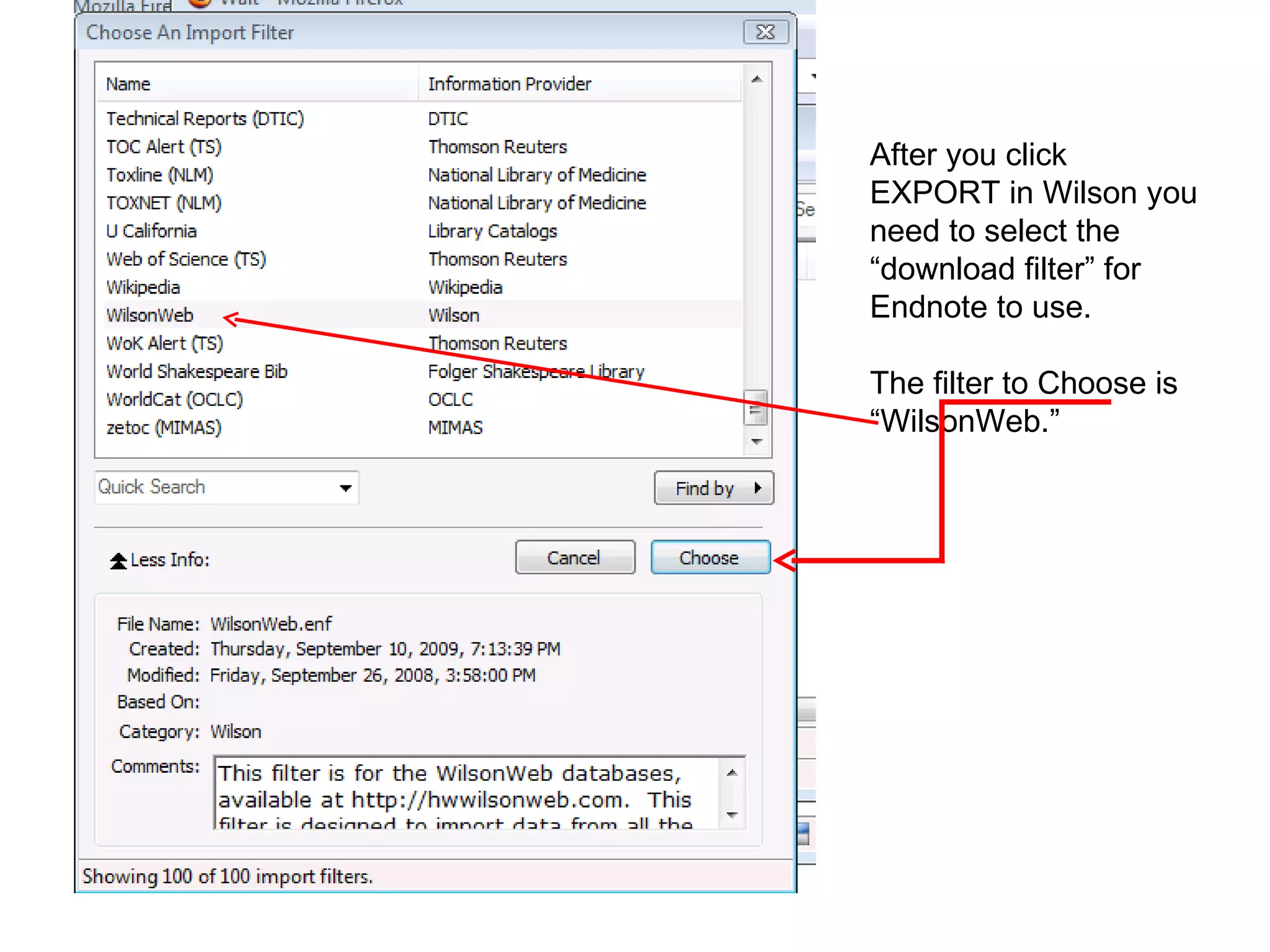
After you click EXPORT in Wilson you need to select the “download filter” for  Endnote to use.  The filter to Choose is “WilsonWeb.”
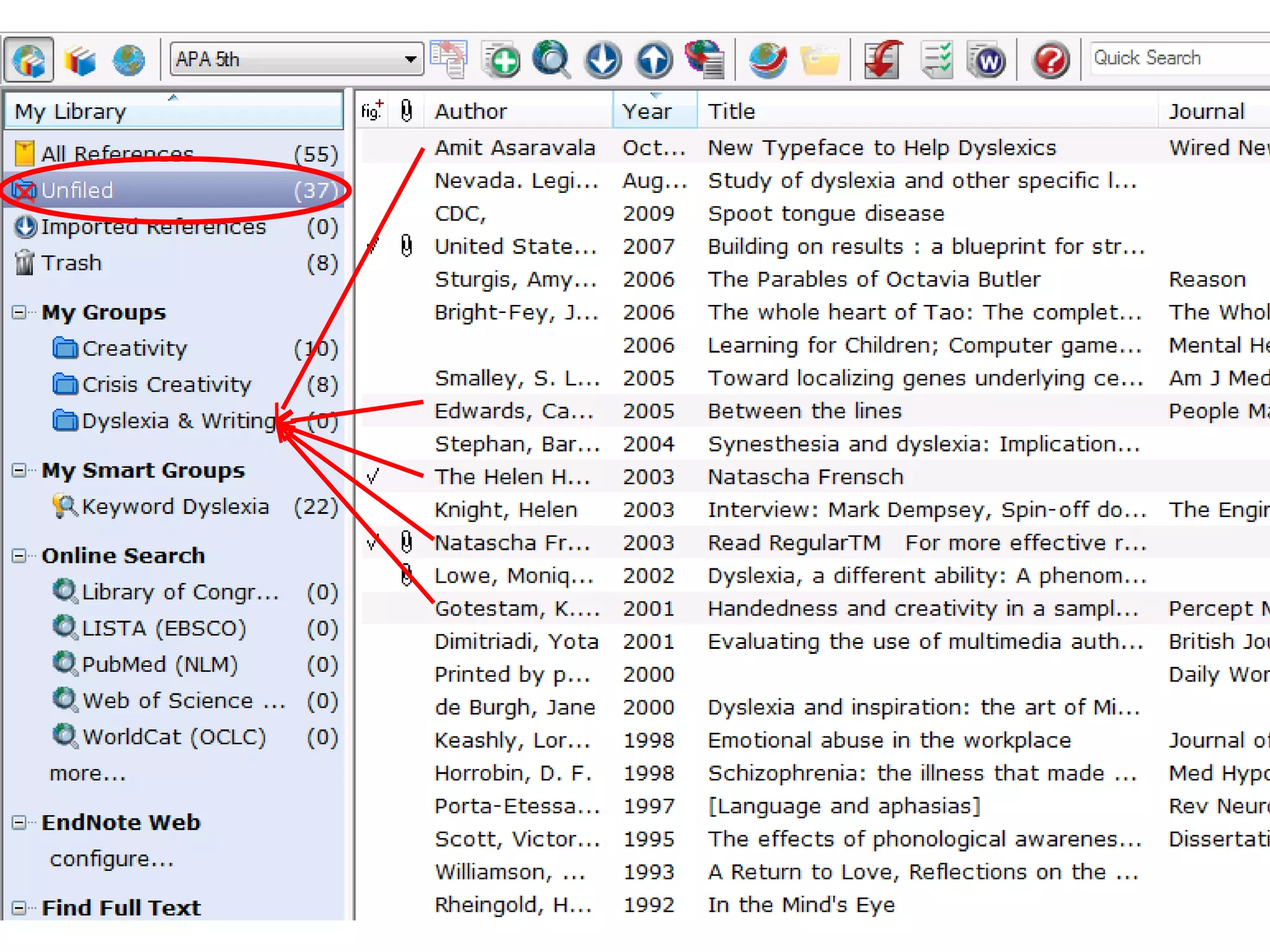
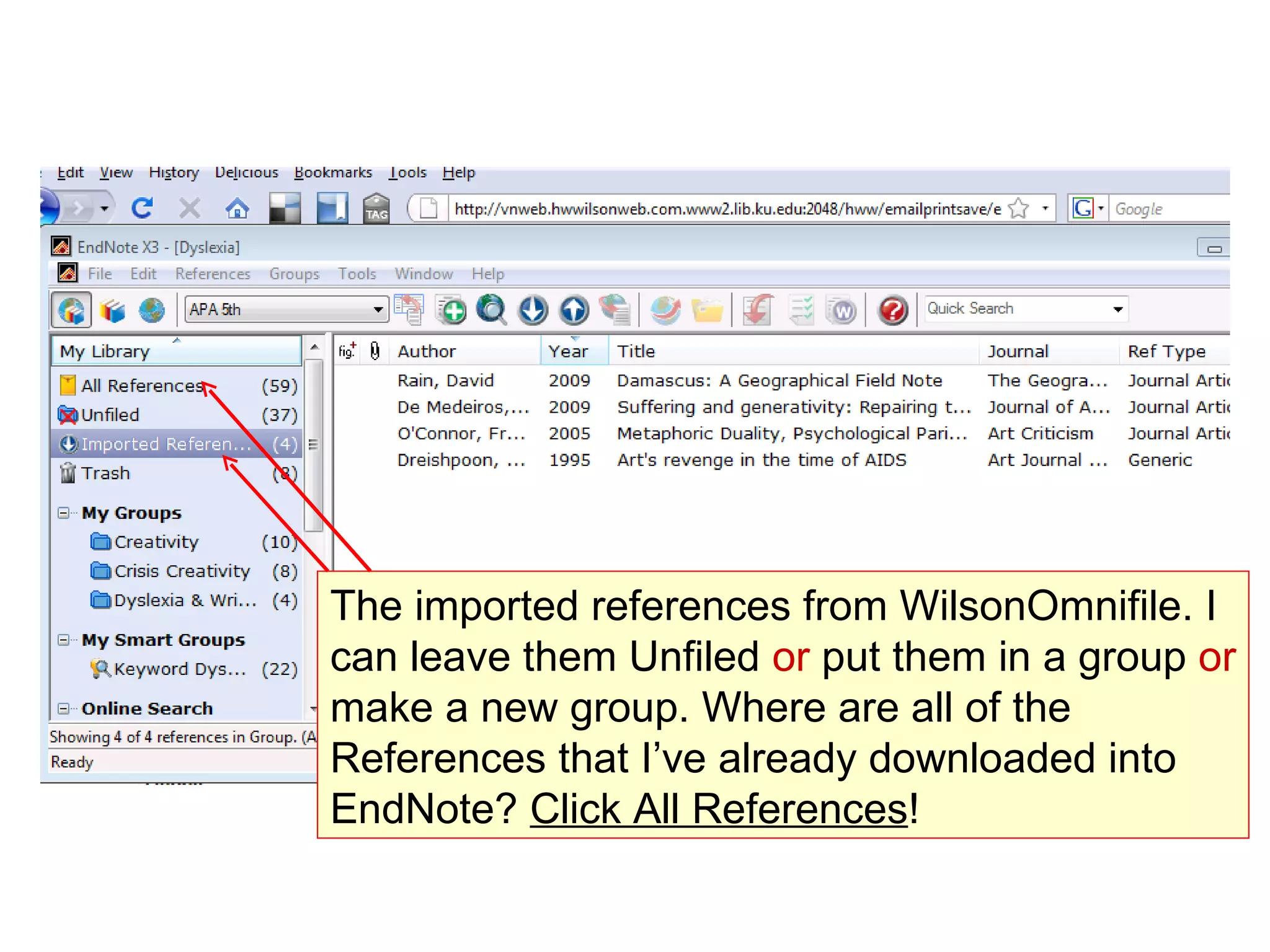
The imported references from WilsonOmnifile. I can leave them Unfiled  or  put them in a group  or  make a new group. Where are all of the References that I’ve already downloaded into EndNote?  Click All References !
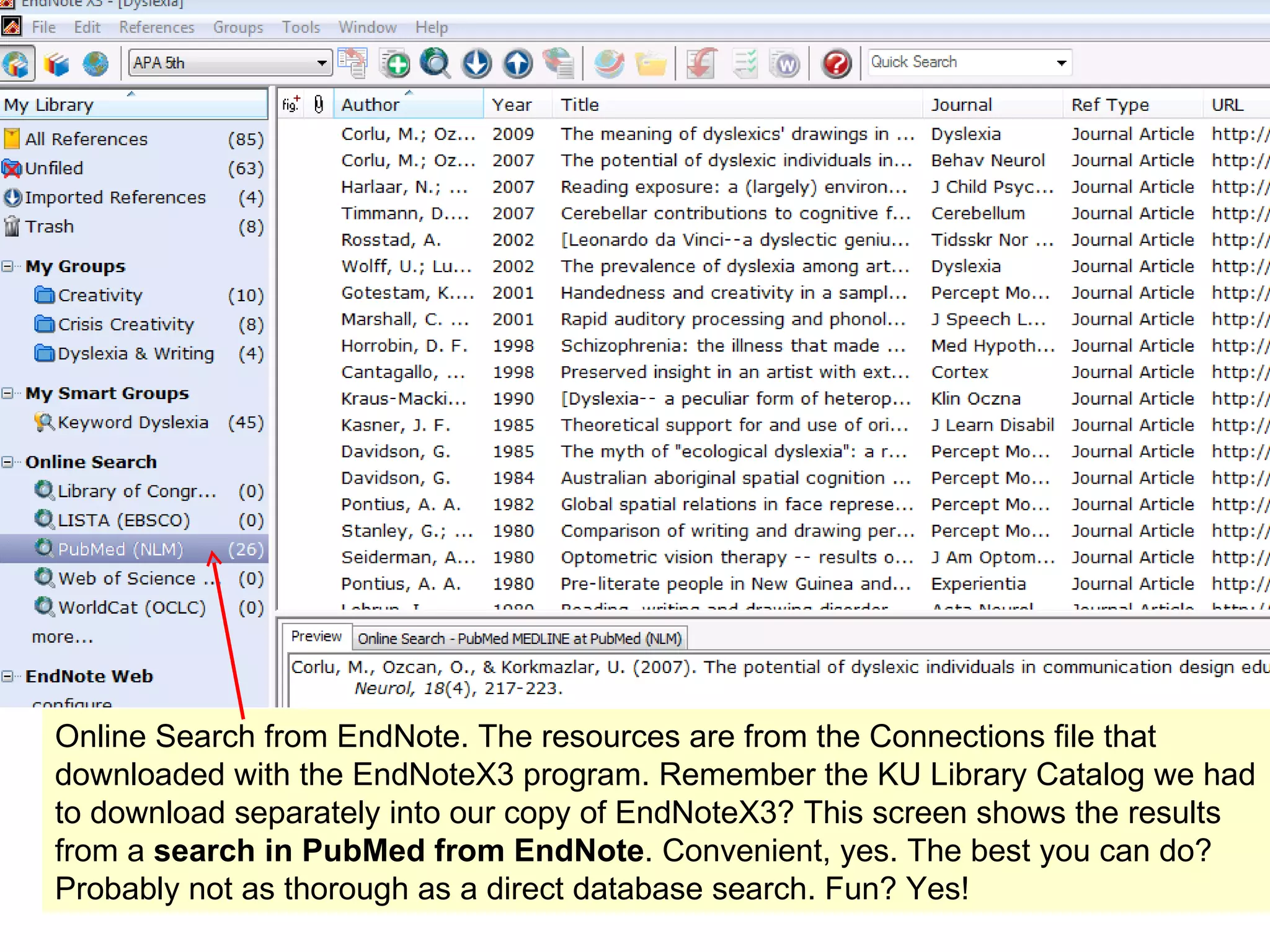
Online Search from EndNote. The resources are from the Connections file that downloaded with the EndNoteX3 program. Remember the KU Library Catalog we had to download separately into our copy of EndNoteX3? This screen shows the results from a  search in PubMed from EndNote . Convenient, yes. The best you can do? Probably not as thorough as a direct database search. Fun? Yes!
3 Ways  to get references into your EndNote Library From a Database   (OCLC; Proquest; Wilson; and more)  1)  search  2)  mark  3)  export references to EndNote   Manually enter information  into EndNote (adding non-electronic sources to EndNote: print, interviews, exhibits, your notes, etc.) From EndNote   connect to library catalog or databases:  1) search 2) mark 3)   import  references into EndNote
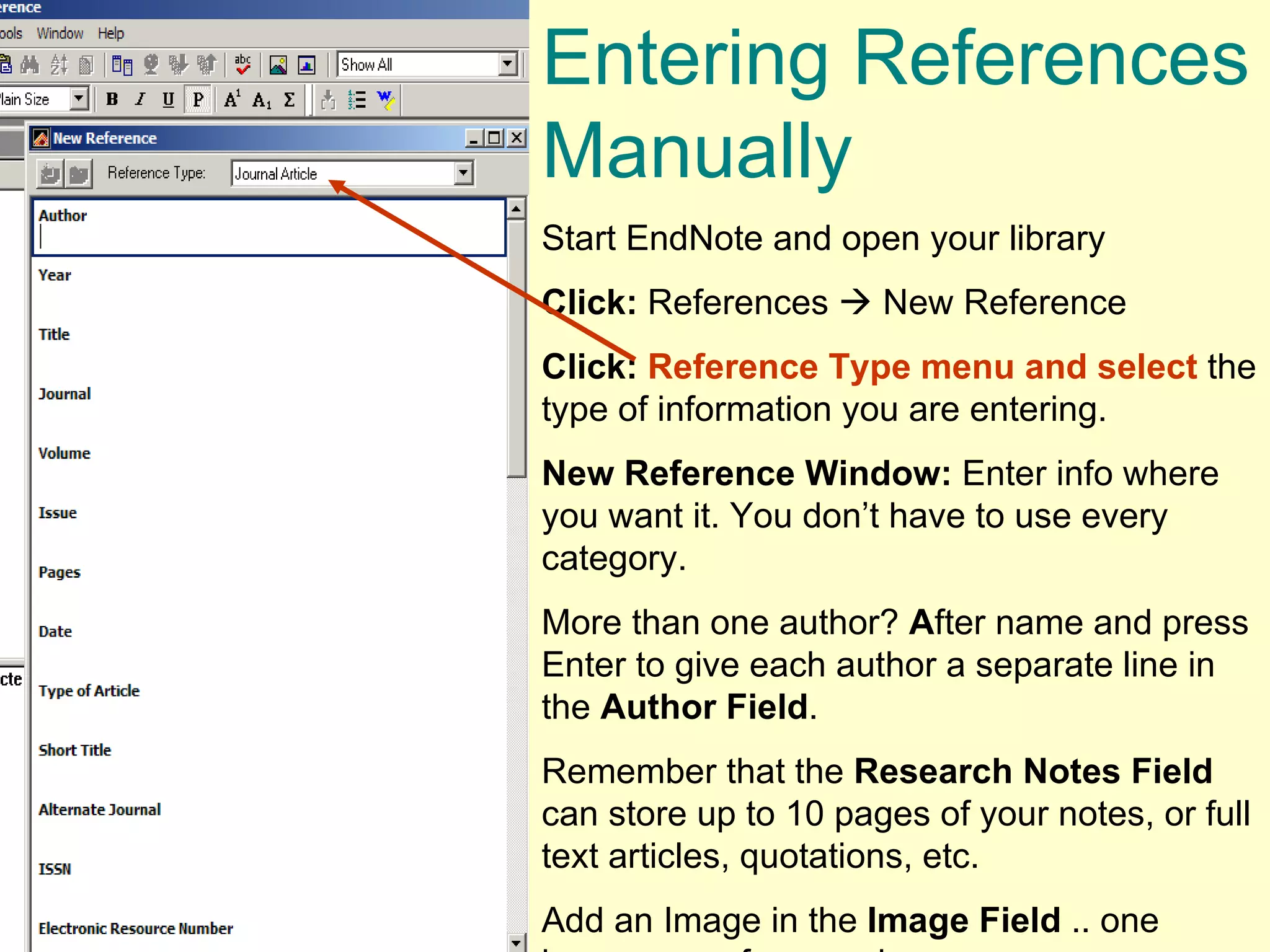
Entering References Manually  Start EndNote and open your library Click:  References    New Reference Click:   Reference Type menu and select  the type of information you are entering.  New Reference Window:  Enter info where you want it. You don’t have to use every category.  More than one author?  A fter name and press Enter to give each author a separate line in the  Author Field . Remember that the  Research Notes   Field  can store up to 10 pages of your notes, or full text articles, quotations, etc.  Add an Image in the  Image Field  .. one image per reference, however.
 
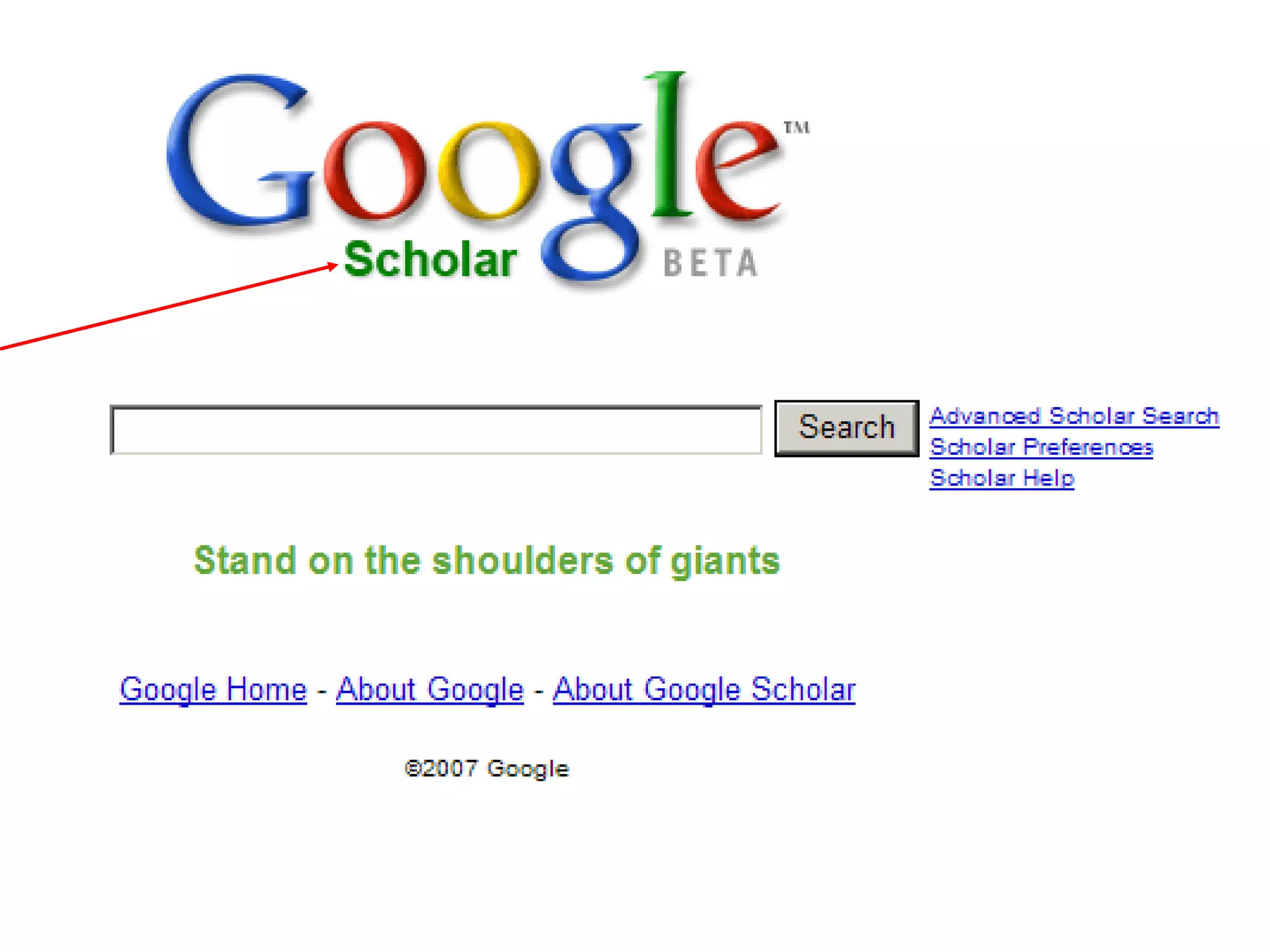
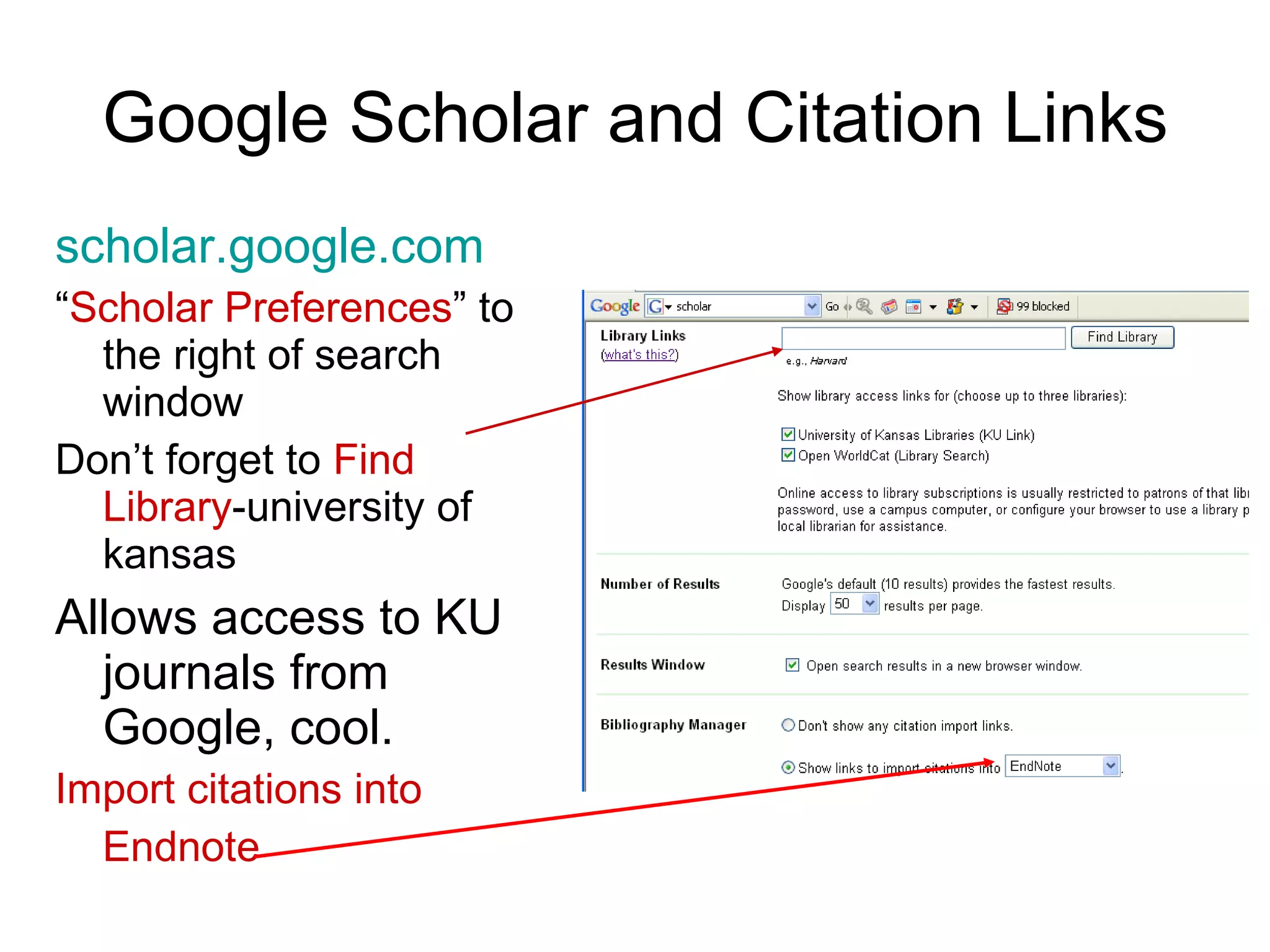
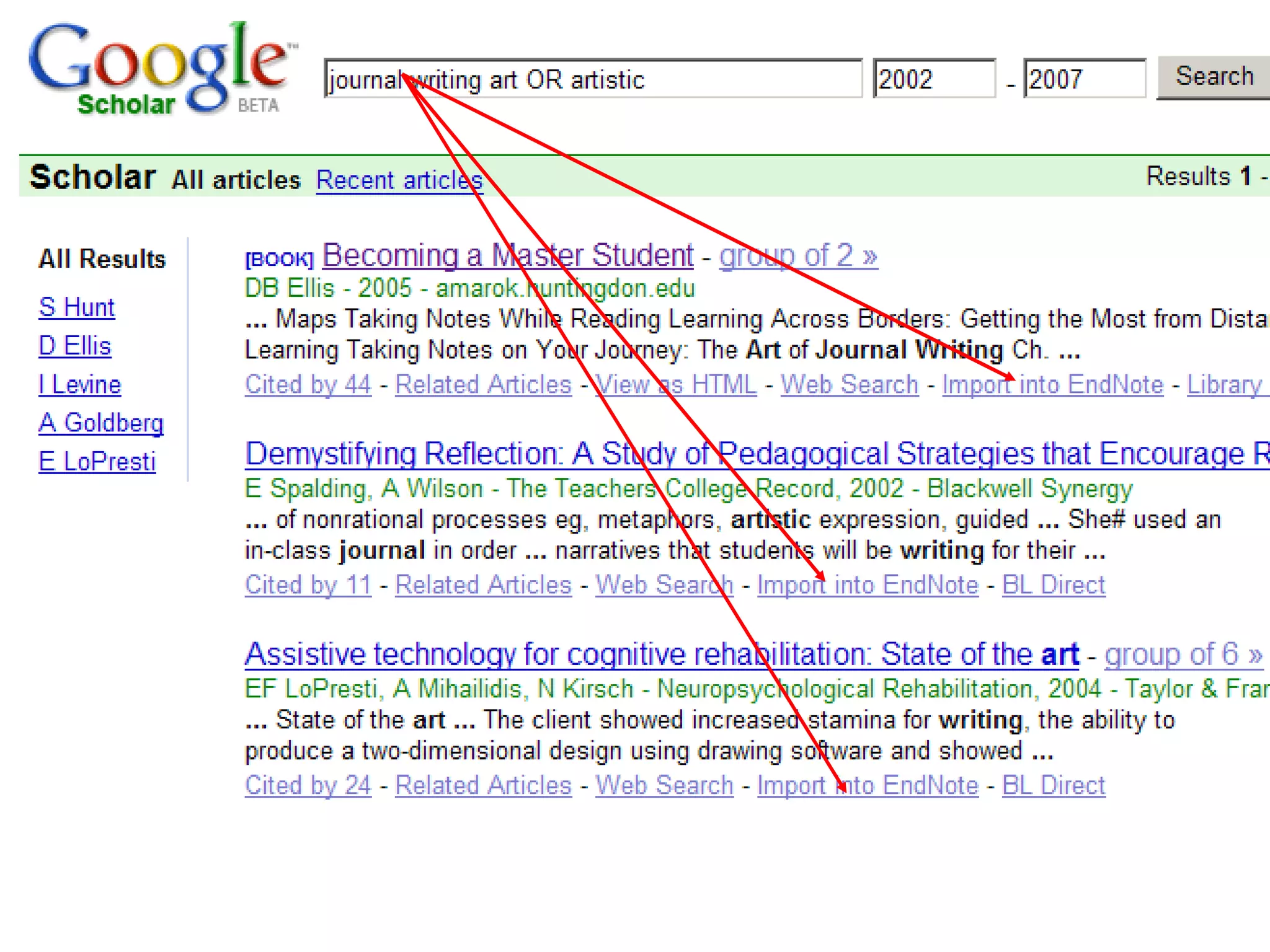
Google Scholar and Citation Links scholar.google.com “ Scholar Preferences ” to the right of search window Don’t forget to  Find Library -university of kansas  Allows access to KU journals from Google, cool. Import citations into Endnote
 
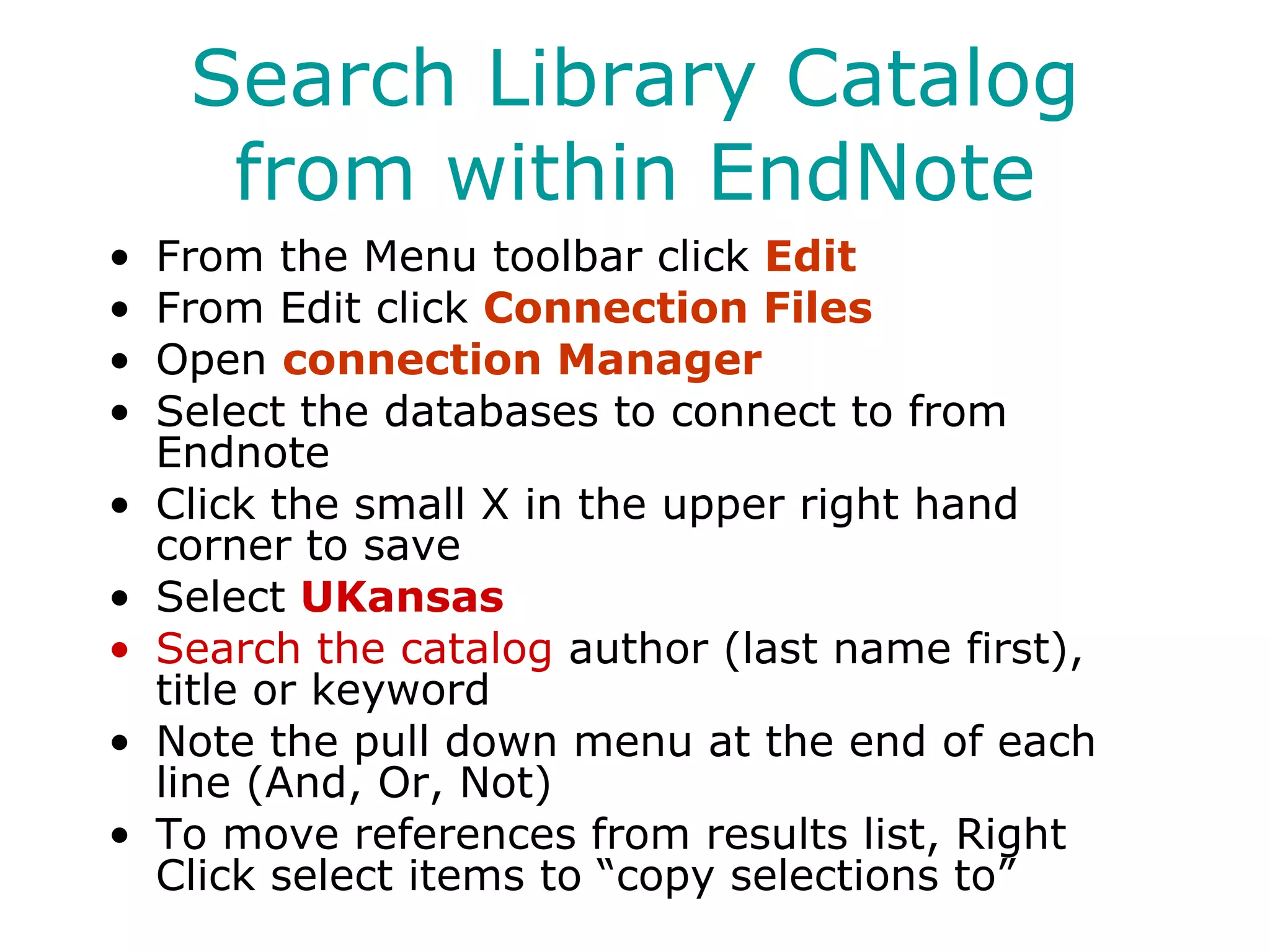
Search Library Catalog from within EndNote From the Menu toolbar click  Edit From Edit click  Connection Files Open  connection Manager Select the databases to connect to from Endnote Click the small X in the upper right hand corner to save Select  UKansas Search the catalog  author (last name first), title or keyword Note the pull down menu at the end of each line (And, Or, Not) To move references from results list, Right Click select items to “copy selections to”
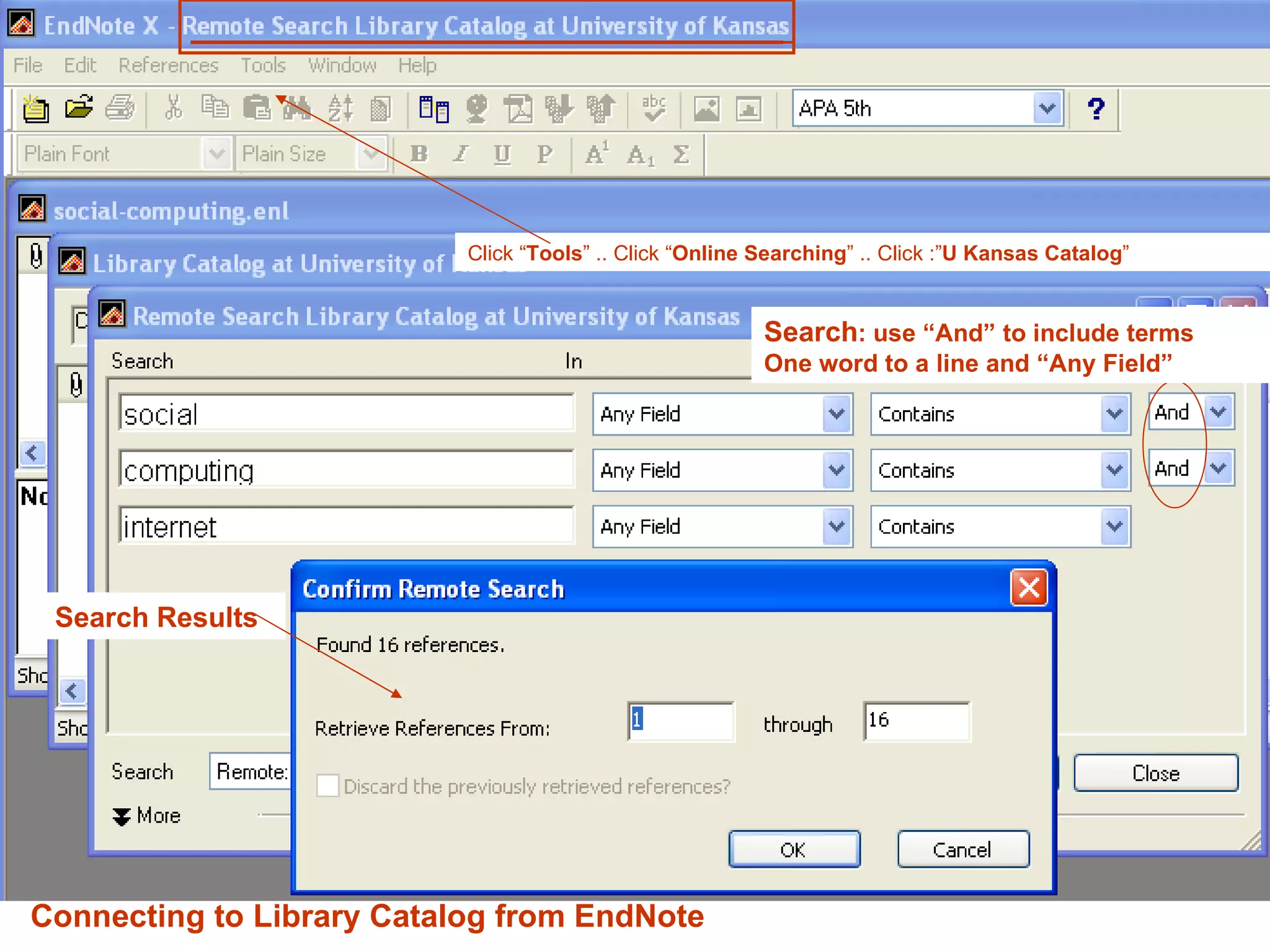
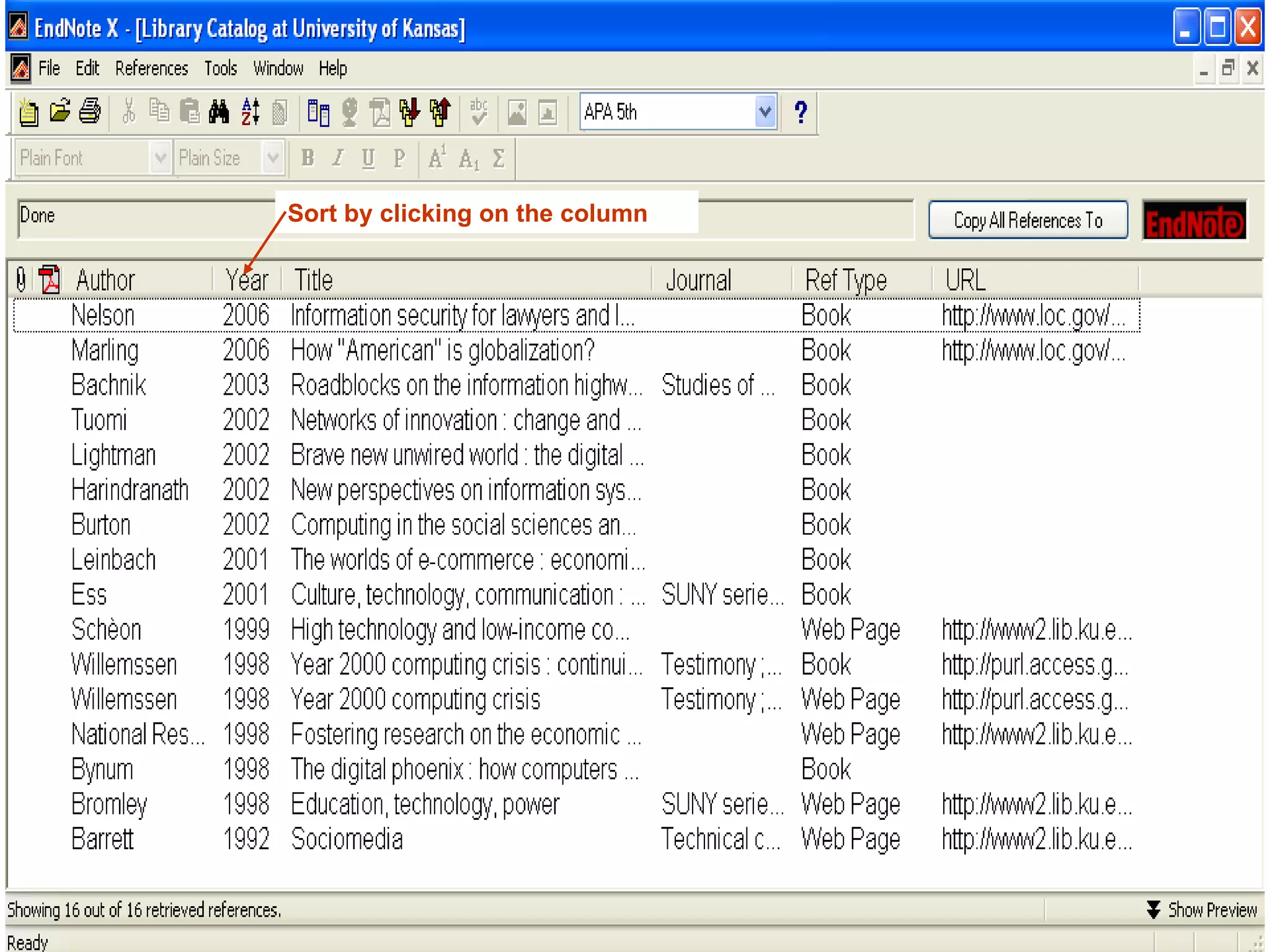
Click “ Tools ” .. Click “ Online Searching ” .. Click :” U Kansas Catalog ” Search : use “And” to include terms One word to a line and “Any Field” Search Results Connecting to Library Catalog from EndNote
Sort by clicking on the column
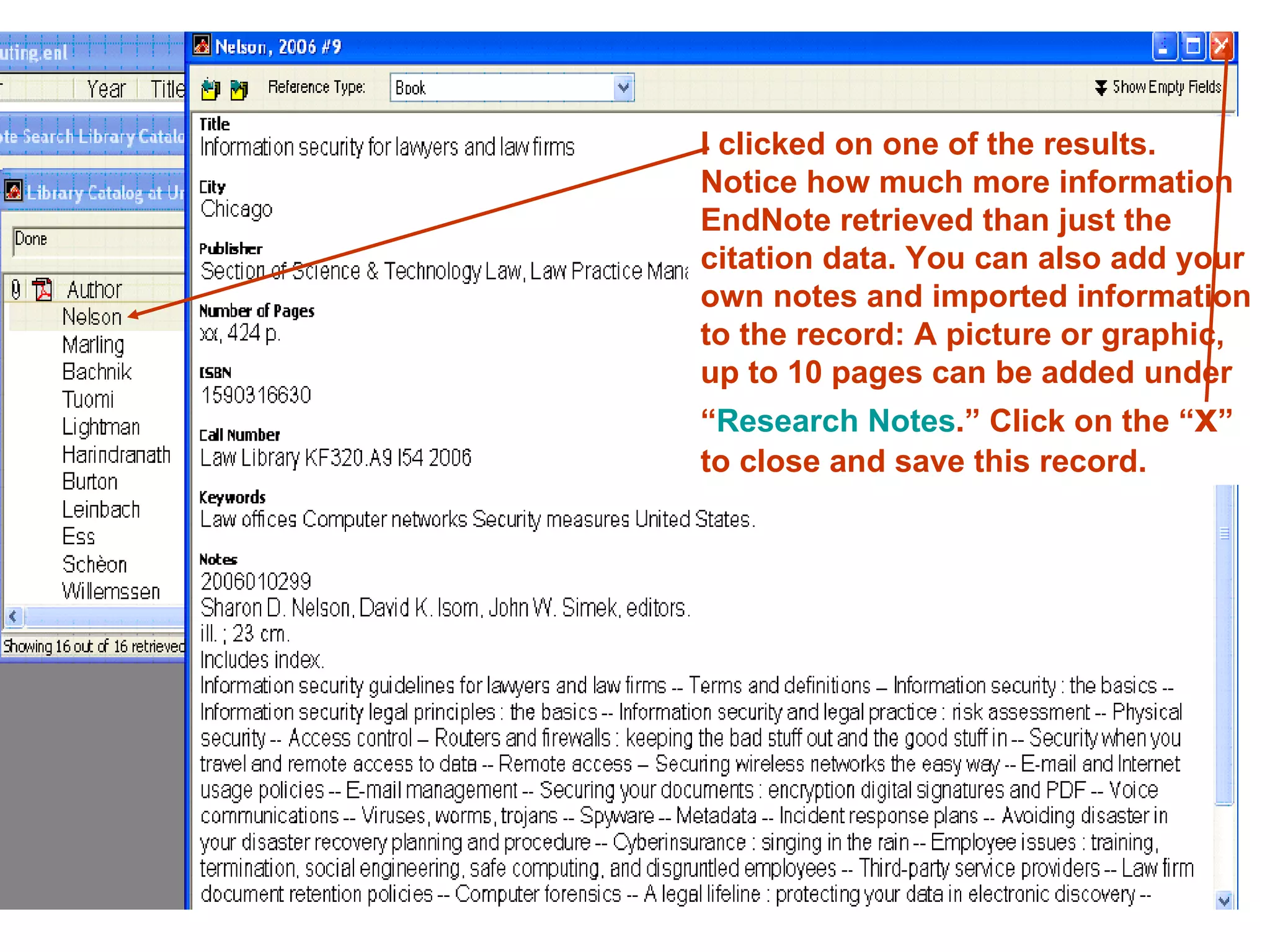
I clicked on one of the results. Notice how much more information EndNote retrieved than just the citation data. You can also add your own notes and imported information to the record: A picture or graphic, up to 10 pages can be added under “ Research Notes .” Click on the “ x ” to close and save this record.
I cannot figure out how this particular works so I can send the references I want to endnote? This is when you want to try:
 
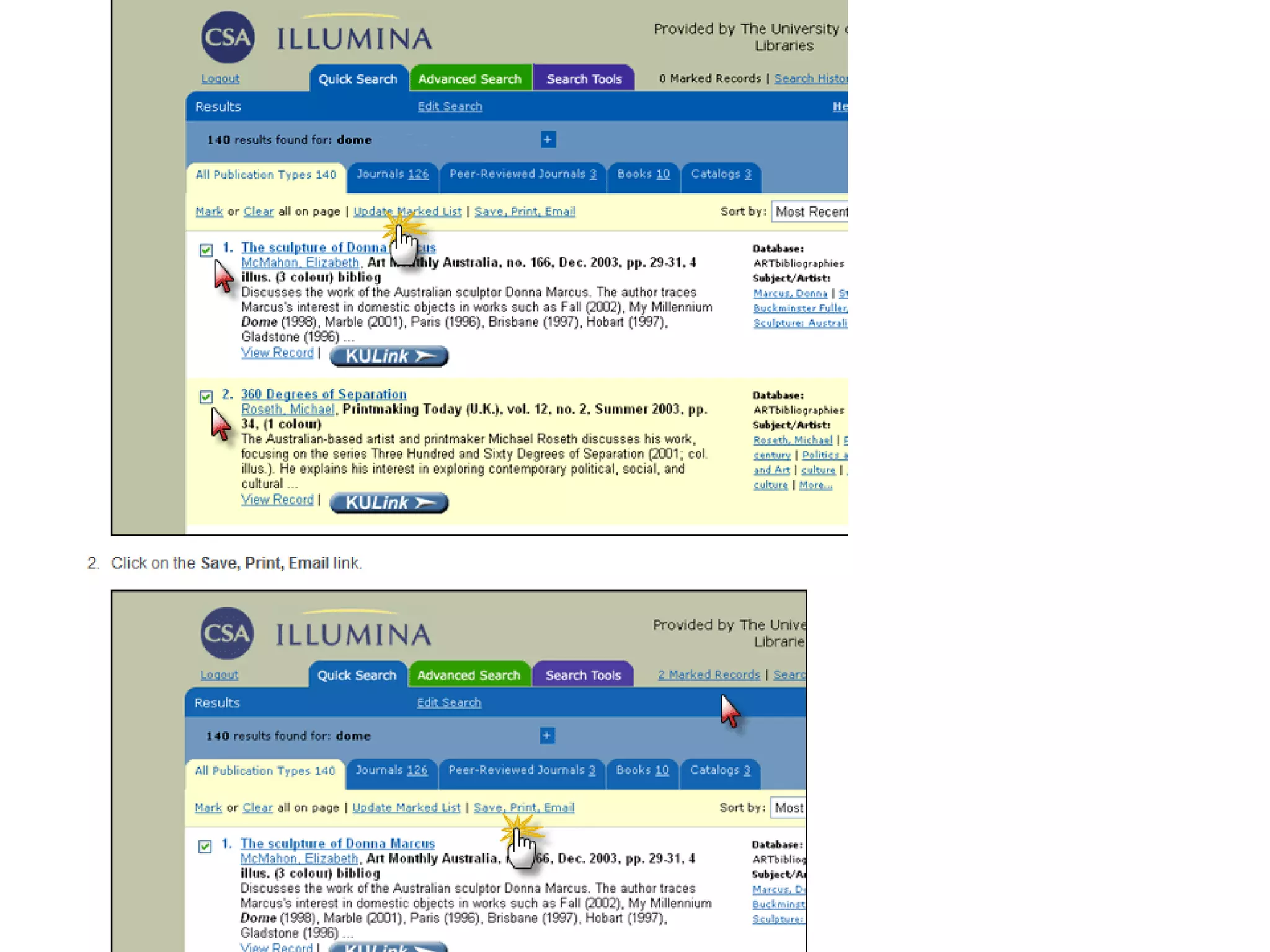
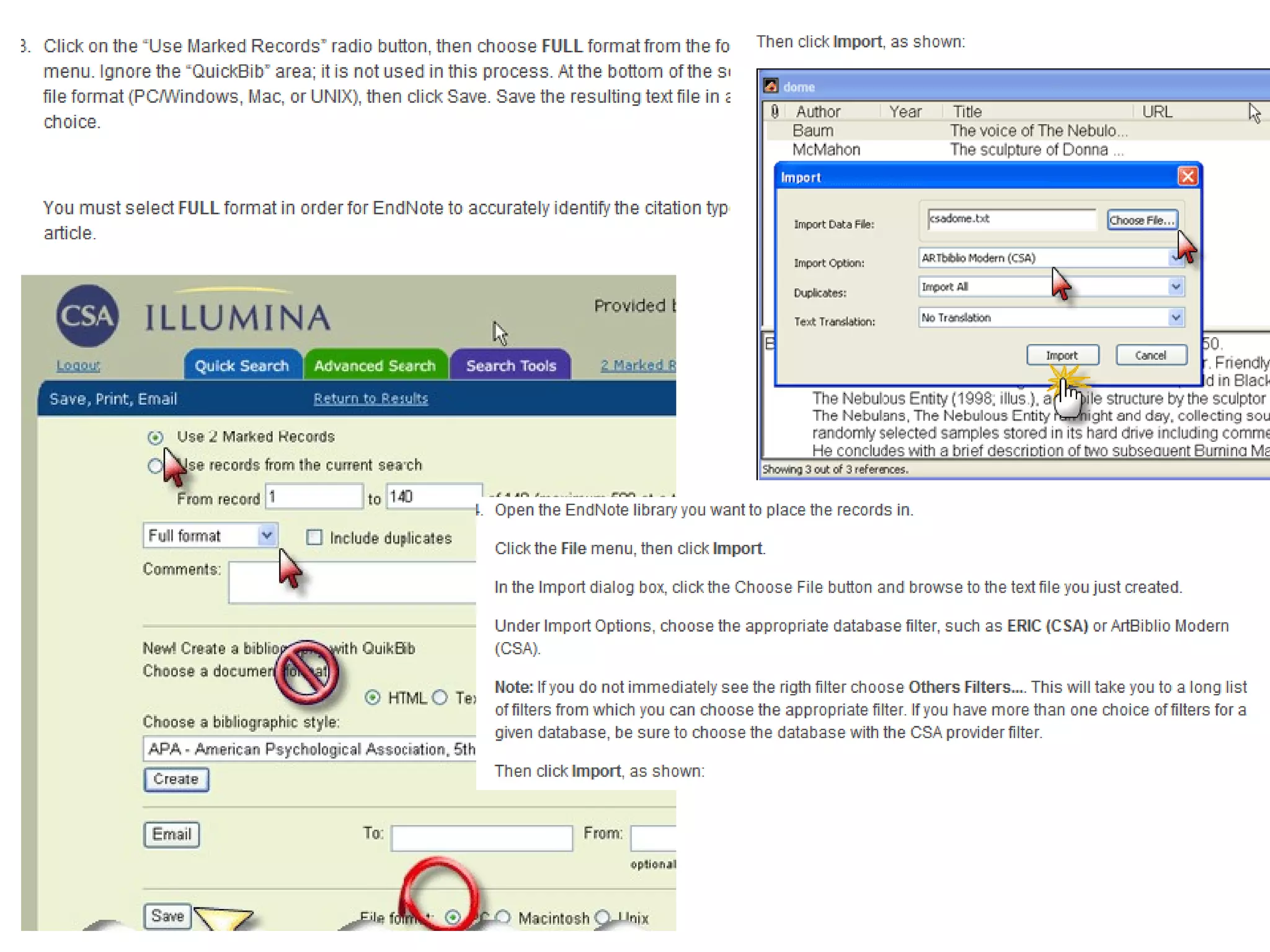
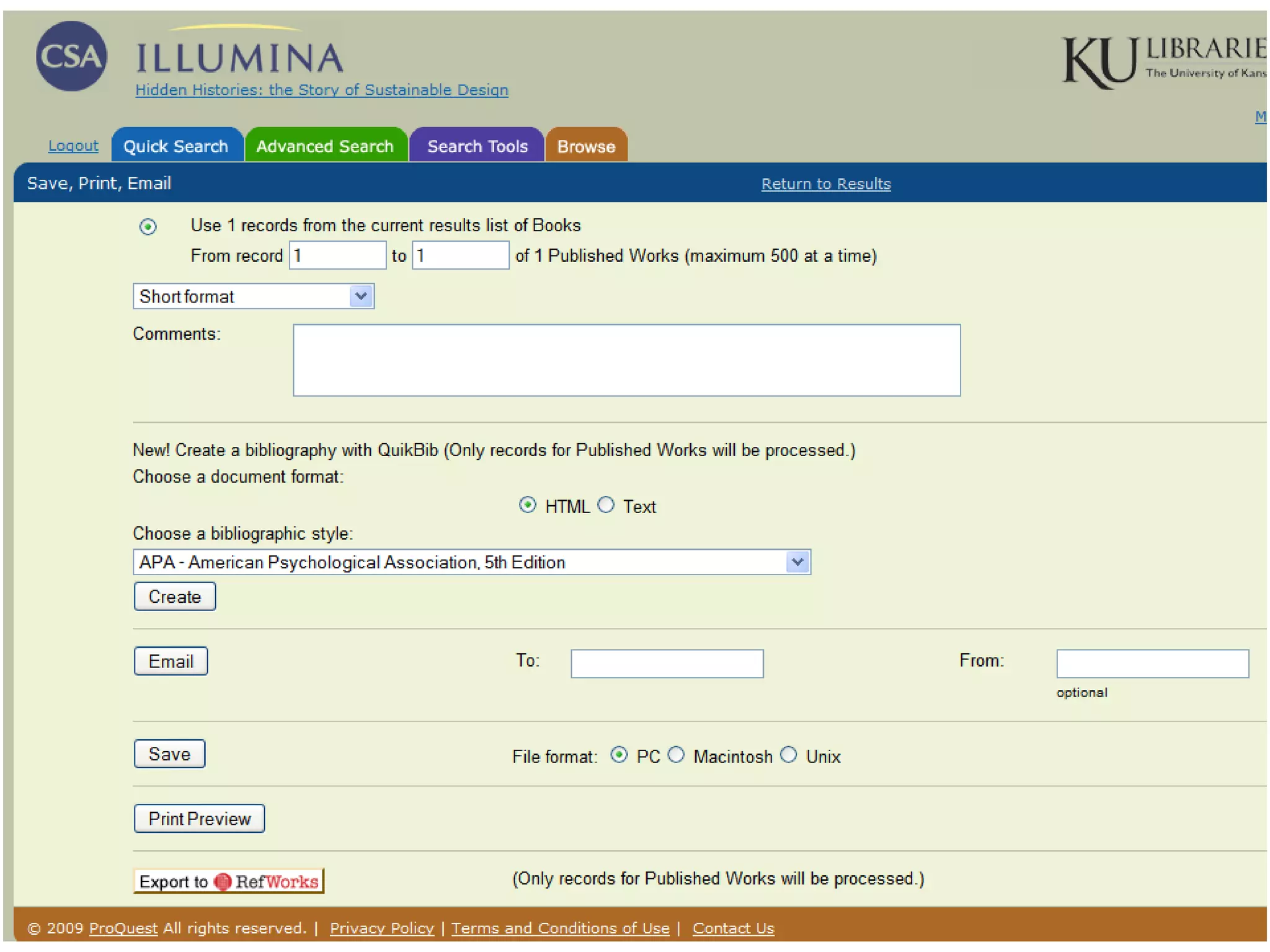
CSA Illumina


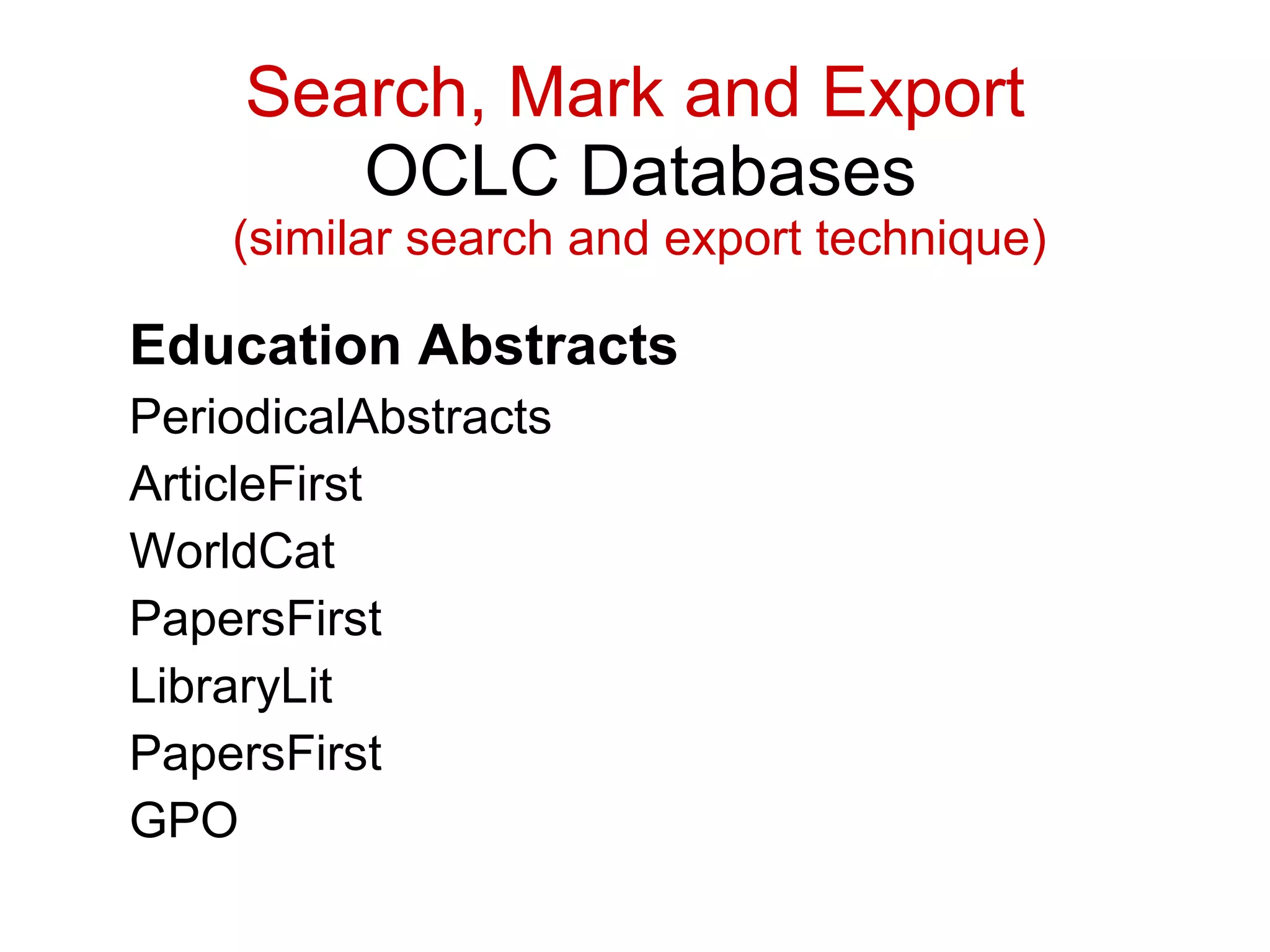
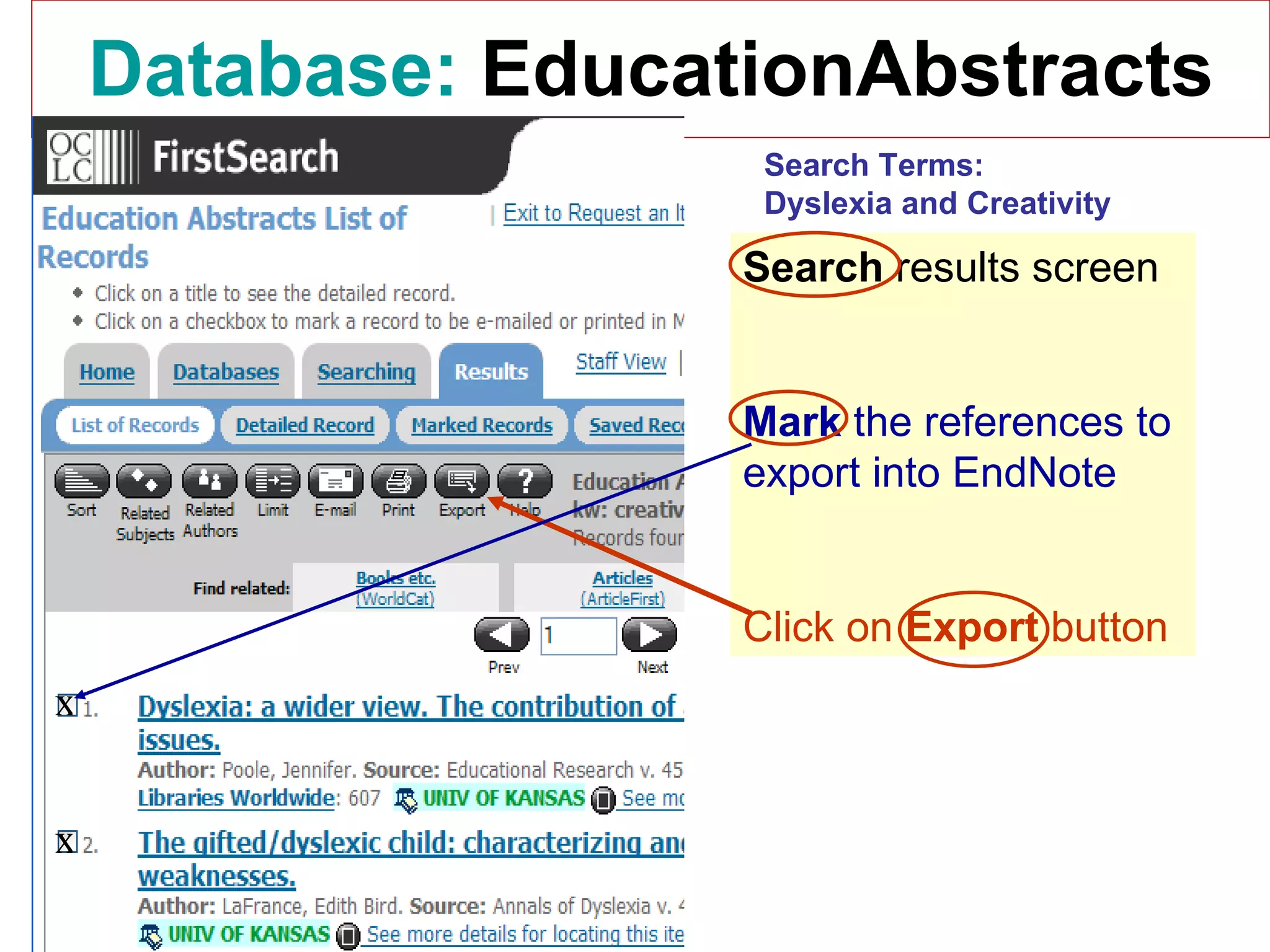
Education Abstracts PeriodicalAbstracts  ArticleFirst  WorldCat  PapersFirst  LibraryLit  PapersFirst  GPO  Search, Mark and Export   OCLC Databases     (similar search and export technique)
Database:   EducationAbstracts Search  results screen Mark  the references to export into EndNote Click on  Export  button x x Search Terms: Dyslexia and Creativity
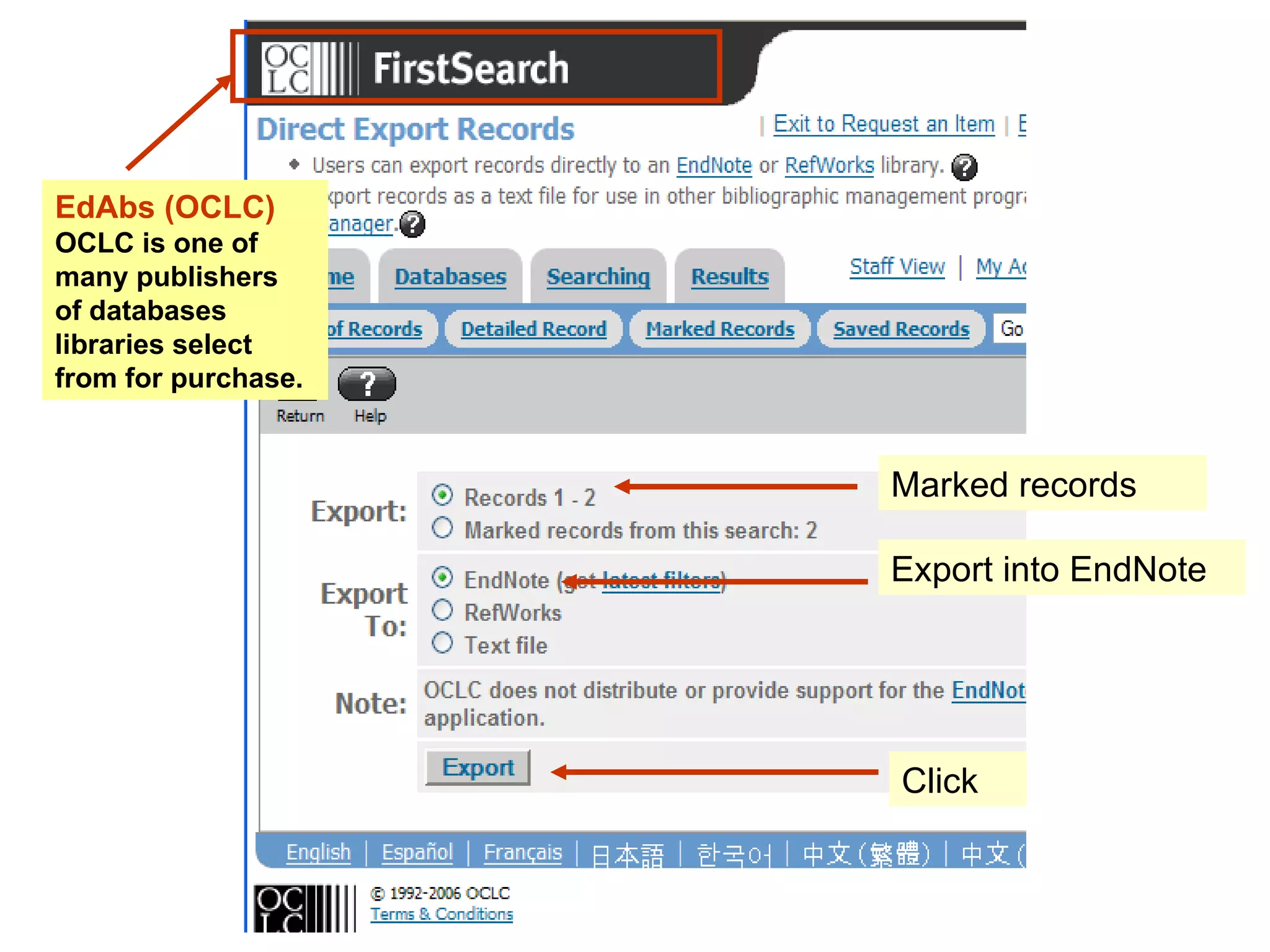
Marked records Export into EndNote Click EdAbs (OCLC) OCLC is one of many publishers  of databases libraries select from for purchase.
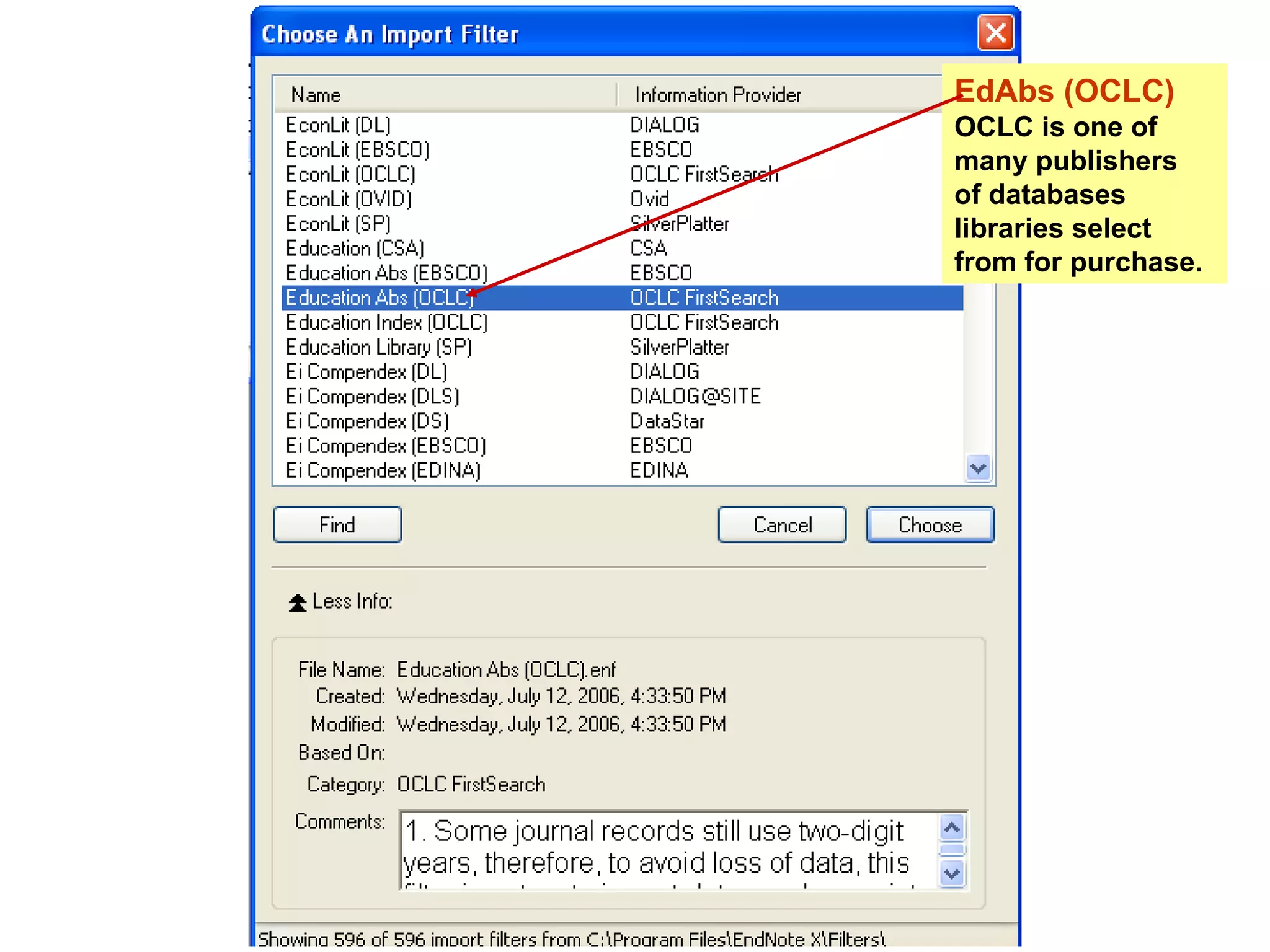
EdAbs (OCLC) OCLC is one of many publishers  of databases libraries select from for purchase.
Questions? Ask the librarian Lissa Lord [email_address] Next screen:  Links to learn more about EndNote3
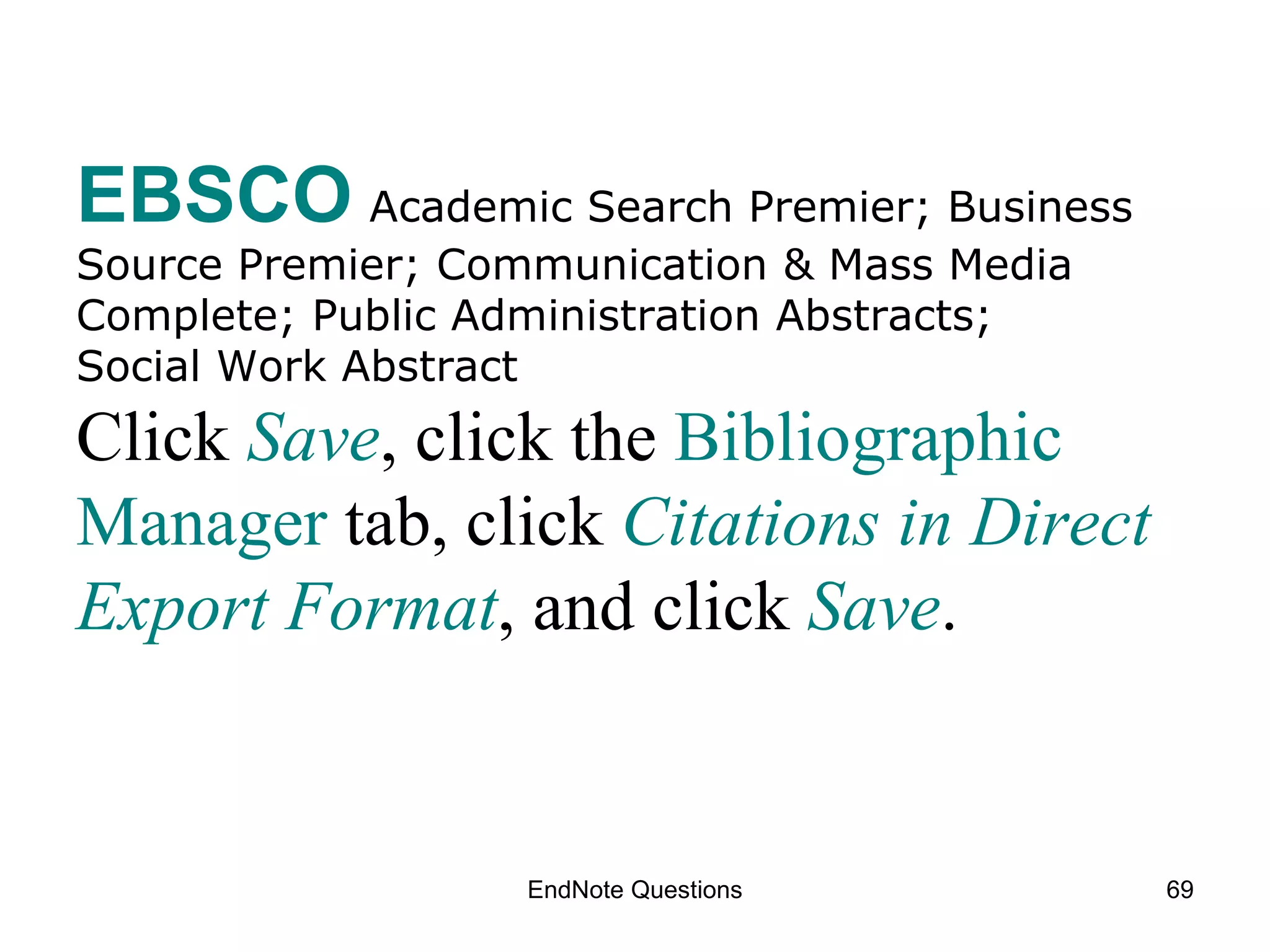
EndNote Questions EBSCO   Academic Search Premier; Business Source Premier; Communication & Mass Media Complete; Public Administration Abstracts;  Social Work Abstract Click   Save , click the  Bibliographic Manager  tab, click  Citations in Direct Export Format , and  click  Save .
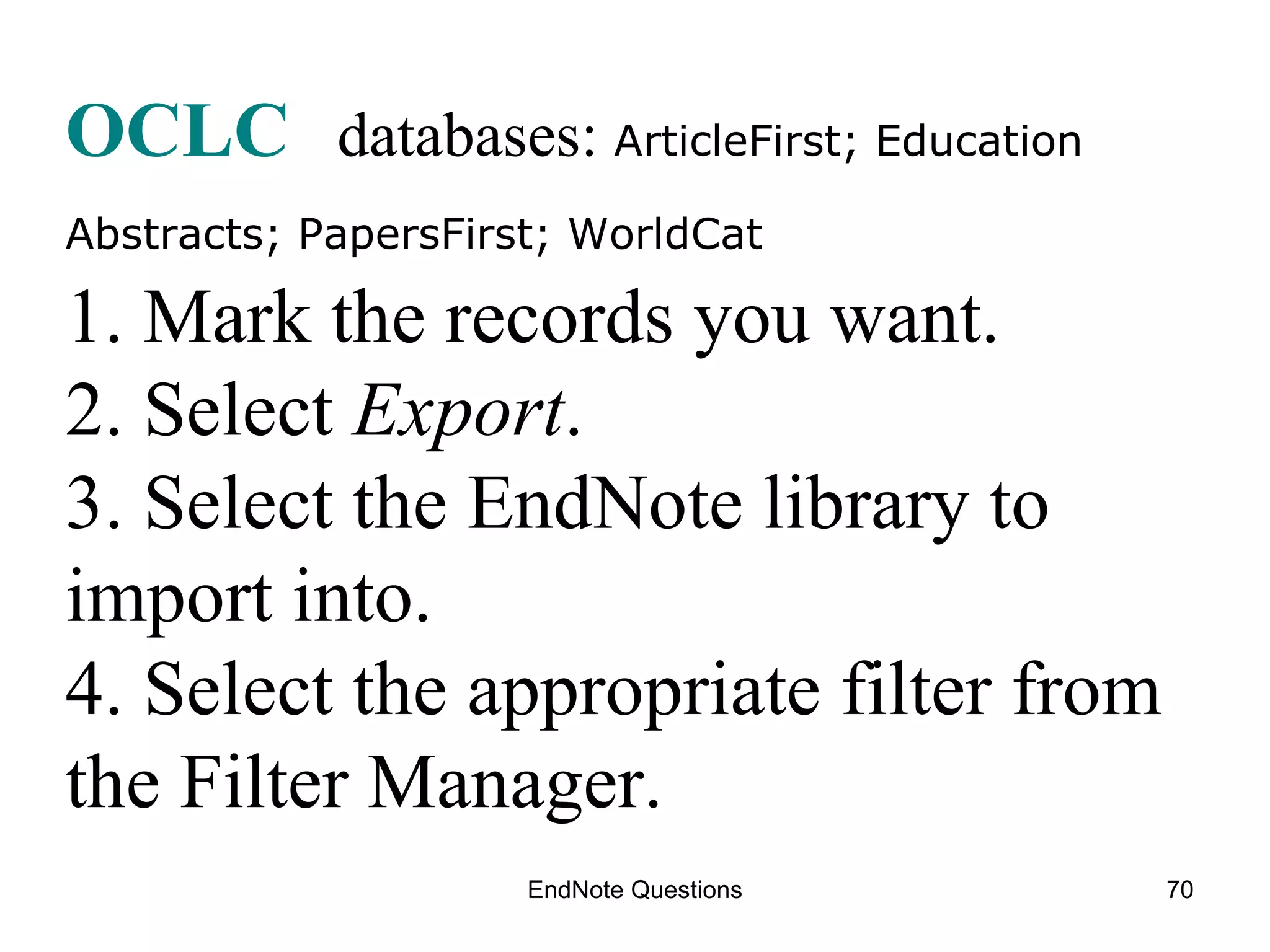
EndNote Questions OCLC   databases:  ArticleFirst; Education Abstracts; PapersFirst; WorldCat   1. Mark the records you want. 2. Select  Export . 3. Select the EndNote library to import into. 4. Select the appropriate filter from the Filter Manager.
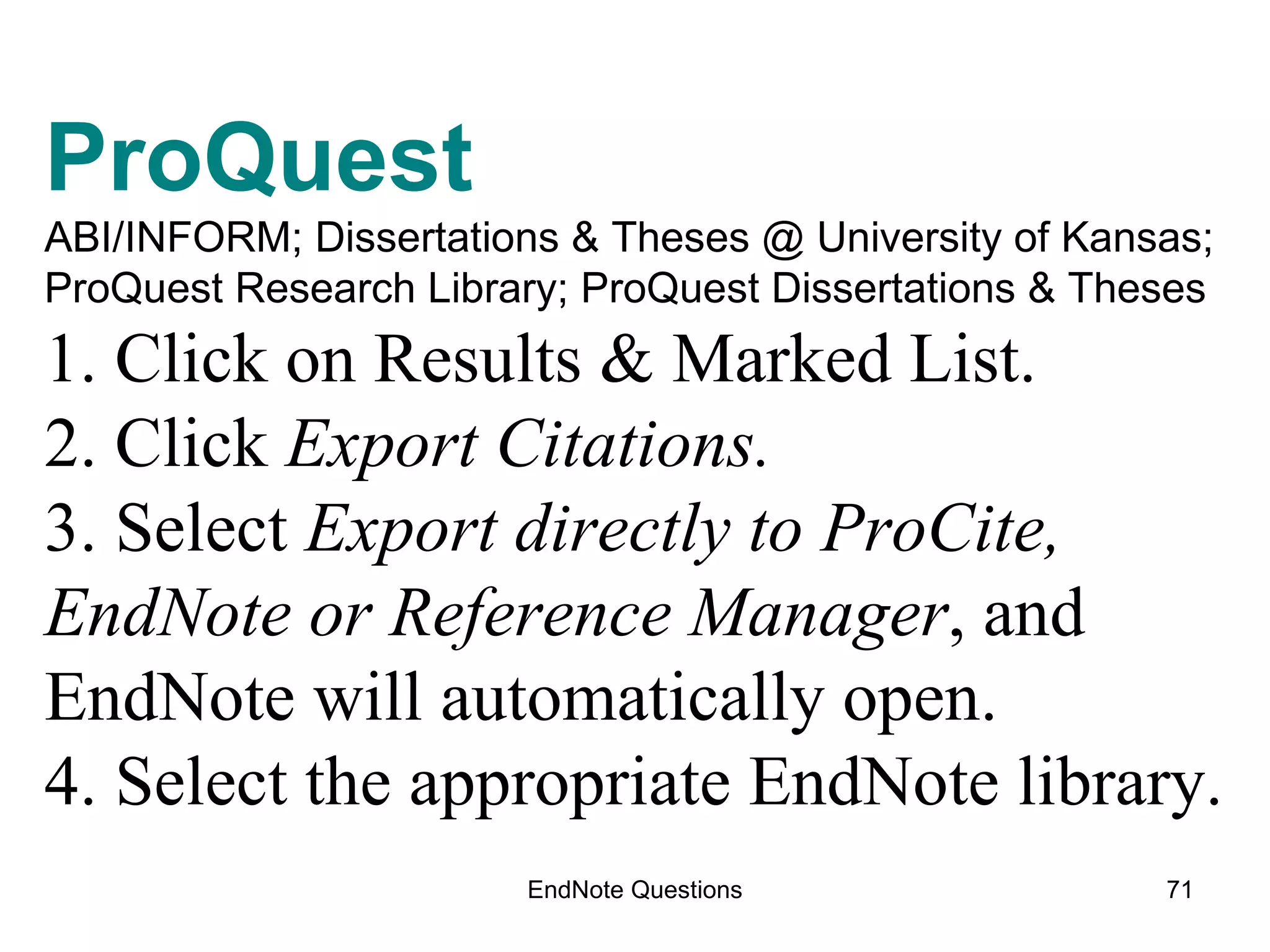
EndNote Questions ProQuest  ABI/INFORM; Dissertations & Theses @ University of Kansas;  ProQuest Research Library; ProQuest Dissertations & Theses 1. Click on Results & Marked List. 2. Click  Export Citations. 3. Select  Export directly to ProCite, EndNote or Reference Manager , and EndNote will automatically open. 4. Select the appropriate EndNote library.
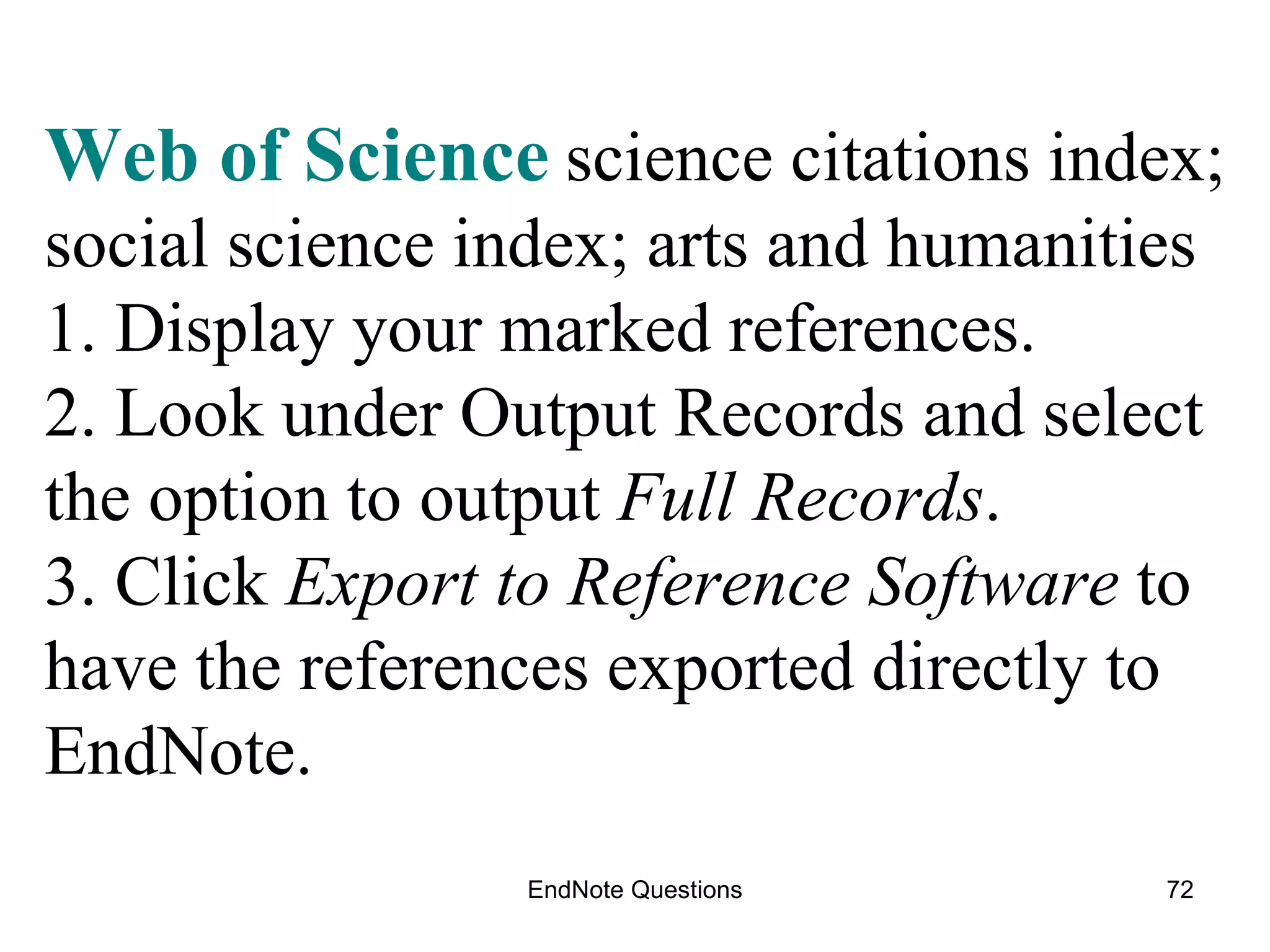
EndNote Questions Web of Science   science citations index; social science index; arts and humanities  1. Display your marked references. 2. Look under Output Records and select the option to output  Full Records . 3. Click  Export to Reference Software  to have the references exported directly to EndNote.
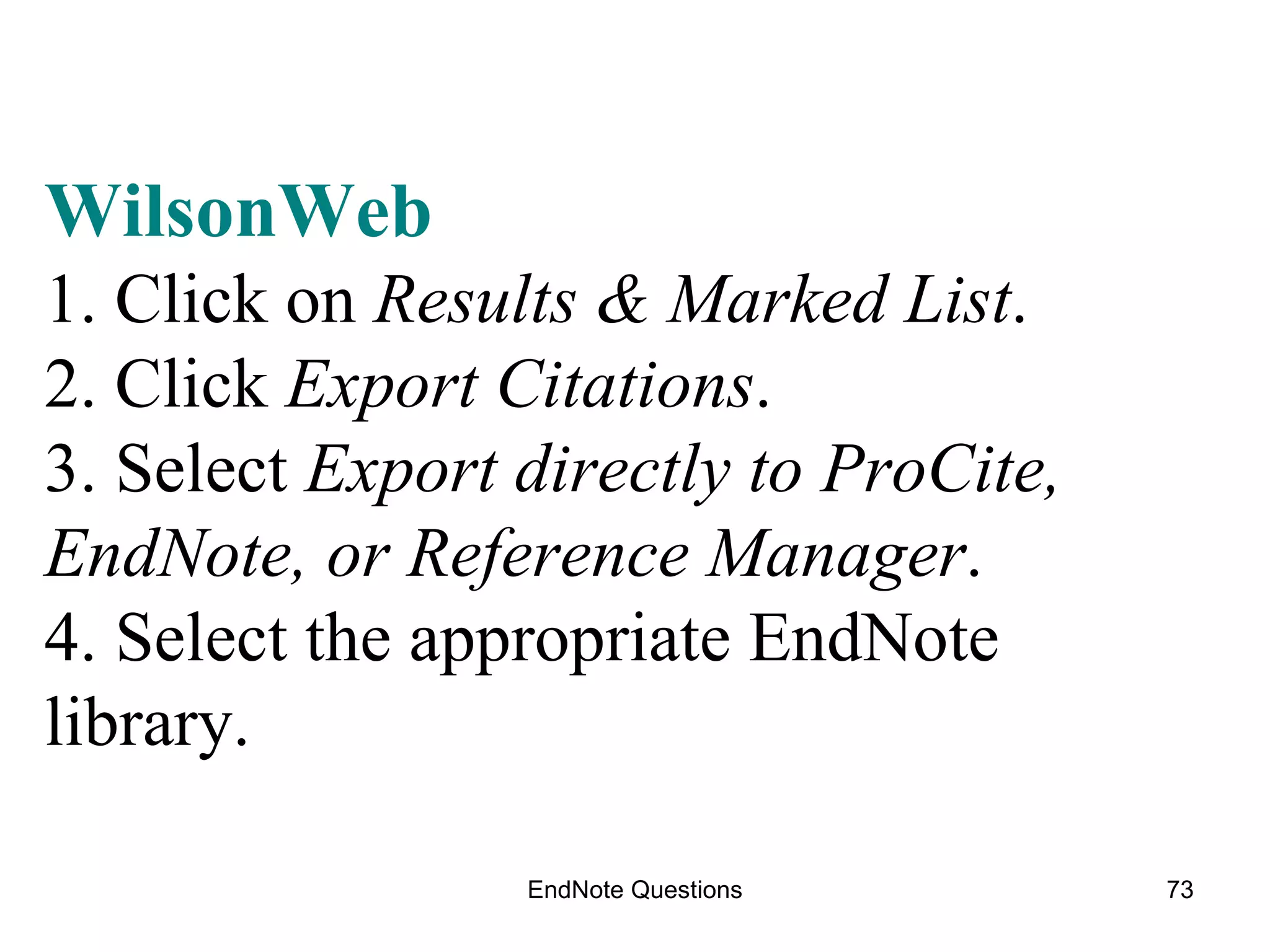
EndNote Questions WilsonWeb 1. Click on  Results & Marked List . 2. Click  Export Citations . 3. Select  Export directly to ProCite, EndNote, or Reference Manager . 4. Select the appropriate EndNote library.
You can down load a copy at http://www.technology.ku.edu/~technology/software/endnote/   Here is a good overview of what is new.  http://www.library.uq.edu.au/faqs/endnote/new_in_endnoteX3.html EndNote also has video tutorials on their website:  http://www.endnote.com/training/tutorials/EndNoteX3/EndNote_X3.asp
I’m suspicious of something that used to be so hard . . . And now is so easy! The next Endnote class is how to use Endnote and Word together, insert citations into your document and make bibliographies.   See You There ! Click  HERE   for a list of classes and dates.

End Note One

  • 1.
    The Tao ofEndNote is Scholarly Joy. EndNotes X3 Lissa Lord [email_address] Spring 2010
  • 2.
    Find thisSlideshow here: Dissertation Research Blog http://dissertationresearch.blogspot.com Right column under the weather report “60 minute classes”
  • 3.
    B egin researchwith EndNote Use EndNote for bibliographies in citing footnotes or endnotes EndNote organizes citations from journals, books, government sources, websites and databases saved during research EndNote is keyword searchable Free: Graduate students, faculty and staff at KU
  • 4.
    New Computer? NewWindows operating system? Windows 2007? “ EndNote X3 should work properly on 64-bit Windows operating systems.” http://www.endnote.com/support/faqs/Install/faq28.asp
  • 5.
    Installing Endnote on your computer
  • 6.
    Downloading & Extracting EndNote X3 KU www.ku.edu Search: download endnote KU EndNote download site:  http://www.technology.ku.edu/~technology/software/endnote/ Read entire screen before download
  • 7.
    KU wants tobe sure you are with the university.
  • 8.
  • 9.
    1. DOWNLOAD 2. EXTRACT ( unzip) 3. INSTALL
  • 10.
    (To Desktop iseasier) (Go with default settings) (Double click icon saved to Desktop)
  • 11.
  • 12.
  • 13.
  • 14.
    Install the KU Connection filter by downloading this file, UKansas.enz www.technology.ku.edu/~technology/software/endnote/UKansas.enz Save it to the Connection folder found in the EndNote program folder C:\Program Files\EndnoteX3\Connections (for Macs, Applications: EndNoteX3\Connections folder) To use the KU (catalog for books & databases for articles) from EndNote:
  • 15.
  • 16.
  • 17.
    A good idea:Restart your computer and open EndNote X3 from the start button on your computer.
  • 18.
    click Edit From within EndNote select catalog & databases
  • 19.
     Trouble? The IT helpdesk helped me out, big time HelpDesk Email: [email_address]
  • 20.
    Search the Catalogfrom inside EndNote
  • 21.
    Test to ensurethat EndNote was successfully installed : 1. Start  All Programs  EndNote  Open EndNote  Close 2. Open Word and look for the EndNote toolbar or ribbon tab.
  • 22.
    Open Word andEndNote should be a visible selection tab Click on the EndNote X3 tab and the EndNote program options appear on the Word toolbar screen.
  • 23.
  • 24.
    Using Endnote for the first time
  • 25.
    Step #1 OpenEndNote (Vista screen is slightly different) Before you do any research, create an EndNote Library Open EndNote by clicking on the icon You can make it a shortcut on your desktop
  • 26.
    Create a newEndNote Library Or , open an existing library
  • 27.
    This is anEndNote Library I put together last year with the older version of EndNote. I have now downloaded X3 and the library contains all items saved before. This is expected.
  • 28.
    APA 5 th is the citation style I have selected
  • 29.
    Importing References fromDatabase Search Results
  • 30.
    What to Remember:Open EndNote and Your EndNote Library Search for articles in a database Mark the articles you want to use Export the citations to EndNote Library
  • 31.
    Time for researchOpen EndNote library Go to KU Libraries Homepage http://www.lib.ku.edu Click Articles and Databases from the index in the left hand column Select an individual database that fits your research needs Note: if you would like a refresher on literature searches, send me an email and we’ll make an appointment. [email_address]
  • 32.
    The Best TipDetailed guide sheets for importing references from databases are available online here http://www.lib.ku.edu/technology/citing/import / Print out the instruction sheets for the databases you use most often
  • 33.
  • 34.
    P for Proquest Research Library
  • 35.
    Proquest research library Topics covered include arts, business, children, education, general interest, health, humanities, international studies, law, military, multicultural studies, psychology, sciences, social sciences, and women's interests.
  • 36.
    1) Search3) Export 2) Mark
  • 37.
    Use the dropdown menu to select the directory and file into which the marked citations will be exported.
  • 38.
    Exported Citations Clickon References from Endnote and select Show All which will put all your citations into one list
  • 39.
    But, where arethe references from my last search go? Downloaded references from Proquest database Click “ Show All References ” under References on the EndNote toolbar. Notice “Sort References.” Try sorting by Reference Type and you will have one list of all citations arranged by Book s, Journal s, URL , Reference type .
  • 40.
  • 41.
    Research Notes in the EndNote record can hold up to 10 pages of full text or of your own notes.
  • 42.
    Wilson OmniFile Providesindexing, abstracting and full-text content to journal articles in a variety of disciplines.
  • 43.
    Search : dyslexiaand creativity Mark the article you want Export to EndNote X
  • 44.
  • 45.
  • 46.
    After you clickEXPORT in Wilson you need to select the “download filter” for Endnote to use. The filter to Choose is “WilsonWeb.”
  • 47.
    The imported referencesfrom WilsonOmnifile. I can leave them Unfiled or put them in a group or make a new group. Where are all of the References that I’ve already downloaded into EndNote? Click All References !
  • 48.
    Online Search fromEndNote. The resources are from the Connections file that downloaded with the EndNoteX3 program. Remember the KU Library Catalog we had to download separately into our copy of EndNoteX3? This screen shows the results from a search in PubMed from EndNote . Convenient, yes. The best you can do? Probably not as thorough as a direct database search. Fun? Yes!
  • 49.
    3 Ways to get references into your EndNote Library From a Database (OCLC; Proquest; Wilson; and more) 1) search 2) mark 3) export references to EndNote Manually enter information into EndNote (adding non-electronic sources to EndNote: print, interviews, exhibits, your notes, etc.) From EndNote connect to library catalog or databases: 1) search 2) mark 3) import references into EndNote
  • 50.
    Entering References Manually Start EndNote and open your library Click: References  New Reference Click: Reference Type menu and select the type of information you are entering. New Reference Window: Enter info where you want it. You don’t have to use every category. More than one author? A fter name and press Enter to give each author a separate line in the Author Field . Remember that the Research Notes Field can store up to 10 pages of your notes, or full text articles, quotations, etc. Add an Image in the Image Field .. one image per reference, however.
  • 51.
  • 52.
    Google Scholar andCitation Links scholar.google.com “ Scholar Preferences ” to the right of search window Don’t forget to Find Library -university of kansas Allows access to KU journals from Google, cool. Import citations into Endnote
  • 53.
  • 54.
    Search Library Catalogfrom within EndNote From the Menu toolbar click Edit From Edit click Connection Files Open connection Manager Select the databases to connect to from Endnote Click the small X in the upper right hand corner to save Select UKansas Search the catalog author (last name first), title or keyword Note the pull down menu at the end of each line (And, Or, Not) To move references from results list, Right Click select items to “copy selections to”
  • 55.
    Click “ Tools” .. Click “ Online Searching ” .. Click :” U Kansas Catalog ” Search : use “And” to include terms One word to a line and “Any Field” Search Results Connecting to Library Catalog from EndNote
  • 56.
    Sort by clickingon the column
  • 57.
    I clicked onone of the results. Notice how much more information EndNote retrieved than just the citation data. You can also add your own notes and imported information to the record: A picture or graphic, up to 10 pages can be added under “ Research Notes .” Click on the “ x ” to close and save this record.
  • 58.
    I cannot figureout how this particular works so I can send the references I want to endnote? This is when you want to try:
  • 59.
  • 60.
  • 61.
  • 62.
  • 63.
  • 64.
    Education Abstracts PeriodicalAbstracts ArticleFirst WorldCat PapersFirst LibraryLit PapersFirst GPO Search, Mark and Export OCLC Databases (similar search and export technique)
  • 65.
    Database: EducationAbstracts Search results screen Mark the references to export into EndNote Click on Export button x x Search Terms: Dyslexia and Creativity
  • 66.
    Marked records Exportinto EndNote Click EdAbs (OCLC) OCLC is one of many publishers of databases libraries select from for purchase.
  • 67.
    EdAbs (OCLC) OCLCis one of many publishers of databases libraries select from for purchase.
  • 68.
    Questions? Ask thelibrarian Lissa Lord [email_address] Next screen: Links to learn more about EndNote3
  • 69.
    EndNote Questions EBSCO Academic Search Premier; Business Source Premier; Communication & Mass Media Complete; Public Administration Abstracts; Social Work Abstract Click Save , click the Bibliographic Manager tab, click Citations in Direct Export Format , and click Save .
  • 70.
    EndNote Questions OCLC databases: ArticleFirst; Education Abstracts; PapersFirst; WorldCat 1. Mark the records you want. 2. Select Export . 3. Select the EndNote library to import into. 4. Select the appropriate filter from the Filter Manager.
  • 71.
    EndNote Questions ProQuest ABI/INFORM; Dissertations & Theses @ University of Kansas; ProQuest Research Library; ProQuest Dissertations & Theses 1. Click on Results & Marked List. 2. Click Export Citations. 3. Select Export directly to ProCite, EndNote or Reference Manager , and EndNote will automatically open. 4. Select the appropriate EndNote library.
  • 72.
    EndNote Questions Webof Science science citations index; social science index; arts and humanities 1. Display your marked references. 2. Look under Output Records and select the option to output Full Records . 3. Click Export to Reference Software to have the references exported directly to EndNote.
  • 73.
    EndNote Questions WilsonWeb1. Click on Results & Marked List . 2. Click Export Citations . 3. Select Export directly to ProCite, EndNote, or Reference Manager . 4. Select the appropriate EndNote library.
  • 74.
    You can download a copy at http://www.technology.ku.edu/~technology/software/endnote/ Here is a good overview of what is new. http://www.library.uq.edu.au/faqs/endnote/new_in_endnoteX3.html EndNote also has video tutorials on their website: http://www.endnote.com/training/tutorials/EndNoteX3/EndNote_X3.asp
  • 75.
    I’m suspicious ofsomething that used to be so hard . . . And now is so easy! The next Endnote class is how to use Endnote and Word together, insert citations into your document and make bibliographies. See You There ! Click HERE for a list of classes and dates.

Editor's Notes

  • #28 There is some detail work to be done, however. What is the default citation format (APA, MLA, Vancouver, etc.?) What is the default font for the screen? Check out the persistent URLs. Are they persisting? Notice the articles cited come from databases, the Internet, Journals on the Internet and an electronic book.
  • #41 This screen displays the 37 Unfiled references that I have in my Library: Dyslexia EndNote X3 allows me to move selected entries to a Group, to several groups, to the Trash. I have selected five entries to move to my new group, Dyslexia & Writing. In EndNote, I select “Groups” from the top toolbar and select “Add References to . . .the group of my choice—Dyslexia & Writing” and these five references were taken out of Unfiled and put into the New Group. Smart Groups share the same Keyword, dyslexia. Tagging your entries with specific terms is to your advantage when later you are trying to round things up for a paper.