
Embracing Distributed Version Control How to Drastically Improve Collaboration, Experimentation, Productivity, Freedom, Flexibility, Data Integrity and take two strokes off of your golf game
Lets Talk About It Open Forum  Ask questions Ask for demonstrations   Add opinions Share experiences Try it yourself
What's the Big Deal? Tools should mold to your process Projects have lots of independent features Feature isolation  "Major Milestone" vs. "Release Often" "Only commit when its done" is limiting
The Basics  
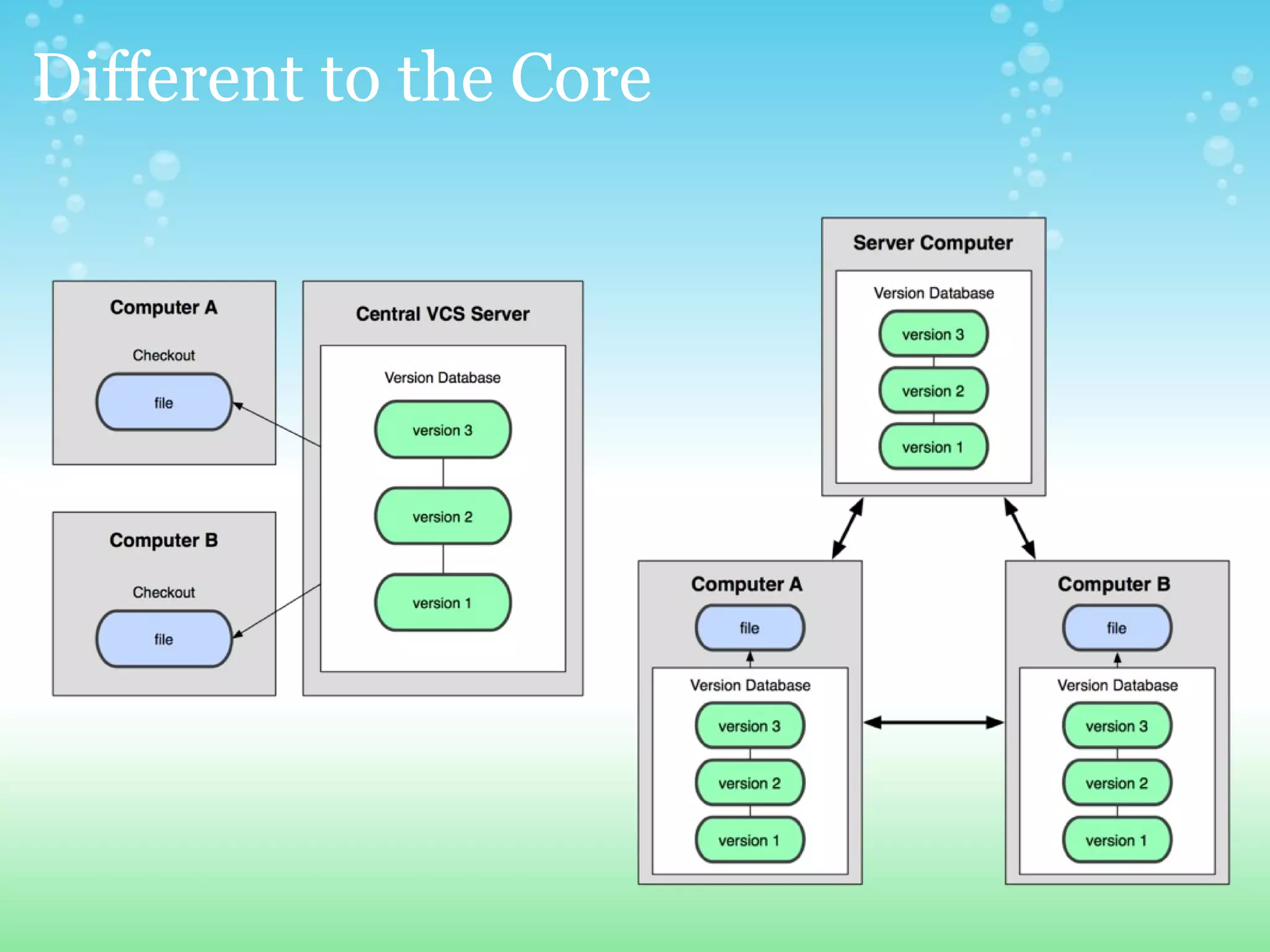
Centralized Version Control Systems One centralized server with the revision database single point of failure Clients checkout a working copy to their machine Most operations happen on the server Checkouts/Updates happen one directory at a time Linear revision history (merges squash commits) Every directory contains a "special folder"  
Distributed Version Control Systems Every client has a full revision history locally # backups == # clients  no need to be online All operations are local (except sharing) Non-linear revision history Network operations are compressed into packed downloads  Working copy is independent of versioning system
Different to the Core
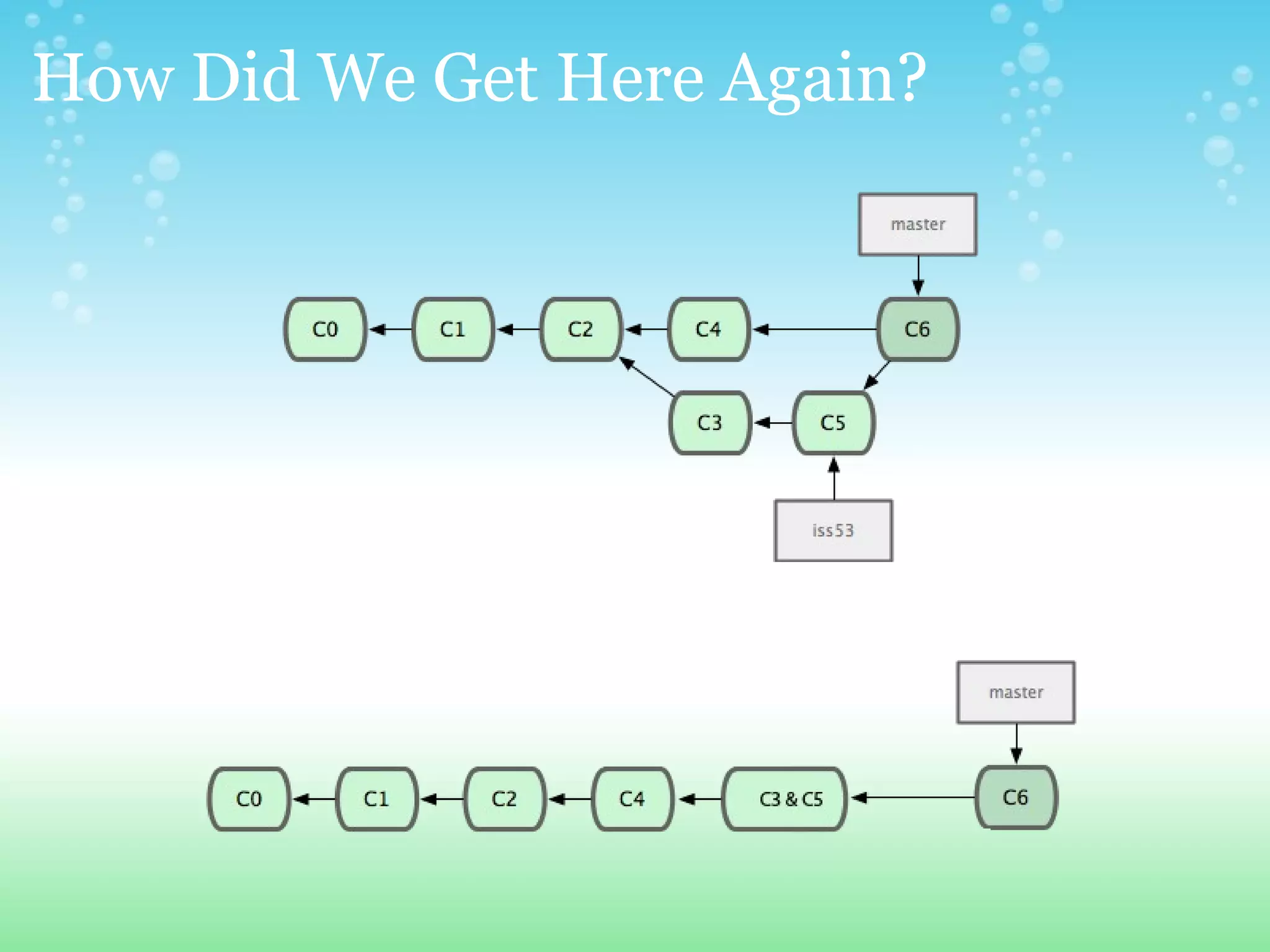
How Did We Get Here Again?  
There Can Only Be One... or maybe two Everyone has their own opinions In the end choose what system fits best but whatever you do, choose a DVCS  (at least for your local development) Today we will compare SVN and GIT
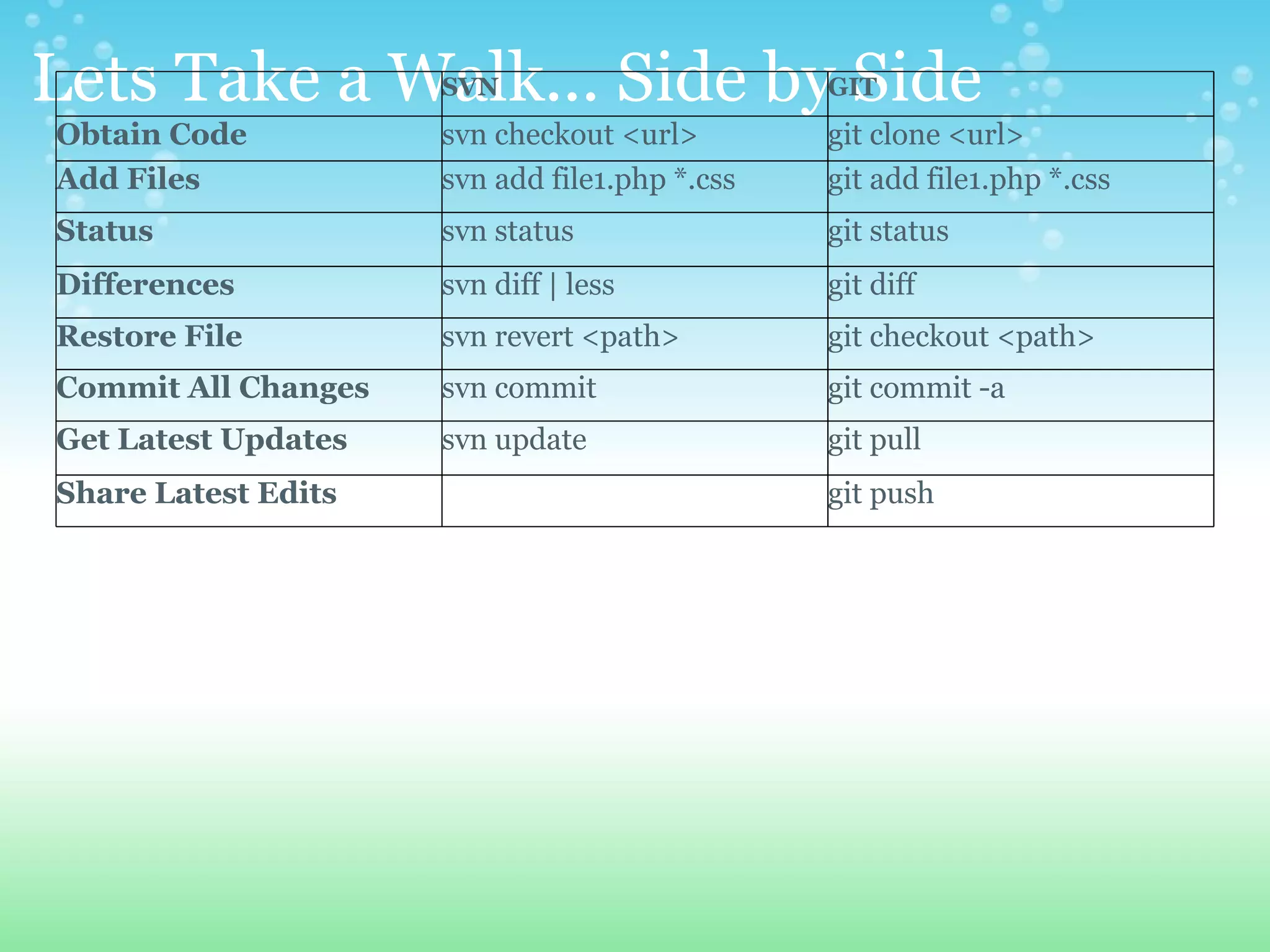
Lets Take a Walk... Side by Side SVN GIT Obtain Code svn checkout <url> git clone <url> Add Files svn add file1.php *.css git add file1.php *.css Status svn status git status Differences svn diff | less git diff Restore File svn revert <path> git checkout <path> Commit All Changes  svn commit git commit -a  Get Latest Updates svn update git pull Share Latest Edits git push
Branching  
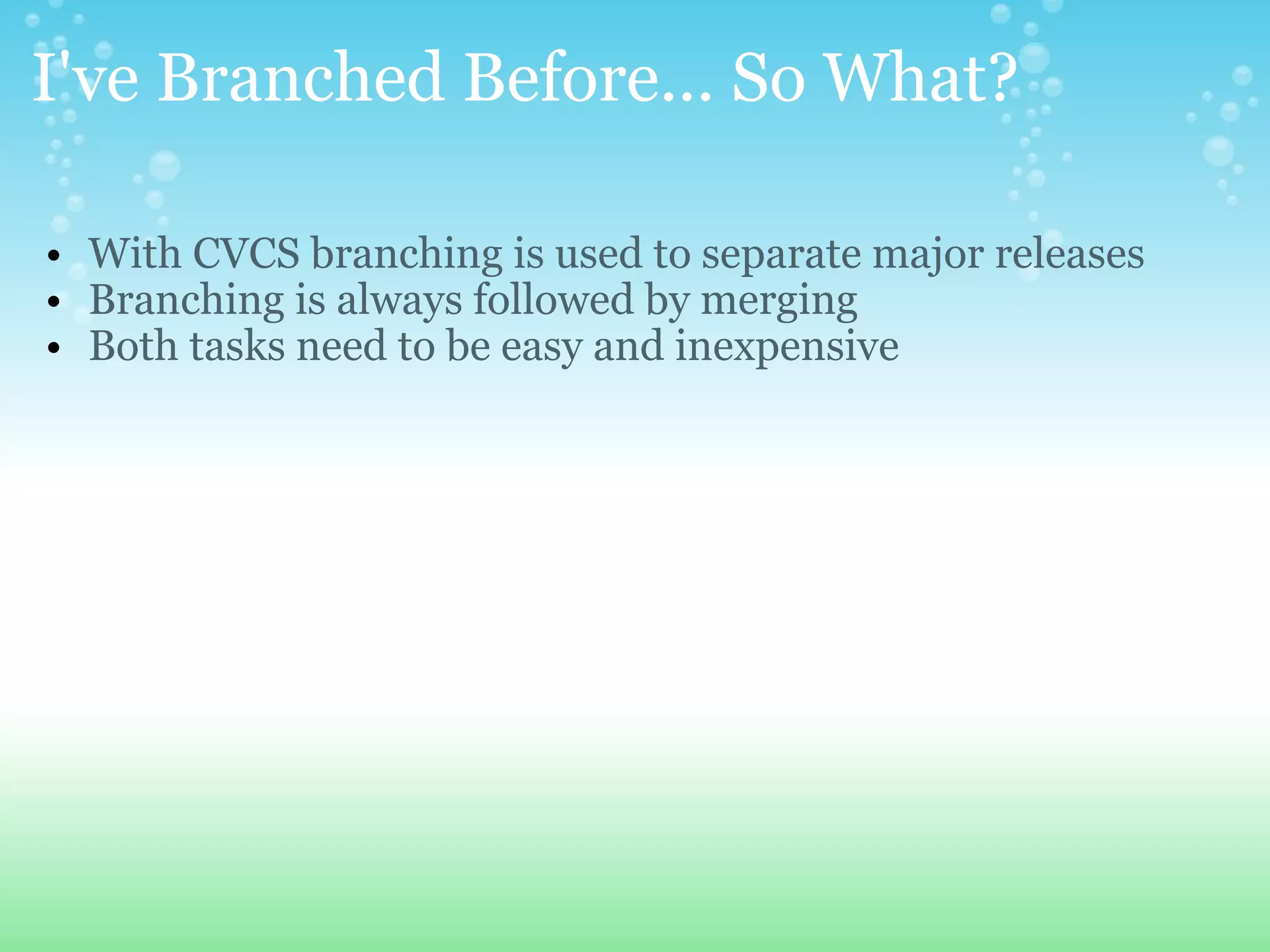
I've Branched Before... So What? With CVCS branching is used to separate major releases Branching is always followed by merging Both tasks need to be easy and inexpensive
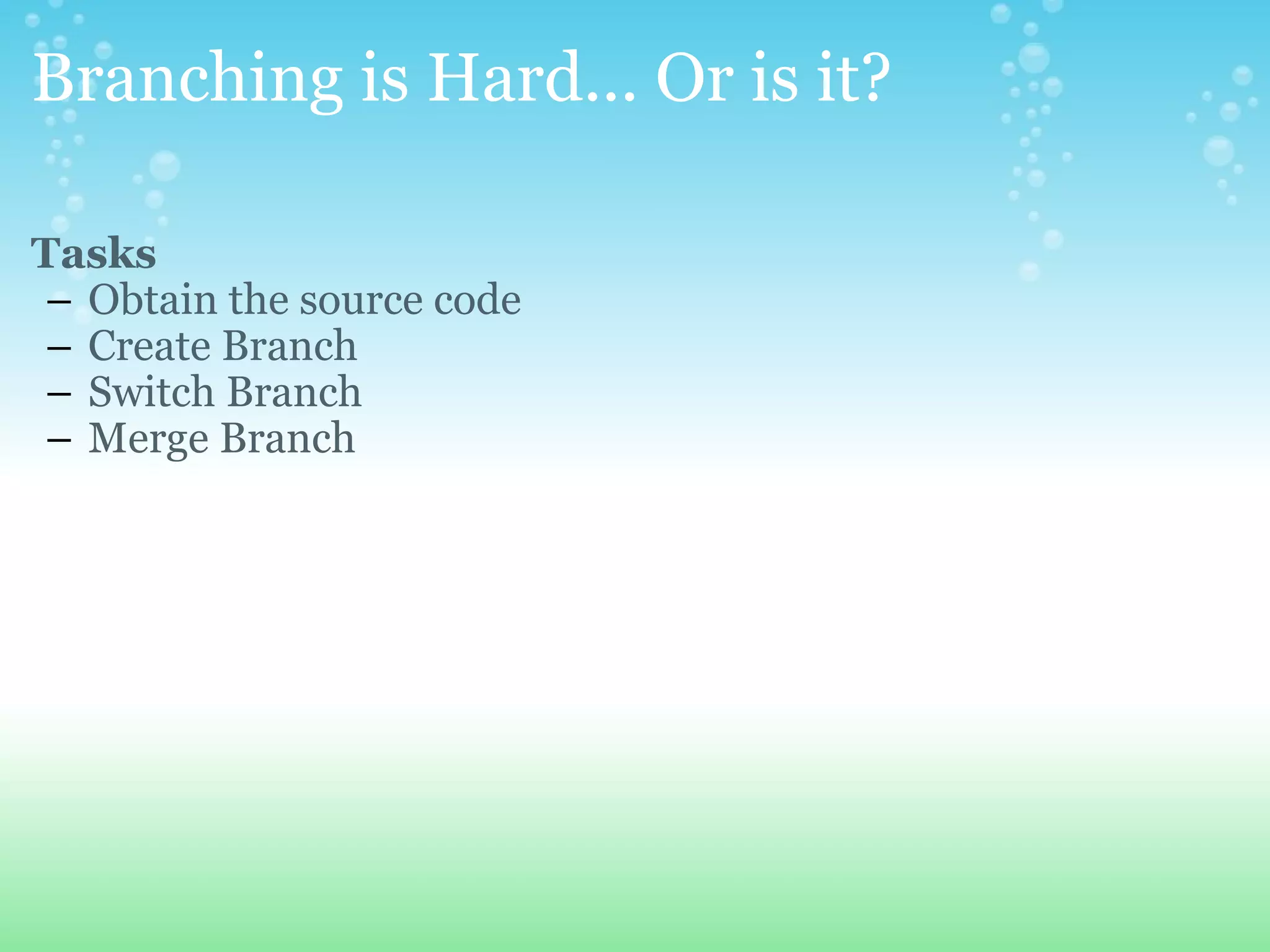
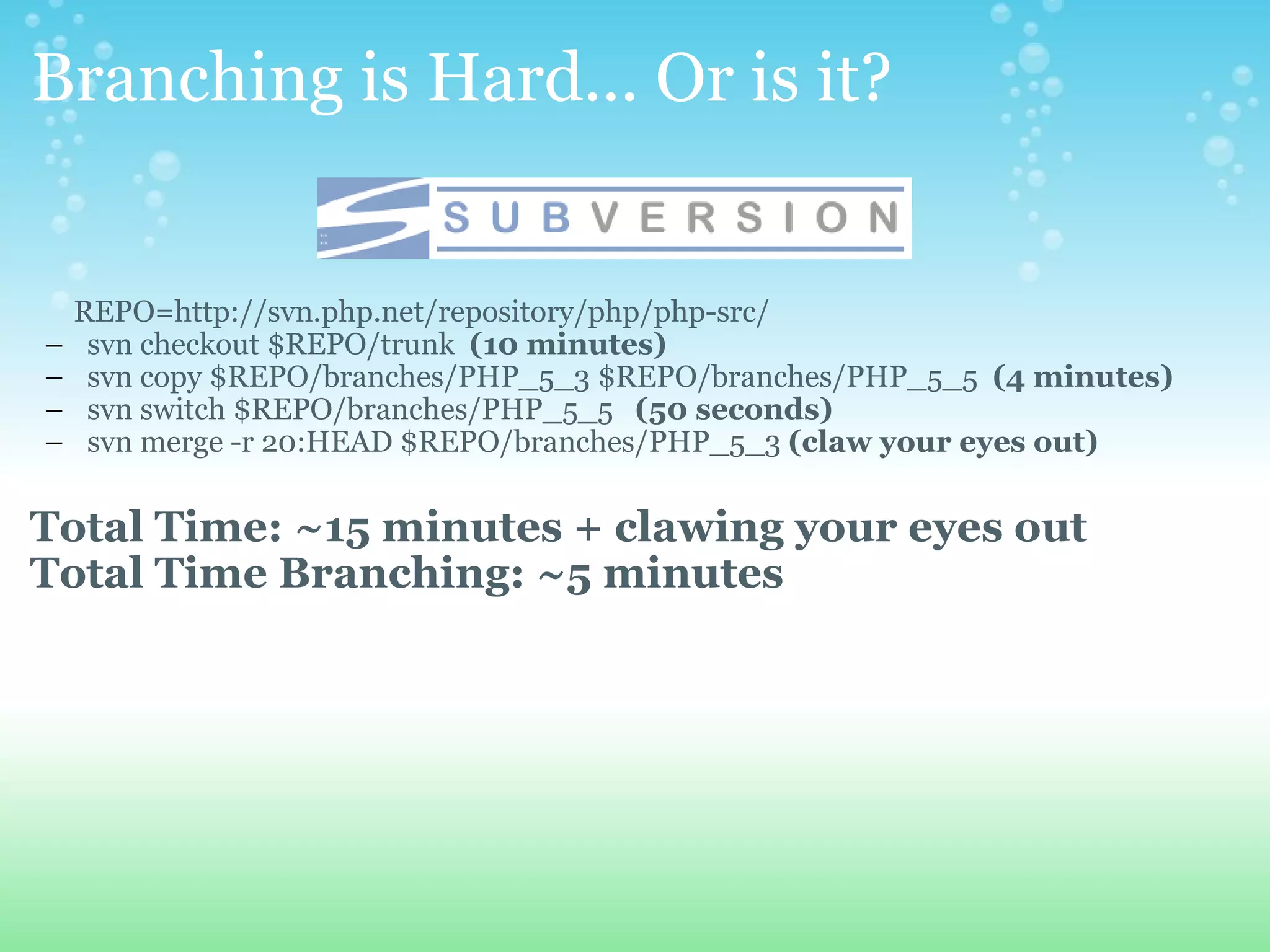
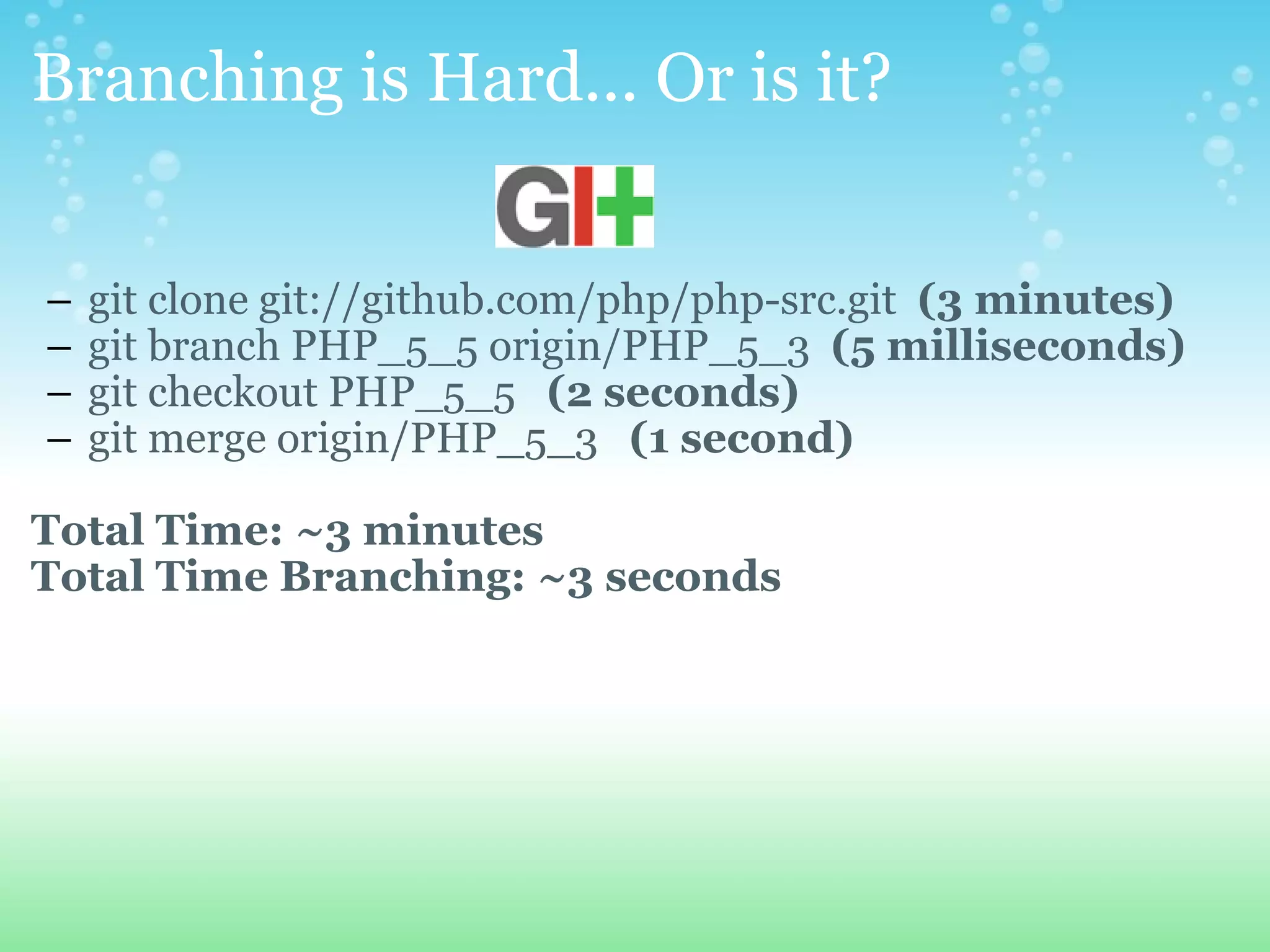
Branching is Hard... Or is it? Tasks Obtain the source code Create Branch Switch Branch Merge Branch
Branching is Hard... Or is it?            REPO=http://svn.php.net/repository/php/php-src/ svn checkout $REPO/trunk   (10 minutes) svn copy $REPO/branches/PHP_5_3 $REPO/branches/PHP_5_5   (4 minutes) svn switch $REPO/branches/PHP_5_5    (50 seconds) svn merge -r 20:HEAD $REPO/branches/PHP_5_3  (claw your eyes out)   Total Time: ~15 minutes + clawing your eyes out  Total Time Branching: ~5 minutes   
Branching is Hard... Or is it?   git clone git://github.com/php/php-src.git   (3 minutes)   git branch PHP_5_5 origin/PHP_5_3   (5 milliseconds) git checkout PHP_5_5    (2 seconds) git merge origin/PHP_5_3    (1 second)   Total Time: ~3 minutes Total Time Branching: ~3 seconds
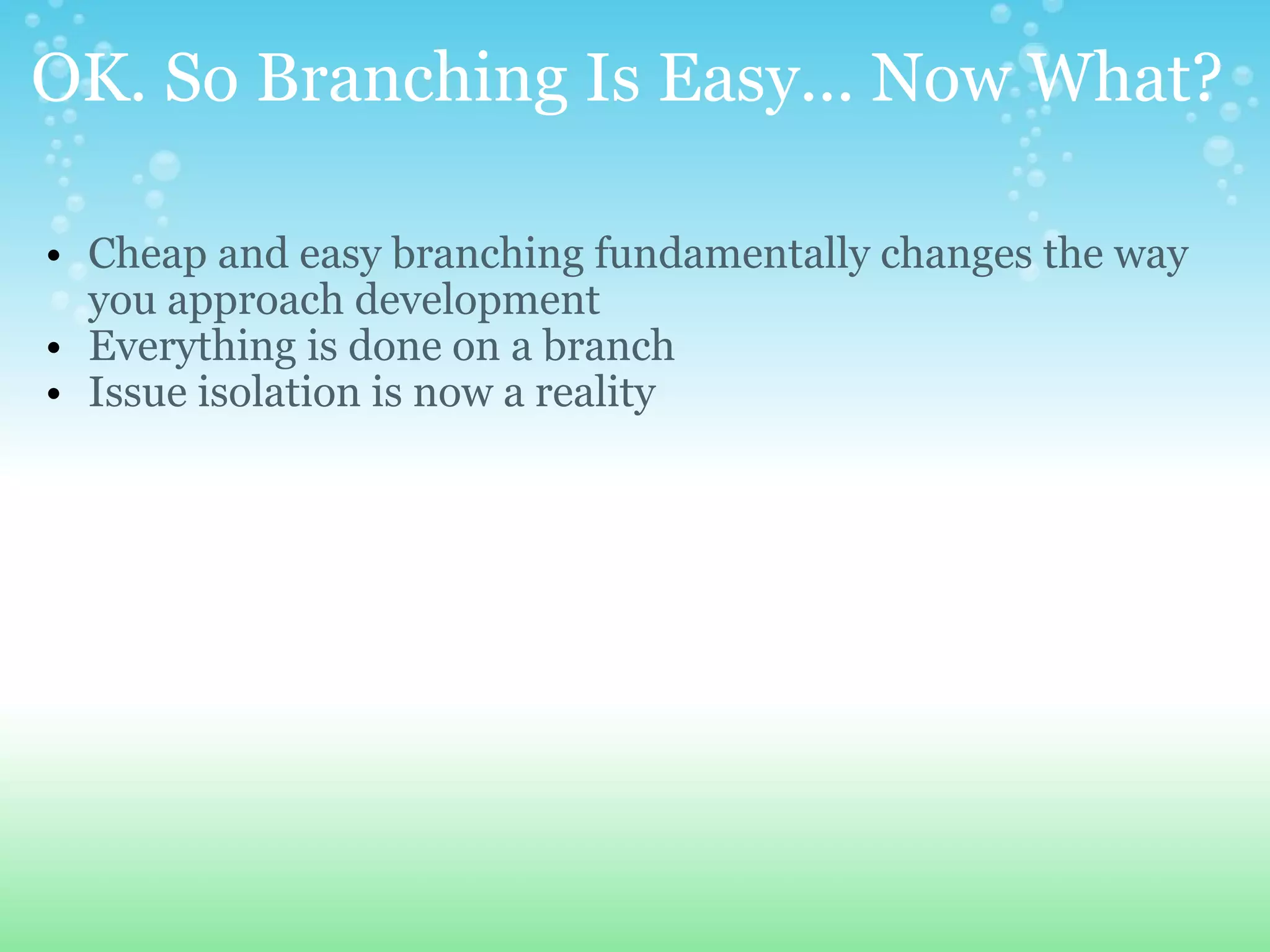
OK. So Branching Is Easy... Now What? Cheap and easy branching fundamentally changes the way you approach development Everything is done on a branch Issue isolation is now a reality
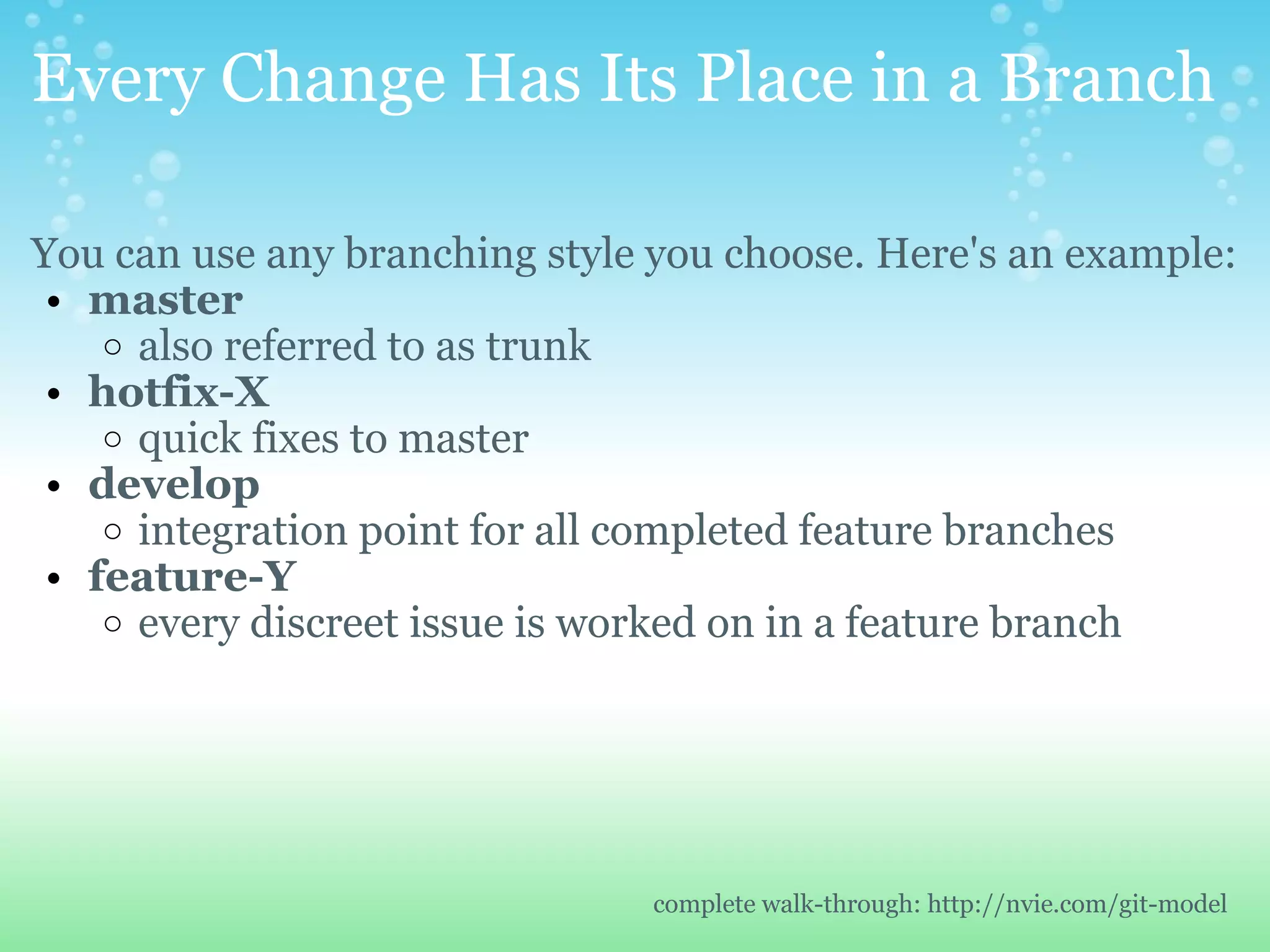
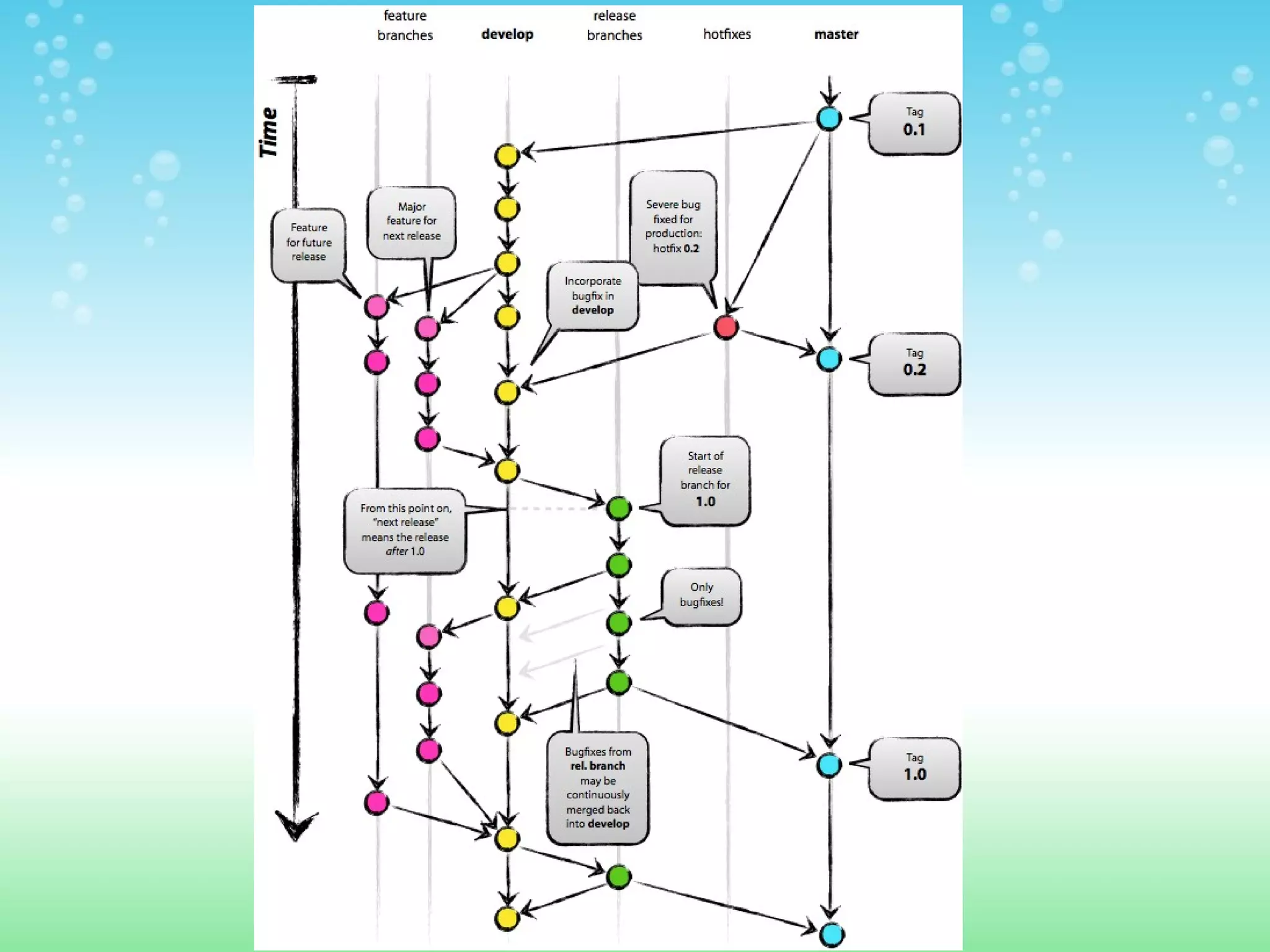
Every Change Has Its Place in a Branch You can use any branching style you choose. Here's an example: master also referred to as trunk hotfix-X quick fixes to master  develop integration point for all completed feature branches feature-Y every discreet issue is worked on in a feature branch complete walk-through: http://nvie.com/git-model
 
Workflow  
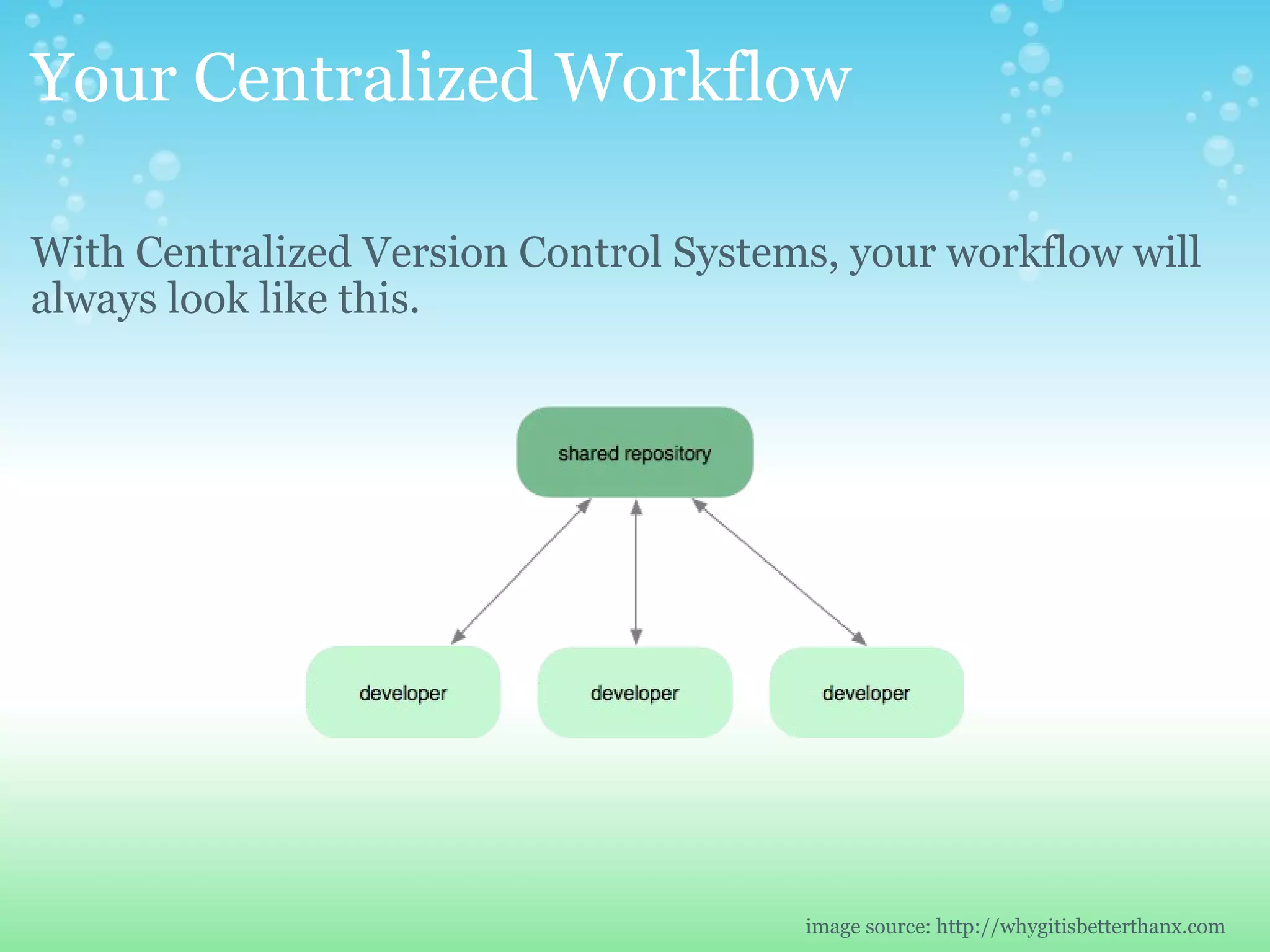
Your Centralized Workflow With Centralized Version Control Systems, your workflow will always look like this. image source: http://whygitisbetterthanx.com
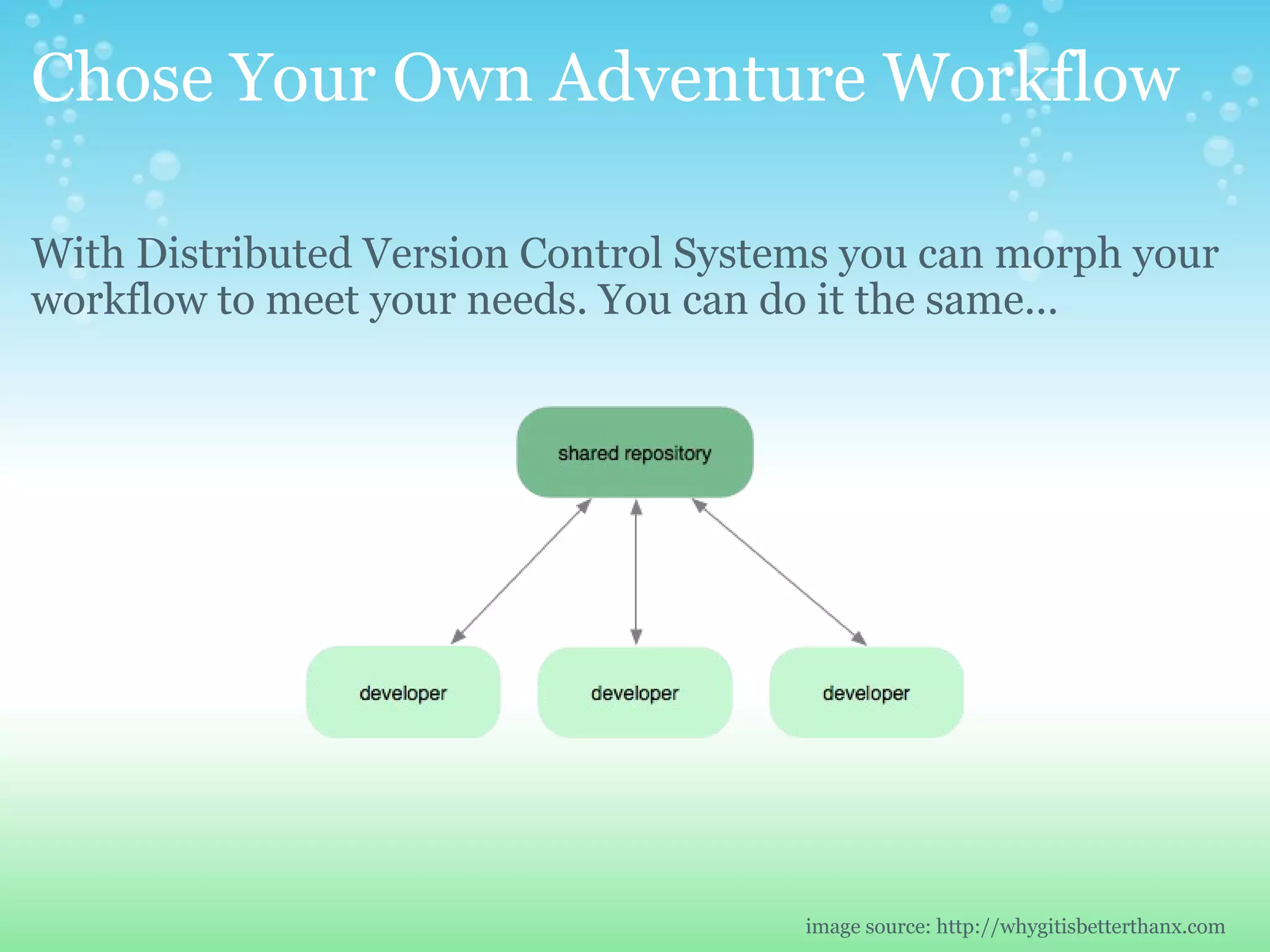
Chose Your Own Adventure Workflow With Distributed Version Control Systems you can morph your workflow to meet your needs. You can do it the same... image source: http://whygitisbetterthanx.com
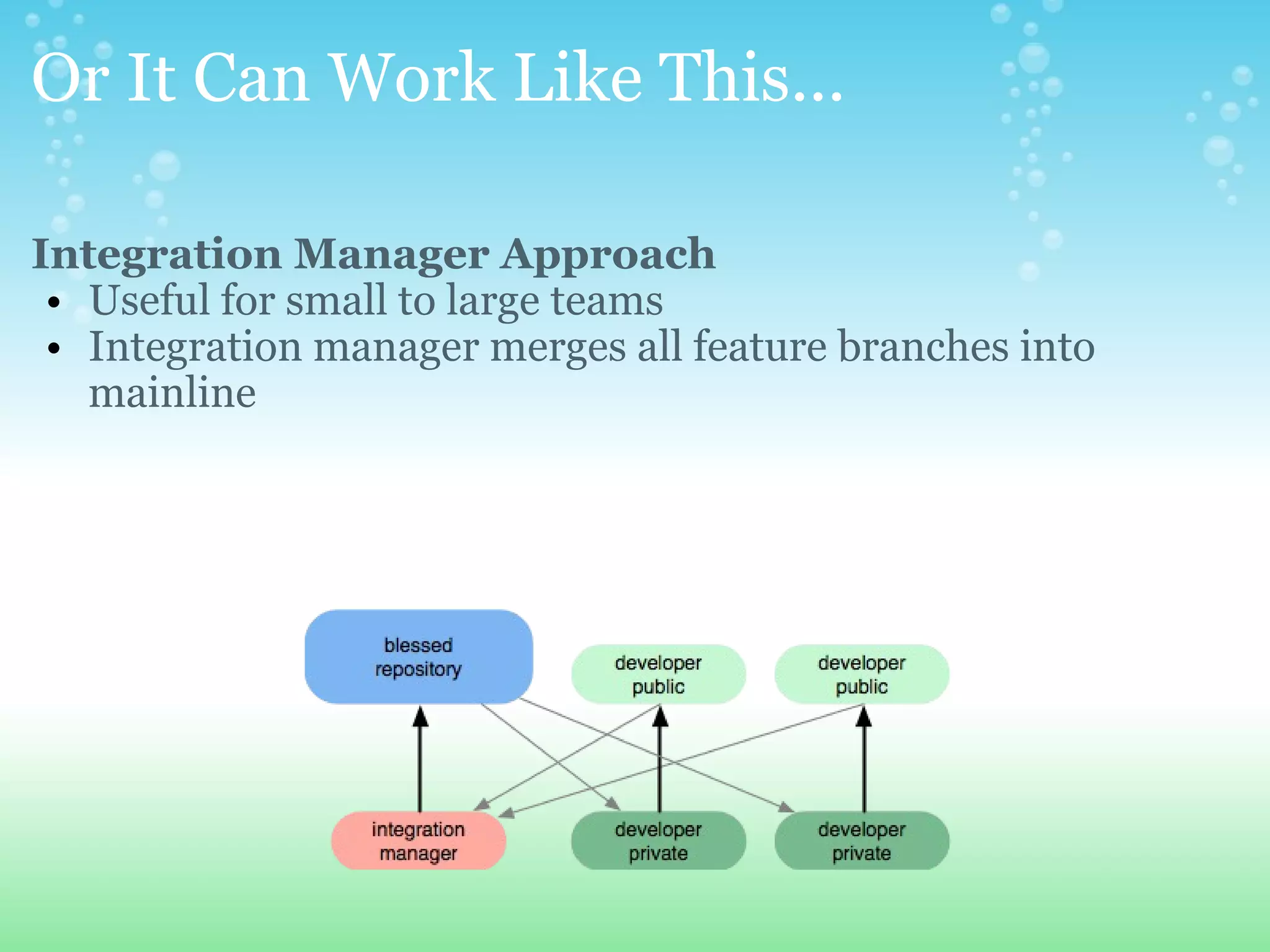
Or It Can Work Like This... Integration Manager Approach Useful for small to large teams Integration manager merges all feature branches into mainline
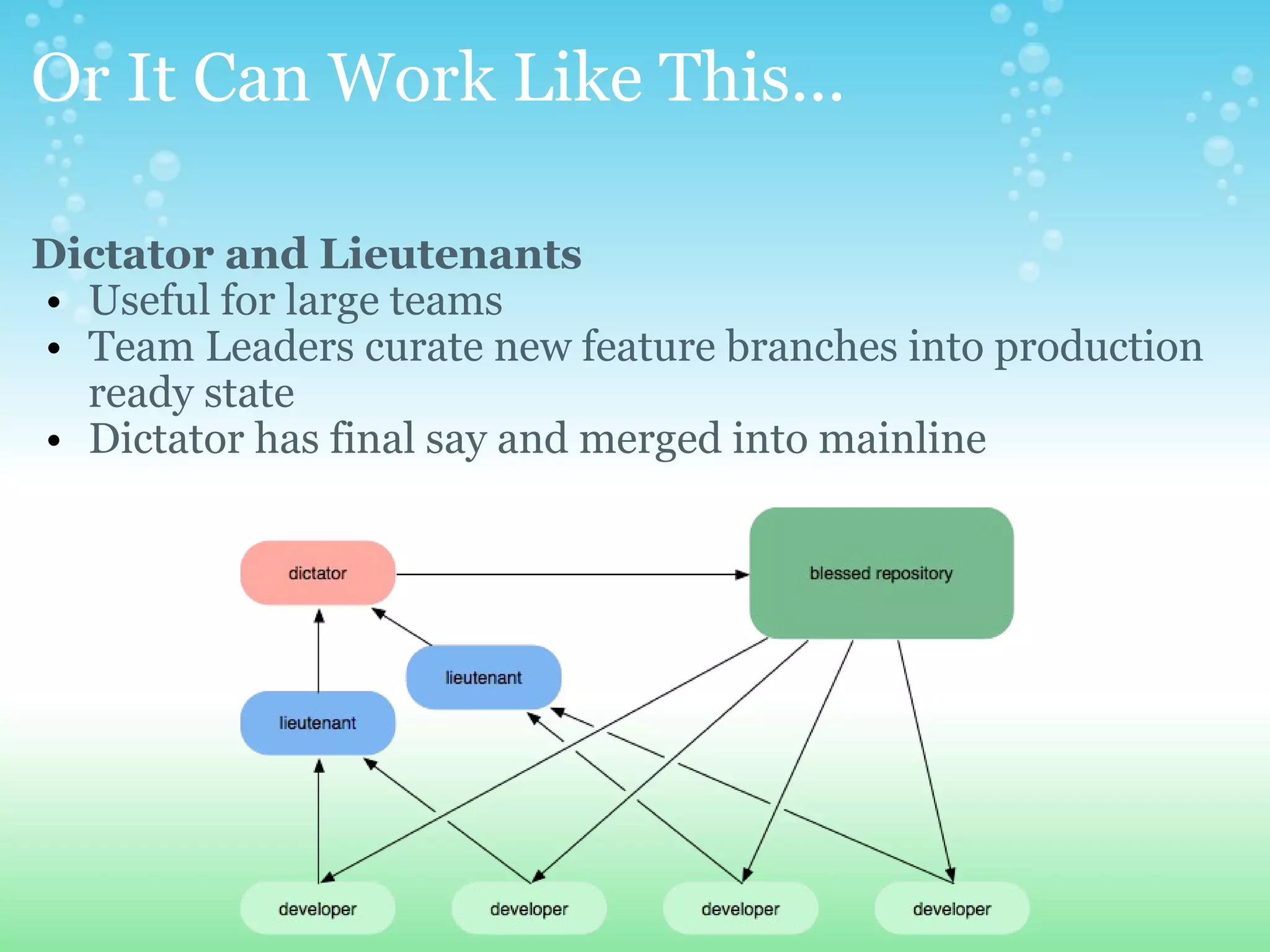
Or It Can Work Like This... Dictator and Lieutenants Useful for large teams Team Leaders curate new feature branches into production ready state  Dictator has final say and merged into mainline
Migration & Integration  
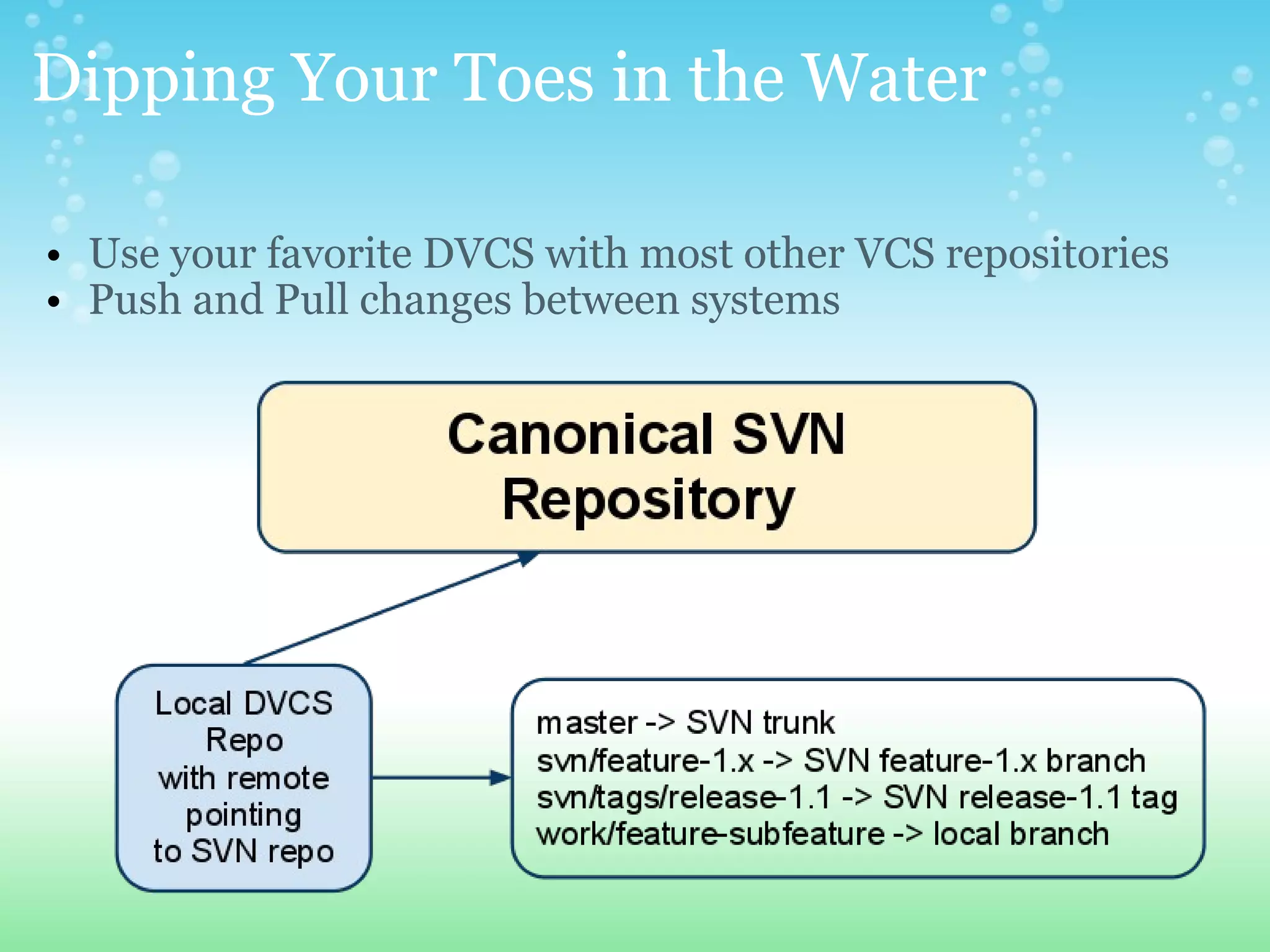
Dipping Your Toes in the Water Use your favorite DVCS with most other VCS repositories Push and Pull changes between systems 
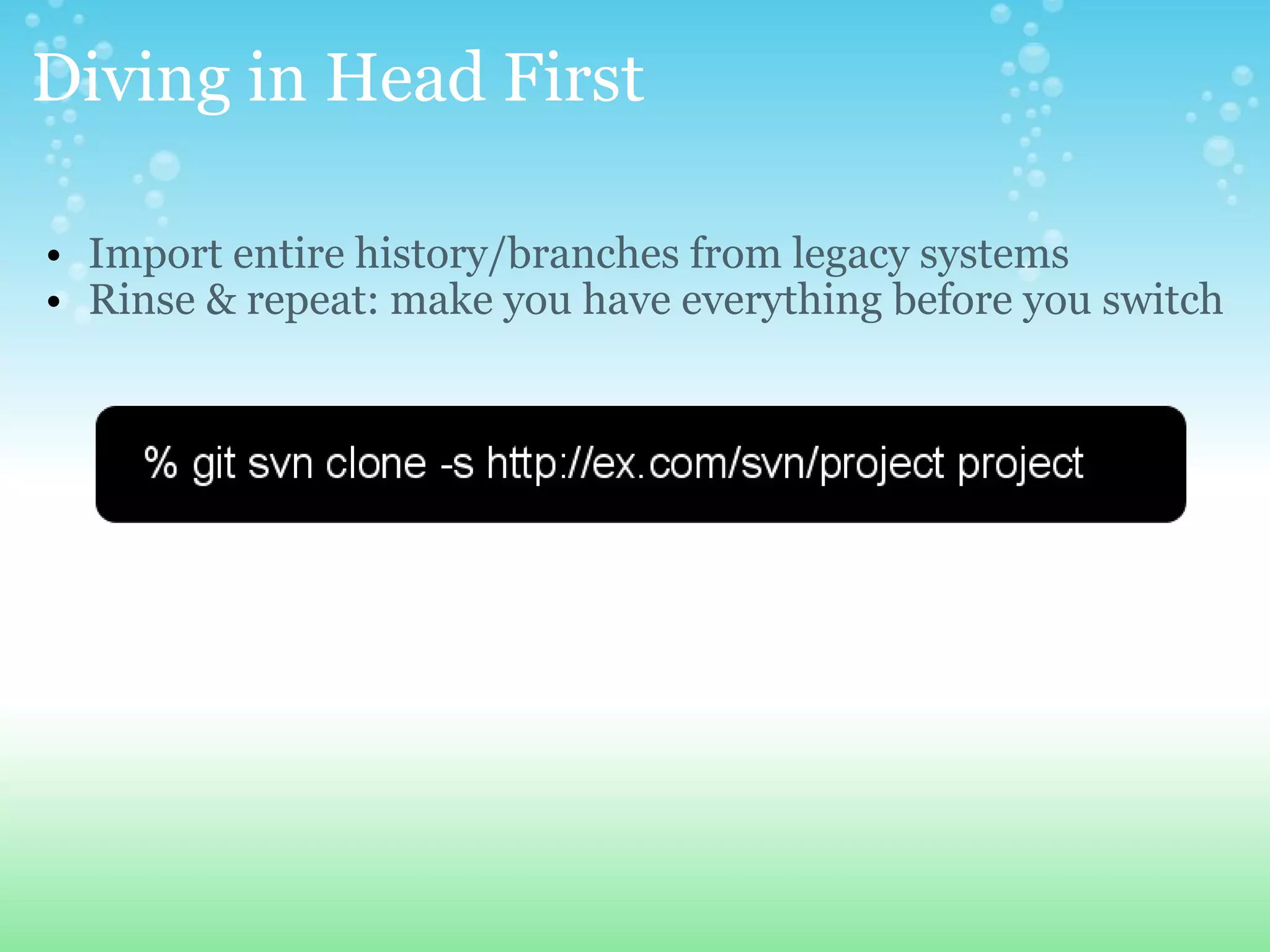
Diving in Head First Import entire history/branches from legacy systems Rinse & repeat: make you have everything before you switch
References GIT  http://git-scm.com/course/svn.html http://whygitisbetterthanx.com/ http://nvie.com/git-model/  http://progit.org/book/  http://gitref.org/  http://gitready.com/    Mercurial  http://hginit.com/
Get In Touch Nowell Strite Twitter: nowells Email: nowell@strite.org   Matthew Weier O'Phinney Twitter: weierophinney Email: matthew@weierophinney.net

Embracing Distributed Version Control

  • 1.
    Embracing Distributed VersionControl How to Drastically Improve Collaboration, Experimentation, Productivity, Freedom, Flexibility, Data Integrity and take two strokes off of your golf game
  • 2.
    Lets Talk AboutIt Open Forum Ask questions Ask for demonstrations  Add opinions Share experiences Try it yourself
  • 3.
    What's the BigDeal? Tools should mold to your process Projects have lots of independent features Feature isolation &quot;Major Milestone&quot; vs. &quot;Release Often&quot; &quot;Only commit when its done&quot; is limiting
  • 4.
  • 5.
    Centralized Version ControlSystems One centralized server with the revision database single point of failure Clients checkout a working copy to their machine Most operations happen on the server Checkouts/Updates happen one directory at a time Linear revision history (merges squash commits) Every directory contains a &quot;special folder&quot;  
  • 6.
    Distributed Version ControlSystems Every client has a full revision history locally # backups == # clients  no need to be online All operations are local (except sharing) Non-linear revision history Network operations are compressed into packed downloads Working copy is independent of versioning system
  • 7.
  • 8.
    How Did WeGet Here Again?  
  • 9.
    There Can OnlyBe One... or maybe two Everyone has their own opinions In the end choose what system fits best but whatever you do, choose a DVCS (at least for your local development) Today we will compare SVN and GIT
  • 10.
    Lets Take aWalk... Side by Side SVN GIT Obtain Code svn checkout <url> git clone <url> Add Files svn add file1.php *.css git add file1.php *.css Status svn status git status Differences svn diff | less git diff Restore File svn revert <path> git checkout <path> Commit All Changes svn commit git commit -a Get Latest Updates svn update git pull Share Latest Edits git push
  • 11.
  • 12.
    I've Branched Before...So What? With CVCS branching is used to separate major releases Branching is always followed by merging Both tasks need to be easy and inexpensive
  • 13.
    Branching is Hard...Or is it? Tasks Obtain the source code Create Branch Switch Branch Merge Branch
  • 14.
    Branching is Hard...Or is it?           REPO=http://svn.php.net/repository/php/php-src/ svn checkout $REPO/trunk  (10 minutes) svn copy $REPO/branches/PHP_5_3 $REPO/branches/PHP_5_5  (4 minutes) svn switch $REPO/branches/PHP_5_5   (50 seconds) svn merge -r 20:HEAD $REPO/branches/PHP_5_3 (claw your eyes out)   Total Time: ~15 minutes + clawing your eyes out  Total Time Branching: ~5 minutes  
  • 15.
    Branching is Hard...Or is it?   git clone git://github.com/php/php-src.git  (3 minutes)   git branch PHP_5_5 origin/PHP_5_3  (5 milliseconds) git checkout PHP_5_5   (2 seconds) git merge origin/PHP_5_3   (1 second)   Total Time: ~3 minutes Total Time Branching: ~3 seconds
  • 16.
    OK. So BranchingIs Easy... Now What? Cheap and easy branching fundamentally changes the way you approach development Everything is done on a branch Issue isolation is now a reality
  • 17.
    Every Change HasIts Place in a Branch You can use any branching style you choose. Here's an example: master also referred to as trunk hotfix-X quick fixes to master develop integration point for all completed feature branches feature-Y every discreet issue is worked on in a feature branch complete walk-through: http://nvie.com/git-model
  • 18.
  • 19.
  • 20.
    Your Centralized WorkflowWith Centralized Version Control Systems, your workflow will always look like this. image source: http://whygitisbetterthanx.com
  • 21.
    Chose Your OwnAdventure Workflow With Distributed Version Control Systems you can morph your workflow to meet your needs. You can do it the same... image source: http://whygitisbetterthanx.com
  • 22.
    Or It CanWork Like This... Integration Manager Approach Useful for small to large teams Integration manager merges all feature branches into mainline
  • 23.
    Or It CanWork Like This... Dictator and Lieutenants Useful for large teams Team Leaders curate new feature branches into production ready state Dictator has final say and merged into mainline
  • 24.
  • 25.
    Dipping Your Toesin the Water Use your favorite DVCS with most other VCS repositories Push and Pull changes between systems 
  • 26.
    Diving in HeadFirst Import entire history/branches from legacy systems Rinse & repeat: make you have everything before you switch
  • 27.
    References GIT http://git-scm.com/course/svn.html http://whygitisbetterthanx.com/ http://nvie.com/git-model/  http://progit.org/book/  http://gitref.org/  http://gitready.com/   Mercurial http://hginit.com/
  • 28.
    Get In TouchNowell Strite Twitter: nowells Email: nowell@strite.org   Matthew Weier O'Phinney Twitter: weierophinney Email: matthew@weierophinney.net