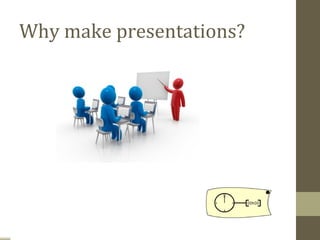
Why make presentations?
The ‘F’ factor !!!!
Podium Panic
For some people, the thought of
giving a presentation is more
frightening than falling off a cliff,
financial difficulties, snakes and
even death.
Dealing with Podium Panic

 • Audiences are forgiving
 • Nervousness is usually invisible
 • Be yourself
 • Practice deep breathing/ visualization
   techniques
 • Begin in your comfort zone
Preparations…
Self esteem
If you fail to prepare,
You’re prepared to fail !!
The day
• Good nights sleep
• No tea /coffee
• No booze
• USE LOO
• Empty stomach/ heavy meal
• Exercise
• ?Yoga
• Mingle with audience
• Drugs ( not the Pot)
Back up plan
• Your PC
• Pen drive
• Virtual drive
• Rehearse
• Notes
Dress for the occasion ….
Goal
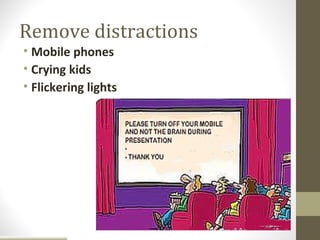
Remove distractions
• Mobile phones
• Crying kids
• Flickering lights
Introduction
• Start with a “ BANG “
• Startle them
• Short salutation
• Opening sentence ( learn by heart)
• Explain what it would be all about
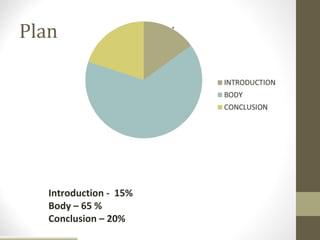
Plan


   Introduction - 15%
   Body – 65 %
   Conclusion – 20%
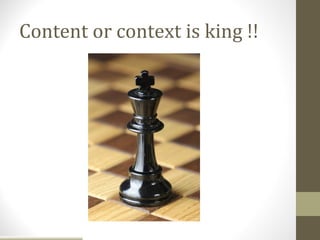
Content or context is king !!
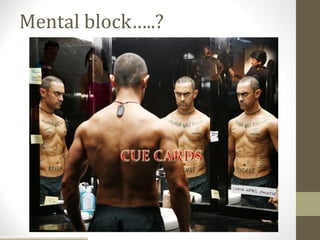
Mental block…..?
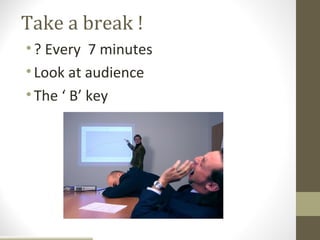
Take a break !
• ? Every 7 minutes
• Look at audience
• The ‘ B’ key
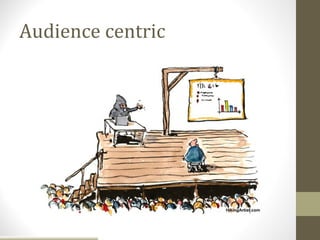
Audience centric
Keep it interactive
• Audience participation
• Keep them engaged
MOVE …….
• Using remote presenter
• Mix & mingle with them
Eye contact
Eye Contact
• Never let them out of your sight.
• Looking them in the eye makes them feel
  that they are influencing what you say.
• Eye contact allows the presentation to
  approximate conversation—the audience
  feels much more involved.
Rule of KISS !!!


• Mind the timeline.
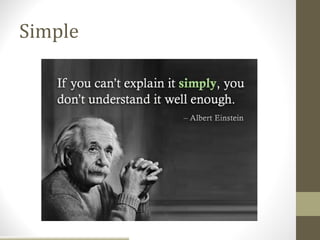
Simple
Body language
Body Language
NO-NO’s
• Lean on or grip the podium
• Rock or sway in place
• Stand immobile
• Use a single gesture repeatedly
• Examine or bite your fingernails
Body Language
NO-NO’s
• Cross your arms in front of your chest
• Use obviously practiced or stilted gestures
• Chew gum or eat candy
• Click or tap your pen, pencil or pointer
Body Language
NO-NO’s
• Lean into the microphone
• Shuffle your notes unnecessarily
• Tighten your tie or otherwise play with
  your clothing
• Crack your knuckles
• Jangle change or key in your pocket
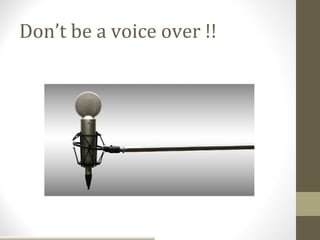
Don’t be a voice over !!
Voice
• Voice Intelligibility
  • Articulation          • Voice Variability
  • Pronunciation           • Rate of speech
  • Vocalized pauses        • Volume
  • Overuse of stock        • Pitch or tone
    expressions             • Emphasis
  • Substandard
    grammar
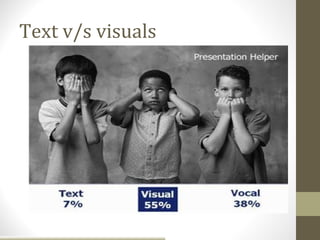
Text v/s visuals
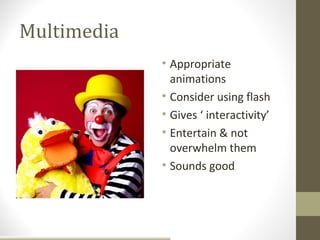
Multimedia
             • Appropriate
               animations
             • Consider using flash
             • Gives ‘ interactivity’
             • Entertain & not
               overwhelm them
             • Sounds good
Clip Art ????
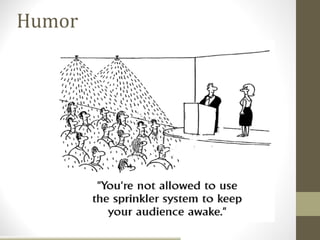
Humor
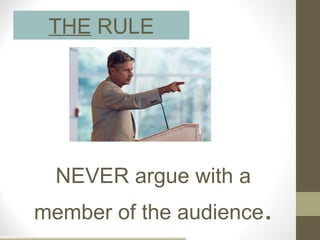
THE RULE


  NEVER argue with a
member of the audience.
“Better to keep your
mouth shut and appear
ignorant than open it
and remove all doubt.”
             -Mark Twain
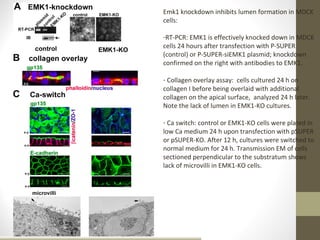
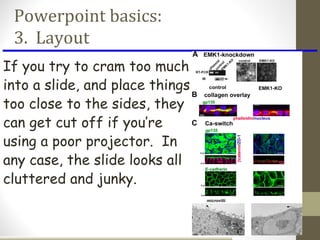
What do you think of the
following slide?
Emk1 knockdown inhibits lumen formation in MDCK
cells:

-RT-PCR: EMK1 is effectively knocked down in MDCK
cells 24 hours after transfection with P-SUPER
(control) or P-SUPER-siEMK1 plasmid; knockdown
confirmed on the right with antibodies to EMK1.

- Collagen overlay assay: cells cultured 24 h on
collagen I before being overlaid with additional
collagen on the apical surface, analyzed 24 h later.
Note the lack of lumen in EMK1-KO cultures.

- Ca switch: control or EMK1-KO cells were plated in
low Ca medium 24 h upon transfection with pSUPER
or pSUPER-KO. After 12 h, cultures were switched to
normal medium for 24 h. Transmission EM of cells
sectioned perpendicular to the substratum shows
lack of microvilli in EMK1-KO cells.
Rule of six ….
• Six lines
• Six words
• Six bullets
• Six minutes
• Six columns / rows
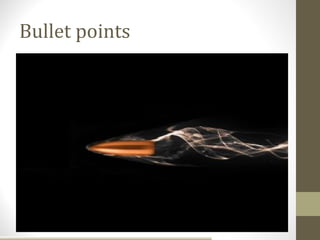
Bullet points
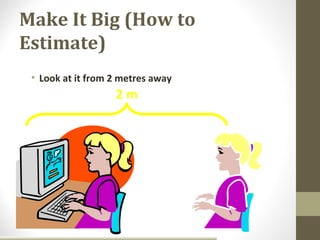
Make It Big (How to
Estimate)
 • Look at it from 2 metres away
                   2m
Readable …..
• Floor test
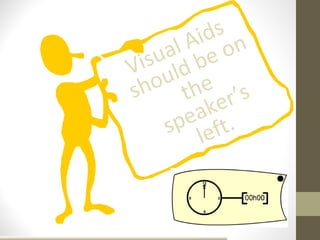
ds n
        Ai o
     al be
  isu ld
V u
sho the r’s
          ke
        ea t .
     sp lef
Power point add ins
• Thermometer
• Yawn buster
• Swiff point player
Powerpoint basics:
 3. Layout
If you try to cram too much
into a slide, and place things
too close to the sides, they
can get cut off if you’re
using a poor projector. In
any case, the slide looks all
cluttered and junky.
Powerpoint basics:
4. Style


       Try your best to include a
      simple image on every slide.
Fonts – good

• Use different size to show hierarchy
 • the title font is 36-point

 • the main point font is 28-point

 • this font is 24-point

• Use a standard font like Arial
 • Use at least an 18-point font and Bold
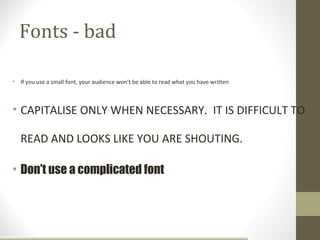
Fonts - bad

• If you use a small font, your audience won’t be able to read what you have written


• CAPITALISE ONLY WHEN NECESSARY. IT IS DIFFICULT TO

   READ AND LOOKS LIKE YOU ARE SHOUTING.

• Don’t use a complicated font
Wipe

•Right to left
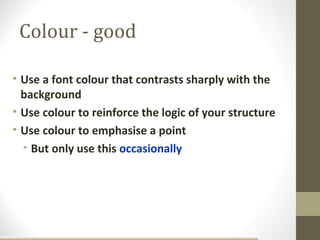
Colour - good

• Use a font colour that contrasts sharply with the
  background
• Use colour to reinforce the logic of your structure
• Use colour to emphasise a point
  • But only use this occasionally
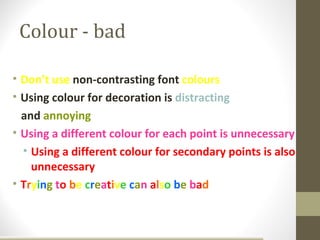
Colour - bad

• Don’t use non-contrasting font colours
• Using colour for decoration is distracting
  and annoying
• Using a different colour for each point is unnecessary
  • Using a different colour for secondary points is also
    unnecessary
• Trying to be creative can also be bad
Background - good

• Use a simple background

• Use backgrounds that contrast with text/imagery

• Use the same background consistently throughout your
  presentation
Background – bad

• Avoid backgrounds that are distracting or
  difficult to read from
• Always be consistent with the background
  that you use
Graphs

• Use graphs rather than just charts and words
  • Data in graphs is easier to comprehend and
    retain than raw data
  • Trends are easier to visualize in graph form

• Always title your graphs
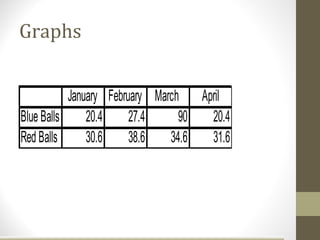
Graphs


           January February March April
Blue Balls     20.4     27.4     90 20.4
Red Balls      30.6     38.6   34.6 31.6
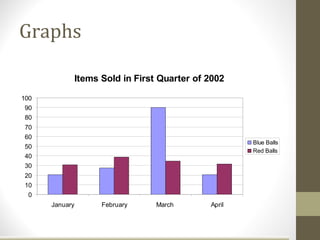
Graphs

                Items Sold in First Quarter of 2002

100
90
80
70
60
                                                       Blue Balls
50
                                                       Red Balls
40
30
20
10
 0
      January         February     March       April
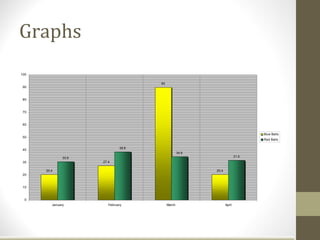
Graphs
100

                                      90
 90


 80


 70


 60

                                                                                Blue Balls
 50
                                                                                Red Balls


 40                            38.6
                                                   34.6
               30.6                                                      31.6
 30                   27.4

      20.4                                                20.4
 20


 10


  0
         January         February          March                 April
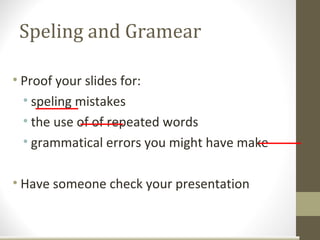
Speling and Gramear

• Proof your slides for:
  • speling mistakes
  • the use of of repeated words
  • grammatical errors you might have make

• Have someone check your presentation
Conclusion slide

• Use an effective and strong closing


• Use a conclusion slide
Conclusion

• Structure your presentation
• Keep it simple (background, font, colour)
• Minimal content on slides - 6/6
• Avoid pointless animations
• Ensure accuracy with content and equipment
Questions & Answers


“Does anyone have any
 questions for my answers?”
Efffective presentation

Efffective presentation

  • 2.
  • 3.
  • 4.
    Podium Panic For somepeople, the thought of giving a presentation is more frightening than falling off a cliff, financial difficulties, snakes and even death.
  • 5.
    Dealing with PodiumPanic • Audiences are forgiving • Nervousness is usually invisible • Be yourself • Practice deep breathing/ visualization techniques • Begin in your comfort zone
  • 6.
  • 7.
  • 8.
    If you failto prepare, You’re prepared to fail !!
  • 9.
    The day • Goodnights sleep • No tea /coffee • No booze • USE LOO • Empty stomach/ heavy meal • Exercise • ?Yoga • Mingle with audience • Drugs ( not the Pot)
  • 10.
    Back up plan •Your PC • Pen drive • Virtual drive • Rehearse • Notes
  • 11.
    Dress for theoccasion ….
  • 12.
  • 13.
    Remove distractions • Mobilephones • Crying kids • Flickering lights
  • 14.
    Introduction • Start witha “ BANG “ • Startle them • Short salutation • Opening sentence ( learn by heart) • Explain what it would be all about
  • 15.
    Plan Introduction - 15% Body – 65 % Conclusion – 20%
  • 16.
  • 17.
  • 18.
    Take a break! • ? Every 7 minutes • Look at audience • The ‘ B’ key
  • 19.
  • 20.
    Keep it interactive •Audience participation • Keep them engaged
  • 21.
    MOVE ……. • Usingremote presenter • Mix & mingle with them
  • 22.
  • 23.
    Eye Contact • Neverlet them out of your sight. • Looking them in the eye makes them feel that they are influencing what you say. • Eye contact allows the presentation to approximate conversation—the audience feels much more involved.
  • 24.
    Rule of KISS!!! • Mind the timeline.
  • 25.
  • 26.
  • 27.
    Body Language NO-NO’s • Leanon or grip the podium • Rock or sway in place • Stand immobile • Use a single gesture repeatedly • Examine or bite your fingernails
  • 28.
    Body Language NO-NO’s • Crossyour arms in front of your chest • Use obviously practiced or stilted gestures • Chew gum or eat candy • Click or tap your pen, pencil or pointer
  • 29.
    Body Language NO-NO’s • Leaninto the microphone • Shuffle your notes unnecessarily • Tighten your tie or otherwise play with your clothing • Crack your knuckles • Jangle change or key in your pocket
  • 30.
    Don’t be avoice over !!
  • 31.
    Voice • Voice Intelligibility • Articulation • Voice Variability • Pronunciation • Rate of speech • Vocalized pauses • Volume • Overuse of stock • Pitch or tone expressions • Emphasis • Substandard grammar
  • 32.
  • 33.
    Multimedia • Appropriate animations • Consider using flash • Gives ‘ interactivity’ • Entertain & not overwhelm them • Sounds good
  • 34.
  • 35.
  • 36.
    THE RULE NEVER argue with a member of the audience.
  • 37.
    “Better to keepyour mouth shut and appear ignorant than open it and remove all doubt.” -Mark Twain
  • 38.
    What do youthink of the following slide?
  • 39.
    Emk1 knockdown inhibitslumen formation in MDCK cells: -RT-PCR: EMK1 is effectively knocked down in MDCK cells 24 hours after transfection with P-SUPER (control) or P-SUPER-siEMK1 plasmid; knockdown confirmed on the right with antibodies to EMK1. - Collagen overlay assay: cells cultured 24 h on collagen I before being overlaid with additional collagen on the apical surface, analyzed 24 h later. Note the lack of lumen in EMK1-KO cultures. - Ca switch: control or EMK1-KO cells were plated in low Ca medium 24 h upon transfection with pSUPER or pSUPER-KO. After 12 h, cultures were switched to normal medium for 24 h. Transmission EM of cells sectioned perpendicular to the substratum shows lack of microvilli in EMK1-KO cells.
  • 40.
    Rule of six…. • Six lines • Six words • Six bullets • Six minutes • Six columns / rows
  • 41.
  • 42.
    Make It Big(How to Estimate) • Look at it from 2 metres away 2m
  • 43.
  • 44.
    ds n Ai o al be isu ld V u sho the r’s ke ea t . sp lef
  • 45.
    Power point addins • Thermometer • Yawn buster • Swiff point player
  • 46.
    Powerpoint basics: 3.Layout If you try to cram too much into a slide, and place things too close to the sides, they can get cut off if you’re using a poor projector. In any case, the slide looks all cluttered and junky.
  • 47.
    Powerpoint basics: 4. Style Try your best to include a simple image on every slide.
  • 48.
    Fonts – good •Use different size to show hierarchy • the title font is 36-point • the main point font is 28-point • this font is 24-point • Use a standard font like Arial • Use at least an 18-point font and Bold
  • 49.
    Fonts - bad •If you use a small font, your audience won’t be able to read what you have written • CAPITALISE ONLY WHEN NECESSARY. IT IS DIFFICULT TO READ AND LOOKS LIKE YOU ARE SHOUTING. • Don’t use a complicated font
  • 50.
  • 51.
    Colour - good •Use a font colour that contrasts sharply with the background • Use colour to reinforce the logic of your structure • Use colour to emphasise a point • But only use this occasionally
  • 52.
    Colour - bad •Don’t use non-contrasting font colours • Using colour for decoration is distracting and annoying • Using a different colour for each point is unnecessary • Using a different colour for secondary points is also unnecessary • Trying to be creative can also be bad
  • 53.
    Background - good •Use a simple background • Use backgrounds that contrast with text/imagery • Use the same background consistently throughout your presentation
  • 54.
    Background – bad •Avoid backgrounds that are distracting or difficult to read from • Always be consistent with the background that you use
  • 55.
    Graphs • Use graphsrather than just charts and words • Data in graphs is easier to comprehend and retain than raw data • Trends are easier to visualize in graph form • Always title your graphs
  • 56.
    Graphs January February March April Blue Balls 20.4 27.4 90 20.4 Red Balls 30.6 38.6 34.6 31.6
  • 57.
    Graphs Items Sold in First Quarter of 2002 100 90 80 70 60 Blue Balls 50 Red Balls 40 30 20 10 0 January February March April
  • 58.
    Graphs 100 90 90 80 70 60 Blue Balls 50 Red Balls 40 38.6 34.6 30.6 31.6 30 27.4 20.4 20.4 20 10 0 January February March April
  • 59.
    Speling and Gramear •Proof your slides for: • speling mistakes • the use of of repeated words • grammatical errors you might have make • Have someone check your presentation
  • 60.
    Conclusion slide • Usean effective and strong closing • Use a conclusion slide
  • 61.
    Conclusion • Structure yourpresentation • Keep it simple (background, font, colour) • Minimal content on slides - 6/6 • Avoid pointless animations • Ensure accuracy with content and equipment
  • 62.
    Questions & Answers “Doesanyone have any questions for my answers?”

Editor's Notes

  • #3 Why present? Or better yet, why learn how to present well? Simply put, because your life is one big presentation. You are presenting all the time, and many people's lives have been defined by presentations. Promotions have been made or missed. Deals are won or lost. Half of people in this world know nothing but keep on talking while other half knows everything but don’t talk . No dearth of genius & wizards who never mastered the art .
  • #4 Do you know what people are most afraid of . No. not the death but it is fear of public speaking that is first. Some time back they deed a study in US. And found the fear of public speaking was feared most even more than death & paranormal experience. RELAX , ENJOY YOURSELF KEY TO BEING RELAXED IS CONFIDENCE & KEY TO CONFIDENCE IS BEING PREPARED
  • #5 STAGE FRIGHT OR PODIUM PANIC Is but Natural I do vividly recall my maiden venture , frightening for me & pathetic for beholder Dry throat , tremors , palpitations , weak knee Feel like running away Outpouring of adrenaline Channelize don’t let it target wrong organ let it go straight to your brain Positive energy
  • #6 The quality time you have spent on preparations will turn out your ultimate savior Check out the room in advance Concentrate on the message Begin with a slow, well prepared intro; have a confident and clear conclusion Be prepared and practice
  • #7 Usually an hour of research will fetch you a minute of presentation. Another useful off shoot of burning the mid night oil is the great process of learning Anticipate possible questions & fortify your ammunition
  • #8 Being through the subjects Seen the ins & out Can really work wonders to your attitude I would say an attitude somewhere between arrogant & being meek ,docile & submissive You know your subject , what is that keeping you back gentleman
  • #9 So in a nutshell the importance of preparation cant be overemphasized
  • #10 Shaky & tired nerves are total NO NO So try to snatch up a good nights sleep Avoid booze , spare it for the next day celebration If possible visit the place one day prior Get a feel of the place
  • #11 Anything can go wrong anytime . Your hard preparations only come in as savior of the situation
  • #13 A presentation is a reflection of you and your work. You want to make the best possible impression in the short amount of time given tpo you. Be enthusiastic.
  • #16 Structuring your presentation saves lots of hassles A story like flow of the things
  • #17 Don’t let your technology overpower your contents.
  • #18 Lost for worlds . Keep cue cards camouflaged or use mobile presenter software
  • #20 Always make it audience oriented As we have talked before
  • #21 PEOPLE love hearing themselves talk .
  • #26 Novice v/s expert
  • #27 Avoid theatrical performance.
  • #31 Your audience are most learned people . Don’t read out the slides to them Turning back to them & reading out every letter Is most dumb thing to do
  • #32 Intelligibility =understandability Variability =expresses differences in meaning Articulation (enunciation)= the precision and clarity with which you utter the sounds of speech. Chiefly the job of the jaw, tongue, and lips. Most articulation problems come from laziness on the parts of these organs. Pronunciation =traditional or customary utterance of words. Common faults are the misplacement of accent, omitting sounds, adding sounds,and verbalizing silent letters. Vocalized pauses =uh, um, ah. Know your subject. Overuse of stock expressions =OK, like, you know. Conveys a lack of originality. Substandard grammar Force= variability of volume Pitch =highness or lowness Emphasis =stressing certain phrases or sections
  • #35 Clip art or Creep art Hey u r not a kid trying his first powerpoint Difficult to find appropriate pics Dug them out I mean ‘google’ them out
  • #40 Of course, it is far to confusing and a clear take-home message does not come across ! This presentation will take you through a strategy for presenting the data in a clear and logical way
  • #41 Less is more !!!
  • #49 I have put up some suggestions as to the size of font you should be using. In terms of what type of font, some people find Times New Roman preferable to Arial. However there has been some research into readability of fonts, especially for people with reading or vision difficulties, that san serif fonts such as Arial or Tehoma are preferable. This is also the recommendation from organisations such as Scope and Vision Australia.
  • #50 If you’re going to use a small sized font, you may as well not include that slide in your presentation. Most of your audience won’t be able to read it. Information in small font could be included in the handouts that you give to your audience. Capitalise ON THE contents rather than the letters. Avoid using a mixture of fonts and avoid complex fonts like comic sans or impact.
  • #52 The main thing when using colour is to use high contrast. So, either a dark background with light text or light background with dark text. However, it can be difficult to read white text on black background, especially when the font size is not huge. It would probably be better to use a dark blue background if you are going to go with a dark background and light text.
  • #53 Telling you the obvious here, but you would not use yellow on white or black on blue. You don’t want anyone in your audience straining to read what is on your slides. You don’t need to be too obvious with highlighting specific words or giving each line a different colour.
  • #54 Be careful with your choice of background. Some standard backgrounds that you will find in PowerPoint can vary from light to dark therefore making the choice of font colour very difficult. In one part of the slide the contrast will be fine, while in other areas the words may be more difficult to see.
  • #55 This Austin Powers effect is obviously a little over the top but it shows how the green writing is visible against some colours but not others which is the danger with a variable background.
  • #56 Try to present visual graphs rather than numeric charts. They are much more scannable and accessible.
  • #57 Yes, this table does show how many coloured balls were sold in the first four months. But it is not particularly engaging, nor is it intuitive in showing the trends…
  • #58 Use PowerPoint for what it was originally created to do. Show graphs and charts more dynamically and allow your audience to easily understand what is occurring. They are much more scannable. We can easily see that March was a great month for blue balls. But even with graphs there are some rules…
  • #59 Minor gridlines are unnecessary Font is too small Colours are illogical Title is missing Shading is distracting
  • #60 Make sure you, and maybe one of your colleagues, check through the presentation to ensure there are no typos or grammatical errors. When checking it’s good to have a breather, or go for a coffee and then come back to it. You may be amazed what you pick up on a second reading. As I mentioned at the beginning, you don’t want your mistakes magnified and projected onto a wall for all to see.
  • #61 Your audience is likely to remember your last words, so a good conclusion slide should summarise the main points of your presentation and give your audience the feeling of a complete presentation.
  • #62 There is no cook book recipe for a perfect presentation. Aim for perfection & achieve excellence as you know no one is perfect.