Benchmarks: Avoding Lies & Damn Lies
Steven Lembark
Workhorse Computing
lembark@wrkhors.com
What are “benchmarks”?
Generally, two kinds:
Performance (a.k.a., “lies”, “damn lies”).
Functionality (different subject).
Different needs.
Similar requirements.
Functionality Benchmarks
“Does it do what I need?”
Utility not speed.
“Integration” testing (vs. unit).
Nice with Perl using HTTP, Selenium, DBI.
Not what I’m describing here.
Performance benchmarks.
Good:
Time for specific tasks.
Objective, realistic tasks.
Garbage:
”Twice the speed of our competition”
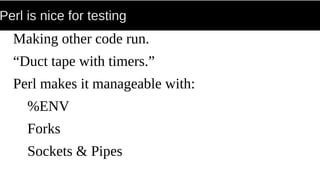
Perl is nice for testing
Making other code run.
“Duct tape with timers.”
Perl makes it manageable with:
%ENV
Forks
Sockets & Pipes
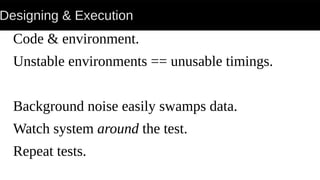
Designing & Execution
Code & environment.
Unstable environments == unusable timings.
Background noise easily swamps data.
Watch system around the test.
Repeat tests.
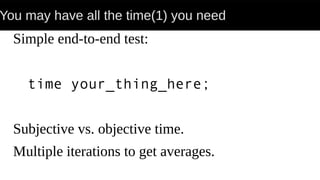
You may have all the time(1) you need
Simple end-to-end test:
time your_thing_here;
Subjective vs. objective time.
Multiple iterations to get averages.
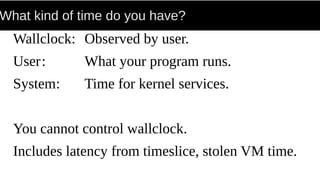
What kind of time do you have?
Wallclock: Observed by user.
User: What your program runs.
System: Time for kernel services.
You cannot control wallclock.
Includes latency from timeslice, stolen VM time.
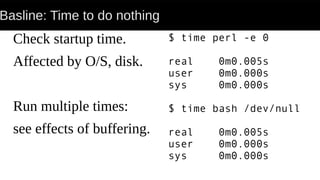
Basline: Time to do nothing
Check startup time.
Affected by O/S, disk.
Run multiple times:
see effects of buffering.
$ time perl -e 0
real 0m0.005s
user 0m0.000s
sys 0m0.000s
$ time bash /dev/null
real 0m0.005s
user 0m0.000s
sys 0m0.000s
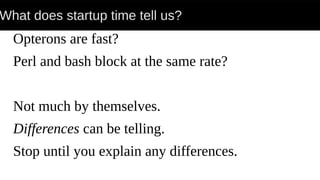
What does startup time tell us?
Opterons are fast?
Perl and bash block at the same rate?
Not much by themselves.
Differences can be telling.
Stop until you explain any differences.
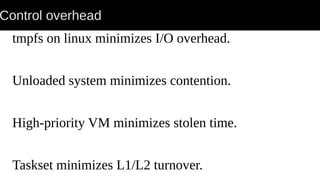
Control overhead
tmpfs on linux minimizes I/O overhead.
Unloaded system minimizes contention.
High-priority VM minimizes stolen time.
Taskset minimizes L1/L2 turnover.
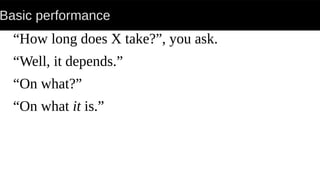
Basic performance
“How long does X take?”, you ask.
“Well, it depends.”
“On what?”
“On what it is.”
Basic performance
Time for hardware?
Time for software?
Time for I/O?
Creating realistic tests requires knowing!
All you may know is that “it runs too slowly”.
Step one: Use a reasonable perl.
Centos has 5.8...
RHEL’s built with 5.00503 compat, -O0, -g.
Step one: Use a reasonable perl.
Centos has 5.8...
RHEL’s built with 5.00503 compat, -O0, -g.
Simple lesson: BUILD YOUR OWN!!!
Perl, Python, R, Postgres, MySQL, whatever.
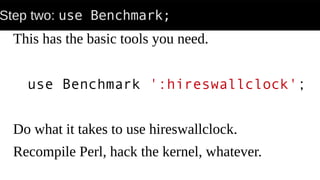
Step two: use Benchmark;
This has the basic tools you need.
use Benchmark ':hireswallclock';
Do what it takes to use hireswallclock.
Recompile Perl, hack the kernel, whatever.
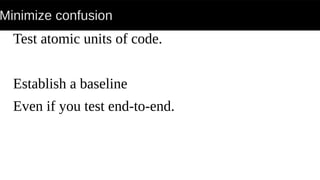
Minimize confusion
Test atomic units of code.
Establish a baseline
Even if you test end-to-end.
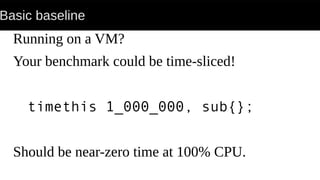
Basic baseline
Running on a VM?
Your benchmark could be time-sliced!
timethis 1_000_000, sub{};
Should be near-zero time at 100% CPU.
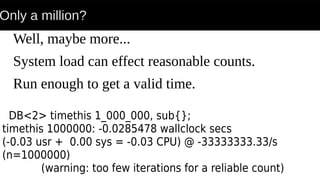
Only a million?
Well, maybe more...
System load can effect reasonable counts.
Run enough to get a valid time.
DB<2> timethis 1_000_000, sub{};
timethis 1000000: -0.0285478 wallclock secs
(-0.03 usr + 0.00 sys = -0.03 CPU) @ -33333333.33/s
(n=1000000)
(warning: too few iterations for a reliable count)
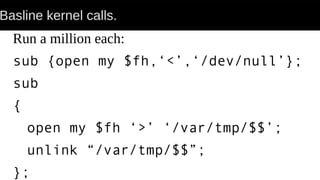
Basline kernel calls.
Run a million each:
sub {open my $fh,‘<’,‘/dev/null’};
sub
{
open my $fh ‘>’ ‘/var/tmp/$$’;
unlink “/var/tmp/$$”;
};
Basline kernel calls.
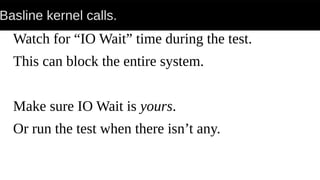
Watch for “IO Wait” time during the test.
This can block the entire system.
Make sure IO Wait is yours.
Or run the test when there isn’t any.
Top is your friend
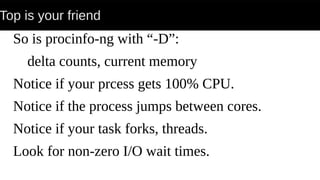
So is procinfo-ng with “-D”:
delta counts, current memory
Notice if your prcess gets 100% CPU.
Notice if the process jumps between cores.
Notice if your task forks, threads.
Look for non-zero I/O wait times.
Red flags
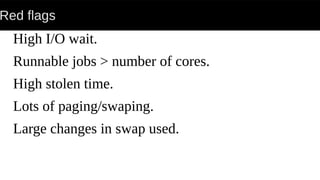
High I/O wait.
Runnable jobs > number of cores.
High stolen time.
Lots of paging/swaping.
Large changes in swap used.
Fixing red-flags
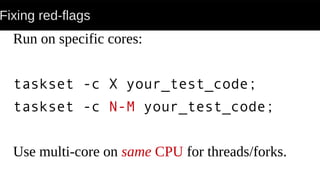
Run on specific cores:
taskset -c X your_test_code;
taskset -c N-M your_test_code;
Use multi-core on same CPU for threads/forks.
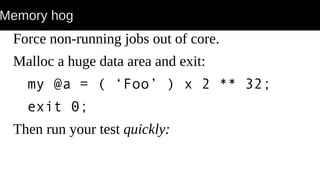
Memory hog
Force non-running jobs out of core.
Malloc a huge data area and exit:
my @a = ( ‘Foo’ ) x 2 ** 32;
exit 0;
Then run your test quickly:
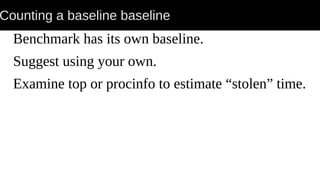
Counting a baseline baseline
Benchmark has its own baseline.
Suggest using your own.
Examine top or procinfo to estimate “stolen” time.
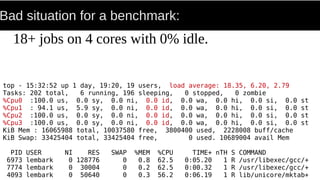
Bad situation for a benchmark:
18+ jobs on 4 cores with 0% idle.
top - 15:32:52 up 1 day, 19:20, 19 users, load average: 18.35, 6.20, 2.79
Tasks: 202 total, 6 running, 196 sleeping, 0 stopped, 0 zombie
%Cpu0 :100.0 us, 0.0 sy, 0.0 ni, 0.0 id, 0.0 wa, 0.0 hi, 0.0 si, 0.0 st
%Cpu1 : 94.1 us, 5.9 sy, 0.0 ni, 0.0 id, 0.0 wa, 0.0 hi, 0.0 si, 0.0 st
%Cpu2 :100.0 us, 0.0 sy, 0.0 ni, 0.0 id, 0.0 wa, 0.0 hi, 0.0 si, 0.0 st
%Cpu3 :100.0 us, 0.0 sy, 0.0 ni, 0.0 id, 0.0 wa, 0.0 hi, 0.0 si, 0.0 st
KiB Mem : 16065988 total, 10037580 free, 3800400 used, 2228008 buff/cache
KiB Swap: 33425404 total, 33425404 free, 0 used. 10689004 avail Mem
PID USER NI RES SWAP %MEM %CPU TIME+ nTH S COMMAND
6973 lembark 0 128776 0 0.8 62.5 0:05.20 1 R /usr/libexec/gcc/+
7774 lembark 0 30004 0 0.2 62.5 0:00.32 1 R /usr/libexec/gcc/+
4093 lembark 0 50640 0 0.3 56.2 0:06.19 1 R lib/unicore/mktab+
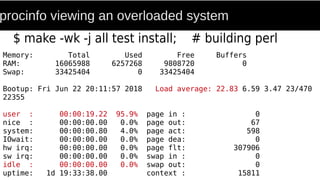
procinfo viewing an overloaded system
$ make -wk -j all test install; # building perl
Memory: Total Used Free Buffers
RAM: 16065988 6257268 9808720 0
Swap: 33425404 0 33425404
Bootup: Fri Jun 22 20:11:57 2018 Load average: 22.83 6.59 3.47 23/470
22355
user : 00:00:19.22 95.9% page in : 0
nice : 00:00:00.00 0.0% page out: 67
system: 00:00:00.80 4.0% page act: 598
IOwait: 00:00:00.00 0.0% page dea: 0
hw irq: 00:00:00.00 0.0% page flt: 307906
sw irq: 00:00:00.00 0.0% swap in : 0
idle : 00:00:00.00 0.0% swap out: 0
uptime: 1d 19:33:38.00 context : 15811
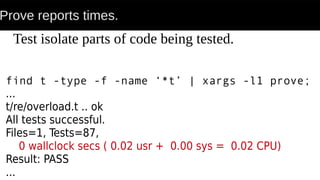
Prove reports times.
find t -type -f -name ‘*t’ | xargs -l1 prove;
...
t/re/overload.t .. ok
All tests successful.
Files=1, Tests=87,
0 wallclock secs ( 0.02 usr + 0.00 sys = 0.02 CPU)
Result: PASS
...
Test isolate parts of code being tested.
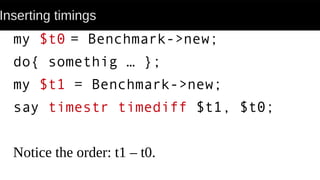
Inserting timings
my $t0 = Benchmark->new;
do{ somethig … };
my $t1 = Benchmark->new;
say timestr timediff $t1, $t0;
Notice the order: t1 – t0.
Object::Exercise
The “benchmark” directive
Gives time for each stage of test.
Nice for timing progressive operations.
End to end tests
Add Benchmark to your #! code.
time(1)
Catch: No accounting for human time.
Need runtime for things like web service.
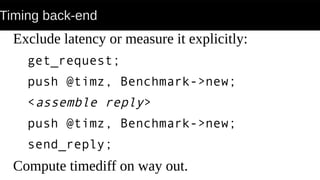
Timing back-end
Exclude latency or measure it explicitly:
get_request;
push @timz, Benchmark->new;
<assemble reply>
push @timz, Benchmark->new;
send_reply;
Compute timediff on way out.
New York Time Profiler
By Tim Bunce.
New York Second better than :hireswallclock.
His talk on profiling is an excellent introduction.
Summary:
Benchmarks don’t have to be damn lies.
Control the environment.
Establish baselines for units of work.
Use Benchmark with “:hireswallclock”.
Watch the system to verify isolation.
taskset(1) and tmpfs (see mount(1)) can help.

Effective Benchmarks

  • 1.
    Benchmarks: Avoding Lies& Damn Lies Steven Lembark Workhorse Computing lembark@wrkhors.com
  • 2.
    What are “benchmarks”? Generally,two kinds: Performance (a.k.a., “lies”, “damn lies”). Functionality (different subject). Different needs. Similar requirements.
  • 3.
    Functionality Benchmarks “Does itdo what I need?” Utility not speed. “Integration” testing (vs. unit). Nice with Perl using HTTP, Selenium, DBI. Not what I’m describing here.
  • 4.
    Performance benchmarks. Good: Time forspecific tasks. Objective, realistic tasks. Garbage: ”Twice the speed of our competition”
  • 5.
    Perl is nicefor testing Making other code run. “Duct tape with timers.” Perl makes it manageable with: %ENV Forks Sockets & Pipes
  • 6.
    Designing & Execution Code& environment. Unstable environments == unusable timings. Background noise easily swamps data. Watch system around the test. Repeat tests.
  • 7.
    You may haveall the time(1) you need Simple end-to-end test: time your_thing_here; Subjective vs. objective time. Multiple iterations to get averages.
  • 8.
    What kind oftime do you have? Wallclock: Observed by user. User: What your program runs. System: Time for kernel services. You cannot control wallclock. Includes latency from timeslice, stolen VM time.
  • 9.
    Basline: Time todo nothing Check startup time. Affected by O/S, disk. Run multiple times: see effects of buffering. $ time perl -e 0 real 0m0.005s user 0m0.000s sys 0m0.000s $ time bash /dev/null real 0m0.005s user 0m0.000s sys 0m0.000s
  • 10.
    What does startuptime tell us? Opterons are fast? Perl and bash block at the same rate? Not much by themselves. Differences can be telling. Stop until you explain any differences.
  • 11.
    Control overhead tmpfs onlinux minimizes I/O overhead. Unloaded system minimizes contention. High-priority VM minimizes stolen time. Taskset minimizes L1/L2 turnover.
  • 12.
    Basic performance “How longdoes X take?”, you ask. “Well, it depends.” “On what?” “On what it is.”
  • 13.
    Basic performance Time forhardware? Time for software? Time for I/O? Creating realistic tests requires knowing! All you may know is that “it runs too slowly”.
  • 14.
    Step one: Usea reasonable perl. Centos has 5.8... RHEL’s built with 5.00503 compat, -O0, -g.
  • 15.
    Step one: Usea reasonable perl. Centos has 5.8... RHEL’s built with 5.00503 compat, -O0, -g. Simple lesson: BUILD YOUR OWN!!! Perl, Python, R, Postgres, MySQL, whatever.
  • 16.
    Step two: useBenchmark; This has the basic tools you need. use Benchmark ':hireswallclock'; Do what it takes to use hireswallclock. Recompile Perl, hack the kernel, whatever.
  • 17.
    Minimize confusion Test atomicunits of code. Establish a baseline Even if you test end-to-end.
  • 18.
    Basic baseline Running ona VM? Your benchmark could be time-sliced! timethis 1_000_000, sub{}; Should be near-zero time at 100% CPU.
  • 19.
    Only a million? Well,maybe more... System load can effect reasonable counts. Run enough to get a valid time. DB<2> timethis 1_000_000, sub{}; timethis 1000000: -0.0285478 wallclock secs (-0.03 usr + 0.00 sys = -0.03 CPU) @ -33333333.33/s (n=1000000) (warning: too few iterations for a reliable count)
  • 20.
    Basline kernel calls. Runa million each: sub {open my $fh,‘<’,‘/dev/null’}; sub { open my $fh ‘>’ ‘/var/tmp/$$’; unlink “/var/tmp/$$”; };
  • 21.
    Basline kernel calls. Watchfor “IO Wait” time during the test. This can block the entire system. Make sure IO Wait is yours. Or run the test when there isn’t any.
  • 22.
    Top is yourfriend So is procinfo-ng with “-D”: delta counts, current memory Notice if your prcess gets 100% CPU. Notice if the process jumps between cores. Notice if your task forks, threads. Look for non-zero I/O wait times.
  • 23.
    Red flags High I/Owait. Runnable jobs > number of cores. High stolen time. Lots of paging/swaping. Large changes in swap used.
  • 24.
    Fixing red-flags Run onspecific cores: taskset -c X your_test_code; taskset -c N-M your_test_code; Use multi-core on same CPU for threads/forks.
  • 25.
    Memory hog Force non-runningjobs out of core. Malloc a huge data area and exit: my @a = ( ‘Foo’ ) x 2 ** 32; exit 0; Then run your test quickly:
  • 26.
    Counting a baselinebaseline Benchmark has its own baseline. Suggest using your own. Examine top or procinfo to estimate “stolen” time.
  • 27.
    Bad situation fora benchmark: 18+ jobs on 4 cores with 0% idle. top - 15:32:52 up 1 day, 19:20, 19 users, load average: 18.35, 6.20, 2.79 Tasks: 202 total, 6 running, 196 sleeping, 0 stopped, 0 zombie %Cpu0 :100.0 us, 0.0 sy, 0.0 ni, 0.0 id, 0.0 wa, 0.0 hi, 0.0 si, 0.0 st %Cpu1 : 94.1 us, 5.9 sy, 0.0 ni, 0.0 id, 0.0 wa, 0.0 hi, 0.0 si, 0.0 st %Cpu2 :100.0 us, 0.0 sy, 0.0 ni, 0.0 id, 0.0 wa, 0.0 hi, 0.0 si, 0.0 st %Cpu3 :100.0 us, 0.0 sy, 0.0 ni, 0.0 id, 0.0 wa, 0.0 hi, 0.0 si, 0.0 st KiB Mem : 16065988 total, 10037580 free, 3800400 used, 2228008 buff/cache KiB Swap: 33425404 total, 33425404 free, 0 used. 10689004 avail Mem PID USER NI RES SWAP %MEM %CPU TIME+ nTH S COMMAND 6973 lembark 0 128776 0 0.8 62.5 0:05.20 1 R /usr/libexec/gcc/+ 7774 lembark 0 30004 0 0.2 62.5 0:00.32 1 R /usr/libexec/gcc/+ 4093 lembark 0 50640 0 0.3 56.2 0:06.19 1 R lib/unicore/mktab+
  • 28.
    procinfo viewing anoverloaded system $ make -wk -j all test install; # building perl Memory: Total Used Free Buffers RAM: 16065988 6257268 9808720 0 Swap: 33425404 0 33425404 Bootup: Fri Jun 22 20:11:57 2018 Load average: 22.83 6.59 3.47 23/470 22355 user : 00:00:19.22 95.9% page in : 0 nice : 00:00:00.00 0.0% page out: 67 system: 00:00:00.80 4.0% page act: 598 IOwait: 00:00:00.00 0.0% page dea: 0 hw irq: 00:00:00.00 0.0% page flt: 307906 sw irq: 00:00:00.00 0.0% swap in : 0 idle : 00:00:00.00 0.0% swap out: 0 uptime: 1d 19:33:38.00 context : 15811
  • 29.
    Prove reports times. findt -type -f -name ‘*t’ | xargs -l1 prove; ... t/re/overload.t .. ok All tests successful. Files=1, Tests=87, 0 wallclock secs ( 0.02 usr + 0.00 sys = 0.02 CPU) Result: PASS ... Test isolate parts of code being tested.
  • 30.
    Inserting timings my $t0= Benchmark->new; do{ somethig … }; my $t1 = Benchmark->new; say timestr timediff $t1, $t0; Notice the order: t1 – t0.
  • 31.
    Object::Exercise The “benchmark” directive Givestime for each stage of test. Nice for timing progressive operations.
  • 32.
    End to endtests Add Benchmark to your #! code. time(1) Catch: No accounting for human time. Need runtime for things like web service.
  • 33.
    Timing back-end Exclude latencyor measure it explicitly: get_request; push @timz, Benchmark->new; <assemble reply> push @timz, Benchmark->new; send_reply; Compute timediff on way out.
  • 34.
    New York TimeProfiler By Tim Bunce. New York Second better than :hireswallclock. His talk on profiling is an excellent introduction.
  • 35.
    Summary: Benchmarks don’t haveto be damn lies. Control the environment. Establish baselines for units of work. Use Benchmark with “:hireswallclock”. Watch the system to verify isolation. taskset(1) and tmpfs (see mount(1)) can help.