Quote of the day
 “Tell me and I forget. Teach me and I
remember. Involve me and I learn.”
 by Benjamin Franklin
Dynamic VF Components
in
Designed in Apex class
Introduction :
What is Dynamic Programming :
• Method for solving a complex problem by breaking it down into a
collection of simpler sub problems, and solve all once, storing their
solutions for future reference to avoid re-computing again for same
problem. So we can save computation time, memory.
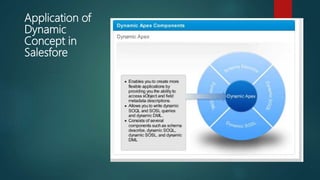
Application of
Dynamic
Concept in
Salesfore
Few more Dynamic concepts in Salesforce:
 Dynamic Approval Process
 Dynamic Reporting
 Dynamic VF Components
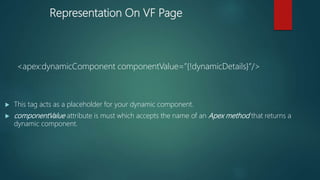
Representation On VF Page
<apex:dynamicComponent componentValue=”{!dynamicDetails}”/>
 This tag acts as a placeholder for your dynamic component.
 componentValue attribute is must which accepts the name of an Apex method that returns a
dynamic component.
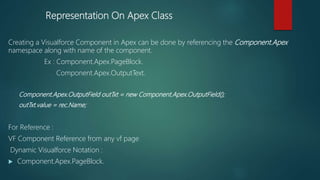
Representation On Apex Class
Creating a Visualforce Component in Apex can be done by referencing the Component.Apex
namespace along with name of the component.
Ex : Component.Apex.PageBlock.
Component.Apex.OutputText.
Component.Apex.OutputField outTxt = new Component.Apex.OutputField();
outTxt.value = rec.Name;
For Reference :
VF Component Reference from any vf page
Dynamic Visualforce Notation :
 Component.Apex.PageBlock.
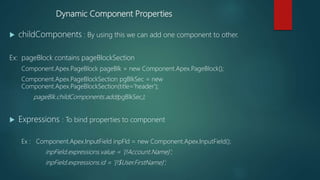
Dynamic Component Properties
 childComponents : By using this we can add one component to other.
Ex: pageBlock contains pageBlockSection
Component.Apex.PageBlock pageBlk = new Component.Apex.PageBlock();
Component.Apex.PageBlockSection pgBlkSec = new
Component.Apex.PageBlockSection(title='header');
pageBlk.childComponents.add(pgBlkSec);
 Expressions : To bind properties to component
Ex : Component.Apex.InputField inpFld = new Component.Apex.InputField();
inpField.expressions.value = '{!Account.Name}';
inpField.expressions.id = '{!$User.FirstName}';
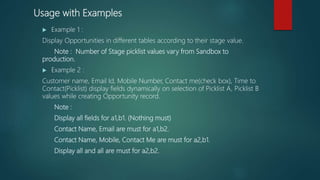
Usage with Examples
 Example 1 :
Display Opportunities in different tables according to their stage value.
Note : Number of Stage picklist values vary from Sandbox to
production.
 Example 2 :
Customer name, Email Id, Mobile Number, Contact me(check box), Time to
Contact(Picklist) display fields dynamically on selection of Picklist A, Picklist B
values while creating Opportunity record.
Note :
Display all fields for a1,b1. (Nothing must)
Contact Name, Email are must for a1,b2.
Contact Name, Mobile, Contact Me are must for a2,b1.
Display all and all are must for a2,b2.
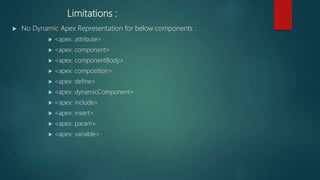
Limitations :
 No Dynamic Apex Representation for below components :
 <apex: attribute>
 <apex: component>
 <apex: componentBody>
 <apex: composition>
 <apex: define>
 <apex: dynamicComponent>
 <apex: include>
 <apex: insert>
 <apex: param>
 <apex: variable>
Resources
 https://developer.salesforce.com/page/Dynamic_Visualforce_Components
 https://yourInstance/apexpages/apexcomponents.apexp
 https://harikrishnaratikindi.wordpress.com/2016/06/18/use-of-dynamic-
components-in-salesforce/
 https://developer.salesforce.com/docs/atlas.en-
us.pages.meta/pages/pages_compref_dynamicComponent.htm
 https://developer.salesforce.com/docs/atlas.en-
us.pages.meta/pages/pages_dynamic_vf_components_implementation.htm
About Me :
 Salesforce dynamic concept expert
 Blog writer
 You can follow me in :
 Twitter : @harveensj5_hari
 Linkedin : https://in.linkedin.com/in/hari-krishna-2986bb106
 Blog : https://harikrishnaratikindi.wordpress.com/
 Github link : https://github.com/harveensj5/dynamicSalesforce
Thank you

Dynamic visualforce components in Salesforce

  • 1.
    Quote of theday  “Tell me and I forget. Teach me and I remember. Involve me and I learn.”  by Benjamin Franklin
  • 2.
  • 3.
    Introduction : What isDynamic Programming : • Method for solving a complex problem by breaking it down into a collection of simpler sub problems, and solve all once, storing their solutions for future reference to avoid re-computing again for same problem. So we can save computation time, memory.
  • 4.
  • 5.
    Few more Dynamicconcepts in Salesforce:  Dynamic Approval Process  Dynamic Reporting  Dynamic VF Components
  • 6.
    Representation On VFPage <apex:dynamicComponent componentValue=”{!dynamicDetails}”/>  This tag acts as a placeholder for your dynamic component.  componentValue attribute is must which accepts the name of an Apex method that returns a dynamic component.
  • 7.
    Representation On ApexClass Creating a Visualforce Component in Apex can be done by referencing the Component.Apex namespace along with name of the component. Ex : Component.Apex.PageBlock. Component.Apex.OutputText. Component.Apex.OutputField outTxt = new Component.Apex.OutputField(); outTxt.value = rec.Name; For Reference : VF Component Reference from any vf page Dynamic Visualforce Notation :  Component.Apex.PageBlock.
  • 8.
    Dynamic Component Properties childComponents : By using this we can add one component to other. Ex: pageBlock contains pageBlockSection Component.Apex.PageBlock pageBlk = new Component.Apex.PageBlock(); Component.Apex.PageBlockSection pgBlkSec = new Component.Apex.PageBlockSection(title='header'); pageBlk.childComponents.add(pgBlkSec);  Expressions : To bind properties to component Ex : Component.Apex.InputField inpFld = new Component.Apex.InputField(); inpField.expressions.value = '{!Account.Name}'; inpField.expressions.id = '{!$User.FirstName}';
  • 9.
    Usage with Examples Example 1 : Display Opportunities in different tables according to their stage value. Note : Number of Stage picklist values vary from Sandbox to production.  Example 2 : Customer name, Email Id, Mobile Number, Contact me(check box), Time to Contact(Picklist) display fields dynamically on selection of Picklist A, Picklist B values while creating Opportunity record. Note : Display all fields for a1,b1. (Nothing must) Contact Name, Email are must for a1,b2. Contact Name, Mobile, Contact Me are must for a2,b1. Display all and all are must for a2,b2.
  • 10.
    Limitations :  NoDynamic Apex Representation for below components :  <apex: attribute>  <apex: component>  <apex: componentBody>  <apex: composition>  <apex: define>  <apex: dynamicComponent>  <apex: include>  <apex: insert>  <apex: param>  <apex: variable>
  • 11.
    Resources  https://developer.salesforce.com/page/Dynamic_Visualforce_Components  https://yourInstance/apexpages/apexcomponents.apexp https://harikrishnaratikindi.wordpress.com/2016/06/18/use-of-dynamic- components-in-salesforce/  https://developer.salesforce.com/docs/atlas.en- us.pages.meta/pages/pages_compref_dynamicComponent.htm  https://developer.salesforce.com/docs/atlas.en- us.pages.meta/pages/pages_dynamic_vf_components_implementation.htm
  • 12.
    About Me : Salesforce dynamic concept expert  Blog writer  You can follow me in :  Twitter : @harveensj5_hari  Linkedin : https://in.linkedin.com/in/hari-krishna-2986bb106  Blog : https://harikrishnaratikindi.wordpress.com/  Github link : https://github.com/harveensj5/dynamicSalesforce
  • 13.