Dot Net Core 3.0 with Raspberry Pi – Copyright Pete Gallagher 2019 – @Pete_Codes
.NET Core 3.0 with
Raspberry Pi
PETE GALLAGHER
PJGCREATIONS.CO.UK
25/09/2019
www.dotnetconf.net
Dot Net Core 3.0 with Raspberry Pi – Copyright Pete Gallagher 2019 – @Pete_Codes
About Me
Pete Gallagher
@pete_codes / @PJGCreations
www.PeteCodes.co.uk
www.PJGCreations.co.uk
Pete@PJGCreations.co.uk
IT Consultant
Decades of Desktop, Web & Embedded Software experience
Notts IoT, Dot Net Notts, Notts Dev Workshop Meetup Organiser
STEM Ambassador, Code Club Volunteer … Gadget Addict
Father of two inquisitive girls
Dot Net Core 3.0 with Raspberry Pi – Copyright Pete Gallagher 2019 – @Pete_Codes
What we’re going to be doing…
 .NET Conf KeyNote Highlights
 .NET Framework
 .NET Core 3.0
 Installing .NET Core on the Raspberry Pi
 Hello World Console Apps
 .NET Core IoT + Console Apps + Azure
 Blazor
 Hello World Blazor App
Dot Net Core 3.0 with Raspberry Pi – Copyright Pete Gallagher 2019 – @Pete_Codes
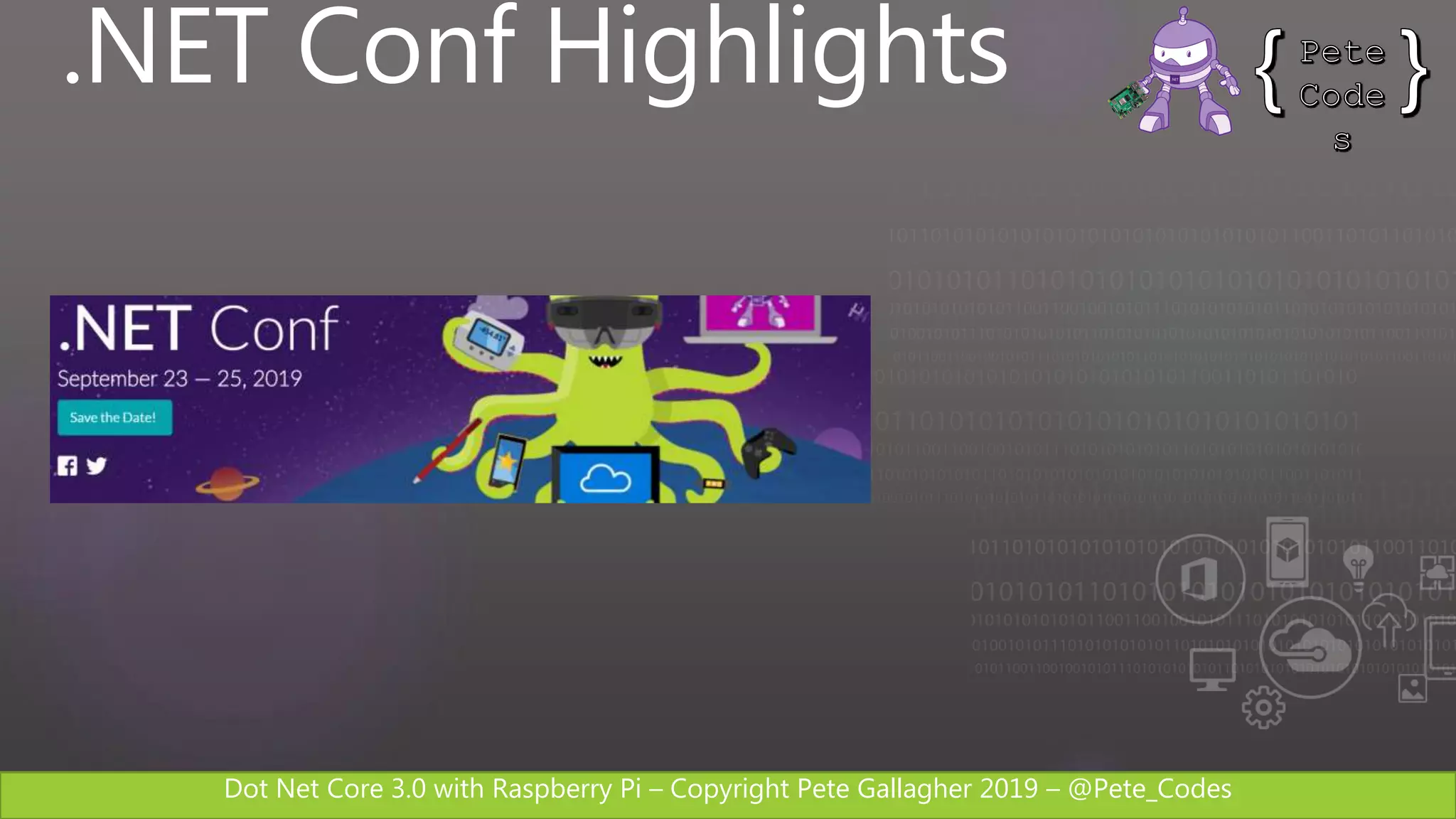
.NET Conf Highlights
Dot Net Core 3.0 with Raspberry Pi – Copyright Pete Gallagher 2019 – @Pete_Codes
.NET Conf Highlights
.NET Core 3.0 Released
 Built on .NET Standard 2.1 (Latest)
 Windows Forms and WPF Support
 Support for Raspberry Pi (Whoop!)
 Support for ARM 64
 Built in JSON API
 Publish Executables
https://devblogs.microsoft.com/dotnet/
announcing-net-core-3-0
Dot Net Core 3.0 with Raspberry Pi – Copyright Pete Gallagher 2019 – @Pete_Codes
.NET Conf Highlights
C# 8 Part of .NET Core
 Nullable Reference Types
 Async Streams
 Index and Range
 Switch Expressions
https://devblogs.microsoft.com/dotnet/
announcing-net-core-3-0
Dot Net Core 3.0 with Raspberry Pi – Copyright Pete Gallagher 2019 – @Pete_Codes
.NET Conf Highlights
Entity Framework Core 3.0
 LINQ Upgraded – More efficient SQL
 Single SQL Statement for LINQ Query
 Cosmos DB Support
 Async Streams
 Nullable Reference Types
 Interception of Database Operations
https://devblogs.microsoft.com/dotnet/
announcing-ef-core-3-0-and-ef-6-3-general-availability
Dot Net Core 3.0 with Raspberry Pi – Copyright Pete Gallagher 2019 – @Pete_Codes
.NET Conf Highlights
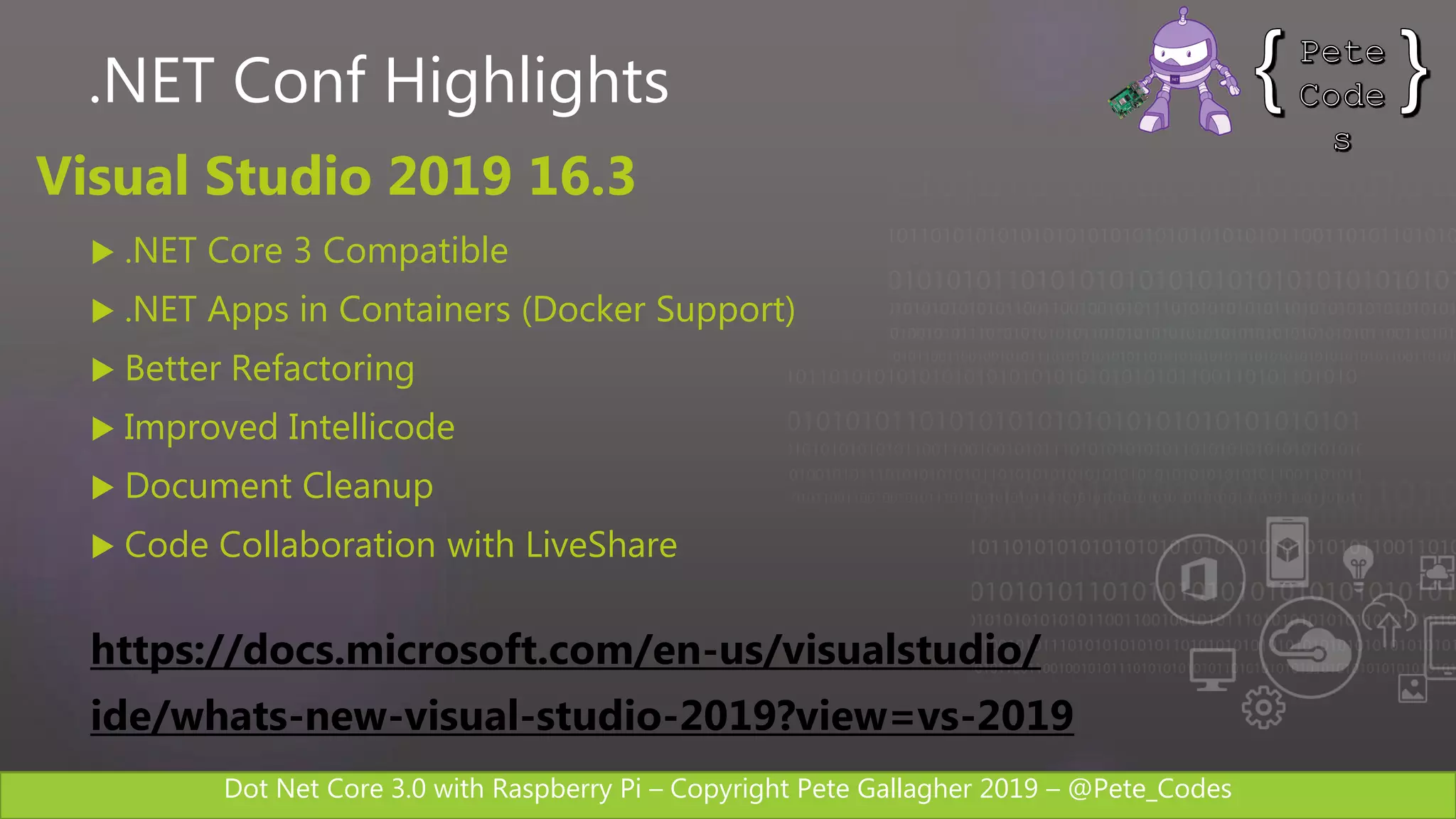
Visual Studio 2019 16.3
 .NET Core 3 Compatible
 .NET Apps in Containers (Docker Support)
 Better Refactoring
 Improved Intellicode
 Document Cleanup
 Code Collaboration with LiveShare
https://docs.microsoft.com/en-us/visualstudio/
ide/whats-new-visual-studio-2019?view=vs-2019
Dot Net Core 3.0 with Raspberry Pi – Copyright Pete Gallagher 2019 – @Pete_Codes
.NET Framework
Dot Net Core 3.0 with Raspberry Pi – Copyright Pete Gallagher 2019 – @Pete_Codes
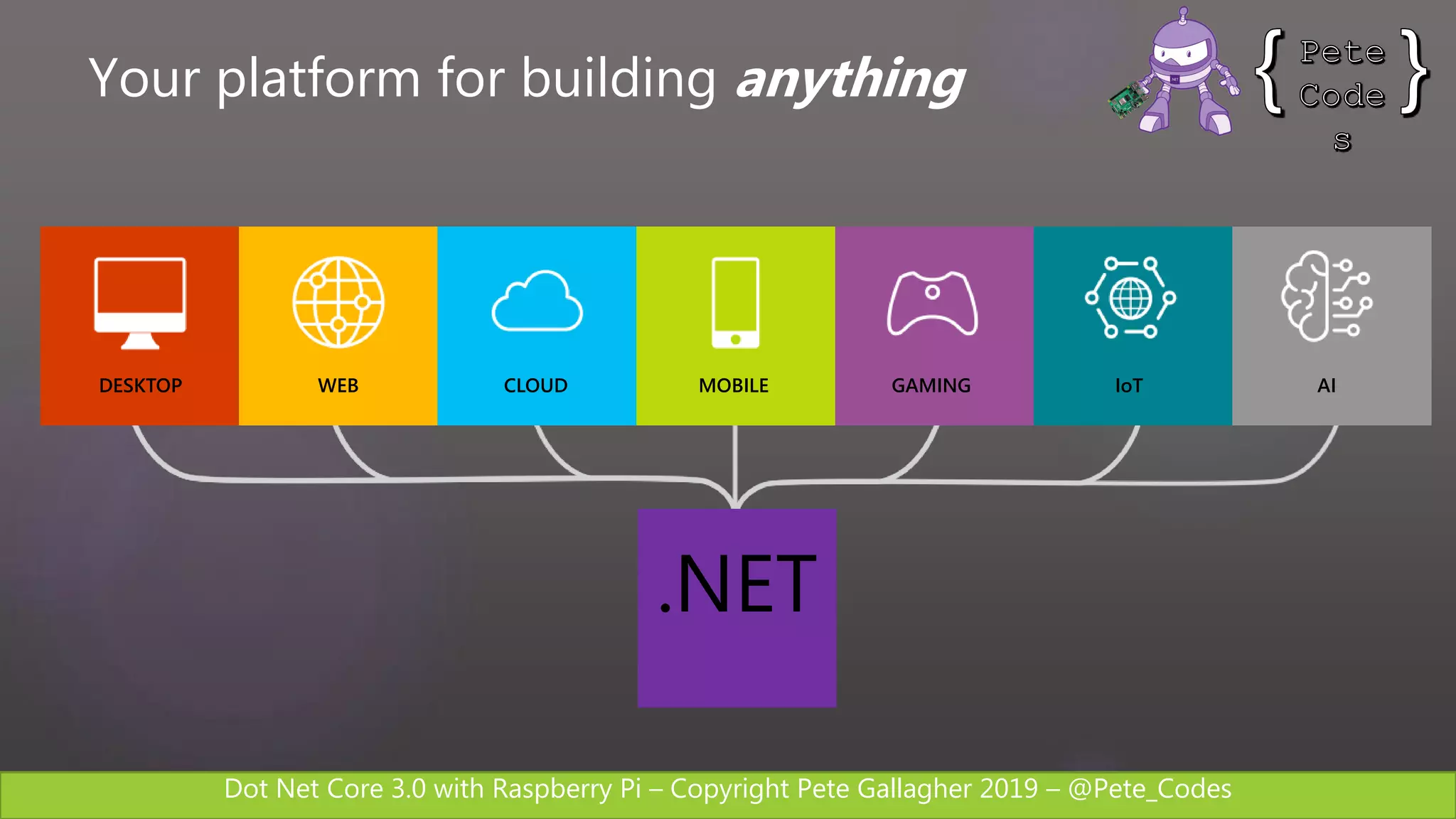
DESKTOP WEB CLOUD MOBILE GAMING IoT AI
.NET
Your platform for building anything
Dot Net Core 3.0 with Raspberry Pi – Copyright Pete Gallagher 2019 – @Pete_Codes
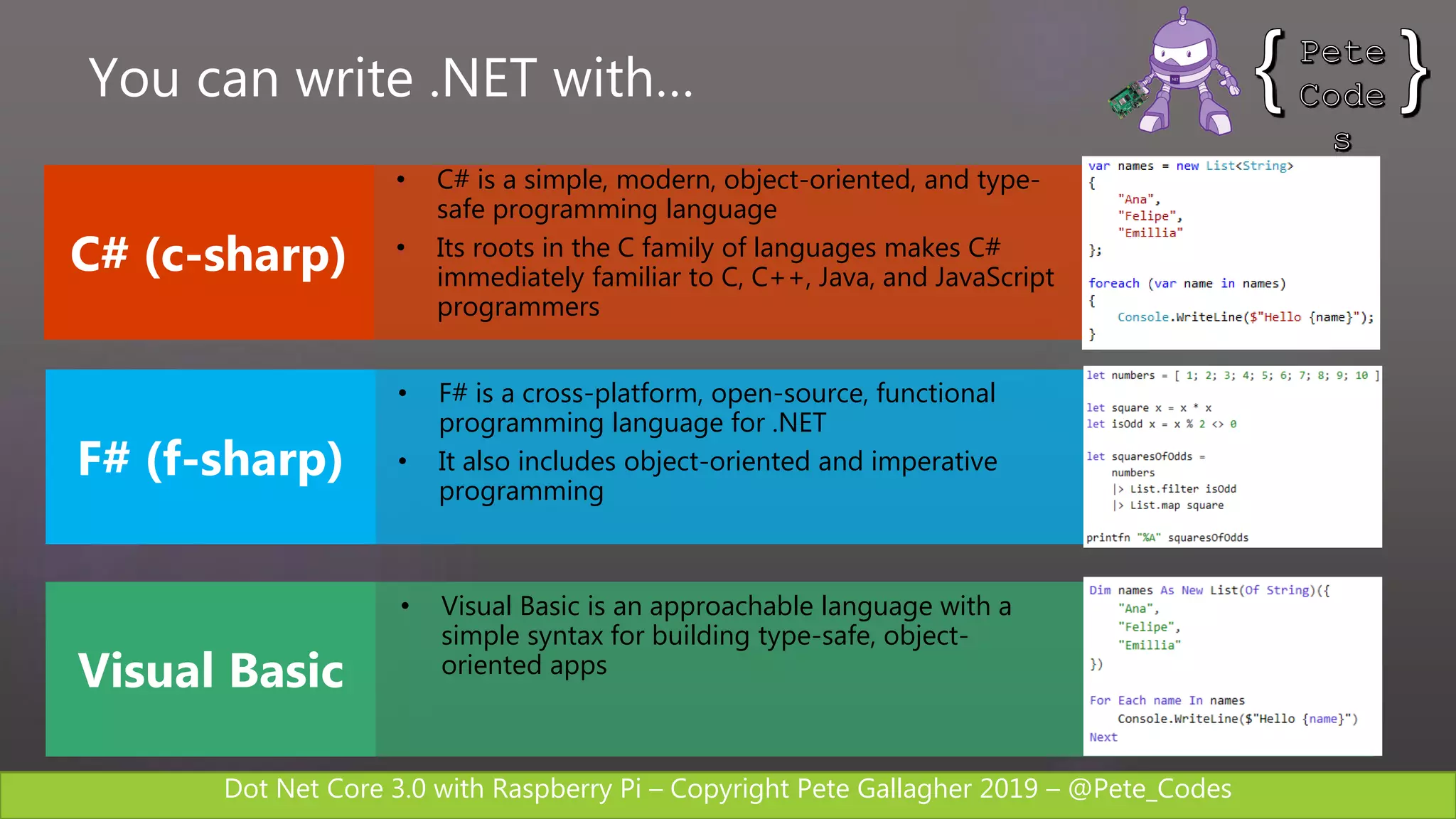
• C# is a simple, modern, object-oriented, and type-
safe programming language
• Its roots in the C family of languages makes C#
immediately familiar to C, C++, Java, and JavaScript
programmers
• F# is a cross-platform, open-source, functional
programming language for .NET
• It also includes object-oriented and imperative
programming
• Visual Basic is an approachable language with a
simple syntax for building type-safe, object-
oriented apps
You can write .NET with…
Dot Net Core 3.0 with Raspberry Pi – Copyright Pete Gallagher 2019 – @Pete_Codes
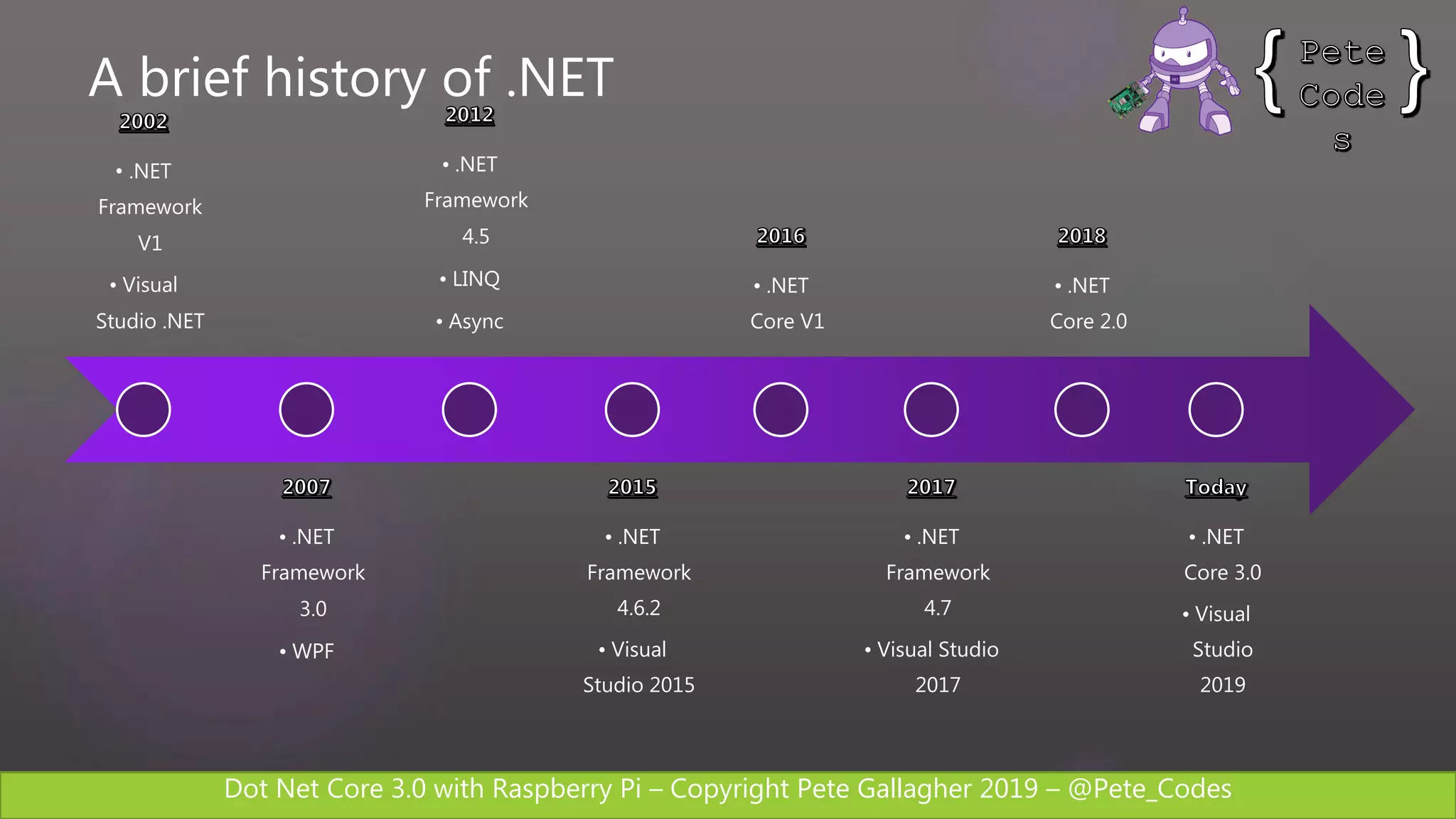
A brief history of .NET
• .NET
Framework
V1
• Visual
Studio .NET
• .NET
Framework
3.0
• WPF
• .NET
Framework
4.5
• LINQ
• Async
• .NET
Framework
4.6.2
• Visual
Studio 2015
• .NET
Core V1
• .NET
Framework
4.7
• Visual Studio
2017
• .NET
Core 2.0
• .NET
Core 3.0
• Visual
Studio
2019
Dot Net Core 3.0 with Raspberry Pi – Copyright Pete Gallagher 2019 – @Pete_Codes
.NET Standard
Dot Net Core 3.0 with Raspberry Pi – Copyright Pete Gallagher 2019 – @Pete_Codes
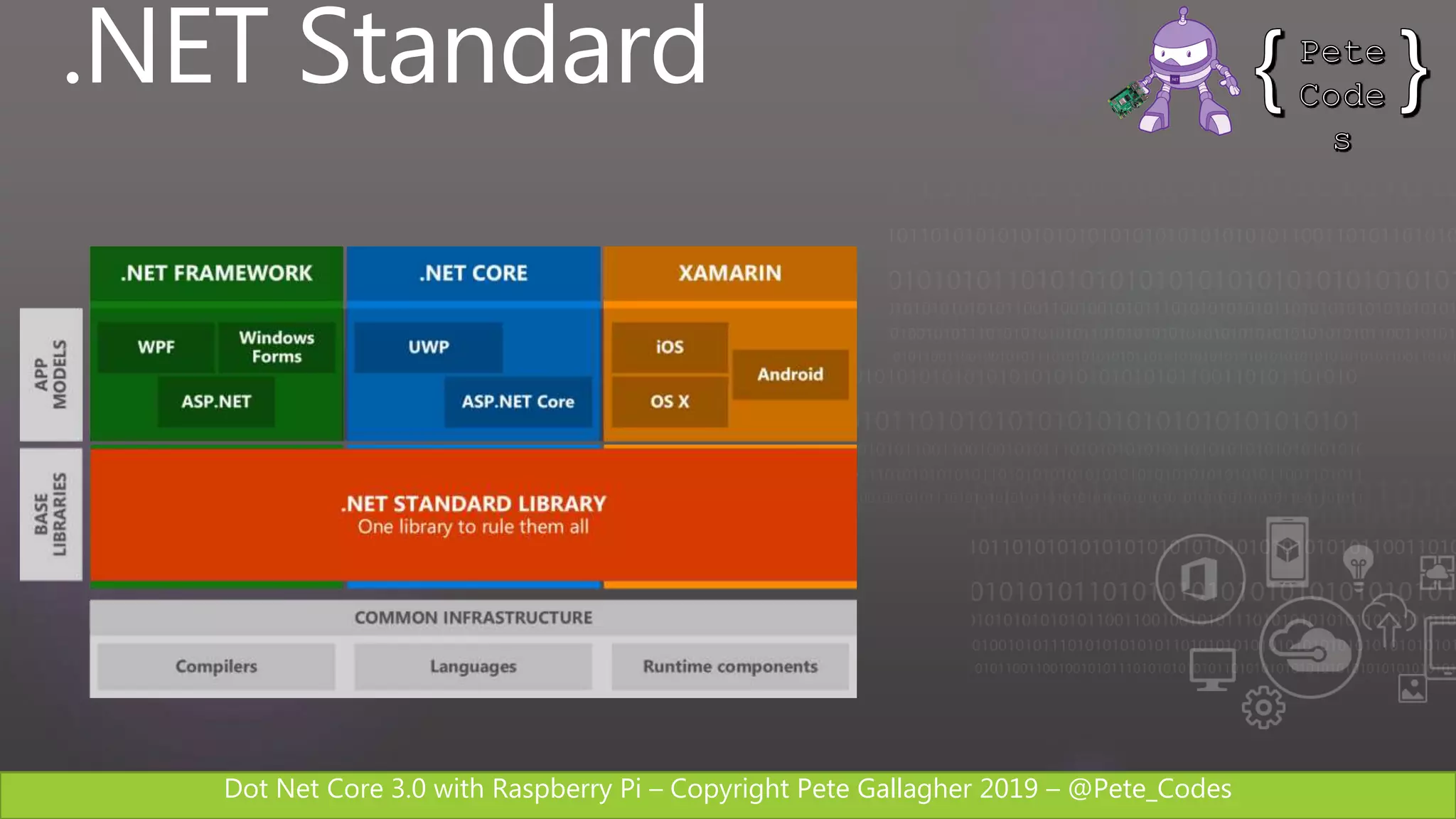
.NET Standard
Dot Net Core 3.0 with Raspberry Pi – Copyright Pete Gallagher 2019 – @Pete_Codes
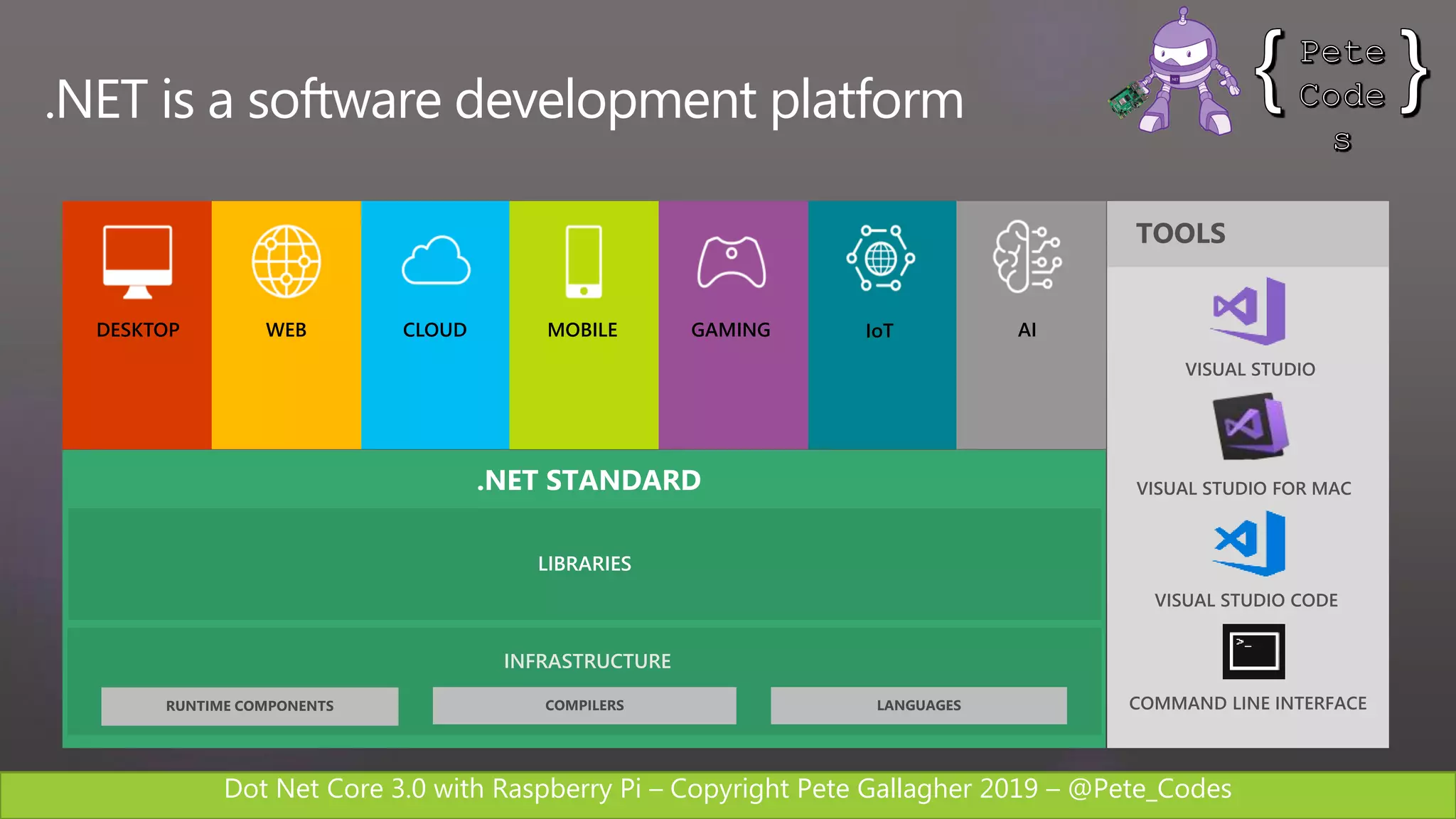
LIBRARIES
INFRASTRUCTURE
.NET STANDARD
.NET is a software development platform
DESKTOP WEB CLOUD MOBILE GAMING IoT AI
Dot Net Core 3.0 with Raspberry Pi – Copyright Pete Gallagher 2019 – @Pete_Codes
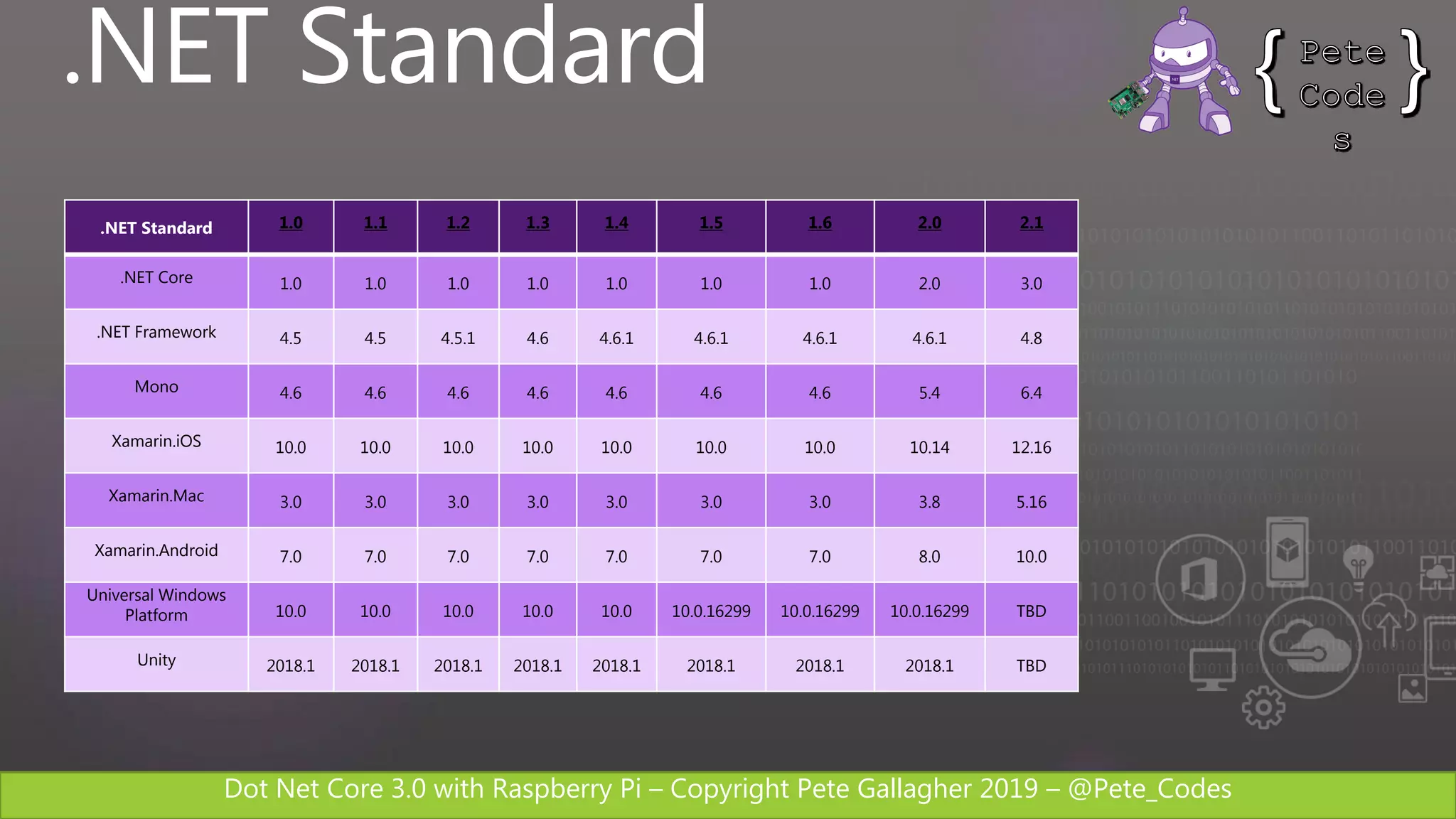
.NET Standard
.NET Standard 1.0 1.1 1.2 1.3 1.4 1.5 1.6 2.0 2.1
.NET Core 1.0 1.0 1.0 1.0 1.0 1.0 1.0 2.0 3.0
.NET Framework 4.5 4.5 4.5.1 4.6 4.6.1 4.6.1 4.6.1 4.6.1 4.8
Mono 4.6 4.6 4.6 4.6 4.6 4.6 4.6 5.4 6.4
Xamarin.iOS 10.0 10.0 10.0 10.0 10.0 10.0 10.0 10.14 12.16
Xamarin.Mac 3.0 3.0 3.0 3.0 3.0 3.0 3.0 3.8 5.16
Xamarin.Android 7.0 7.0 7.0 7.0 7.0 7.0 7.0 8.0 10.0
Universal Windows
Platform 10.0 10.0 10.0 10.0 10.0 10.0.16299 10.0.16299 10.0.16299 TBD
Unity 2018.1 2018.1 2018.1 2018.1 2018.1 2018.1 2018.1 2018.1 TBD
Dot Net Core 3.0 with Raspberry Pi – Copyright Pete Gallagher 2019 – @Pete_Codes
.NET Core
Dot Net Core 3.0 with Raspberry Pi – Copyright Pete Gallagher 2019 – @Pete_Codes
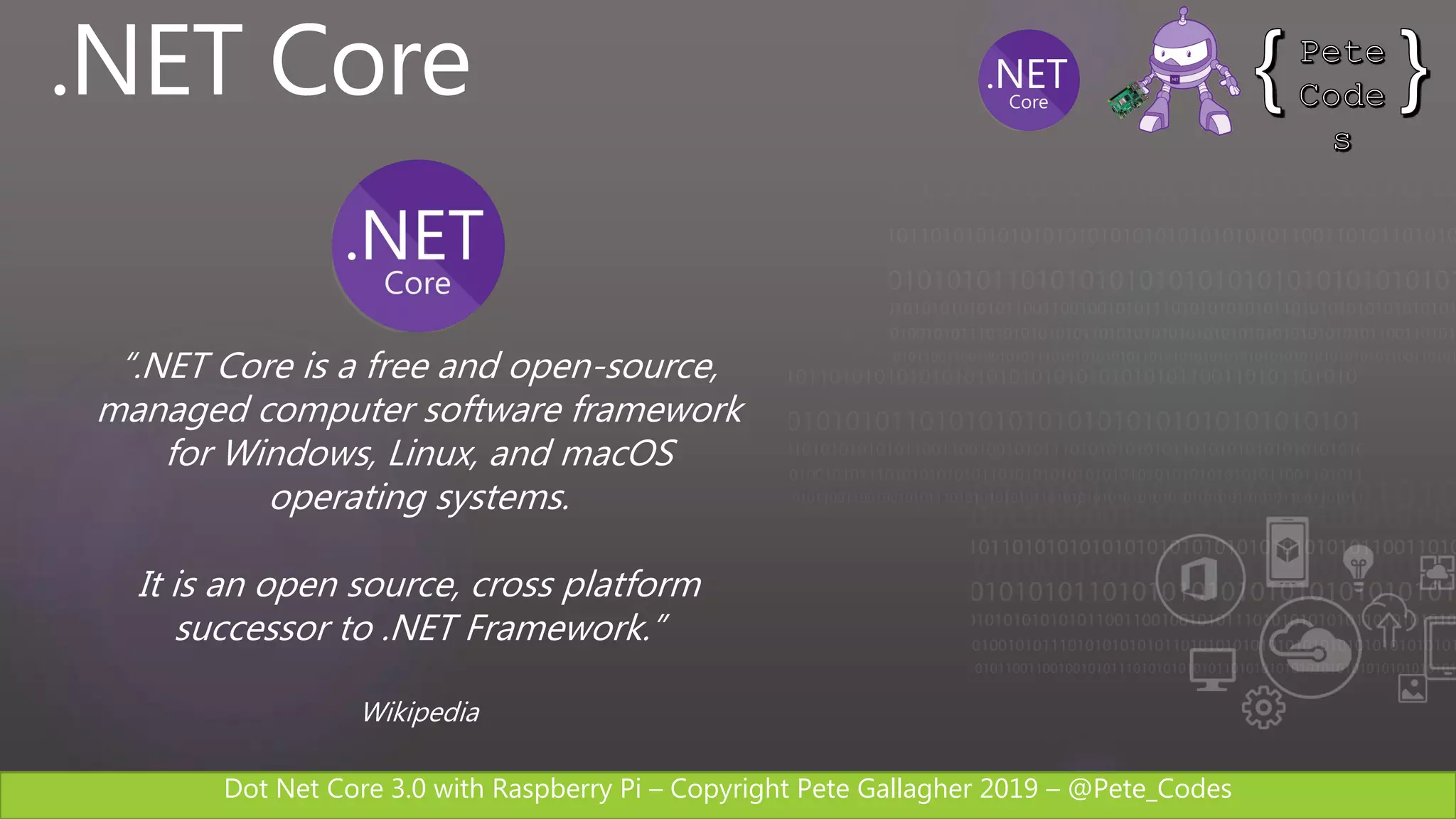
“.NET Core is a free and open-source,
managed computer software framework
for Windows, Linux, and macOS
operating systems.
It is an open source, cross platform
successor to .NET Framework.”
Wikipedia
.NET Core
Dot Net Core 3.0 with Raspberry Pi – Copyright Pete Gallagher 2019 – @Pete_Codes
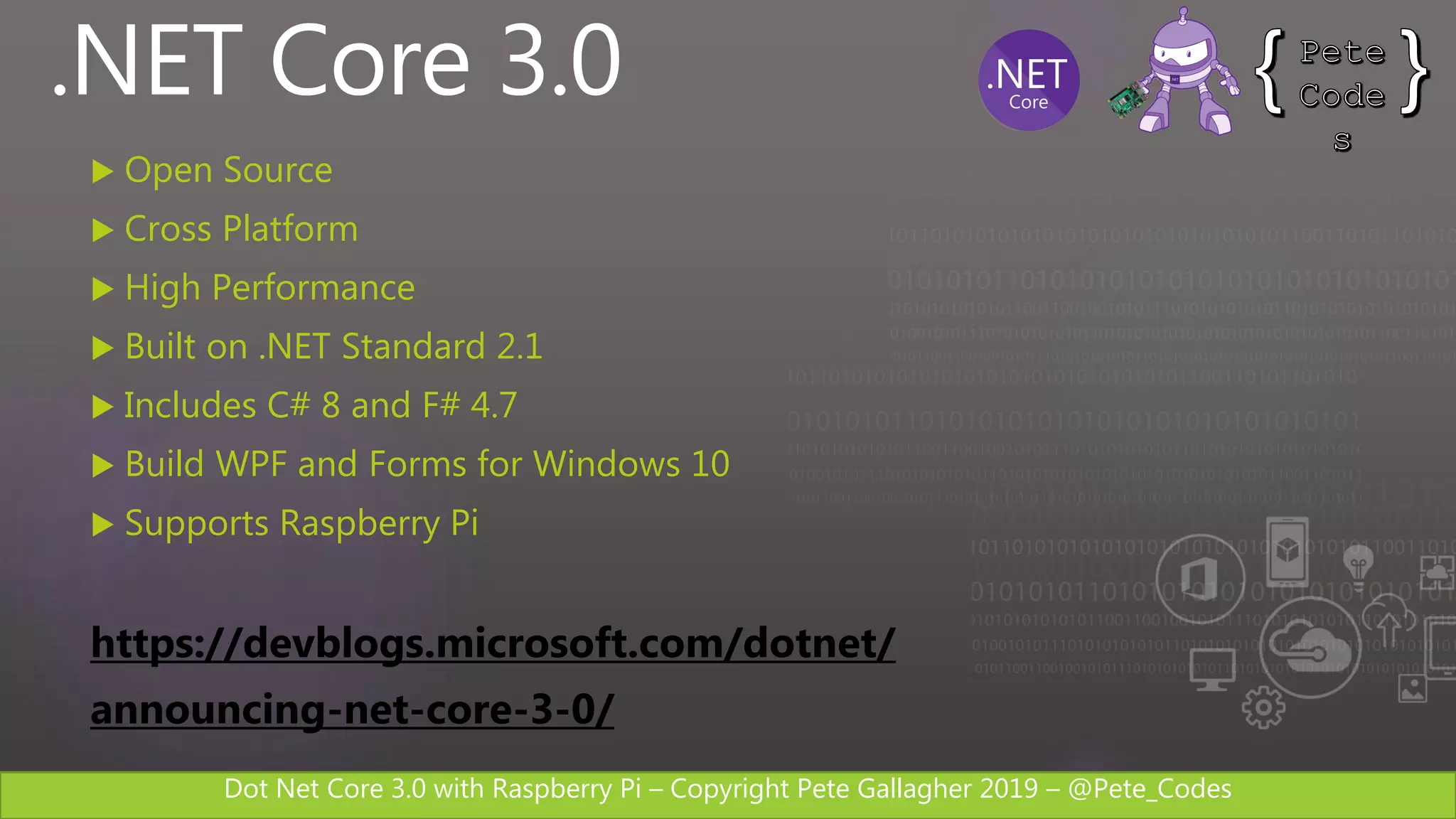
.NET Core 3.0
 Open Source
 Cross Platform
 High Performance
 Built on .NET Standard 2.1
 Includes C# 8 and F# 4.7
 Build WPF and Forms for Windows 10
 Supports Raspberry Pi
https://devblogs.microsoft.com/dotnet/
announcing-net-core-3-0/
Dot Net Core 3.0 with Raspberry Pi – Copyright Pete Gallagher 2019 – @Pete_Codes
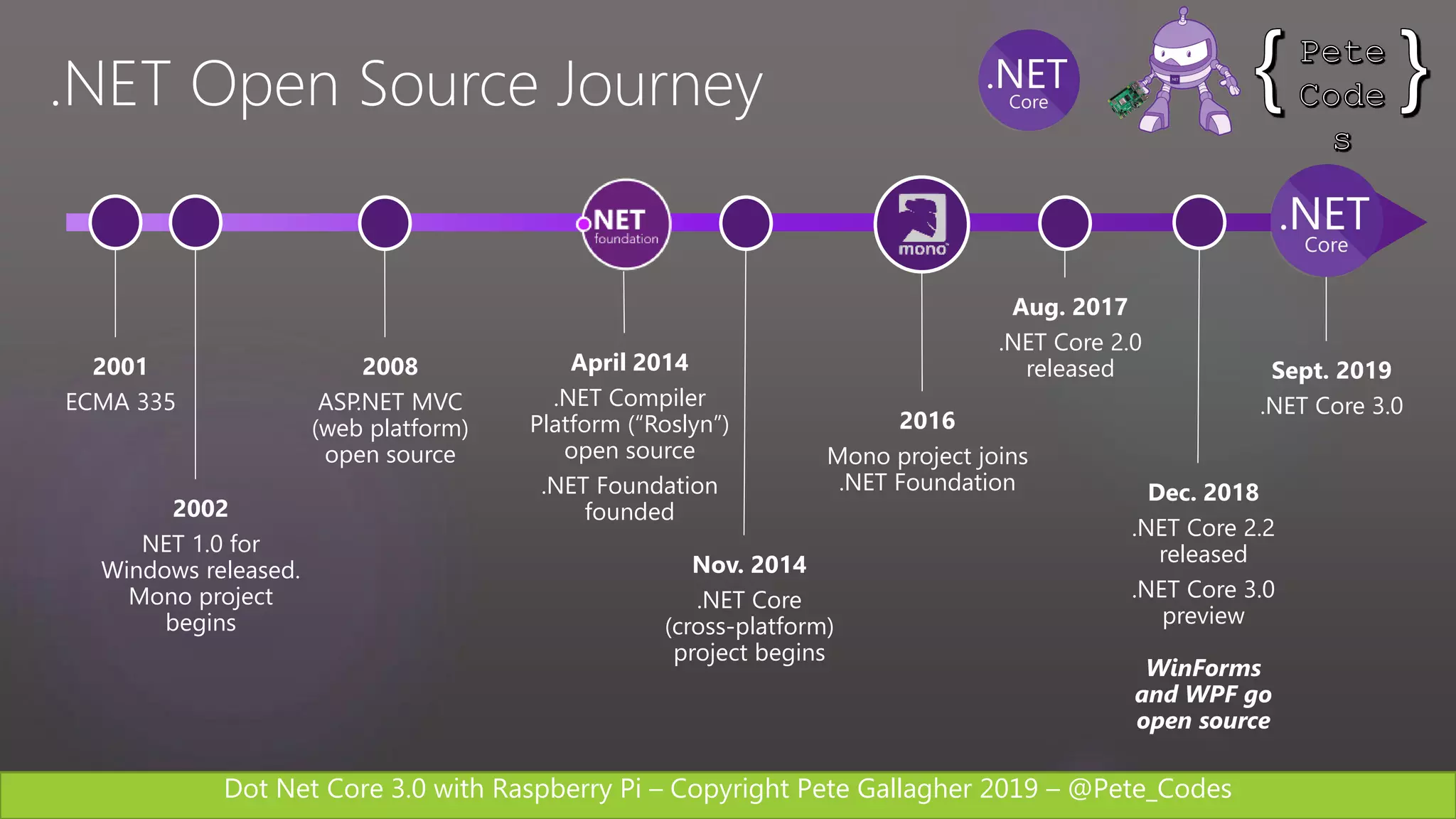
.NET Open Source Journey
2001
ECMA 335
2002
NET 1.0 for
Windows released.
Mono project
begins
2008
ASP.NET MVC
(web platform)
open source
April 2014
.NET Compiler
Platform (“Roslyn”)
open source
.NET Foundation
founded
Nov. 2014
.NET Core
(cross-platform)
project begins
2016
Mono project joins
.NET Foundation
Aug. 2017
.NET Core 2.0
released
Dec. 2018
.NET Core 2.2
released
.NET Core 3.0
preview
WinForms
and WPF go
open source
Sept. 2019
.NET Core 3.0
Dot Net Core 3.0 with Raspberry Pi – Copyright Pete Gallagher 2019 – @Pete_Codes
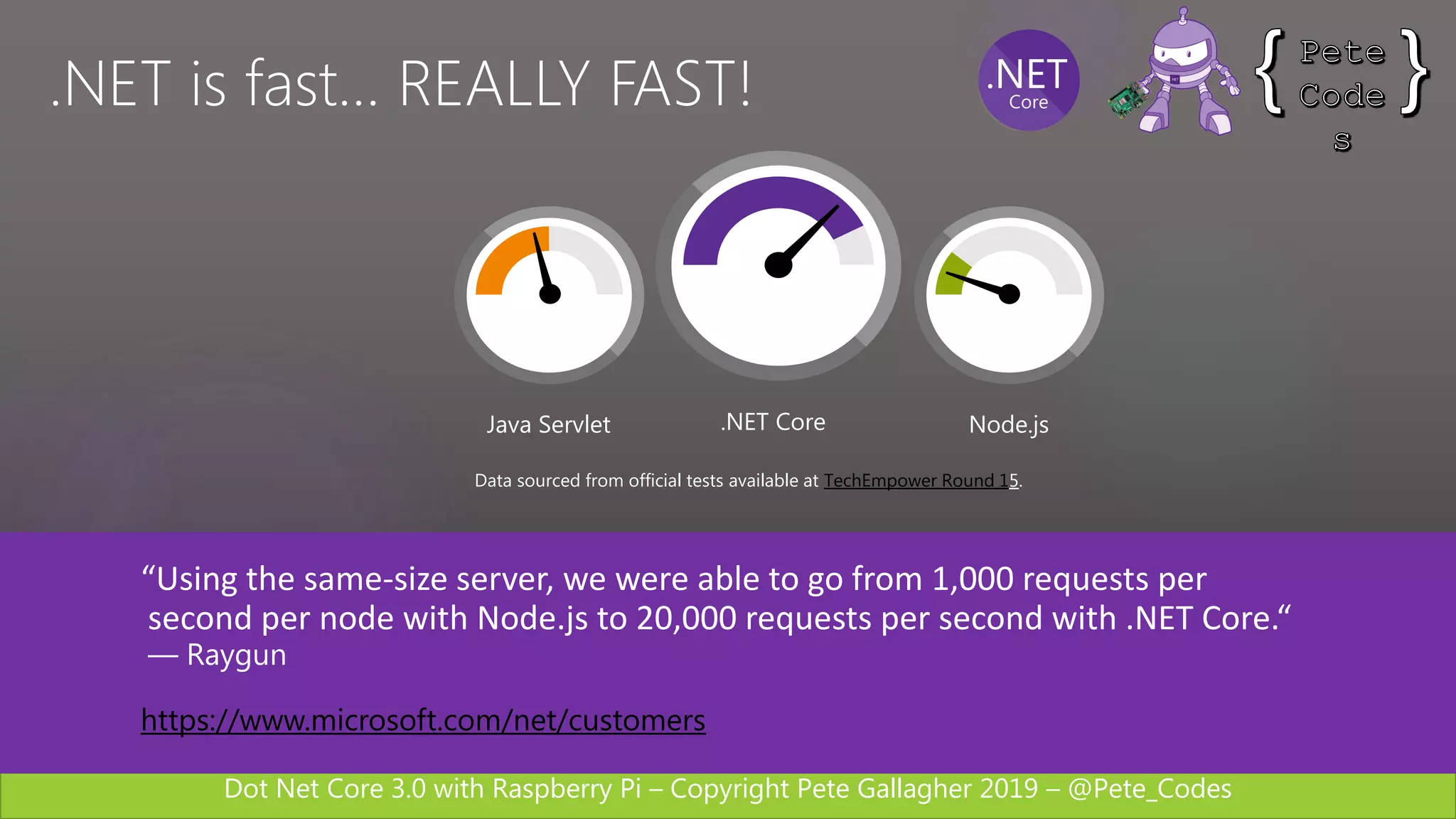
“Using the same-size server, we were able to go from 1,000 requests per
second per node with Node.js to 20,000 requests per second with .NET Core.“
— Raygun
https://www.microsoft.com/net/customers
Data sourced from official tests available at TechEmpower Round 15.
Java Servlet .NET Core Node.js
.NET is fast… REALLY FAST!
Dot Net Core 3.0 with Raspberry Pi – Copyright Pete Gallagher 2019 – @Pete_Codes
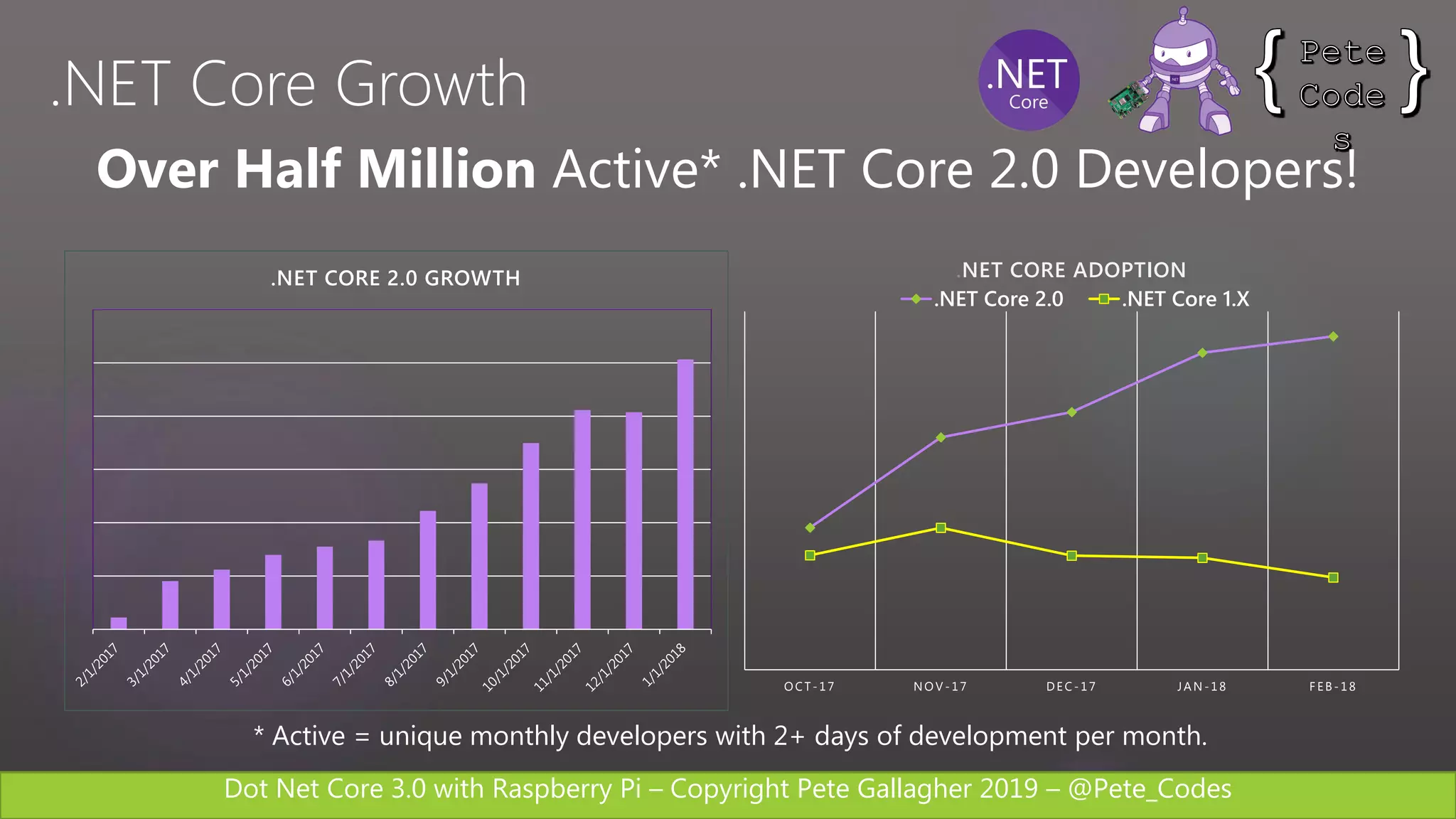
Over Half Million Active* .NET Core 2.0 Developers!
.NET CORE 2.0 GROWTH
O CT - 17 NO V - 17 DEC- 17 JAN - 18 F EB- 18
.NET Core 2.0 .NET Core 1.X
.NET CORE ADOPTION
* Active = unique monthly developers with 2+ days of development per month.
.NET Core Growth
Dot Net Core 3.0 with Raspberry Pi – Copyright Pete Gallagher 2019 – @Pete_Codes
Windows Demo
Dot Net Core 3.0 with Raspberry Pi – Copyright Pete Gallagher 2019 – @Pete_Codes
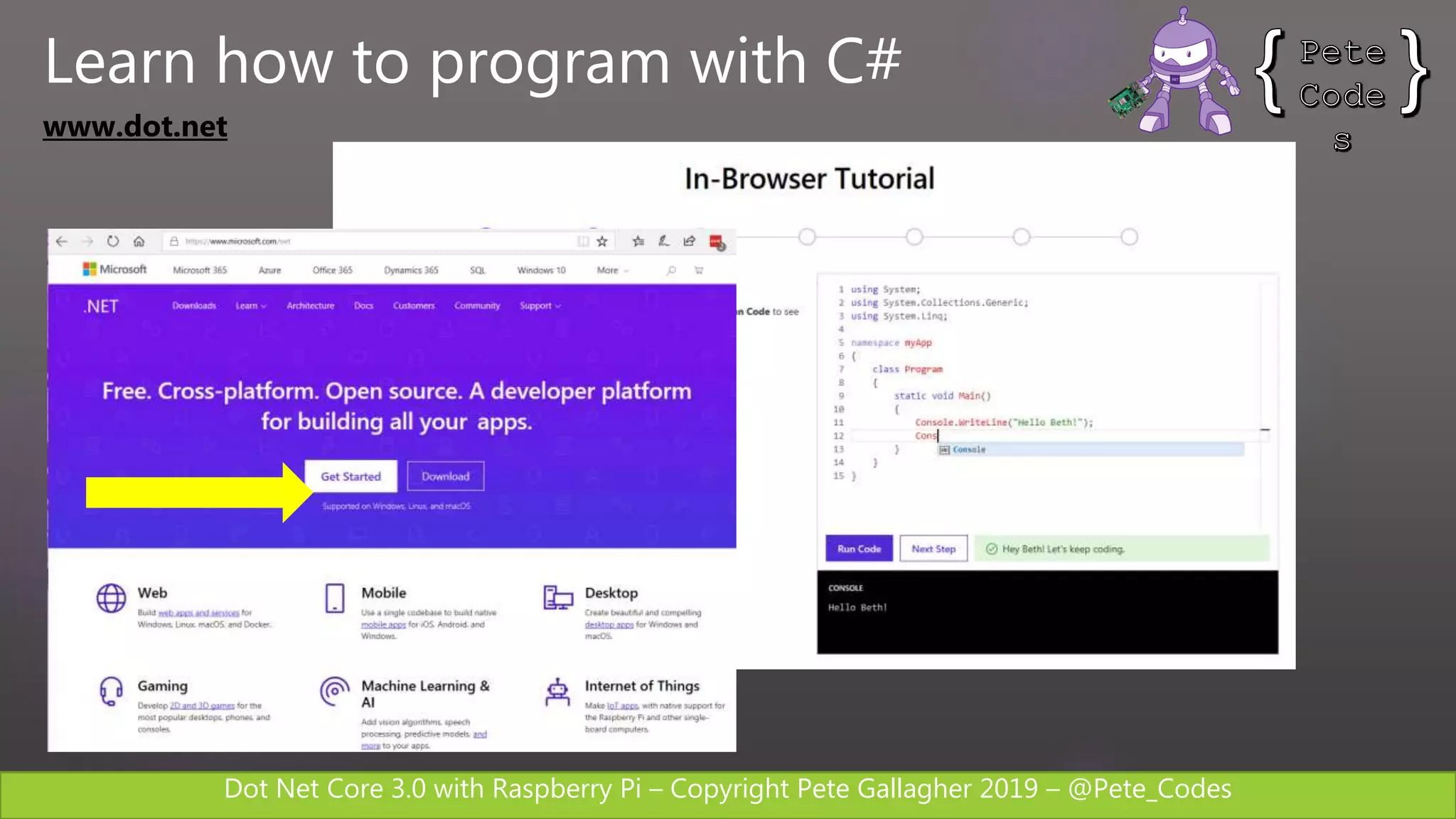
www.dot.net
Learn how to program with C#
Dot Net Core 3.0 with Raspberry Pi – Copyright Pete Gallagher 2019 – @Pete_Codes
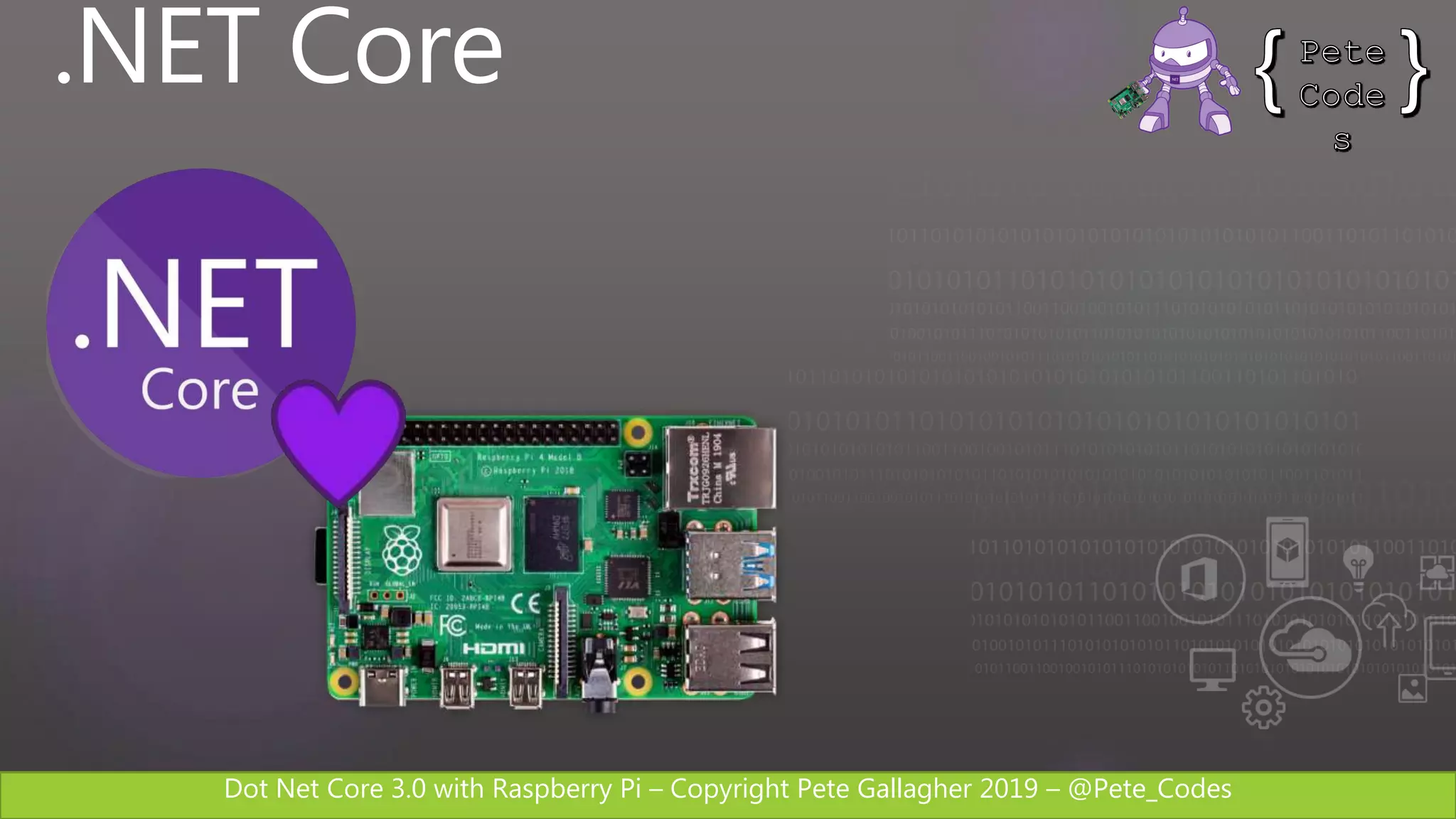
.NET Core
Dot Net Core 3.0 with Raspberry Pi – Copyright Pete Gallagher 2019 – @Pete_Codes
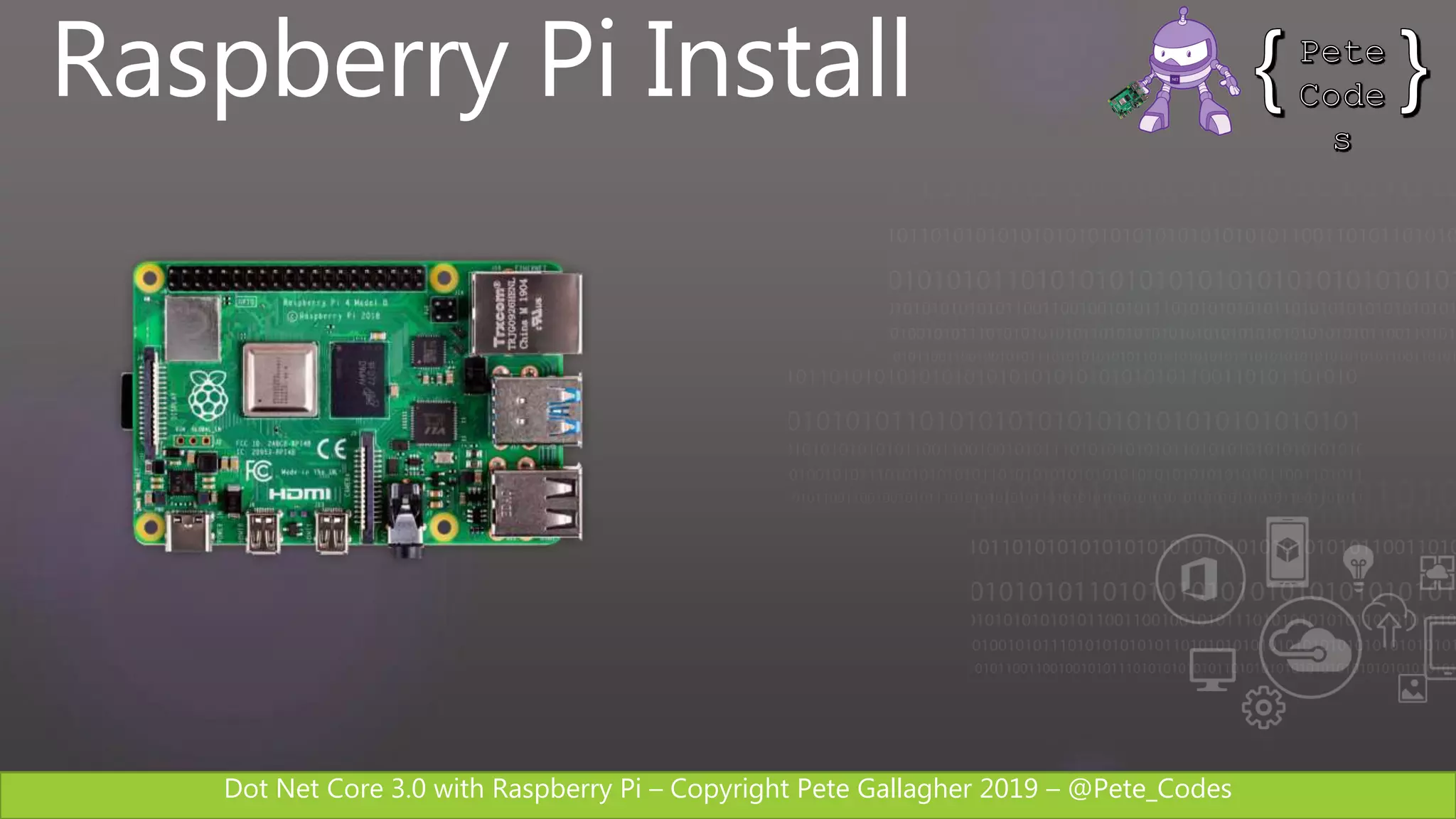
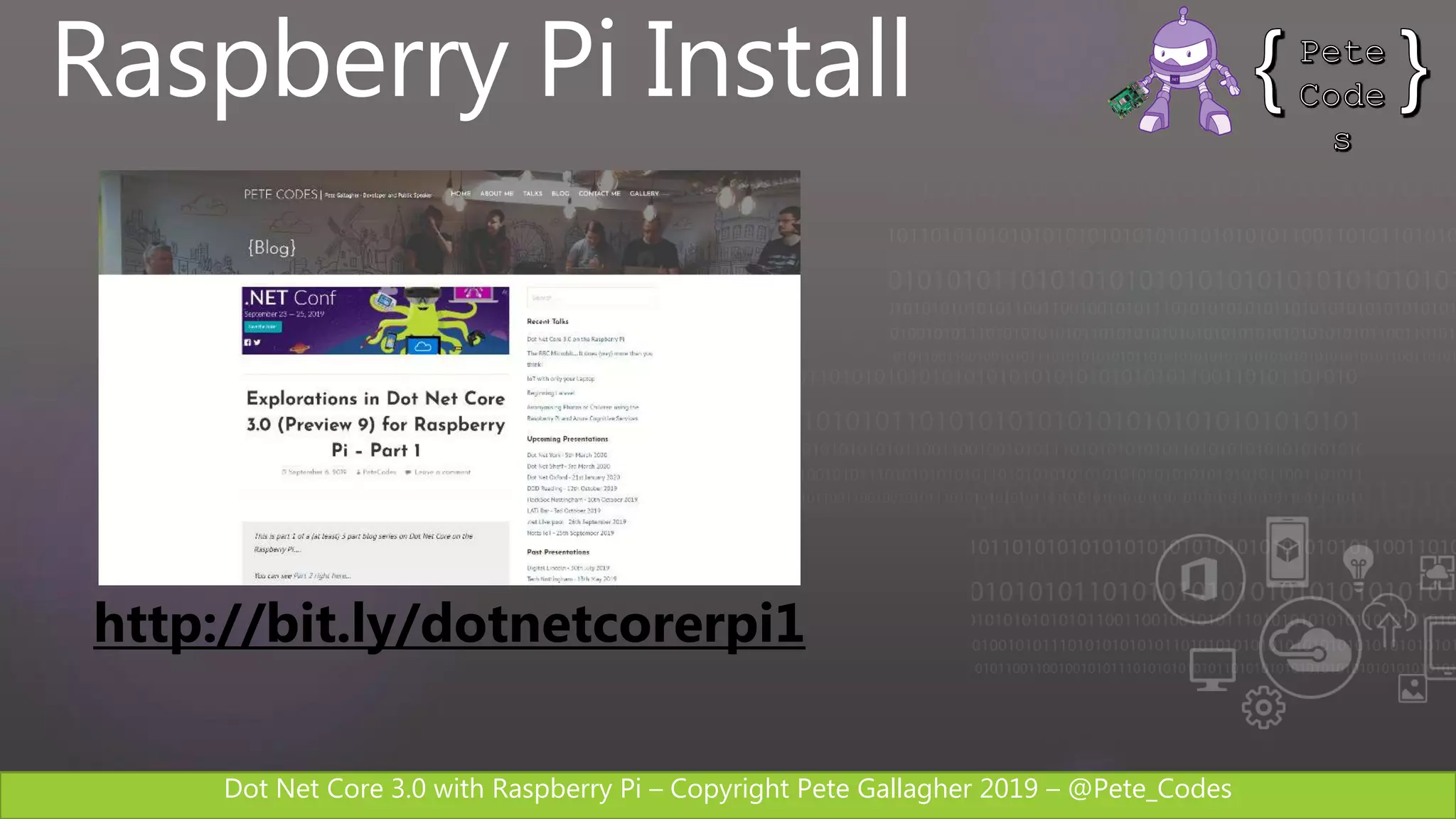
Raspberry Pi Install
Dot Net Core 3.0 with Raspberry Pi – Copyright Pete Gallagher 2019 – @Pete_Codes
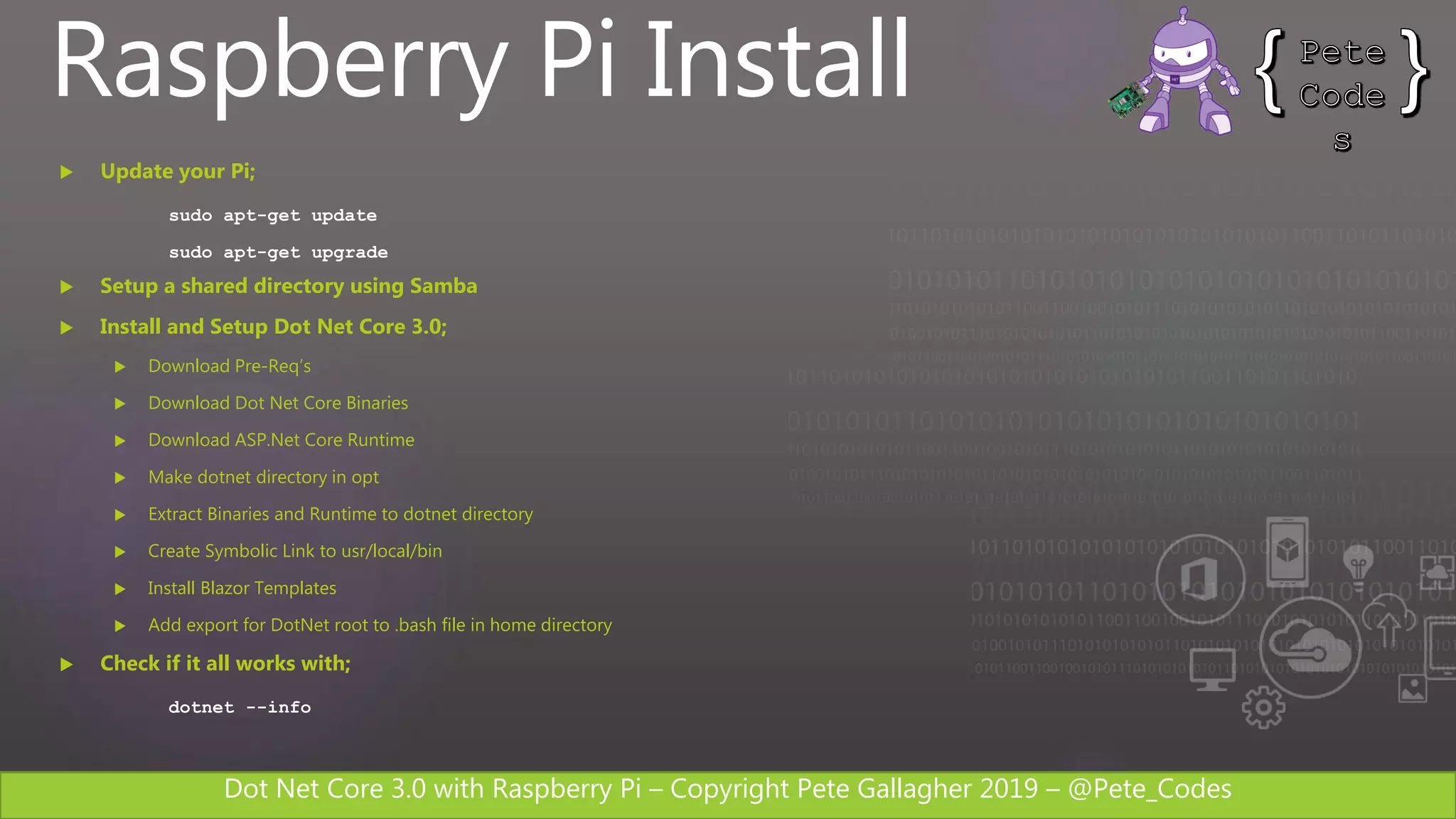
Raspberry Pi Install
 Update your Pi;
sudo apt-get update
sudo apt-get upgrade
 Setup a shared directory using Samba
 Install and Setup Dot Net Core 3.0;
 Download Pre-Req’s
 Download Dot Net Core Binaries
 Download ASP.Net Core Runtime
 Make dotnet directory in opt
 Extract Binaries and Runtime to dotnet directory
 Create Symbolic Link to usr/local/bin
 Install Blazor Templates
 Add export for DotNet root to .bash file in home directory
 Check if it all works with;
dotnet --info
Dot Net Core 3.0 with Raspberry Pi – Copyright Pete Gallagher 2019 – @Pete_Codes
Raspberry Pi Install
http://bit.ly/dotnetcorerpi1
Dot Net Core 3.0 with Raspberry Pi – Copyright Pete Gallagher 2019 – @Pete_Codes
Raspberry Pi Demo 1
Console App
Dot Net Core 3.0 with Raspberry Pi – Copyright Pete Gallagher 2019 – @Pete_Codes
Raspberry Pi Demo 2
LED App
Dot Net Core 3.0 with Raspberry Pi – Copyright Pete Gallagher 2019 – @Pete_Codes
.NET Core GPIO
Dot Net Core 3.0 with Raspberry Pi – Copyright Pete Gallagher 2019 – @Pete_Codes
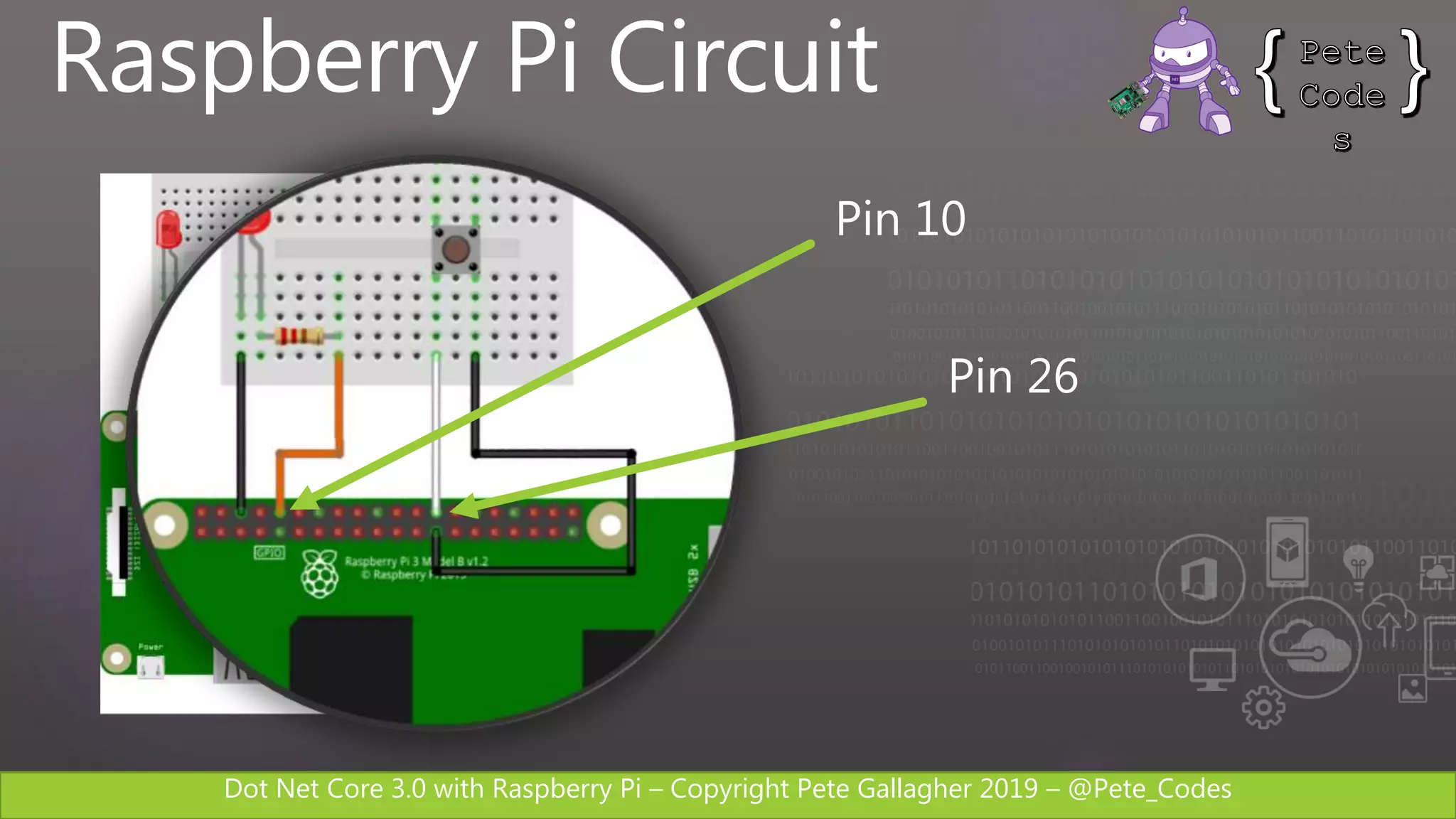
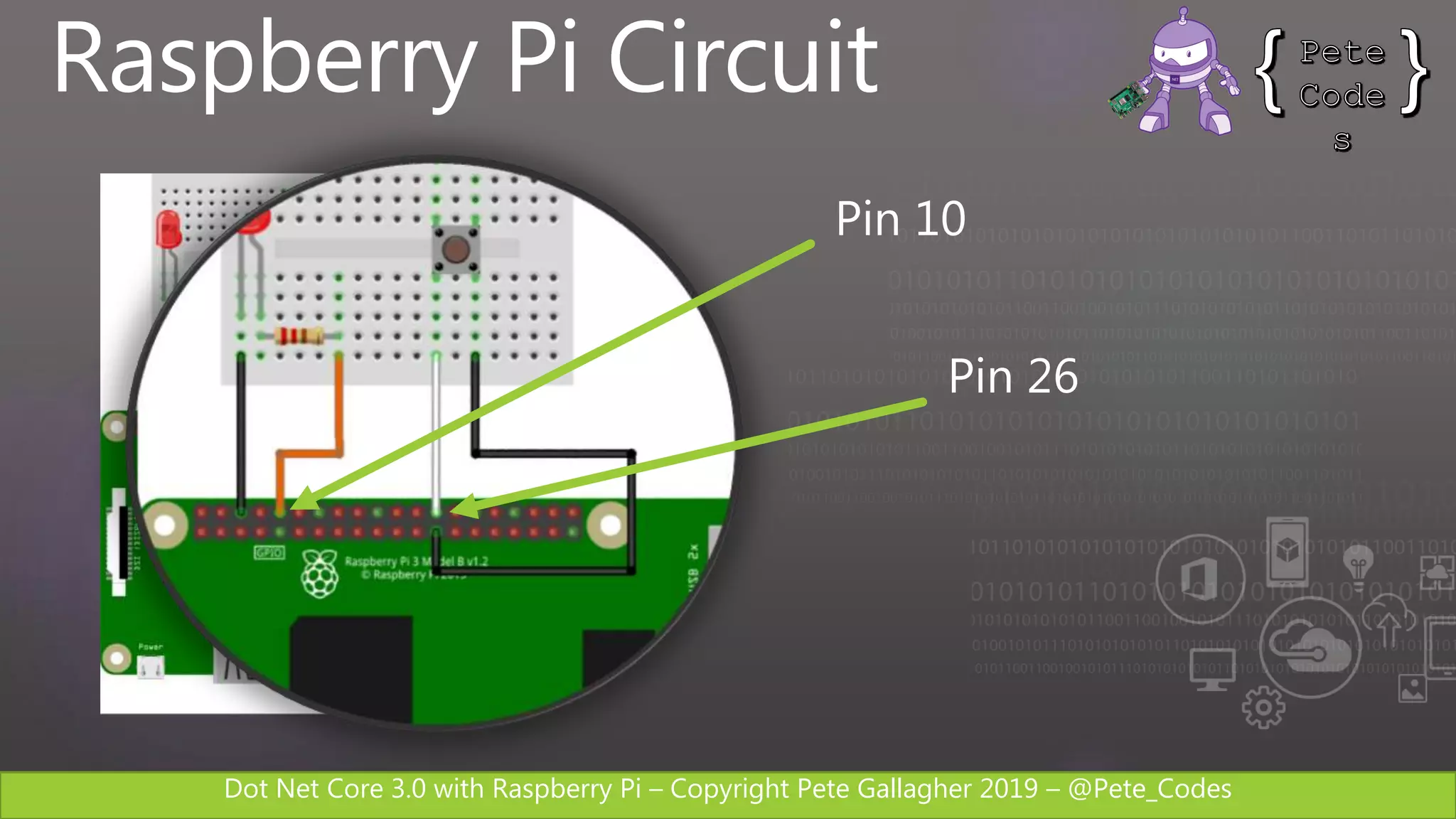
Raspberry Pi Circuit
Pin 10
Pin 26
Dot Net Core 3.0 with Raspberry Pi – Copyright Pete Gallagher 2019 – @Pete_Codes
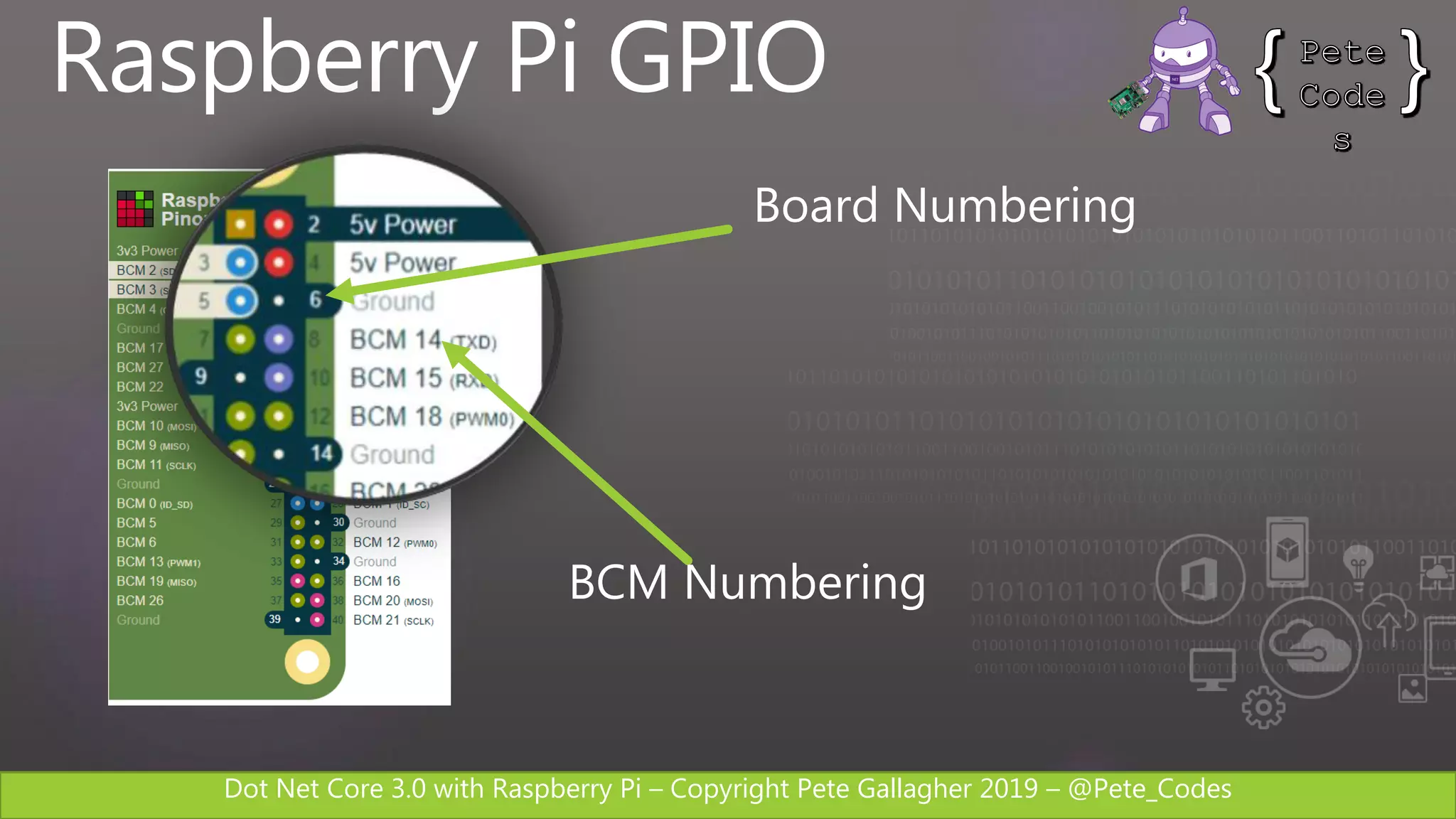
Raspberry Pi GPIO
Board Numbering
BCM Numbering
Dot Net Core 3.0 with Raspberry Pi – Copyright Pete Gallagher 2019 – @Pete_Codes
System.Device.Gpio
 Supports I/O, SPI, PWM, I2C
 Supports Raspberry Pi, Beagleboard,
Hummingboard, Odroid etc
 Supports Linux and Windows 10 IoT
 Installs via the CLI or Nuget PM
https://www.nuget.org/packages/
System.Device.Gpio
Dot Net Core 3.0 with Raspberry Pi – Copyright Pete Gallagher 2019 – @Pete_Codes
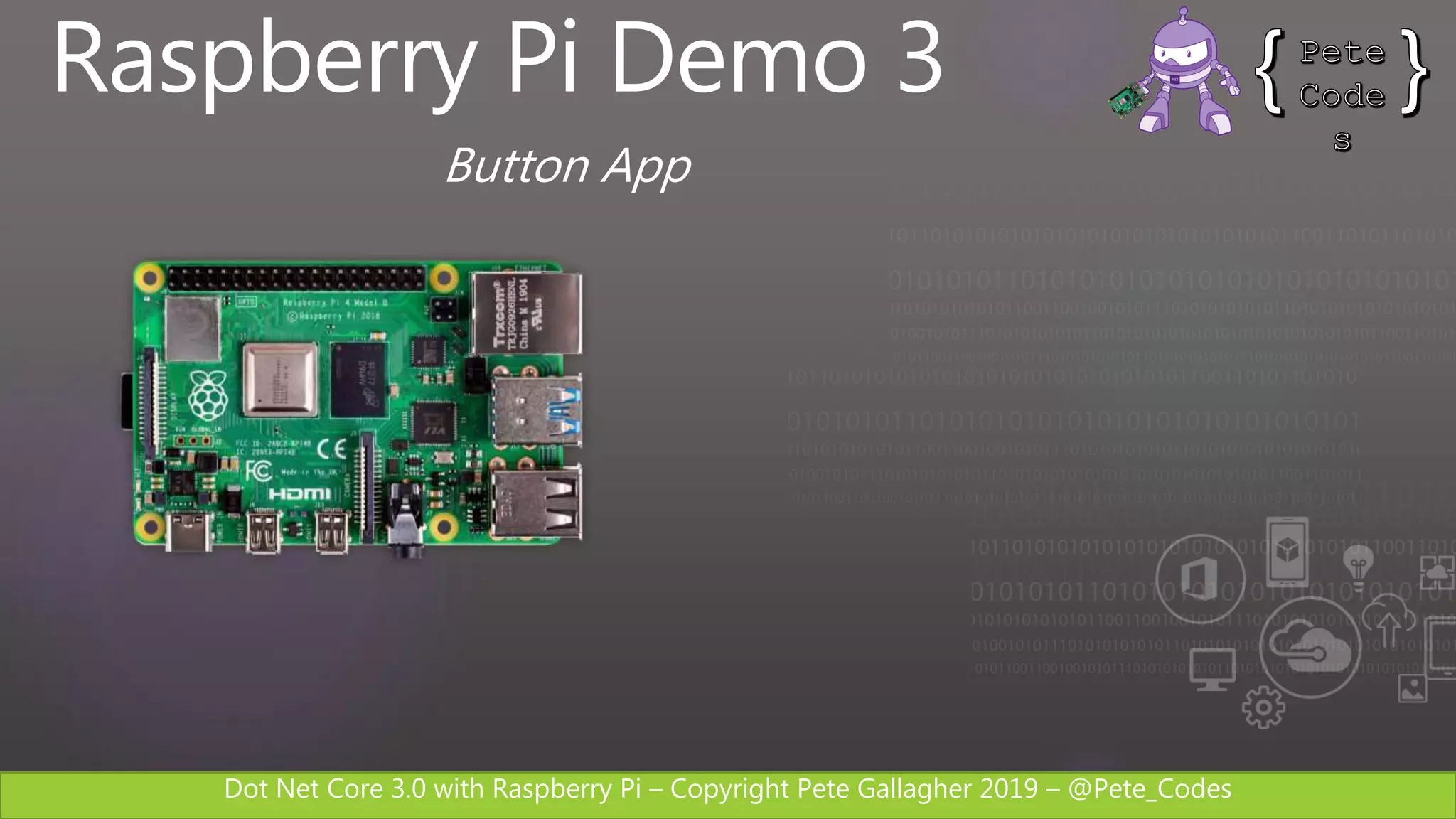
Raspberry Pi Demo 3
Button App
Dot Net Core 3.0 with Raspberry Pi – Copyright Pete Gallagher 2019 – @Pete_Codes
Raspberry Pi Circuit
Pin 10
Pin 26
Dot Net Core 3.0 with Raspberry Pi – Copyright Pete Gallagher 2019 – @Pete_Codes
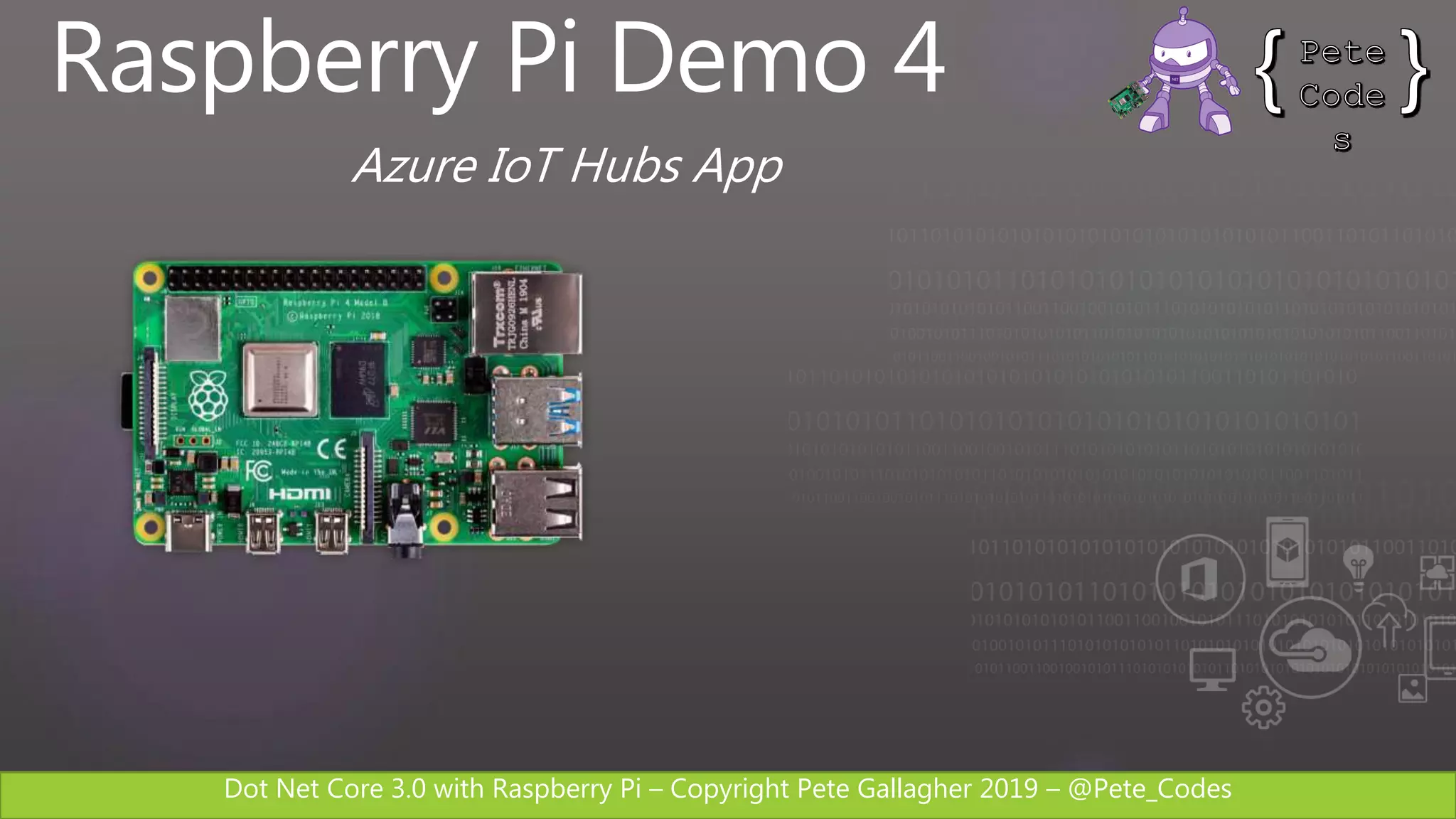
Raspberry Pi Demo 4
Azure IoT Hubs App
Dot Net Core 3.0 with Raspberry Pi – Copyright Pete Gallagher 2019 – @Pete_Codes
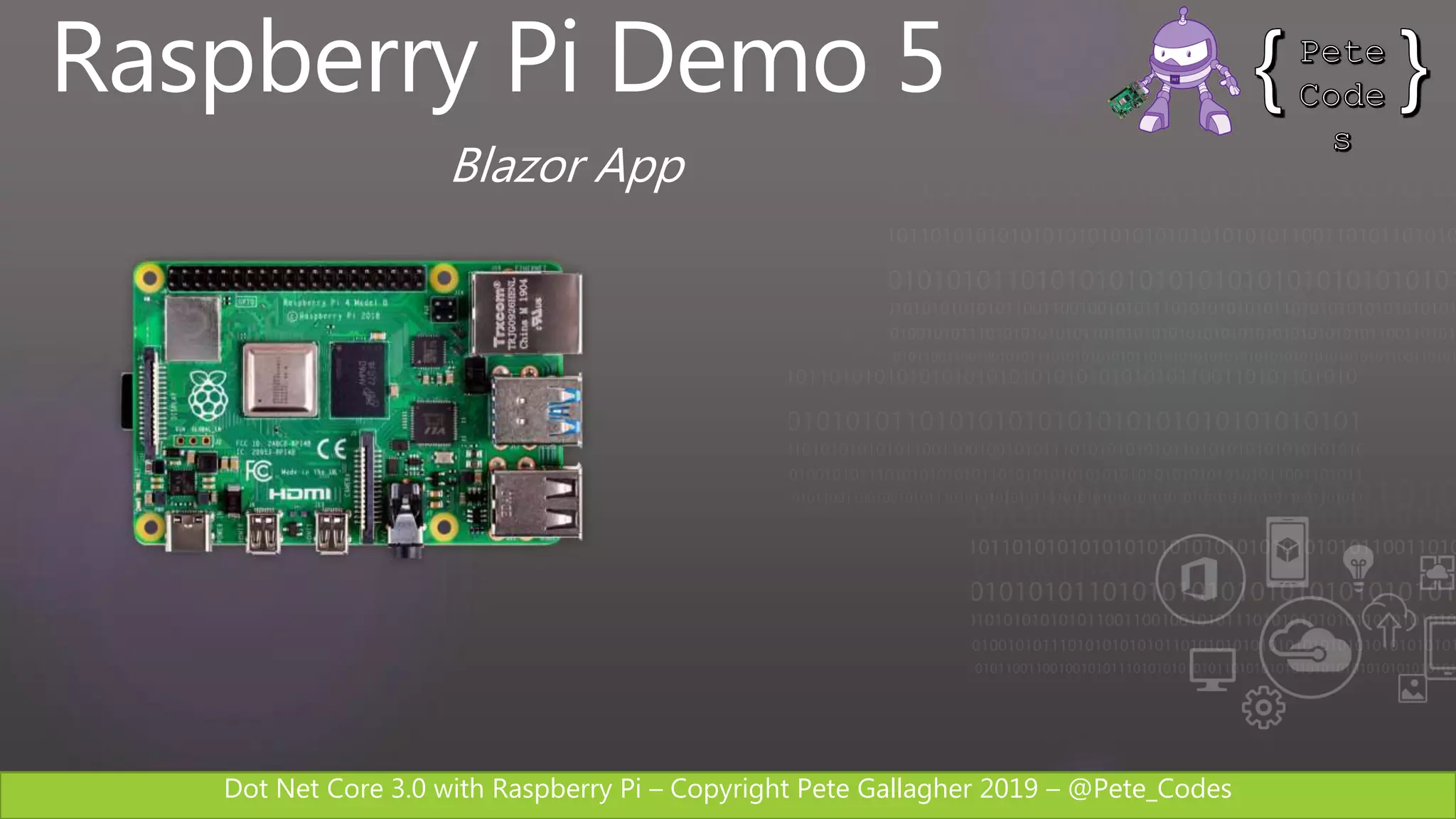
Raspberry Pi Demo 5
Blazor App
Dot Net Core 3.0 with Raspberry Pi – Copyright Pete Gallagher 2019 – @Pete_Codes
Blazor
Dot Net Core 3.0 with Raspberry Pi – Copyright Pete Gallagher 2019 – @Pete_Codes
“Blazor is a single-page app
framework for building
interactive client-side Web
apps with .NET”
Scott Hansleman
Blazor
Dot Net Core 3.0 with Raspberry Pi – Copyright Pete Gallagher 2019 – @Pete_Codes
Blazor
 Started Life as Steve Sanderson’s Pet Project
 Web UI Framework based in C#
 Replaces Javascript
 Razor and HTML
 Compiles down to WebAssembley
 Client Side .NET with no plugins
 Support in most modern Browsers
https://dotnet.microsoft.com/apps/
aspnet/web-apps/blazor
Dot Net Core 3.0 with Raspberry Pi – Copyright Pete Gallagher 2019 – @Pete_Codes
Links
 Blazor
https://dotnet.microsoft.com/apps/aspnet/web-apps/blazor
 C# 8 + Dot Net Core 3.0
https://devblogs.microsoft.com/dotnet/announcing-net-core-3-0
 Entity Framework Core 3.0
https://devblogs.microsoft.com/dotnet/announcing-ef-core-3-0-and-ef-6-3-general-availability
 Visual Studio 2019
https://docs.microsoft.com/en-us/visualstudio/ide/whats-new-visual-studio-2019?view=vs-2019
 Installing Dot Net Core 3.0 on the Raspberry Pi
http://bit.ly/dotnetcorerpi1
 Dot Net Core 3 GPIO Nuget Package
https://www.nuget.org/packages/System.Device.Gpio
 Blazor
https://dotnet.microsoft.com/apps/aspnet/web-apps/blazor
Dot Net Core 3.0 with Raspberry Pi – Copyright Pete Gallagher 2019 – @Pete_Codes
 Twitter
@pete_codes / @PJGCreations
 Email:
pete@pjgcreations.co.uk
 Notts IoT:
https://www.nottsiot.co.uk
 Dot Net Notts:
https://www.dotnetnotts.co
 Notts Dev Workshop:
https://www.nottsdevworkshop.co.uk
 Tonight’s Slides:
http://bit.ly/DotNetCoreRpi
Contact Me
Dot Net Core 3.0 with Raspberry Pi – Copyright Pete Gallagher 2019 – @Pete_Codes
Free. Cross-platform. Open source.
A developer platform for building all your apps.
www.dot.net
Dot Net Core 3.0 with Raspberry Pi – Copyright Pete Gallagher 2019 – @Pete_Codes
Contact Me
Pete Gallagher
@pete_codes / @PJGCreations
www.PeteCodes.co.uk
www.PJGCreations.co.uk
Pete@PJGCreations.co.uk

Dot Net Core 3 with Raspberry Pi

  • 1.
    Dot Net Core3.0 with Raspberry Pi – Copyright Pete Gallagher 2019 – @Pete_Codes .NET Core 3.0 with Raspberry Pi PETE GALLAGHER PJGCREATIONS.CO.UK 25/09/2019
  • 2.
  • 3.
    Dot Net Core3.0 with Raspberry Pi – Copyright Pete Gallagher 2019 – @Pete_Codes About Me Pete Gallagher @pete_codes / @PJGCreations www.PeteCodes.co.uk www.PJGCreations.co.uk Pete@PJGCreations.co.uk IT Consultant Decades of Desktop, Web & Embedded Software experience Notts IoT, Dot Net Notts, Notts Dev Workshop Meetup Organiser STEM Ambassador, Code Club Volunteer … Gadget Addict Father of two inquisitive girls
  • 4.
    Dot Net Core3.0 with Raspberry Pi – Copyright Pete Gallagher 2019 – @Pete_Codes What we’re going to be doing…  .NET Conf KeyNote Highlights  .NET Framework  .NET Core 3.0  Installing .NET Core on the Raspberry Pi  Hello World Console Apps  .NET Core IoT + Console Apps + Azure  Blazor  Hello World Blazor App
  • 5.
    Dot Net Core3.0 with Raspberry Pi – Copyright Pete Gallagher 2019 – @Pete_Codes .NET Conf Highlights
  • 6.
    Dot Net Core3.0 with Raspberry Pi – Copyright Pete Gallagher 2019 – @Pete_Codes .NET Conf Highlights .NET Core 3.0 Released  Built on .NET Standard 2.1 (Latest)  Windows Forms and WPF Support  Support for Raspberry Pi (Whoop!)  Support for ARM 64  Built in JSON API  Publish Executables https://devblogs.microsoft.com/dotnet/ announcing-net-core-3-0
  • 7.
    Dot Net Core3.0 with Raspberry Pi – Copyright Pete Gallagher 2019 – @Pete_Codes .NET Conf Highlights C# 8 Part of .NET Core  Nullable Reference Types  Async Streams  Index and Range  Switch Expressions https://devblogs.microsoft.com/dotnet/ announcing-net-core-3-0
  • 8.
    Dot Net Core3.0 with Raspberry Pi – Copyright Pete Gallagher 2019 – @Pete_Codes .NET Conf Highlights Entity Framework Core 3.0  LINQ Upgraded – More efficient SQL  Single SQL Statement for LINQ Query  Cosmos DB Support  Async Streams  Nullable Reference Types  Interception of Database Operations https://devblogs.microsoft.com/dotnet/ announcing-ef-core-3-0-and-ef-6-3-general-availability
  • 9.
    Dot Net Core3.0 with Raspberry Pi – Copyright Pete Gallagher 2019 – @Pete_Codes .NET Conf Highlights Visual Studio 2019 16.3  .NET Core 3 Compatible  .NET Apps in Containers (Docker Support)  Better Refactoring  Improved Intellicode  Document Cleanup  Code Collaboration with LiveShare https://docs.microsoft.com/en-us/visualstudio/ ide/whats-new-visual-studio-2019?view=vs-2019
  • 10.
    Dot Net Core3.0 with Raspberry Pi – Copyright Pete Gallagher 2019 – @Pete_Codes .NET Framework
  • 11.
    Dot Net Core3.0 with Raspberry Pi – Copyright Pete Gallagher 2019 – @Pete_Codes DESKTOP WEB CLOUD MOBILE GAMING IoT AI .NET Your platform for building anything
  • 12.
    Dot Net Core3.0 with Raspberry Pi – Copyright Pete Gallagher 2019 – @Pete_Codes • C# is a simple, modern, object-oriented, and type- safe programming language • Its roots in the C family of languages makes C# immediately familiar to C, C++, Java, and JavaScript programmers • F# is a cross-platform, open-source, functional programming language for .NET • It also includes object-oriented and imperative programming • Visual Basic is an approachable language with a simple syntax for building type-safe, object- oriented apps You can write .NET with…
  • 13.
    Dot Net Core3.0 with Raspberry Pi – Copyright Pete Gallagher 2019 – @Pete_Codes A brief history of .NET • .NET Framework V1 • Visual Studio .NET • .NET Framework 3.0 • WPF • .NET Framework 4.5 • LINQ • Async • .NET Framework 4.6.2 • Visual Studio 2015 • .NET Core V1 • .NET Framework 4.7 • Visual Studio 2017 • .NET Core 2.0 • .NET Core 3.0 • Visual Studio 2019
  • 14.
    Dot Net Core3.0 with Raspberry Pi – Copyright Pete Gallagher 2019 – @Pete_Codes .NET Standard
  • 15.
    Dot Net Core3.0 with Raspberry Pi – Copyright Pete Gallagher 2019 – @Pete_Codes .NET Standard
  • 16.
    Dot Net Core3.0 with Raspberry Pi – Copyright Pete Gallagher 2019 – @Pete_Codes LIBRARIES INFRASTRUCTURE .NET STANDARD .NET is a software development platform DESKTOP WEB CLOUD MOBILE GAMING IoT AI
  • 17.
    Dot Net Core3.0 with Raspberry Pi – Copyright Pete Gallagher 2019 – @Pete_Codes .NET Standard .NET Standard 1.0 1.1 1.2 1.3 1.4 1.5 1.6 2.0 2.1 .NET Core 1.0 1.0 1.0 1.0 1.0 1.0 1.0 2.0 3.0 .NET Framework 4.5 4.5 4.5.1 4.6 4.6.1 4.6.1 4.6.1 4.6.1 4.8 Mono 4.6 4.6 4.6 4.6 4.6 4.6 4.6 5.4 6.4 Xamarin.iOS 10.0 10.0 10.0 10.0 10.0 10.0 10.0 10.14 12.16 Xamarin.Mac 3.0 3.0 3.0 3.0 3.0 3.0 3.0 3.8 5.16 Xamarin.Android 7.0 7.0 7.0 7.0 7.0 7.0 7.0 8.0 10.0 Universal Windows Platform 10.0 10.0 10.0 10.0 10.0 10.0.16299 10.0.16299 10.0.16299 TBD Unity 2018.1 2018.1 2018.1 2018.1 2018.1 2018.1 2018.1 2018.1 TBD
  • 18.
    Dot Net Core3.0 with Raspberry Pi – Copyright Pete Gallagher 2019 – @Pete_Codes .NET Core
  • 19.
    Dot Net Core3.0 with Raspberry Pi – Copyright Pete Gallagher 2019 – @Pete_Codes “.NET Core is a free and open-source, managed computer software framework for Windows, Linux, and macOS operating systems. It is an open source, cross platform successor to .NET Framework.” Wikipedia .NET Core
  • 20.
    Dot Net Core3.0 with Raspberry Pi – Copyright Pete Gallagher 2019 – @Pete_Codes .NET Core 3.0  Open Source  Cross Platform  High Performance  Built on .NET Standard 2.1  Includes C# 8 and F# 4.7  Build WPF and Forms for Windows 10  Supports Raspberry Pi https://devblogs.microsoft.com/dotnet/ announcing-net-core-3-0/
  • 21.
    Dot Net Core3.0 with Raspberry Pi – Copyright Pete Gallagher 2019 – @Pete_Codes .NET Open Source Journey 2001 ECMA 335 2002 NET 1.0 for Windows released. Mono project begins 2008 ASP.NET MVC (web platform) open source April 2014 .NET Compiler Platform (“Roslyn”) open source .NET Foundation founded Nov. 2014 .NET Core (cross-platform) project begins 2016 Mono project joins .NET Foundation Aug. 2017 .NET Core 2.0 released Dec. 2018 .NET Core 2.2 released .NET Core 3.0 preview WinForms and WPF go open source Sept. 2019 .NET Core 3.0
  • 22.
    Dot Net Core3.0 with Raspberry Pi – Copyright Pete Gallagher 2019 – @Pete_Codes “Using the same-size server, we were able to go from 1,000 requests per second per node with Node.js to 20,000 requests per second with .NET Core.“ — Raygun https://www.microsoft.com/net/customers Data sourced from official tests available at TechEmpower Round 15. Java Servlet .NET Core Node.js .NET is fast… REALLY FAST!
  • 23.
    Dot Net Core3.0 with Raspberry Pi – Copyright Pete Gallagher 2019 – @Pete_Codes Over Half Million Active* .NET Core 2.0 Developers! .NET CORE 2.0 GROWTH O CT - 17 NO V - 17 DEC- 17 JAN - 18 F EB- 18 .NET Core 2.0 .NET Core 1.X .NET CORE ADOPTION * Active = unique monthly developers with 2+ days of development per month. .NET Core Growth
  • 24.
    Dot Net Core3.0 with Raspberry Pi – Copyright Pete Gallagher 2019 – @Pete_Codes Windows Demo
  • 25.
    Dot Net Core3.0 with Raspberry Pi – Copyright Pete Gallagher 2019 – @Pete_Codes www.dot.net Learn how to program with C#
  • 26.
    Dot Net Core3.0 with Raspberry Pi – Copyright Pete Gallagher 2019 – @Pete_Codes .NET Core
  • 27.
    Dot Net Core3.0 with Raspberry Pi – Copyright Pete Gallagher 2019 – @Pete_Codes Raspberry Pi Install
  • 28.
    Dot Net Core3.0 with Raspberry Pi – Copyright Pete Gallagher 2019 – @Pete_Codes Raspberry Pi Install  Update your Pi; sudo apt-get update sudo apt-get upgrade  Setup a shared directory using Samba  Install and Setup Dot Net Core 3.0;  Download Pre-Req’s  Download Dot Net Core Binaries  Download ASP.Net Core Runtime  Make dotnet directory in opt  Extract Binaries and Runtime to dotnet directory  Create Symbolic Link to usr/local/bin  Install Blazor Templates  Add export for DotNet root to .bash file in home directory  Check if it all works with; dotnet --info
  • 29.
    Dot Net Core3.0 with Raspberry Pi – Copyright Pete Gallagher 2019 – @Pete_Codes Raspberry Pi Install http://bit.ly/dotnetcorerpi1
  • 30.
    Dot Net Core3.0 with Raspberry Pi – Copyright Pete Gallagher 2019 – @Pete_Codes Raspberry Pi Demo 1 Console App
  • 31.
    Dot Net Core3.0 with Raspberry Pi – Copyright Pete Gallagher 2019 – @Pete_Codes Raspberry Pi Demo 2 LED App
  • 32.
    Dot Net Core3.0 with Raspberry Pi – Copyright Pete Gallagher 2019 – @Pete_Codes .NET Core GPIO
  • 33.
    Dot Net Core3.0 with Raspberry Pi – Copyright Pete Gallagher 2019 – @Pete_Codes Raspberry Pi Circuit Pin 10 Pin 26
  • 34.
    Dot Net Core3.0 with Raspberry Pi – Copyright Pete Gallagher 2019 – @Pete_Codes Raspberry Pi GPIO Board Numbering BCM Numbering
  • 35.
    Dot Net Core3.0 with Raspberry Pi – Copyright Pete Gallagher 2019 – @Pete_Codes System.Device.Gpio  Supports I/O, SPI, PWM, I2C  Supports Raspberry Pi, Beagleboard, Hummingboard, Odroid etc  Supports Linux and Windows 10 IoT  Installs via the CLI or Nuget PM https://www.nuget.org/packages/ System.Device.Gpio
  • 36.
    Dot Net Core3.0 with Raspberry Pi – Copyright Pete Gallagher 2019 – @Pete_Codes Raspberry Pi Demo 3 Button App
  • 37.
    Dot Net Core3.0 with Raspberry Pi – Copyright Pete Gallagher 2019 – @Pete_Codes Raspberry Pi Circuit Pin 10 Pin 26
  • 38.
    Dot Net Core3.0 with Raspberry Pi – Copyright Pete Gallagher 2019 – @Pete_Codes Raspberry Pi Demo 4 Azure IoT Hubs App
  • 39.
    Dot Net Core3.0 with Raspberry Pi – Copyright Pete Gallagher 2019 – @Pete_Codes Raspberry Pi Demo 5 Blazor App
  • 40.
    Dot Net Core3.0 with Raspberry Pi – Copyright Pete Gallagher 2019 – @Pete_Codes Blazor
  • 41.
    Dot Net Core3.0 with Raspberry Pi – Copyright Pete Gallagher 2019 – @Pete_Codes “Blazor is a single-page app framework for building interactive client-side Web apps with .NET” Scott Hansleman Blazor
  • 42.
    Dot Net Core3.0 with Raspberry Pi – Copyright Pete Gallagher 2019 – @Pete_Codes Blazor  Started Life as Steve Sanderson’s Pet Project  Web UI Framework based in C#  Replaces Javascript  Razor and HTML  Compiles down to WebAssembley  Client Side .NET with no plugins  Support in most modern Browsers https://dotnet.microsoft.com/apps/ aspnet/web-apps/blazor
  • 43.
    Dot Net Core3.0 with Raspberry Pi – Copyright Pete Gallagher 2019 – @Pete_Codes Links  Blazor https://dotnet.microsoft.com/apps/aspnet/web-apps/blazor  C# 8 + Dot Net Core 3.0 https://devblogs.microsoft.com/dotnet/announcing-net-core-3-0  Entity Framework Core 3.0 https://devblogs.microsoft.com/dotnet/announcing-ef-core-3-0-and-ef-6-3-general-availability  Visual Studio 2019 https://docs.microsoft.com/en-us/visualstudio/ide/whats-new-visual-studio-2019?view=vs-2019  Installing Dot Net Core 3.0 on the Raspberry Pi http://bit.ly/dotnetcorerpi1  Dot Net Core 3 GPIO Nuget Package https://www.nuget.org/packages/System.Device.Gpio  Blazor https://dotnet.microsoft.com/apps/aspnet/web-apps/blazor
  • 44.
    Dot Net Core3.0 with Raspberry Pi – Copyright Pete Gallagher 2019 – @Pete_Codes  Twitter @pete_codes / @PJGCreations  Email: pete@pjgcreations.co.uk  Notts IoT: https://www.nottsiot.co.uk  Dot Net Notts: https://www.dotnetnotts.co  Notts Dev Workshop: https://www.nottsdevworkshop.co.uk  Tonight’s Slides: http://bit.ly/DotNetCoreRpi Contact Me
  • 45.
    Dot Net Core3.0 with Raspberry Pi – Copyright Pete Gallagher 2019 – @Pete_Codes Free. Cross-platform. Open source. A developer platform for building all your apps. www.dot.net
  • 46.
    Dot Net Core3.0 with Raspberry Pi – Copyright Pete Gallagher 2019 – @Pete_Codes Contact Me Pete Gallagher @pete_codes / @PJGCreations www.PeteCodes.co.uk www.PJGCreations.co.uk Pete@PJGCreations.co.uk

Editor's Notes

  • #12 You can build anything with .NET. From desktop apps to cloud-native services, iPhone and Android mobile apps to artificial intelligence, you can build almost anything with the .NET platform.
  • #17 .NET is an entire software development platform that takes care of a lot of the heavy lifting for you when you want to build an application. Applications frameworks help you build the specific types of apps or workloads and enable you to literally build any app for any platform with any operating system. Each .NET workload shares a common infrastructure and .NET Standard library. This means not only are your .NET skills portable, but your actual code is portable no matter what you’re building. This makes it easy to share reusable components (called libraries) across the breadth of applications people build. Additionally, there are a broad set of development tools that makes it really productive to write, debug, build and manage code bases. See: www.dot.net
  • #22 <talk to the journey, key milestones below> Dec 2001-Feb 2002. A new platform is born. Along with HP, Intel and others, the ECMA-335 standard was created that defined a common language infrastructure to support multiple programming languages. C# and Visual Basic.NET were released and F# came later in 2007, but there are over 20 other .NET languages today. Visual Studio .NET was released and included C#, VB, C++ development all in one box. This was the first IDE that was truly integrated across multiple languages. Mono project begins. The CLI spec gave others the ability to create their own .NET implementations. Even though Microsoft built the first .NET Framework for Windows-only, the spec was intentionally portable across OSes and chipsets. The Mono project began, spearheaded by Miguel de Icaza, with the goal to implement Microsoft's new .NET development platform on Linux and Unix-like platforms. Later, Miguel started Xamarin which focused on cross-platform, native, mobile development with C#, built upon Mono. This allows developers to use C# and .NET to build apps for iOS and Android. Unity games development also emerged from Mono. 2008. ASP.NET MVC web development stack is released to CodePlex as open source. This was the first application development framework from Microsoft to be released as open source. The underlying runtime and compilers were still closed however. 2014. Hell freezes over & pigs fly. Early 2014 at Microsoft’s BUILD conference, Anders Hejlsberg, the father of C#, releases the .NET Compiler Platform “Roslyn” as open source on stage. Later in November, .NET Core project begins in the open. The technology world is shocked, and the .NET community is excited. .NET Core is a new cloud-native implementation of .NET that is geared for cross-platform, hyper-scale services as well as small IoT devices. It’s meant to bring .NET into the next 15 years of computing. And the community has been extremely supportive…. 2016. Mono comes home. In early 2016, Microsoft finally acquires Xamarin and brings Miguel de Icaza into Developer Division. Mono joins the .NET foundation and is officially supported and contributed to by Microsoft. The Microsoft community officially meets the Mono community. 2017. .NET Core 2.0 Released. Our cross platform and open source implementation of .NET finally releases to the world with unified tooling support across multiple operating systems and editors. 2018. Winforms and WPF go open source. At Microsoft Connect 2018 we announced the open sourcing of Windows Forms and WPF desktop frameworks. We’ve seen incredible contributions and activity since. The community now has the power to guide the direction of these frameworks. 2019 .NET Core 3.0 released. .NET Core 3.0 brings Windows desktop workloads to the .NET Core runtime which will allow self contained EXEs, side-by-side installs, and faster performance.
  • #23 .NET is fast. Really fast! That means applications provide better response times and require less compute power. StackOverflow serves 5.3M page views a day on just 9 servers! The popular TechEmpower benchmark compares web application frameworks with tasks like JSON serialization, database access, and server side template rendering - .NET performs faster than any other popular framework. https://www.techempower.com/benchmarks/#section=data-r14&hw=ph&test=plaintext The community has played a crucial role in performance work for the .NET stack. https://blogs.msdn.microsoft.com/dotnet/tag/performance/
  • #24 And our usage is growing. As of February 2018, if we take a look at just the cross-platform, web workload (.NET Core) you can see we are already over a half million active developers per month. Active means unique developers with 2+ days of development per month. On average we’re seeing double digit percentage growth of .NET Core MoM since 2.0 release in August. Metric includes .NET Core CLI + .NET Core in Visual Studio, 2day+ Active. .NET all up across other workloads is also growing rapidly.
  • #42 Blazor replaces javascript and runs C# on the client side directly in the browsers with no plugins needed. Blazor Server – Works as a web Server (Shipped) Blazor Web Assembly (May 2020) Blazor Renders HTML, but Blazor Native but can render to other things like Native Controls for Mobile.
  • #43 Blazor replaces javascript and runs C# on the client side directly in the browsers with no plugins needed. Blazor Server – Works as a web Server (Shipped) Blazor Web Assembly (May 2020) Blazor Renders HTML, but Blazor Native but can render to other things like Native Controls for Mobile. Originally developed as a pet project by Steve Sanderson at Microsoft, Blazor is Web UI Framework which is based on C#, Razor and HTML. Blazor compiles down to WebAssembly, which makes it super (or blazingly) fast (Hence the Razor with a “B”). Blazor allows developers to write client side .net… You may say “Oh, like Silverlight?”… Nope, no plugins needed… It’s just supported natively in most modern browsers.