Docker Networking
#dockerffm, 13.01.15
@aschmidt75
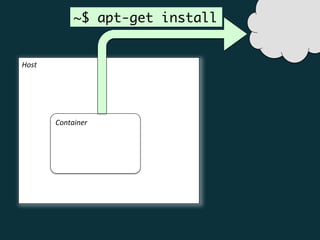
Host	
  
Container	
  
~$ apt-get install
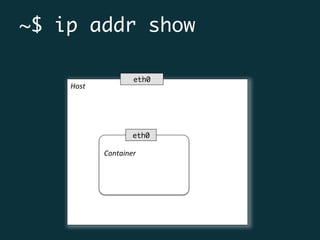
Host	


Container	
  
eth0
~$ ip addr show
eth0
Host	


Container	
  
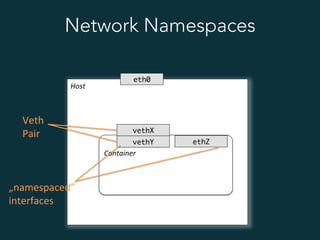
eth0
vethY
vethX
Network Namespaces
Veth	
  
Pair	
  
„namespaced“	
  
interfaces	
  
ethZ
Host	


Container	
  
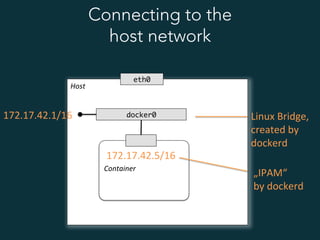
eth0
docker0
Connecting to the
host network
Linux	
  Bridge,	
  
created	
  by	
  
dockerd	
  
172.17.42.1/16	
  
172.17.42.5/16	
  
„IPAM“	
  
by	
  dockerd	
  
Host	


Container	
  
eth0
docker0
Connecting to the outside world
Address	
  TranslaJon	
  
RouJng	
  
Masquerading	


# /sbin/iptables 

-L -n -t nat
	
  
Host	


Container	
  
eth0
docker0
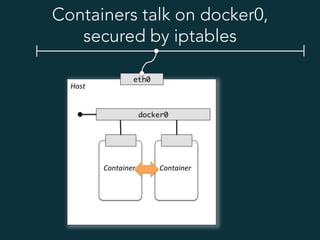
Containers talk on docker0,
secured by iptables


Container	
  
Host	


Container	
  
eth0
docker0
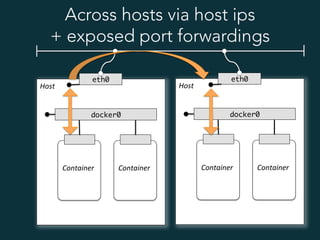
Across hosts via host ips
+ exposed port forwardings


Container	
  
Host	


Container	
  
eth0
docker0


Container	
  
Host	


Container	
  
eth0
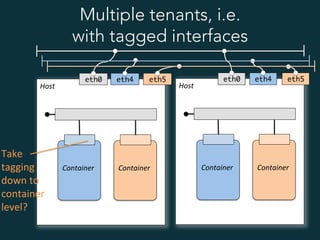
Multiple tenants, i.e.
with tagged interfaces


Container	
  
Host	


Container	
  
eth0


Container	
  
eth4 eth4eth5 eth5
Take	
  
tagging	
  
down	
  to	
  	
  
container	
  
level?	
  
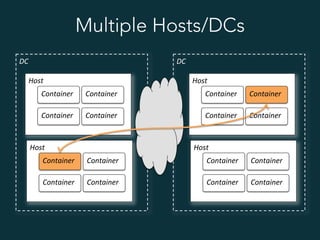
Multiple Hosts/DCs
Host	
  
Container	
  
Container	
  
Container	
  
Container	
  
DC	
   DC	
  
Host	
  
Container	
  
Container	
  
Container	
  
Container	
  
Host	
  
Container	
  
Container	
  
Container	
  
Container	
  
Host	
  
Container	
  
Container	
  
Container	
  
Container	
  
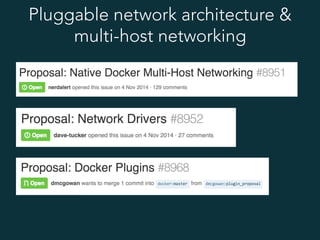
Pluggable network architecture &
multi-host networking
How to ?
•  .. integrate containers into an existing
system infrastructure,
•  .. connect to existing networks,
•  .. support vlans or vxlans etc.
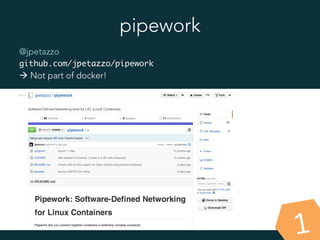
pipework
@jpetazzo
github.com/jpetazzo/pipework
à Not part of docker!
1
pipework
1
•  creates new linux bridges & works on
existing Open vSwitch bridges
•  injects a new interface into a container
•  connects interfaces to bridges
•  dhcp, vlan, ovs, ... supported
•  independent of docker
Weave
weave.works
github.com/zettio/weave
•  Overlay network
•  Router / Switch functionality,
ships as container
•  Encryption
•  wraps docker
2
Demos
Docs
Flannel
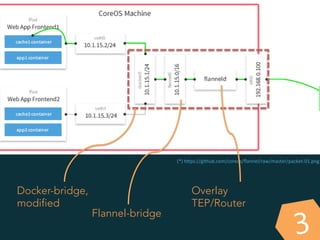
github.com/coreos/flannel
•  Overlay network
•  UDP-based (optional VxLAN-style)
•  Uses etcd to store cluster/ip infos
•  Does not wrap dockerd, but docker0!
3
(*)	
  hSps://github.com/coreos/flannel/raw/master/packet-­‐01.png	
  
Docker-bridge,
modified
Flannel-bridge
Overlay
TEP/Router
3
Socketplane
4
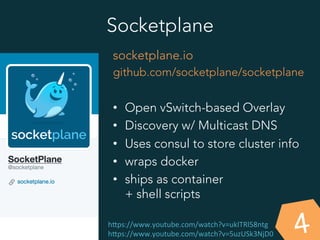
socketplane.io
github.com/socketplane/socketplane
•  Open vSwitch-based Overlay
•  Discovery w/ Multicast DNS
•  Uses consul to store cluster info
•  wraps docker
•  ships as container
+ shell scripts
hSps://www.youtube.com/watch?v=ukITRl58ntg	
  
hSps://www.youtube.com/watch?v=5uzUSk3NjD0	
  
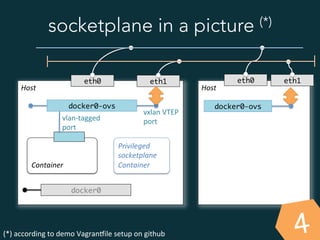
socketplane in a picture (*)
Host	


Container	
  
eth0
docker0-ovs
(*)	
  according	
  to	
  demo	
  Vagranaile	
  setup	
  on	
  github	
  	
  
eth1
docker0
vxlan	
  VTEP	
  
port	
  vlan-­‐tagged	
  
port	
  
Host	
  
4
eth0 eth1
docker0-ovs
Privileged	
  
socketplane	
  
Container	
  
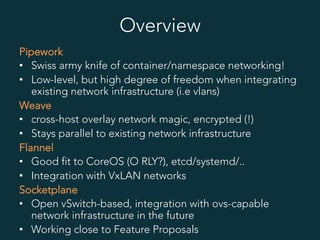
Overview
Pipework
•  Swiss army knife of container/namespace networking!
•  Low-level, but high degree of freedom when integrating
existing network infrastructure (i.e vlans)
Weave
•  cross-host overlay network magic, encrypted (!)
•  Stays parallel to existing network infrastructure
Flannel
•  Good fit to CoreOS (O RLY?), etcd/systemd/..
•  Integration with VxLAN networks
Socketplane
•  Open vSwitch-based, integration with ovs-capable
network infrastructure in the future
•  Working close to Feature Proposals
Test-driven
infrastructure
& Repeatibility
Green Field vs.
Brown-Field
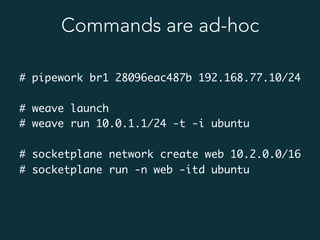
Commands are ad-hoc
# pipework br1 28096eac487b 192.168.77.10/24
# weave launch
# weave run 10.0.1.1/24 -t -i ubuntu
# socketplane network create web 10.2.0.0/16
# socketplane run -n web -itd ubuntu
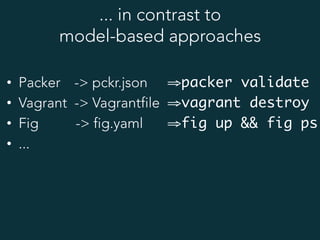
... in contrast to
model-based approaches
•  Packer -> pckr.json
•  Vagrant -> Vagrantfile
•  Fig -> fig.yaml
•  ...
⇒ packer validate
⇒ vagrant destroy
⇒ fig up && fig ps
~# wire up
https://github.com/de-wiring/wire
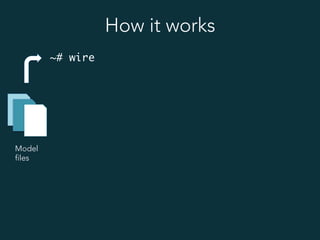
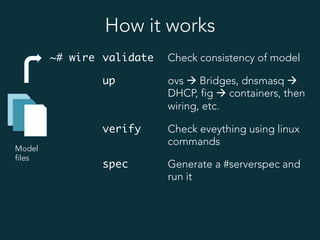
How it works
Model
files
~# wire
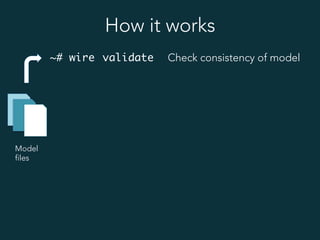
How it works
Model
files
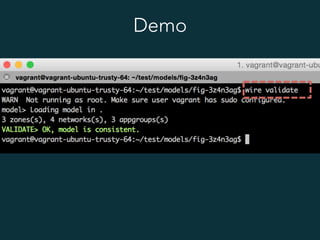
~# wire validate Check consistency of model
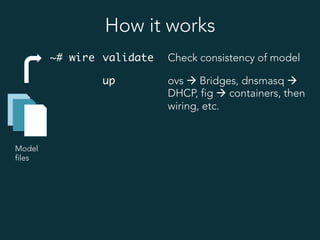
How it works
Model
files
~# wire validate Check consistency of model
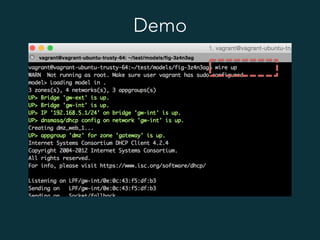
up ovs à Bridges, dnsmasq à
DHCP, fig à containers, then
wiring, etc.
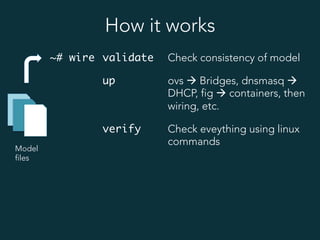
How it works
Model
files
~# wire validate Check consistency of model
up ovs à Bridges, dnsmasq à
DHCP, fig à containers, then
wiring, etc.
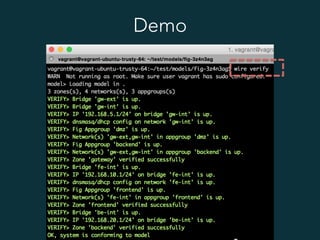
verify Check eveything using linux
commands
How it works
Model
files
~# wire validate Check consistency of model
up ovs à Bridges, dnsmasq à
DHCP, fig à containers, then
wiring, etc.
verify Check eveything using linux
commands
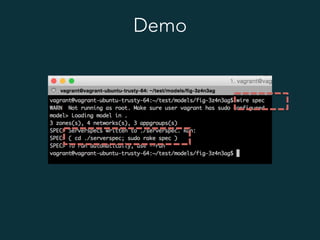
spec Generate a #serverspec and
run it
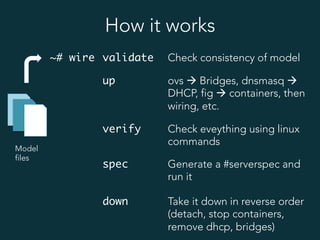
How it works
Model
files
~# wire validate Check consistency of model
up ovs à Bridges, dnsmasq à
DHCP, fig à containers, then
wiring, etc.
verify Check eveything using linux
commands
spec Generate a #serverspec and
run it
down Take it down in reverse order
(detach, stop containers,
remove dhcp, bridges)
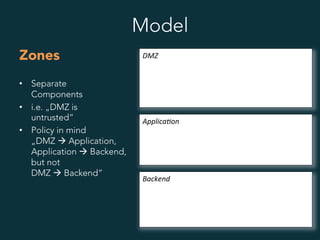
Model
Zones
•  Separate
Components
•  i.e. „DMZ is
untrusted“
•  Policy in mind
„DMZ à Application,
Application à Backend,
but not
DMZ à Backend“
DMZ	
  
Applica8on	
  
Backend	
  
Model
Networks
•  Equals
Open vSwitch bridge
•  Have names
network ranges
•  Host may have an ip
on that network
•  May be attached to
host interfaces
•  May serve dhcp using
dnsmasq
DMZ	
  
Applica8on	
  
Backend	
  
dmz-ext 10.0.1.0/24
dmz-int 10.0.2.0/24
App-int 10.1.0.0/16
be-int 10.37.15.0/24
(dhcp 10.37.15.[20..29])
10.1.1.15
10.37.15.1
Model
Application
Groups
•  That‘s where containers
are in.
•  Containers are attached
to networks of zone.
•  Currently managed
using fig (1 fig file per
app group)
DMZ	
  
Applica8on	
  
Backend	
  
Web	
  group	
  
App	
  #1	
   App	
  #2	
  
DB	
   NoSQL	
  
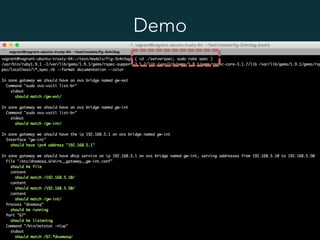
Demo
Demo
Demo
Demo
Demo
Goals
•  System & Network Architecture
specification.
•  Manage a working application
environment,
identically between dev, stage and prod.
•  Connect multiple docker hosts:
using VLANs, VxLANs
•  Be pluggable, integrate what‘s coming
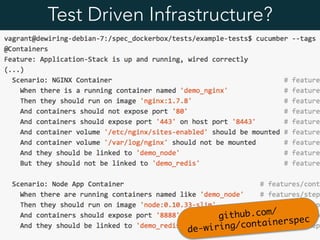
Test Driven Infrastructure?
github.com/

de-wiring/containerspec
Thanks!
@aschmidt75
github.com/de-wiring
andreas@de-wiring.net
dustin@de-wiring.net
Pipework	
  is	
  (C)	
  @jpetazzo,	
  .	
  Licensed	
  under	
  the	
  Apache	
  License,	
  Version	
  2.0	
  	
  
Weave	
  is	
  (C)	
  2014	
  Zego	
  Ltd.	
  Licensed	
  under	
  the	
  Apache	
  License,	
  Version	
  2.0	
  	
  
Socketplane	
  is	
  (C)	
  2014	
  SocketPlane,	
  Inc.	
  Licensed	
  under	
  the	
  Apache	
  License,	
  Version	
  2.0	
  	
  
Flannel	
  is	
  (C)	
  CoreOS,	
  Licensed	
  under	
  the	
  Apache	
  License,	
  Version	
  2.0	
  	
  
Wire:	
  The	
  MIT	
  License	
  (MIT)	
  Copyright	
  (c)	
  2014	
  Andreas	
  Schmidt,	
  DusJn	
  Huptas	
  

Dockerffm meetup 20150113_networking