Docker - List of points
● What is Docker?
● Docker Image
● Docker Container
● DockerFile
● Docker Hub
● Simple PHP with the Docker Image
● Useful Docker Commands
● Other Points Regarding Docker with basic introduction
What is Docker?
● Docker is a computer program that performs operating-
system-level virtualization, and also known as
"containerization".
● It was first released in 2013 and is developed by Docker,
Inc
● Docker is used to run software packages called
"containers".
Docker Image
● A Docker image is a read-only template used to build
containers.
● We can create docker image using “docker build”
command. It will execute all the commands from the
“Dockerfile” to create a docker image.
● When we execute “docker run IMAGENAME”, it will
install all the dependency of our application.
● Docker image is identified with the format 64 hexadecimal
digit string.
Docker Container
● A Docker container is an instance of an image with a
specific configuration.
● Containers include the application and all of its
dependencies.
● It is an environment that runs our application.
● They run as an isolated process in userspace on the host
operating system.
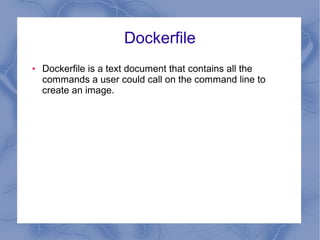
Dockerfile
● Dockerfile is a text document that contains all the
commands a user could call on the command line to
create an image.
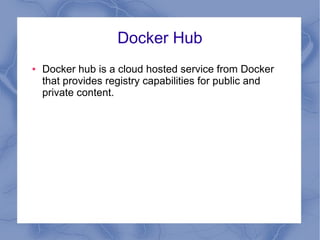
Docker Hub
● Docker hub is a cloud hosted service from Docker
that provides registry capabilities for public and
private content.
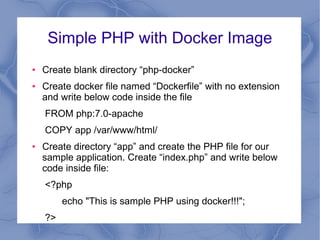
Simple PHP with Docker Image
● Create blank directory “php-docker”
● Create docker file named “Dockerfile” with no extension
and write below code inside the file
FROM php:7.0-apache
COPY app /var/www/html/
● Create directory “app” and create the PHP file for our
sample application. Create “index.php” and write below
code inside file:
<?php
echo "This is sample PHP using docker!!!";
?>
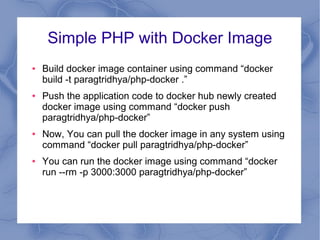
Simple PHP with Docker Image
● Build docker image container using command “docker
build -t paragtridhya/php-docker .”
● Push the application code to docker hub newly created
docker image using command “docker push
paragtridhya/php-docker”
● Now, You can pull the docker image in any system using
command “docker pull paragtridhya/php-docker”
● You can run the docker image using command “docker
run --rm -p 3000:3000 paragtridhya/php-docker”
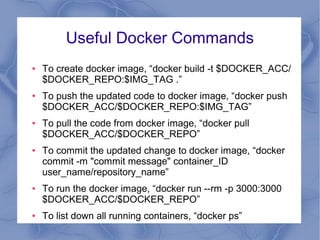
Useful Docker Commands
● To create docker image, “docker build -t $DOCKER_ACC/
$DOCKER_REPO:$IMG_TAG .”
● To push the updated code to docker image, “docker push
$DOCKER_ACC/$DOCKER_REPO:$IMG_TAG”
● To pull the code from docker image, “docker pull
$DOCKER_ACC/$DOCKER_REPO”
● To commit the updated change to docker image, “docker
commit -m "commit message" container_ID
user_name/repository_name”
● To run the docker image, “docker run --rm -p 3000:3000
$DOCKER_ACC/$DOCKER_REPO”
● To list down all running containers, “docker ps”
Other Points Regarding Docker with
basic introduction
● Docker Compose
● Docker Cloud
● Docker Swarm
● Docker Kitematic
● Docker Universal Control Plane
● Docker Toolbox
Docker Compose
● Docker compose is a tool for defining and running multi-
container Docker applications.
Docker Cloud
● Docker cloud is a hosted service that provides a Registry
with build and testing facilities for Dockerized application
images, tools to help you set up and manage your host
infrastructure, and deployment features to help you
automate deploying your images to your infrastructure
Docker Swarm
● provides native clustering functionality for Docker
containers.
● It turns a pool of Docker hosts into a single, virtual Docker
host.
Docker Kitematic
● Docker Kitematic is an open source project built to
simplify and streamline using Docker on a Mac or
Windows.
● This tool automates the Docker installation and setup
process and provides an intuitive graphical user interface
(GUI) for running Docker containers.
Docker Universal Control Plane
● Docker Universal Control Plane is the enterprise-grade
cluster management solution from Docker.
● It manage your whole cluster from a single place.
Docker Toolbox
● Docker Machine for running docker-machine commands
● Docker Engine for running the docker commands
● Docker Compose for running the docker-compose
commands
● Kitematic, the Docker GUI
● A shell preconfigured for a Docker command-line
environment
● Oracle Virtualbox

Docker Basics

  • 1.
    Docker - Listof points ● What is Docker? ● Docker Image ● Docker Container ● DockerFile ● Docker Hub ● Simple PHP with the Docker Image ● Useful Docker Commands ● Other Points Regarding Docker with basic introduction
  • 2.
    What is Docker? ●Docker is a computer program that performs operating- system-level virtualization, and also known as "containerization". ● It was first released in 2013 and is developed by Docker, Inc ● Docker is used to run software packages called "containers".
  • 3.
    Docker Image ● ADocker image is a read-only template used to build containers. ● We can create docker image using “docker build” command. It will execute all the commands from the “Dockerfile” to create a docker image. ● When we execute “docker run IMAGENAME”, it will install all the dependency of our application. ● Docker image is identified with the format 64 hexadecimal digit string.
  • 4.
    Docker Container ● ADocker container is an instance of an image with a specific configuration. ● Containers include the application and all of its dependencies. ● It is an environment that runs our application. ● They run as an isolated process in userspace on the host operating system.
  • 5.
    Dockerfile ● Dockerfile isa text document that contains all the commands a user could call on the command line to create an image.
  • 6.
    Docker Hub ● Dockerhub is a cloud hosted service from Docker that provides registry capabilities for public and private content.
  • 7.
    Simple PHP withDocker Image ● Create blank directory “php-docker” ● Create docker file named “Dockerfile” with no extension and write below code inside the file FROM php:7.0-apache COPY app /var/www/html/ ● Create directory “app” and create the PHP file for our sample application. Create “index.php” and write below code inside file: <?php echo "This is sample PHP using docker!!!"; ?>
  • 8.
    Simple PHP withDocker Image ● Build docker image container using command “docker build -t paragtridhya/php-docker .” ● Push the application code to docker hub newly created docker image using command “docker push paragtridhya/php-docker” ● Now, You can pull the docker image in any system using command “docker pull paragtridhya/php-docker” ● You can run the docker image using command “docker run --rm -p 3000:3000 paragtridhya/php-docker”
  • 9.
    Useful Docker Commands ●To create docker image, “docker build -t $DOCKER_ACC/ $DOCKER_REPO:$IMG_TAG .” ● To push the updated code to docker image, “docker push $DOCKER_ACC/$DOCKER_REPO:$IMG_TAG” ● To pull the code from docker image, “docker pull $DOCKER_ACC/$DOCKER_REPO” ● To commit the updated change to docker image, “docker commit -m "commit message" container_ID user_name/repository_name” ● To run the docker image, “docker run --rm -p 3000:3000 $DOCKER_ACC/$DOCKER_REPO” ● To list down all running containers, “docker ps”
  • 10.
    Other Points RegardingDocker with basic introduction ● Docker Compose ● Docker Cloud ● Docker Swarm ● Docker Kitematic ● Docker Universal Control Plane ● Docker Toolbox
  • 11.
    Docker Compose ● Dockercompose is a tool for defining and running multi- container Docker applications.
  • 12.
    Docker Cloud ● Dockercloud is a hosted service that provides a Registry with build and testing facilities for Dockerized application images, tools to help you set up and manage your host infrastructure, and deployment features to help you automate deploying your images to your infrastructure
  • 13.
    Docker Swarm ● providesnative clustering functionality for Docker containers. ● It turns a pool of Docker hosts into a single, virtual Docker host.
  • 14.
    Docker Kitematic ● DockerKitematic is an open source project built to simplify and streamline using Docker on a Mac or Windows. ● This tool automates the Docker installation and setup process and provides an intuitive graphical user interface (GUI) for running Docker containers.
  • 15.
    Docker Universal ControlPlane ● Docker Universal Control Plane is the enterprise-grade cluster management solution from Docker. ● It manage your whole cluster from a single place.
  • 16.
    Docker Toolbox ● DockerMachine for running docker-machine commands ● Docker Engine for running the docker commands ● Docker Compose for running the docker-compose commands ● Kitematic, the Docker GUI ● A shell preconfigured for a Docker command-line environment ● Oracle Virtualbox