Network
Topologies
Physical and Logical arrangement of nodes and connections in a Network.
Table of
Contents
POINTS FOR DISCUSSION:
Introduction
Types of Network Topology
Star Topolgy
Bus Topology
Ring Topology
Mesh Topology
Tree Topology
Hybrid Topology
Conclusion
Introduction
• Geometric arrangement of devices on a computer
network, and the way they are connected to one
another.
• Defines the physical and logical interconnection
between devices, and it determines how signals flow
between them.
• Often represented as graphs and use these network
topology graphs to decide where to position each node
and the best path for traffic flow.
Types of
Network
Topologies
Devices are connected to a
common cable, which acts as a
backbone for data transmission.
Bus Topology
A central device is connected to
multiple devices, forming a shape
of a star.
Star Topology
Devices are connected in a closed
loop, and data travels in one
direction
Ring Topology
A central device is connected to
multiple devices, forming
branches, creating a hierarchical
structure.
Tree Topology
Every device is connected to every
other device, providing multiple
paths for data transmission.
MeshTopology
Combination of two or more
topologies to form a new topology.
Hybrid Topology
Star Topology
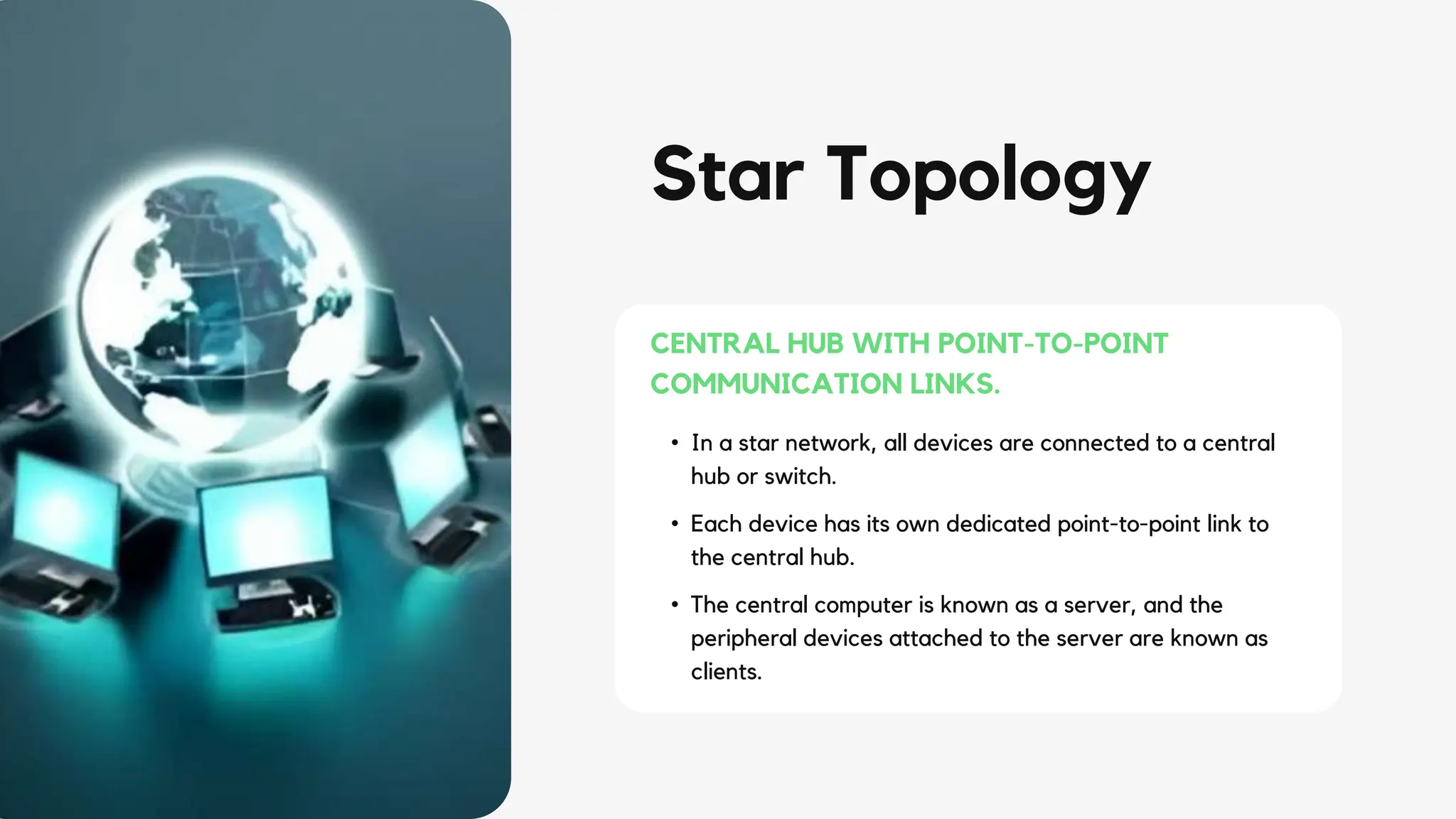
• In a star network, all devices are connected to a central
hub or switch.
• Each device has its own dedicated point-to-point link to
the central hub.
• The central computer is known as a server, and the
peripheral devices attached to the server are known as
clients.
CENTRAL HUB WITH POINT-TO-POINT
COMMUNICATION LINKS.
STAR TOPOLOGY
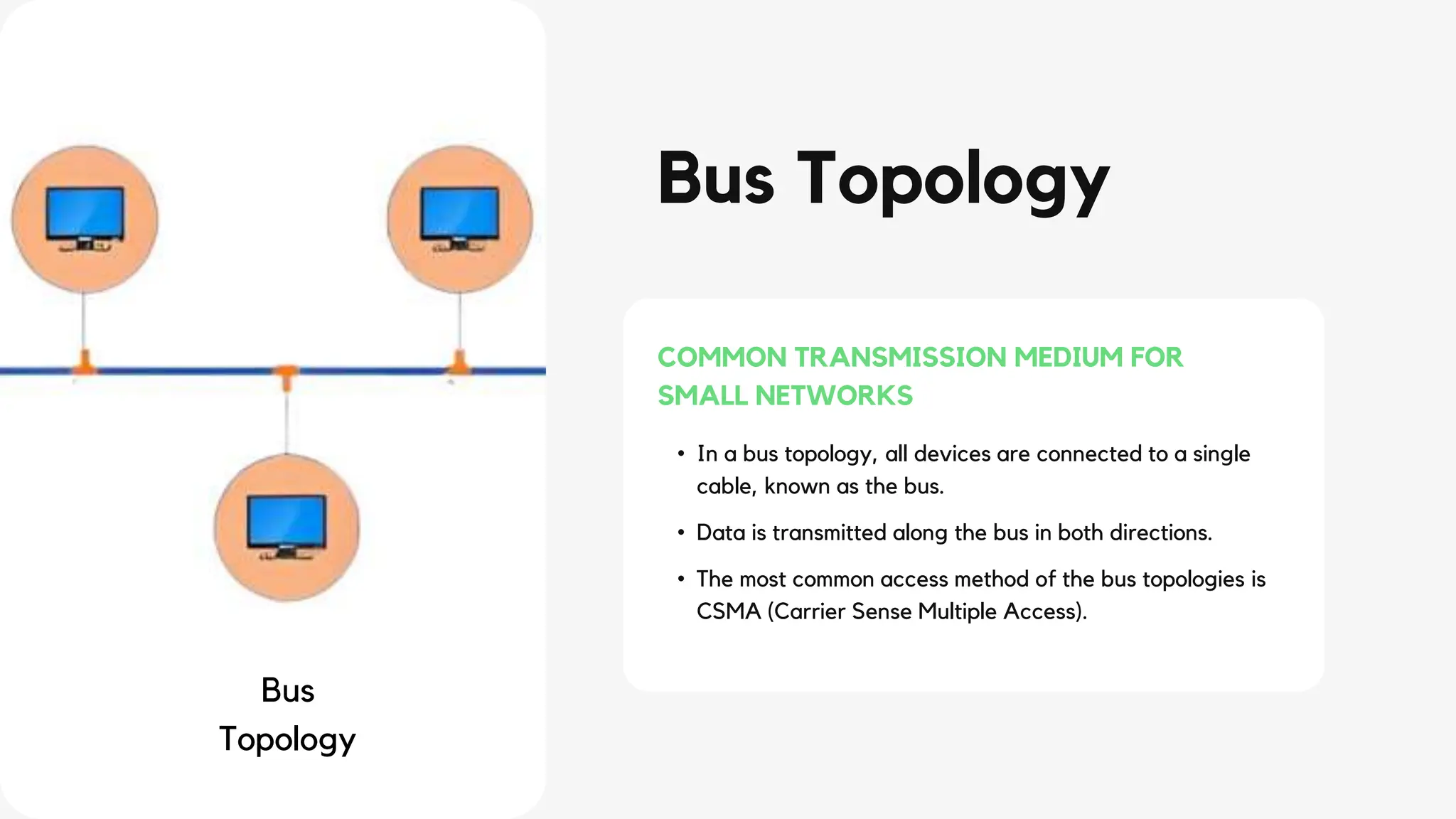
Bus Topology
• In a bus topology, all devices are connected to a single
cable, known as the bus.
• Data is transmitted along the bus in both directions.
• The most common access method of the bus topologies is
CSMA (Carrier Sense Multiple Access).
COMMON TRANSMISSION MEDIUM FOR
SMALL NETWORKS
Bus
Topology
BUS TOPOLOGY
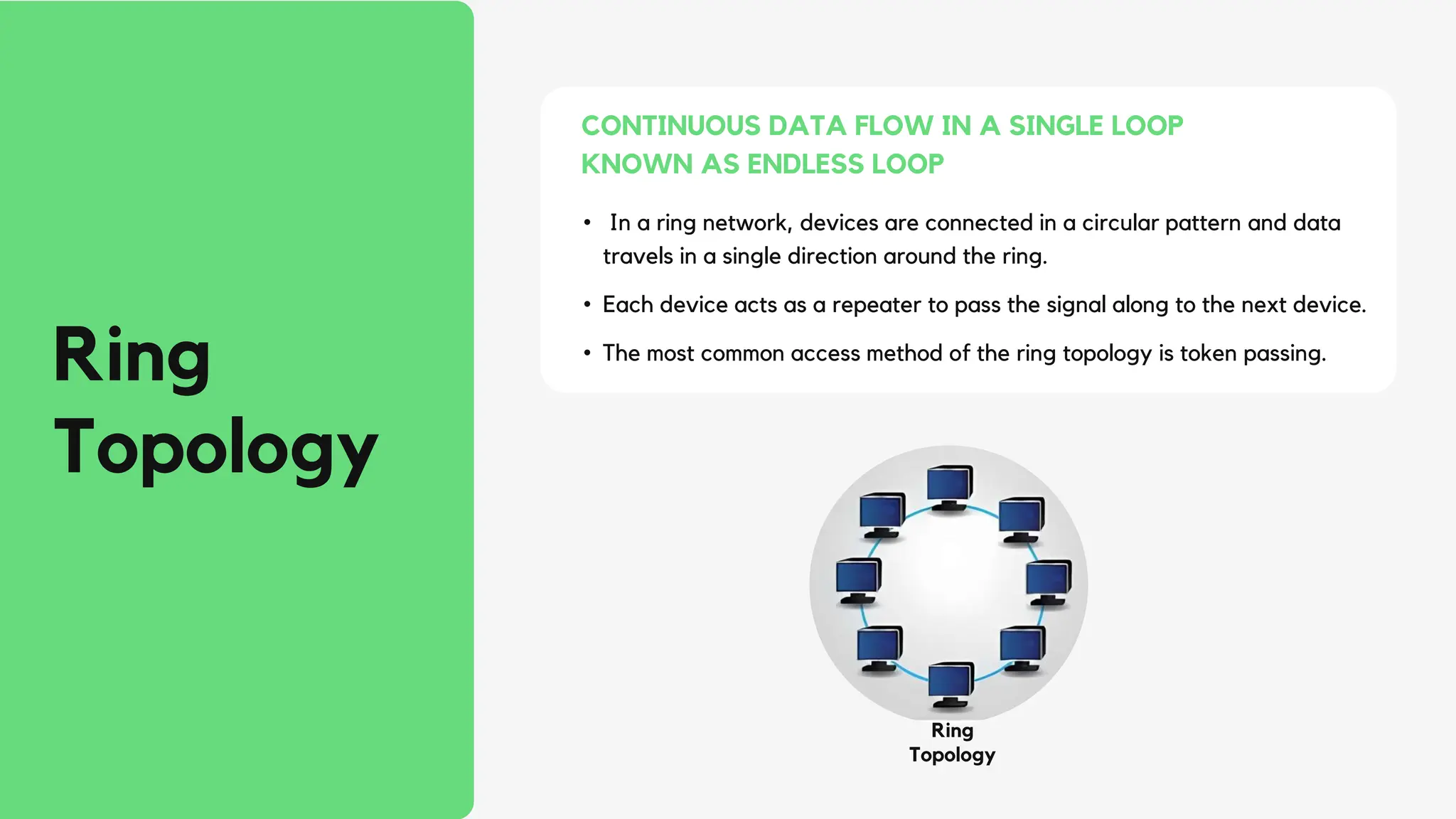
Ring
Topology
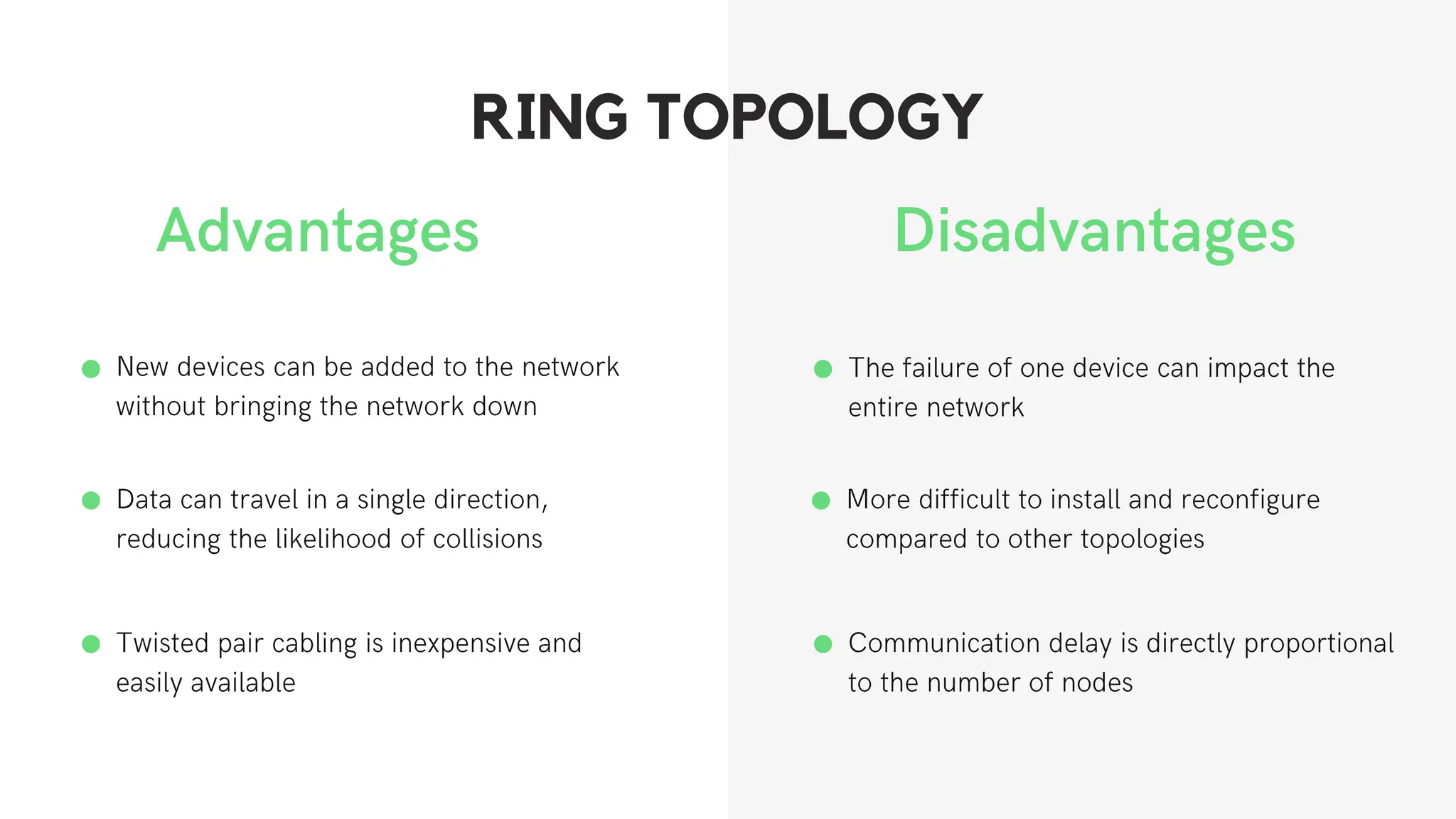
• In a ring network, devices are connected in a circular pattern and data
travels in a single direction around the ring.
• Each device acts as a repeater to pass the signal along to the next device.
• The most common access method of the ring topology is token passing.
CONTINUOUS DATA FLOW IN A SINGLE LOOP
KNOWN AS ENDLESS LOOP
Ring
Topology
RING TOPOLOGY
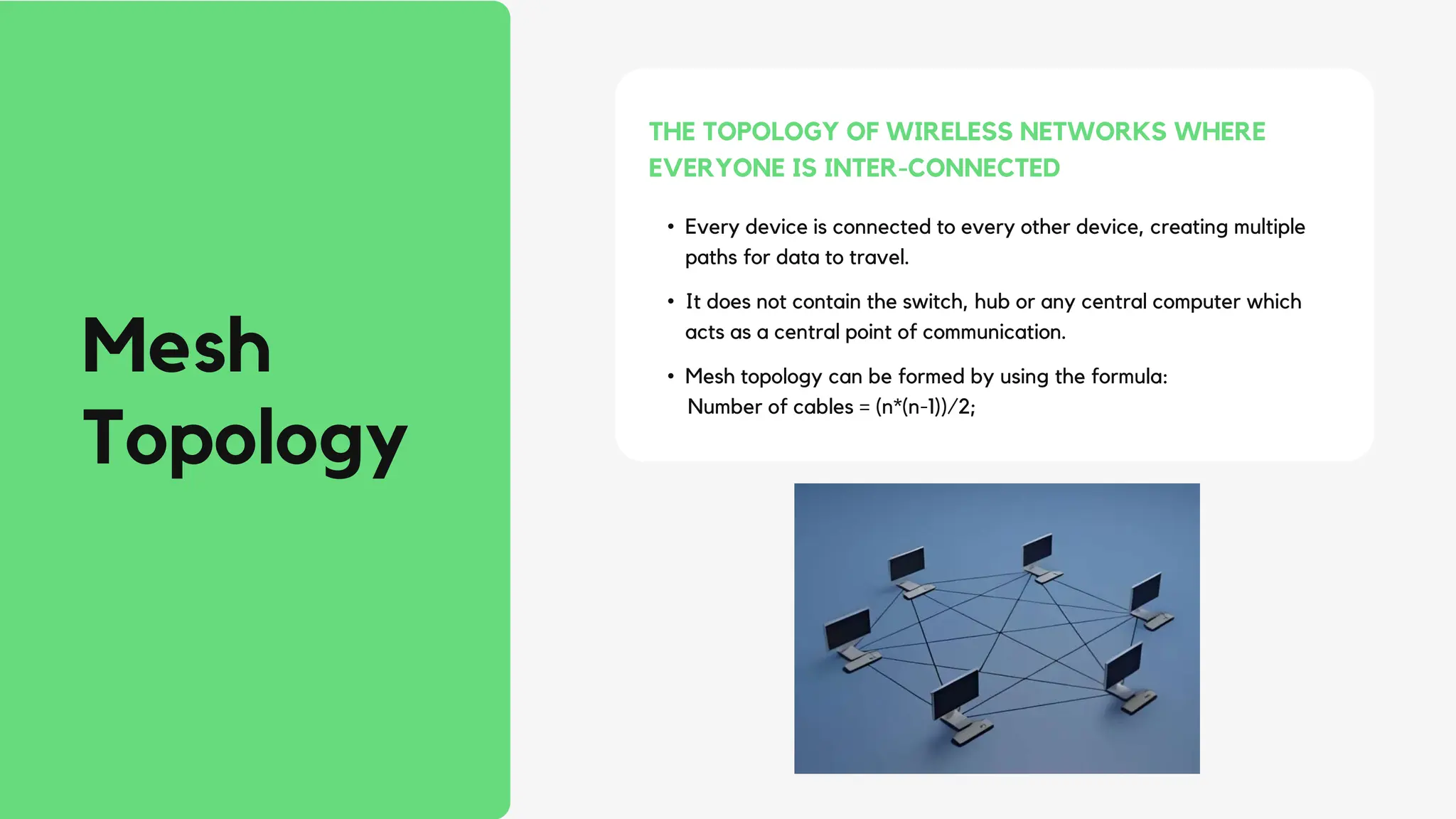
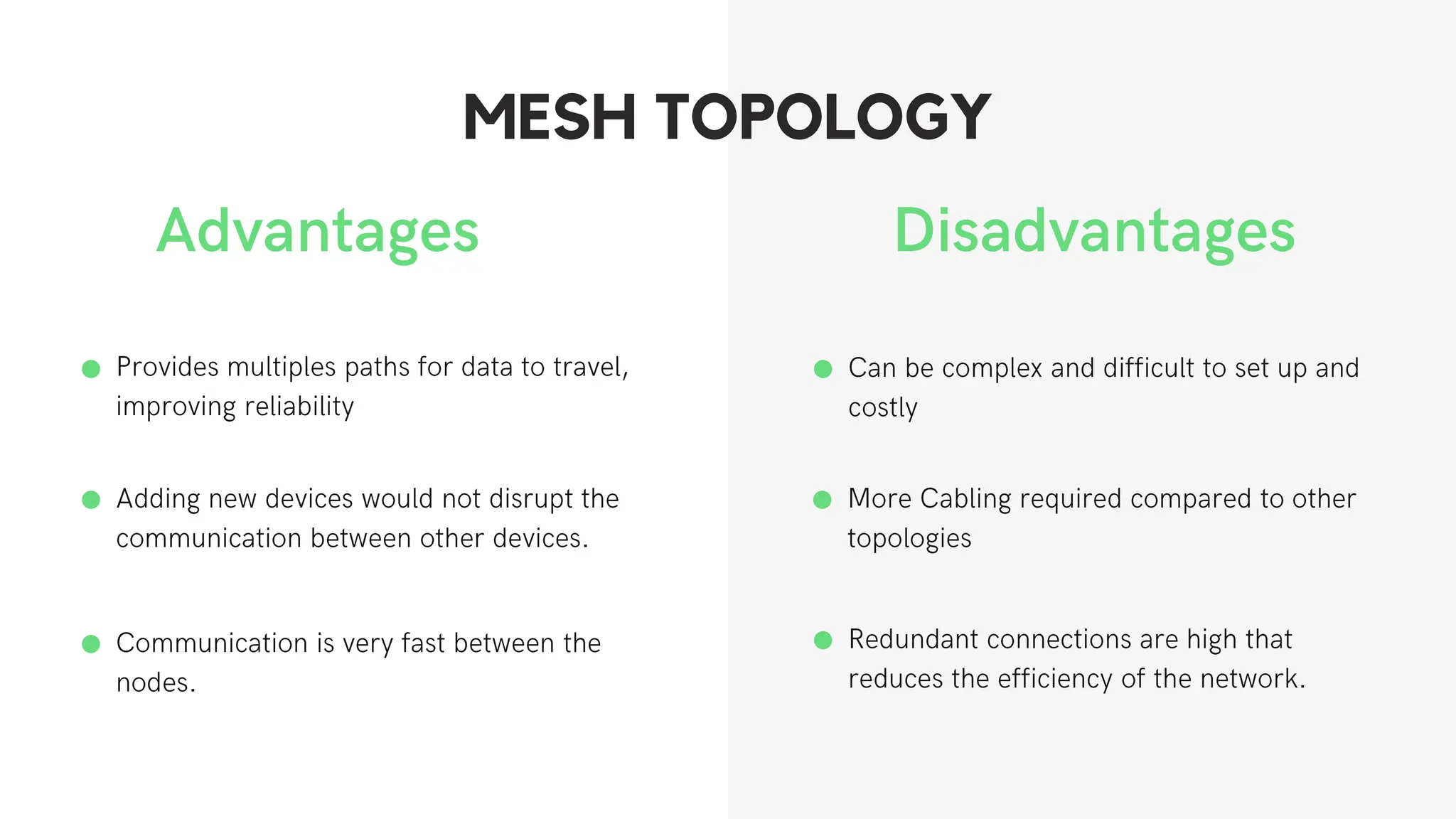
• Every device is connected to every other device, creating multiple
paths for data to travel.
• It does not contain the switch, hub or any central computer which
acts as a central point of communication.
• Mesh topology can be formed by using the formula:
Number of cables = (n*(n-1))/2;
THE TOPOLOGY OF WIRELESS NETWORKS WHERE
EVERYONE IS INTER-CONNECTED
Mesh
Topology
MESH TOPOLOGY
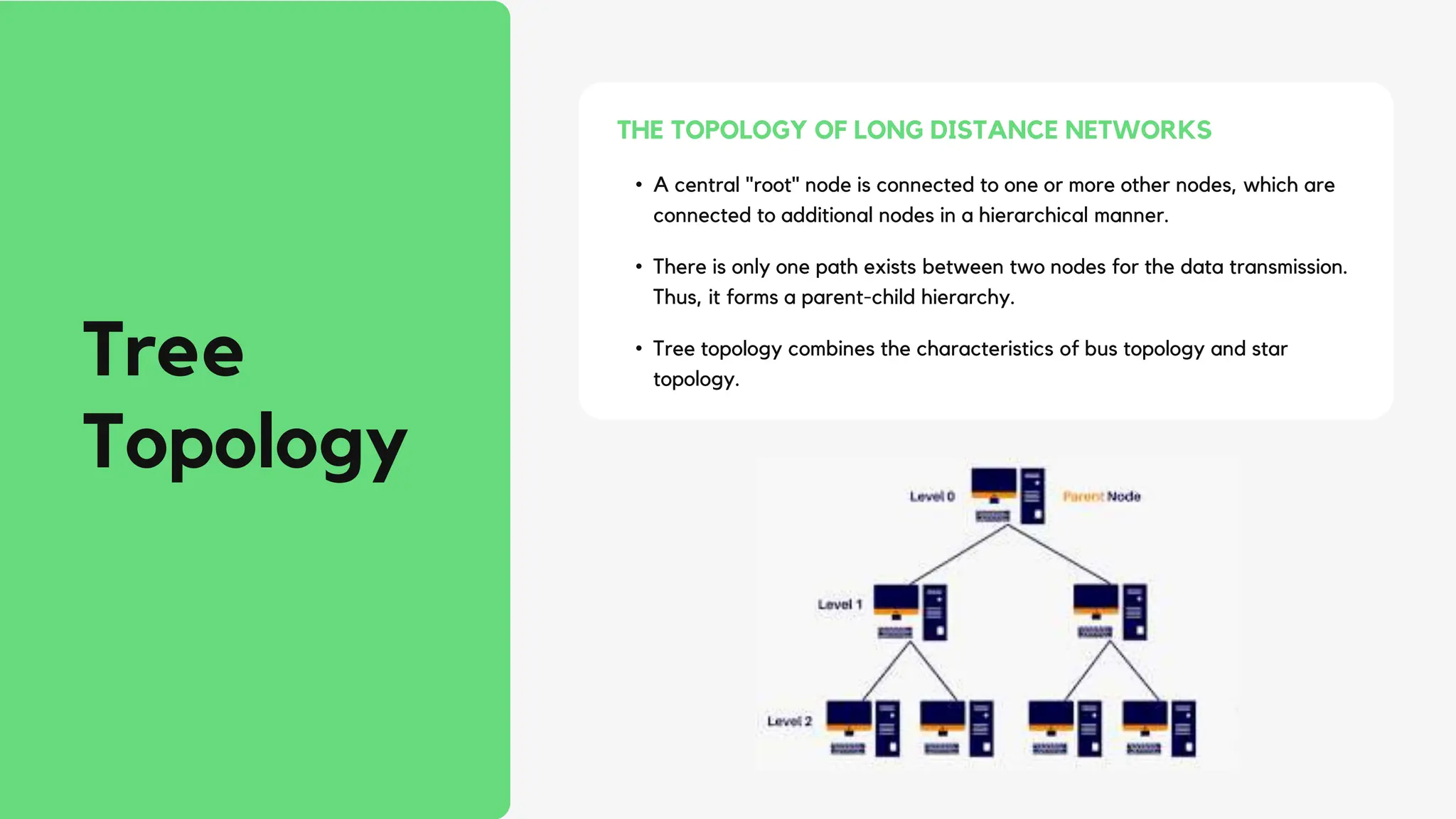
• A central "root" node is connected to one or more other nodes, which are
connected to additional nodes in a hierarchical manner.
• There is only one path exists between two nodes for the data transmission.
Thus, it forms a parent-child hierarchy.
• Tree topology combines the characteristics of bus topology and star
topology.
THE TOPOLOGY OF LONG DISTANCE NETWORKS
Tree
Topology
TREE TOPOLOGY
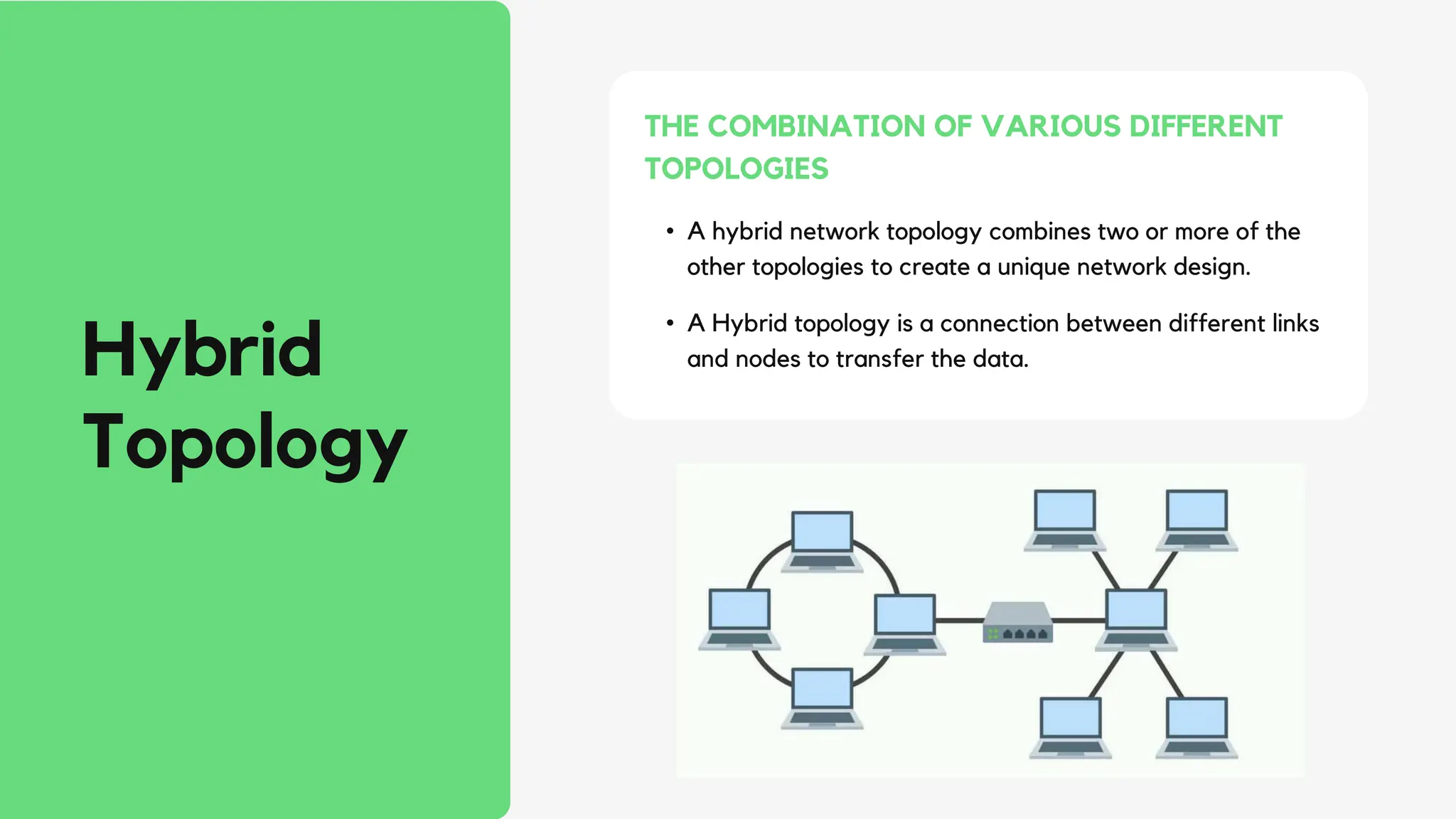
• A hybrid network topology combines two or more of the
other topologies to create a unique network design.
• A Hybrid topology is a connection between different links
and nodes to transfer the data.
THE COMBINATION OF VARIOUS DIFFERENT
TOPOLOGIES
Hybrid
Topology
HYBRID TOPOLOGY
Why is
Network
Topology
Important?
IMPORTANCE
• Plays an essential role in how a
network functions.
• Makes it easier for network admins to
locate faults, troubleshoot errors, and
allocate resources across the network
more effectively.
• A vital source of information when
diagnosing network issues.
CONCLUSION
• The network topology describes the network's structure
of how all components are connected to one another.
• The main factors to consider while selecting a network
topology are the length of cable required, cable type,
cost, and scalability.
• Network configuration tools can help you configure your
network correctly.
• Network performance monitoring and troubleshooting
software keep track of and notify users of network-
related performance problems and outages.
Jit
Karan
(13030820002)
OUR TEAM
Akhil
Srivastava
(13030820056)
Ankan
Biswas
(13030820046)
Debdipta
Das
(13030820009)
Soham
Sen
(13030820058)
Gogan
Tribikram
Ganguly
(13000320008)
Different Network topologies in Computer Networks

Different Network topologies in Computer Networks

  • 1.
    Network Topologies Physical and Logicalarrangement of nodes and connections in a Network.
  • 2.
    Table of Contents POINTS FORDISCUSSION: Introduction Types of Network Topology Star Topolgy Bus Topology Ring Topology Mesh Topology Tree Topology Hybrid Topology Conclusion
  • 3.
    Introduction • Geometric arrangementof devices on a computer network, and the way they are connected to one another. • Defines the physical and logical interconnection between devices, and it determines how signals flow between them. • Often represented as graphs and use these network topology graphs to decide where to position each node and the best path for traffic flow.
  • 4.
    Types of Network Topologies Devices areconnected to a common cable, which acts as a backbone for data transmission. Bus Topology A central device is connected to multiple devices, forming a shape of a star. Star Topology Devices are connected in a closed loop, and data travels in one direction Ring Topology A central device is connected to multiple devices, forming branches, creating a hierarchical structure. Tree Topology Every device is connected to every other device, providing multiple paths for data transmission. MeshTopology Combination of two or more topologies to form a new topology. Hybrid Topology
  • 5.
    Star Topology • Ina star network, all devices are connected to a central hub or switch. • Each device has its own dedicated point-to-point link to the central hub. • The central computer is known as a server, and the peripheral devices attached to the server are known as clients. CENTRAL HUB WITH POINT-TO-POINT COMMUNICATION LINKS.
  • 6.
  • 7.
    Bus Topology • Ina bus topology, all devices are connected to a single cable, known as the bus. • Data is transmitted along the bus in both directions. • The most common access method of the bus topologies is CSMA (Carrier Sense Multiple Access). COMMON TRANSMISSION MEDIUM FOR SMALL NETWORKS Bus Topology
  • 8.
  • 9.
    Ring Topology • In aring network, devices are connected in a circular pattern and data travels in a single direction around the ring. • Each device acts as a repeater to pass the signal along to the next device. • The most common access method of the ring topology is token passing. CONTINUOUS DATA FLOW IN A SINGLE LOOP KNOWN AS ENDLESS LOOP Ring Topology
  • 10.
  • 11.
    • Every deviceis connected to every other device, creating multiple paths for data to travel. • It does not contain the switch, hub or any central computer which acts as a central point of communication. • Mesh topology can be formed by using the formula: Number of cables = (n*(n-1))/2; THE TOPOLOGY OF WIRELESS NETWORKS WHERE EVERYONE IS INTER-CONNECTED Mesh Topology
  • 12.
  • 13.
    • A central"root" node is connected to one or more other nodes, which are connected to additional nodes in a hierarchical manner. • There is only one path exists between two nodes for the data transmission. Thus, it forms a parent-child hierarchy. • Tree topology combines the characteristics of bus topology and star topology. THE TOPOLOGY OF LONG DISTANCE NETWORKS Tree Topology
  • 14.
  • 15.
    • A hybridnetwork topology combines two or more of the other topologies to create a unique network design. • A Hybrid topology is a connection between different links and nodes to transfer the data. THE COMBINATION OF VARIOUS DIFFERENT TOPOLOGIES Hybrid Topology
  • 16.
  • 17.
    Why is Network Topology Important? IMPORTANCE • Playsan essential role in how a network functions. • Makes it easier for network admins to locate faults, troubleshoot errors, and allocate resources across the network more effectively. • A vital source of information when diagnosing network issues.
  • 18.
    CONCLUSION • The networktopology describes the network's structure of how all components are connected to one another. • The main factors to consider while selecting a network topology are the length of cable required, cable type, cost, and scalability. • Network configuration tools can help you configure your network correctly. • Network performance monitoring and troubleshooting software keep track of and notify users of network- related performance problems and outages.
  • 19.