By Alaa Sadik, Ph.D. Visiting Consultant Department of Instructional Technology College of Education [email_address] freewebs.com/alaasadik Design, Selection and Uutilization of Media . Sultan Qaboos University
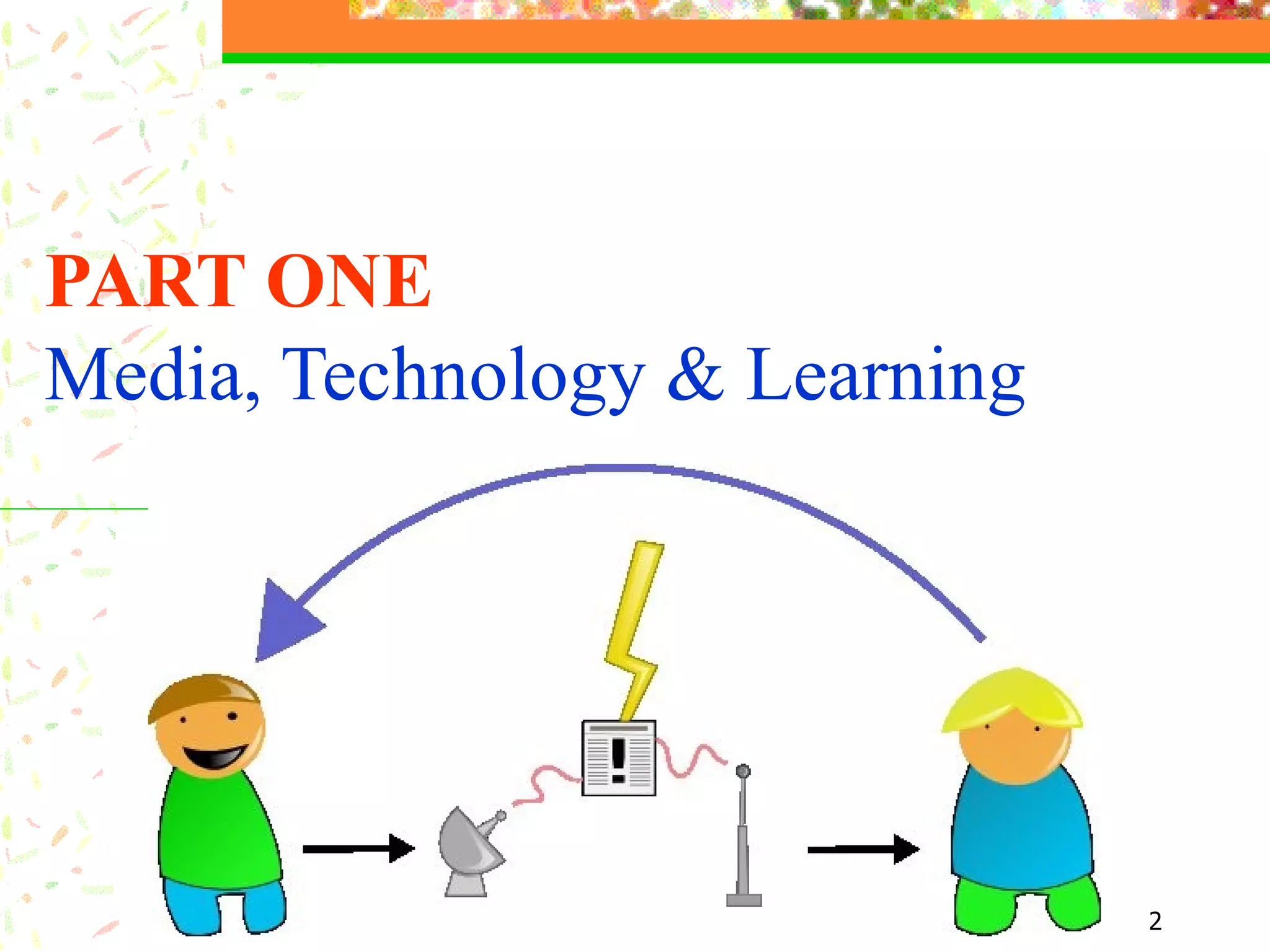
PART ONE Media, Technology & Learning
Types of Instructional Media   Text, image & audio
The  Human Ear Text  (words, numbers, signs, symbols, equations, etc.) The ear consists of three basic parts the outer ear, the middle ear, and the inner ear.  Each part of the ear serves a specific purpose in the task of detecting and interpreting sound. ……………………………… ……………………………… ………………………………
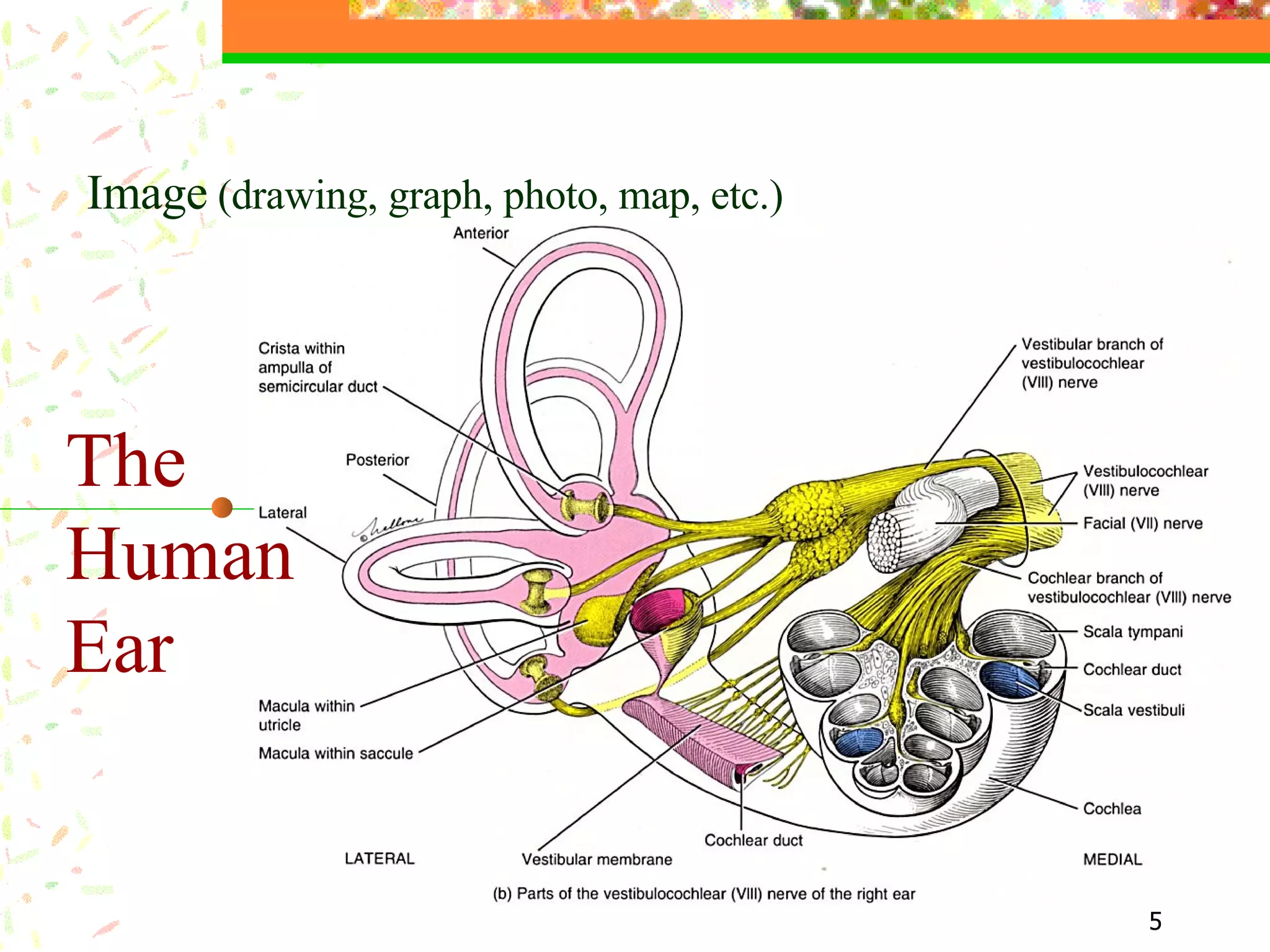
The  Human Ear Image  (drawing, graph, photo, map, etc.)
The  Human Ear Audio  (human voice, sound effects, etc.) The human ear consists of ...
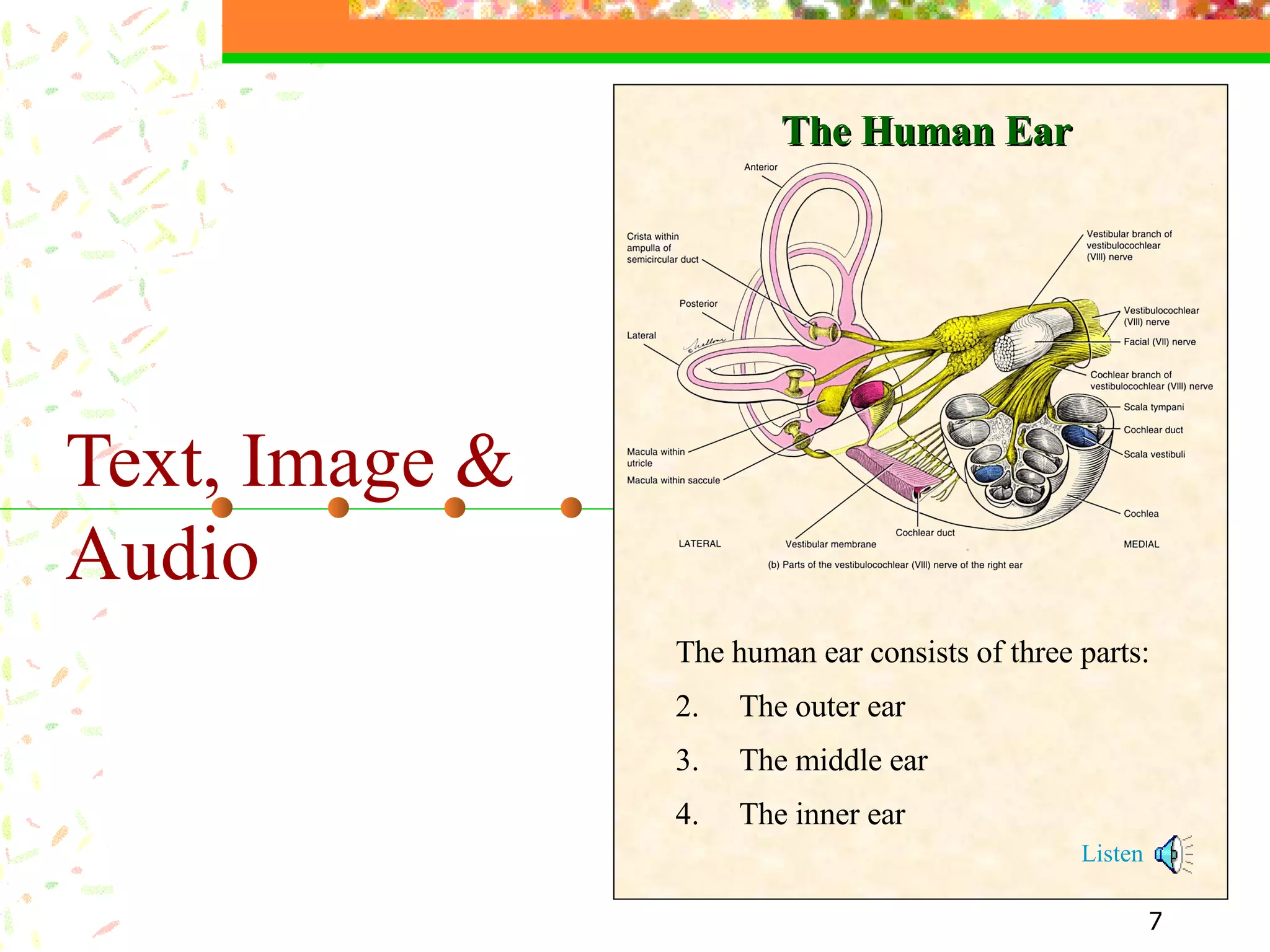
Text, Image & Audio   The human ear consists of three parts: The outer ear The middle ear The inner ear Listen The Human Ear
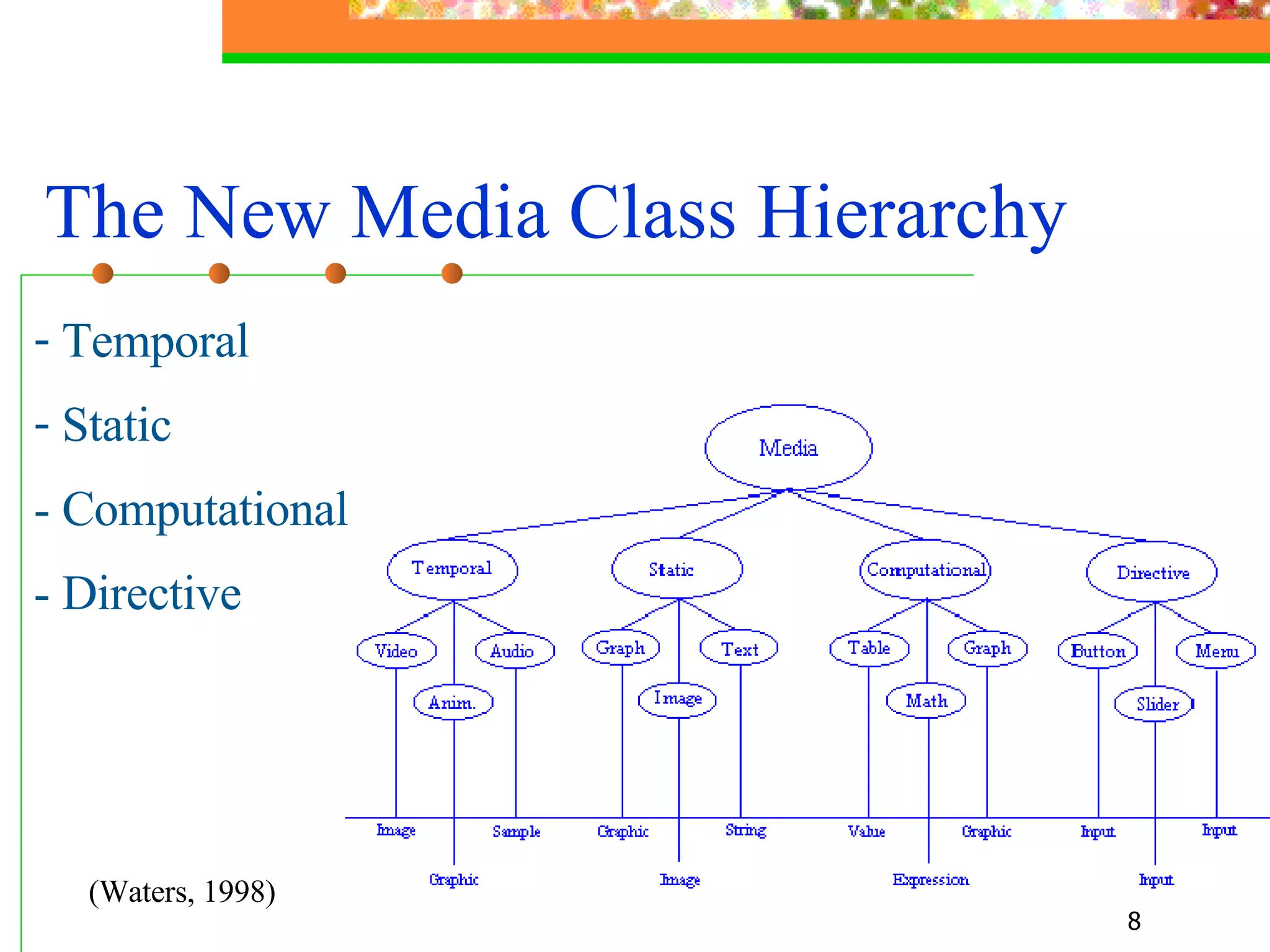
The New Media Class Hierarchy   Temporal  Static  - Computational - Directive (Waters, 1998)
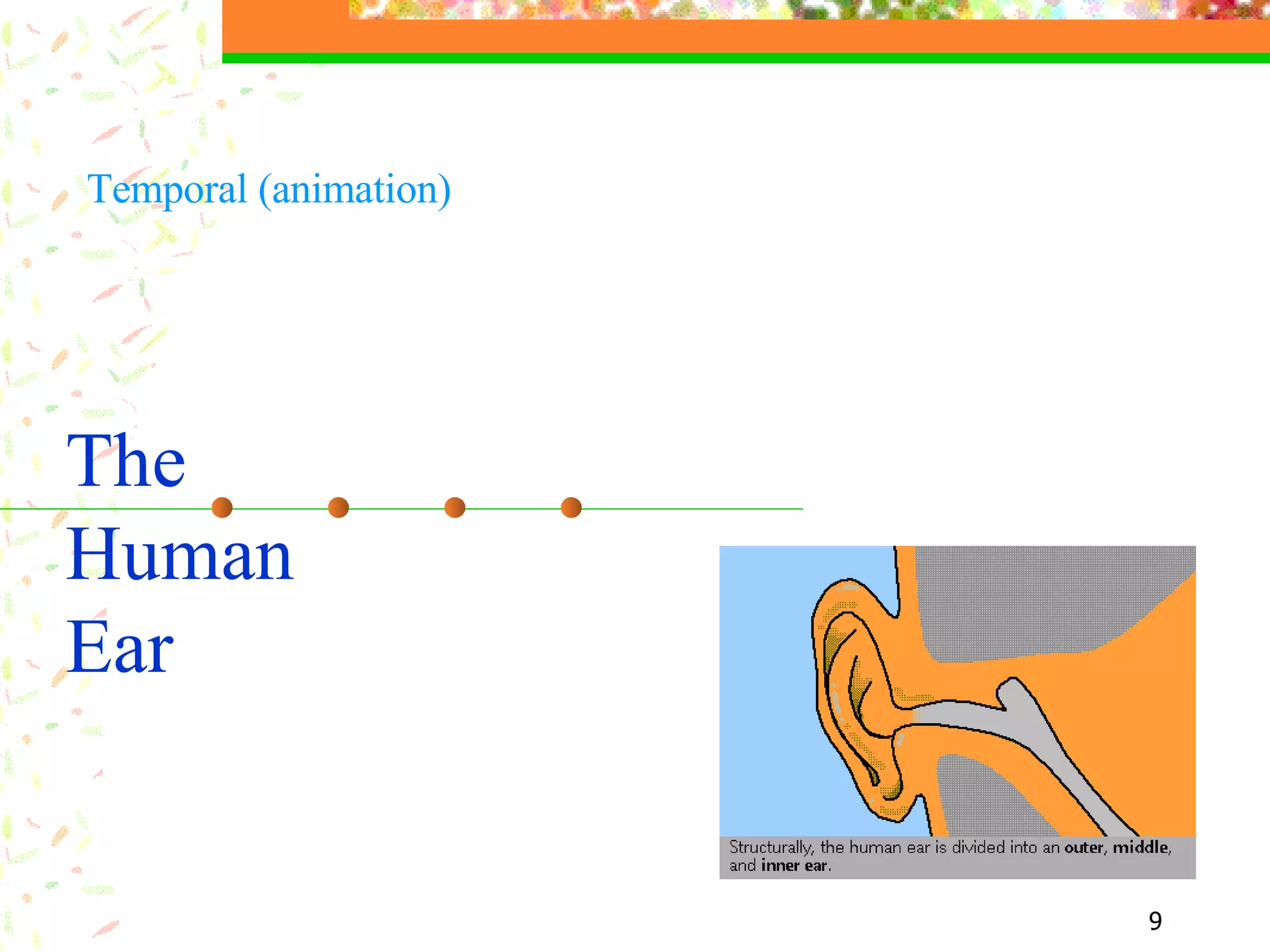
The  Human Ear Temporal (animation)
Landing The pilot managed to land the airoplane safely   Temporal (video)
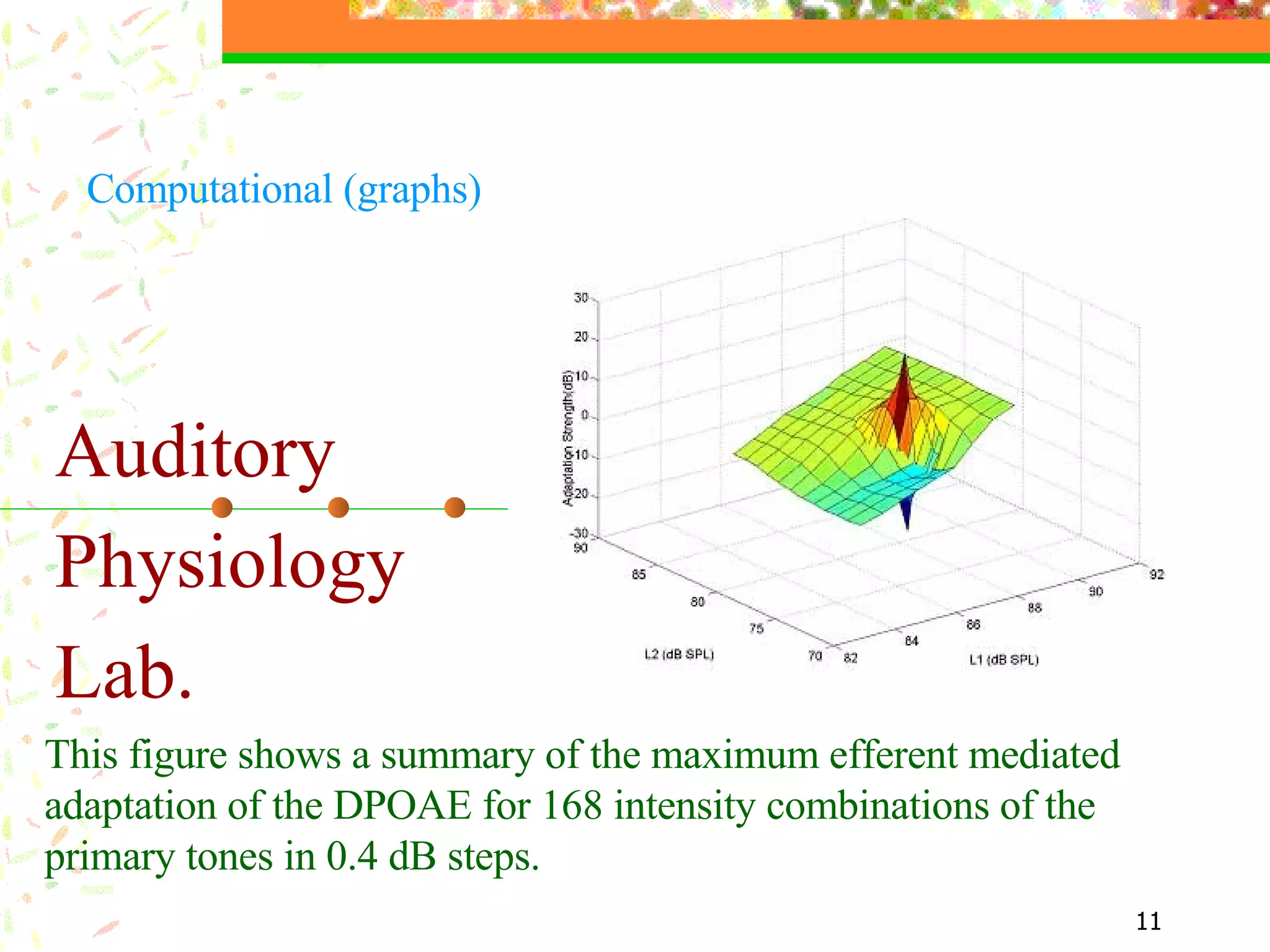
Auditory  Physiology  Lab. This figure shows a summary of the maximum efferent mediated adaptation of the DPOAE for 168 intensity combinations of the primary tones in 0.4 dB steps.  Computational (graphs)
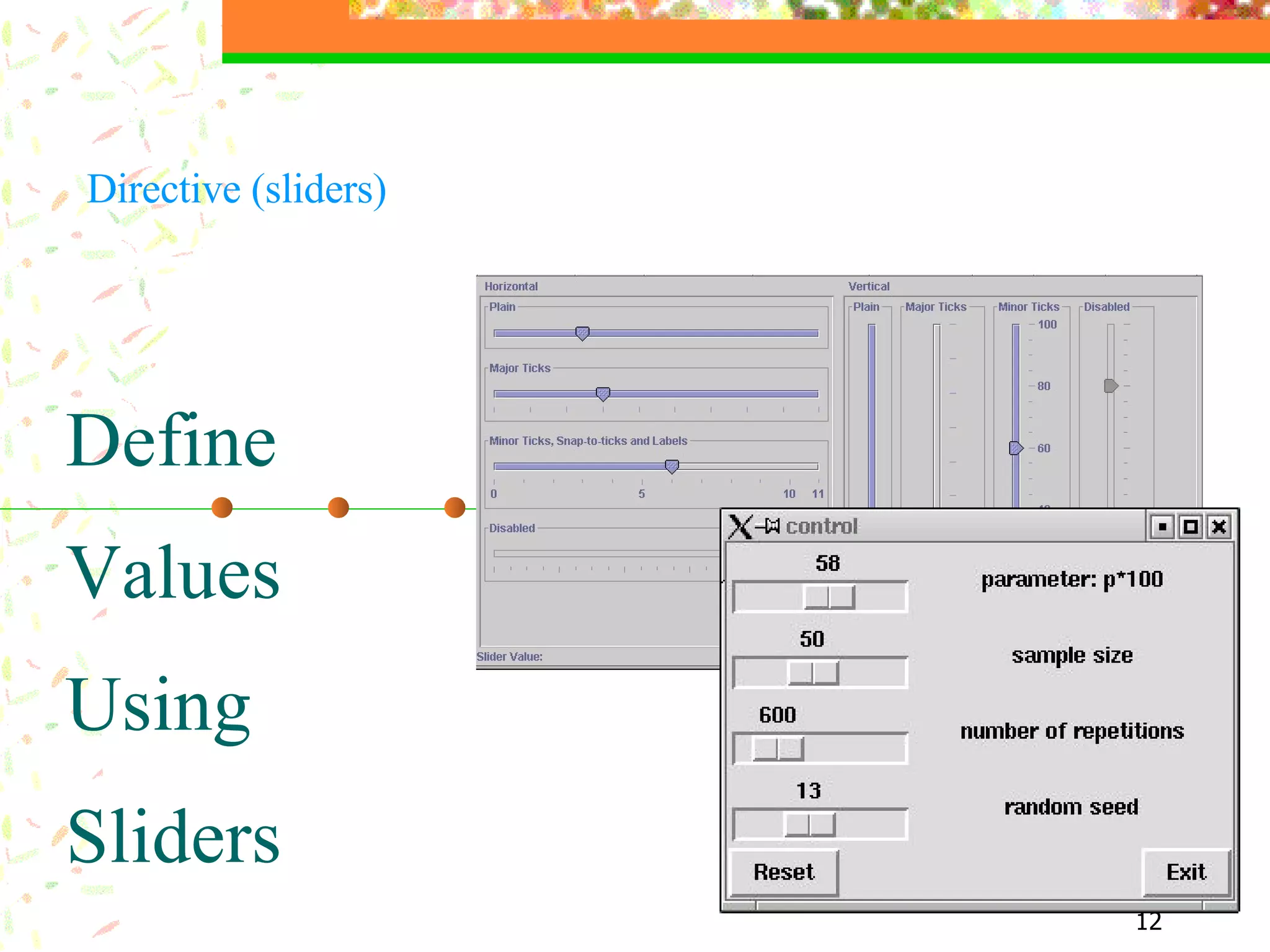
Define Values Using Sliders Directive (sliders)
Multimedia End of this point Transmission that combine  different  media of communication  ( text ,  graphics , audio, animation, video,  etc. )
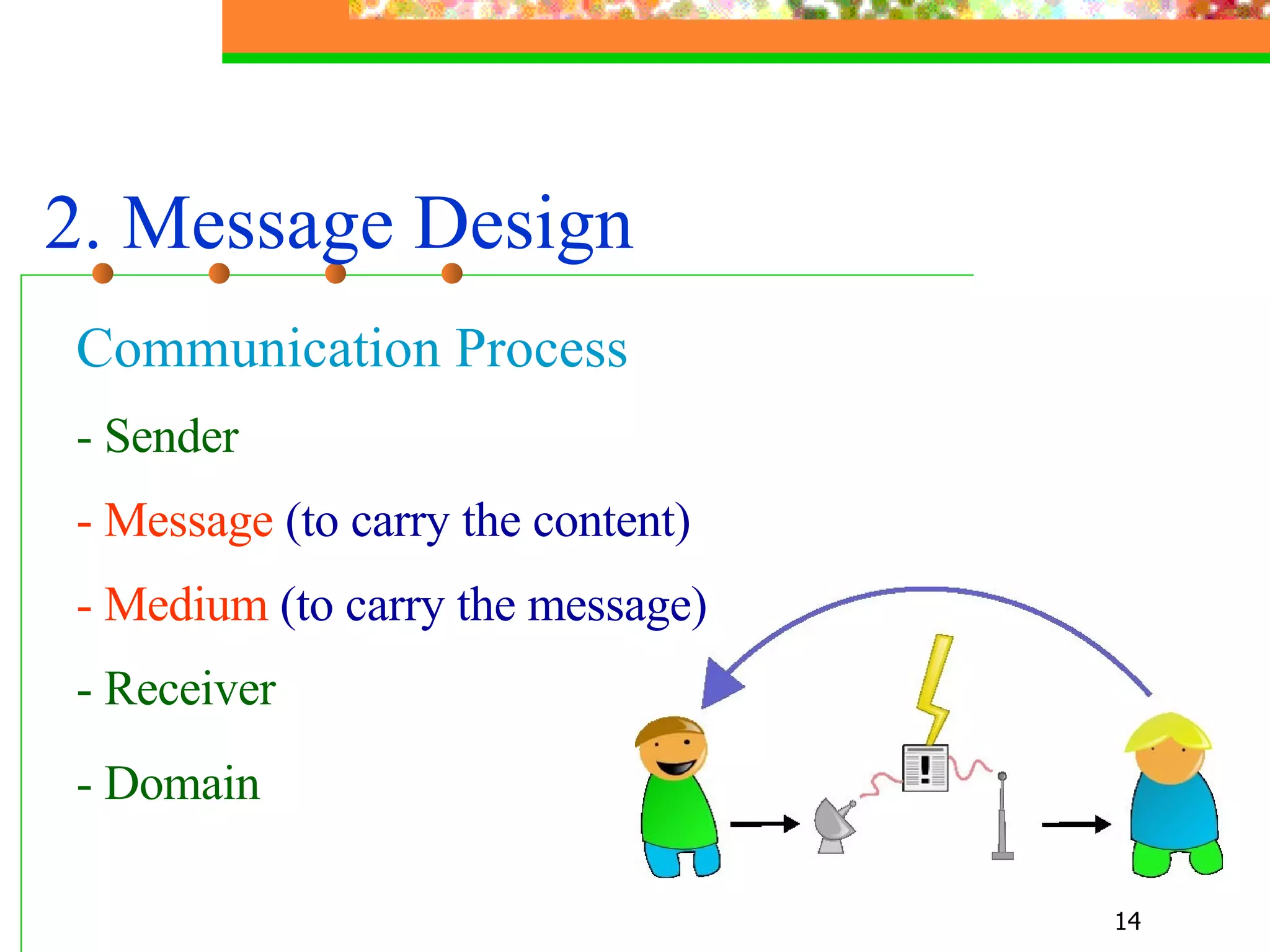
2. Message Design   Communication Process - Sender - Message  (to carry the content) - Medium  (to carry the message)   - Receiver - Domain
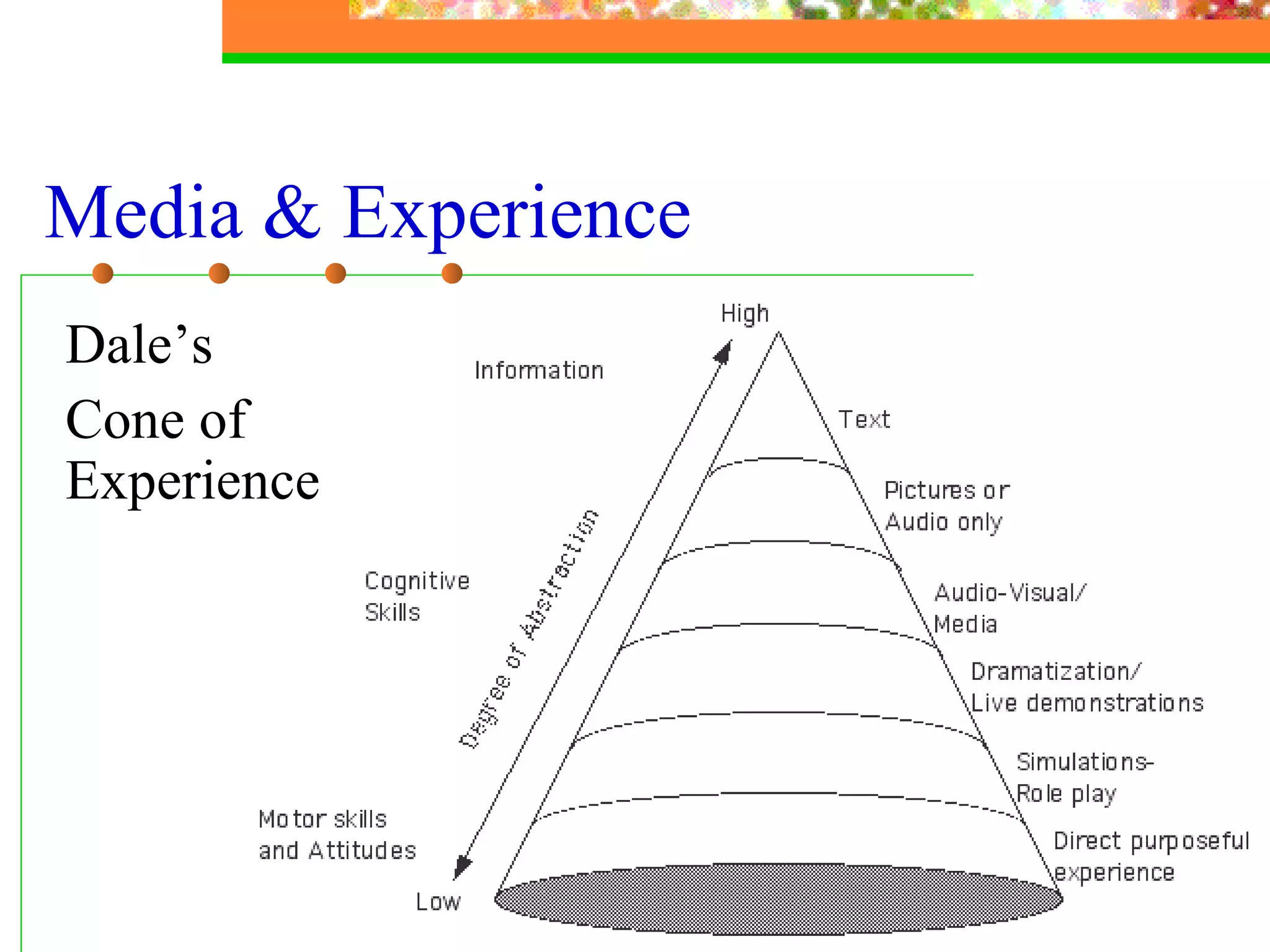
Media & Experience Dale’s  Cone of Experience
Dale’s Cone of Experience Upper levels:   provide more information,  compress information, faster for those able to process it,  need more instructional support. Lower levels: involve the learner as a participant, encourage active learning,  provide less information,  more stimuli and richer.
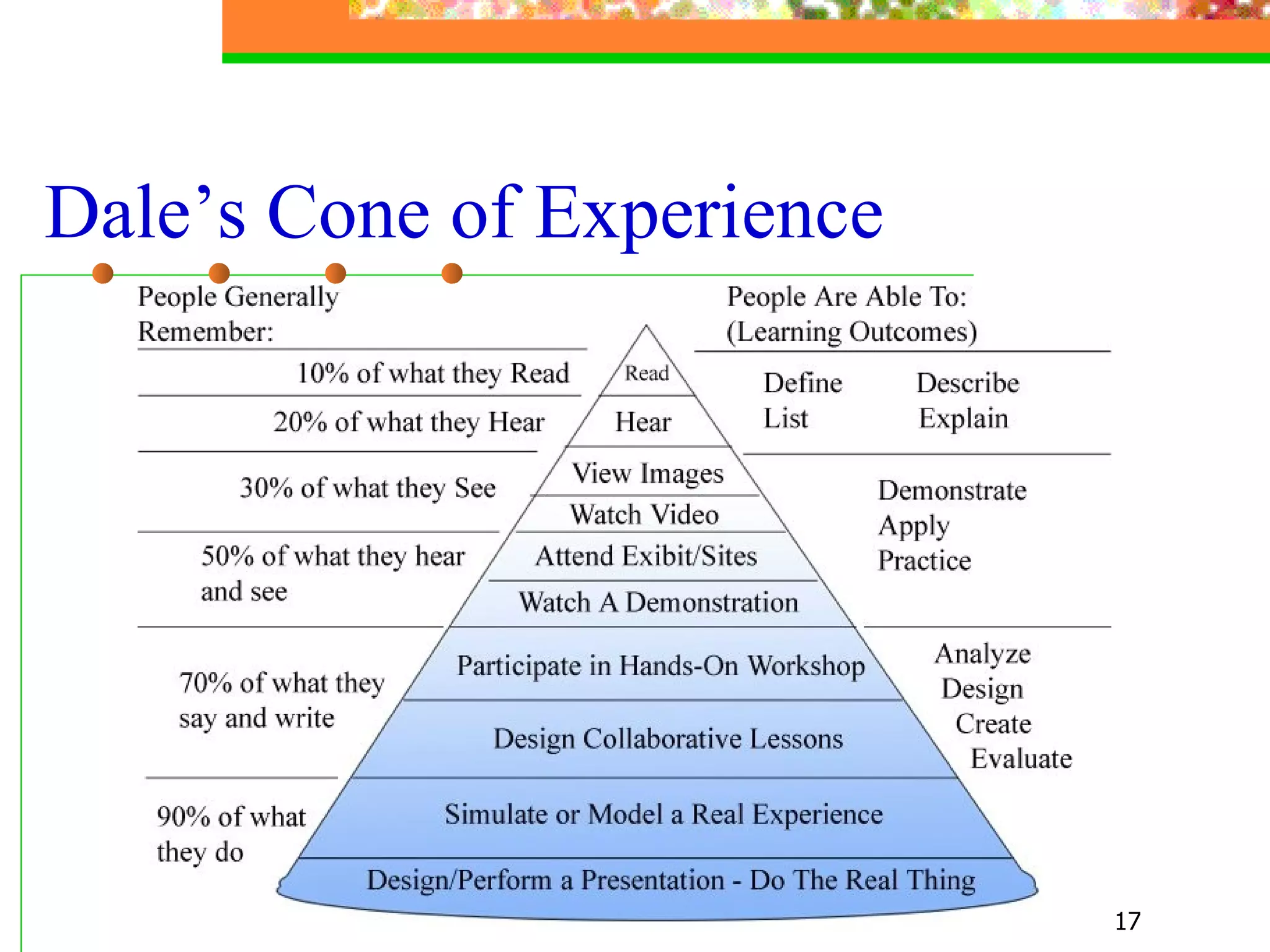
Dale’s Cone of Experience
3. Media & Technology Attributes - Interactivity - Branching   - Realism - Bandwidth
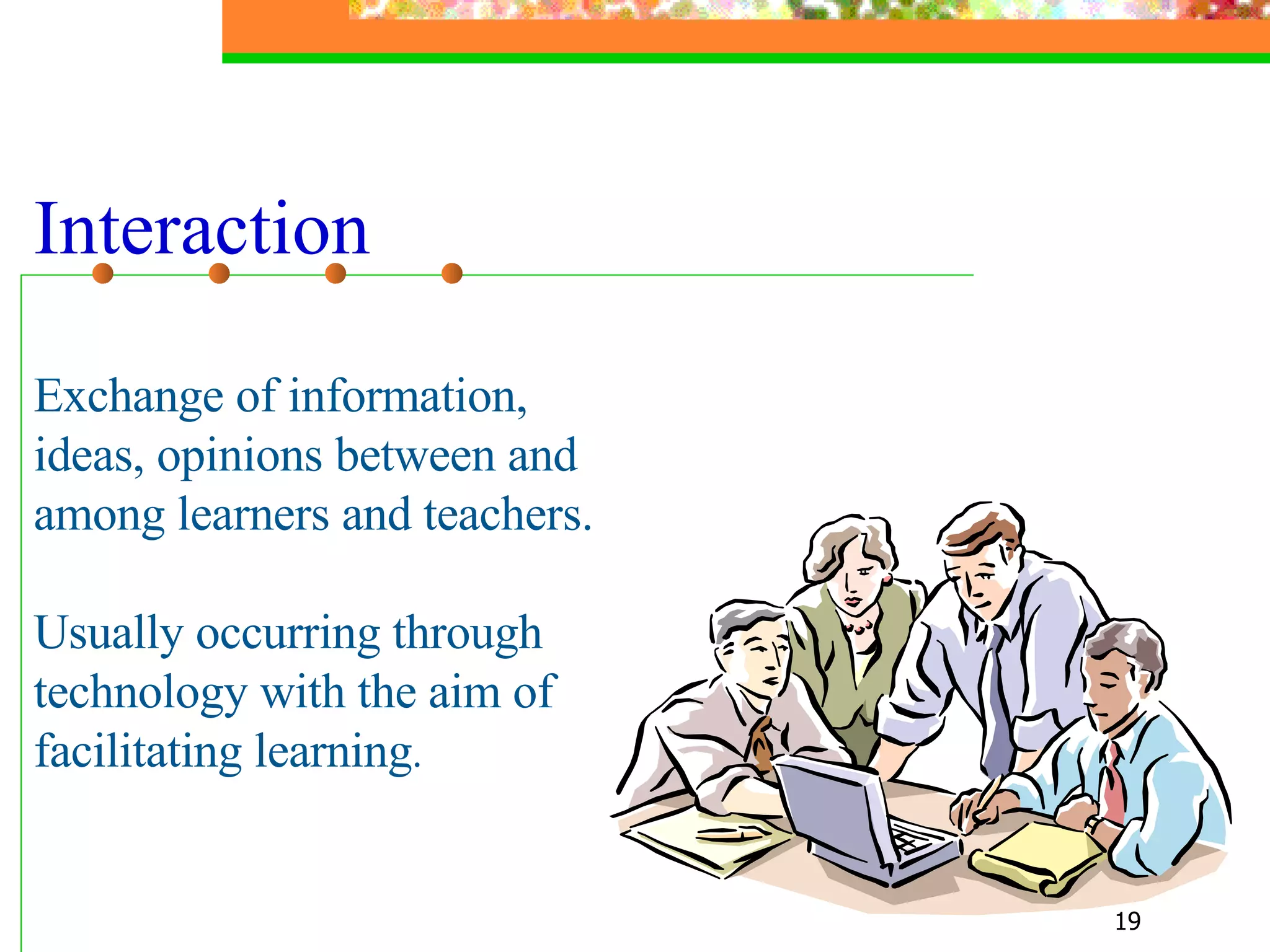
Interaction Exchange of information,  ideas, opinions between and among learners and teachers. Usually occurring through technology with the aim of facilitating learning .
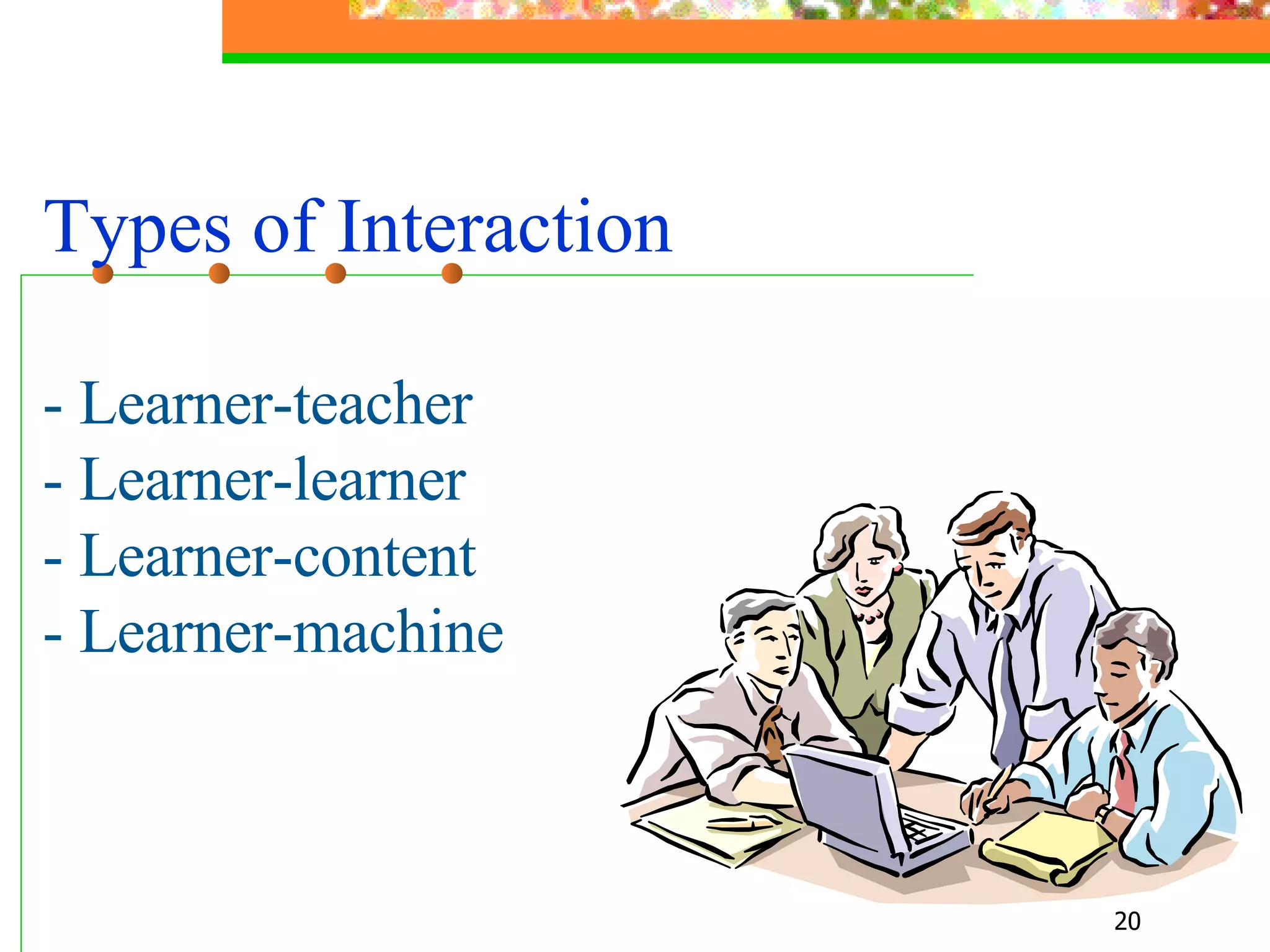
Types of Interaction - Learner-teacher  - Learner-learner - Learner-content - Learner-machine
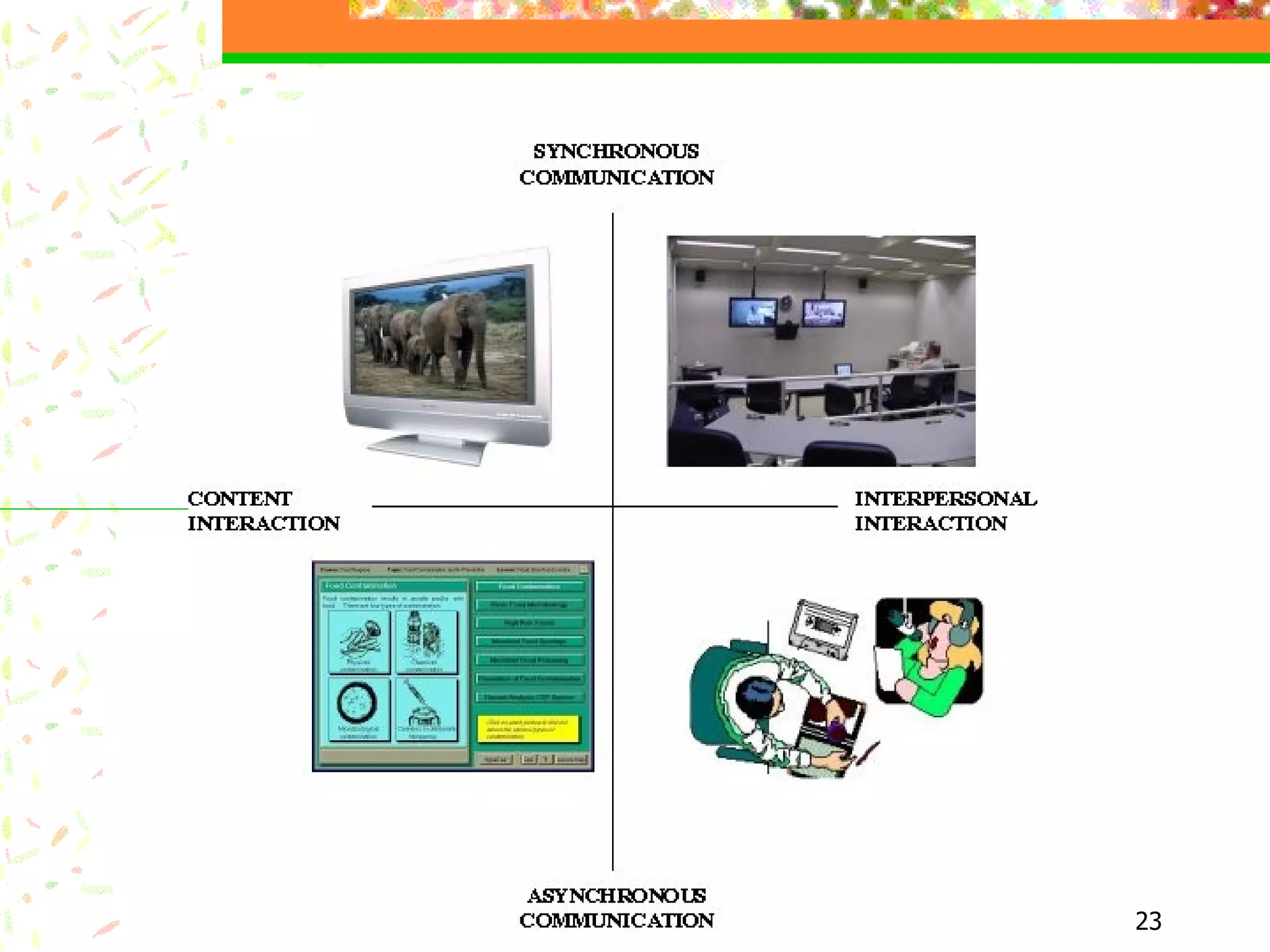
Time of Interaction - Synchronous (time-dependent) - Asynchronous (time-independent)
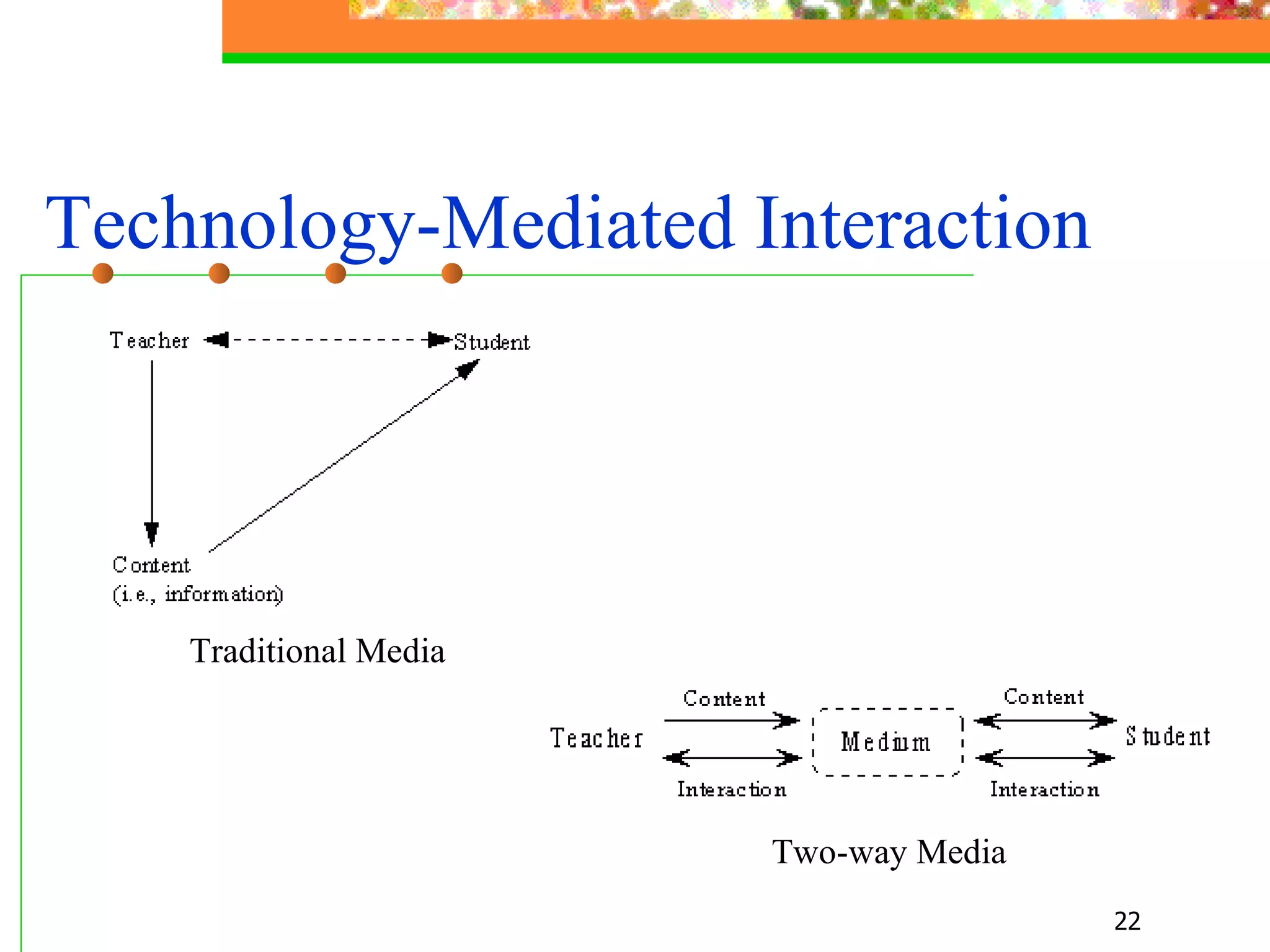
Technology-Mediated Interaction   Traditional Media   Two-way Media
 
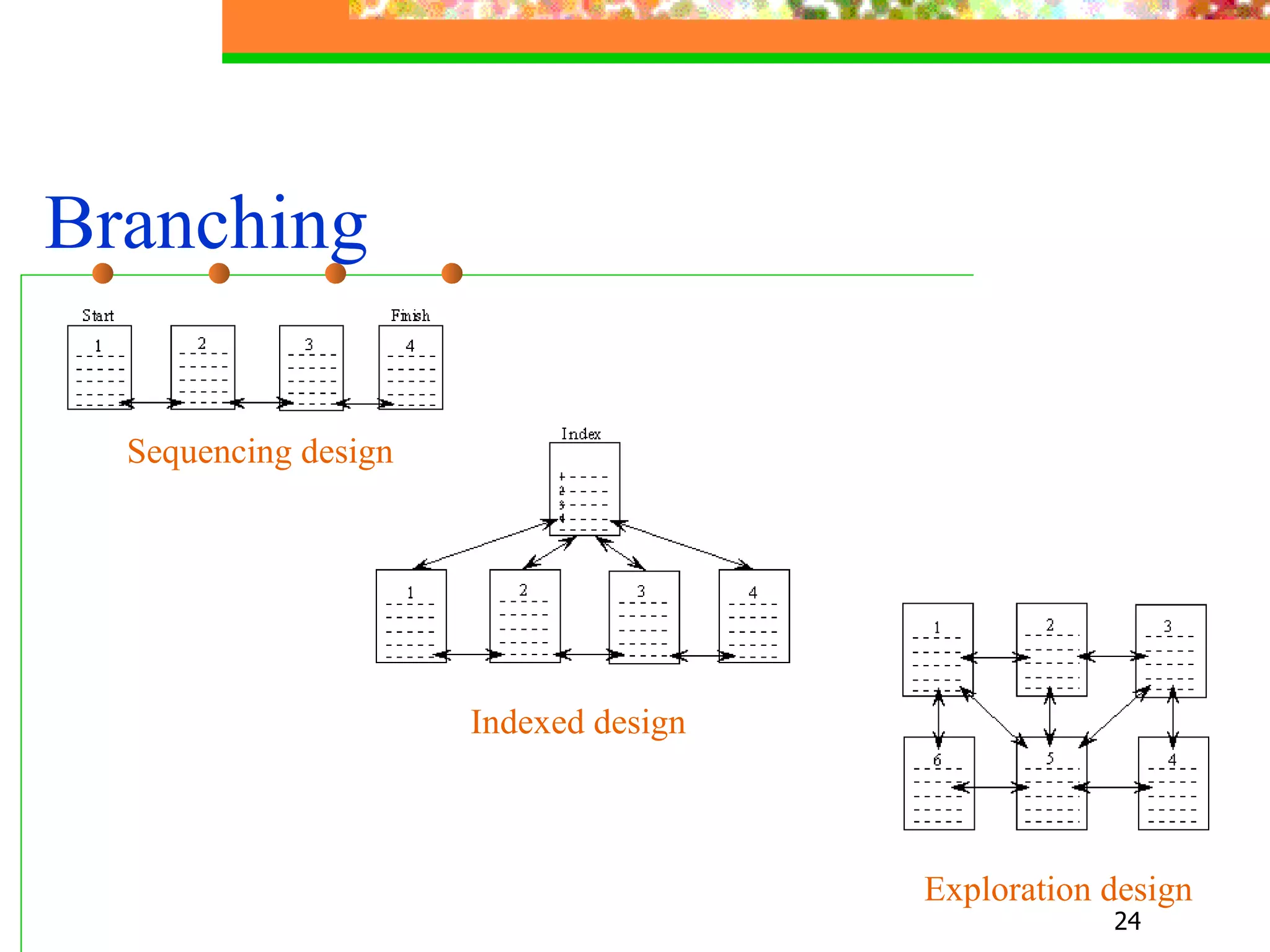
Branching   Indexed design   Sequencing design   Exploration design
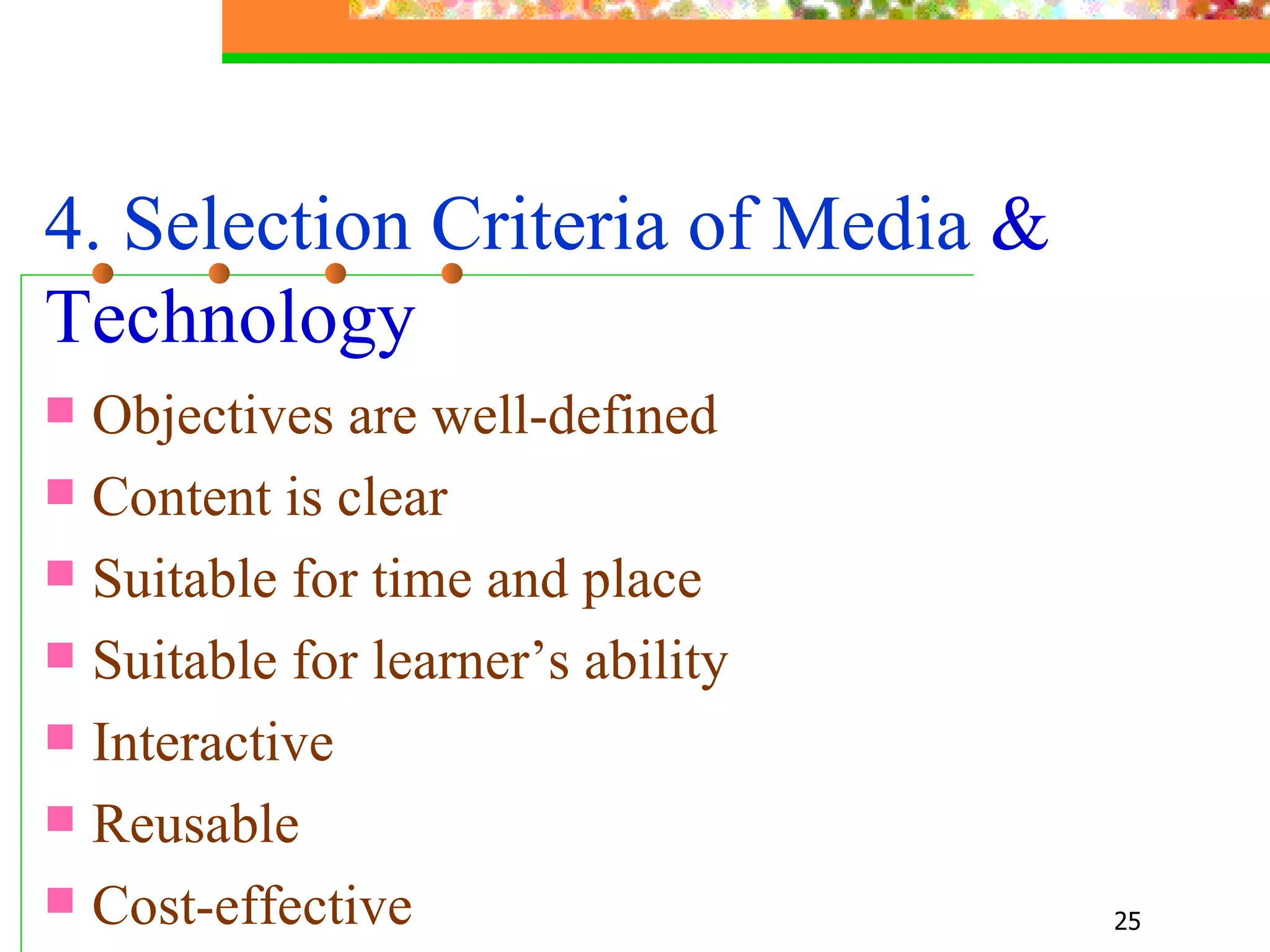
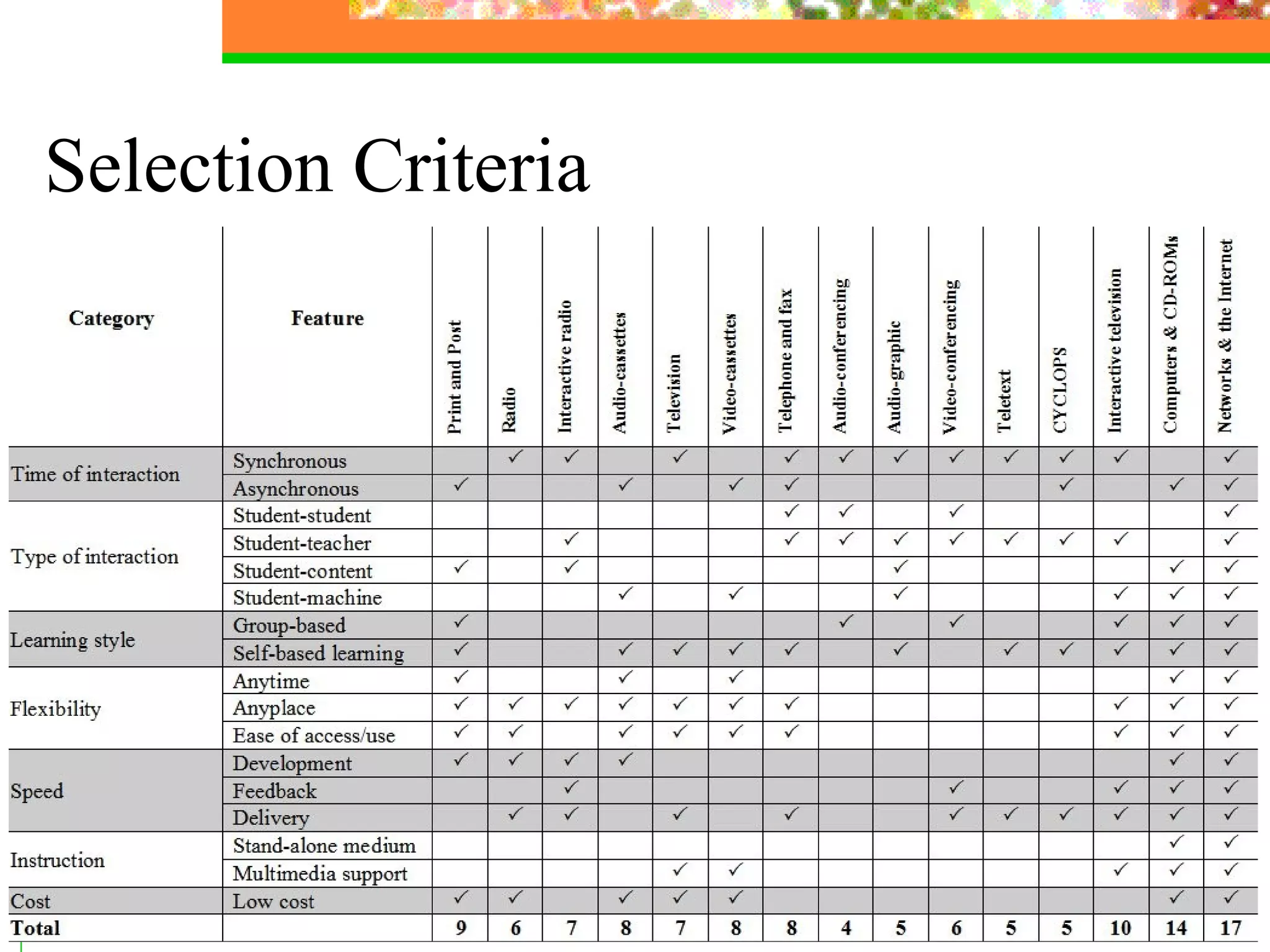
4. Selection Criteria of Media  & Technology  Objectives are well-defined Content is clear Suitable for time and place Suitable for learner’s ability Interactive Reusable  Cost-effective
Selection Criteria
5. Level of Technology Use - Informational  - Supplemental - Communal - Essential  - Immersive
PART TWO Instructional Design & Media
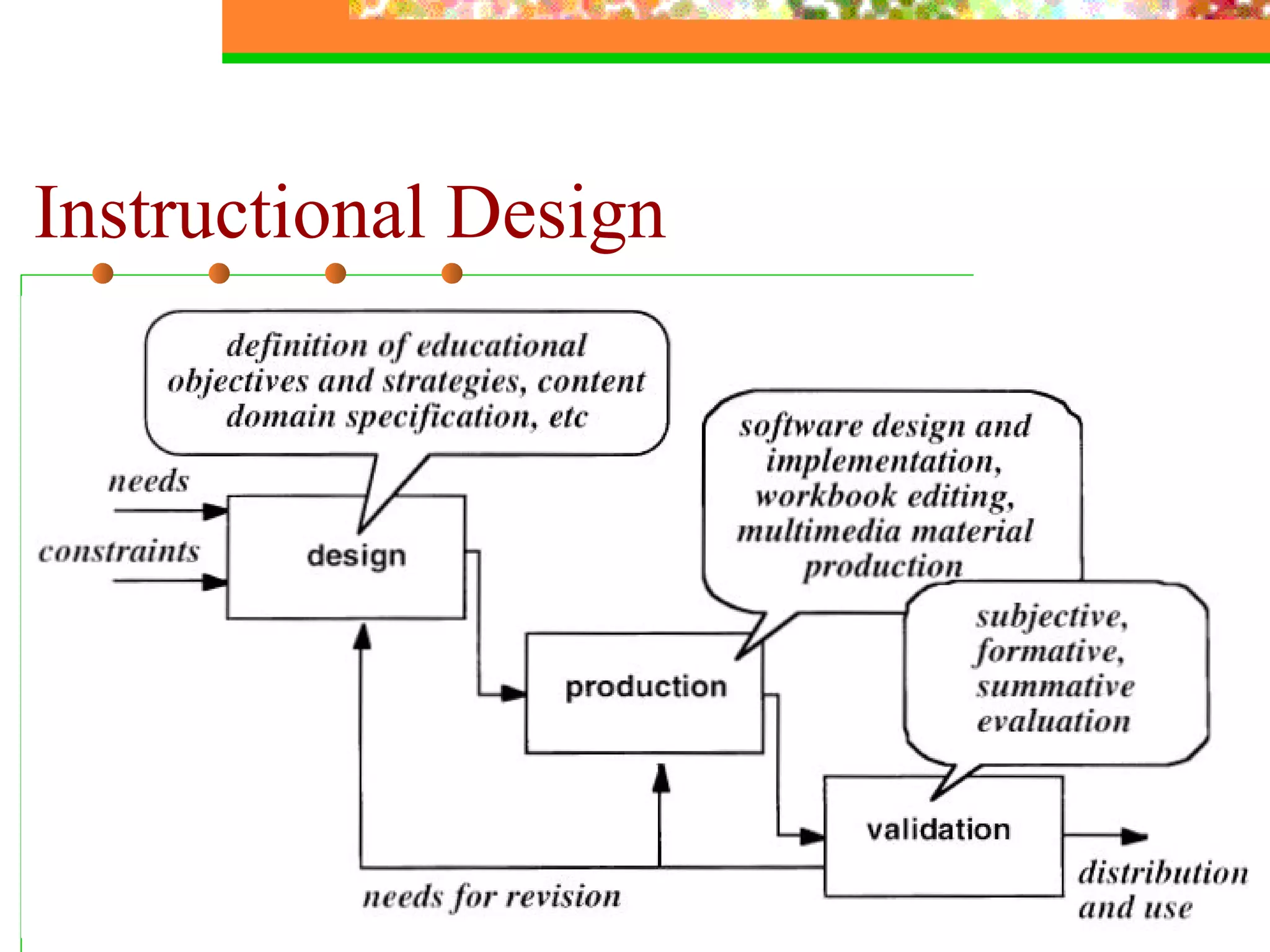
Instructional Design For whom is the programme being developed? What do you want the learners to learn? How is the subject content or skill best learned? How do you determine the extent to which the learning has been achieved?  The structure  of  an environment to provide learners with conditions that support learning.
Instructional Design
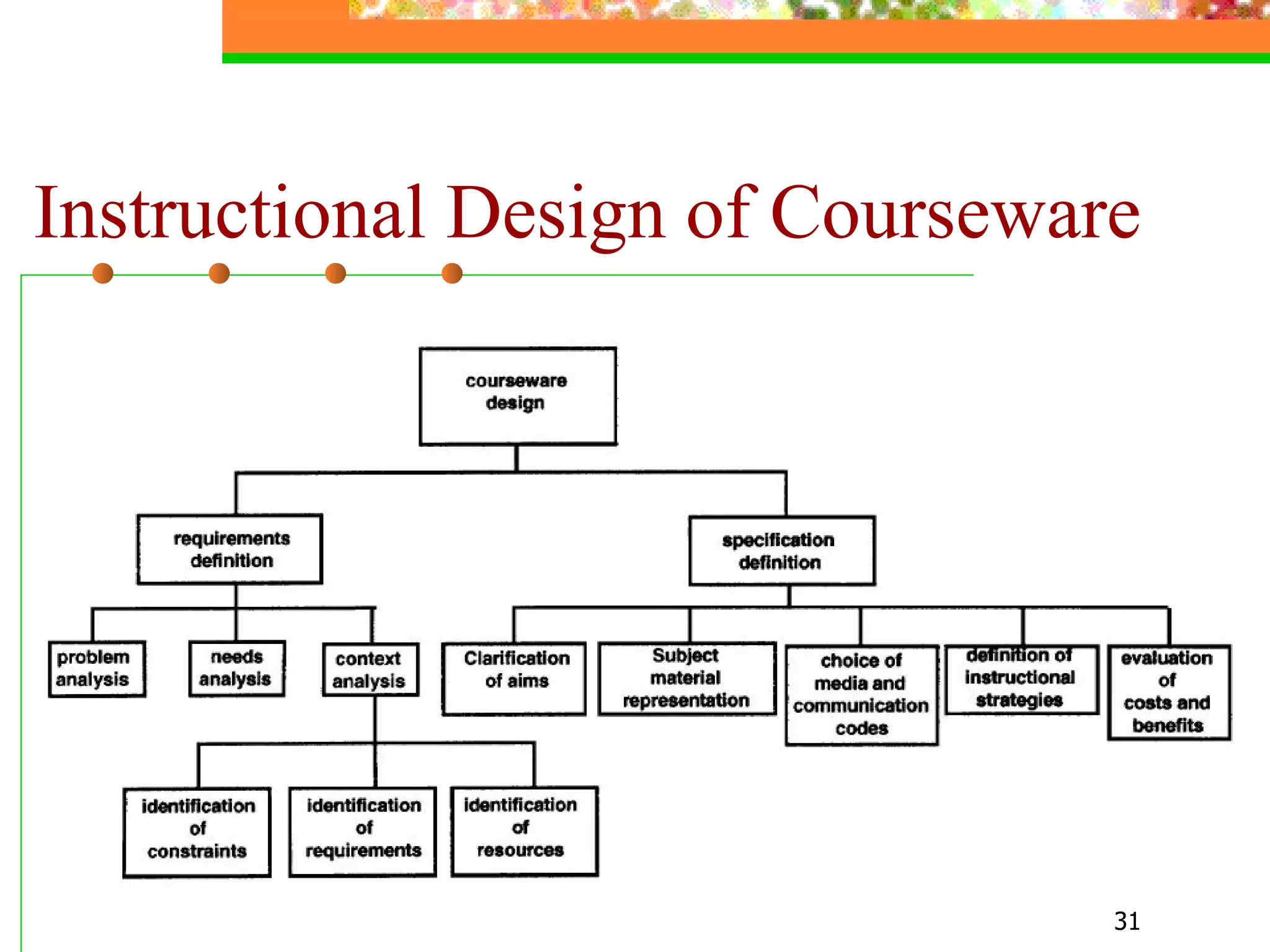
Instructional Design of Courseware
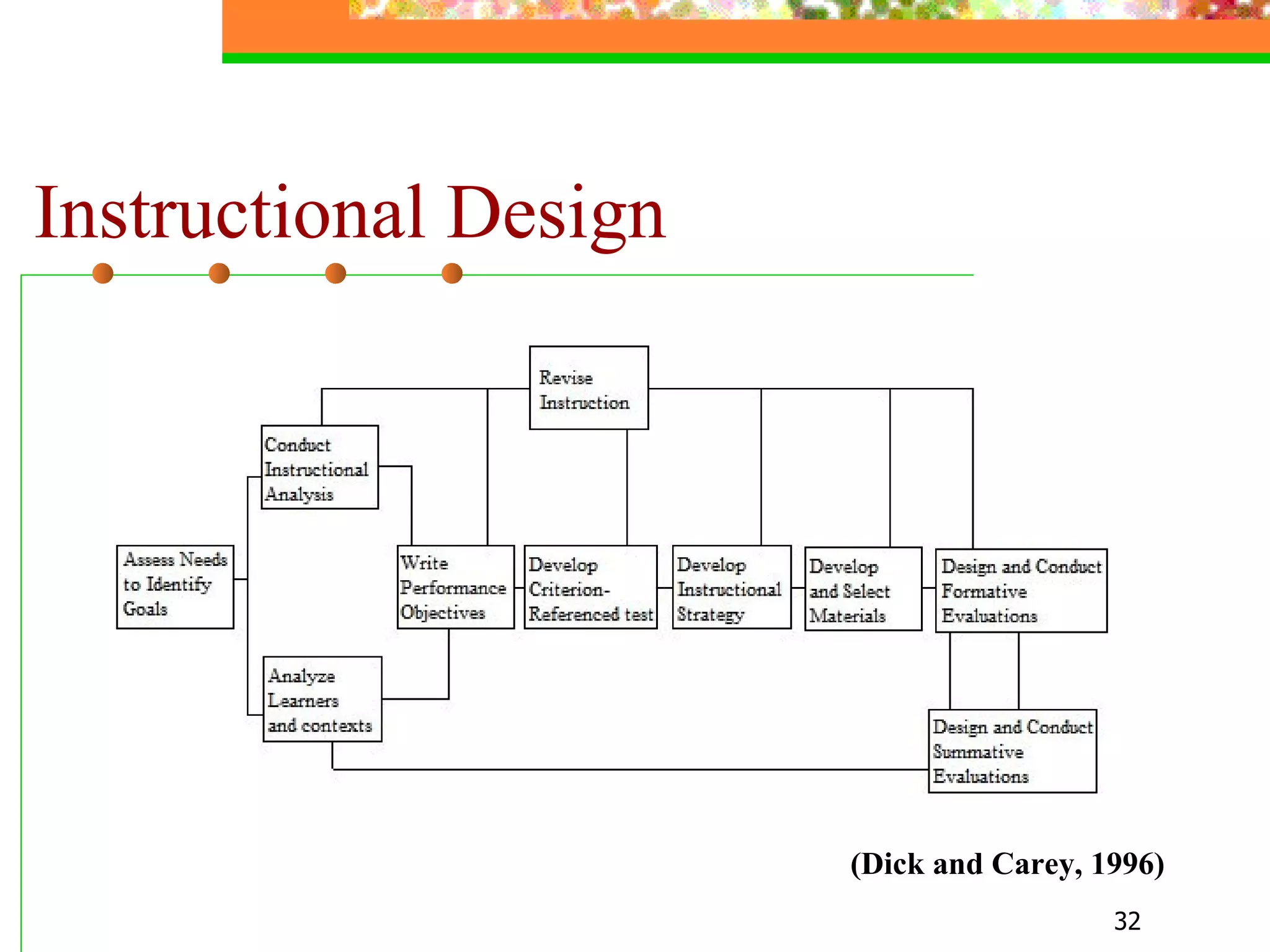
Instructional Design (Dick and Carey, 1996 )
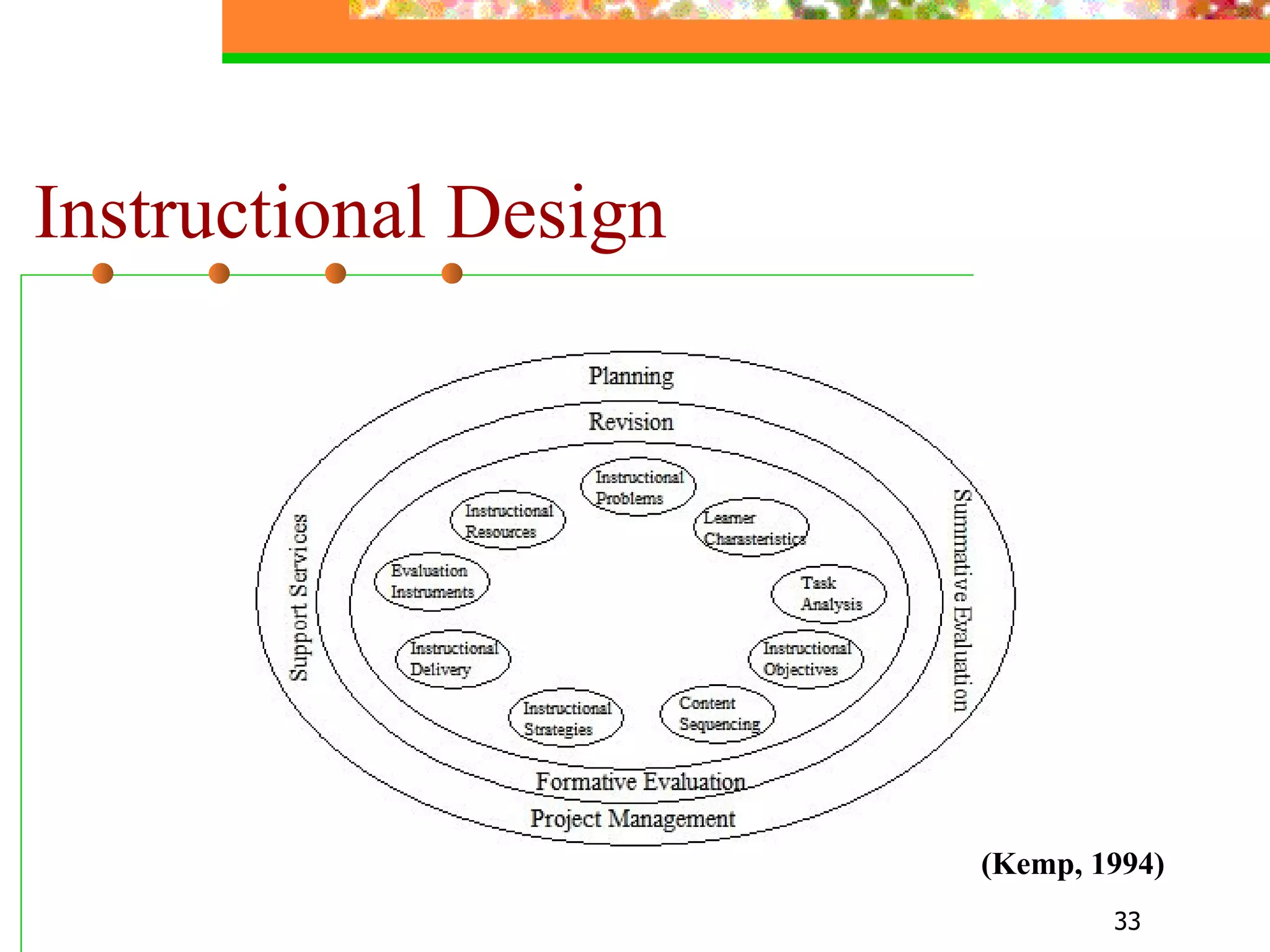
Instructional Design ( Kemp , 199 4)
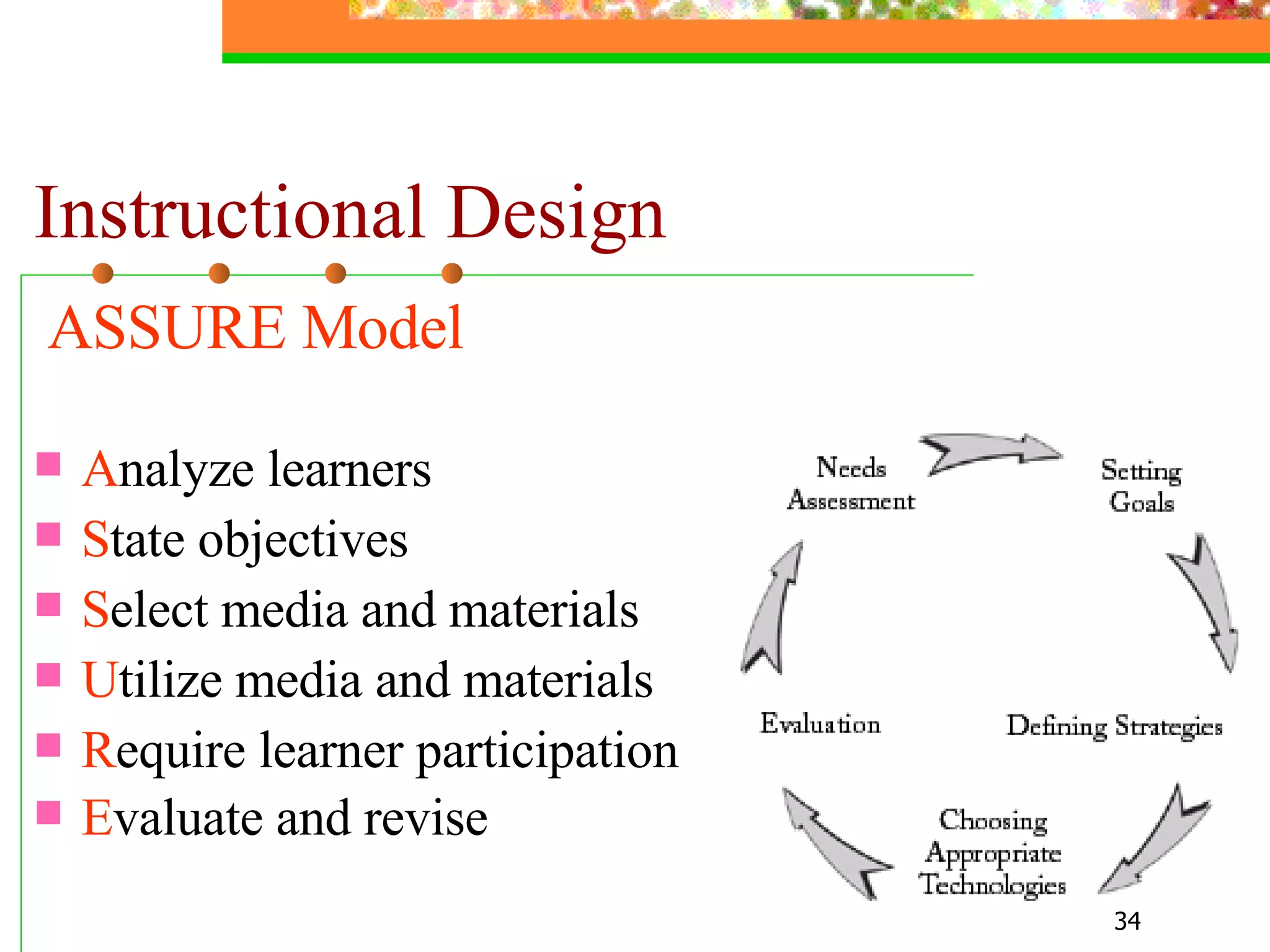
Instructional Design ASSURE Model   A nalyze learners S tate objectives S elect media and materials U tilize media and materials R equire learner participation E valuate and revise
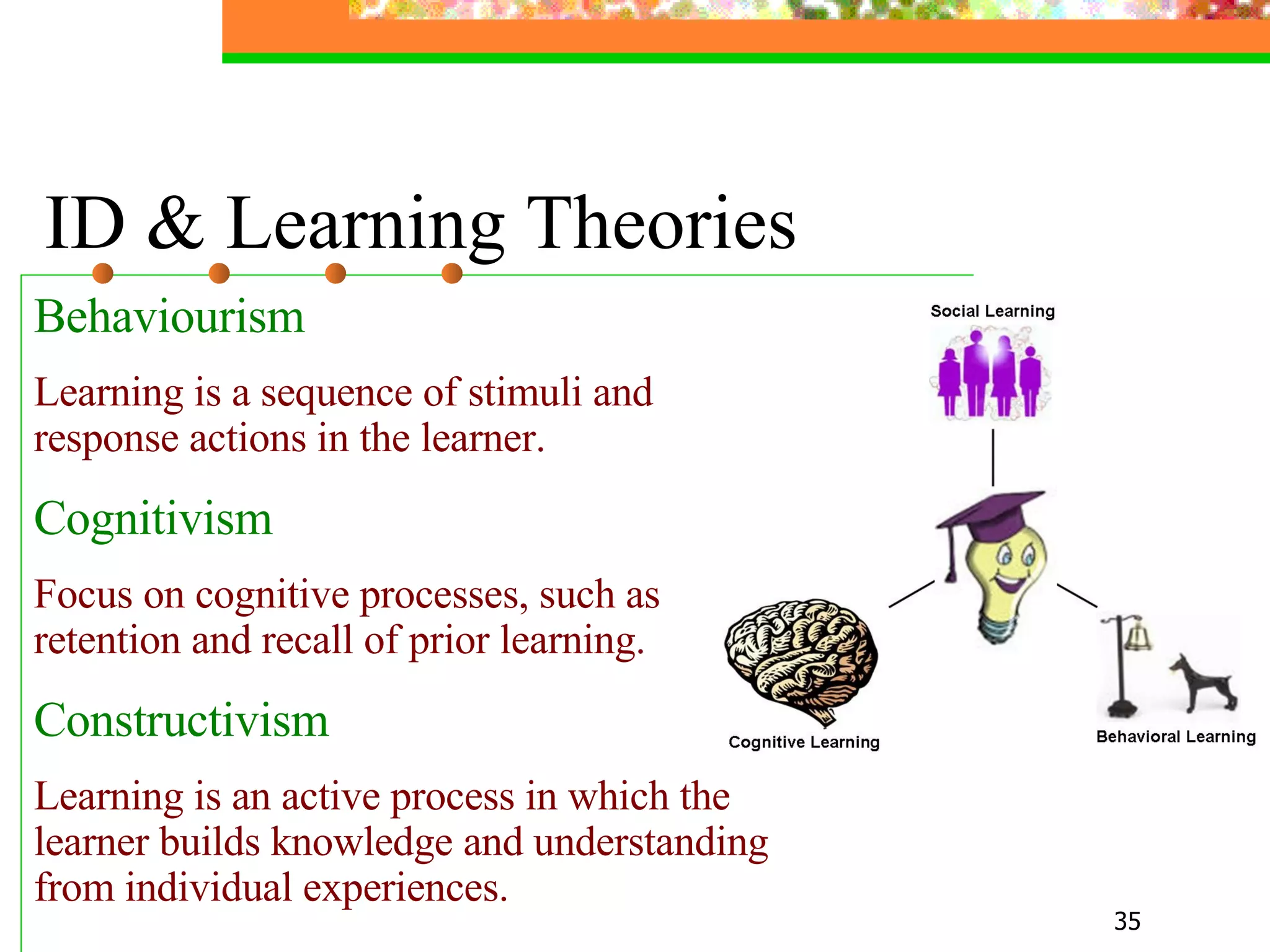
ID & Learning Theories Behaviourism Learning is a sequence of stimuli and response actions in the learner.   Cognitivism Focus on cognitive processes, such as retention and recall of prior learning.   Constructivism Learning is an active process in which the learner builds knowledge and understanding from individual experiences.
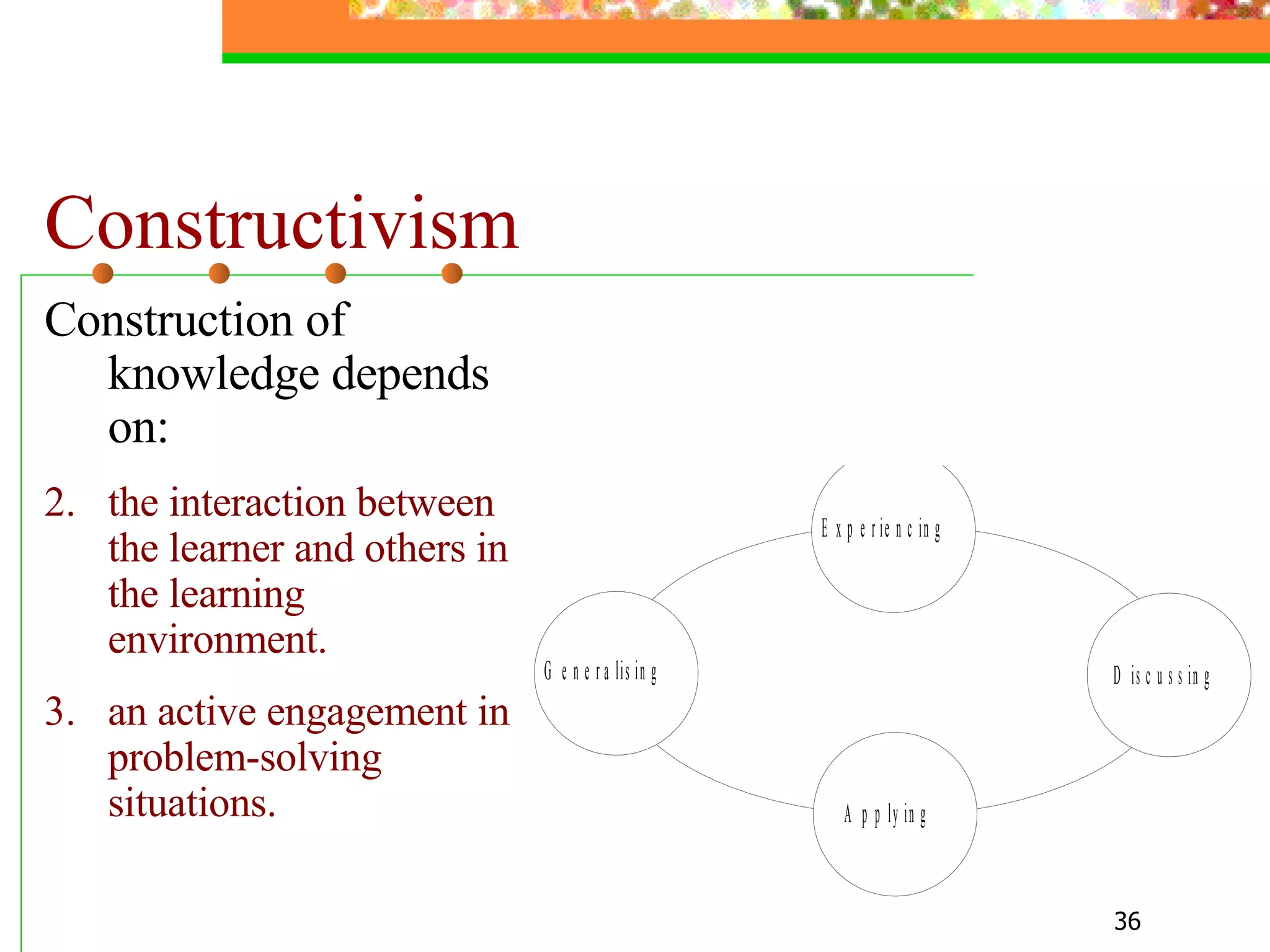
Constructivism Construction of knowledge depends on: the interaction between the learner and others in the learning environment. an active engagement in problem-solving situations.
PART THREE Utilization of Media
Examples of  Digital Media & Technologies - Satellite broadcasting - Video-conferencing - CD-ROMs and DVDs - The Internet and the Web
Internet and Web Technologies - Authoring tools - Support tools  - Delivery and management systems (DMS)
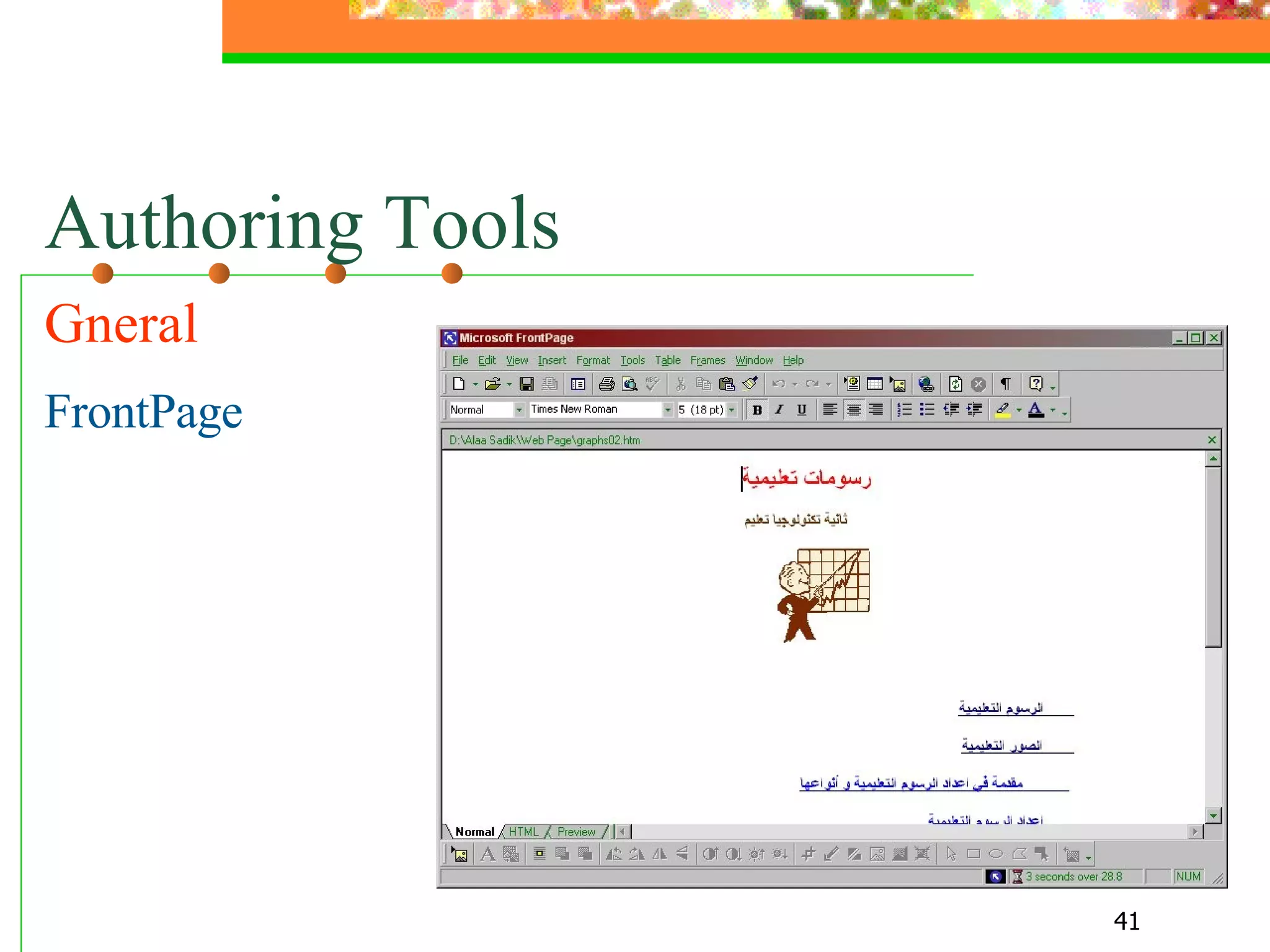
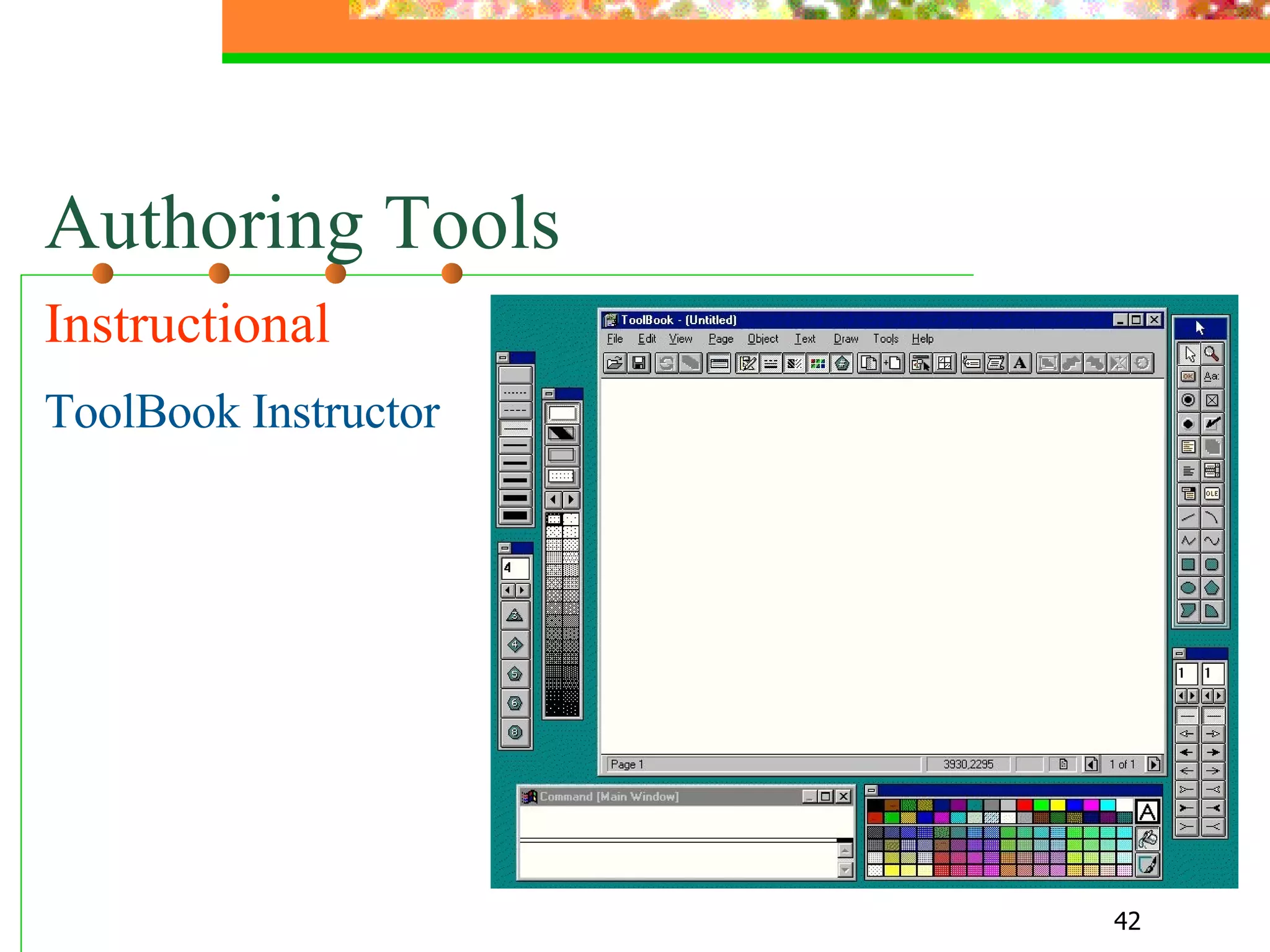
Authoring Tools - For general purposes   FrontPage, MM Flash, etc. - For instructional purposes ToolBook Instructor, Authorware, etc.
Authoring Tools Gneral  FrontPage
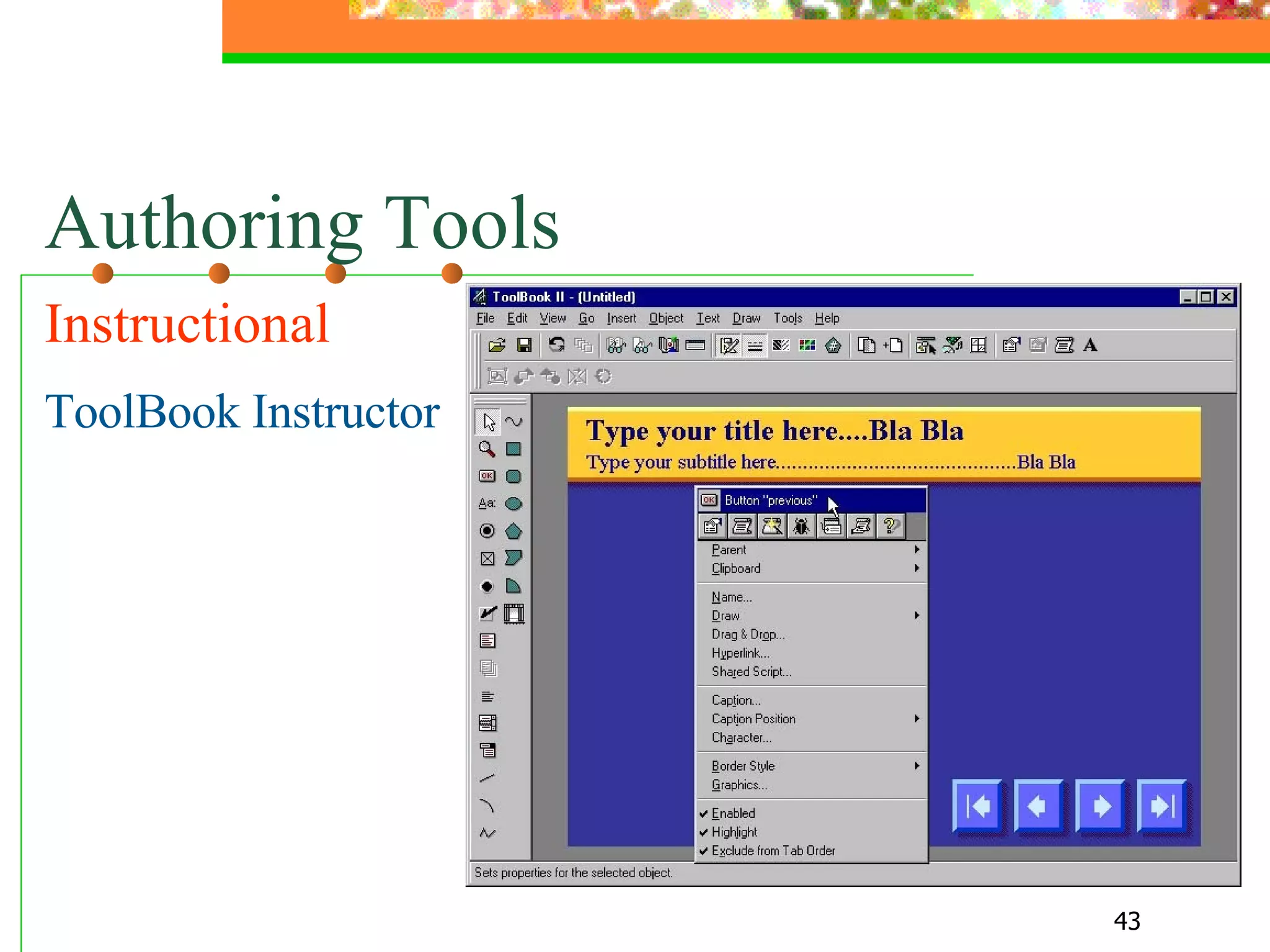
Authoring Tools Instructional  ToolBook Instructor
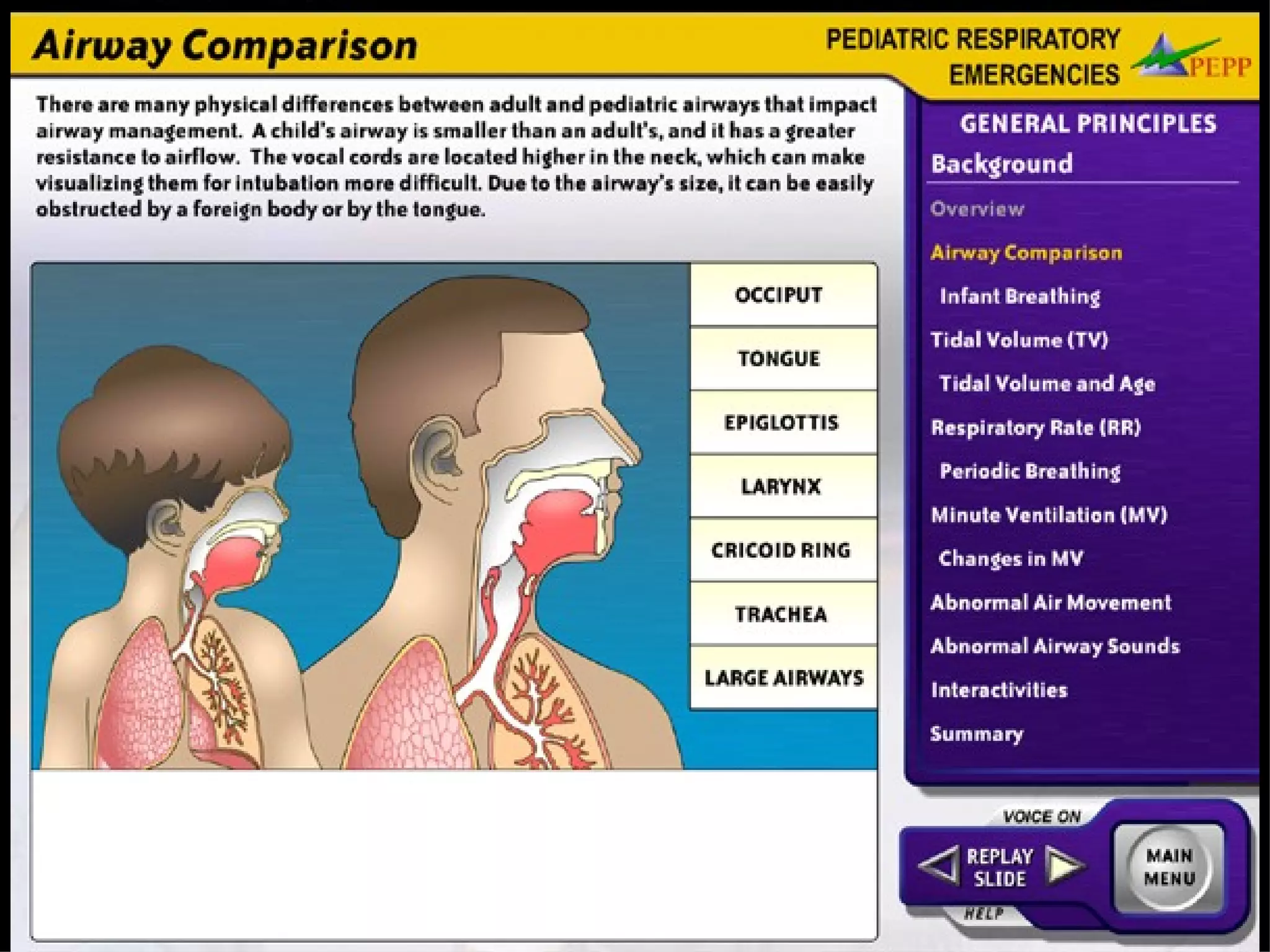
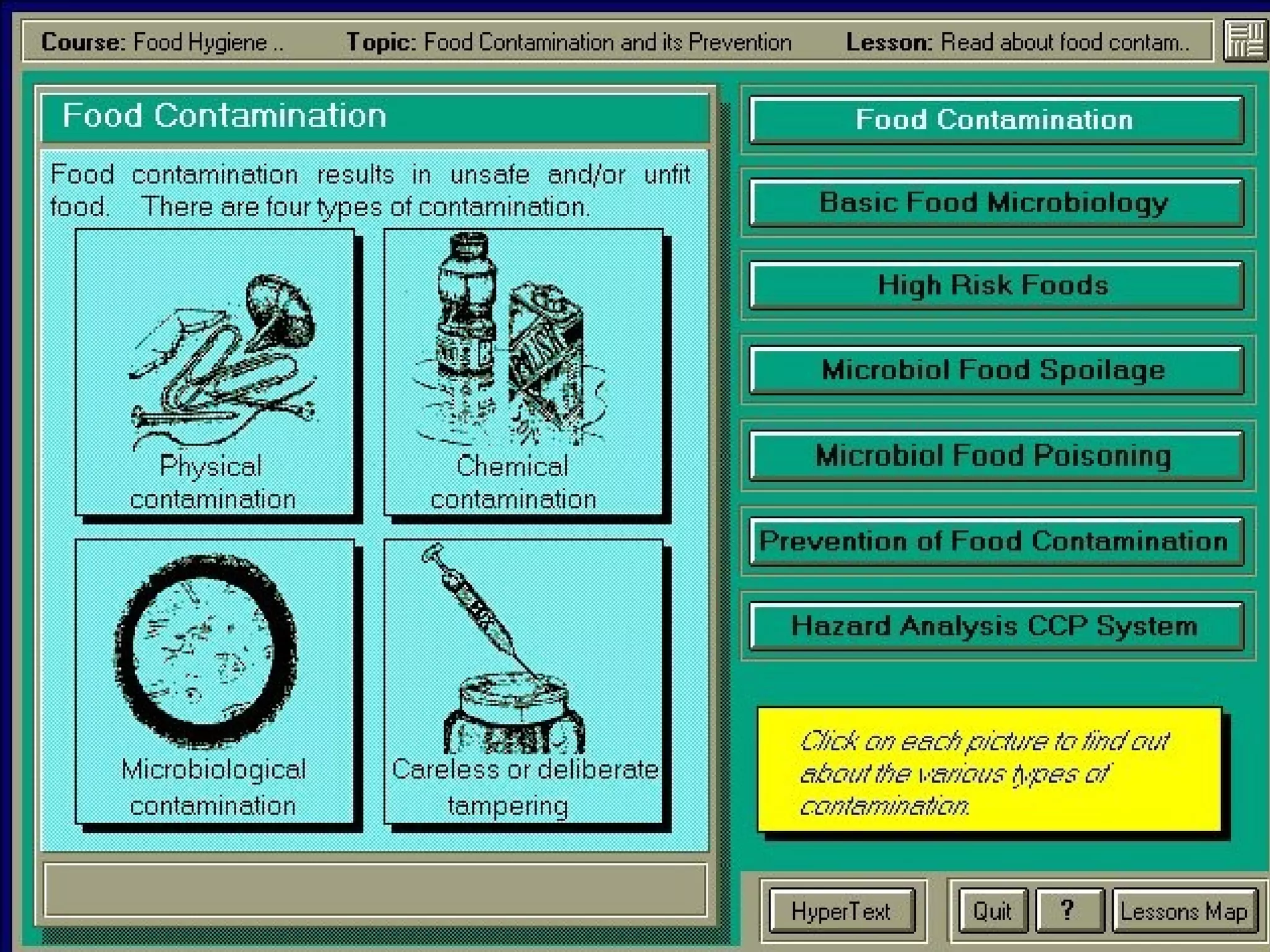
Authoring Tools Instructional   ToolBook Instructor
 
 
Support Tools - Word processors  Photo editors Drawing tools  - Audio/video editors - Web browsers
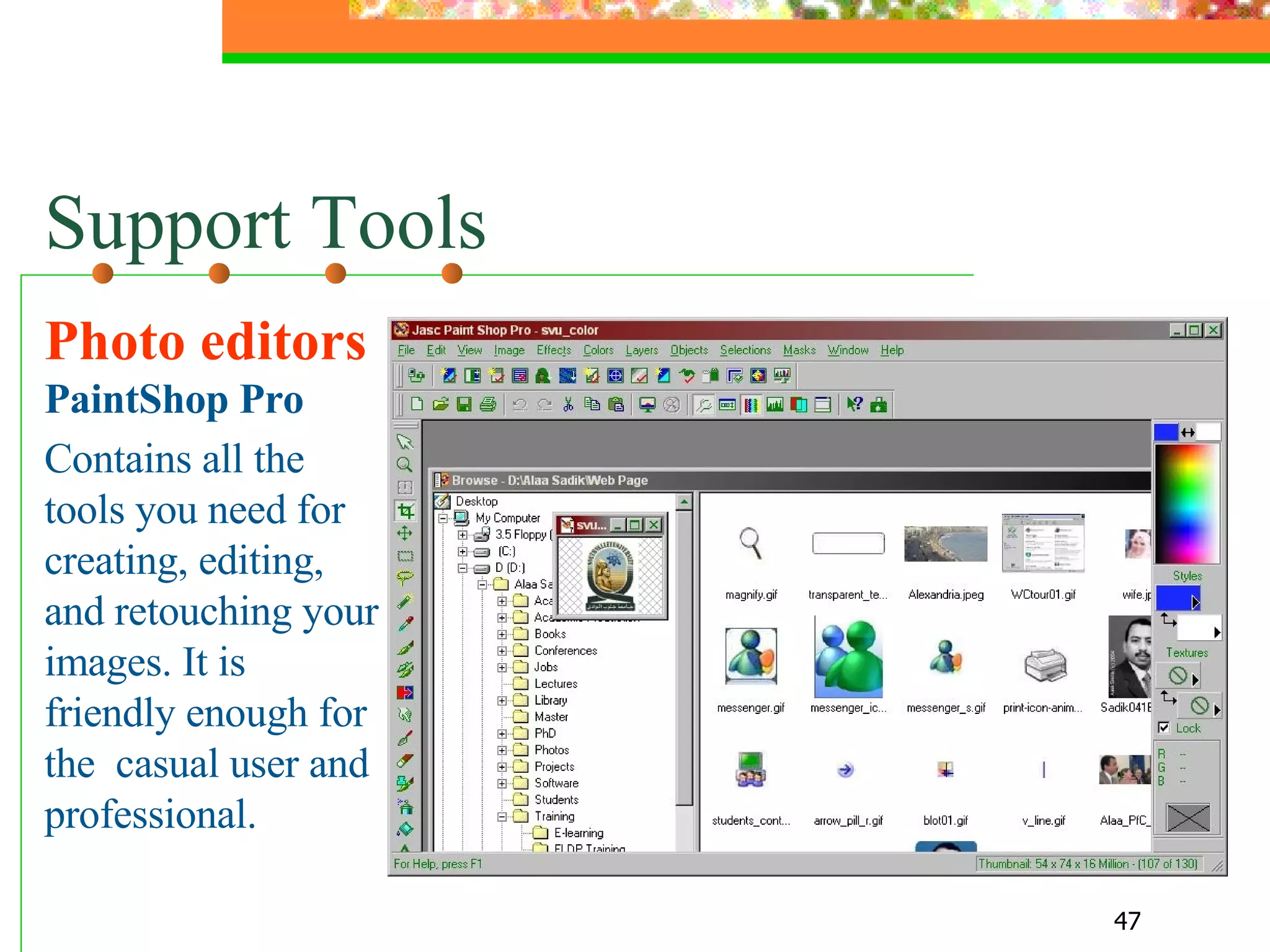
Support Tools Photo editors  PaintShop Pro Contains all the tools you need for creating, editing, and retouching your images. It is friendly enough for the  casual user and professional.
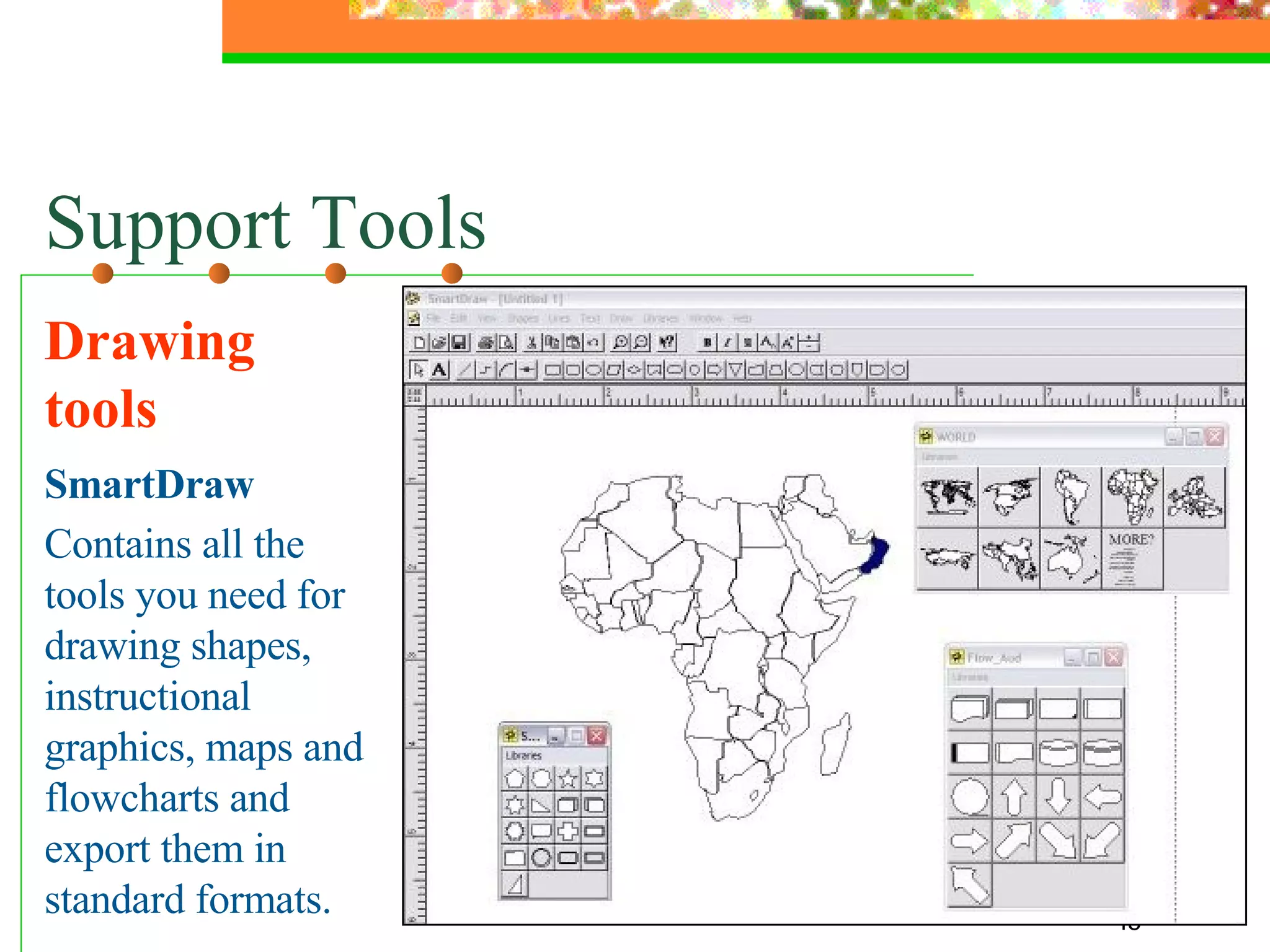
Support Tools Drawing tools SmartDraw Contains all the tools you need for drawing shapes, instructional graphics, maps and flowcharts and export them in standard formats.
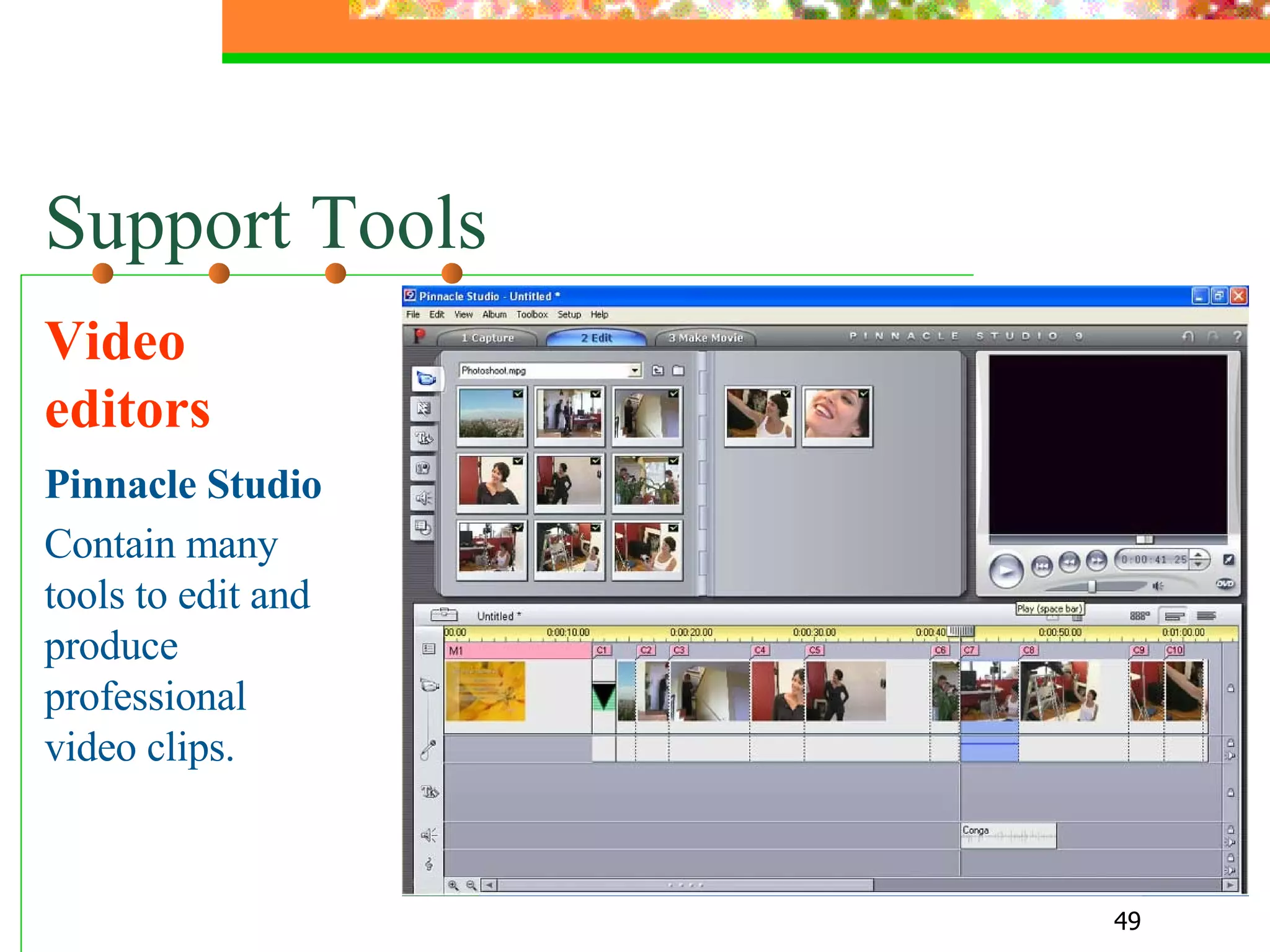
Support Tools Video editors Pinnacle Studio Contain many tools to edit and produce professional video clips.
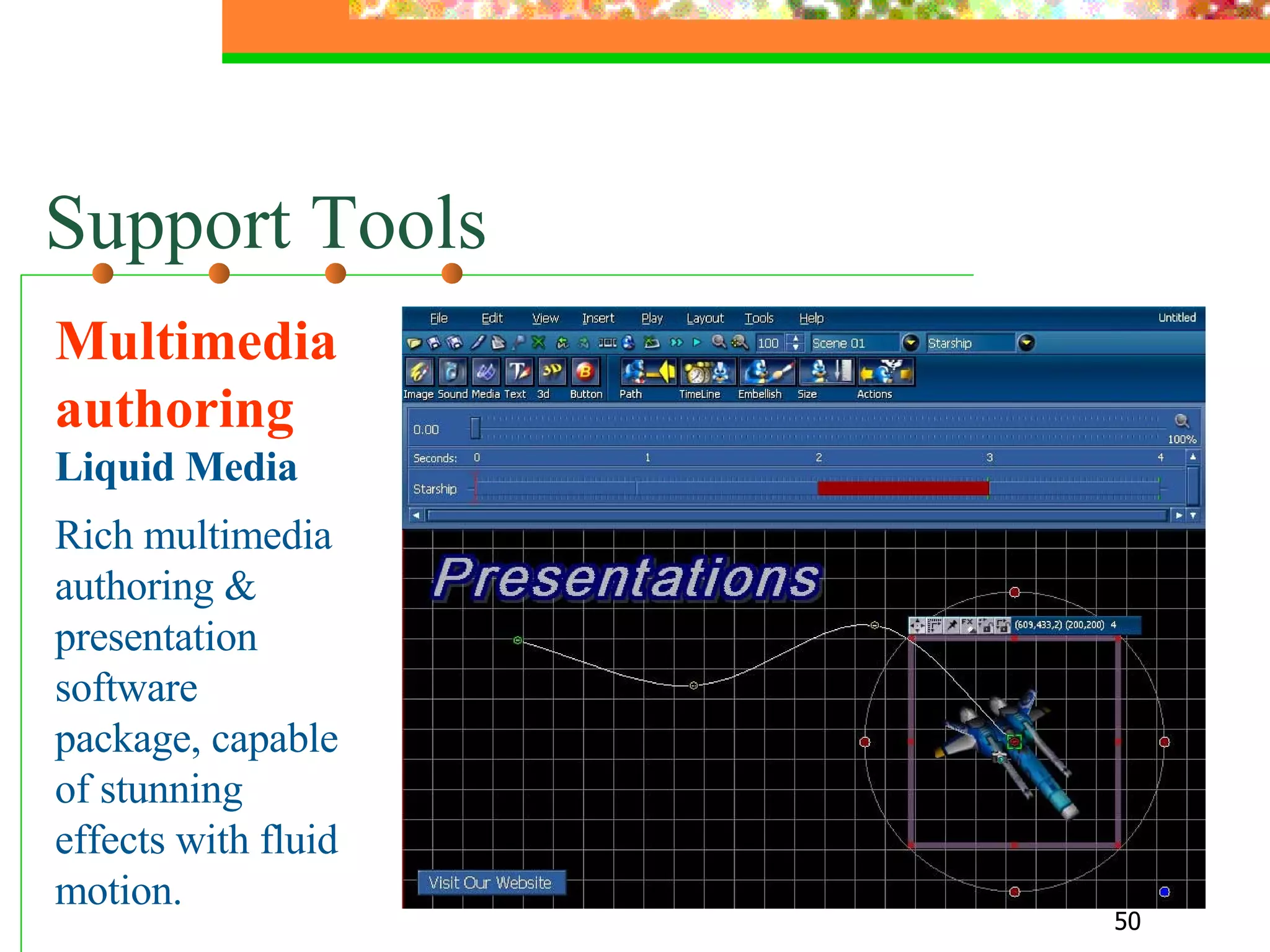
Support Tools Multimedia authoring  Liquid Media Rich multimedia authoring & presentation software package, capable of stunning effects with fluid motion.
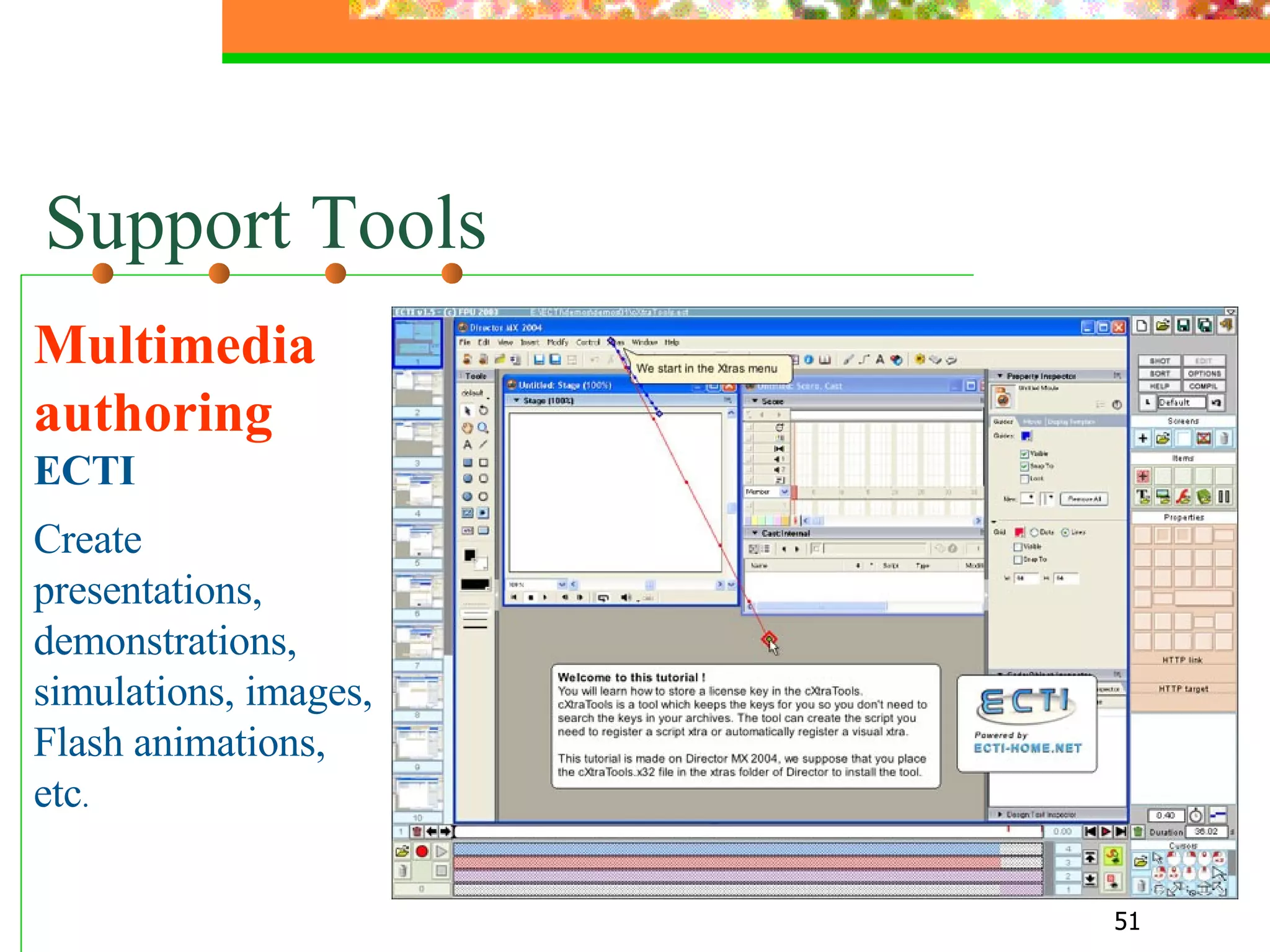
Support Tools Multimedia authoring  ECTI  Create presentations, demonstrations, simulations, images, Flash animations, etc .
Delivery and Management Systems - WebCT - Blackboard TopClass Moodle
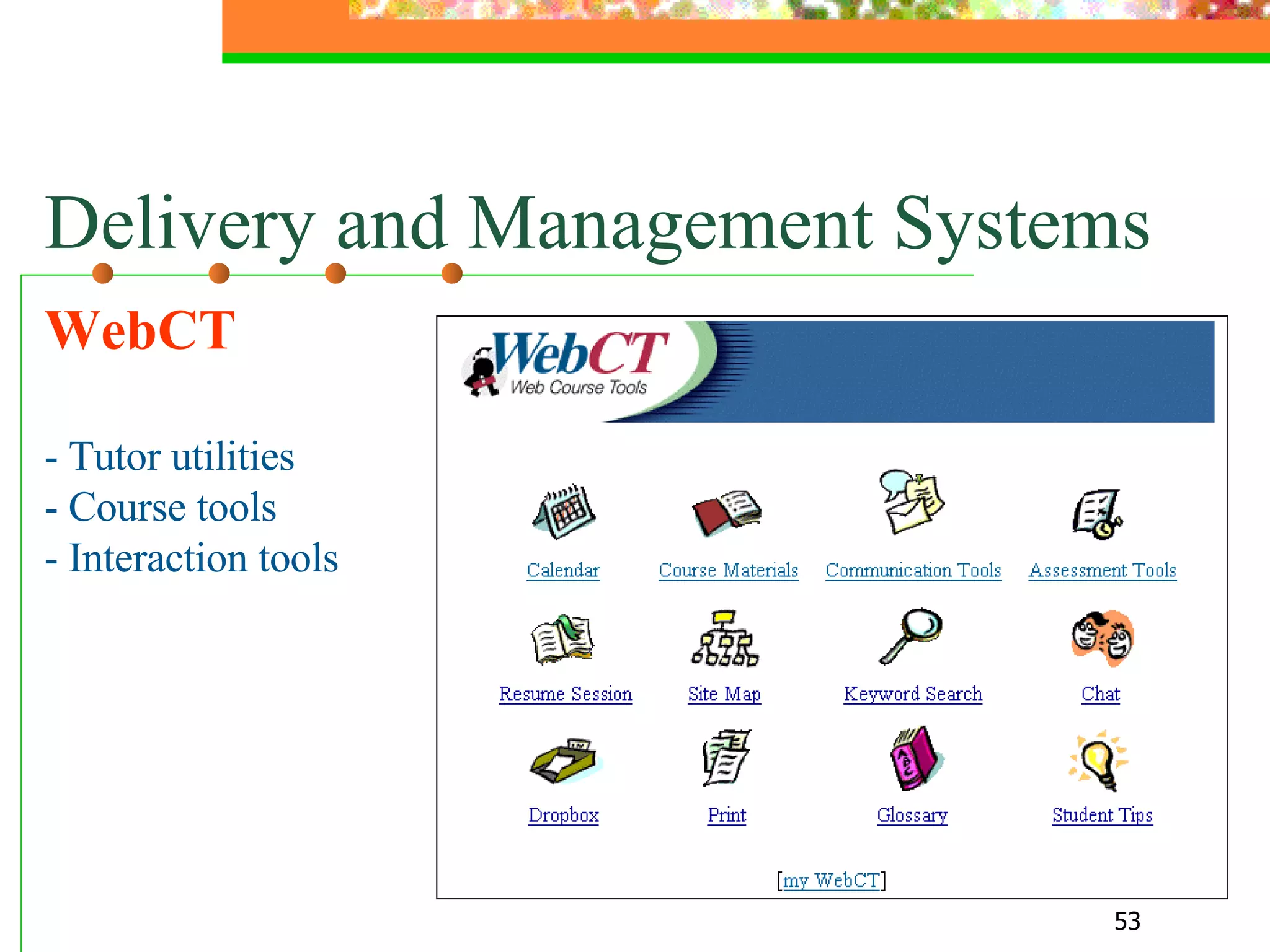
Delivery and Management Systems WebCT - Tutor utilities - Course tools - Interaction tools
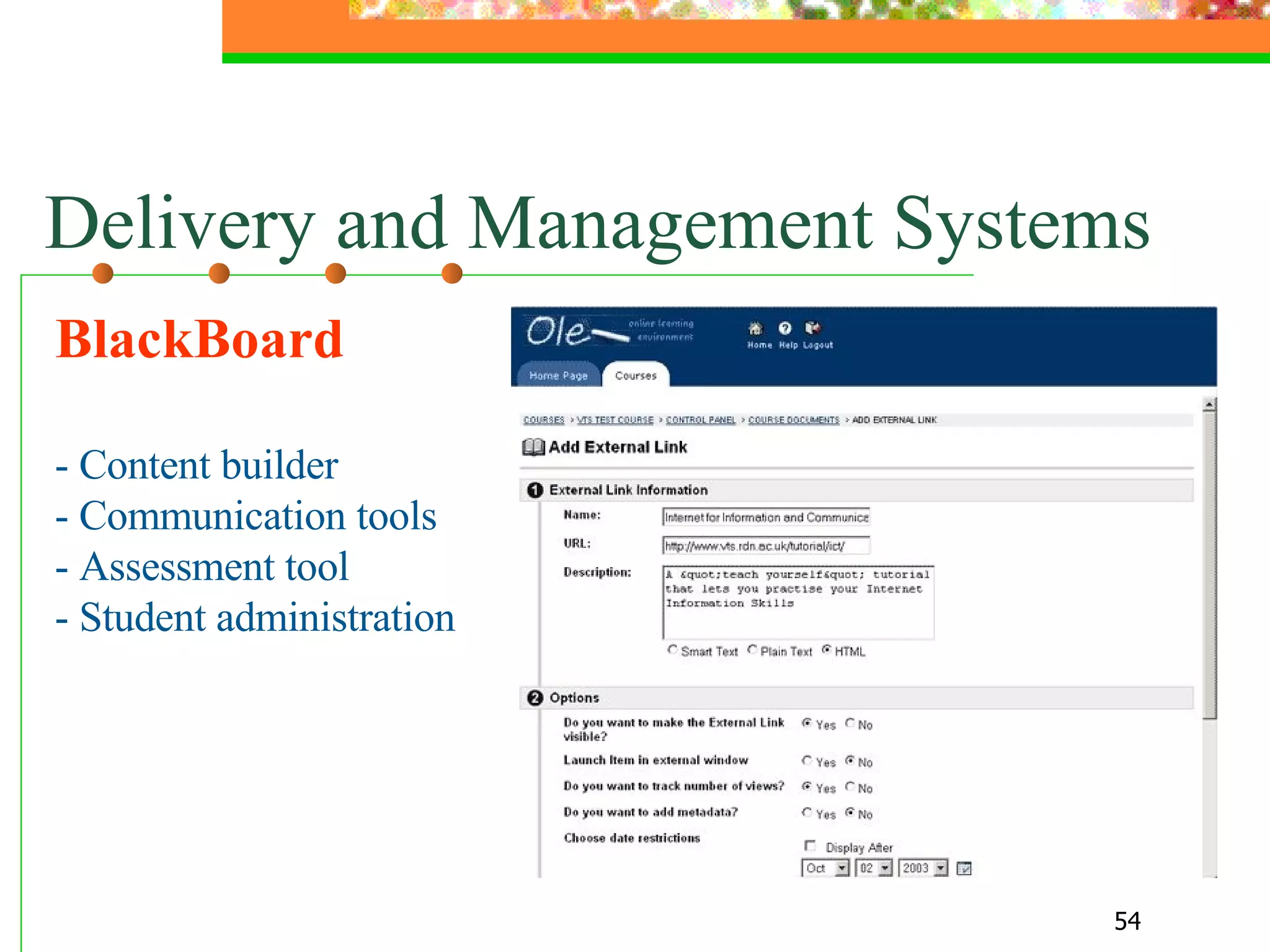
BlackBoard - Content builder - Communication tools - Assessment tool - Student administration  Delivery and Management Systems
Alaa Sadik, Ph.D. [email_address] This presentation is available at   www.freewebs.com/alaasadik The End

Design, selection and utilization of media

  • 1.
    By Alaa Sadik,Ph.D. Visiting Consultant Department of Instructional Technology College of Education [email_address] freewebs.com/alaasadik Design, Selection and Uutilization of Media . Sultan Qaboos University
  • 2.
    PART ONE Media,Technology & Learning
  • 3.
    Types of InstructionalMedia Text, image & audio
  • 4.
    The HumanEar Text (words, numbers, signs, symbols, equations, etc.) The ear consists of three basic parts the outer ear, the middle ear, and the inner ear. Each part of the ear serves a specific purpose in the task of detecting and interpreting sound. ……………………………… ……………………………… ………………………………
  • 5.
    The HumanEar Image (drawing, graph, photo, map, etc.)
  • 6.
    The HumanEar Audio (human voice, sound effects, etc.) The human ear consists of ...
  • 7.
    Text, Image &Audio The human ear consists of three parts: The outer ear The middle ear The inner ear Listen The Human Ear
  • 8.
    The New MediaClass Hierarchy Temporal Static - Computational - Directive (Waters, 1998)
  • 9.
    The HumanEar Temporal (animation)
  • 10.
    Landing The pilotmanaged to land the airoplane safely Temporal (video)
  • 11.
    Auditory Physiology Lab. This figure shows a summary of the maximum efferent mediated adaptation of the DPOAE for 168 intensity combinations of the primary tones in 0.4 dB steps. Computational (graphs)
  • 12.
    Define Values UsingSliders Directive (sliders)
  • 13.
    Multimedia End ofthis point Transmission that combine different media of communication ( text , graphics , audio, animation, video, etc. )
  • 14.
    2. Message Design Communication Process - Sender - Message (to carry the content) - Medium (to carry the message) - Receiver - Domain
  • 15.
    Media & ExperienceDale’s Cone of Experience
  • 16.
    Dale’s Cone ofExperience Upper levels: provide more information, compress information, faster for those able to process it, need more instructional support. Lower levels: involve the learner as a participant, encourage active learning, provide less information, more stimuli and richer.
  • 17.
    Dale’s Cone ofExperience
  • 18.
    3. Media &Technology Attributes - Interactivity - Branching - Realism - Bandwidth
  • 19.
    Interaction Exchange ofinformation, ideas, opinions between and among learners and teachers. Usually occurring through technology with the aim of facilitating learning .
  • 20.
    Types of Interaction- Learner-teacher - Learner-learner - Learner-content - Learner-machine
  • 21.
    Time of Interaction- Synchronous (time-dependent) - Asynchronous (time-independent)
  • 22.
    Technology-Mediated Interaction Traditional Media Two-way Media
  • 23.
  • 24.
    Branching Indexed design Sequencing design Exploration design
  • 25.
    4. Selection Criteriaof Media & Technology Objectives are well-defined Content is clear Suitable for time and place Suitable for learner’s ability Interactive Reusable Cost-effective
  • 26.
  • 27.
    5. Level ofTechnology Use - Informational - Supplemental - Communal - Essential - Immersive
  • 28.
    PART TWO InstructionalDesign & Media
  • 29.
    Instructional Design Forwhom is the programme being developed? What do you want the learners to learn? How is the subject content or skill best learned? How do you determine the extent to which the learning has been achieved? The structure of an environment to provide learners with conditions that support learning.
  • 30.
  • 31.
  • 32.
    Instructional Design (Dickand Carey, 1996 )
  • 33.
  • 34.
    Instructional Design ASSUREModel A nalyze learners S tate objectives S elect media and materials U tilize media and materials R equire learner participation E valuate and revise
  • 35.
    ID & LearningTheories Behaviourism Learning is a sequence of stimuli and response actions in the learner. Cognitivism Focus on cognitive processes, such as retention and recall of prior learning. Constructivism Learning is an active process in which the learner builds knowledge and understanding from individual experiences.
  • 36.
    Constructivism Construction ofknowledge depends on: the interaction between the learner and others in the learning environment. an active engagement in problem-solving situations.
  • 37.
  • 38.
    Examples of Digital Media & Technologies - Satellite broadcasting - Video-conferencing - CD-ROMs and DVDs - The Internet and the Web
  • 39.
    Internet and WebTechnologies - Authoring tools - Support tools - Delivery and management systems (DMS)
  • 40.
    Authoring Tools -For general purposes FrontPage, MM Flash, etc. - For instructional purposes ToolBook Instructor, Authorware, etc.
  • 41.
  • 42.
    Authoring Tools Instructional ToolBook Instructor
  • 43.
    Authoring Tools Instructional ToolBook Instructor
  • 44.
  • 45.
  • 46.
    Support Tools -Word processors Photo editors Drawing tools - Audio/video editors - Web browsers
  • 47.
    Support Tools Photoeditors PaintShop Pro Contains all the tools you need for creating, editing, and retouching your images. It is friendly enough for the casual user and professional.
  • 48.
    Support Tools Drawingtools SmartDraw Contains all the tools you need for drawing shapes, instructional graphics, maps and flowcharts and export them in standard formats.
  • 49.
    Support Tools Videoeditors Pinnacle Studio Contain many tools to edit and produce professional video clips.
  • 50.
    Support Tools Multimediaauthoring Liquid Media Rich multimedia authoring & presentation software package, capable of stunning effects with fluid motion.
  • 51.
    Support Tools Multimediaauthoring ECTI Create presentations, demonstrations, simulations, images, Flash animations, etc .
  • 52.
    Delivery and ManagementSystems - WebCT - Blackboard TopClass Moodle
  • 53.
    Delivery and ManagementSystems WebCT - Tutor utilities - Course tools - Interaction tools
  • 54.
    BlackBoard - Contentbuilder - Communication tools - Assessment tool - Student administration Delivery and Management Systems
  • 55.
    Alaa Sadik, Ph.D.[email_address] This presentation is available at www.freewebs.com/alaasadik The End