
Kirsten Jones, Technical Leader, Cisco Systems
   HTTP Overview
   REST Web Services
   OAuth Authentication
   HyperText Transfer Protocol
   Used for conversations between web clients
    and servers
   Most of the internet uses HTTP
   Supports verbs for GET, PUT, POST, DELETE
   Query parameter framework
   Client sends a request
       Method
       URL
       Headers
       (sometimes) parameters
       (sometimes) body
   Server replies with a response
     Content
     Status
     Headers
HTTP response codes for dummies.
 50x: we fucked up.
 40x: you fucked up.
 30x: ask that dude over there.
 20x: cool.


Props to @DanaDanger for that one
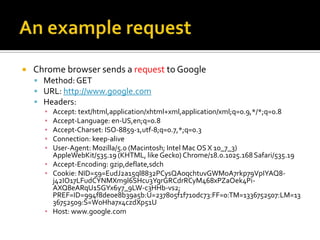
   Chrome browser sends a request to Google
     Method: GET
     URL: http://www.google.com
     Headers:
      ▪ Accept: text/html,application/xhtml+xml,application/xml;q=0.9,*/*;q=0.8
      ▪ Accept-Language: en-US,en;q=0.8
      ▪ Accept-Charset: ISO-8859-1,utf-8;q=0.7,*;q=0.3
      ▪ Connection: keep-alive
      ▪ User-Agent: Mozilla/5.0 (Macintosh; Intel Mac OS X 10_7_3)
        AppleWebKit/535.19 (KHTML, like Gecko) Chrome/18.0.1025.168 Safari/535.19
      ▪ Accept-Encoding: gzip,deflate,sdch
      ▪ Cookie: NID=59=EudJ2a15ql8832PCysQA0qchtuvGWMoA7rkp79VpIYAQ8-
        j42IO17LFudCYNMXm9l6SHcu3YgrGRCdrRCyM468xPZaOek4Pi-
        AXQ8eARqU1SGYx6y7_9LW-c3HHb-vs2;
        PREF=ID=994f8de0e8b39a5b:U=237805f1f710dc73:FF=0:TM=1336752507:LM=13
        36752509:S=W0Hha7x4czdXp51U
      ▪ Host: www.google.com
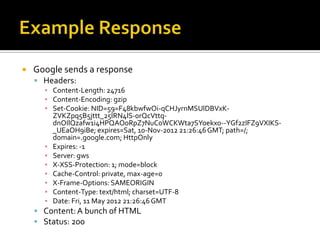
   Google sends a response
     Headers:
      ▪ Content-Length: 24716
      ▪ Content-Encoding: gzip
      ▪ Set-Cookie: NID=59=F48kbwfwOi-qCHJyrnMSUlDBVxK-
        ZVKZpq5B5jttt_25IRN4lS-0rQcVttq-
        dnOIlQzafw1i4HPQAO0RpZ7NuC0WCKWta7SYoekx0--YGf2zIFZ9VXIKS-
        _UEaOH9iBe; expires=Sat, 10-Nov-2012 21:26:46 GMT; path=/;
        domain=.google.com; HttpOnly
      ▪ Expires: -1
      ▪ Server: gws
      ▪ X-XSS-Protection: 1; mode=block
      ▪ Cache-Control: private, max-age=0
      ▪ X-Frame-Options: SAMEORIGIN
      ▪ Content-Type: text/html; charset=UTF-8
      ▪ Date: Fri, 11 May 2012 21:26:46 GMT
     Content: A bunch of HTML
     Status: 200
   Macintosh: HTTPScoop
    http://tuffcode.com/

   Macintosh: Charles (supports SSL)
    http://www.charlesproxy.com/

   Windows: Fiddler
    http://www.fiddler2.com/fiddler2/

   Unix (or Mac): Wireshark (X11)
    http://www.wireshark.org/
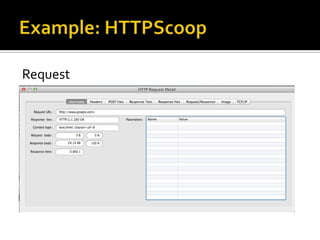
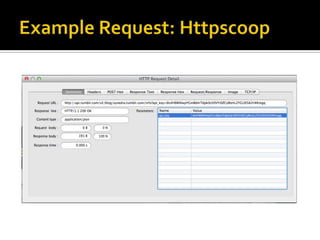
Request
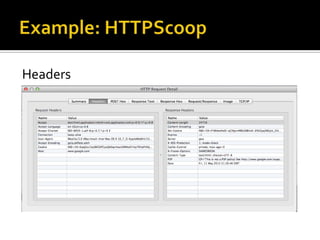
Headers
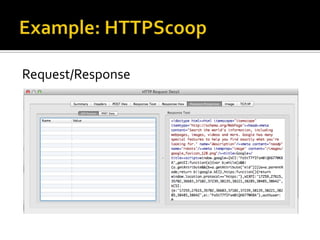
Request/Response
   Uses URL paths to define resources
   Create, Read, Update, Delete
     POST, GET, PUT, DELETE
   Error Codes
     HTTP Status Codes
   Request parameters
     Query parameters
   Response types and configuration
     Headers
   Blog Info from Tumblr
   GET (read)
    http://api.tumblr.com/v2/blog/synedra.tumbl
    er.com/info
   Requires api_key sent as parameter
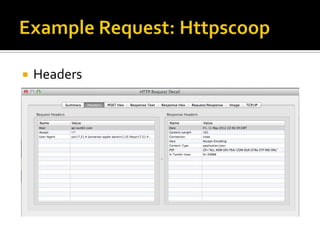
   Headers
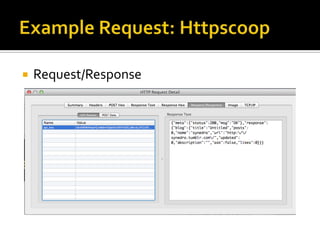
   Request/Response
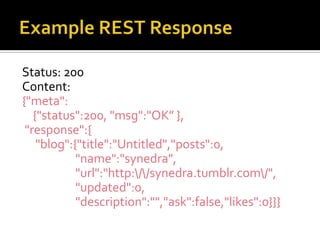
Status: 200
Content:
{"meta":
   {"status":200, "msg":"OK” },
 "response":{
    "blog":{"title":"Untitled","posts":0,
            "name":"synedra",
            "url":"http://synedra.tumblr.com/",
            "updated":0,
            "description":"","ask":false,"likes":0}}}
   Monitor application use
   Know which users are making requests
   Prevent DDOS attacks on the system
 Used by many APIs
 Each application gets a consumer key and secret
 Authentication server handles authentication
 Each user of an application gets a unique user
  token and secret
 Supports tracking of application/member use of
  the API
 Allows users to protect username/password
 Industry standard – libraries for most
  programming languages
   REST web services call adds verification
    signature to each request
   Query parameters
     Authorization header
   Secrets are used to create signature
   Authentication server checks signature to
    verify that it was created using shared secrets
   If authentication succeeds, request is
    processed by API server
   Signature is generated based on
       URL
       Parameters
       Consumer key
       User token
   http://api.linkedin.com/v1/people/url=http%3A%2F%2Fw
    ww.linkedin.com%2Fin%2Fsynedra?oauth_body_hash=2j
    mj7l5rSw0yVb%2FvlWAYkK%2FYBwk%3D&oauth_nonce
    =6283929&oauth_timestamp=1336775605&oauth_consu
    mer_key=***KEY***&oauth_signature_method=HMAC-
    SHA1&oauth_version=1.0&oauth_token=***TOKEN***
    &oauth_signature=CqHiZI6tI3pQGe5a0vVgoT0822A%3D
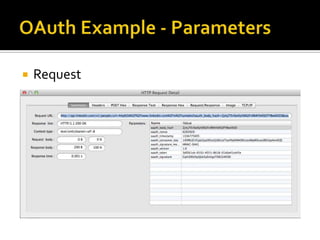
   Request
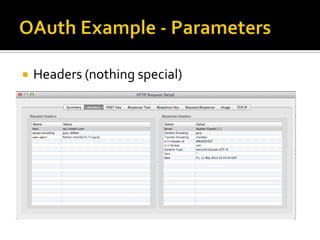
   Headers (nothing special)
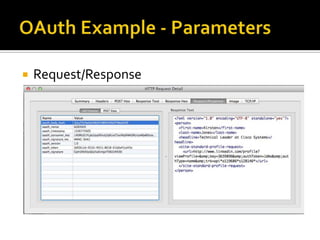
   Request/Response
   Signature is generated based on
       URL
       Parameters
       Consumer key
       User token
 URL is unchanged:
  http://api.linkedin.com/v1/people/~/shares
 Authorization header has oauth stuff:
  OAuth realm="http://api.linkedin.com",
  oauth_body_hash="JtgCKBurLIPLM4dXkn2E3lgrfI4%3D",
  oauth_nonce="60723468", oauth_timestamp="1336776657",
  oauth_consumer_key=”***KEY***",
  oauth_signature_method="HMAC-SHA1", oauth_version="1.0",
  oauth_token=”***TOKEN***",
  oauth_signature="8iWVpIK3LhRbu8JPf2gzC1YxQy4%3D"
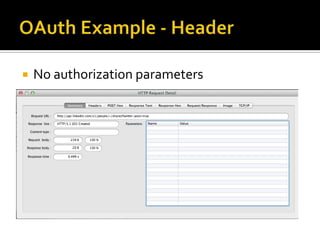
   No authorization parameters
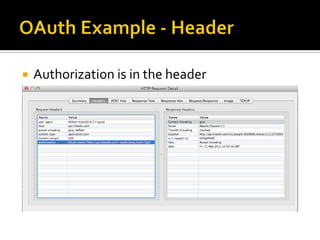
   Authorization is in the header
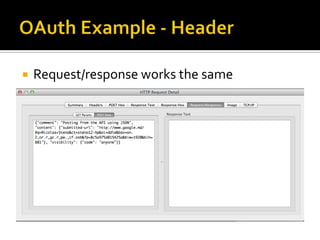
   Request/response works the same
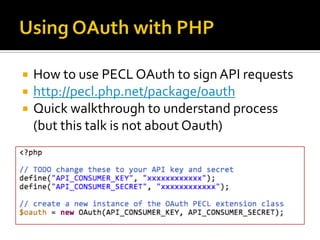
   How to use PECL OAuth to sign API requests
   http://pecl.php.net/package/oauth
   Quick walkthrough to understand process
    (but this talk is not about Oauth)
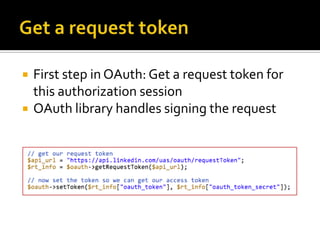
   First step in OAuth: Get a request token for
    this authorization session
   OAuth library handles signing the request
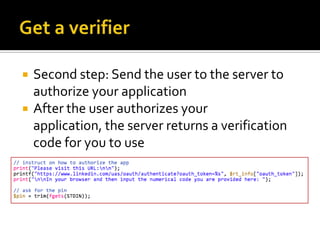
   Second step: Send the user to the server to
    authorize your application
   After the user authorizes your
    application, the server returns a verification
    code for you to use
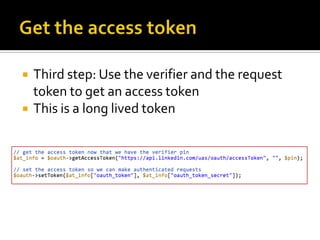
   Third step: Use the verifier and the request
    token to get an access token
   This is a long lived token
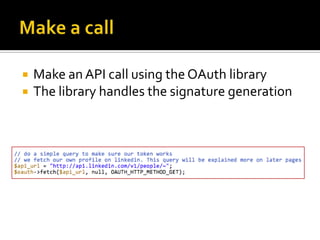
   Make an API call using the OAuth library
   The library handles the signature generation
   HTTP: Hypertext Transfer Protocol
   REST: REpresentational State Transfer
   OAuth: Authentication

Demystifying REST

  • 1.
    Kirsten Jones, TechnicalLeader, Cisco Systems
  • 2.
    HTTP Overview  REST Web Services  OAuth Authentication
  • 3.
    HyperText Transfer Protocol  Used for conversations between web clients and servers  Most of the internet uses HTTP  Supports verbs for GET, PUT, POST, DELETE  Query parameter framework
  • 4.
    Client sends a request  Method  URL  Headers  (sometimes) parameters  (sometimes) body  Server replies with a response  Content  Status  Headers
  • 5.
    HTTP response codesfor dummies.  50x: we fucked up.  40x: you fucked up.  30x: ask that dude over there.  20x: cool. Props to @DanaDanger for that one
  • 6.
    Chrome browser sends a request to Google  Method: GET  URL: http://www.google.com  Headers: ▪ Accept: text/html,application/xhtml+xml,application/xml;q=0.9,*/*;q=0.8 ▪ Accept-Language: en-US,en;q=0.8 ▪ Accept-Charset: ISO-8859-1,utf-8;q=0.7,*;q=0.3 ▪ Connection: keep-alive ▪ User-Agent: Mozilla/5.0 (Macintosh; Intel Mac OS X 10_7_3) AppleWebKit/535.19 (KHTML, like Gecko) Chrome/18.0.1025.168 Safari/535.19 ▪ Accept-Encoding: gzip,deflate,sdch ▪ Cookie: NID=59=EudJ2a15ql8832PCysQA0qchtuvGWMoA7rkp79VpIYAQ8- j42IO17LFudCYNMXm9l6SHcu3YgrGRCdrRCyM468xPZaOek4Pi- AXQ8eARqU1SGYx6y7_9LW-c3HHb-vs2; PREF=ID=994f8de0e8b39a5b:U=237805f1f710dc73:FF=0:TM=1336752507:LM=13 36752509:S=W0Hha7x4czdXp51U ▪ Host: www.google.com
  • 7.
    Google sends a response  Headers: ▪ Content-Length: 24716 ▪ Content-Encoding: gzip ▪ Set-Cookie: NID=59=F48kbwfwOi-qCHJyrnMSUlDBVxK- ZVKZpq5B5jttt_25IRN4lS-0rQcVttq- dnOIlQzafw1i4HPQAO0RpZ7NuC0WCKWta7SYoekx0--YGf2zIFZ9VXIKS- _UEaOH9iBe; expires=Sat, 10-Nov-2012 21:26:46 GMT; path=/; domain=.google.com; HttpOnly ▪ Expires: -1 ▪ Server: gws ▪ X-XSS-Protection: 1; mode=block ▪ Cache-Control: private, max-age=0 ▪ X-Frame-Options: SAMEORIGIN ▪ Content-Type: text/html; charset=UTF-8 ▪ Date: Fri, 11 May 2012 21:26:46 GMT  Content: A bunch of HTML  Status: 200
  • 8.
    Macintosh: HTTPScoop http://tuffcode.com/  Macintosh: Charles (supports SSL) http://www.charlesproxy.com/  Windows: Fiddler http://www.fiddler2.com/fiddler2/  Unix (or Mac): Wireshark (X11) http://www.wireshark.org/
  • 9.
  • 10.
  • 11.
  • 12.
    Uses URL paths to define resources  Create, Read, Update, Delete  POST, GET, PUT, DELETE  Error Codes  HTTP Status Codes  Request parameters  Query parameters  Response types and configuration  Headers
  • 13.
    Blog Info from Tumblr  GET (read) http://api.tumblr.com/v2/blog/synedra.tumbl er.com/info  Requires api_key sent as parameter
  • 15.
    Headers
  • 16.
    Request/Response
  • 17.
    Status: 200 Content: {"meta": {"status":200, "msg":"OK” }, "response":{ "blog":{"title":"Untitled","posts":0, "name":"synedra", "url":"http://synedra.tumblr.com/", "updated":0, "description":"","ask":false,"likes":0}}}
  • 18.
    Monitor application use  Know which users are making requests  Prevent DDOS attacks on the system
  • 19.
     Used bymany APIs  Each application gets a consumer key and secret  Authentication server handles authentication  Each user of an application gets a unique user token and secret  Supports tracking of application/member use of the API  Allows users to protect username/password  Industry standard – libraries for most programming languages
  • 20.
    REST web services call adds verification signature to each request  Query parameters  Authorization header  Secrets are used to create signature  Authentication server checks signature to verify that it was created using shared secrets  If authentication succeeds, request is processed by API server
  • 21.
    Signature is generated based on  URL  Parameters  Consumer key  User token  http://api.linkedin.com/v1/people/url=http%3A%2F%2Fw ww.linkedin.com%2Fin%2Fsynedra?oauth_body_hash=2j mj7l5rSw0yVb%2FvlWAYkK%2FYBwk%3D&oauth_nonce =6283929&oauth_timestamp=1336775605&oauth_consu mer_key=***KEY***&oauth_signature_method=HMAC- SHA1&oauth_version=1.0&oauth_token=***TOKEN*** &oauth_signature=CqHiZI6tI3pQGe5a0vVgoT0822A%3D
  • 22.
    Request
  • 23.
    Headers (nothing special)
  • 24.
    Request/Response
  • 25.
    Signature is generated based on  URL  Parameters  Consumer key  User token  URL is unchanged: http://api.linkedin.com/v1/people/~/shares  Authorization header has oauth stuff: OAuth realm="http://api.linkedin.com", oauth_body_hash="JtgCKBurLIPLM4dXkn2E3lgrfI4%3D", oauth_nonce="60723468", oauth_timestamp="1336776657", oauth_consumer_key=”***KEY***", oauth_signature_method="HMAC-SHA1", oauth_version="1.0", oauth_token=”***TOKEN***", oauth_signature="8iWVpIK3LhRbu8JPf2gzC1YxQy4%3D"
  • 26.
    No authorization parameters
  • 27.
    Authorization is in the header
  • 28.
    Request/response works the same
  • 29.
    How to use PECL OAuth to sign API requests  http://pecl.php.net/package/oauth  Quick walkthrough to understand process (but this talk is not about Oauth)
  • 30.
    First step in OAuth: Get a request token for this authorization session  OAuth library handles signing the request
  • 31.
    Second step: Send the user to the server to authorize your application  After the user authorizes your application, the server returns a verification code for you to use
  • 32.
    Third step: Use the verifier and the request token to get an access token  This is a long lived token
  • 33.
    Make an API call using the OAuth library  The library handles the signature generation
  • 34.
    HTTP: Hypertext Transfer Protocol  REST: REpresentational State Transfer  OAuth: Authentication