Course Agenda
Day 1:
Day 2:
Day 2: Agenda
– Reporting Aggregated Data Using the Group
Functions
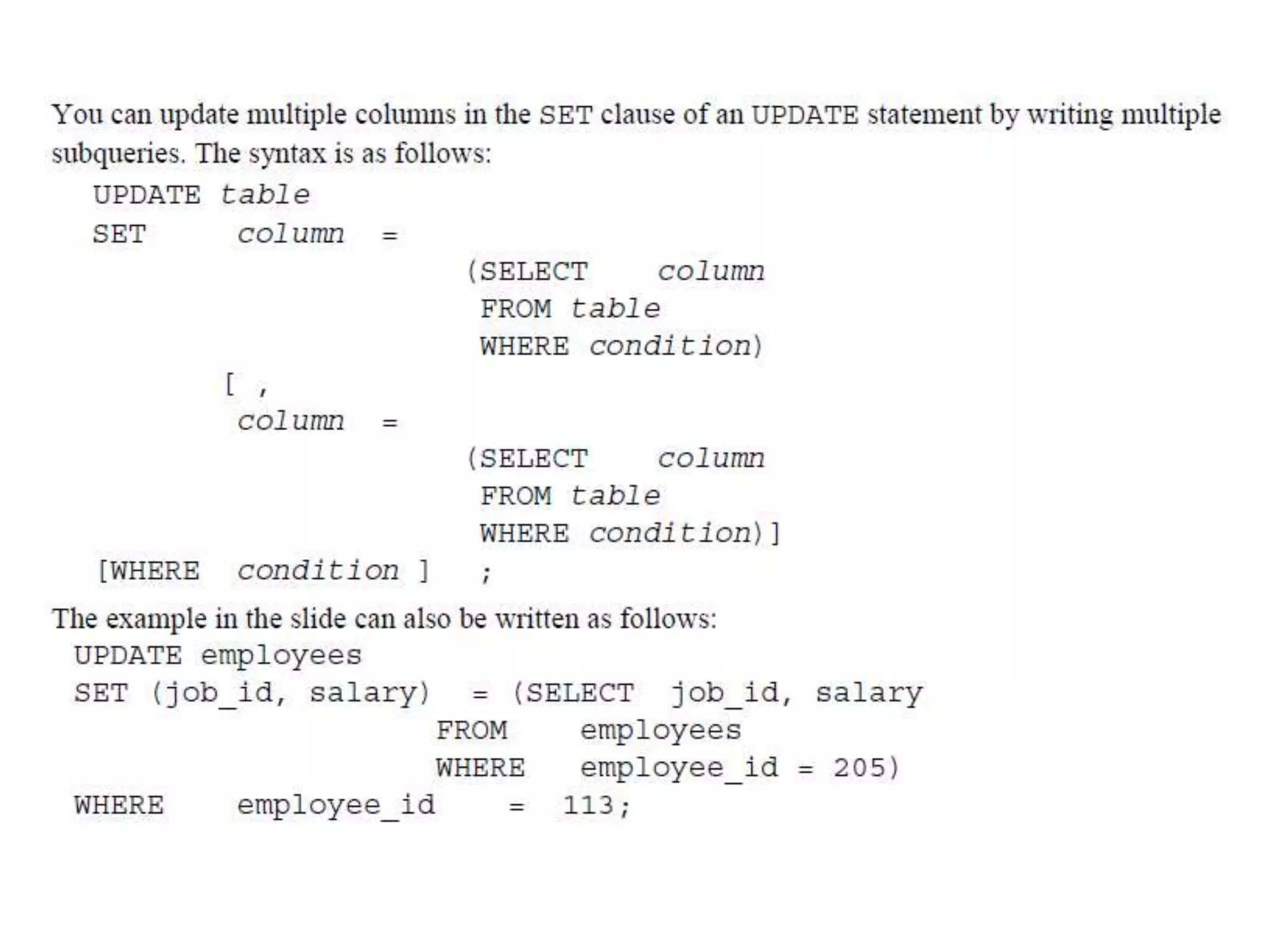
– Data change operations
– DDL Statements to Create and Manage Tables
– Displaying Data from Multiple Tables Using Joins
– Other Schema Objects
GROUP FUNCTIONS
Reporting Aggregated Data Using the Group Functions
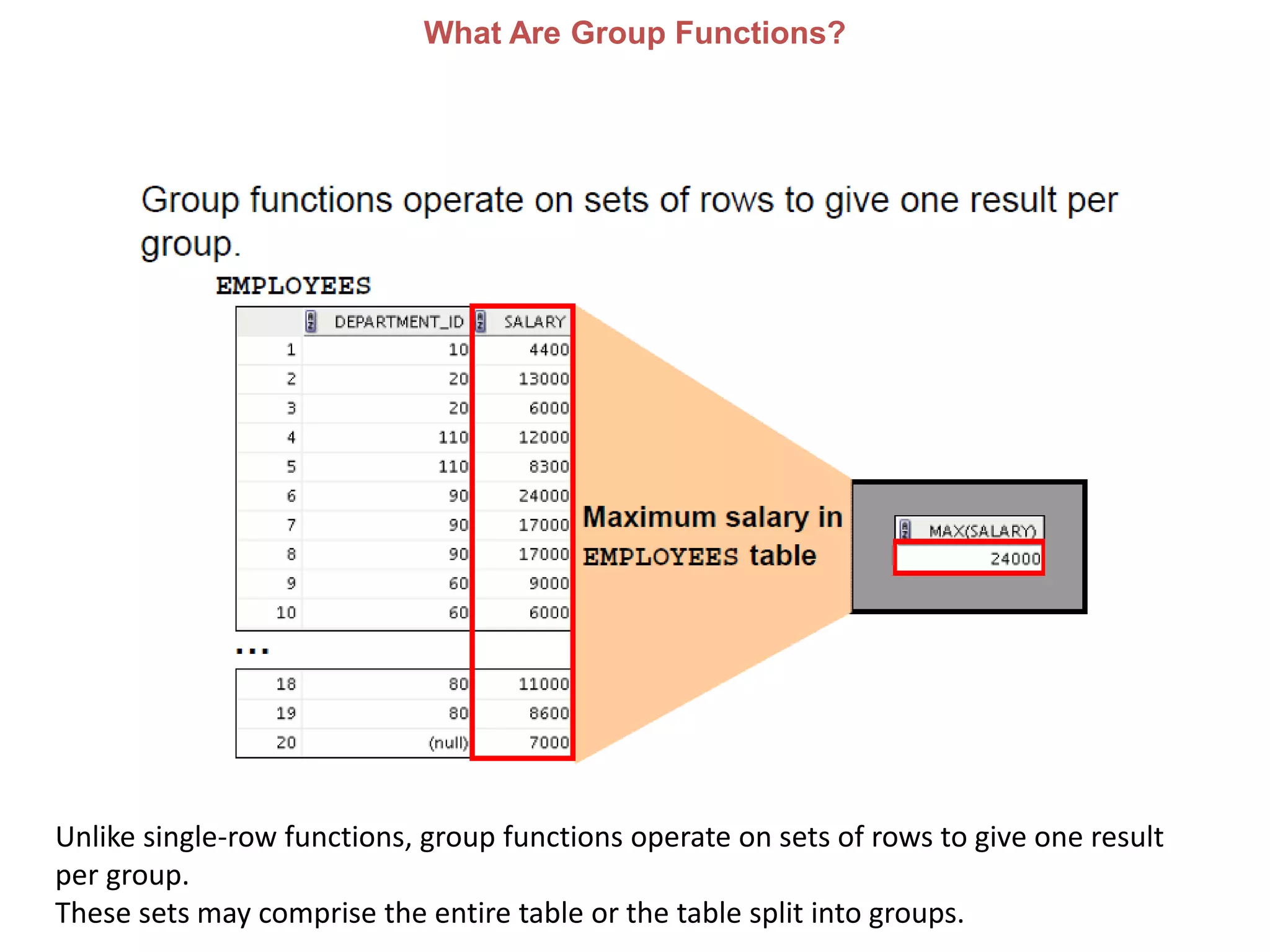
What Are Group Functions?
Unlike single-row functions, group functions operate on sets of rows to give one result
per group.
These sets may comprise the entire table or the table split into groups.
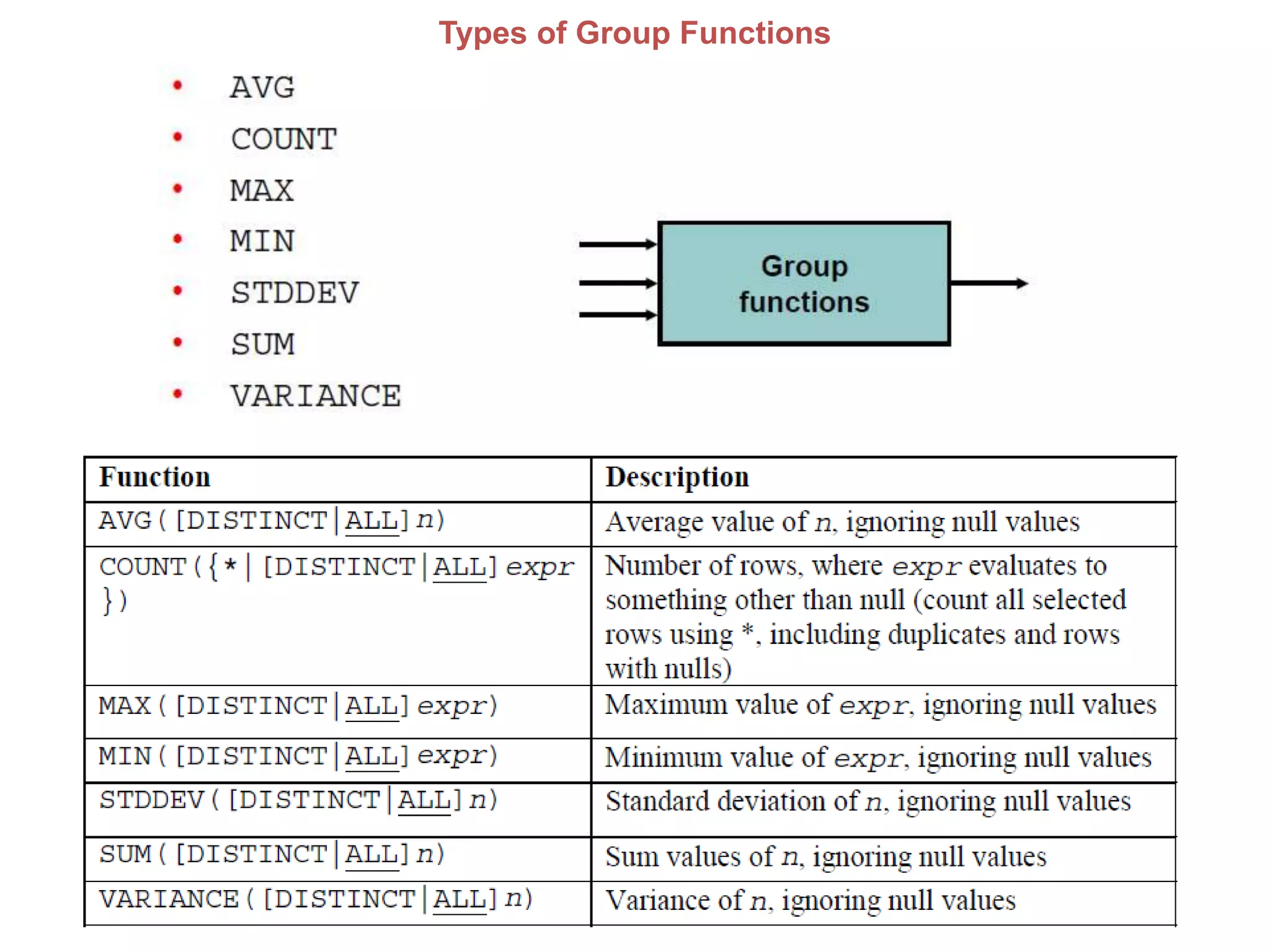
Types of Group Functions
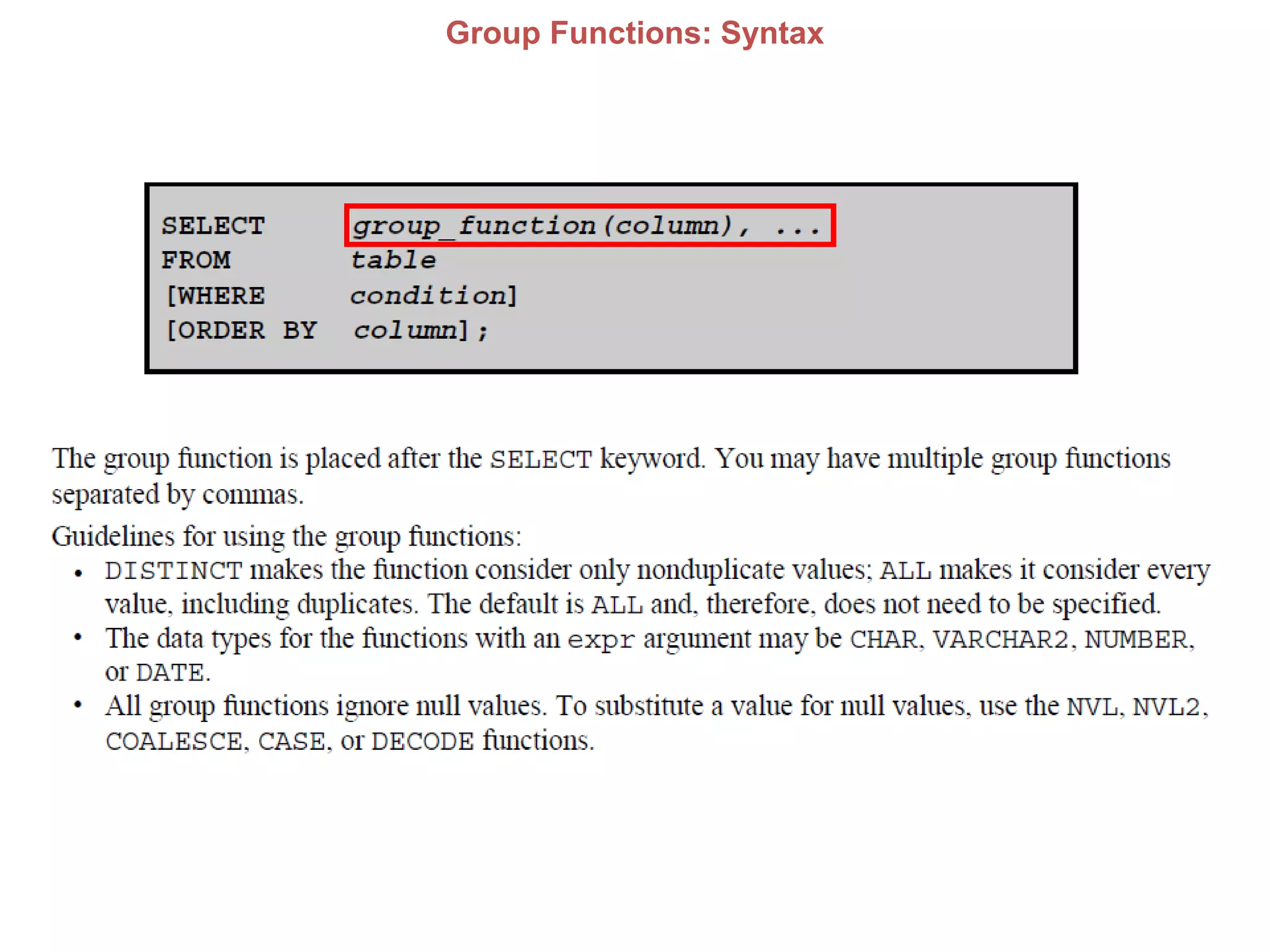
Group Functions: Syntax
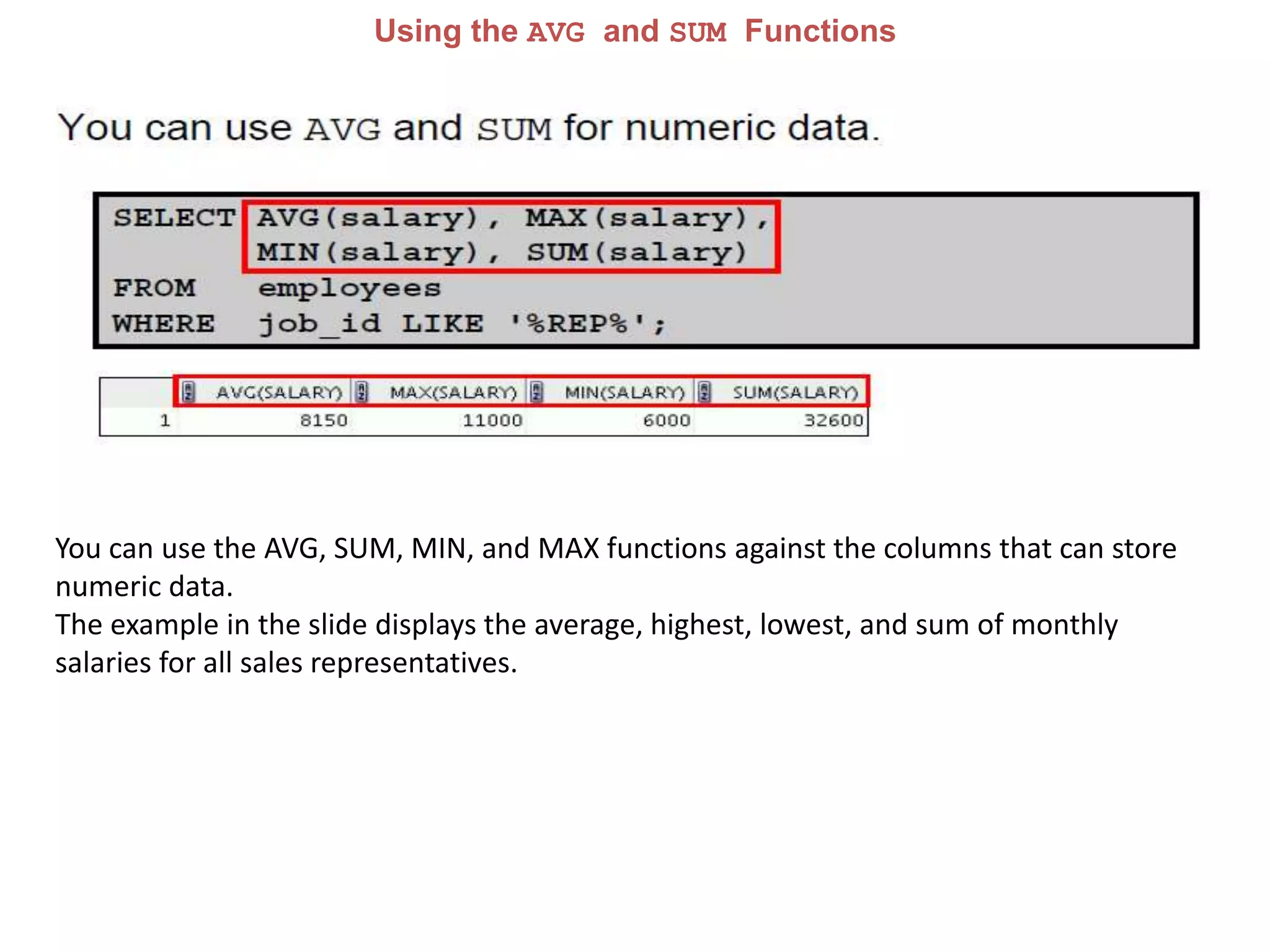
Using the AVG and SUM Functions
You can use the AVG, SUM, MIN, and MAX functions against the columns that can store
numeric data.
The example in the slide displays the average, highest, lowest, and sum of monthly
salaries for all sales representatives.
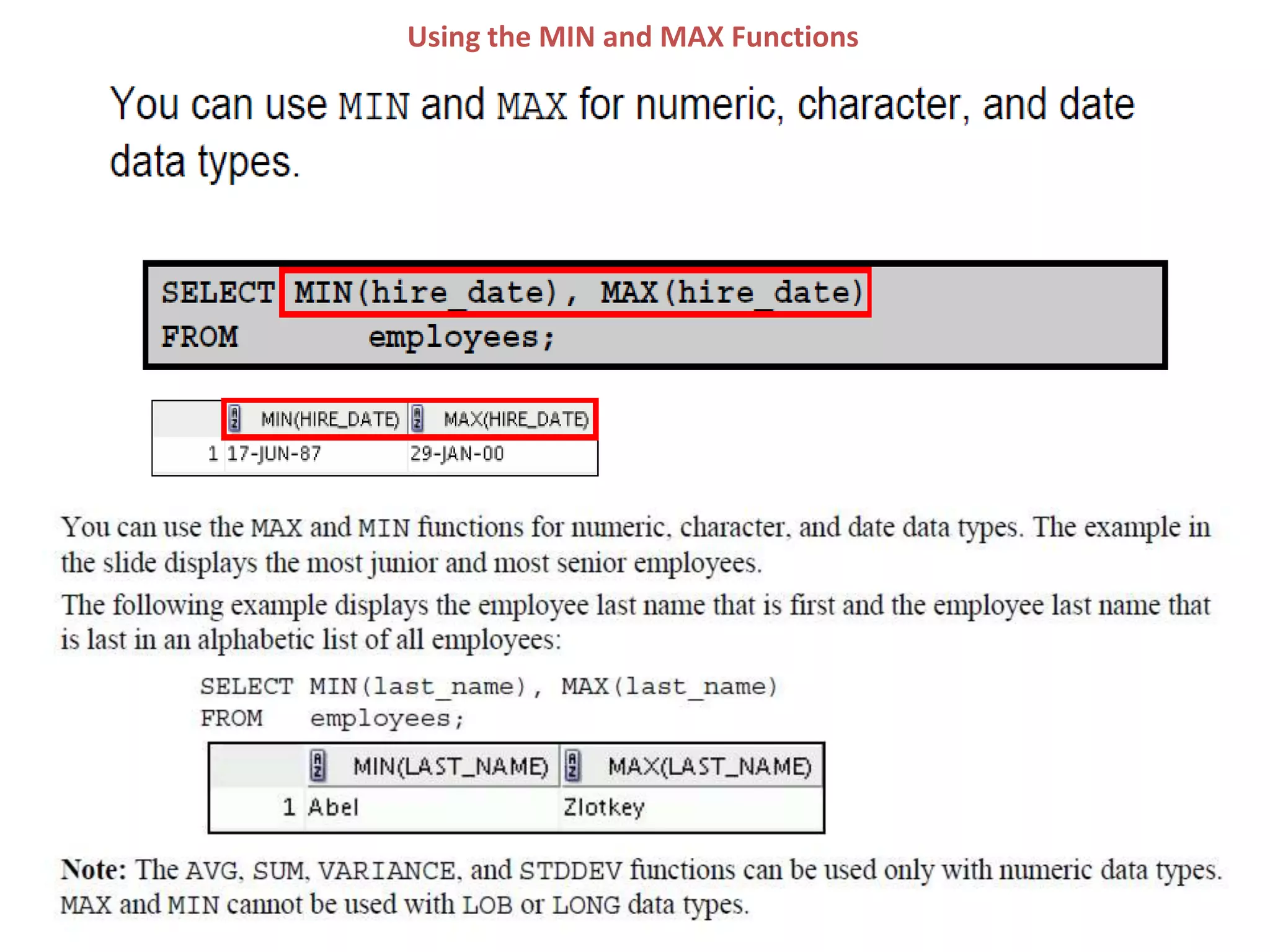
Using the MIN and MAX Functions
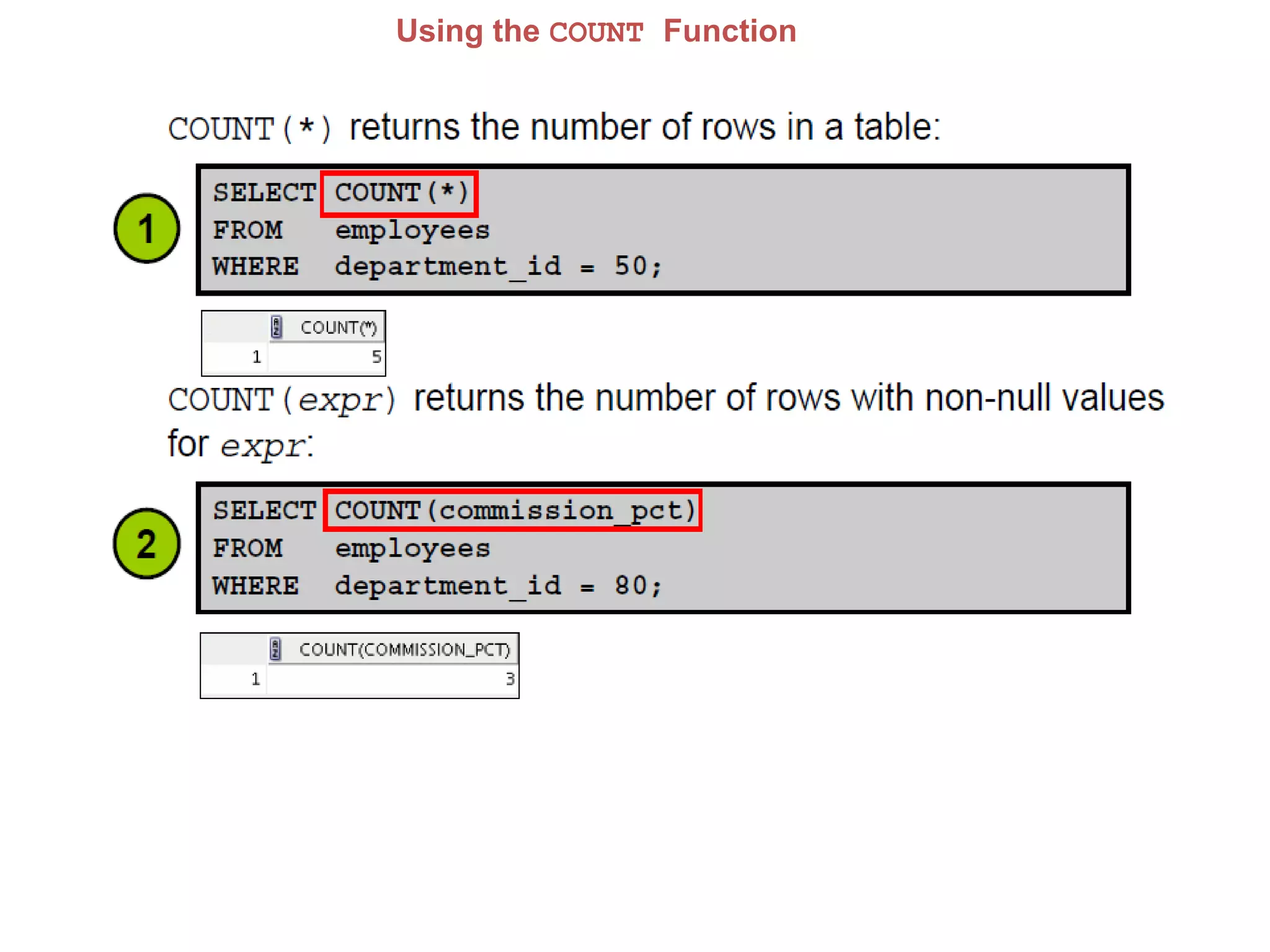
Using the COUNT Function
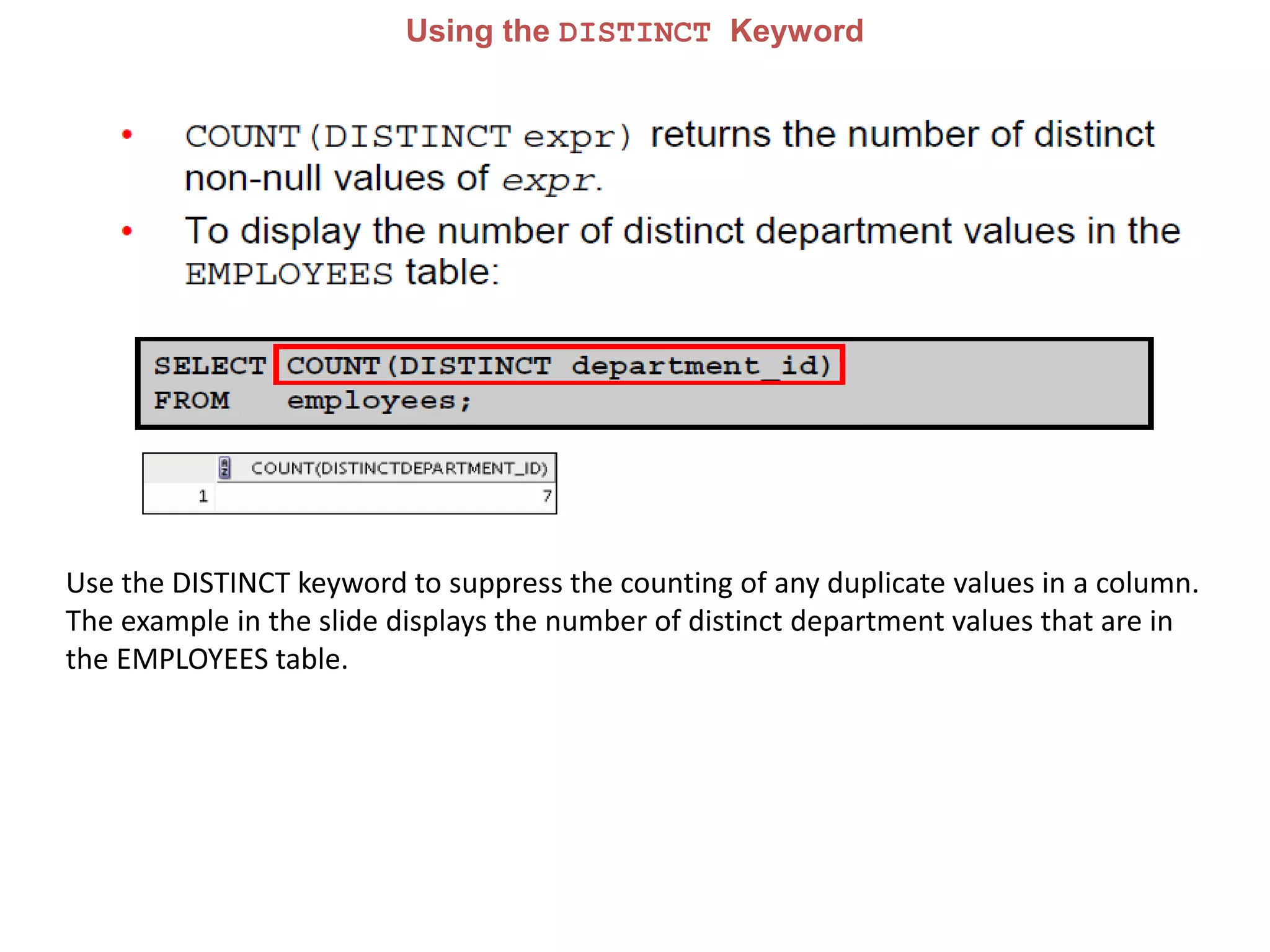
Using the DISTINCT Keyword
Use the DISTINCT keyword to suppress the counting of any duplicate values in a column.
The example in the slide displays the number of distinct department values that are in
the EMPLOYEES table.
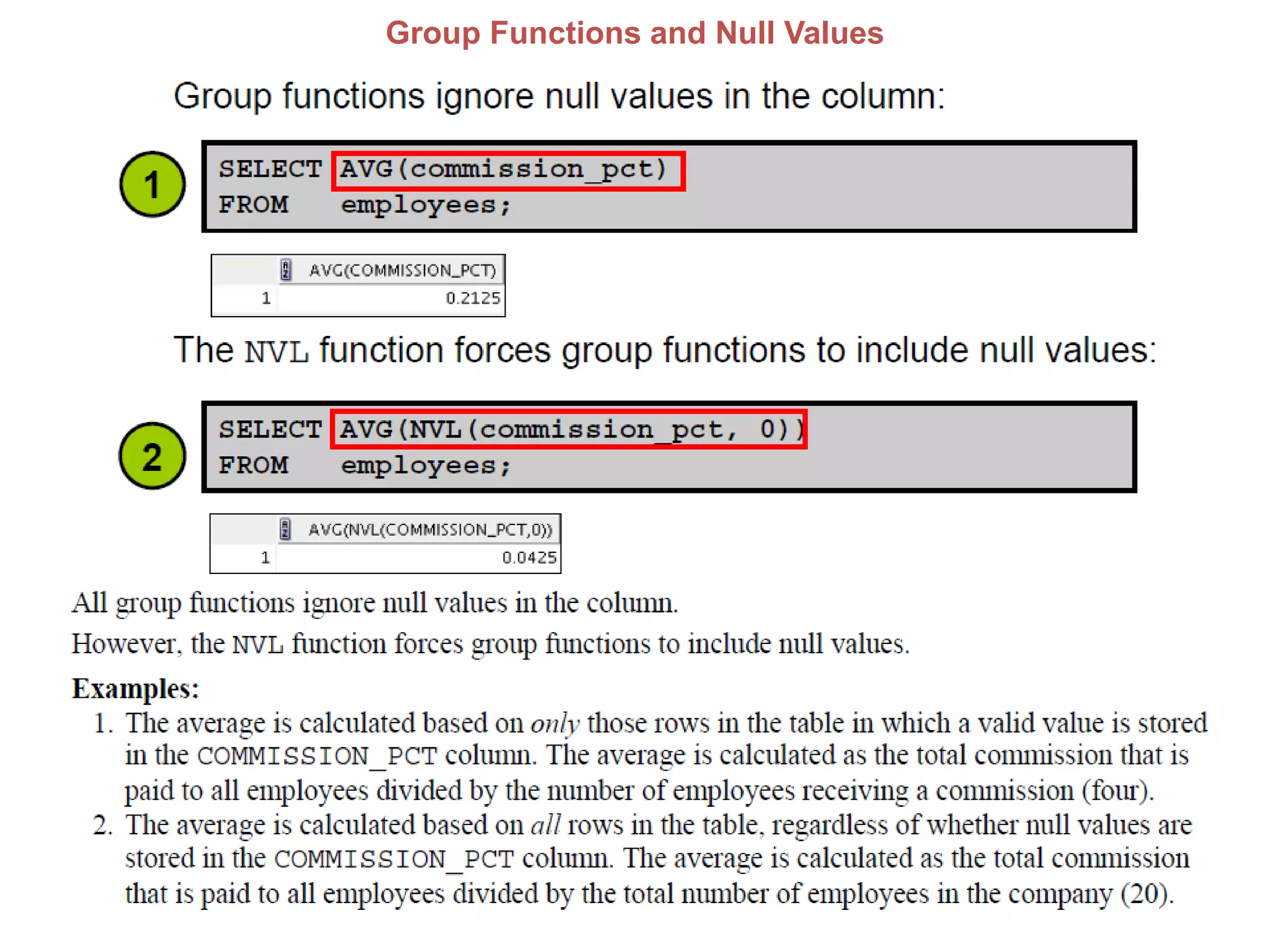
Group Functions and Null Values
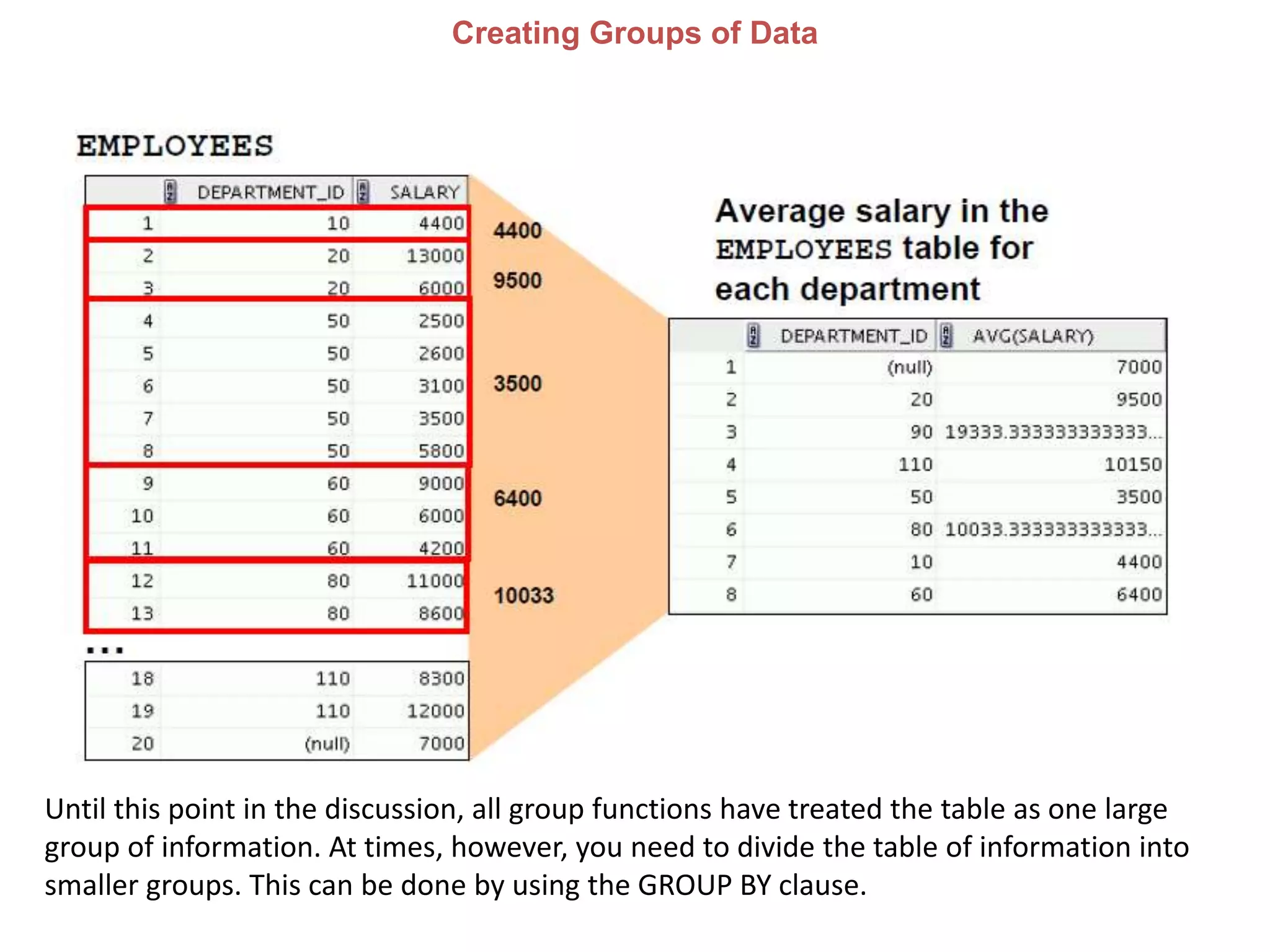
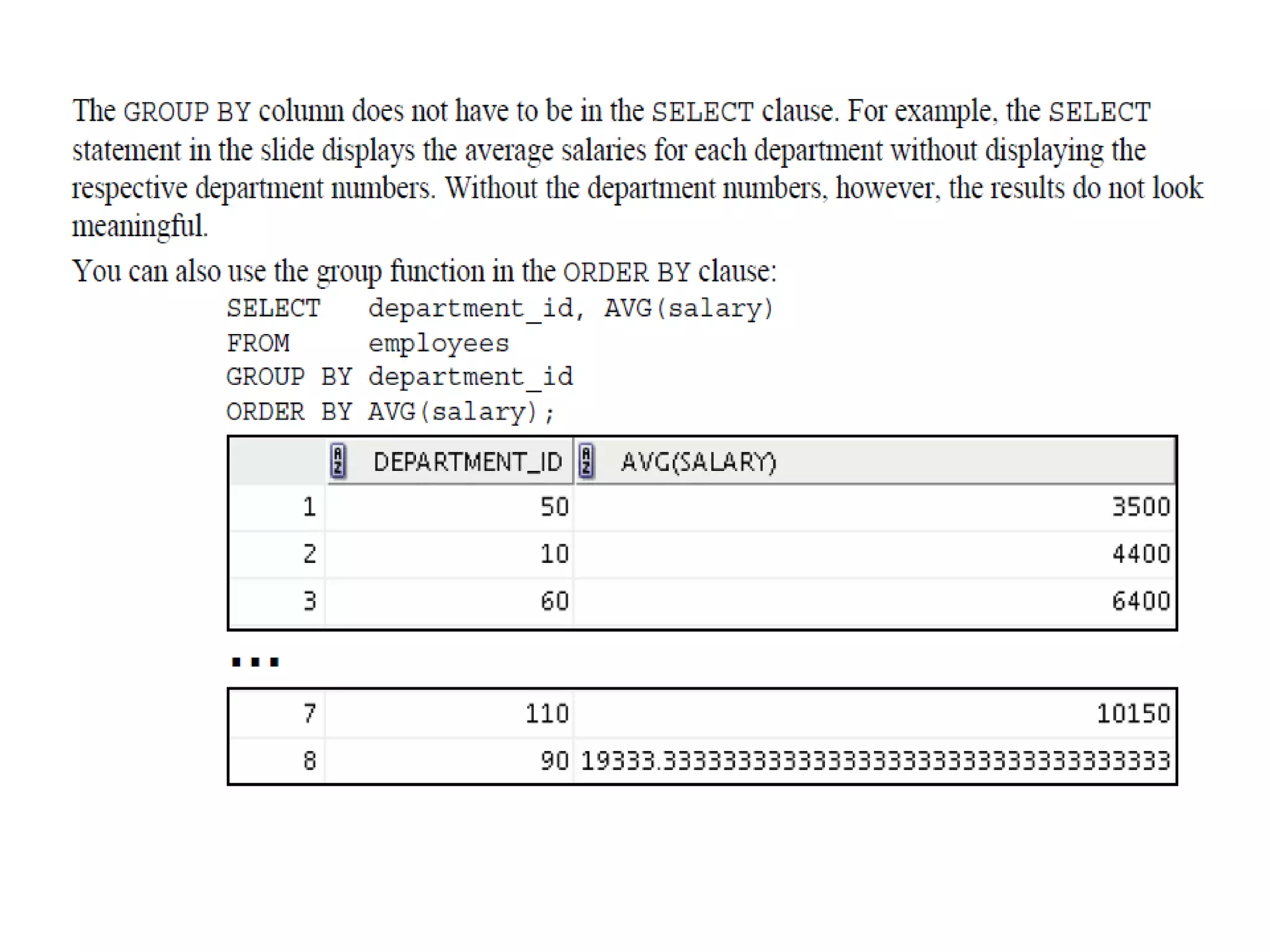
Creating Groups of Data
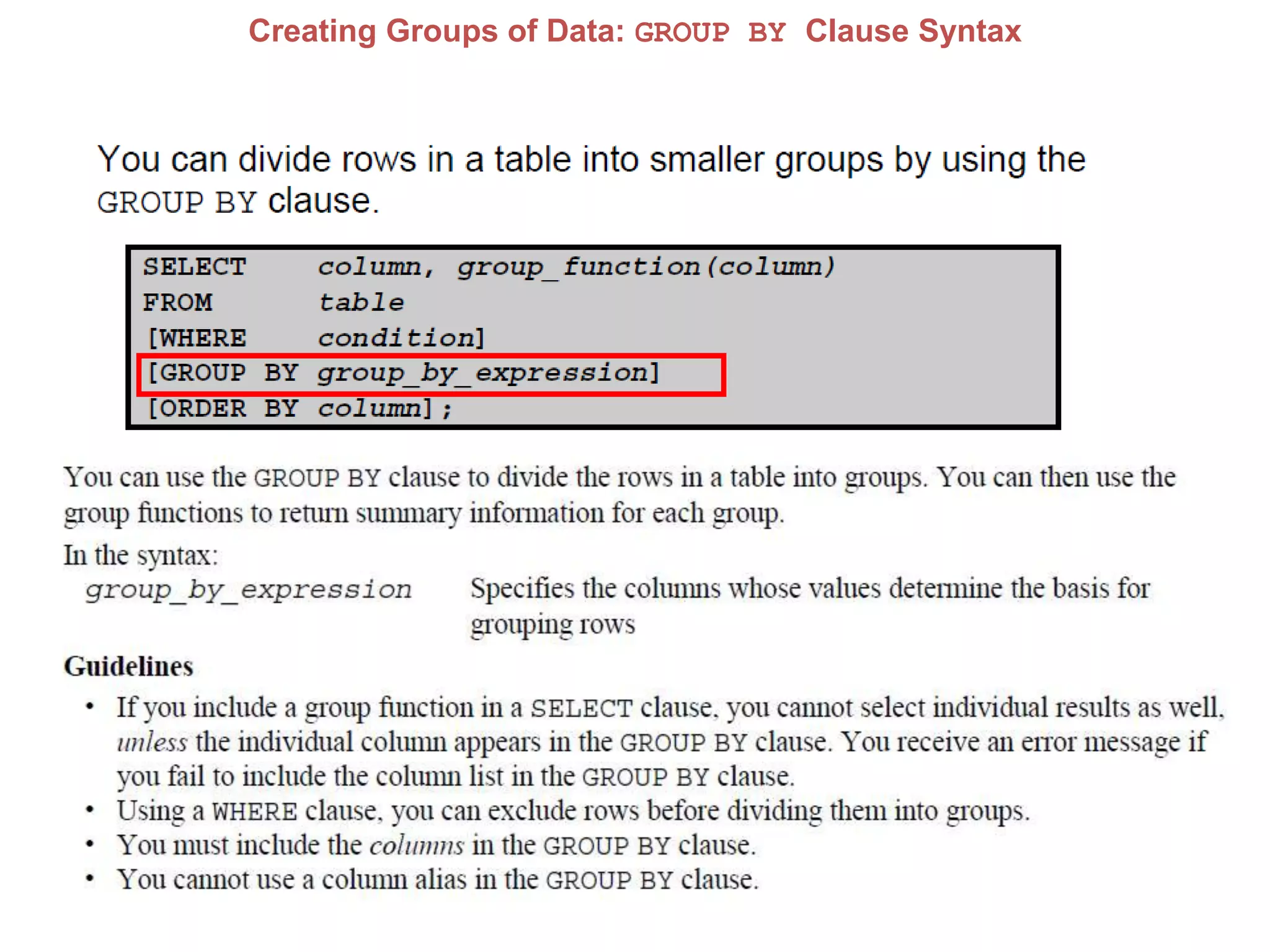
Until this point in the discussion, all group functions have treated the table as one large
group of information. At times, however, you need to divide the table of information into
smaller groups. This can be done by using the GROUP BY clause.
Creating Groups of Data: GROUP BY Clause Syntax
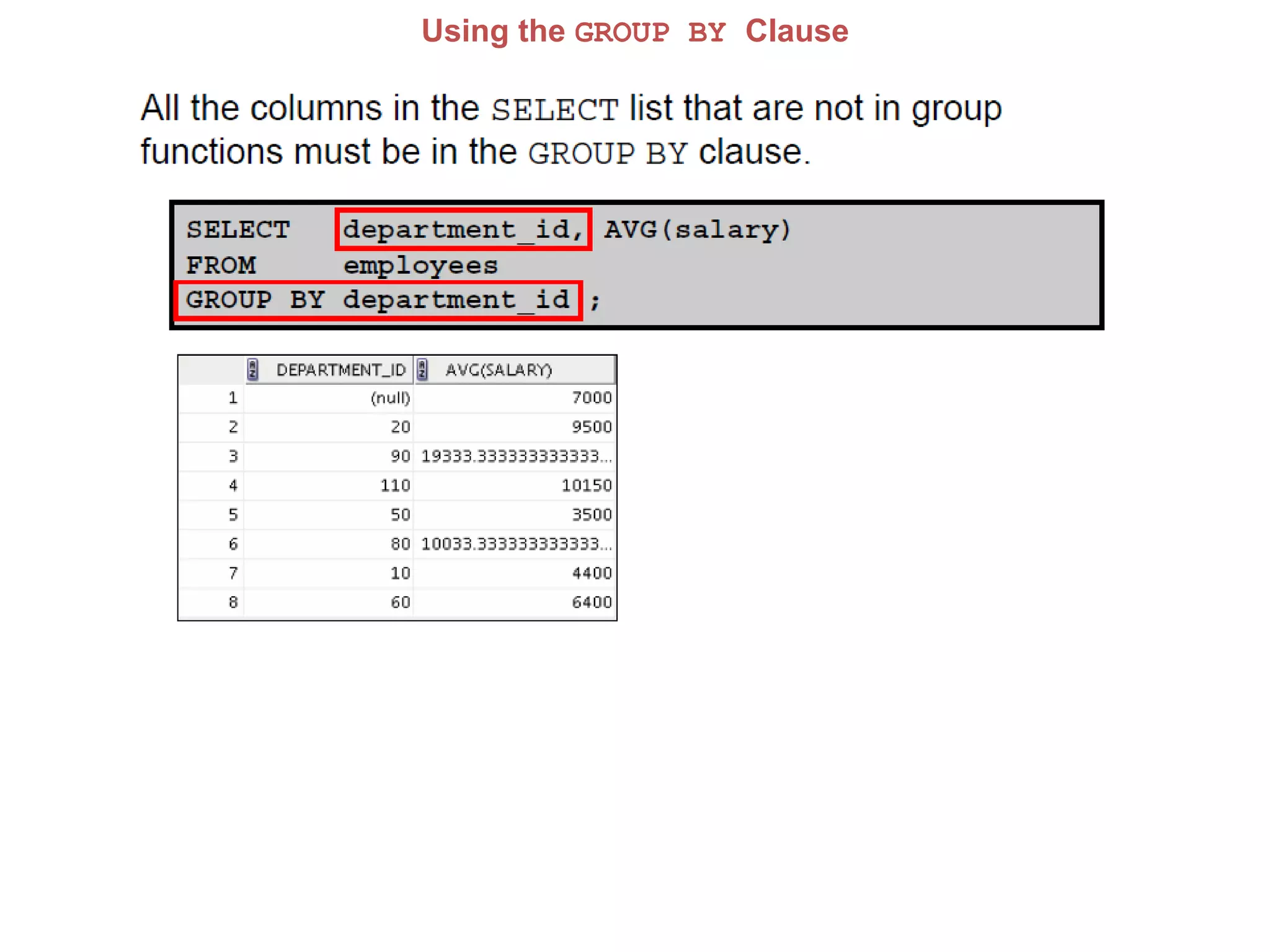
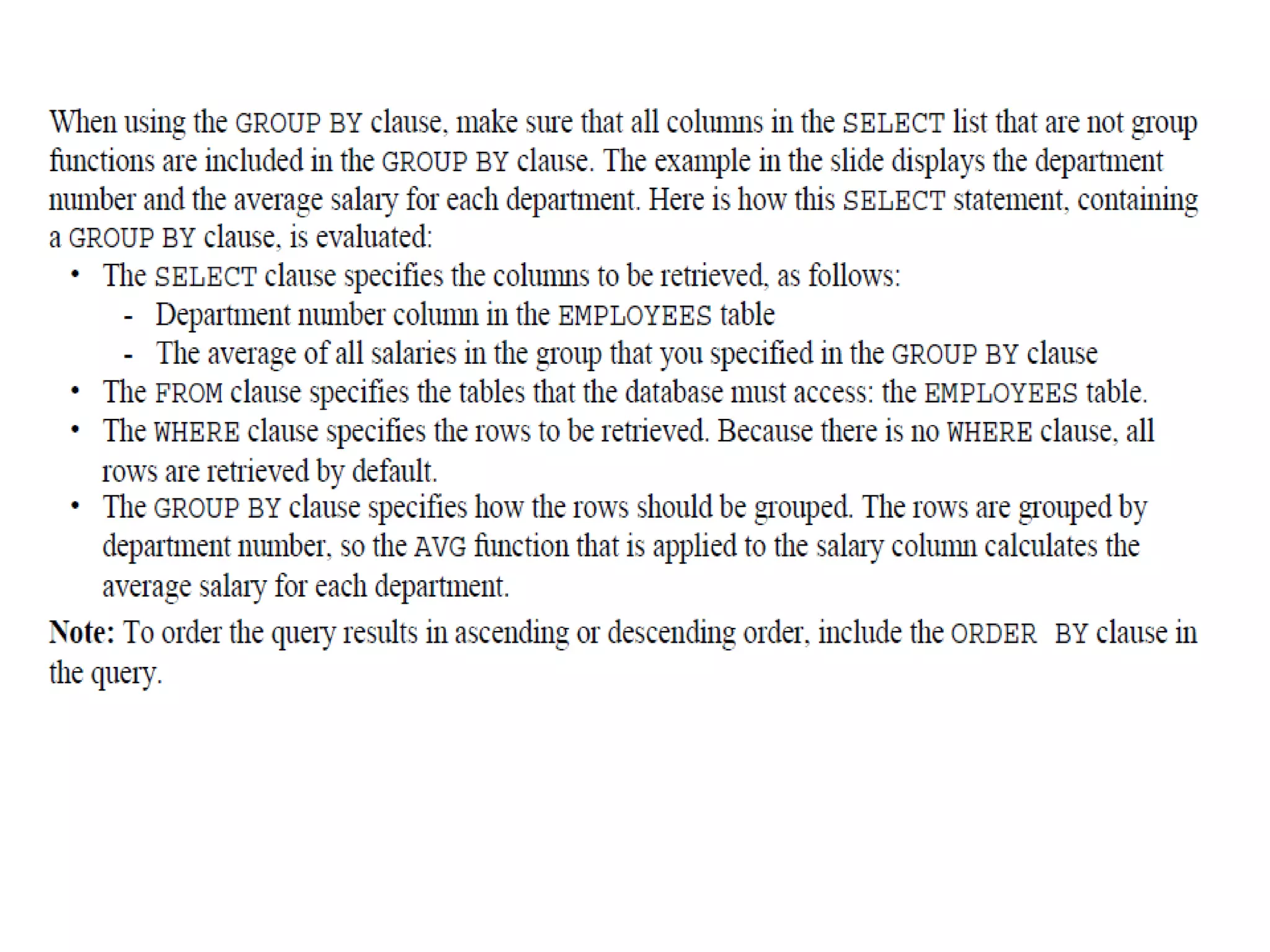
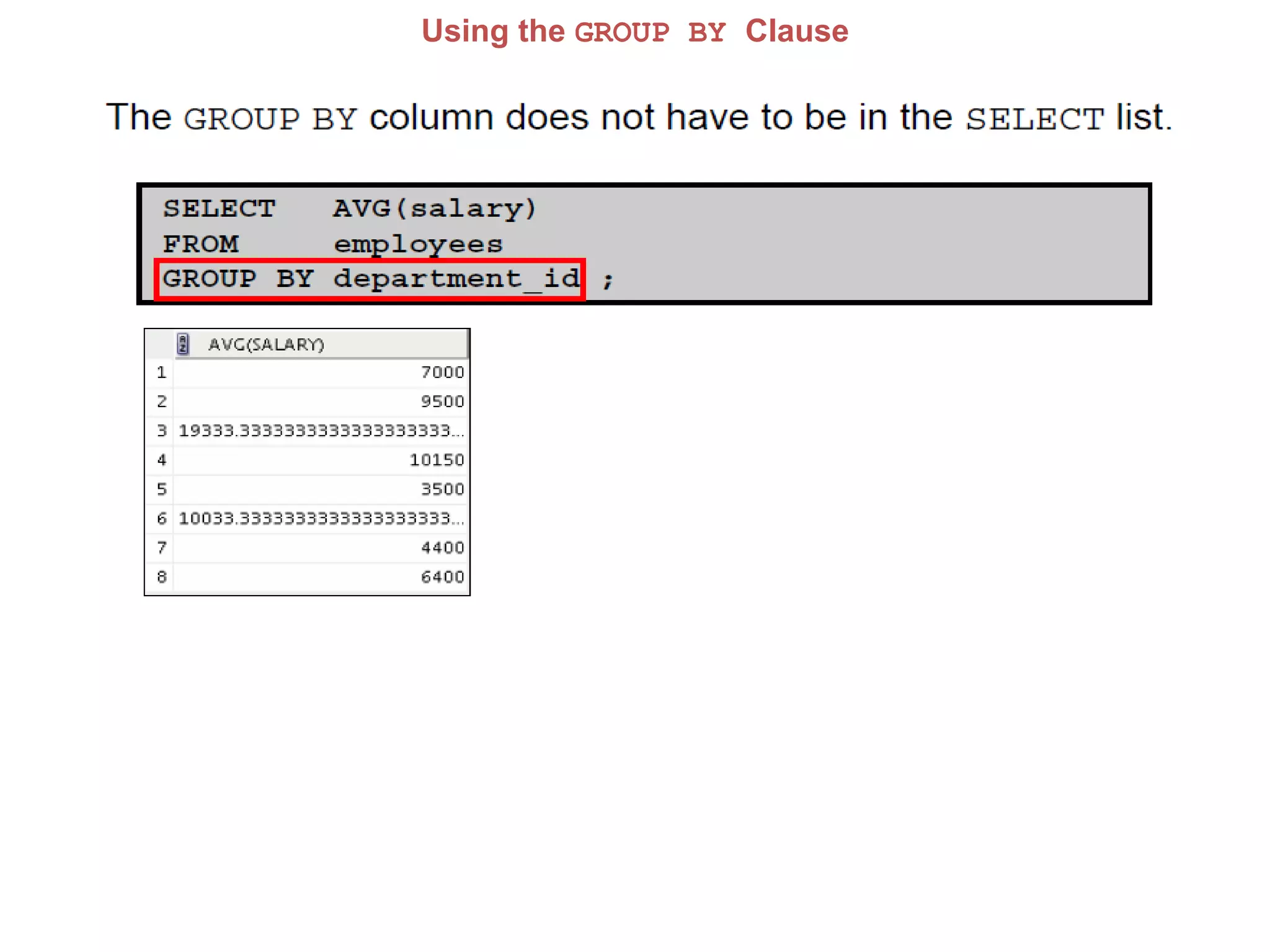
Using the GROUP BY Clause
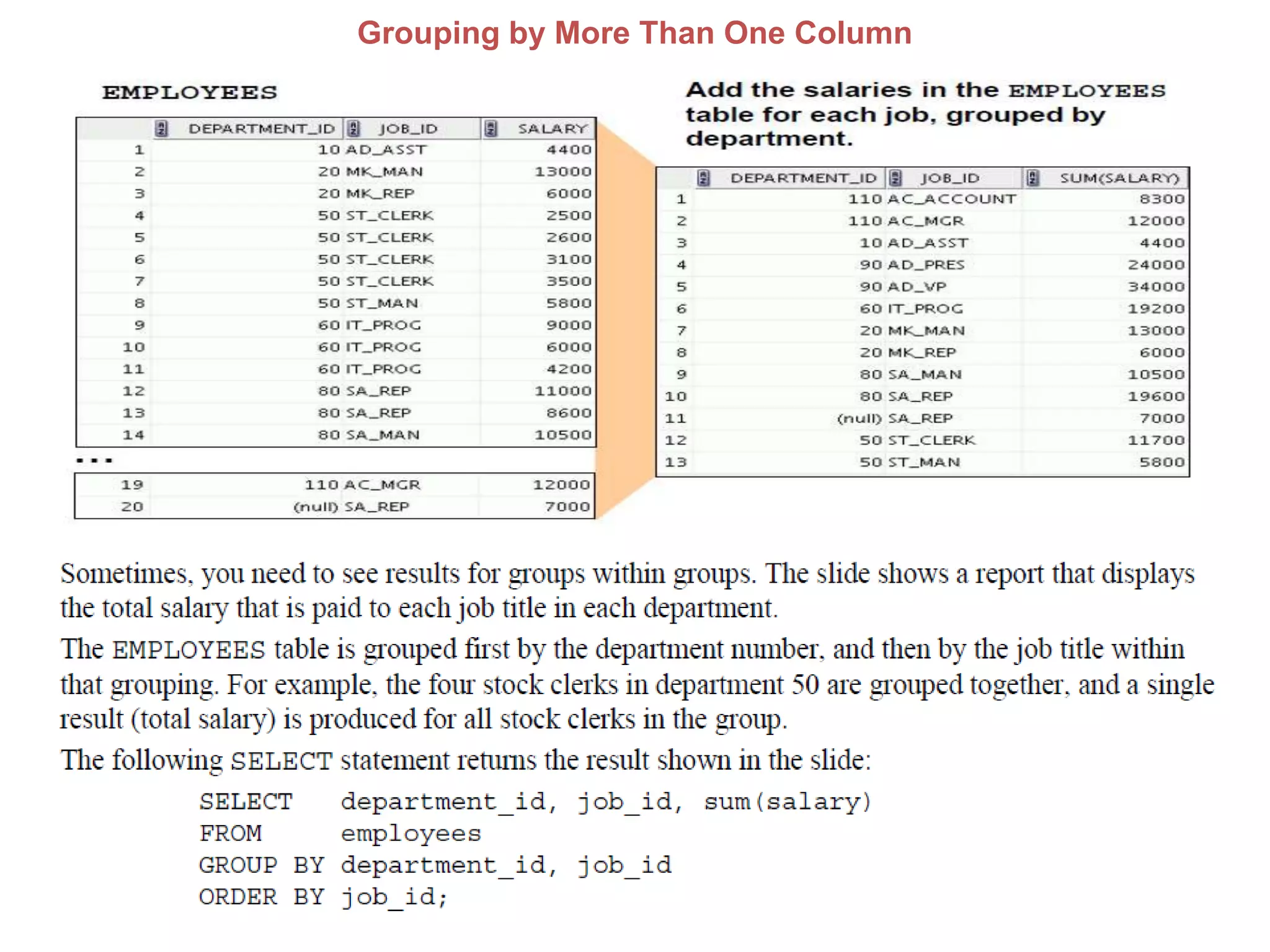
Grouping by More Than One Column
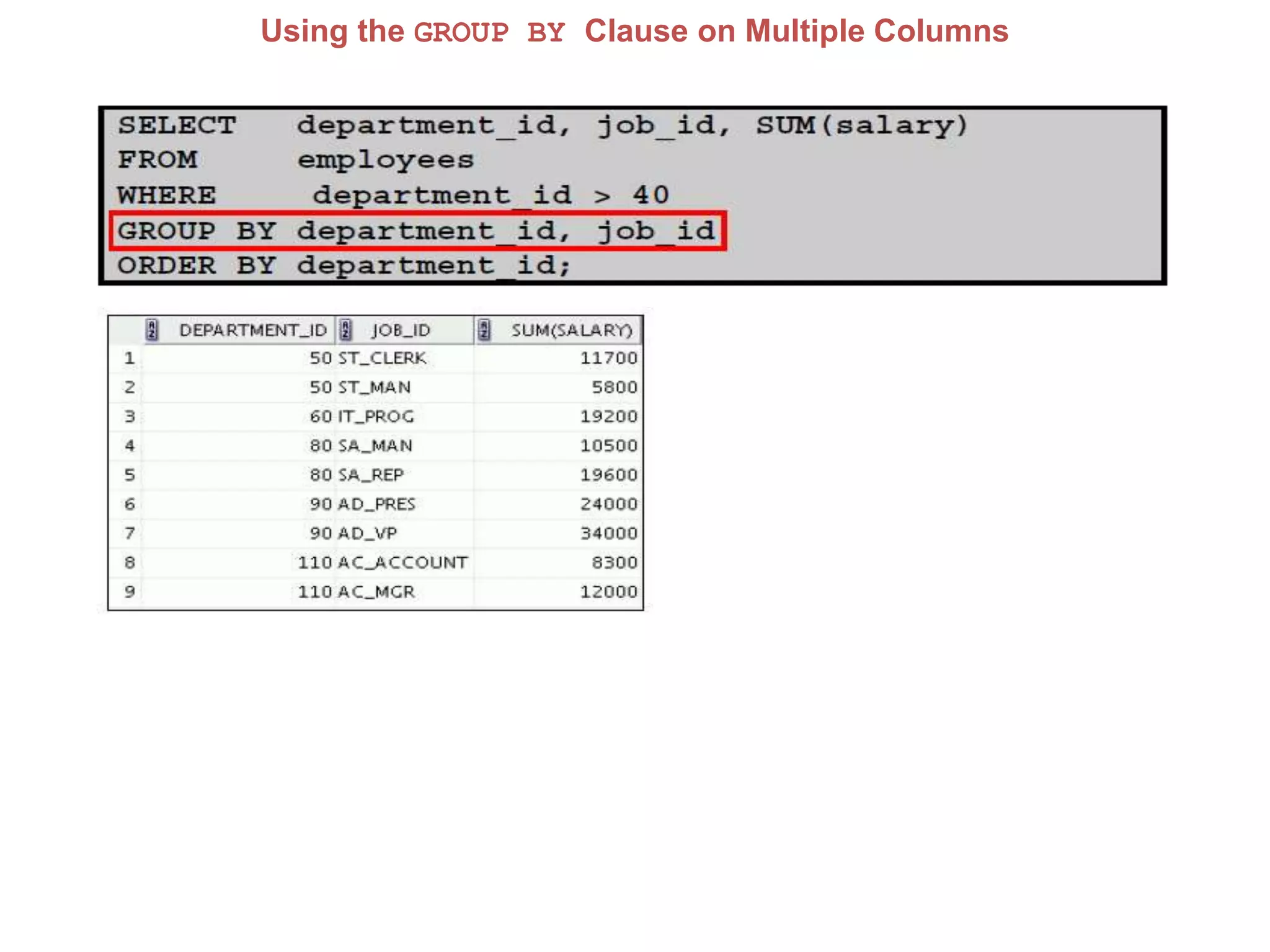
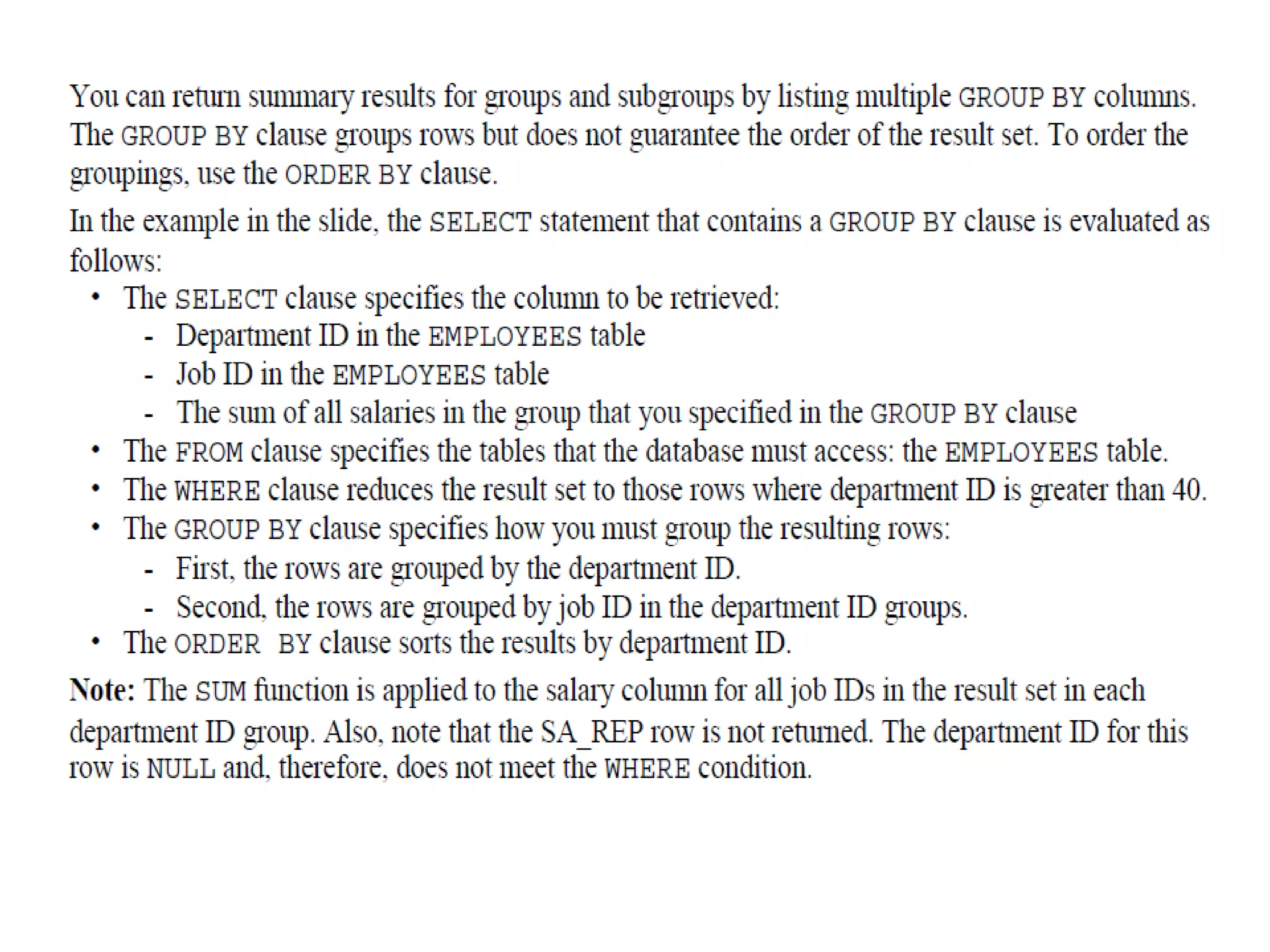
Using the GROUP BY Clause on Multiple Columns
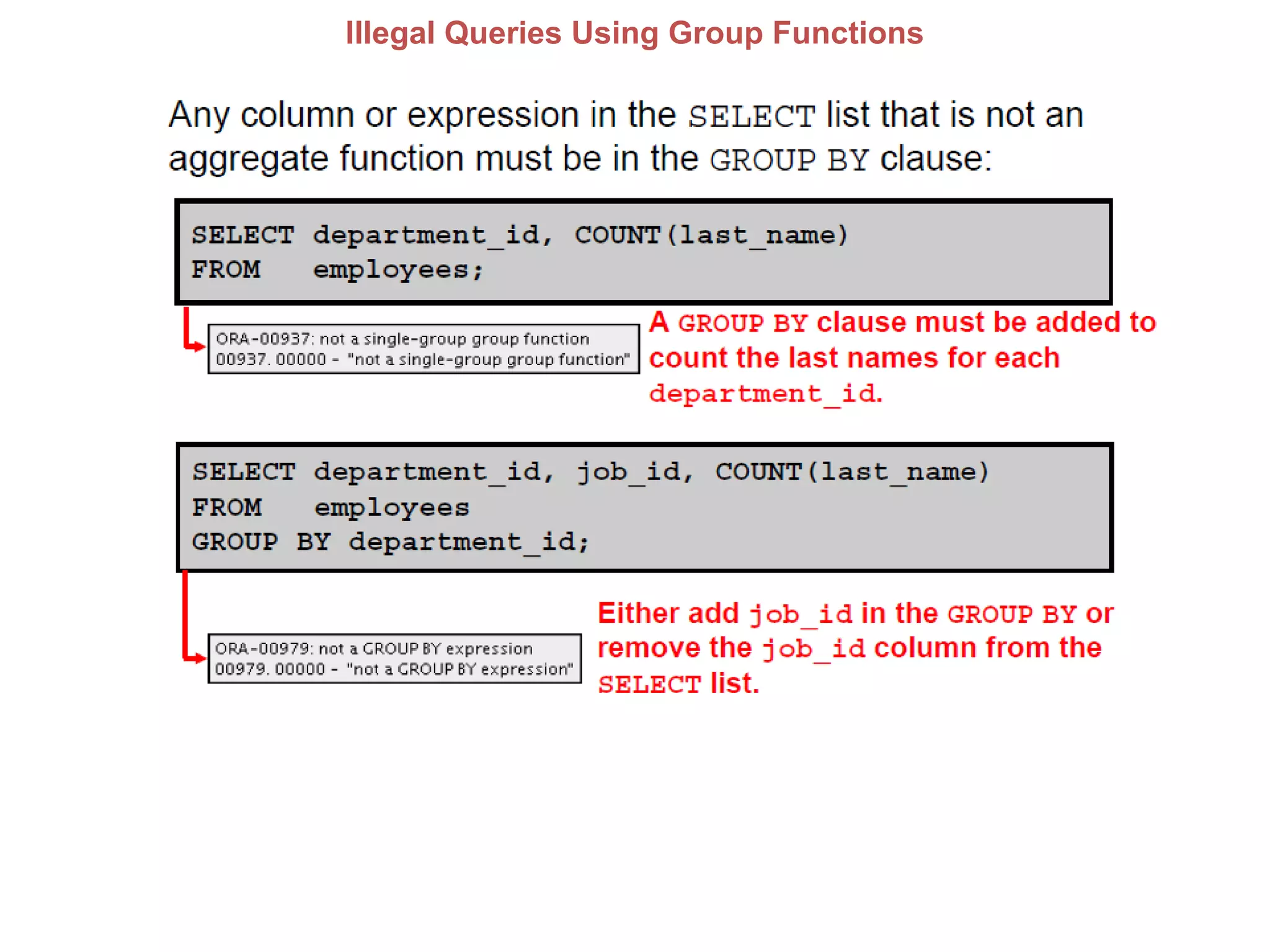
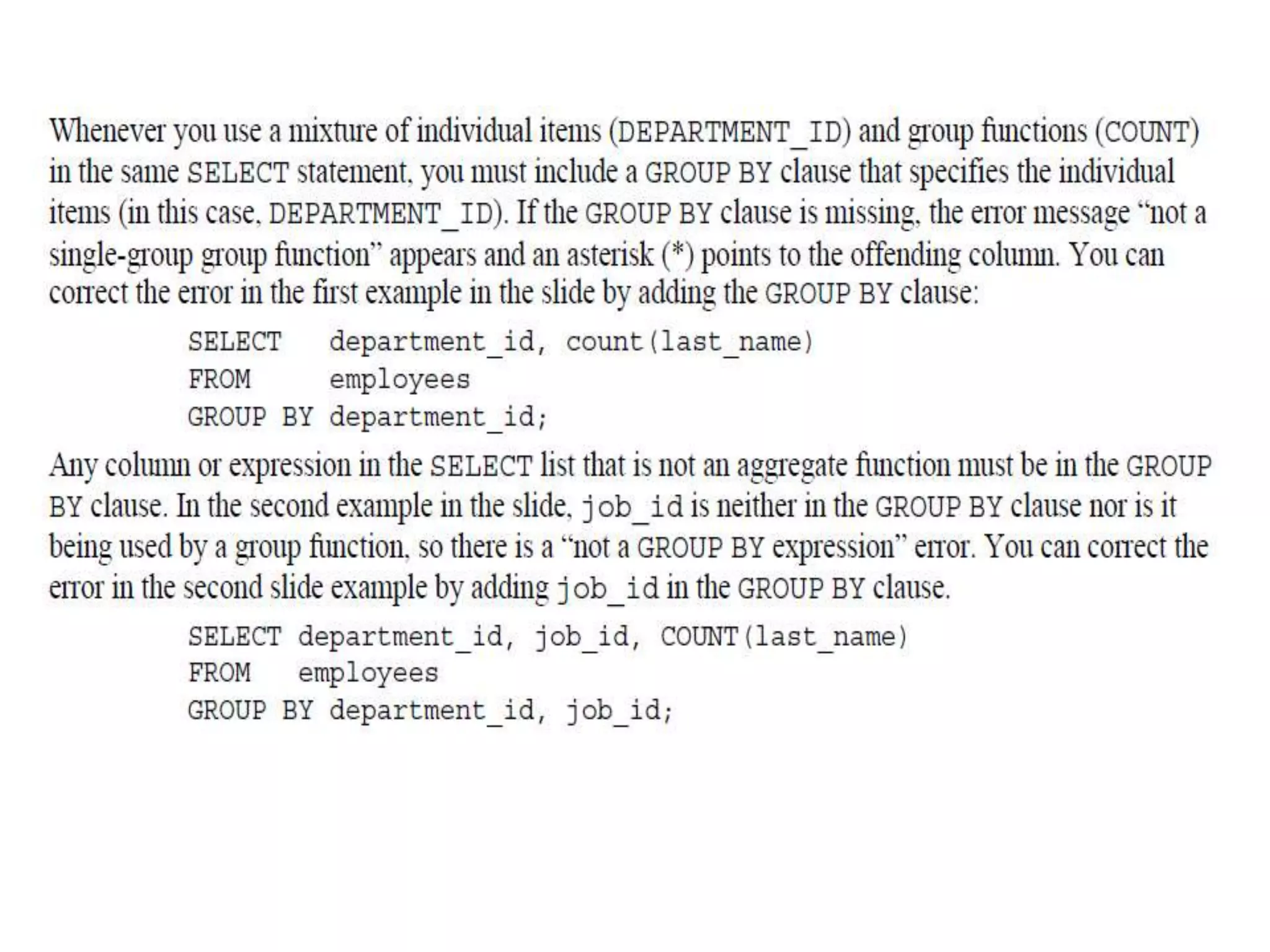
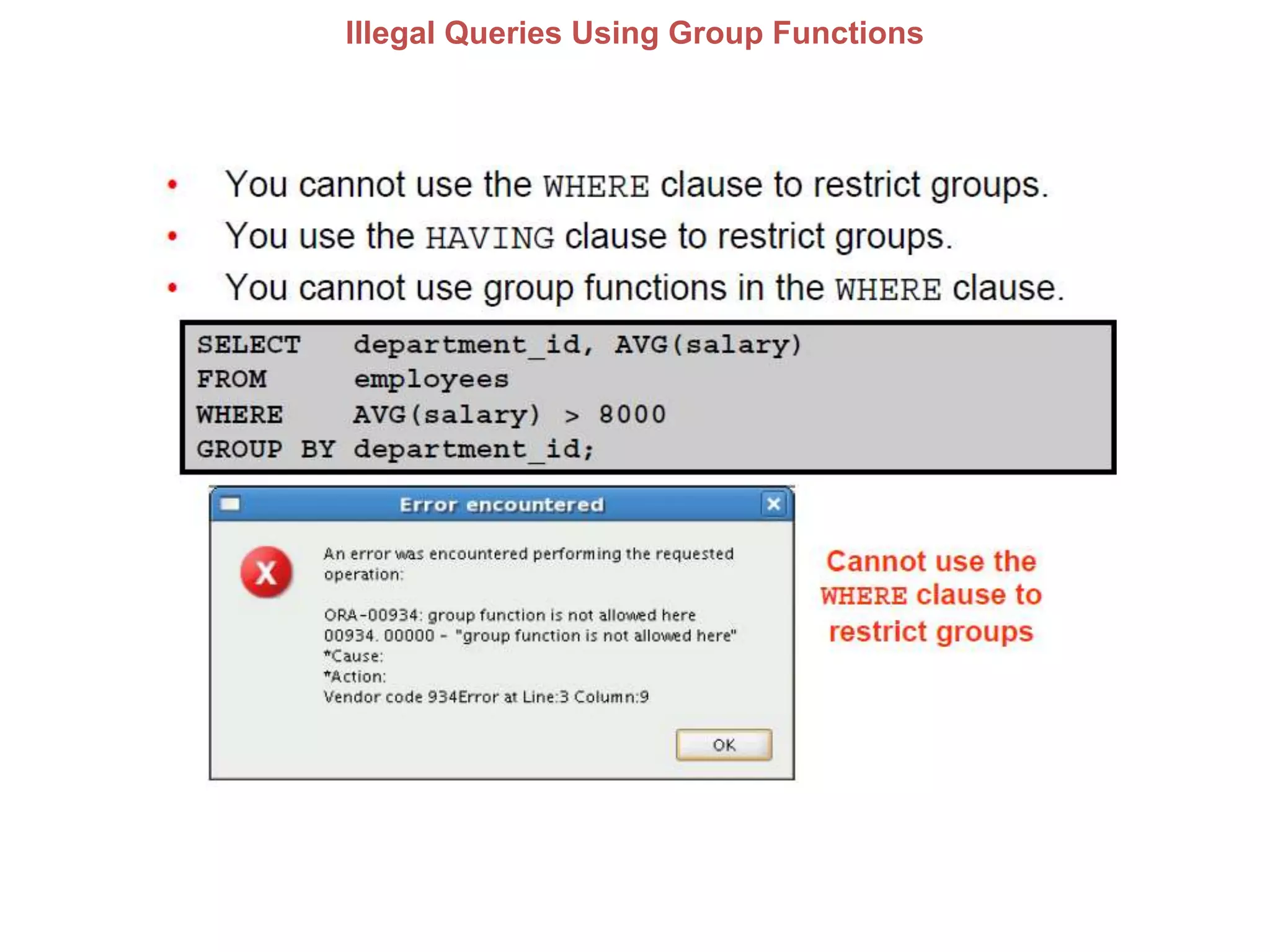
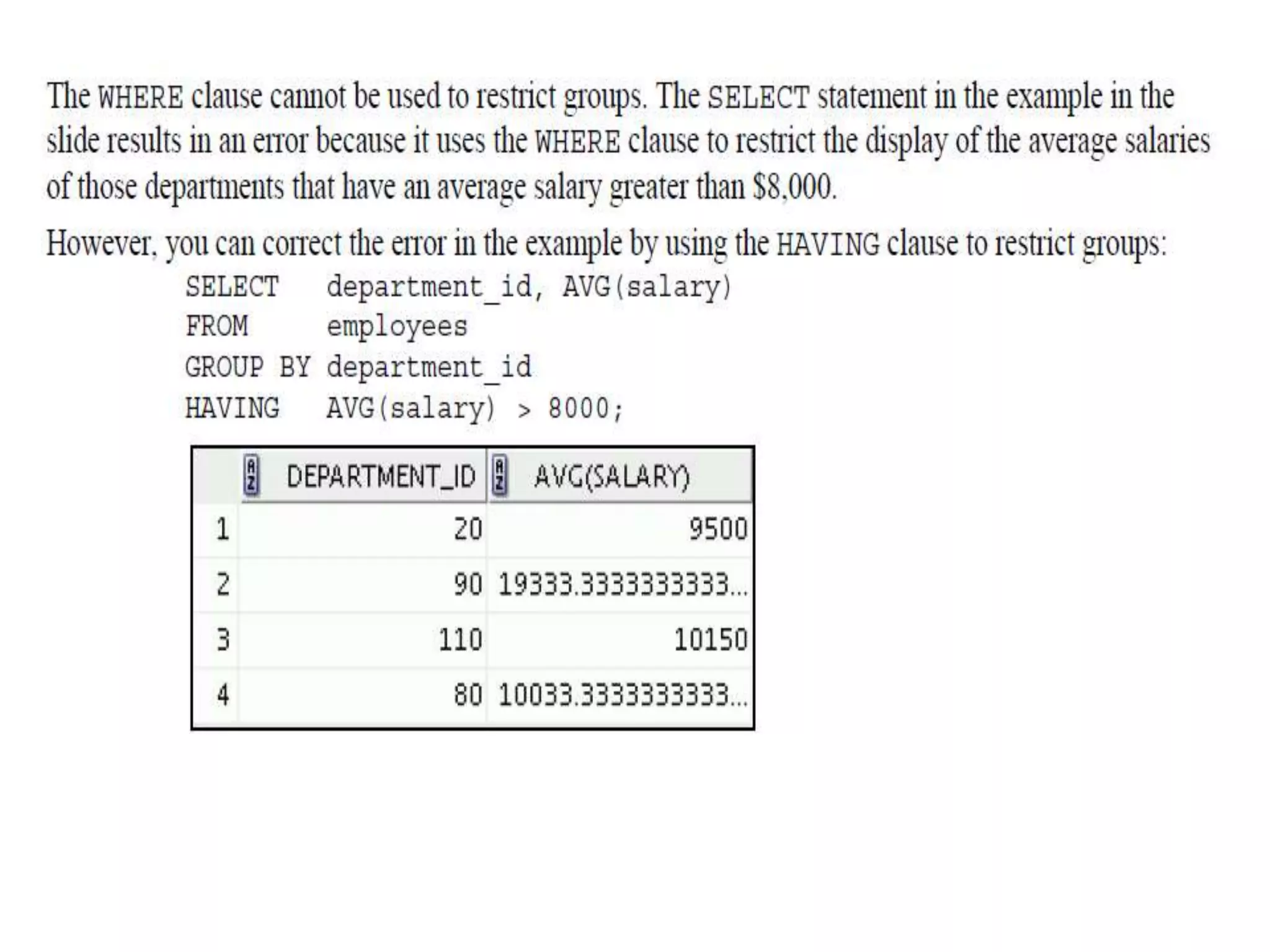
Illegal Queries Using Group Functions
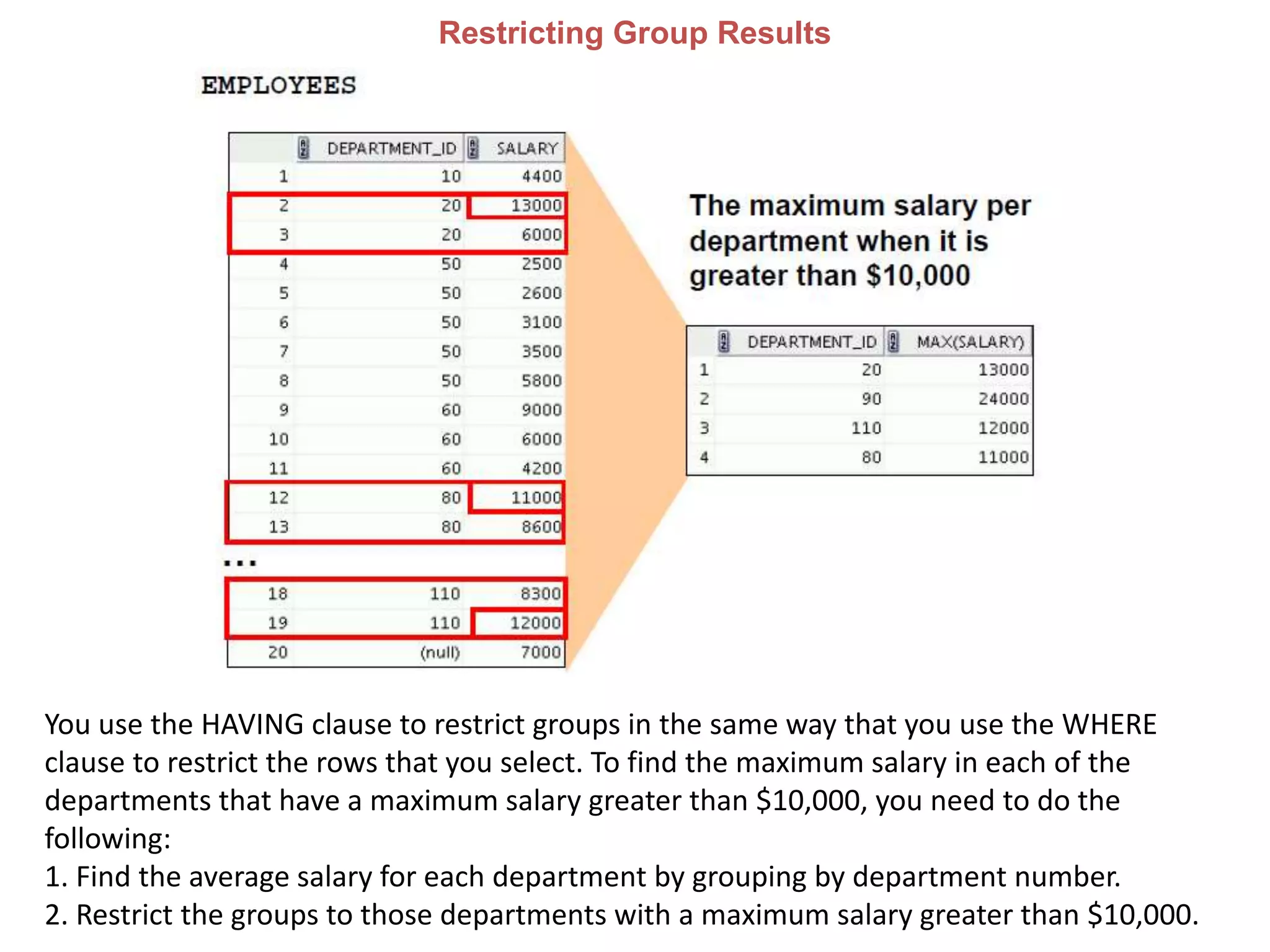
Restricting Group Results
You use the HAVING clause to restrict groups in the same way that you use the WHERE
clause to restrict the rows that you select. To find the maximum salary in each of the
departments that have a maximum salary greater than $10,000, you need to do the
following:
1. Find the average salary for each department by grouping by department number.
2. Restrict the groups to those departments with a maximum salary greater than $10,000.
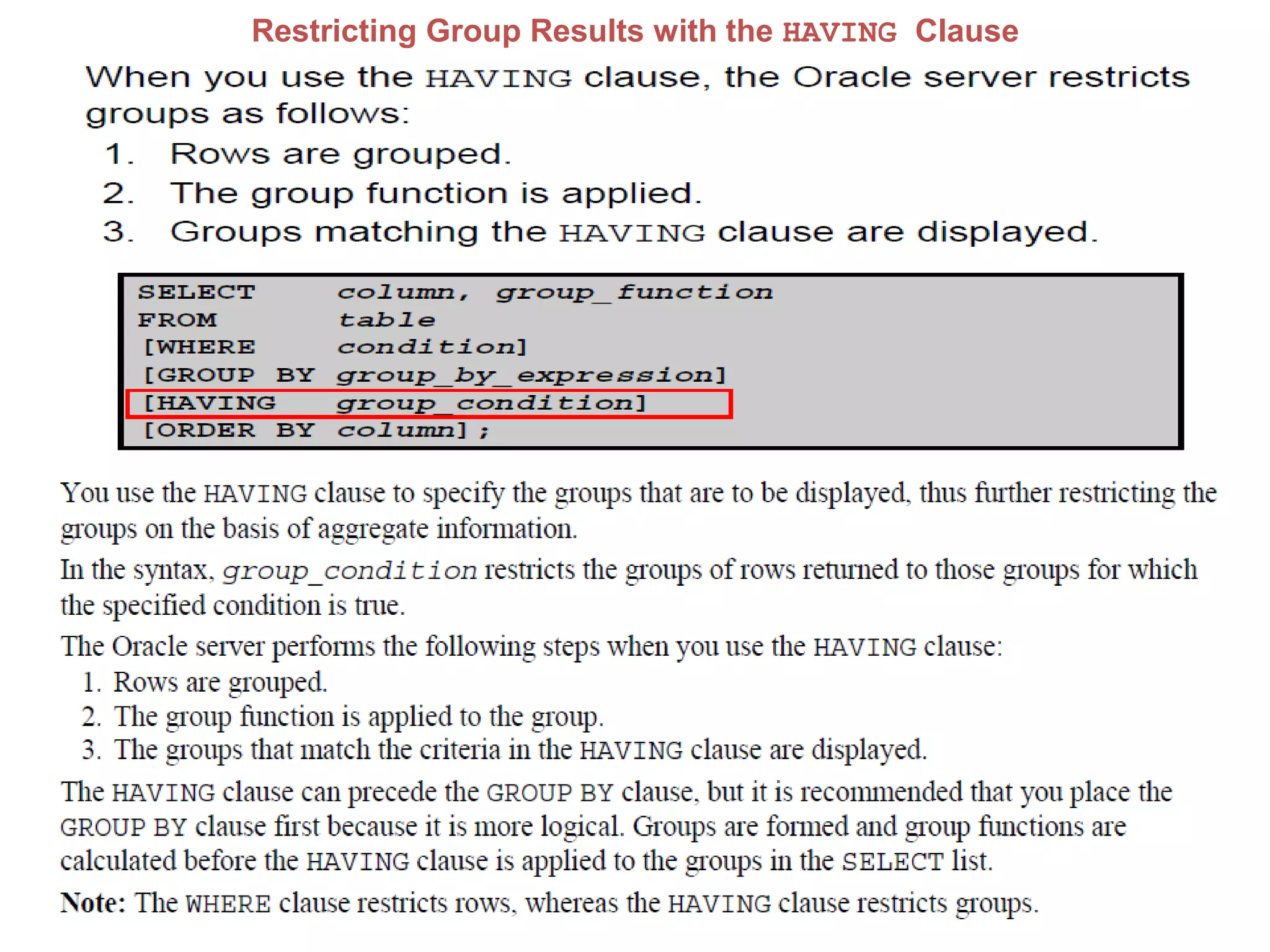
Restricting Group Results with the HAVING Clause
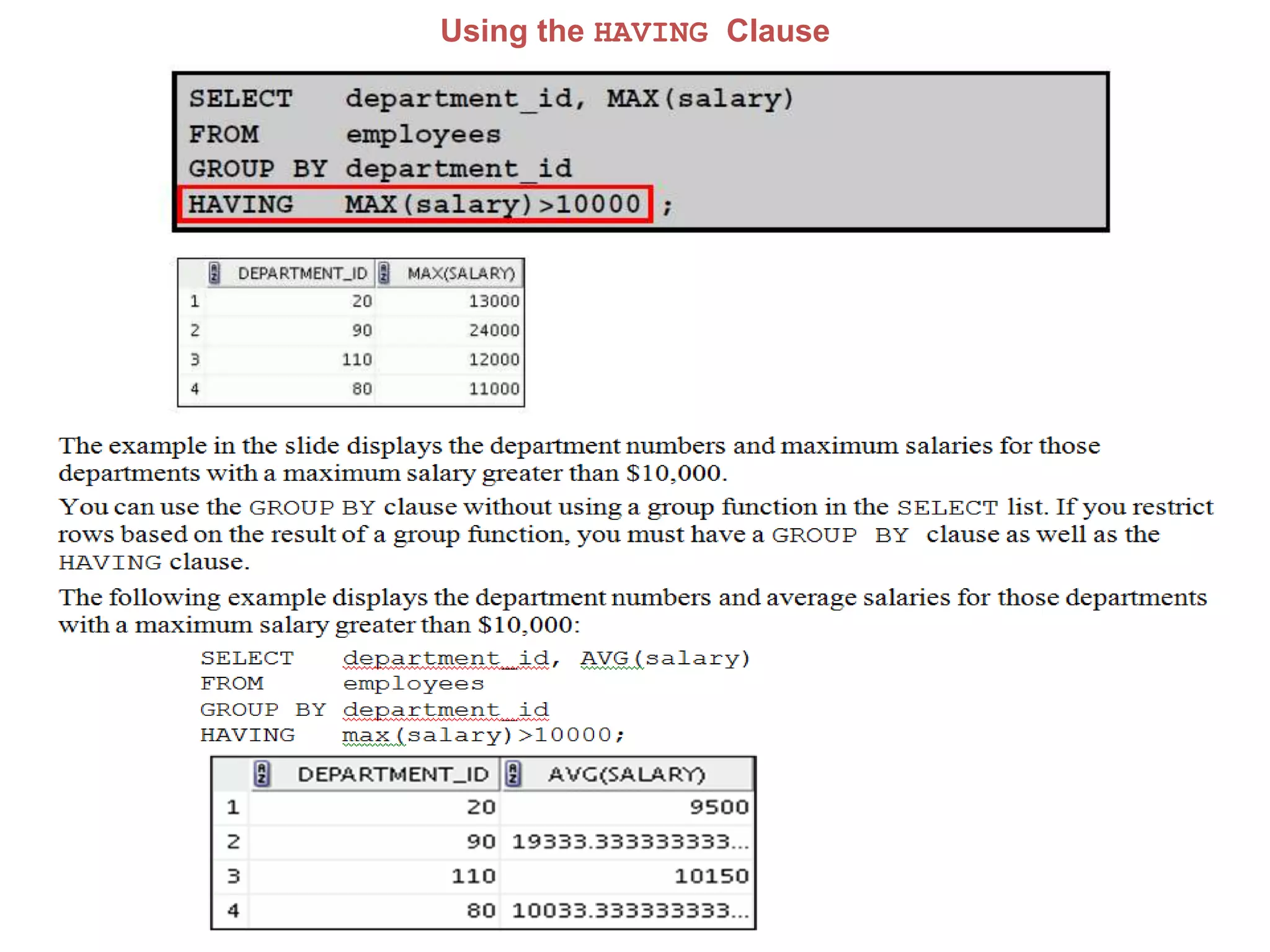
Using the HAVING Clause
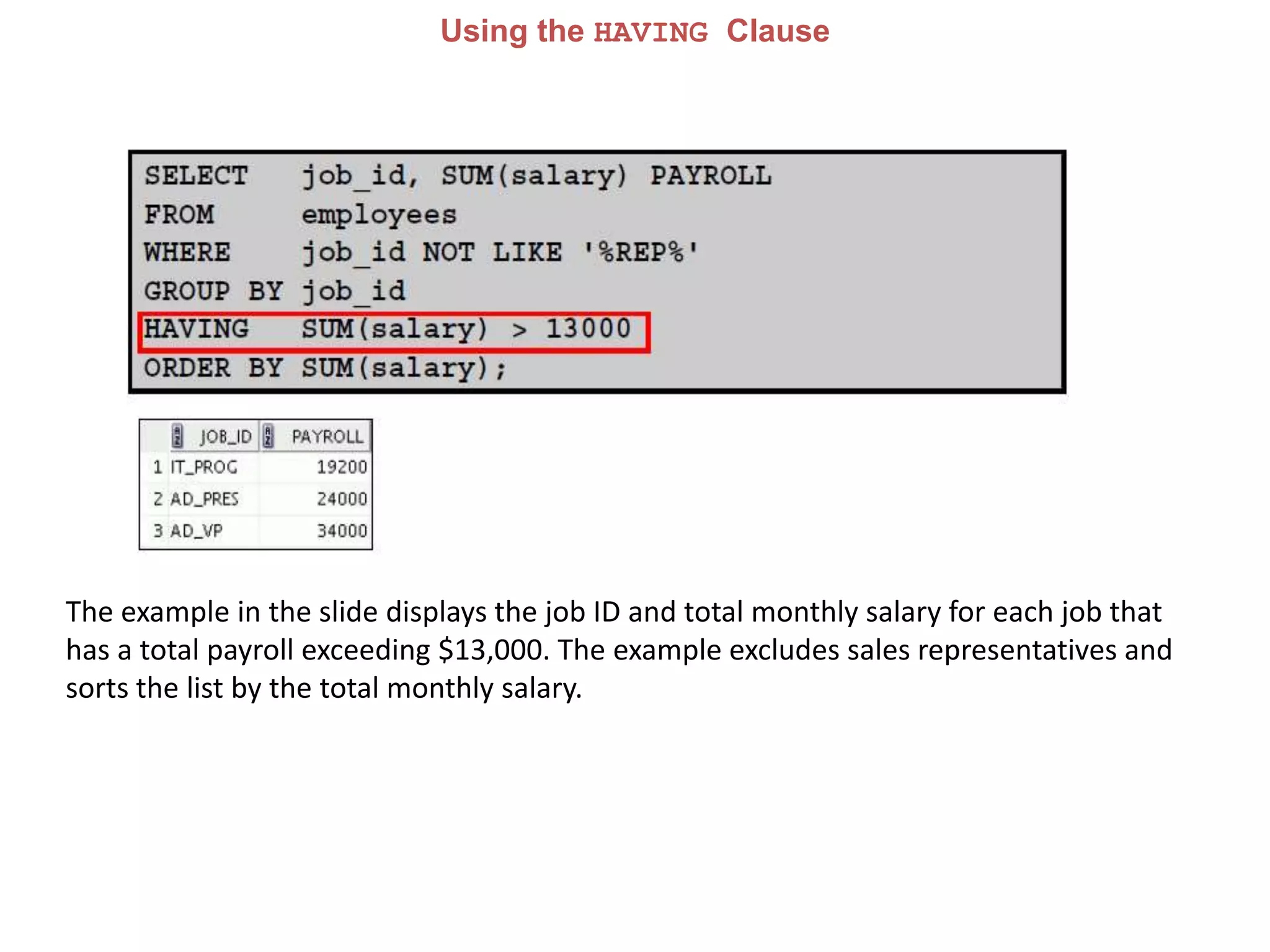
The example in the slide displays the job ID and total monthly salary for each job that
has a total payroll exceeding $13,000. The example excludes sales representatives and
sorts the list by the total monthly salary.
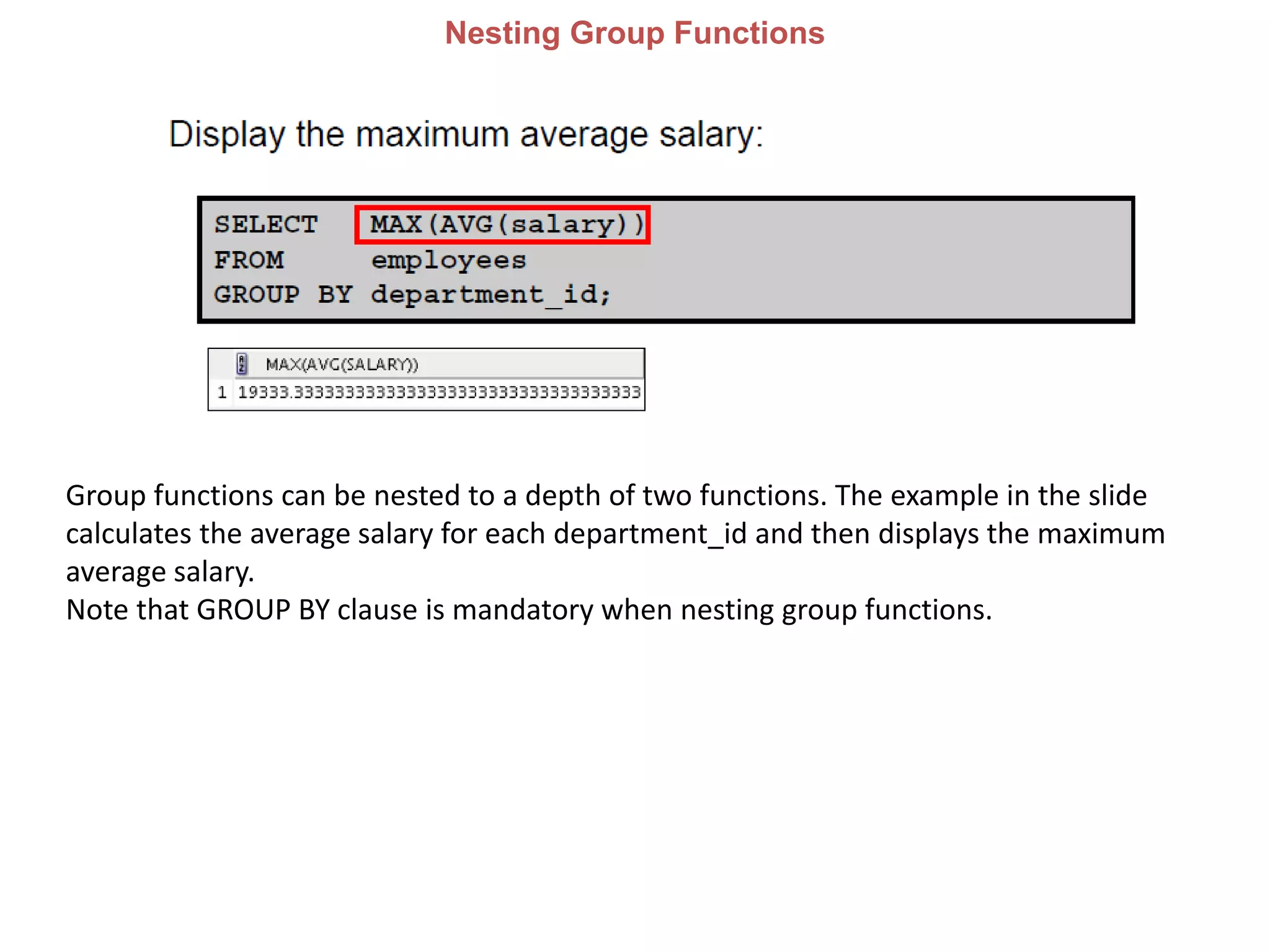
Nesting Group Functions
Group functions can be nested to a depth of two functions. The example in the slide
calculates the average salary for each department_id and then displays the maximum
average salary.
Note that GROUP BY clause is mandatory when nesting group functions.
JOIN
Chepter-7 Displaying Data From Multiple Tables Using Joins
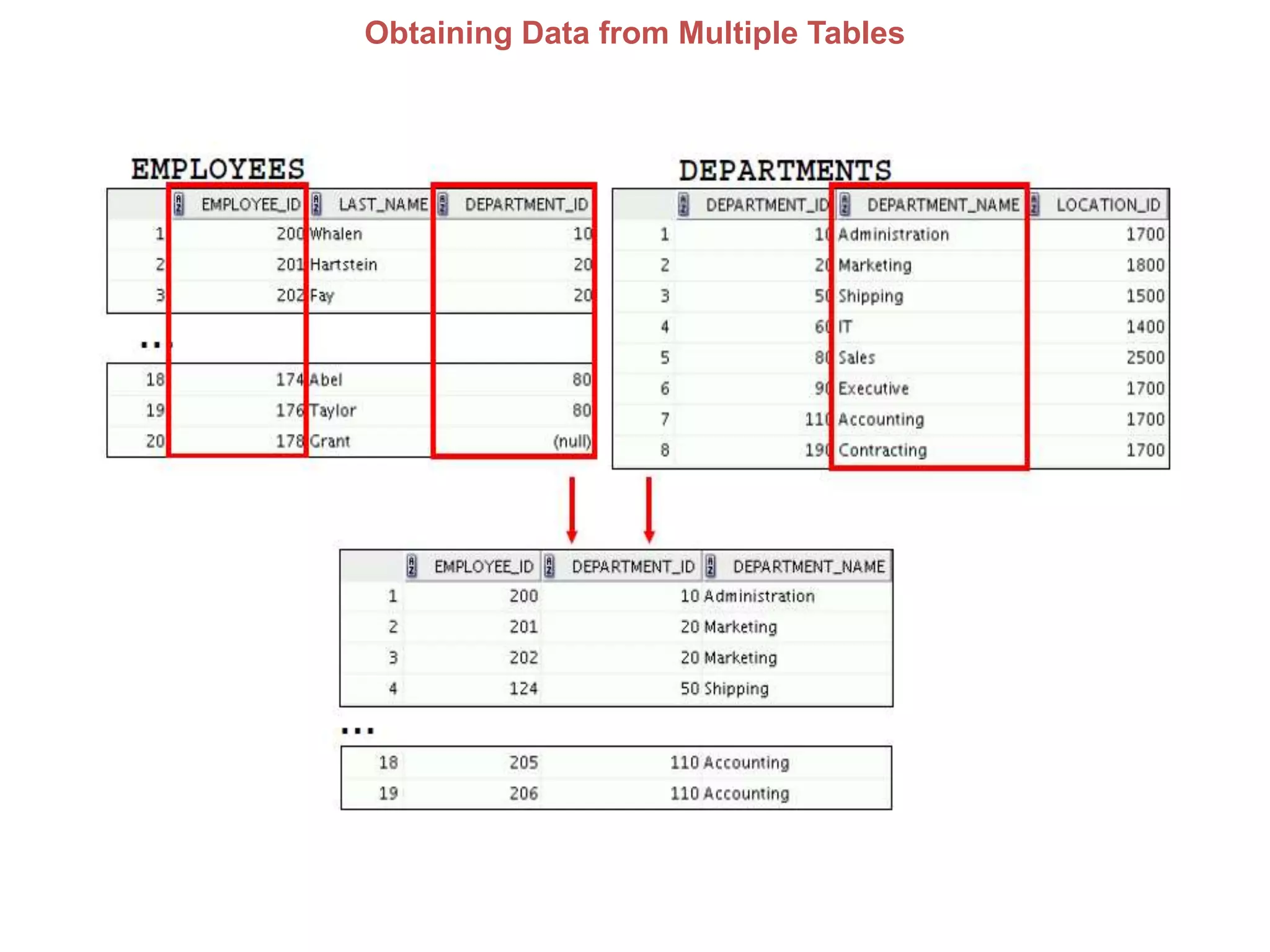
Obtaining Data from Multiple Tables
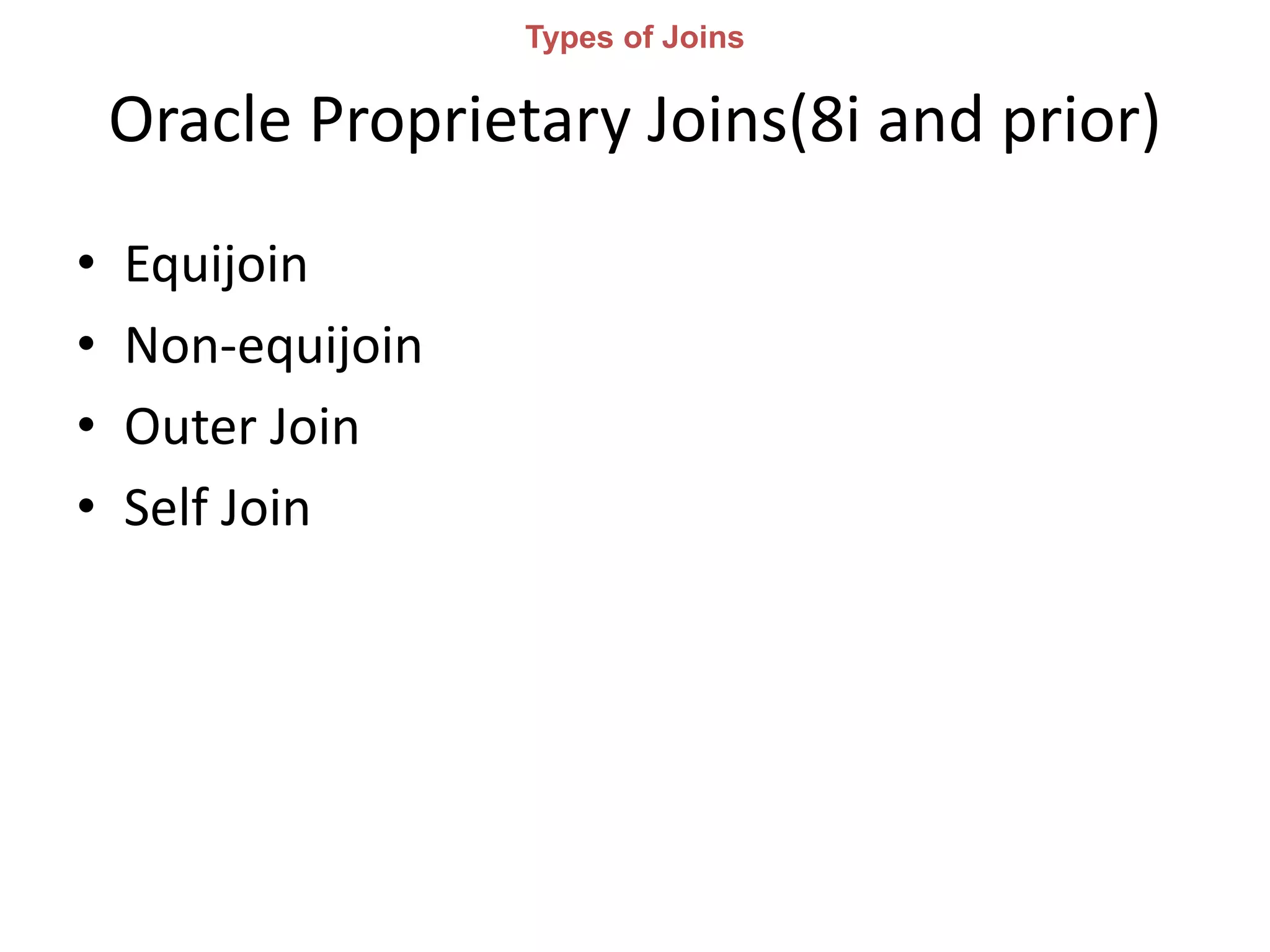
Oracle Proprietary Joins(8i and prior)
• Equijoin
• Non-equijoin
• Outer Join
• Self Join
Types of Joins
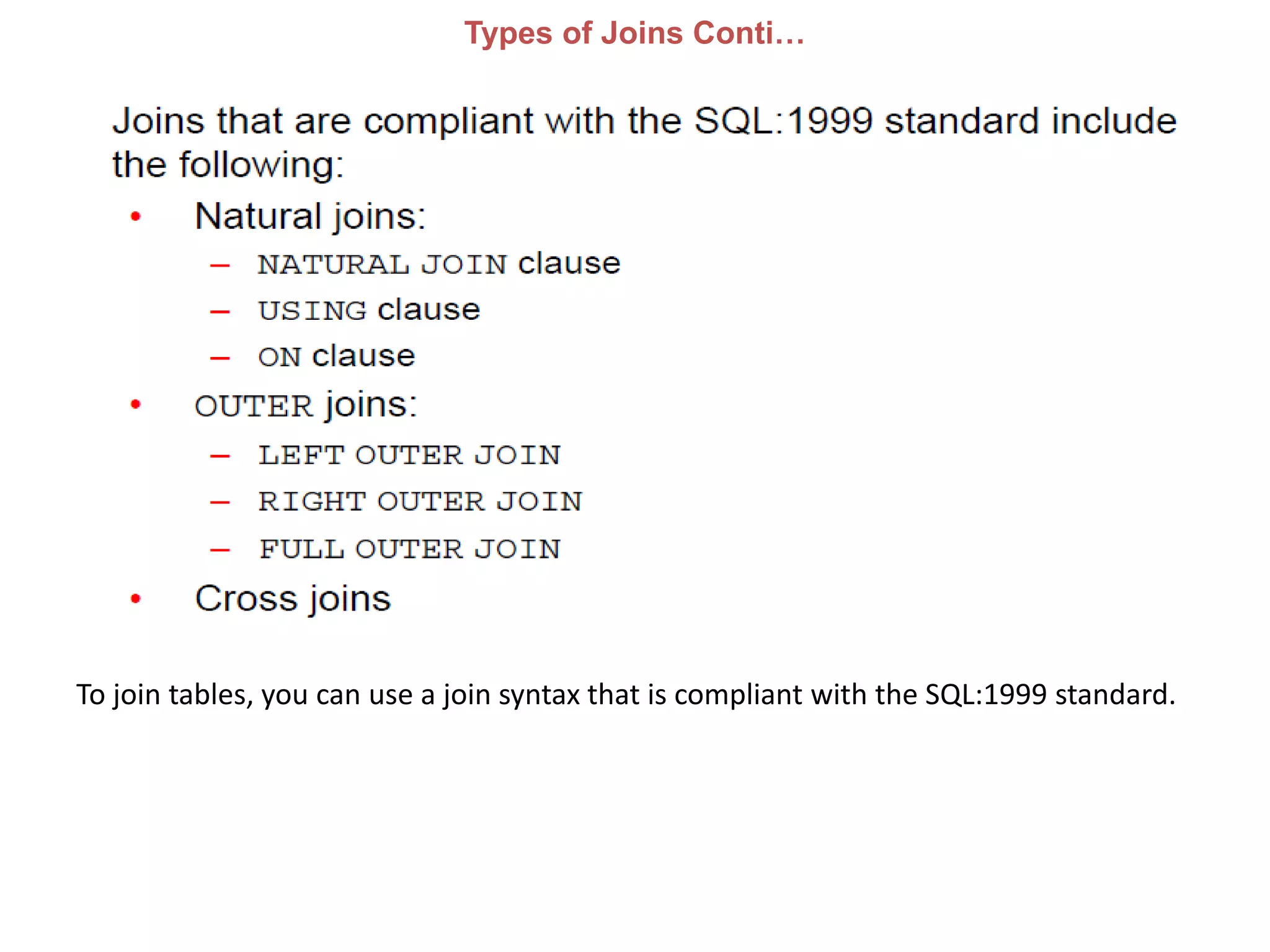
Types of Joins Conti…
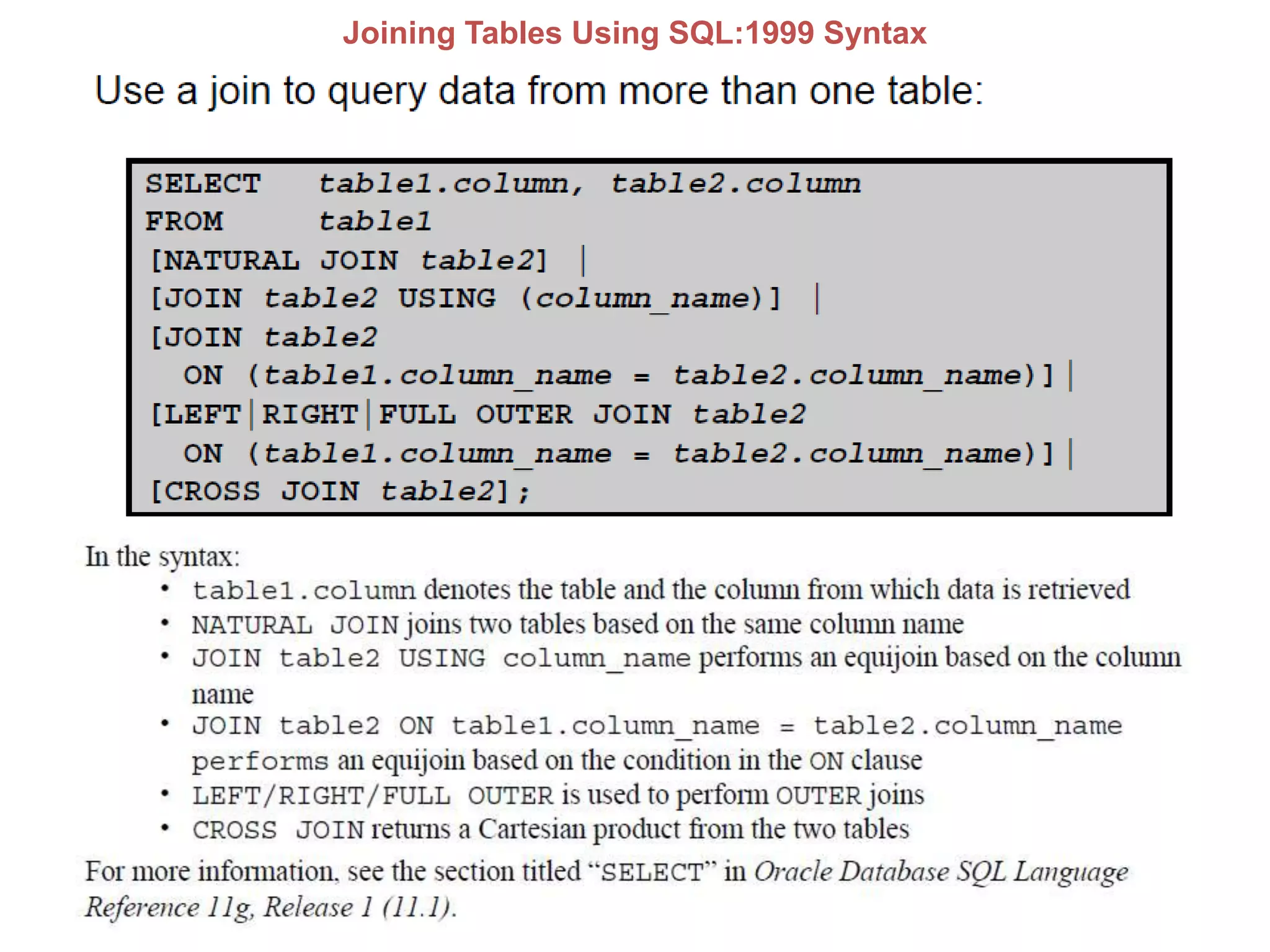
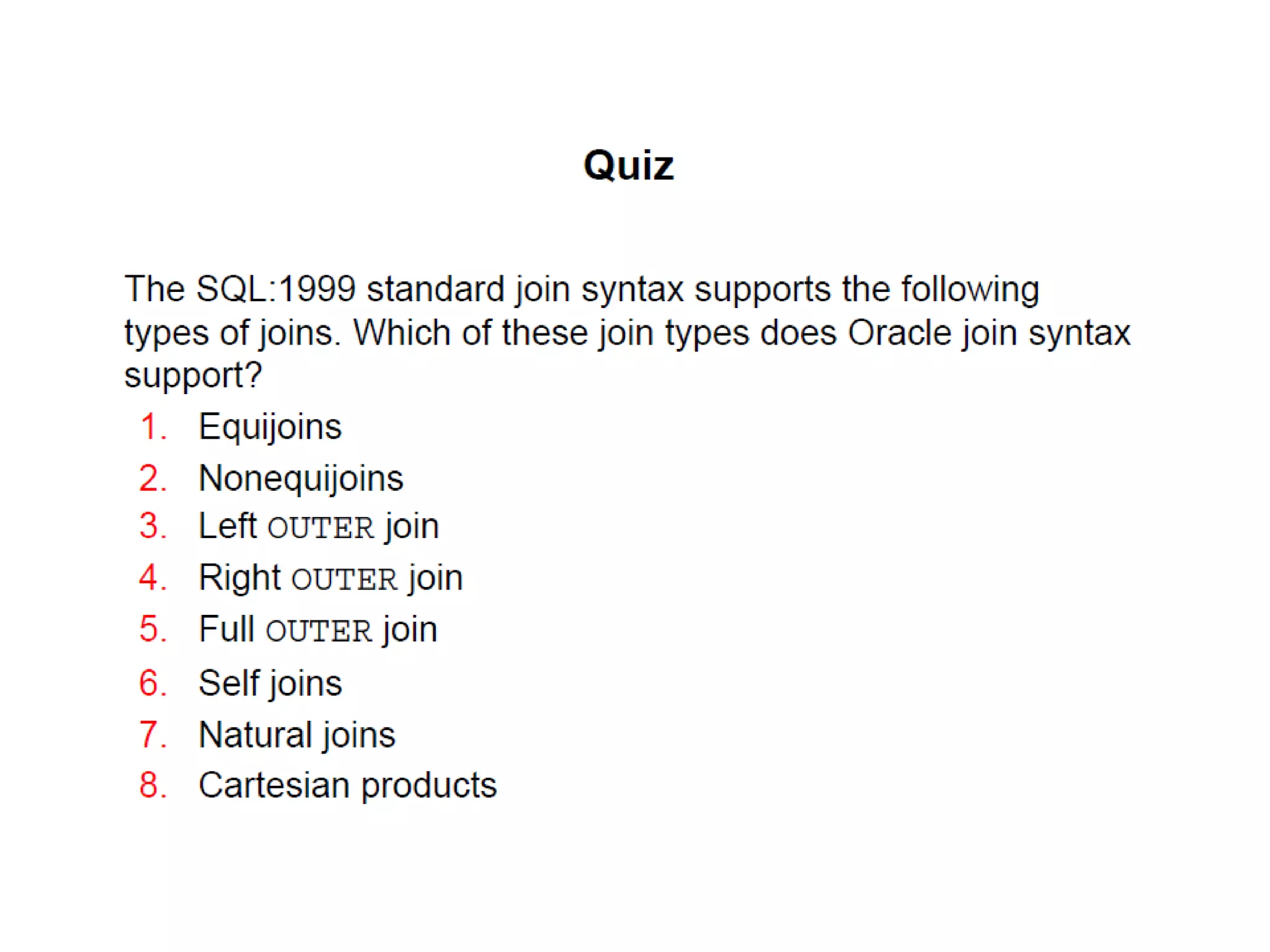
To join tables, you can use a join syntax that is compliant with the SQL:1999 standard.
Joining Tables Using SQL:1999 Syntax
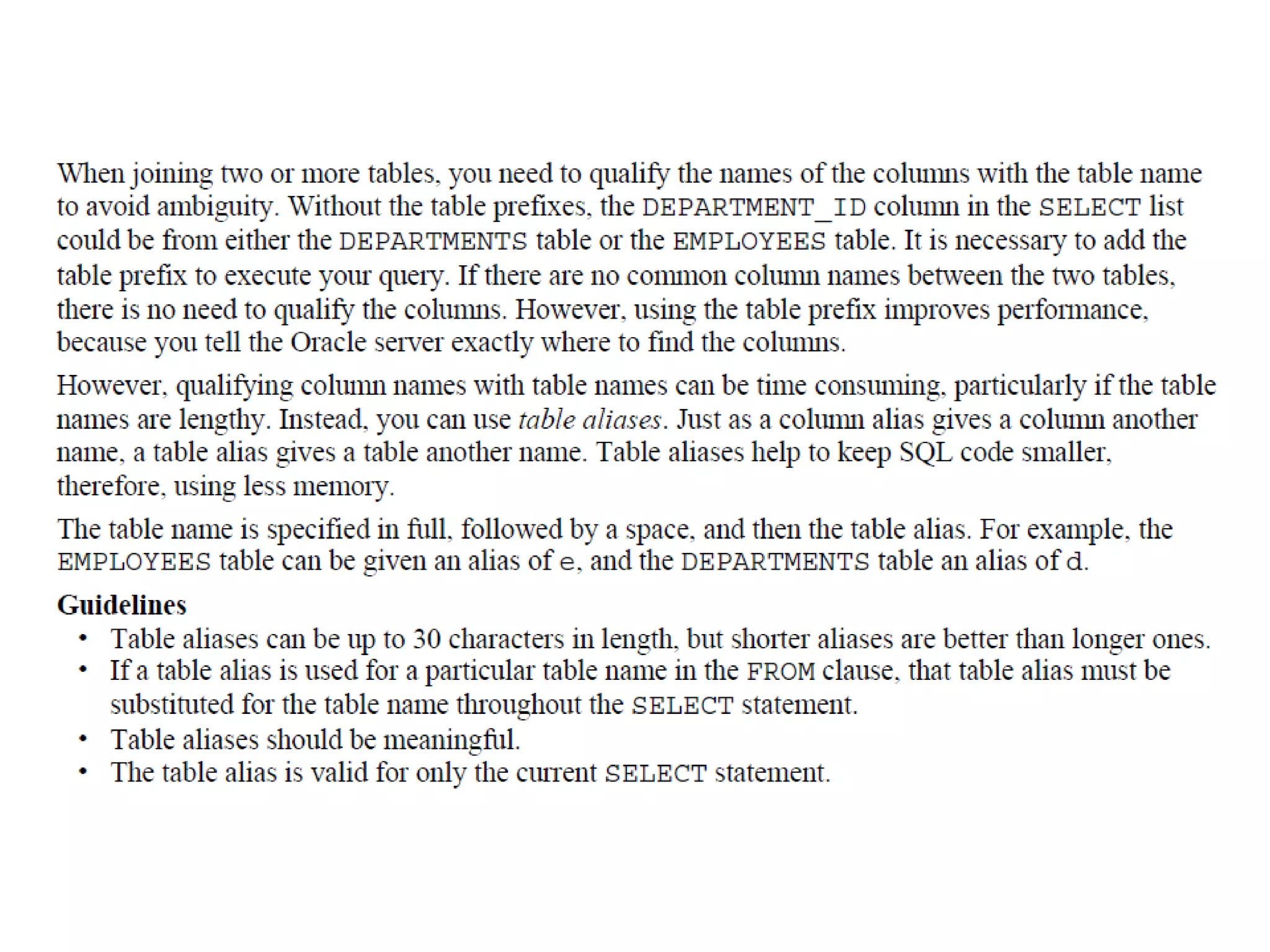
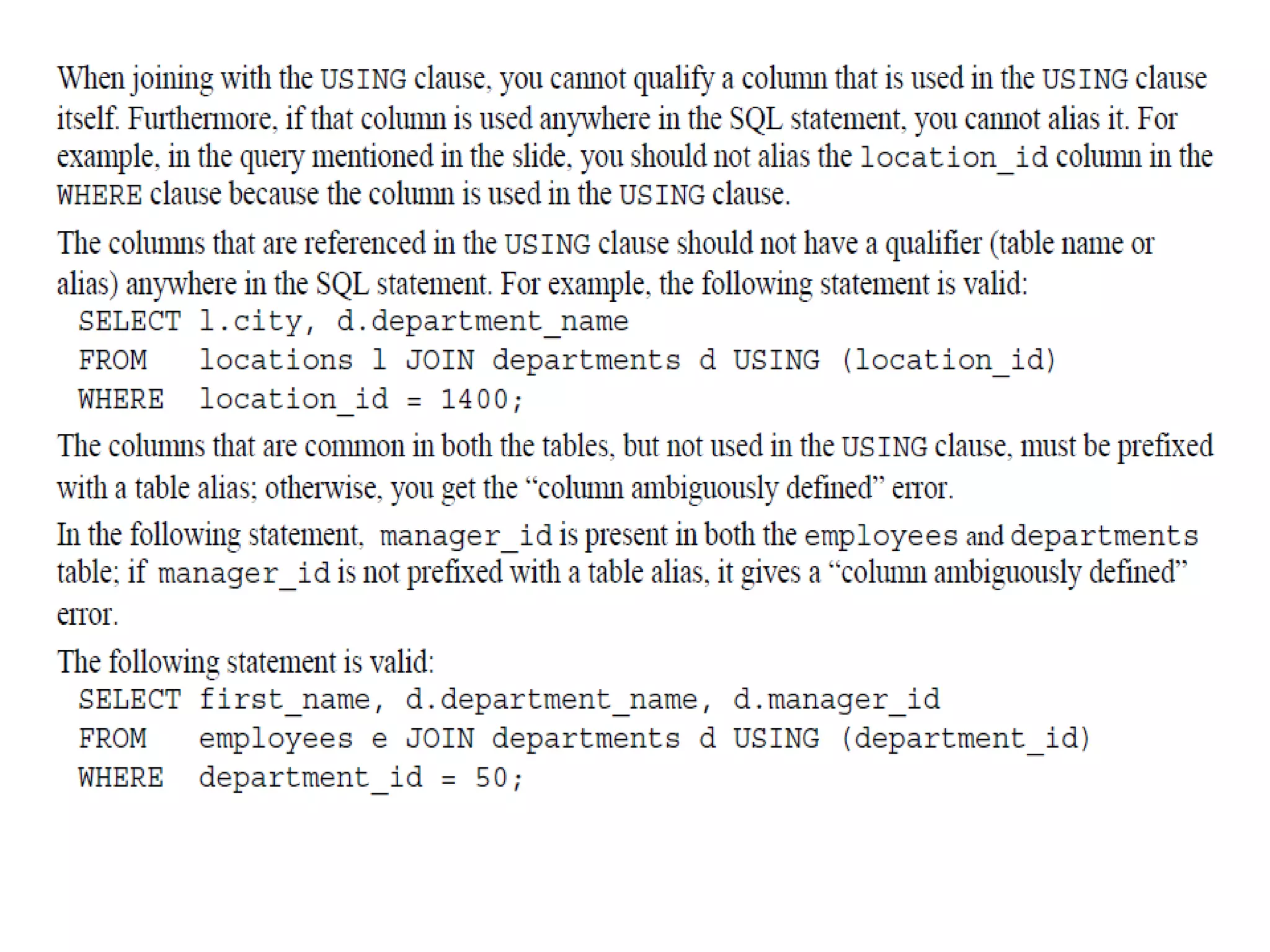
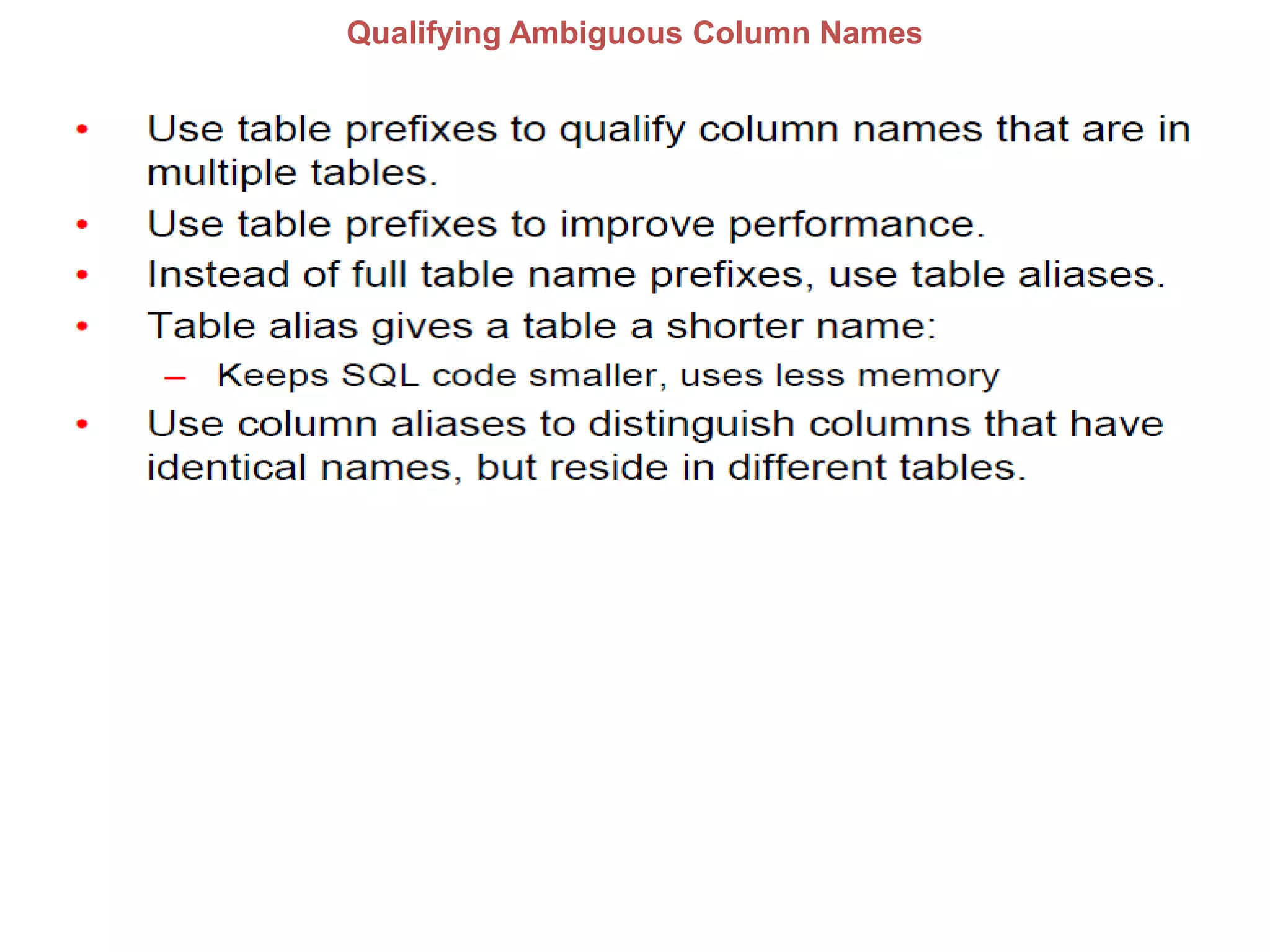
Qualifying Ambiguous Column Names
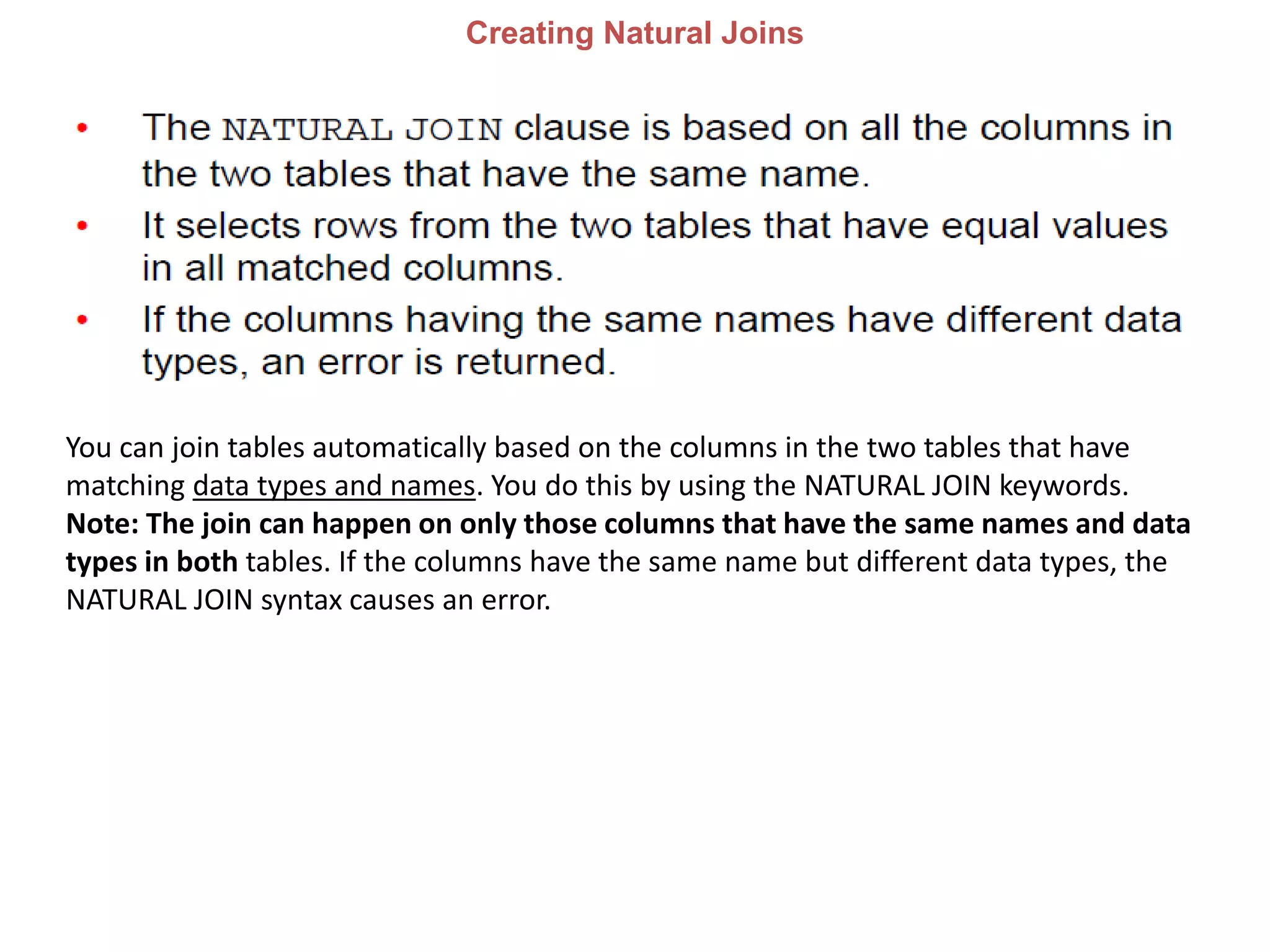
Creating Natural Joins
You can join tables automatically based on the columns in the two tables that have
matching data types and names. You do this by using the NATURAL JOIN keywords.
Note: The join can happen on only those columns that have the same names and data
types in both tables. If the columns have the same name but different data types, the
NATURAL JOIN syntax causes an error.
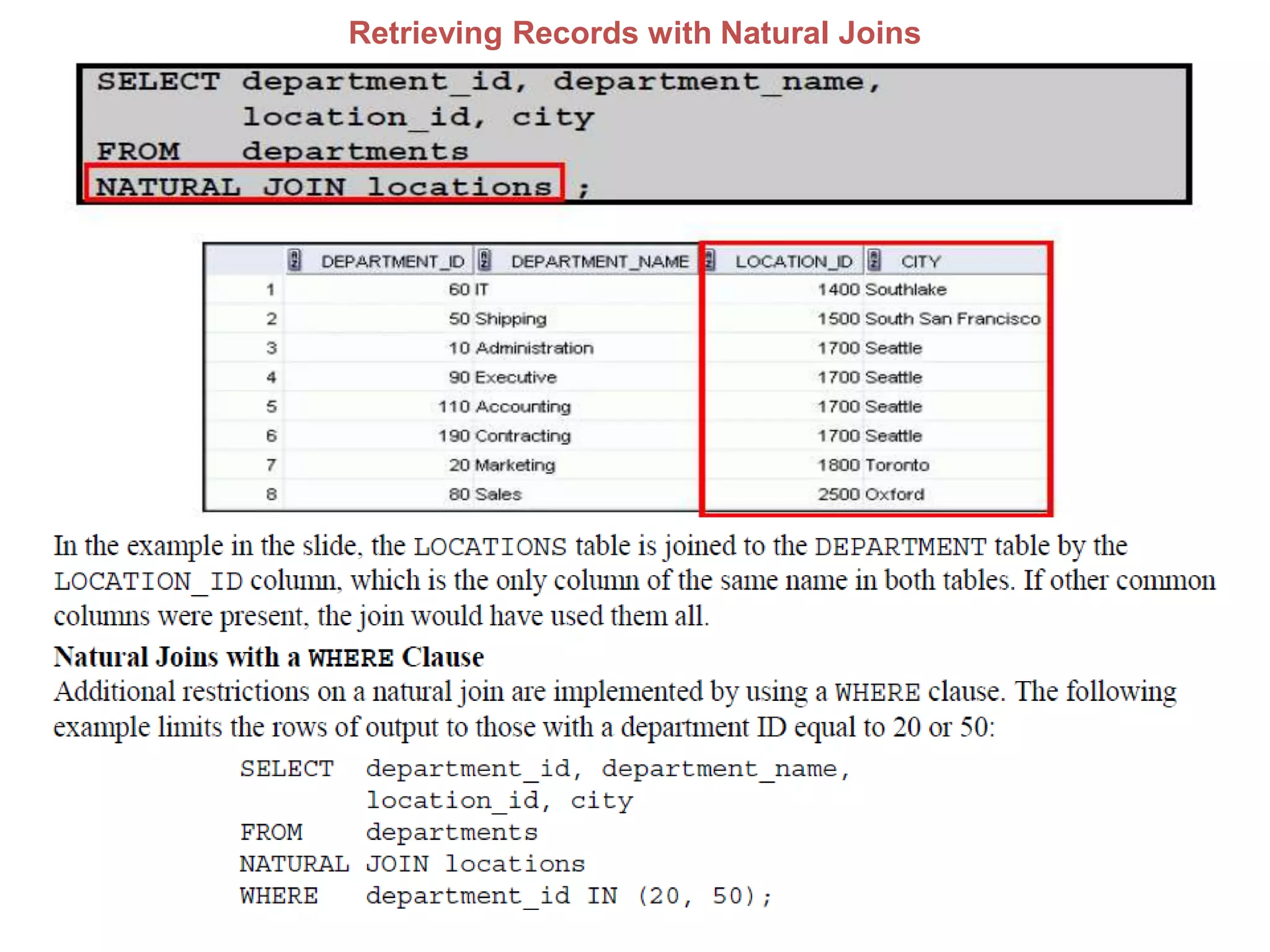
Retrieving Records with Natural Joins
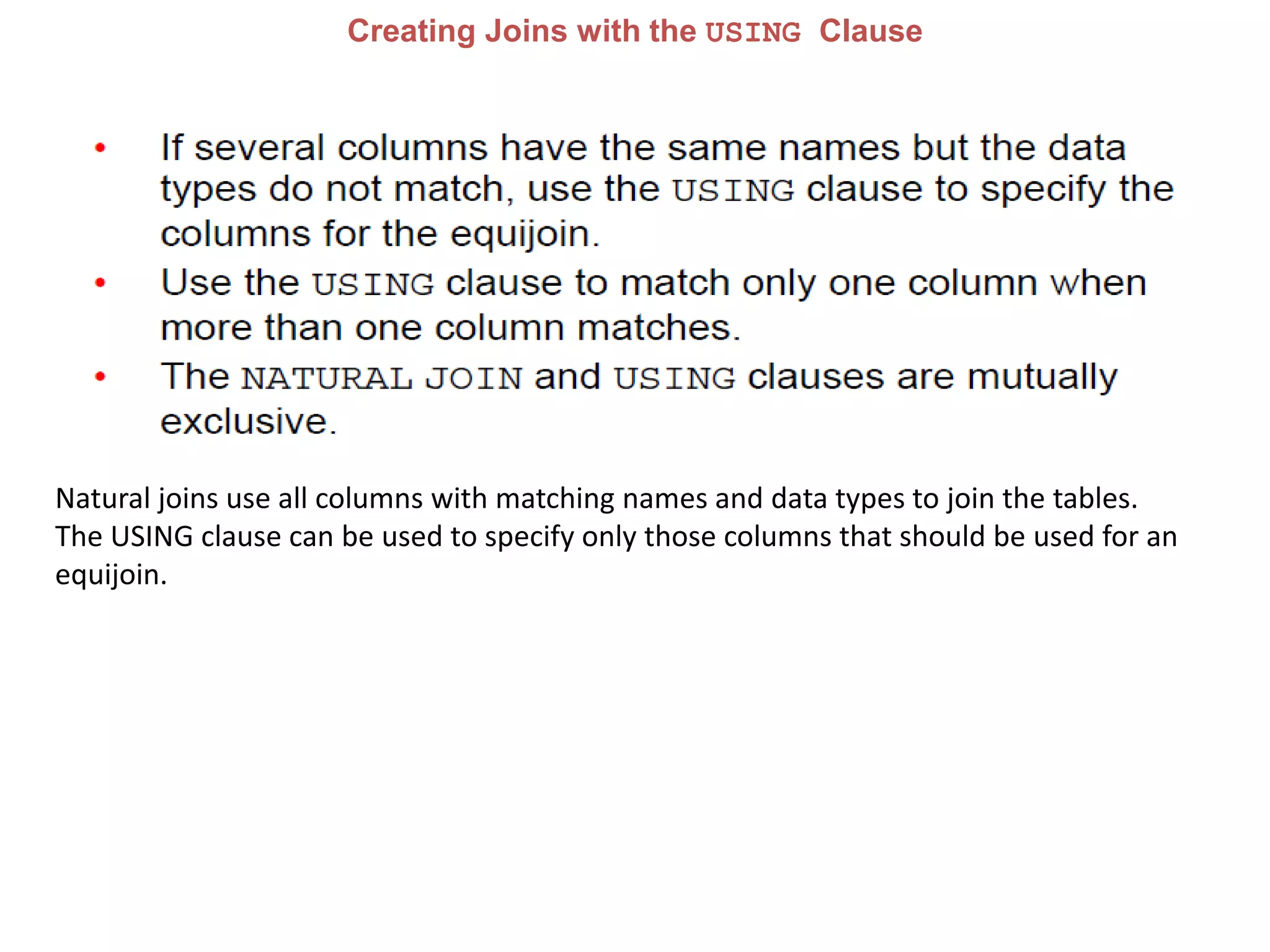
Creating Joins with the USING Clause
Natural joins use all columns with matching names and data types to join the tables.
The USING clause can be used to specify only those columns that should be used for an
equijoin.
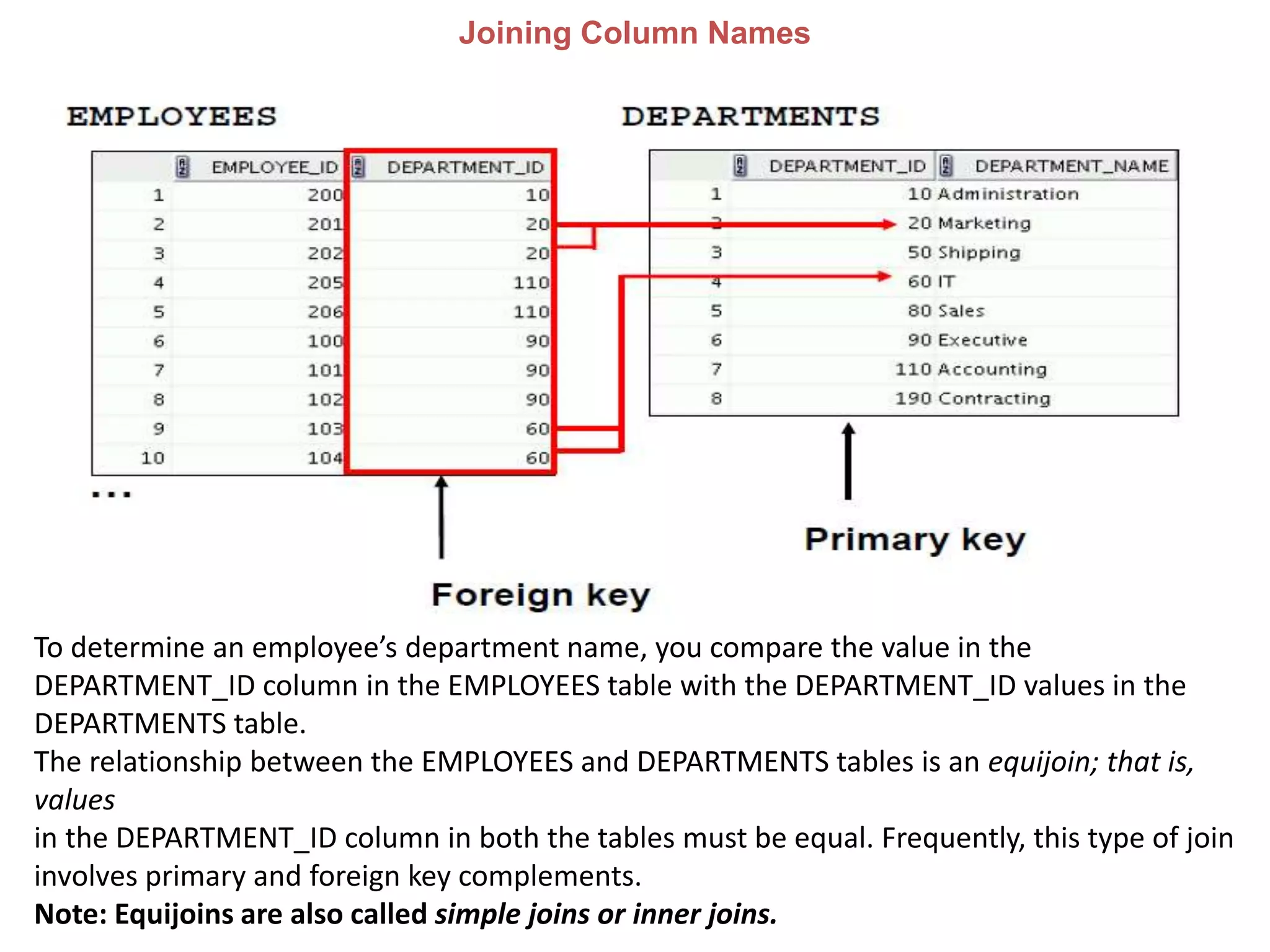
Joining Column Names
To determine an employee’s department name, you compare the value in the
DEPARTMENT_ID column in the EMPLOYEES table with the DEPARTMENT_ID values in the
DEPARTMENTS table.
The relationship between the EMPLOYEES and DEPARTMENTS tables is an equijoin; that is,
values
in the DEPARTMENT_ID column in both the tables must be equal. Frequently, this type of join
involves primary and foreign key complements.
Note: Equijoins are also called simple joins or inner joins.
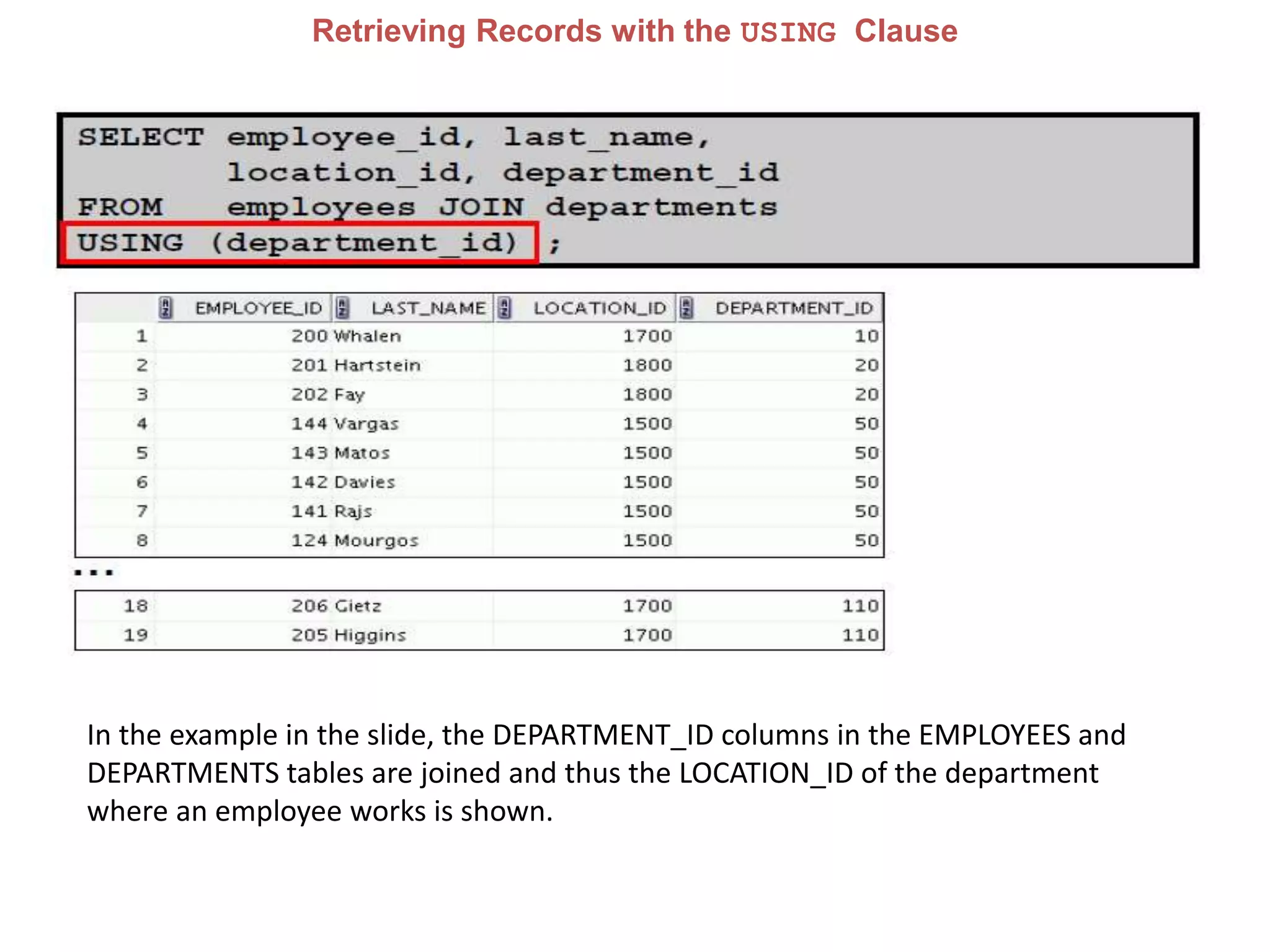
Retrieving Records with the USING Clause
In the example in the slide, the DEPARTMENT_ID columns in the EMPLOYEES and
DEPARTMENTS tables are joined and thus the LOCATION_ID of the department
where an employee works is shown.
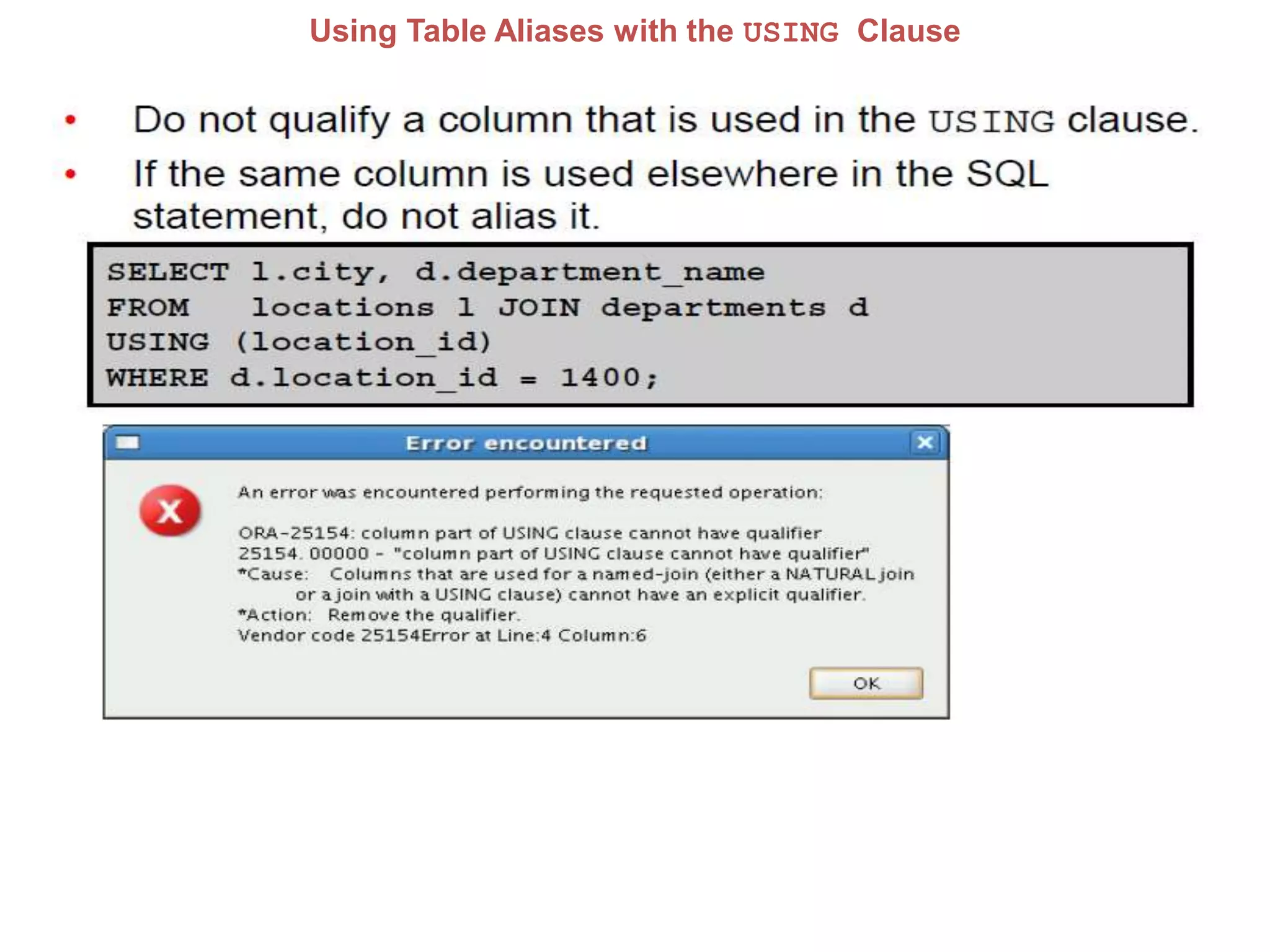
Using Table Aliases with the USING Clause
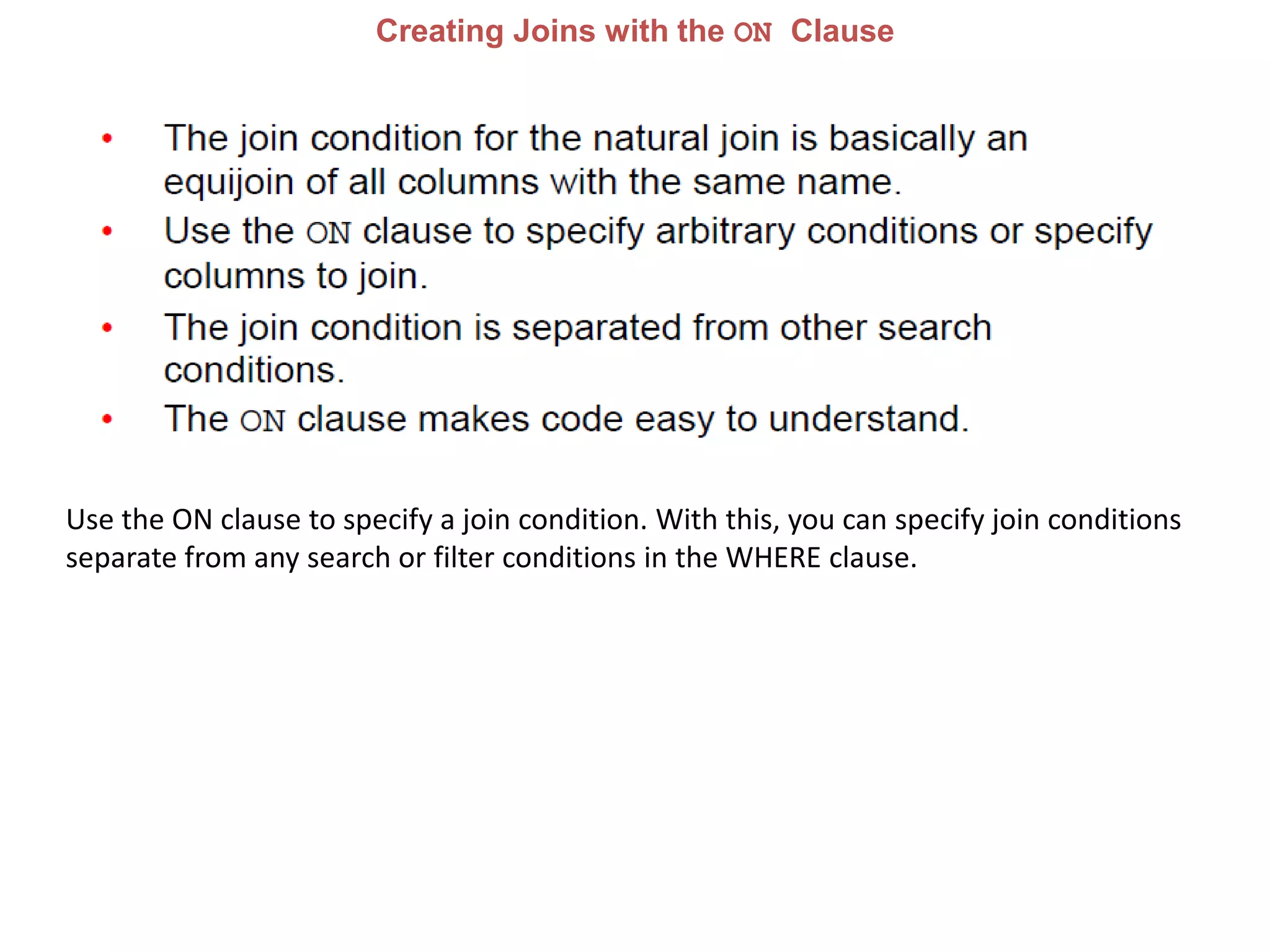
Creating Joins with the ON Clause
Use the ON clause to specify a join condition. With this, you can specify join conditions
separate from any search or filter conditions in the WHERE clause.
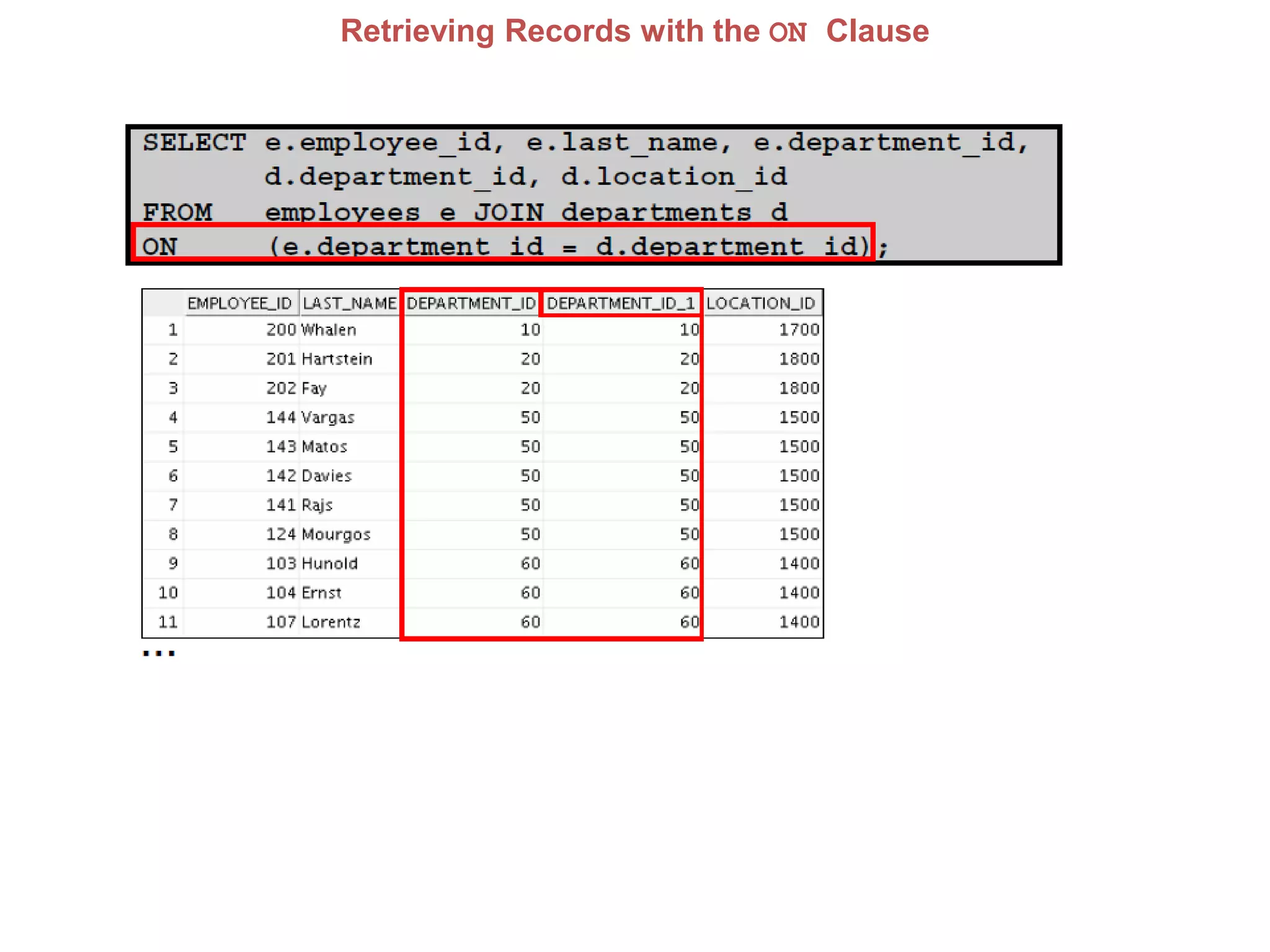
Retrieving Records with the ON Clause
In this example, the DEPARTMENT_ID columns in the EMPLOYEES and DEPARTMENTS
table are joined using the ON clause.
Wherever a department ID in the EMPLOYEES table equals a department ID in the
DEPARTMENTS table, the row is returned. The table alias is necessary to qualify the
matching column_names.
You can also use the ON clause to join columns that have different names.
The parenthesis around the joined columns, as in the example in the slide,
(e.department_id = d.department_id) is optional. So, even ON e.department_id =
d.department_id will work.
Note: When you use the Execute Statement icon to run the query, SQL Developer
suffixes a ‘_1’ to differentiate between the two department_ids.
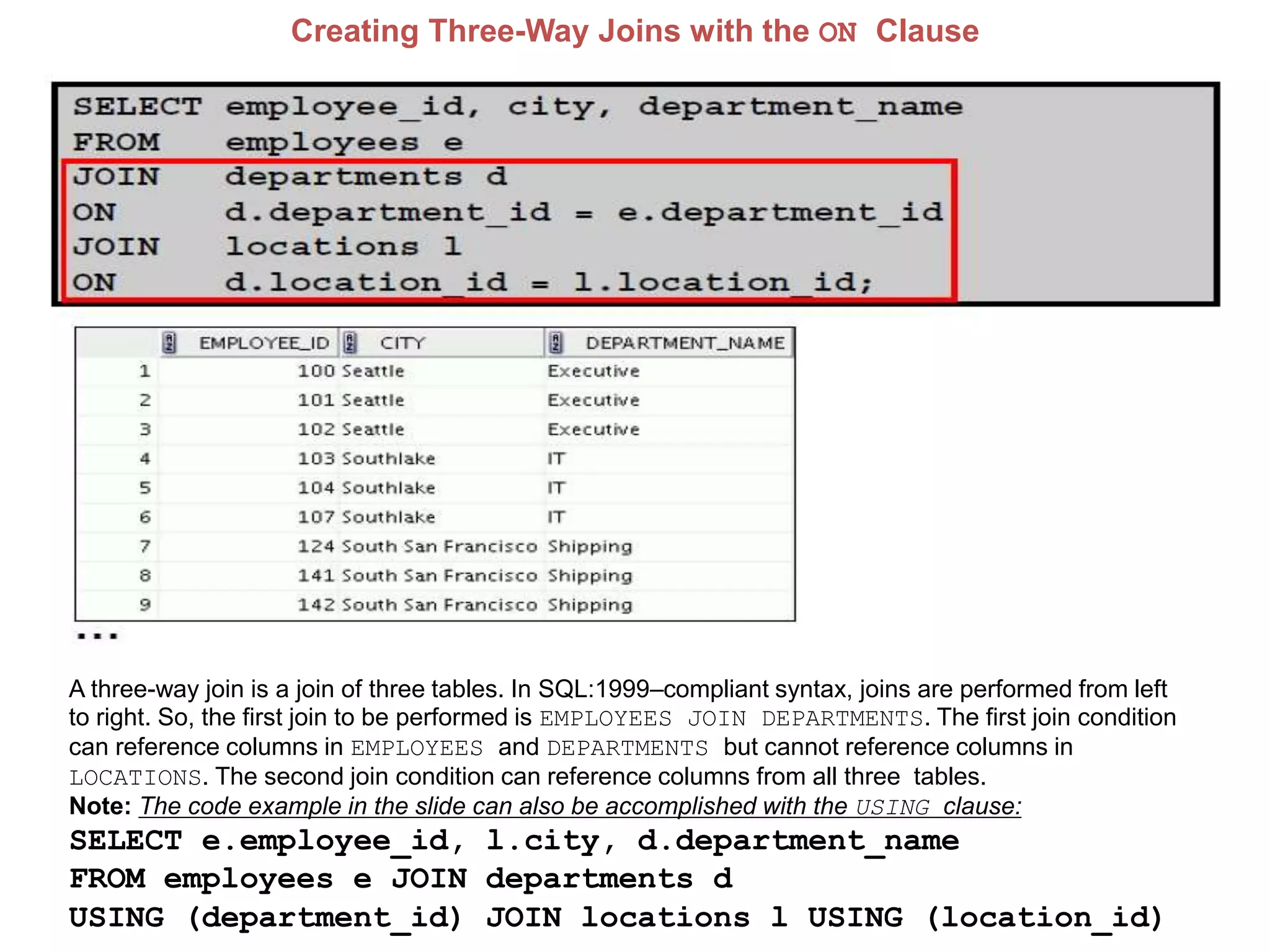
Creating Three-Way Joins with the ON Clause
A three-way join is a join of three tables. In SQL:1999–compliant syntax, joins are performed from left
to right. So, the first join to be performed is EMPLOYEES JOIN DEPARTMENTS. The first join condition
can reference columns in EMPLOYEES and DEPARTMENTS but cannot reference columns in
LOCATIONS. The second join condition can reference columns from all three tables.
Note: The code example in the slide can also be accomplished with the USING clause:
SELECT e.employee_id, l.city, d.department_name
FROM employees e JOIN departments d
USING (department_id) JOIN locations l USING (location_id)
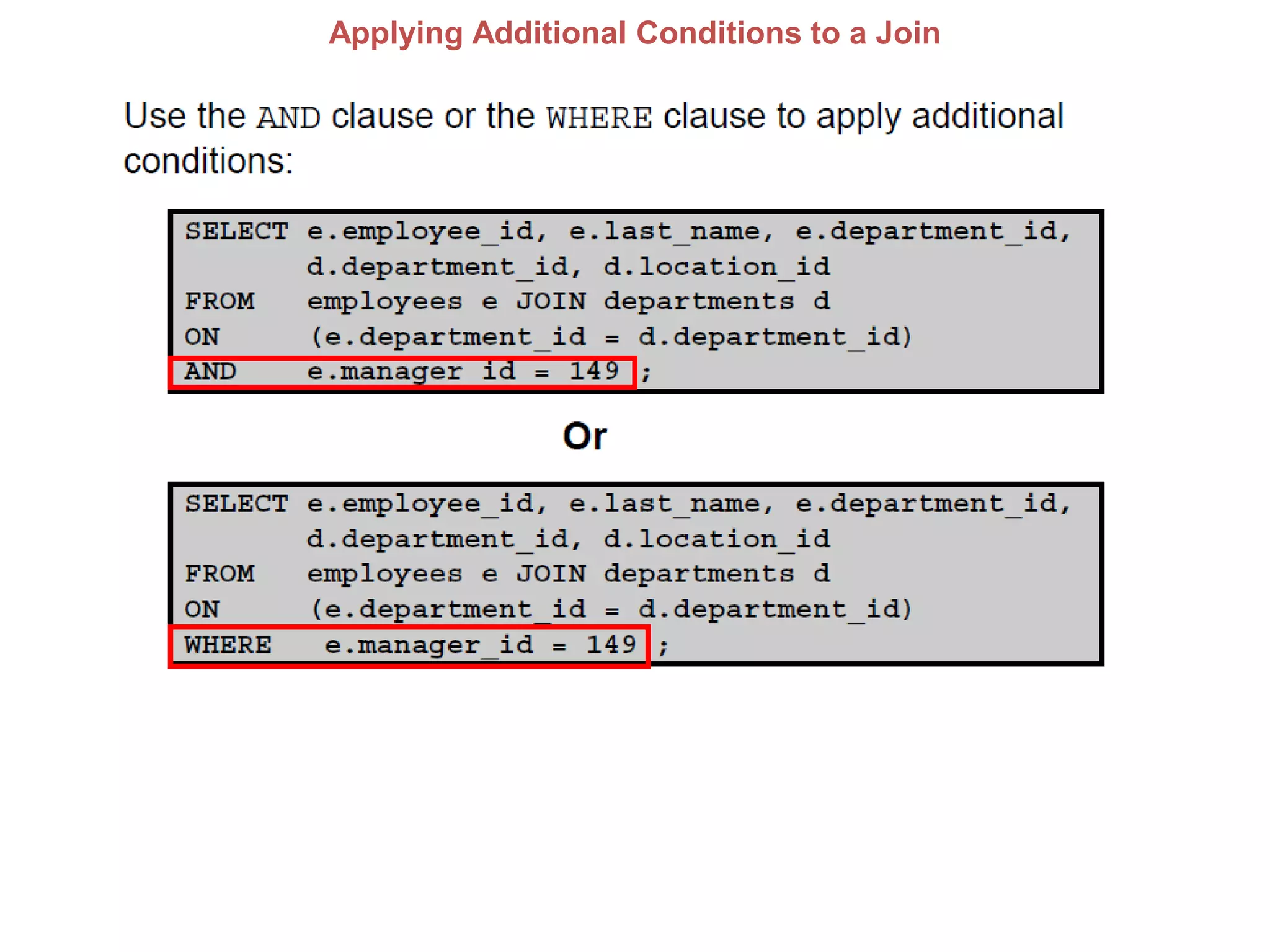
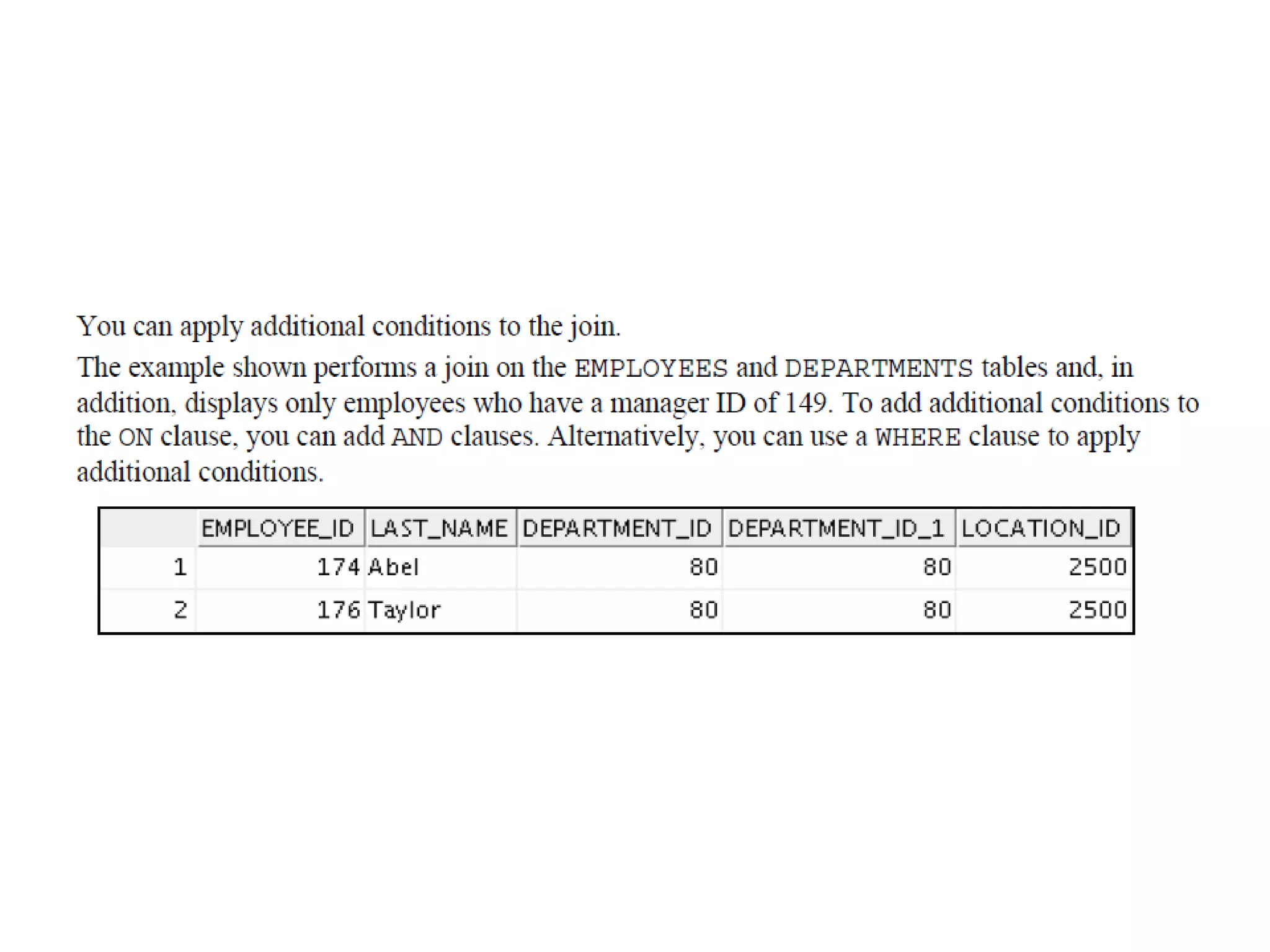
Applying Additional Conditions to a Join
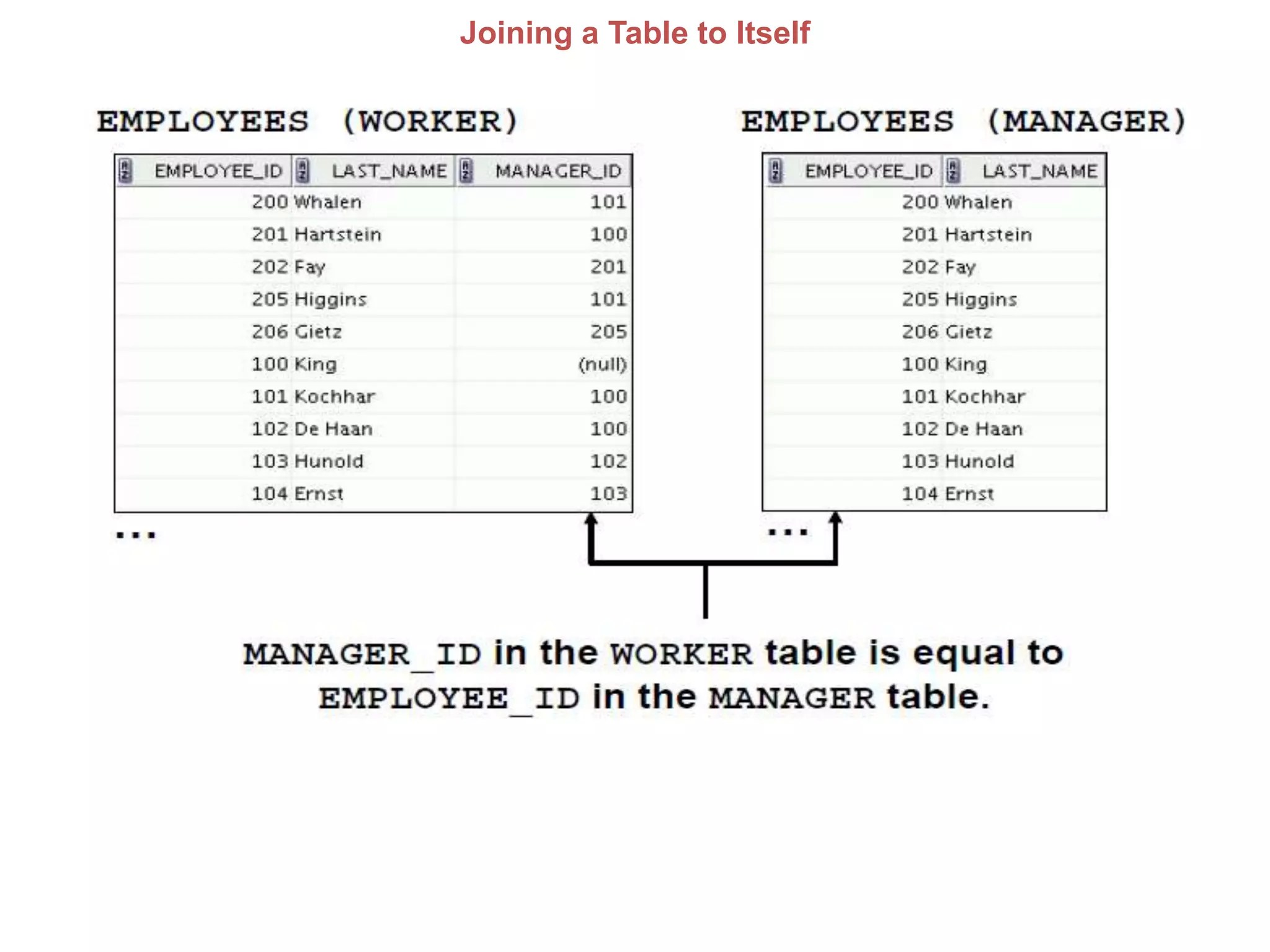
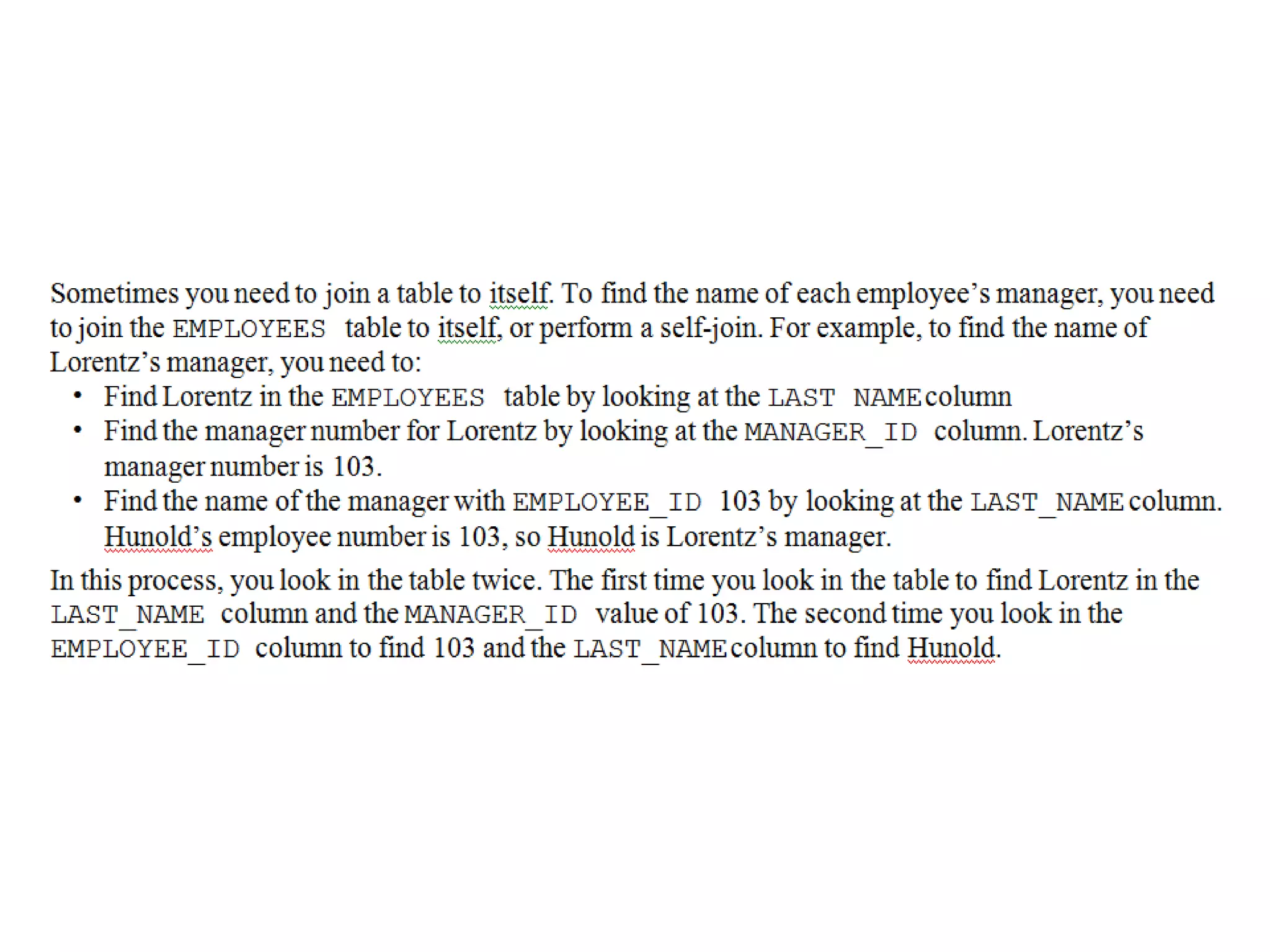
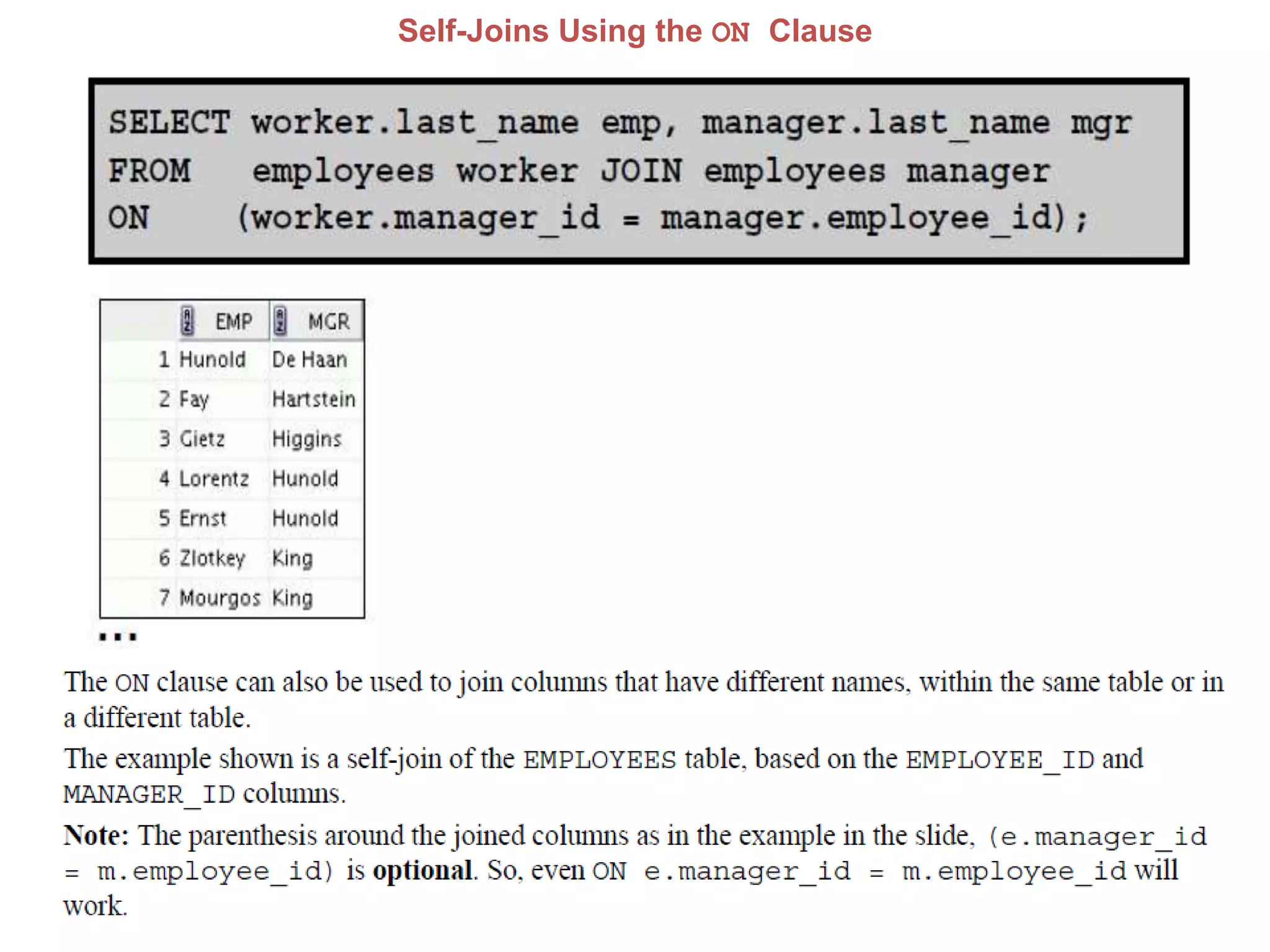
Joining a Table to Itself
Self-Joins Using the ON Clause
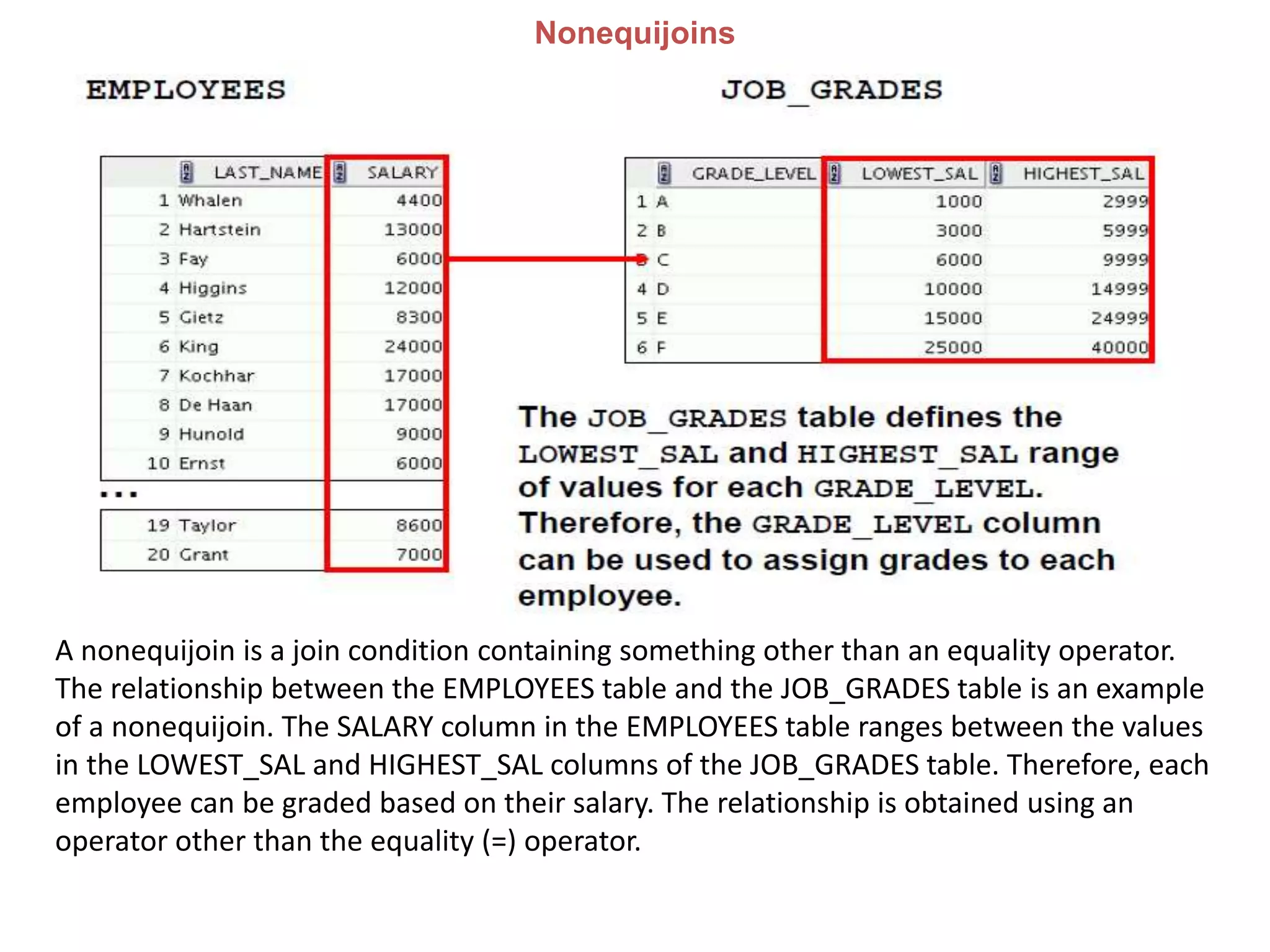
Nonequijoins
A nonequijoin is a join condition containing something other than an equality operator.
The relationship between the EMPLOYEES table and the JOB_GRADES table is an example
of a nonequijoin. The SALARY column in the EMPLOYEES table ranges between the values
in the LOWEST_SAL and HIGHEST_SAL columns of the JOB_GRADES table. Therefore, each
employee can be graded based on their salary. The relationship is obtained using an
operator other than the equality (=) operator.
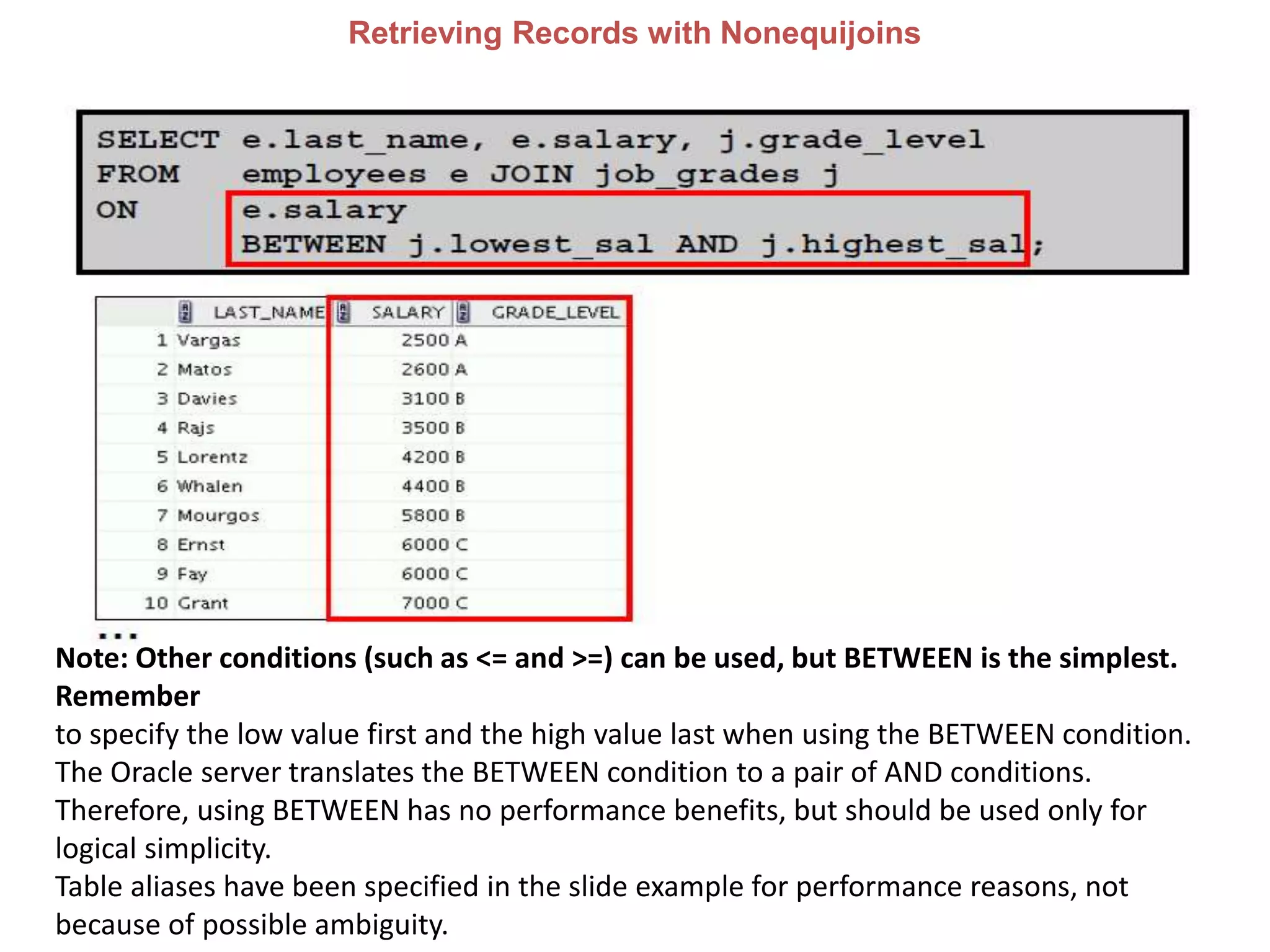
Retrieving Records with Nonequijoins
Note: Other conditions (such as <= and >=) can be used, but BETWEEN is the simplest.
Remember
to specify the low value first and the high value last when using the BETWEEN condition.
The Oracle server translates the BETWEEN condition to a pair of AND conditions.
Therefore, using BETWEEN has no performance benefits, but should be used only for
logical simplicity.
Table aliases have been specified in the slide example for performance reasons, not
because of possible ambiguity.
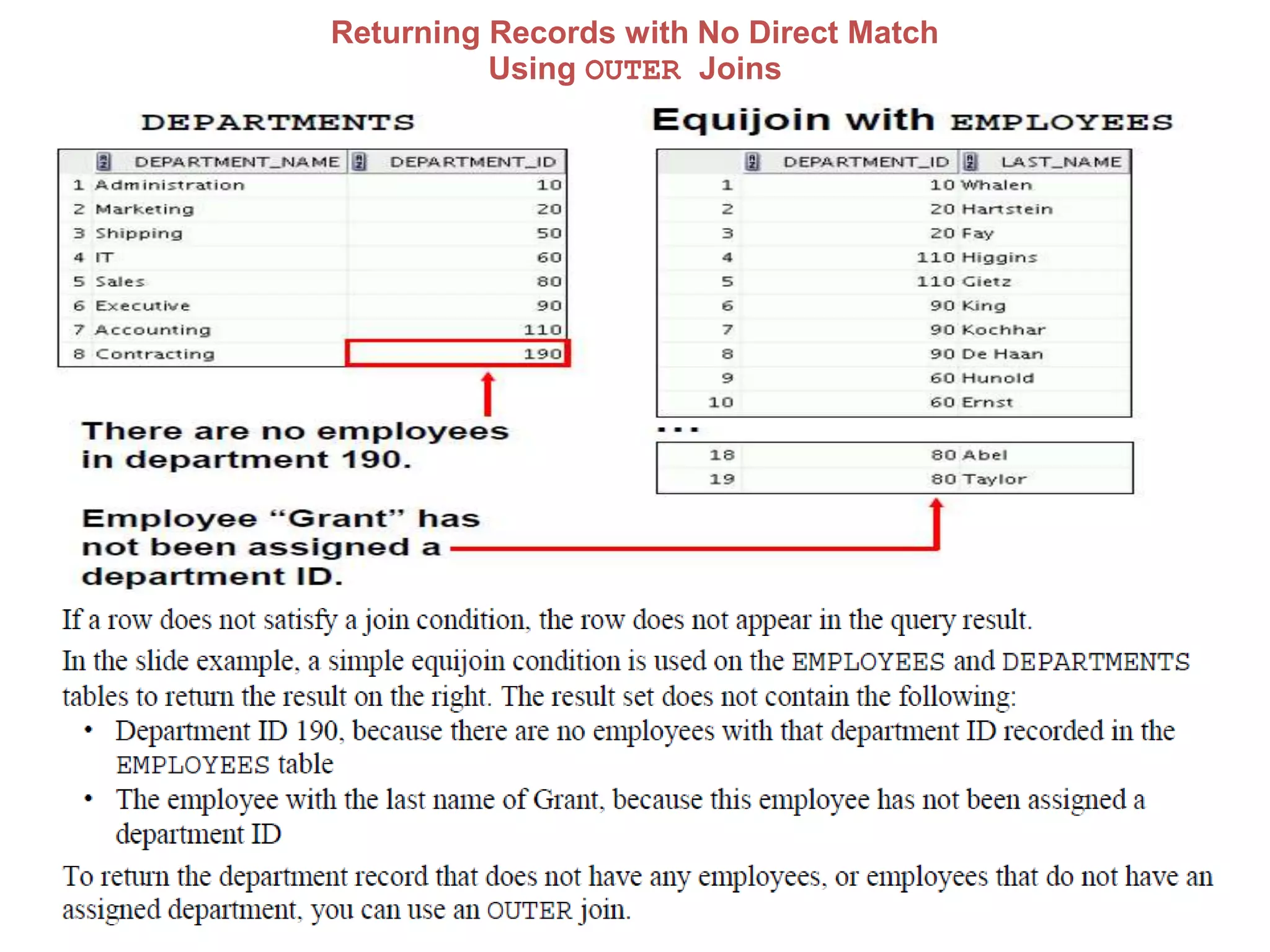
Returning Records with No Direct Match
Using OUTER Joins
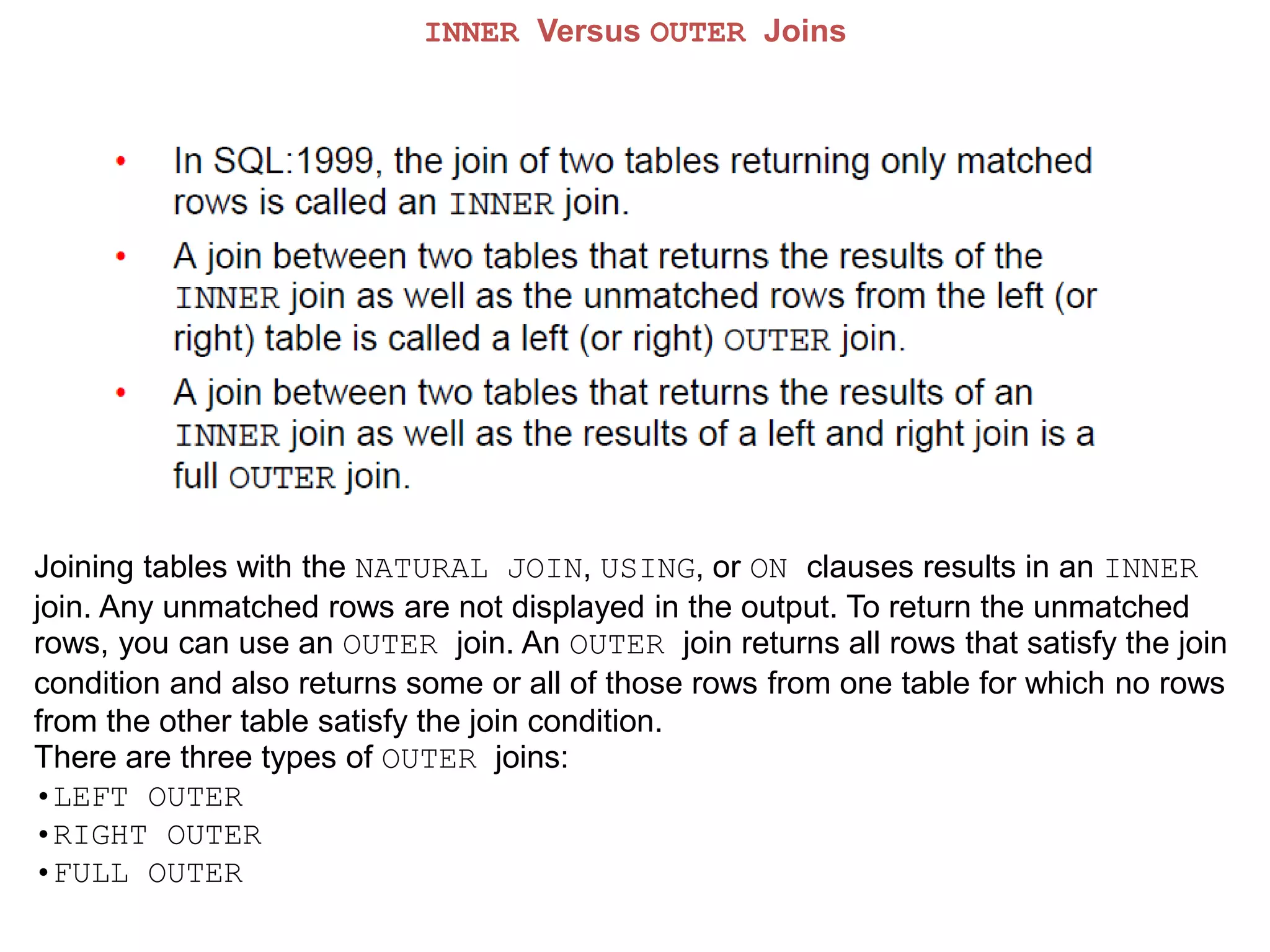
INNER Versus OUTER Joins
Joining tables with the NATURAL JOIN, USING, or ON clauses results in an INNER
join. Any unmatched rows are not displayed in the output. To return the unmatched
rows, you can use an OUTER join. An OUTER join returns all rows that satisfy the join
condition and also returns some or all of those rows from one table for which no rows
from the other table satisfy the join condition.
There are three types of OUTER joins:
•LEFT OUTER
•RIGHT OUTER
•FULL OUTER
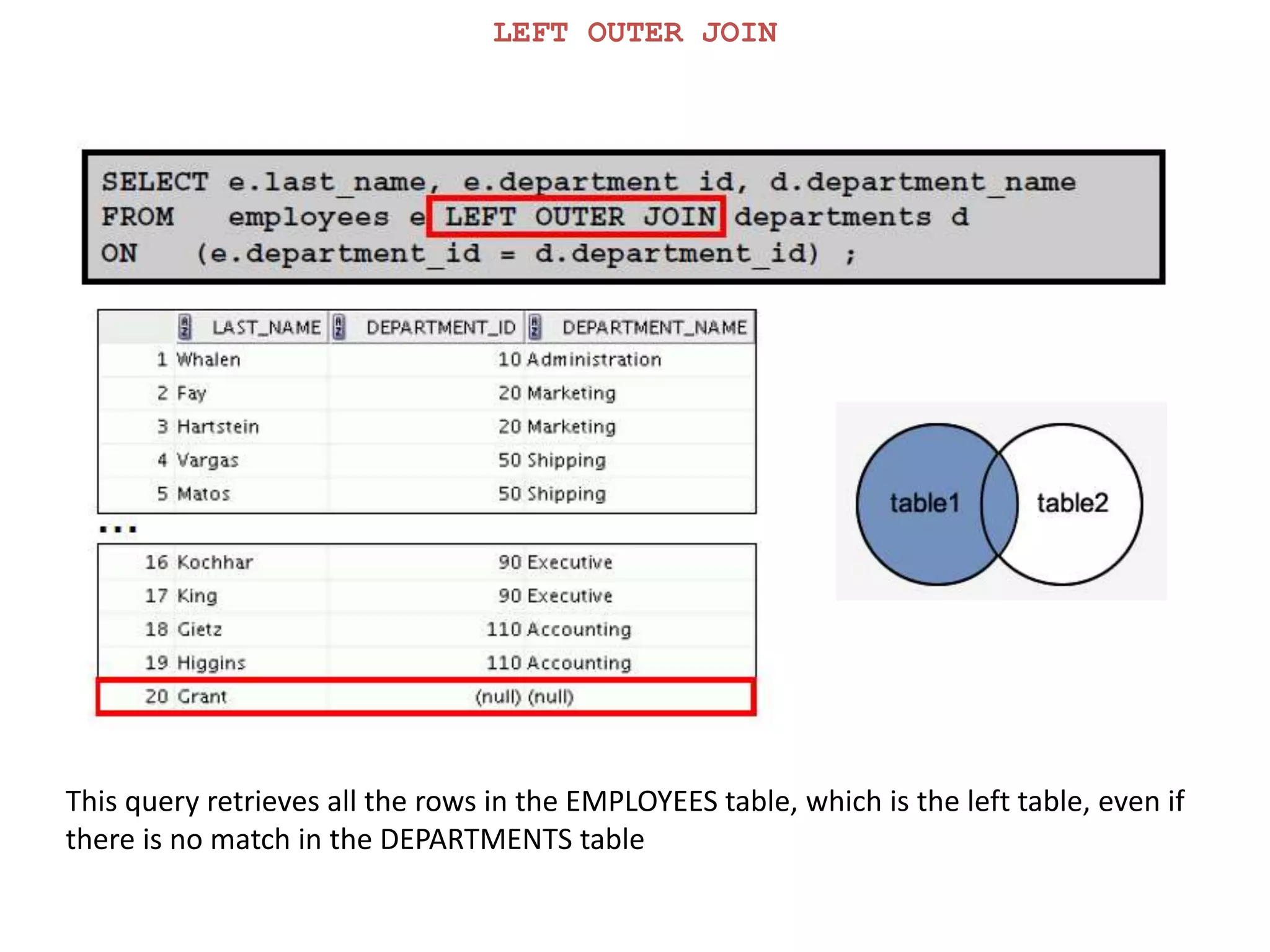
LEFT OUTER JOIN
This query retrieves all the rows in the EMPLOYEES table, which is the left table, even if
there is no match in the DEPARTMENTS table
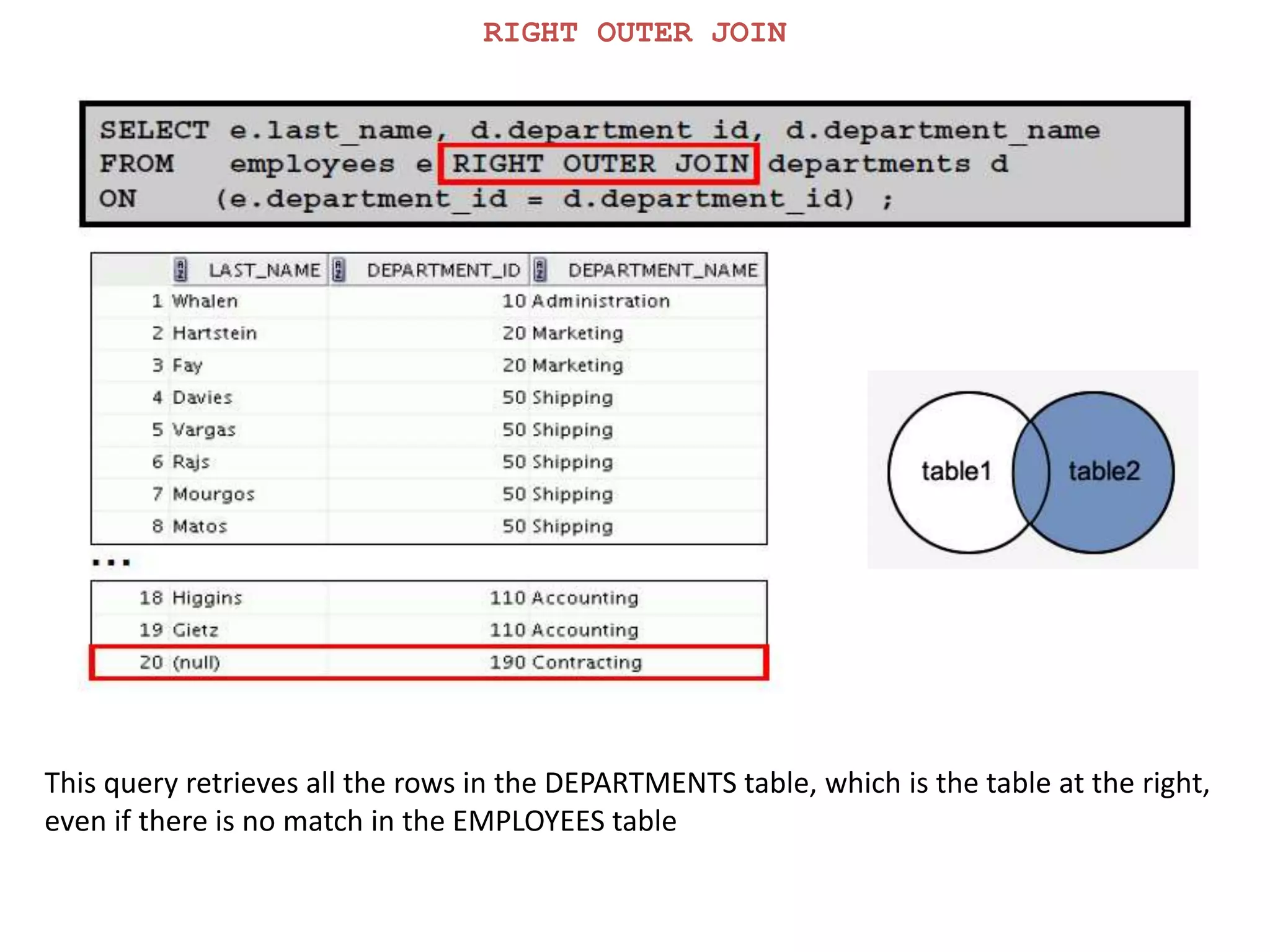
RIGHT OUTER JOIN
This query retrieves all the rows in the DEPARTMENTS table, which is the table at the right,
even if there is no match in the EMPLOYEES table
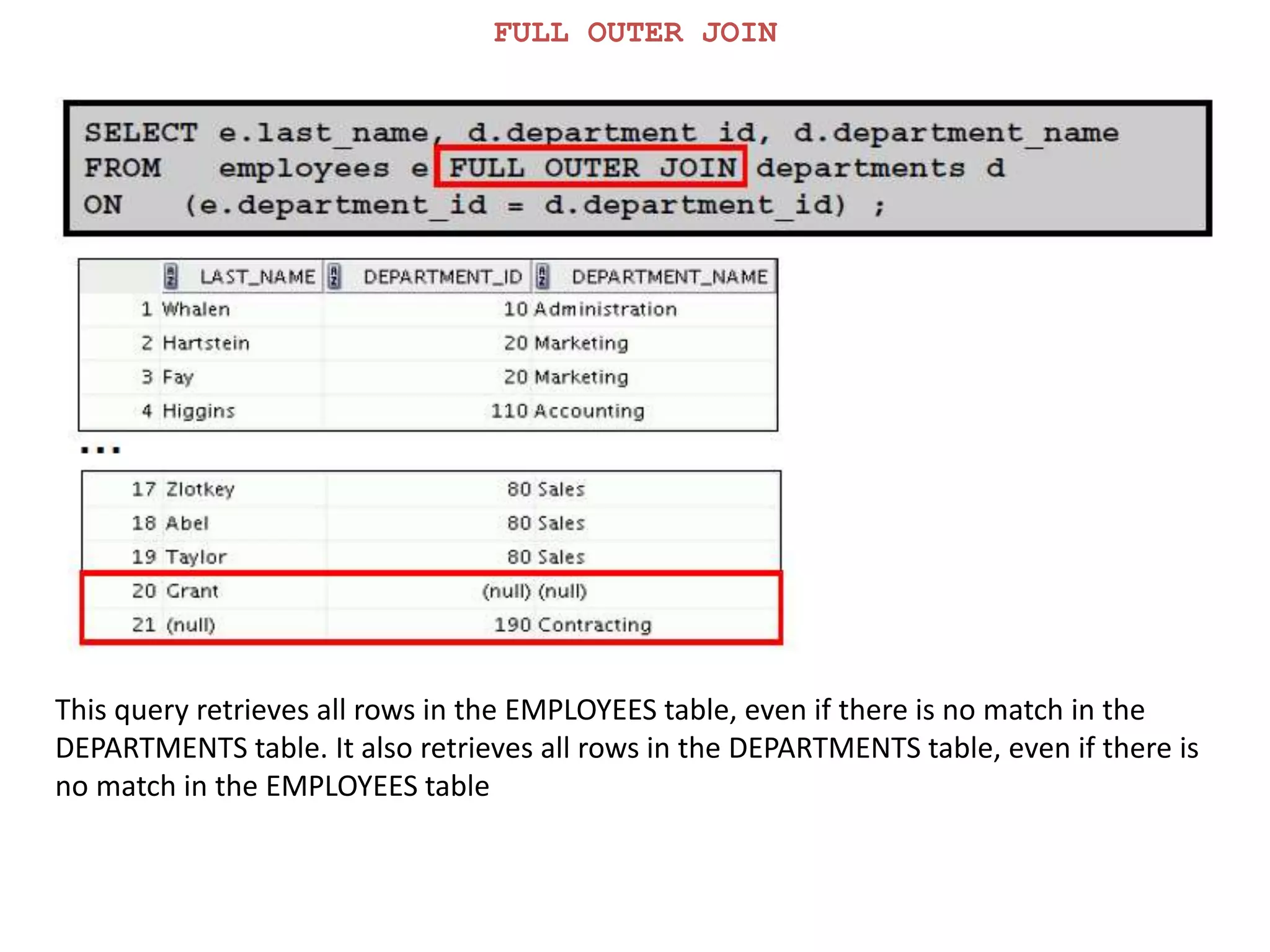
FULL OUTER JOIN
This query retrieves all rows in the EMPLOYEES table, even if there is no match in the
DEPARTMENTS table. It also retrieves all rows in the DEPARTMENTS table, even if there is
no match in the EMPLOYEES table
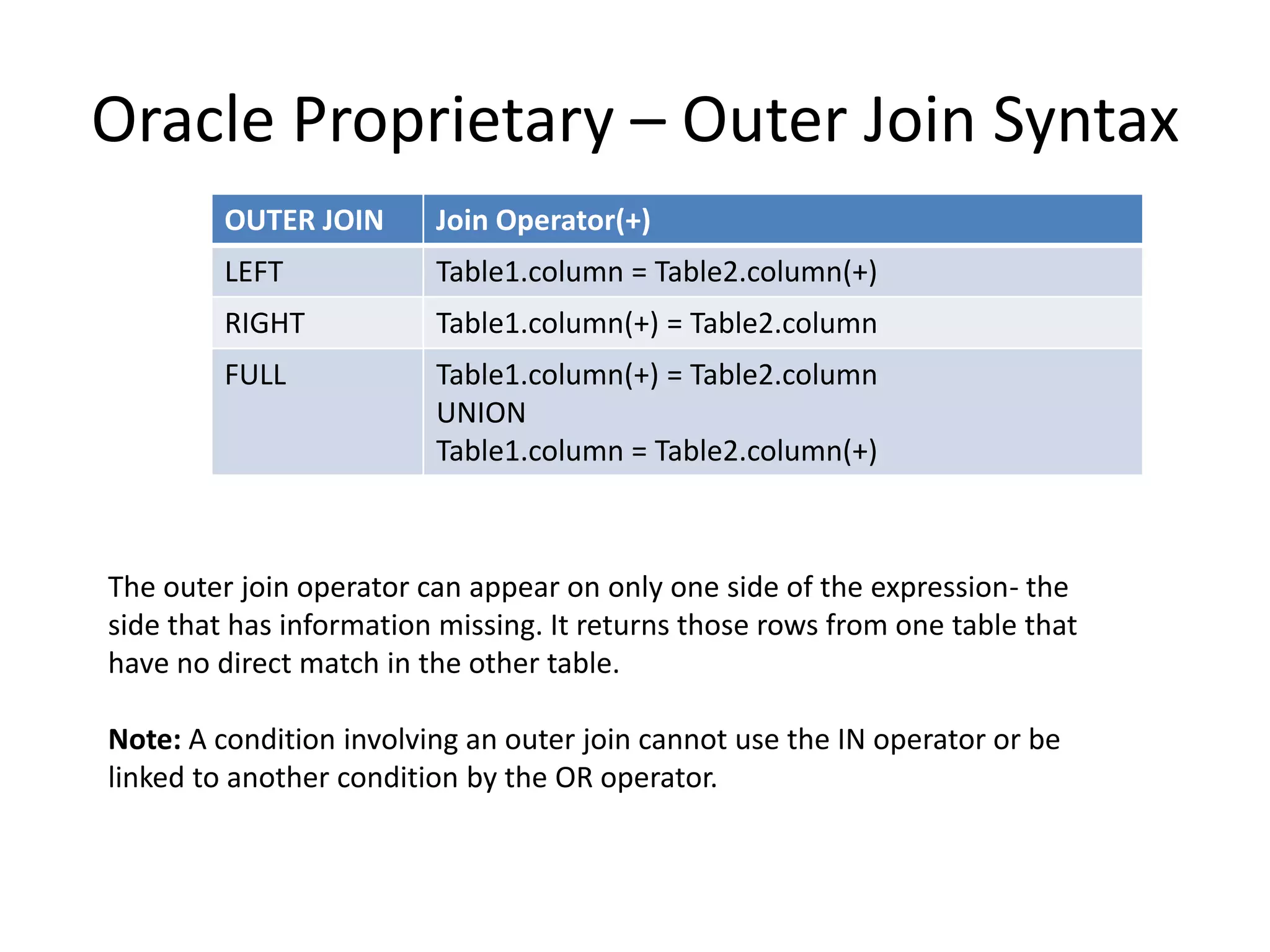
Oracle Proprietary – Outer Join Syntax
OUTER JOIN Join Operator(+)
LEFT Table1.column = Table2.column(+)
RIGHT Table1.column(+) = Table2.column
FULL Table1.column(+) = Table2.column
UNION
Table1.column = Table2.column(+)
The outer join operator can appear on only one side of the expression- the
side that has information missing. It returns those rows from one table that
have no direct match in the other table.
Note: A condition involving an outer join cannot use the IN operator or be
linked to another condition by the OR operator.
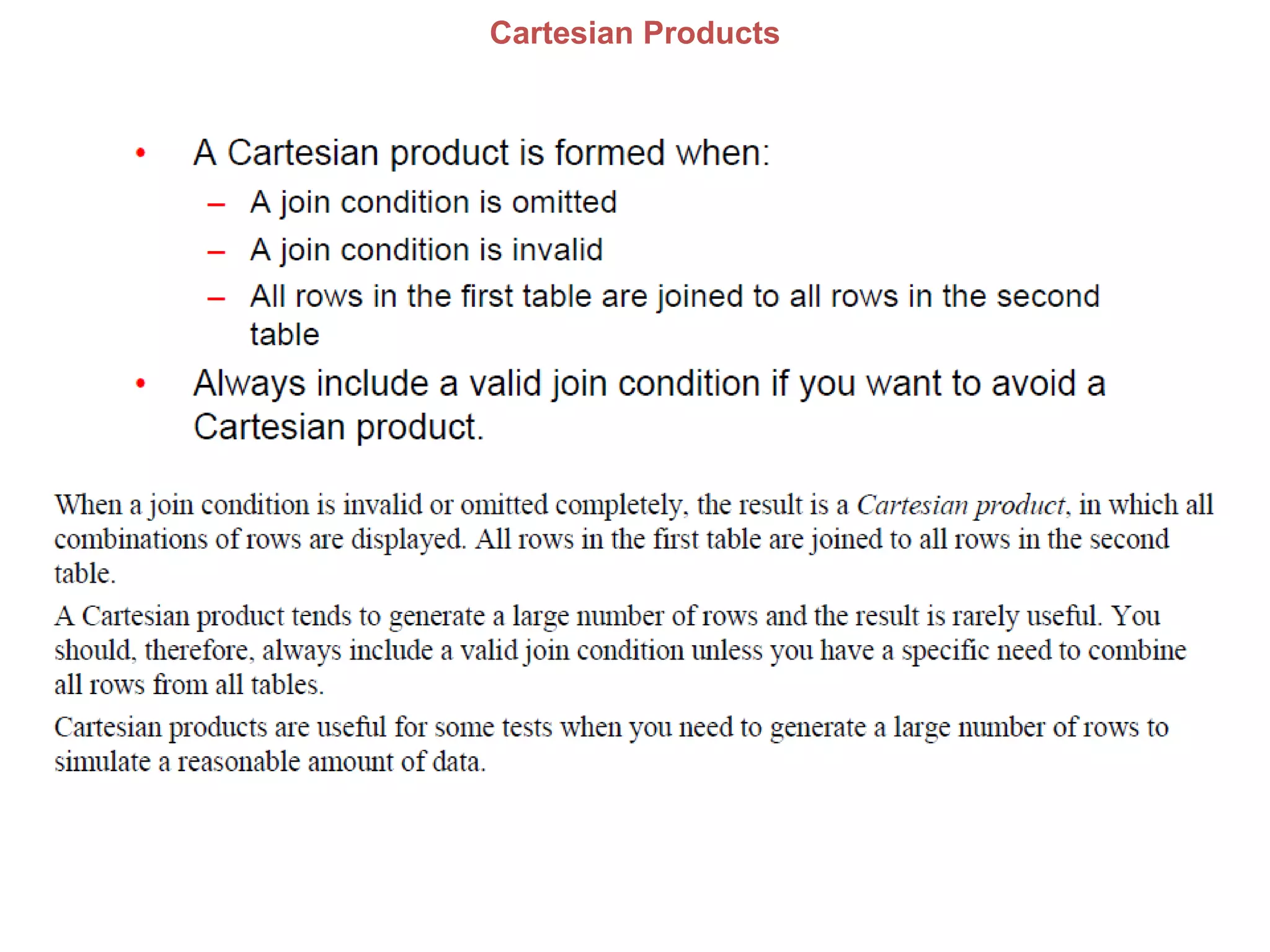
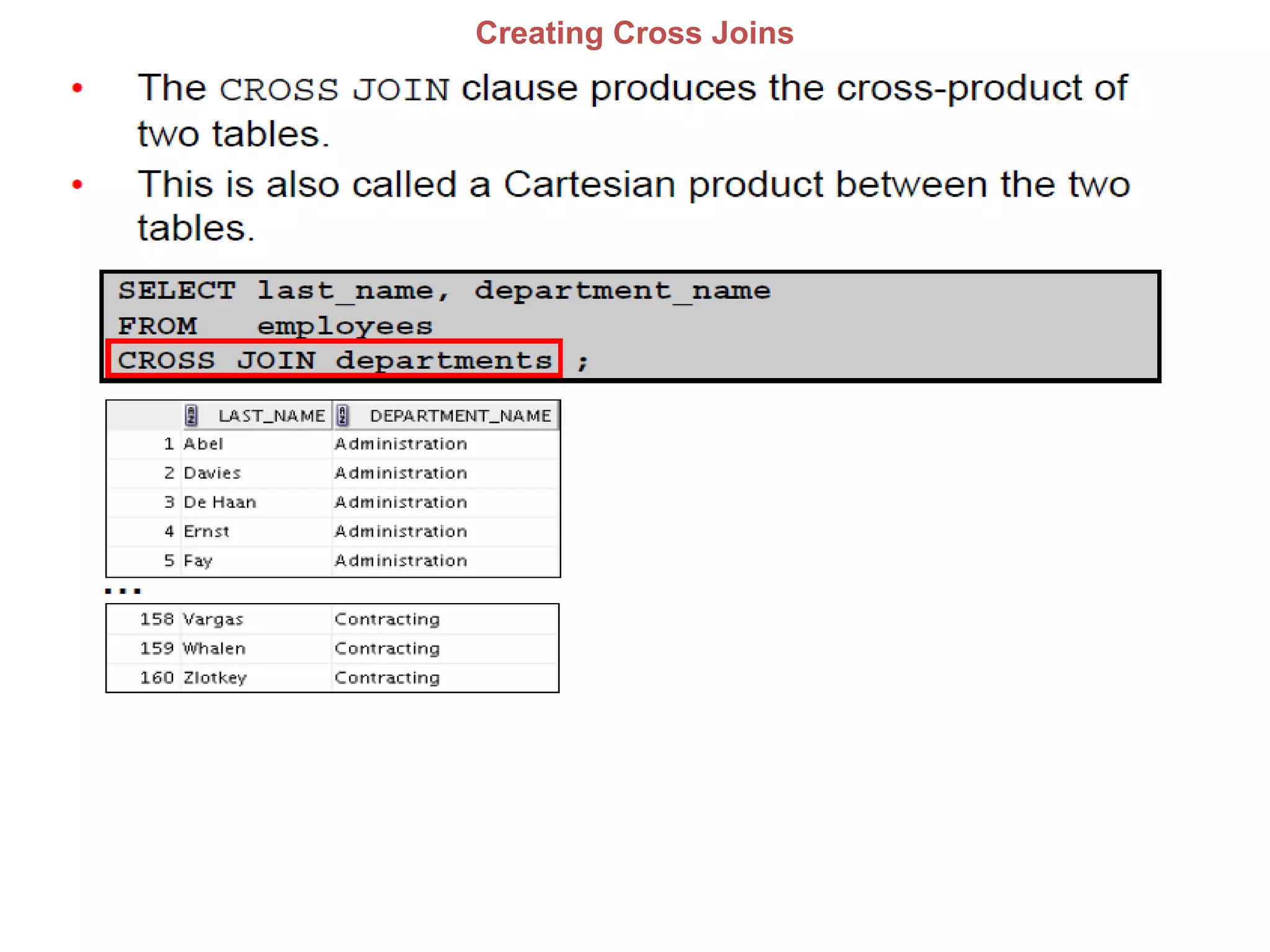
Cartesian Products
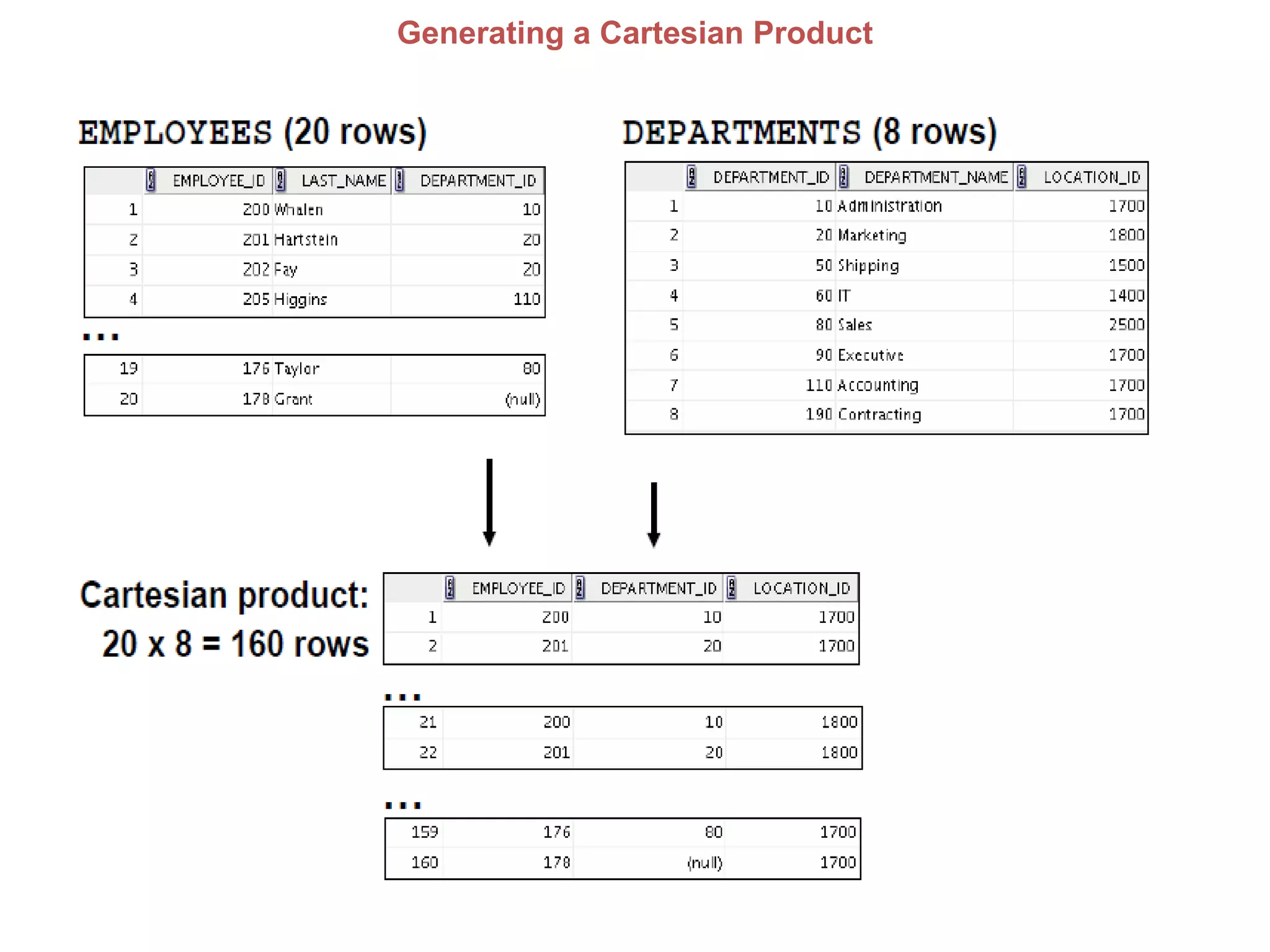
Generating a Cartesian Product
Creating Cross Joins
DATA CHANGE OPERATIONS
Data Manipulation
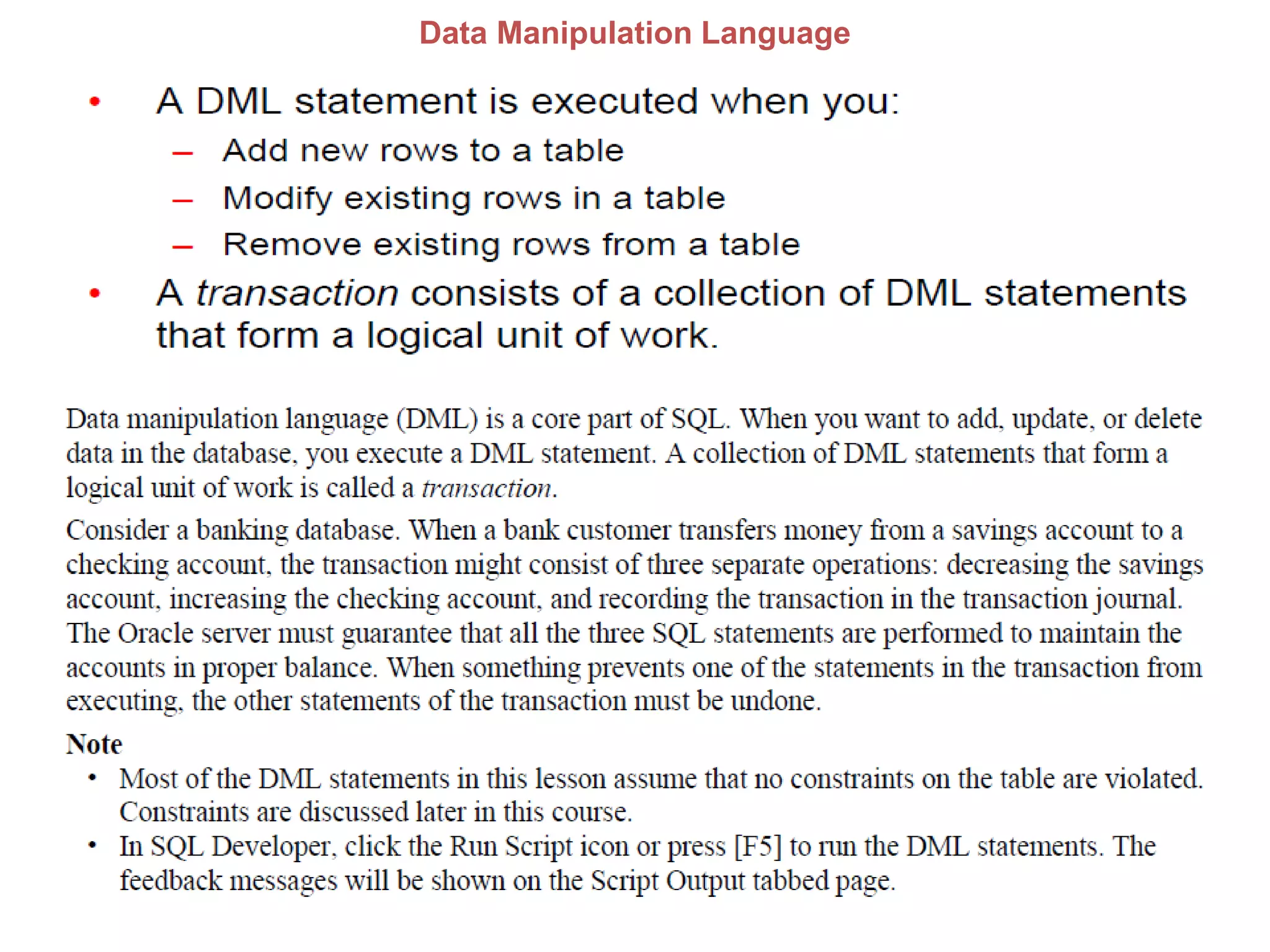
Data Manipulation Language
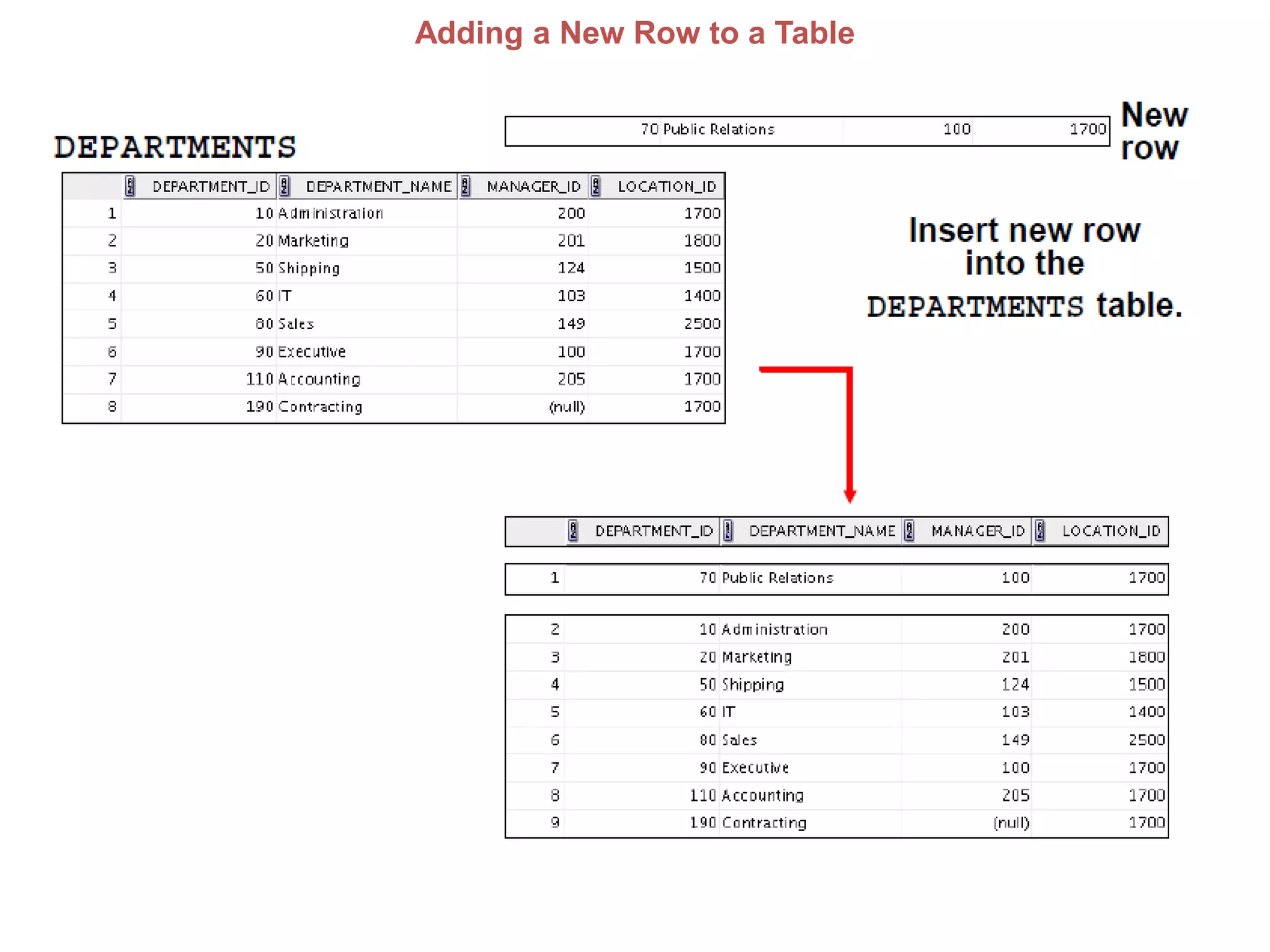
Adding a New Row to a Table
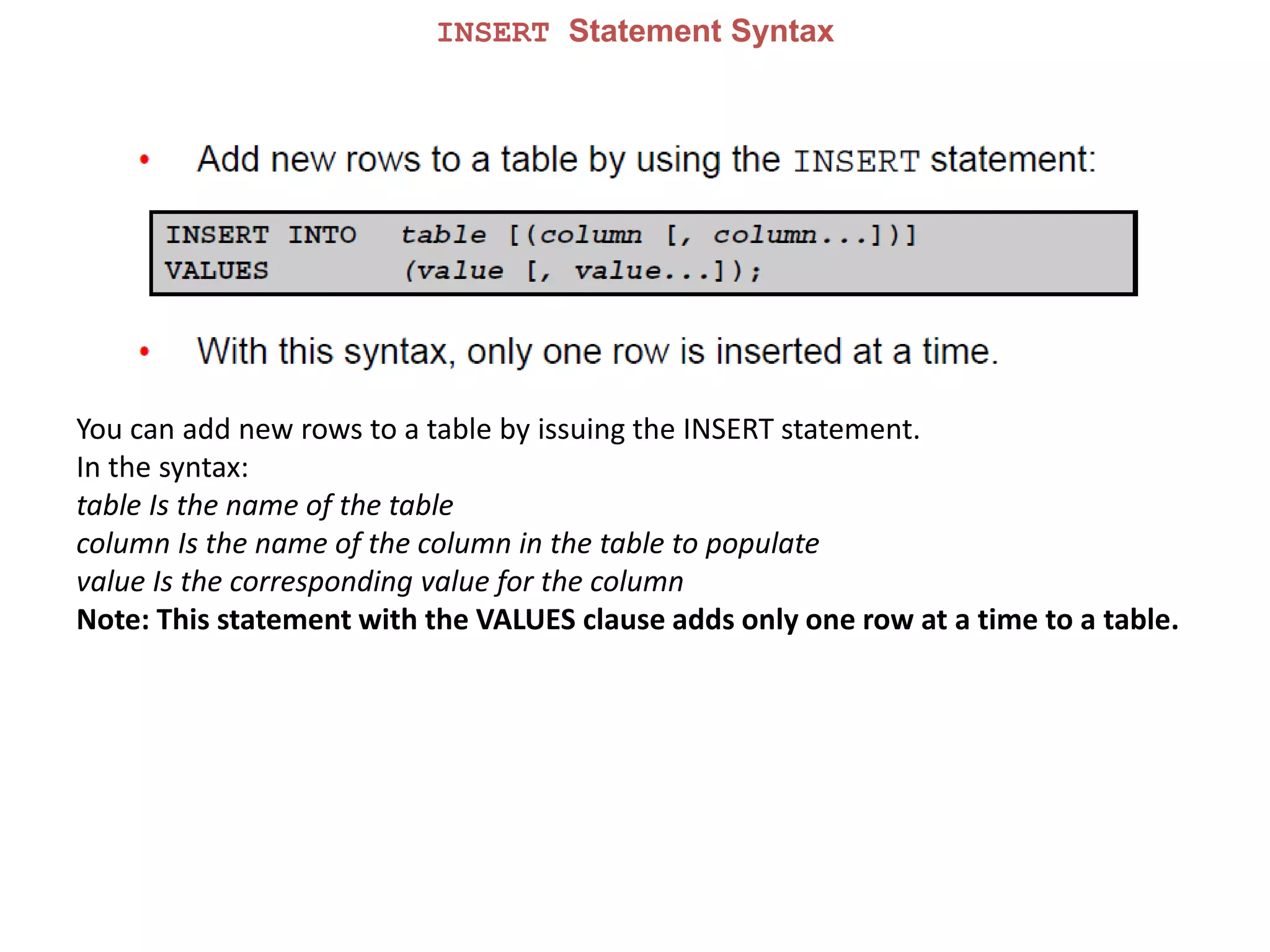
INSERT Statement Syntax
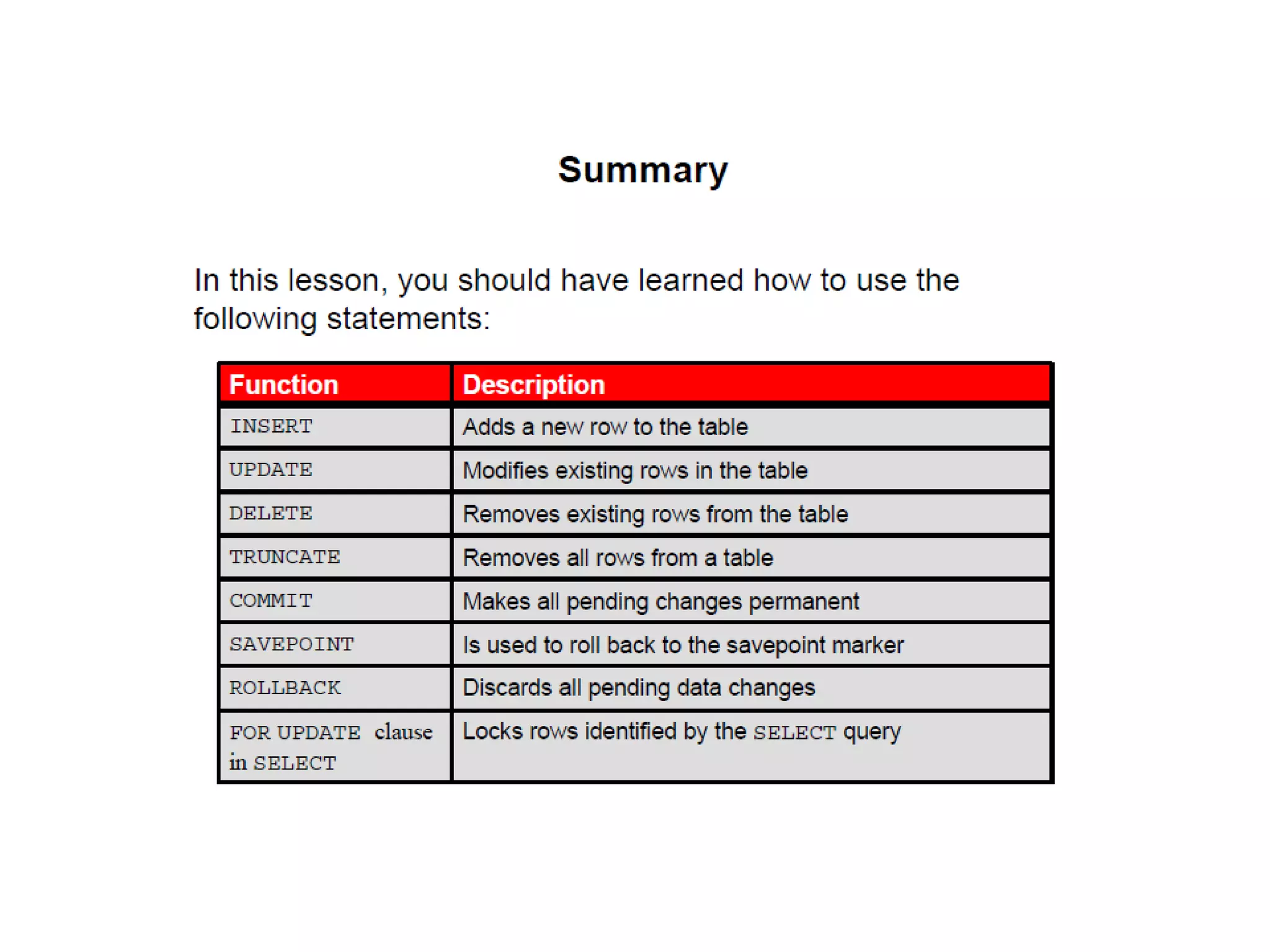
You can add new rows to a table by issuing the INSERT statement.
In the syntax:
table Is the name of the table
column Is the name of the column in the table to populate
value Is the corresponding value for the column
Note: This statement with the VALUES clause adds only one row at a time to a table.
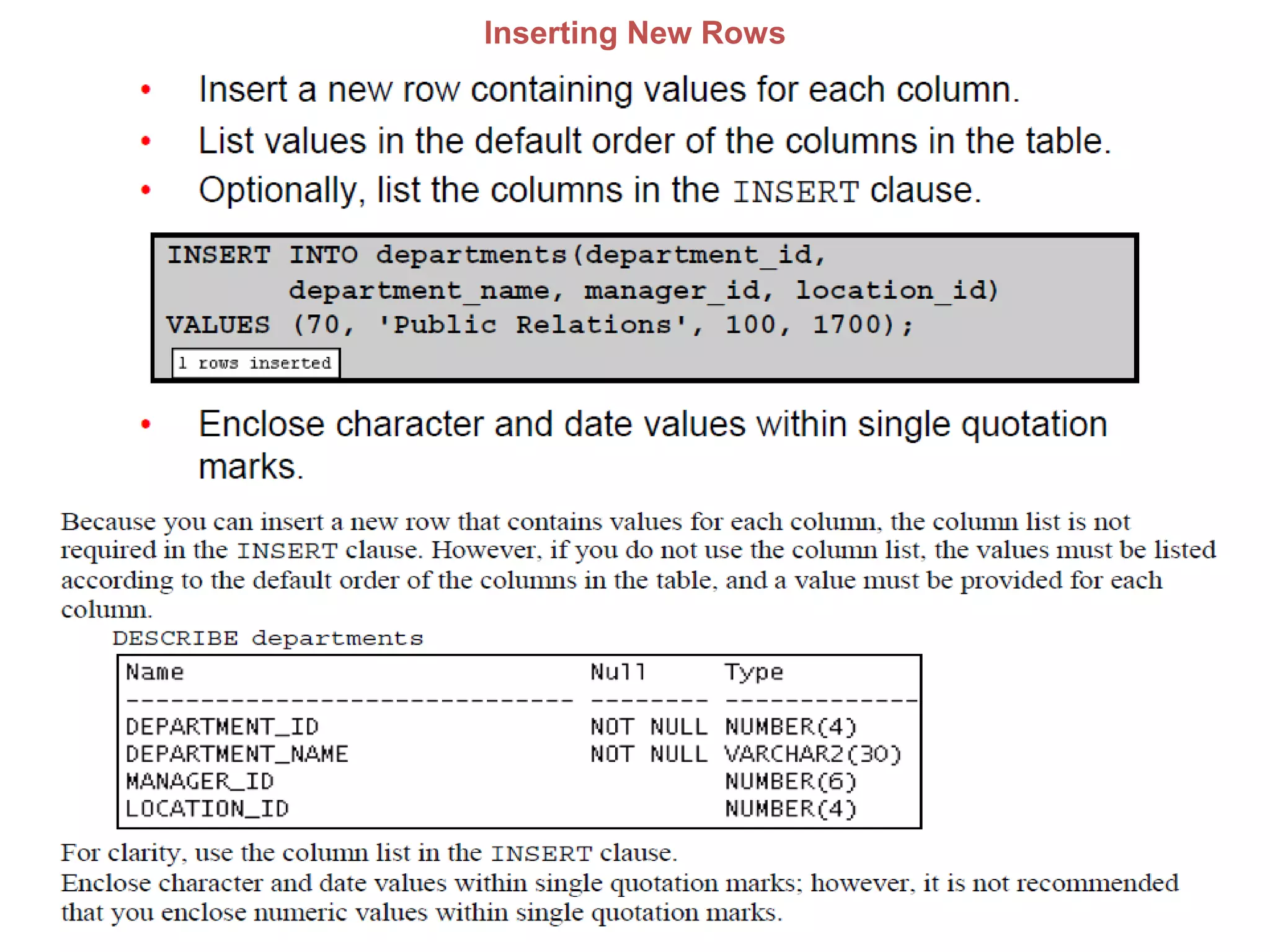
Inserting New Rows
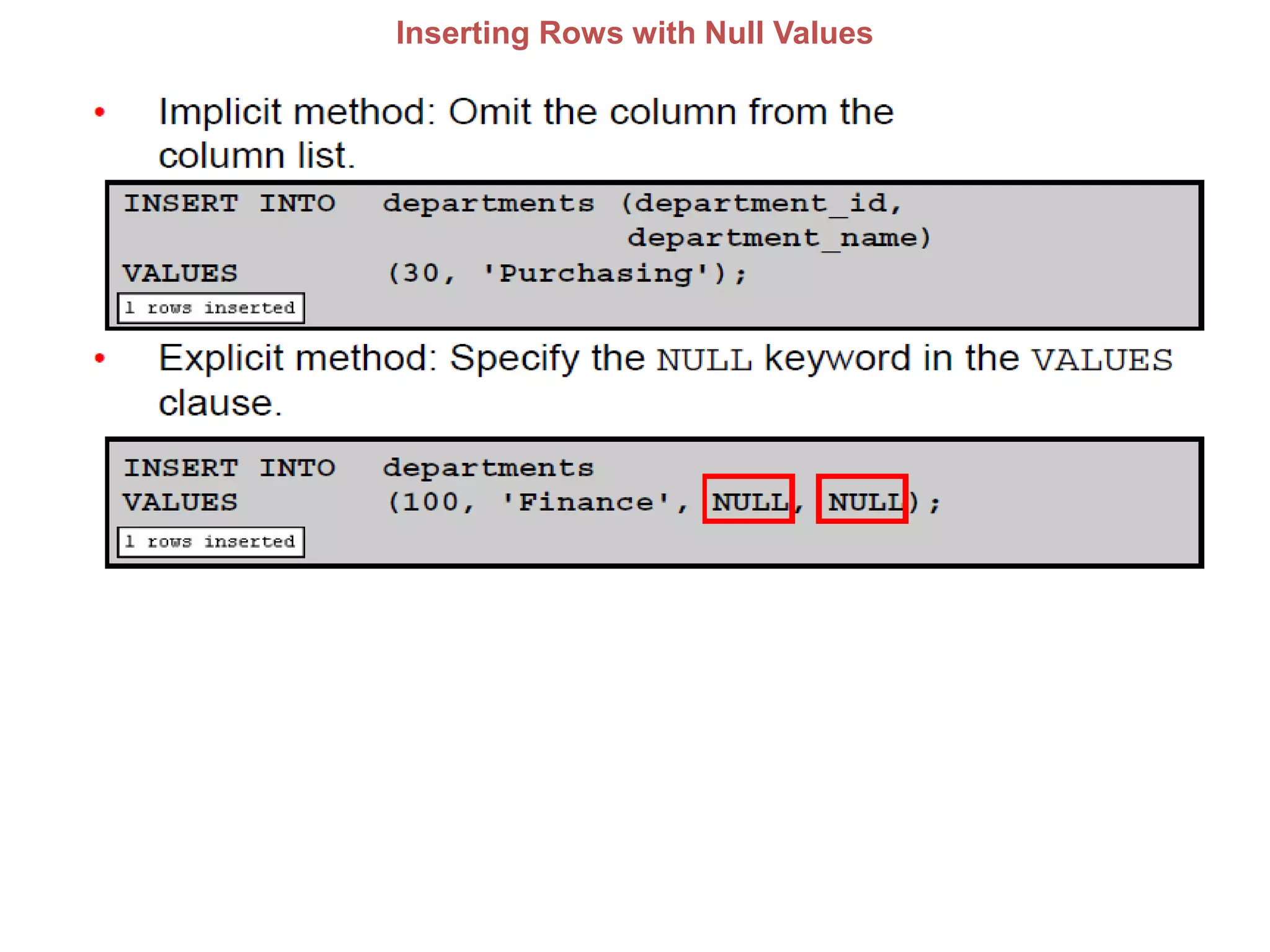
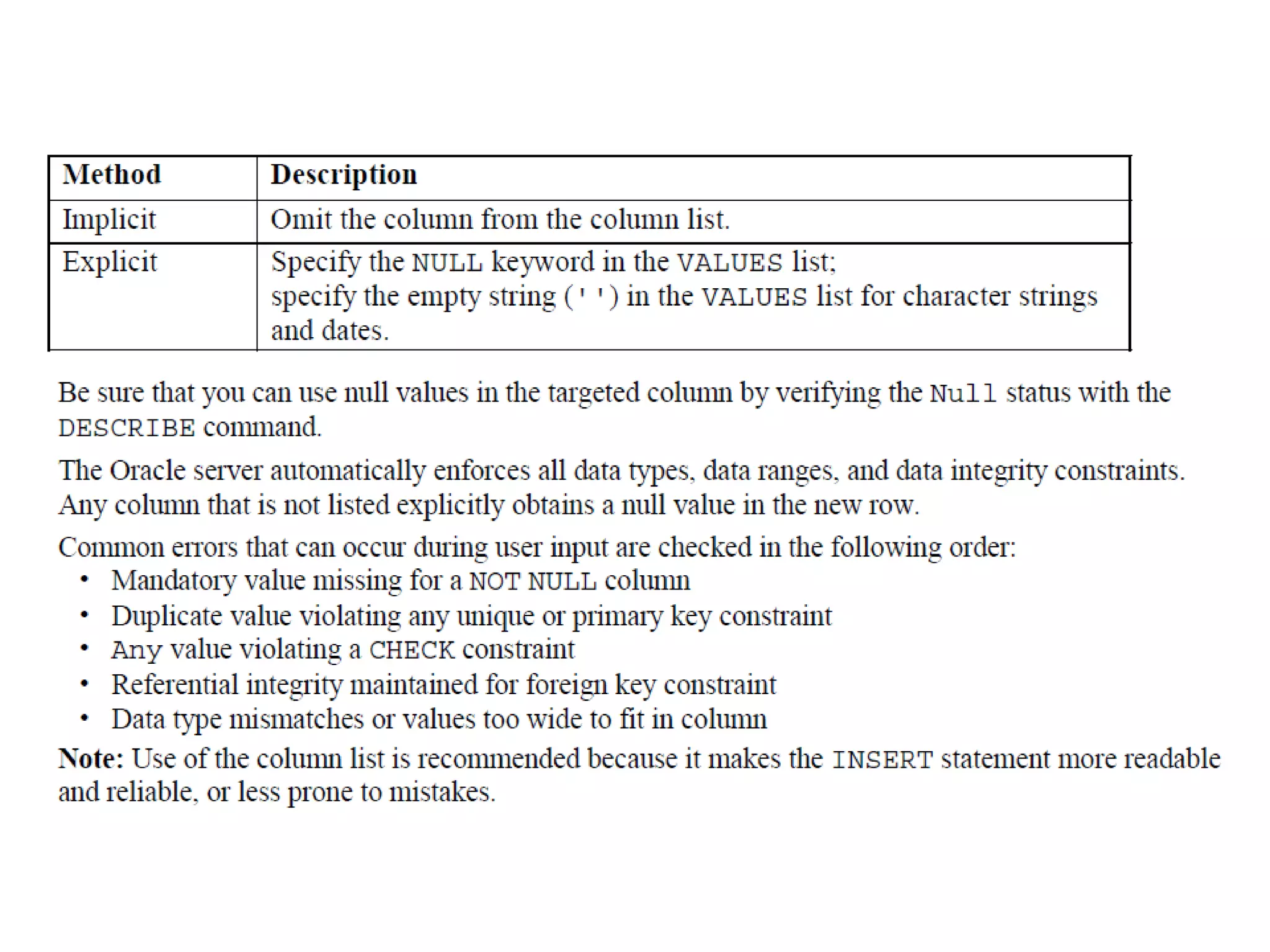
Inserting Rows with Null Values
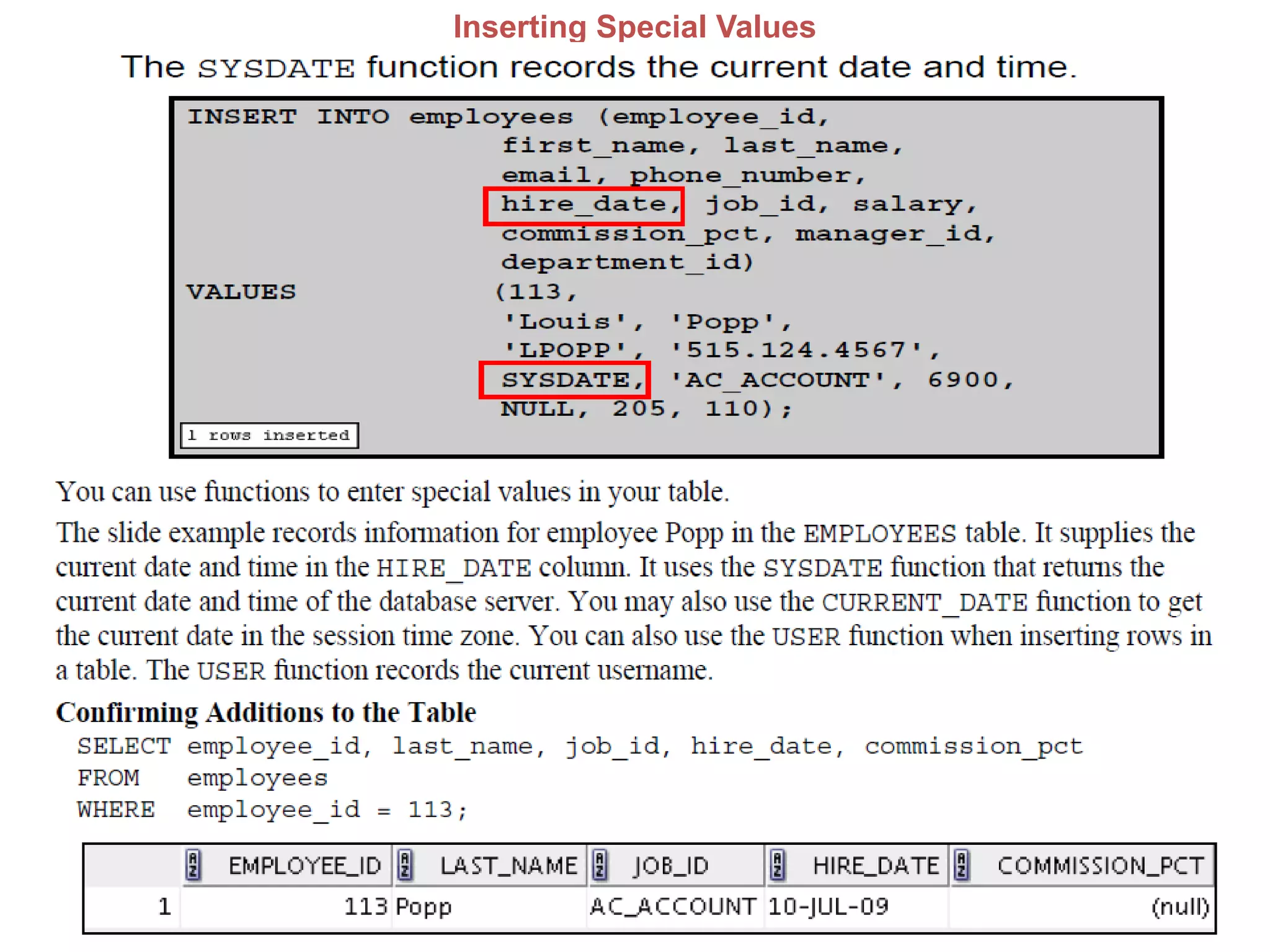
Inserting Special Values
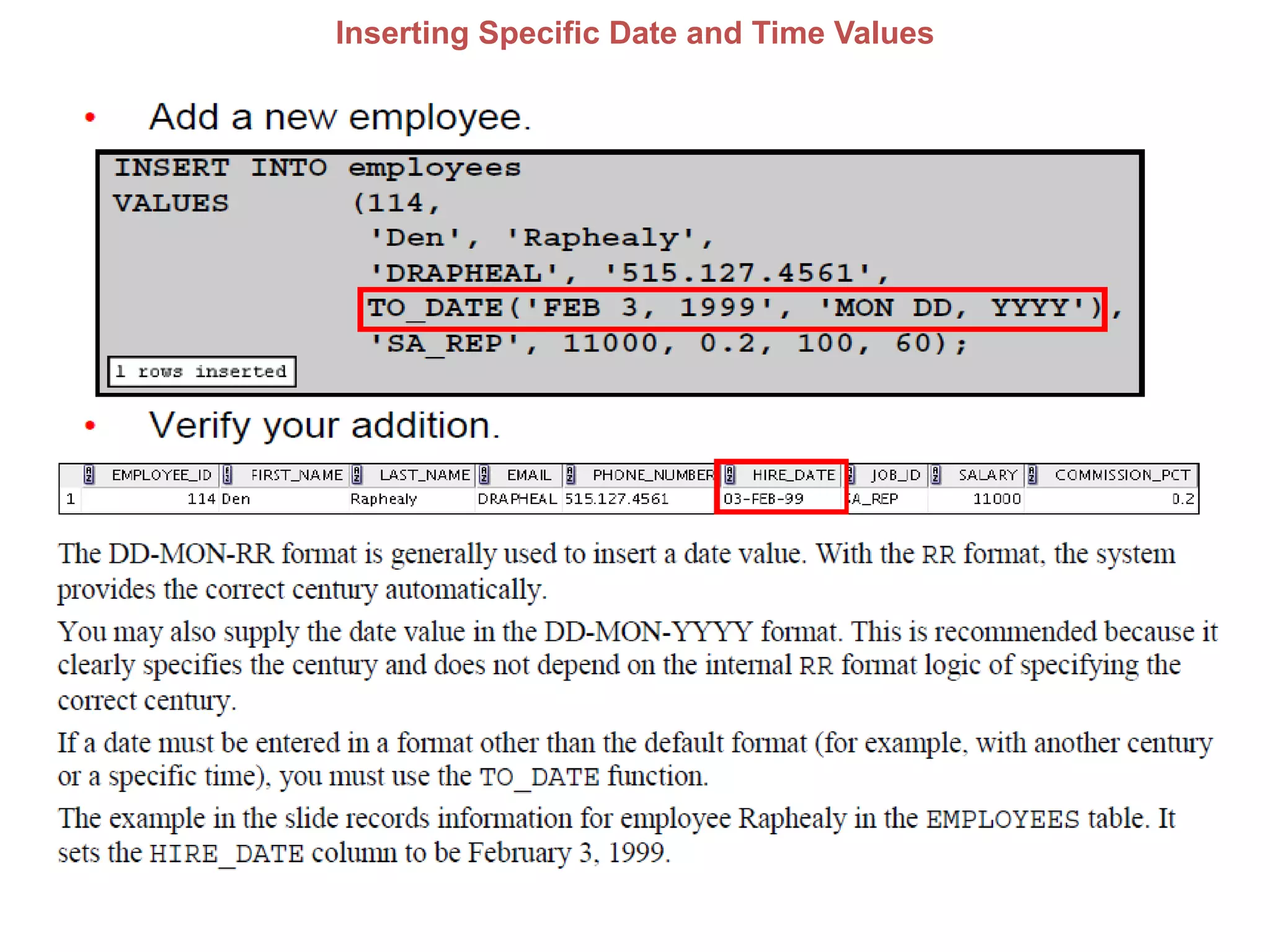
Inserting Specific Date and Time Values
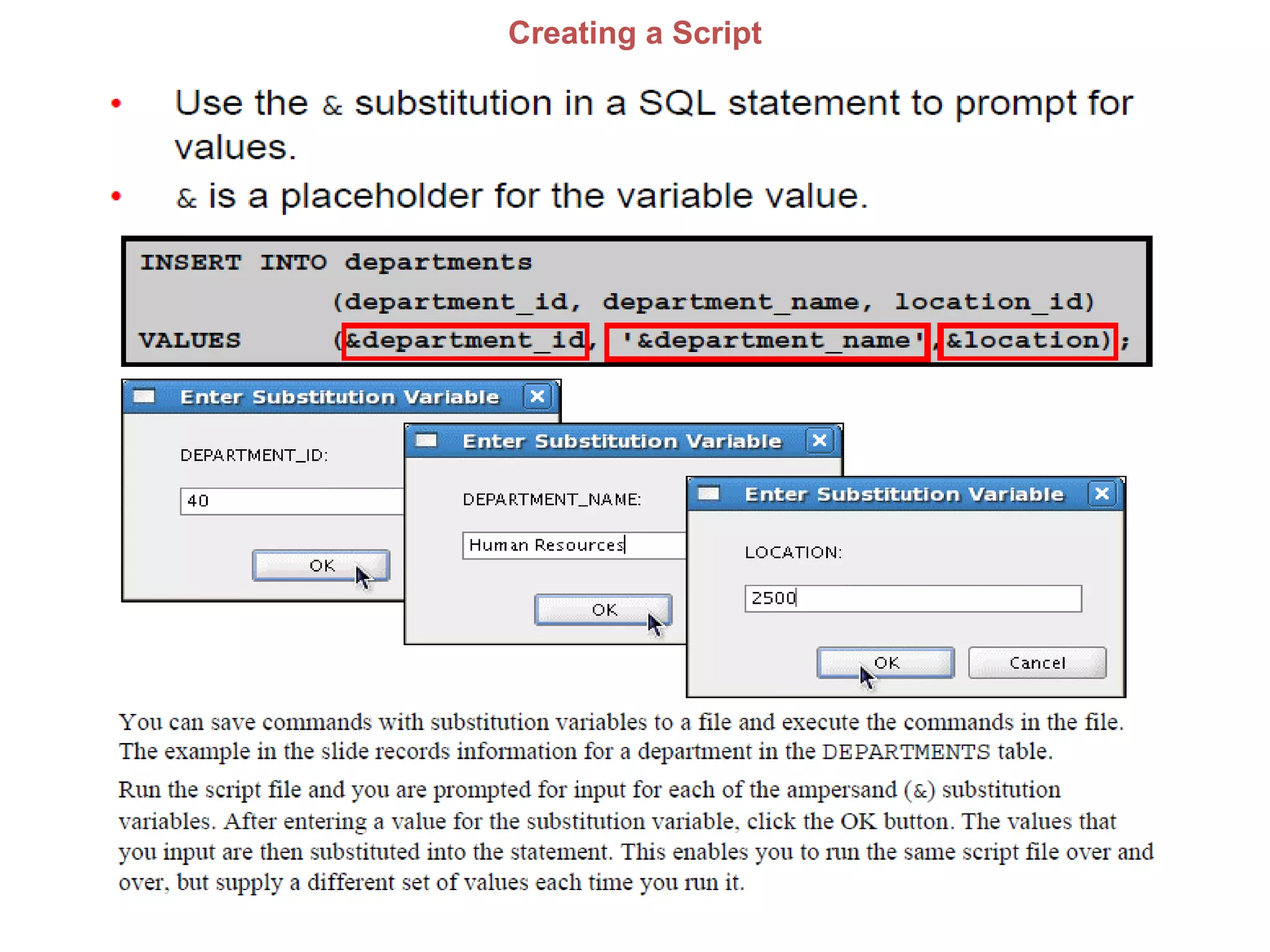
Creating a Script
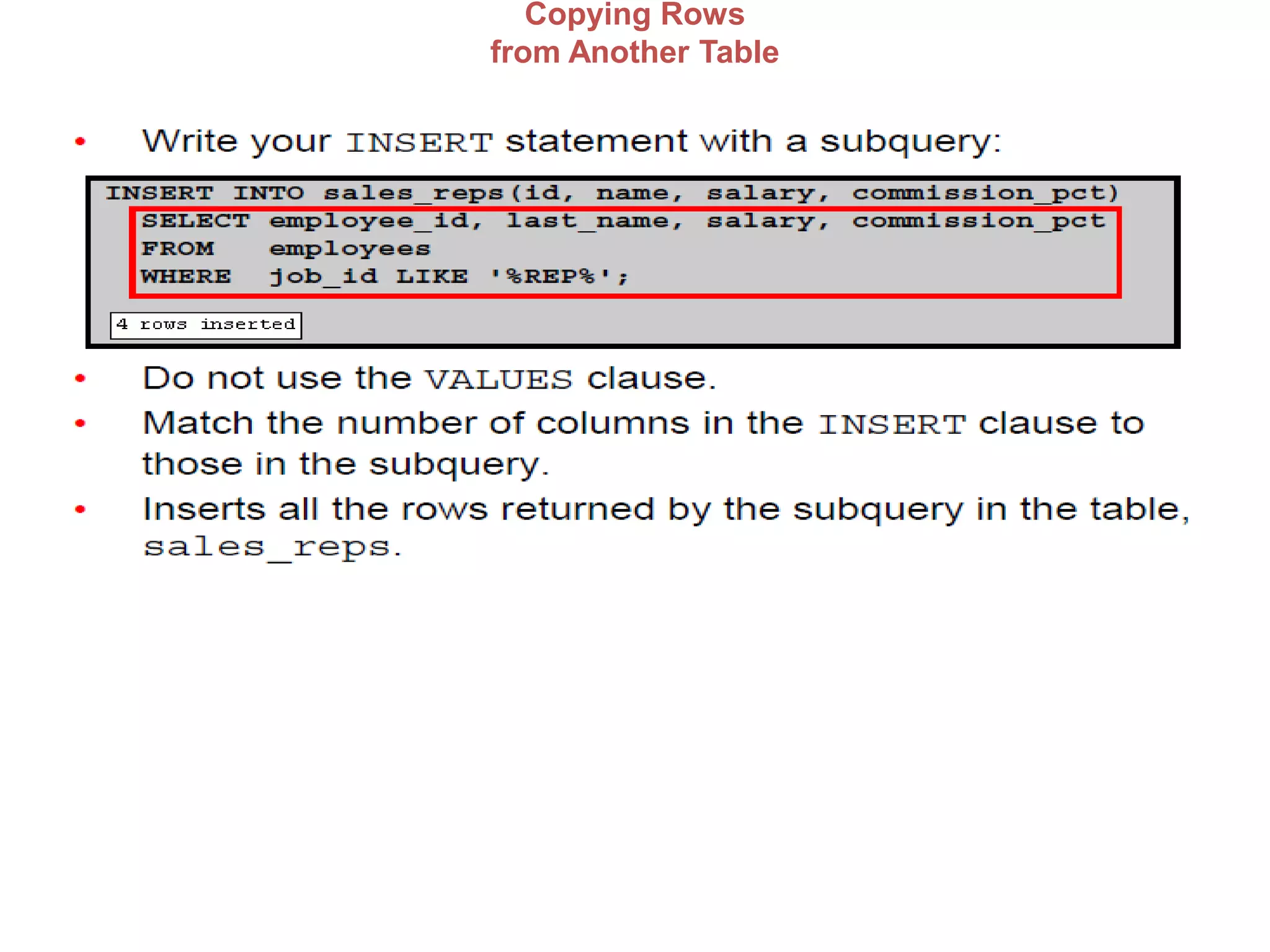
Copying Rows
from Another Table
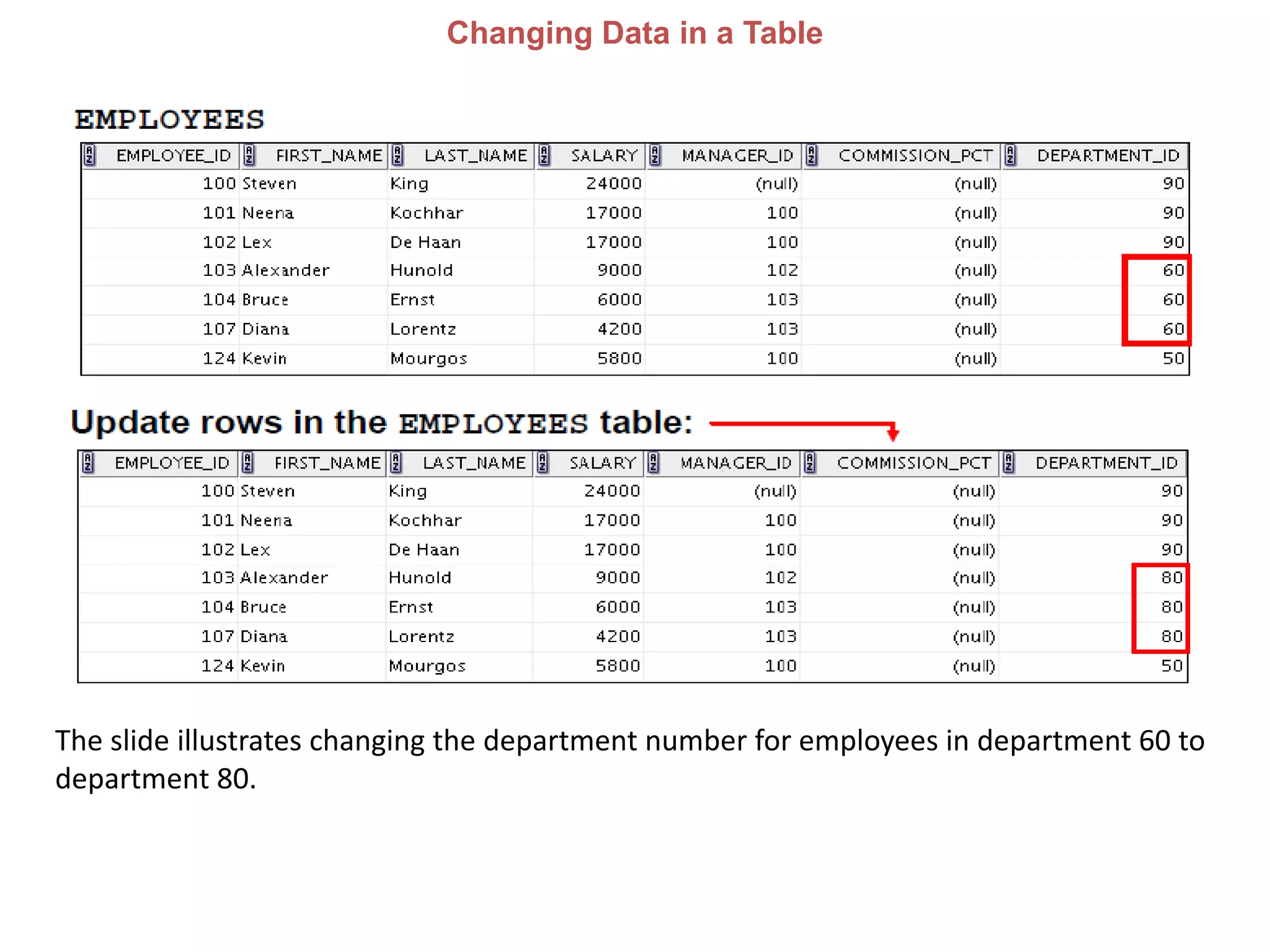
Changing Data in a Table
The slide illustrates changing the department number for employees in department 60 to
department 80.
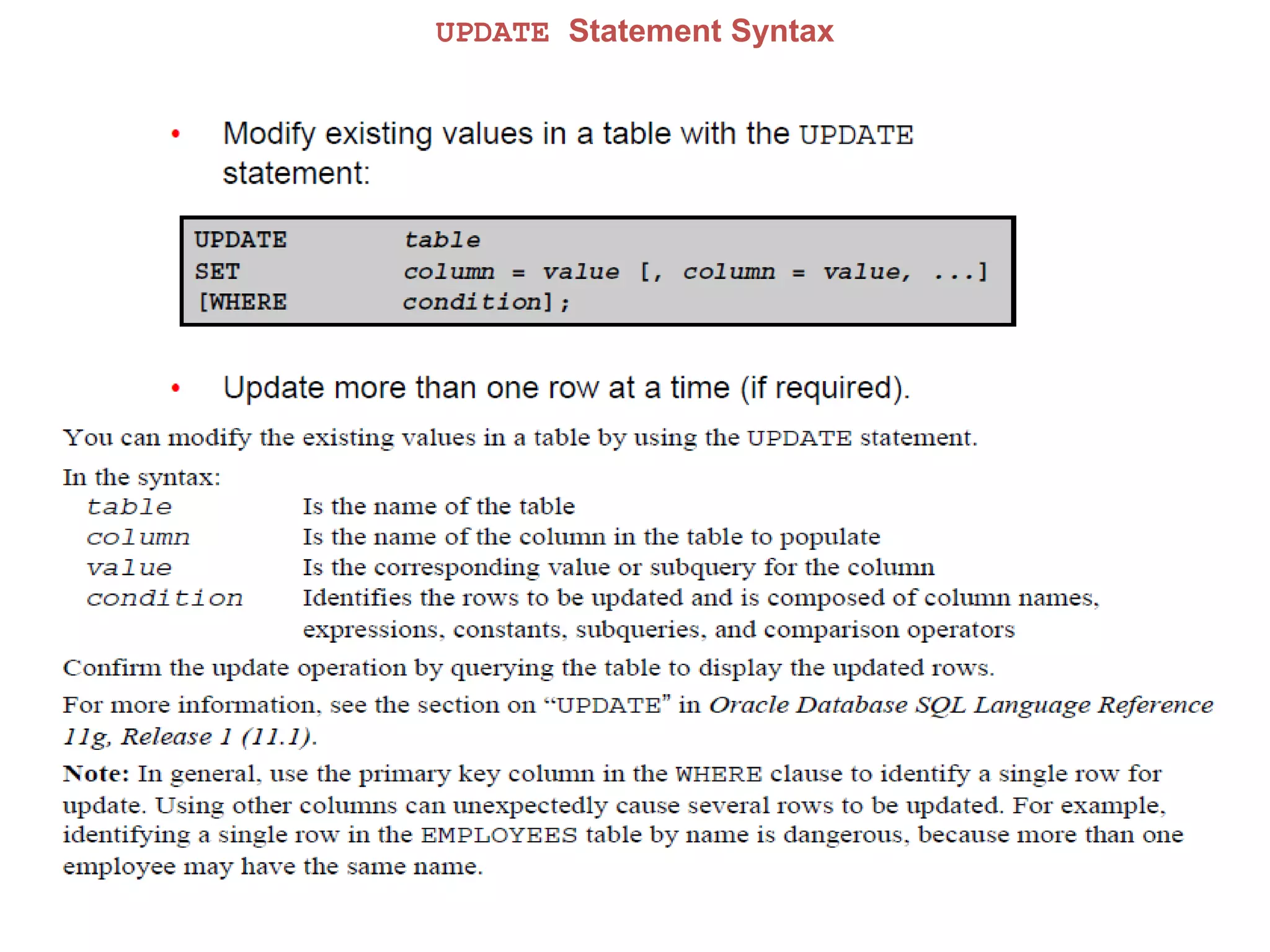
UPDATE Statement Syntax
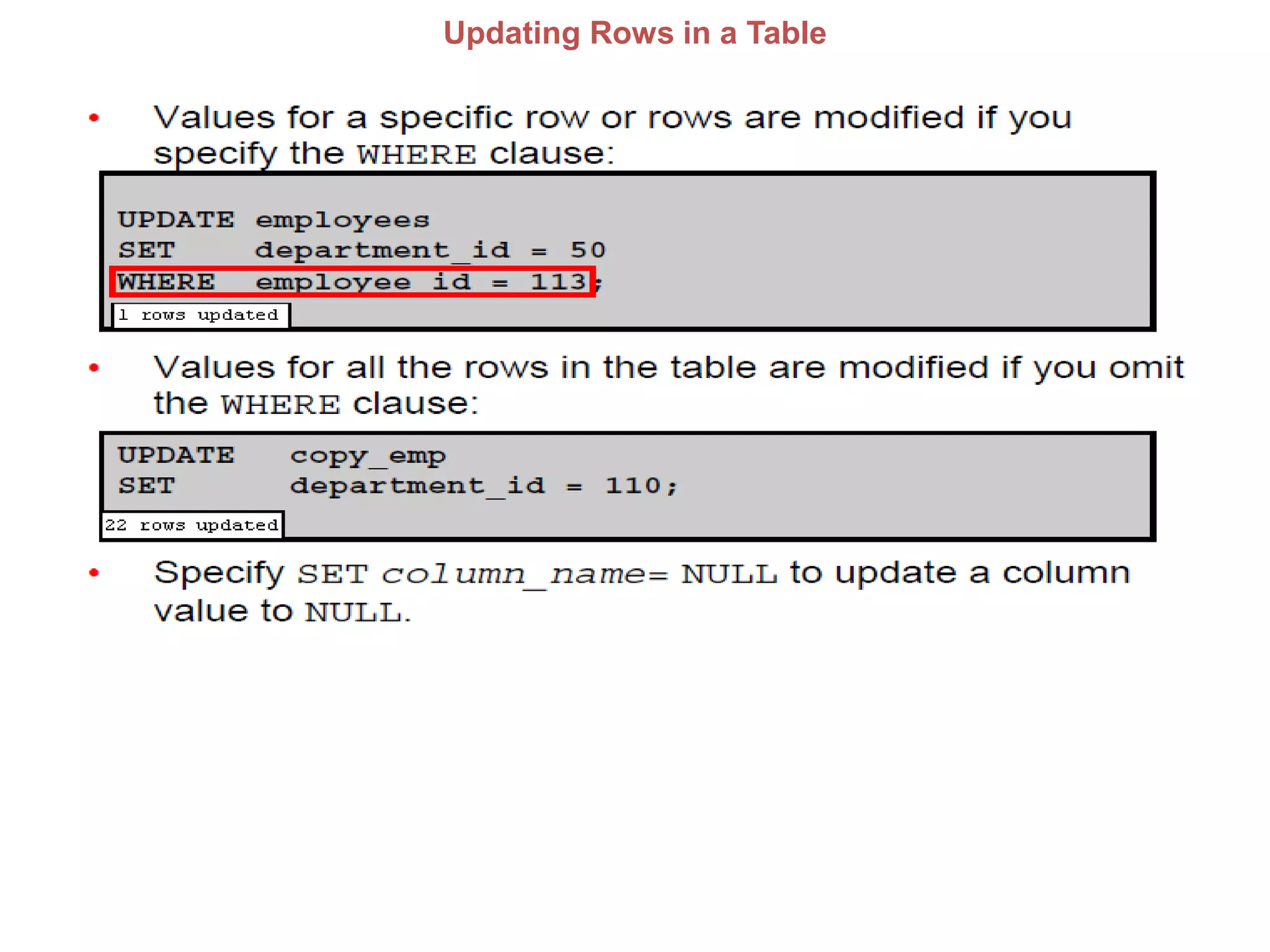
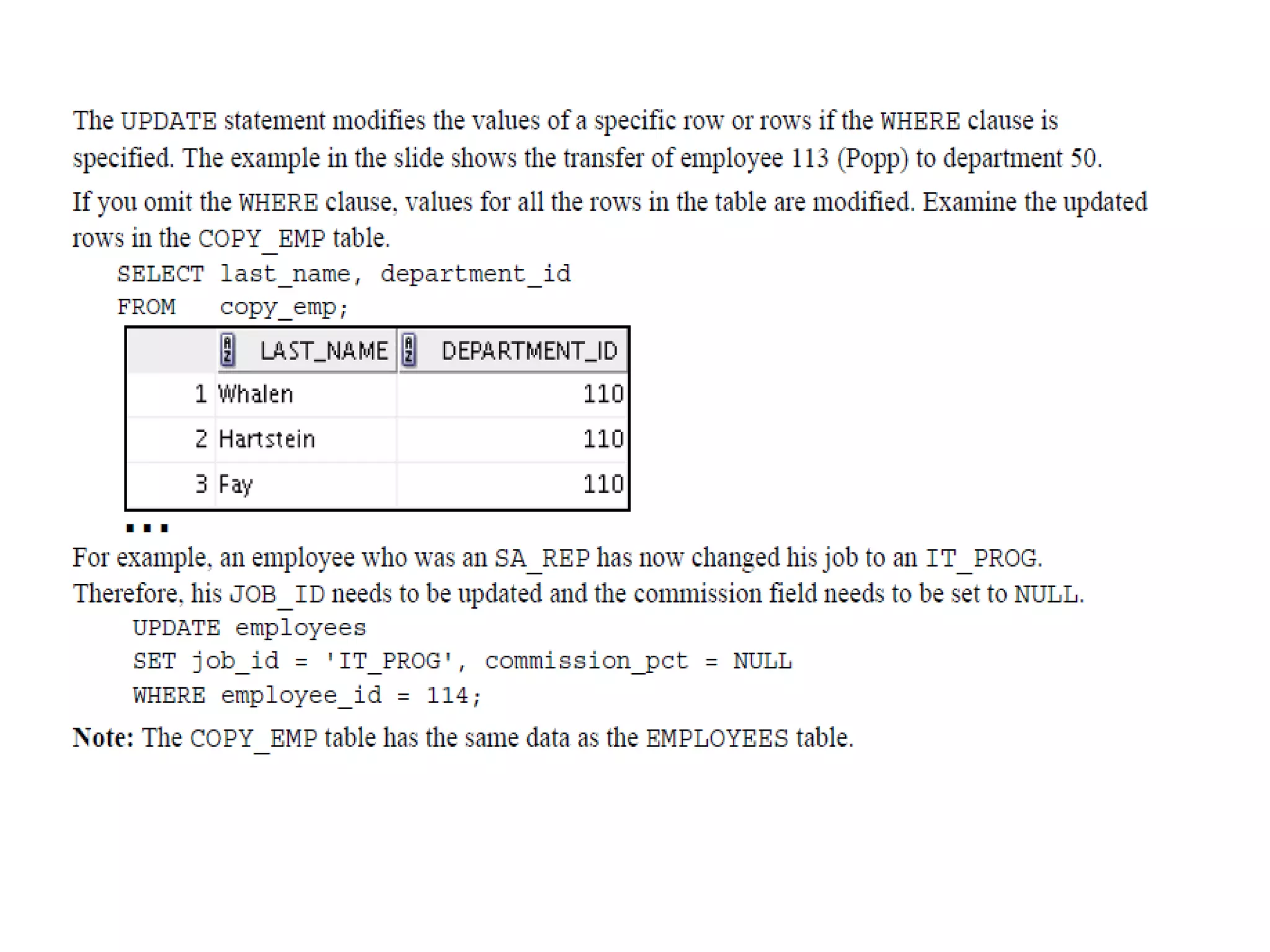
Updating Rows in a Table
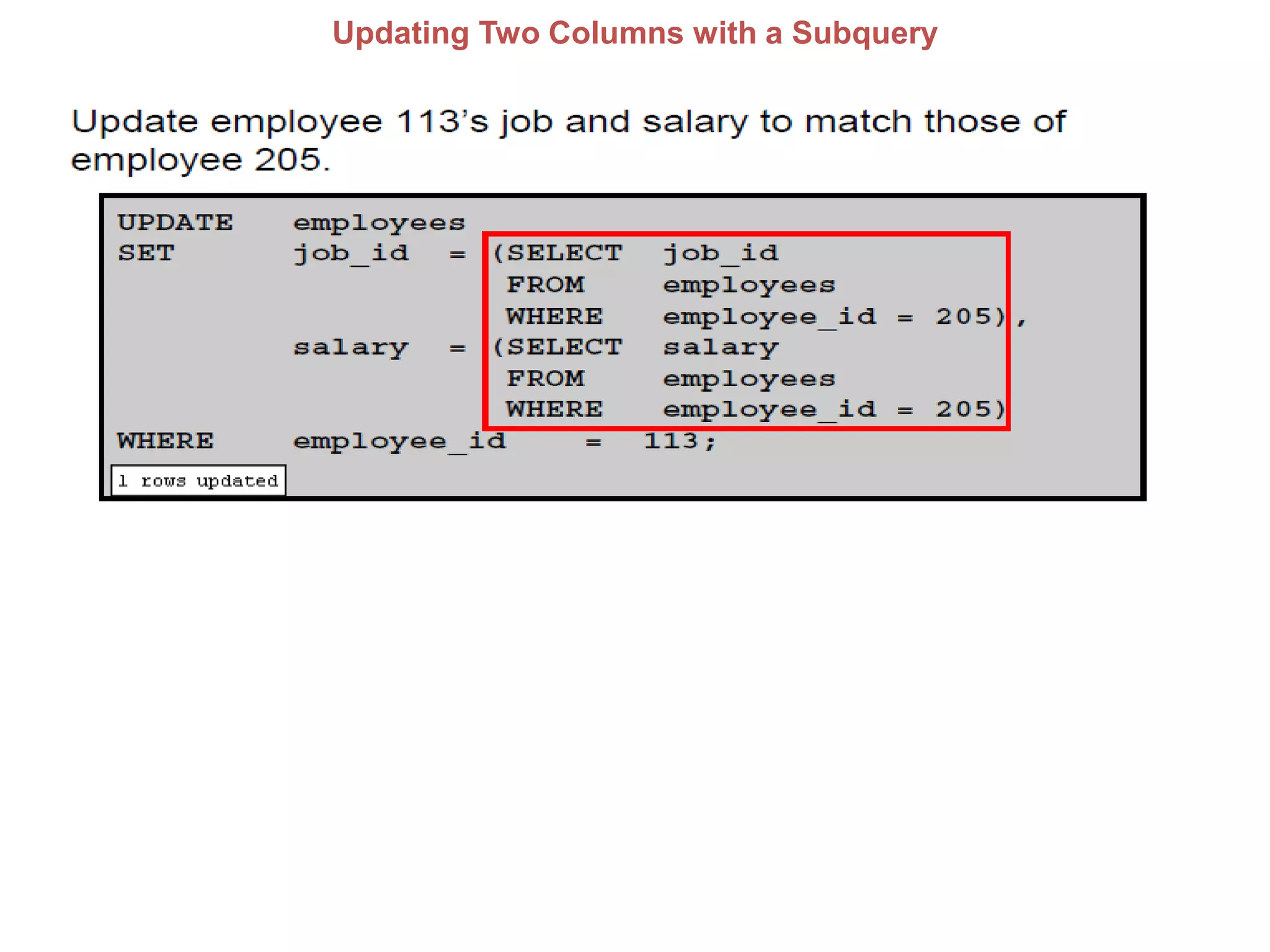
Updating Two Columns with a Subquery
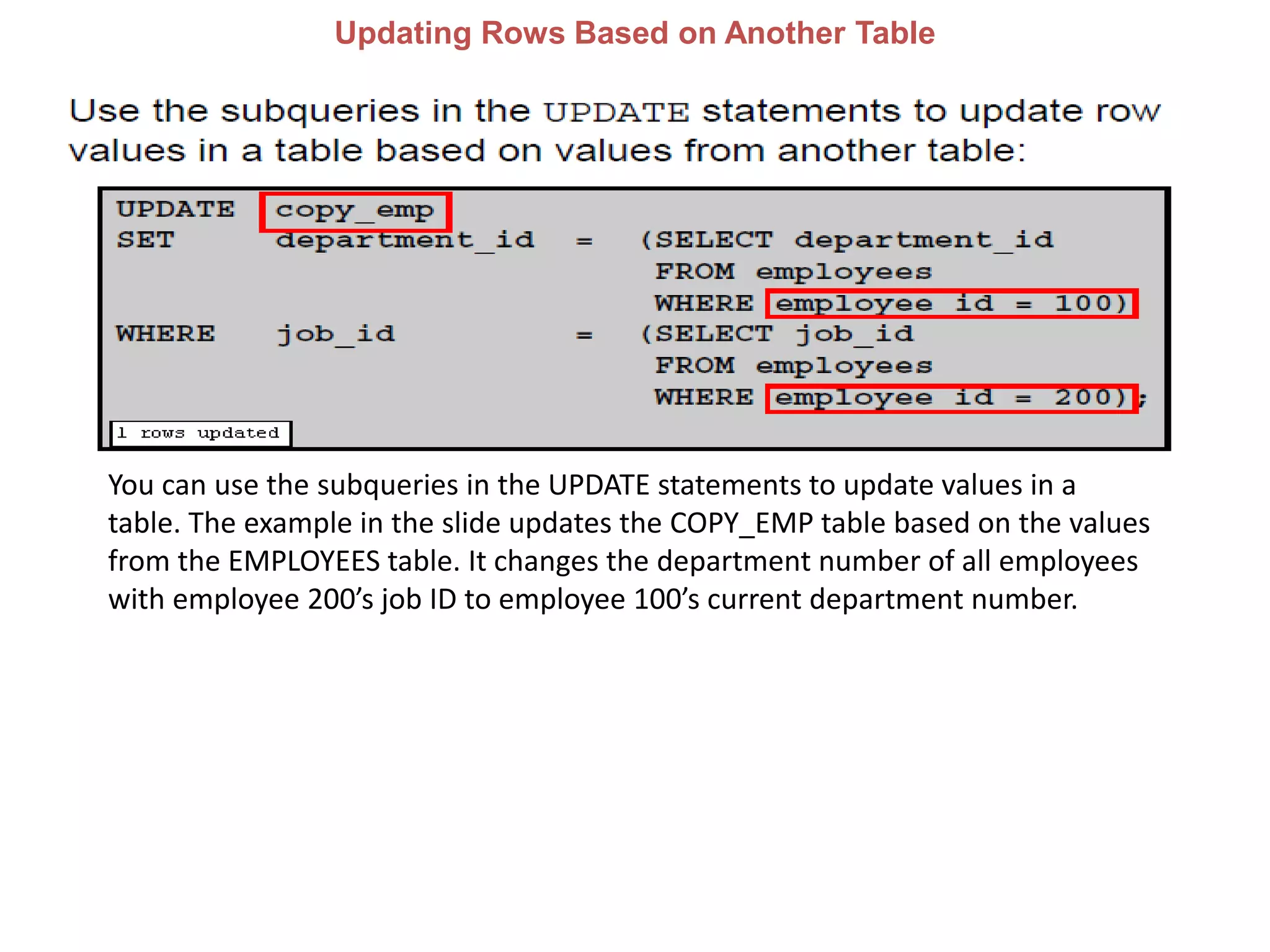
Updating Rows Based on Another Table
You can use the subqueries in the UPDATE statements to update values in a
table. The example in the slide updates the COPY_EMP table based on the values
from the EMPLOYEES table. It changes the department number of all employees
with employee 200’s job ID to employee 100’s current department number.
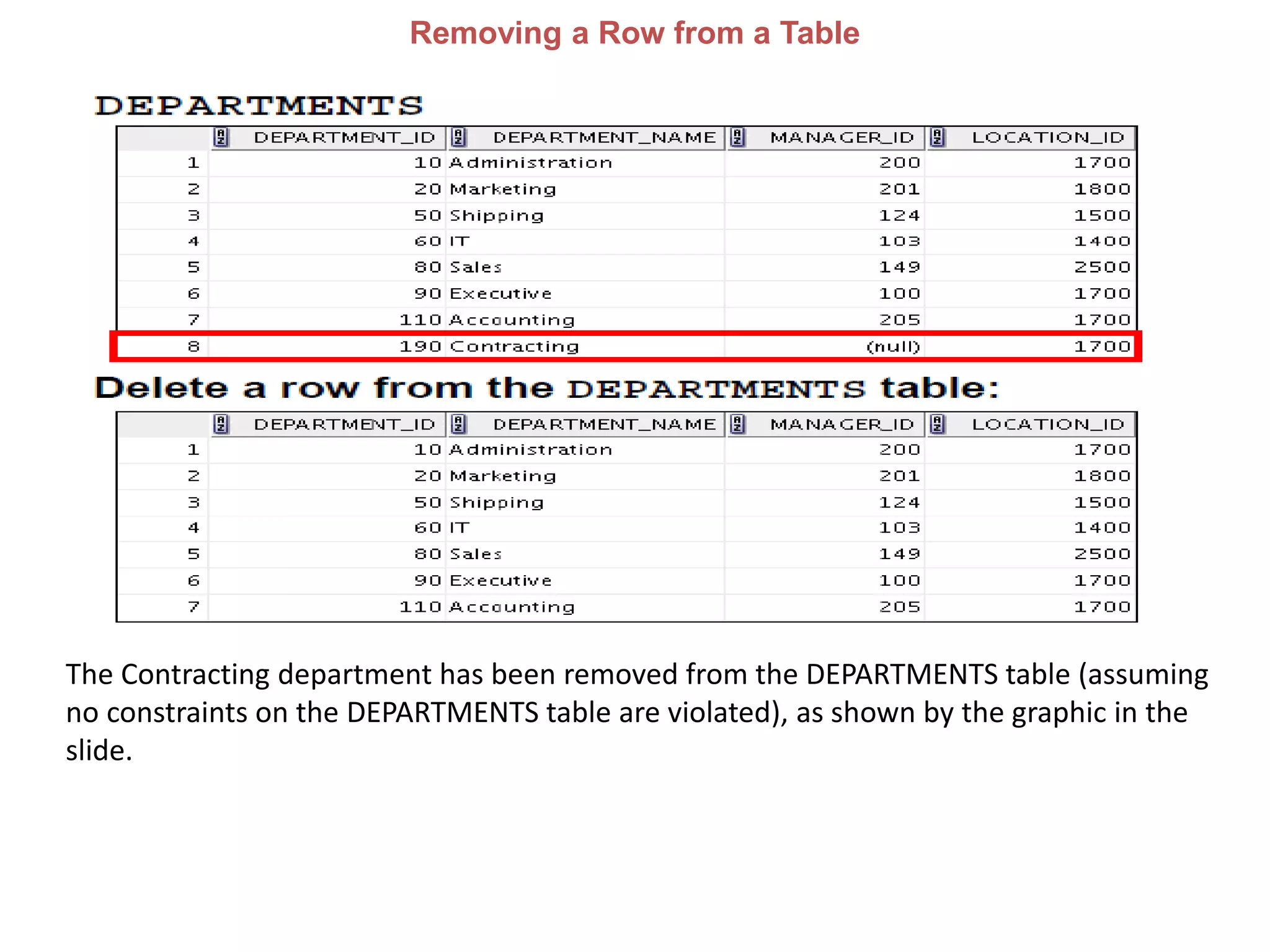
Removing a Row from a Table
The Contracting department has been removed from the DEPARTMENTS table (assuming
no constraints on the DEPARTMENTS table are violated), as shown by the graphic in the
slide.
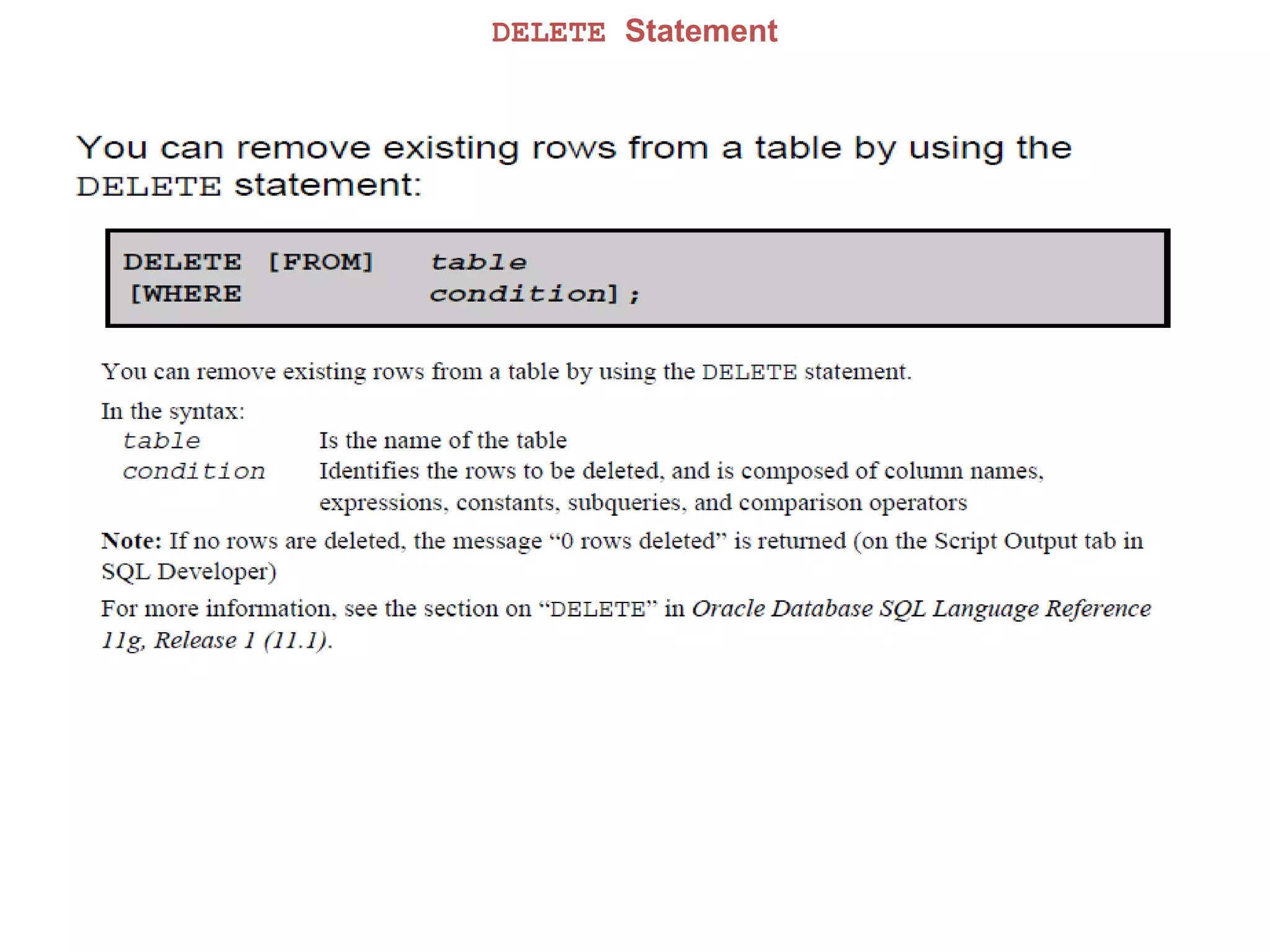
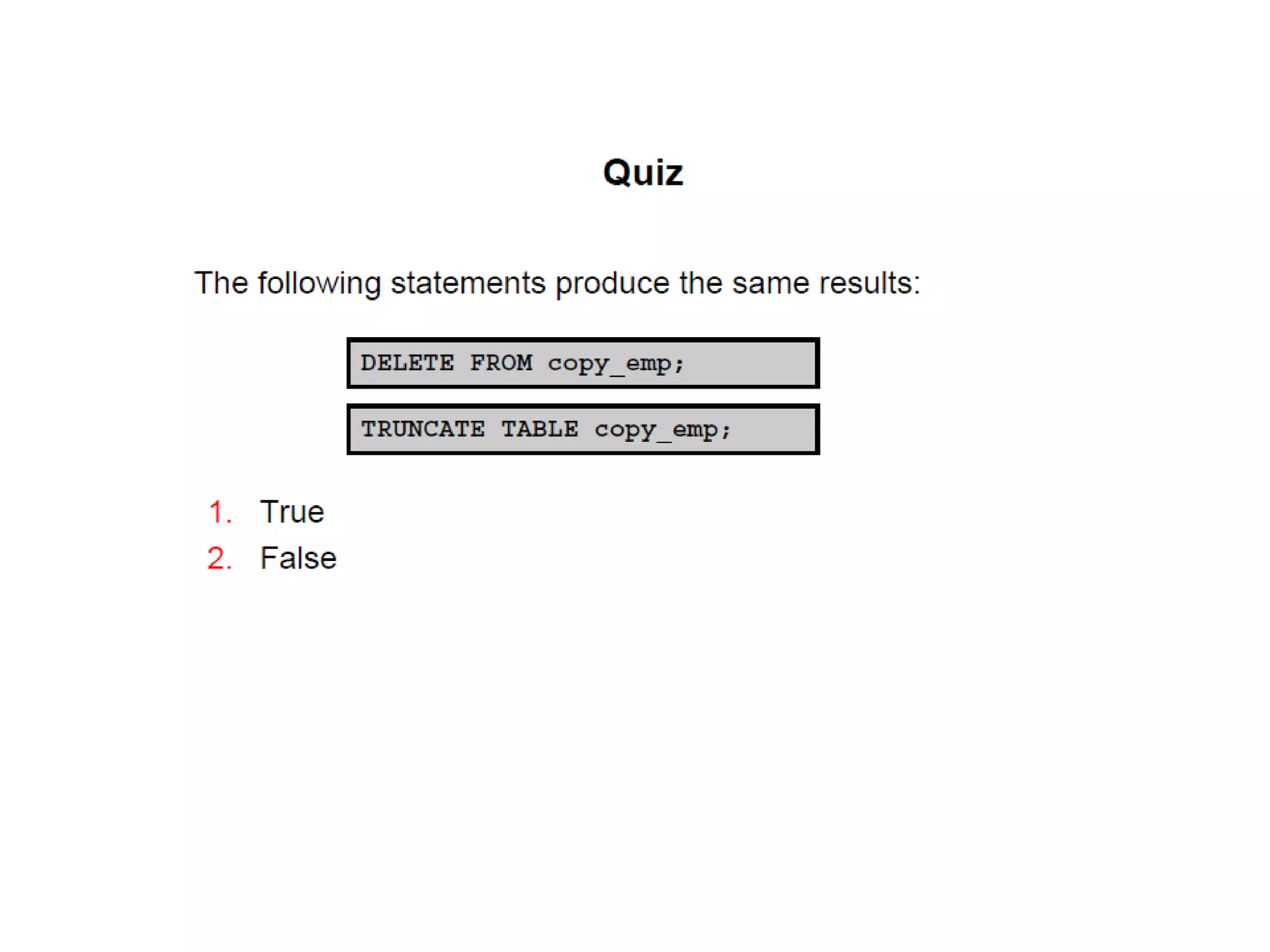
DELETE Statement
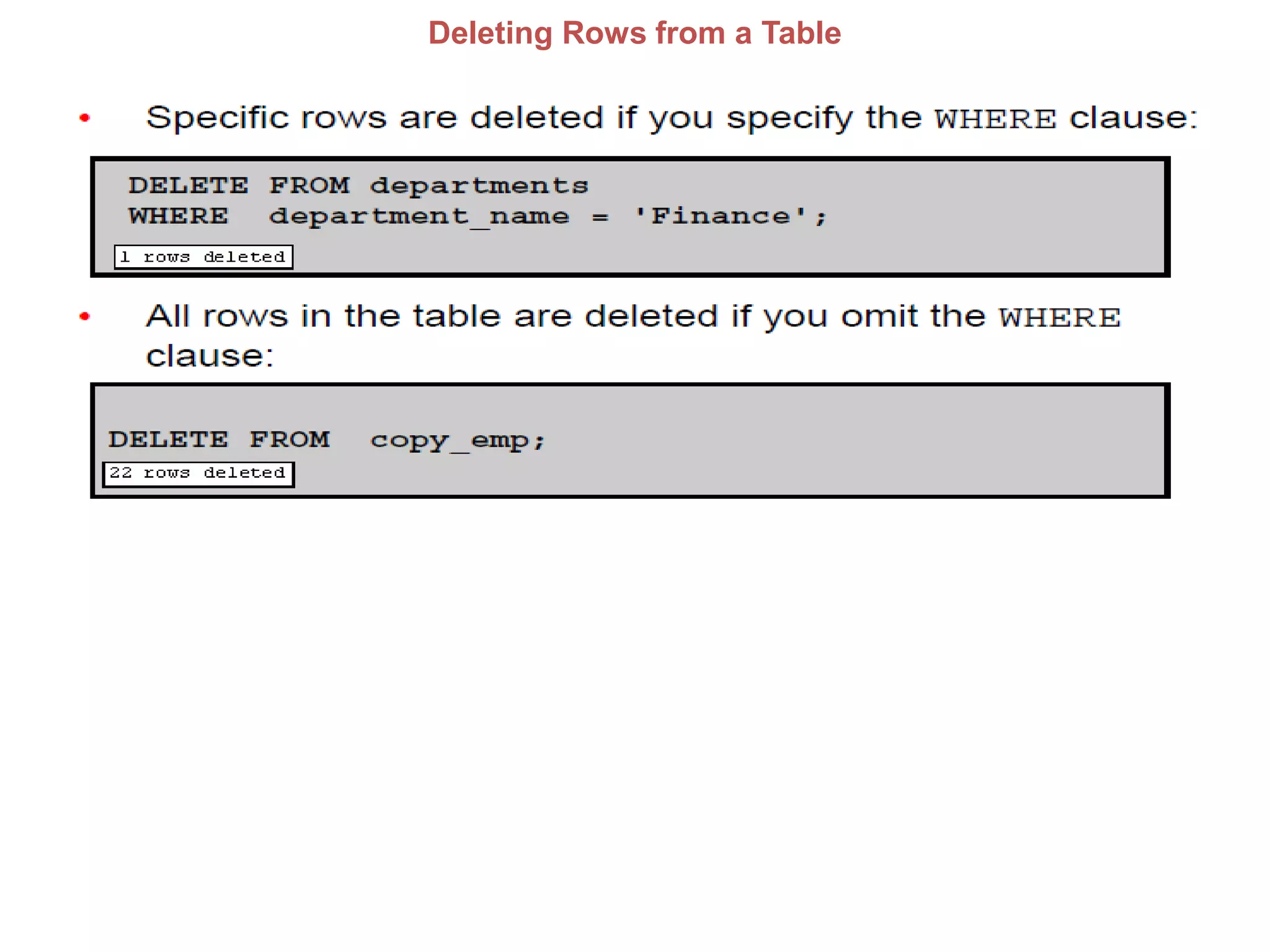
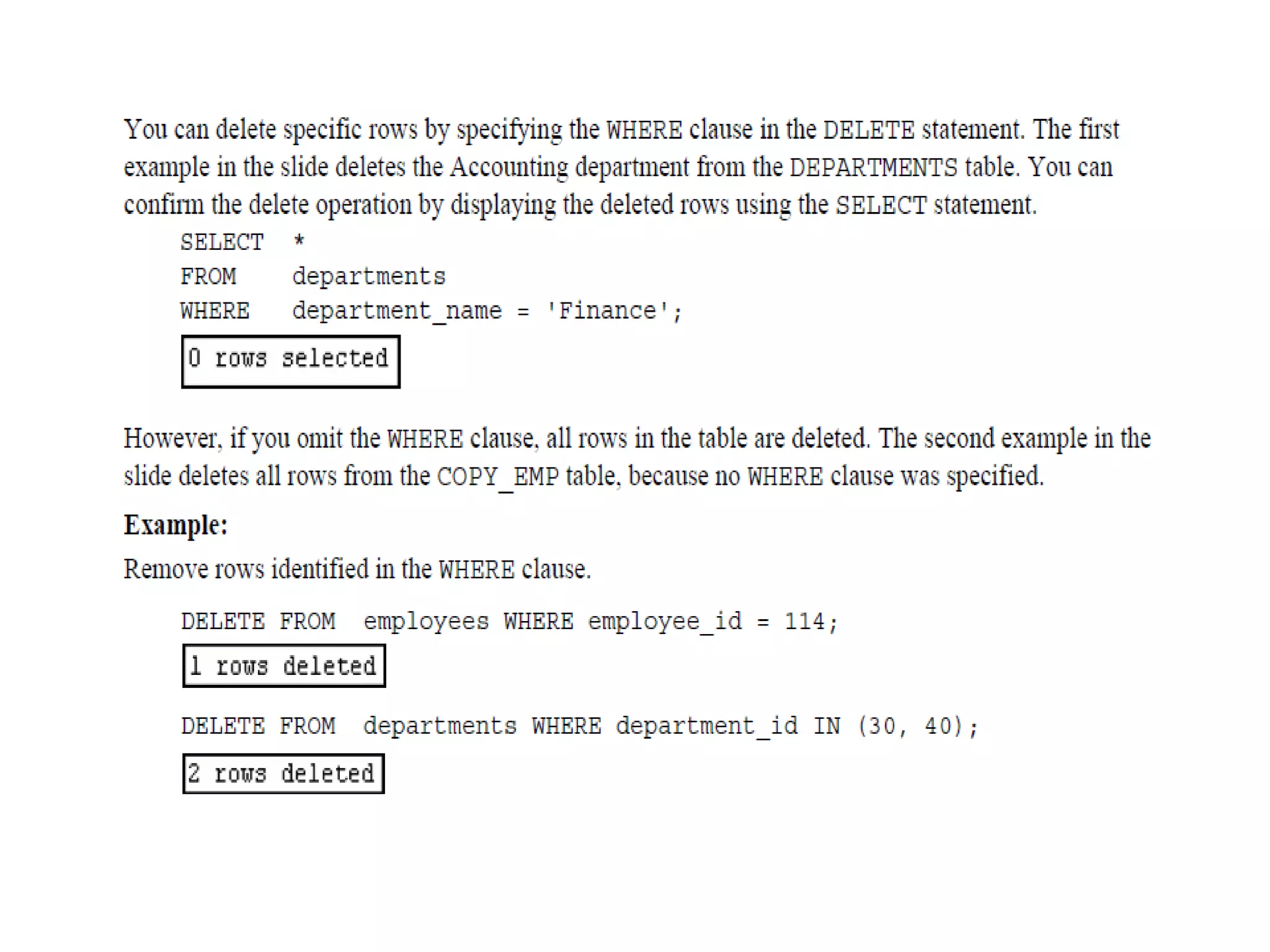
Deleting Rows from a Table
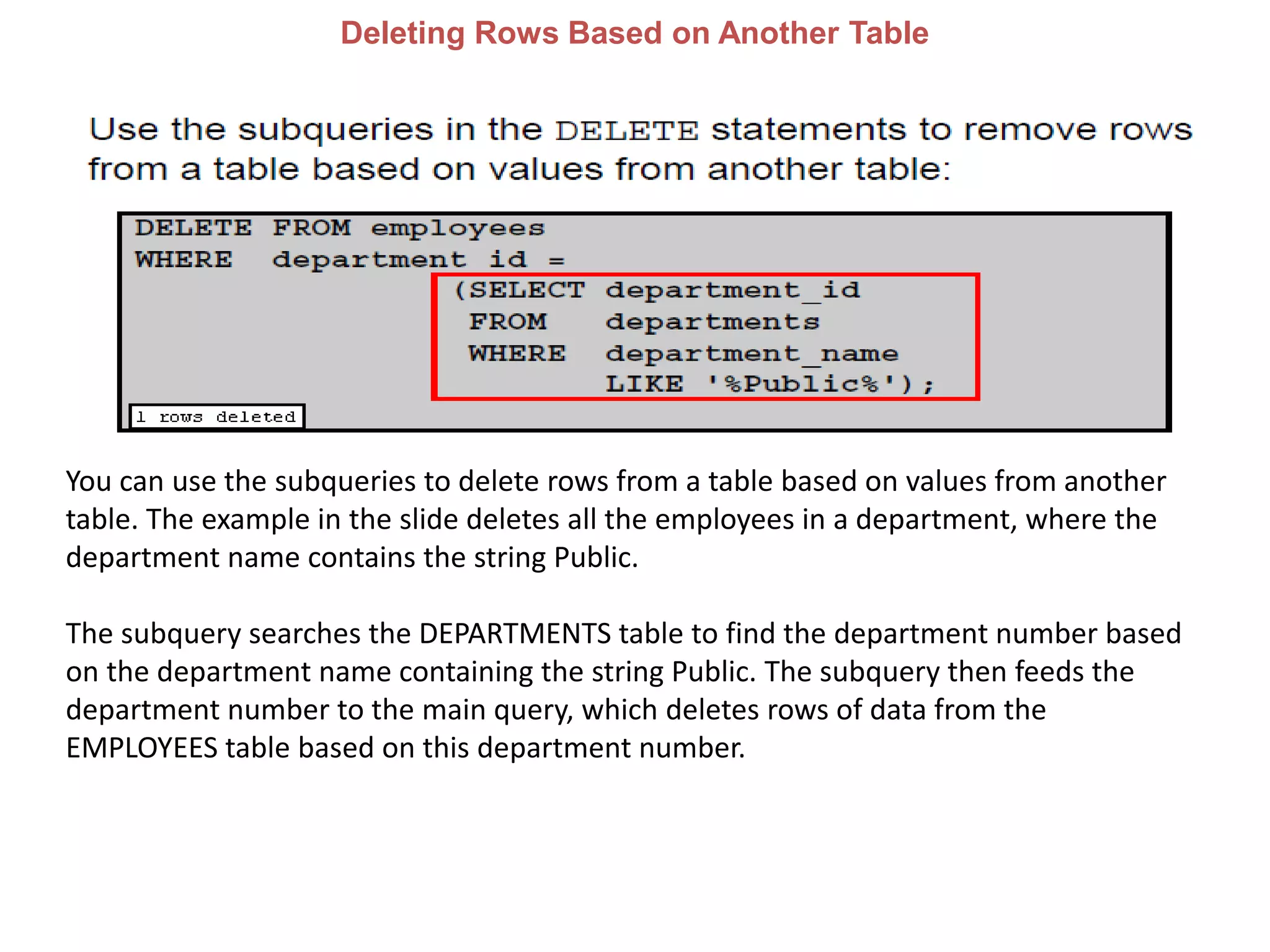
Deleting Rows Based on Another Table
You can use the subqueries to delete rows from a table based on values from another
table. The example in the slide deletes all the employees in a department, where the
department name contains the string Public.
The subquery searches the DEPARTMENTS table to find the department number based
on the department name containing the string Public. The subquery then feeds the
department number to the main query, which deletes rows of data from the
EMPLOYEES table based on this department number.
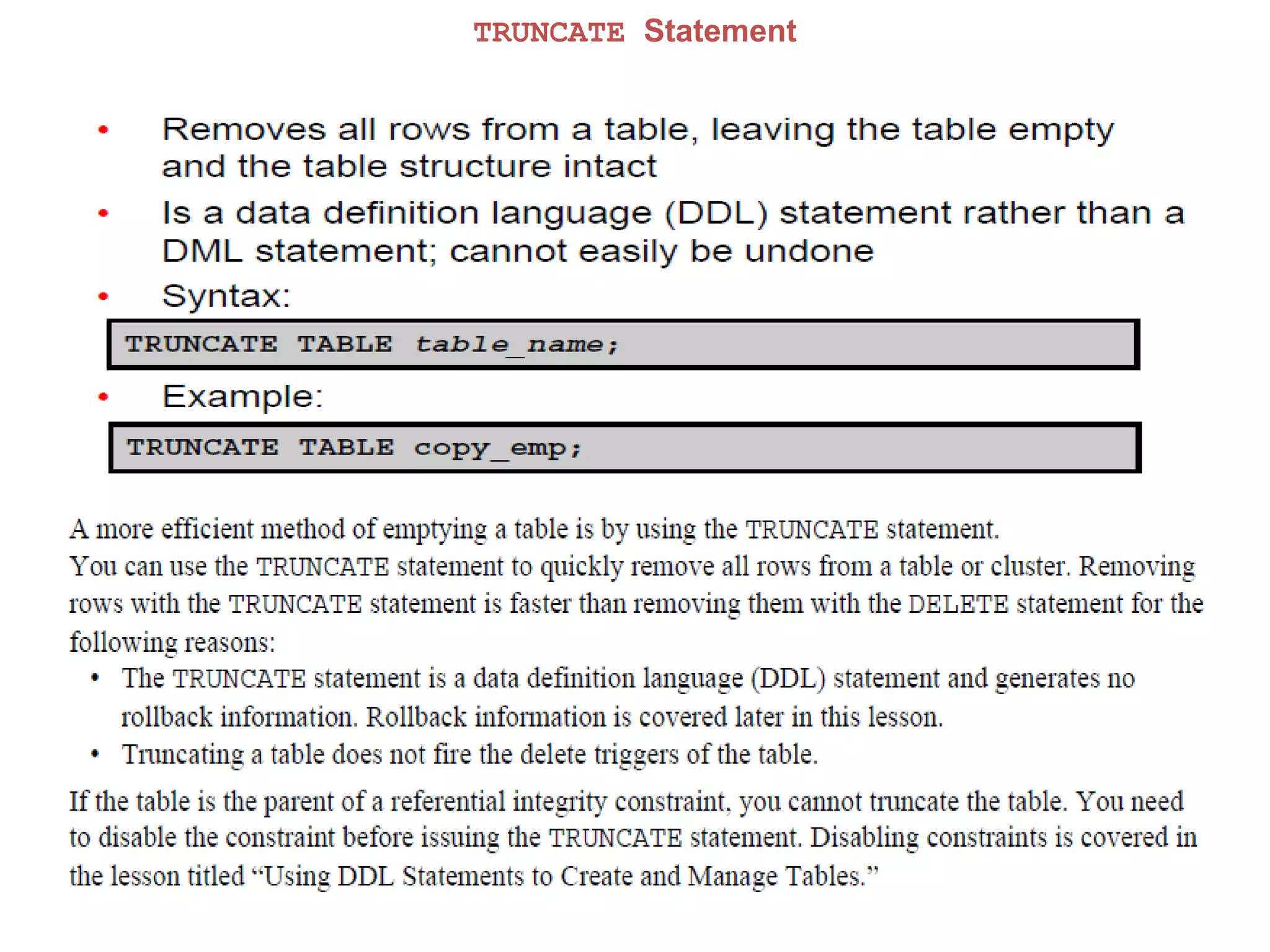
TRUNCATE Statement
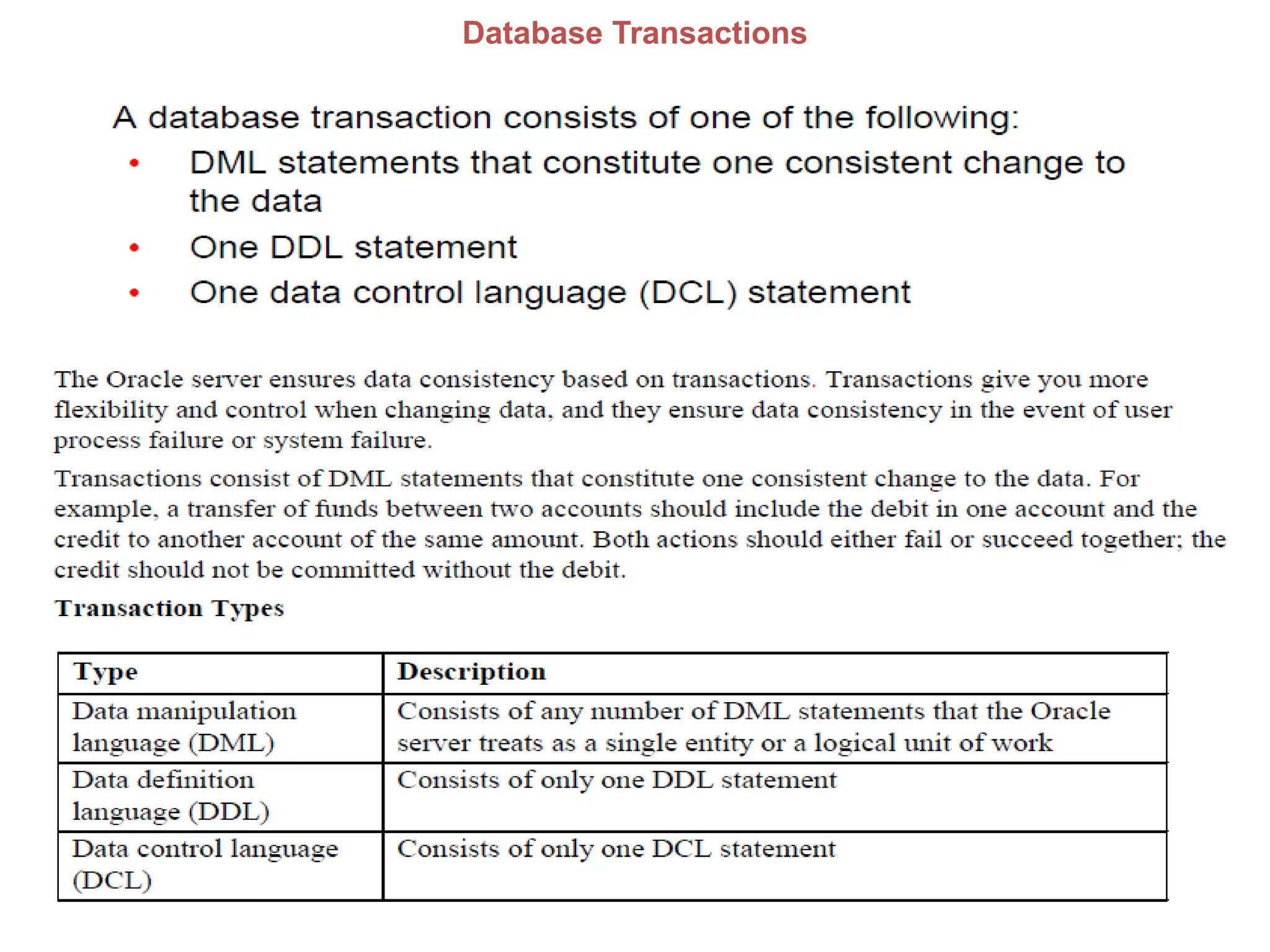
Database Transactions
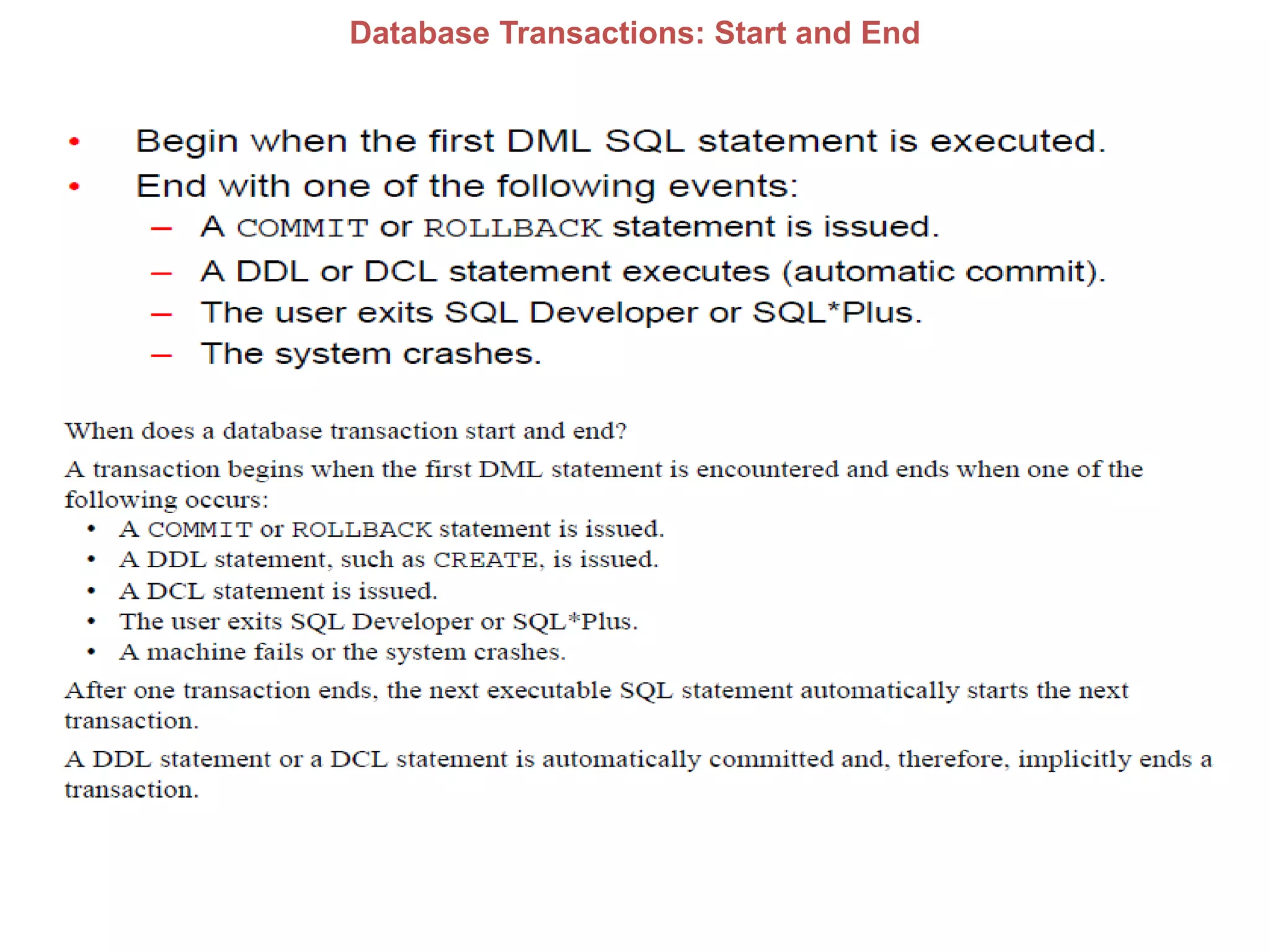
Database Transactions: Start and End
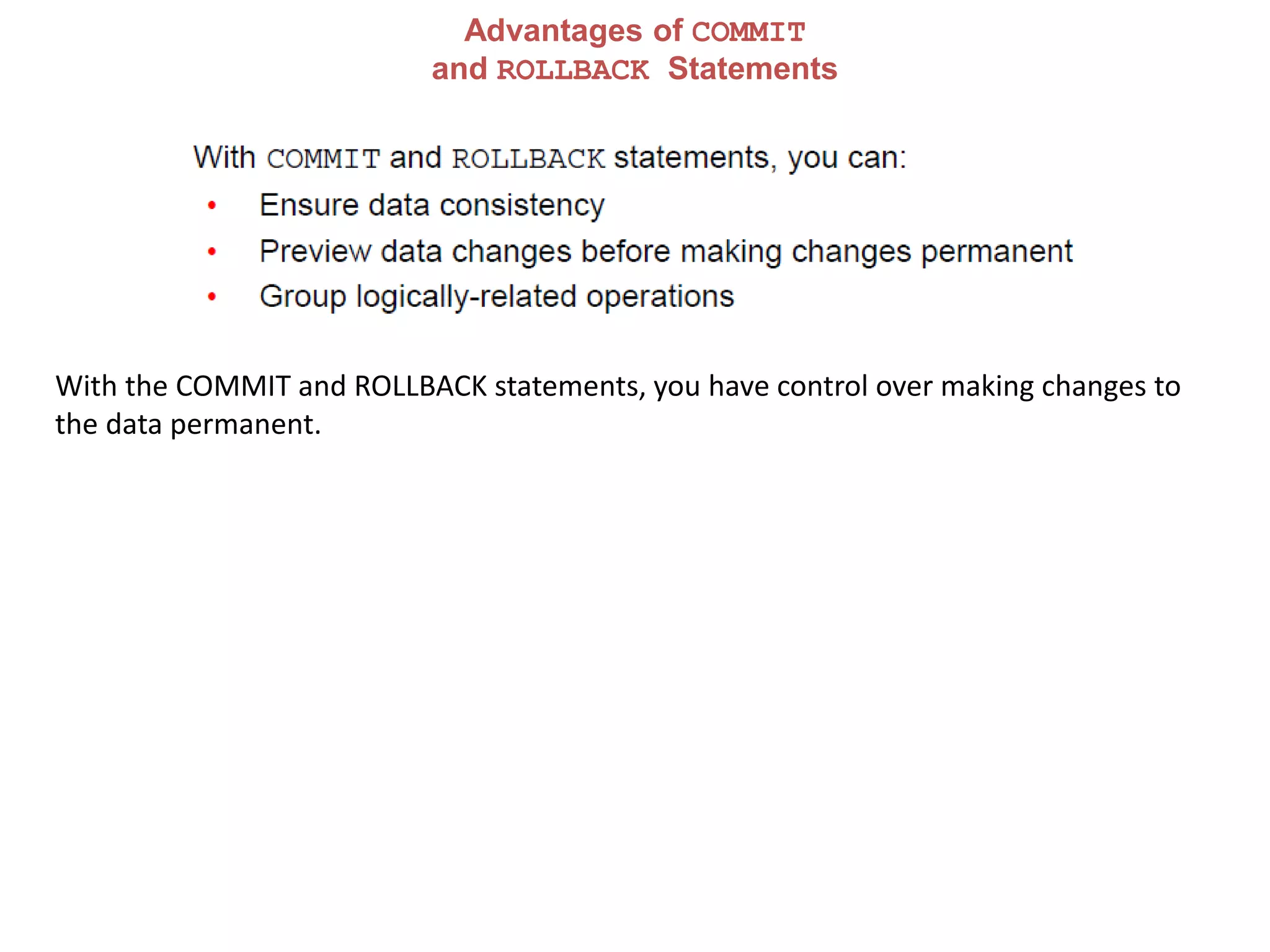
Advantages of COMMIT
and ROLLBACK Statements
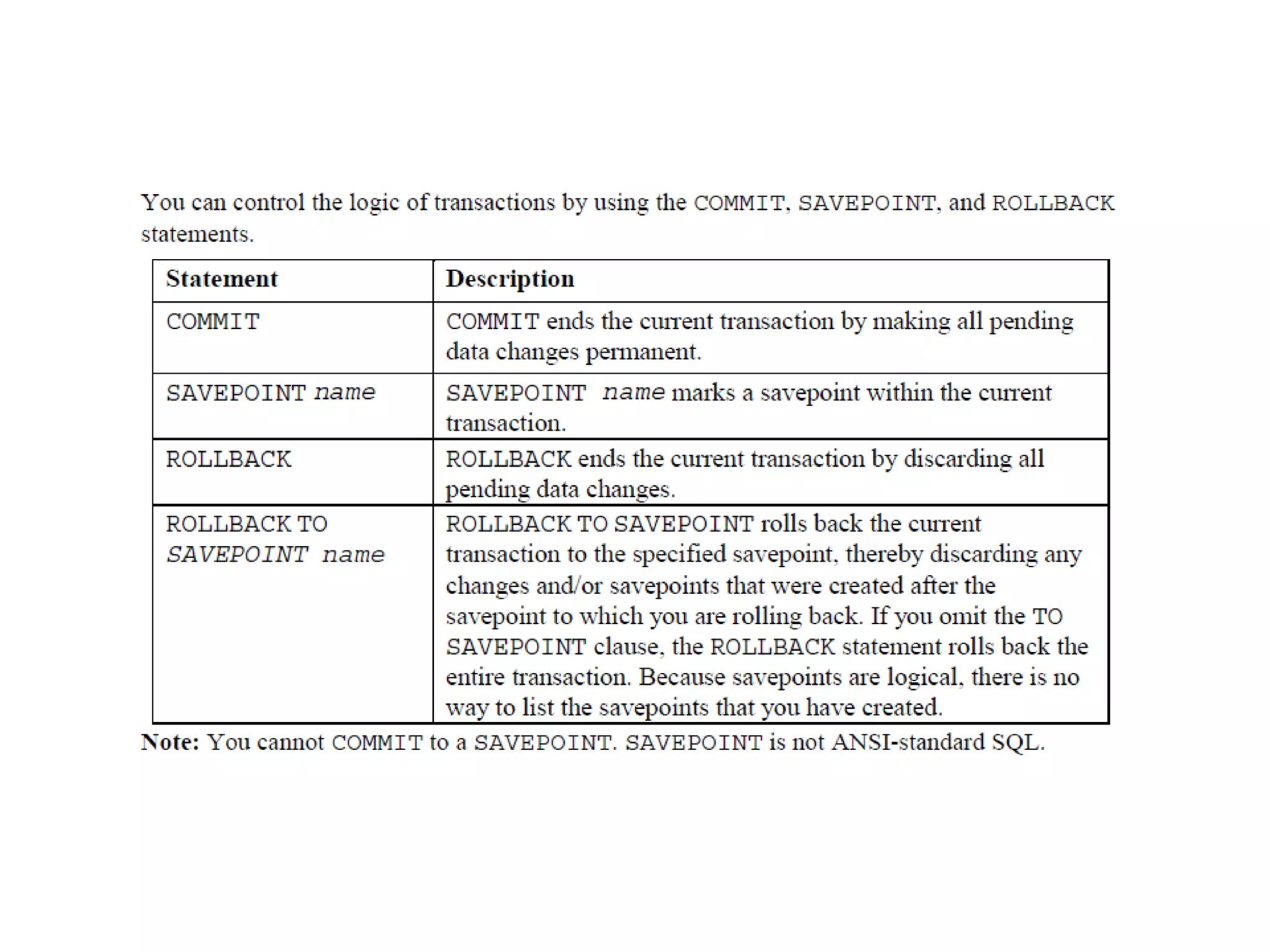
With the COMMIT and ROLLBACK statements, you have control over making changes to
the data permanent.
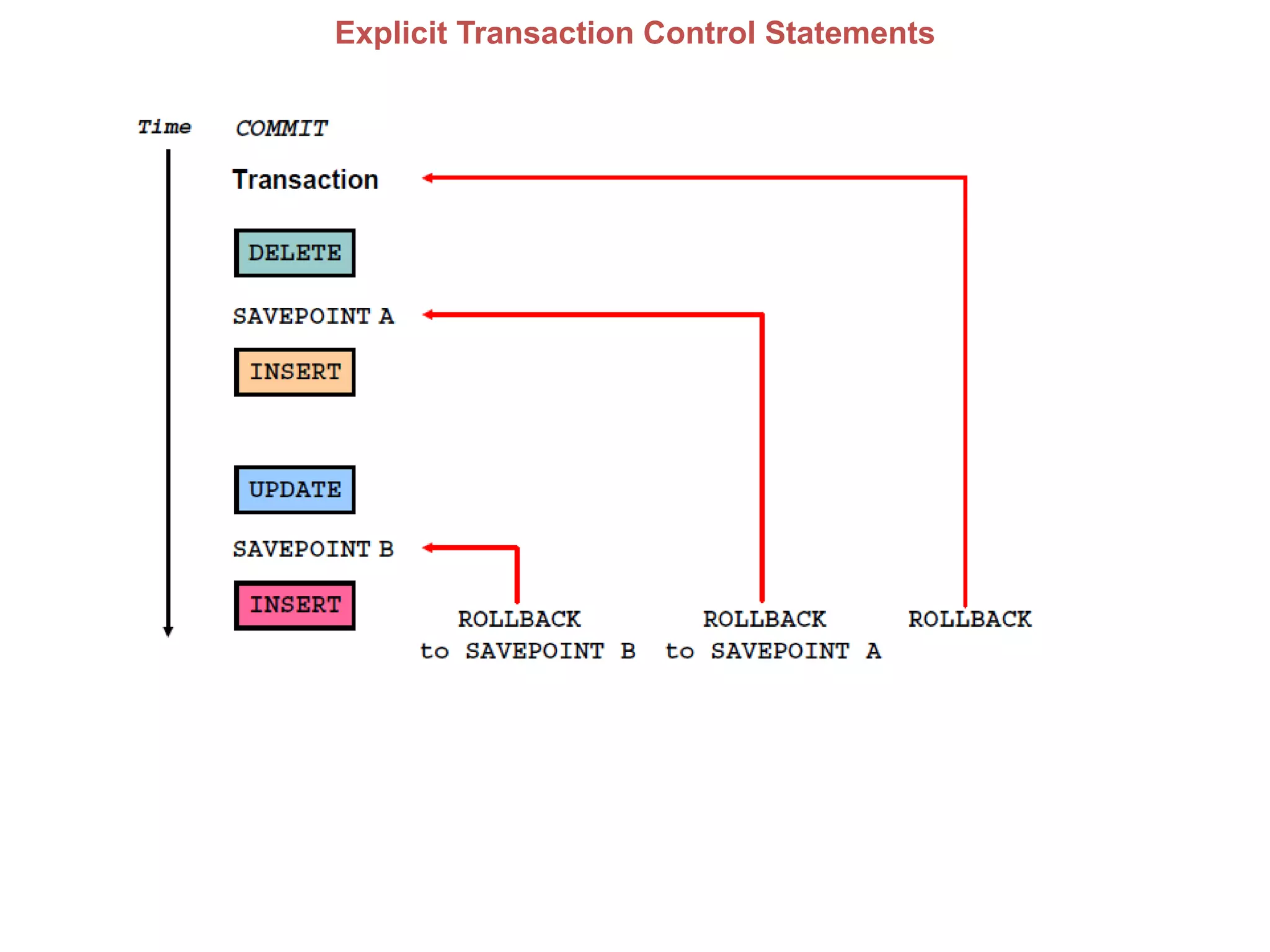
Explicit Transaction Control Statements
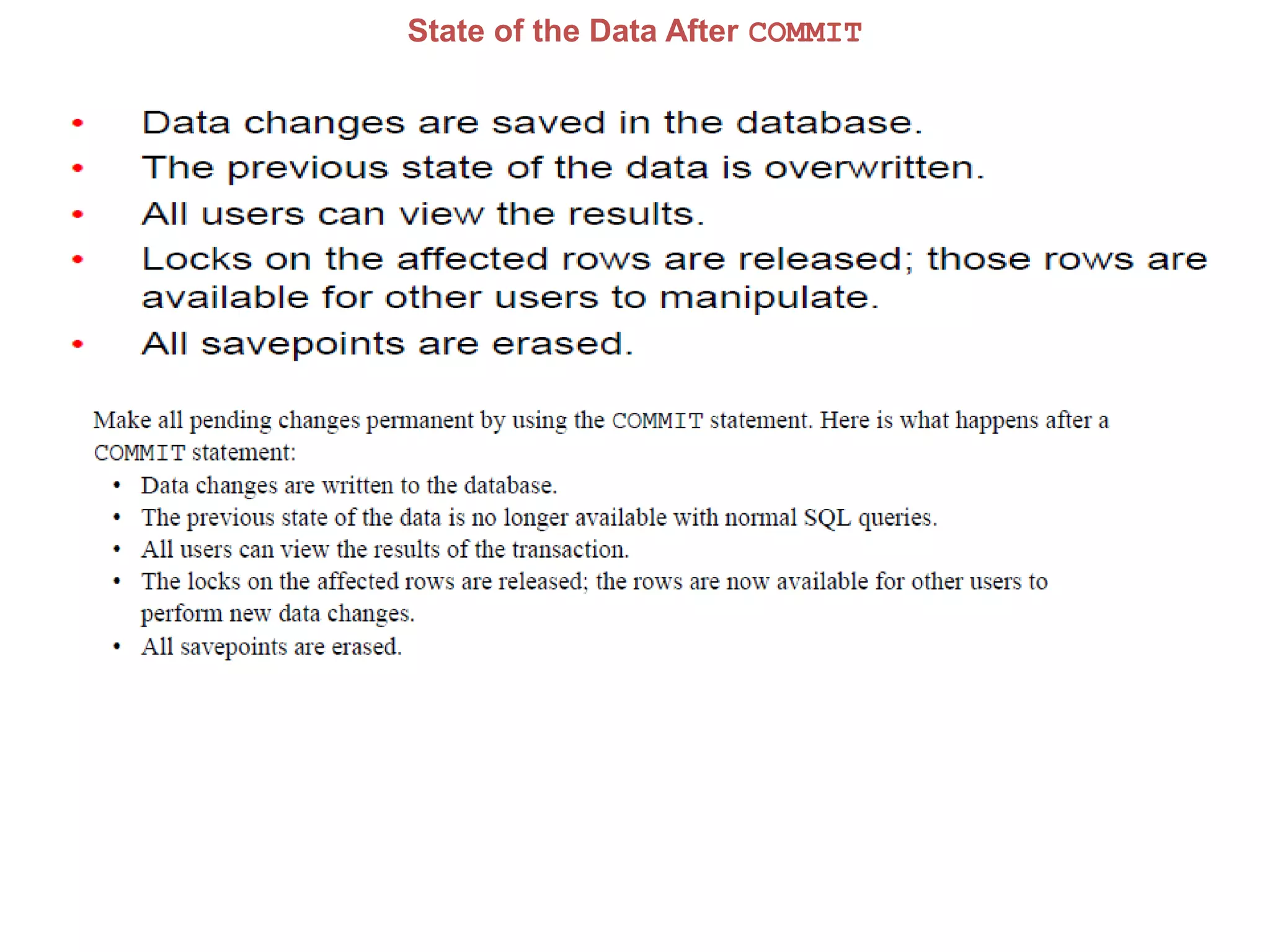
State of the Data After COMMIT
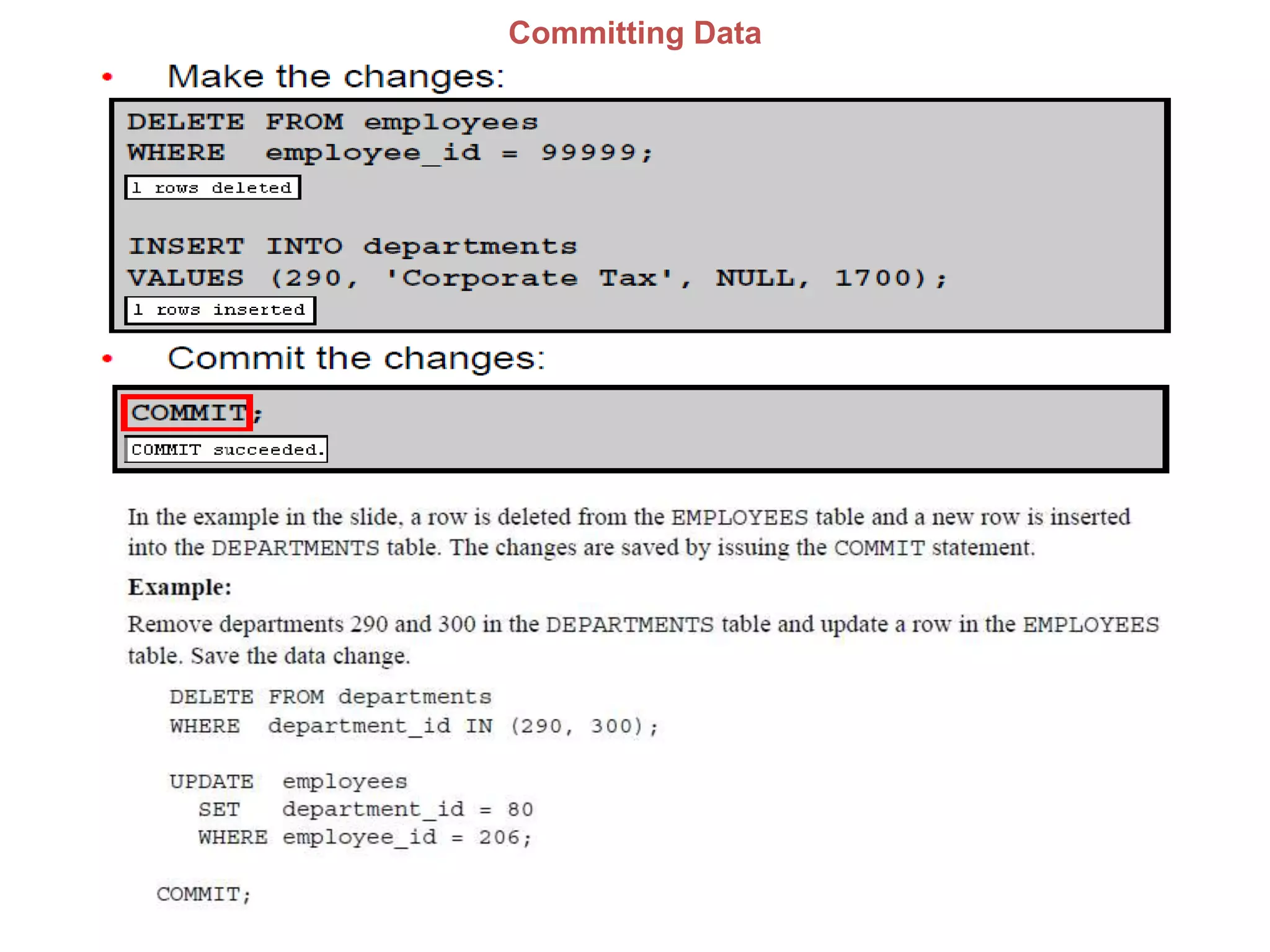
Committing Data
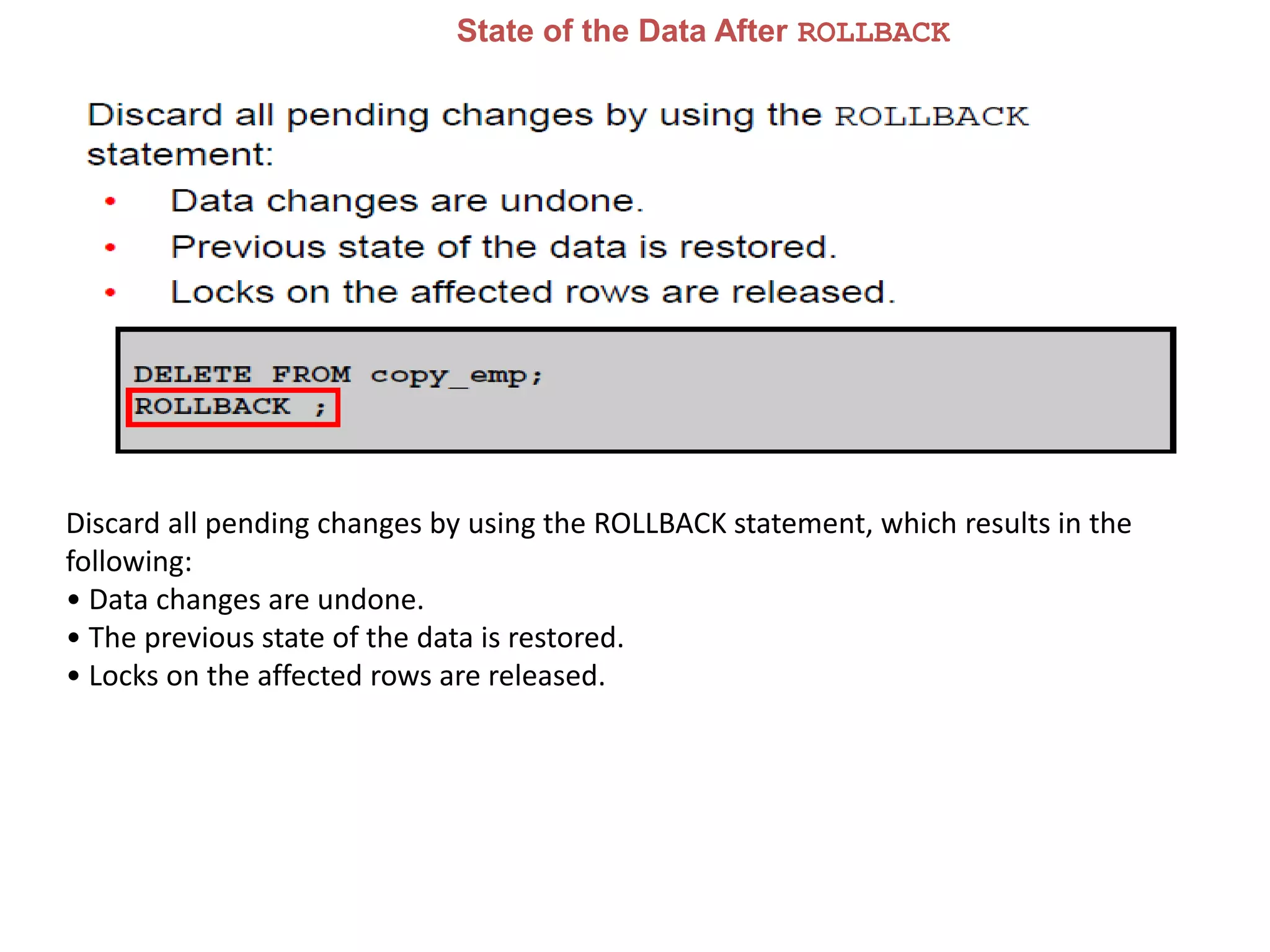
State of the Data After ROLLBACK
Discard all pending changes by using the ROLLBACK statement, which results in the
following:
• Data changes are undone.
• The previous state of the data is restored.
• Locks on the affected rows are released.
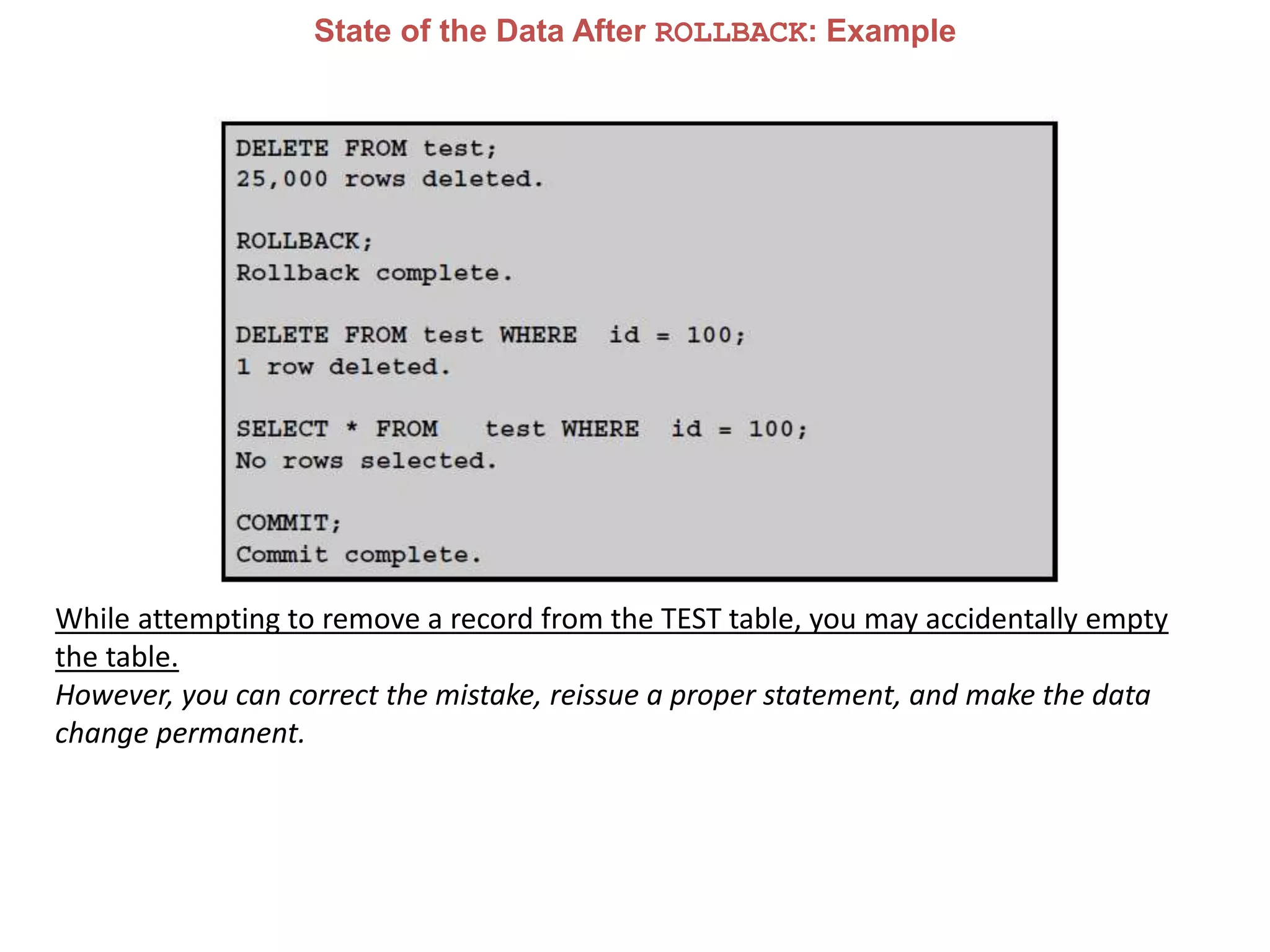
State of the Data After ROLLBACK: Example
While attempting to remove a record from the TEST table, you may accidentally empty
the table.
However, you can correct the mistake, reissue a proper statement, and make the data
change permanent.
DDL
Using DDL Statements to Create and Manage Tables
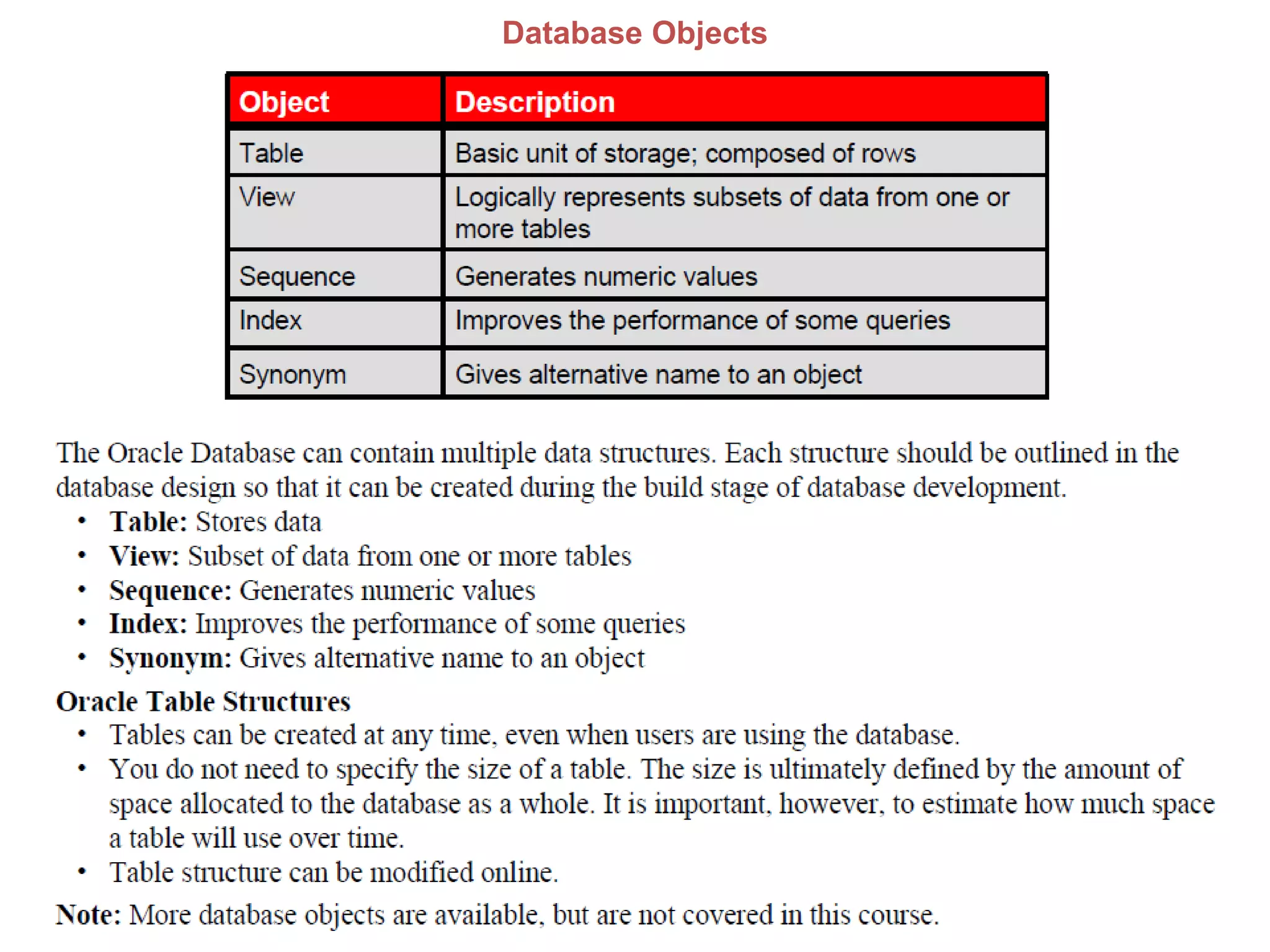
Database Objects
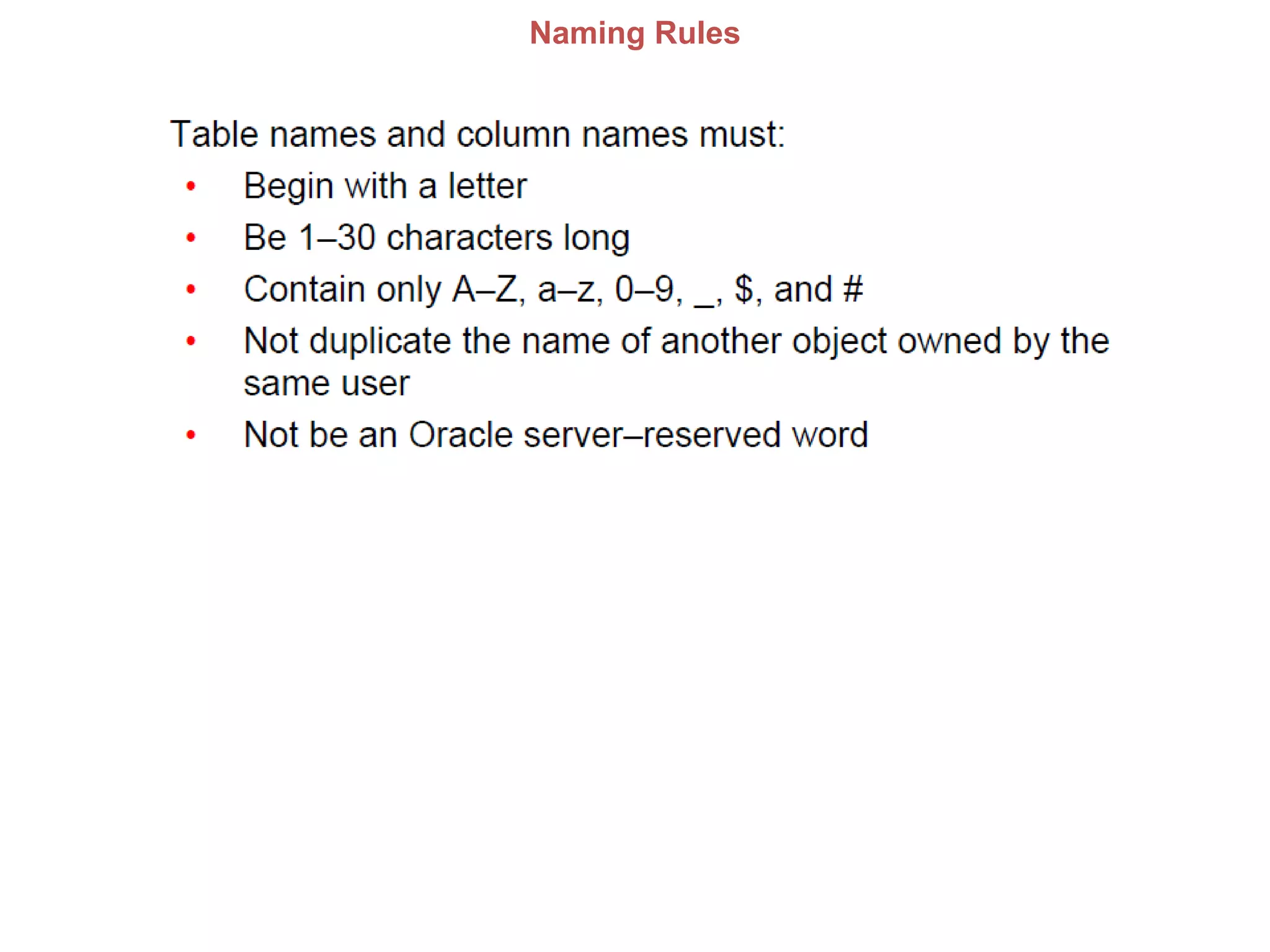
Naming Rules
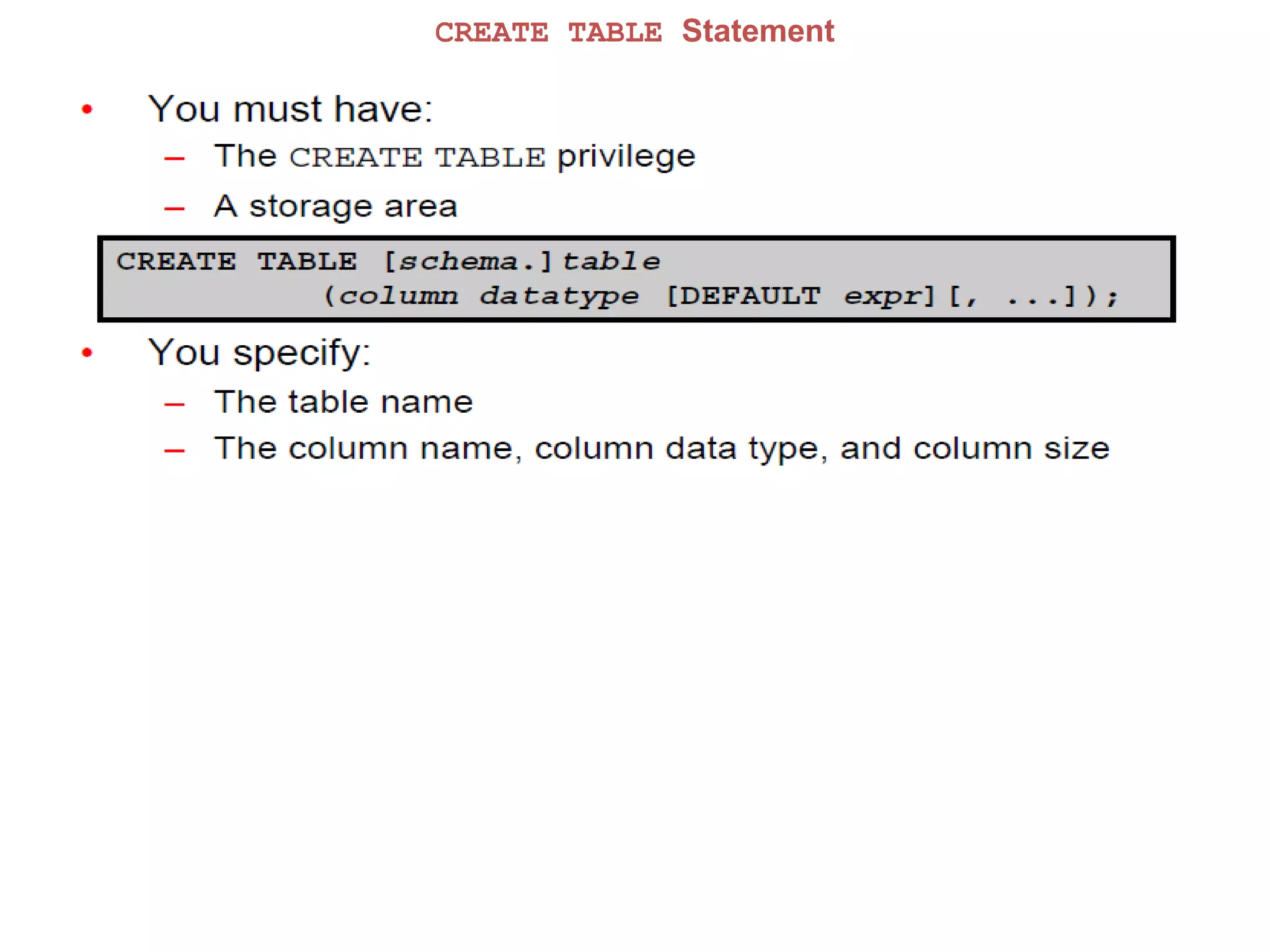
CREATE TABLE Statement
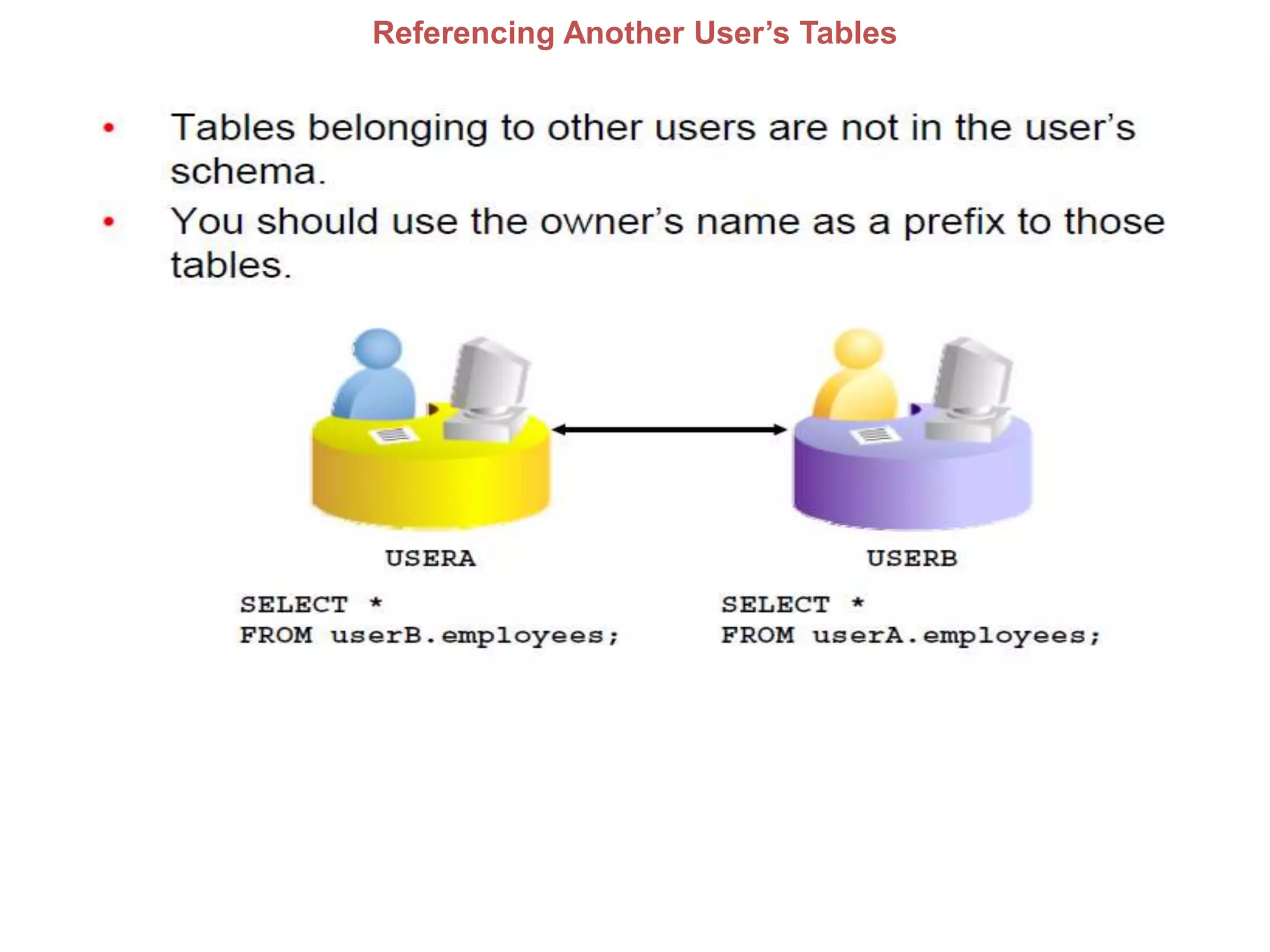
Referencing Another User’s Tables
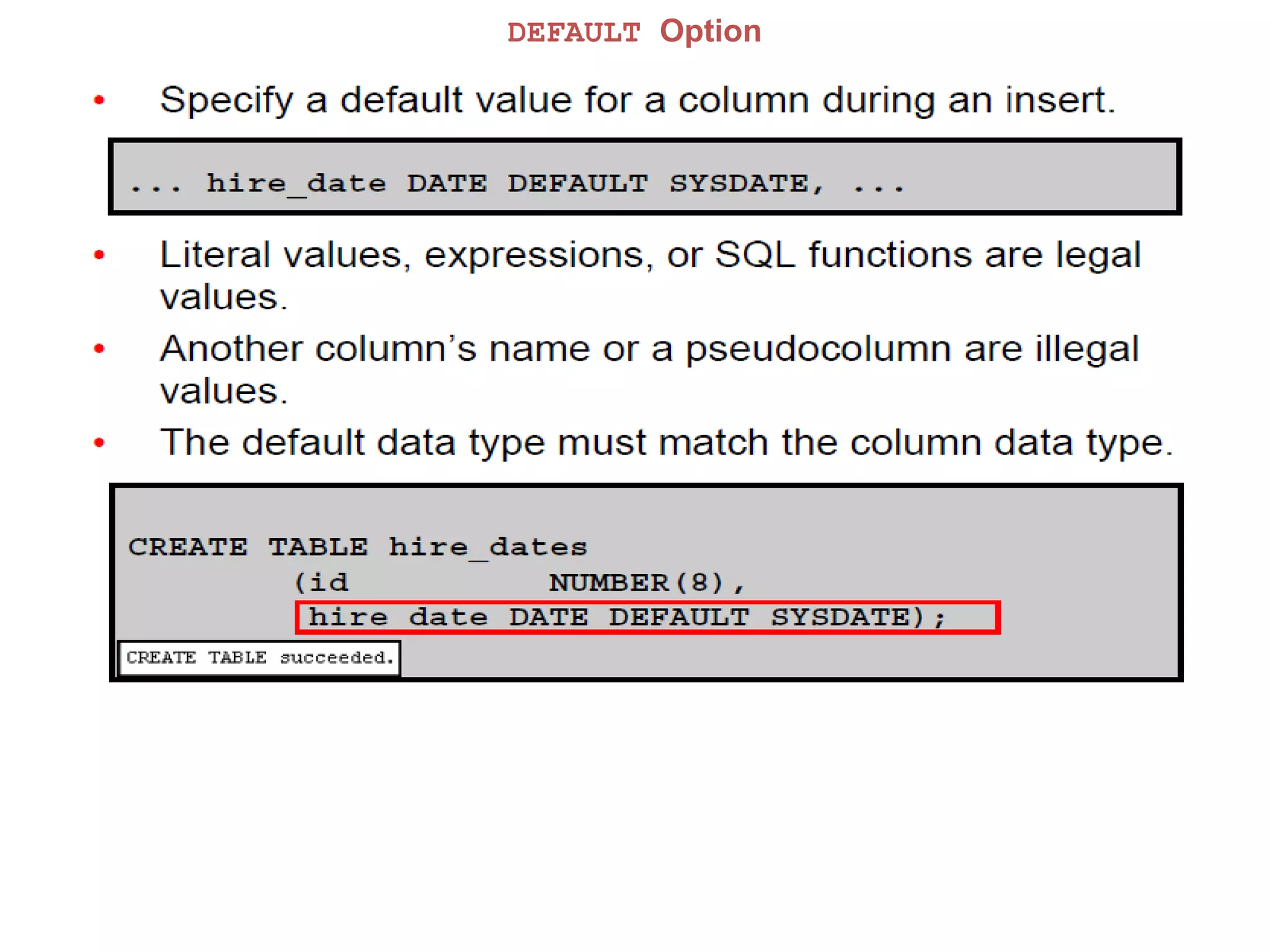
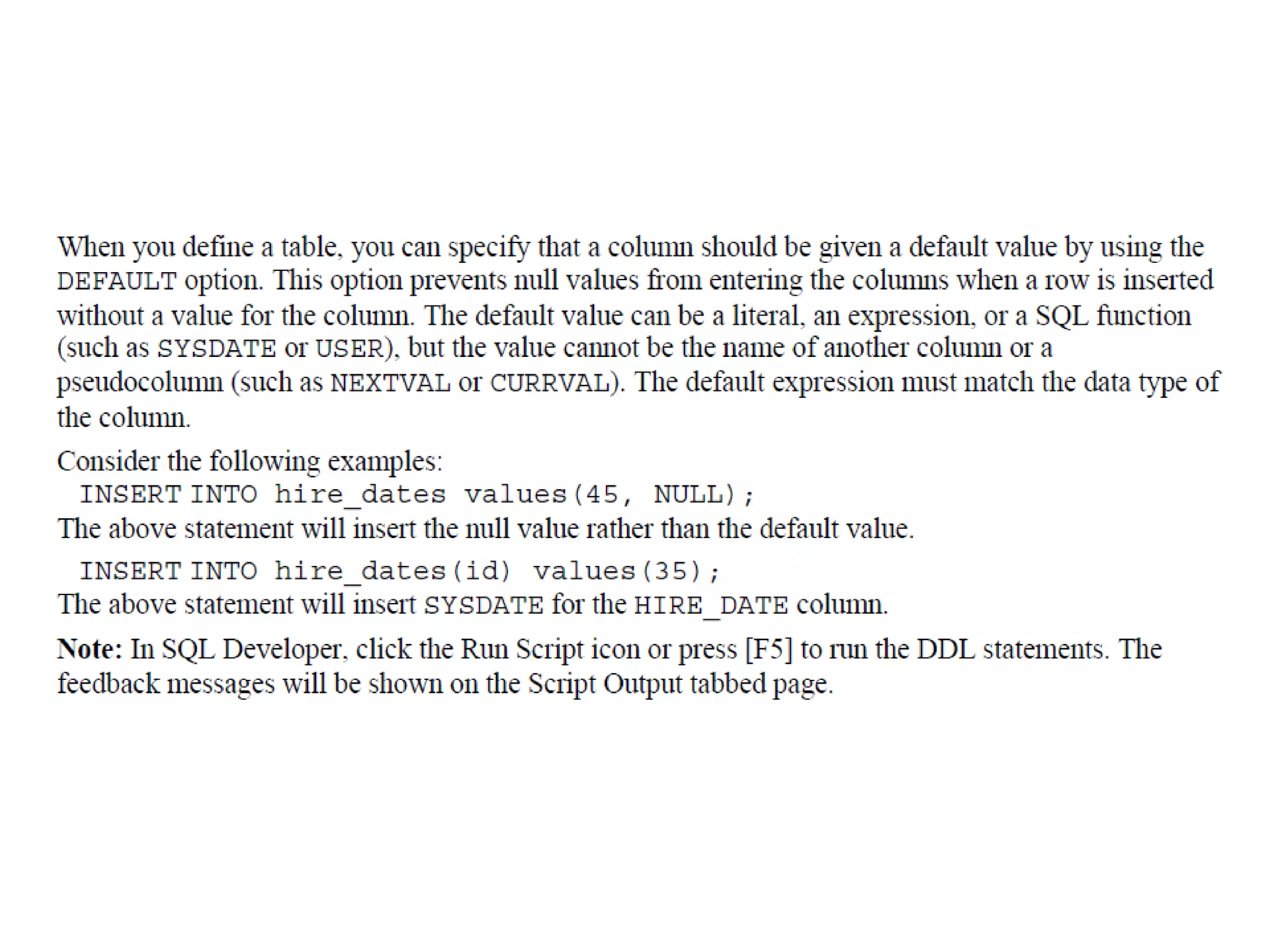
DEFAULT Option
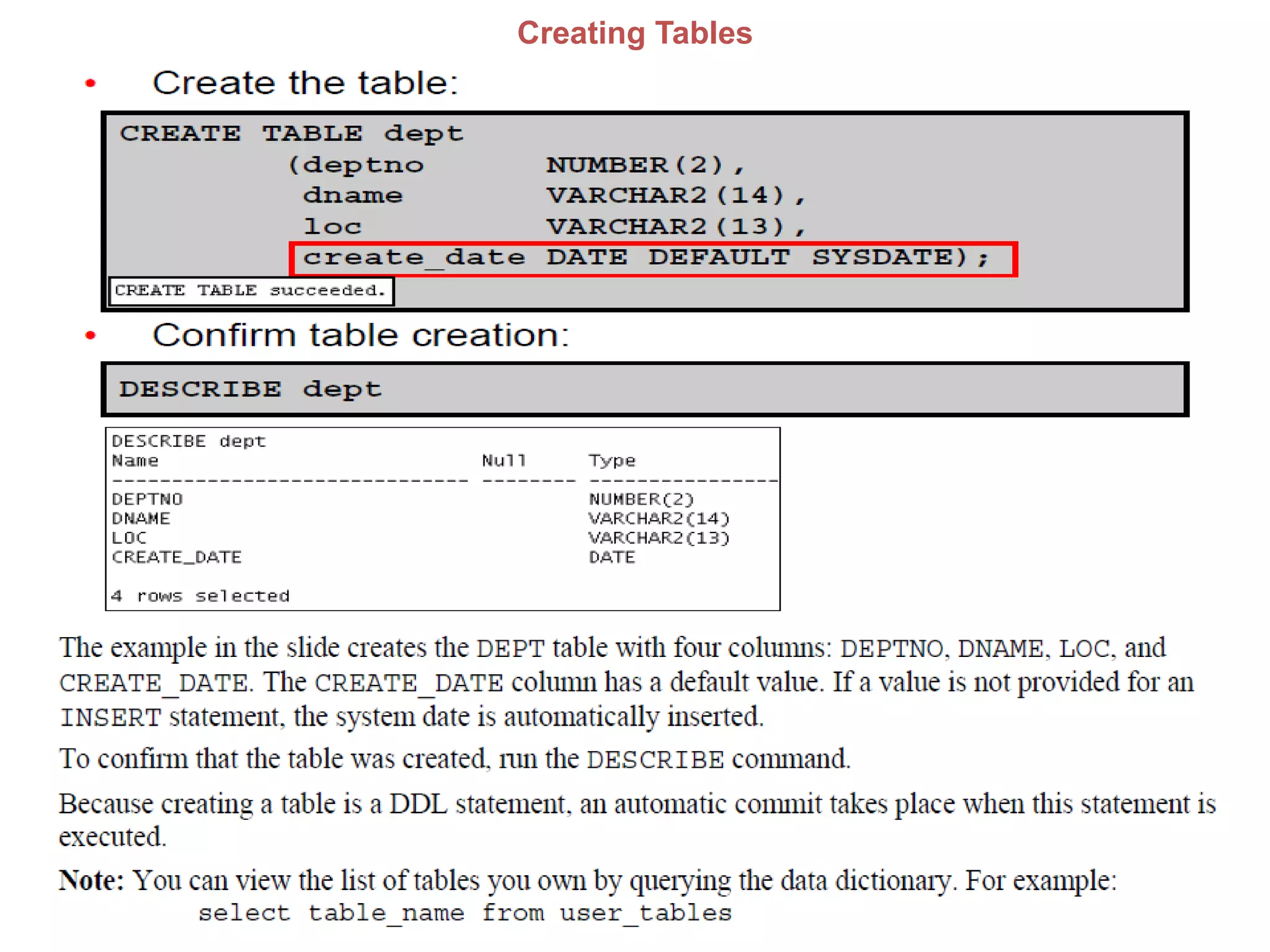
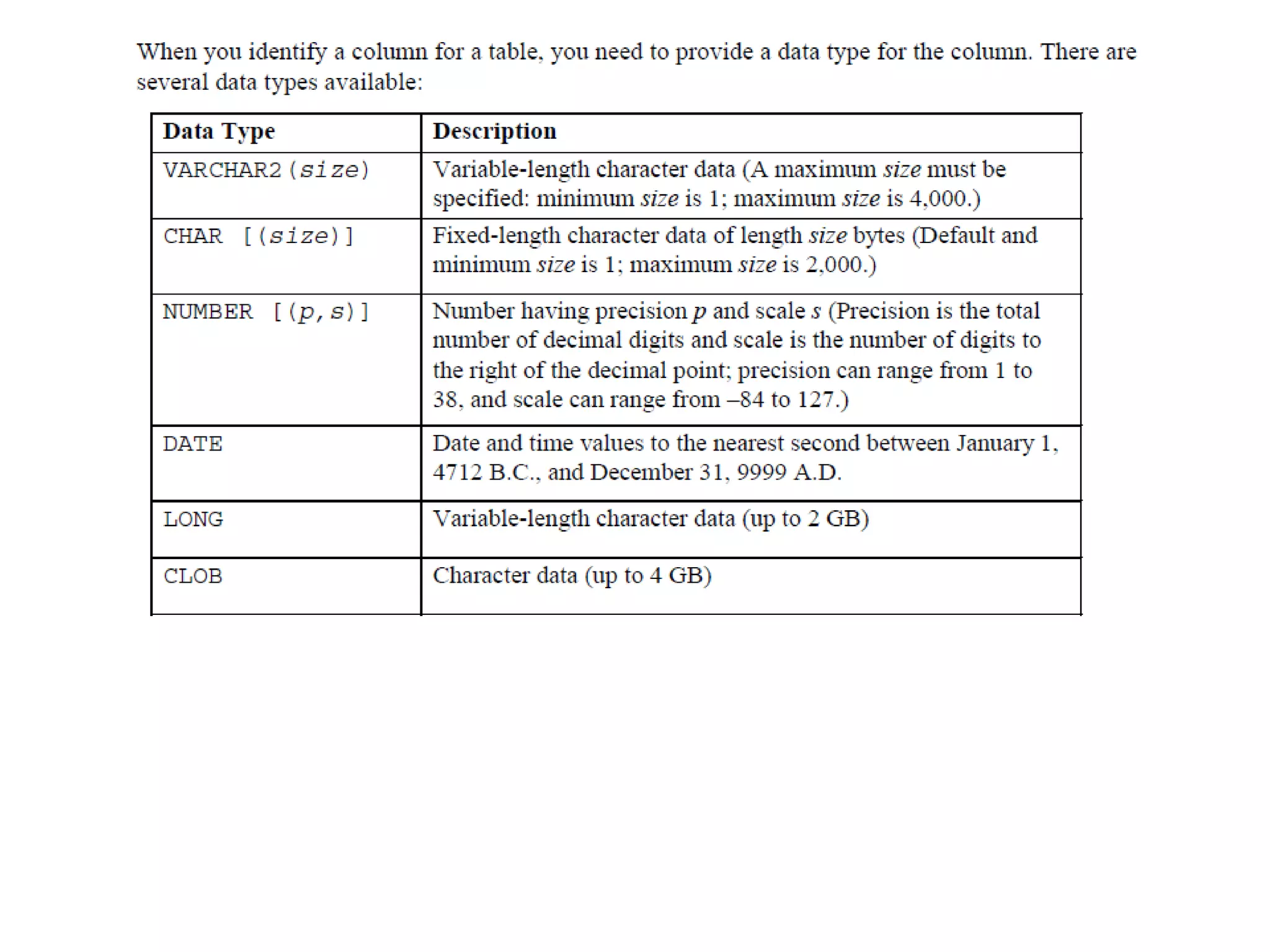
Creating Tables
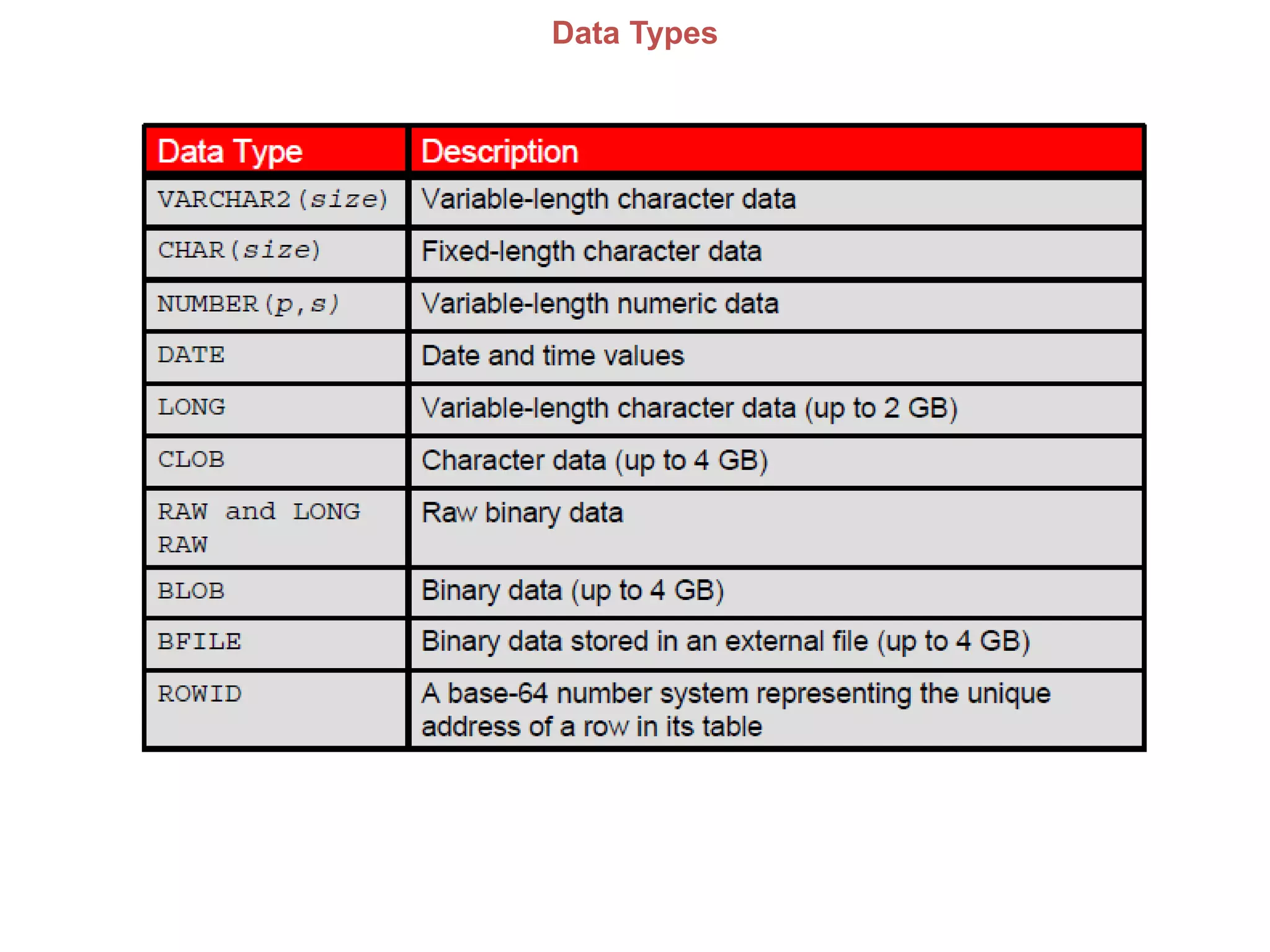
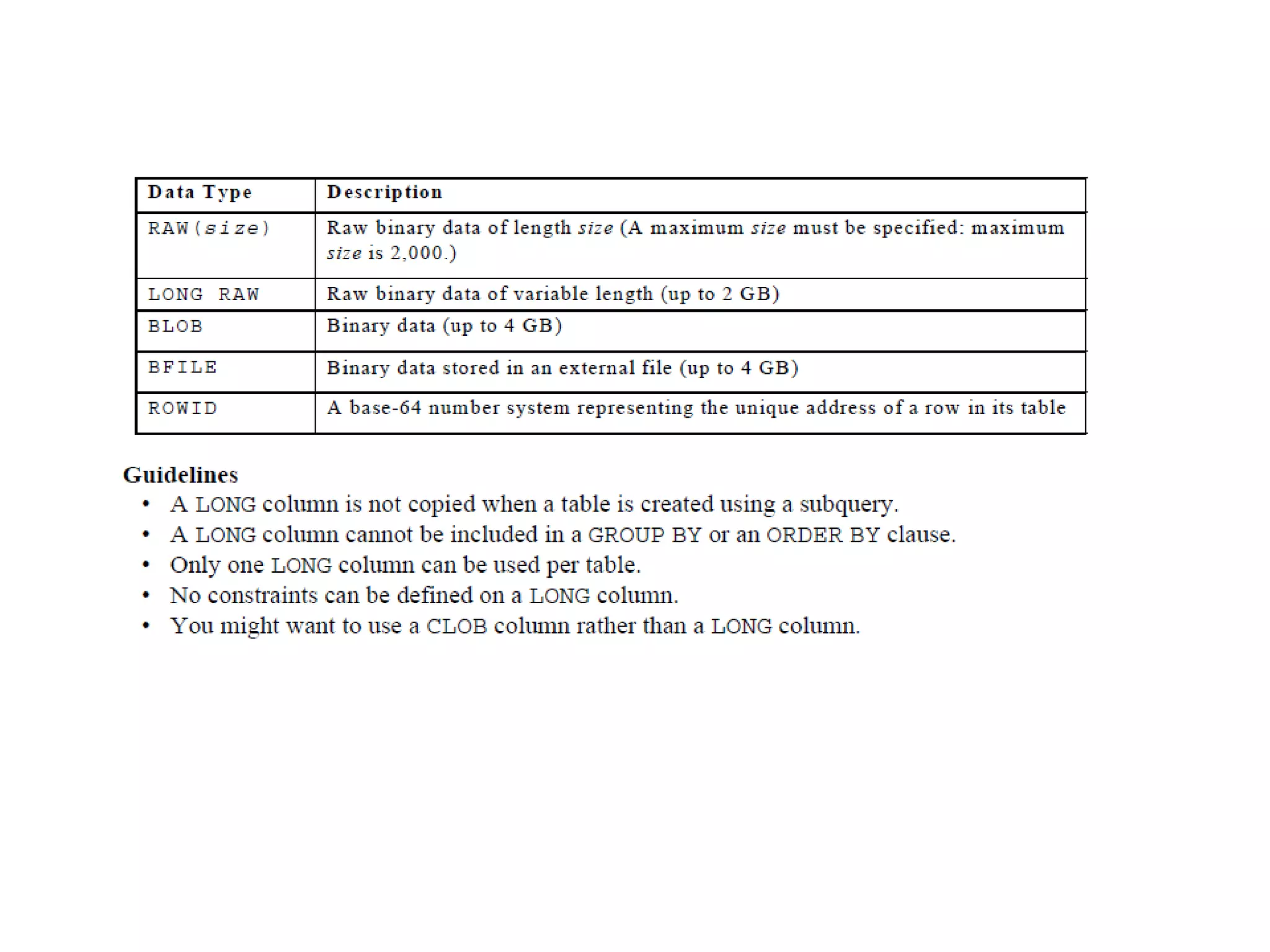
Data Types
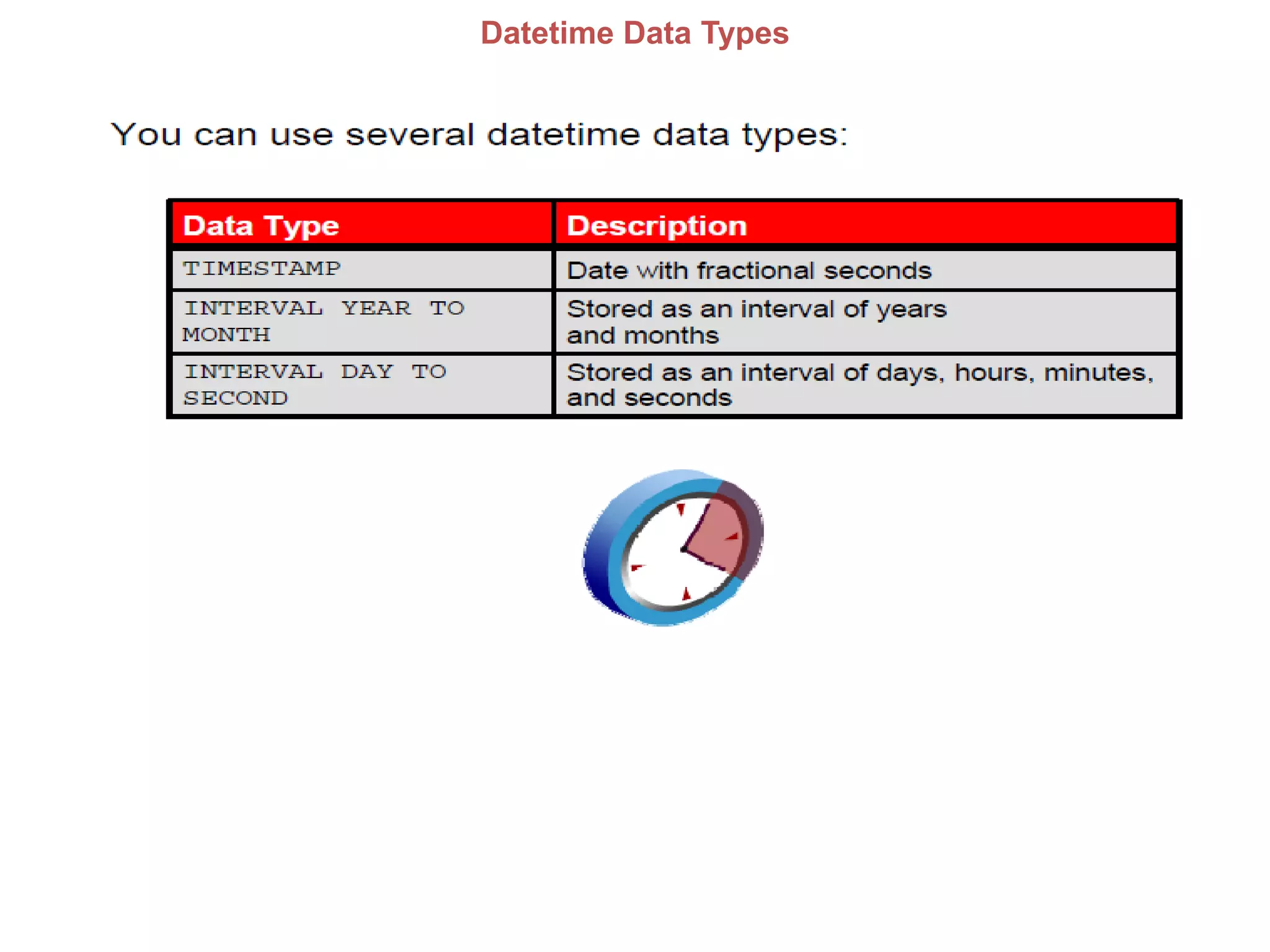
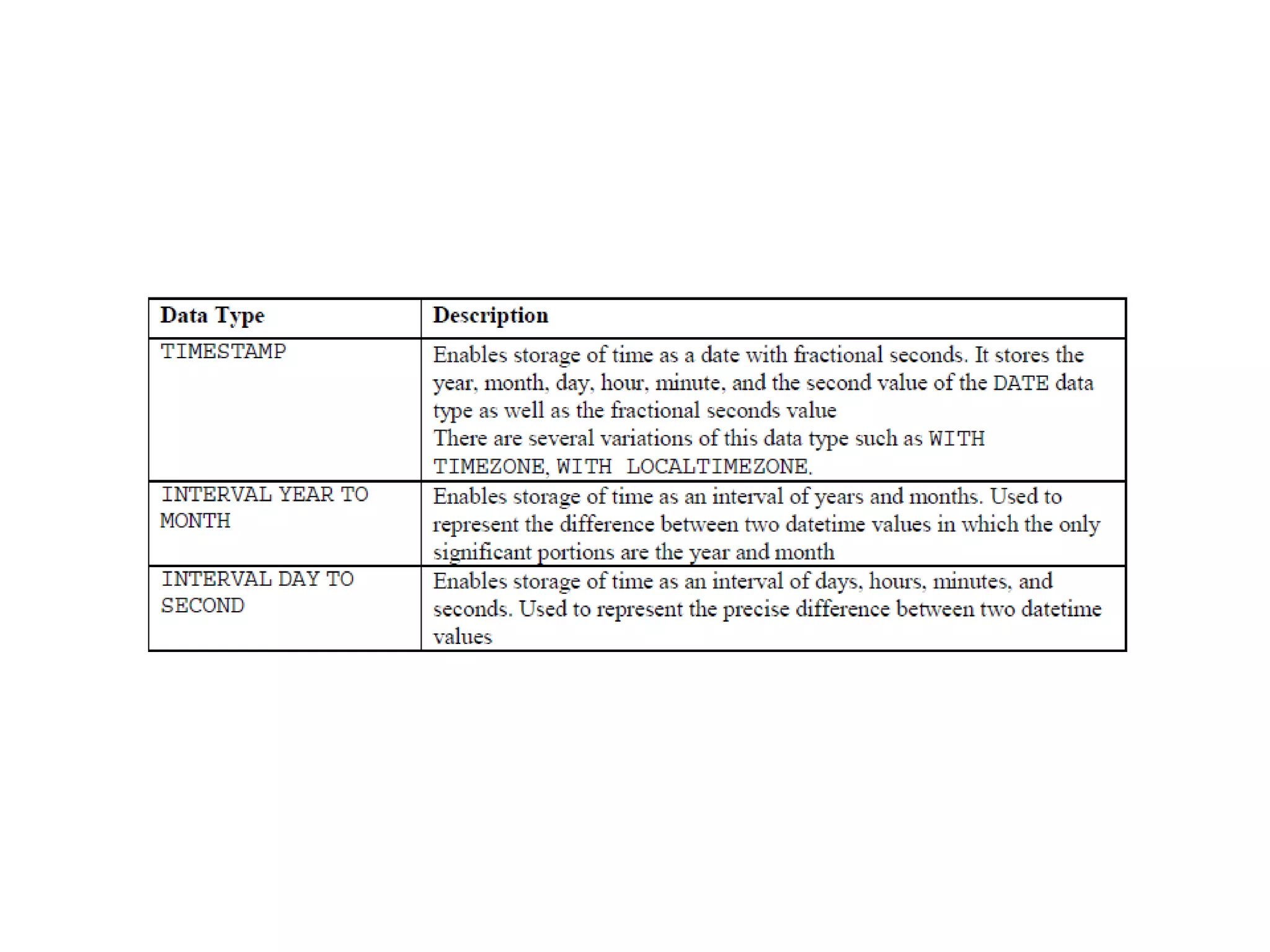
Datetime Data Types
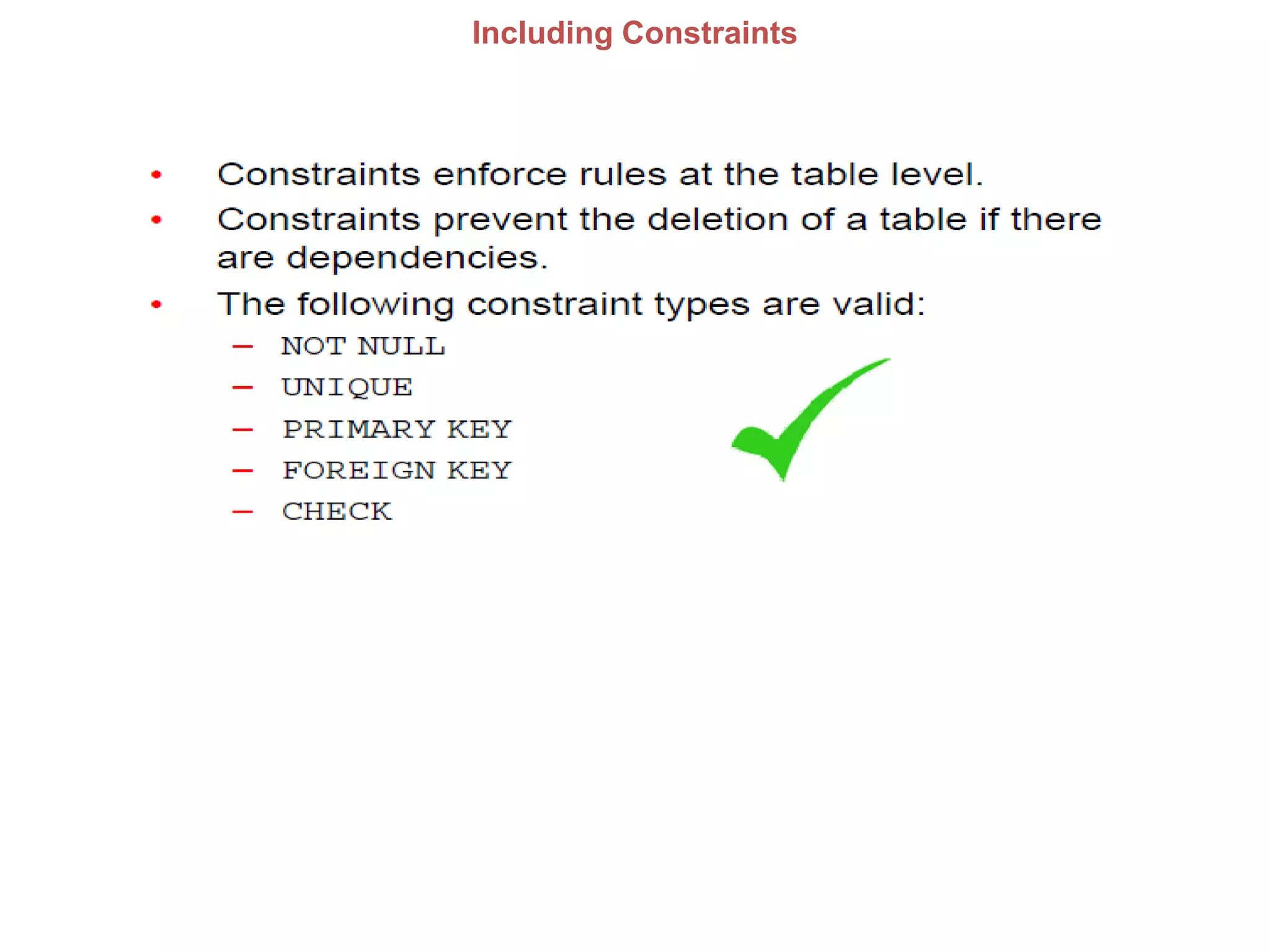
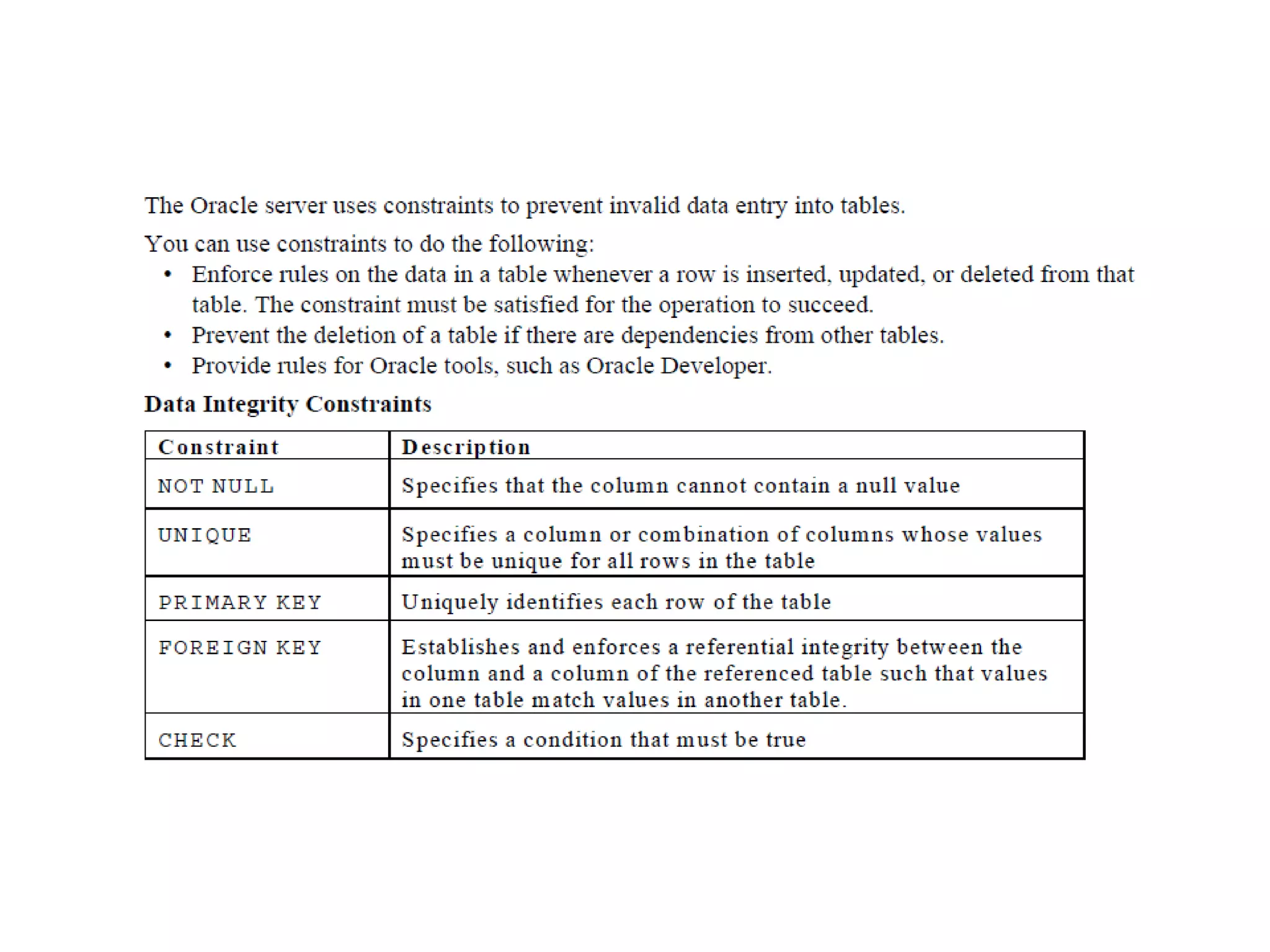
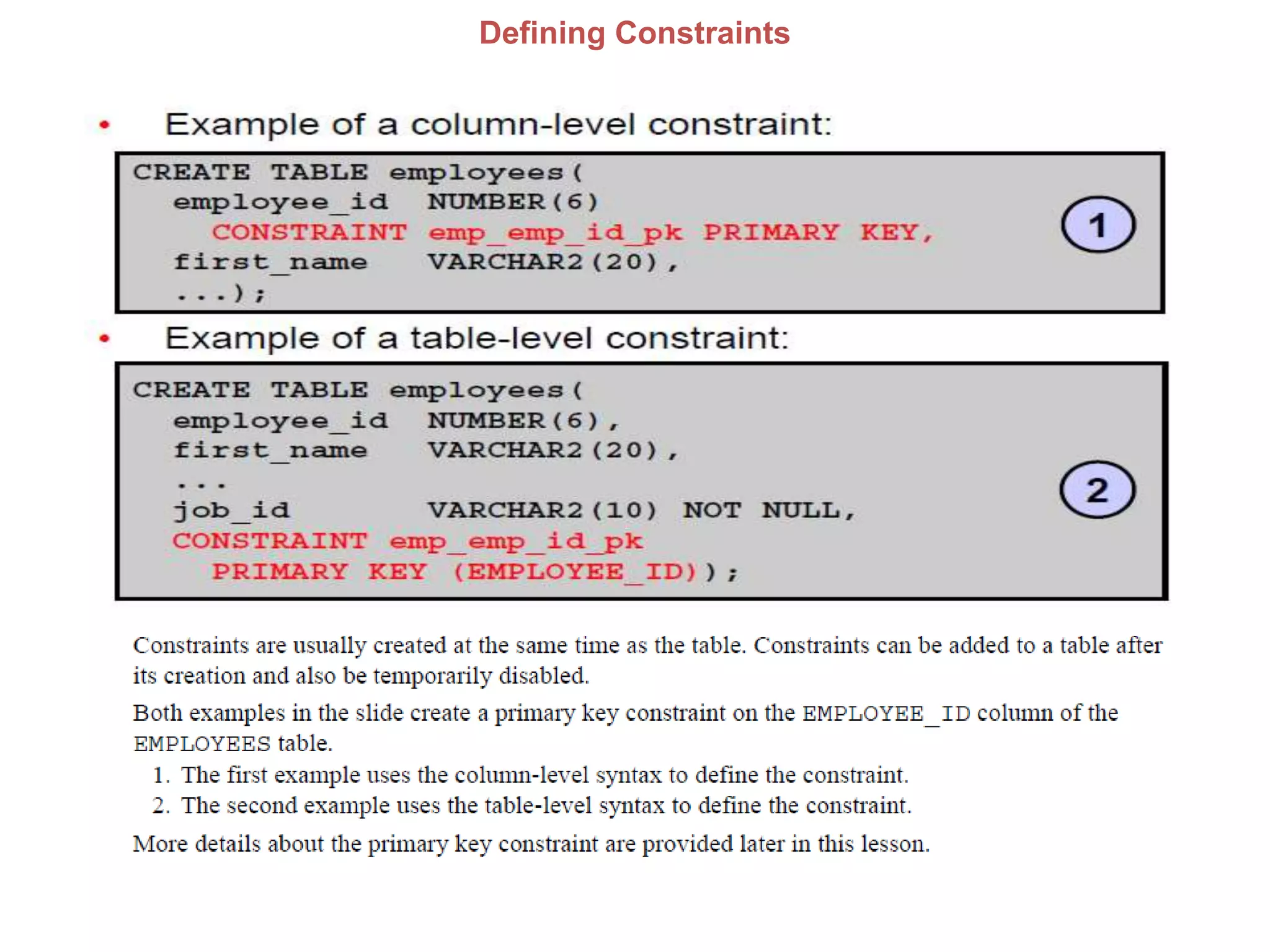
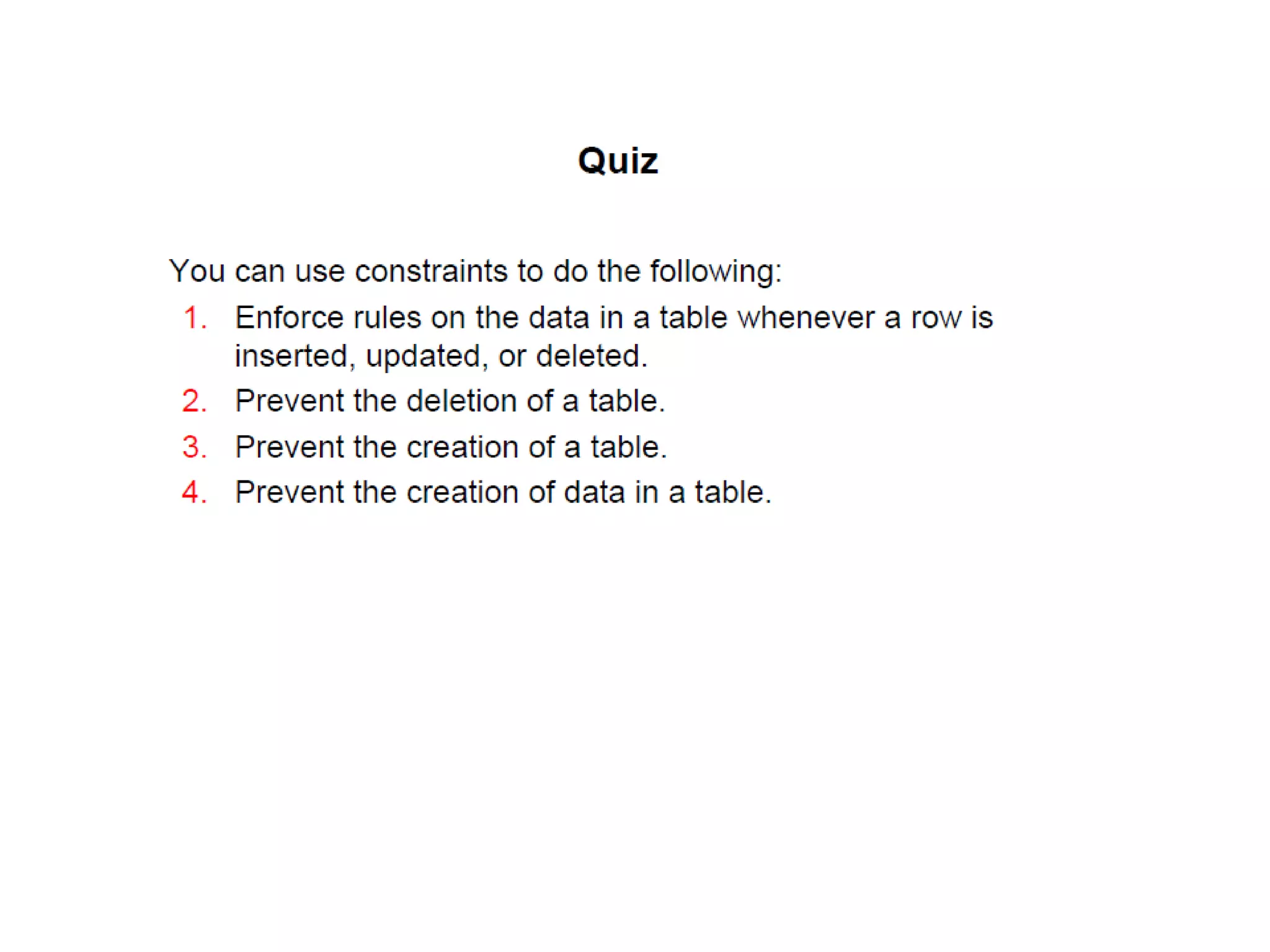
Including Constraints
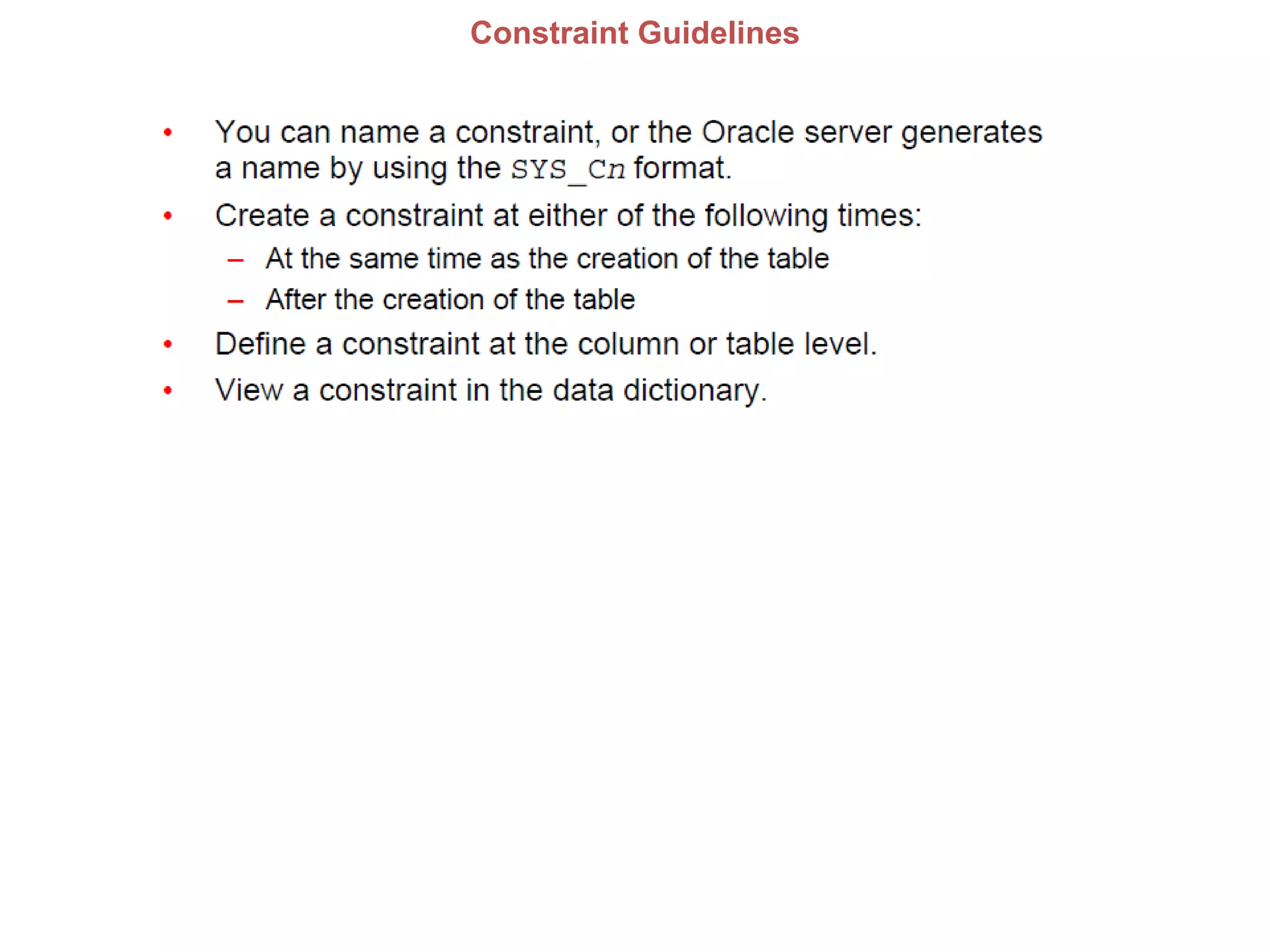
Constraint Guidelines
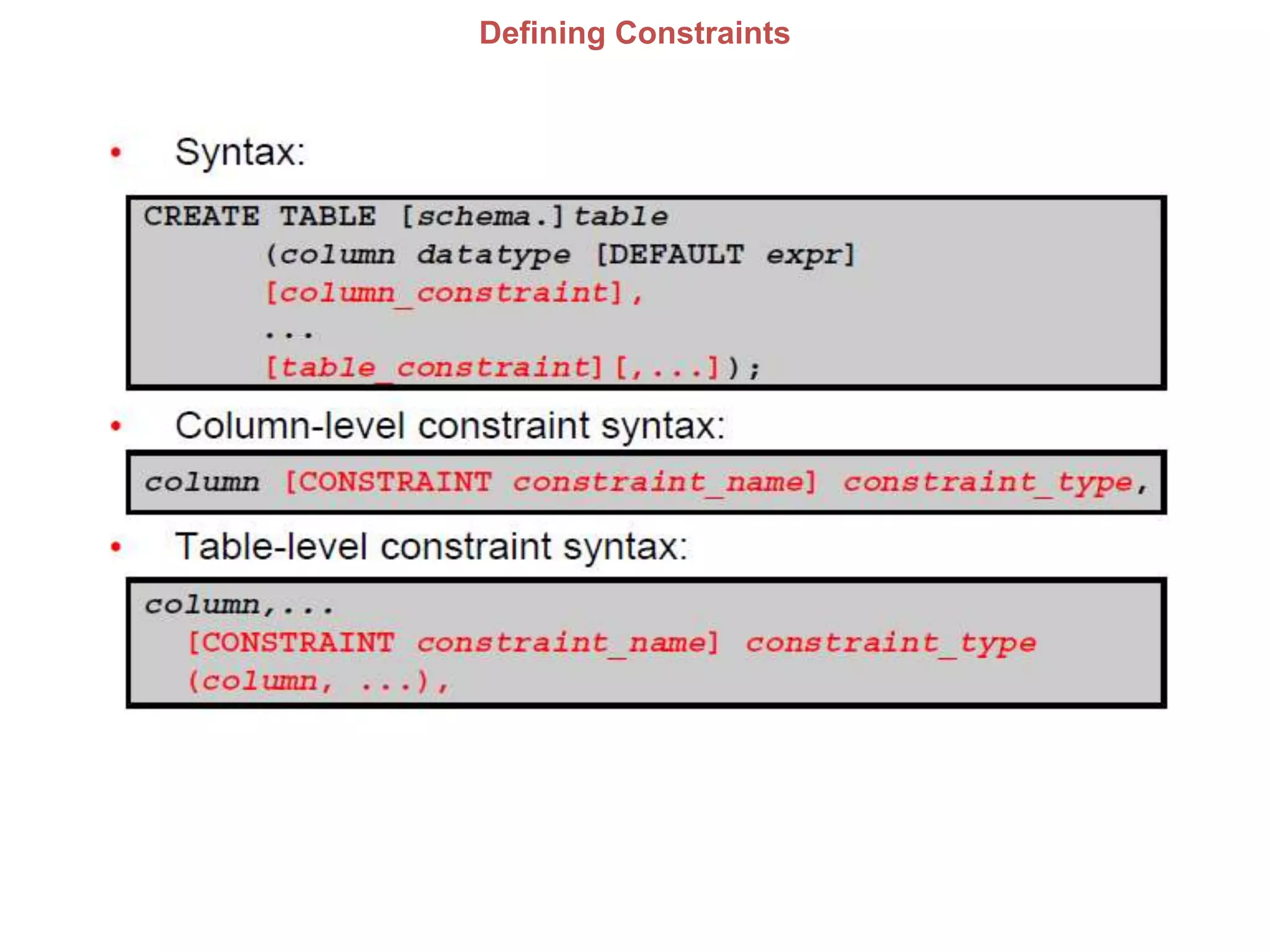
Defining Constraints
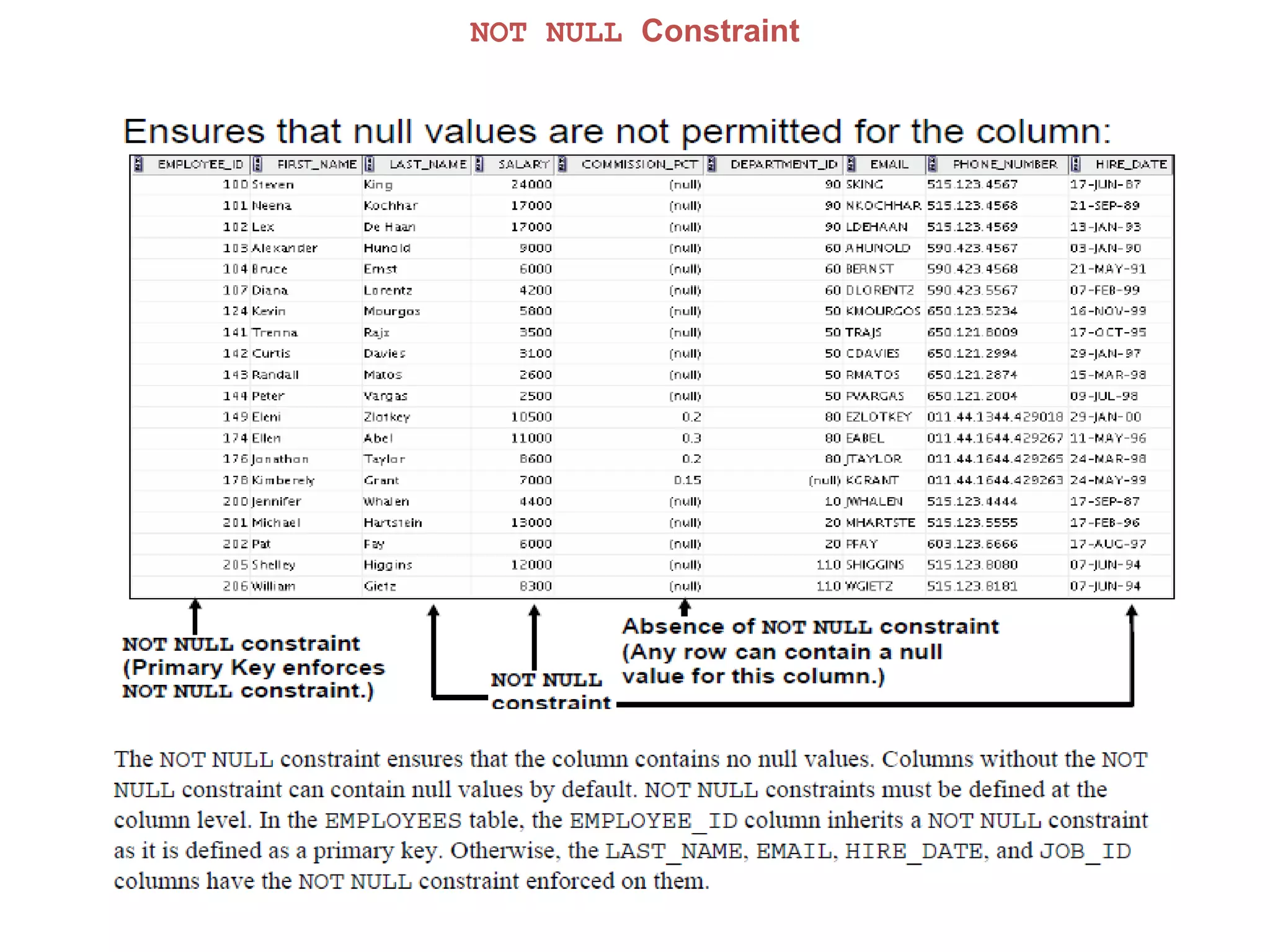
NOT NULL Constraint
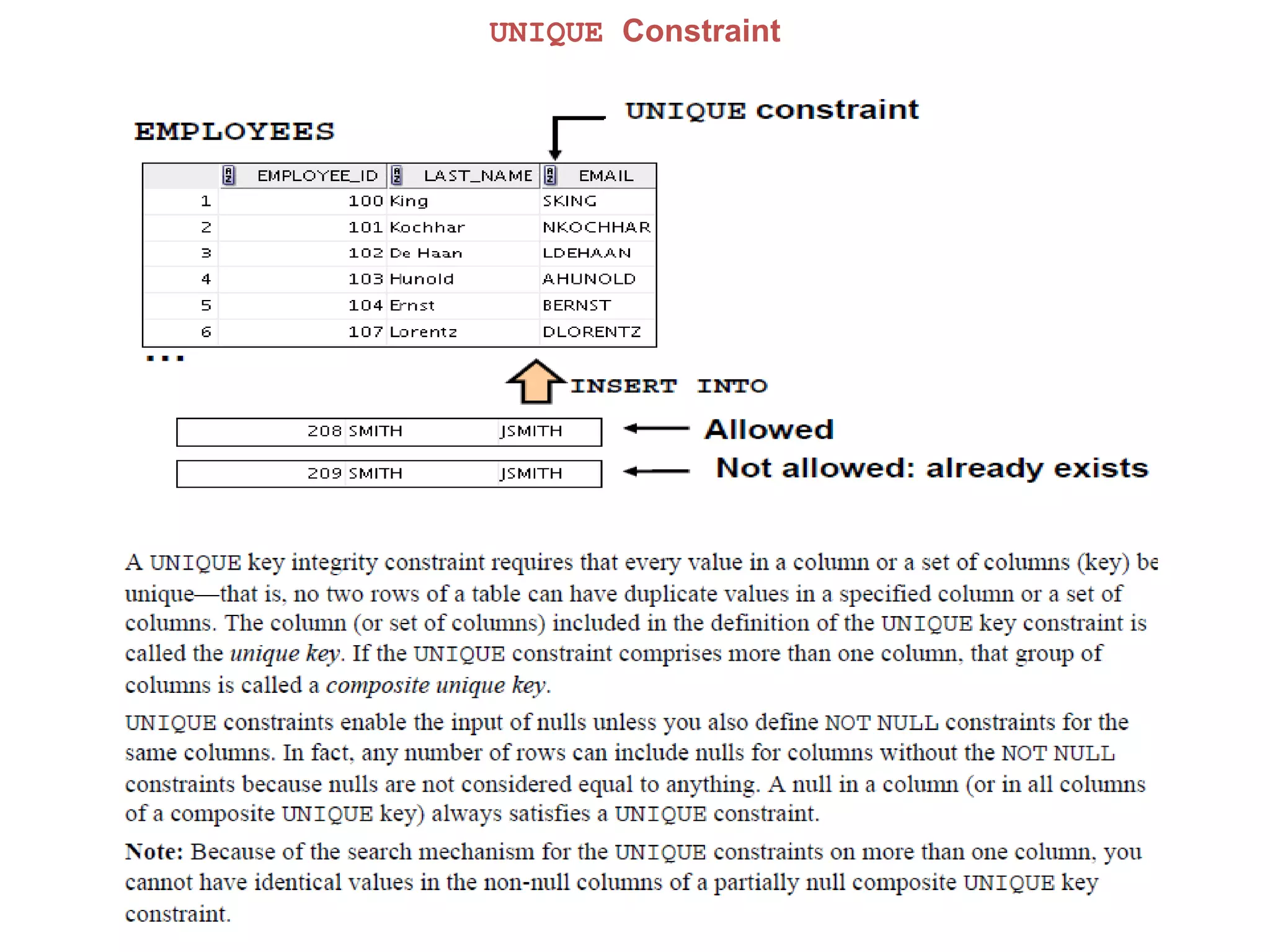
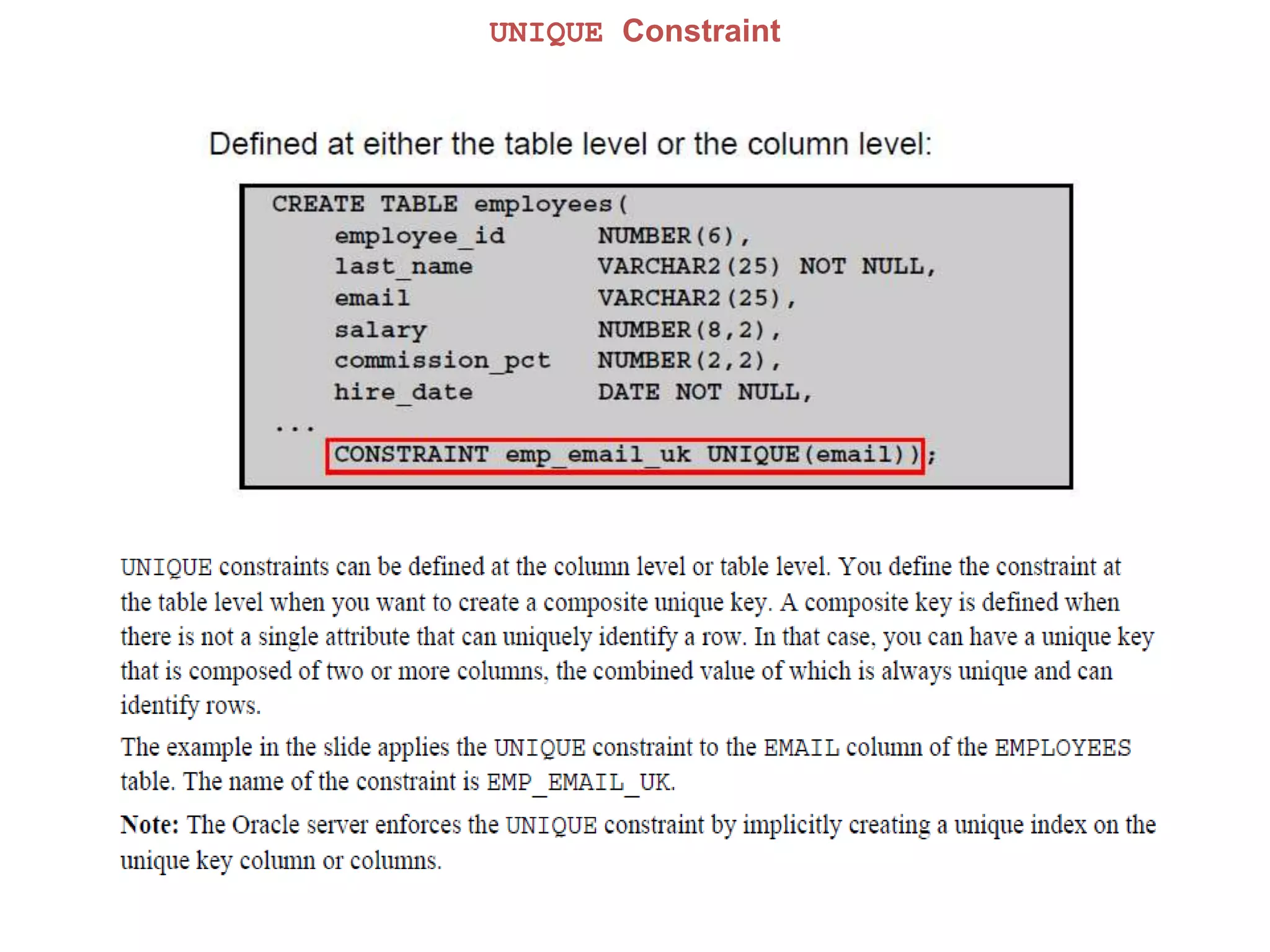
UNIQUE Constraint
UNIQUE Constraint
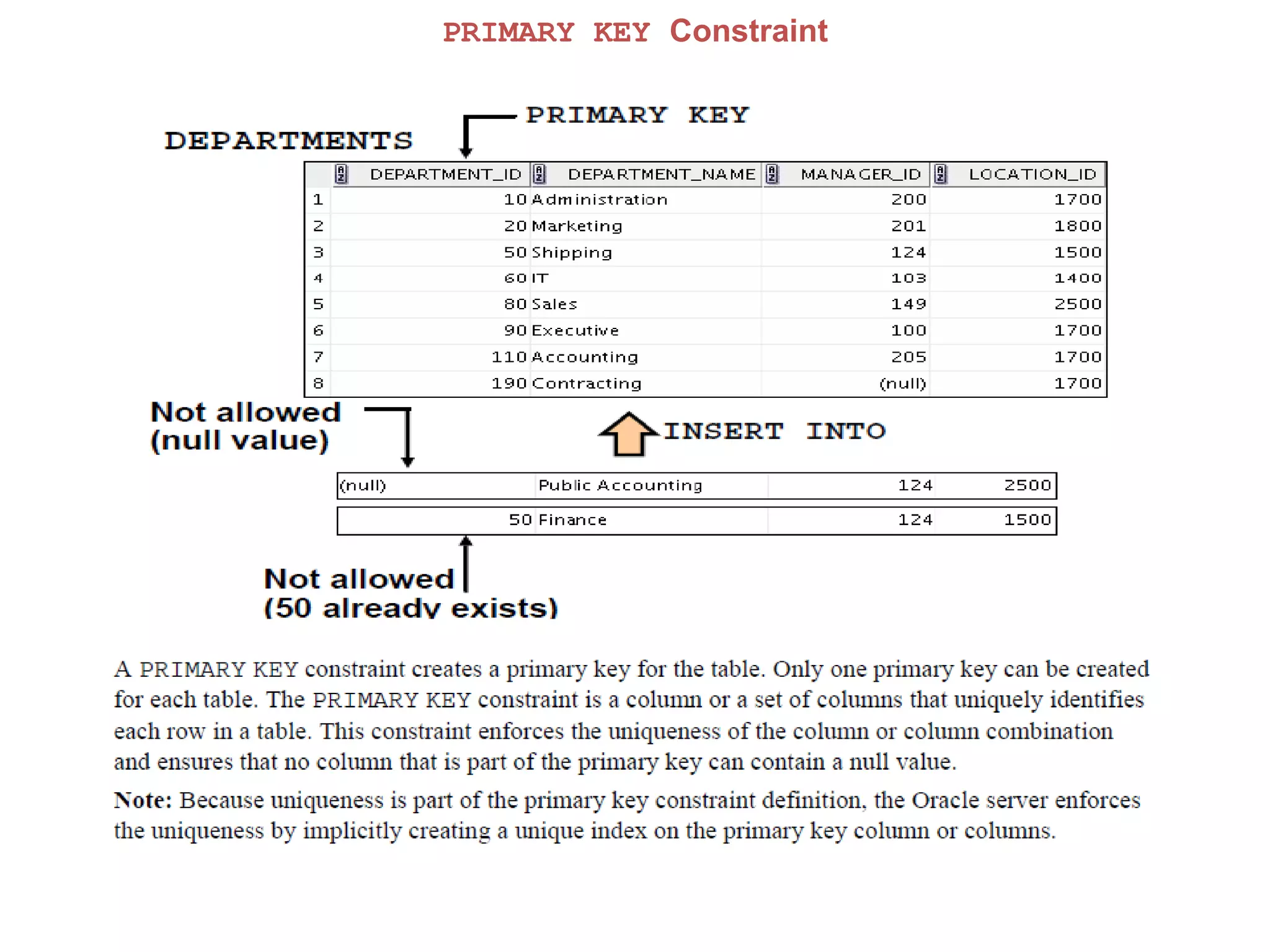
PRIMARY KEY Constraint
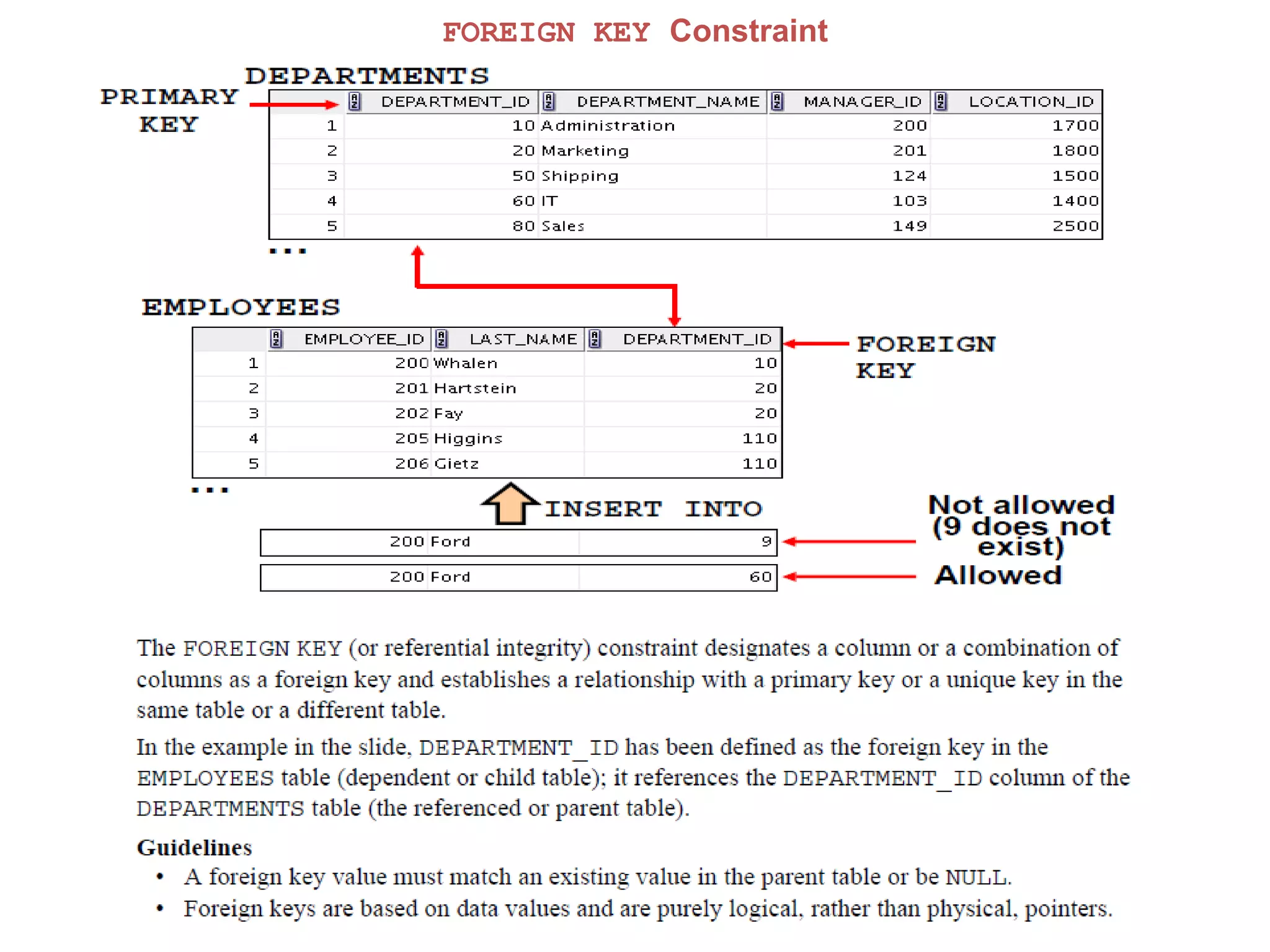
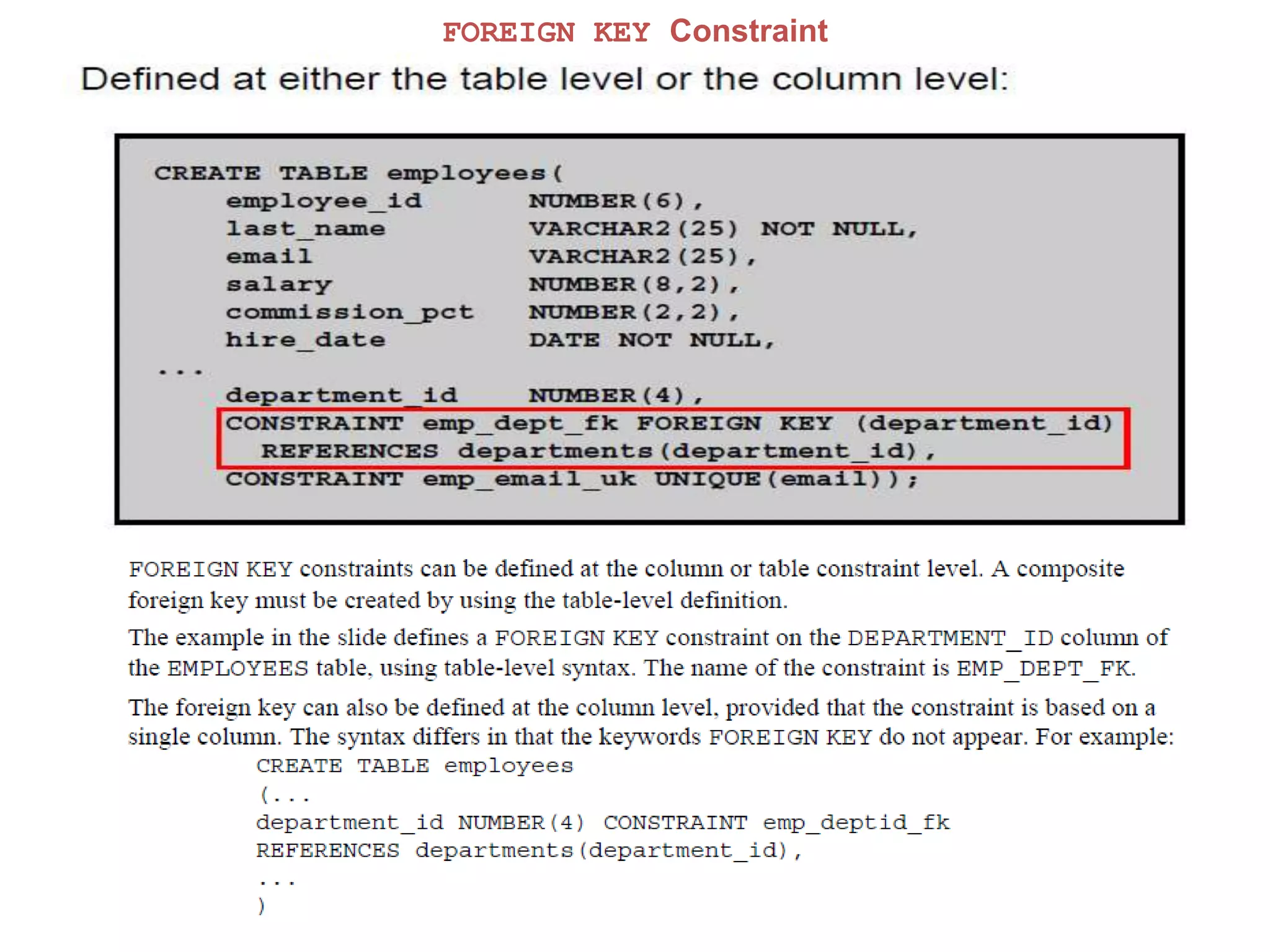
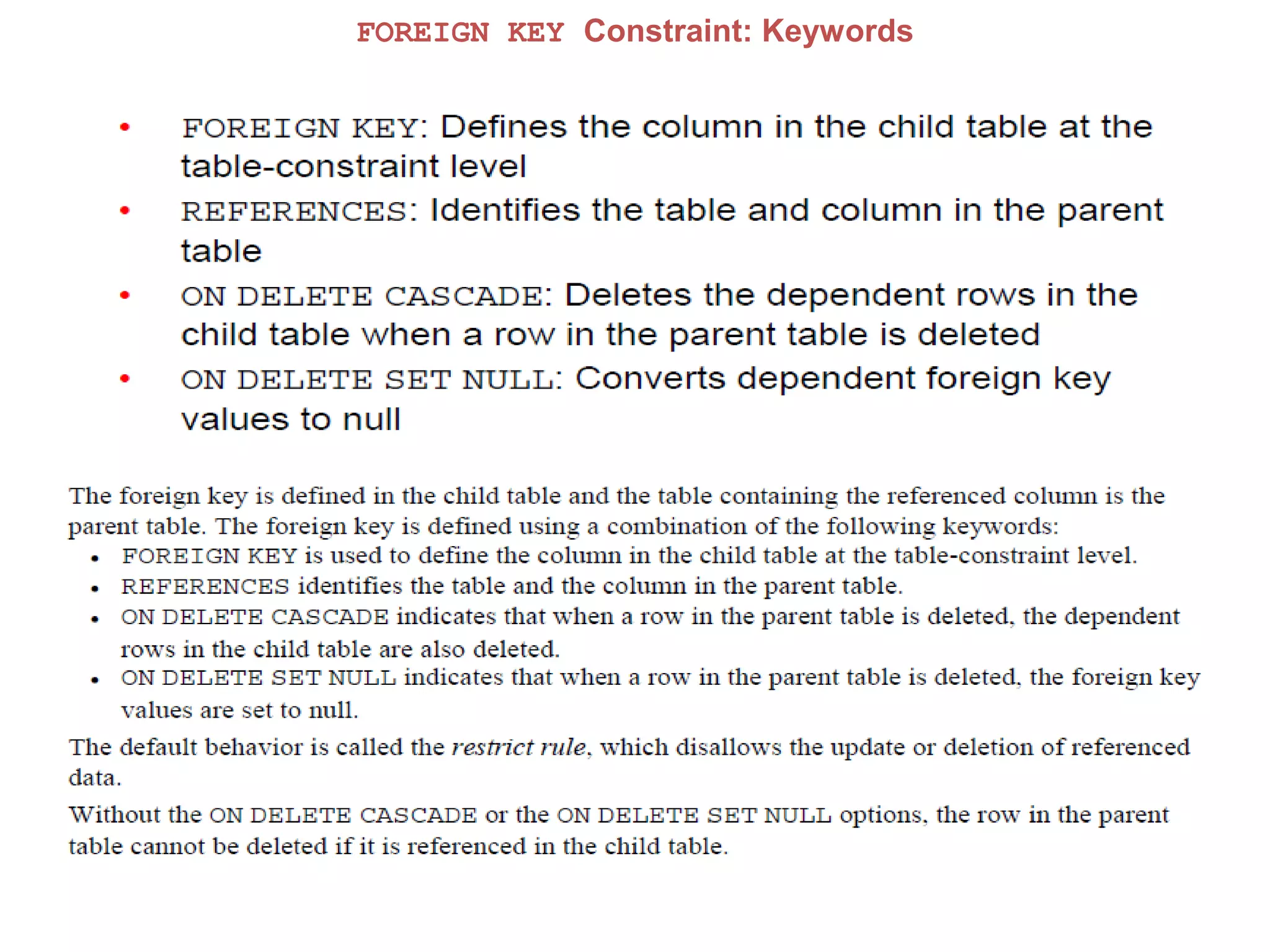
FOREIGN KEY Constraint
FOREIGN KEY Constraint: Keywords
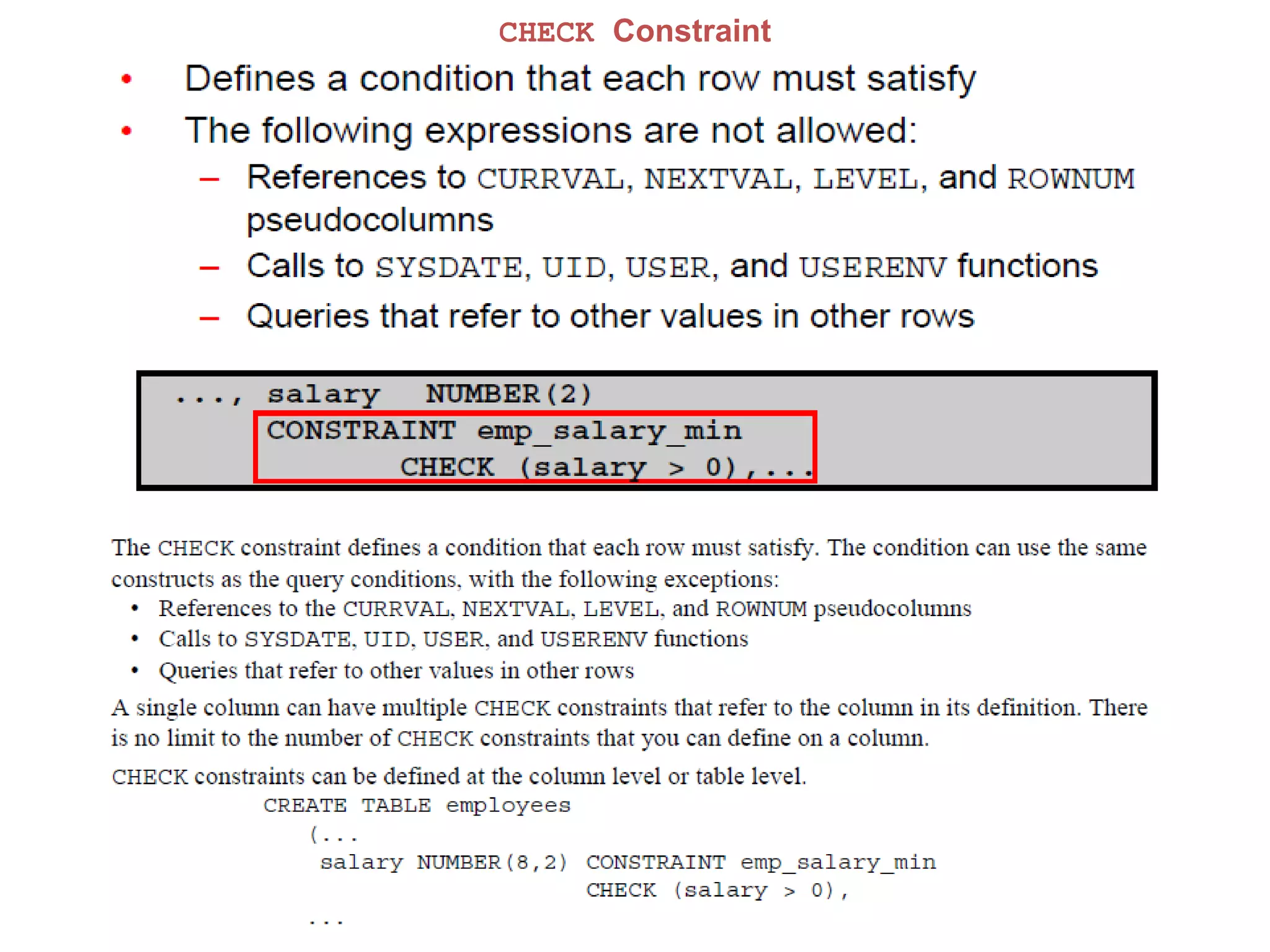
CHECK Constraint
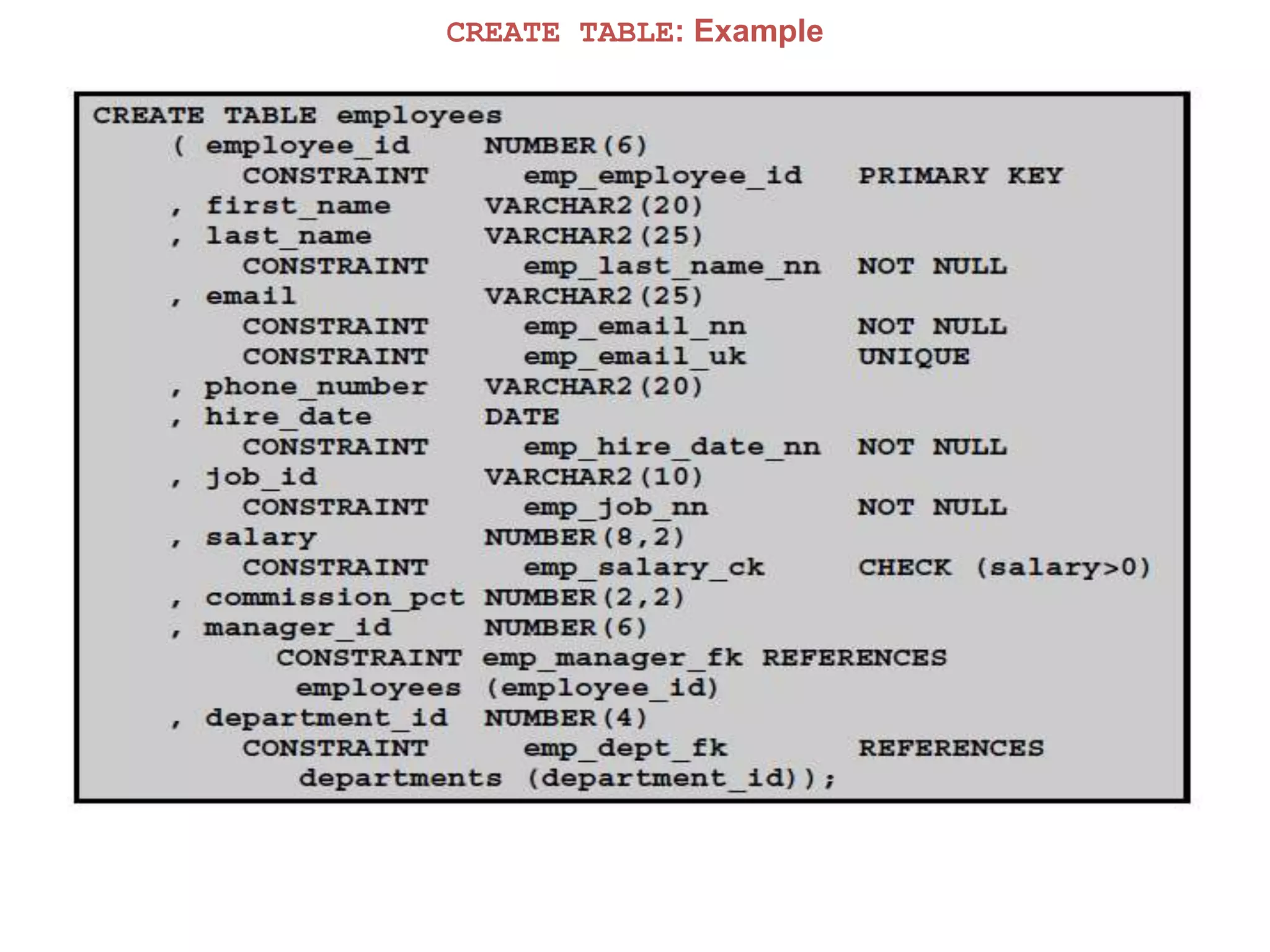
CREATE TABLE: Example
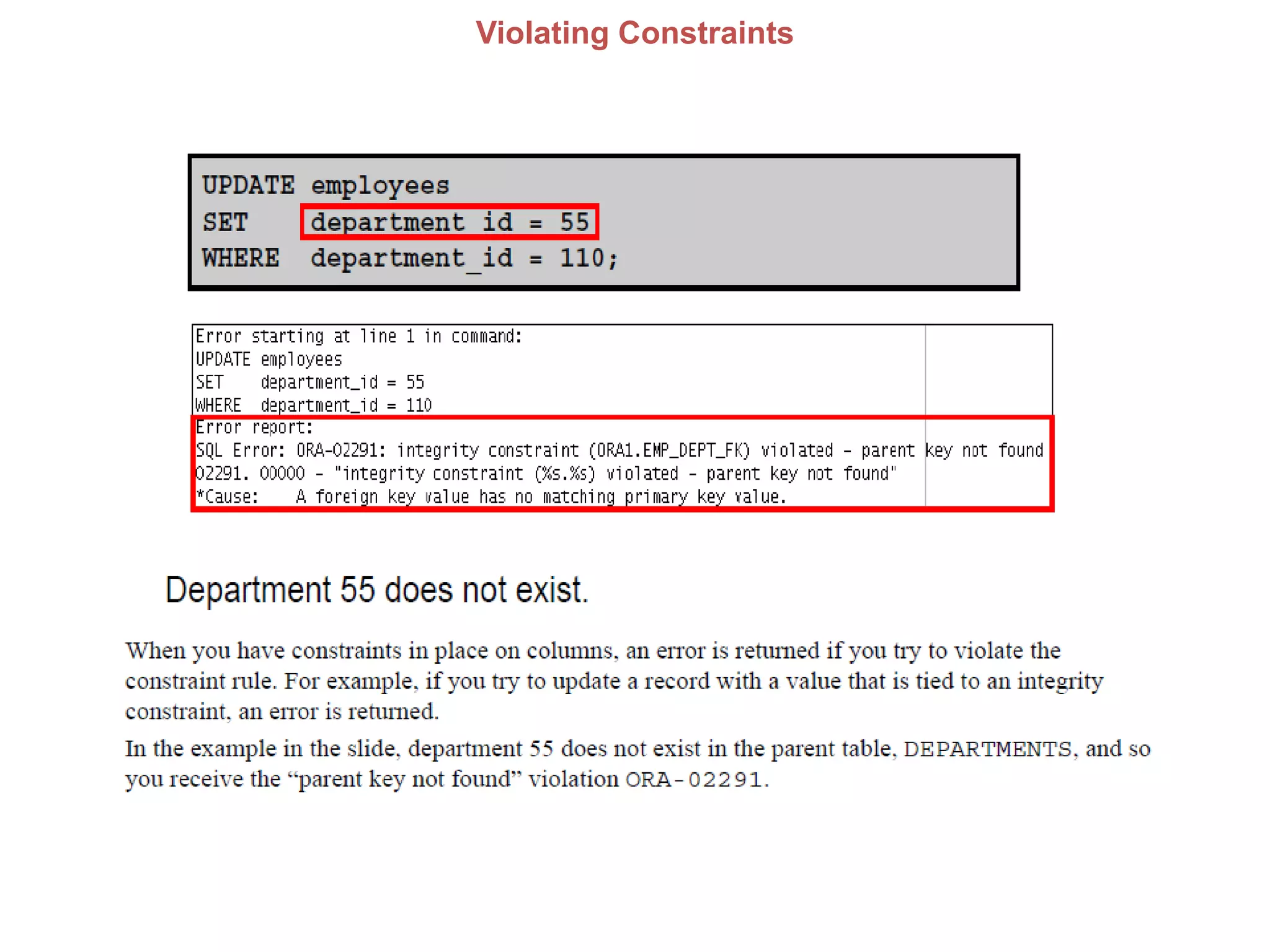
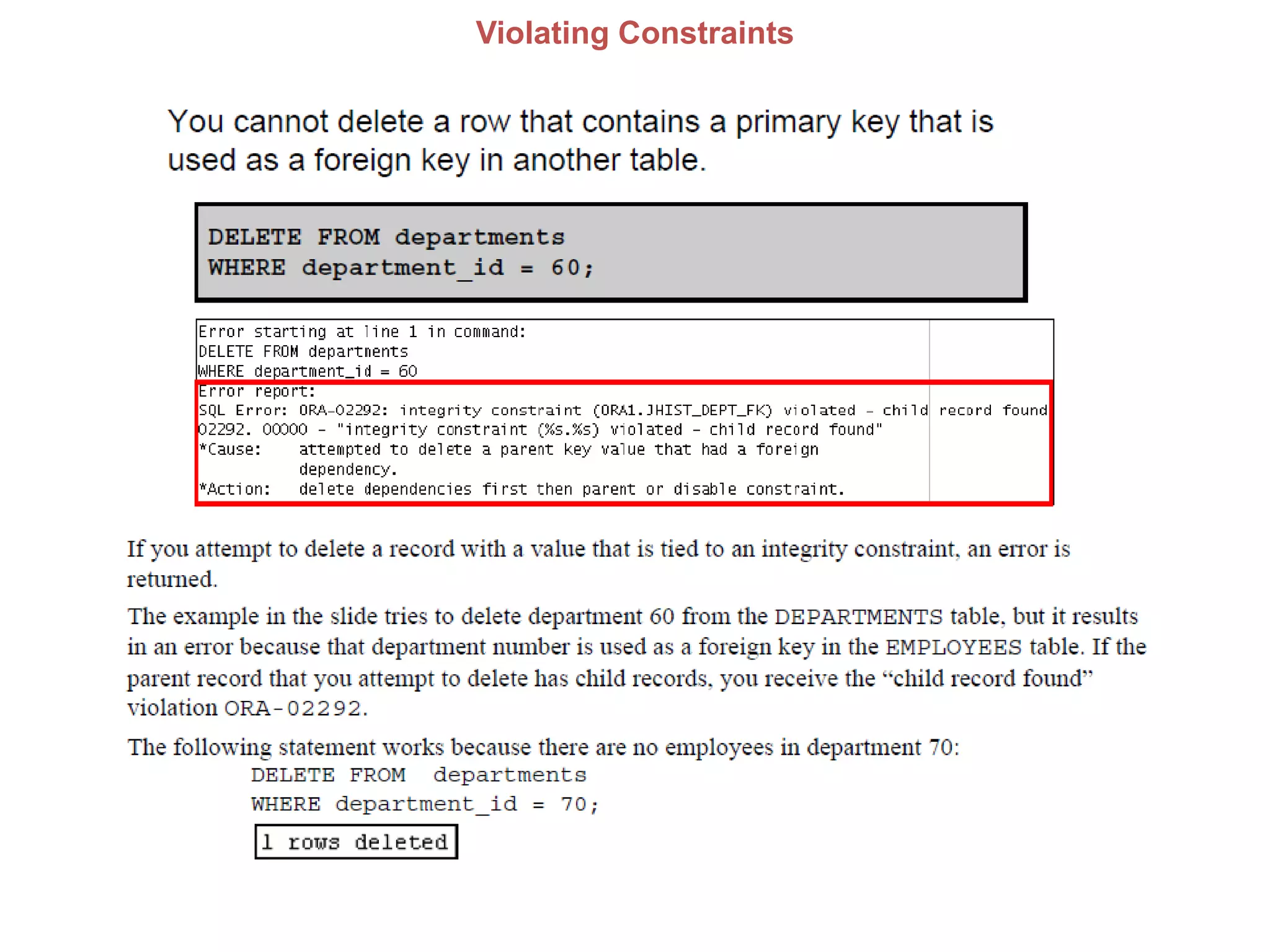
Violating Constraints
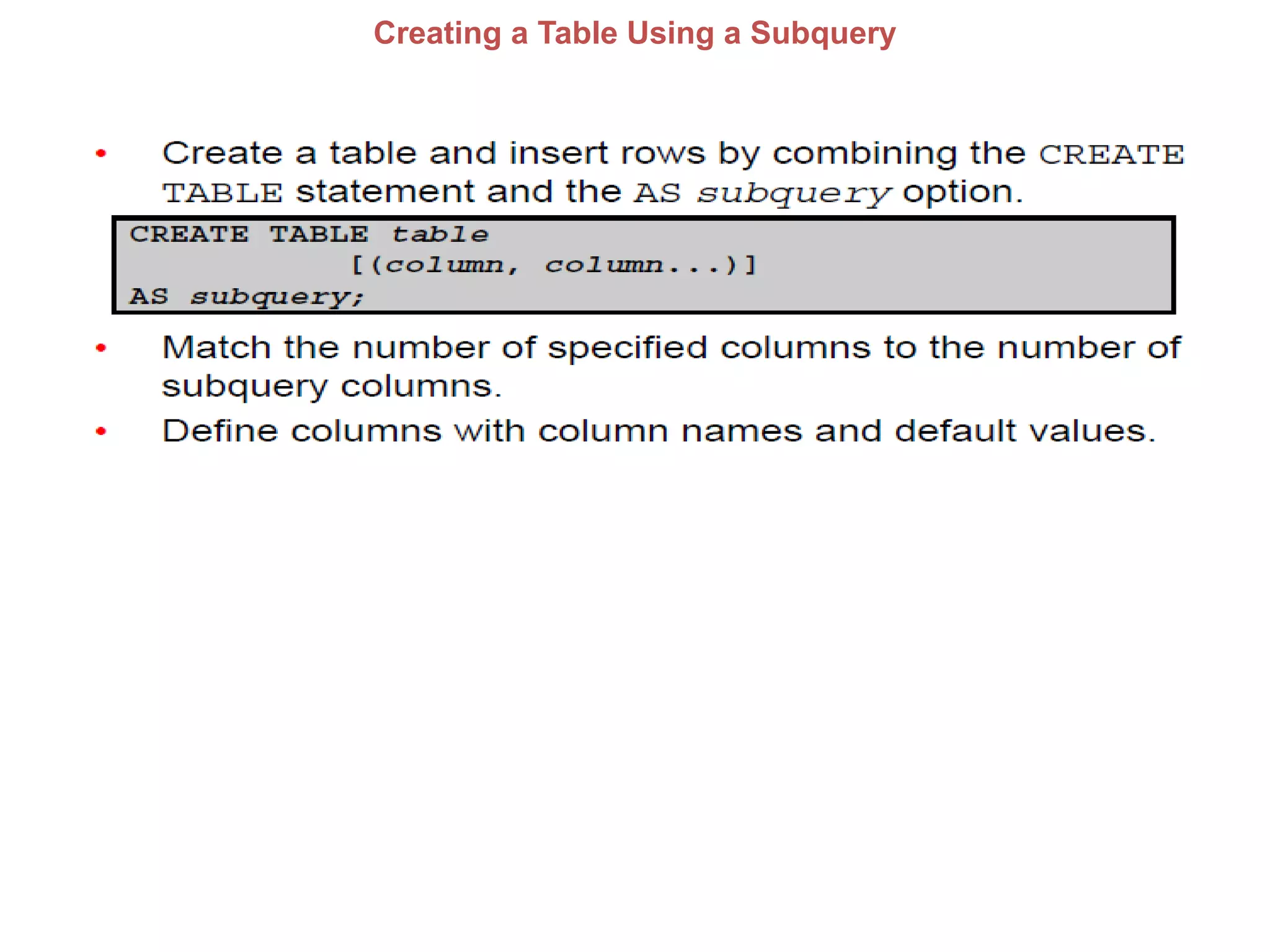
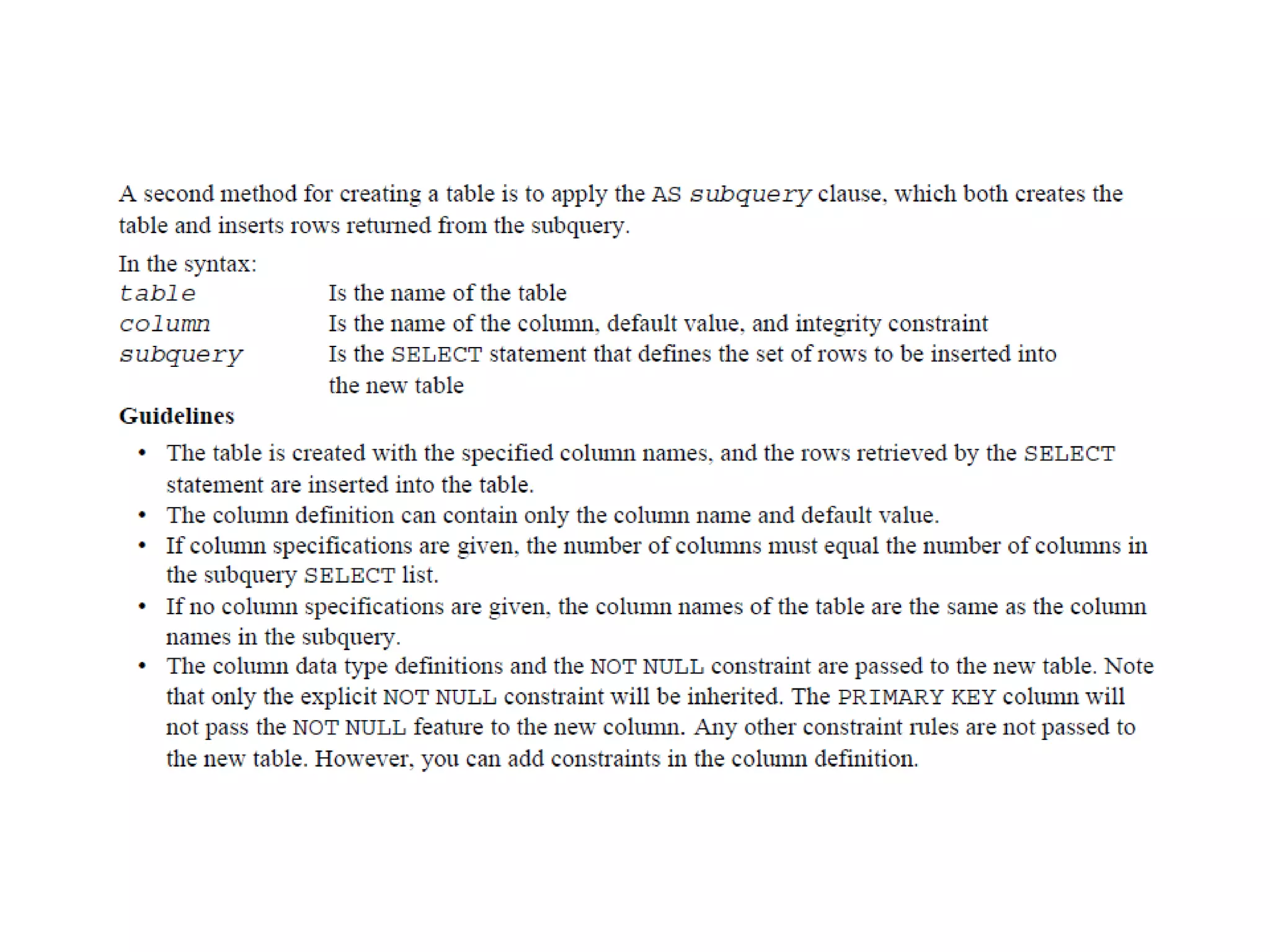
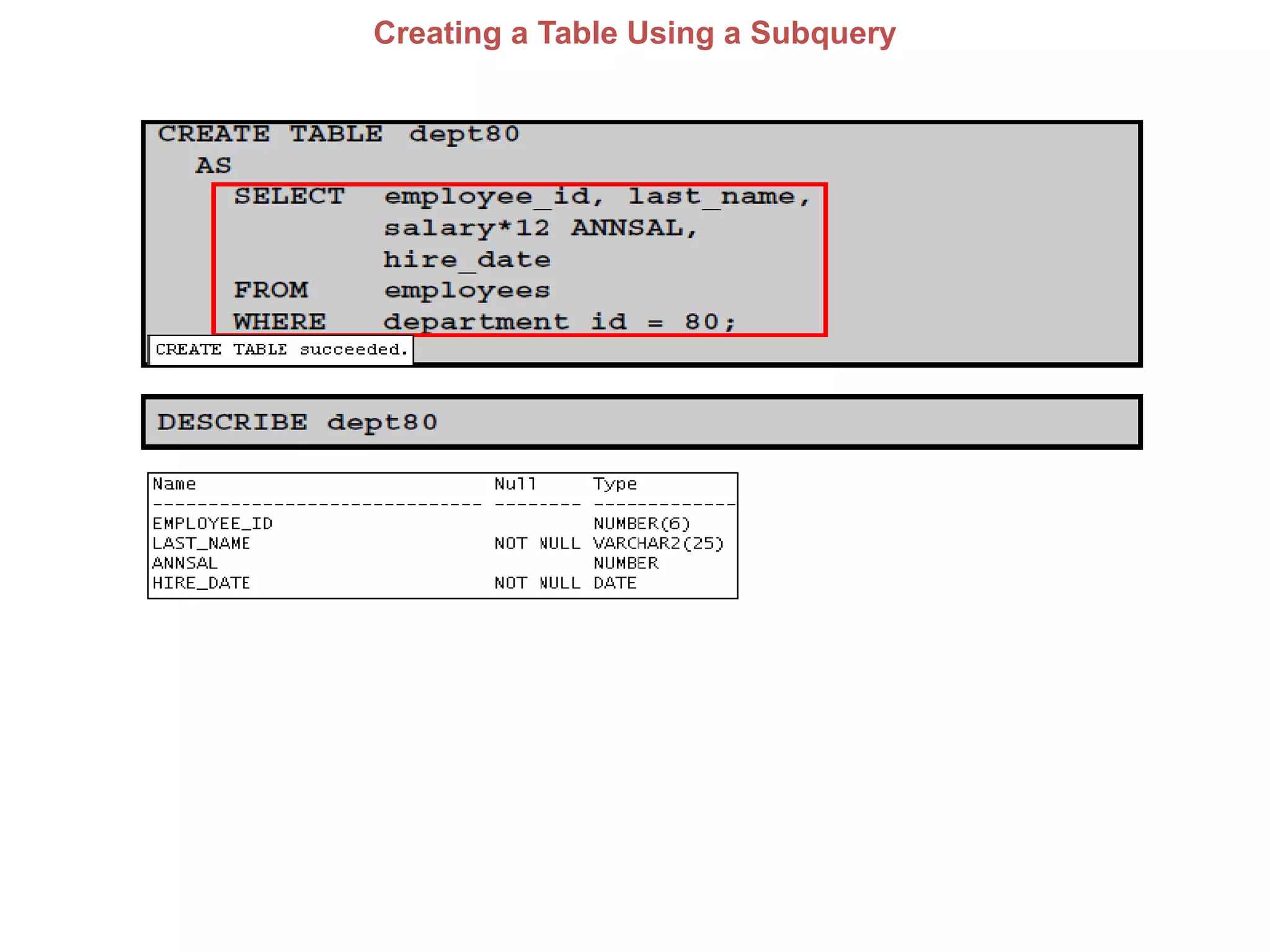
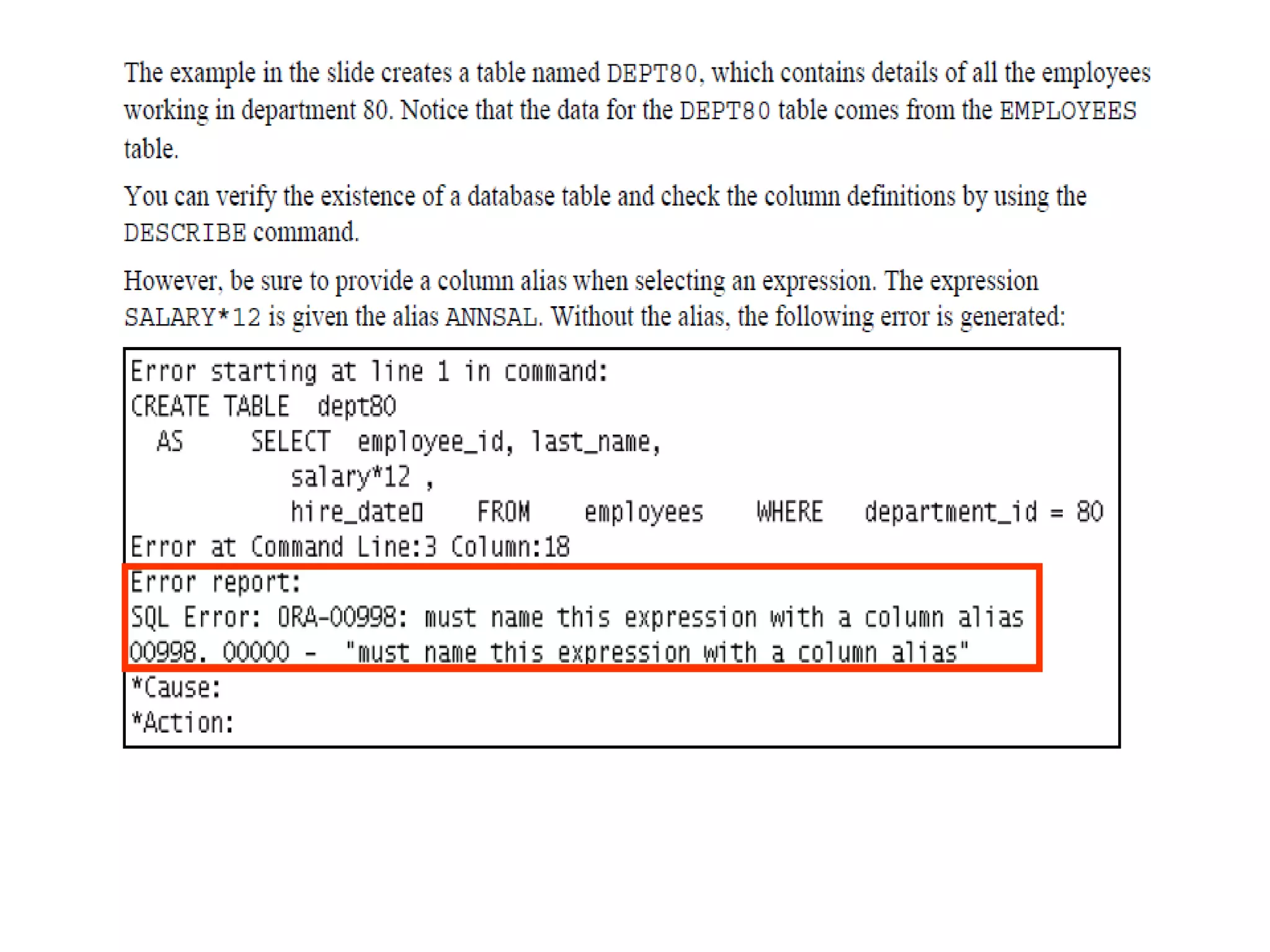
Creating a Table Using a Subquery
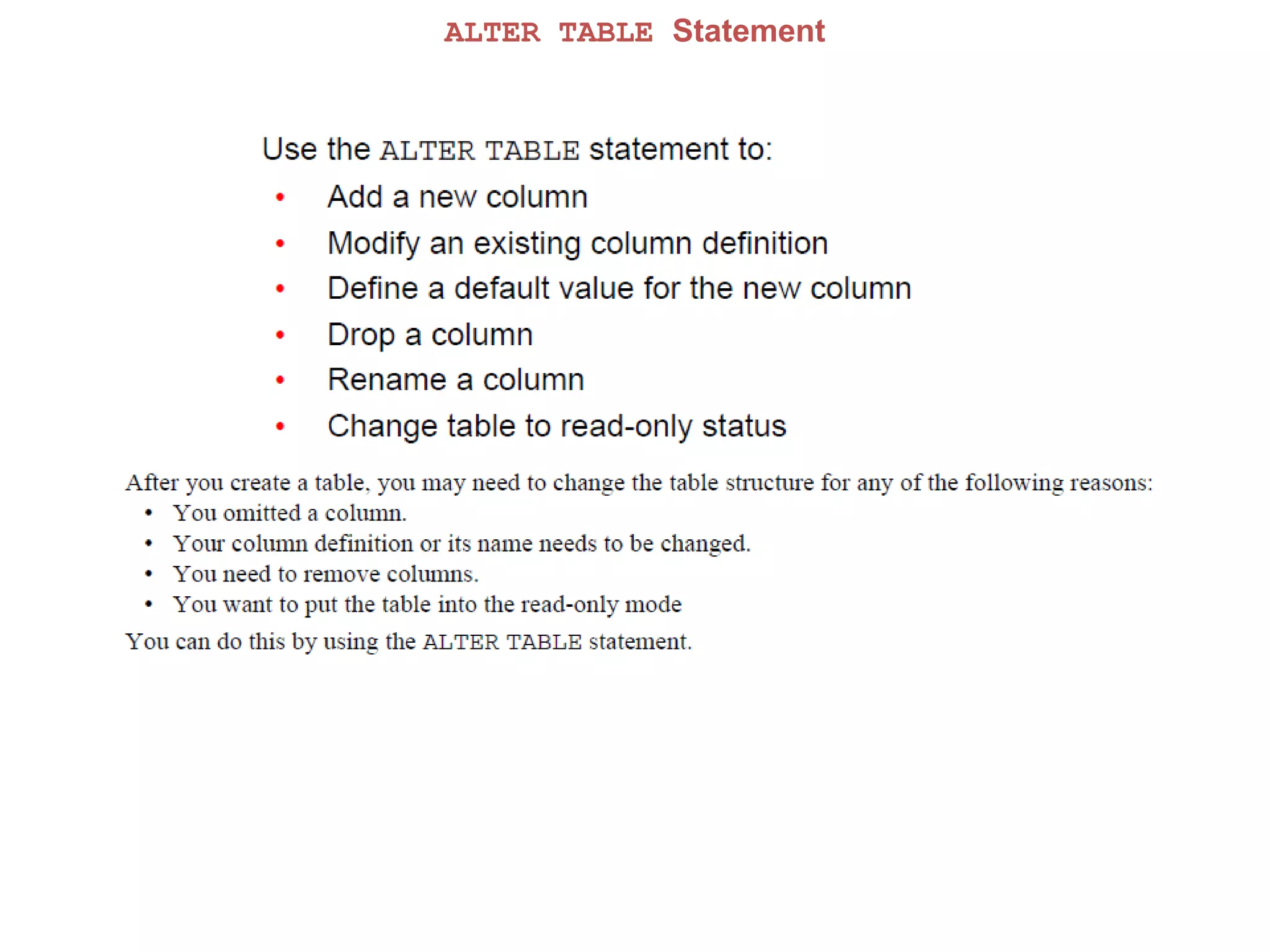
ALTER TABLE Statement
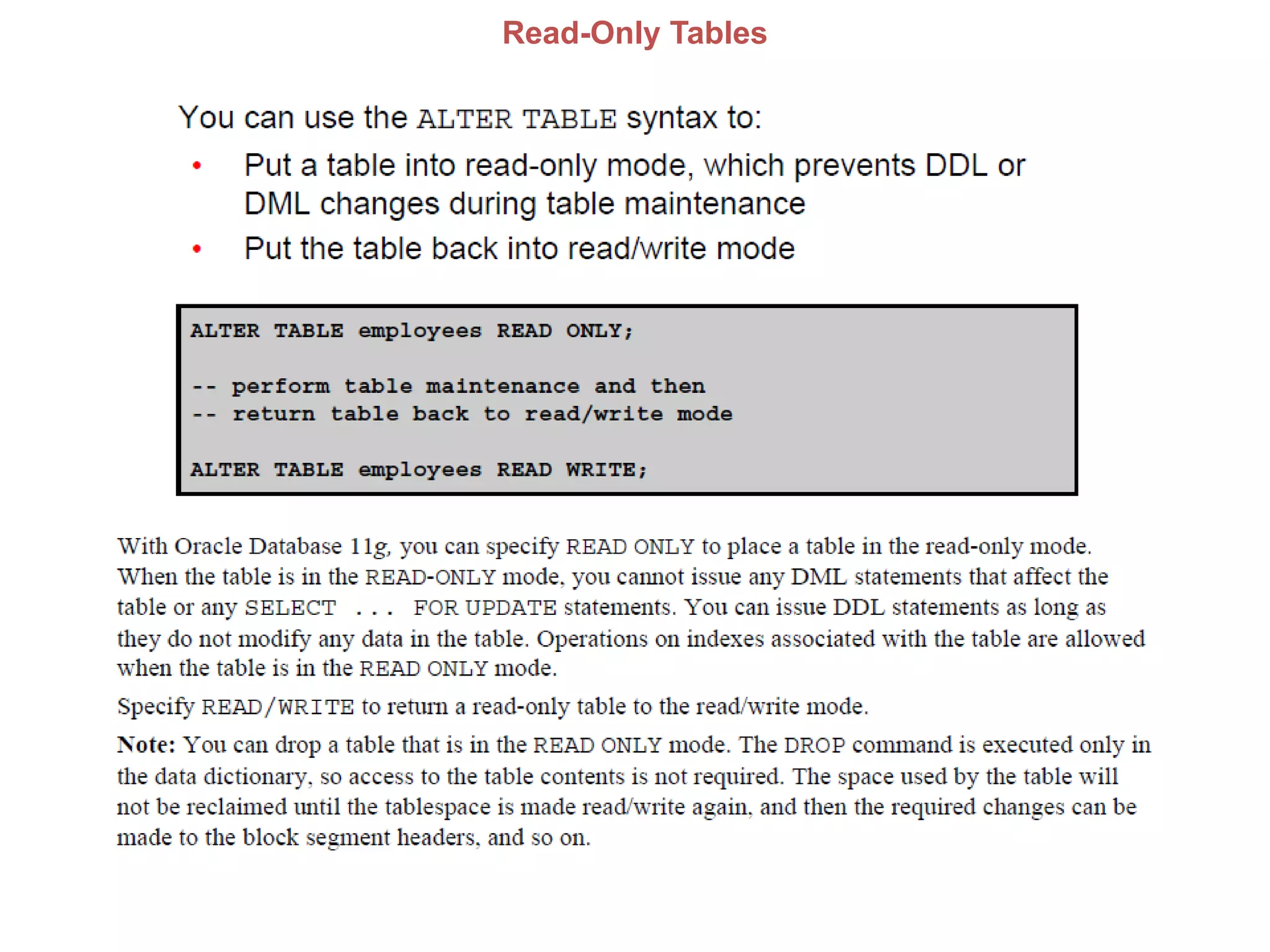
Read-Only Tables
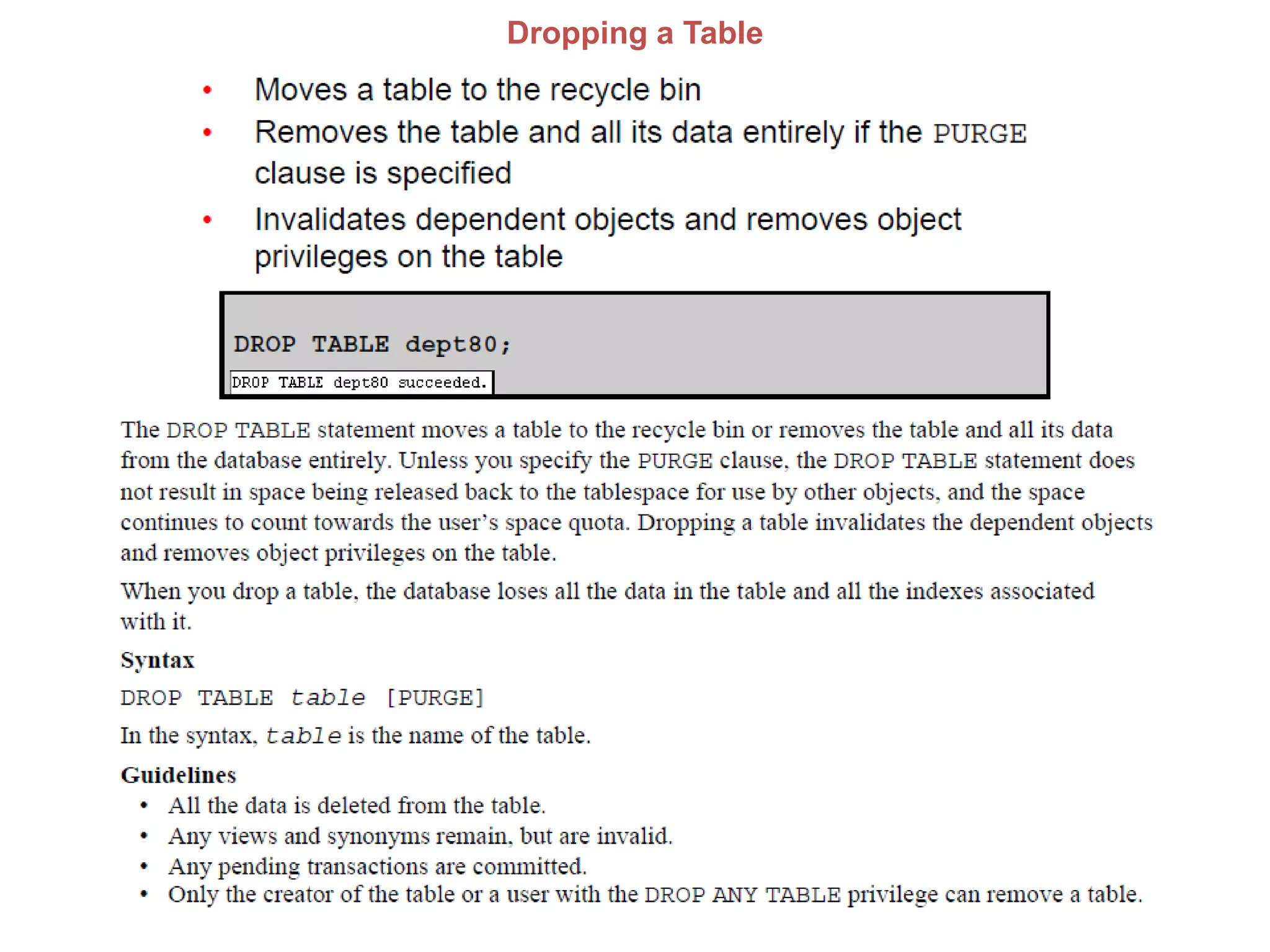
Dropping a Table
SCHEMA OBJECTS
Chepter-12 Other Schema Objects
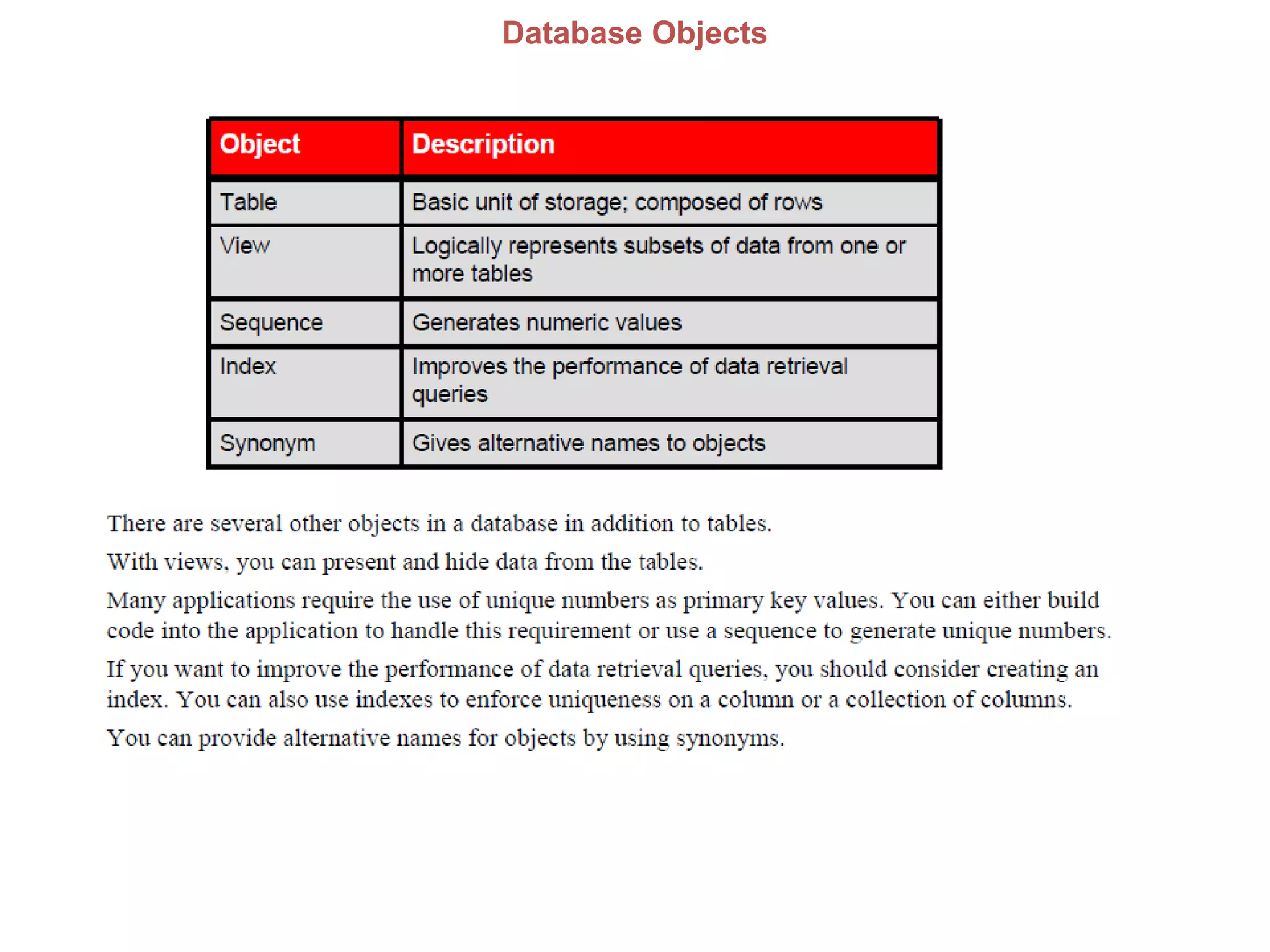
Database Objects
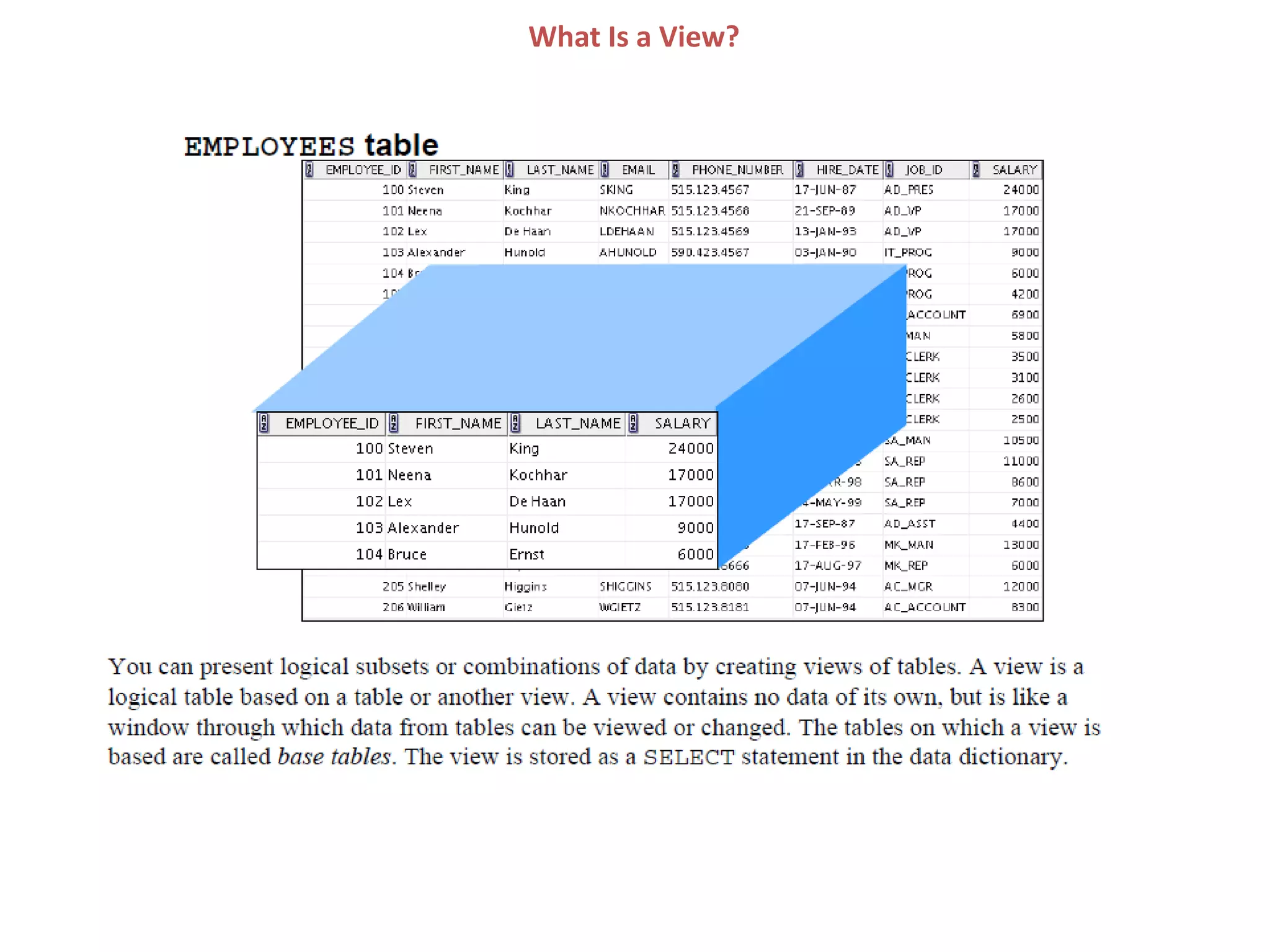
What Is a View?
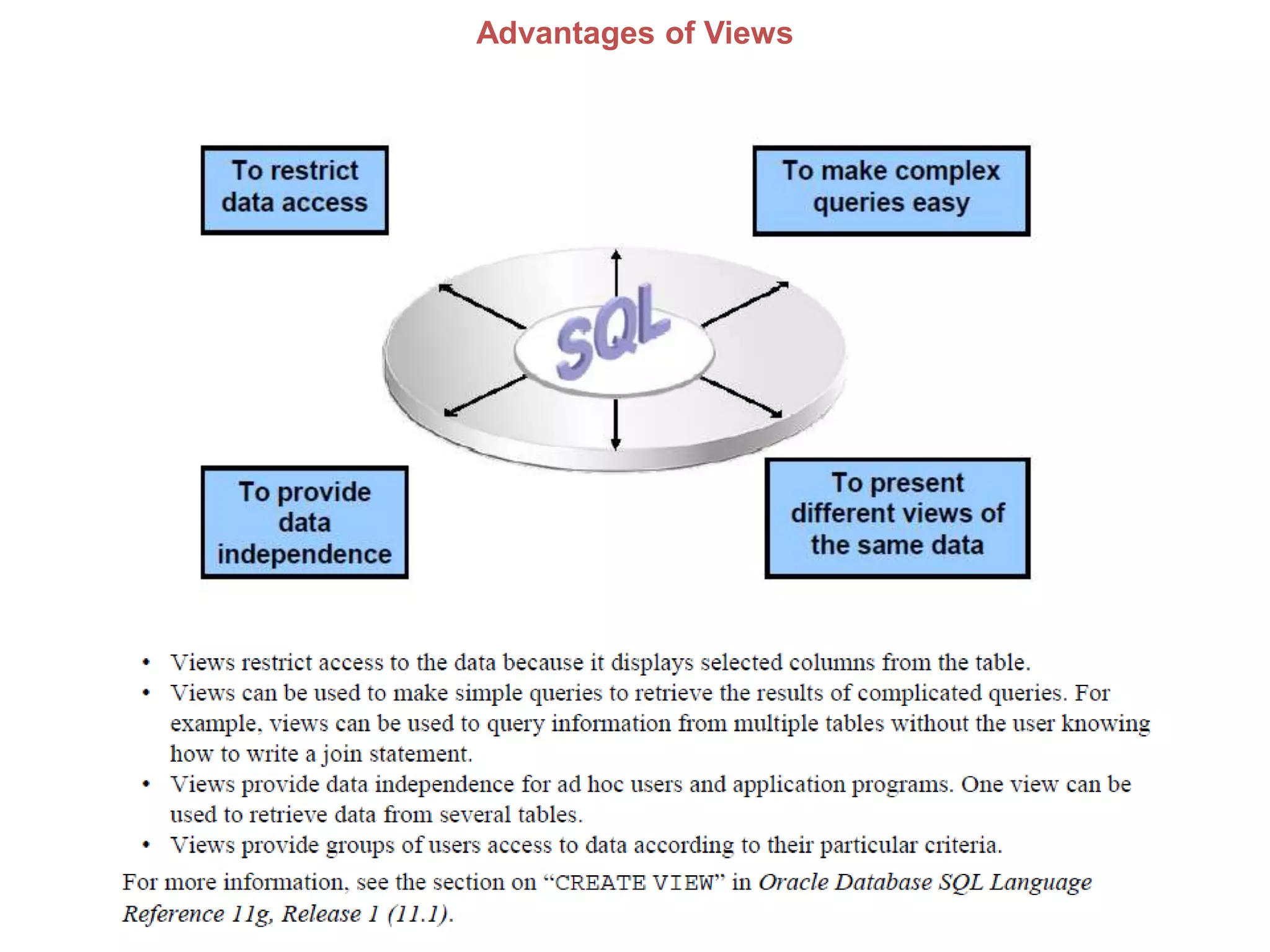
Advantages of Views
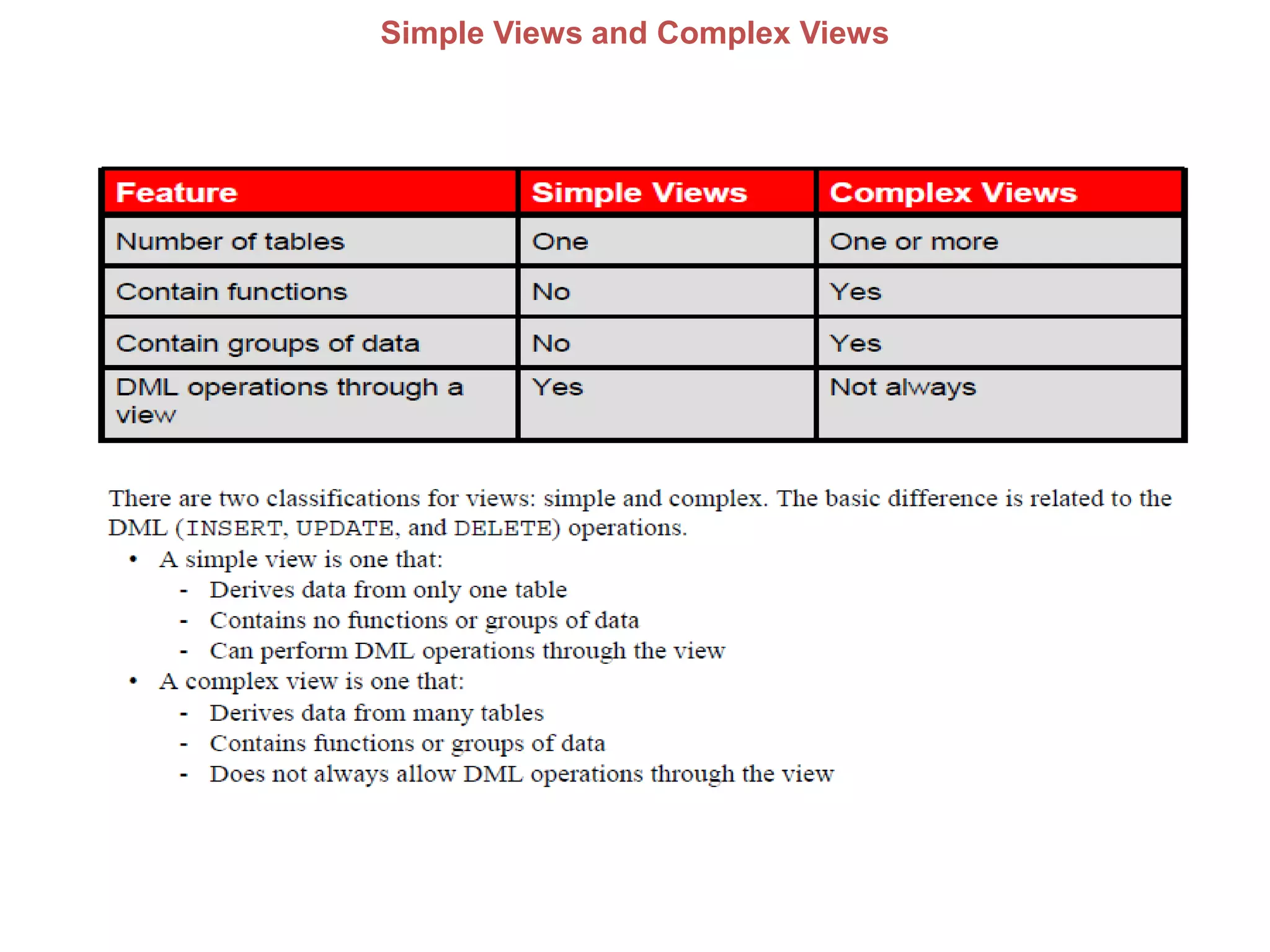
Simple Views and Complex Views
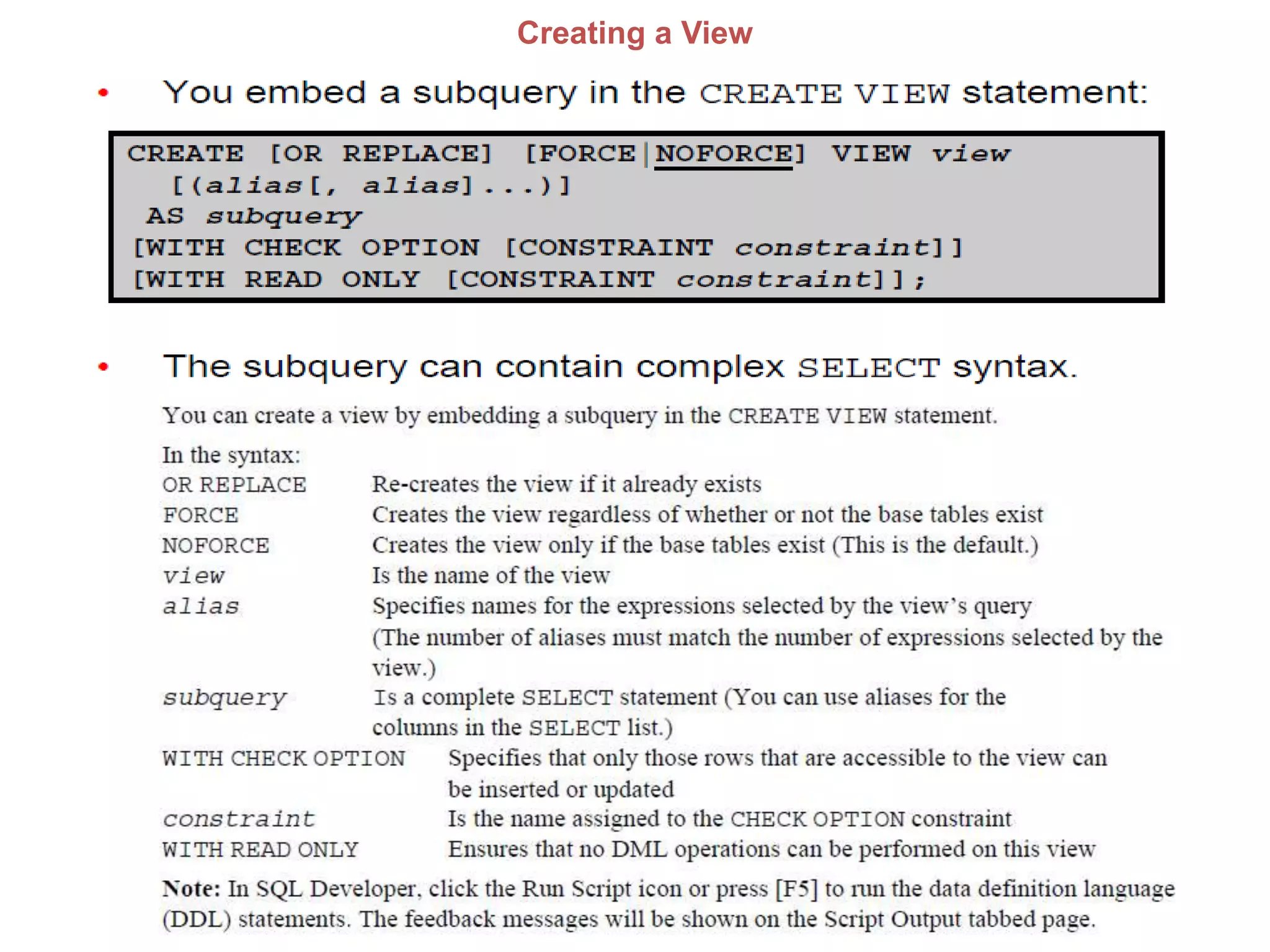
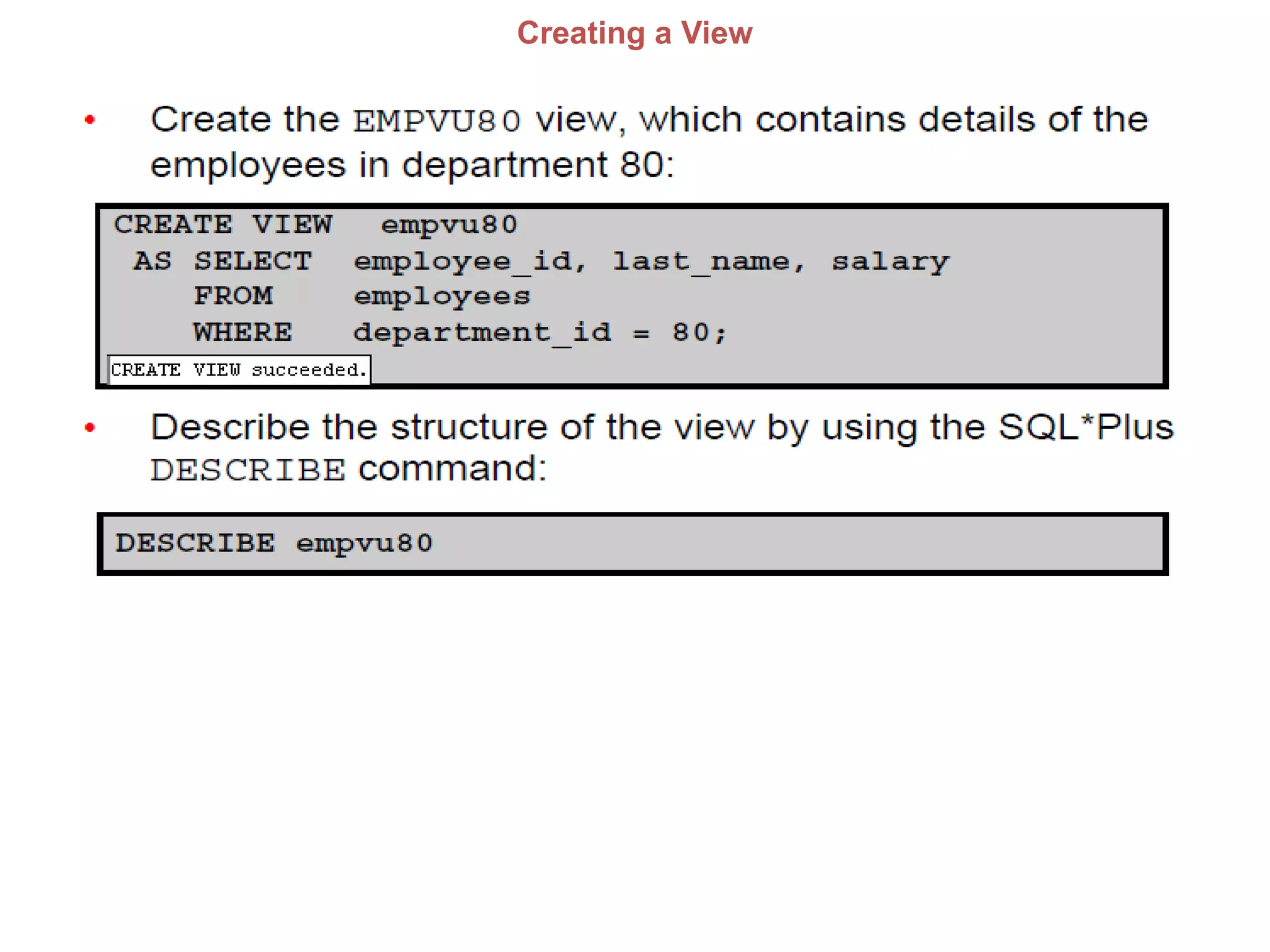
Creating a View
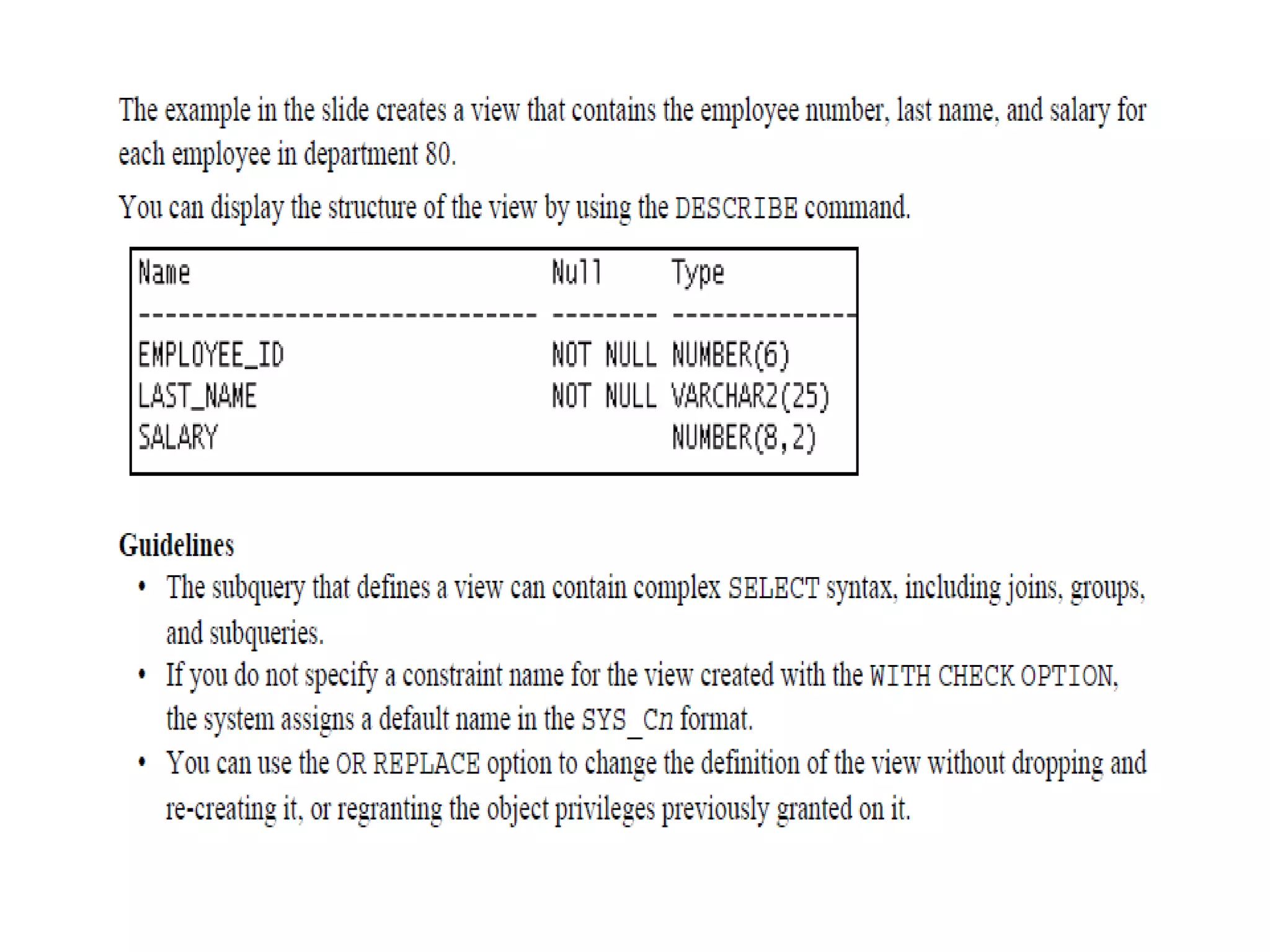
Creating a View
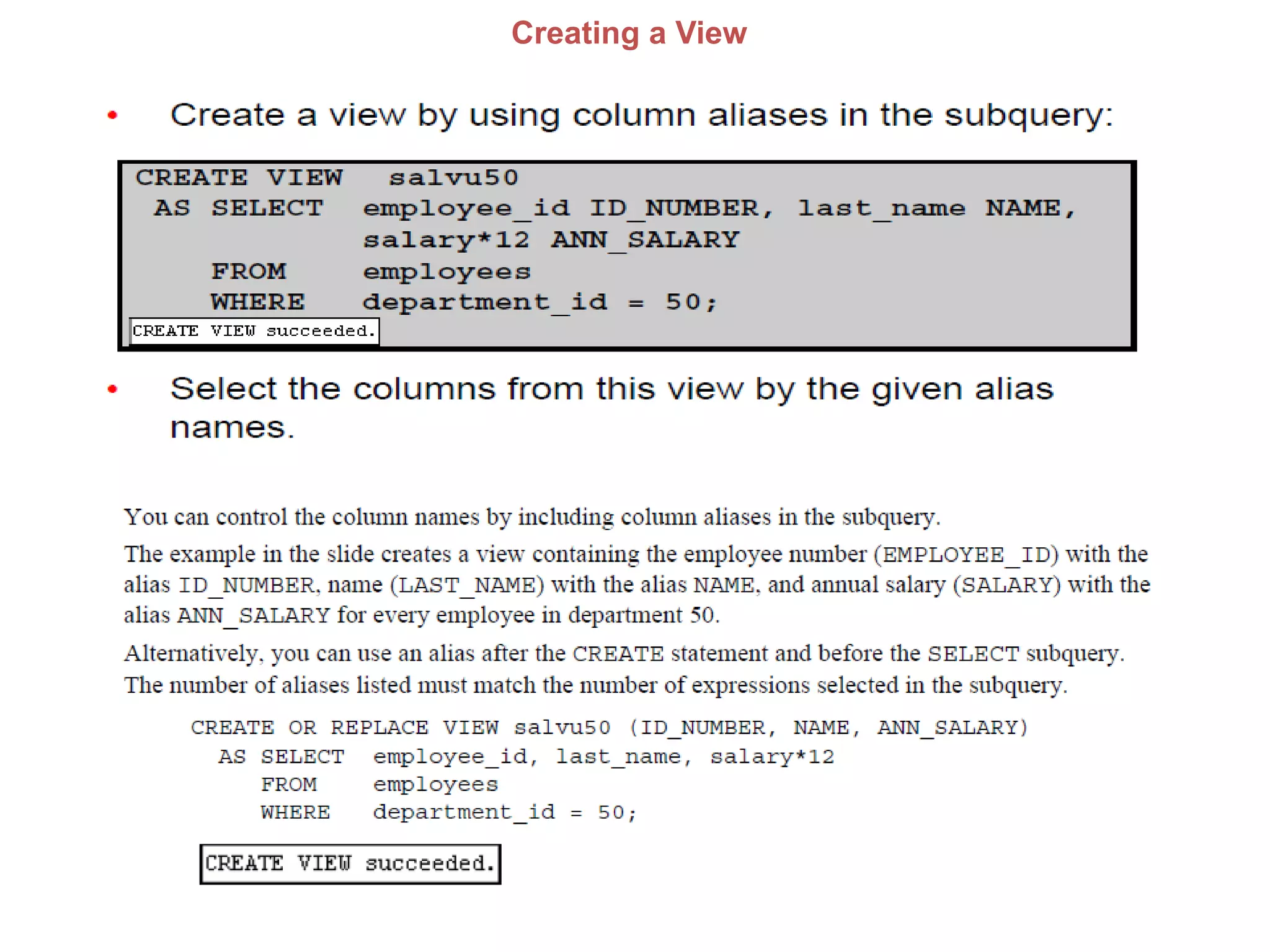
Creating a View
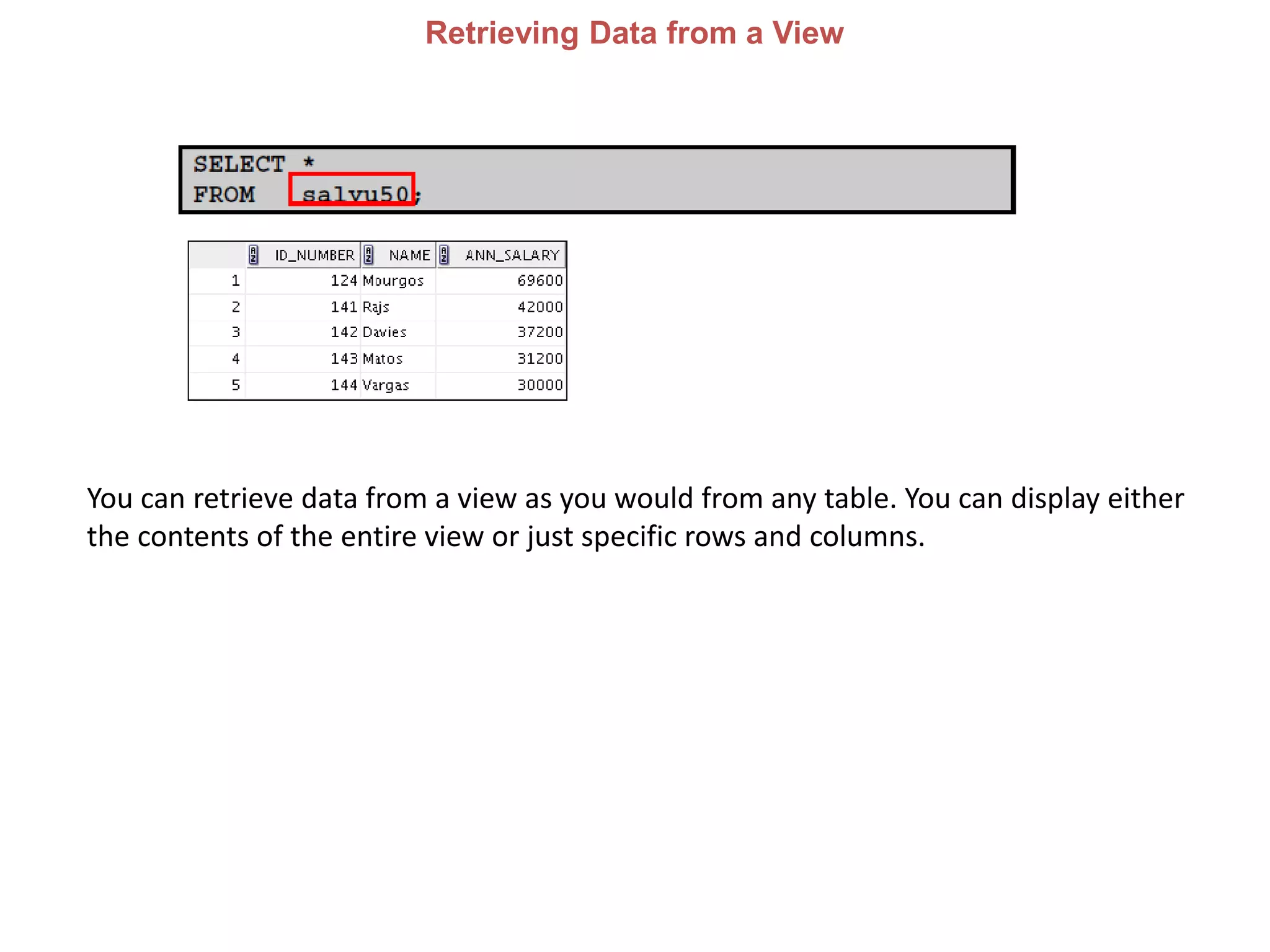
Retrieving Data from a View
You can retrieve data from a view as you would from any table. You can display either
the contents of the entire view or just specific rows and columns.
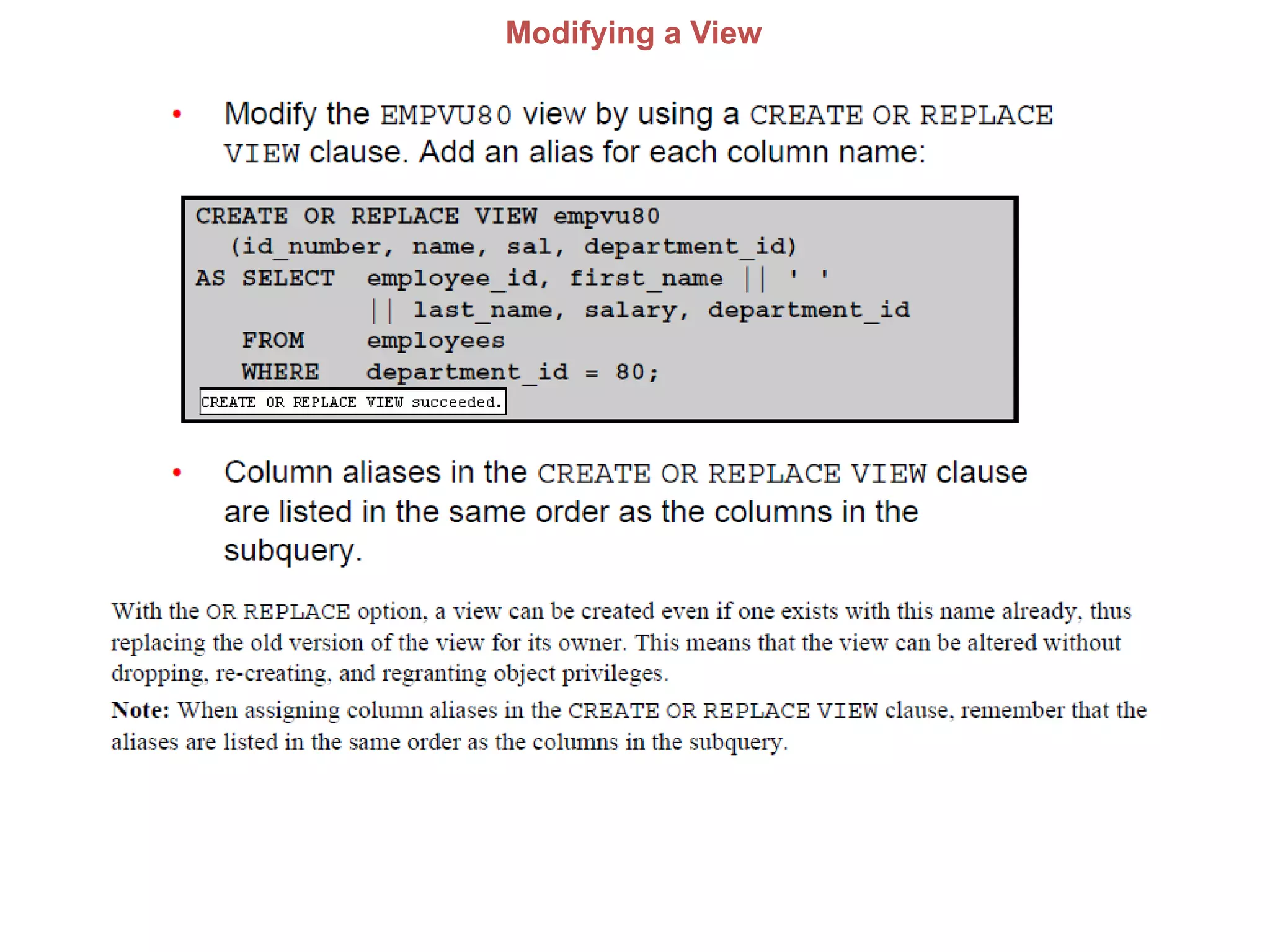
Modifying a View
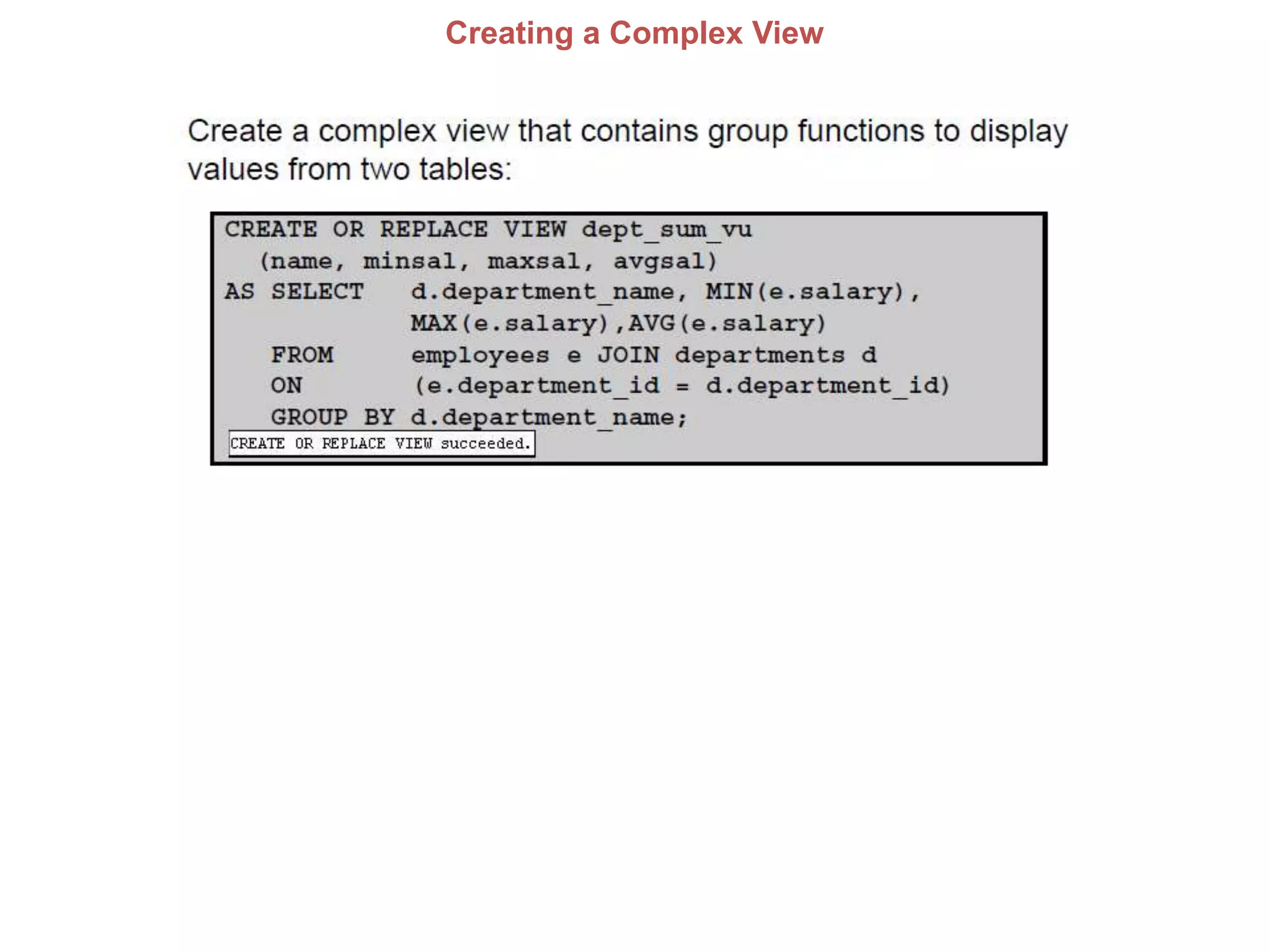
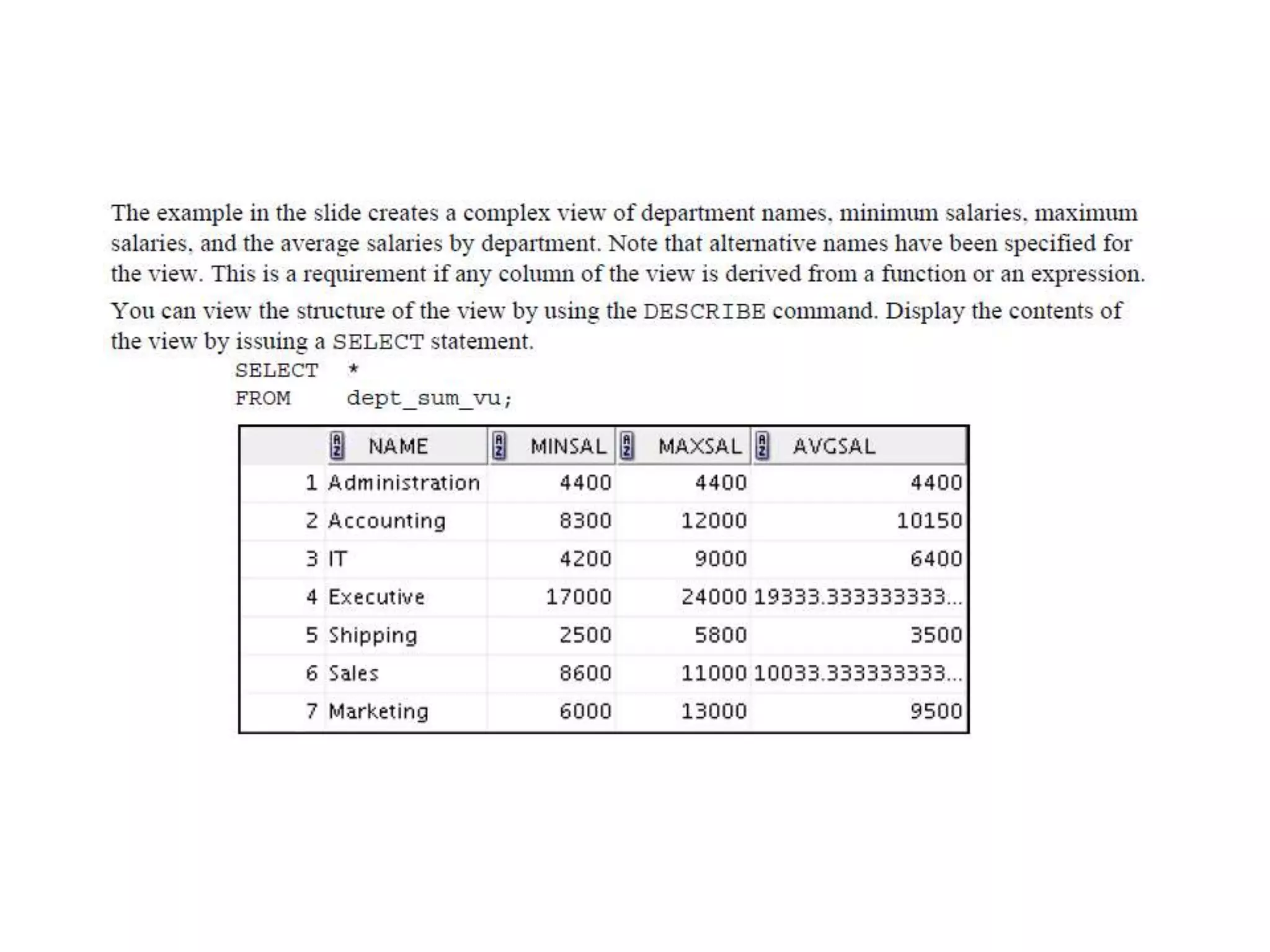
Creating a Complex View
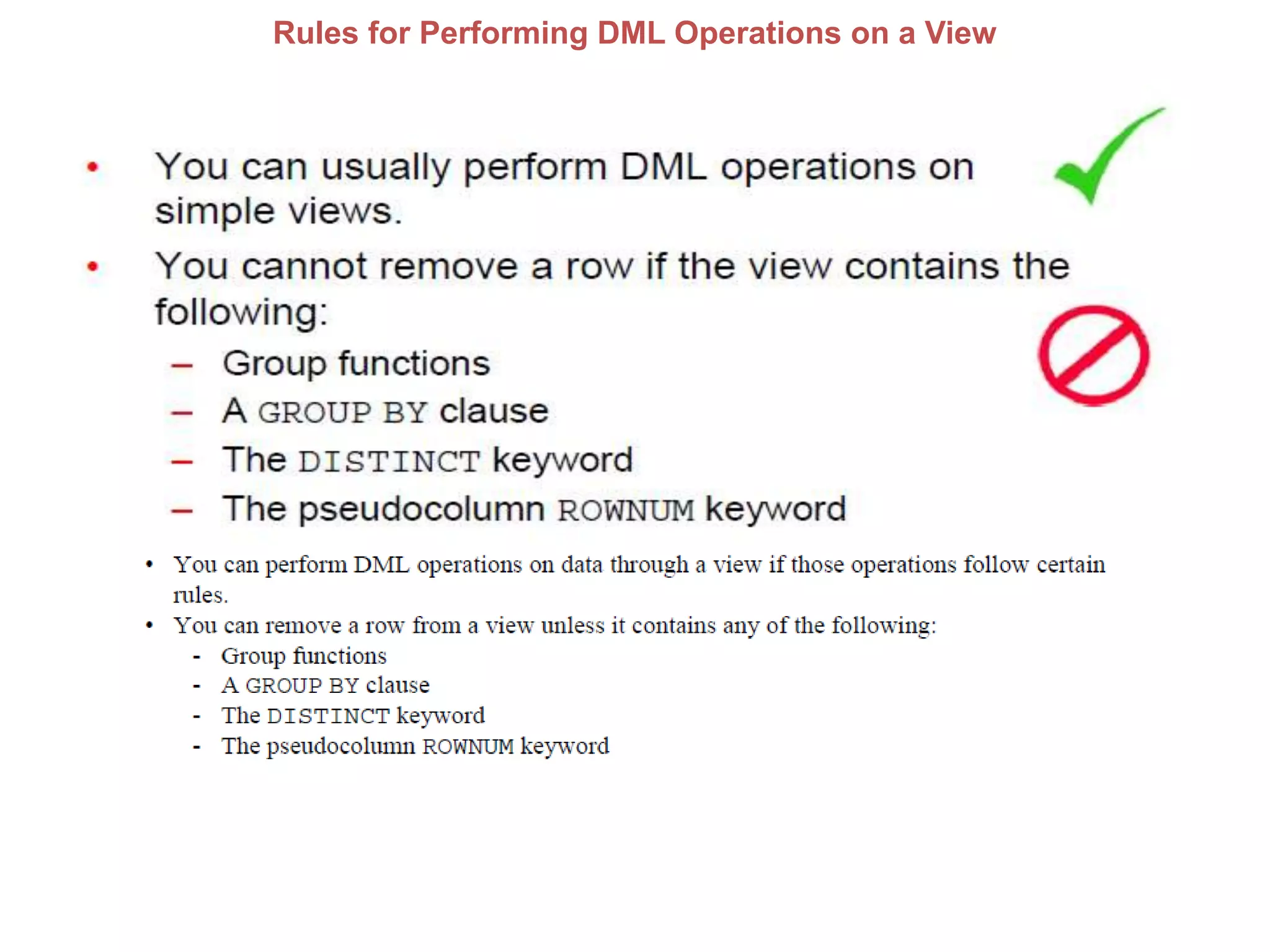
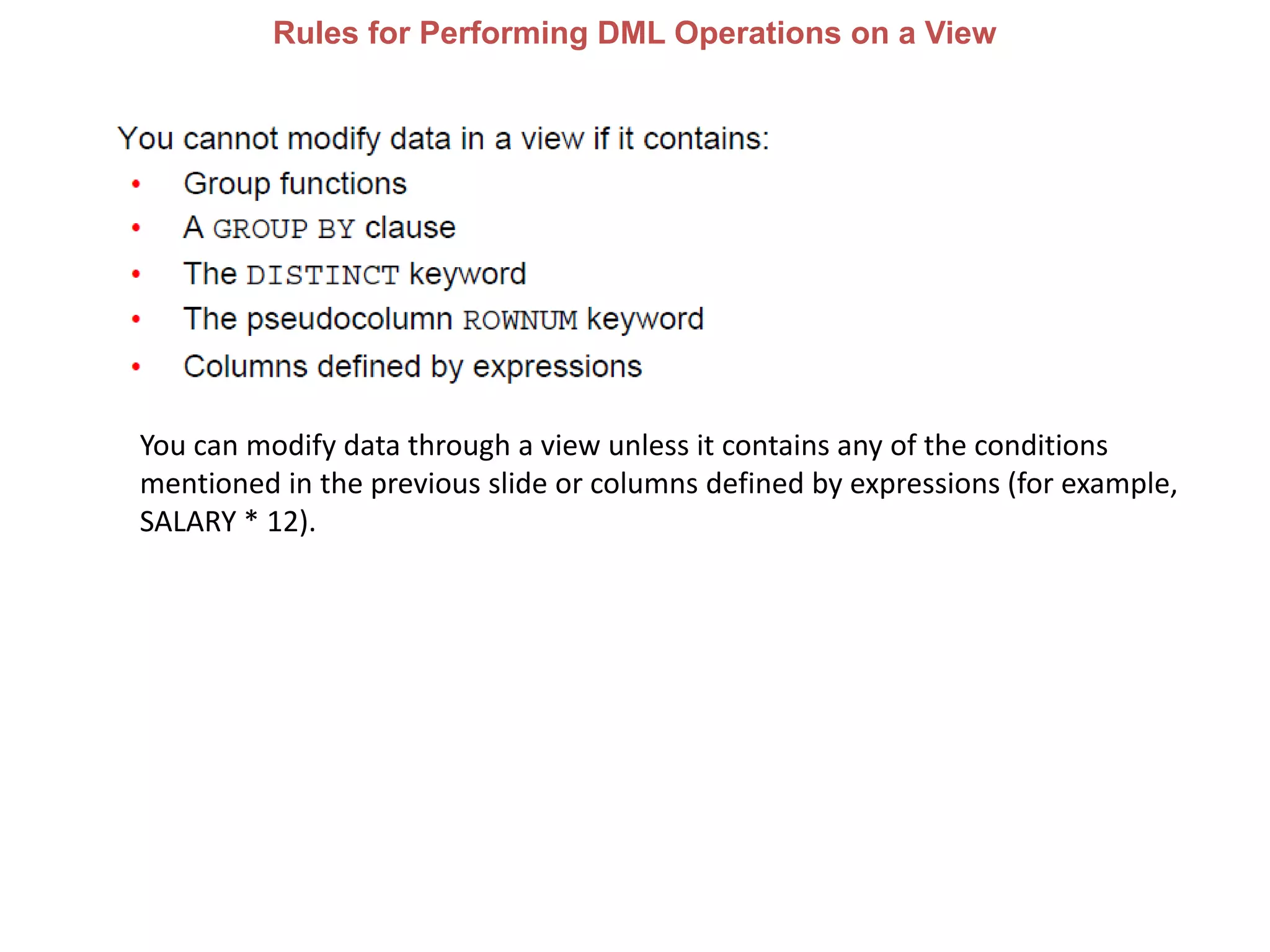
Rules for Performing DML Operations on a View
You can modify data through a view unless it contains any of the conditions
mentioned in the previous slide or columns defined by expressions (for example,
SALARY * 12).
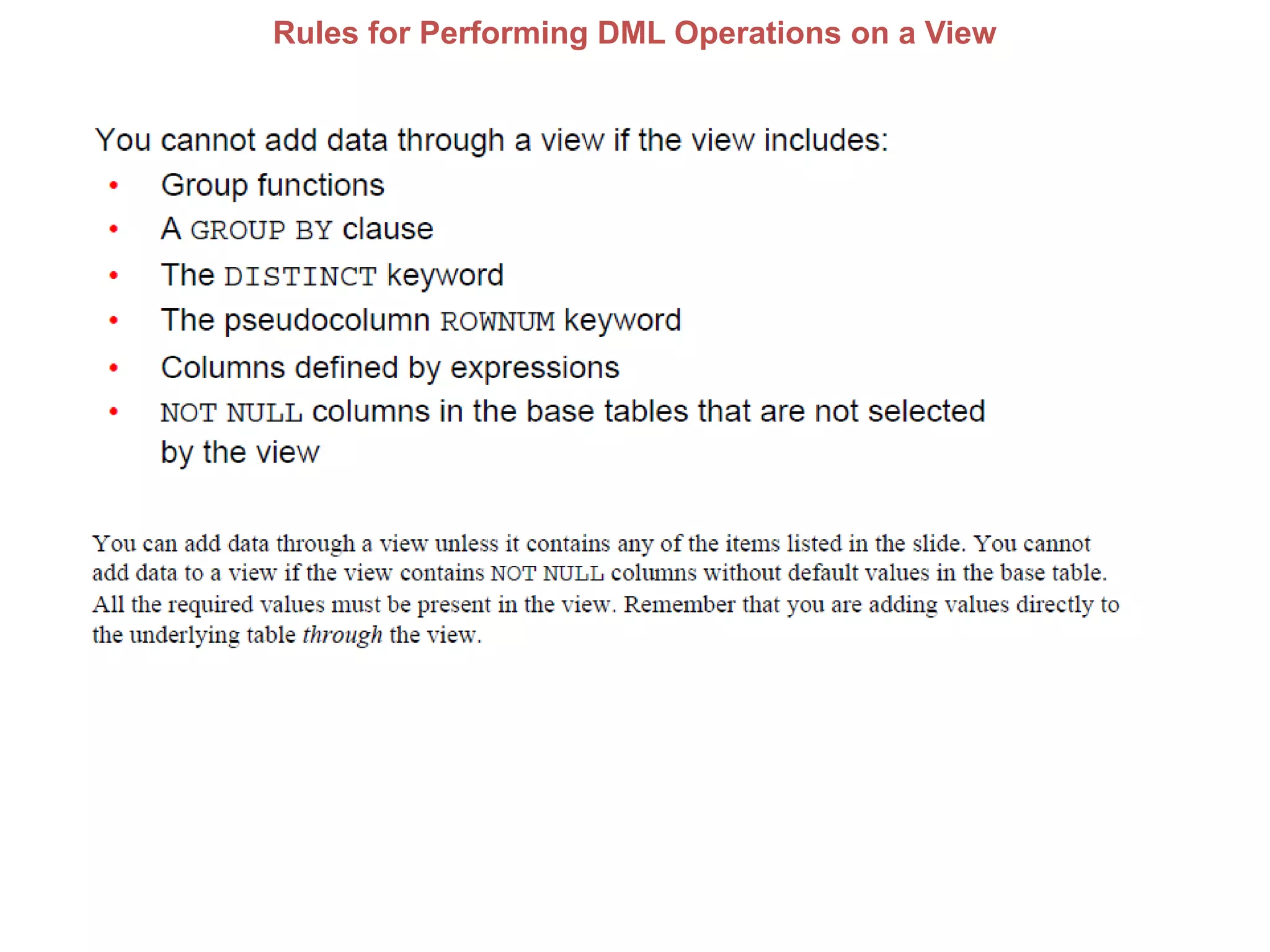
Rules for Performing DML Operations on a View
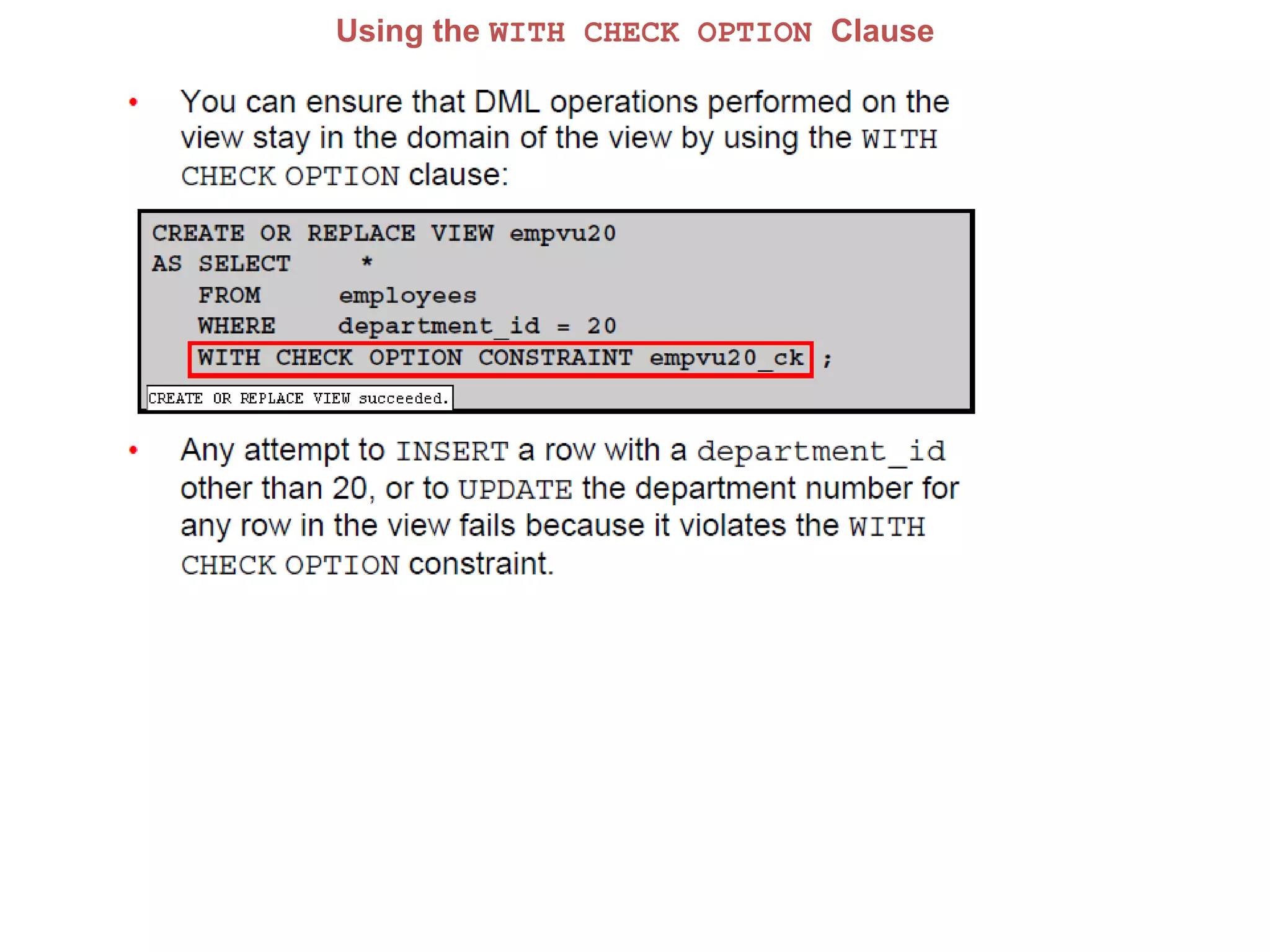
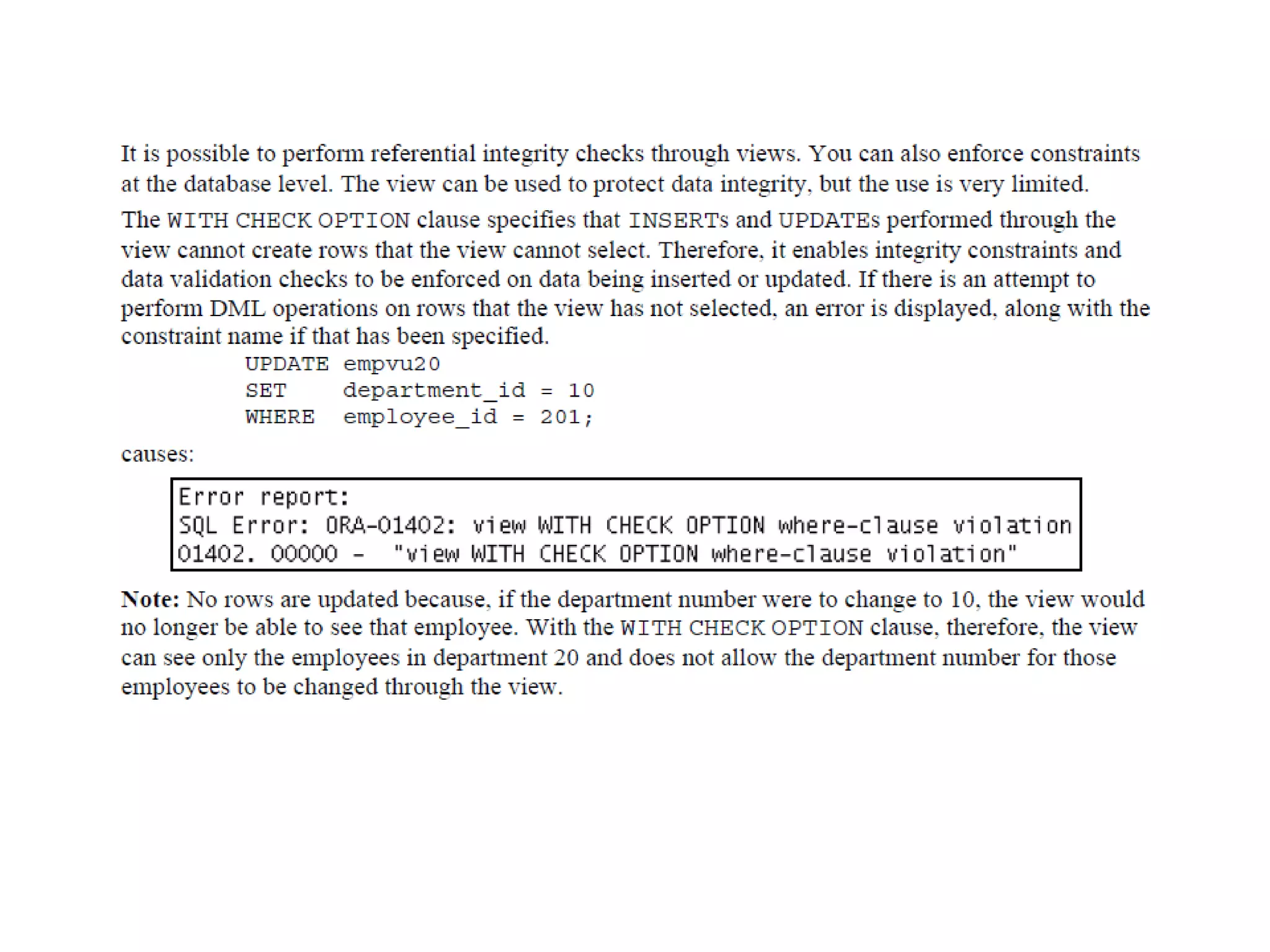
Using the WITH CHECK OPTION Clause
Denying DML Operations
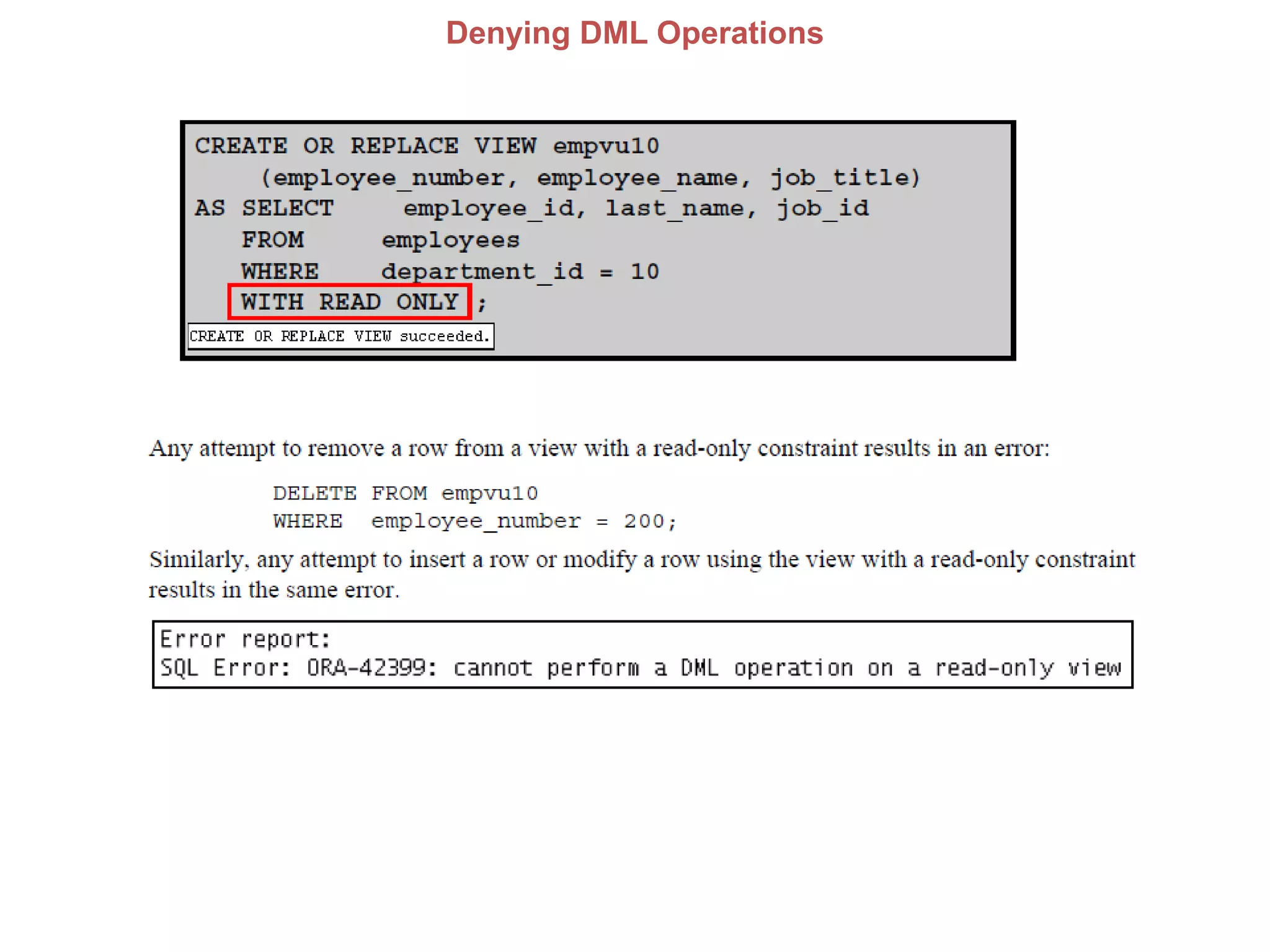
You can ensure that no DML operations occur on your view by creating it with
the WITH READ ONLY option. The example in the next slide modifies the
EMPVU10 view to prevent any DML operations on the view.
Denying DML Operations
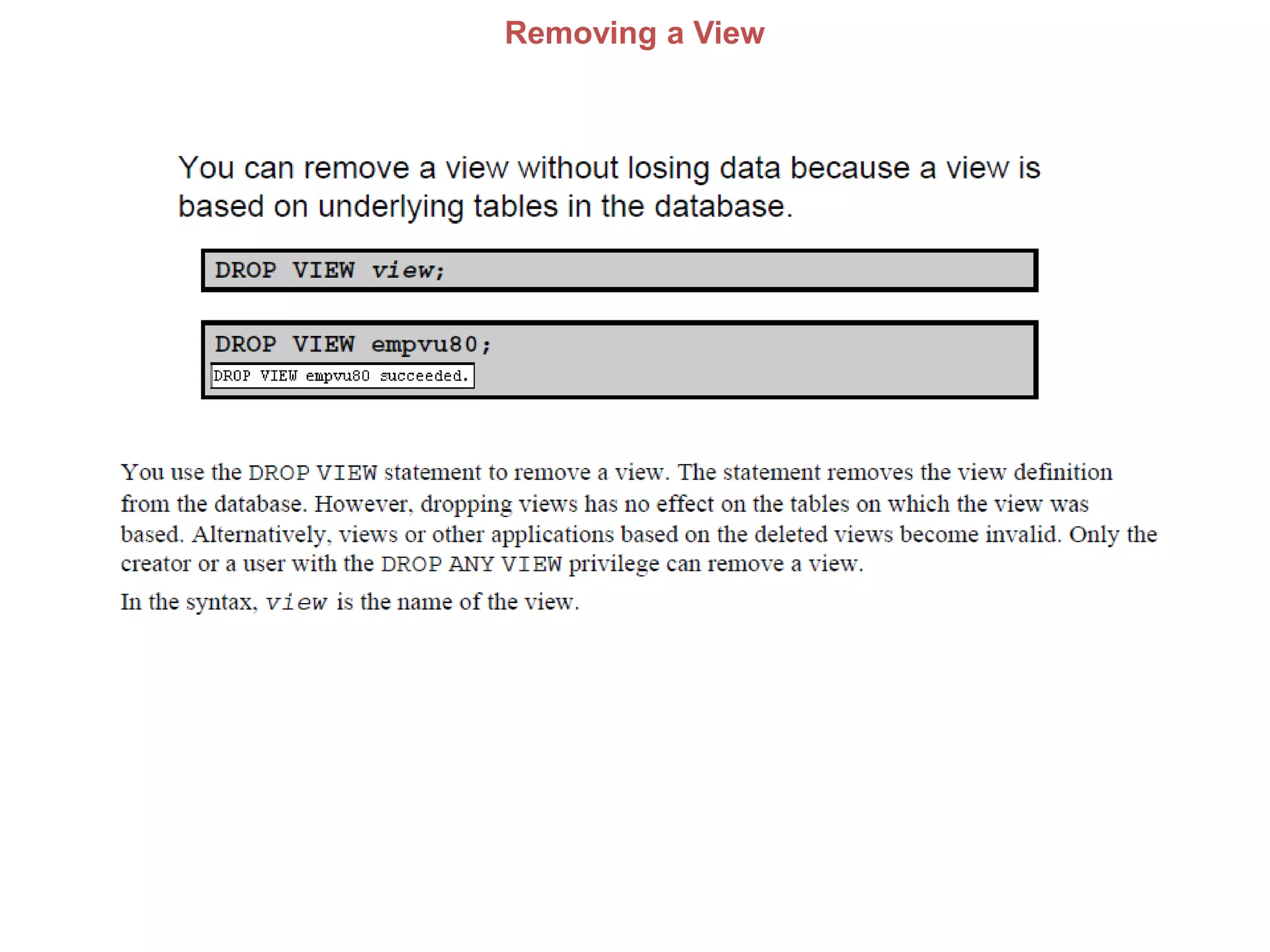
Removing a View
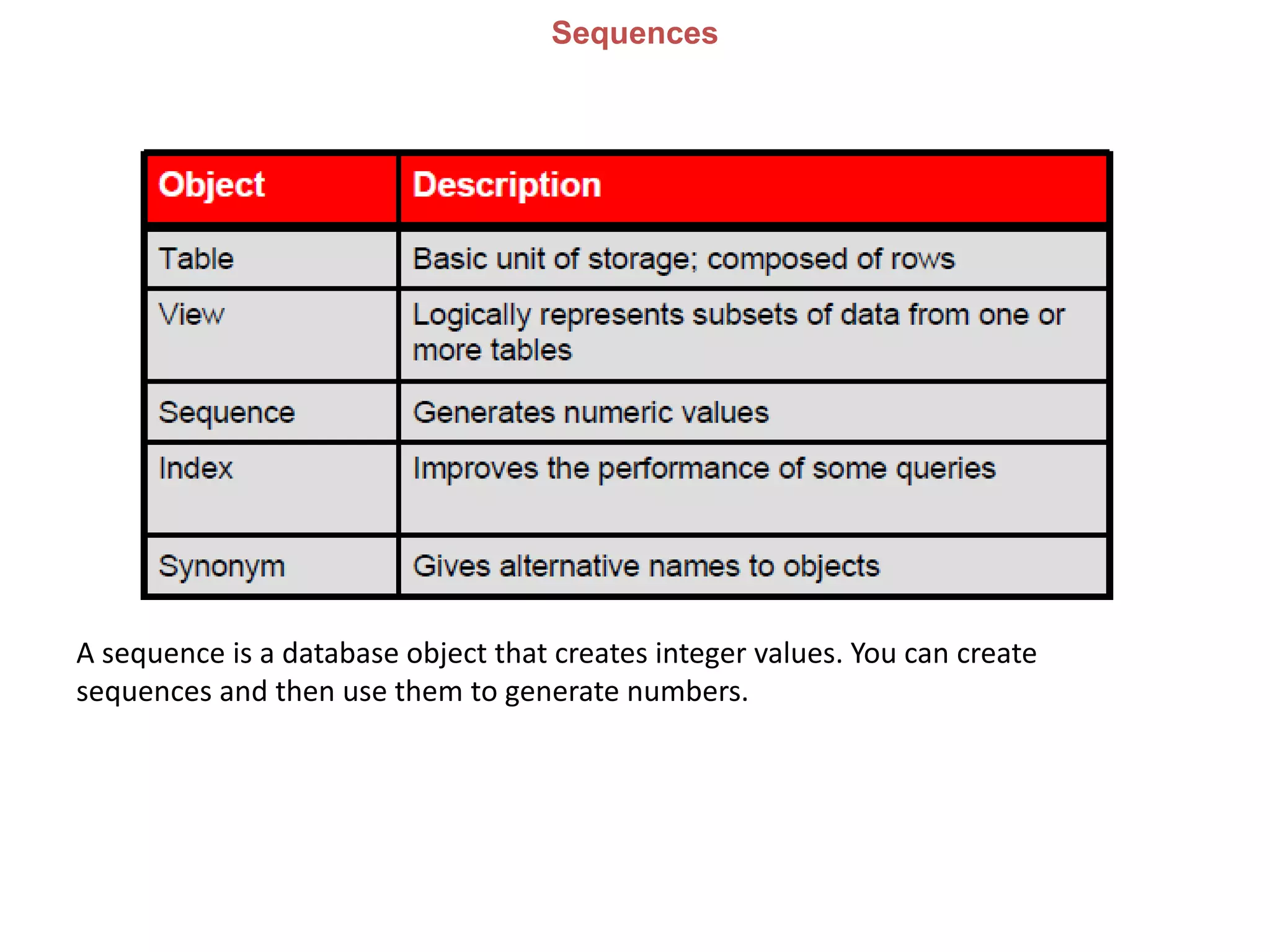
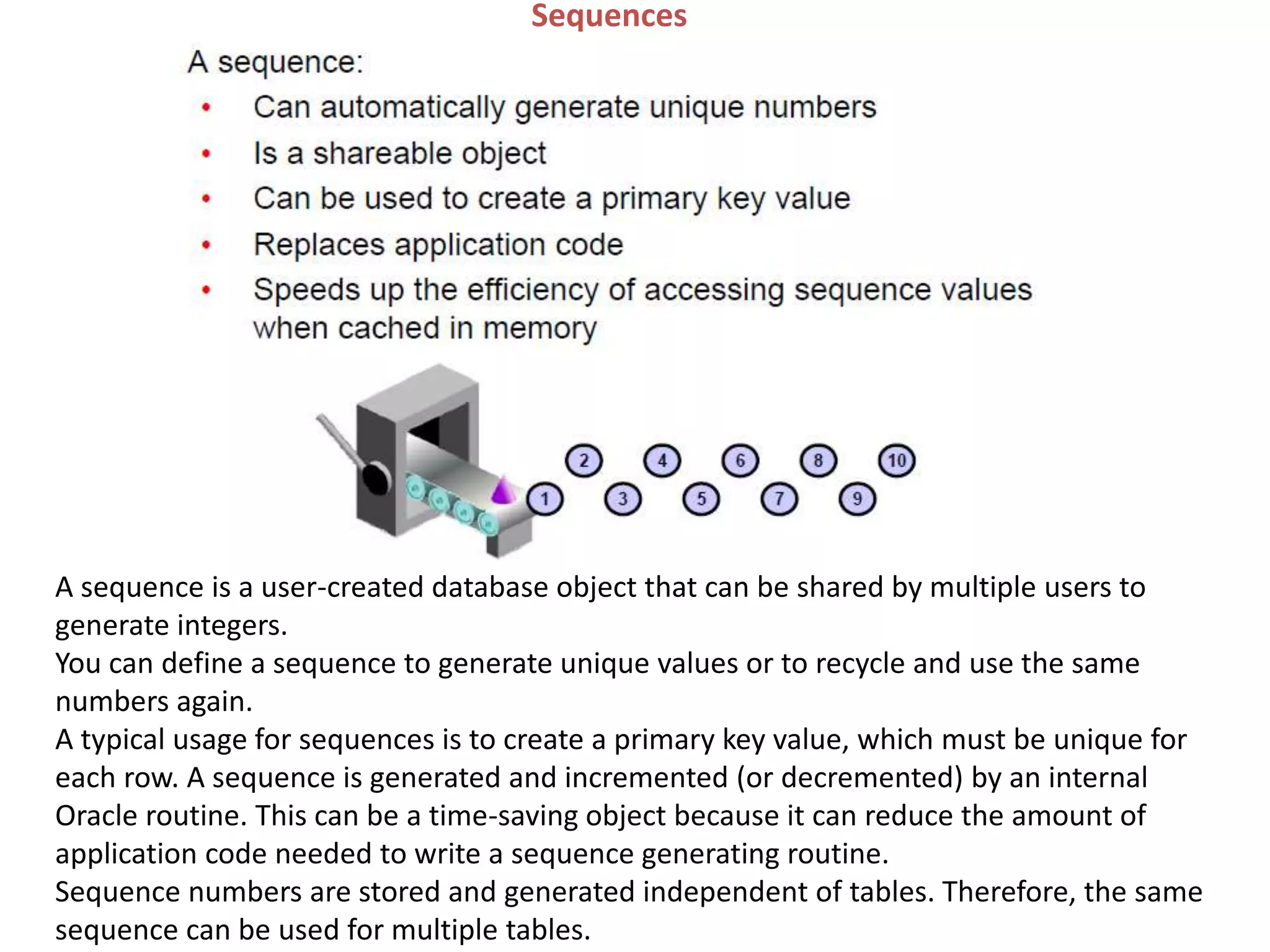
Sequences
A sequence is a database object that creates integer values. You can create
sequences and then use them to generate numbers.
Sequences
A sequence is a user-created database object that can be shared by multiple users to
generate integers.
You can define a sequence to generate unique values or to recycle and use the same
numbers again.
A typical usage for sequences is to create a primary key value, which must be unique for
each row. A sequence is generated and incremented (or decremented) by an internal
Oracle routine. This can be a time-saving object because it can reduce the amount of
application code needed to write a sequence generating routine.
Sequence numbers are stored and generated independent of tables. Therefore, the same
sequence can be used for multiple tables.
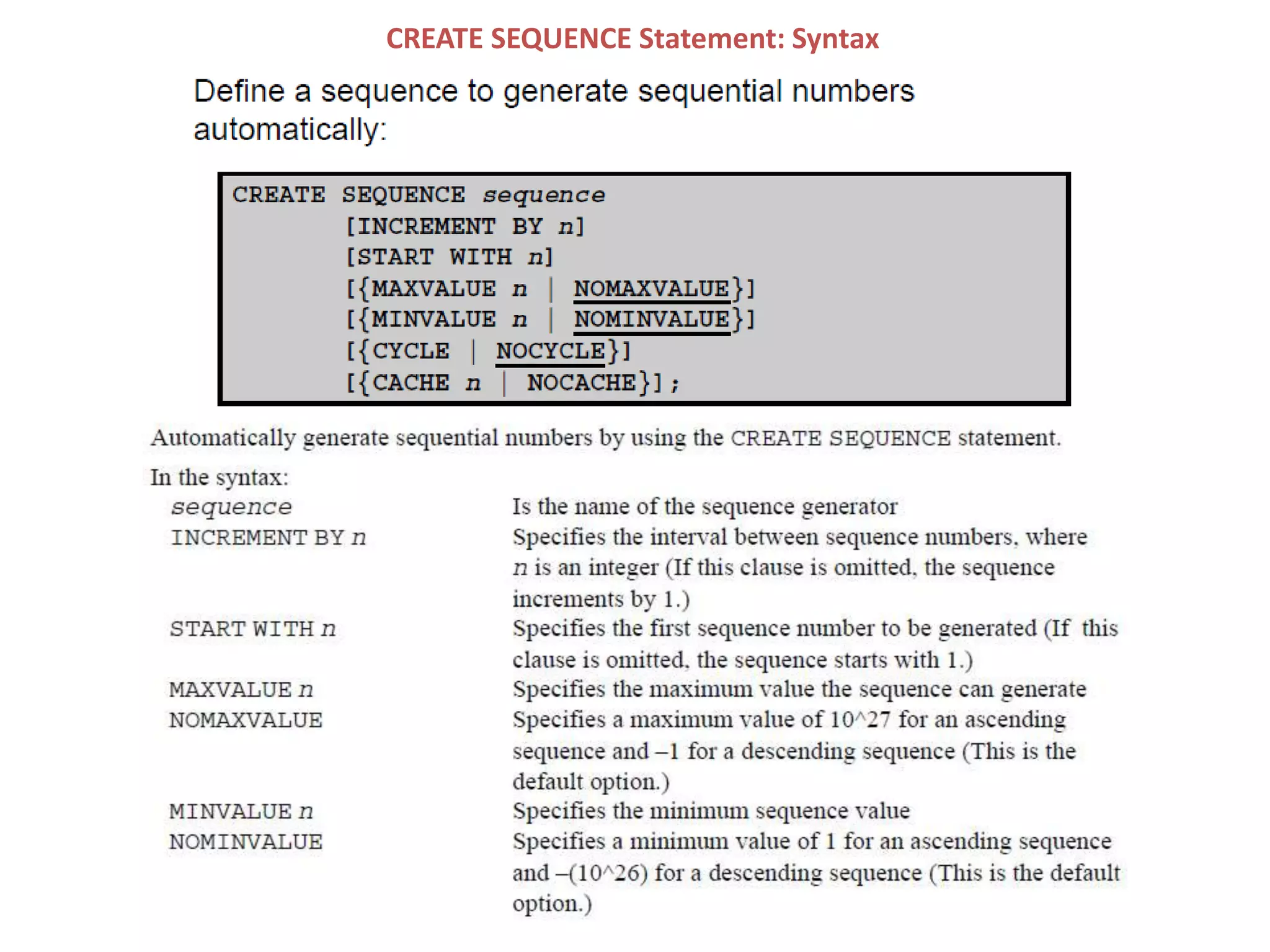
CREATE SEQUENCE Statement: Syntax
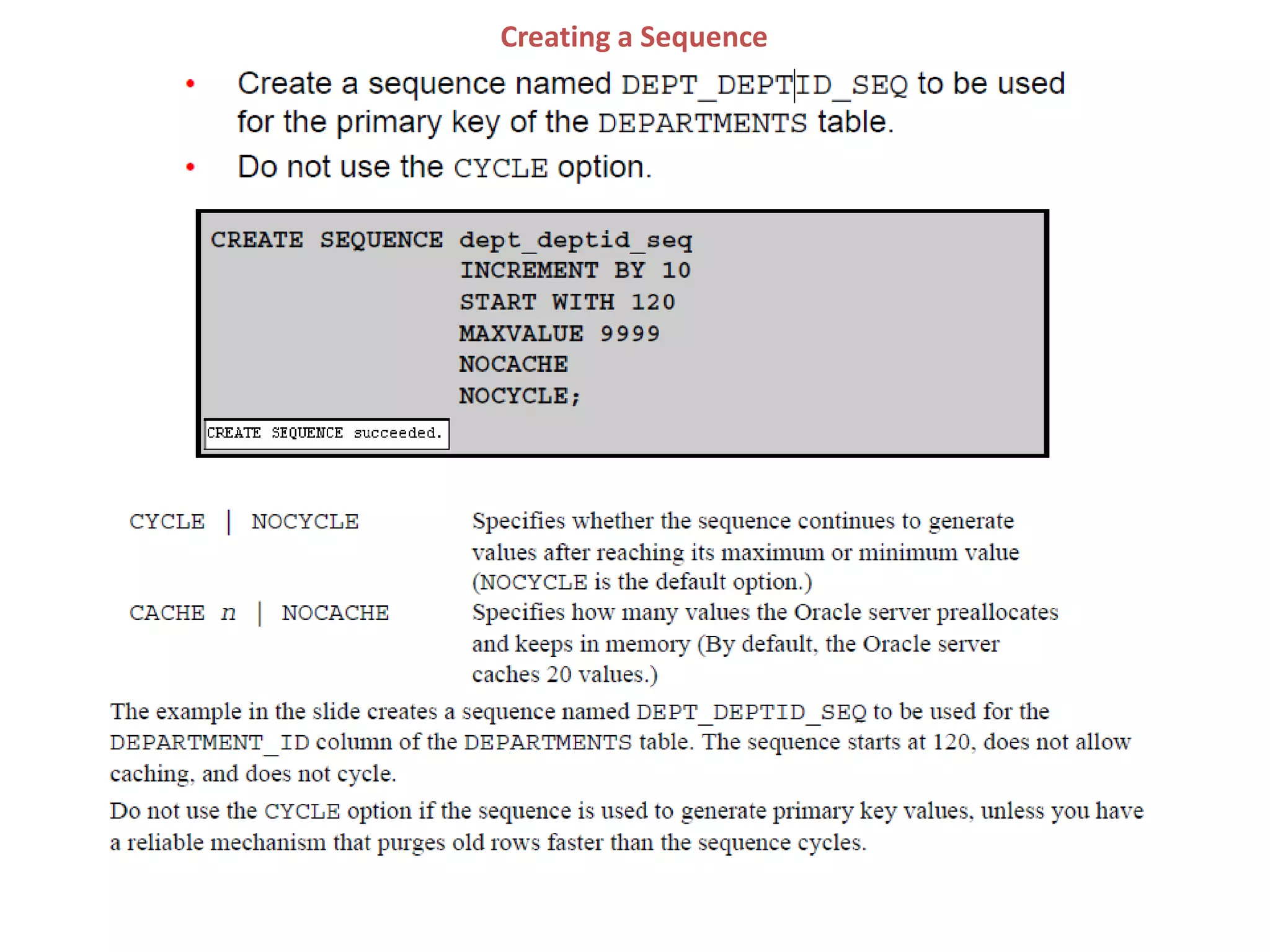
Creating a Sequence
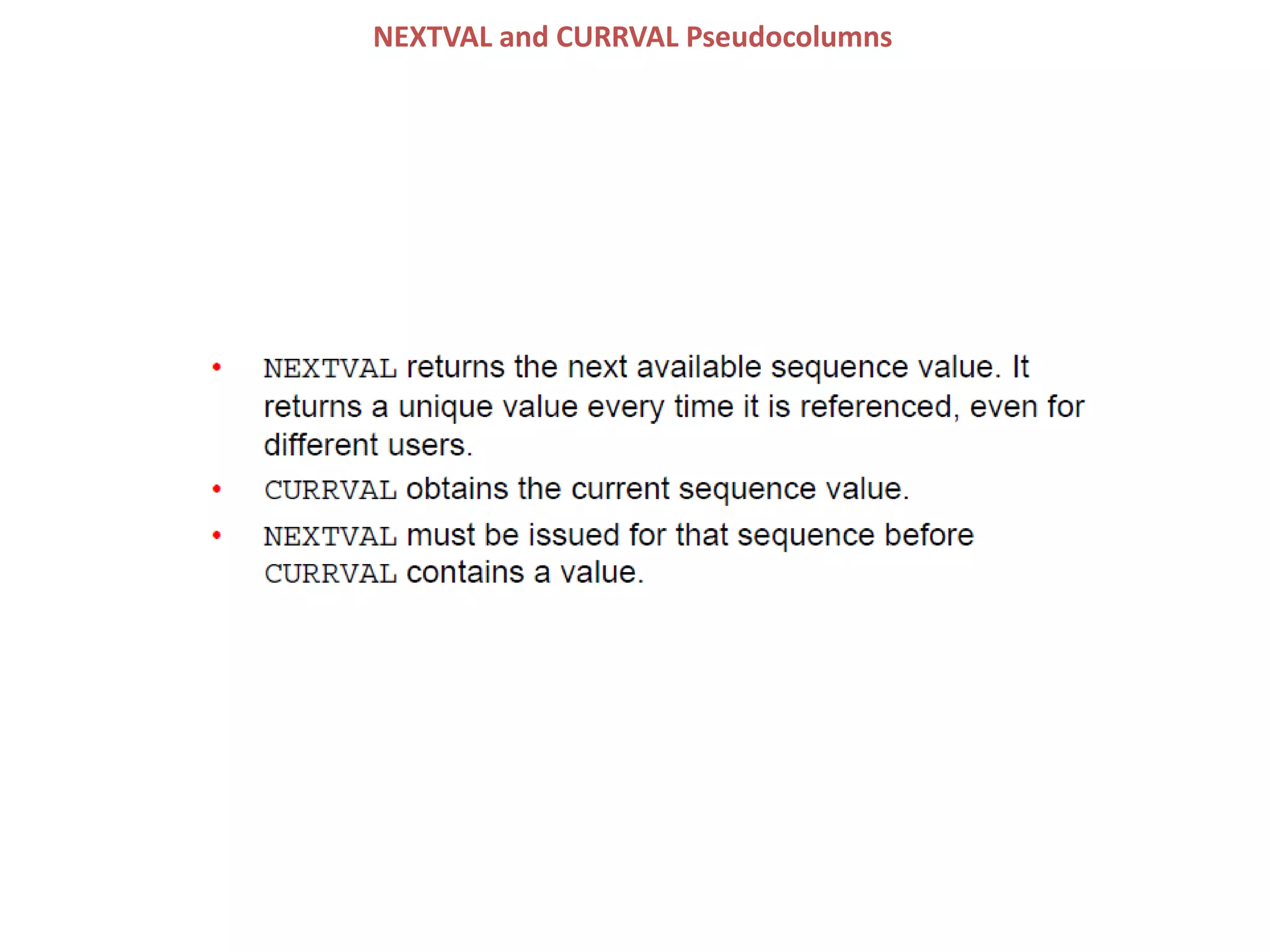
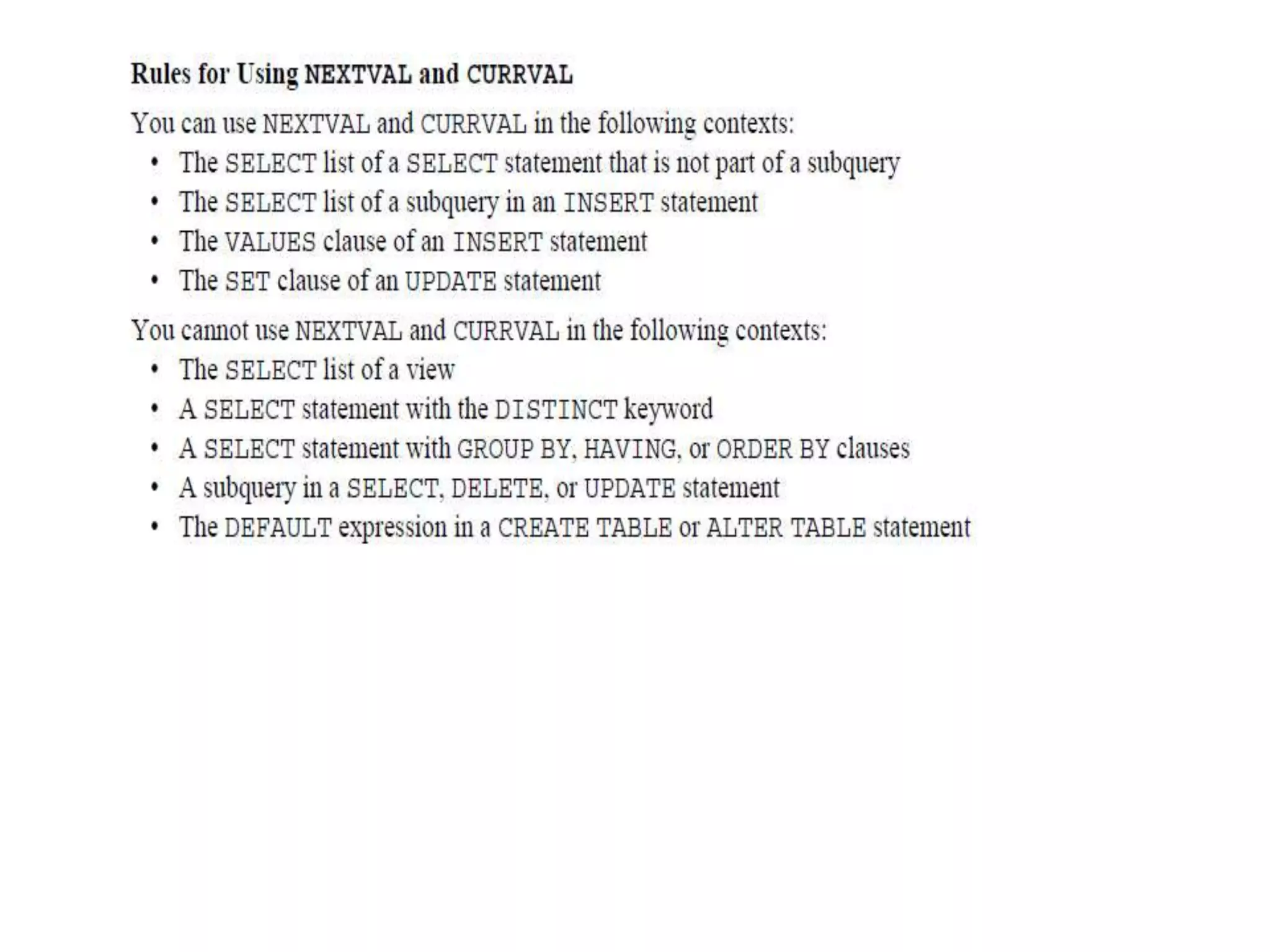
NEXTVAL and CURRVAL Pseudocolumns
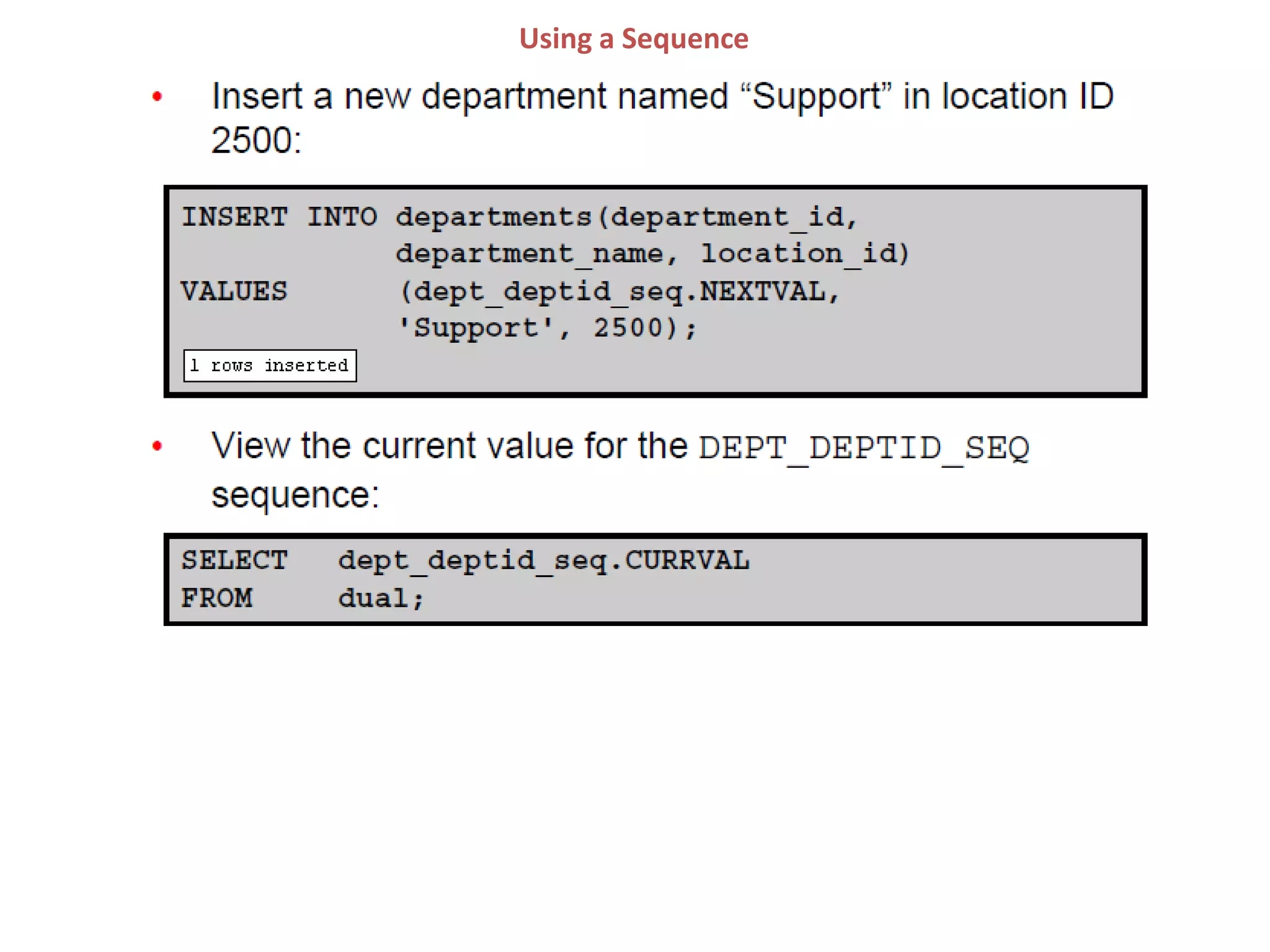
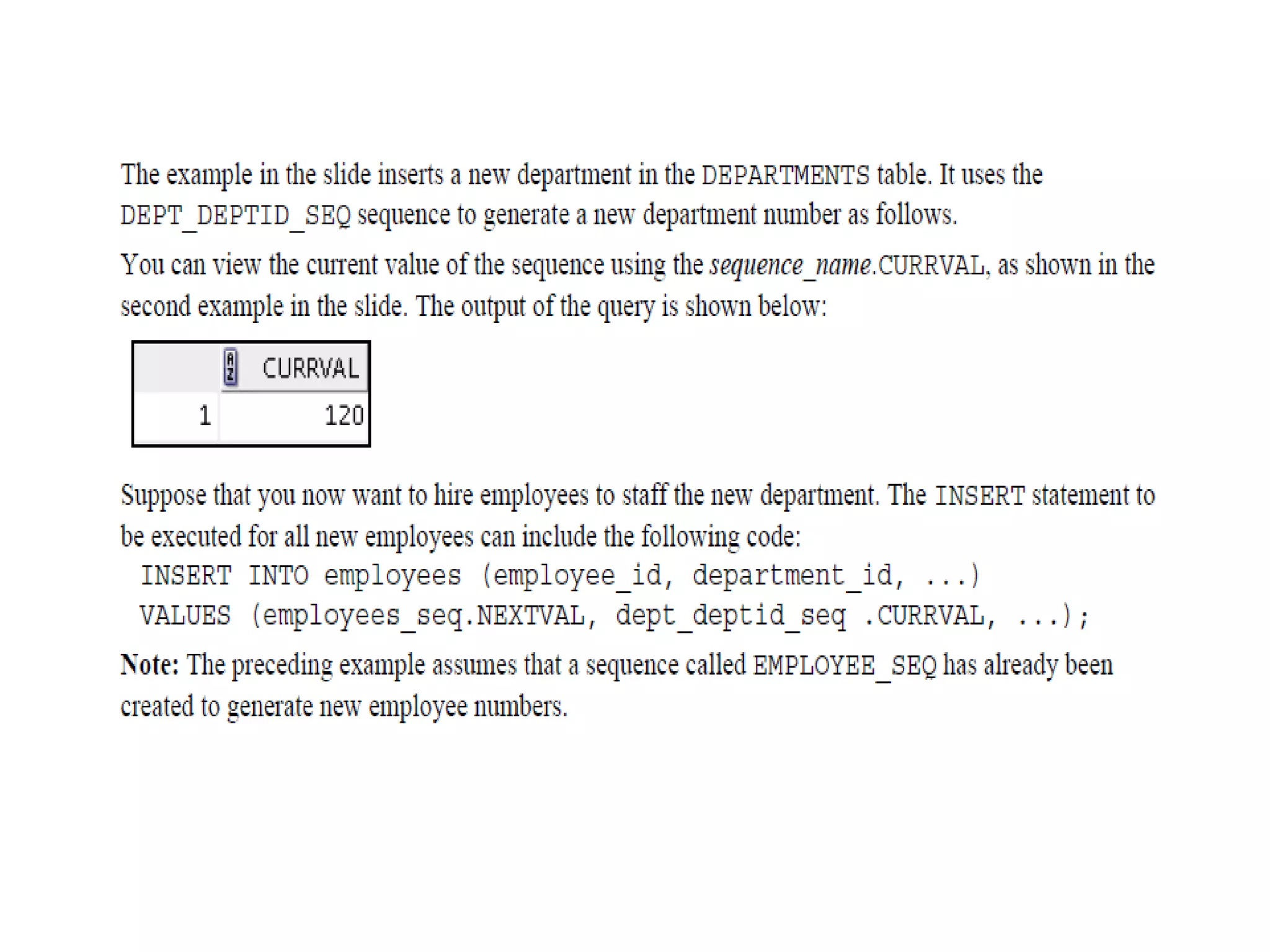
Using a Sequence
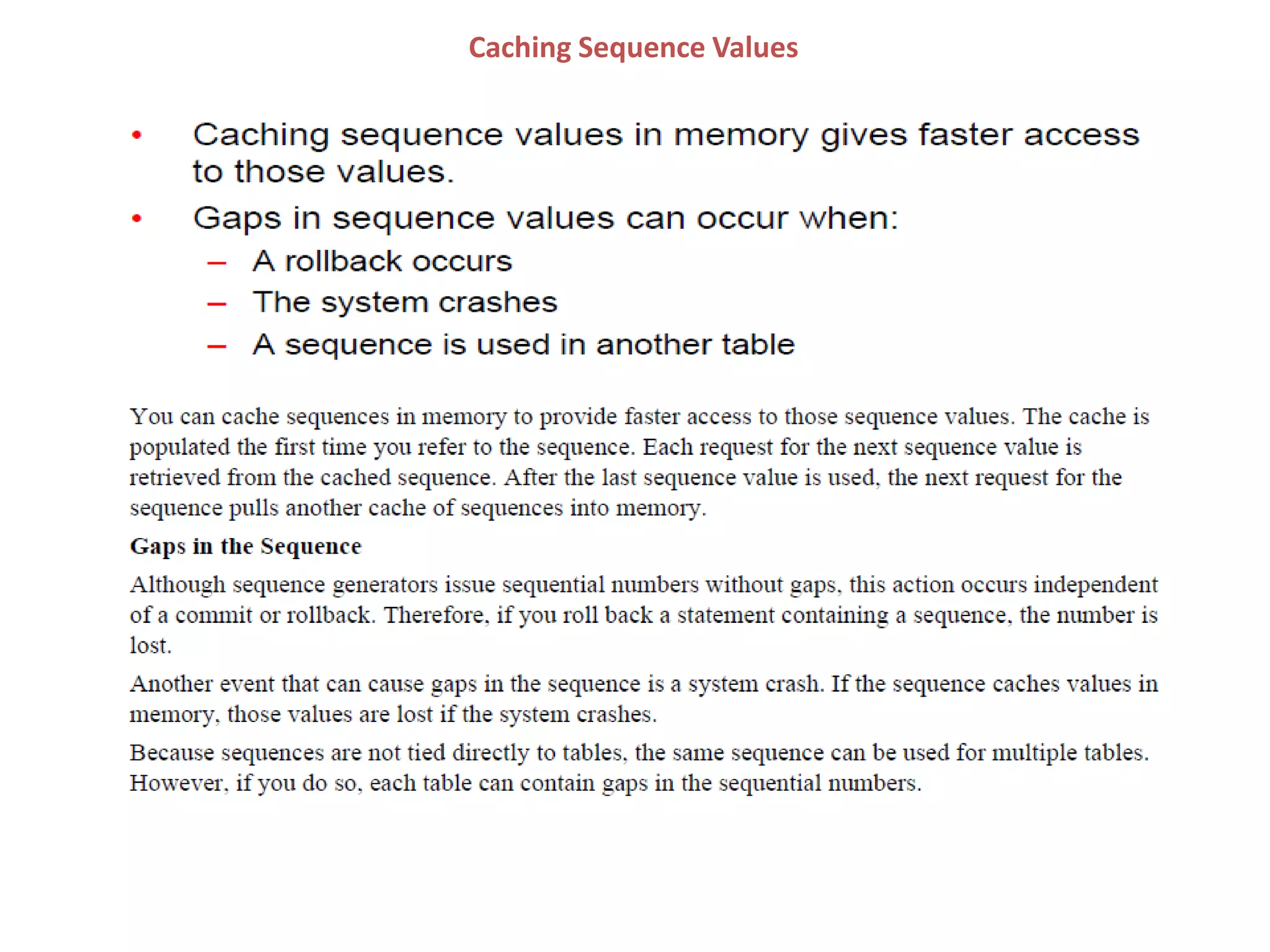
Caching Sequence Values
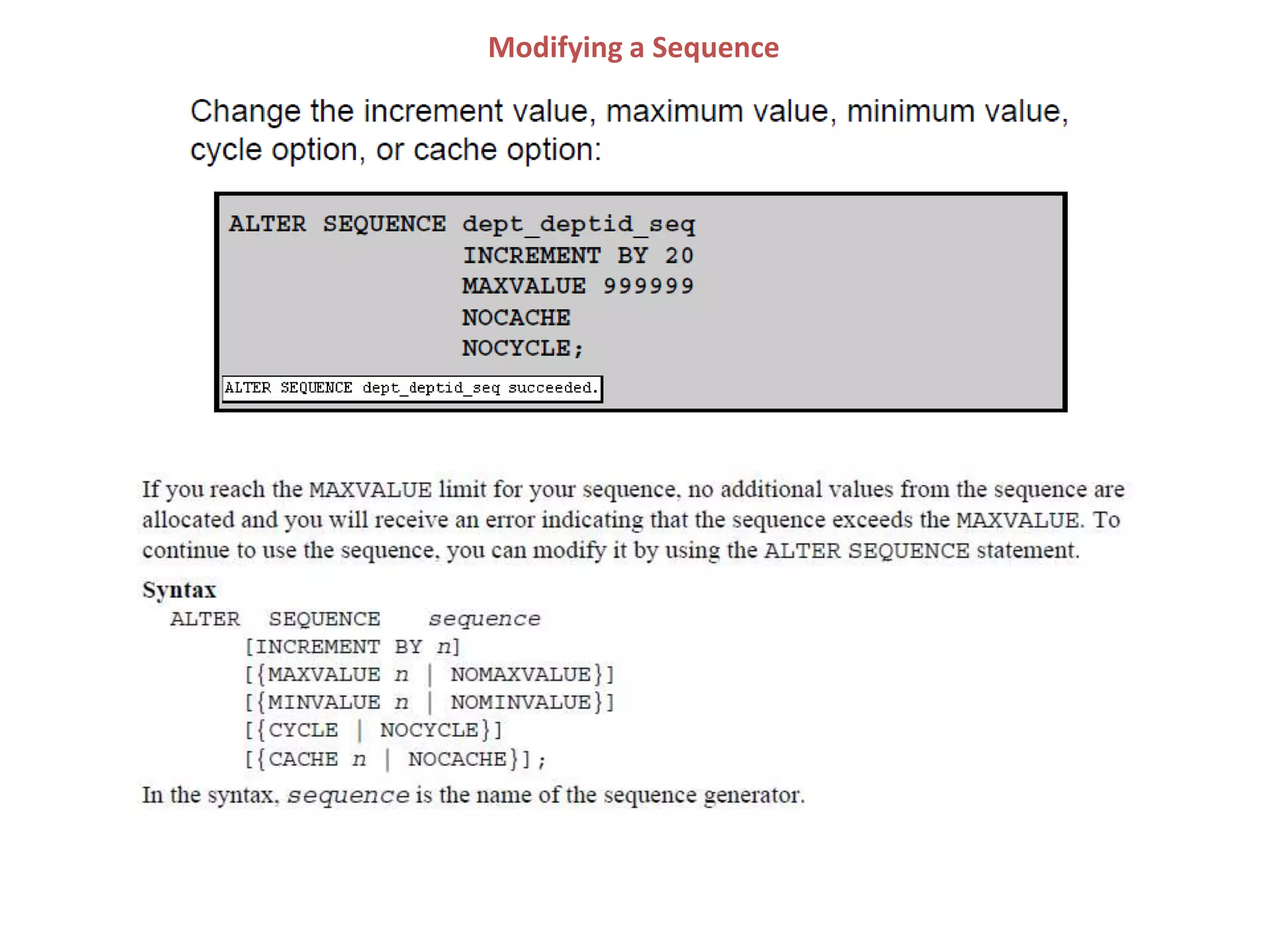
Modifying a Sequence
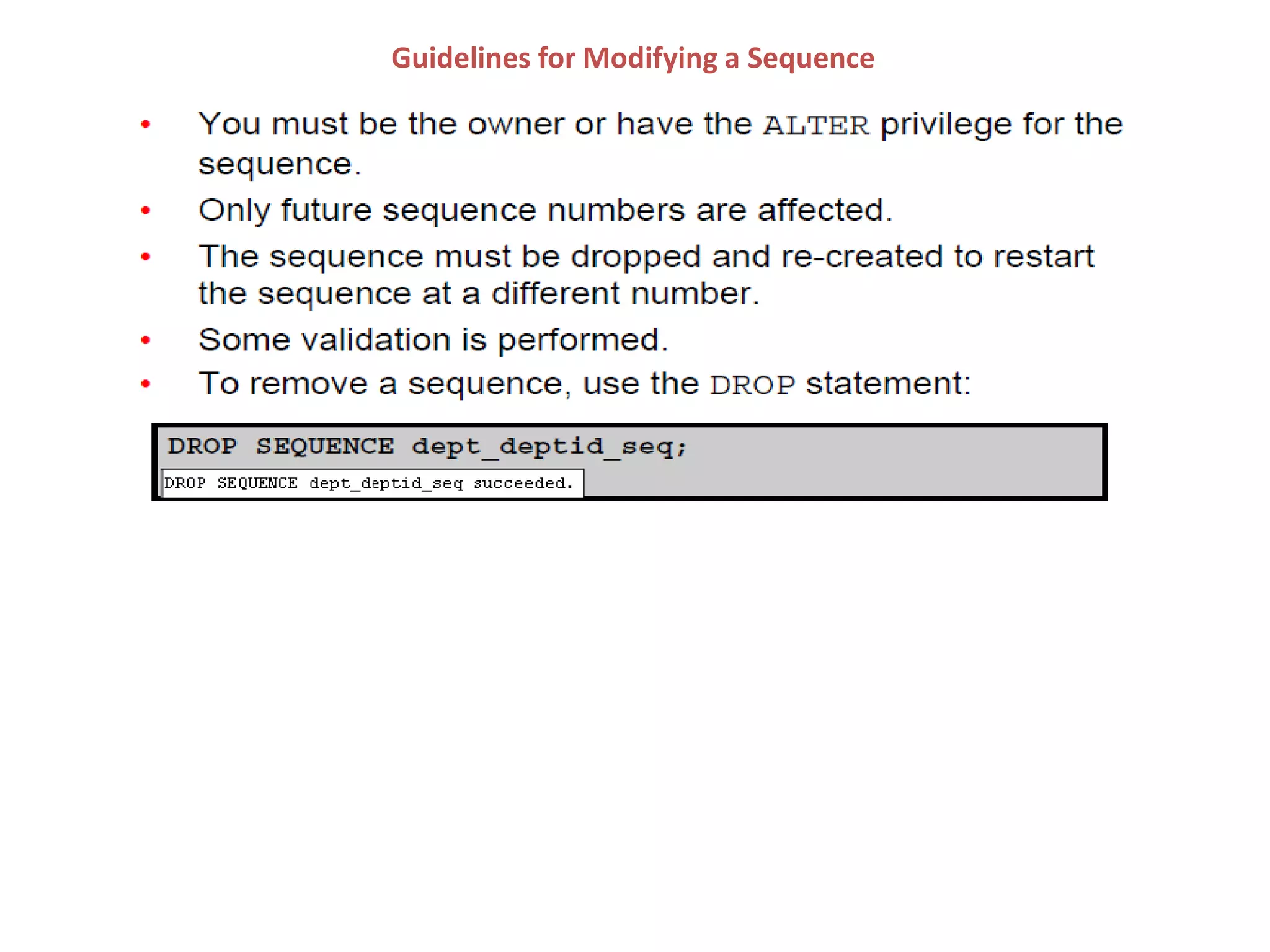
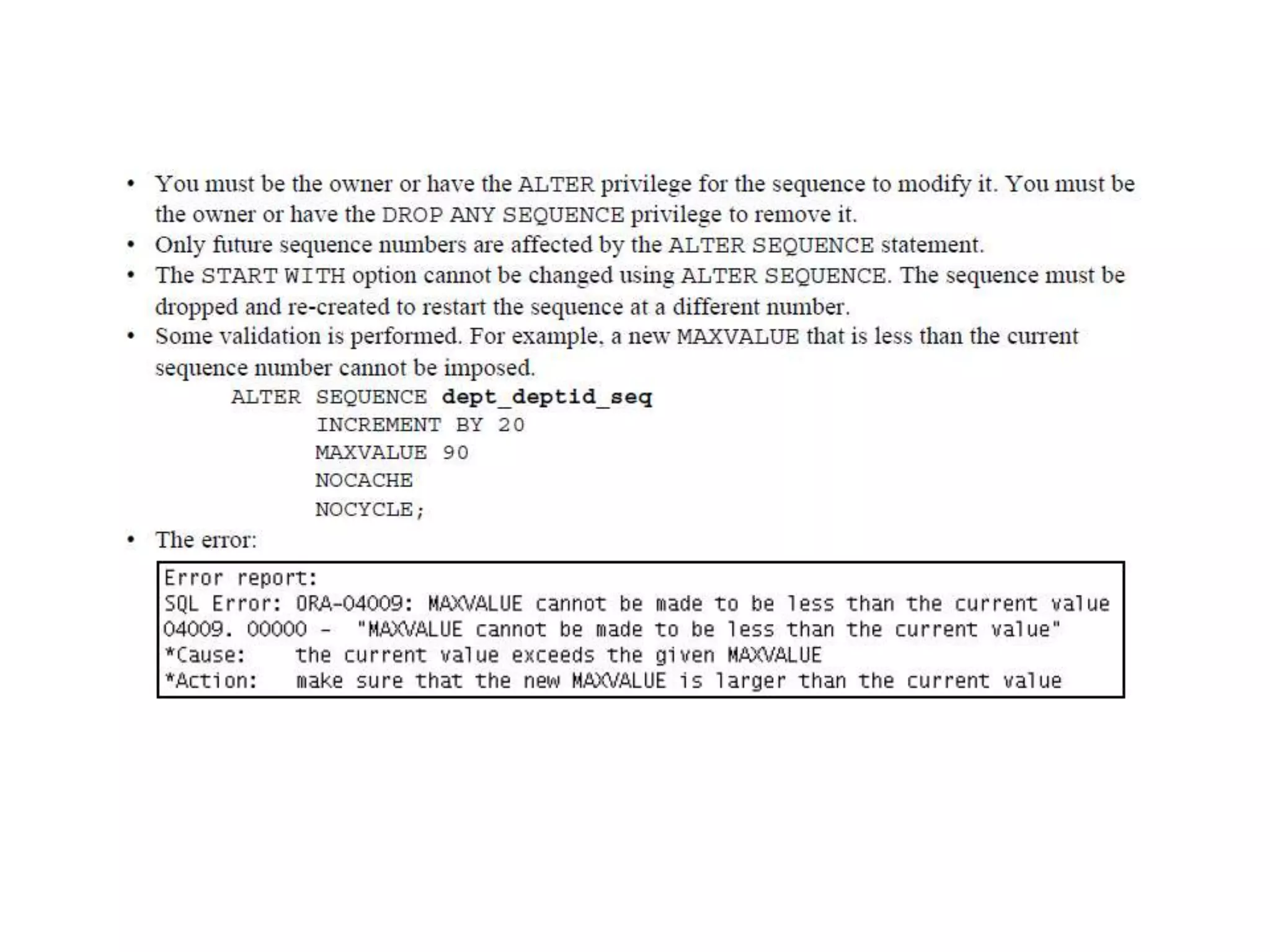
Guidelines for Modifying a Sequence
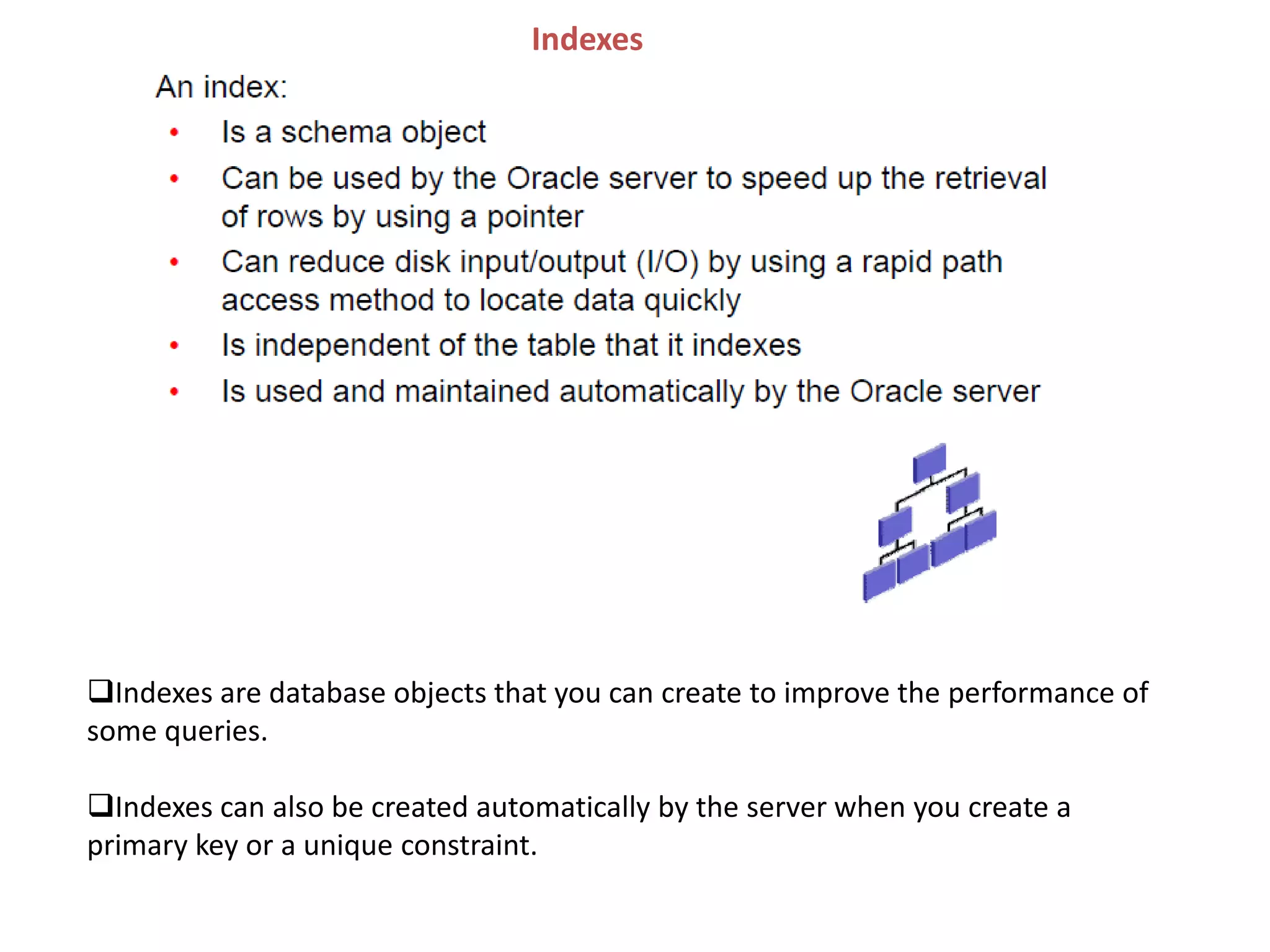
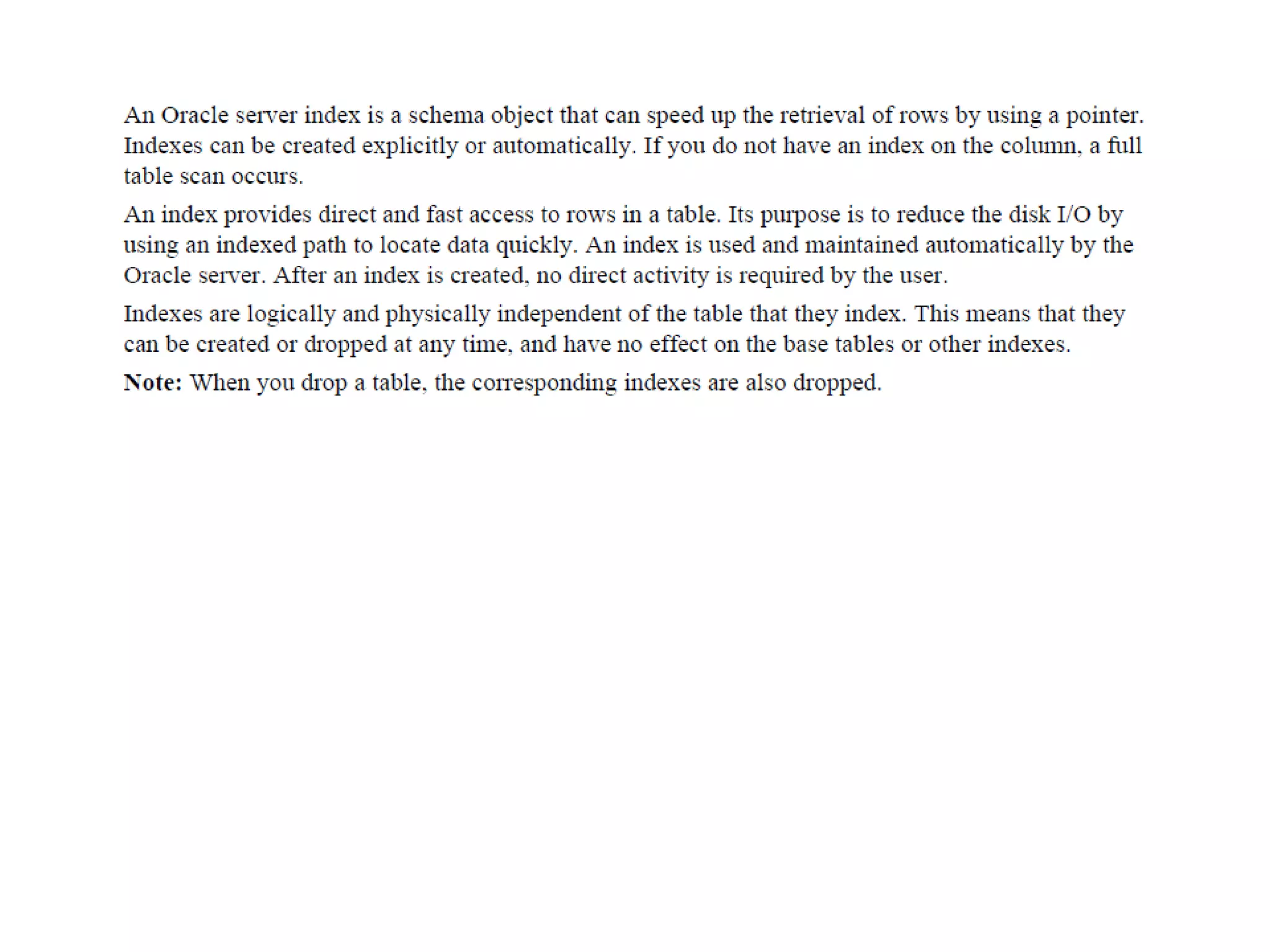
Indexes
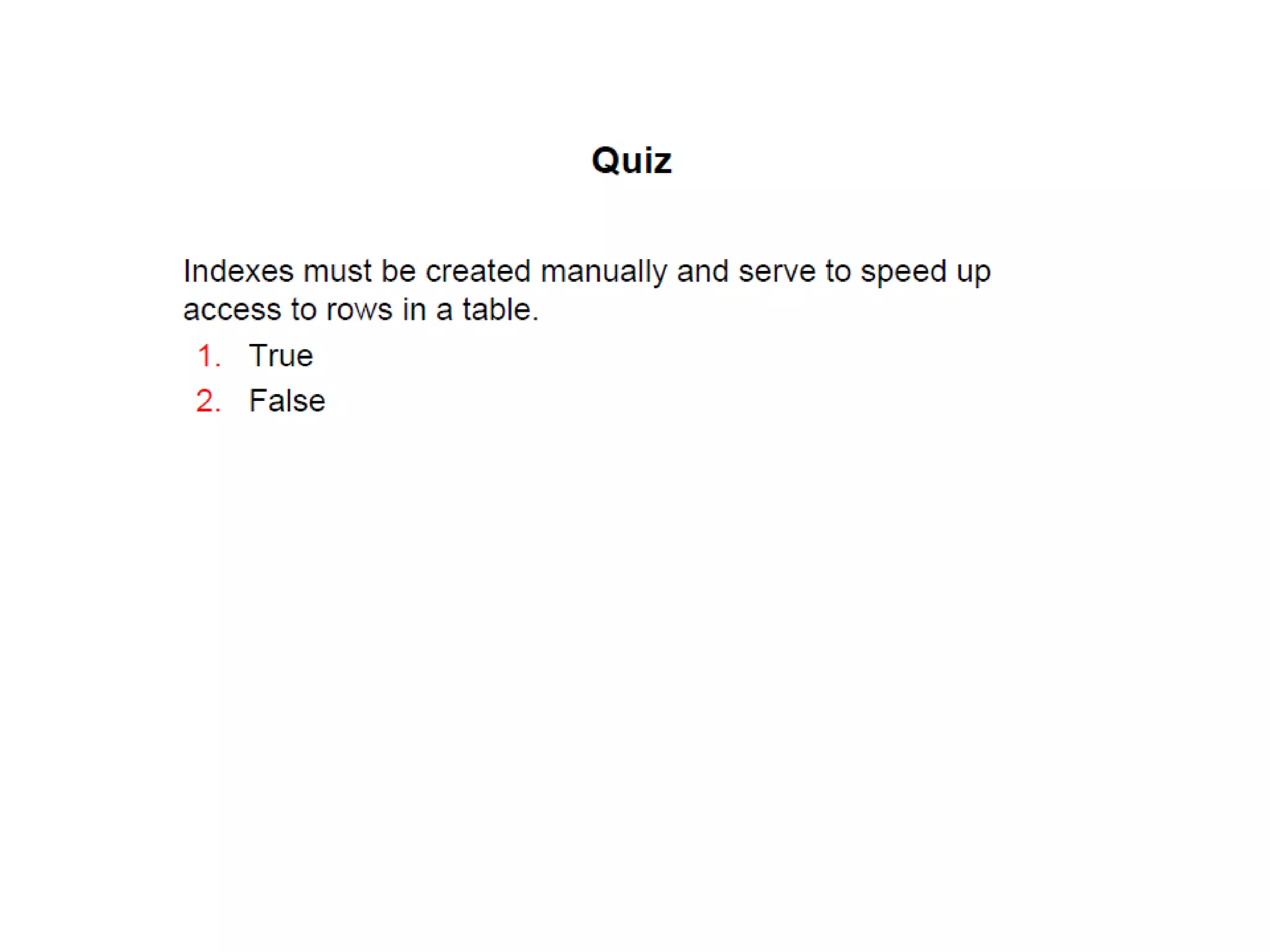
Indexes are database objects that you can create to improve the performance of
some queries.
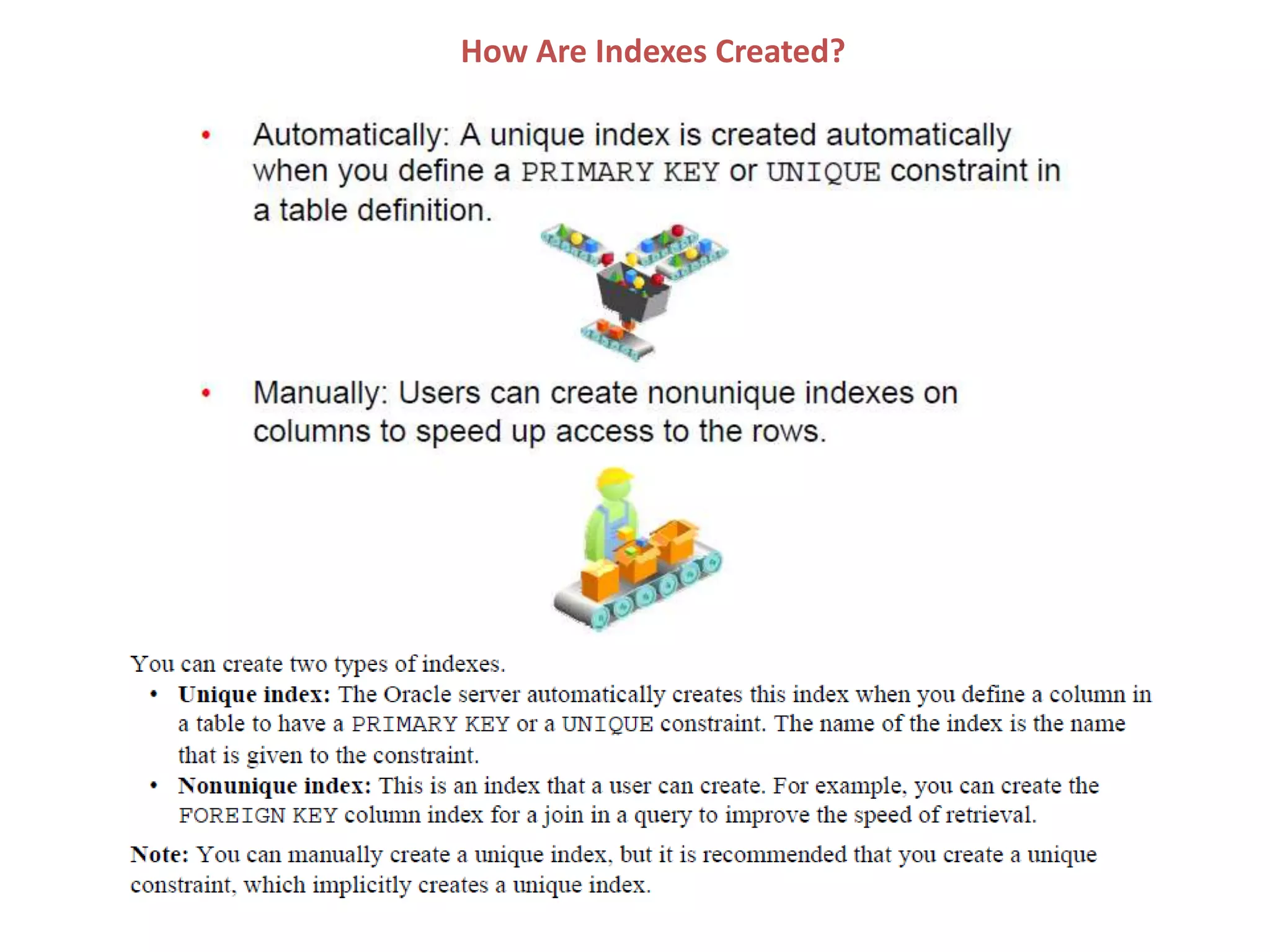
Indexes can also be created automatically by the server when you create a
primary key or a unique constraint.
How Are Indexes Created?
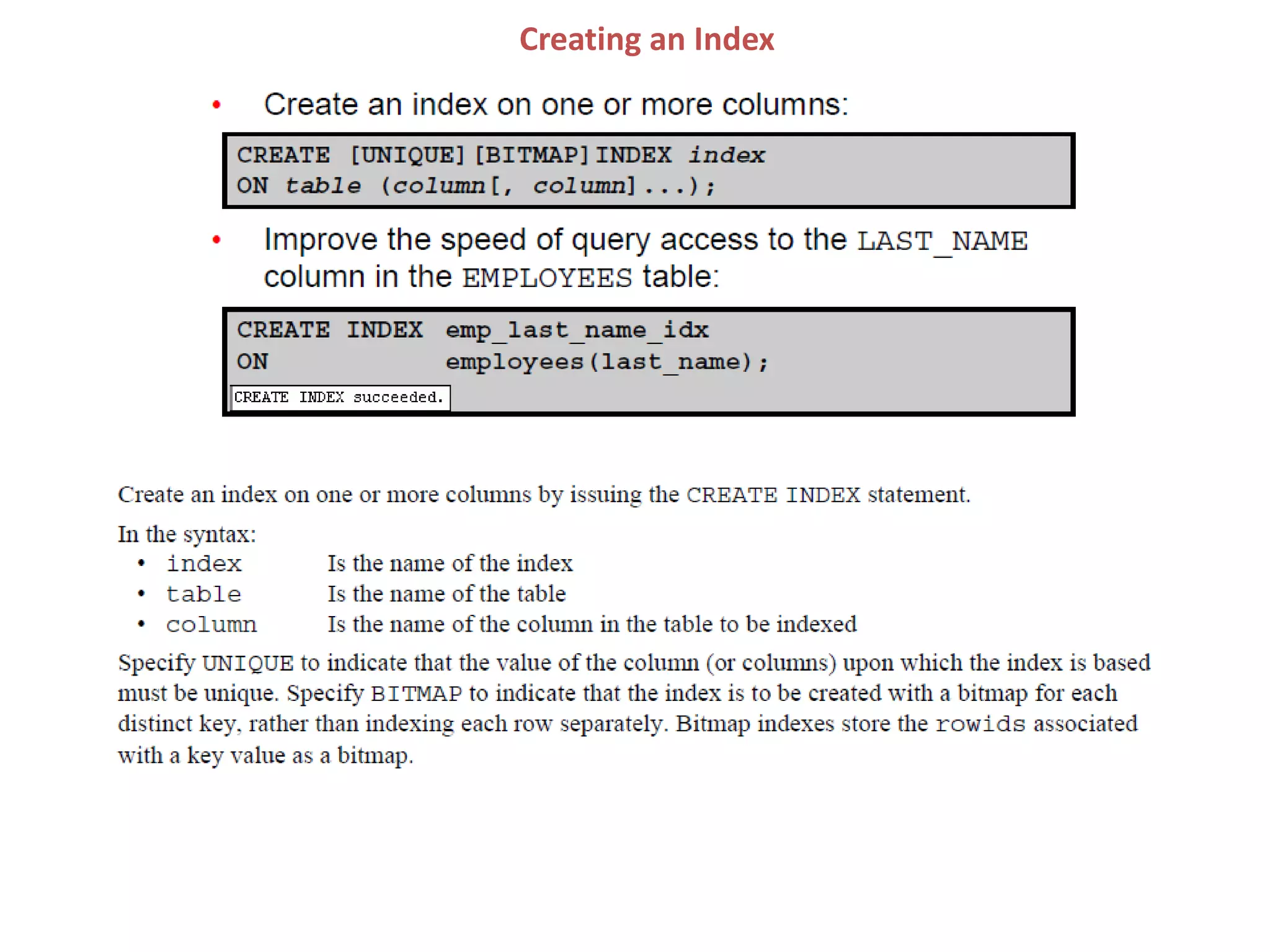
Creating an Index
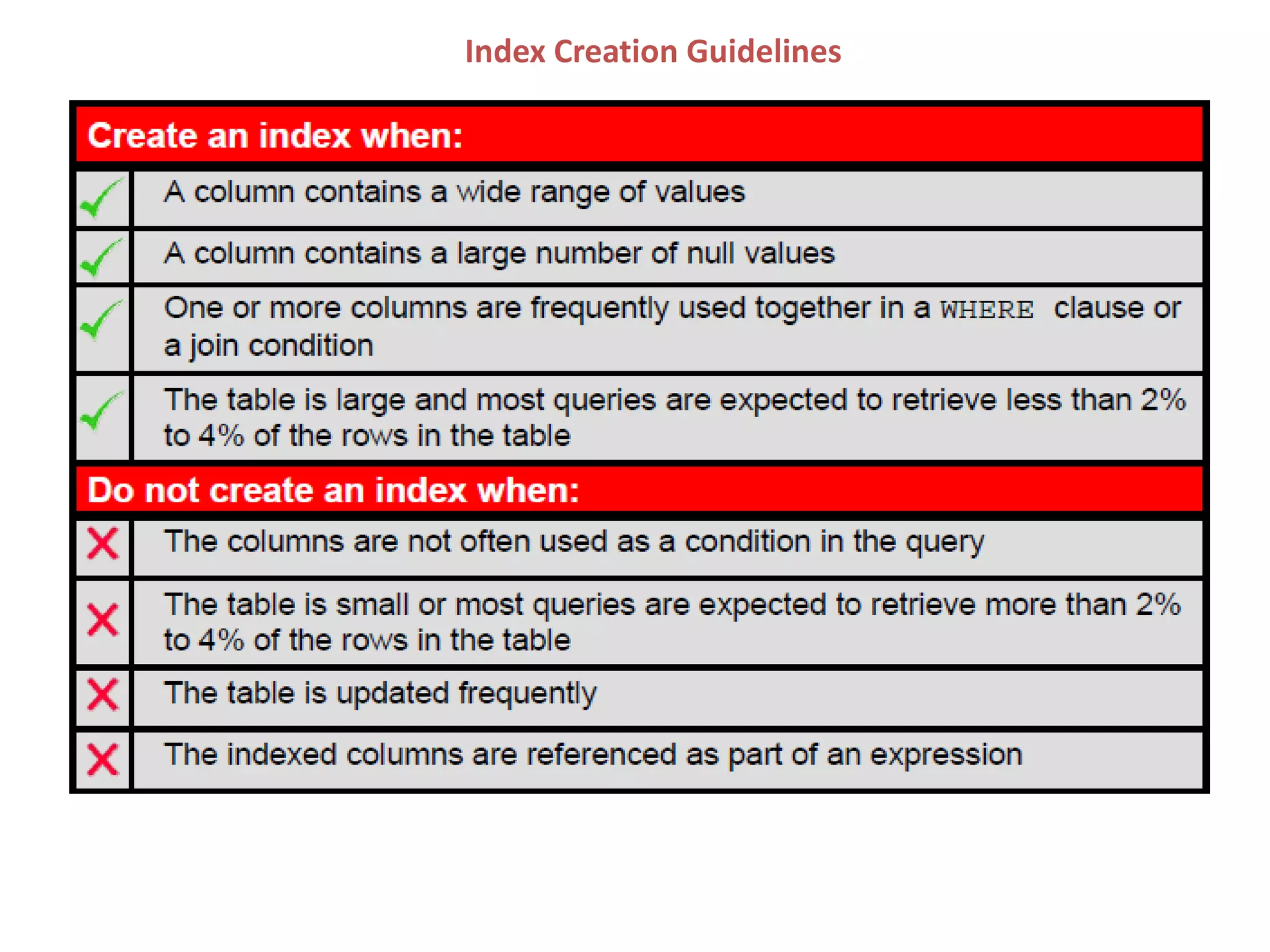
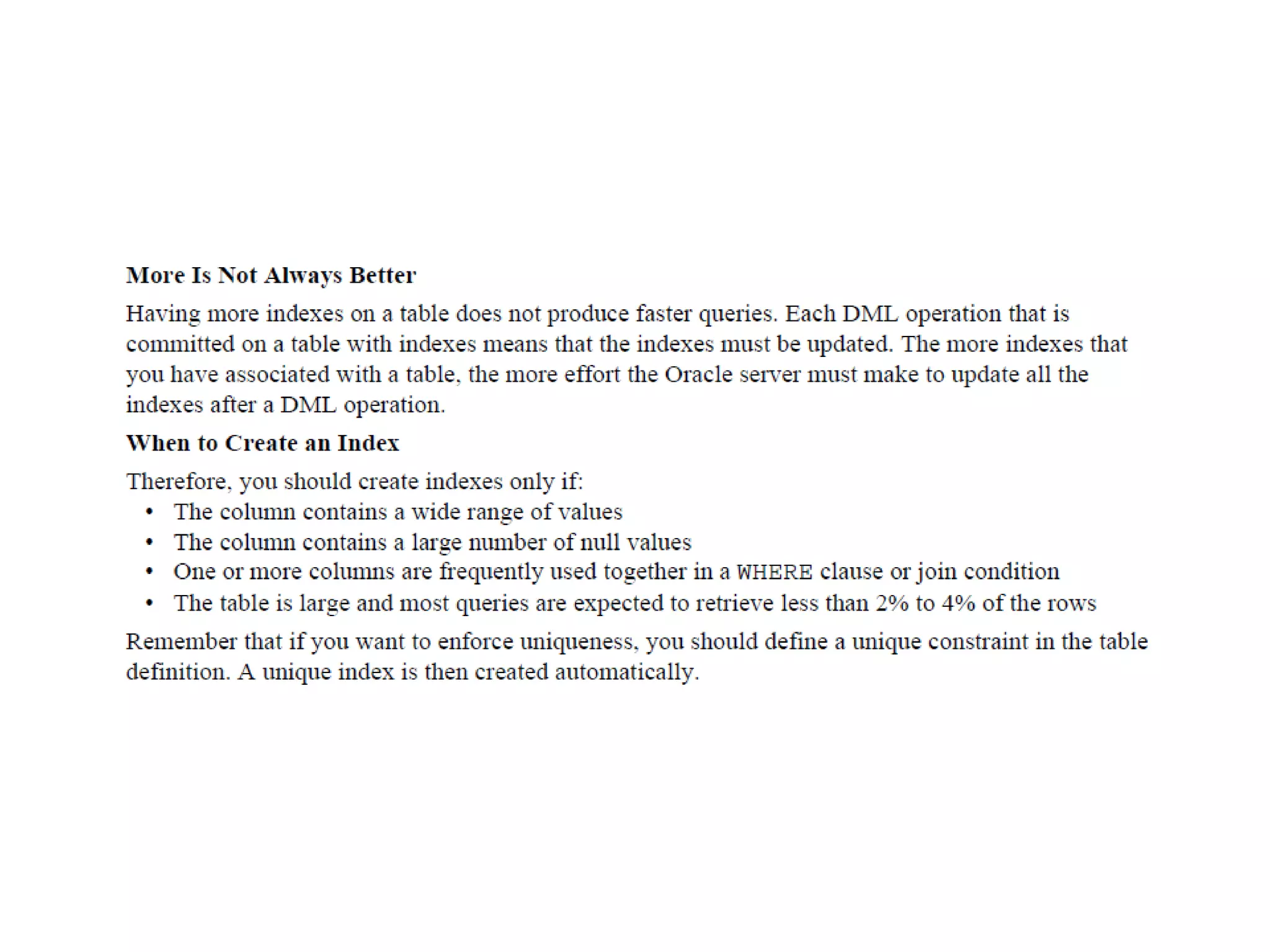
Index Creation Guidelines
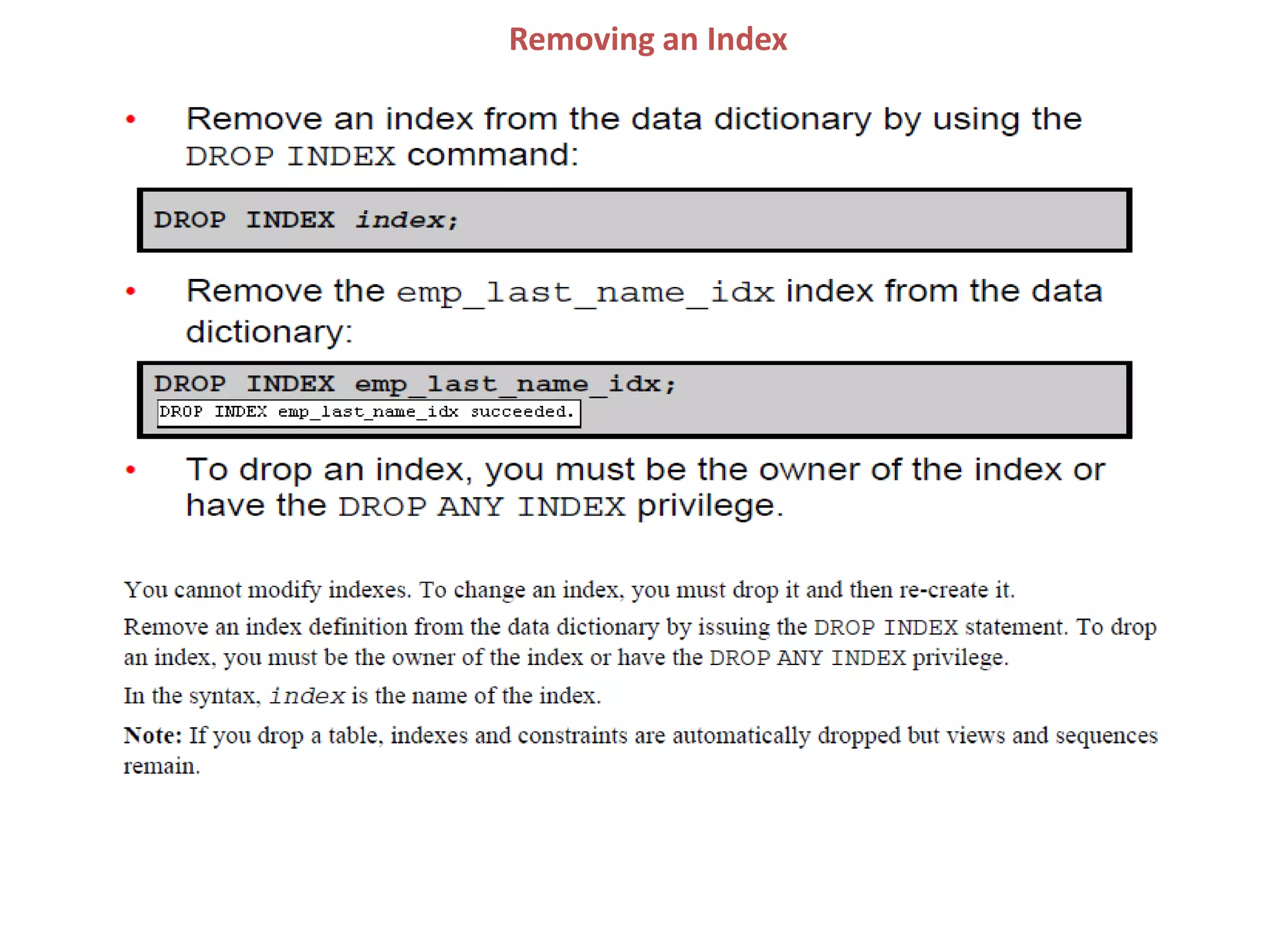
Removing an Index
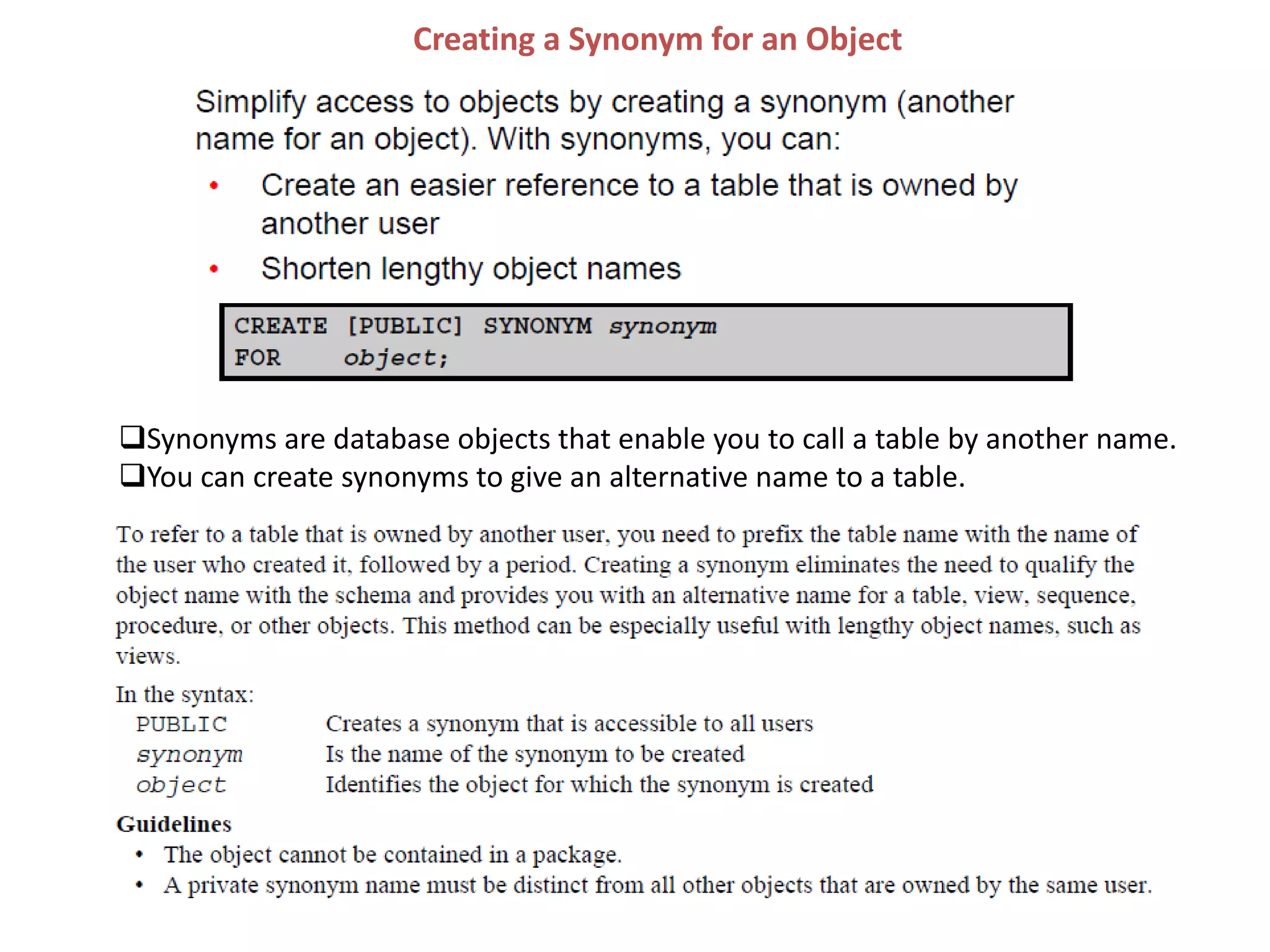
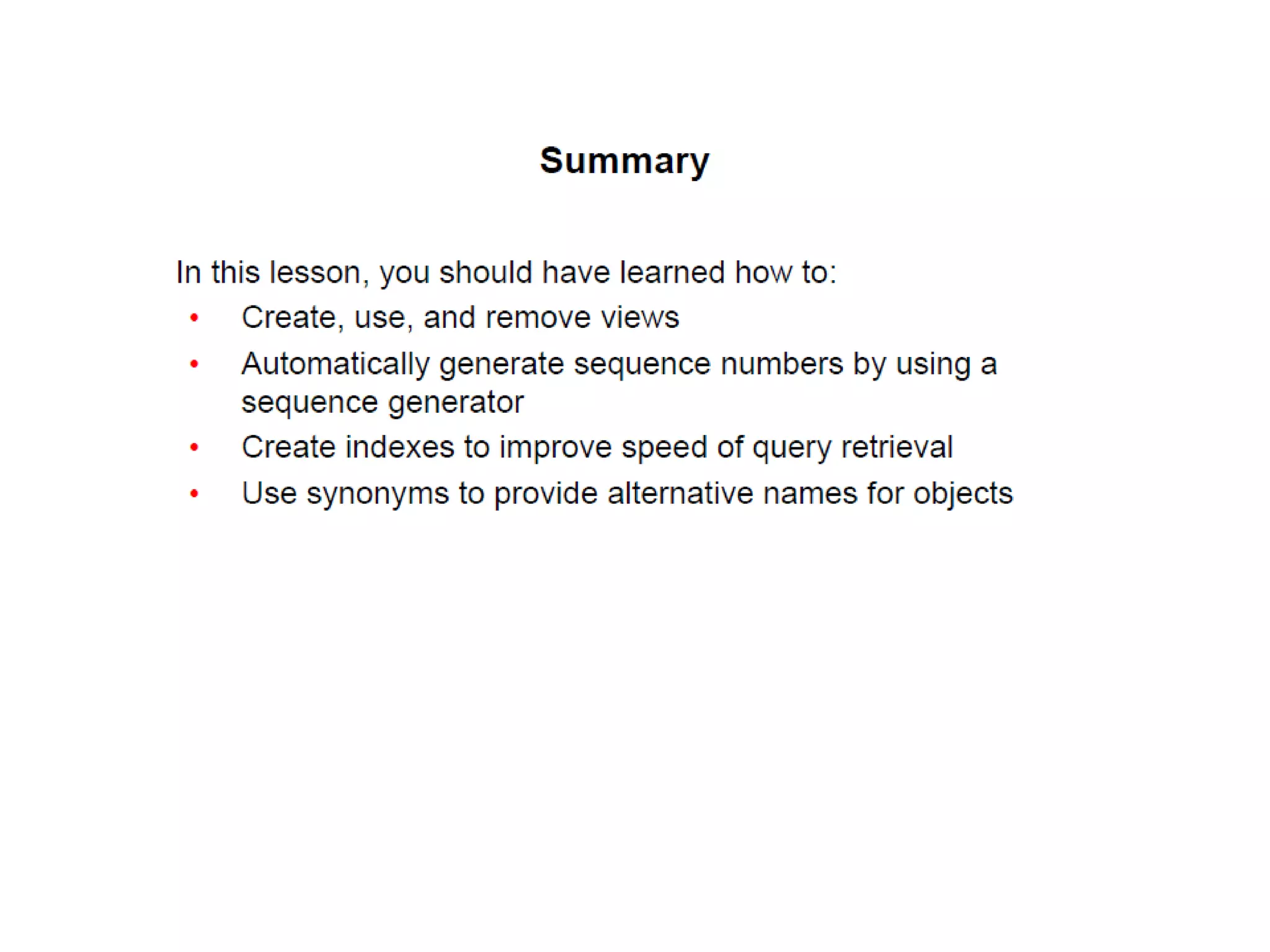
Creating a Synonym for an Object
Synonyms are database objects that enable you to call a table by another name.
You can create synonyms to give an alternative name to a table.
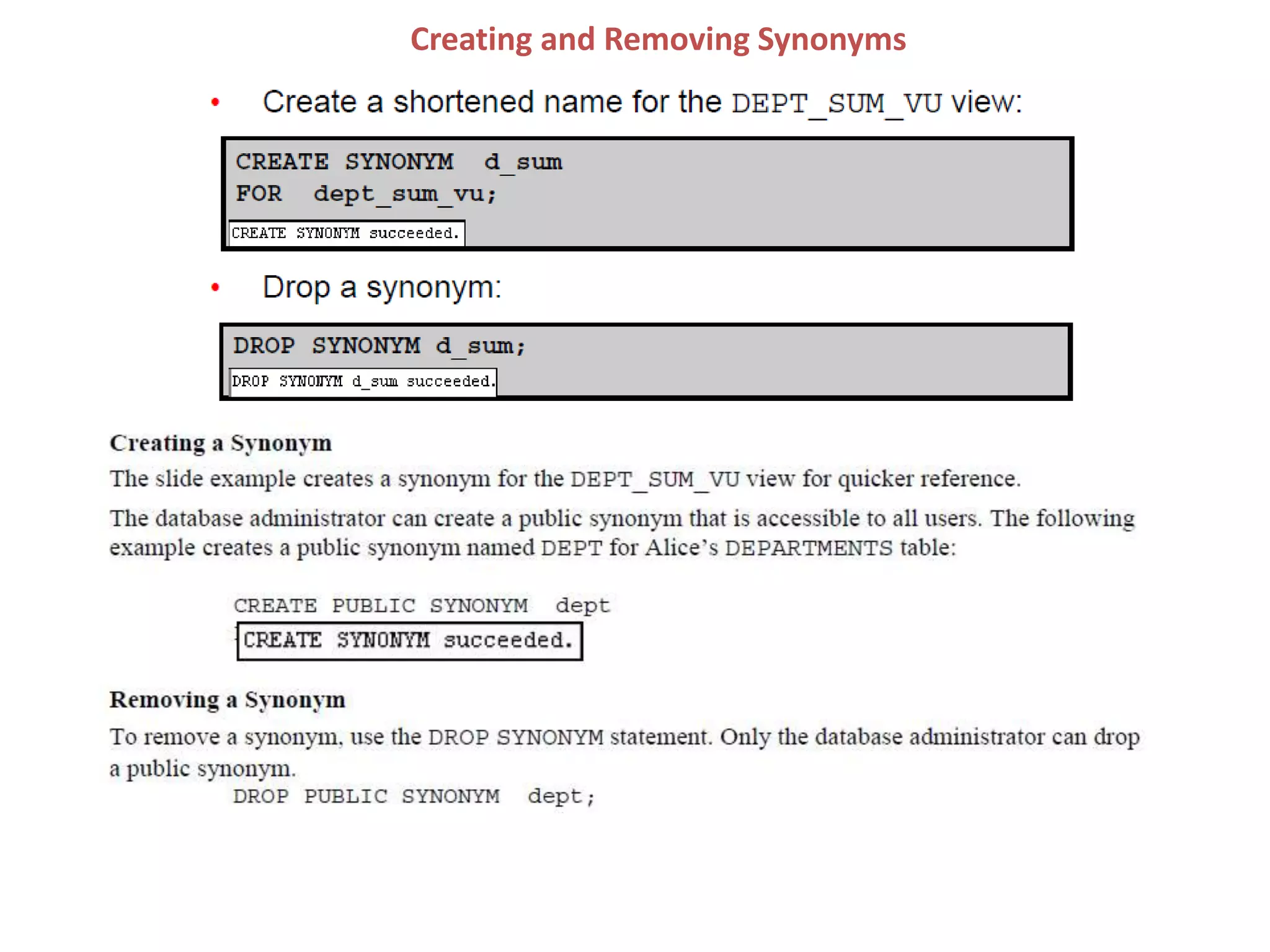
Creating and Removing Synonyms
Day-2 SQL Theory_V1.pptx

Day-2 SQL Theory_V1.pptx

  • 1.
  • 2.
    Day 2: Agenda –Reporting Aggregated Data Using the Group Functions – Data change operations – DDL Statements to Create and Manage Tables – Displaying Data from Multiple Tables Using Joins – Other Schema Objects
  • 3.
    GROUP FUNCTIONS Reporting AggregatedData Using the Group Functions
  • 4.
    What Are GroupFunctions? Unlike single-row functions, group functions operate on sets of rows to give one result per group. These sets may comprise the entire table or the table split into groups.
  • 5.
    Types of GroupFunctions
  • 6.
  • 7.
    Using the AVGand SUM Functions You can use the AVG, SUM, MIN, and MAX functions against the columns that can store numeric data. The example in the slide displays the average, highest, lowest, and sum of monthly salaries for all sales representatives.
  • 8.
    Using the MINand MAX Functions
  • 9.
  • 11.
    Using the DISTINCTKeyword Use the DISTINCT keyword to suppress the counting of any duplicate values in a column. The example in the slide displays the number of distinct department values that are in the EMPLOYEES table.
  • 12.
  • 13.
    Creating Groups ofData Until this point in the discussion, all group functions have treated the table as one large group of information. At times, however, you need to divide the table of information into smaller groups. This can be done by using the GROUP BY clause.
  • 14.
    Creating Groups ofData: GROUP BY Clause Syntax
  • 15.
    Using the GROUPBY Clause
  • 17.
    Using the GROUPBY Clause
  • 19.
    Grouping by MoreThan One Column
  • 20.
    Using the GROUPBY Clause on Multiple Columns
  • 22.
    Illegal Queries UsingGroup Functions
  • 24.
    Illegal Queries UsingGroup Functions
  • 26.
    Restricting Group Results Youuse the HAVING clause to restrict groups in the same way that you use the WHERE clause to restrict the rows that you select. To find the maximum salary in each of the departments that have a maximum salary greater than $10,000, you need to do the following: 1. Find the average salary for each department by grouping by department number. 2. Restrict the groups to those departments with a maximum salary greater than $10,000.
  • 27.
    Restricting Group Resultswith the HAVING Clause
  • 28.
  • 29.
    Using the HAVINGClause The example in the slide displays the job ID and total monthly salary for each job that has a total payroll exceeding $13,000. The example excludes sales representatives and sorts the list by the total monthly salary.
  • 30.
    Nesting Group Functions Groupfunctions can be nested to a depth of two functions. The example in the slide calculates the average salary for each department_id and then displays the maximum average salary. Note that GROUP BY clause is mandatory when nesting group functions.
  • 33.
    JOIN Chepter-7 Displaying DataFrom Multiple Tables Using Joins
  • 34.
    Obtaining Data fromMultiple Tables
  • 36.
    Oracle Proprietary Joins(8iand prior) • Equijoin • Non-equijoin • Outer Join • Self Join Types of Joins
  • 37.
    Types of JoinsConti… To join tables, you can use a join syntax that is compliant with the SQL:1999 standard.
  • 38.
    Joining Tables UsingSQL:1999 Syntax
  • 39.
  • 41.
    Creating Natural Joins Youcan join tables automatically based on the columns in the two tables that have matching data types and names. You do this by using the NATURAL JOIN keywords. Note: The join can happen on only those columns that have the same names and data types in both tables. If the columns have the same name but different data types, the NATURAL JOIN syntax causes an error.
  • 42.
  • 43.
    Creating Joins withthe USING Clause Natural joins use all columns with matching names and data types to join the tables. The USING clause can be used to specify only those columns that should be used for an equijoin.
  • 44.
    Joining Column Names Todetermine an employee’s department name, you compare the value in the DEPARTMENT_ID column in the EMPLOYEES table with the DEPARTMENT_ID values in the DEPARTMENTS table. The relationship between the EMPLOYEES and DEPARTMENTS tables is an equijoin; that is, values in the DEPARTMENT_ID column in both the tables must be equal. Frequently, this type of join involves primary and foreign key complements. Note: Equijoins are also called simple joins or inner joins.
  • 45.
    Retrieving Records withthe USING Clause In the example in the slide, the DEPARTMENT_ID columns in the EMPLOYEES and DEPARTMENTS tables are joined and thus the LOCATION_ID of the department where an employee works is shown.
  • 46.
    Using Table Aliaseswith the USING Clause
  • 48.
    Creating Joins withthe ON Clause Use the ON clause to specify a join condition. With this, you can specify join conditions separate from any search or filter conditions in the WHERE clause.
  • 49.
  • 50.
    In this example,the DEPARTMENT_ID columns in the EMPLOYEES and DEPARTMENTS table are joined using the ON clause. Wherever a department ID in the EMPLOYEES table equals a department ID in the DEPARTMENTS table, the row is returned. The table alias is necessary to qualify the matching column_names. You can also use the ON clause to join columns that have different names. The parenthesis around the joined columns, as in the example in the slide, (e.department_id = d.department_id) is optional. So, even ON e.department_id = d.department_id will work. Note: When you use the Execute Statement icon to run the query, SQL Developer suffixes a ‘_1’ to differentiate between the two department_ids.
  • 51.
    Creating Three-Way Joinswith the ON Clause A three-way join is a join of three tables. In SQL:1999–compliant syntax, joins are performed from left to right. So, the first join to be performed is EMPLOYEES JOIN DEPARTMENTS. The first join condition can reference columns in EMPLOYEES and DEPARTMENTS but cannot reference columns in LOCATIONS. The second join condition can reference columns from all three tables. Note: The code example in the slide can also be accomplished with the USING clause: SELECT e.employee_id, l.city, d.department_name FROM employees e JOIN departments d USING (department_id) JOIN locations l USING (location_id)
  • 52.
  • 54.
    Joining a Tableto Itself
  • 56.
  • 57.
    Nonequijoins A nonequijoin isa join condition containing something other than an equality operator. The relationship between the EMPLOYEES table and the JOB_GRADES table is an example of a nonequijoin. The SALARY column in the EMPLOYEES table ranges between the values in the LOWEST_SAL and HIGHEST_SAL columns of the JOB_GRADES table. Therefore, each employee can be graded based on their salary. The relationship is obtained using an operator other than the equality (=) operator.
  • 58.
    Retrieving Records withNonequijoins Note: Other conditions (such as <= and >=) can be used, but BETWEEN is the simplest. Remember to specify the low value first and the high value last when using the BETWEEN condition. The Oracle server translates the BETWEEN condition to a pair of AND conditions. Therefore, using BETWEEN has no performance benefits, but should be used only for logical simplicity. Table aliases have been specified in the slide example for performance reasons, not because of possible ambiguity.
  • 59.
    Returning Records withNo Direct Match Using OUTER Joins
  • 60.
    INNER Versus OUTERJoins Joining tables with the NATURAL JOIN, USING, or ON clauses results in an INNER join. Any unmatched rows are not displayed in the output. To return the unmatched rows, you can use an OUTER join. An OUTER join returns all rows that satisfy the join condition and also returns some or all of those rows from one table for which no rows from the other table satisfy the join condition. There are three types of OUTER joins: •LEFT OUTER •RIGHT OUTER •FULL OUTER
  • 61.
    LEFT OUTER JOIN Thisquery retrieves all the rows in the EMPLOYEES table, which is the left table, even if there is no match in the DEPARTMENTS table
  • 62.
    RIGHT OUTER JOIN Thisquery retrieves all the rows in the DEPARTMENTS table, which is the table at the right, even if there is no match in the EMPLOYEES table
  • 63.
    FULL OUTER JOIN Thisquery retrieves all rows in the EMPLOYEES table, even if there is no match in the DEPARTMENTS table. It also retrieves all rows in the DEPARTMENTS table, even if there is no match in the EMPLOYEES table
  • 64.
    Oracle Proprietary –Outer Join Syntax OUTER JOIN Join Operator(+) LEFT Table1.column = Table2.column(+) RIGHT Table1.column(+) = Table2.column FULL Table1.column(+) = Table2.column UNION Table1.column = Table2.column(+) The outer join operator can appear on only one side of the expression- the side that has information missing. It returns those rows from one table that have no direct match in the other table. Note: A condition involving an outer join cannot use the IN operator or be linked to another condition by the OR operator.
  • 65.
  • 66.
  • 67.
  • 70.
  • 71.
  • 72.
    Adding a NewRow to a Table
  • 73.
    INSERT Statement Syntax Youcan add new rows to a table by issuing the INSERT statement. In the syntax: table Is the name of the table column Is the name of the column in the table to populate value Is the corresponding value for the column Note: This statement with the VALUES clause adds only one row at a time to a table.
  • 74.
  • 75.
  • 77.
  • 78.
    Inserting Specific Dateand Time Values
  • 79.
  • 80.
  • 82.
    Changing Data ina Table The slide illustrates changing the department number for employees in department 60 to department 80.
  • 83.
  • 84.
  • 86.
    Updating Two Columnswith a Subquery
  • 88.
    Updating Rows Basedon Another Table You can use the subqueries in the UPDATE statements to update values in a table. The example in the slide updates the COPY_EMP table based on the values from the EMPLOYEES table. It changes the department number of all employees with employee 200’s job ID to employee 100’s current department number.
  • 89.
    Removing a Rowfrom a Table The Contracting department has been removed from the DEPARTMENTS table (assuming no constraints on the DEPARTMENTS table are violated), as shown by the graphic in the slide.
  • 90.
  • 91.
  • 93.
    Deleting Rows Basedon Another Table You can use the subqueries to delete rows from a table based on values from another table. The example in the slide deletes all the employees in a department, where the department name contains the string Public. The subquery searches the DEPARTMENTS table to find the department number based on the department name containing the string Public. The subquery then feeds the department number to the main query, which deletes rows of data from the EMPLOYEES table based on this department number.
  • 94.
  • 95.
  • 96.
  • 97.
    Advantages of COMMIT andROLLBACK Statements With the COMMIT and ROLLBACK statements, you have control over making changes to the data permanent.
  • 98.
  • 100.
    State of theData After COMMIT
  • 101.
  • 102.
    State of theData After ROLLBACK Discard all pending changes by using the ROLLBACK statement, which results in the following: • Data changes are undone. • The previous state of the data is restored. • Locks on the affected rows are released.
  • 103.
    State of theData After ROLLBACK: Example While attempting to remove a record from the TEST table, you may accidentally empty the table. However, you can correct the mistake, reissue a proper statement, and make the data change permanent.
  • 107.
    DDL Using DDL Statementsto Create and Manage Tables
  • 108.
  • 109.
  • 110.
  • 111.
  • 112.
  • 114.
  • 115.
  • 118.
  • 120.
  • 122.
  • 123.
  • 125.
  • 126.
  • 127.
  • 128.
  • 129.
  • 130.
  • 131.
  • 132.
  • 133.
  • 134.
  • 135.
  • 136.
  • 137.
    Creating a TableUsing a Subquery
  • 139.
    Creating a TableUsing a Subquery
  • 141.
  • 142.
  • 143.
  • 147.
  • 148.
  • 149.
    What Is aView?
  • 150.
  • 151.
    Simple Views andComplex Views
  • 152.
  • 153.
  • 155.
  • 156.
    Retrieving Data froma View You can retrieve data from a view as you would from any table. You can display either the contents of the entire view or just specific rows and columns.
  • 157.
  • 158.
  • 160.
    Rules for PerformingDML Operations on a View
  • 161.
    Rules for PerformingDML Operations on a View You can modify data through a view unless it contains any of the conditions mentioned in the previous slide or columns defined by expressions (for example, SALARY * 12).
  • 162.
    Rules for PerformingDML Operations on a View
  • 163.
    Using the WITHCHECK OPTION Clause
  • 165.
    Denying DML Operations Youcan ensure that no DML operations occur on your view by creating it with the WITH READ ONLY option. The example in the next slide modifies the EMPVU10 view to prevent any DML operations on the view.
  • 166.
  • 167.
  • 168.
    Sequences A sequence isa database object that creates integer values. You can create sequences and then use them to generate numbers.
  • 169.
    Sequences A sequence isa user-created database object that can be shared by multiple users to generate integers. You can define a sequence to generate unique values or to recycle and use the same numbers again. A typical usage for sequences is to create a primary key value, which must be unique for each row. A sequence is generated and incremented (or decremented) by an internal Oracle routine. This can be a time-saving object because it can reduce the amount of application code needed to write a sequence generating routine. Sequence numbers are stored and generated independent of tables. Therefore, the same sequence can be used for multiple tables.
  • 170.
  • 171.
  • 172.
    NEXTVAL and CURRVALPseudocolumns
  • 174.
  • 176.
  • 177.
  • 178.
  • 180.
    Indexes Indexes are databaseobjects that you can create to improve the performance of some queries. Indexes can also be created automatically by the server when you create a primary key or a unique constraint.
  • 182.
  • 183.
  • 184.
  • 186.
  • 187.
    Creating a Synonymfor an Object Synonyms are database objects that enable you to call a table by another name. You can create synonyms to give an alternative name to a table.
  • 188.

Editor's Notes