Downloaded 1,053 times
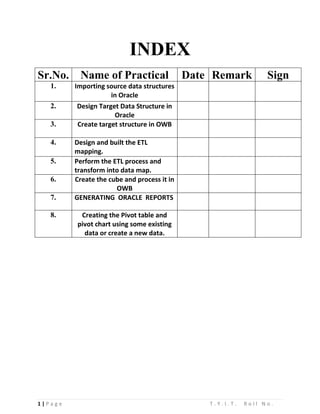
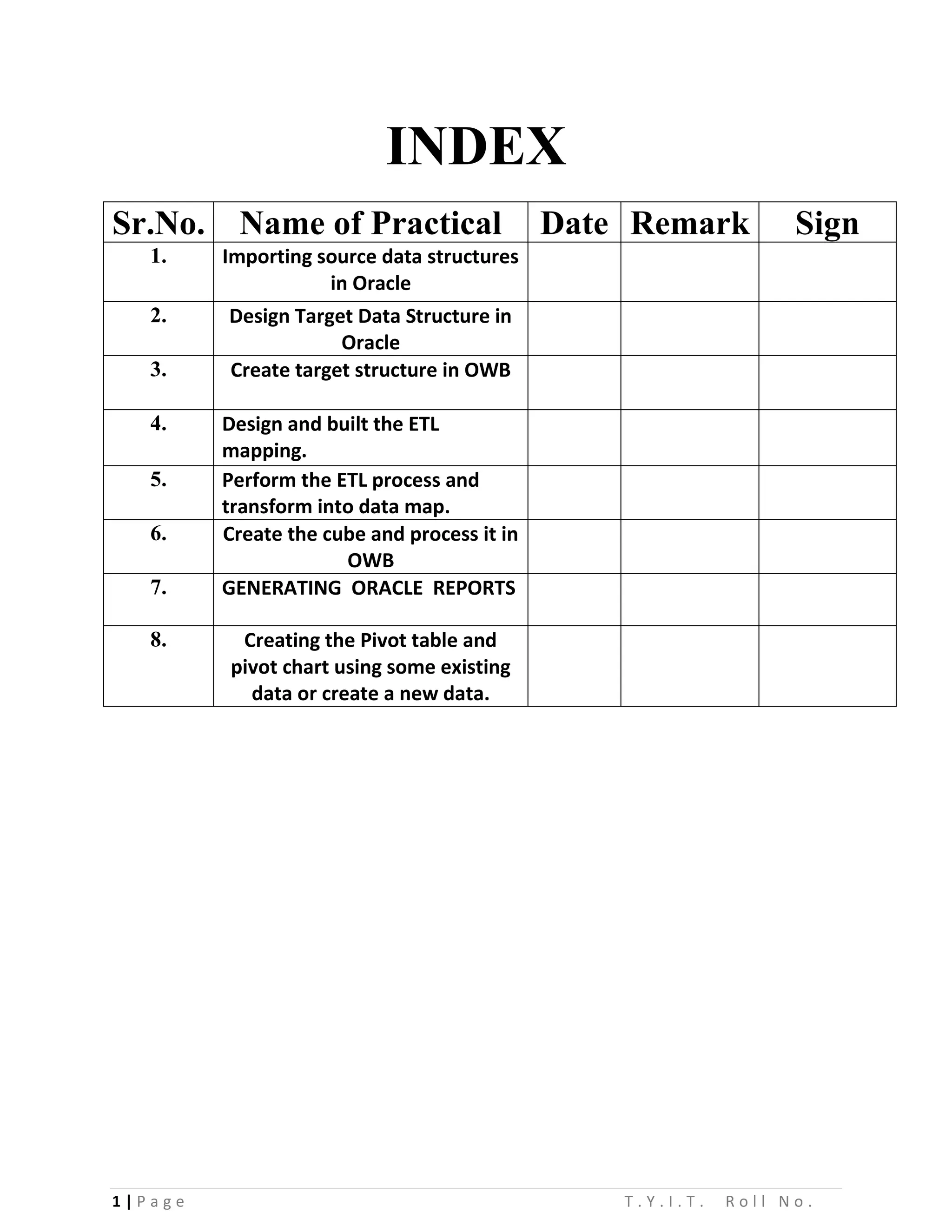
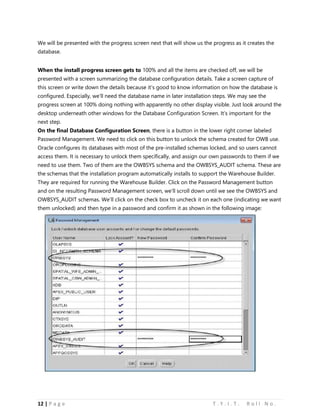
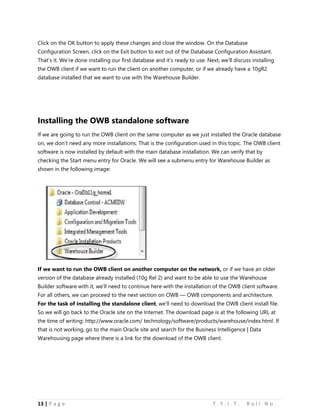
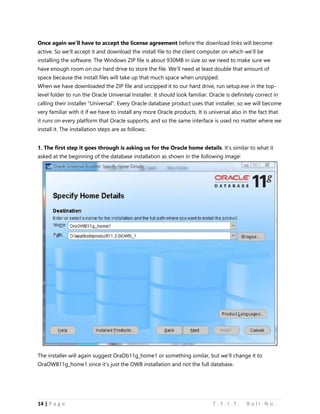
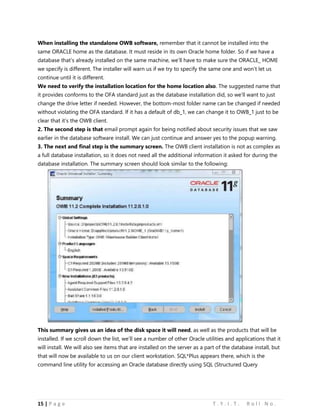
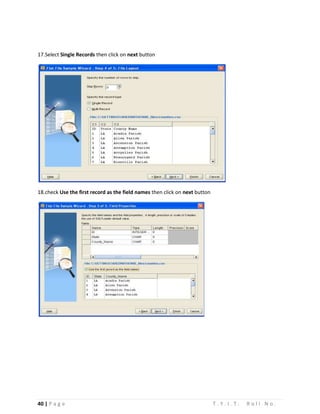
![68 | P a g e T . Y . I . T . R o l l N o .
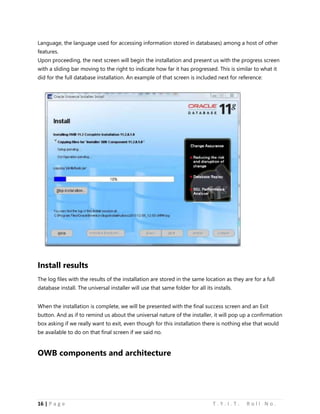
Practical no: 04
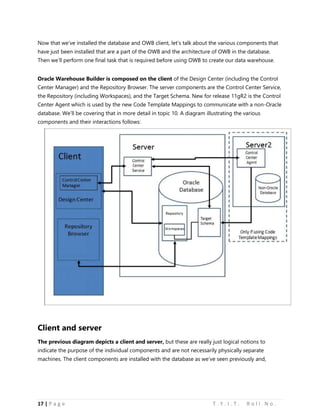
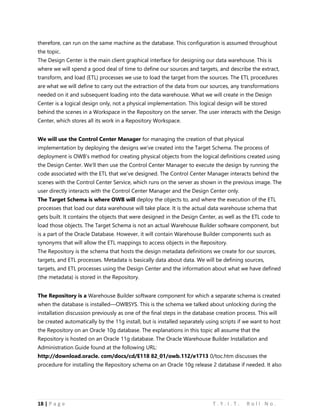
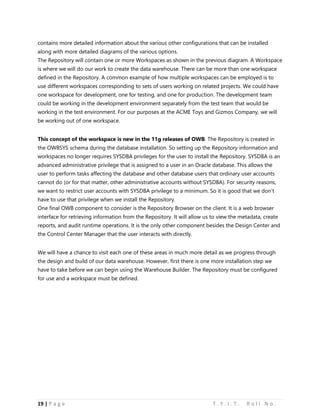
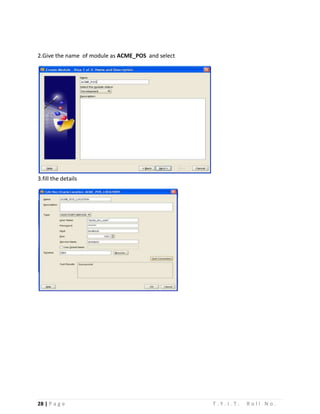
Aim: Design and built the ETL mapping.
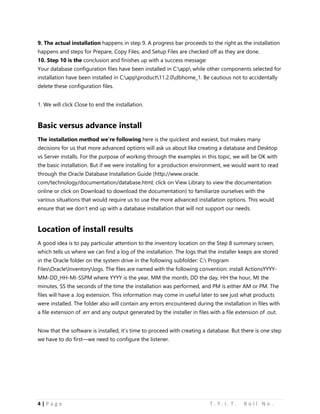
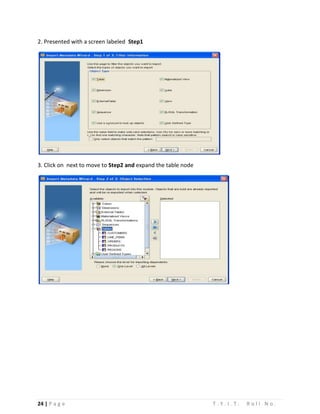
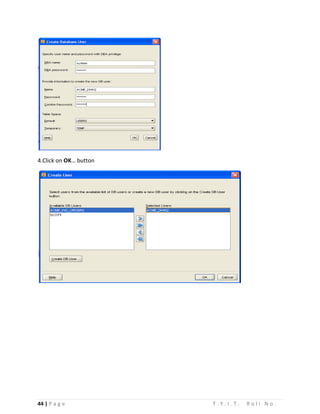
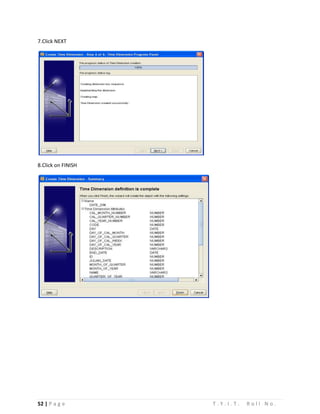
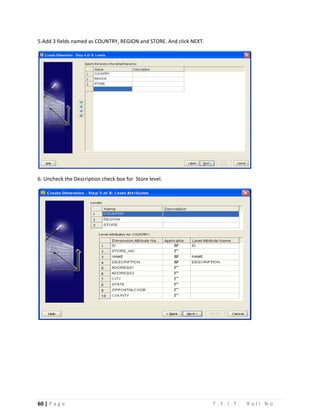
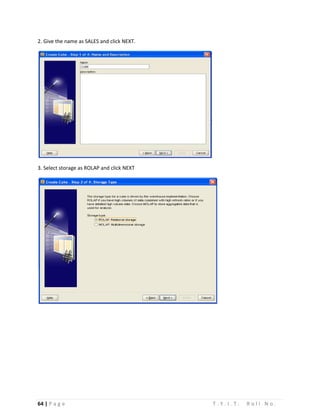
1] DATABASE|ORACLE|ACME_DWH module, right click on the table node and select new. We will call
our table POS_TRANSE_STAGE and enter the field in the column.
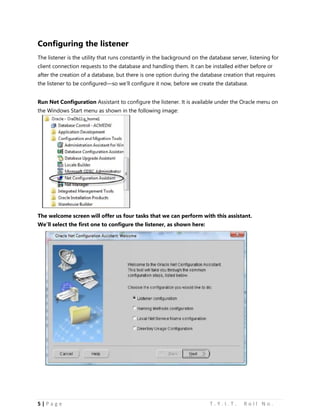
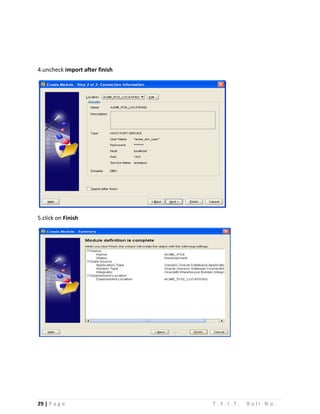
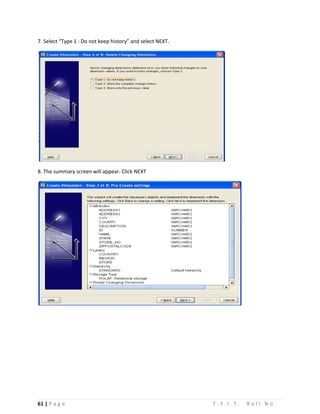
2] ACME_DW_PROJECT|DATABASE|ORACLE|ACME_DWH|MAPPINGS and right click on it and select
new. We will name this mapping STAGE_MAP.](https://image.slidesharecdn.com/dwpractical-141110131209-conversion-gate01/85/Data-Warehousing-Practical-for-T-Y-I-T-68-320.jpg)
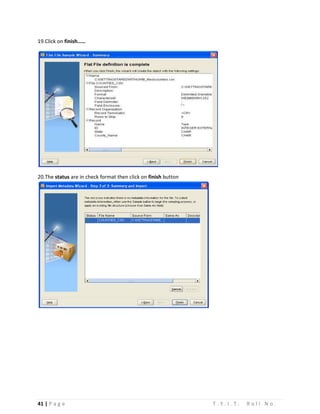
![69 | P a g e T . Y . I . T . R o l l N o .
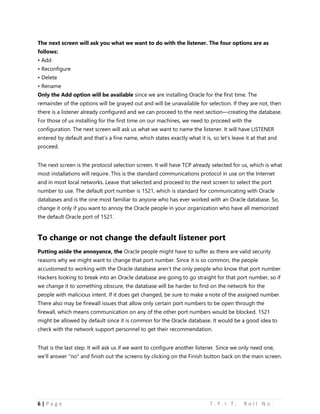
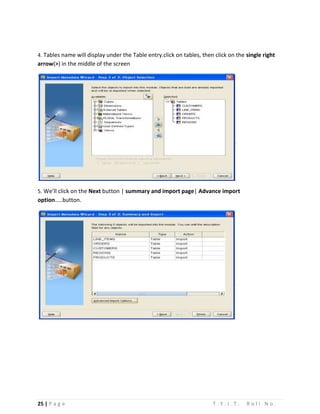
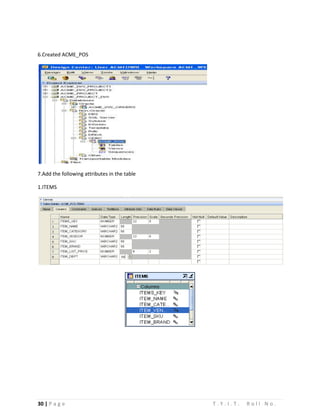
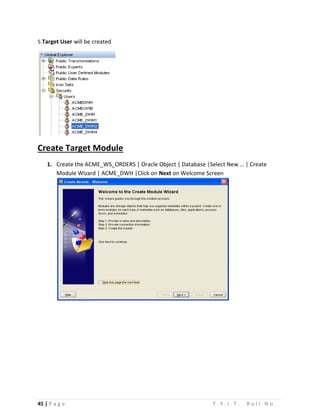
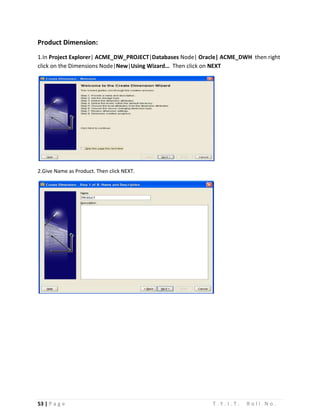
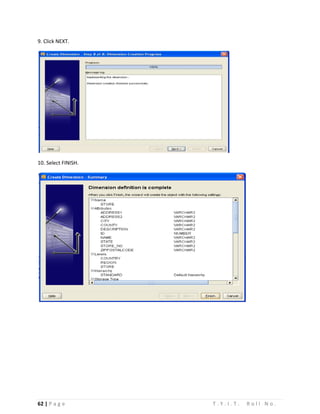
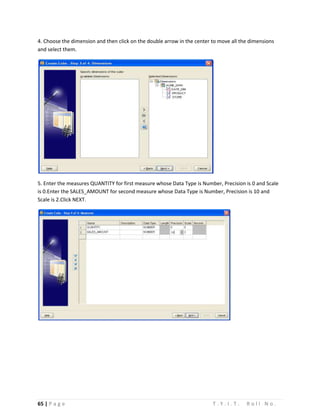
3] DATABASES|NON-ORACLE|ODBC|ACME_POS node. Drag POS_TRANSACTION in the mapping
window.
4] From the palette drag the table operator to the mapping window.](https://image.slidesharecdn.com/dwpractical-141110131209-conversion-gate01/85/Data-Warehousing-Practical-for-T-Y-I-T-69-320.jpg)
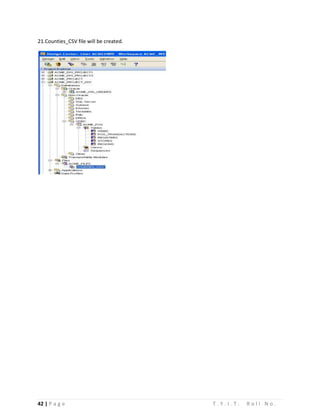
![70 | P a g e T . Y . I . T . R o l l N o .
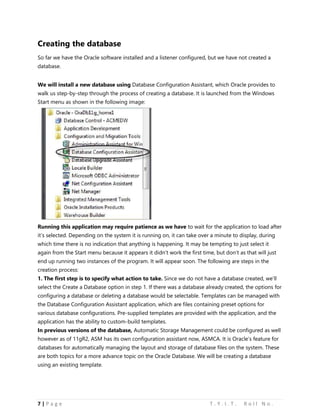
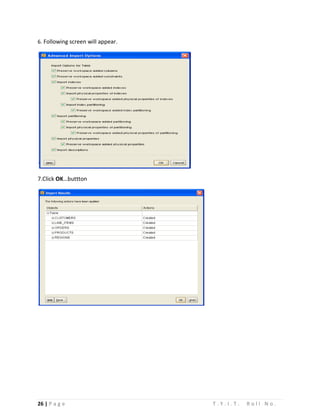
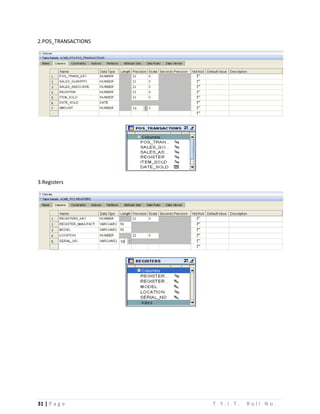
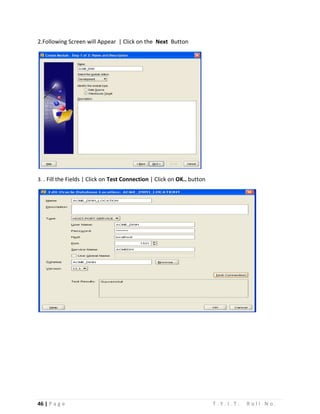
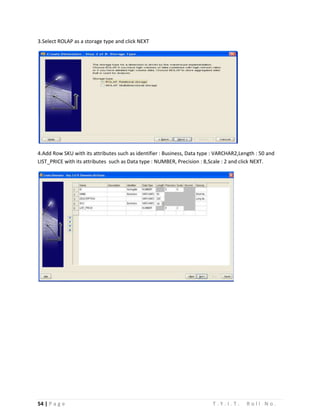
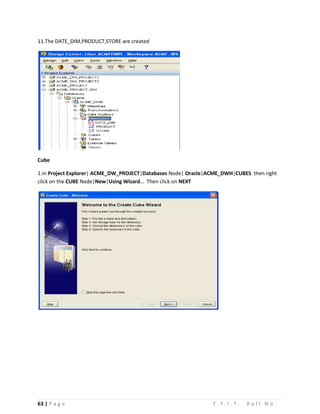
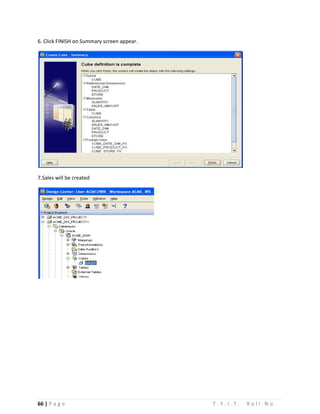
5] Drag REGISTER, STORE, REGION, ITEM tables in the mapping window.
6] Right click on the header of the box and select open details to open the joiner editor. In the groups
we will click three times in the add button and add the in group items. Click on the OK button.](https://image.slidesharecdn.com/dwpractical-141110131209-conversion-gate01/85/Data-Warehousing-Practical-for-T-Y-I-T-70-320.jpg)
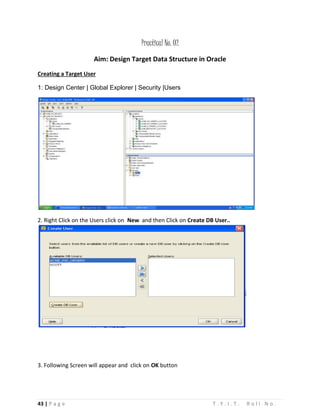
![71 | P a g e T . Y . I . T . R o l l N o .
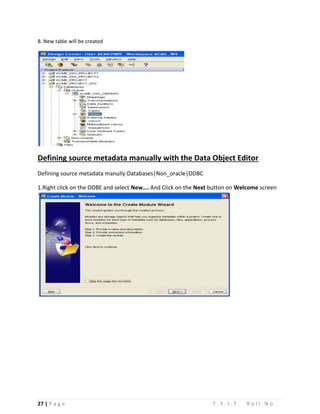
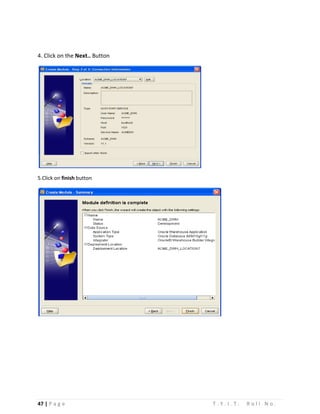
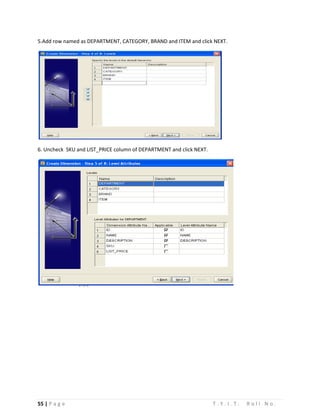
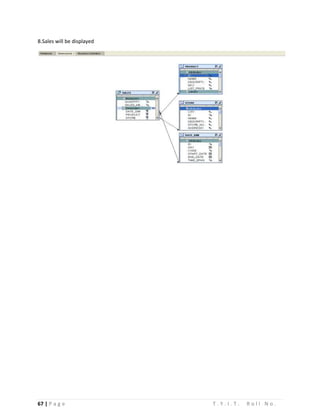
7] Connect INOUTGRP1 of the items table to the item group of the joiner. Repeat the same procedure
with all other tables.](https://image.slidesharecdn.com/dwpractical-141110131209-conversion-gate01/85/Data-Warehousing-Practical-for-T-Y-I-T-71-320.jpg)
![72 | P a g e T . Y . I . T . R o l l N o .
8] Click once on the header of the box to select it and the properties window. Click on the blank box to
right of the joint condition(…) and write following query:
9] Drag an aggregator operator from the palette window and drop it to the right of the joiner operator.
Connect the output attribute from the joiner operator as a input to the aggregator operator. Delete the
line which connect to DATE_SOLD. Drag transformation operator from the palette window and drop it
between the joiner and aggregator.](https://image.slidesharecdn.com/dwpractical-141110131209-conversion-gate01/85/Data-Warehousing-Practical-for-T-Y-I-T-72-320.jpg)
![73 | P a g e T . Y . I . T . R o l l N o .
10] Connect the DATE_SOLD attribute in the OUTGRP1 group of the joiner to D attribute of the INGRP1
of the trunk. Then connect the value attribute of the return output group from TRUNC operator to the
DATE_SOLD attribute if the INGRP1 group.
11] Select the aggregator operator and in the properties window we will click on the ellipse(…) on its
right to open the EXPRSSION BUILDER FOR the GROUP BY CLAUSE. Write following query and click on
the OK button.](https://image.slidesharecdn.com/dwpractical-141110131209-conversion-gate01/85/Data-Warehousing-Practical-for-T-Y-I-T-73-320.jpg)
![74 | P a g e T . Y . I . T . R o l l N o .
12] We will select SUM function from the drop down menu, ALL from the ALL/DISTINCT and
Sale_quantity from the attribute. We will click on the USE ABOVE VALUE Button And Click Ok
13] Connect the following attribute from the POS_TRANS_STAGE table to the aggregator](https://image.slidesharecdn.com/dwpractical-141110131209-conversion-gate01/85/Data-Warehousing-Practical-for-T-Y-I-T-74-320.jpg)

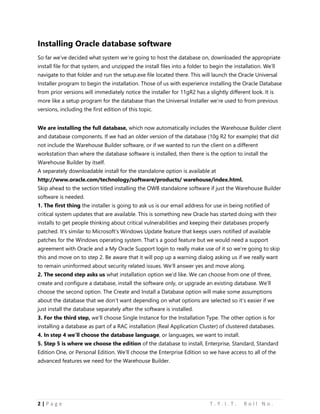
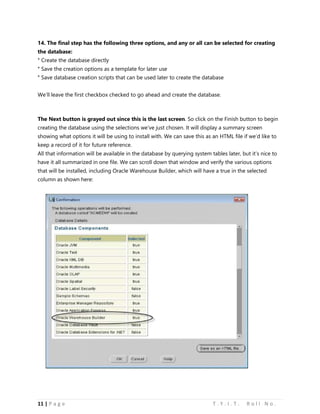
1. The document outlines the steps to install Oracle database software and create a database using the Oracle Database Configuration Assistant. It describes installing the Oracle software, configuring the listener, and the 10 steps to create a new database using the assistant. 2. Key steps include choosing an installation type of "Single Instance", selecting the Enterprise Edition, accepting default path names, and choosing the "Data Warehouse" template to create a database named "ACMEDW". 3. Configuring the listener involves adding a default listener named "LISTENER" using the TCP protocol on port 1521 before creating the database.


![Data Warehousing (Practical Questions Paper) [CBSGS - 75:25 Pattern] {2015 Ma...](https://cdn.slidesharecdn.com/ss_thumbnails/dw-cbsgs-2015-pq-190611082327-thumbnail.jpg?width=640&height=640&fit=bounds)


