CTS introduction Dec 16, 2010 Jingtao
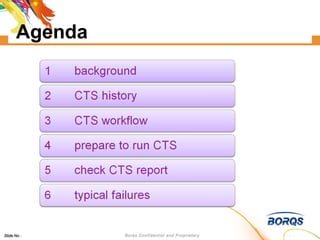
Agenda
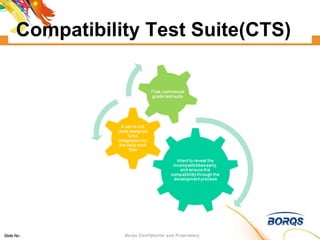
Compatibility Test Suite(CTS)
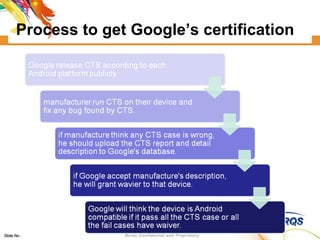
Process to get Google’s certification
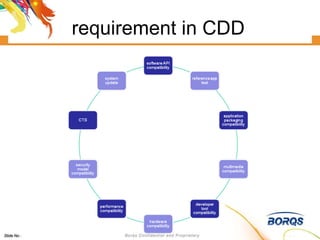
requirement in CDD
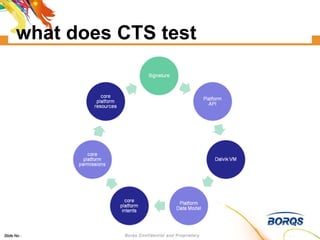
what does CTS test
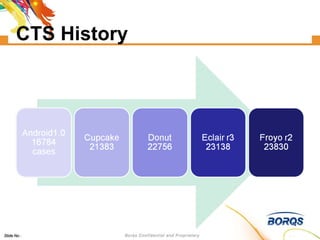
CTS History
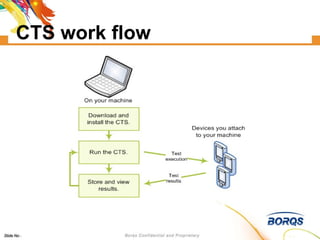
CTS work flow
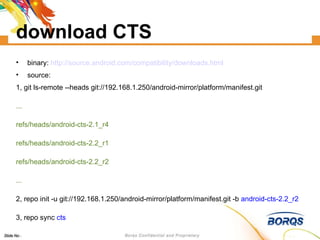
download CTS binary:  http://source.android.com/compatibility/downloads.html source: 1, git ls-remote --heads git://192.168.1.250/android-mirror/platform/manifest.git ... refs/heads/android-cts-2.1_r4 refs/heads/android-cts-2.2_r1 refs/heads/android-cts-2.2_r2 ... 2, repo init -u git://192.168.1.250/android-mirror/platform/manifest.git -b  android-cts-2.2_r2 3, repo sync  cts
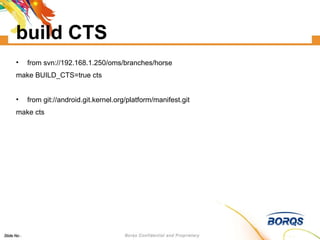
build CTS from svn://192.168.1.250/oms/branches/horse make BUILD_CTS=true cts from git://android.git.kernel.org/platform/manifest.git make cts
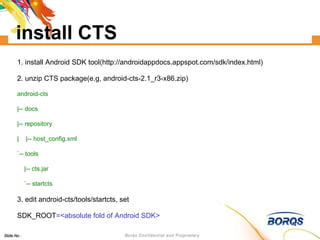
install CTS 1. install Android SDK tool(http://androidappdocs.appspot.com/sdk/index.html)‏ 2. unzip CTS package(e.g, android-cts-2.1_r3-x86.zip)‏ android-cts |-- docs |-- repository |  |-- host_config.xml `-- tools |-- cts.jar `-- startcts 3. edit android-cts/tools/startcts, set  SDK_ROOT =<absolute fold of Android SDK>
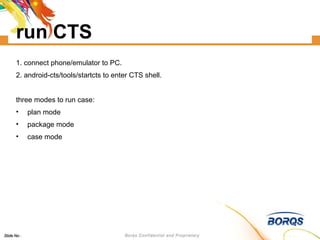
run CTS 1. connect phone/emulator to PC. 2. android-cts/tools/startcts to enter CTS shell. three modes to run case: plan mode package mode case mode
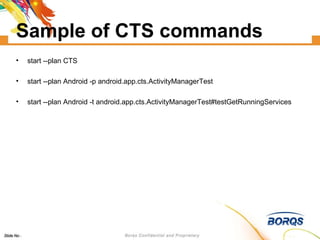
Sample of CTS commands start --plan CTS start --plan Android -p android.app.cts.ActivityManagerTest  start --plan Android -t android.app.cts.ActivityManagerTest#testGetRunningServices
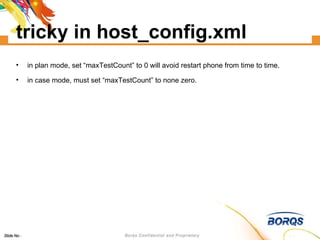
tricky in host_config.xml in plan mode, set “maxTestCount” to 0 will avoid restart phone from time to time. in case mode, must set “maxTestCount” to none zero.
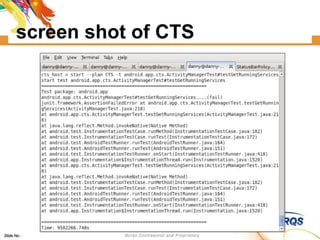
screen shot of CTS
what does CTS do install test case apk (adb -s deviceID install -r ...apk)‏ uninstall test case apk (adb -s deviceID uninstall ...)‏ execute test (am instrument -w -e [para] <component>...)‏
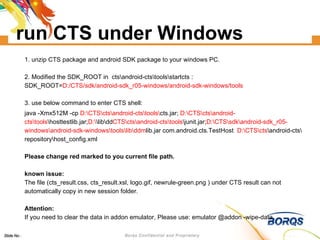
run CTS under Windows 1. unzip CTS package and android SDK package to your windows PC. 2. Modified the SDK_ROOT in  cts\android-cts\tools\startcts : SDK_ROOT= D:/CTS/sdk/android-sdk_r05-windows/android-sdk-windows/tools 3. use below command to enter CTS shell:  java -Xmx512M -cp  D:\CTS\cts\android-cts\tools\ cts.jar;  D:\CTS\cts\android-cts\tools \hosttestlib.jar; D:\ \lib\dd CTS\cts\android-cts\tools \junit.jar; D:\CTS\sdk\android-sdk_r05-windows\android-sdk-windows\tools\lib\ddm lib.jar com.android.cts.TestHost  D:\CTS\cts \android-cts\repository\host_config.xml  Please change red marked to you current file path. known issue: The file (cts_result.css, cts_result.xsl, logo.gif, newrule-green.png ) under CTS result can not automatically copy in new session folder. Attention: If you need to clear the data in addon emulator, Please use: emulator @addon -wipe-data
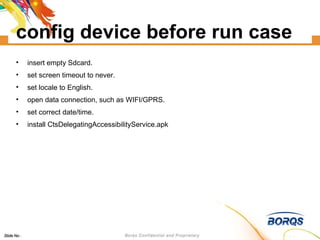
config device before run case insert empty Sdcard. set screen timeout to never. set locale to English. open data connection, such as WIFI/GPRS. set correct date/time. install CtsDelegatingAccessibilityService.apk
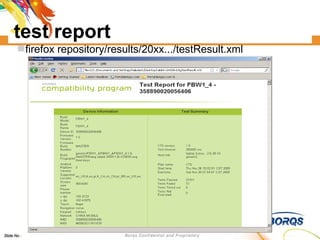
test report firefox repository/results/20xx.../testResult.xml
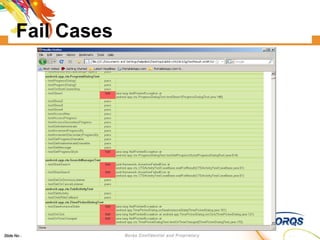
Fail Cases
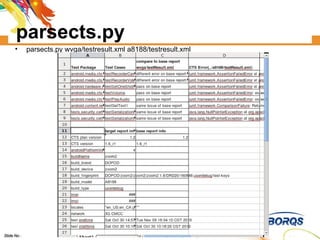
parsects.py parsects.py wvga/testresult.xml a8188/testresult.xml
how to manage test report suppose several testers test several products each week/month... prefer to use source control tools, such as  svn ,  git , ... five files to check in for each report: 1, cts_result.css  2, cts_result.xsl  3, logo.gif  4, newrule-green.png  5,  testResult.xml
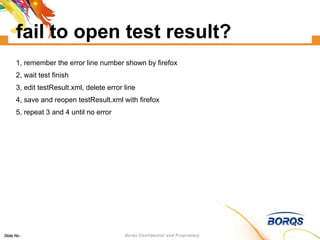
fail to open test result? 1, remember the error line number shown by firefox 2, wait test finish 3, edit testResult.xml, delete error line 4, save and reopen testResult.xml with firefox 5, repeat 3 and 4 until no error
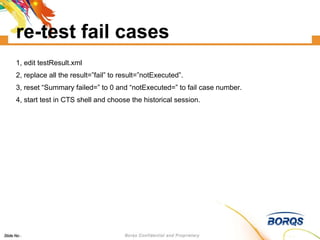
re-test fail cases 1, edit testResult.xml 2, replace all the result=”fail” to result=”notExecuted”. 3, reset “Summary failed=” to 0 and “notExecuted=” to fail case number. 4, start test in CTS shell and choose the historical session.
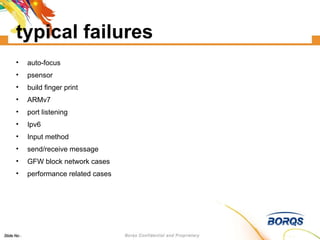
typical failures auto-focus psensor build finger print ARMv7 port listening Ipv6 Input method send/receive message GFW block network cases performance related cases
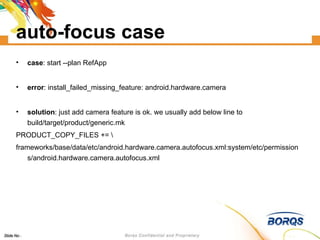
auto-focus case case : start --plan RefApp error : install_failed_missing_feature: android.hardware.camera solution : just add camera feature is ok. we usually add below line to build/target/product/generic.mk PRODUCT_COPY_FILES += \ frameworks/base/data/etc/android.hardware.camera.autofocus.xml:system/etc/permissions/android.hardware.camera.autofocus.xml
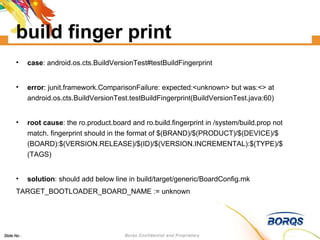
build finger print case : android.os.cts.BuildVersionTest#testBuildFingerprint error : junit.framework.ComparisonFailure: expected:<unknown> but was:<> at android.os.cts.BuildVersionTest.testBuildFingerprint(BuildVersionTest.java:60)‏ root cause : the ro.product.board and ro.build.fingerprint in /system/build.prop not match. fingerprint should in the format of $(BRAND)/$(PRODUCT)/$(DEVICE)/$(BOARD):$(VERSION.RELEASE)/$(ID)/$(VERSION.INCREMENTAL):$(TYPE)/$(TAGS)‏ solution : should add below line in build/target/generic/BoardConfig.mk TARGET_BOOTLOADER_BOARD_NAME := unknown
psensor case case : android.app.cts.SystemFeaturesTest#testSensorFeatures error : android.hardware.sensor.proximity returns false but SensorManager#getSensorList(8) shows sensors [psensor]. expected:<false> but was:<true> at android.app.cts.SystemFeaturesTest.assertFeatureForSensor(SystemFeaturesTest.java:148)‏ solution : if device have psensor, add android.hardware.sensor.proximity.xml to /system/etc/permissions of device by modify framework/data/etc/Android.mk in source code.
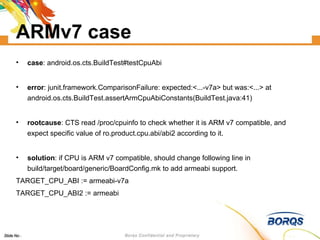
ARMv7 case case : android.os.cts.BuildTest#testCpuAbi error : junit.framework.ComparisonFailure: expected:<...-v7a> but was:<...> at android.os.cts.BuildTest.assertArmCpuAbiConstants(BuildTest.java:41)‏ rootcause : CTS read /proc/cpuinfo to check whether it is ARM v7 compatible, and expect specific value of ro.product.cpu.abi/abi2 according to it. solution : if CPU is ARM v7 compatible, should change following line in build/target/board/generic/BoardConfig.mk to add armeabi support. TARGET_CPU_ABI := armeabi-v7a TARGET_CPU_ABI2 := armeabi
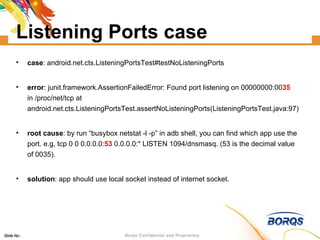
Listening Ports case case : android.net.cts.ListeningPortsTest#testNoListeningPorts error : junit.framework.AssertionFailedError: Found port listening on 00000000:00 35  in /proc/net/tcp at android.net.cts.ListeningPortsTest.assertNoListeningPorts(ListeningPortsTest.java:97)‏ root cause : by run “busybox netstat -l -p” in adb shell, you can find which app use the port. e.g, tcp 0 0 0.0.0.0: 53  0.0.0.0:* LISTEN 1094/dnsmasq. (53 is the decimal value of 0035). solution : app should use local socket instead of internet socket.
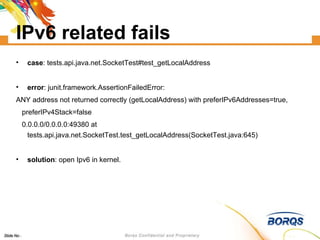
IPv6 related fails case : tests.api.java.net.SocketTest#test_getLocalAddress error : junit.framework.AssertionFailedError:  ANY address not returned correctly (getLocalAddress) with preferIPv6Addresses=true,  preferIPv4Stack=false  0.0.0.0/0.0.0.0:49380 at tests.api.java.net.SocketTest.test_getLocalAddress(SocketTest.java:645)‏ solution : open Ipv6 in kernel.
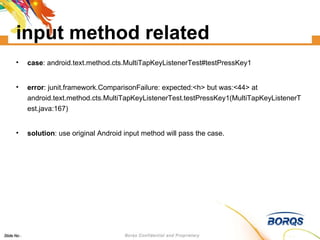
input method related case : android.text.method.cts.MultiTapKeyListenerTest#testPressKey1 error : junit.framework.ComparisonFailure: expected:<h> but was:<44> at android.text.method.cts.MultiTapKeyListenerTest.testPressKey1(MultiTapKeyListenerTest.java:167)‏ solution : use original Android input method will pass the case.
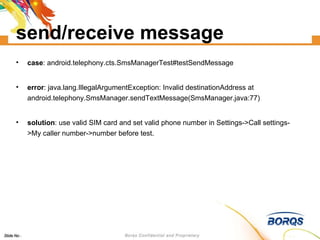
send/receive message case : android.telephony.cts.SmsManagerTest#testSendMessage error : java.lang.IllegalArgumentException: Invalid destinationAddress at android.telephony.SmsManager.sendTextMessage(SmsManager.java:77)‏ solution : use valid SIM card and set valid phone number in Settings->Call settings->My caller number->number before test.
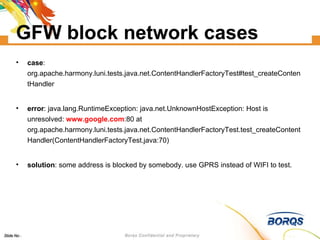
GFW block network cases case : org.apache.harmony.luni.tests.java.net.ContentHandlerFactoryTest#test_createContentHandler error : java.lang.RuntimeException: java.net.UnknownHostException: Host is unresolved:  www.google.com :80 at org.apache.harmony.luni.tests.java.net.ContentHandlerFactoryTest.test_createContentHandler(ContentHandlerFactoryTest.java:70)‏ solution : some address is blocked by somebody. use GPRS instead of WIFI to test.
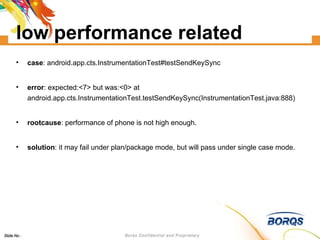
low performance related case : android.app.cts.InstrumentationTest#testSendKeySync error : expected:<7> but was:<0> at android.app.cts.InstrumentationTest.testSendKeySync(InstrumentationTest.java:888)‏ rootcause : performance of phone is not high enough. solution : it may fail under plan/package mode, but will pass under single case mode.
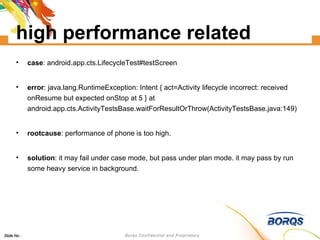
high performance related case : android.app.cts.LifecycleTest#testScreen error : java.lang.RuntimeException: Intent { act=Activity lifecycle incorrect: received onResume but expected onStop at 5 } at android.app.cts.ActivityTestsBase.waitForResultOrThrow(ActivityTestsBase.java:149)‏ rootcause : performance of phone is too high. solution : it may fail under case mode, but pass under plan mode. it may pass by run some heavy service in background.
bug of CTS camera parameters phone number util known failure actually passed copy pixel case ddmlib
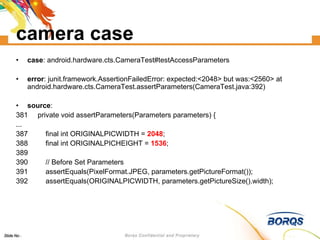
camera case case : android.hardware.cts.CameraTest#testAccessParameters error : junit.framework.AssertionFailedError: expected:<2048> but was:<2560> at android.hardware.cts.CameraTest.assertParameters(CameraTest.java:392)‏ source : 381  private void assertParameters(Parameters parameters) { ... 387  final int ORIGINALPICWIDTH =  2048 ; 388  final int ORIGINALPICHEIGHT =  1536 ; 389  390  // Before Set Parameters 391  assertEquals(PixelFormat.JPEG, parameters.getPictureFormat()); 392  assertEquals(ORIGINALPICWIDTH, parameters.getPictureSize().width);
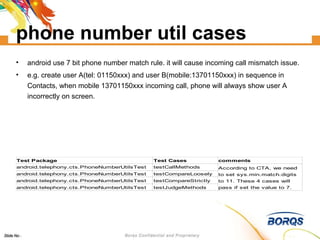
phone number util cases android use 7 bit phone number match rule. it will cause incoming call mismatch issue. e.g. create user A(tel: 01150xxx) and user B(mobile:13701150xxx) in sequence in Contacts, when mobile 13701150xxx incoming call, phone will always show user A incorrectly on screen.
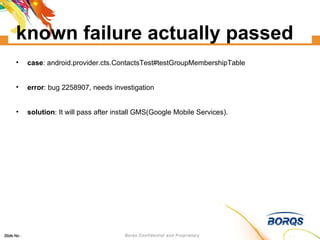
known failure actually passed case : android.provider.cts.ContactsTest#testGroupMembershipTable error : bug 2258907, needs investigation solution : It will pass after install GMS(Google Mobile Services).
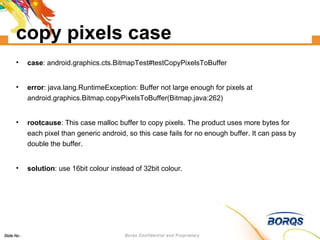
copy pixels case case : android.graphics.cts.BitmapTest#testCopyPixelsToBuffer error : ‏java.lang.RuntimeException: Buffer not large enough for pixels at android.graphics.Bitmap.copyPixelsToBuffer(Bitmap.java:262)‏ rootcause : This case malloc buffer to copy pixels. The product uses more bytes for each pixel than generic android, so this case fails for no enough buffer. It can pass by double the buffer. solution : use 16bit colour instead of 32bit colour.
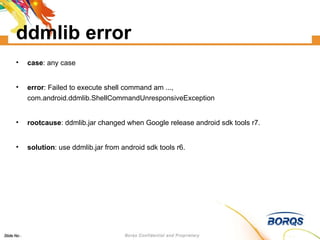
ddmlib error case : any case error : ‏Failed to execute shell command am ..., com.android.ddmlib.ShellCommandUnresponsiveException‏ rootcause : ddmlib.jar changed when Google release android sdk tools r7. solution : use ddmlib.jar from android sdk tools r6.
rule to pass CTS do not modify framework. follow CDD strictly

Android CTS training

  • 1.
    CTS introduction Dec16, 2010 Jingtao
  • 2.
  • 3.
  • 4.
    Process to getGoogle’s certification
  • 5.
  • 6.
  • 7.
  • 8.
  • 9.
    download CTS binary: http://source.android.com/compatibility/downloads.html source: 1, git ls-remote --heads git://192.168.1.250/android-mirror/platform/manifest.git ... refs/heads/android-cts-2.1_r4 refs/heads/android-cts-2.2_r1 refs/heads/android-cts-2.2_r2 ... 2, repo init -u git://192.168.1.250/android-mirror/platform/manifest.git -b android-cts-2.2_r2 3, repo sync cts
  • 10.
    build CTS fromsvn://192.168.1.250/oms/branches/horse make BUILD_CTS=true cts from git://android.git.kernel.org/platform/manifest.git make cts
  • 11.
    install CTS 1.install Android SDK tool(http://androidappdocs.appspot.com/sdk/index.html)‏ 2. unzip CTS package(e.g, android-cts-2.1_r3-x86.zip)‏ android-cts |-- docs |-- repository | |-- host_config.xml `-- tools |-- cts.jar `-- startcts 3. edit android-cts/tools/startcts, set SDK_ROOT =<absolute fold of Android SDK>
  • 12.
    run CTS 1.connect phone/emulator to PC. 2. android-cts/tools/startcts to enter CTS shell. three modes to run case: plan mode package mode case mode
  • 13.
    Sample of CTScommands start --plan CTS start --plan Android -p android.app.cts.ActivityManagerTest start --plan Android -t android.app.cts.ActivityManagerTest#testGetRunningServices
  • 14.
    tricky in host_config.xmlin plan mode, set “maxTestCount” to 0 will avoid restart phone from time to time. in case mode, must set “maxTestCount” to none zero.
  • 15.
  • 16.
    what does CTSdo install test case apk (adb -s deviceID install -r ...apk)‏ uninstall test case apk (adb -s deviceID uninstall ...)‏ execute test (am instrument -w -e [para] <component>...)‏
  • 17.
    run CTS underWindows 1. unzip CTS package and android SDK package to your windows PC. 2. Modified the SDK_ROOT in cts\android-cts\tools\startcts : SDK_ROOT= D:/CTS/sdk/android-sdk_r05-windows/android-sdk-windows/tools 3. use below command to enter CTS shell: java -Xmx512M -cp D:\CTS\cts\android-cts\tools\ cts.jar; D:\CTS\cts\android-cts\tools \hosttestlib.jar; D:\ \lib\dd CTS\cts\android-cts\tools \junit.jar; D:\CTS\sdk\android-sdk_r05-windows\android-sdk-windows\tools\lib\ddm lib.jar com.android.cts.TestHost D:\CTS\cts \android-cts\repository\host_config.xml Please change red marked to you current file path. known issue: The file (cts_result.css, cts_result.xsl, logo.gif, newrule-green.png ) under CTS result can not automatically copy in new session folder. Attention: If you need to clear the data in addon emulator, Please use: emulator @addon -wipe-data
  • 18.
    config device beforerun case insert empty Sdcard. set screen timeout to never. set locale to English. open data connection, such as WIFI/GPRS. set correct date/time. install CtsDelegatingAccessibilityService.apk
  • 19.
    test report firefoxrepository/results/20xx.../testResult.xml
  • 20.
  • 21.
  • 22.
    how to managetest report suppose several testers test several products each week/month... prefer to use source control tools, such as svn , git , ... five files to check in for each report: 1, cts_result.css 2, cts_result.xsl 3, logo.gif 4, newrule-green.png 5, testResult.xml
  • 23.
    fail to opentest result? 1, remember the error line number shown by firefox 2, wait test finish 3, edit testResult.xml, delete error line 4, save and reopen testResult.xml with firefox 5, repeat 3 and 4 until no error
  • 24.
    re-test fail cases1, edit testResult.xml 2, replace all the result=”fail” to result=”notExecuted”. 3, reset “Summary failed=” to 0 and “notExecuted=” to fail case number. 4, start test in CTS shell and choose the historical session.
  • 25.
    typical failures auto-focuspsensor build finger print ARMv7 port listening Ipv6 Input method send/receive message GFW block network cases performance related cases
  • 26.
    auto-focus case case: start --plan RefApp error : install_failed_missing_feature: android.hardware.camera solution : just add camera feature is ok. we usually add below line to build/target/product/generic.mk PRODUCT_COPY_FILES += \ frameworks/base/data/etc/android.hardware.camera.autofocus.xml:system/etc/permissions/android.hardware.camera.autofocus.xml
  • 27.
    build finger printcase : android.os.cts.BuildVersionTest#testBuildFingerprint error : junit.framework.ComparisonFailure: expected:<unknown> but was:<> at android.os.cts.BuildVersionTest.testBuildFingerprint(BuildVersionTest.java:60)‏ root cause : the ro.product.board and ro.build.fingerprint in /system/build.prop not match. fingerprint should in the format of $(BRAND)/$(PRODUCT)/$(DEVICE)/$(BOARD):$(VERSION.RELEASE)/$(ID)/$(VERSION.INCREMENTAL):$(TYPE)/$(TAGS)‏ solution : should add below line in build/target/generic/BoardConfig.mk TARGET_BOOTLOADER_BOARD_NAME := unknown
  • 28.
    psensor case case: android.app.cts.SystemFeaturesTest#testSensorFeatures error : android.hardware.sensor.proximity returns false but SensorManager#getSensorList(8) shows sensors [psensor]. expected:<false> but was:<true> at android.app.cts.SystemFeaturesTest.assertFeatureForSensor(SystemFeaturesTest.java:148)‏ solution : if device have psensor, add android.hardware.sensor.proximity.xml to /system/etc/permissions of device by modify framework/data/etc/Android.mk in source code.
  • 29.
    ARMv7 case case: android.os.cts.BuildTest#testCpuAbi error : junit.framework.ComparisonFailure: expected:<...-v7a> but was:<...> at android.os.cts.BuildTest.assertArmCpuAbiConstants(BuildTest.java:41)‏ rootcause : CTS read /proc/cpuinfo to check whether it is ARM v7 compatible, and expect specific value of ro.product.cpu.abi/abi2 according to it. solution : if CPU is ARM v7 compatible, should change following line in build/target/board/generic/BoardConfig.mk to add armeabi support. TARGET_CPU_ABI := armeabi-v7a TARGET_CPU_ABI2 := armeabi
  • 30.
    Listening Ports casecase : android.net.cts.ListeningPortsTest#testNoListeningPorts error : junit.framework.AssertionFailedError: Found port listening on 00000000:00 35 in /proc/net/tcp at android.net.cts.ListeningPortsTest.assertNoListeningPorts(ListeningPortsTest.java:97)‏ root cause : by run “busybox netstat -l -p” in adb shell, you can find which app use the port. e.g, tcp 0 0 0.0.0.0: 53 0.0.0.0:* LISTEN 1094/dnsmasq. (53 is the decimal value of 0035). solution : app should use local socket instead of internet socket.
  • 31.
    IPv6 related failscase : tests.api.java.net.SocketTest#test_getLocalAddress error : junit.framework.AssertionFailedError: ANY address not returned correctly (getLocalAddress) with preferIPv6Addresses=true, preferIPv4Stack=false 0.0.0.0/0.0.0.0:49380 at tests.api.java.net.SocketTest.test_getLocalAddress(SocketTest.java:645)‏ solution : open Ipv6 in kernel.
  • 32.
    input method relatedcase : android.text.method.cts.MultiTapKeyListenerTest#testPressKey1 error : junit.framework.ComparisonFailure: expected:<h> but was:<44> at android.text.method.cts.MultiTapKeyListenerTest.testPressKey1(MultiTapKeyListenerTest.java:167)‏ solution : use original Android input method will pass the case.
  • 33.
    send/receive message case: android.telephony.cts.SmsManagerTest#testSendMessage error : java.lang.IllegalArgumentException: Invalid destinationAddress at android.telephony.SmsManager.sendTextMessage(SmsManager.java:77)‏ solution : use valid SIM card and set valid phone number in Settings->Call settings->My caller number->number before test.
  • 34.
    GFW block networkcases case : org.apache.harmony.luni.tests.java.net.ContentHandlerFactoryTest#test_createContentHandler error : java.lang.RuntimeException: java.net.UnknownHostException: Host is unresolved: www.google.com :80 at org.apache.harmony.luni.tests.java.net.ContentHandlerFactoryTest.test_createContentHandler(ContentHandlerFactoryTest.java:70)‏ solution : some address is blocked by somebody. use GPRS instead of WIFI to test.
  • 35.
    low performance relatedcase : android.app.cts.InstrumentationTest#testSendKeySync error : expected:<7> but was:<0> at android.app.cts.InstrumentationTest.testSendKeySync(InstrumentationTest.java:888)‏ rootcause : performance of phone is not high enough. solution : it may fail under plan/package mode, but will pass under single case mode.
  • 36.
    high performance relatedcase : android.app.cts.LifecycleTest#testScreen error : java.lang.RuntimeException: Intent { act=Activity lifecycle incorrect: received onResume but expected onStop at 5 } at android.app.cts.ActivityTestsBase.waitForResultOrThrow(ActivityTestsBase.java:149)‏ rootcause : performance of phone is too high. solution : it may fail under case mode, but pass under plan mode. it may pass by run some heavy service in background.
  • 37.
    bug of CTScamera parameters phone number util known failure actually passed copy pixel case ddmlib
  • 38.
    camera case case: android.hardware.cts.CameraTest#testAccessParameters error : junit.framework.AssertionFailedError: expected:<2048> but was:<2560> at android.hardware.cts.CameraTest.assertParameters(CameraTest.java:392)‏ source : 381 private void assertParameters(Parameters parameters) { ... 387 final int ORIGINALPICWIDTH = 2048 ; 388 final int ORIGINALPICHEIGHT = 1536 ; 389 390 // Before Set Parameters 391 assertEquals(PixelFormat.JPEG, parameters.getPictureFormat()); 392 assertEquals(ORIGINALPICWIDTH, parameters.getPictureSize().width);
  • 39.
    phone number utilcases android use 7 bit phone number match rule. it will cause incoming call mismatch issue. e.g. create user A(tel: 01150xxx) and user B(mobile:13701150xxx) in sequence in Contacts, when mobile 13701150xxx incoming call, phone will always show user A incorrectly on screen.
  • 40.
    known failure actuallypassed case : android.provider.cts.ContactsTest#testGroupMembershipTable error : bug 2258907, needs investigation solution : It will pass after install GMS(Google Mobile Services).
  • 41.
    copy pixels casecase : android.graphics.cts.BitmapTest#testCopyPixelsToBuffer error : ‏java.lang.RuntimeException: Buffer not large enough for pixels at android.graphics.Bitmap.copyPixelsToBuffer(Bitmap.java:262)‏ rootcause : This case malloc buffer to copy pixels. The product uses more bytes for each pixel than generic android, so this case fails for no enough buffer. It can pass by double the buffer. solution : use 16bit colour instead of 32bit colour.
  • 42.
    ddmlib error case: any case error : ‏Failed to execute shell command am ..., com.android.ddmlib.ShellCommandUnresponsiveException‏ rootcause : ddmlib.jar changed when Google release android sdk tools r7. solution : use ddmlib.jar from android sdk tools r6.
  • 43.
    rule to passCTS do not modify framework. follow CDD strictly