What we will talk about:
•HTML and CSS
•CSS Selectors
•CSS Properties
•Cascade
•Media Queries
•Animations
Client-side coding includes HTML, CSS and
Javascript. This just means that the code rendered
in the browser.
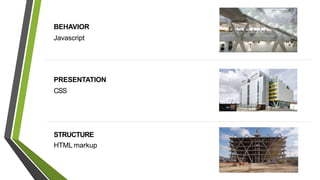
STRUCTURE
HTML markup
PRESENTATION
CSS
BEHAVIOR
Javascript
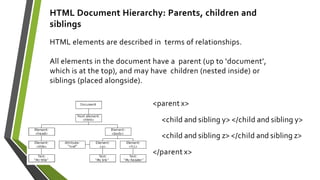
HTML Document Hierarchy: Parents, children and
siblings
HTML elements are described in terms of relationships.
All elements in the document have a parent (up to ‘document’,
which is at the top), and may have children (nested inside) or
siblings (placed alongside).
<parent x>
<child and sibling y> </child and sibling y>
<child and sibling z> </child and sibling z>
</parent x>
Cascading
+
Style Sheets
•A style sheet isaset of rulesdefining how
an html element will be“presented” in
the browser
•Theserules are targeted to specific
elements in the html
document(DOM)
Style Sheet
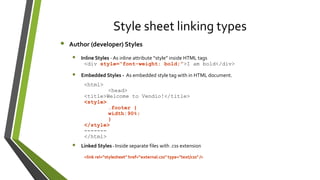
Style sheet linking types
• Author (developer) Styles
• Inline Styles - As inline attribute “style” inside HTML tags
<div style=“font-weight: bold;”>I am bold</div>
• Embedded Styles - As embedded style tag with in HTML document.
<html>
<head>
<title>Welcome to Vendio!</title>
<style>
.footer {
width:90%;
}
</style>
-------
</html>
• Linked Styles - Inside separate files with .css extension
<link rel="stylesheet" href=“external.css" type="text/css" />
• User Style sheets
Contains the user created styles
• Browser default style sheet
Contains default styles for all users of a browser
CSSSyntax
Syntax = the rules for how to write the language
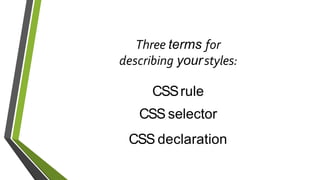
Three terms for
describing yourstyles:
CSSrule
CSS selector
CSS declaration
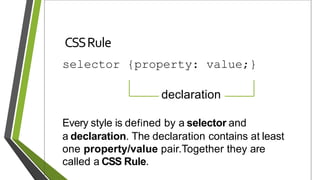
CSSRule
selector {property: value;}
Every style is defined by a selector and
a declaration. The declaration contains at least
one property/value pair.Together they are
called a CSS Rule.
declaration
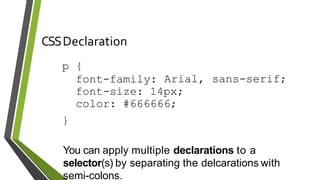
CSSDeclaration
You can apply multiple declarations to a
selector(s) by separating the delcarations with
semi-colons.
sans-serif;
p {
font-family: Arial,
font-size: 14px;
color: #666666;
}
CSSSelectors
p Type (element)
# ID
. Class
[] Attribute
* Universal
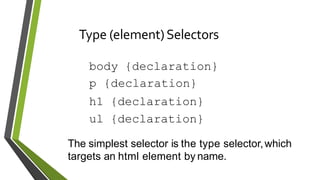
Type (element)Selectors
body {declaration}
p {declaration}
h1 {declaration}
ul {declaration}
The simplest selector is the type selector,which
targets an html element by name.
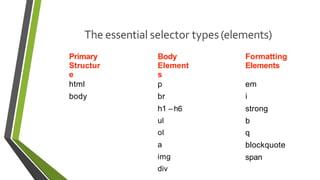
The essential selector types(elements)
Primary
Structur
e
Body
Element
s
Formatting
Elements
html p em
body br i
h1 – h6 strong
ul b
ol q
a blockquote
img
div
span
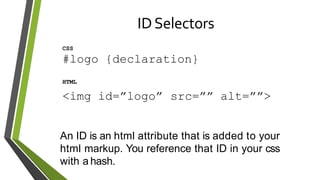
IDSelectors
CSS
#logo {declaration}
HTML
<img id=”logo” src=”” alt=””>
An ID is an html attribute that is added to your
html markup. You reference that ID in your css
with a hash.
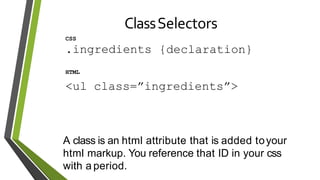
ClassSelectors
CSS
.ingredients {declaration}
HTML
<ul class=”ingredients”>
A class is an html attribute that is added toyour
html markup. You reference that ID in your css
with a period.
Attribute selectors
Attribute selectors selects elements based upon the attributes present
in the HTMLTags and their value.
IMG[src="small.gif"] {
border: 1px solid #000;
}
will work for
<img src=“small.gif” />
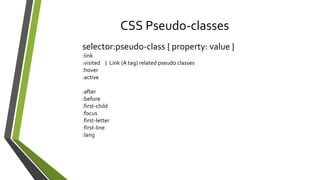
CSS Pseudo-classes
selector:pseudo-class { property: value }
:link
:visited } Link (A tag) related pseudo classes
:hover
:active
:after
:before
:first-child
:focus
:first-letter
:first-line
:lang
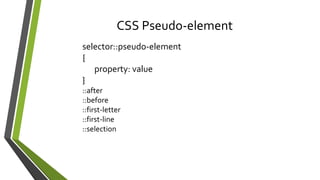
CSS Pseudo-element
selector::pseudo-element
{
property: value
}
::after
::before
::first-letter
::first-line
::selection
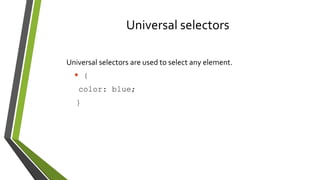
Universal selectors
Universal selectors are used to select any element.
* {
color: blue;
}
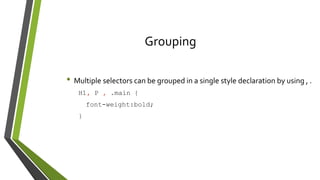
Grouping
• Multiple selectors can be grouped in a single style declaration by using , .
H1, P , .main {
font-weight:bold;
}
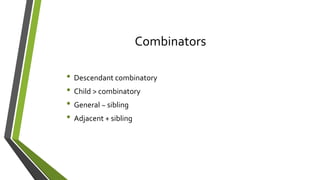
Combinators
• Descendant combinatory
• Child > combinatory
• General ~ sibling
• Adjacent + sibling
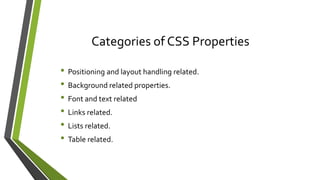
Categories of CSS Properties
• Positioning and layout handling related.
• Background related properties.
• Font and text related
• Links related.
• Lists related.
• Table related.
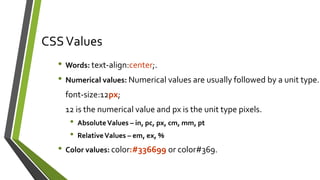
CSSValues
• Words: text-align:center;.
• Numerical values: Numerical values are usually followed by a unit type.
font-size:12px;
12 is the numerical value and px is the unit type pixels.
• AbsoluteValues – in, pc, px, cm, mm, pt
• RelativeValues – em, ex, %
• Color values: color:#336699 or color#369.
Color properties
• Color
• Named color
• Hex(#)
• rgb()/rgba()
• hsl()/hsla()
• Opacity
Basic text properties
• Text-decoration: overline | underline | line - through
• Text-transform: none | lowercase | uppercase | capitalize
• Text-shadow (2px, 2px, grey)
Basic font properties
• font-style: normal| italic | oblique
• Font-weight: normal | bold | bolder | light | lighter | #
• Font-size: {length}
• font-family: {font}
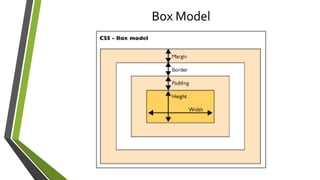
Box Model
Sizing
• width
• height
• min/max prefixes
• box-sizing : content-box | border-box
Visibility
• display: inline| block | inline-block
• visibility : visible | hidden
• white-space : normal | pre | nowrap | …
• overflow : visible | hidden | scroll | auto
Cascade
• It ultimately determines which css
properties will apply to a given element
• cascade is tied to three main concepts
– Importance
– Specificity
– Inheritance
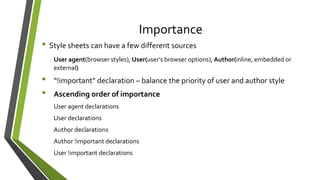
Importance
• Style sheets can have a few different sources
User agent(browser styles), User(user’s browser options), Author(inline, embedded or
external)
• “!important” declaration – balance the priority of user and author style
• Ascending order of importance
User agent declarations
User declarations
Author declarations
Author !important declarations
User !important declarations
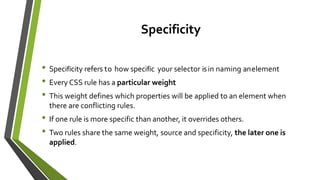
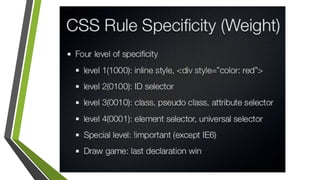
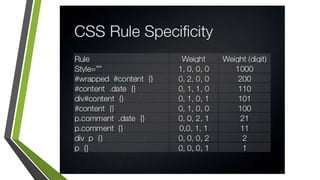
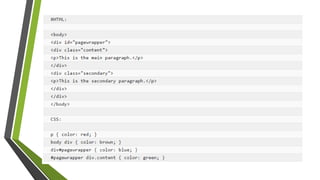
Specificity
• Specificity refers to how specific your selector isin naming anelement
• Every CSS rule has a particular weight
• This weight defines which properties will be applied to an element when
there are conflicting rules.
• If one rule is more specific than another, it overrides others.
• Two rules share the same weight, source and specificity, the later one is
applied.
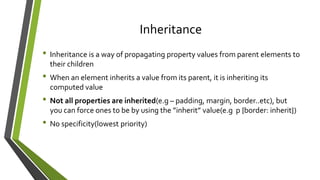
Inheritance
• Inheritance is a way of propagating property values from parent elements to
their children
• When an element inherits a value from its parent, it is inheriting its
computed value
• Not all properties are inherited(e.g – padding, margin, border..etc), but
you can force ones to be by using the ”inherit” value(e.g p {border: inherit})
• No specificity(lowest priority)
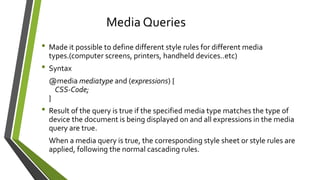
• Made it possible to define different style rules for different media
types.(computer screens, printers, handheld devices..etc)
• Syntax
@media mediatype and (expressions) {
CSS-Code;
}
• Result of the query is true if the specified media type matches the type of
device the document is being displayed on and all expressions in the media
query are true.
When a media query is true, the corresponding style sheet or style rules are
applied, following the normal cascading rules.
Media Queries
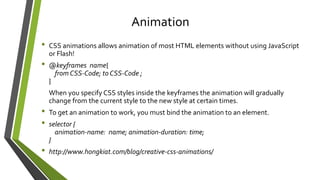
• CSS animations allows animation of most HTML elements without using JavaScript
or Flash!
• @keyframes name{
from CSS-Code; to CSS-Code ;
}
When you specify CSS styles inside the keyframes the animation will gradually
change from the current style to the new style at certain times.
• To get an animation to work, you must bind the animation to an element.
• selector {
animation-name: name; animation-duration: time;
}
• http://www.hongkiat.com/blog/creative-css-animations/
Animation
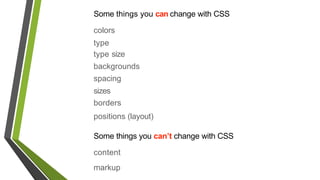
Some things you can change with CSS
colors
type
type size
backgrounds
spacing
sizes
borders
positions (layout)
Some things you can’t change with CSS
content
markup
Exercise
• Design a responsive online shopping cart by using html and css (no
JavaScript).
• http://www.w3schools.com/css/default.asp
• https://www.smashingmagazine.com/2010/04/css-specificity-and-
inheritance/
• http://carl.camera/?id=95
• https://www.smashingmagazine.com/2010/04/css-specificity-and-
inheritance/
References

CSS

  • 2.
    What we willtalk about: •HTML and CSS •CSS Selectors •CSS Properties •Cascade •Media Queries •Animations
  • 3.
    Client-side coding includesHTML, CSS and Javascript. This just means that the code rendered in the browser.
  • 4.
  • 6.
    HTML Document Hierarchy:Parents, children and siblings HTML elements are described in terms of relationships. All elements in the document have a parent (up to ‘document’, which is at the top), and may have children (nested inside) or siblings (placed alongside). <parent x> <child and sibling y> </child and sibling y> <child and sibling z> </child and sibling z> </parent x>
  • 7.
  • 8.
    •A style sheetisaset of rulesdefining how an html element will be“presented” in the browser •Theserules are targeted to specific elements in the html document(DOM) Style Sheet
  • 9.
    Style sheet linkingtypes • Author (developer) Styles • Inline Styles - As inline attribute “style” inside HTML tags <div style=“font-weight: bold;”>I am bold</div> • Embedded Styles - As embedded style tag with in HTML document. <html> <head> <title>Welcome to Vendio!</title> <style> .footer { width:90%; } </style> ------- </html> • Linked Styles - Inside separate files with .css extension <link rel="stylesheet" href=“external.css" type="text/css" />
  • 10.
    • User Stylesheets Contains the user created styles • Browser default style sheet Contains default styles for all users of a browser
  • 11.
    CSSSyntax Syntax = therules for how to write the language
  • 12.
    Three terms for describingyourstyles: CSSrule CSS selector CSS declaration
  • 13.
    CSSRule selector {property: value;} Everystyle is defined by a selector and a declaration. The declaration contains at least one property/value pair.Together they are called a CSS Rule. declaration
  • 14.
    CSSDeclaration You can applymultiple declarations to a selector(s) by separating the delcarations with semi-colons. sans-serif; p { font-family: Arial, font-size: 14px; color: #666666; }
  • 15.
    CSSSelectors p Type (element) #ID . Class [] Attribute * Universal
  • 16.
    Type (element)Selectors body {declaration} p{declaration} h1 {declaration} ul {declaration} The simplest selector is the type selector,which targets an html element by name.
  • 17.
    The essential selectortypes(elements) Primary Structur e Body Element s Formatting Elements html p em body br i h1 – h6 strong ul b ol q a blockquote img div span
  • 18.
    IDSelectors CSS #logo {declaration} HTML <img id=”logo”src=”” alt=””> An ID is an html attribute that is added to your html markup. You reference that ID in your css with a hash.
  • 19.
    ClassSelectors CSS .ingredients {declaration} HTML <ul class=”ingredients”> Aclass is an html attribute that is added toyour html markup. You reference that ID in your css with a period.
  • 20.
    Attribute selectors Attribute selectorsselects elements based upon the attributes present in the HTMLTags and their value. IMG[src="small.gif"] { border: 1px solid #000; } will work for <img src=“small.gif” />
  • 21.
    CSS Pseudo-classes selector:pseudo-class {property: value } :link :visited } Link (A tag) related pseudo classes :hover :active :after :before :first-child :focus :first-letter :first-line :lang
  • 22.
  • 23.
    Universal selectors Universal selectorsare used to select any element. * { color: blue; }
  • 24.
    Grouping • Multiple selectorscan be grouped in a single style declaration by using , . H1, P , .main { font-weight:bold; }
  • 25.
    Combinators • Descendant combinatory •Child > combinatory • General ~ sibling • Adjacent + sibling
  • 26.
    Categories of CSSProperties • Positioning and layout handling related. • Background related properties. • Font and text related • Links related. • Lists related. • Table related.
  • 27.
    CSSValues • Words: text-align:center;. •Numerical values: Numerical values are usually followed by a unit type. font-size:12px; 12 is the numerical value and px is the unit type pixels. • AbsoluteValues – in, pc, px, cm, mm, pt • RelativeValues – em, ex, % • Color values: color:#336699 or color#369.
  • 28.
    Color properties • Color •Named color • Hex(#) • rgb()/rgba() • hsl()/hsla() • Opacity
  • 29.
    Basic text properties •Text-decoration: overline | underline | line - through • Text-transform: none | lowercase | uppercase | capitalize • Text-shadow (2px, 2px, grey) Basic font properties • font-style: normal| italic | oblique • Font-weight: normal | bold | bolder | light | lighter | # • Font-size: {length} • font-family: {font}
  • 30.
  • 31.
    Sizing • width • height •min/max prefixes • box-sizing : content-box | border-box Visibility • display: inline| block | inline-block • visibility : visible | hidden • white-space : normal | pre | nowrap | … • overflow : visible | hidden | scroll | auto
  • 32.
    Cascade • It ultimatelydetermines which css properties will apply to a given element • cascade is tied to three main concepts – Importance – Specificity – Inheritance
  • 33.
    Importance • Style sheetscan have a few different sources User agent(browser styles), User(user’s browser options), Author(inline, embedded or external) • “!important” declaration – balance the priority of user and author style • Ascending order of importance User agent declarations User declarations Author declarations Author !important declarations User !important declarations
  • 34.
    Specificity • Specificity refersto how specific your selector isin naming anelement • Every CSS rule has a particular weight • This weight defines which properties will be applied to an element when there are conflicting rules. • If one rule is more specific than another, it overrides others. • Two rules share the same weight, source and specificity, the later one is applied.
  • 37.
    Inheritance • Inheritance isa way of propagating property values from parent elements to their children • When an element inherits a value from its parent, it is inheriting its computed value • Not all properties are inherited(e.g – padding, margin, border..etc), but you can force ones to be by using the ”inherit” value(e.g p {border: inherit}) • No specificity(lowest priority)
  • 39.
    • Made itpossible to define different style rules for different media types.(computer screens, printers, handheld devices..etc) • Syntax @media mediatype and (expressions) { CSS-Code; } • Result of the query is true if the specified media type matches the type of device the document is being displayed on and all expressions in the media query are true. When a media query is true, the corresponding style sheet or style rules are applied, following the normal cascading rules. Media Queries
  • 40.
    • CSS animationsallows animation of most HTML elements without using JavaScript or Flash! • @keyframes name{ from CSS-Code; to CSS-Code ; } When you specify CSS styles inside the keyframes the animation will gradually change from the current style to the new style at certain times. • To get an animation to work, you must bind the animation to an element. • selector { animation-name: name; animation-duration: time; } • http://www.hongkiat.com/blog/creative-css-animations/ Animation
  • 41.
    Some things youcan change with CSS colors type type size backgrounds spacing sizes borders positions (layout) Some things you can’t change with CSS content markup
  • 42.
    Exercise • Design aresponsive online shopping cart by using html and css (no JavaScript).
  • 43.
    • http://www.w3schools.com/css/default.asp • https://www.smashingmagazine.com/2010/04/css-specificity-and- inheritance/ •http://carl.camera/?id=95 • https://www.smashingmagazine.com/2010/04/css-specificity-and- inheritance/ References