Creating
  a Mature
Puppet System
github.com/rkhatibi/puppetcampla2013
Thanks Scale 11x
 & PuppetLabs
â—Ź Attended 3x (or was it 4?)
â—Ź Discovered PuppetLabs at 8x
â—Ź I like Puppet (more sleep, better work)
Hi, My name is:
         Ramin
â—Ź   Sysadmin for seventeen years
â—Ź   Currently at SnappyTV
â—Ź   Yahoo!, Netzero
â—Ź   Half dozen startups
â—Ź   Not a ninja or rockstar
SnappyTV
â—Ź Cloud based video editing
â—Ź Immediate publishing
â—Ź Real time social media data
  consumption and analysis
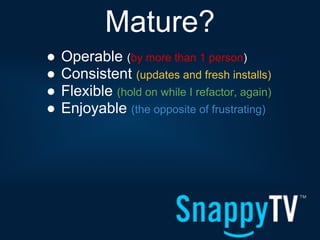
Mature?
â—Ź   Operable (by more than 1 person)
â—Ź   Consistent (updates and fresh installs)
â—Ź   Flexible (hold on while I refactor, again)
â—Ź   Enjoyable (the opposite of frustrating)
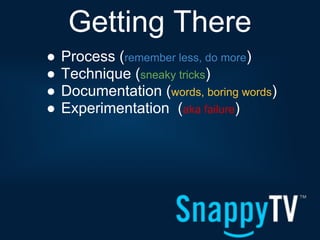
Getting There
â—Ź   Process (remember less, do more)
â—Ź   Technique (sneaky tricks)
â—Ź   Documentation (words, boring words)
â—Ź   Experimentation (aka failure)
Are you ready to
  write code?
â—Ź Software development
â—Ź Your environment is important
â—Ź Take a few hours to set it up
Choose Your
Weapon (Editor)
â—Ź   No need to change
â—Ź   Add plugins
â—Ź   post commit tools
â—Ź   Some choices are more mature
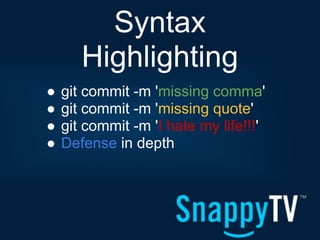
Syntax
       Highlighting
â—Ź   git commit -m 'missing comma'
â—Ź   git commit -m 'missing quote'
â—Ź   git commit -m 'I hate my life!!!'
â—Ź   Defense in depth
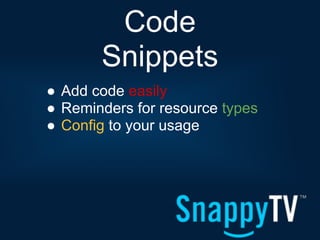
Code
       Snippets
â—Ź Add code easily
â—Ź Reminders for resource types
â—Ź Config to your usage
It's
        puppet-lint
â—Ź   It's opinionated, use it anyway
â—Ź   Chokes on complex quoting
â—Ź   .puppet-lint.rc
â—Ź   When in doubt, do what it says
Code Style is
      Important
â—Ź   Try to decide on one early
â—Ź   Use the Puppet Style Guide
â—Ź   aka puppet-lint
â—Ź   Consistency is always good
Validate Your
       Code
â—Ź puppet parser validate some.pp
â—Ź Doesn't catch everything
â—Ź Or work on templates
All Together
       With VIM
â—Ź   vim + pathogen
â—Ź   syntastic, tabular
â—Ź   vim-puppet, puppet-lint
â—Ź   mv-vim-puppet
Exists for Other
     Editors Too
â—Ź   Emacs (for terrible people)
â—Ź   Sublime (didn't look mature)
â—Ź   Eclipse (very nice)
â—Ź   Anything else?
Vagrant
         for VMs
â—Ź Your experimentation system
â—Ź spin VMs up, test, destroy
â—Ź Cost of failure is very loooow
Testing
       in Puppet
â—Ź Test from a fresh install
â—Ź Easy to miss dependencies
  Nothing worse than discovering
  ordering problems in prod
Puppet
    Environments
â—Ź   Use them, use them, use them
â—Ź   stage and production
â—Ź   directories on the master
â—Ź   --env stage from client
Promote Code
   to Each Env
â—Ź Standard development practice
â—Ź devel -> stage -> prod
â—Ź There are some caveats
Environment
      Caveats
â—Ź Providers and facts leak
â—Ź Best to have an env per Puppet
  master instance in adv usage
â—Ź This may change (I hope)
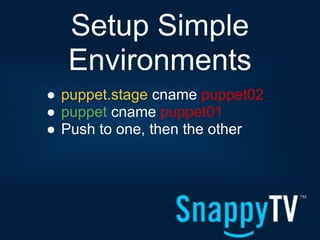
Setup Simple
  Environments
â—Ź puppet.stage cname puppet02
â—Ź puppet cname puppet01
â—Ź Push to one, then the other
Clients to Env
â—Ź Just add to puppet.conf
â—Ź Ideally part of template
â—Ź production env is default
[agent]
<% if @fqdn =~ /(.*)stage(.*)/ -%>
environment = stage
<% end -%>
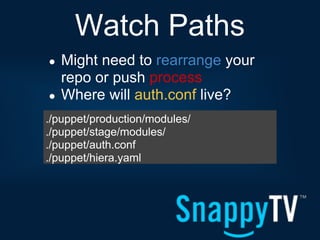
Watch Paths
â—Ź   Might need to rearrange your
    repo or push process
â—Ź   Where will auth.conf live?
./puppet/production/modules/
./puppet/stage/modules/
./puppet/auth.conf
./puppet/hiera.yaml
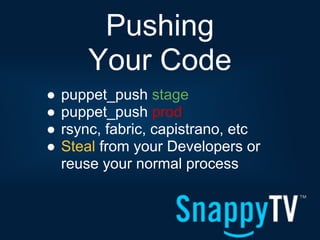
Pushing
        Your Code
â—Ź   puppet_push stage
â—Ź   puppet_push prod
â—Ź   rsync, fabric, capistrano, etc
â—Ź   Steal from your Developers or
    reuse your normal process
Sync your
       plugins
â—Ź --pluginsync from cli
â—Ź pluginsync=true under [main]
â—Ź Default in 3.x
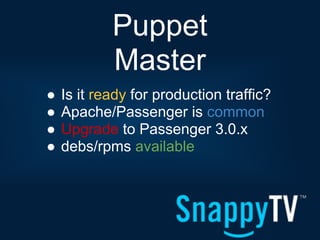
Puppet
            Master
â—Ź   Is it ready for production traffic?
â—Ź   Apache/Passenger is common
â—Ź   Upgrade to Passenger 3.0.x
â—Ź   debs/rpms available
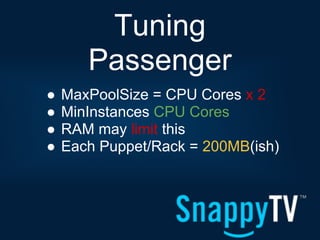
Tuning
       Passenger
â—Ź   MaxPoolSize = CPU Cores x 2
â—Ź   MinInstances CPU Cores
â—Ź   RAM may limit this
â—Ź   Each Puppet/Rack = 200MB(ish)
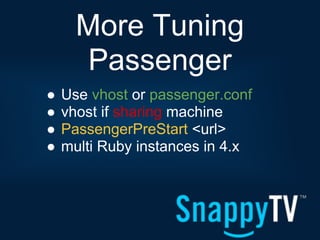
More Tuning
       Passenger
â—Ź   Use vhost or passenger.conf
â—Ź   vhost if sharing machine
â—Ź   PassengerPreStart <url>
â—Ź   multi Ruby instances in 4.x
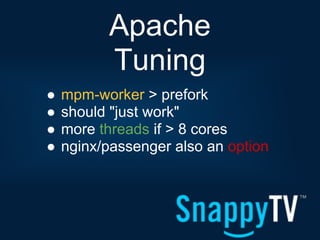
Apache
          Tuning
â—Ź   mpm-worker > prefork
â—Ź   should "just work"
â—Ź   more threads if > 8 cores
â—Ź   nginx/passenger also an option
Other App
       Servers
â—Ź Little personal experience
â—Ź Not worth it in my opinion
â—Ź Use what you know best
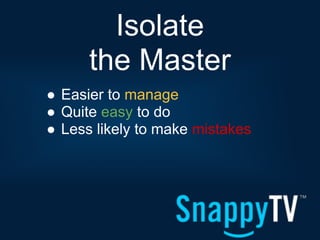
Isolate
      the Master
â—Ź Easier to manage
â—Ź Quite easy to do
â—Ź Less likely to make mistakes
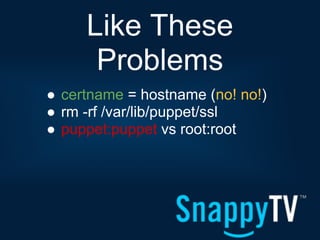
Like These
      Problems
â—Ź certname = hostname (no! no!)
â—Ź rm -rf /var/lib/puppet/ssl
â—Ź puppet:puppet vs root:root
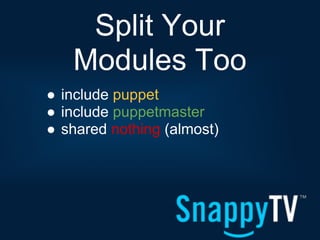
Split Your
   Modules Too
â—Ź include puppet
â—Ź include puppetmaster
â—Ź shared nothing (almost)
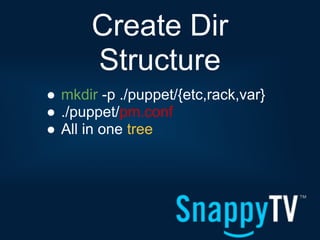
Create Dir
       Structure
â—Ź mkdir -p ./puppet/{etc,rack,var}
â—Ź ./puppet/pm.conf
â—Ź All in one tree
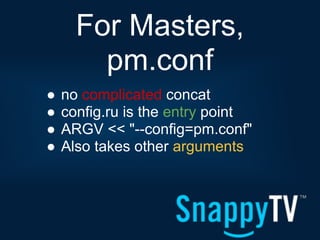
For Masters,
        pm.conf
â—Ź   no complicated concat
â—Ź   config.ru is the entry point
â—Ź   ARGV << "--config=pm.conf"
â—Ź   Also takes other arguments
[main]
    in pm.conf
[main]
confdir=/home/$some_user/puppet/etc
logdir=/home/$some_user/puppet/logs
vardir=/home/$some_user/puppet/var
ssldir=$vardir/ssl
rundir=/home/deploy/puppet/run
factpath=$vardir/lib/facter
templatedir=$confdir/templates
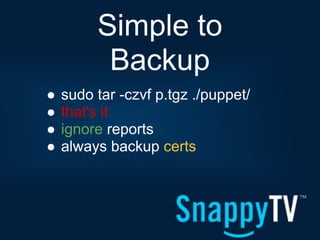
Simple to
          Backup
â—Ź   sudo tar -czvf p.tgz ./puppet/
â—Ź   that's it
â—Ź   ignore reports
â—Ź   always backup certs
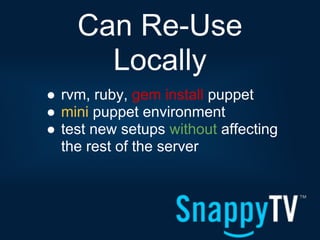
Can Re-Use
      Locally
â—Ź rvm, ruby, gem install puppet
â—Ź mini puppet environment
â—Ź test new setups without affecting
  the rest of the server
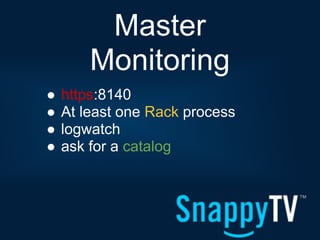
Master
        Monitoring
â—Ź   https:8140
â—Ź   At least one Rack process
â—Ź   logwatch
â—Ź   ask for a catalog
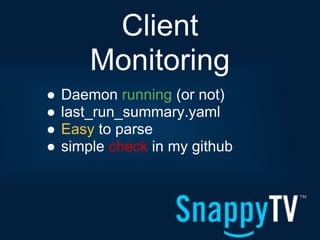
Client
        Monitoring
â—Ź   Daemon running (or not)
â—Ź   last_run_summary.yaml
â—Ź   Easy to parse
â—Ź   simple check in my github
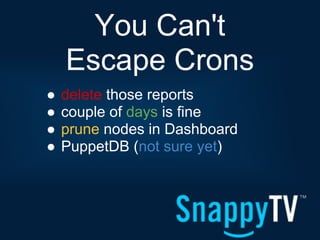
You Can't
    Escape Crons
â—Ź   delete those reports
â—Ź   couple of days is fine
â—Ź   prune nodes in Dashboard
â—Ź   PuppetDB (not sure yet)
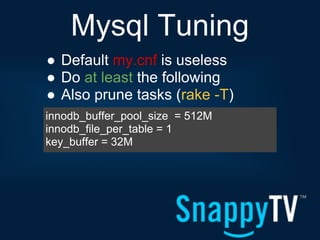
Mysql Tuning
â—Ź Default my.cnf is useless
â—Ź Do at least the following
â—Ź Also prune tasks (rake -T)
innodb_buffer_pool_size = 512M
innodb_file_per_table = 1
key_buffer = 32M
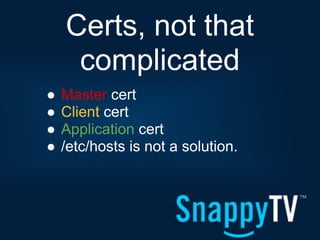
Certs, not that
     complicated
â—Ź   Master cert
â—Ź   Client cert
â—Ź   Application cert
â—Ź   /etc/hosts is not a solution.
Master Cert
â—Ź Multiple names
â—Ź Your clients don't care
â—Ź Migrations are easy
[master]
certname = puppet.example.com
dns_alt_names = puppet, puppet.new,
puppet.old, spam, puppet.localdomain,
baked_beans, puppet, puppet, spam, puppet.
localhost
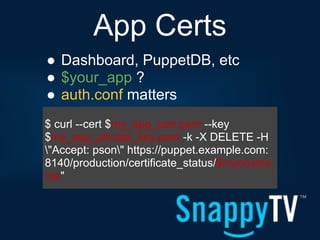
App Certs
â—Ź Dashboard, PuppetDB, etc
â—Ź $your_app ?
â—Ź auth.conf matters
$ curl --cert $my_app_cert.pem --key
$my_app_private_key.pem -k -X DELETE -H
"Accept: pson" https://puppet.example.com:
8140/production/certificate_status/$myhostna
me"
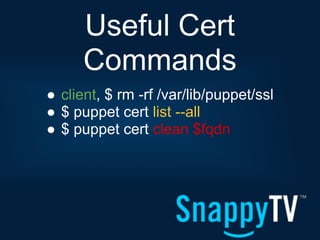
Useful Cert
      Commands
â—Ź client, $ rm -rf /var/lib/puppet/ssl
â—Ź $ puppet cert list --all
â—Ź $ puppet cert clean $fqdn
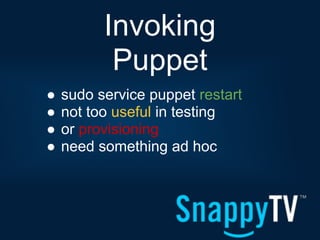
Invoking
           Puppet
â—Ź   sudo service puppet restart
â—Ź   not too useful in testing
â—Ź   or provisioning
â—Ź   need something ad hoc
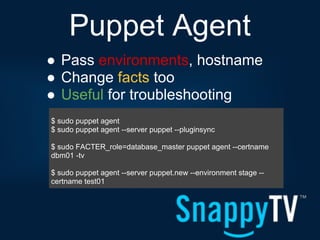
Puppet Agent
â—Ź Pass environments, hostname
â—Ź Change facts too
â—Ź Useful for troubleshooting
$ sudo puppet agent
$ sudo puppet agent --server puppet --pluginsync

$ sudo FACTER_role=database_master puppet agent --certname
dbm01 -tv

$ sudo puppet agent --server puppet.new --environment stage --
certname test01
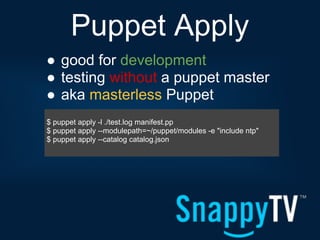
Puppet Apply
â—Ź good for development
â—Ź testing without a puppet master
â—Ź aka masterless Puppet
$ puppet apply -l ./test.log manifest.pp
$ puppet apply --modulepath=~/puppet/modules -e "include ntp"
$ puppet apply --catalog catalog.json
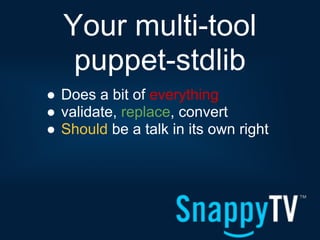
Your multi-tool
   puppet-stdlib
â—Ź Does a bit of everything
â—Ź validate, replace, convert
â—Ź Should be a talk in its own right
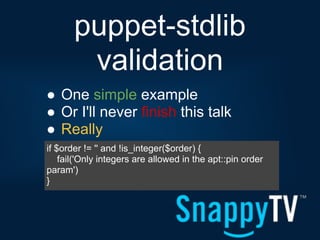
puppet-stdlib
        validation
â—Ź One simple example
â—Ź Or I'll never finish this talk
â—Ź Really
if $order != '' and !is_integer($order) {
    fail('Only integers are allowed in the apt::pin order
param')
}
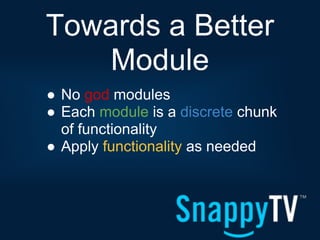
Towards a Better
    Module
â—Ź No god modules
â—Ź Each module is a discrete chunk
  of functionality
â—Ź Apply functionality as needed
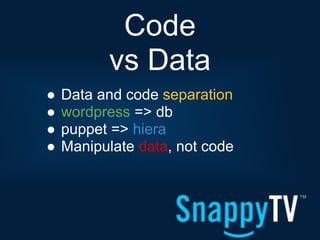
Code
          vs Data
â—Ź   Data and code separation
â—Ź   wordpress => db
â—Ź   puppet => hiera
â—Ź   Manipulate data, not code
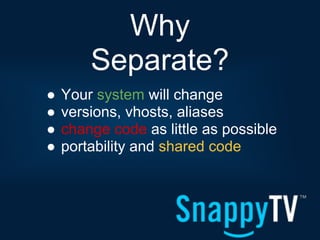
Why
        Separate?
â—Ź   Your system will change
â—Ź   versions, vhosts, aliases
â—Ź   change code as little as possible
â—Ź   portability and shared code
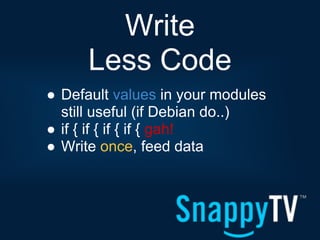
Write
      Less Code
â—Ź Default values in your modules
  still useful (if Debian do..)
â—Ź if { if { if { if { gah!
â—Ź Write once, feed data
Hiera, as in
     hierarchical
â—Ź yaml by default, json available
â—Ź redis, mongo, mysql, others
â—Ź your hierarchy will take a few
  tries to get right
Hiera, How
    does it work?
â—Ź Data position matters, it's
  hierarchy
â—Ź start at the top
â—Ź work your way down
â—Ź First match or collect
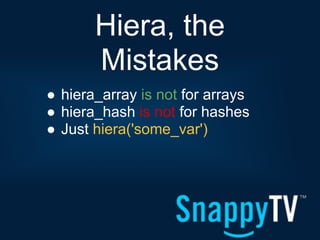
Hiera, the
       Mistakes
â—Ź hiera_array is not for arrays
â—Ź hiera_hash is not for hashes
â—Ź Just hiera('some_var')
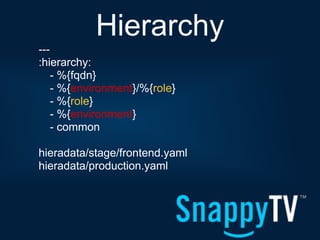
Hierarchy
---
:hierarchy:
    - %{fqdn}
    - %{environment}/%{role}
    - %{role}
    - %{environment}
    - common

hieradata/stage/frontend.yaml
hieradata/production.yaml
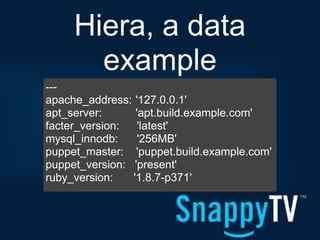
Hiera, a data
       example
---
apache_address: '127.0.0.1'
apt_server:      'apt.build.example.com'
facter_version:   'latest'
mysql_innodb:     '256MB'
puppet_master: 'puppet.build.example.com'
puppet_version: 'present'
ruby_version:   '1.8.7-p371'
Hiera, in
              a module
class facter::install {

    $version = hiera('facter_version','present')

    package { 'facter':
      ensure => $version,
      notify => Class['puppet::service'],
    }
}
Where to
     Concentrate?
â—Ź   Execs < 5%
â—Ź   Services ~ 10%
â—Ź   Packages ~ 25%
â—Ź   Files ~ 60% (Best use of time)
Manipulate
     files with...
â—Ź Ruby ERB templates
â—Ź Puppet concat module
â—Ź Augeas
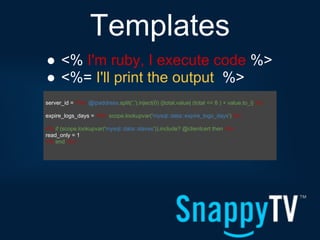
Templates
â—Ź <% I'm ruby, I execute code %>
â—Ź <%= I'll print the output %>
server_id = <%= @ipaddress.split('.').inject(0) {|total,value| (total << 8 ) + value.to_i} %>

expire_logs_days = <%= scope.lookupvar('mysql::data::expire_logs_days') %>

<% if (scope.lookupvar('mysql::data::slaves')).include? @clientcert then -%>
read_only = 1
<% end -%>
puppet-concat
â—Ź Download from the Forge
â—Ź remember pluginsync = true
â—Ź Useful for daemons that don't
  support configdirs
â—Ź sshd, rsync, haproxy (sorta)
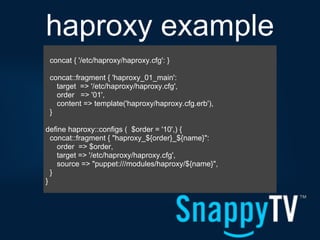
haproxy example
 concat { '/etc/haproxy/haproxy.cfg': }

 concat::fragment { 'haproxy_01_main':
   target => '/etc/haproxy/haproxy.cfg',
   order => '01',
   content => template('haproxy/haproxy.cfg.erb'),
 }

define haproxy::configs ( $order = '10',) {
  concat::fragment { "haproxy_${order}_${name}":
    order => $order,
    target => '/etc/haproxy/haproxy.cfg',
    source => "puppet:///modules/haproxy/${name}",
  }
}
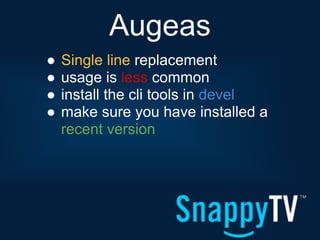
Augeas
â—Ź   Single line replacement
â—Ź   usage is less common
â—Ź   install the cli tools in devel
â—Ź   make sure you have installed a
    recent version
Augeas is
         best for...
â—Ź   Files you can't fully control
â—Ź   Files you don't want to control
â—Ź   your last resort
â—Ź   grub.conf, sysctl.conf
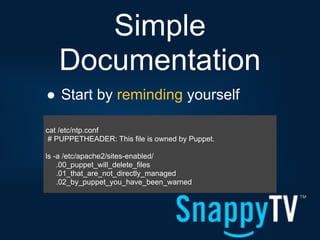
Simple
   Documentation
â—Ź Start by reminding yourself

cat /etc/ntp.conf
 # PUPPETHEADER: This file is owned by Puppet.

ls -a /etc/apache2/sites-enabled/
    .00_puppet_will_delete_files
    .01_that_are_not_directly_managed
    .02_by_puppet_you_have_been_warned
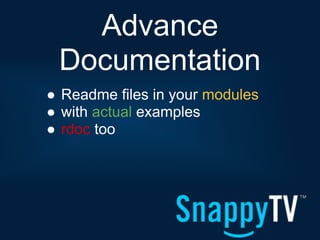
Advance
 Documentation
â—Ź Readme files in your modules
â—Ź with actual examples
â—Ź rdoc too
Thank You
      for Coming
https://github.com/rkhatibi/
https://twitter.com/Ramin_DK
http://www.snappytv.com/
Appendix A
â—Ź http://www.slideshare.net/cstrep/puppet-at-opera-sofware-
  puppetcamp-oslo-2013
â—Ź http://www.slideshare.net/PuppetLabs/130208-puppet4-
  sysadminsmelblibrefinal
â—Ź Craig Dunn - http://www.slideshare.net/PuppetLabs/roles-talk
â—Ź http://blog.mozilla.org/it/2013/01/30/liveblog-how-to-use-puppet-
  like-an-adult/
Appendix C
â—Ź Passenger rpms - http://passenger.stealthymonkeys.com/
â—Ź Passenger debs - http://apt.brightbox.net/

Creating a mature puppet system

  • 1.
    Creating aMature Puppet System github.com/rkhatibi/puppetcampla2013
  • 2.
    Thanks Scale 11x & PuppetLabs â—Ź Attended 3x (or was it 4?) â—Ź Discovered PuppetLabs at 8x â—Ź I like Puppet (more sleep, better work)
  • 3.
    Hi, My nameis: Ramin â—Ź Sysadmin for seventeen years â—Ź Currently at SnappyTV â—Ź Yahoo!, Netzero â—Ź Half dozen startups â—Ź Not a ninja or rockstar
  • 4.
    SnappyTV â—Ź Cloud basedvideo editing â—Ź Immediate publishing â—Ź Real time social media data consumption and analysis
  • 5.
    Mature? â—Ź Operable (by more than 1 person) â—Ź Consistent (updates and fresh installs) â—Ź Flexible (hold on while I refactor, again) â—Ź Enjoyable (the opposite of frustrating)
  • 6.
    Getting There â—Ź Process (remember less, do more) â—Ź Technique (sneaky tricks) â—Ź Documentation (words, boring words) â—Ź Experimentation (aka failure)
  • 7.
    Are you readyto write code? â—Ź Software development â—Ź Your environment is important â—Ź Take a few hours to set it up
  • 8.
    Choose Your Weapon (Editor) â—Ź No need to change â—Ź Add plugins â—Ź post commit tools â—Ź Some choices are more mature
  • 9.
    Syntax Highlighting â—Ź git commit -m 'missing comma' â—Ź git commit -m 'missing quote' â—Ź git commit -m 'I hate my life!!!' â—Ź Defense in depth
  • 10.
    Code Snippets â—Ź Add code easily â—Ź Reminders for resource types â—Ź Config to your usage
  • 11.
    It's puppet-lint â—Ź It's opinionated, use it anyway â—Ź Chokes on complex quoting â—Ź .puppet-lint.rc â—Ź When in doubt, do what it says
  • 12.
    Code Style is Important â—Ź Try to decide on one early â—Ź Use the Puppet Style Guide â—Ź aka puppet-lint â—Ź Consistency is always good
  • 13.
    Validate Your Code â—Ź puppet parser validate some.pp â—Ź Doesn't catch everything â—Ź Or work on templates
  • 14.
    All Together With VIM â—Ź vim + pathogen â—Ź syntastic, tabular â—Ź vim-puppet, puppet-lint â—Ź mv-vim-puppet
  • 15.
    Exists for Other Editors Too â—Ź Emacs (for terrible people) â—Ź Sublime (didn't look mature) â—Ź Eclipse (very nice) â—Ź Anything else?
  • 16.
    Vagrant for VMs â—Ź Your experimentation system â—Ź spin VMs up, test, destroy â—Ź Cost of failure is very loooow
  • 17.
    Testing in Puppet â—Ź Test from a fresh install â—Ź Easy to miss dependencies Nothing worse than discovering ordering problems in prod
  • 18.
    Puppet Environments â—Ź Use them, use them, use them â—Ź stage and production â—Ź directories on the master â—Ź --env stage from client
  • 19.
    Promote Code to Each Env â—Ź Standard development practice â—Ź devel -> stage -> prod â—Ź There are some caveats
  • 20.
    Environment Caveats â—Ź Providers and facts leak â—Ź Best to have an env per Puppet master instance in adv usage â—Ź This may change (I hope)
  • 21.
    Setup Simple Environments â—Ź puppet.stage cname puppet02 â—Ź puppet cname puppet01 â—Ź Push to one, then the other
  • 22.
    Clients to Env â—ŹJust add to puppet.conf â—Ź Ideally part of template â—Ź production env is default [agent] <% if @fqdn =~ /(.*)stage(.*)/ -%> environment = stage <% end -%>
  • 23.
    Watch Paths â—Ź Might need to rearrange your repo or push process â—Ź Where will auth.conf live? ./puppet/production/modules/ ./puppet/stage/modules/ ./puppet/auth.conf ./puppet/hiera.yaml
  • 24.
    Pushing Your Code â—Ź puppet_push stage â—Ź puppet_push prod â—Ź rsync, fabric, capistrano, etc â—Ź Steal from your Developers or reuse your normal process
  • 25.
    Sync your plugins â—Ź --pluginsync from cli â—Ź pluginsync=true under [main] â—Ź Default in 3.x
  • 26.
    Puppet Master â—Ź Is it ready for production traffic? â—Ź Apache/Passenger is common â—Ź Upgrade to Passenger 3.0.x â—Ź debs/rpms available
  • 27.
    Tuning Passenger â—Ź MaxPoolSize = CPU Cores x 2 â—Ź MinInstances CPU Cores â—Ź RAM may limit this â—Ź Each Puppet/Rack = 200MB(ish)
  • 28.
    More Tuning Passenger â—Ź Use vhost or passenger.conf â—Ź vhost if sharing machine â—Ź PassengerPreStart <url> â—Ź multi Ruby instances in 4.x
  • 29.
    Apache Tuning â—Ź mpm-worker > prefork â—Ź should "just work" â—Ź more threads if > 8 cores â—Ź nginx/passenger also an option
  • 30.
    Other App Servers â—Ź Little personal experience â—Ź Not worth it in my opinion â—Ź Use what you know best
  • 31.
    Isolate the Master â—Ź Easier to manage â—Ź Quite easy to do â—Ź Less likely to make mistakes
  • 32.
    Like These Problems â—Ź certname = hostname (no! no!) â—Ź rm -rf /var/lib/puppet/ssl â—Ź puppet:puppet vs root:root
  • 33.
    Split Your Modules Too â—Ź include puppet â—Ź include puppetmaster â—Ź shared nothing (almost)
  • 34.
    Create Dir Structure â—Ź mkdir -p ./puppet/{etc,rack,var} â—Ź ./puppet/pm.conf â—Ź All in one tree
  • 35.
    For Masters, pm.conf â—Ź no complicated concat â—Ź config.ru is the entry point â—Ź ARGV << "--config=pm.conf" â—Ź Also takes other arguments
  • 36.
    [main] in pm.conf [main] confdir=/home/$some_user/puppet/etc logdir=/home/$some_user/puppet/logs vardir=/home/$some_user/puppet/var ssldir=$vardir/ssl rundir=/home/deploy/puppet/run factpath=$vardir/lib/facter templatedir=$confdir/templates
  • 37.
    Simple to Backup â—Ź sudo tar -czvf p.tgz ./puppet/ â—Ź that's it â—Ź ignore reports â—Ź always backup certs
  • 38.
    Can Re-Use Locally â—Ź rvm, ruby, gem install puppet â—Ź mini puppet environment â—Ź test new setups without affecting the rest of the server
  • 39.
    Master Monitoring â—Ź https:8140 â—Ź At least one Rack process â—Ź logwatch â—Ź ask for a catalog
  • 40.
    Client Monitoring â—Ź Daemon running (or not) â—Ź last_run_summary.yaml â—Ź Easy to parse â—Ź simple check in my github
  • 41.
    You Can't Escape Crons â—Ź delete those reports â—Ź couple of days is fine â—Ź prune nodes in Dashboard â—Ź PuppetDB (not sure yet)
  • 42.
    Mysql Tuning â—Ź Defaultmy.cnf is useless â—Ź Do at least the following â—Ź Also prune tasks (rake -T) innodb_buffer_pool_size = 512M innodb_file_per_table = 1 key_buffer = 32M
  • 43.
    Certs, not that complicated â—Ź Master cert â—Ź Client cert â—Ź Application cert â—Ź /etc/hosts is not a solution.
  • 44.
    Master Cert â—Ź Multiplenames â—Ź Your clients don't care â—Ź Migrations are easy [master] certname = puppet.example.com dns_alt_names = puppet, puppet.new, puppet.old, spam, puppet.localdomain, baked_beans, puppet, puppet, spam, puppet. localhost
  • 45.
    App Certs â—Ź Dashboard,PuppetDB, etc â—Ź $your_app ? â—Ź auth.conf matters $ curl --cert $my_app_cert.pem --key $my_app_private_key.pem -k -X DELETE -H "Accept: pson" https://puppet.example.com: 8140/production/certificate_status/$myhostna me"
  • 46.
    Useful Cert Commands â—Ź client, $ rm -rf /var/lib/puppet/ssl â—Ź $ puppet cert list --all â—Ź $ puppet cert clean $fqdn
  • 47.
    Invoking Puppet â—Ź sudo service puppet restart â—Ź not too useful in testing â—Ź or provisioning â—Ź need something ad hoc
  • 48.
    Puppet Agent â—Ź Passenvironments, hostname â—Ź Change facts too â—Ź Useful for troubleshooting $ sudo puppet agent $ sudo puppet agent --server puppet --pluginsync $ sudo FACTER_role=database_master puppet agent --certname dbm01 -tv $ sudo puppet agent --server puppet.new --environment stage -- certname test01
  • 49.
    Puppet Apply â—Ź goodfor development â—Ź testing without a puppet master â—Ź aka masterless Puppet $ puppet apply -l ./test.log manifest.pp $ puppet apply --modulepath=~/puppet/modules -e "include ntp" $ puppet apply --catalog catalog.json
  • 50.
    Your multi-tool puppet-stdlib â—Ź Does a bit of everything â—Ź validate, replace, convert â—Ź Should be a talk in its own right
  • 51.
    puppet-stdlib validation â—Ź One simple example â—Ź Or I'll never finish this talk â—Ź Really if $order != '' and !is_integer($order) { fail('Only integers are allowed in the apt::pin order param') }
  • 52.
    Towards a Better Module â—Ź No god modules â—Ź Each module is a discrete chunk of functionality â—Ź Apply functionality as needed
  • 53.
    Code vs Data â—Ź Data and code separation â—Ź wordpress => db â—Ź puppet => hiera â—Ź Manipulate data, not code
  • 54.
    Why Separate? â—Ź Your system will change â—Ź versions, vhosts, aliases â—Ź change code as little as possible â—Ź portability and shared code
  • 55.
    Write Less Code â—Ź Default values in your modules still useful (if Debian do..) â—Ź if { if { if { if { gah! â—Ź Write once, feed data
  • 56.
    Hiera, as in hierarchical â—Ź yaml by default, json available â—Ź redis, mongo, mysql, others â—Ź your hierarchy will take a few tries to get right
  • 57.
    Hiera, How does it work? â—Ź Data position matters, it's hierarchy â—Ź start at the top â—Ź work your way down â—Ź First match or collect
  • 58.
    Hiera, the Mistakes â—Ź hiera_array is not for arrays â—Ź hiera_hash is not for hashes â—Ź Just hiera('some_var')
  • 59.
    Hierarchy --- :hierarchy: - %{fqdn} - %{environment}/%{role} - %{role} - %{environment} - common hieradata/stage/frontend.yaml hieradata/production.yaml
  • 60.
    Hiera, a data example --- apache_address: '127.0.0.1' apt_server: 'apt.build.example.com' facter_version: 'latest' mysql_innodb: '256MB' puppet_master: 'puppet.build.example.com' puppet_version: 'present' ruby_version: '1.8.7-p371'
  • 61.
    Hiera, in a module class facter::install { $version = hiera('facter_version','present') package { 'facter': ensure => $version, notify => Class['puppet::service'], } }
  • 62.
    Where to Concentrate? â—Ź Execs < 5% â—Ź Services ~ 10% â—Ź Packages ~ 25% â—Ź Files ~ 60% (Best use of time)
  • 63.
    Manipulate files with... â—Ź Ruby ERB templates â—Ź Puppet concat module â—Ź Augeas
  • 64.
    Templates â—Ź <% I'mruby, I execute code %> â—Ź <%= I'll print the output %> server_id = <%= @ipaddress.split('.').inject(0) {|total,value| (total << 8 ) + value.to_i} %> expire_logs_days = <%= scope.lookupvar('mysql::data::expire_logs_days') %> <% if (scope.lookupvar('mysql::data::slaves')).include? @clientcert then -%> read_only = 1 <% end -%>
  • 65.
    puppet-concat â—Ź Download fromthe Forge â—Ź remember pluginsync = true â—Ź Useful for daemons that don't support configdirs â—Ź sshd, rsync, haproxy (sorta)
  • 66.
    haproxy example concat{ '/etc/haproxy/haproxy.cfg': } concat::fragment { 'haproxy_01_main': target => '/etc/haproxy/haproxy.cfg', order => '01', content => template('haproxy/haproxy.cfg.erb'), } define haproxy::configs ( $order = '10',) { concat::fragment { "haproxy_${order}_${name}": order => $order, target => '/etc/haproxy/haproxy.cfg', source => "puppet:///modules/haproxy/${name}", } }
  • 67.
    Augeas â—Ź Single line replacement â—Ź usage is less common â—Ź install the cli tools in devel â—Ź make sure you have installed a recent version
  • 68.
    Augeas is best for... â—Ź Files you can't fully control â—Ź Files you don't want to control â—Ź your last resort â—Ź grub.conf, sysctl.conf
  • 69.
    Simple Documentation â—Ź Start by reminding yourself cat /etc/ntp.conf # PUPPETHEADER: This file is owned by Puppet. ls -a /etc/apache2/sites-enabled/ .00_puppet_will_delete_files .01_that_are_not_directly_managed .02_by_puppet_you_have_been_warned
  • 70.
    Advance Documentation â—Ź Readmefiles in your modules â—Ź with actual examples â—Ź rdoc too
  • 71.
    Thank You for Coming https://github.com/rkhatibi/ https://twitter.com/Ramin_DK http://www.snappytv.com/
  • 72.
    Appendix A â—Ź http://www.slideshare.net/cstrep/puppet-at-opera-sofware- puppetcamp-oslo-2013 â—Ź http://www.slideshare.net/PuppetLabs/130208-puppet4- sysadminsmelblibrefinal â—Ź Craig Dunn - http://www.slideshare.net/PuppetLabs/roles-talk â—Ź http://blog.mozilla.org/it/2013/01/30/liveblog-how-to-use-puppet- like-an-adult/
  • 73.
    Appendix C â—Ź Passengerrpms - http://passenger.stealthymonkeys.com/ â—Ź Passenger debs - http://apt.brightbox.net/