Crafting Better Git Commits
TriNUG 7/18/2018
Who is this guy?
• Brant Burnett - @btburnett3
• Systems Architect at CenterEdge Software
• .NET since 1.0, SQL Server since 7.0
• MCSD, MCDBA
• Experience from desktop apps to large
scale cloud services
Source Control
Experience
• SVN, Perforce
• Git/GitHub for last 4 years
• Git power user (not an expert, though)
• Lots of different team sizes
• Internal and open source
This Photo by Unknown Author is licensed under CC
BY-NC
All Teams Are Not Created Equal
This Photo by Unknown Author is licensed under CC BY-SA
Why Should I Care?
• Easier, faster pull request reviews
• Browse history of a file or folder more quickly
• Improved ability to research and revert regressions
• Better understanding of why a change was made before
another developer reverts it for some other reason
• EVERY project is a collaborative project, even a project with a
single developer!
Agenda
What’s A Commit?
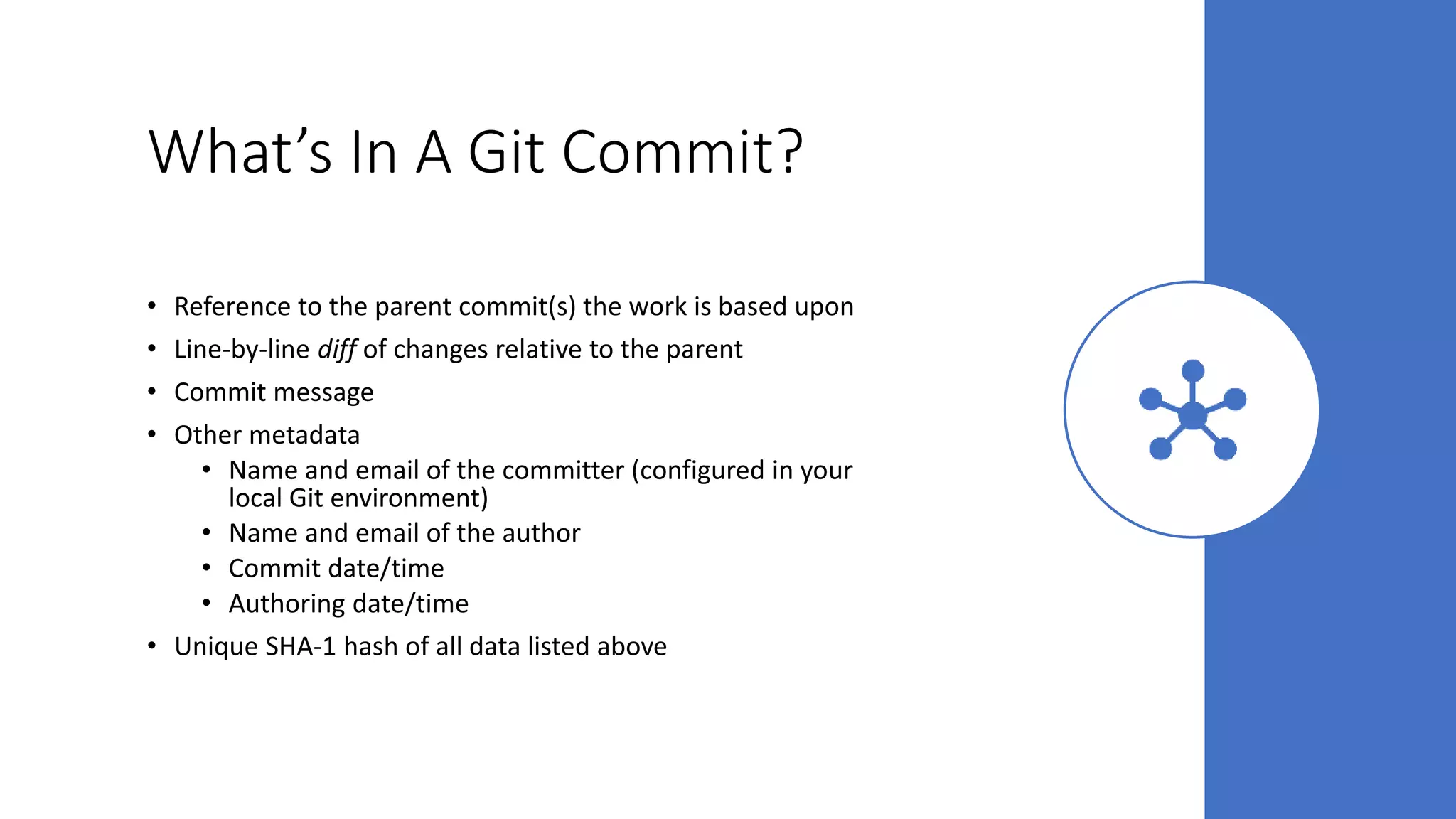
What’s In A Git Commit?
• Reference to the parent commit(s) the work is based upon
• Line-by-line diff of changes relative to the parent
• Commit message
• Other metadata
• Name and email of the committer (configured in your
local Git environment)
• Name and email of the author
• Commit date/time
• Authoring date/time
• Unique SHA-1 hash of all data listed above
Work in Progress (WIP)
• Useful as a backup tool
• Can show ongoing progress on pull requests
• Should be flagged as WIP
• Should not be merged!
What Should A Commit Be?
• A complete unit of work
• A single unit of work
• Passing all tests
• Releasable in and of itself
• Understandable to other developers
Unit of Work
What’s a Unit of Work?
A given task to
be completed
Has defined
goals to be
met
“Releasable”
when
complete
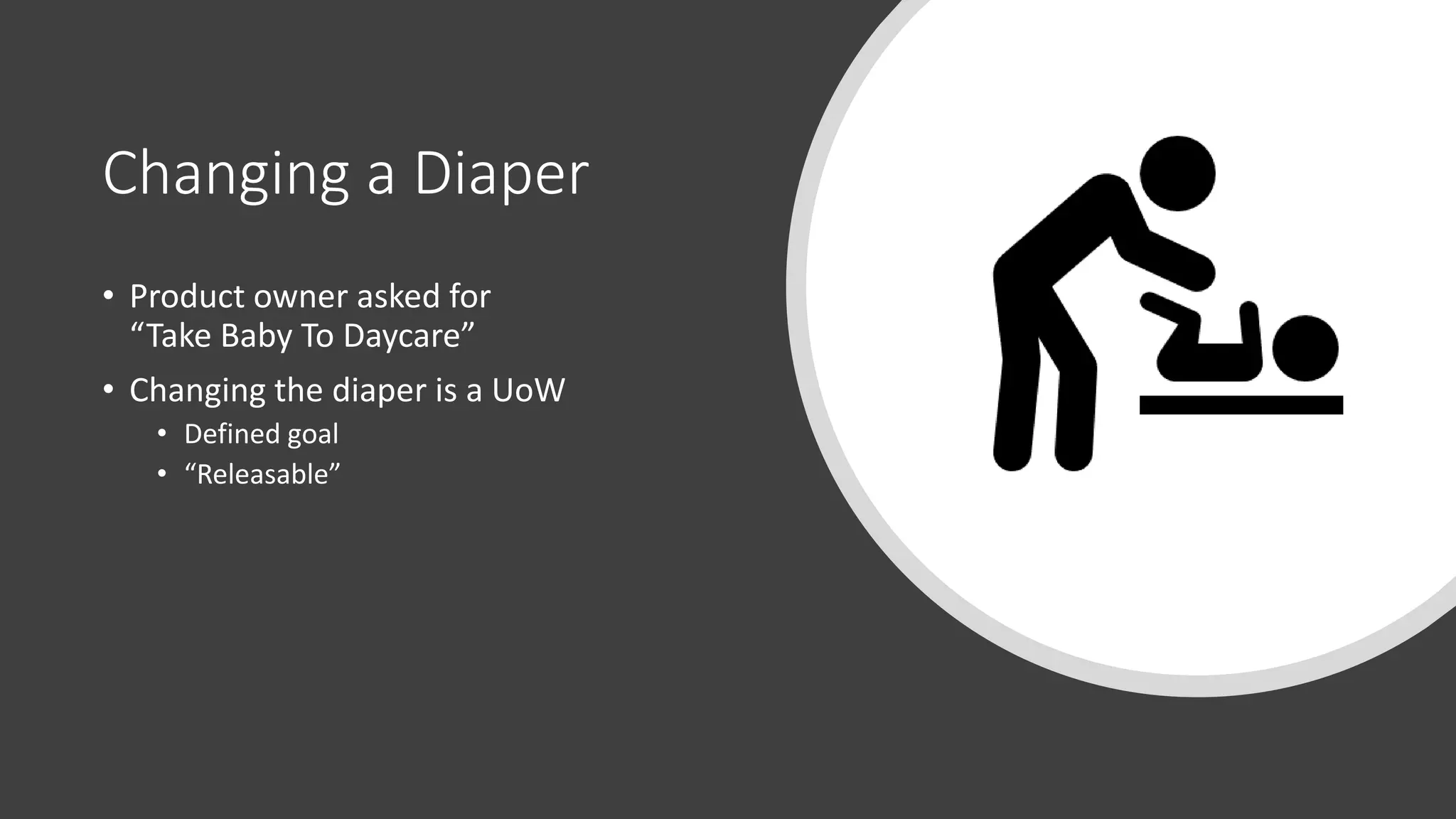
Changing a Diaper
• Product owner asked for
“Take Baby To Daycare”
• Changing the diaper is a UoW
• Defined goal
• “Releasable”
One Commit Per UoW
• Easier to revert/rollback
• More complete picture for peer review
• More concise commit history
• Can be tested before merge
One UoW Per Commit
• Easier to revert/rollback
• Less clutter during peer review
• Work is separated in commit history
• Failed tests on one UoW don’t block the other
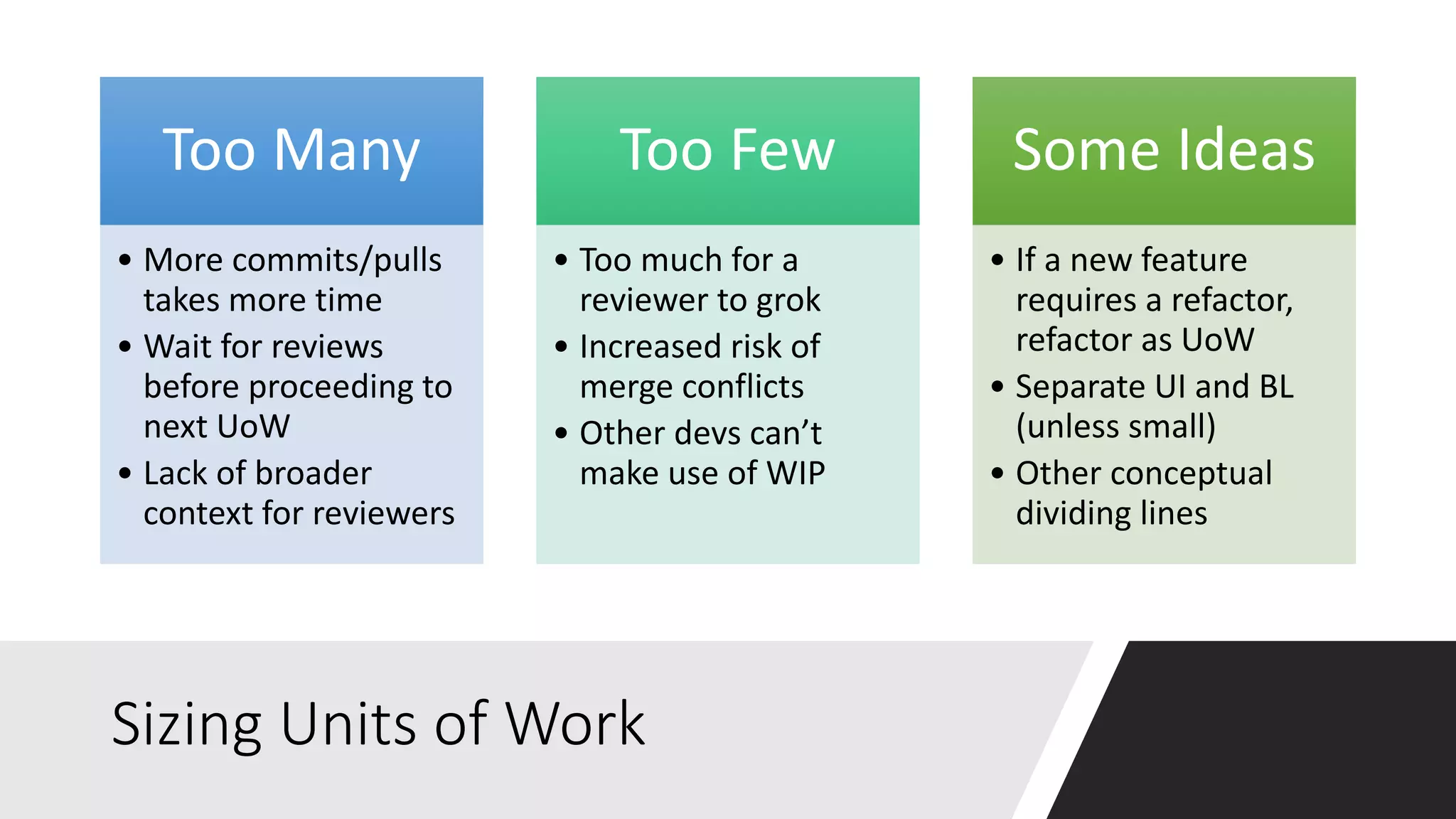
Sizing Units of Work
Too Many
• More commits/pulls
takes more time
• Wait for reviews
before proceeding to
next UoW
• Lack of broader
context for reviewers
Too Few
• Too much for a
reviewer to grok
• Increased risk of
merge conflicts
• Other devs can’t
make use of WIP
Some Ideas
• If a new feature
requires a refactor,
refactor as UoW
• Separate UI and BL
(unless small)
• Other conceptual
dividing lines
Commit Messages
Re-establishing the context of a piece of code is wasteful. We can't avoid it
completely, so our efforts should go to reducing it to as small as possible. Commit
messages can do exactly that and as a result, a commit message shows whether a
developer is a good collaborator.
- Peter Hutterer, 12/28/2009
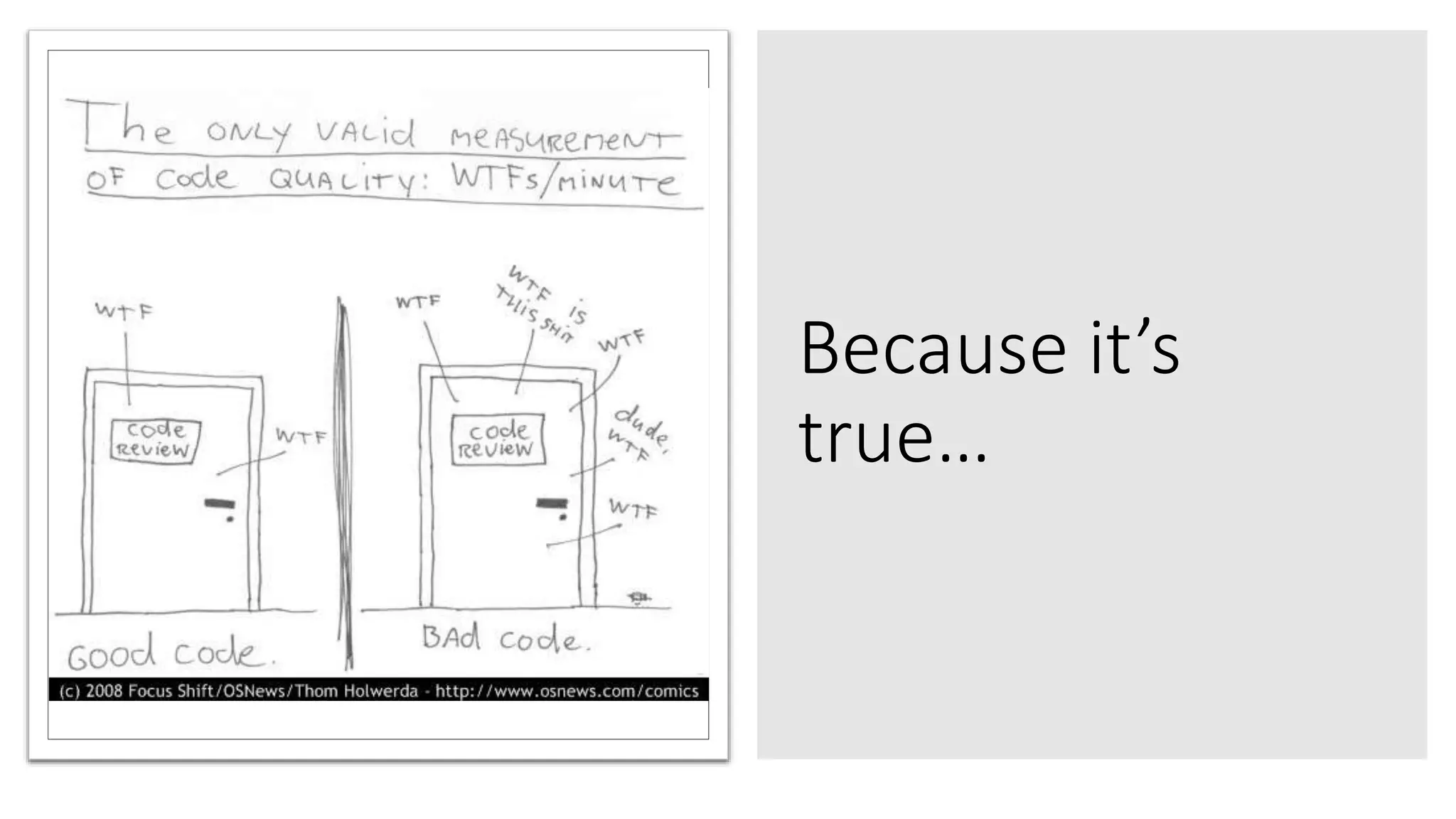
Because it’s
true…
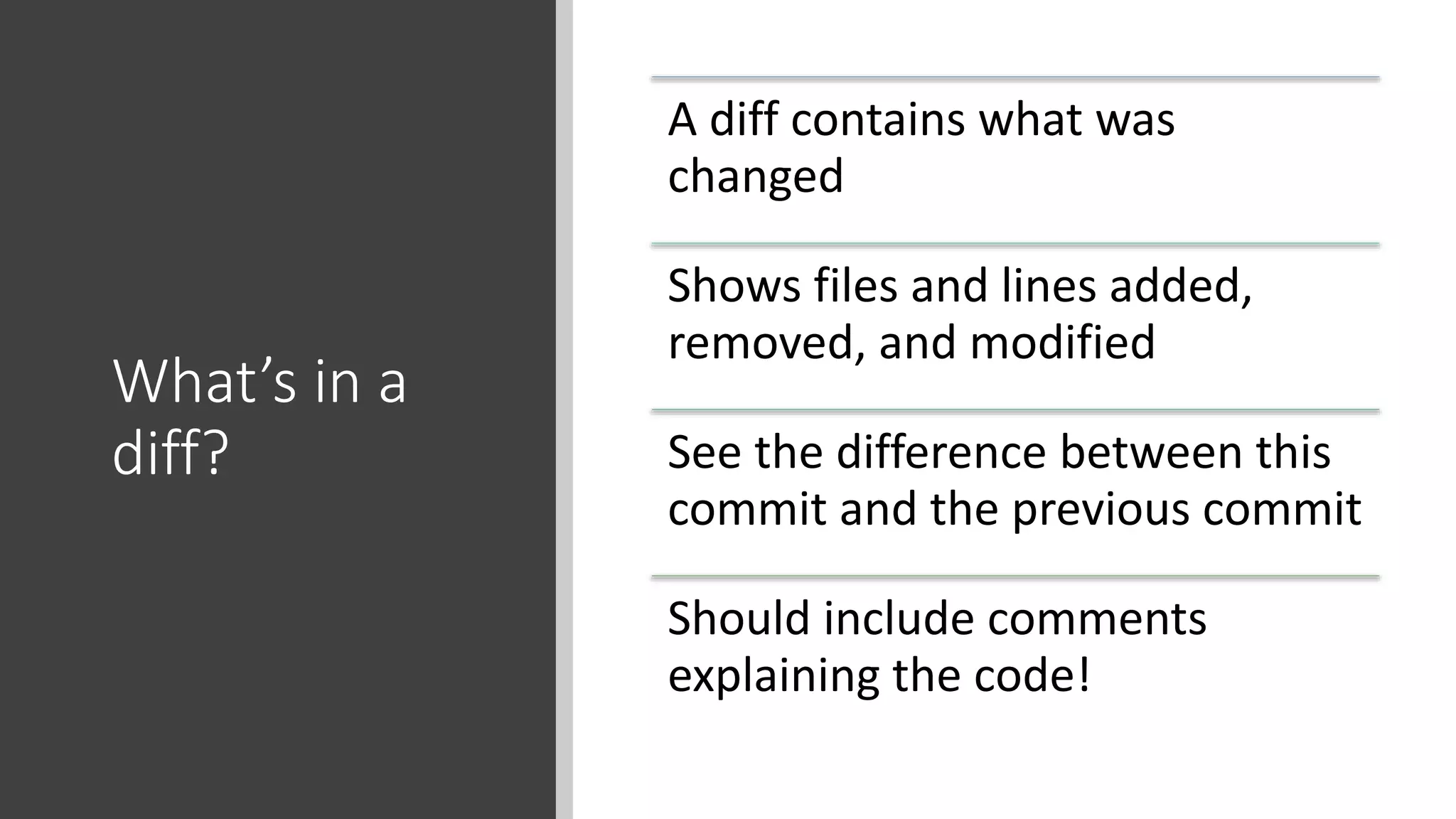
What’s in a
diff?
A diff contains what was
changed
Shows files and lines added,
removed, and modified
See the difference between this
commit and the previous commit
Should include comments
explaining the code!
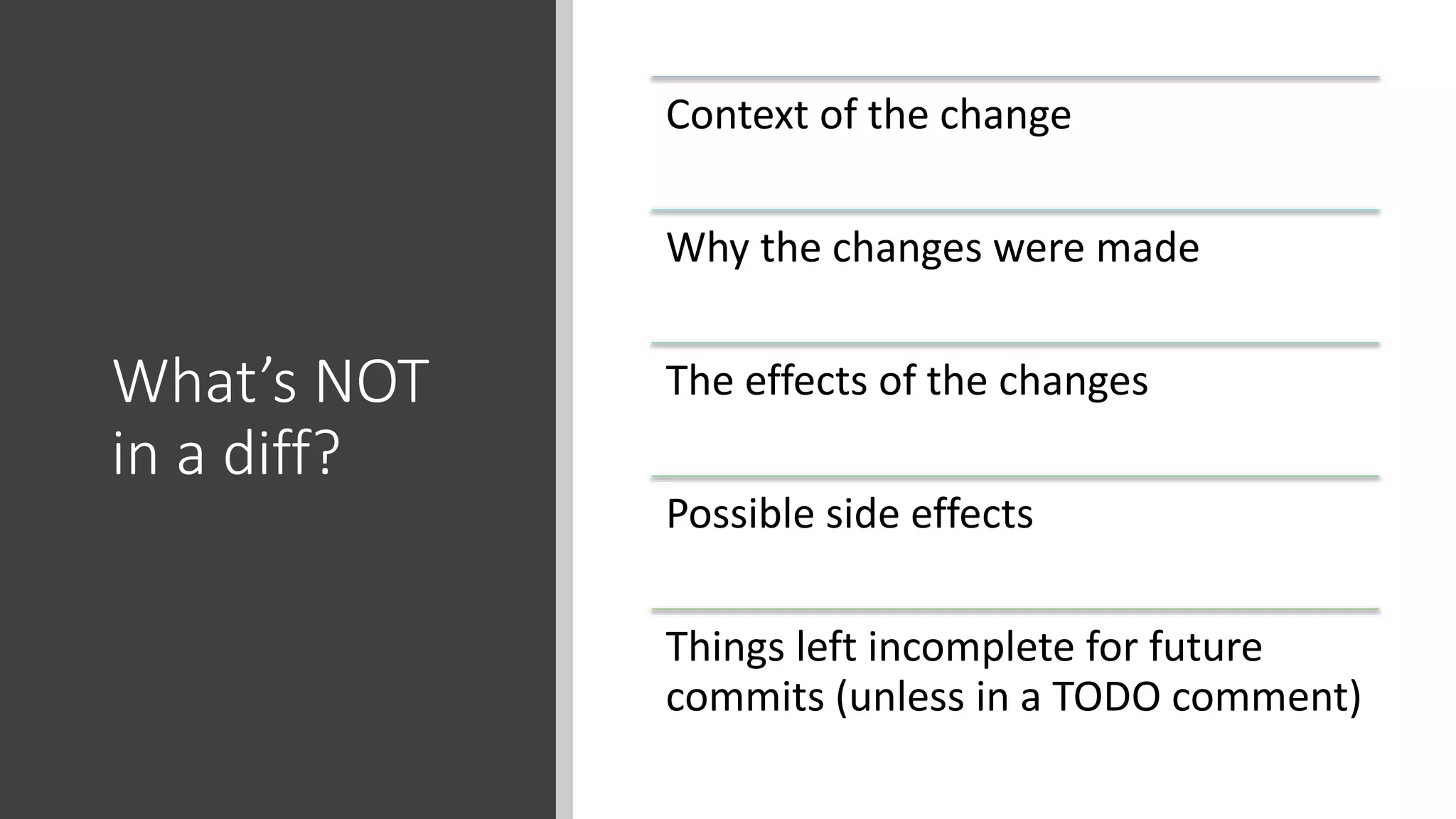
What’s NOT
in a diff?
Context of the change
Why the changes were made
The effects of the changes
Possible side effects
Things left incomplete for future
commits (unless in a TODO comment)
Adapted from Peter Hutterer, http://who-t.blogspot.co.at/2009/12/on-commit-messages.html
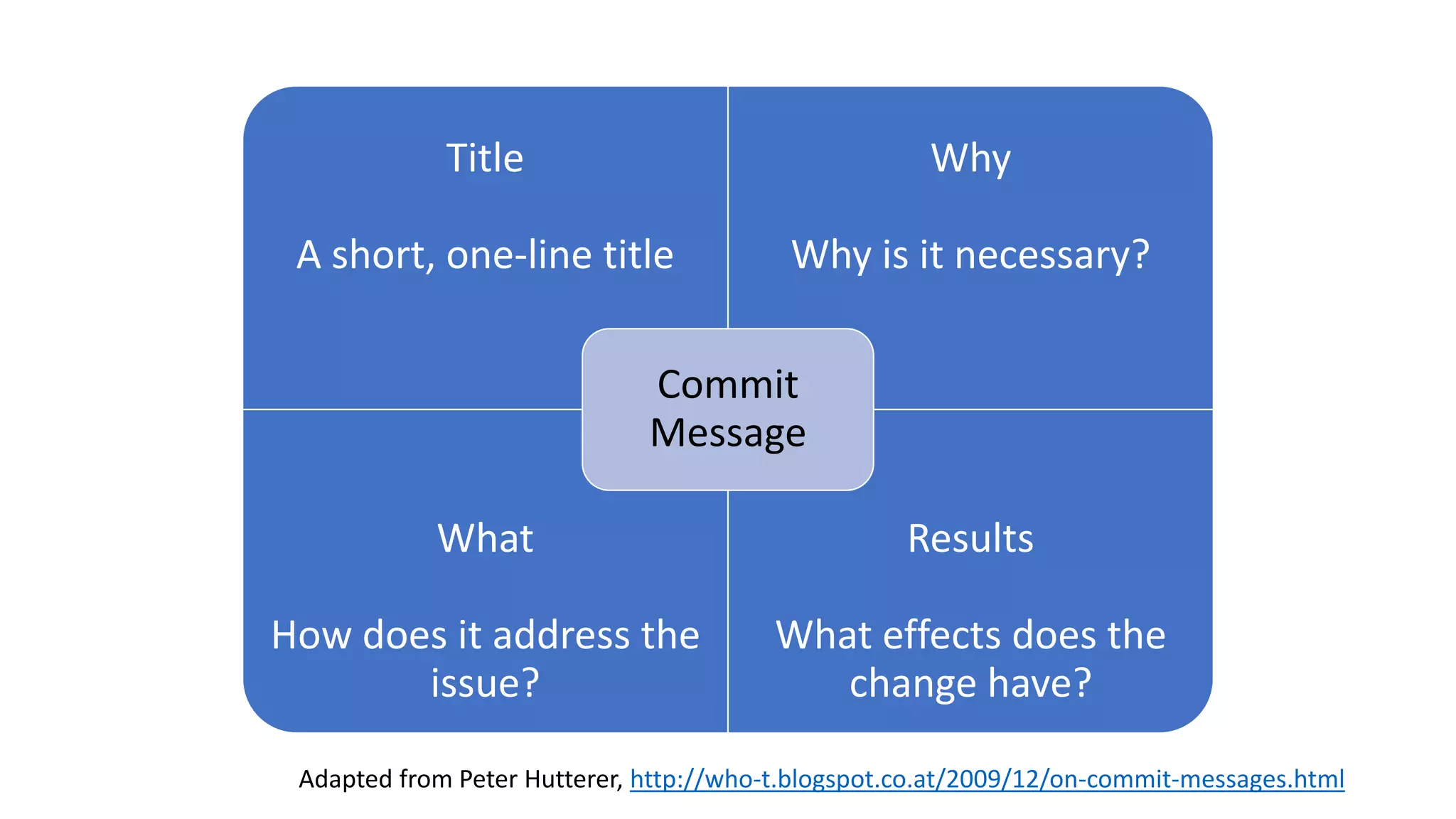
Title
A short, one-line title

Why
Why is it necessary?
What
How does it address the
issue?
Results
What effects does the
change have?
Commit
Message
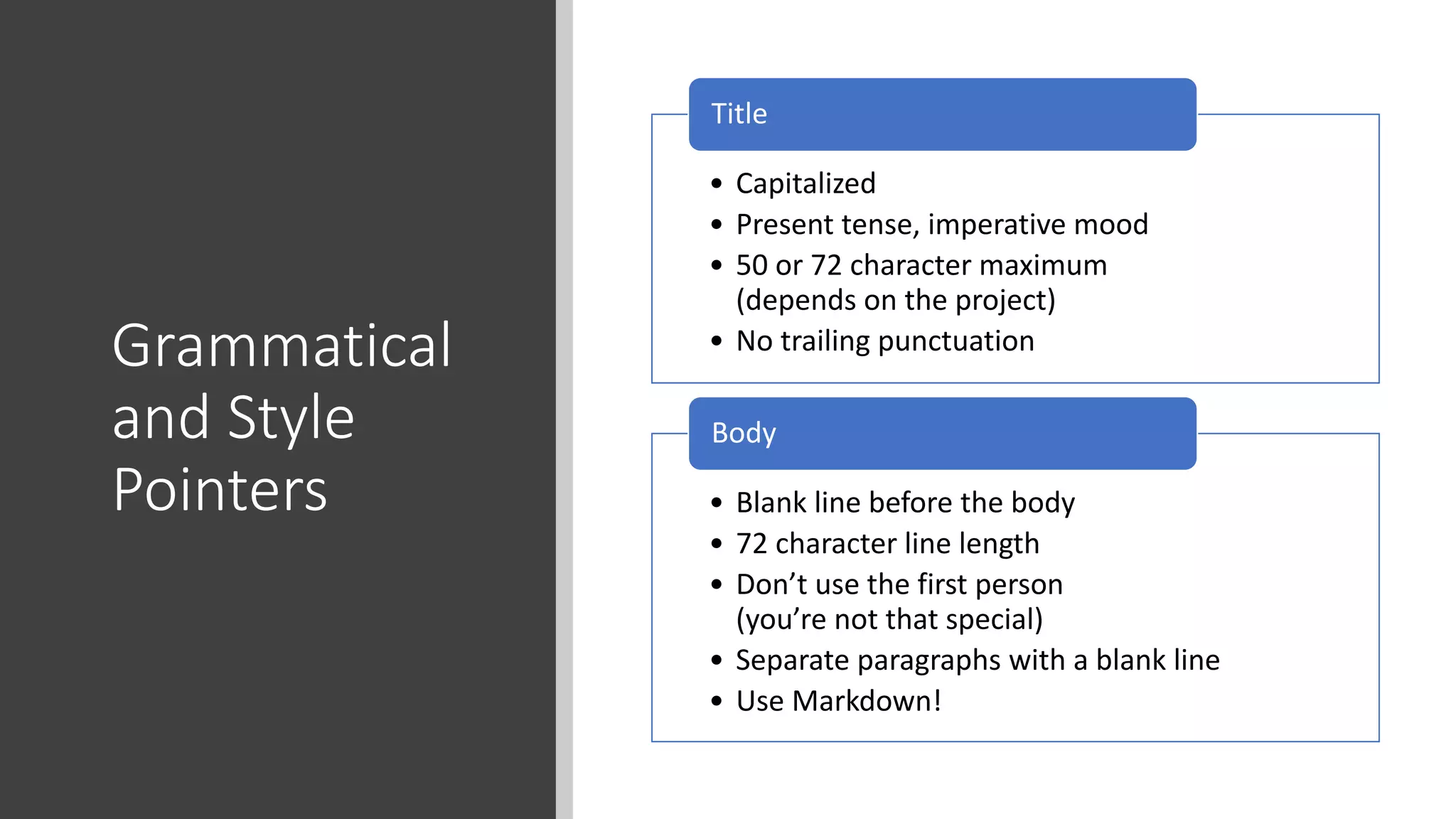
Grammatical
and Style
Pointers
• Capitalized
• Present tense, imperative mood
• 50 or 72 character maximum
(depends on the project)
• No trailing punctuation
Title
• Blank line before the body
• 72 character line length
• Don’t use the first person
(you’re not that special)
• Separate paragraphs with a blank line
• Use Markdown!
Body
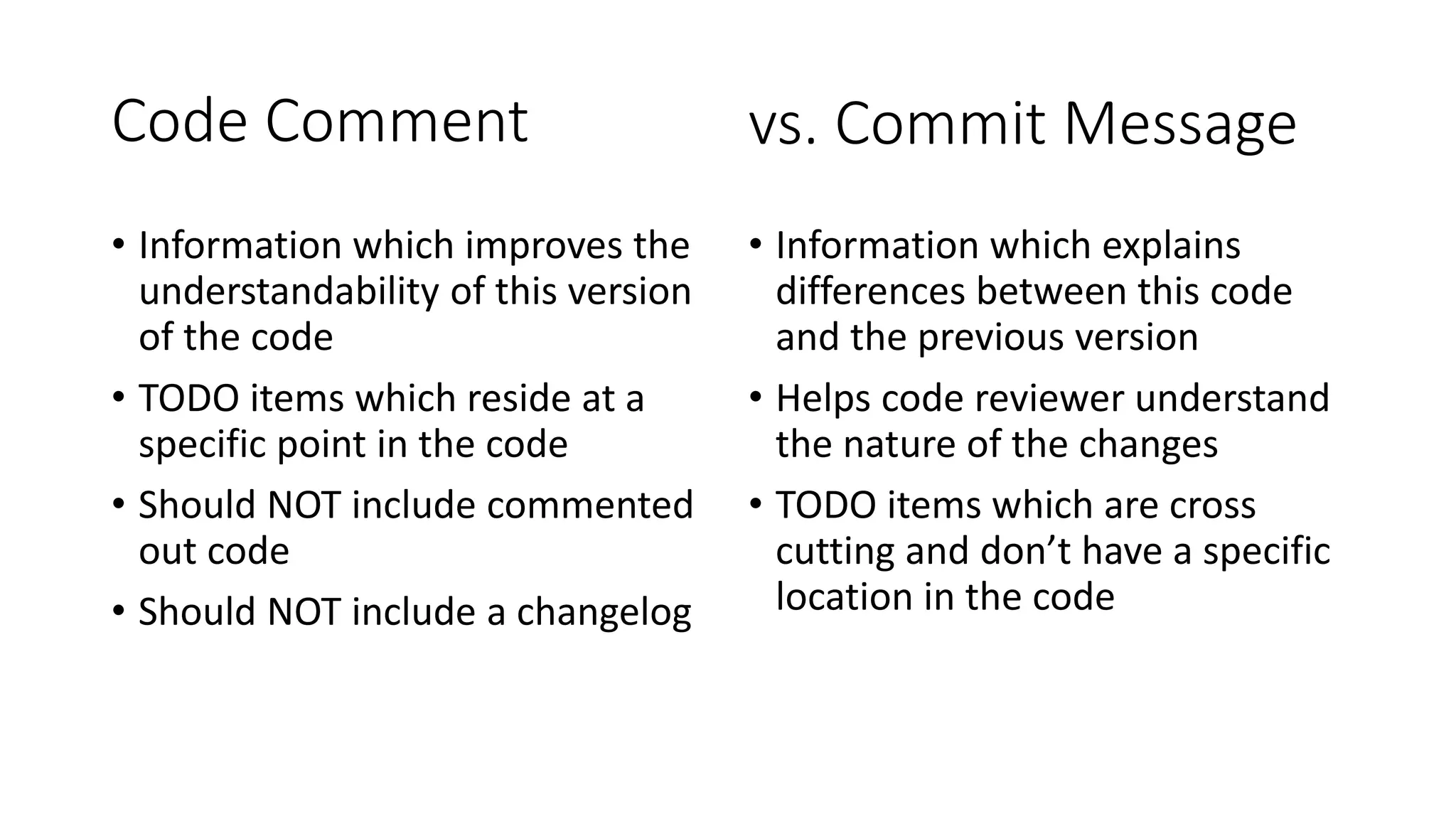
Code Comment
• Information which improves the
understandability of this version
of the code
• TODO items which reside at a
specific point in the code
• Should NOT include commented
out code
• Should NOT include a changelog
• Information which explains
differences between this code
and the previous version
• Helps code reviewer understand
the nature of the changes
• TODO items which are cross
cutting and don’t have a specific
location in the code
vs. Commit Message
Commit Message
Examples
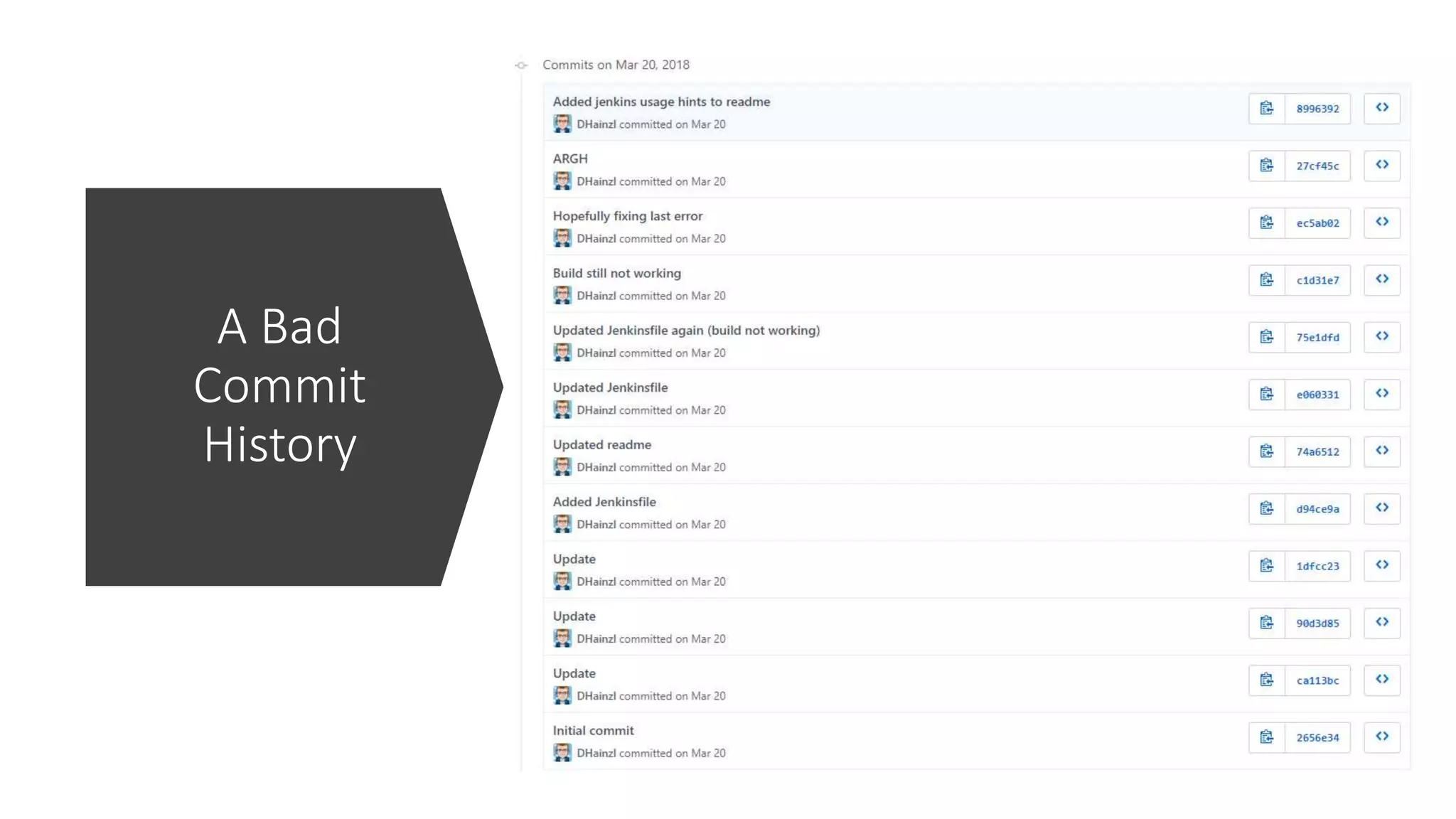
A Bad
Commit
History
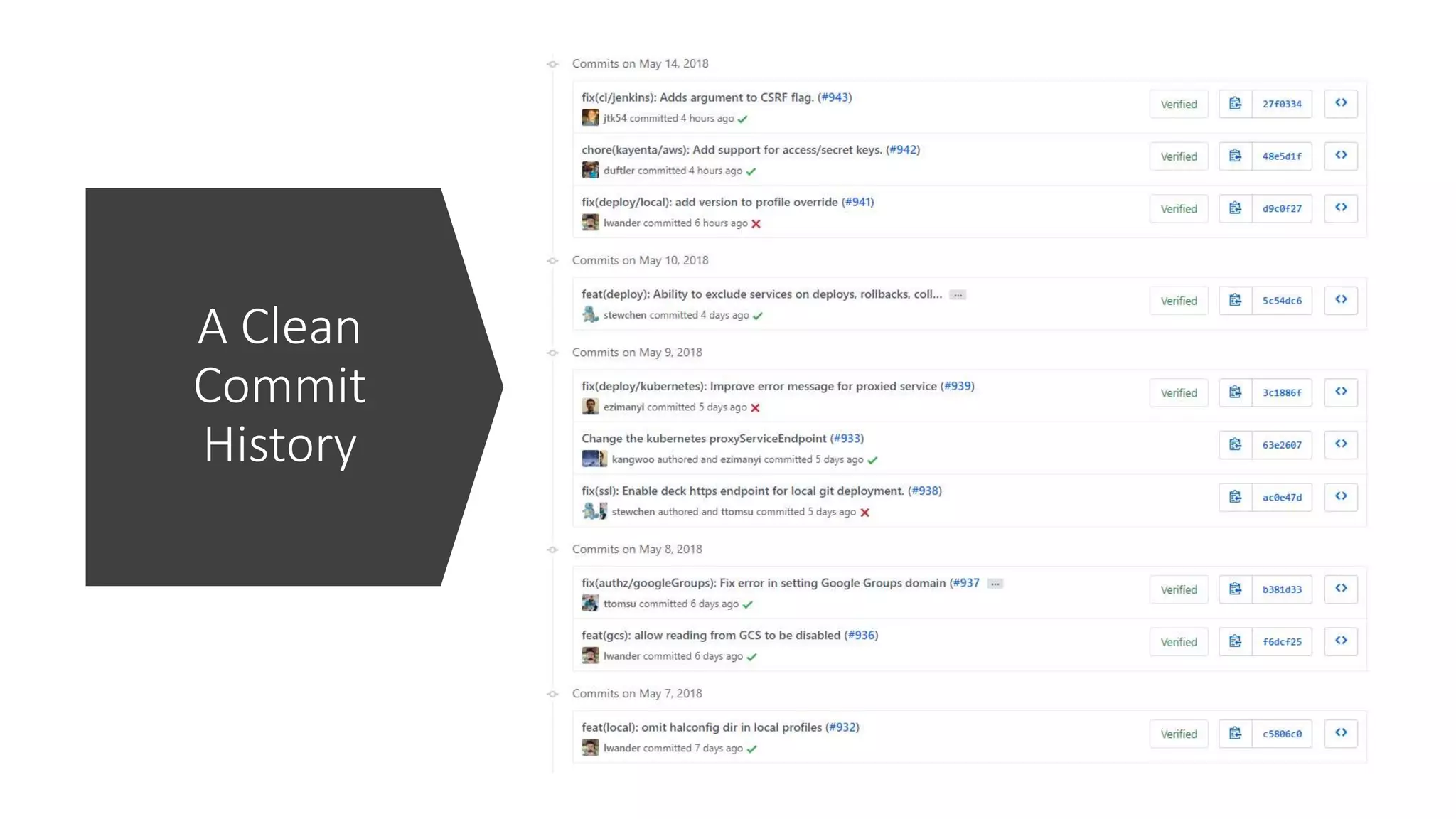
A Clean
Commit
History
This Photo by Unknown Author is licensed under CC BY
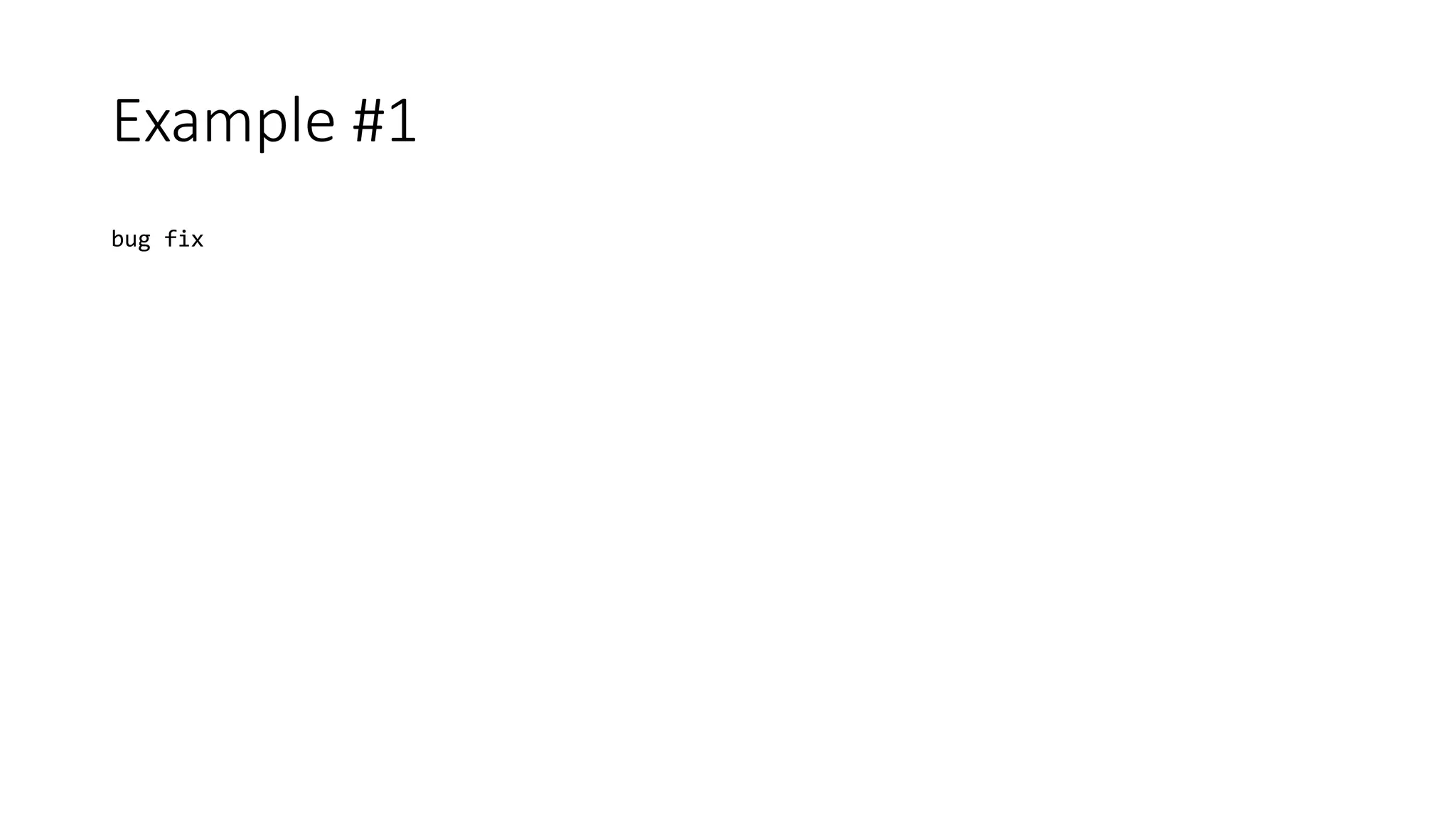
Example #1
bug fix
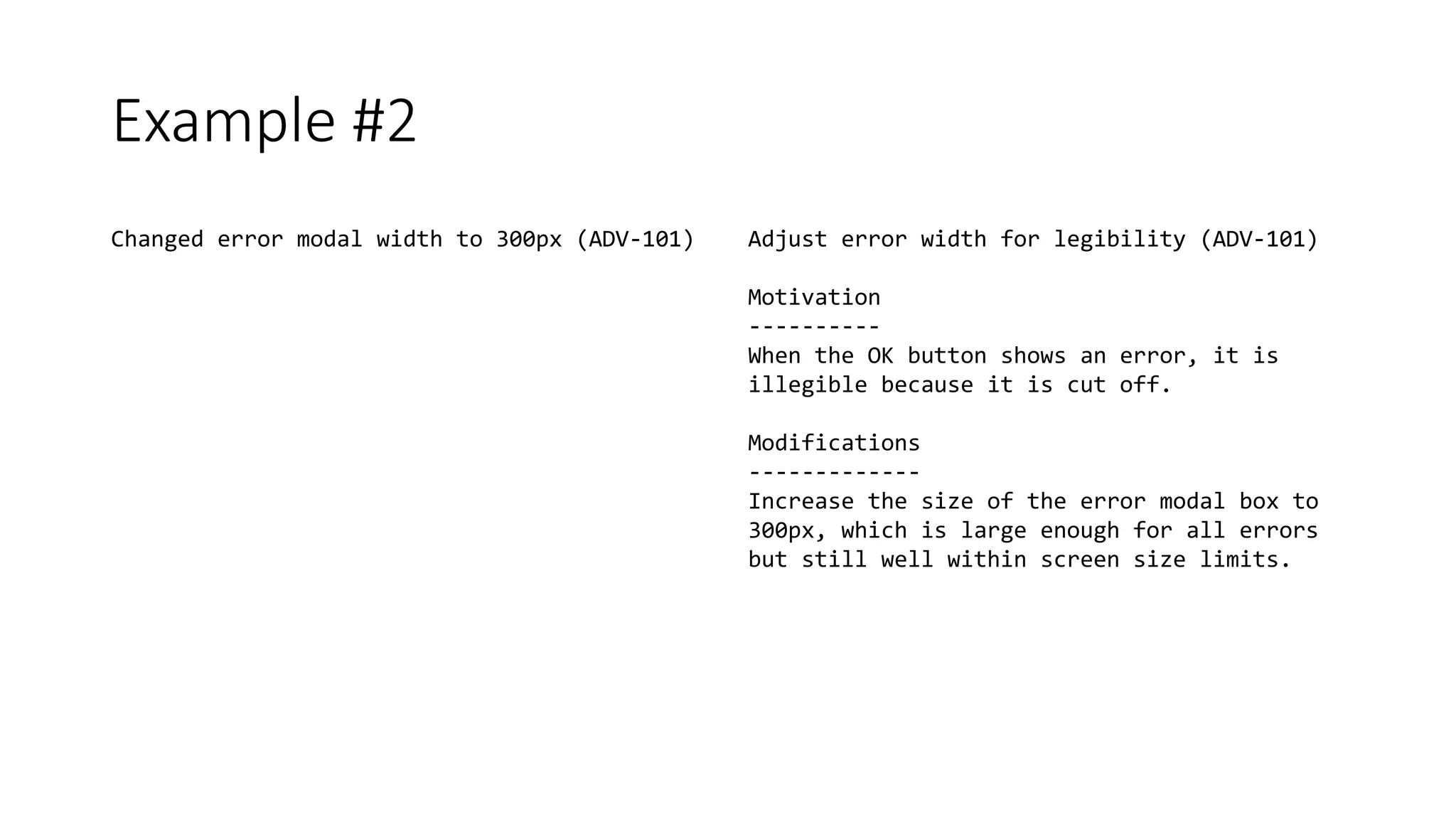
Example #2
Changed error modal width to 300px (ADV-101) Adjust error width for legibility (ADV-101)
Motivation
----------
When the OK button shows an error, it is
illegible because it is cut off.
Modifications
-------------
Increase the size of the error modal box to
300px, which is large enough for all errors
but still well within screen size limits.
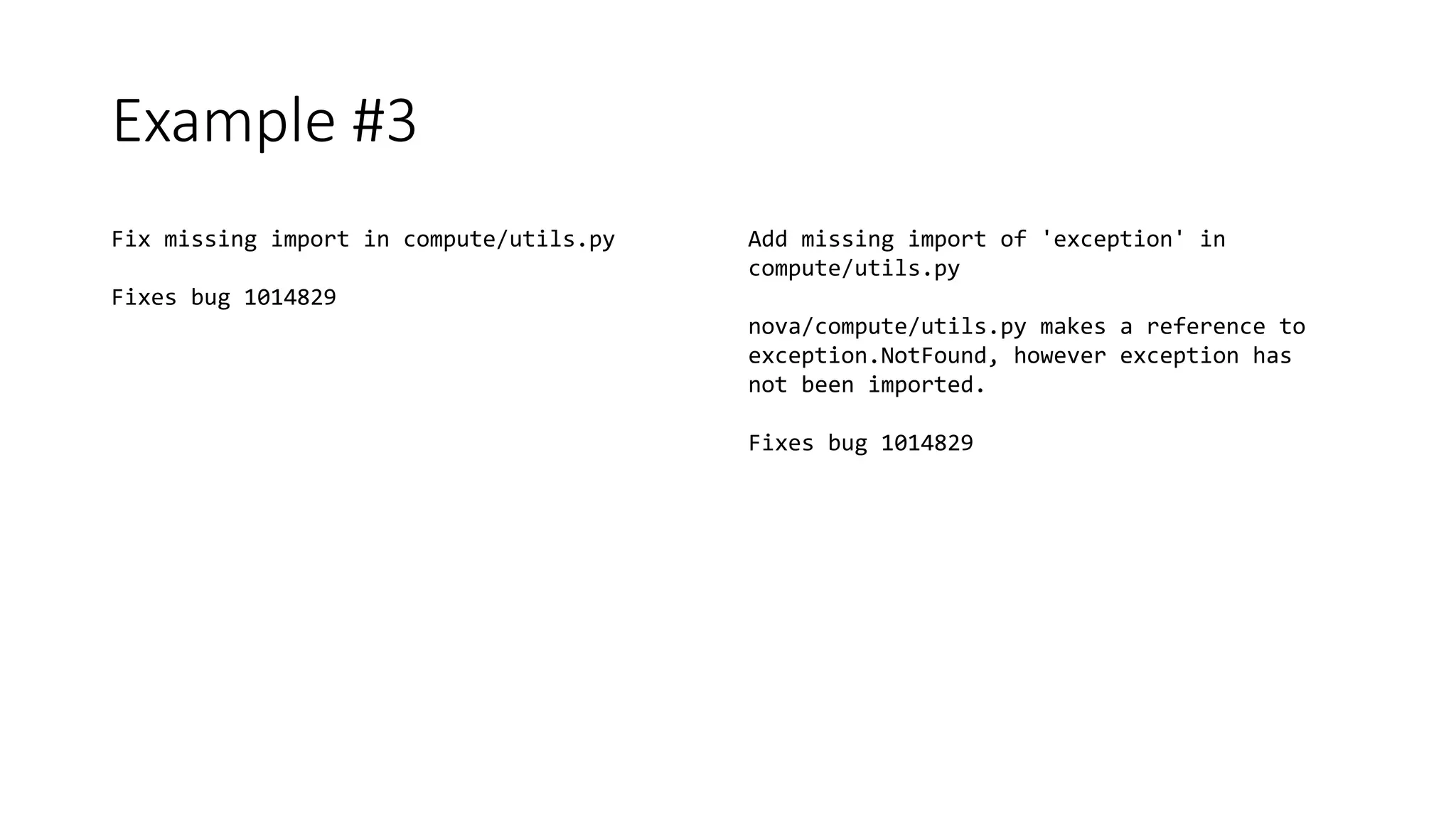
Example #3
Fix missing import in compute/utils.py
Fixes bug 1014829
Add missing import of 'exception' in
compute/utils.py
nova/compute/utils.py makes a reference to
exception.NotFound, however exception has
not been imported.
Fixes bug 1014829
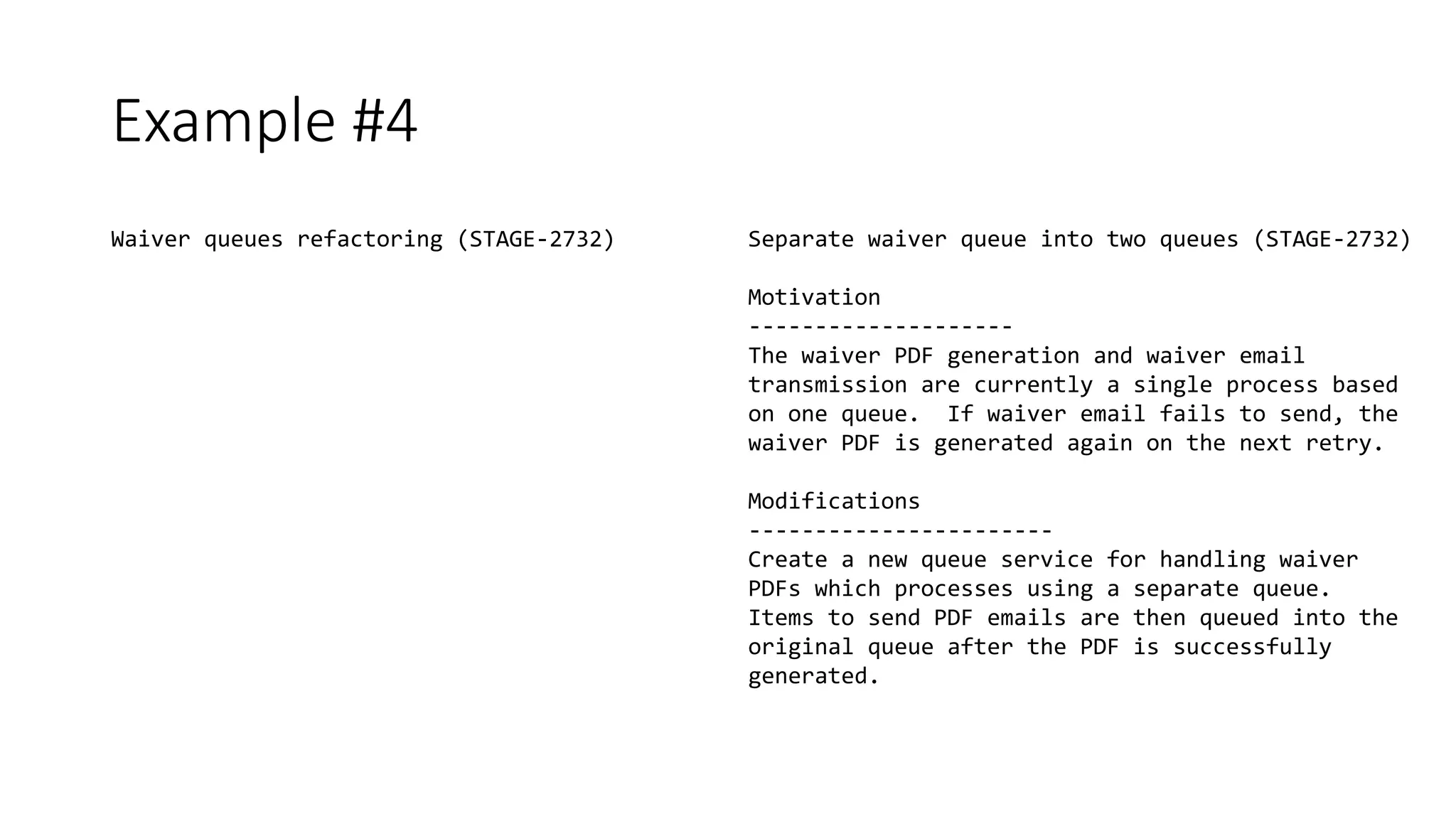
Example #4
Waiver queues refactoring (STAGE-2732) Separate waiver queue into two queues (STAGE-2732)
Motivation
--------------------
The waiver PDF generation and waiver email
transmission are currently a single process based
on one queue. If waiver email fails to send, the
waiver PDF is generated again on the next retry.
Modifications
-----------------------
Create a new queue service for handling waiver
PDFs which processes using a separate queue.
Items to send PDF emails are then queued into the
original queue after the PDF is successfully
generated.
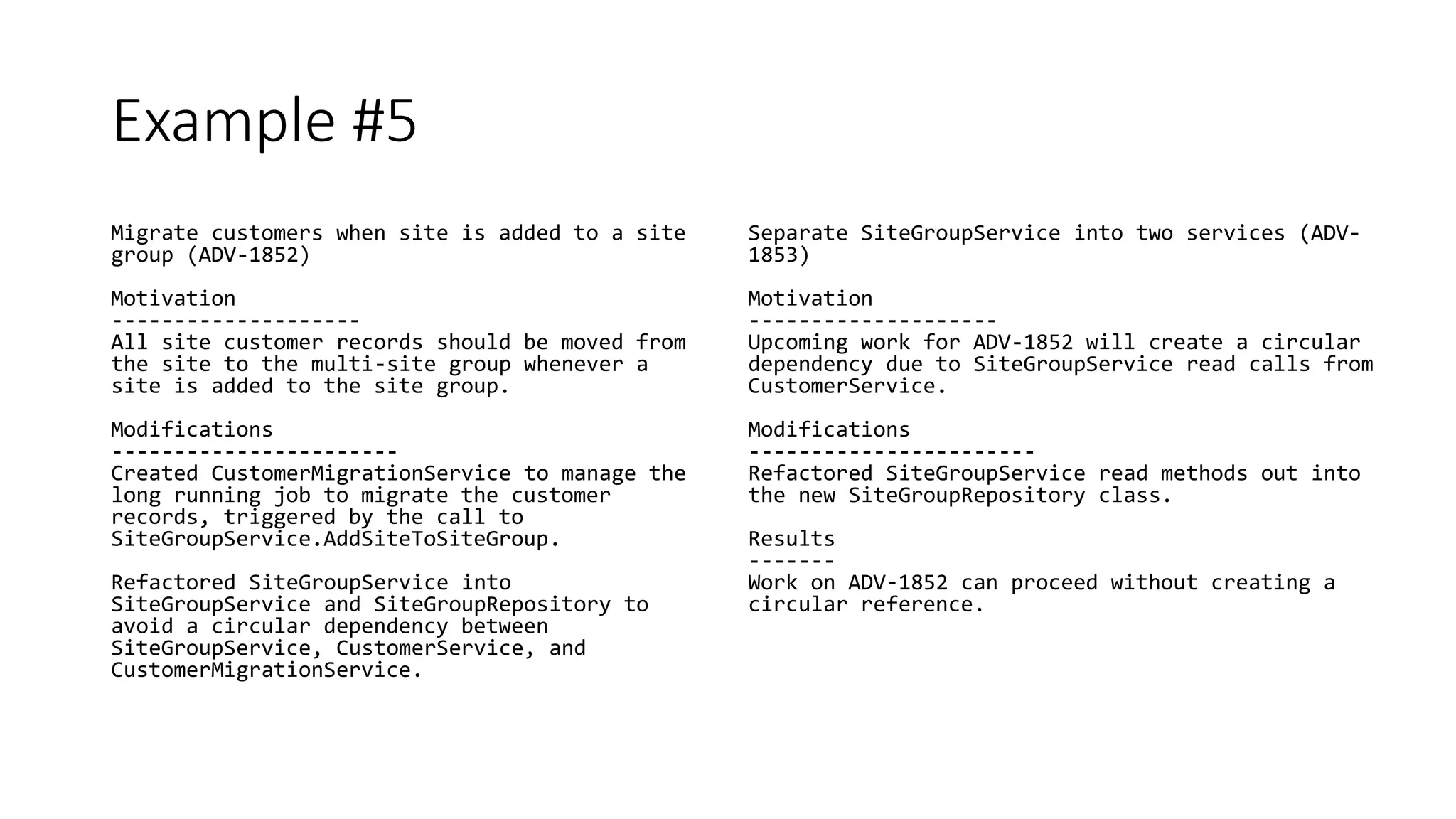
Example #5
Migrate customers when site is added to a site
group (ADV-1852)
Motivation
--------------------
All site customer records should be moved from
the site to the multi-site group whenever a
site is added to the site group.
Modifications
-----------------------
Created CustomerMigrationService to manage the
long running job to migrate the customer
records, triggered by the call to
SiteGroupService.AddSiteToSiteGroup.
Refactored SiteGroupService into
SiteGroupService and SiteGroupRepository to
avoid a circular dependency between
SiteGroupService, CustomerService, and
CustomerMigrationService.
Separate SiteGroupService into two services (ADV-
1853)
Motivation
--------------------
Upcoming work for ADV-1852 will create a circular
dependency due to SiteGroupService read calls from
CustomerService.
Modifications
-----------------------
Refactored SiteGroupService read methods out into
the new SiteGroupRepository class.
Results
-------
Work on ADV-1852 can proceed without creating a
circular reference.
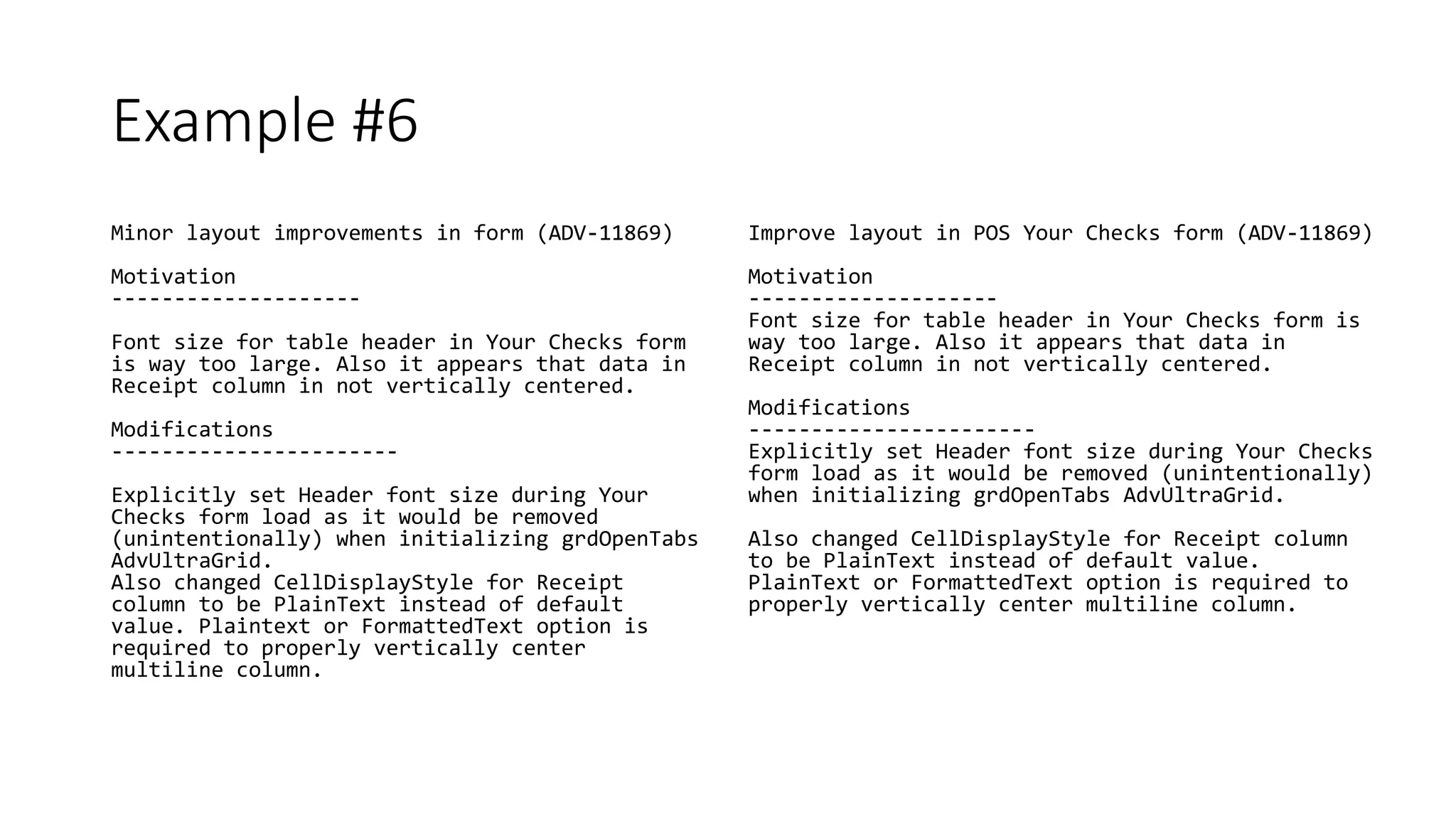
Example #6
Minor layout improvements in form (ADV-11869)
Motivation
--------------------
Font size for table header in Your Checks form
is way too large. Also it appears that data in
Receipt column in not vertically centered.
Modifications
-----------------------
Explicitly set Header font size during Your
Checks form load as it would be removed
(unintentionally) when initializing grdOpenTabs
AdvUltraGrid.
Also changed CellDisplayStyle for Receipt
column to be PlainText instead of default
value. Plaintext or FormattedText option is
required to properly vertically center
multiline column.
Improve layout in POS Your Checks form (ADV-11869)
Motivation
--------------------
Font size for table header in Your Checks form is
way too large. Also it appears that data in
Receipt column in not vertically centered.
Modifications
-----------------------
Explicitly set Header font size during Your Checks
form load as it would be removed (unintentionally)
when initializing grdOpenTabs AdvUltraGrid.
Also changed CellDisplayStyle for Receipt column
to be PlainText instead of default value.
PlainText or FormattedText option is required to
properly vertically center multiline column.
Example #7
Can edit scrambled customer (ADV-11867)
Motivation
------------------------
Users should not be able to edit or merge a
scrambled customer.
Modifications
-----------------------
Added check to prevent user from editing or
merging a just-scrambled customer.
Prevent edit of scrambled customers (ADV-11867)
Motivation
------------------------
Users should not be able to edit or merge a
scrambled customer.
Modifications
-----------------------
Added check to prevent user from editing or
merging a just-scrambled customer.
Thanks for Coming!
Questions?
This Photo by Unknown Author is licensed under CC BY-NC-ND

Crafting Better Git Commits

  • 1.
    Crafting Better GitCommits TriNUG 7/18/2018
  • 2.
    Who is thisguy? • Brant Burnett - @btburnett3 • Systems Architect at CenterEdge Software • .NET since 1.0, SQL Server since 7.0 • MCSD, MCDBA • Experience from desktop apps to large scale cloud services
  • 3.
    Source Control Experience • SVN,Perforce • Git/GitHub for last 4 years • Git power user (not an expert, though) • Lots of different team sizes • Internal and open source This Photo by Unknown Author is licensed under CC BY-NC
  • 5.
    All Teams AreNot Created Equal This Photo by Unknown Author is licensed under CC BY-SA
  • 6.
    Why Should ICare? • Easier, faster pull request reviews • Browse history of a file or folder more quickly • Improved ability to research and revert regressions • Better understanding of why a change was made before another developer reverts it for some other reason • EVERY project is a collaborative project, even a project with a single developer!
  • 7.
  • 8.
  • 9.
    What’s In AGit Commit? • Reference to the parent commit(s) the work is based upon • Line-by-line diff of changes relative to the parent • Commit message • Other metadata • Name and email of the committer (configured in your local Git environment) • Name and email of the author • Commit date/time • Authoring date/time • Unique SHA-1 hash of all data listed above
  • 10.
    Work in Progress(WIP) • Useful as a backup tool • Can show ongoing progress on pull requests • Should be flagged as WIP • Should not be merged!
  • 11.
    What Should ACommit Be? • A complete unit of work • A single unit of work • Passing all tests • Releasable in and of itself • Understandable to other developers
  • 12.
  • 13.
    What’s a Unitof Work? A given task to be completed Has defined goals to be met “Releasable” when complete
  • 14.
    Changing a Diaper •Product owner asked for “Take Baby To Daycare” • Changing the diaper is a UoW • Defined goal • “Releasable”
  • 15.
    One Commit PerUoW • Easier to revert/rollback • More complete picture for peer review • More concise commit history • Can be tested before merge
  • 16.
    One UoW PerCommit • Easier to revert/rollback • Less clutter during peer review • Work is separated in commit history • Failed tests on one UoW don’t block the other
  • 17.
    Sizing Units ofWork Too Many • More commits/pulls takes more time • Wait for reviews before proceeding to next UoW • Lack of broader context for reviewers Too Few • Too much for a reviewer to grok • Increased risk of merge conflicts • Other devs can’t make use of WIP Some Ideas • If a new feature requires a refactor, refactor as UoW • Separate UI and BL (unless small) • Other conceptual dividing lines
  • 18.
  • 19.
    Re-establishing the contextof a piece of code is wasteful. We can't avoid it completely, so our efforts should go to reducing it to as small as possible. Commit messages can do exactly that and as a result, a commit message shows whether a developer is a good collaborator. - Peter Hutterer, 12/28/2009
  • 20.
  • 21.
    What’s in a diff? Adiff contains what was changed Shows files and lines added, removed, and modified See the difference between this commit and the previous commit Should include comments explaining the code!
  • 22.
    What’s NOT in adiff? Context of the change Why the changes were made The effects of the changes Possible side effects Things left incomplete for future commits (unless in a TODO comment)
  • 23.
    Adapted from PeterHutterer, http://who-t.blogspot.co.at/2009/12/on-commit-messages.html Title A short, one-line title Why Why is it necessary? What How does it address the issue? Results What effects does the change have? Commit Message
  • 24.
    Grammatical and Style Pointers • Capitalized •Present tense, imperative mood • 50 or 72 character maximum (depends on the project) • No trailing punctuation Title • Blank line before the body • 72 character line length • Don’t use the first person (you’re not that special) • Separate paragraphs with a blank line • Use Markdown! Body
  • 25.
    Code Comment • Informationwhich improves the understandability of this version of the code • TODO items which reside at a specific point in the code • Should NOT include commented out code • Should NOT include a changelog • Information which explains differences between this code and the previous version • Helps code reviewer understand the nature of the changes • TODO items which are cross cutting and don’t have a specific location in the code vs. Commit Message
  • 26.
  • 27.
  • 28.
  • 29.
    This Photo byUnknown Author is licensed under CC BY
  • 30.
  • 31.
    Example #2 Changed errormodal width to 300px (ADV-101) Adjust error width for legibility (ADV-101) Motivation ---------- When the OK button shows an error, it is illegible because it is cut off. Modifications ------------- Increase the size of the error modal box to 300px, which is large enough for all errors but still well within screen size limits.
  • 32.
    Example #3 Fix missingimport in compute/utils.py Fixes bug 1014829 Add missing import of 'exception' in compute/utils.py nova/compute/utils.py makes a reference to exception.NotFound, however exception has not been imported. Fixes bug 1014829
  • 33.
    Example #4 Waiver queuesrefactoring (STAGE-2732) Separate waiver queue into two queues (STAGE-2732) Motivation -------------------- The waiver PDF generation and waiver email transmission are currently a single process based on one queue. If waiver email fails to send, the waiver PDF is generated again on the next retry. Modifications ----------------------- Create a new queue service for handling waiver PDFs which processes using a separate queue. Items to send PDF emails are then queued into the original queue after the PDF is successfully generated.
  • 34.
    Example #5 Migrate customerswhen site is added to a site group (ADV-1852) Motivation -------------------- All site customer records should be moved from the site to the multi-site group whenever a site is added to the site group. Modifications ----------------------- Created CustomerMigrationService to manage the long running job to migrate the customer records, triggered by the call to SiteGroupService.AddSiteToSiteGroup. Refactored SiteGroupService into SiteGroupService and SiteGroupRepository to avoid a circular dependency between SiteGroupService, CustomerService, and CustomerMigrationService. Separate SiteGroupService into two services (ADV- 1853) Motivation -------------------- Upcoming work for ADV-1852 will create a circular dependency due to SiteGroupService read calls from CustomerService. Modifications ----------------------- Refactored SiteGroupService read methods out into the new SiteGroupRepository class. Results ------- Work on ADV-1852 can proceed without creating a circular reference.
  • 35.
    Example #6 Minor layoutimprovements in form (ADV-11869) Motivation -------------------- Font size for table header in Your Checks form is way too large. Also it appears that data in Receipt column in not vertically centered. Modifications ----------------------- Explicitly set Header font size during Your Checks form load as it would be removed (unintentionally) when initializing grdOpenTabs AdvUltraGrid. Also changed CellDisplayStyle for Receipt column to be PlainText instead of default value. Plaintext or FormattedText option is required to properly vertically center multiline column. Improve layout in POS Your Checks form (ADV-11869) Motivation -------------------- Font size for table header in Your Checks form is way too large. Also it appears that data in Receipt column in not vertically centered. Modifications ----------------------- Explicitly set Header font size during Your Checks form load as it would be removed (unintentionally) when initializing grdOpenTabs AdvUltraGrid. Also changed CellDisplayStyle for Receipt column to be PlainText instead of default value. PlainText or FormattedText option is required to properly vertically center multiline column.
  • 36.
    Example #7 Can editscrambled customer (ADV-11867) Motivation ------------------------ Users should not be able to edit or merge a scrambled customer. Modifications ----------------------- Added check to prevent user from editing or merging a just-scrambled customer. Prevent edit of scrambled customers (ADV-11867) Motivation ------------------------ Users should not be able to edit or merge a scrambled customer. Modifications ----------------------- Added check to prevent user from editing or merging a just-scrambled customer.
  • 37.
  • 38.
    Questions? This Photo byUnknown Author is licensed under CC BY-NC-ND

Editor's Notes

  • #5 Opinions are like ____________ These are opinions I’ve acquired over the years, both from others and my own experience
  • #6 Don’t assume that anything in this presentation is a hard rule These are ideas and guidelines Every team should pick and choose the ideas that work best for them
  • #7 If your team isn’t doing pull request reviews, you’re missing out You’re just collaborating with future you!
  • #11 The rest of this presentation will assume we’re talking about completed work commits, not WIP
  • #14 May be a bug, feature, task, or any other type of issue May be a whole issue or a sub-task within an issue tracker “Releasable” doesn’t mean that an entire feature that will make the product design team happy is complete, just means that the product as a whole could be released and this wouldn’t break it
  • #15 Product owner = Wife One step in changing the diaper is taking the old diaper off This is *not* releasable. Bad things will happen if you let the baby crawl around with no diaper.
  • #16 Revert/rollback – Only one commit to find when doing the revert Also, what if other devs did work between your two commits? Can be tested before the merge - given CI/CD infrastructure
  • #17 Easier to revert/rollback – Won’t undo other work reverting this UoW This includes significant reformatting, do a separate commit first for reformatting so your key changes aren’t cluttered with that work
  • #18 Deciding how to break up your units of work is a bit of a balancing act, and requires experience
  • #20 This applies during the review process, as well as later when researching changes
  • #23 These are the things we should make sure to include in our commit message
  • #24 A short, one-line title Makes reviewing lists of commits much easier Provides high level context quickly Why is it necessary? Fixing a bug? Adding a new feature? Refactoring for maintainability? More than just the description on the issue tracking system, especially for technical issues How does it address the issue? For short obvious patches this part can be omitted, but it should be a high level description of the approach What effects does the change have? No need to state the obvious, like “Fixes the bug” Changes to benchmarks? Side effects?
  • #25 50/72 is based on legibility in the Git command line (i.e. “git log”), also affects some things in GitHub Imperative mood = Forms a command or request i.e. “Correct error message on button press” rather than “Corrected the error message when the button is pressed” “If applied, this commit will…”
  • #26 Commented out code and changelog = This isn’t the 1990’s. That’s what your Git history is for. Example of TODO at specific point = unimplemented method Example of cross cutting TODO = implement handling of some specific edge case (should probably also be filed in issue tracker) Referencing issues in the issue tracker for TODOs, in either place, is a good practice Note: Good code shouldn’t need a lot of comments, but sometimes they’re necessary
  • #28 This is from a GitHub repo made by DHainzl to specifically show what you should not do
  • #29 From Spinnaker Halyard commit history
  • #30 Now we come to the audience participation part of this presentation… There are no right or wrong answers, including the example improvements
  • #31 Do I really need to explain why this is horrible? Subject line is not written in the imperative mode Subject line doesn’t provide any summary about work done No link to issue tracking system Provides no information about the context for a reviewer If all commits are named like this, you end up with lots of duplicate commit msgs (commit msg smell)
  • #32 Duplicates information we can already see in the diff, doesn’t tell us anything about the context of the change such as what the goal was or why this approach was chosen Subject line is not written in imperative mood Note the use of sections to break out the Why and What (we typically include Results if there are non-obvious side effects, etc) Saying 300px is a bit of a gray area. It’s in the code, but not needing to dig for it may be helpful.
  • #33 Doesn’t clearly indicate the missing import. For code review, this is in the body of the changes, but when scrolling through a list of commits would be helpful on the first line Information about motivation could be found by following the issue tracker number, but it’s more self-contained if that information is in the commit message
  • #34 Subject line is not written in imperative mood Provides no context about the change to a reviewer
  • #35 This makes for a very large UoW Better to split into two commits, one for the refactor and one for the migration service
  • #36 Not written in imperative mood Paragraph formatting is slightly off
  • #37 Not written in imperative mood, subject line makes it unclear if you can before the change or can after the change You could also argue that the modifications information is a bit redundant