Coronavirus and Remote Working:
What You Need to Know
2
3
Remote Working Best Practices
4
#1
Make It Easy
For Users to Get Started
-
-
-
-
-
-
-
-
-
-
-
-
-
-
-
-
-
-
-
-
-
-
-
-
-
-
-
-
-
-
-
-
-
-
-
-
-
-
-
5
6
#2
Ensure Devices And Systems
Are Fully Protected
7
8
9
10
#3
Encrypt Devices Wherever Possible
11
12
#4
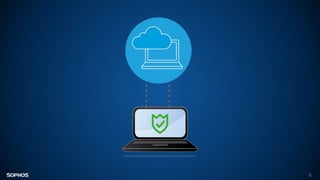
Create a Secure Connection
Back to the Office
- - - - - - - - - - - - - - - - - - - - - - - -
13
14
#5
Scan and Secure Email and
Establish Healthy Practice
15
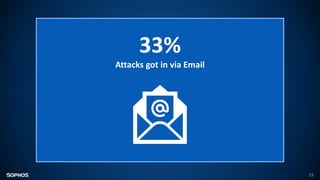
33%
Attacks got in via Email
16
17
#6
Enable Web Filtering
18
19
#7
Enable Use of Cloud Storage for
Files and Data
20
21
#8
Manage the Use of Removable
Storage and Other Peripherals
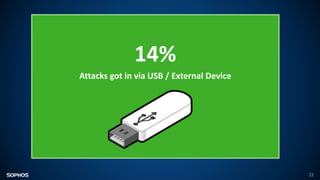
14%
Attacks got in via USB / External Device
22
23
#9
Control Mobile Devices
24
25
#10
Make Sure People Have A Way to
Report Security Issues
26
27
#11
Make Sure You Know About
โ€œShadow ITโ€ Solutions
28
29
30
Remote Working Best Practices
for Users
Cybersecurity Best Practices for Users
31
1. Change default passwords on home Wi-Fi routers etc.
2. Use different, strong passwords on every account and device
3. Update all your devices, applications and operating systems and keep
them up to date
Cybersecurity Best Practices for Users
32
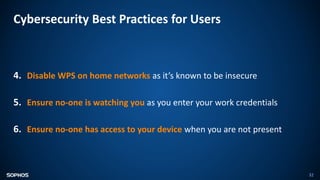
4. Disable WPS on home networks as itโ€™s known to be insecure
5. Ensure no-one is watching you as you enter your work credentials
6. Ensure no-one has access to your device when you are not present
Summary
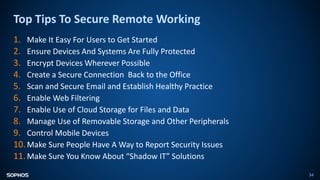
Top Tips To Secure Remote Working
34
1. Make It Easy For Users to Get Started
2. Ensure Devices And Systems Are Fully Protected
3. Encrypt Devices Wherever Possible
4. Create a Secure Connection Back to the Office
5. Scan and Secure Email and Establish Healthy Practice
6. Enable Web Filtering
7. Enable Use of Cloud Storage for Files and Data
8. Manage Use of Removable Storage and Other Peripherals
9. Control Mobile Devices
10. Make Sure People Have A Way to Report Security Issues
11. Make Sure You Know About โ€œShadow ITโ€ Solutions
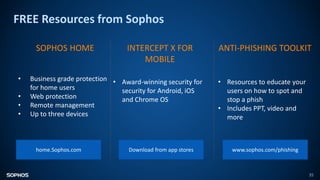
FREE Resources from Sophos
35
SOPHOS HOME
โ€ข Business grade protection
for home users
โ€ข Web protection
โ€ข Remote management
โ€ข Up to three devices
INTERCEPT X FOR
MOBILE
โ€ข Award-winning security for
security for Android, iOS
and Chrome OS
ANTI-PHISHING TOOLKIT
โ€ข Resources to educate your
users on how to spot and
stop a phish
โ€ข Includes PPT, video and
more
www.sophos.com/phishing
Download from app stores
home.Sophos.com
Any Questions?
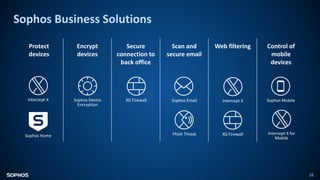
Sophos Business Solutions
38
Protect
devices
Encrypt
devices
Secure
connection to
back office
Scan and
secure email
Web filtering Control of
mobile
devices
Intercept X
Sophos Home
Sophos Device
Encryption
XG Firewall Sophos Email
Phish Threat
Intercept X Sophos Mobile
Intercept X for
Mobile
XG Firewall

coronavirus-and-remote-working-presentation.pptx

Editor's Notes

  • #2ย Hello and welcome to this session on how to enable safe secure remote working. Coronavirus has put remote or home working at the top of everyoneโ€™s minds. Whether youโ€™re already enabling remote working, or are developing a contingency plan in case you need to, this session is for you. Weโ€™ll provide practical advice for IT teams to implement, as well as giving you tips you can pass on to your users for when theyโ€™re working from home. And, of course, coronavirus is just one reason people need to work from home. The tips weโ€™re providing here are just as applicable whatever the reason to work remotely.
  • #3ย Most organizations already allow some degree of remote working. If youโ€™re on the IT team, youโ€™re probably used to preparing laptops for staff to use remotely, and setting up mobile phones with access to company data for sales people on the road, or anyone who works remotely. However the current coronavirus outbreak, and the need to keep at-risk staff away from the office, means that โ€“ if you havenโ€™t already โ€“ you may soon and suddenly end up with lots more staff working from home. Itโ€™s vital to make sure that the precautions youโ€™re taking to protect the physical health of your staff donโ€™t create a threat to your cybersecurity health by opening you up to security risk. A userโ€™s home network and cybersecurity may never be as strict, provide the same level of protection, and be as well thought out as your IT organization in the office. Nevertheless there are some basics, which if done properly, provide a good level of protection for employees working remotely. Moreover to smaller businesses, the ability for ensuring employees can work remotely can be the difference between remaining in business, and not being around after any form of quarantine or restrictions are lifted. One thing remains constant, the bad guys are not going to take a break. In fact, they could make an even bigger effort at a time when they believe IT Administrators and businesses are distracted.
  • #4ย So with no further ado, letโ€™s dive into best practices for remote working. We have 11 tips to share. epending on the maturity of your remote working set-up, some may apply more than others, however weโ€™re trying to cover as many scenarios as possible.
  • #5ย The first step is to make it easy for users to get started with home working. Imagine the scenario (and it doesnโ€™t take much imagination): Youโ€™re suddenly told the entire workforce has to work from home. Users canโ€™t come into the office to collect their devices โ€“ so they order new devices online. The devices arriveโ€ฆbut you canโ€™t meet them to set them up appropriately. Now what? You may end up needing to set remote users up from scratch, entirely remotely, and that might be something youโ€™ve not done a lot of in the past.
  • #6ย So a user is going to be working from home. If this is a user who has been working from an office and already has a device that is set up properly, working from home could be as simple as taking that device home, connecting to their home WiFi, and working like they were in the office. Thatโ€™s the ideal, unfortunately not everyone is there. What about the other scenarios? A user canโ€™t take their device home, and they need to work from a home laptop or a brand new laptop theyโ€™ve bought? Could they still continue to do their job? In this scenario, what you need is the ability for a remote user to connect and set a device up safely and easily without needing to physically hand it over to the IT department. You want them to be able to connect to important services (Mail, Internal Services, SalesForce, etc) and continue to work like they were in the office. At the same time, you still need to protect them, and the company, and any personal data appropriately; just like they were in the office. Security software is probably one of the last things users will want to install themselves, however it is important to protect both themselves and the company. Ask yourself some simple starting questions: If an employee working from home bought a new laptop, could they set it up themselves without needing ITโ€™s help? Can they successfully authenticate to appropriate services (Mail, SFDC, etc) without needing ITโ€™s help? Can they install the necessary products (e.g. Microsoft Office, a web browser, Security Products, etc) without needing ITโ€™s help? Look for products (security and otherwise) that offer an SSP or Self Service Portal that allows users to do things themselves, and not require IT to intervene. Many SSPs also allow the user to choose between different levels of access, so they can safely connect up either a personal device (albeit with less access to fewer company systems than theyโ€™d get with a dedicated device), or a device that will be used only for company work. This will enable end users to get up and running easily and correctly: with access to all necessary services to do their job and protect themselves from the bad guys.
  • #7ย The second tip is to make sure that all devices and systems are fully protected and up-to-date. It perhaps sounds obvious, but itโ€™s worth saying nonetheless. When people are working from home or in a coffee shop itโ€™s harder for you to intervene and support. Theyโ€™re also working in completely different environments to the office that may introduced completely new risks and behaviours. So while itโ€™s always important to make sure your devices and systems are up to date, itโ€™s particularly important with the surge in home working.
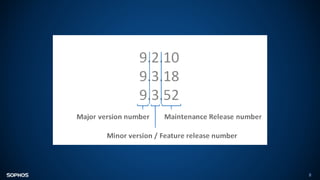
  • #8ย Back to basics. As a security best practice you should always keep your devices and operating systems up to date with the latest patches and versions. Windows, macOS, iOS and Android all have inbuilt auto update features. All updates should be set to be automatically applied or continuously notify users to apply the latest patches. Applying the latest patches ensures those devices are protected against the latest know vulnerabilities in those operating systems. All major vendors have spent a great amount of time to make this easy for both end users and administrators โ€“ there is no excuse not to be at the latest versions of these operating systems. The very same advice applies whether the operating system is running in a physical or virtual infrastructure. The advantage of keeping operating systems up to date is it provides the bad guys less avenues of attack for users. Ask yourself, of all the devices that can attach to the network (or the internet), how up to date are they? Now for your usersโ€™ home environment, depending on the vertical you work in, you may not care if they havenโ€™t updated their Sonos speaker system or PlayStation to the latest version. Pay attention to the devices that will interact with your company data and access company services/resources. Generally this will just be their laptop and a mobile device. Again, depending on how sensitive your company is, it may be more devices.
  • #9ย Next after the Operating System, are you running the latest versions of all your software? Consider both your security software โ€“ your endpoint and mobile protection for example โ€“ and your business software. Prioritize keeping them up-to-date. Again this is another security best practice. Companies like Microsoft, Apple, Adobe, etc are very good at issuing patches to protect against known vulnerabilities in their products. Sophos is always updating the protection provided by our security products. Again, all of these companies have made it easy to keep products up to date.
  • #10ย Just doing these two simple things can help reduce the attack surface and risks to people working from home. Remember, that one day restrictions will drop, and people will come back into the office and potentially bring their (new) laptop with them. From the experience of Sophosโ€™ own MTR and SophosLabs security experts, they often find the initial point of entry of a ransomware attack was an unprotected device (maybe that hasnโ€™t been patched or has out-of-date security protection) Again, you may not care if your employees keep all their homes devices up to date, but if that laptop that will come back into the office โ€“ that is a concern.
  • #11ย Tip 3 is to encrypt your devices wherever possible.
  • #12ย This piece of advice applies to whether employees are working full time in the office, full time remotely, or a combination of the two. With the many regulations regarding data protection and privacy, it is always good to encrypt the devices (laptops, phones, tablets, etc). The phones and laptops your users are using when working remotely often give access to customer data and other sensitive information that needs to be protected. When people are out of the office you open yourself up to greater risk of lost or stolen devicesโ€“ people are more likely to leave devices in cafes and taxis, or have them stolen from their cars or homes. The major Operating Systems (Windows, macOS, iOS, and Android) all have a form of full disk encryption (Windows, macOS) or full device encryption (iOS, Android) inbuilt and easily enabled. These forms of encryption help protect data at rest. And also look to have an encryption management tool, so that you can quickly address any issues and also demonstrate that the device was encrypted โ€“ and the data protected โ€“ if the worst happens. If you can prove the data was protected youโ€™ll minimize your risk of a data breach fine. Also look to use Multi-Factor-Authentication (MFA) to provide an additional layers of security in the event that the worst happens. Yes, some of your users may complain that having to authenticate is annoying, but itโ€™s common security practice.
  • #13ย #4 โ€“ Our fourth tip is to create a secure connection back to the office
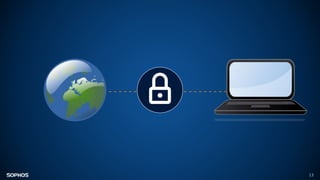
  • #14ย This one may sound like common sense, but not everyone thinks of it. Virtual Private Network (VPN) technology has been around for a while and allows remote employees to connect to the work network and interact with services and servers the same as if they were on the office network. This comes with two primary benefits: The first is more of a user-friendly benefit. When a user is remote, all they need to do it open the VPN app and connect. Then if all their workplace processes are the same from that point there is no need to retrain them or educate them on how to do their work remotely. Productivity wise this is a bonus. A VPN has the added benefit that while the employee is working remotely, all of the data that is transferred between them and the office network is encrypted and protected in transit. Depending on the services your organization uses, a VPN may not be required. Many cloud-based services, like SalesForce, work the same whether you are working from the office or remotely. As a part of your organization's overall IT plan consider the following: When users are working remotely theyโ€™re often using public or shared Wi-Fi which can pose risks that are hard to mitigate. You should use a VPN to securely connect back to the office. This will ensure that even if the Wi-Fi is not trusted, a secure, trusted connection back to the office can be made. Some of you may have heard the term zero trust, or zero trust networking. If your organization is working towards a zero trust environment then you may already have items in place to help with this. Zero trust is not a subject of this specific call.
  • #15ย Our 5th top is all about email.
  • #16ย This is another topic that applies regardless of whether the end user is working 100% from the office, 100% remote or a combination of the two. However itโ€™s worth mentioning it as with more people working from home there will likely be a big increase in emails as people can no longer just walk over and speak with a colleague. In our recent cybersecurity survey we surveyed 3100 IT managers in 12 countries, email was the way that 33% of attacks got into an organization โ€“ they may have had malicious links, or malicious attachments. When a user is in the office your organisation may have many mitigations in place to stop them clicking on malicious links, etc. When a user is working from home, they may not have the same mitigations in place. You therefore need to ensure that your email protection is up-to-date, and that inbound and outbound emails are being scanned for threats.
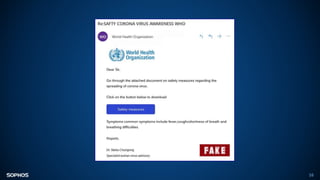
  • #17ย Phishing is also a big part of email security. In fact, more organizations were affected by phishing last year than any other threat. The people behind phishing emails are very quick to take advantage of an issue, an opportunity. At Sophos weโ€™ve already seen phishing emails that exploit the interest in coronavirus. This tasteless and exploitative example was identified by the Sophos Security Team โ€“ and sadly we anticipate a lot more over the coming weeks. Raise awareness with your staff of the need to be extra vigilant at this time as crooks are looking to exploit the current situation.
  • #18ย Moving from email, weโ€™re now looking at web filtering.
  • #19ย Web filtering is a technology that ensures that users can only access content appropriate for their workplace and role. When a user is in an office, it is traditionally the firewall that will enforce Web filtering rules. When they are working from home there is a high chance that the network traffic is not going through the company firewall. Therefore their laptop, or mobile device needs to enforce any web filtering rules defined by your organisation. Working from home can also lead to changes in behaviour because they are in a โ€˜home web useโ€™ mindset not โ€˜workโ€™ mindset. Their filters for what is appropriate may change. Putting in place web filtering protocols will ensure: Users can only access content appropriate for the work-place and role โ€“ basically, so they can see and do the same activities as they could in the office Users are protected from risky websites that could leave them vulnerable to attacks.
  • #20ย #7 - Enable use of cloud storage to backup data.
  • #21ย Sometimes users will have all the necessary files and data on their laptop. That means that working in the office, or from another location makes little difference. However that isnโ€™t always the case. Making use of some form of cloud storage for data and files enables you to ensure that employees have access to all the necessary data to continue doing their job. Also think back to the first topic of making it easy for a user to work from home. What happens if their laptop or mobile phones dies during this period. Assume all data that was on that device is now gone. Is that catastrophic, or not an issue? Could the employee easily access all their data from a new device and continue working? Now you may be thinking this isnโ€™t a security issue. And youโ€™re right in that the main benefit here is operational rather than security. With that said, your company files and data are in the cloud. You still need to protect the data as if it was physically on a device. This is where the topic of identity becomes important. Employees need to be able to successfully identify themselves in order to access that data stored in the cloud. Donโ€™t leave files and data in the cloud unprotected and accessible by anyone. At the very least, employees must successfully authenticate. Two factor authentication takes that a step further.
  • #22ย #8 - Manage use of removable storage and other peripherals on corporate devices
  • #23ย USBs and external devices are still a significant security risk. In our recent cybersecurity survey we surveyed 3100 IT managers in 12 countries, USBs/ External Devices were the vector by which 14% of attacks got into their organization. When an employee is working from home, there is a higher chance that they will attach a wide variety of devices to the company laptop. Let me give you a simple example โ€œMum/Dad, can you please see whatโ€™s on my memory stickโ€. Most employees wonโ€™t even consider this a security risk, and potentially it is not. However it is complacency that will eventually allow a breach to occur. Remember, when any workplace restrictions are over, those laptops will eventually come back into the office. If youโ€™d like to manage this risk, implement device control within your endpoint protection to control USB/ External device usage
  • #24ย #9 โ€“ For point 9 we want to focus on mobile devices
  • #25ย This is related to point #2 (Ensure devices are up to date) and #3 (Encrypt Devices). The increase in home working will likely see far more people using their mobile devices for work. You need to protect these devices against malware AND manage them in the event of loss/ theft. Starting with malware, 10% of threats are discovered on a mobile device. Deploy anti-malware protection on mobile devices is a great step to stopping these threats. Taking this further, IT Administrator can also restrict the applications that can be installed on the device, and even restrict the mobile device to only download applications for recognized and approved AppStores. This additional step give both the user and the IT administrator a higher level of confidence that only valid and appropriate applications are installed and used on these mobile devices. As weโ€™ve seen, with people out of office there may be greater potential for the device to be lost or stolen. Mobile device management allows you to remotely lock, wipe or locate the device. Yes, you may have physically lost the device however if it is locked or wiped then it is not useful to the thief and no company data can be accessed, or is no longer on the device. A Unified Endpoint Management solution is the key here; enabling you to secure and manage corporate devices remotely.
  • #26ย #10 is all about dealing with issues.
  • #27ย Your users are likely used to simply walking over to the IT Team to resolve issues. Clearly, this is not possible when both users and IT teams are working remotely. So you need to give people a quick and easy way to work report security issues. If you havenโ€™t already, set up an easily remembered email address, such as security911@yourcompanyDOTexample, where users can report security issues quickly and easily. Remember that a lot of cyberattacks succeed because the crooks try over and over again until one user makes an innocent mistake โ€“ so if the first person to see a new threat has somewhere to report it where they know it will get picked up, theyโ€™ll end up helping everyone else.
  • #28ย And finally, tip 11, make sure you know about your Shadow IT solutions
  • #29ย Shadow IT is, of course, where non-IT staff find their own ways of solving technical problems, for convenience or speed. And when a user is working remotely, where they are free from the shackles placed on them by IT, they may find creative ways to do their job. If you have a bunch of people who are used to working together in the office but who are now working remotely itโ€™s quite likely that they might come up with their own ways of collaborating online โ€“ using tools theyโ€™ve never tried before. The first consideration here is security, and I particularly mean data security. Iโ€™d like to share with you an example of how Shadow IT can create a security risk discovered by Sophosโ€™ Global Cybersecurity Operations Director, Craig Jones. Trello is a free tool frequently used to help individuals and teams manage their workloads and productivity. While this sounds great, if Trello boards are left โ€˜publicโ€™, which they often are, they are exposed to world and are worst still, indexed by search engines like Google. Craig was able to dig up boards containing sensitive HR data, data related to fixes required to properties (including broken door locks) and names, emails, dates of birth, ID numbers, bank account information, and more of people associated to a faculties company. Therefore, what may seem a great idea to a user (with good intent), could potentially expose extremely sensitive internal organization data to the world.
  • #30ย The other side of Shadow IT is when someoneโ€™s great idea turns out to truly be a real success for the business. A temporary solution put in place to deal with a public health issue might turn into a vibrant and important part of the companyโ€™s online presence. So, make sure you know whose credit card itโ€™s charged to, and make sure you can get access to the account if the person who originally created it forgets the password, or cancels their card. So-called โ€œshadow ITโ€ isnโ€™t just a risk if it goes wrong โ€“ it can turn into a complicated liability if it goes right!
  • #31ย Weโ€™ve shared 11 tips that IT teams can use to secure remote working. We also have some tips that you can share with your employees.
  • #32ย Change default passwords on home Wi-Fi routers etc. โ€“ Weak, insecure passwords make it easy for people to access your wifi. And there will be a lot more people looking round for wifi to use with all this home working. Use different, strong passwords on every account and device โ€“ this will severely limit hackers ability to access multiple account Update all your devices, applications and operating systems and keep them up to date They share a network with your work devices and so pose a threat if not sufficiently protected (and frankly you should do it to protect yourself anyway)
  • #33ย Disable Wi-Fi Protected Setup (WPS) on home broadband/Wi-Fi routers as itโ€™s known to be insecure WPS PIN codes are susceptible to โ€œbrute forceโ€ hacking methods Ensure no-one is watching you (โ€œshoulder surfingโ€) as you enter your work credentials on your device โ€“ be extra vigilant when working in public areas like cafes etc. Ensure no-one has access to your work device when you are not present - Lock your machine whenever you are not in front of it, such as if youโ€™re going to answer the front door. (Children are often very quick to jump on an unlocked device)
  • #34ย Weโ€™ve shared a number of tips to help you protect your cybersecurity health while enabling measures to protect everyoneโ€™s physical health. I hope youโ€™ve found it useful and that everyone had gained something applicable to their organization.
  • #35ย If youโ€™re wanting to take a photo, this would probably be the best one.
  • #36ย Iโ€™d like to close by sharing with you some free resources from Sophos that you might find useful at this difficult time. Sophos Home is business-grade endpoint protection for home devices. Itโ€™s built on our Intercept X Endpoint technology, and utilizes real-time antivirus, artificial intelligence, and web filtering to keep your home devices secure and protected from malicious website. You and your team working from home can download it for free at home.sophos.com. Weโ€™ve talked quite a bit about securing mobile devices in this session. We have a free mobile security app, called Sophos Intercept X for Mobile, that offers device, network, and application security for Android, iOS and Chrome OS, endpoints. Download it from the app stores. And finally, we have a very popular anti-phishing toolkit โ€“ essentially a set of resources to educate your team on phishing โ€“ which you can get from our website or by googling it.
  • #39ย Optional slide should you wish to introduce Sophos products We also have a range of business solutions to help your organization practice secure remote working. Intercept X โ€“ our award winning endpoint protection platform will: Enable you to protect your endpoint devices from malware, ransomware and other malicious threats Enable you to utilise web filtering to protect remote workers from potentially malicious websites SafeGuard Encryption will enable you to: Encrypt your devices; preventing them from being accessed in the event of a theft or similar; protecting your precious data XG Firewall, our next-generation firewall product will enable you to: Set up a secure VPN connection to your back office Enable you to utilise web filtering to protect remote workers from potentially malicious websites Both Sophos Email and Phish Threat will: Scan and your secure all of your incoming email Phish Threat in particular can be used to educate and test your workforce on safe email practices Sophos Mobile, our UEM solution and Intercept X for Mobile will enable you to: Manage and protect your fleet of mobile devices