Core JAVA
By Sandesh Sharma
Contents

Primitive types

Wrappers

Static

String

Abstract

Interface

Collections

Equals

HashCode

Threads
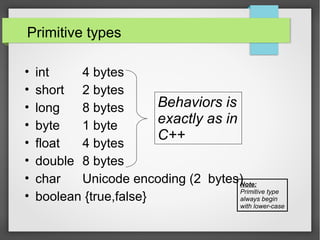
Primitive types
• int 4 bytes
• short 2 bytes
• long 8 bytes
• byte 1 byte
• float 4 bytes
• double 8 bytes
• char Unicode encoding (2 bytes)
• boolean {true,false}
Behaviors is
exactly as in
C++
Note:
Primitive type
always begin
with lower-case
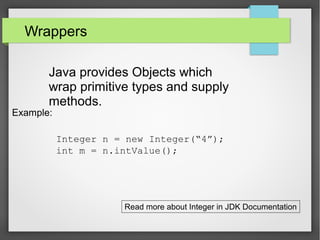
Wrappers
Java provides Objects which
wrap primitive types and supply
methods.
Example:
Integer n = new Integer(“4”);
int m = n.intValue();
Read more about Integer in JDK Documentation
Static

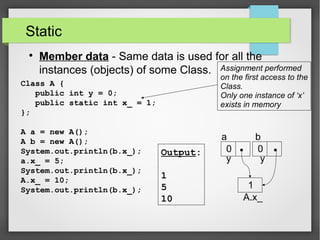
Member data - Same data is used for all the
instances (objects) of some Class.
Class A {
public int y = 0;
public static int x_ = 1;
};
A a = new A();
A b = new A();
System.out.println(b.x_);
a.x_ = 5;
System.out.println(b.x_);
A.x_ = 10;
System.out.println(b.x_);
Assignment performed
on the first access to the
Class.
Only one instance of ‘x’
exists in memory
Output:
1
5
10
a b
y y
A.x_
0 0
1
Static

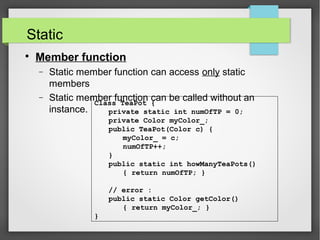
Member function
− Static member function can access only static
members
− Static member function can be called without an
instance.
Class TeaPot {
private static int numOfTP = 0;
private Color myColor_;
public TeaPot(Color c) {
myColor_ = c;
numOfTP++;
}
public static int howManyTeaPots()
{ return numOfTP; }
// error :
public static Color getColor()
{ return myColor_; }
}
Static
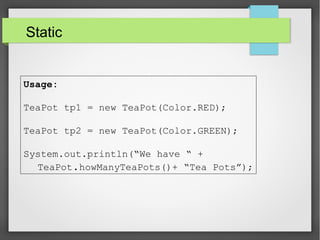
Usage:
TeaPot tp1 = new TeaPot(Color.RED);
TeaPot tp2 = new TeaPot(Color.GREEN);
System.out.println(“We have “ +
TeaPot.howManyTeaPots()+ “Tea Pots”);
Static

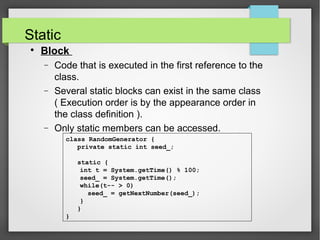
Block
− Code that is executed in the first reference to the
class.
− Several static blocks can exist in the same class
( Execution order is by the appearance order in
the class definition ).
− Only static members can be accessed.
class RandomGenerator {
private static int seed_;
static {
int t = System.getTime() % 100;
seed_ = System.getTime();
while(t-- > 0)
seed_ = getNextNumber(seed_);
}
}
}
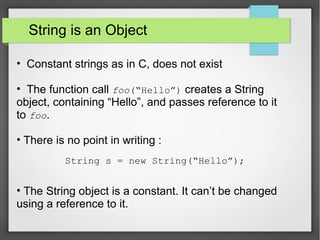
String is an Object
• Constant strings as in C, does not exist
• The function call foo(“Hello”) creates a String
object, containing “Hello”, and passes reference to it
to foo.
• There is no point in writing :
• The String object is a constant. It can’t be changed
using a reference to it.
String s = new String(“Hello”);
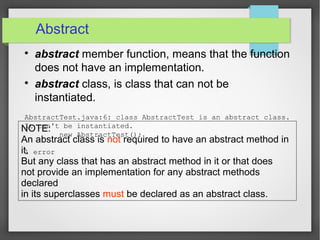
Abstract

abstract member function, means that the function
does not have an implementation.

abstract class, is class that can not be
instantiated.
AbstractTest.java:6: class AbstractTest is an abstract class.
It can't be instantiated.
new AbstractTest();
^
1 error
NOTE:
An abstract class is not required to have an abstract method in
it.
But any class that has an abstract method in it or that does
not provide an implementation for any abstract methods
declared
in its superclasses must be declared as an abstract class.
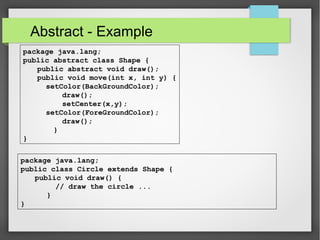
Abstract - Example
package java.lang;
public abstract class Shape {
public abstract void draw();
public void move(int x, int y) {
setColor(BackGroundColor);
draw();
setCenter(x,y);
setColor(ForeGroundColor);
draw();
}
}
package java.lang;
public class Circle extends Shape {
public void draw() {
// draw the circle ...
}
}
Interface
Interfaces are useful for the following:
• Capturing similarities among unrelated classes
without artificially forcing a class relationship.
• Declaring methods that one or more classes are
expected to implement.
• Revealing an object's programming interface
without revealing its class.
Interface

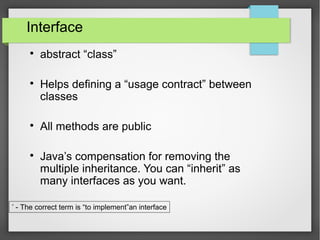
abstract “class”

Helps defining a “usage contract” between
classes

All methods are public

Java’s compensation for removing the
multiple inheritance. You can “inherit” as
many interfaces as you want.
*
- The correct term is “to implement”an interface
Interface
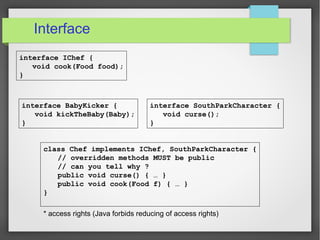
interface SouthParkCharacter {
void curse();
}
interface IChef {
void cook(Food food);
}
interface BabyKicker {
void kickTheBaby(Baby);
}
class Chef implements IChef, SouthParkCharacter {
// overridden methods MUST be public
// can you tell why ?
public void curse() { … }
public void cook(Food f) { … }
}
* access rights (Java forbids reducing of access rights)
When to use an interface ?
Perfect tool for encapsulating the
classes inner structure. Only the
interface will be exposed
Collections

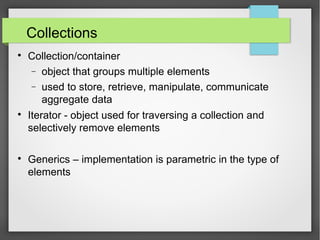
Collection/container
− object that groups multiple elements
− used to store, retrieve, manipulate, communicate
aggregate data

Iterator - object used for traversing a collection and
selectively remove elements

Generics – implementation is parametric in the type of
elements
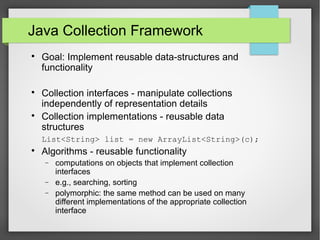
Java Collection Framework

Goal: Implement reusable data-structures and
functionality

Collection interfaces - manipulate collections
independently of representation details

Collection implementations - reusable data
structures
List<String> list = new ArrayList<String>(c);

Algorithms - reusable functionality
− computations on objects that implement collection
interfaces
− e.g., searching, sorting
− polymorphic: the same method can be used on many
different implementations of the appropriate collection
interface
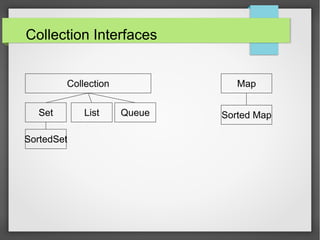
Collection Interfaces
Collection
Set List Queue
SortedSet
Map
Sorted Map
Collection Interface

Basic Operations
− int size();
− boolean isEmpty();
− boolean contains(Object element);
− boolean add(E element);
− boolean remove(Object element);
− Iterator iterator();

Bulk Operations
− boolean containsAll(Collection<?> c);
− boolean addAll(Collection<? extends E> c);
− boolean removeAll(Collection<?> c);
− boolean retainAll(Collection<?> c);
− void clear();

Array Operations
− Object[] toArray(); <T> T[] toArray(T[] a); }
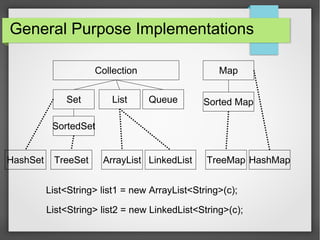
General Purpose Implementations
Collection
Set List Queue
SortedSet
Map
Sorted Map
HashSet HashMap
List<String> list1 = new ArrayList<String>(c);
ArrayListTreeSet TreeMapLinkedList
List<String> list2 = new LinkedList<String>(c);
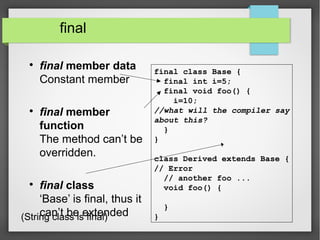
final

final member data
Constant member

final member
function
The method can’t be
overridden.

final class
‘Base’ is final, thus it
can’t be extended
final class Base {
final int i=5;
final void foo() {
i=10;
//what will the compiler say
about this?
}
}
class Derived extends Base {
// Error
// another foo ...
void foo() {
}
}(String class is final)
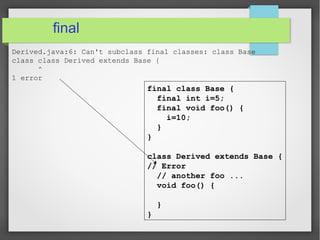
final
final class Base {
final int i=5;
final void foo() {
i=10;
}
}
class Derived extends Base {
// Error
// another foo ...
void foo() {
}
}
Derived.java:6: Can't subclass final classes: class Base
class class Derived extends Base {
^
1 error
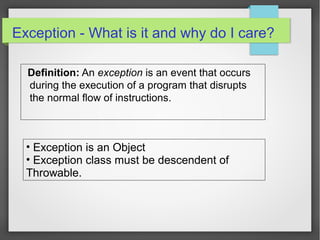
Exception - What is it and why do I care?
Definition: An exception is an event that occurs
during the execution of a program that disrupts
the normal flow of instructions.
• Exception is an Object
• Exception class must be descendent of
Throwable.
Exception - What is it and why do I care?
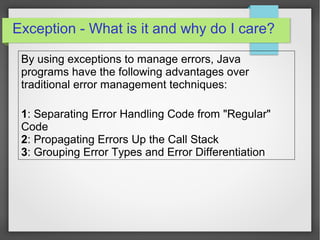
By using exceptions to manage errors, Java
programs have the following advantages over
traditional error management techniques:
1: Separating Error Handling Code from "Regular"
Code
2: Propagating Errors Up the Call Stack
3: Grouping Error Types and Error Differentiation
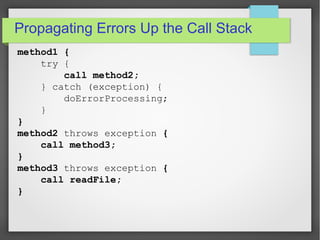
method1 {
try {
call method2;
} catch (exception) {
doErrorProcessing;
}
}
method2 throws exception {
call method3;
}
method3 throws exception {
call readFile;
}
Propagating Errors Up the Call Stack
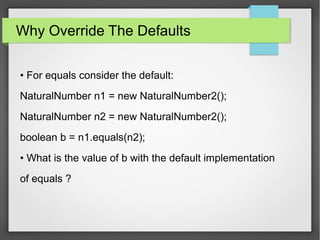
Why Override The Defaults
• For equals consider the default:
NaturalNumber n1 = new NaturalNumber2();
NaturalNumber n2 = new NaturalNumber2();
boolean b = n1.equals(n2);
• What is the value of b with the default implementation
of equals ?
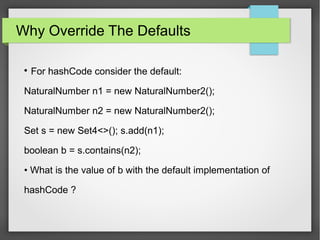
Why Override The Defaults

For hashCode consider the default:
NaturalNumber n1 = new NaturalNumber2();
NaturalNumber n2 = new NaturalNumber2();
Set s = new Set4<>(); s.add(n1);
boolean b = s.contains(n2);
• What is the value of b with the default implementation of
hashCode ?
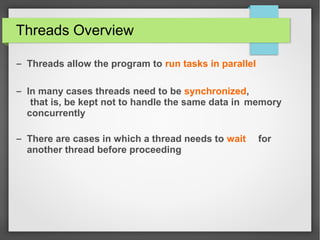
Threads Overview
– Threads allow the program to run tasks in parallel
– In many cases threads need to be synchronized,
that is, be kept not to handle the same data in memory
concurrently
– There are cases in which a thread needs to wait for
another thread before proceeding
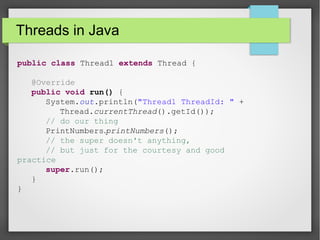
Threads in Java
public class Thread1 extends Thread {
@Override
public void run() {
System.out.println("Thread1 ThreadId: " +
Thread.currentThread().getId());
// do our thing
PrintNumbers.printNumbers();
// the super doesn't anything,
// but just for the courtesy and good
practice
super.run();
}
}
Threads in Java
static public void main(String[] args) {
System.out.println("Main ThreadId: " +
Thread.currentThread().getId());
for(int i=0; i<3; i++) {
new Thread1().start(); // don't call run!
// (if you want a separate thread)
}
printNumbers();
}
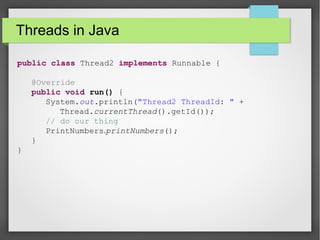
Threads in Java
public class Thread2 implements Runnable {
@Override
public void run() {
System.out.println("Thread2 ThreadId: " +
Thread.currentThread().getId());
// do our thing
PrintNumbers.printNumbers();
}
}
Threads in Java
static public void main(String[] args) {
System.out.println("Main ThreadId: " +
Thread.currentThread().getId());
for(int i=0; i<3; i++) {
new Thread(new Thread2()).start();
// again, don't call run!
// (if you want a separate thread)
}
printNumbers();
}
thAnks
Question can be sent sandesh.sharma [at]jabong.com

Core java by a introduction sandesh sharma

  • 1.
  • 2.
  • 3.
    Primitive types • int4 bytes • short 2 bytes • long 8 bytes • byte 1 byte • float 4 bytes • double 8 bytes • char Unicode encoding (2 bytes) • boolean {true,false} Behaviors is exactly as in C++ Note: Primitive type always begin with lower-case
  • 4.
    Wrappers Java provides Objectswhich wrap primitive types and supply methods. Example: Integer n = new Integer(“4”); int m = n.intValue(); Read more about Integer in JDK Documentation
  • 5.
    Static  Member data -Same data is used for all the instances (objects) of some Class. Class A { public int y = 0; public static int x_ = 1; }; A a = new A(); A b = new A(); System.out.println(b.x_); a.x_ = 5; System.out.println(b.x_); A.x_ = 10; System.out.println(b.x_); Assignment performed on the first access to the Class. Only one instance of ‘x’ exists in memory Output: 1 5 10 a b y y A.x_ 0 0 1
  • 6.
    Static  Member function − Staticmember function can access only static members − Static member function can be called without an instance. Class TeaPot { private static int numOfTP = 0; private Color myColor_; public TeaPot(Color c) { myColor_ = c; numOfTP++; } public static int howManyTeaPots() { return numOfTP; } // error : public static Color getColor() { return myColor_; } }
  • 7.
    Static Usage: TeaPot tp1 =new TeaPot(Color.RED); TeaPot tp2 = new TeaPot(Color.GREEN); System.out.println(“We have “ + TeaPot.howManyTeaPots()+ “Tea Pots”);
  • 8.
    Static  Block − Code thatis executed in the first reference to the class. − Several static blocks can exist in the same class ( Execution order is by the appearance order in the class definition ). − Only static members can be accessed. class RandomGenerator { private static int seed_; static { int t = System.getTime() % 100; seed_ = System.getTime(); while(t-- > 0) seed_ = getNextNumber(seed_); } } }
  • 9.
    String is anObject • Constant strings as in C, does not exist • The function call foo(“Hello”) creates a String object, containing “Hello”, and passes reference to it to foo. • There is no point in writing : • The String object is a constant. It can’t be changed using a reference to it. String s = new String(“Hello”);
  • 10.
    Abstract  abstract member function,means that the function does not have an implementation.  abstract class, is class that can not be instantiated. AbstractTest.java:6: class AbstractTest is an abstract class. It can't be instantiated. new AbstractTest(); ^ 1 error NOTE: An abstract class is not required to have an abstract method in it. But any class that has an abstract method in it or that does not provide an implementation for any abstract methods declared in its superclasses must be declared as an abstract class.
  • 11.
    Abstract - Example packagejava.lang; public abstract class Shape { public abstract void draw(); public void move(int x, int y) { setColor(BackGroundColor); draw(); setCenter(x,y); setColor(ForeGroundColor); draw(); } } package java.lang; public class Circle extends Shape { public void draw() { // draw the circle ... } }
  • 12.
    Interface Interfaces are usefulfor the following: • Capturing similarities among unrelated classes without artificially forcing a class relationship. • Declaring methods that one or more classes are expected to implement. • Revealing an object's programming interface without revealing its class.
  • 13.
    Interface  abstract “class”  Helps defininga “usage contract” between classes  All methods are public  Java’s compensation for removing the multiple inheritance. You can “inherit” as many interfaces as you want. * - The correct term is “to implement”an interface
  • 14.
    Interface interface SouthParkCharacter { voidcurse(); } interface IChef { void cook(Food food); } interface BabyKicker { void kickTheBaby(Baby); } class Chef implements IChef, SouthParkCharacter { // overridden methods MUST be public // can you tell why ? public void curse() { … } public void cook(Food f) { … } } * access rights (Java forbids reducing of access rights)
  • 15.
    When to usean interface ? Perfect tool for encapsulating the classes inner structure. Only the interface will be exposed
  • 16.
    Collections  Collection/container − object thatgroups multiple elements − used to store, retrieve, manipulate, communicate aggregate data  Iterator - object used for traversing a collection and selectively remove elements  Generics – implementation is parametric in the type of elements
  • 17.
    Java Collection Framework  Goal:Implement reusable data-structures and functionality  Collection interfaces - manipulate collections independently of representation details  Collection implementations - reusable data structures List<String> list = new ArrayList<String>(c);  Algorithms - reusable functionality − computations on objects that implement collection interfaces − e.g., searching, sorting − polymorphic: the same method can be used on many different implementations of the appropriate collection interface
  • 18.
    Collection Interfaces Collection Set ListQueue SortedSet Map Sorted Map
  • 19.
    Collection Interface  Basic Operations −int size(); − boolean isEmpty(); − boolean contains(Object element); − boolean add(E element); − boolean remove(Object element); − Iterator iterator();  Bulk Operations − boolean containsAll(Collection<?> c); − boolean addAll(Collection<? extends E> c); − boolean removeAll(Collection<?> c); − boolean retainAll(Collection<?> c); − void clear();  Array Operations − Object[] toArray(); <T> T[] toArray(T[] a); }
  • 20.
    General Purpose Implementations Collection SetList Queue SortedSet Map Sorted Map HashSet HashMap List<String> list1 = new ArrayList<String>(c); ArrayListTreeSet TreeMapLinkedList List<String> list2 = new LinkedList<String>(c);
  • 21.
    final  final member data Constantmember  final member function The method can’t be overridden.  final class ‘Base’ is final, thus it can’t be extended final class Base { final int i=5; final void foo() { i=10; //what will the compiler say about this? } } class Derived extends Base { // Error // another foo ... void foo() { } }(String class is final)
  • 22.
    final final class Base{ final int i=5; final void foo() { i=10; } } class Derived extends Base { // Error // another foo ... void foo() { } } Derived.java:6: Can't subclass final classes: class Base class class Derived extends Base { ^ 1 error
  • 23.
    Exception - Whatis it and why do I care? Definition: An exception is an event that occurs during the execution of a program that disrupts the normal flow of instructions. • Exception is an Object • Exception class must be descendent of Throwable.
  • 24.
    Exception - Whatis it and why do I care? By using exceptions to manage errors, Java programs have the following advantages over traditional error management techniques: 1: Separating Error Handling Code from "Regular" Code 2: Propagating Errors Up the Call Stack 3: Grouping Error Types and Error Differentiation
  • 25.
    method1 { try { callmethod2; } catch (exception) { doErrorProcessing; } } method2 throws exception { call method3; } method3 throws exception { call readFile; } Propagating Errors Up the Call Stack
  • 26.
    Why Override TheDefaults • For equals consider the default: NaturalNumber n1 = new NaturalNumber2(); NaturalNumber n2 = new NaturalNumber2(); boolean b = n1.equals(n2); • What is the value of b with the default implementation of equals ?
  • 27.
    Why Override TheDefaults  For hashCode consider the default: NaturalNumber n1 = new NaturalNumber2(); NaturalNumber n2 = new NaturalNumber2(); Set s = new Set4<>(); s.add(n1); boolean b = s.contains(n2); • What is the value of b with the default implementation of hashCode ?
  • 28.
    Threads Overview – Threadsallow the program to run tasks in parallel – In many cases threads need to be synchronized, that is, be kept not to handle the same data in memory concurrently – There are cases in which a thread needs to wait for another thread before proceeding
  • 29.
    Threads in Java publicclass Thread1 extends Thread { @Override public void run() { System.out.println("Thread1 ThreadId: " + Thread.currentThread().getId()); // do our thing PrintNumbers.printNumbers(); // the super doesn't anything, // but just for the courtesy and good practice super.run(); } }
  • 30.
    Threads in Java staticpublic void main(String[] args) { System.out.println("Main ThreadId: " + Thread.currentThread().getId()); for(int i=0; i<3; i++) { new Thread1().start(); // don't call run! // (if you want a separate thread) } printNumbers(); }
  • 31.
    Threads in Java publicclass Thread2 implements Runnable { @Override public void run() { System.out.println("Thread2 ThreadId: " + Thread.currentThread().getId()); // do our thing PrintNumbers.printNumbers(); } }
  • 32.
    Threads in Java staticpublic void main(String[] args) { System.out.println("Main ThreadId: " + Thread.currentThread().getId()); for(int i=0; i<3; i++) { new Thread(new Thread2()).start(); // again, don't call run! // (if you want a separate thread) } printNumbers(); }
  • 33.
    thAnks Question can besent sandesh.sharma [at]jabong.com