Core Java    - Sharad Ballepu [email_address] www.sharmanj.com
Servlets & JSPs Agenda Introduction  Access Modifiers Operators  Flow Control Arrays and Strings OOPS Explored Exceptions Garbage Collection  Collections Threads Demo Core Java
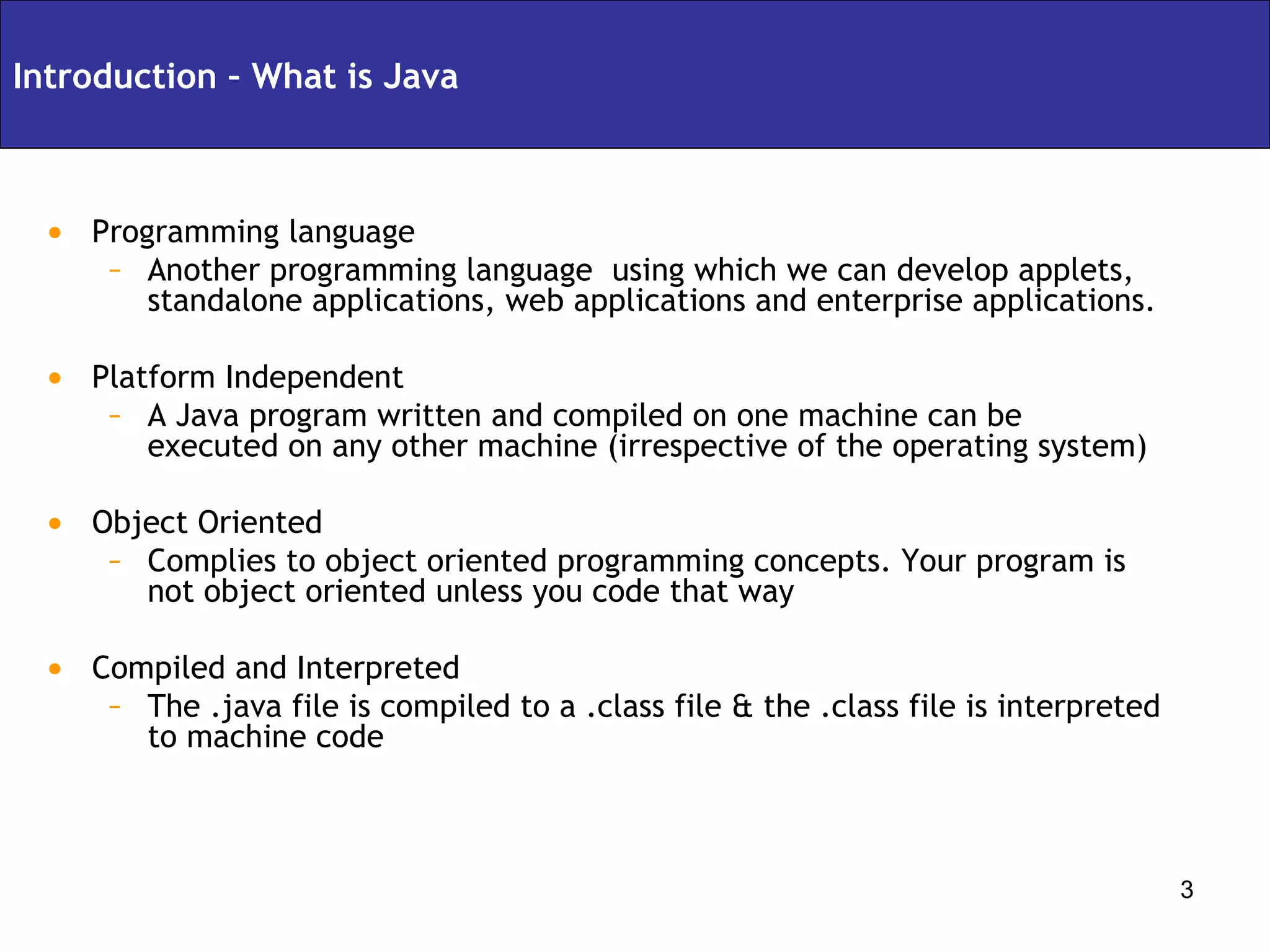
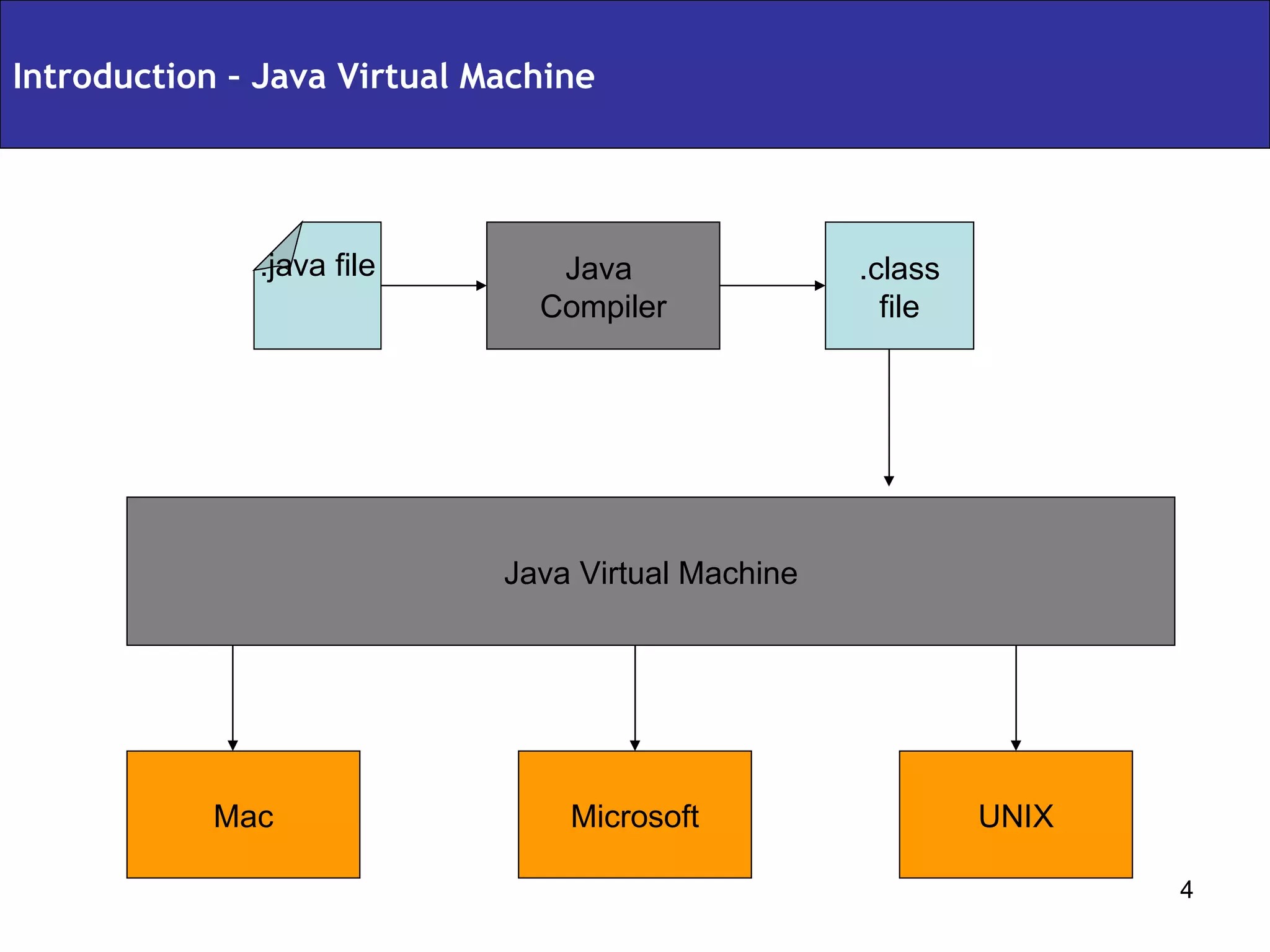
Programming language Another programming language  using which we can develop applets, standalone applications, web applications and enterprise applications. Platform Independent A Java program written and compiled on one machine can be executed on any other machine (irrespective of the operating system) Object Oriented Complies to object oriented programming concepts. Your program is not object oriented unless you code that way Compiled and Interpreted The .java file is compiled to a .class file & the .class file is interpreted to machine code Introduction – What is Java
Introduction – Java Virtual Machine .class  file Java Virtual Machine .java file Java  Compiler UNIX Microsoft Mac
package com.sharadballepu.test;  public class HelloWorld  { public static void main(String[] args)  { System.out.println(“Hello World”); } } Compile the program: javac HelloWorld.java Execute the program: java HelloWorld Output: Hello World Introduction – My First Program Version 1
package com.sharadballepu.test; public class HelloWorld { public static void main(String[] args) { HelloWorld hw = new HelloWorld(); hw.display(); } public void display() { System.out.println(“Hello World”); } } Compile the program: javac HelloWorld.java Execute the program: java HelloWorld Output: Hello World Introduction – My First Program Version 2
package com.sharadballepu.test; public class HelloWorld { public static void main(String[] args) { HelloWorld hw = new HelloWorld(); hw.display(args[0]); } public void display(String userName) { System.out.println(“Hello ” + userName); } } Compile the program: javac HelloWorld.java Execute the program: java HelloWorld Sharad Output: Hello Sharad Introduction – My First Program Version 3
package com.sharadballepu.test; public class HelloWorld { String userName; public static void main(String[] args) { HelloWorld hw = new HelloWorld(); hw.userName = args[0]; } public void display() { System.out.println(“Hello ” + userName); } } Compile the program: javac HelloWorld.java Execute the program: java HelloWorld Sharad Output: Hello Sharad Introduction – My First Program Version 4
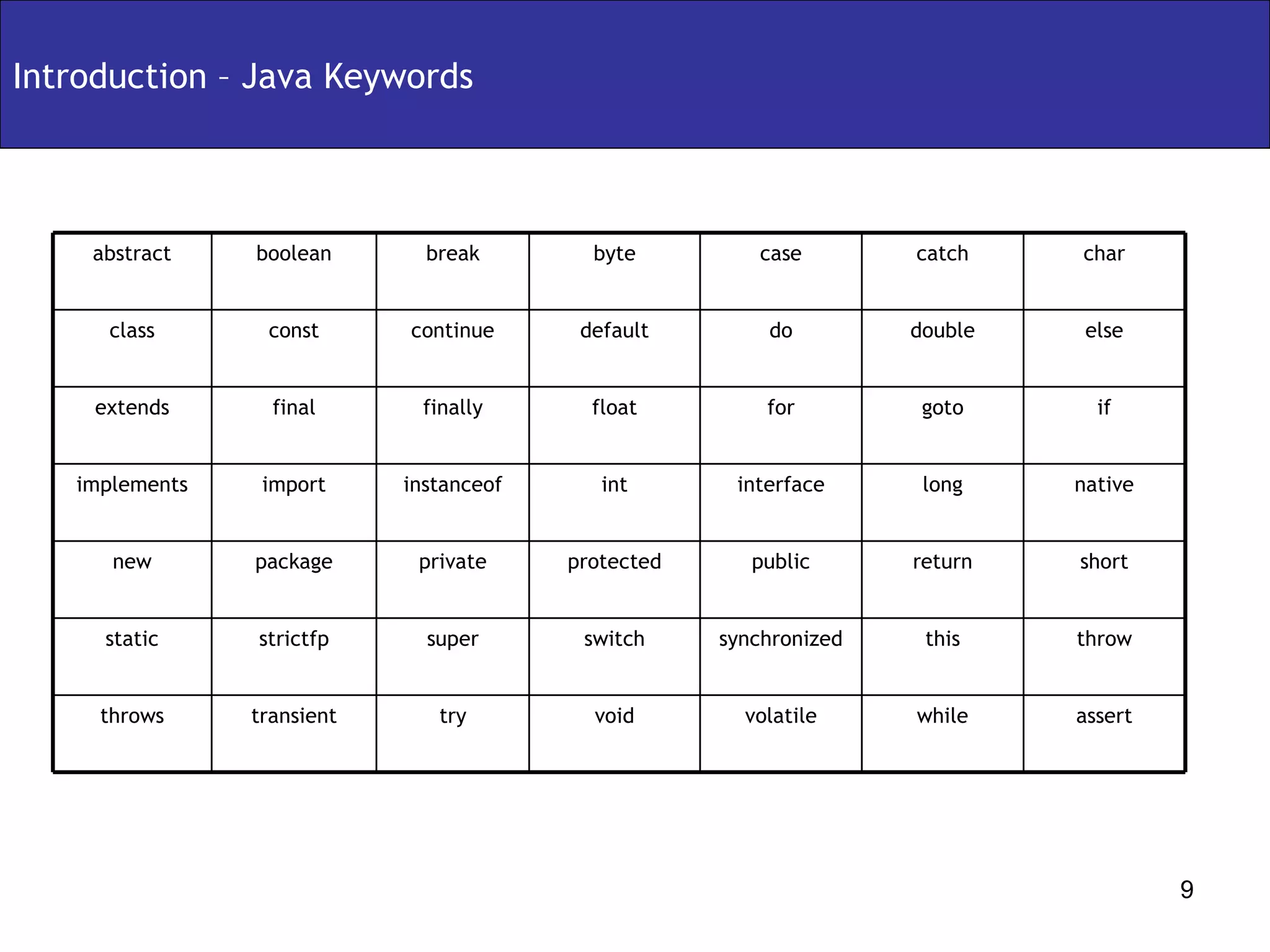
Introduction – Java Keywords throw this synchronized switch super strictfp static short return public protected private package new char catch case byte break boolean abstract volatile interface for do void int float default assert while try transient throws native long instanceof import implements if goto finally final extends else double continue const class
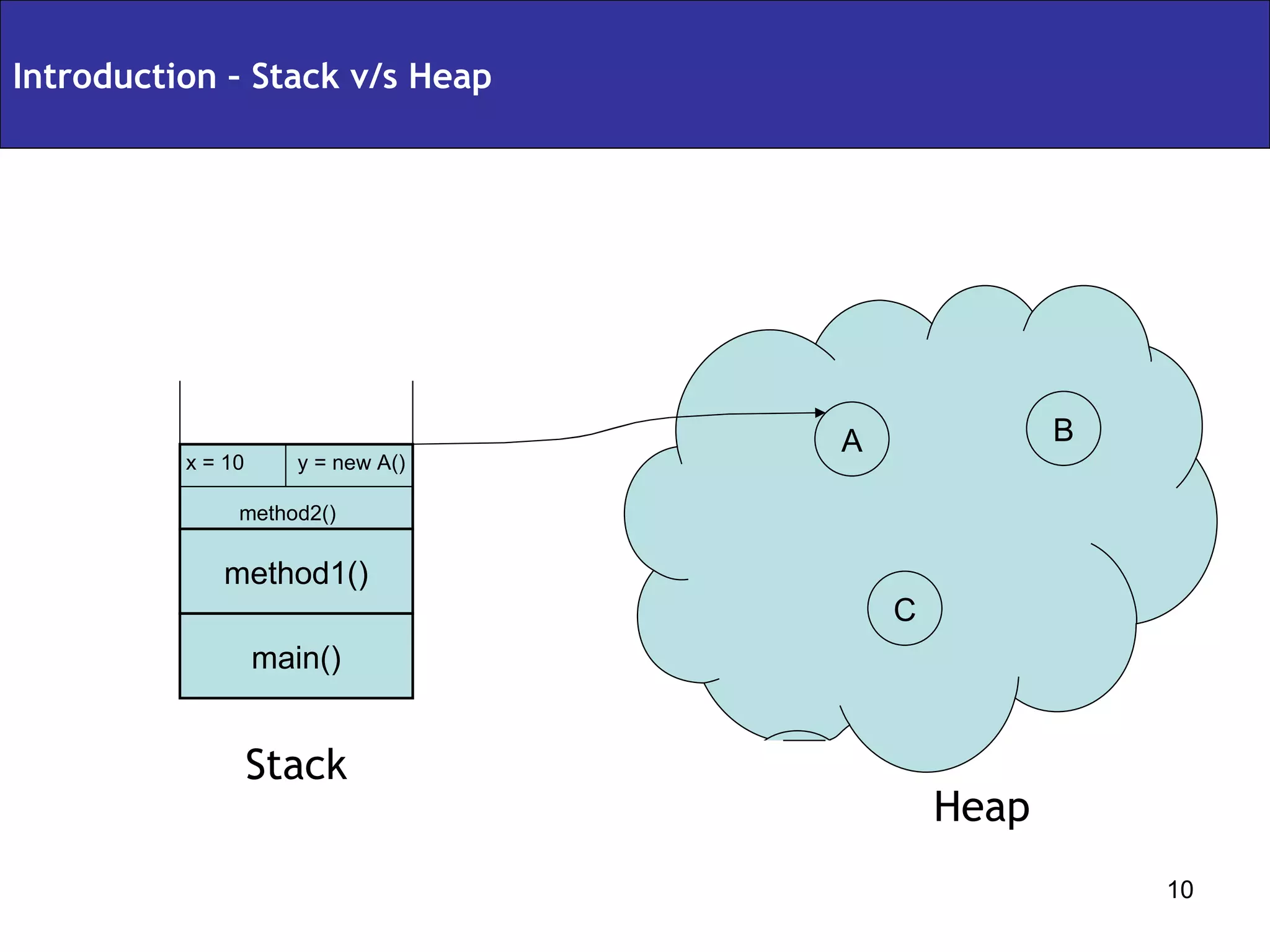
Introduction – Stack v/s Heap x = 10  y = new A() method2() method1() main() Stack Heap A B C
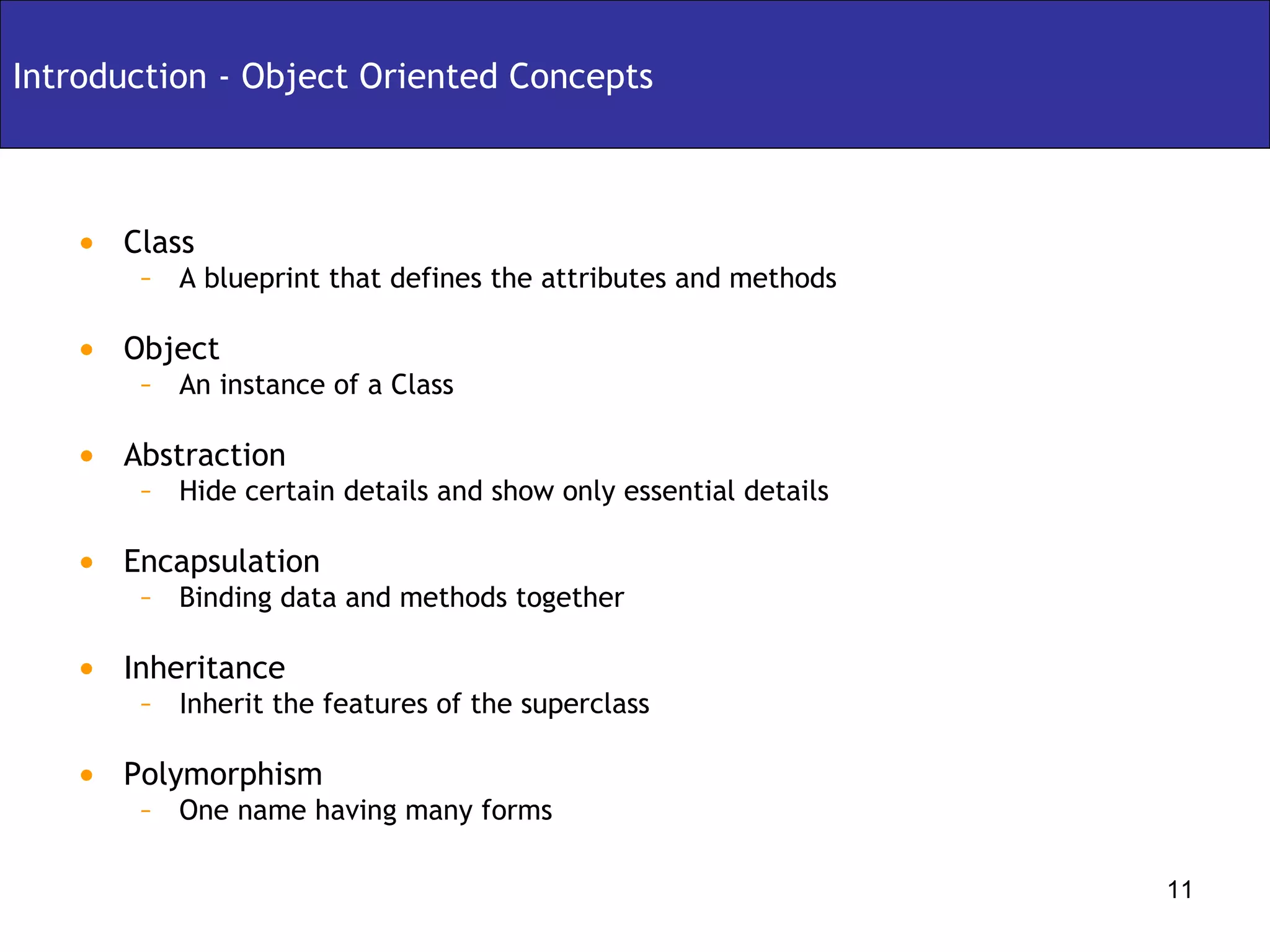
Class A blueprint that defines the attributes and methods Object An instance of a Class Abstraction Hide certain details and show only essential details Encapsulation Binding data and methods together Inheritance Inherit the features of the superclass Polymorphism One name having many forms Introduction - Object Oriented Concepts
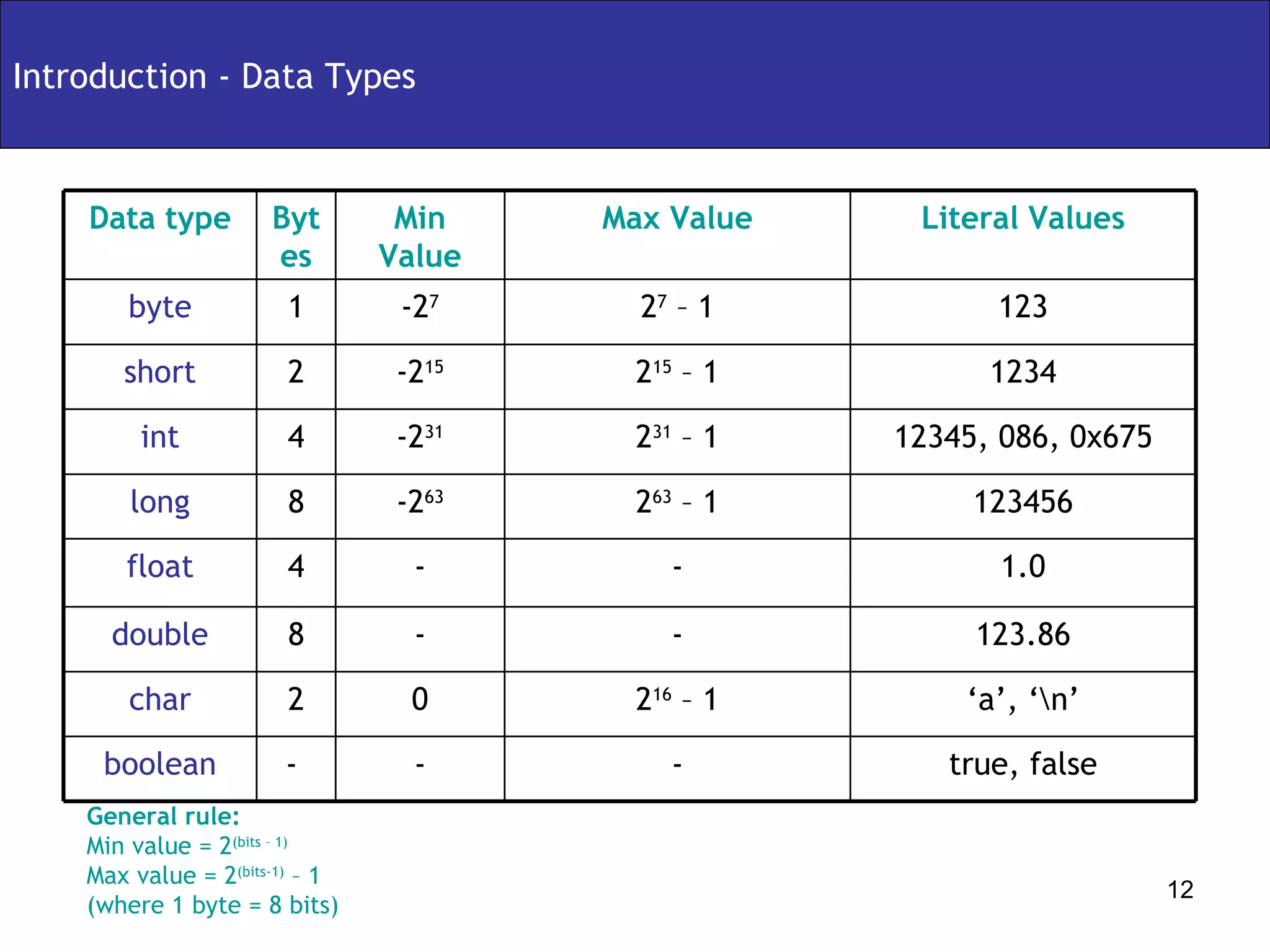
Introduction - Data Types General rule: Min value = 2 (bits – 1) Max value = 2 (bits-1)  – 1 (where 1 byte = 8 bits) true, false - - -  boolean 2 16  – 1 - - 2 63  – 1 2 31  – 1 2 15  – 1 2 7  – 1 Max Value ‘ a’, ‘\n’ 123.86 1.0 123456 12345, 086, 0x675 1234 123 Literal Values - 8 double 0 2 char - 4 float -2 63 8 long Min Value Bytes Data type -2 31 4 int -2 15 2 short -2 7 1 byte
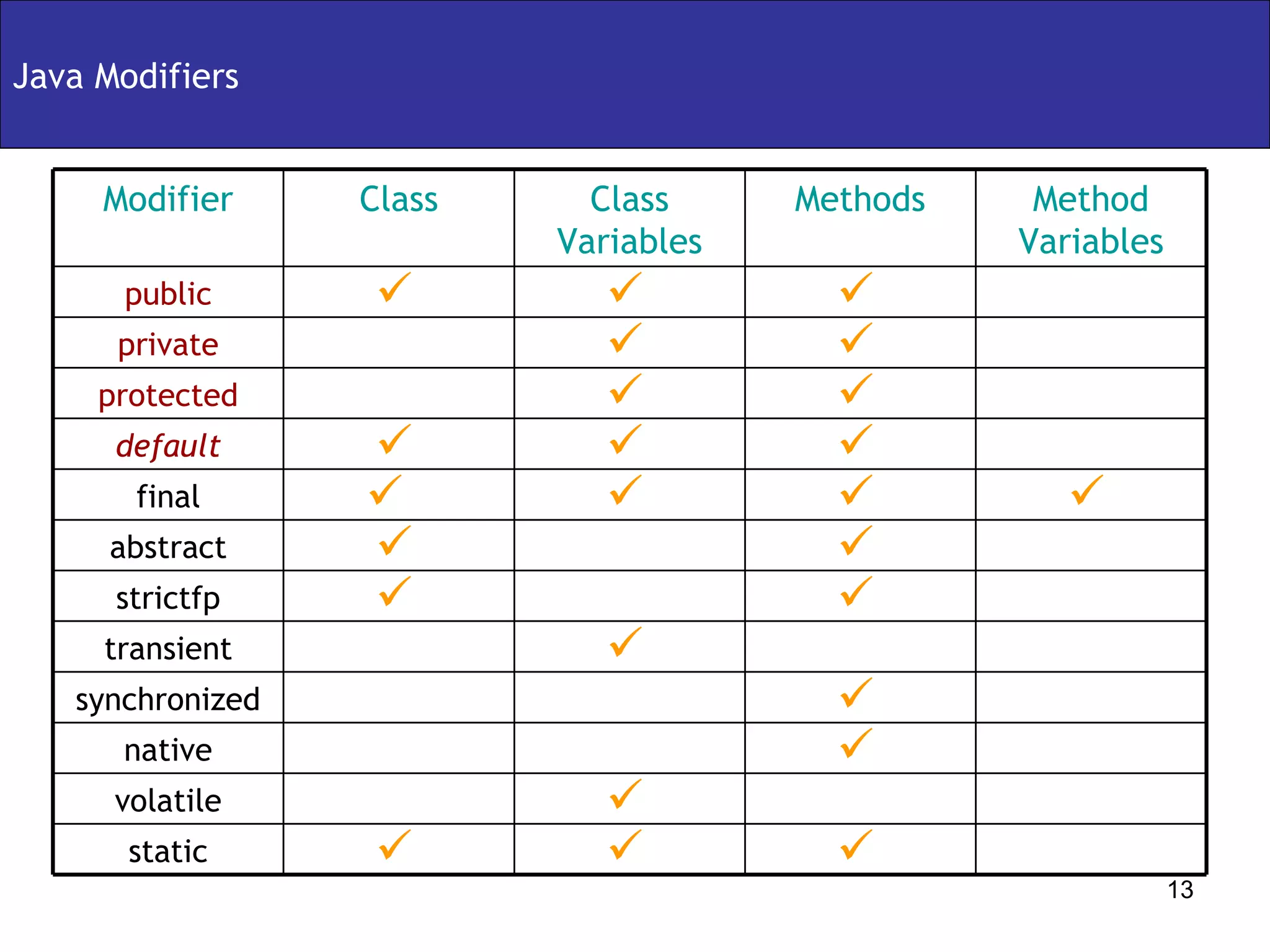
Java Modifiers static volatile native synchronized transient strictfp abstract final default protected private public Modifier Method Variables Methods Class Variables Class
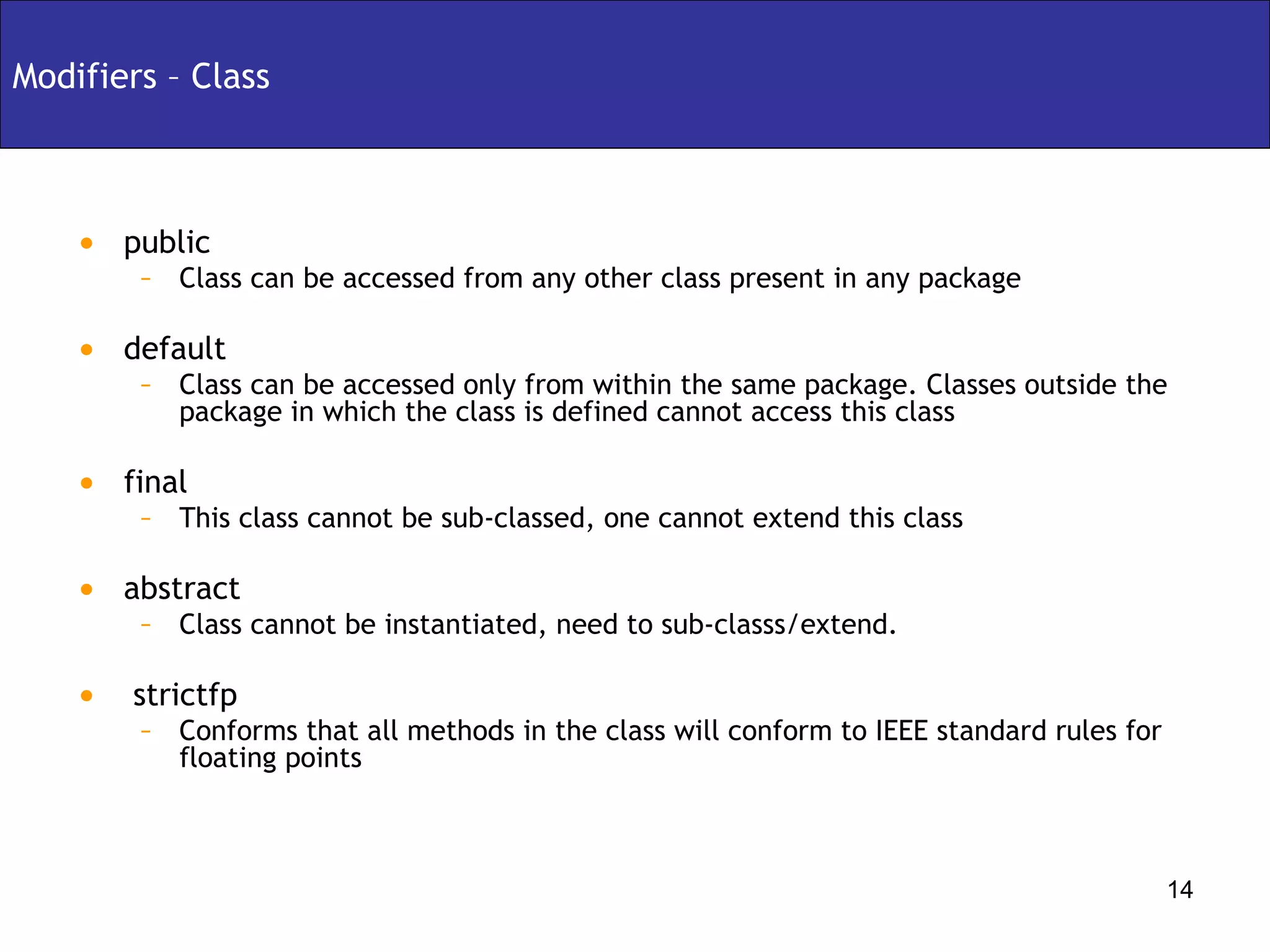
Modifiers – Class public  Class can be accessed from any other class present in any package default Class can be accessed only from within the same package. Classes outside the package in which the class is defined cannot access this class final  This class cannot be sub-classed, one cannot extend this class abstract Class cannot be instantiated, need to sub-classs/extend. strictfp Conforms that all methods in the class will conform to IEEE standard rules for floating points
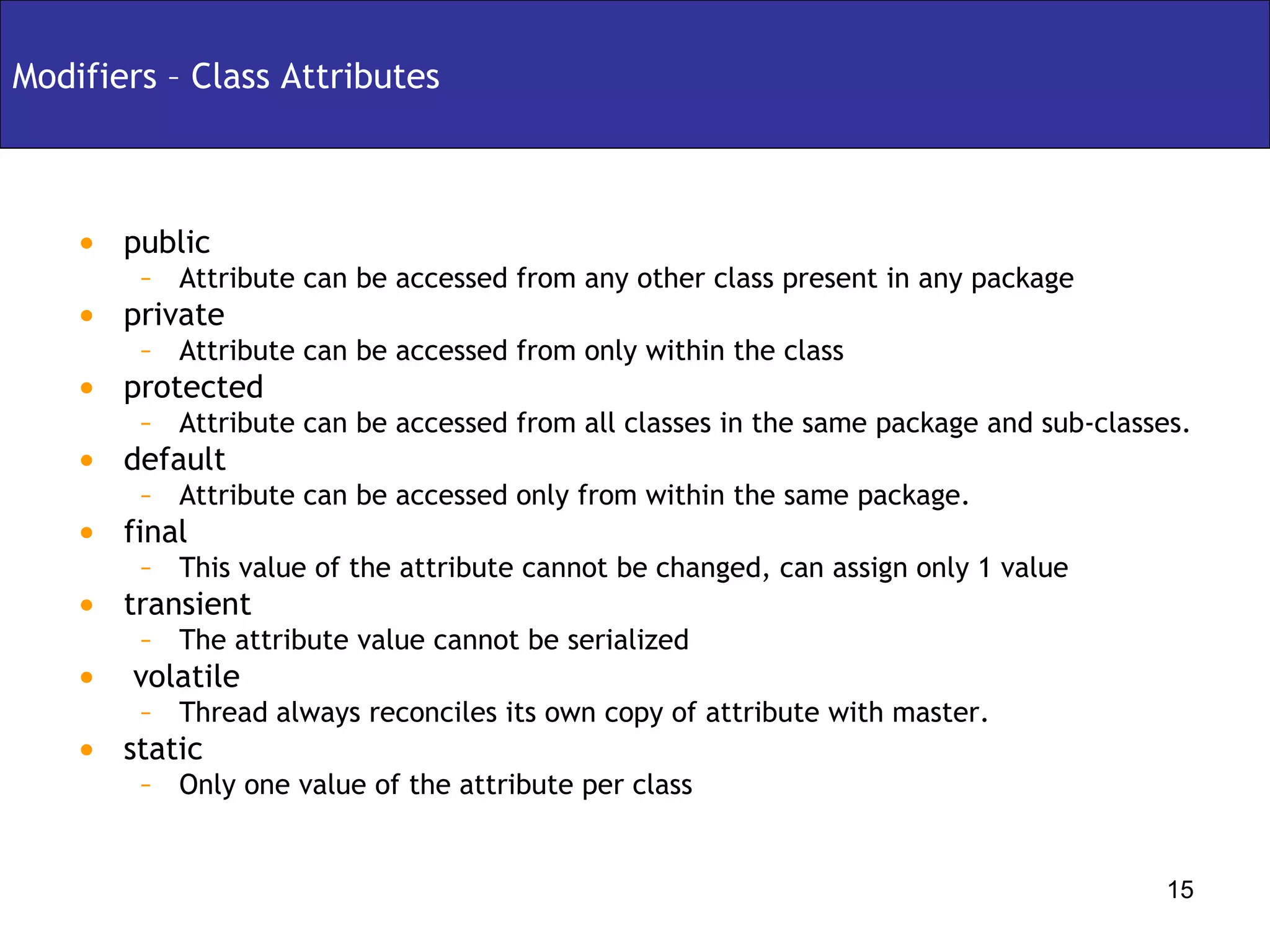
Modifiers – Class Attributes public  Attribute can be accessed from any other class present in any package private Attribute can be accessed from only within the class protected Attribute can be accessed from all classes in the same package and sub-classes. default Attribute can be accessed only from within the same package. final  This value of the attribute cannot be changed, can assign only 1 value transient The attribute value cannot be serialized volatile Thread always reconciles its own copy of attribute with master. static Only one value of the attribute per class
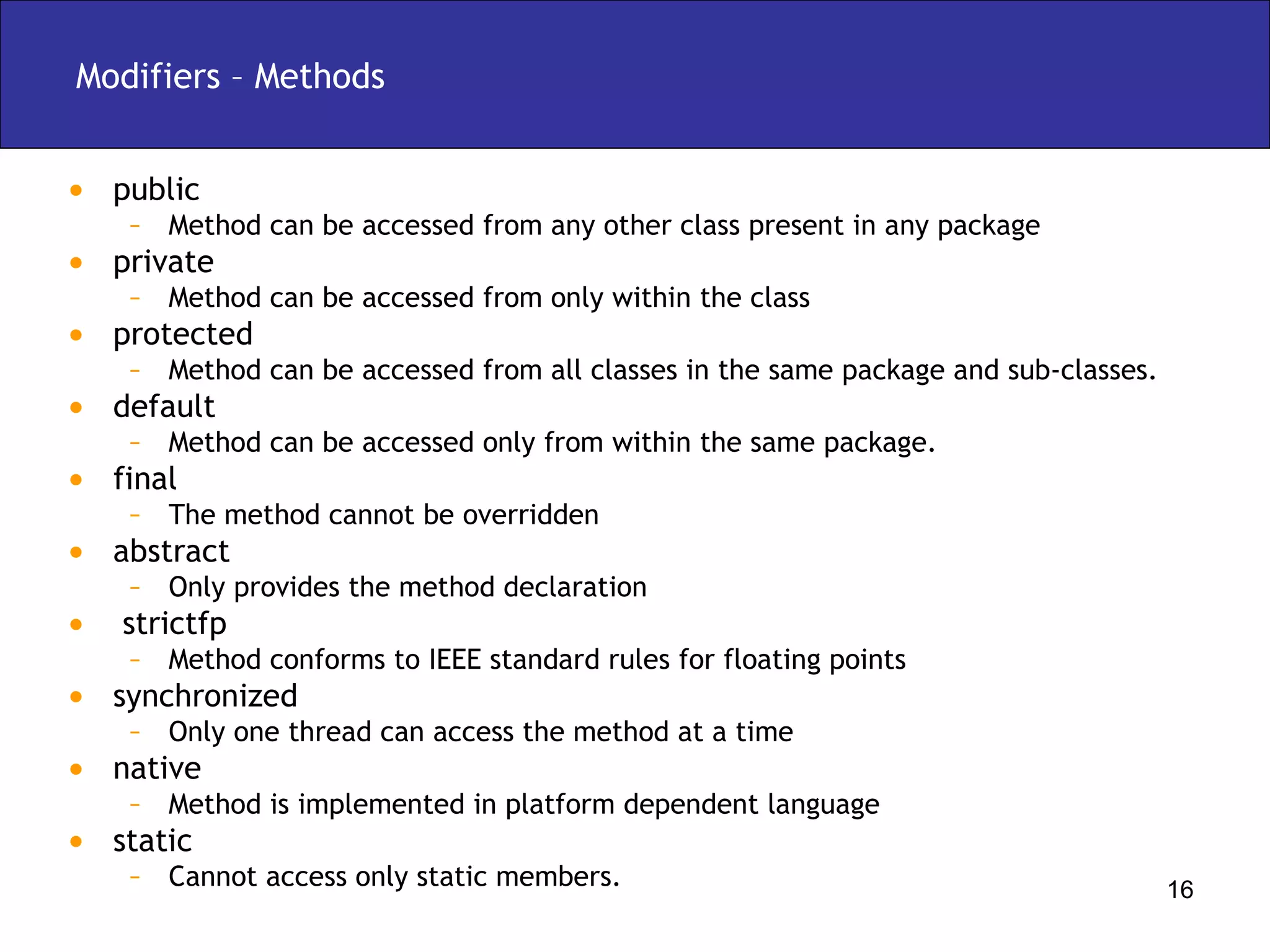
Modifiers – Methods public  Method can be accessed from any other class present in any package private Method can be accessed from only within the class protected Method can be accessed from all classes in the same package and sub-classes. default Method can be accessed only from within the same package. final  The method cannot be overridden abstract Only provides the method declaration strictfp Method conforms to IEEE standard rules for floating points synchronized Only one thread can access the method at a time native Method is implemented in platform dependent language static Cannot access only static members.
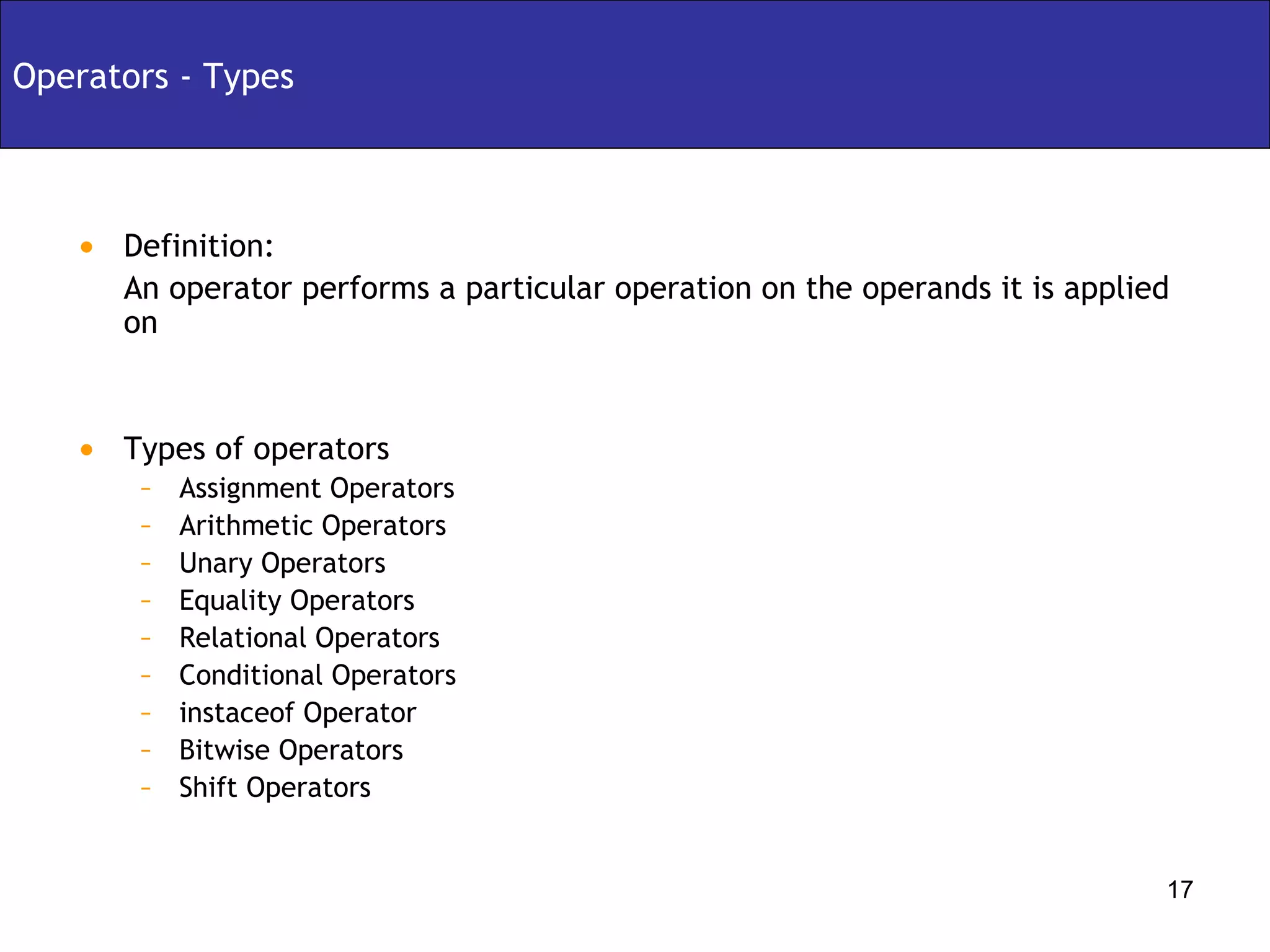
Definition:  An operator performs a particular operation on the operands it is applied on Types of operators Assignment Operators Arithmetic Operators Unary Operators Equality Operators Relational Operators Conditional Operators instaceof Operator Bitwise Operators Shift Operators Operators - Types
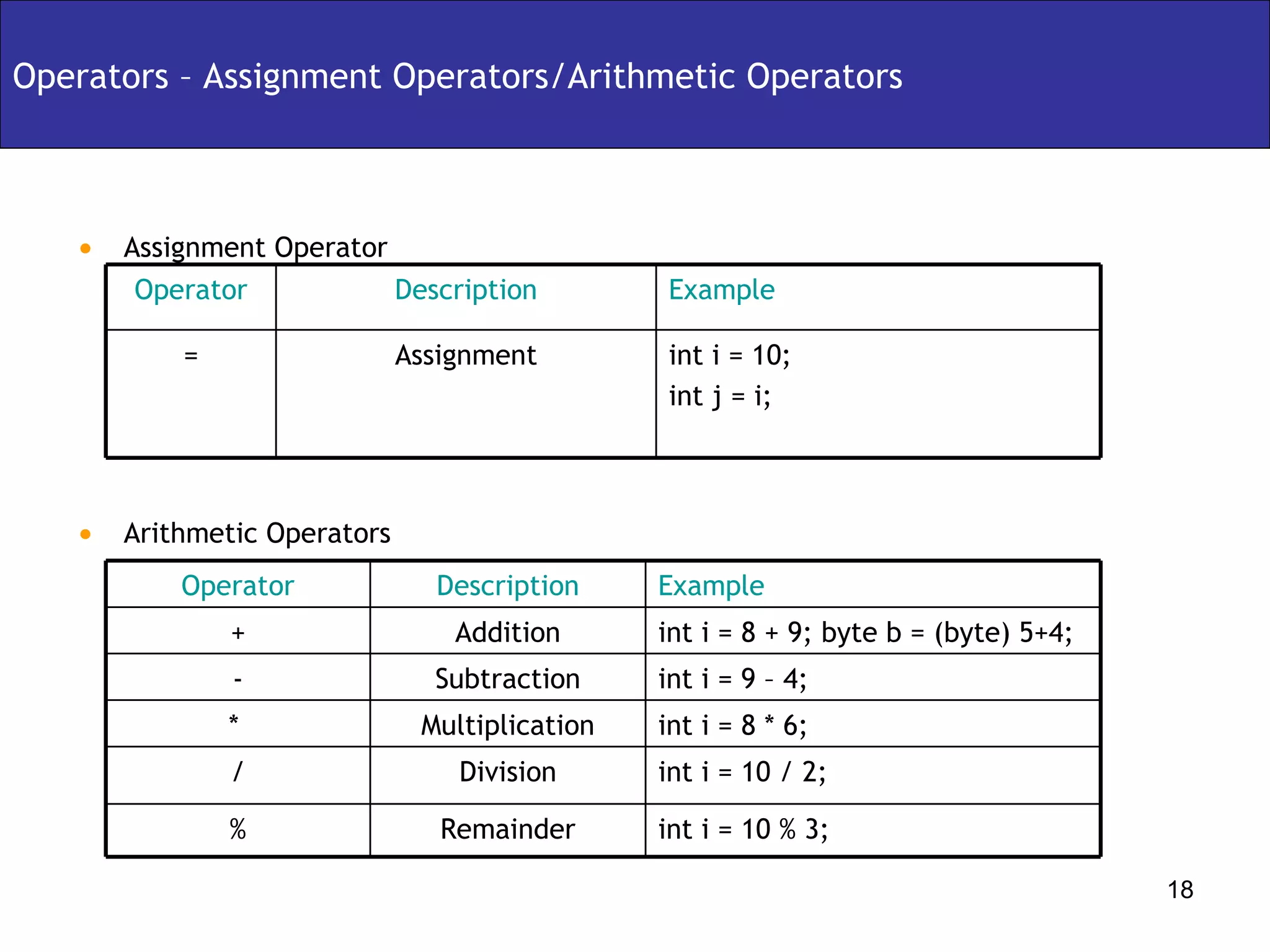
Assignment Operator Arithmetic Operators Operators – Assignment Operators/Arithmetic Operators Assignment Description int i = 10; int j = i; Example = Operator int i = 10 / 2; Division / int i = 8 * 6; Multiplication *  int i = 10 % 3; Remainder % int i = 9 – 4; Subtraction - int i = 8 + 9; byte b = (byte) 5+4; Addition + Description Example Operator
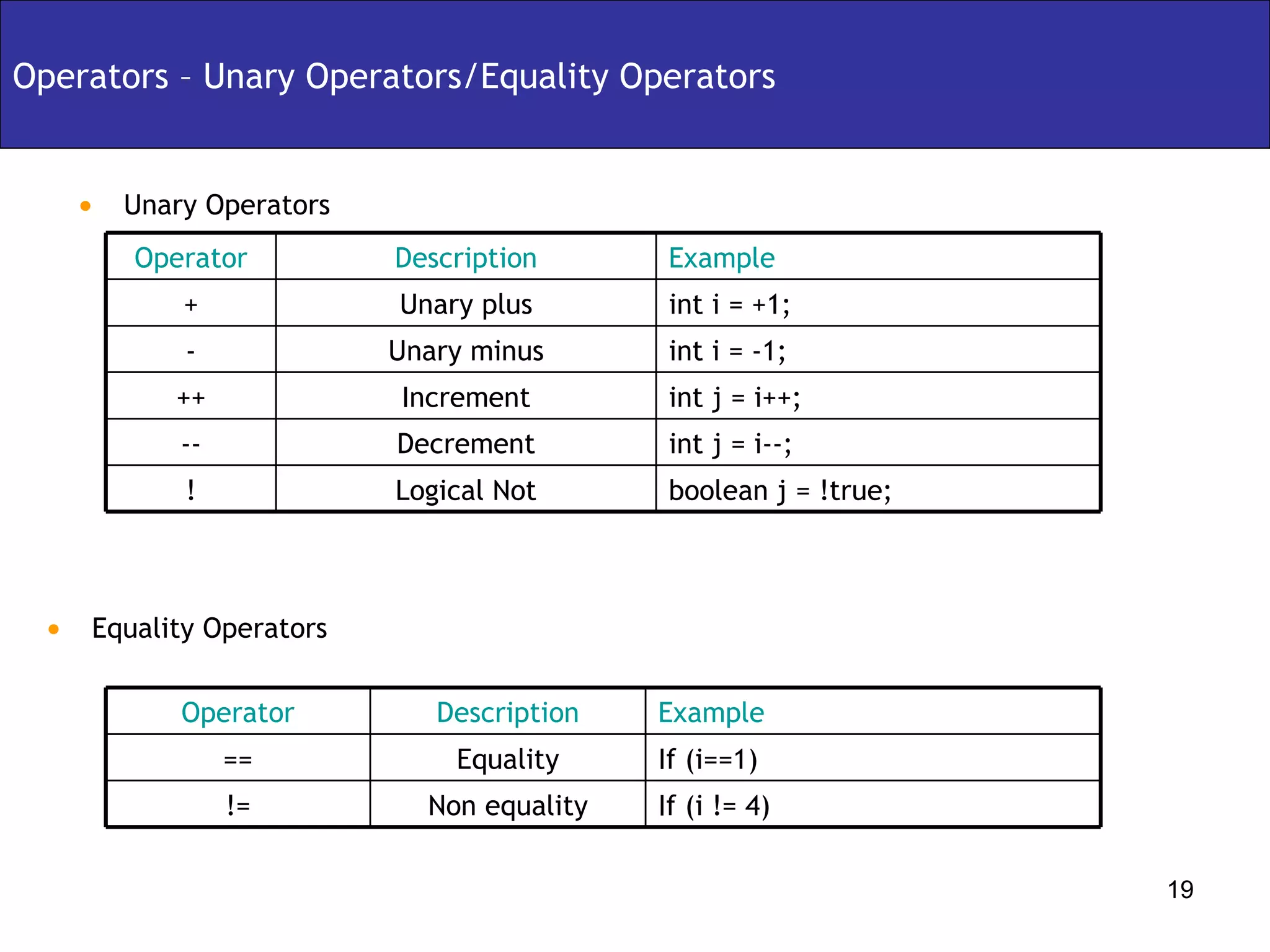
Unary Operators Operators – Unary Operators/Equality Operators Equality Operators boolean j = !true; Logical Not ! int j = i--; Decrement -- int j = i++;  Increment ++ int i = -1; Unary minus - Unary plus Description int i = +1; Example + Operator If (i != 4) Non equality != If (i==1) Equality == Description Example Operator
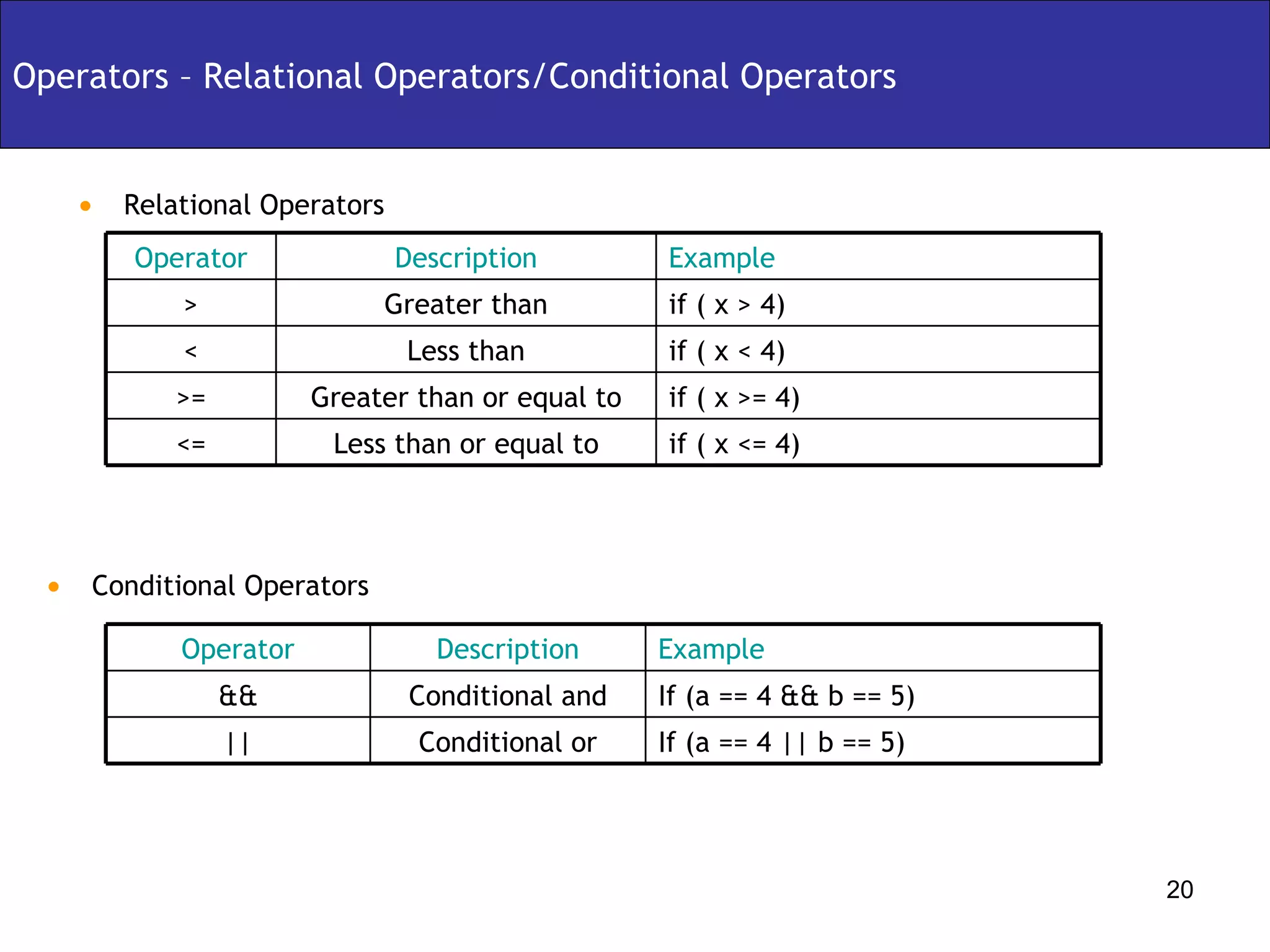
Relational Operators Operators – Relational Operators/Conditional Operators Conditional Operators if ( x <= 4) Less than or equal to <= if ( x >= 4) Greater than or equal to >= if ( x < 4) Less than < Greater than Description if ( x > 4) Example > Operator If (a == 4 || b == 5) Conditional or || If (a == 4 && b == 5) Conditional and && Description Example Operator
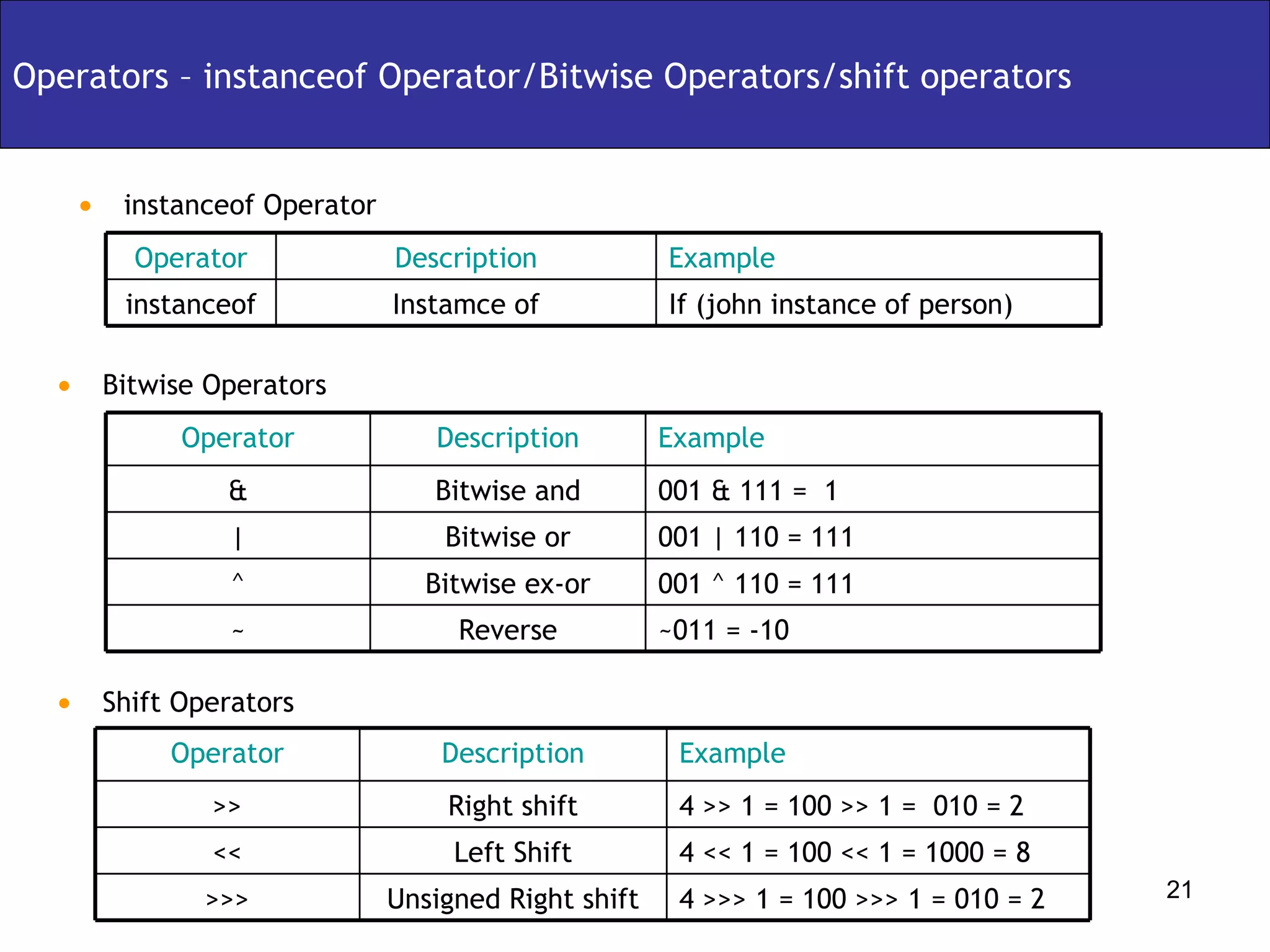
instanceof Operator Operators – instanceof Operator/Bitwise Operators/shift operators Bitwise Operators Shift Operators Instamce of Description If (john instance of person) Example instanceof Operator ~011 = -10 Reverse ~ 001 ^ 110 = 111 Bitwise ex-or ^ 001 | 110 = 111 Bitwise or | 001 & 111 =  1  Bitwise and & Description Example Operator 4 >>> 1 = 100 >>> 1 = 010 = 2 Unsigned Right shift >>> 4 << 1 = 100 << 1 = 1000 = 8 Left Shift << 4 >> 1 = 100 >> 1 =  010 = 2 Right shift >> Description Example Operator
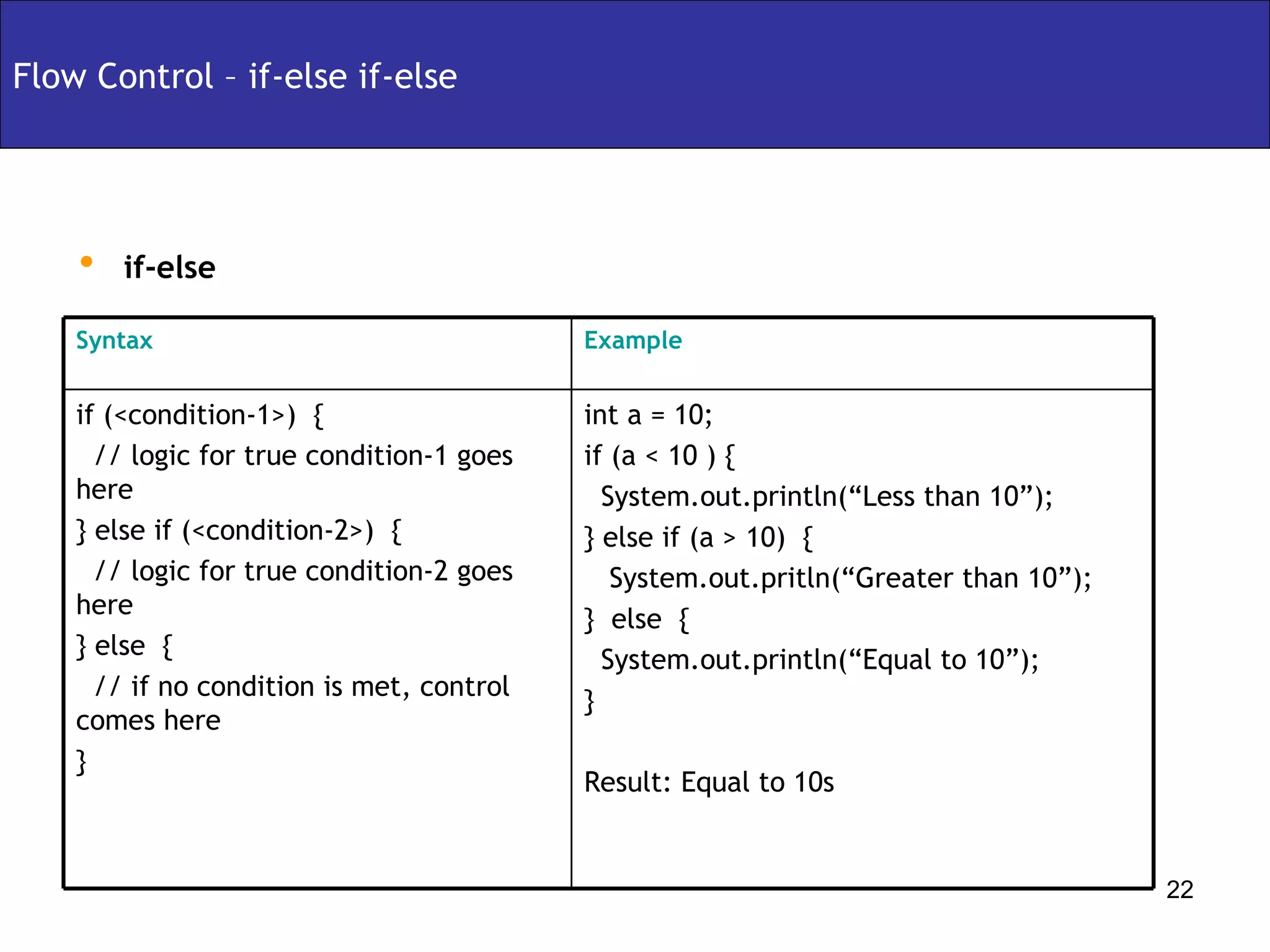
if-else Flow Control – if-else if-else int a = 10; if (a < 10 ) { System.out.println(“Less than 10”); } else if (a > 10)  { System.out.pritln(“Greater than 10”); }  else  { System.out.println(“Equal to 10”); } Result: Equal to 10s if (<condition-1>)  { // logic for true condition-1 goes here } else if (<condition-2>)  { // logic for true condition-2 goes here } else  { // if no condition is met, control comes here } Example Syntax
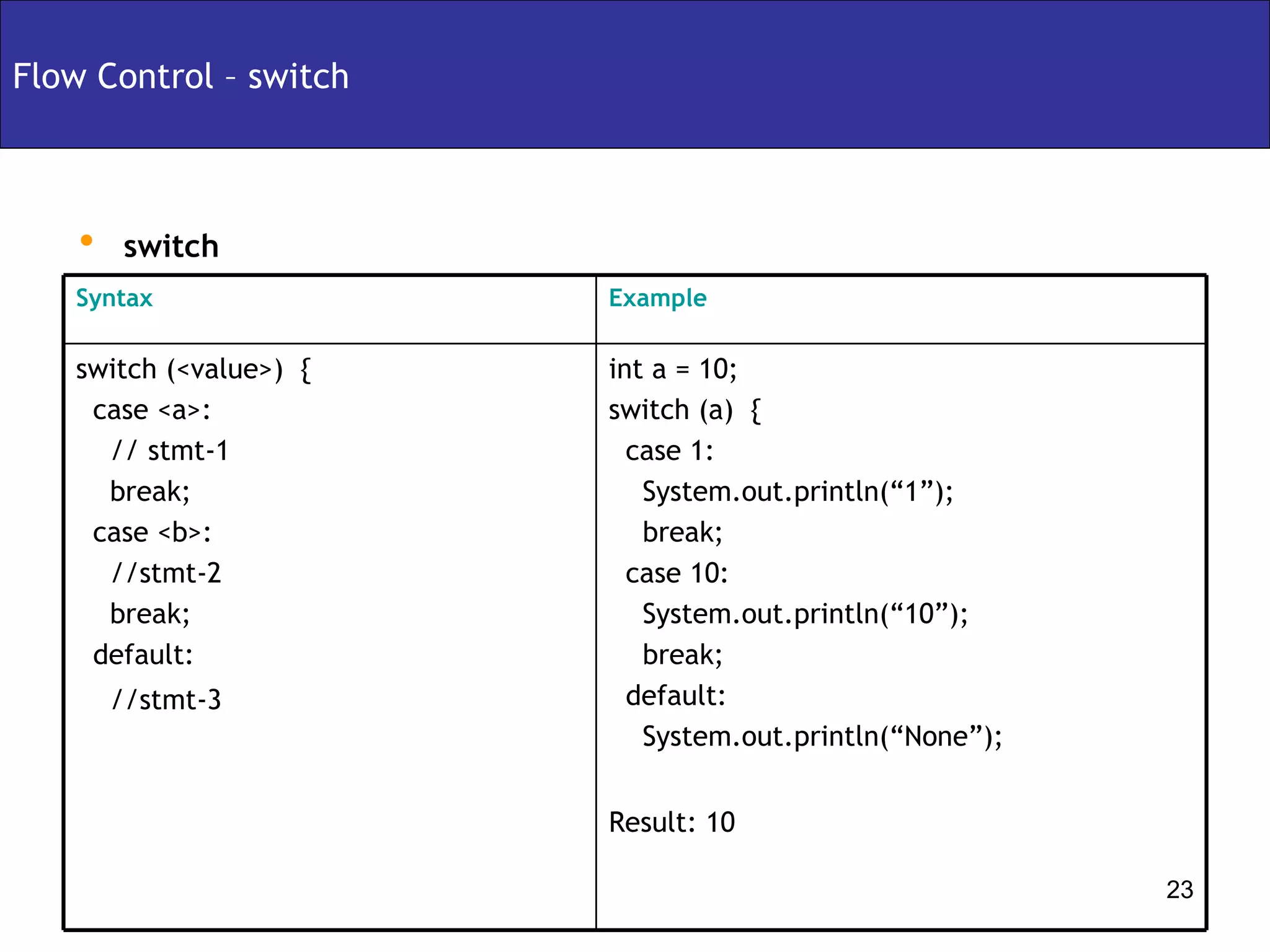
Flow Control – switch switch int a = 10; switch (a)  { case 1:  System.out.println(“1”); break; case 10: System.out.println(“10”); break; default: System.out.println(“None”); Result: 10 switch (<value>)  { case <a>:  // stmt-1 break; case <b>: //stmt-2 break; default: //stmt-3 Example Syntax
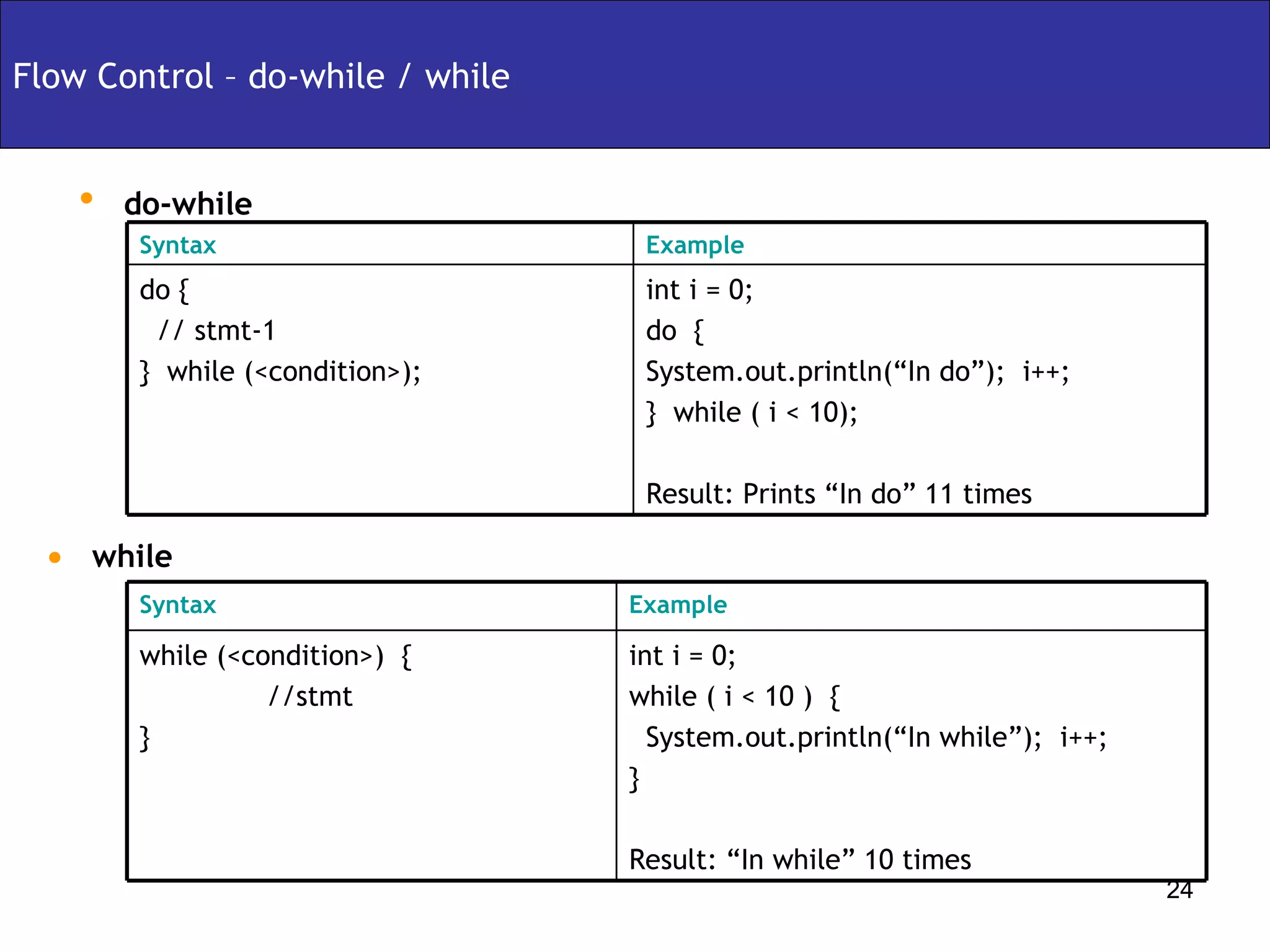
do-while Flow Control – do-while / while  while int i = 0; do  { System.out.println(“In do”);  i++; }  while ( i < 10); Result: Prints “In do” 11 times do { // stmt-1 }  while (<condition>); Example Syntax int i = 0; while ( i < 10 )  { System.out.println(“In while”);  i++; } Result: “In while” 10 times while (<condition>)  { //stmt } Example Syntax
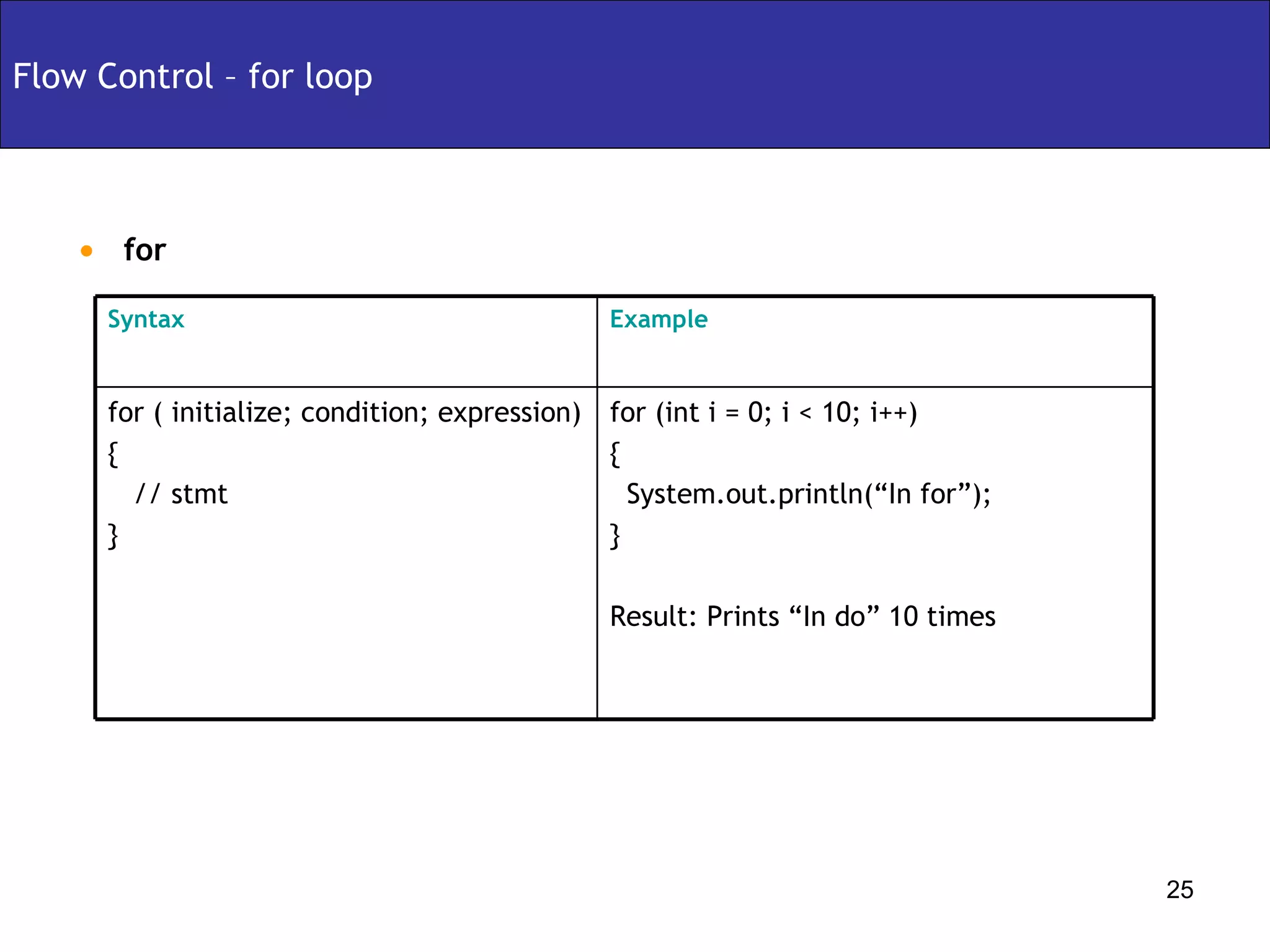
for Flow Control – for loop  for (int i = 0; i < 10; i++) { System.out.println(“In for”); }  Result: Prints “In do” 10 times for ( initialize; condition; expression) { // stmt } Example Syntax
Arrays and Strings – Arrays Declaration/Construction/Initialization Array Declaration int myArray[];   int[] myArray; double[][] doubleArray;  Array Construction int[] myArray = new int[5]; int[][] twoDimArray = new int[5][4] Array Initialization int[] myArray = new int[5]; for (int I = 0; I < 5; i++) {   myArray[i] = i++; }   int[5] myArray = {1,2,3,4,5}; 1 2 9 7 5 0 7 5 3 2 8 1
Arrays and Strings – Arrays Representation myArray int[ ] myArray =  {1,2,3,4,5} Heap 5 4 3 2 1
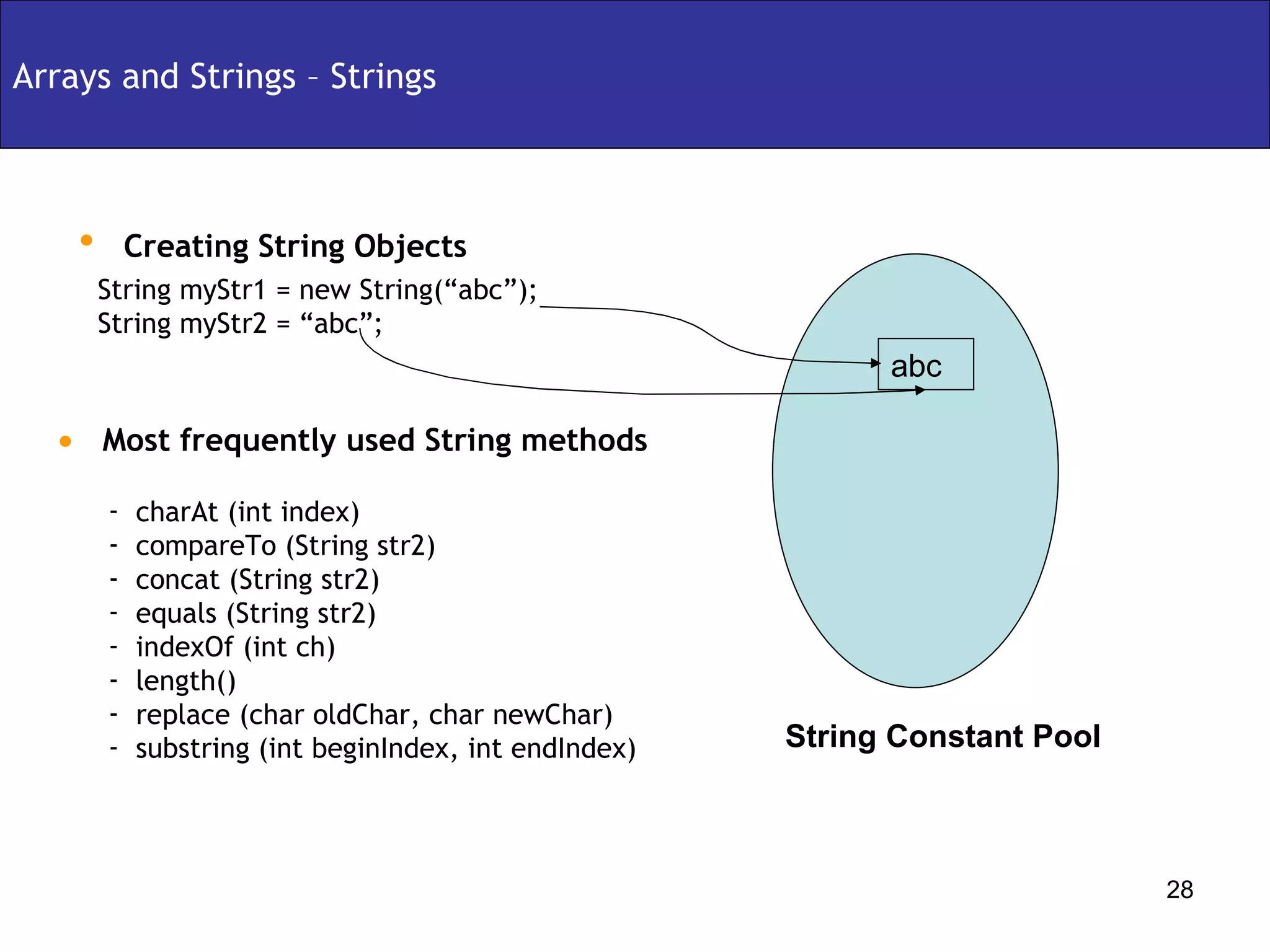
Creating String Objects Arrays and Strings – Strings String myStr1 = new String(“abc”); String myStr2 = “abc”; Most frequently used String methods charAt (int index) compareTo (String str2) concat (String str2) equals (String str2) indexOf (int ch) length() replace (char oldChar, char newChar) substring (int beginIndex, int endIndex) abc String Constant Pool
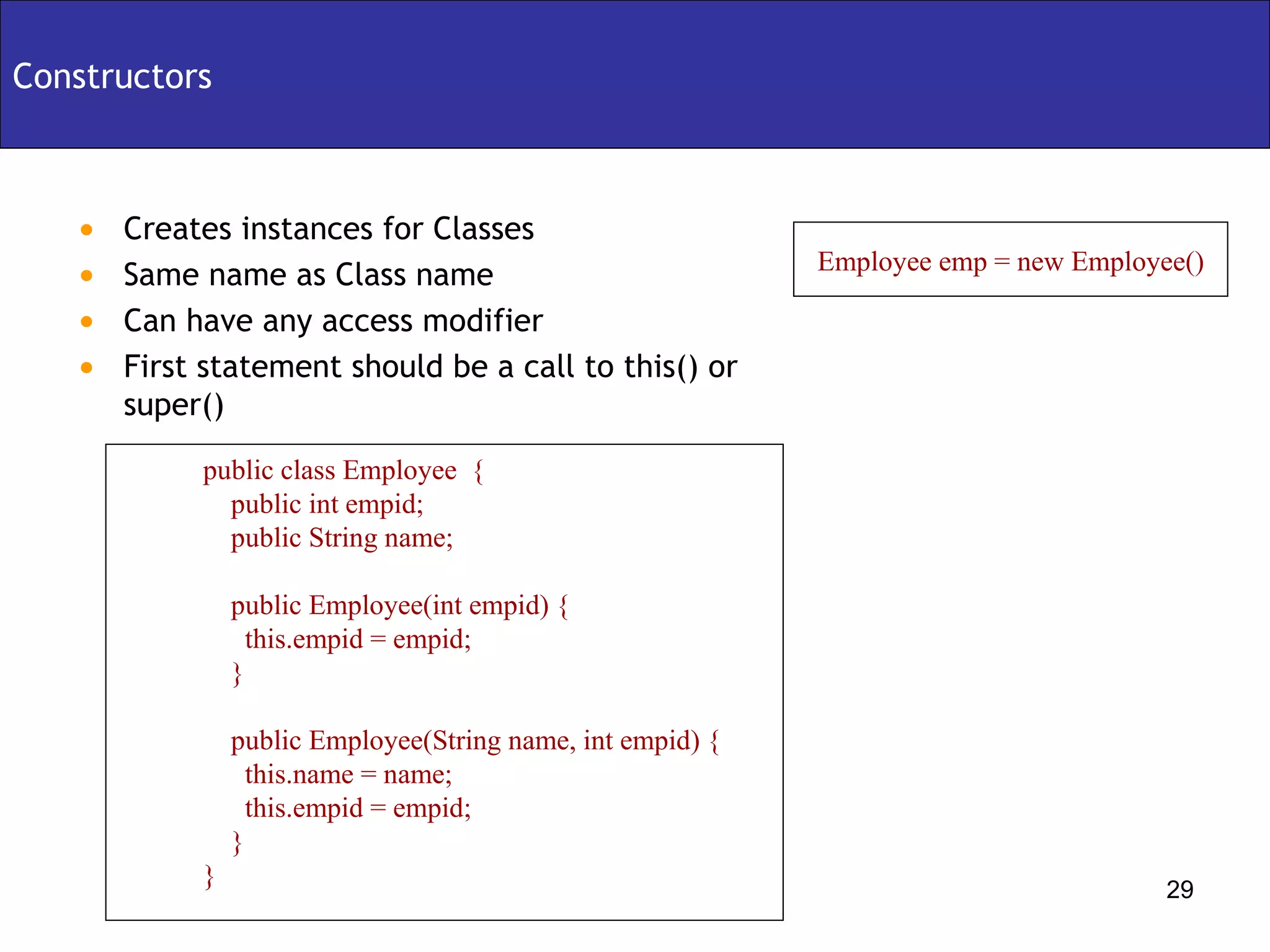
Creates instances for Classes Same name as Class name Can have any access modifier First statement should be a call to this() or super() Constructors public class Employee  { public int empid; public String name; public Employee(int empid) { this.empid = empid; } public Employee(String name, int empid) { this.name = name; this.empid = empid; } } Employee emp = new Employee()
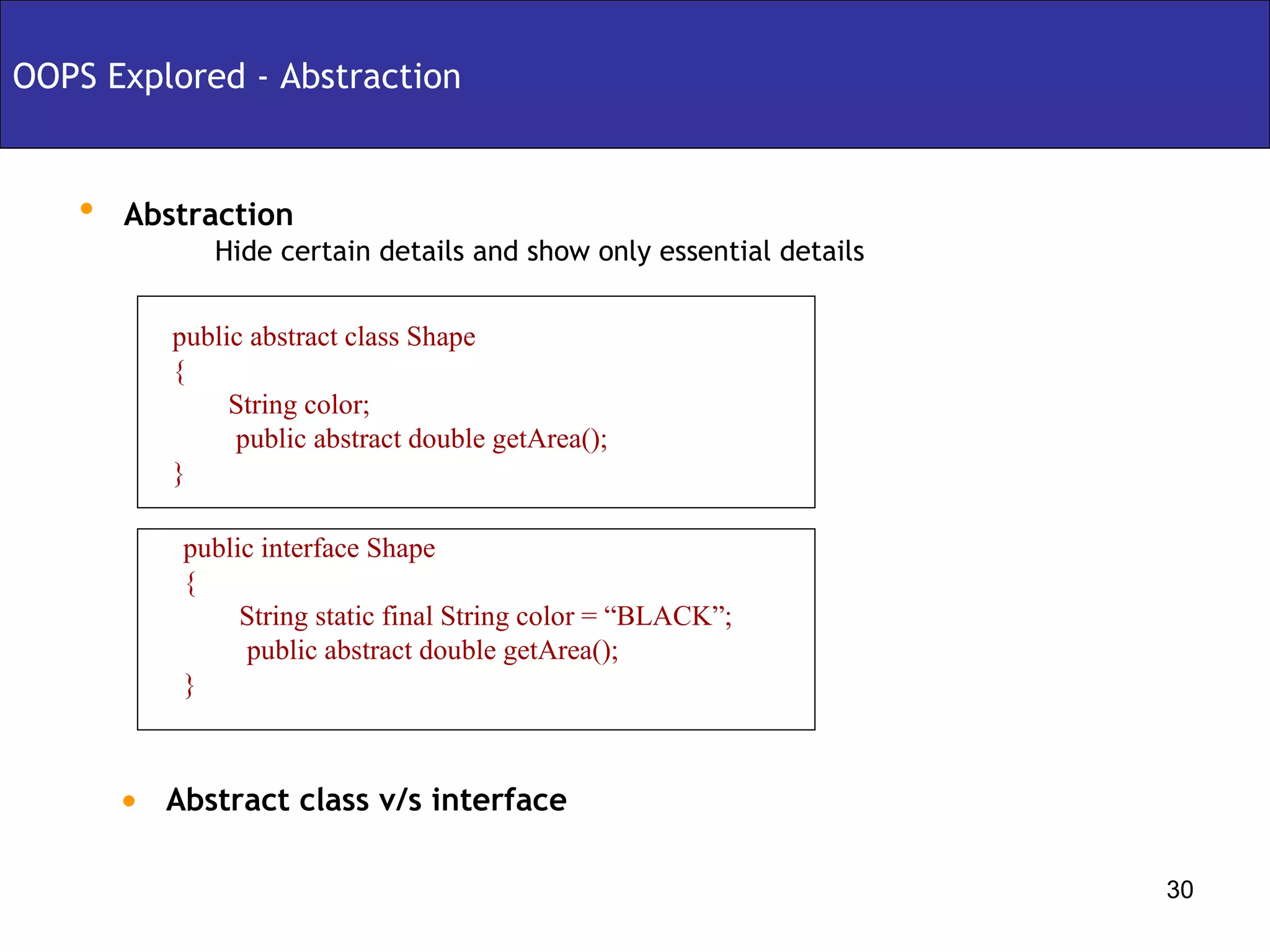
Abstraction OOPS Explored - Abstraction Hide certain details and show only essential details public abstract class Shape { String color; public abstract double getArea(); } Abstract class v/s interface public interface Shape { String static final String color = “BLACK”; public abstract double getArea(); }
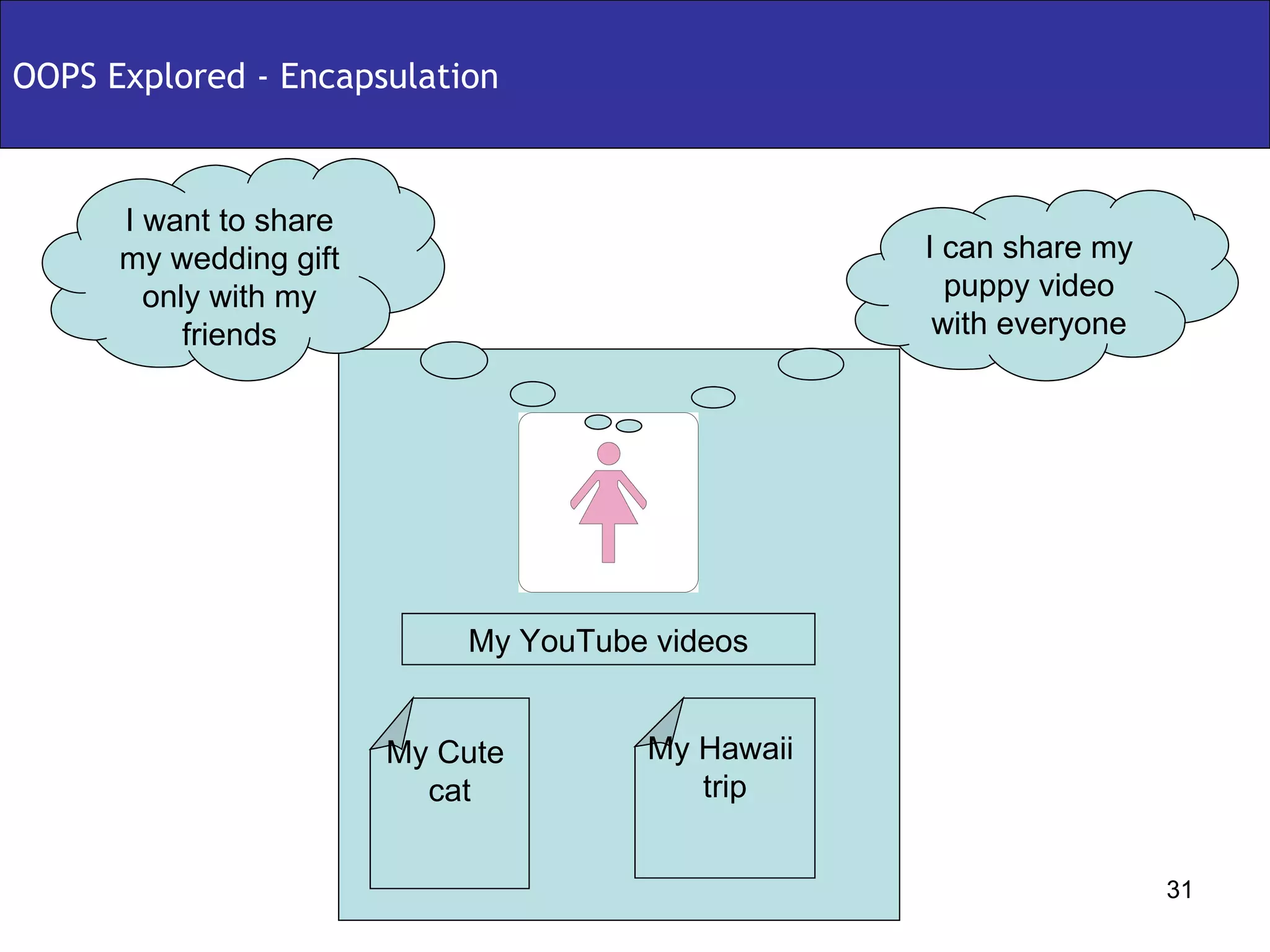
OOPS Explored - Encapsulation My YouTube videos My Cute  puppy My Wedding  Gift My YouTube videos My Cute  puppy My Wedding  Gift My YouTube videos My Cute  cat My Hawaii  trip I can share my puppy video with everyone I want to share my wedding gift only with my friends
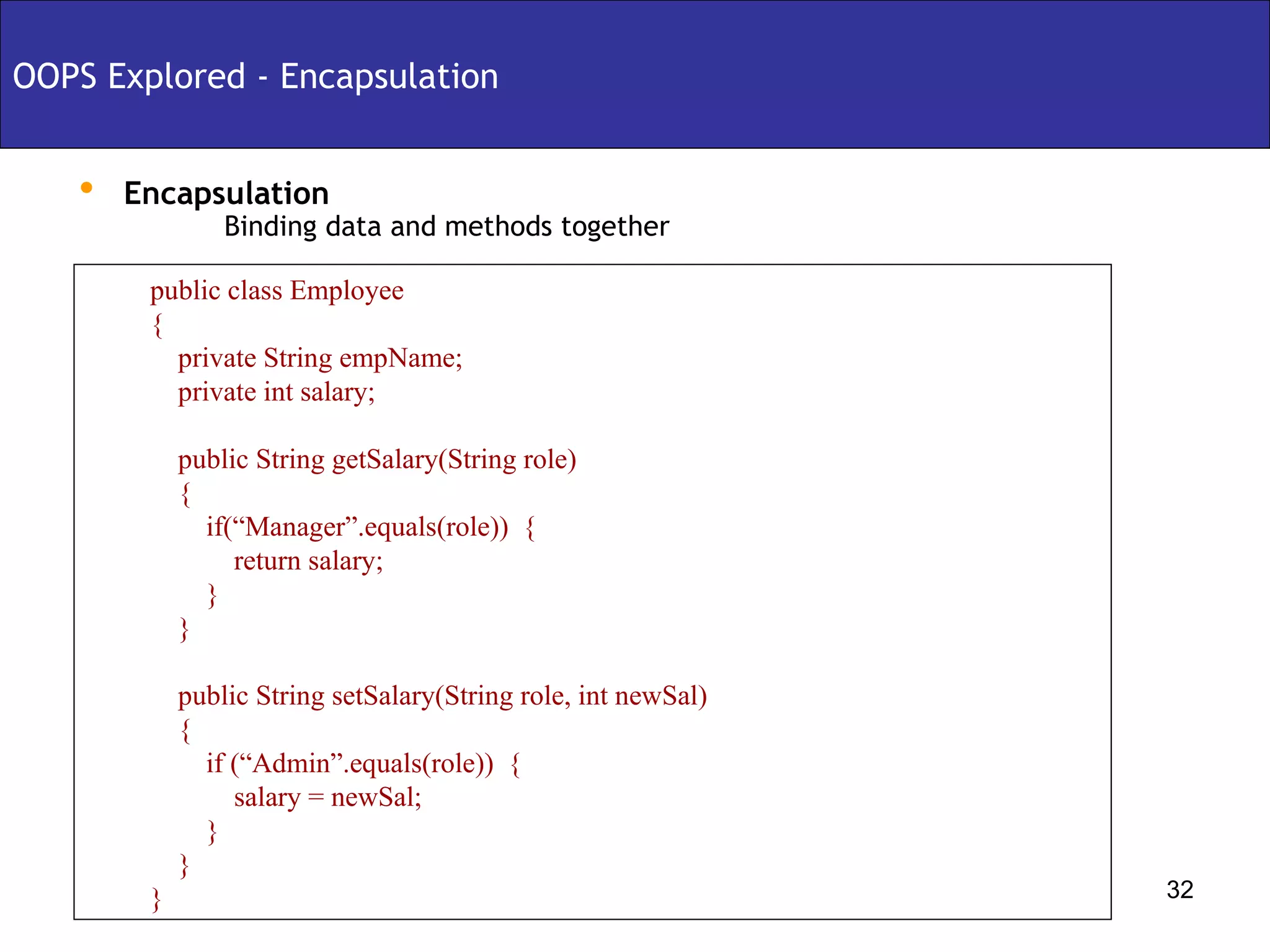
Encapsulation Binding data and methods together OOPS Explored - Encapsulation public class Employee { private String empName; private int salary; public String getSalary(String role) { if(“Manager”.equals(role))  { return salary; } } public String setSalary(String role, int newSal)  { if (“Admin”.equals(role))  { salary = newSal; } } }
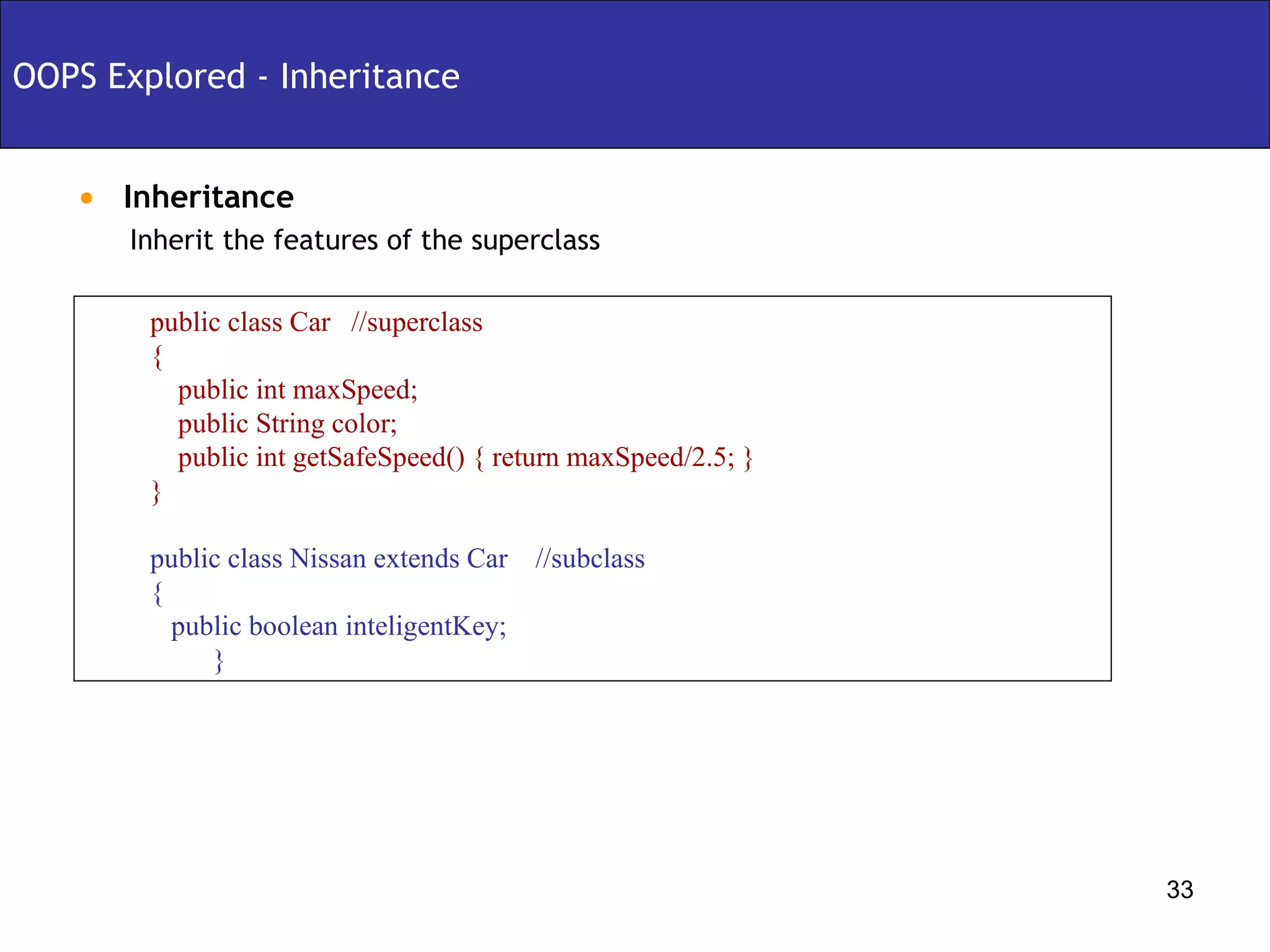
Inheritance OOPS Explored - Inheritance Inherit the features of the superclass public class Car  //superclass { public int maxSpeed; public String color; public int getSafeSpeed() { return maxSpeed/2.5; } } public class Nissan extends Car  //subclass { public boolean inteligentKey; }
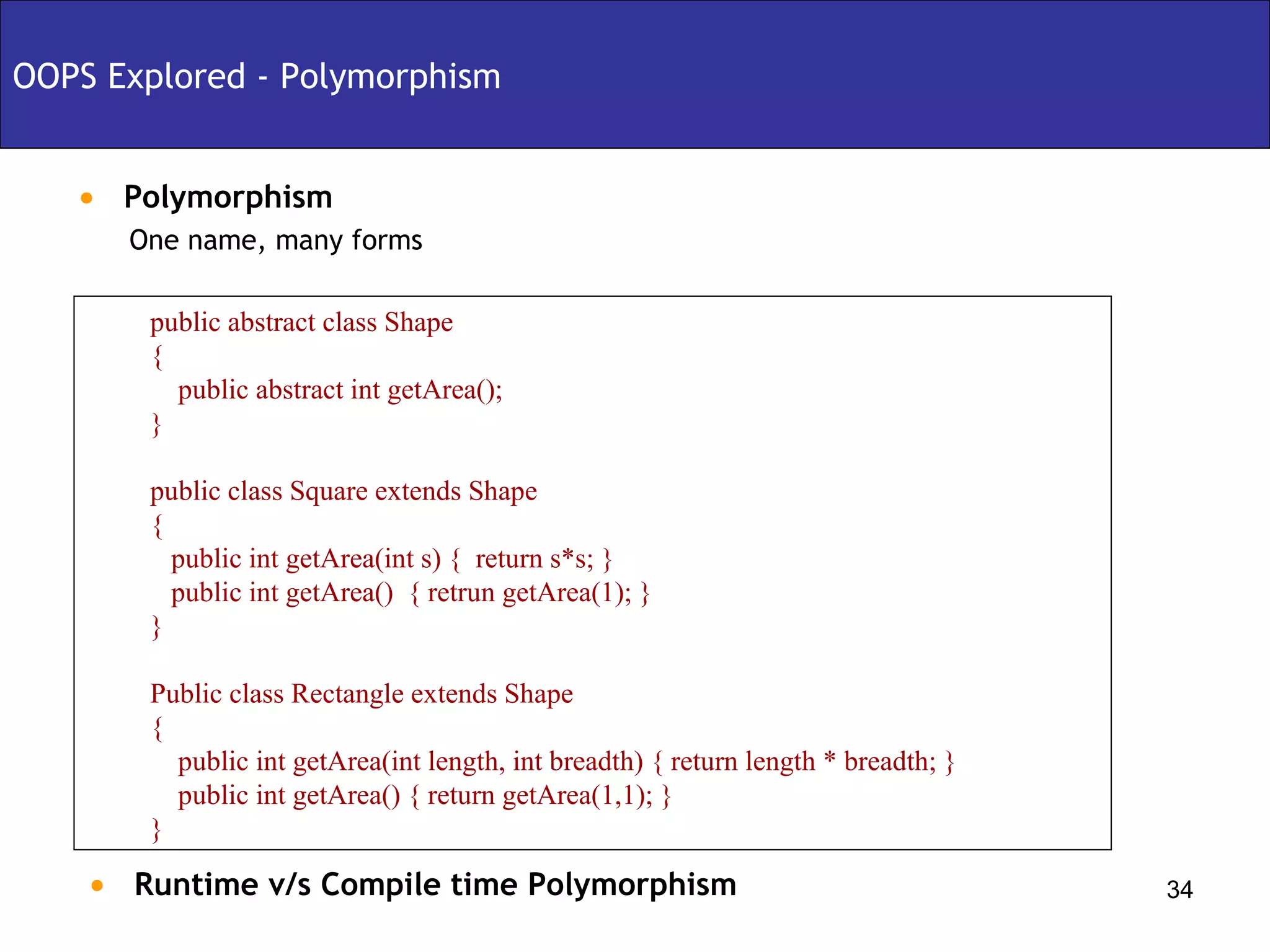
Polymorphism OOPS Explored - Polymorphism One name, many forms public abstract class Shape { public abstract int getArea(); } public class Square extends Shape  { public int getArea(int s) {  return s*s; } public int getArea()  { retrun getArea(1); } } Public class Rectangle extends Shape { public int getArea(int length, int breadth) { return length * breadth; } public int getArea() { return getArea(1,1); } } Runtime v/s Compile time Polymorphism
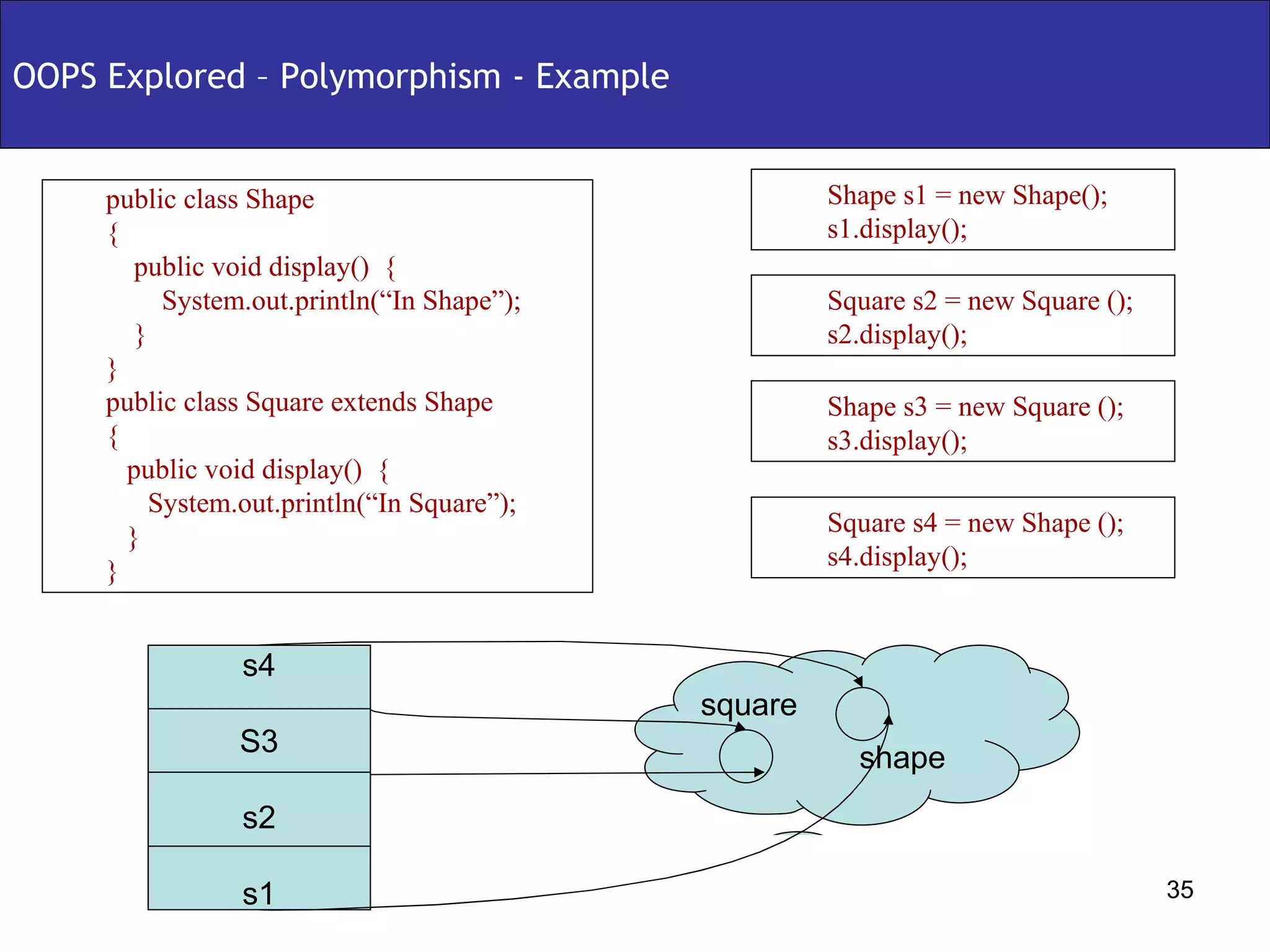
OOPS Explored – Polymorphism - Example public class Shape { public void display()  { System.out.println(“In Shape”); } } public class Square extends Shape  { public void display()  { System.out.println(“In Square”); } } Shape s1 = new Shape(); s1.display(); Square s2 = new Square (); s2.display(); Shape s3 = new Square (); s3.display(); Square s4 = new Shape (); s4.display(); s4 S3 s2 s1 shape square
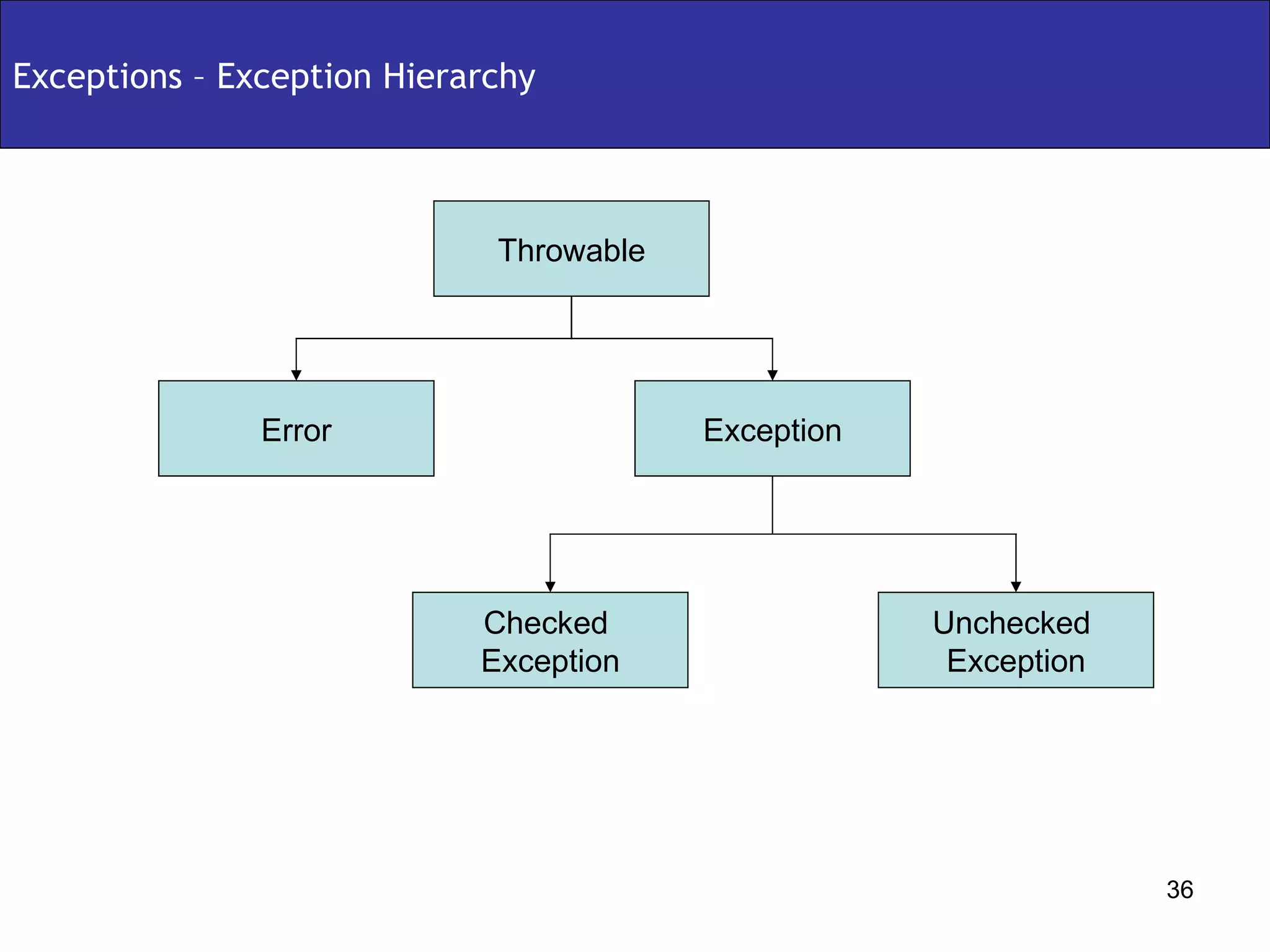
Exceptions – Exception Hierarchy Throwable Exception Error Unchecked  Exception Checked  Exception
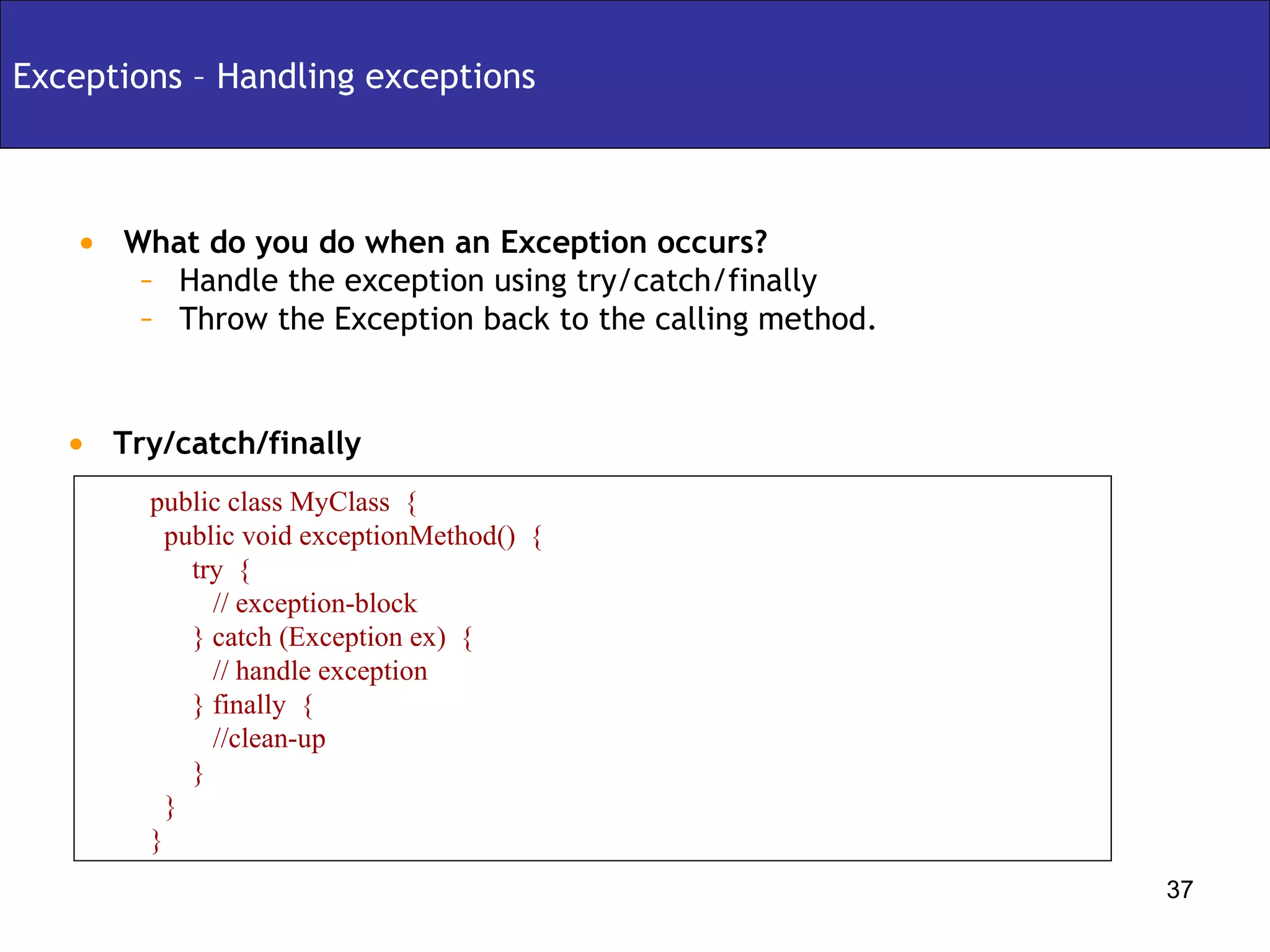
Exceptions – Handling exceptions What do you do when an Exception occurs? Handle the exception using try/catch/finally Throw the Exception back to the calling method. Try/catch/finally public class MyClass  { public void exceptionMethod()  { try  {  // exception-block } catch (Exception ex)  { // handle exception } finally  { //clean-up } } }
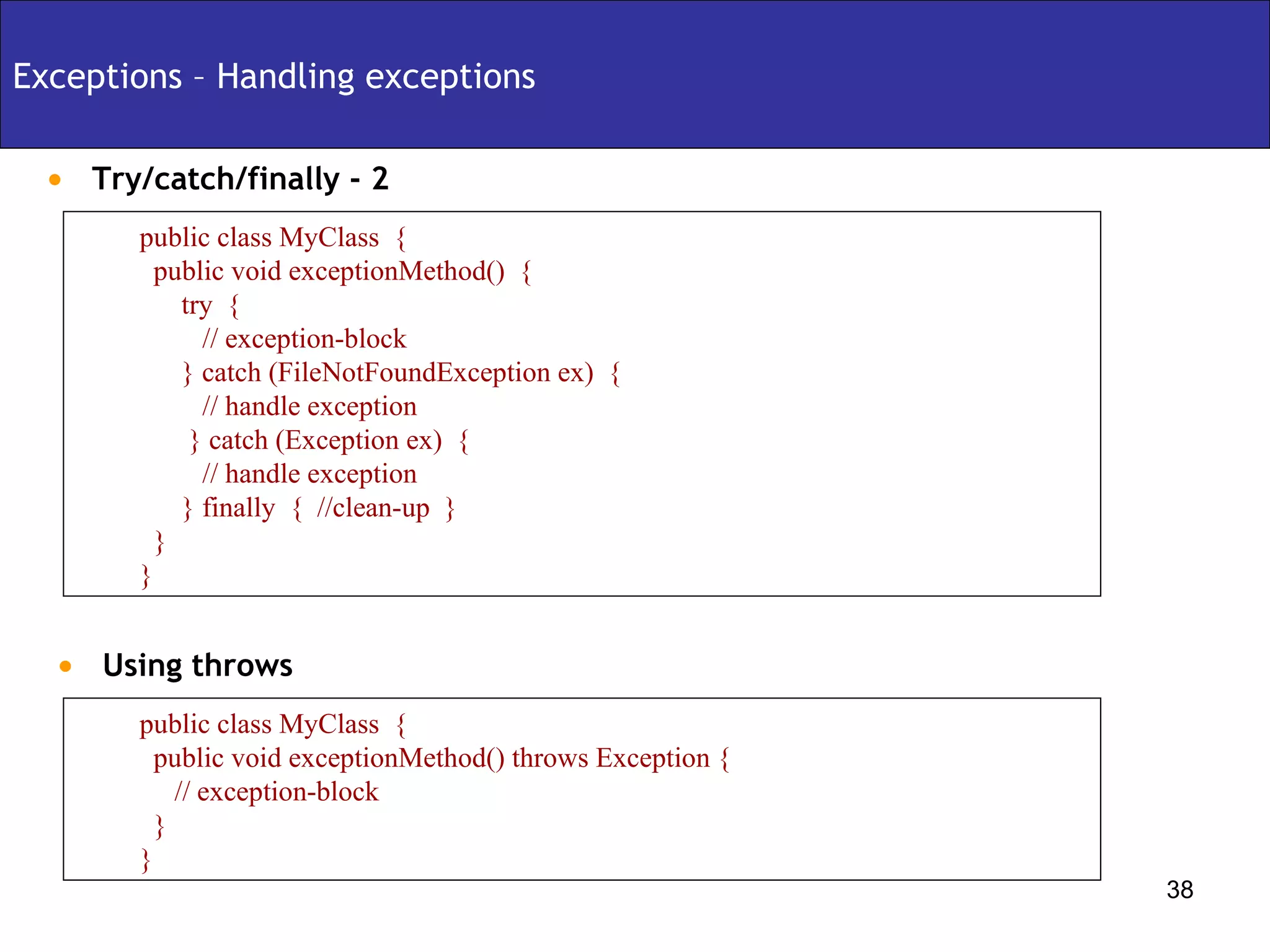
Exceptions – Handling exceptions Try/catch/finally - 2 public class MyClass  { public void exceptionMethod()  { try  {  // exception-block } catch (FileNotFoundException ex)  { // handle exception } catch (Exception ex)  { // handle exception } finally  {  //clean-up  } } } Using throws  public class MyClass  { public void exceptionMethod() throws Exception { // exception-block } }
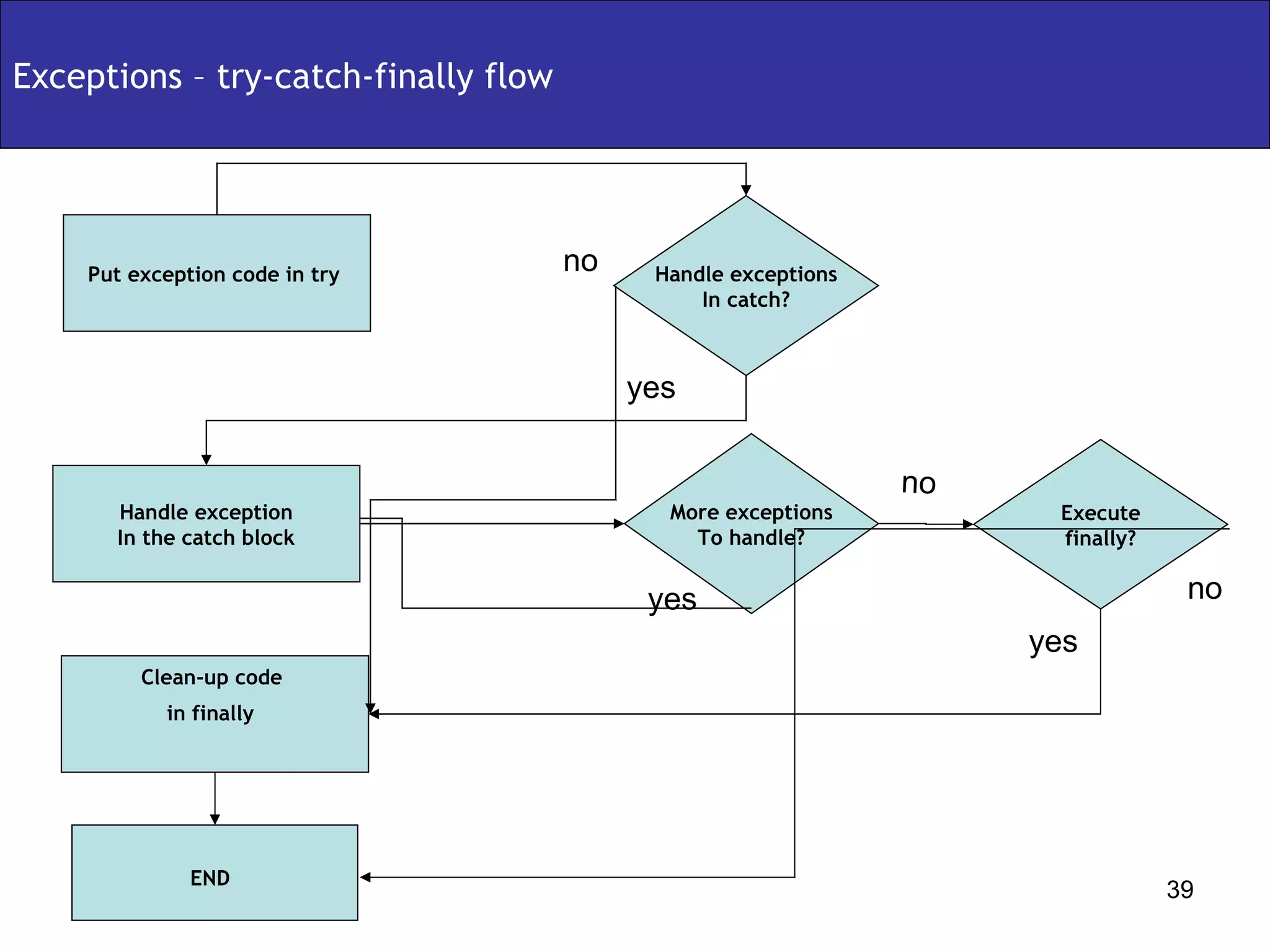
Exceptions – try-catch-finally flow Put exception code in try  More exceptions To handle? Handle exceptions In catch? Execute finally? END   Handle exception In the catch block Clean-up code  in finally   yes yes yes no no no
Garbage Collection
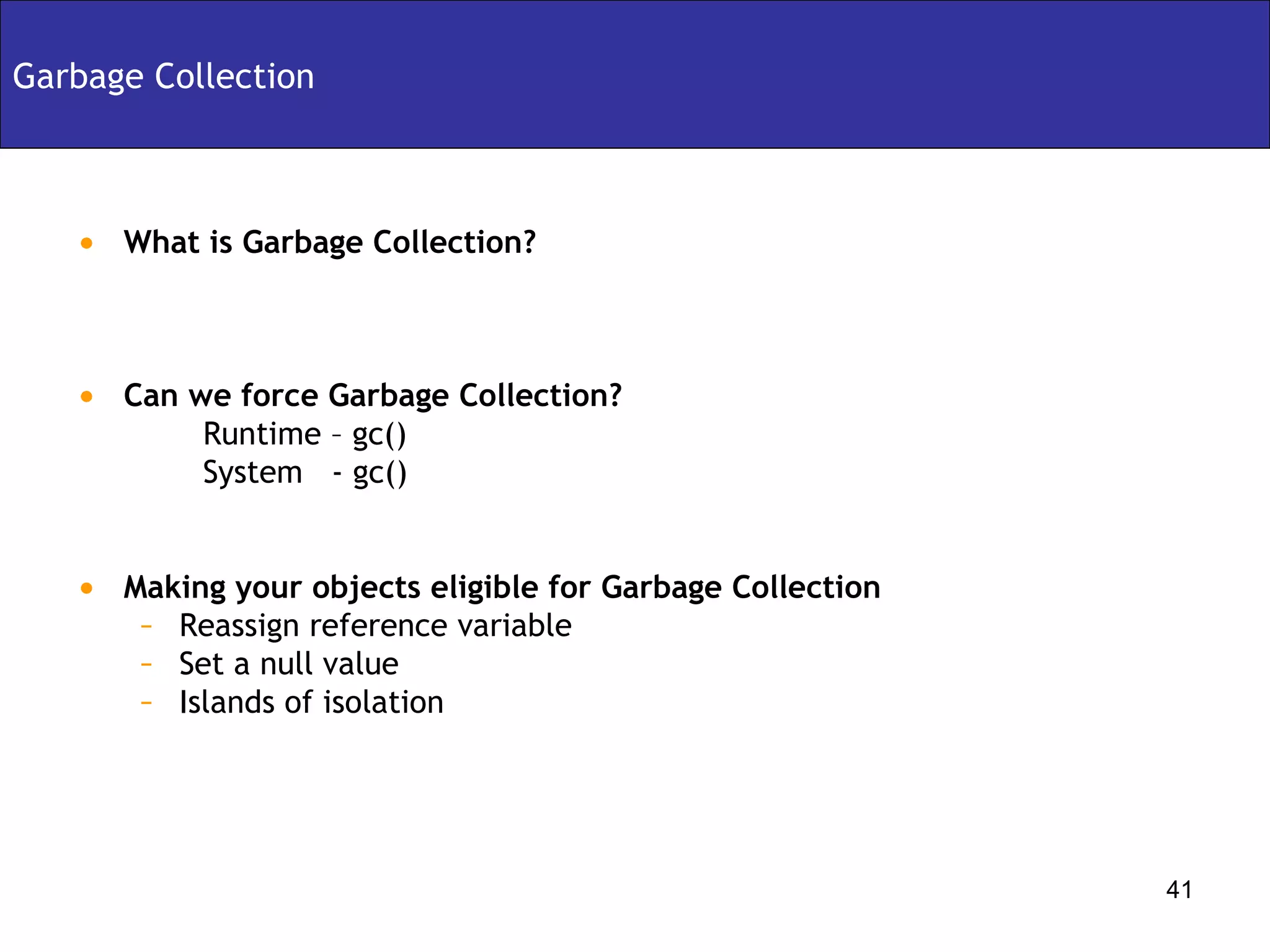
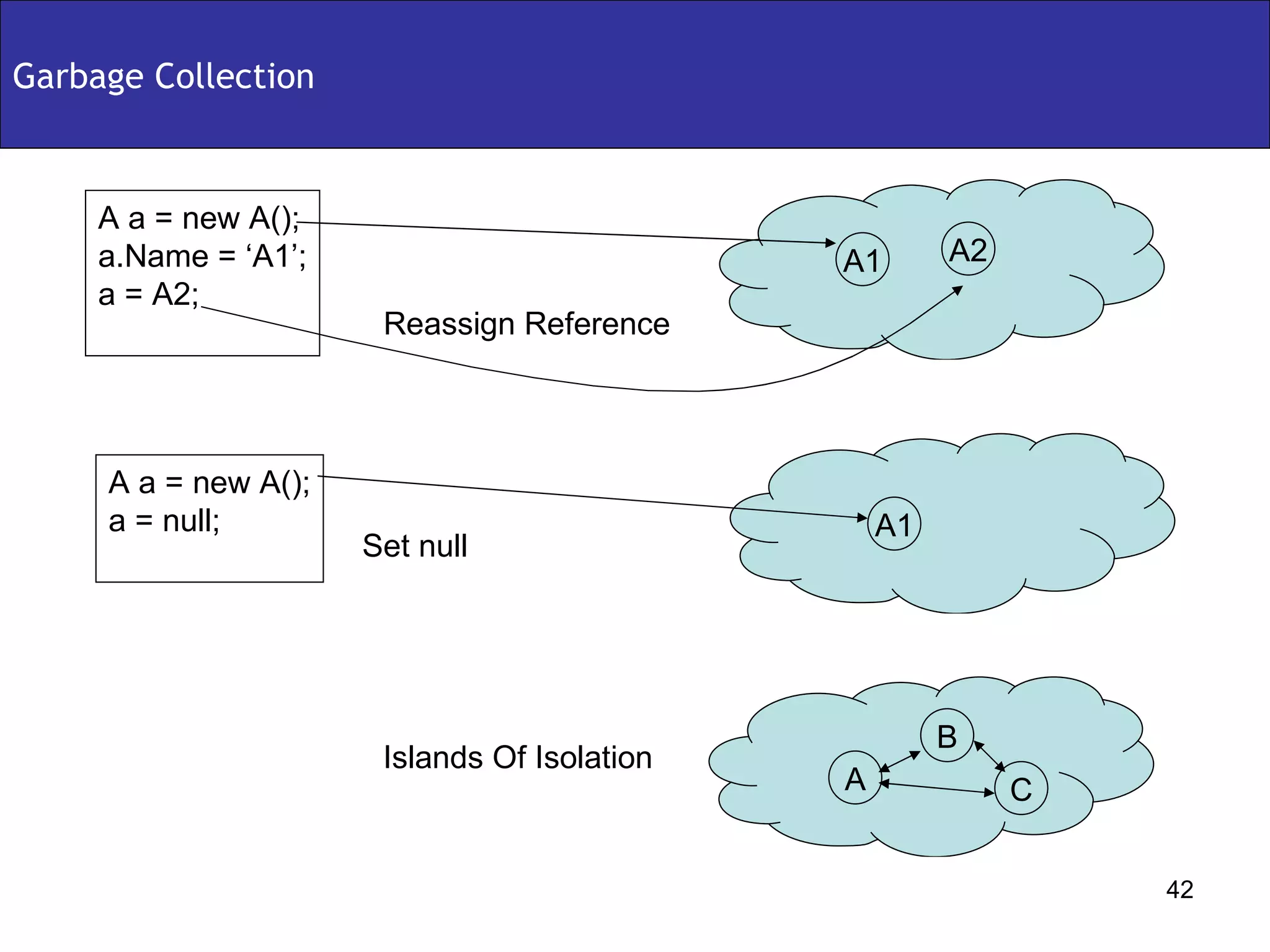
Garbage Collection What is Garbage Collection? Can we force Garbage Collection? Runtime – gc() System  - gc() Making your objects eligible for Garbage Collection Reassign reference variable Set a null value Islands of isolation
Garbage Collection A1 A2 A a = new A(); a.Name = ‘A1’; a = A2; A1 A a = new A(); a = null; A C B Reassign Reference Set null Islands Of Isolation
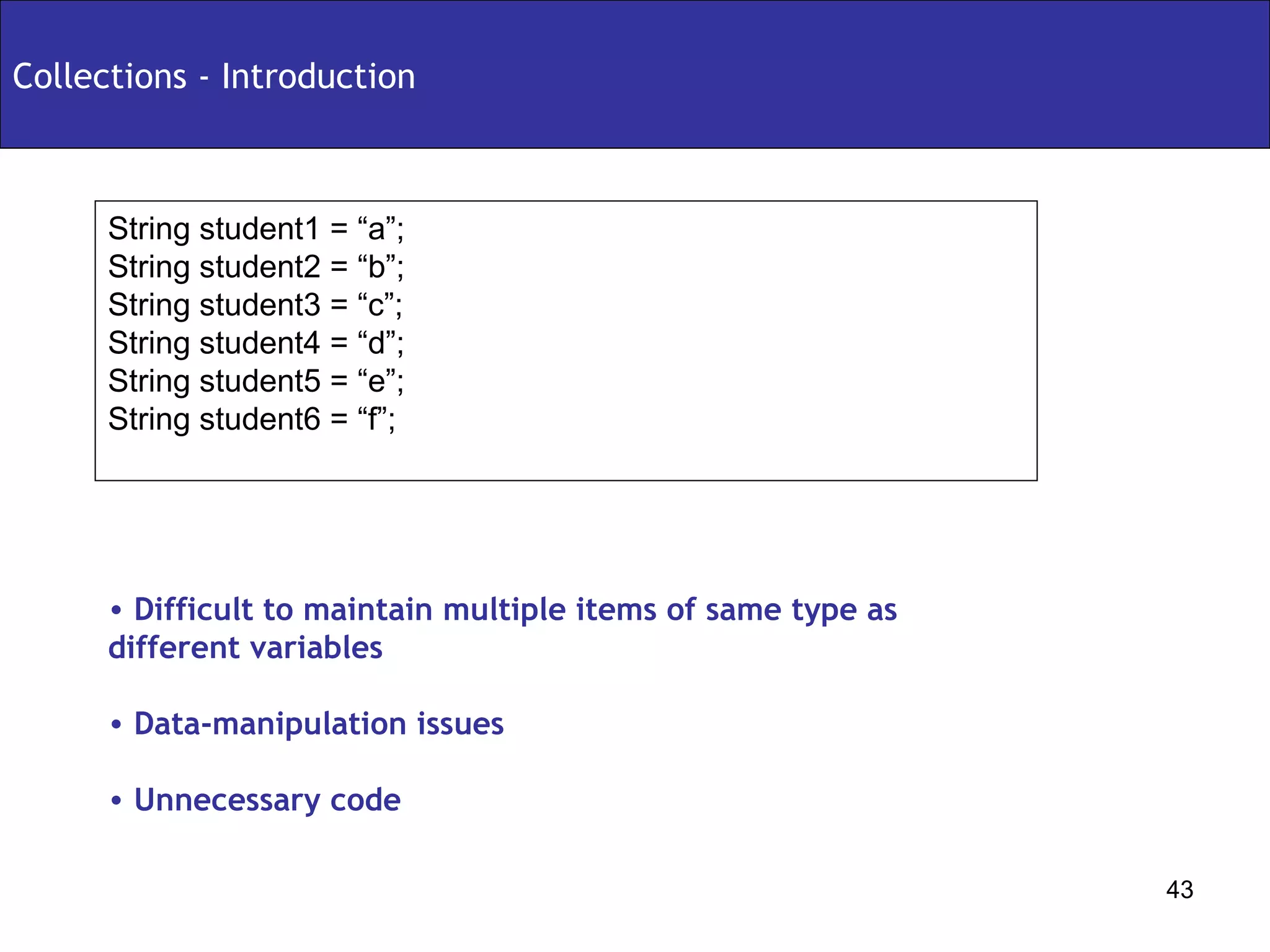
Collections - Introduction String student1 = “a”; String student2 = “b”; String student3 = “c”; String student4 = “d”; String student5 = “e”; String student6 = “f”; Difficult to maintain multiple items of same type as different variables Data-manipulation issues Unnecessary code
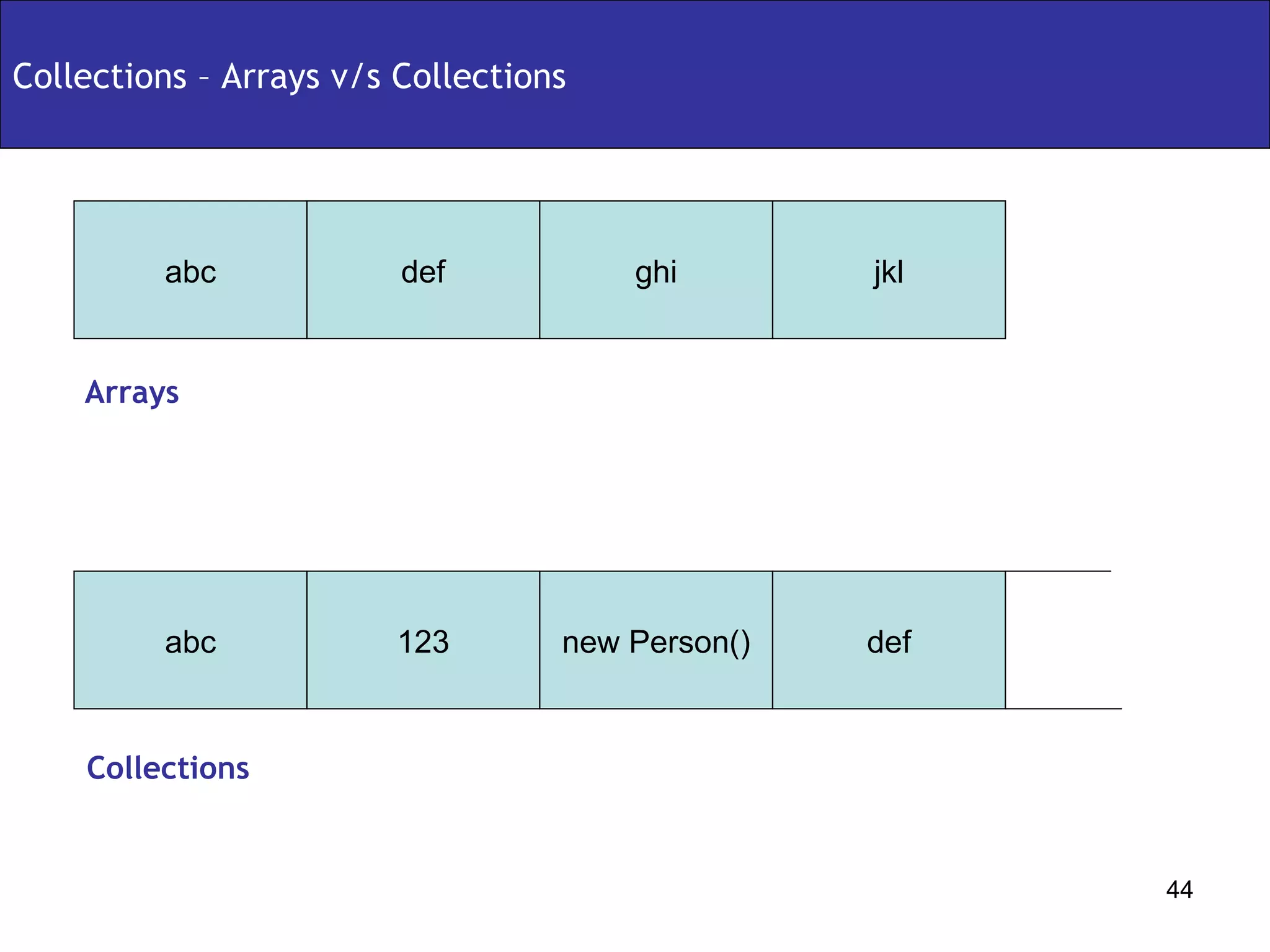
Collections – Arrays v/s Collections abc def jkl ghi abc 123 def new Person() Arrays Collections
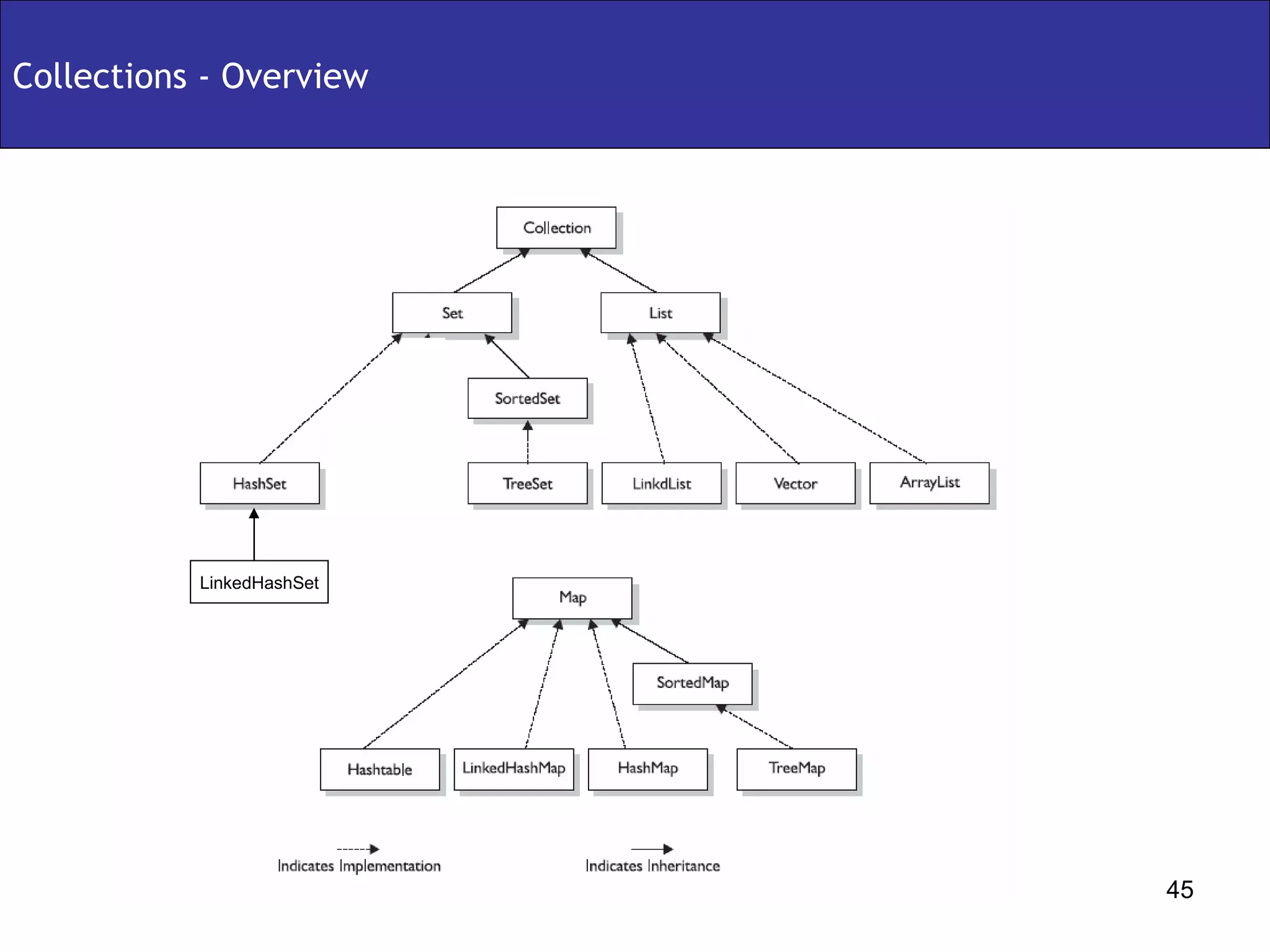
Collections - Overview LinkedHashSet
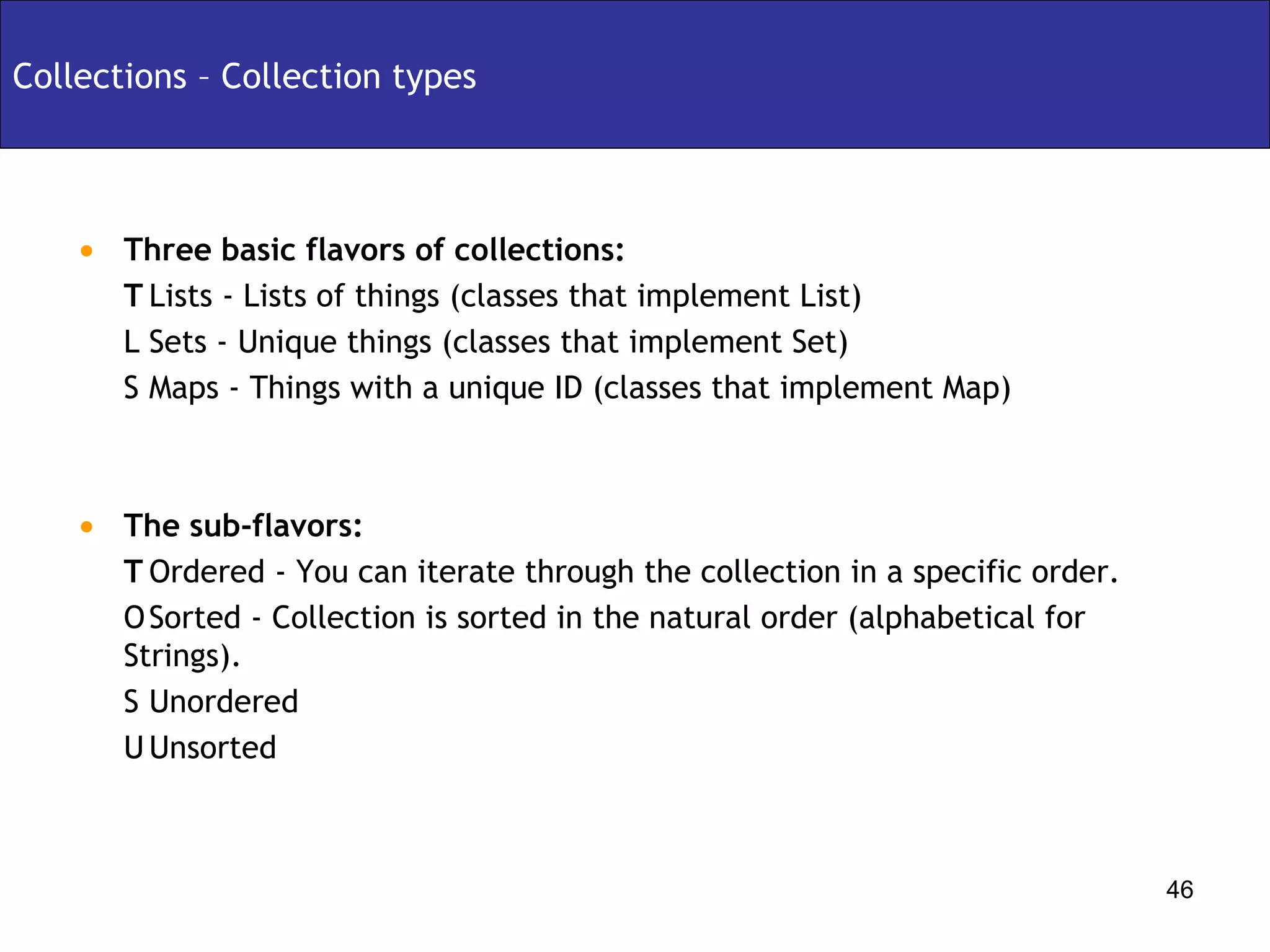
Collections – Collection types Three basic flavors of collections:   Lists - Lists of things (classes that implement List)   Sets - Unique things (classes that implement Set)   Maps - Things with a unique ID (classes that implement Map) The sub-flavors:   Ordered - You can iterate through the collection in a specific order.   Sorted - Collection is sorted in the natural order (alphabetical for Strings).   Unordered   Unsorted
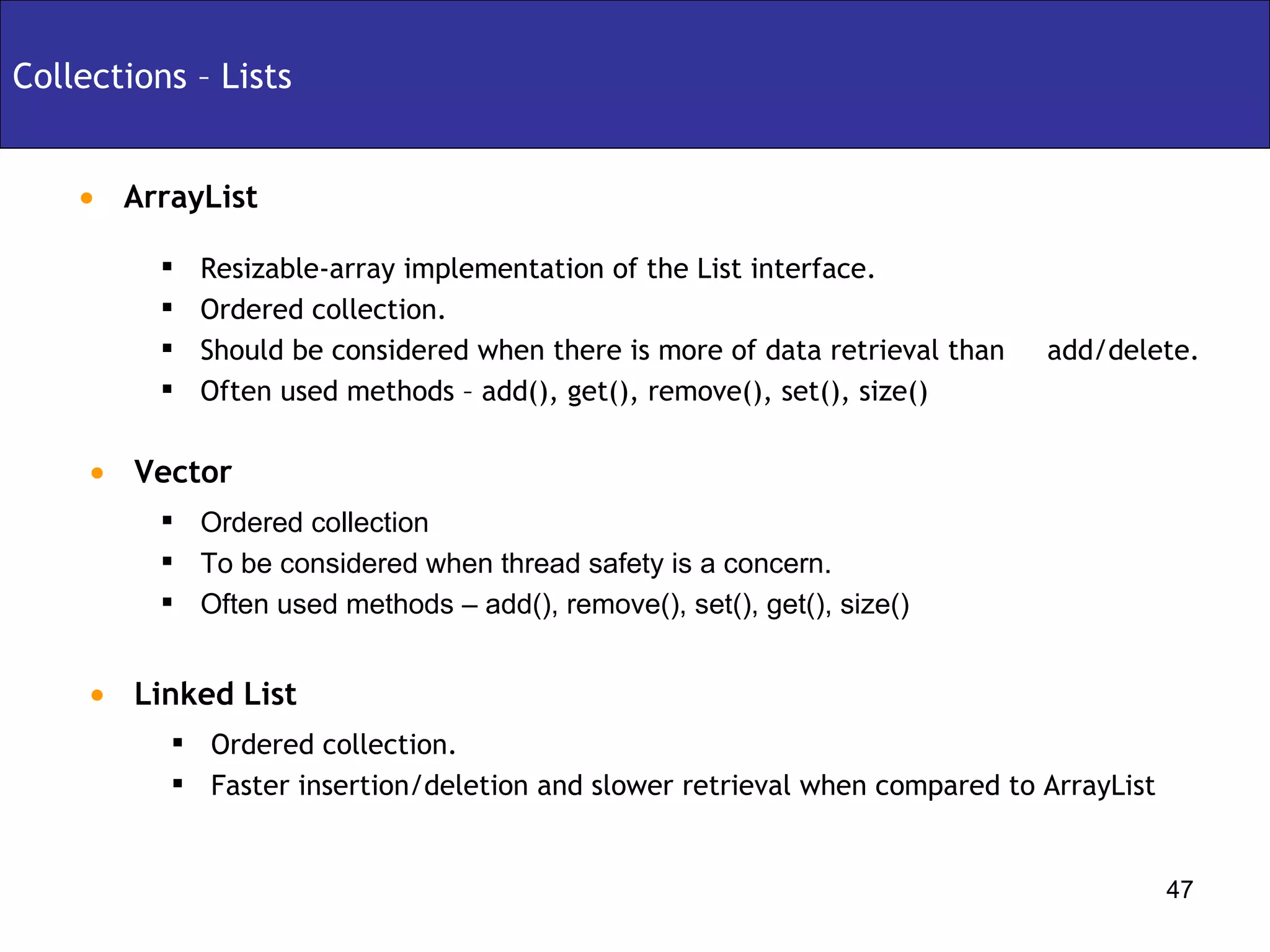
ArrayList Collections – Lists Ordered collection To be considered when thread safety is a concern. Often used methods – add(), remove(), set(), get(), size() Vector Resizable-array implementation of the List interface. Ordered collection. Should be considered when there is more of data retrieval than  add/delete. Often used methods – add(), get(), remove(), set(), size() Linked List Ordered collection. Faster insertion/deletion and slower retrieval when compared to ArrayList
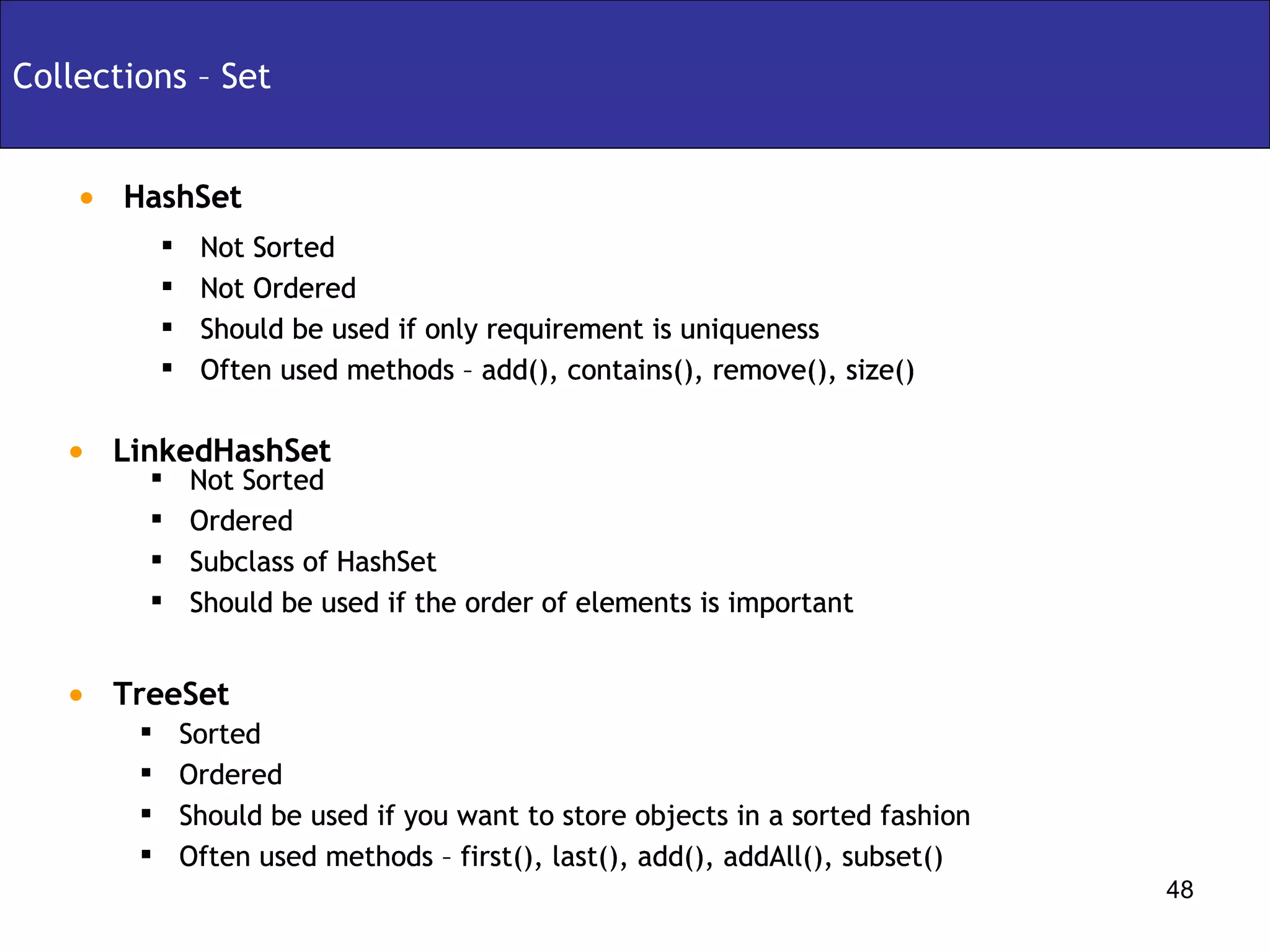
HashSet Collections – Set Not Sorted  Not Ordered Should be used if only requirement is uniqueness Often used methods – add(), contains(), remove(), size()  LinkedHashSet Not Sorted  Ordered Subclass of HashSet Should be used if the order of elements is important TreeSet Sorted  Ordered Should be used if you want to store objects in a sorted fashion Often used methods – first(), last(), add(), addAll(), subset() HashSet Not Sorted  Not Ordered Should be used if only requirement is uniqueness Often used methods – add(), contains(), remove(), size()  LinkedHashSet Not Sorted  Ordered Subclass of HashSet Should be used if the order of elements is important HashSet Not Sorted  Not Ordered Should be used if only requirement is uniqueness Often used methods – add(), contains(), remove(), size()  LinkedHashSet Sorted  Ordered Should be used if you want to store objects in a sorted fashion Often used methods – first(), last(), add(), addAll(), subset() Not Sorted  Ordered Subclass of HashSet Should be used if the order of elements is important HashSet Not Sorted  Not Ordered Should be used if only requirement is uniqueness Often used methods – add(), contains(), remove(), size()  LinkedHashSet TreeSet Not Sorted  Ordered Subclass of HashSet Should be used if the order of elements is important HashSet Not Sorted  Not Ordered Should be used if only requirement is uniqueness Often used methods – add(), contains(), remove(), size()  LinkedHashSet Sorted  Ordered Should be used if you want to store objects in a sorted fashion Often used methods – first(), last(), add(), addAll(), subset() TreeSet Not Sorted  Ordered Subclass of HashSet Should be used if the order of elements is important HashSet Not Sorted  Not Ordered Should be used if only requirement is uniqueness Often used methods – add(), contains(), remove(), size()  LinkedHashSet
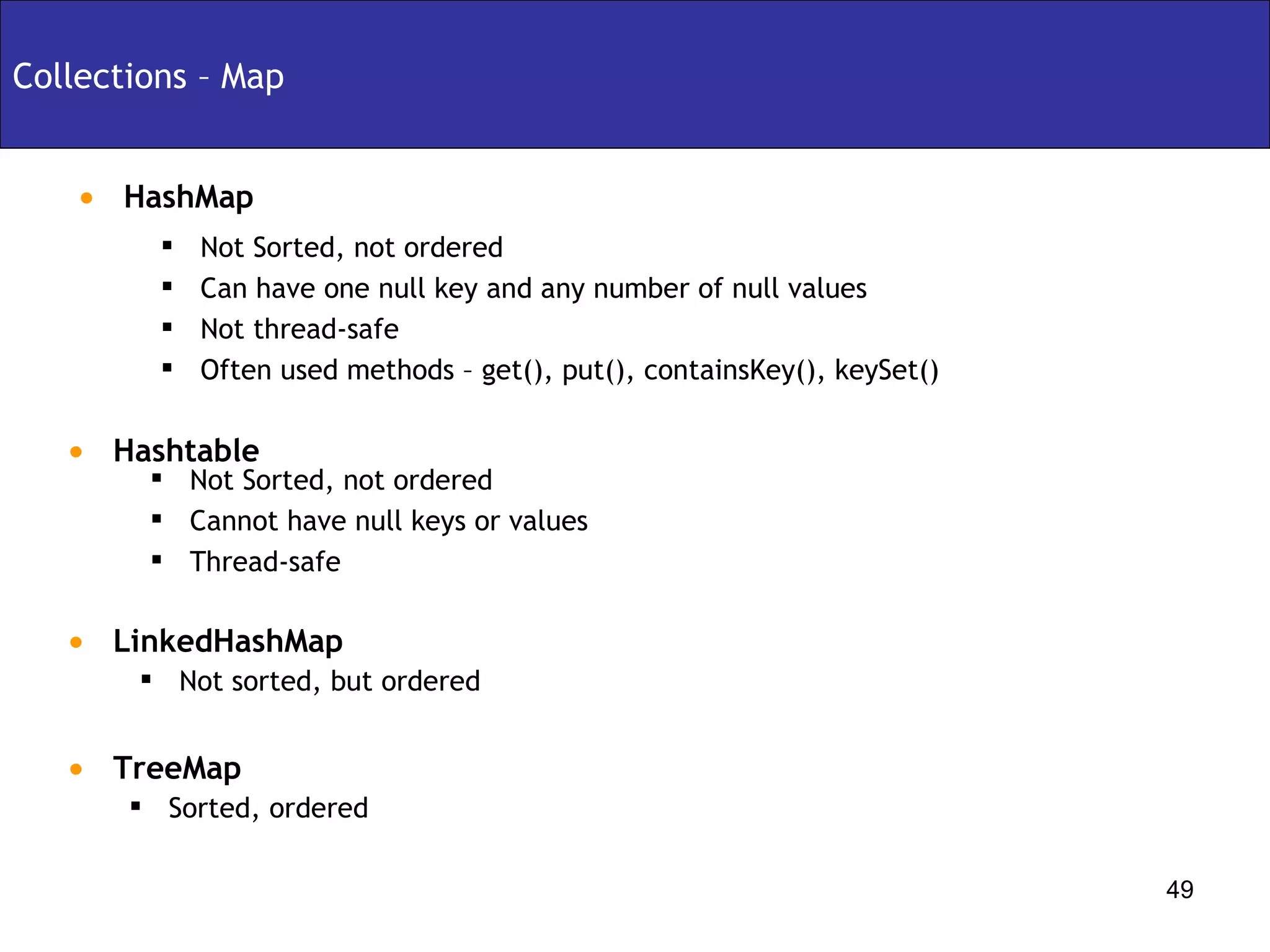
Collections – Map Not sorted, but ordered  LinkedHashMap Not Sorted, not ordered  Cannot have null keys or values Thread-safe HashMap Not Sorted, not ordered Can have one null key and any number of null values Not thread-safe Often used methods – get(), put(), containsKey(), keySet() Hashtable Sorted, ordered  TreeMap
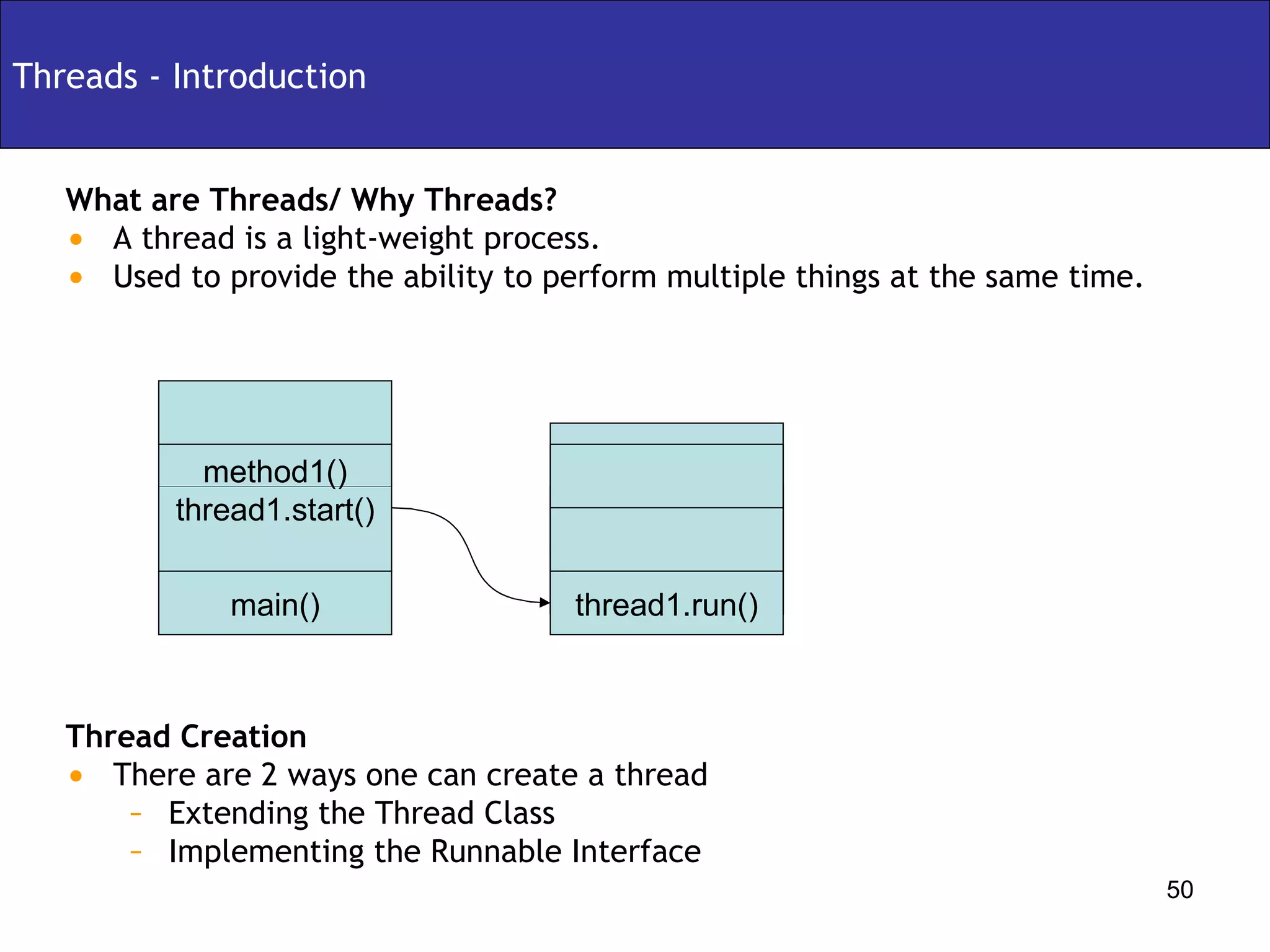
Threads - Introduction What are Threads/ Why Threads? A thread is a light-weight process. Used to provide the ability to perform multiple things at the same time. Thread Creation There are 2 ways one can create a thread Extending the Thread Class Implementing the Runnable Interface main() method1() thread1.start() thread1.run()
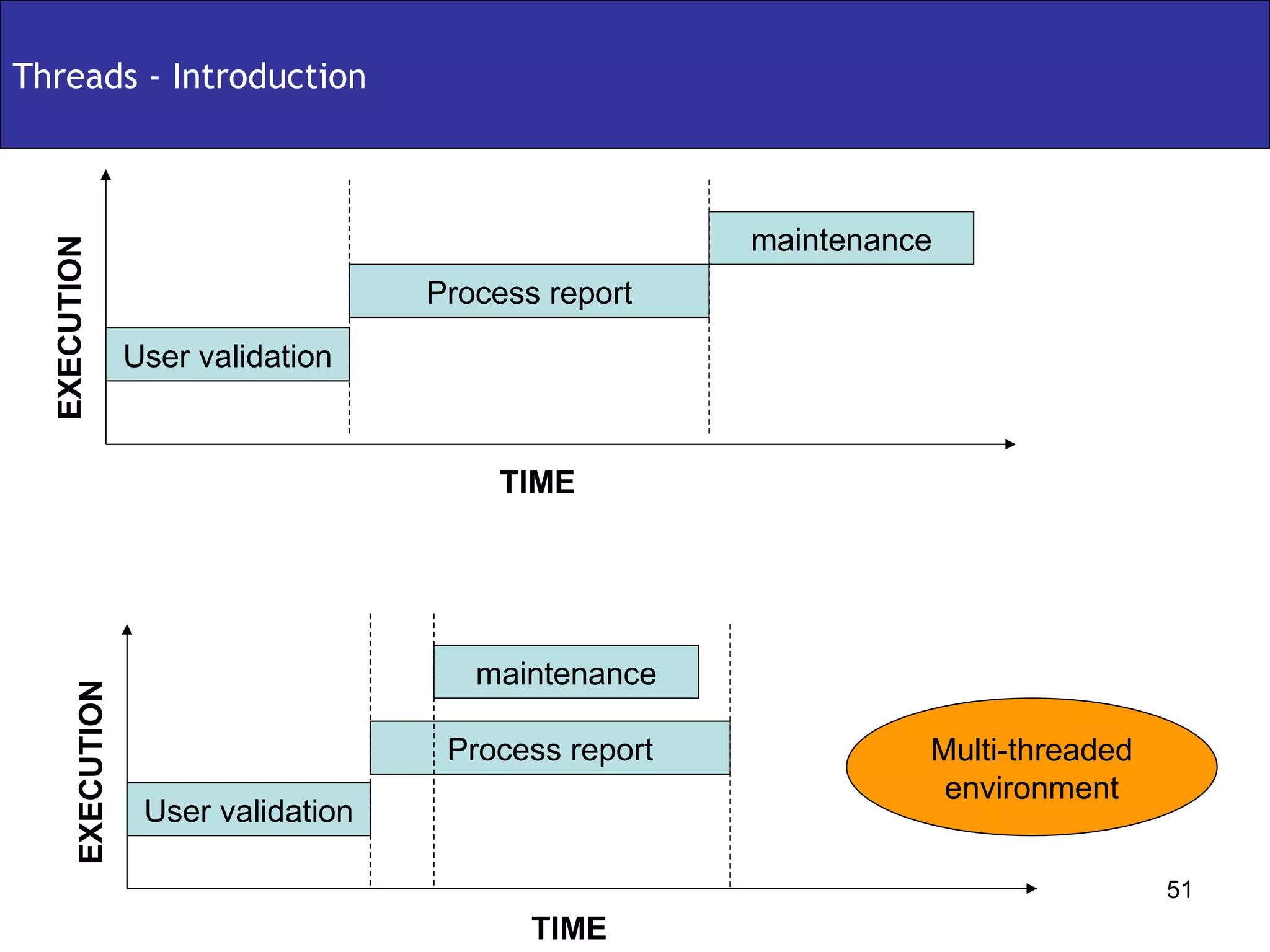
Threads - Introduction TIME User validation Process report maintenance TIME User validation Process report maintenance EXECUTION EXECUTION Multi-threaded environment
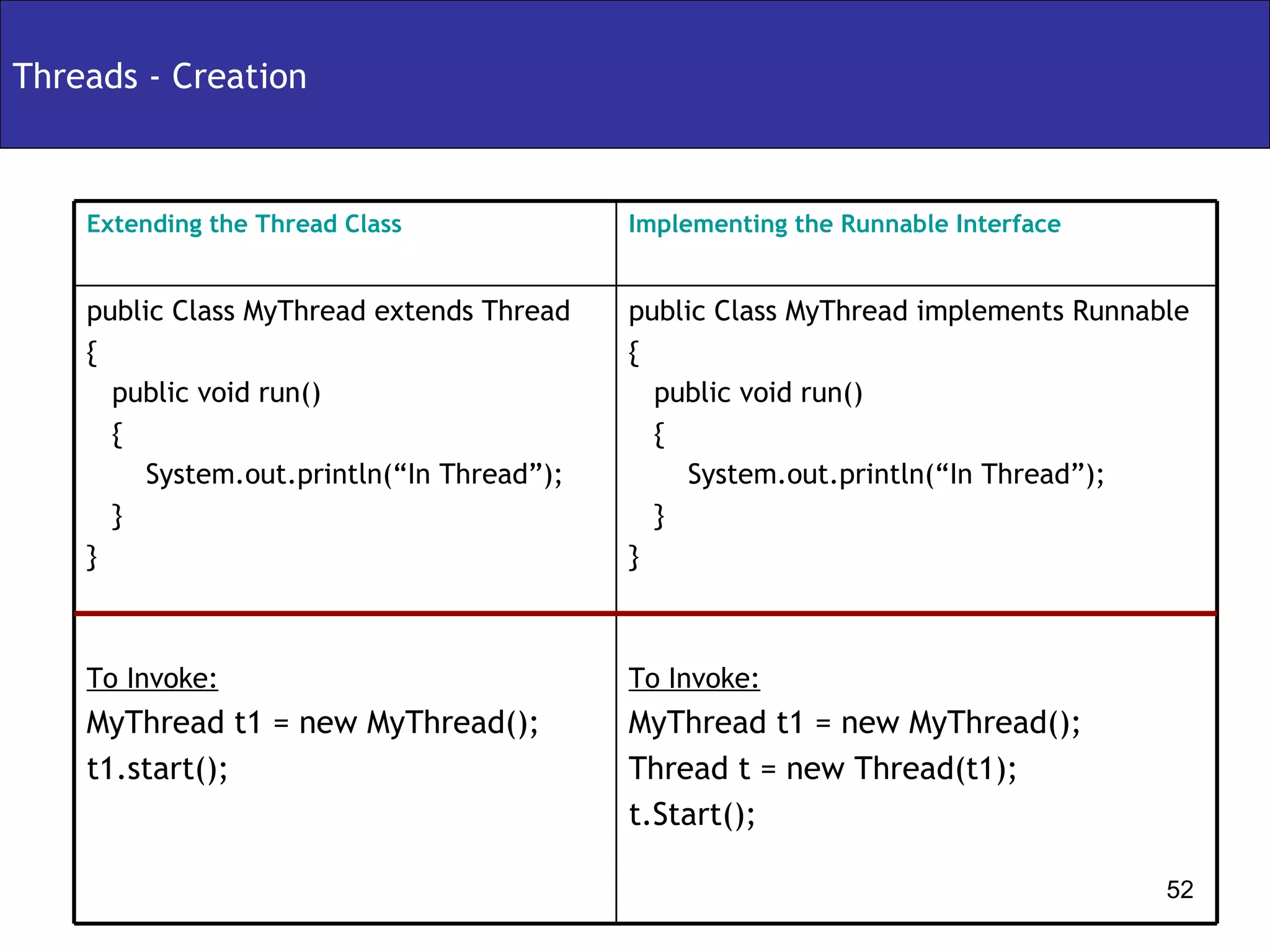
Threads - Creation public Class MyThread implements Runnable  { public void run()  { System.out.println(“In Thread”); } }  To Invoke: MyThread t1 = new MyThread(); Thread t = new Thread(t1); t.Start(); public Class MyThread extends Thread  { public void run()  { System.out.println(“In Thread”); } }  To Invoke: MyThread t1 = new MyThread(); t1.start(); Implementing the Runnable Interface Extending the Thread Class
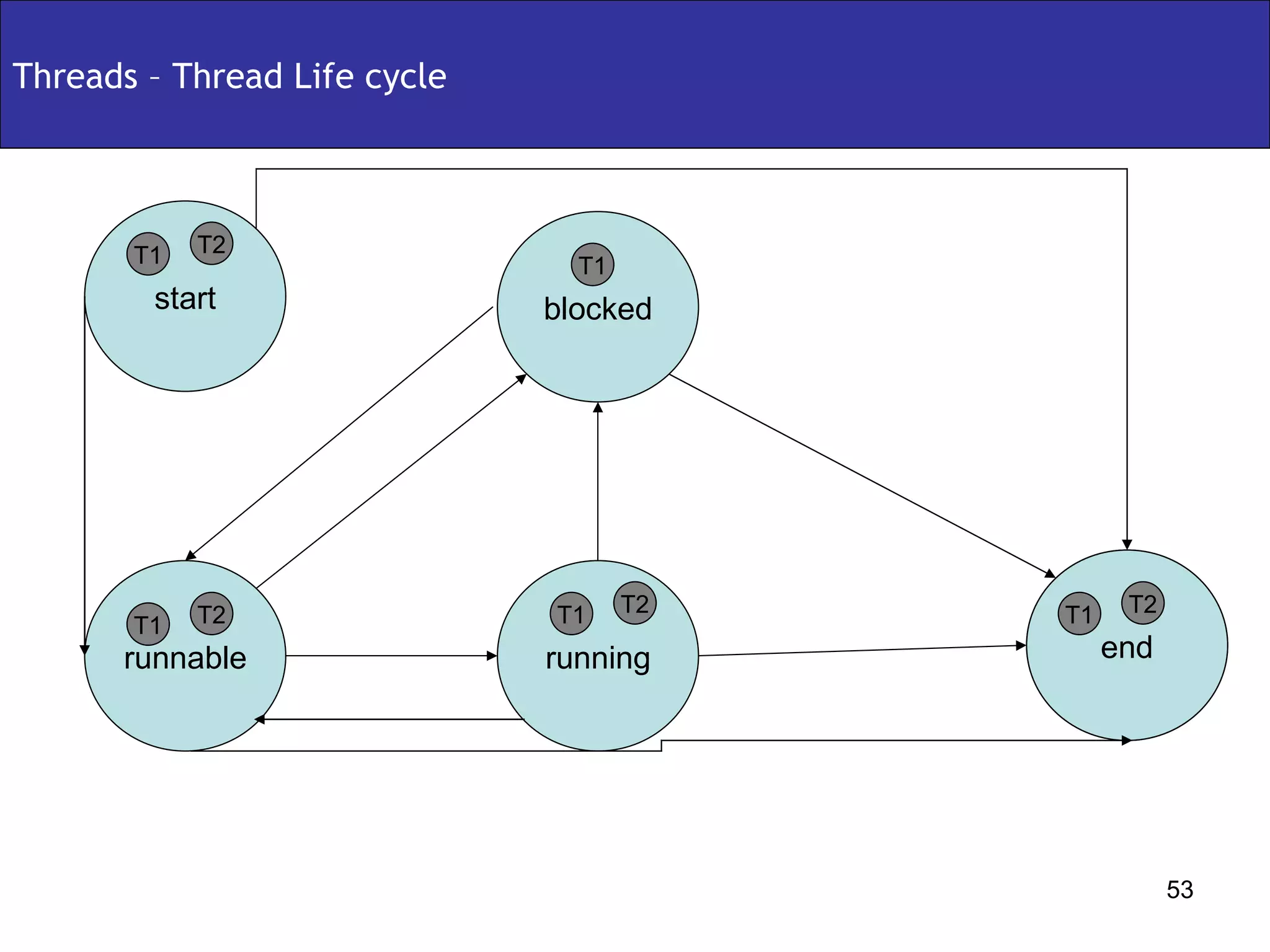
Threads – Thread Life cycle runnable end blocked start running T1 T2 T1 T2 T1 T2 T1 T1 T2
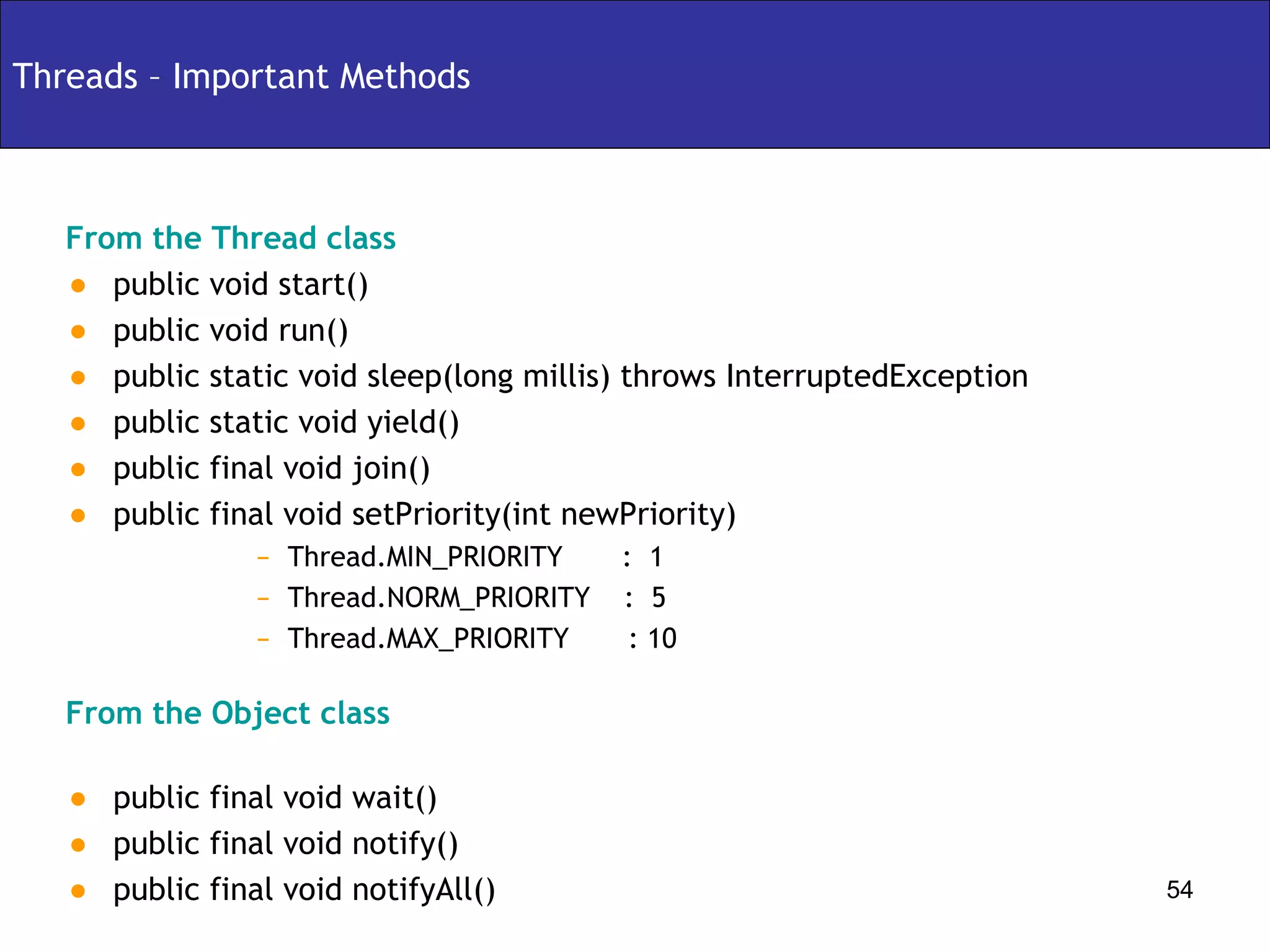
Threads – Important Methods From the Thread class public void start() public void run() public static void sleep(long millis) throws InterruptedException public static void yield() public final void join() public final void setPriority(int newPriority) Thread.MIN_PRIORITY  :  1 Thread.NORM_PRIORITY  :  5  Thread.MAX_PRIORITY  : 10 From the Object class public final void wait() public final void notify() public final void notifyAll()
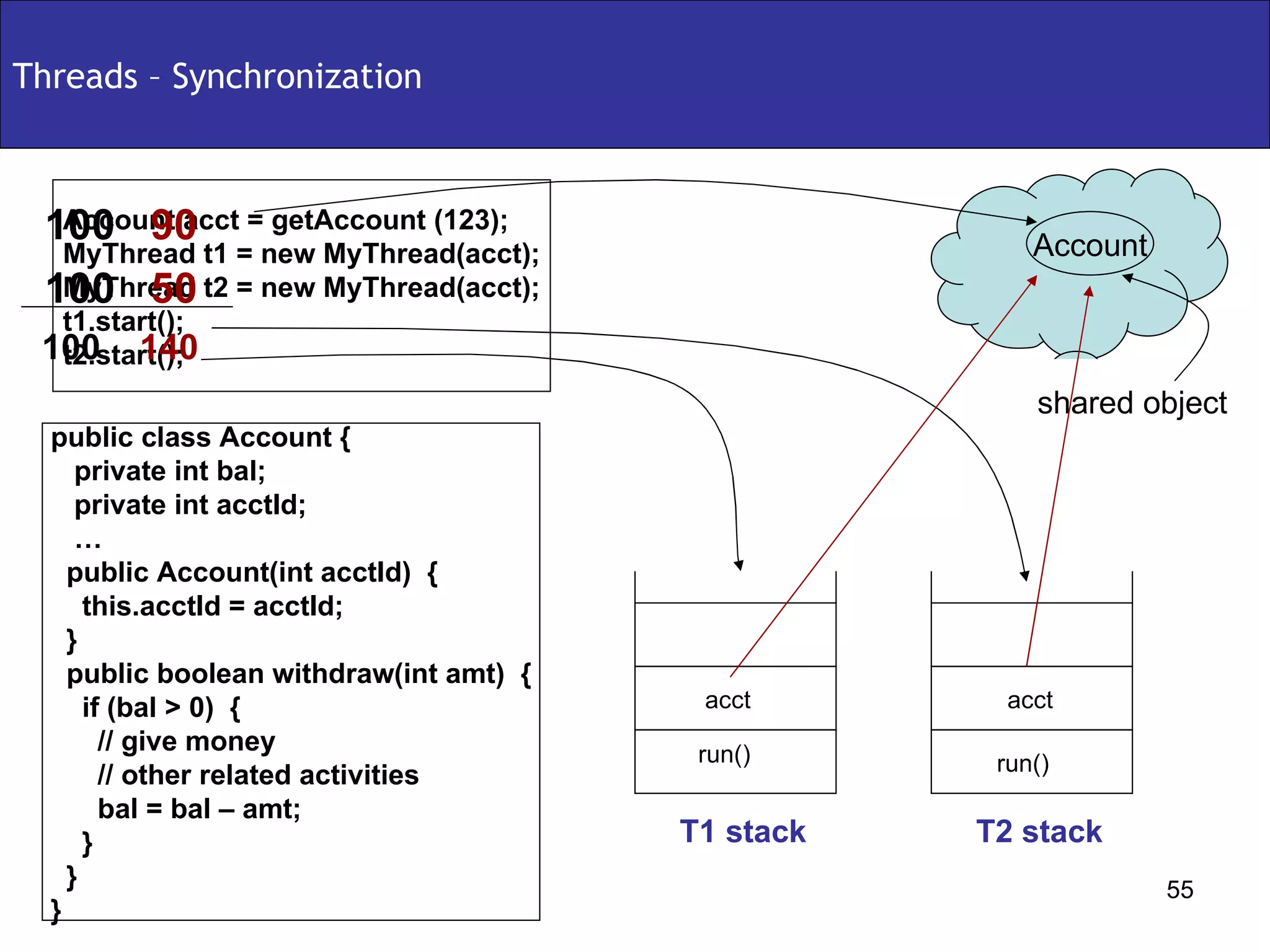
Threads – Synchronization Account Account acct = getAccount (123); MyThread t1 = new MyThread(acct); MyThread t2 = new MyThread(acct); t1.start(); t2.start(); shared object public class Account { private int bal;  private int acctId; … public Account(int acctId)  { this.acctId = acctId; } public boolean withdraw(int amt)  { if (bal > 0)  { // give money // other related activities  bal = bal – amt; } } } run() run() T1 stack T2 stack acct acct 100  140 50 100 90 100
DEMO

Core java

  • 1.
    Core Java - Sharad Ballepu [email_address] www.sharmanj.com
  • 2.
    Servlets & JSPsAgenda Introduction Access Modifiers Operators Flow Control Arrays and Strings OOPS Explored Exceptions Garbage Collection Collections Threads Demo Core Java
  • 3.
    Programming language Anotherprogramming language using which we can develop applets, standalone applications, web applications and enterprise applications. Platform Independent A Java program written and compiled on one machine can be executed on any other machine (irrespective of the operating system) Object Oriented Complies to object oriented programming concepts. Your program is not object oriented unless you code that way Compiled and Interpreted The .java file is compiled to a .class file & the .class file is interpreted to machine code Introduction – What is Java
  • 4.
    Introduction – JavaVirtual Machine .class file Java Virtual Machine .java file Java Compiler UNIX Microsoft Mac
  • 5.
    package com.sharadballepu.test; public class HelloWorld { public static void main(String[] args) { System.out.println(“Hello World”); } } Compile the program: javac HelloWorld.java Execute the program: java HelloWorld Output: Hello World Introduction – My First Program Version 1
  • 6.
    package com.sharadballepu.test; publicclass HelloWorld { public static void main(String[] args) { HelloWorld hw = new HelloWorld(); hw.display(); } public void display() { System.out.println(“Hello World”); } } Compile the program: javac HelloWorld.java Execute the program: java HelloWorld Output: Hello World Introduction – My First Program Version 2
  • 7.
    package com.sharadballepu.test; publicclass HelloWorld { public static void main(String[] args) { HelloWorld hw = new HelloWorld(); hw.display(args[0]); } public void display(String userName) { System.out.println(“Hello ” + userName); } } Compile the program: javac HelloWorld.java Execute the program: java HelloWorld Sharad Output: Hello Sharad Introduction – My First Program Version 3
  • 8.
    package com.sharadballepu.test; publicclass HelloWorld { String userName; public static void main(String[] args) { HelloWorld hw = new HelloWorld(); hw.userName = args[0]; } public void display() { System.out.println(“Hello ” + userName); } } Compile the program: javac HelloWorld.java Execute the program: java HelloWorld Sharad Output: Hello Sharad Introduction – My First Program Version 4
  • 9.
    Introduction – JavaKeywords throw this synchronized switch super strictfp static short return public protected private package new char catch case byte break boolean abstract volatile interface for do void int float default assert while try transient throws native long instanceof import implements if goto finally final extends else double continue const class
  • 10.
    Introduction – Stackv/s Heap x = 10 y = new A() method2() method1() main() Stack Heap A B C
  • 11.
    Class A blueprintthat defines the attributes and methods Object An instance of a Class Abstraction Hide certain details and show only essential details Encapsulation Binding data and methods together Inheritance Inherit the features of the superclass Polymorphism One name having many forms Introduction - Object Oriented Concepts
  • 12.
    Introduction - DataTypes General rule: Min value = 2 (bits – 1) Max value = 2 (bits-1) – 1 (where 1 byte = 8 bits) true, false - - - boolean 2 16 – 1 - - 2 63 – 1 2 31 – 1 2 15 – 1 2 7 – 1 Max Value ‘ a’, ‘\n’ 123.86 1.0 123456 12345, 086, 0x675 1234 123 Literal Values - 8 double 0 2 char - 4 float -2 63 8 long Min Value Bytes Data type -2 31 4 int -2 15 2 short -2 7 1 byte
  • 13.
    Java Modifiers staticvolatile native synchronized transient strictfp abstract final default protected private public Modifier Method Variables Methods Class Variables Class
  • 14.
    Modifiers – Classpublic Class can be accessed from any other class present in any package default Class can be accessed only from within the same package. Classes outside the package in which the class is defined cannot access this class final This class cannot be sub-classed, one cannot extend this class abstract Class cannot be instantiated, need to sub-classs/extend. strictfp Conforms that all methods in the class will conform to IEEE standard rules for floating points
  • 15.
    Modifiers – ClassAttributes public Attribute can be accessed from any other class present in any package private Attribute can be accessed from only within the class protected Attribute can be accessed from all classes in the same package and sub-classes. default Attribute can be accessed only from within the same package. final This value of the attribute cannot be changed, can assign only 1 value transient The attribute value cannot be serialized volatile Thread always reconciles its own copy of attribute with master. static Only one value of the attribute per class
  • 16.
    Modifiers – Methodspublic Method can be accessed from any other class present in any package private Method can be accessed from only within the class protected Method can be accessed from all classes in the same package and sub-classes. default Method can be accessed only from within the same package. final The method cannot be overridden abstract Only provides the method declaration strictfp Method conforms to IEEE standard rules for floating points synchronized Only one thread can access the method at a time native Method is implemented in platform dependent language static Cannot access only static members.
  • 17.
    Definition: Anoperator performs a particular operation on the operands it is applied on Types of operators Assignment Operators Arithmetic Operators Unary Operators Equality Operators Relational Operators Conditional Operators instaceof Operator Bitwise Operators Shift Operators Operators - Types
  • 18.
    Assignment Operator ArithmeticOperators Operators – Assignment Operators/Arithmetic Operators Assignment Description int i = 10; int j = i; Example = Operator int i = 10 / 2; Division / int i = 8 * 6; Multiplication * int i = 10 % 3; Remainder % int i = 9 – 4; Subtraction - int i = 8 + 9; byte b = (byte) 5+4; Addition + Description Example Operator
  • 19.
    Unary Operators Operators– Unary Operators/Equality Operators Equality Operators boolean j = !true; Logical Not ! int j = i--; Decrement -- int j = i++; Increment ++ int i = -1; Unary minus - Unary plus Description int i = +1; Example + Operator If (i != 4) Non equality != If (i==1) Equality == Description Example Operator
  • 20.
    Relational Operators Operators– Relational Operators/Conditional Operators Conditional Operators if ( x <= 4) Less than or equal to <= if ( x >= 4) Greater than or equal to >= if ( x < 4) Less than < Greater than Description if ( x > 4) Example > Operator If (a == 4 || b == 5) Conditional or || If (a == 4 && b == 5) Conditional and && Description Example Operator
  • 21.
    instanceof Operator Operators– instanceof Operator/Bitwise Operators/shift operators Bitwise Operators Shift Operators Instamce of Description If (john instance of person) Example instanceof Operator ~011 = -10 Reverse ~ 001 ^ 110 = 111 Bitwise ex-or ^ 001 | 110 = 111 Bitwise or | 001 & 111 = 1 Bitwise and & Description Example Operator 4 >>> 1 = 100 >>> 1 = 010 = 2 Unsigned Right shift >>> 4 << 1 = 100 << 1 = 1000 = 8 Left Shift << 4 >> 1 = 100 >> 1 = 010 = 2 Right shift >> Description Example Operator
  • 22.
    if-else Flow Control– if-else if-else int a = 10; if (a < 10 ) { System.out.println(“Less than 10”); } else if (a > 10) { System.out.pritln(“Greater than 10”); } else { System.out.println(“Equal to 10”); } Result: Equal to 10s if (<condition-1>) { // logic for true condition-1 goes here } else if (<condition-2>) { // logic for true condition-2 goes here } else { // if no condition is met, control comes here } Example Syntax
  • 23.
    Flow Control –switch switch int a = 10; switch (a) { case 1: System.out.println(“1”); break; case 10: System.out.println(“10”); break; default: System.out.println(“None”); Result: 10 switch (<value>) { case <a>: // stmt-1 break; case <b>: //stmt-2 break; default: //stmt-3 Example Syntax
  • 24.
    do-while Flow Control– do-while / while while int i = 0; do { System.out.println(“In do”); i++; } while ( i < 10); Result: Prints “In do” 11 times do { // stmt-1 } while (<condition>); Example Syntax int i = 0; while ( i < 10 ) { System.out.println(“In while”); i++; } Result: “In while” 10 times while (<condition>) { //stmt } Example Syntax
  • 25.
    for Flow Control– for loop for (int i = 0; i < 10; i++) { System.out.println(“In for”); } Result: Prints “In do” 10 times for ( initialize; condition; expression) { // stmt } Example Syntax
  • 26.
    Arrays and Strings– Arrays Declaration/Construction/Initialization Array Declaration int myArray[]; int[] myArray; double[][] doubleArray; Array Construction int[] myArray = new int[5]; int[][] twoDimArray = new int[5][4] Array Initialization int[] myArray = new int[5]; for (int I = 0; I < 5; i++) { myArray[i] = i++; } int[5] myArray = {1,2,3,4,5}; 1 2 9 7 5 0 7 5 3 2 8 1
  • 27.
    Arrays and Strings– Arrays Representation myArray int[ ] myArray = {1,2,3,4,5} Heap 5 4 3 2 1
  • 28.
    Creating String ObjectsArrays and Strings – Strings String myStr1 = new String(“abc”); String myStr2 = “abc”; Most frequently used String methods charAt (int index) compareTo (String str2) concat (String str2) equals (String str2) indexOf (int ch) length() replace (char oldChar, char newChar) substring (int beginIndex, int endIndex) abc String Constant Pool
  • 29.
    Creates instances forClasses Same name as Class name Can have any access modifier First statement should be a call to this() or super() Constructors public class Employee { public int empid; public String name; public Employee(int empid) { this.empid = empid; } public Employee(String name, int empid) { this.name = name; this.empid = empid; } } Employee emp = new Employee()
  • 30.
    Abstraction OOPS Explored- Abstraction Hide certain details and show only essential details public abstract class Shape { String color; public abstract double getArea(); } Abstract class v/s interface public interface Shape { String static final String color = “BLACK”; public abstract double getArea(); }
  • 31.
    OOPS Explored -Encapsulation My YouTube videos My Cute puppy My Wedding Gift My YouTube videos My Cute puppy My Wedding Gift My YouTube videos My Cute cat My Hawaii trip I can share my puppy video with everyone I want to share my wedding gift only with my friends
  • 32.
    Encapsulation Binding dataand methods together OOPS Explored - Encapsulation public class Employee { private String empName; private int salary; public String getSalary(String role) { if(“Manager”.equals(role)) { return salary; } } public String setSalary(String role, int newSal) { if (“Admin”.equals(role)) { salary = newSal; } } }
  • 33.
    Inheritance OOPS Explored- Inheritance Inherit the features of the superclass public class Car //superclass { public int maxSpeed; public String color; public int getSafeSpeed() { return maxSpeed/2.5; } } public class Nissan extends Car //subclass { public boolean inteligentKey; }
  • 34.
    Polymorphism OOPS Explored- Polymorphism One name, many forms public abstract class Shape { public abstract int getArea(); } public class Square extends Shape { public int getArea(int s) { return s*s; } public int getArea() { retrun getArea(1); } } Public class Rectangle extends Shape { public int getArea(int length, int breadth) { return length * breadth; } public int getArea() { return getArea(1,1); } } Runtime v/s Compile time Polymorphism
  • 35.
    OOPS Explored –Polymorphism - Example public class Shape { public void display() { System.out.println(“In Shape”); } } public class Square extends Shape { public void display() { System.out.println(“In Square”); } } Shape s1 = new Shape(); s1.display(); Square s2 = new Square (); s2.display(); Shape s3 = new Square (); s3.display(); Square s4 = new Shape (); s4.display(); s4 S3 s2 s1 shape square
  • 36.
    Exceptions – ExceptionHierarchy Throwable Exception Error Unchecked Exception Checked Exception
  • 37.
    Exceptions – Handlingexceptions What do you do when an Exception occurs? Handle the exception using try/catch/finally Throw the Exception back to the calling method. Try/catch/finally public class MyClass { public void exceptionMethod() { try { // exception-block } catch (Exception ex) { // handle exception } finally { //clean-up } } }
  • 38.
    Exceptions – Handlingexceptions Try/catch/finally - 2 public class MyClass { public void exceptionMethod() { try { // exception-block } catch (FileNotFoundException ex) { // handle exception } catch (Exception ex) { // handle exception } finally { //clean-up } } } Using throws public class MyClass { public void exceptionMethod() throws Exception { // exception-block } }
  • 39.
    Exceptions – try-catch-finallyflow Put exception code in try More exceptions To handle? Handle exceptions In catch? Execute finally? END Handle exception In the catch block Clean-up code in finally yes yes yes no no no
  • 40.
  • 41.
    Garbage Collection Whatis Garbage Collection? Can we force Garbage Collection? Runtime – gc() System - gc() Making your objects eligible for Garbage Collection Reassign reference variable Set a null value Islands of isolation
  • 42.
    Garbage Collection A1A2 A a = new A(); a.Name = ‘A1’; a = A2; A1 A a = new A(); a = null; A C B Reassign Reference Set null Islands Of Isolation
  • 43.
    Collections - IntroductionString student1 = “a”; String student2 = “b”; String student3 = “c”; String student4 = “d”; String student5 = “e”; String student6 = “f”; Difficult to maintain multiple items of same type as different variables Data-manipulation issues Unnecessary code
  • 44.
    Collections – Arraysv/s Collections abc def jkl ghi abc 123 def new Person() Arrays Collections
  • 45.
  • 46.
    Collections – Collectiontypes Three basic flavors of collections:  Lists - Lists of things (classes that implement List)  Sets - Unique things (classes that implement Set)  Maps - Things with a unique ID (classes that implement Map) The sub-flavors:  Ordered - You can iterate through the collection in a specific order.  Sorted - Collection is sorted in the natural order (alphabetical for Strings).  Unordered  Unsorted
  • 47.
    ArrayList Collections –Lists Ordered collection To be considered when thread safety is a concern. Often used methods – add(), remove(), set(), get(), size() Vector Resizable-array implementation of the List interface. Ordered collection. Should be considered when there is more of data retrieval than add/delete. Often used methods – add(), get(), remove(), set(), size() Linked List Ordered collection. Faster insertion/deletion and slower retrieval when compared to ArrayList
  • 48.
    HashSet Collections –Set Not Sorted Not Ordered Should be used if only requirement is uniqueness Often used methods – add(), contains(), remove(), size() LinkedHashSet Not Sorted Ordered Subclass of HashSet Should be used if the order of elements is important TreeSet Sorted Ordered Should be used if you want to store objects in a sorted fashion Often used methods – first(), last(), add(), addAll(), subset() HashSet Not Sorted Not Ordered Should be used if only requirement is uniqueness Often used methods – add(), contains(), remove(), size() LinkedHashSet Not Sorted Ordered Subclass of HashSet Should be used if the order of elements is important HashSet Not Sorted Not Ordered Should be used if only requirement is uniqueness Often used methods – add(), contains(), remove(), size() LinkedHashSet Sorted Ordered Should be used if you want to store objects in a sorted fashion Often used methods – first(), last(), add(), addAll(), subset() Not Sorted Ordered Subclass of HashSet Should be used if the order of elements is important HashSet Not Sorted Not Ordered Should be used if only requirement is uniqueness Often used methods – add(), contains(), remove(), size() LinkedHashSet TreeSet Not Sorted Ordered Subclass of HashSet Should be used if the order of elements is important HashSet Not Sorted Not Ordered Should be used if only requirement is uniqueness Often used methods – add(), contains(), remove(), size() LinkedHashSet Sorted Ordered Should be used if you want to store objects in a sorted fashion Often used methods – first(), last(), add(), addAll(), subset() TreeSet Not Sorted Ordered Subclass of HashSet Should be used if the order of elements is important HashSet Not Sorted Not Ordered Should be used if only requirement is uniqueness Often used methods – add(), contains(), remove(), size() LinkedHashSet
  • 49.
    Collections – MapNot sorted, but ordered LinkedHashMap Not Sorted, not ordered Cannot have null keys or values Thread-safe HashMap Not Sorted, not ordered Can have one null key and any number of null values Not thread-safe Often used methods – get(), put(), containsKey(), keySet() Hashtable Sorted, ordered TreeMap
  • 50.
    Threads - IntroductionWhat are Threads/ Why Threads? A thread is a light-weight process. Used to provide the ability to perform multiple things at the same time. Thread Creation There are 2 ways one can create a thread Extending the Thread Class Implementing the Runnable Interface main() method1() thread1.start() thread1.run()
  • 51.
    Threads - IntroductionTIME User validation Process report maintenance TIME User validation Process report maintenance EXECUTION EXECUTION Multi-threaded environment
  • 52.
    Threads - Creationpublic Class MyThread implements Runnable { public void run() { System.out.println(“In Thread”); } } To Invoke: MyThread t1 = new MyThread(); Thread t = new Thread(t1); t.Start(); public Class MyThread extends Thread { public void run() { System.out.println(“In Thread”); } } To Invoke: MyThread t1 = new MyThread(); t1.start(); Implementing the Runnable Interface Extending the Thread Class
  • 53.
    Threads – ThreadLife cycle runnable end blocked start running T1 T2 T1 T2 T1 T2 T1 T1 T2
  • 54.
    Threads – ImportantMethods From the Thread class public void start() public void run() public static void sleep(long millis) throws InterruptedException public static void yield() public final void join() public final void setPriority(int newPriority) Thread.MIN_PRIORITY : 1 Thread.NORM_PRIORITY : 5 Thread.MAX_PRIORITY : 10 From the Object class public final void wait() public final void notify() public final void notifyAll()
  • 55.
    Threads – SynchronizationAccount Account acct = getAccount (123); MyThread t1 = new MyThread(acct); MyThread t2 = new MyThread(acct); t1.start(); t2.start(); shared object public class Account { private int bal; private int acctId; … public Account(int acctId) { this.acctId = acctId; } public boolean withdraw(int amt) { if (bal > 0) { // give money // other related activities bal = bal – amt; } } } run() run() T1 stack T2 stack acct acct 100 140 50 100 90 100
  • 56.