Content Security Policy
(CSP)
What is it?
“Content Security Policy (CSP) is a computer security standard introduced to prevent
cross-site scripting (XSS), clickjacking and other code injection attacks resulting from
execution of malicious content in the trusted web page context. [...] CSP provides a
standard method for website owners to declare approved origins of content that browsers
should be allowed to load on that website—covered types are JavaScript, CSS, HTML
frames, web workers, fonts, images, embeddable objects such as Java applets, ActiveX,
audio and video files, and other HTML5 features.”
- https://en.wikipedia.org/wiki/Content_Security_Policy
How does it work?
Applied in the Content-Security-Policy HTTP header (more on HTTP headers).
With it, you can create a whitelist of trusted content sources.
Because CSP occurs on the HTTP headers, it can implement security early on.
What does it look like?
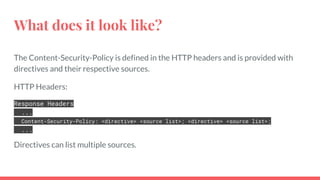
The Content-Security-Policy is defined in the HTTP headers and is provided with
directives and their respective sources.
HTTP Headers:
Response Headers
...
Content-Security-Policy: <directive> <source list>; <directive> <source list>;
...
Directives can list multiple sources.
What are directives?
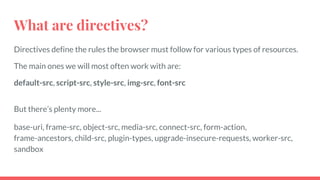
Directives define the rules the browser must follow for various types of resources.
The main ones we will most often work with are:
default-src, script-src, style-src, img-src, font-src
But there’s plenty more...
base-uri, frame-src, object-src, media-src, connect-src, form-action,
frame-ancestors, child-src, plugin-types, upgrade-insecure-requests, worker-src,
sandbox
What are source lists?
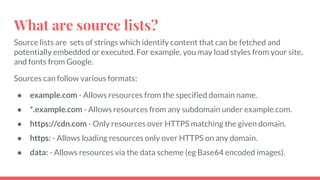
Source lists are sets of strings which identify content that can be fetched and
potentially embedded or executed. For example, you may load styles from your site,
and fonts from Google.
Sources can follow various formats:
● example.com - Allows resources from the specified domain name.
● *.example.com - Allows resources from any subdomain under example.com.
● https://cdn.com - Only resources over HTTPS matching the given domain.
● https: - Allows loading resources only over HTTPS on any domain.
● data: - Allows resources via the data scheme (eg Base64 encoded images).
What is ‘self’ all about?
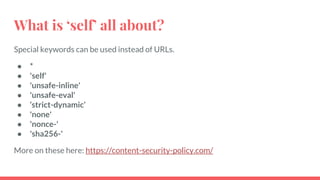
Special keywords can be used instead of URLs.
● *
● 'self'
● 'unsafe-inline'
● 'unsafe-eval'
● ‘strict-dynamic’
● 'none'
● 'nonce-'
● 'sha256-'
More on these here: https://content-security-policy.com/
How do I implement it?
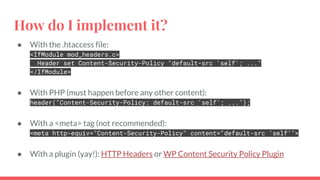
● With the .htaccess file:
<IfModule mod_headers.c>
Header set Content-Security-Policy "default-src 'self'; ..."
</IfModule>
● With PHP (must happen before any other content):
header("Content-Security-Policy: default-src 'self'; ...");
● With a <meta> tag (not recommended):
<meta http-equiv="Content-Security-Policy" content="default-src ‘self’">
● With a plugin (yay!): HTTP Headers or WP Content Security Policy Plugin
Will it break anything?
Quite possibly, yes.
Luckily there is the Content-Security-Policy-Report-Only header.
Allows you to test your CSP without enforcing it.
Format is the same as the Content-Security-Policy header.
How can I test it?
Examine your HTTP headers in browser dev tools.
Observatory by Mozilla
csp-evaluator.withgoogle.com
Workshop Time…
Work on an “it’s ok if I break something” website please
Install WP Plugin: https://wordpress.org/plugins/wp-content-security-policy/
Disable any caching
Testing tool: https://observatory.mozilla.org/
The final verdict...
CSP is an optional added layer of security.
This comes at the cost of possibly breaking things, and making debugging more
difficult.
Most sites probably won’t see benefits outweigh the costs.
However, it could be a great fit for:
● Banks, government sites, or government-funded institutions.
● Larger organizations with security as a top priority.
● Organizations at higher risk of targeted attacks.
● Recently hacked websites.
Resources
Plugins:
WP Content Security Policy Plugin
HTTP Headers
Testing tools:
Observatory
csp-evaluator.withgoogle.com
Information:
content-security-policy.com
Google’s Web Fundamentals
Thanks!
Austin Gil
https://stegosource.com
austin@stegosource.com
@stegosource

Content Security Policy

  • 1.
  • 2.
    What is it? “ContentSecurity Policy (CSP) is a computer security standard introduced to prevent cross-site scripting (XSS), clickjacking and other code injection attacks resulting from execution of malicious content in the trusted web page context. [...] CSP provides a standard method for website owners to declare approved origins of content that browsers should be allowed to load on that website—covered types are JavaScript, CSS, HTML frames, web workers, fonts, images, embeddable objects such as Java applets, ActiveX, audio and video files, and other HTML5 features.” - https://en.wikipedia.org/wiki/Content_Security_Policy
  • 3.
    How does itwork? Applied in the Content-Security-Policy HTTP header (more on HTTP headers). With it, you can create a whitelist of trusted content sources. Because CSP occurs on the HTTP headers, it can implement security early on.
  • 4.
    What does itlook like? The Content-Security-Policy is defined in the HTTP headers and is provided with directives and their respective sources. HTTP Headers: Response Headers ... Content-Security-Policy: <directive> <source list>; <directive> <source list>; ... Directives can list multiple sources.
  • 5.
    What are directives? Directivesdefine the rules the browser must follow for various types of resources. The main ones we will most often work with are: default-src, script-src, style-src, img-src, font-src But there’s plenty more... base-uri, frame-src, object-src, media-src, connect-src, form-action, frame-ancestors, child-src, plugin-types, upgrade-insecure-requests, worker-src, sandbox
  • 6.
    What are sourcelists? Source lists are sets of strings which identify content that can be fetched and potentially embedded or executed. For example, you may load styles from your site, and fonts from Google. Sources can follow various formats: ● example.com - Allows resources from the specified domain name. ● *.example.com - Allows resources from any subdomain under example.com. ● https://cdn.com - Only resources over HTTPS matching the given domain. ● https: - Allows loading resources only over HTTPS on any domain. ● data: - Allows resources via the data scheme (eg Base64 encoded images).
  • 7.
    What is ‘self’all about? Special keywords can be used instead of URLs. ● * ● 'self' ● 'unsafe-inline' ● 'unsafe-eval' ● ‘strict-dynamic’ ● 'none' ● 'nonce-' ● 'sha256-' More on these here: https://content-security-policy.com/
  • 8.
    How do Iimplement it? ● With the .htaccess file: <IfModule mod_headers.c> Header set Content-Security-Policy "default-src 'self'; ..." </IfModule> ● With PHP (must happen before any other content): header("Content-Security-Policy: default-src 'self'; ..."); ● With a <meta> tag (not recommended): <meta http-equiv="Content-Security-Policy" content="default-src ‘self’"> ● With a plugin (yay!): HTTP Headers or WP Content Security Policy Plugin
  • 9.
    Will it breakanything? Quite possibly, yes. Luckily there is the Content-Security-Policy-Report-Only header. Allows you to test your CSP without enforcing it. Format is the same as the Content-Security-Policy header.
  • 10.
    How can Itest it? Examine your HTTP headers in browser dev tools. Observatory by Mozilla csp-evaluator.withgoogle.com
  • 11.
    Workshop Time… Work onan “it’s ok if I break something” website please Install WP Plugin: https://wordpress.org/plugins/wp-content-security-policy/ Disable any caching Testing tool: https://observatory.mozilla.org/
  • 12.
    The final verdict... CSPis an optional added layer of security. This comes at the cost of possibly breaking things, and making debugging more difficult. Most sites probably won’t see benefits outweigh the costs. However, it could be a great fit for: ● Banks, government sites, or government-funded institutions. ● Larger organizations with security as a top priority. ● Organizations at higher risk of targeted attacks. ● Recently hacked websites.
  • 13.
    Resources Plugins: WP Content SecurityPolicy Plugin HTTP Headers Testing tools: Observatory csp-evaluator.withgoogle.com Information: content-security-policy.com Google’s Web Fundamentals
  • 14.