Yasemin Yılmazer
Seda Kalaycıoğlu
Latife Palta
Zeynep Uçar
COMPUTER ASSISTED
LANGUAGE LEARNING
OUTLINE
 What is CALL ?
 History of CALL
 Application of CALL
 Advantages and Disadvantages
 Conclusion
What is CALL ?
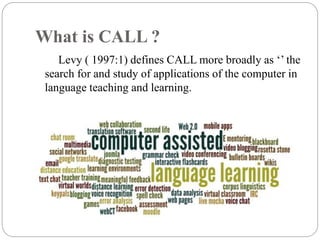
Levy ( 1997:1) defines CALL more broadly as ‘’ the
search for and study of applications of the computer in
language teaching and learning.
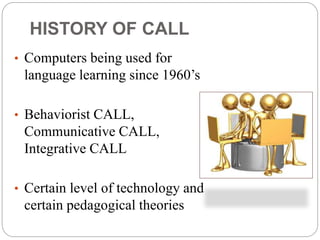
• Computers being used for
language learning since 1960’s
• Behaviorist CALL,
Communicative CALL,
Integrative CALL
• Certain level of technology and
certain pedagogical theories
HISTORY OF CALL
Behaviorist CALL
 The first form of CALL ( in the 1960’s-
70’s)
 Repetitive language drills
 Based on the behaviorist learning model
 First designed and implemented in the era
of PLATO System (Mainly used for
extensive drills, explicit grammar
instruction, and translation tests)
Communicative CALL
 Emerged in the 1970s and 1980s
 A reaction to the Behaviorist approach to language learning
 Focusing more on using forms rather than on the forms
themselves
 Grammar should be taught implicitly, students should
create original sentences
 Corresponds to cognitive theories
 Cognitive theories Creative process of discovery,
expression, and development
 Personal computers
 Software used in the era included text reconstruction
programmers and simulations
Integrative CALL
 The most recent stage of CALL
 Integrating technology more fully into language
teaching
 Communicative CALL being criticized for using the
computer in an ad hoc and disconnected fashion
 Teachers moving away from a cognitive view of
communicative language teaching to a socio-cognitive
view (Real language use in a meaningful, authentic
context)
 Multimedia-networked computers (Provides a range of
informational, communicative, and publishing tools
available to every student)
WHAT ARE THE MAIN ROLES OF
COMPUTERS PLAY LANGUAGE
CLASSROOMS?
COMPUTER AS TUTOR IN CLASSROOM.
- To function as a tutor in some subject, the computer must be
programmed by "experts" in programming and in that subject.
-The computer presents some subject material, the student
responds, the computer evaluates the response, and, from the
results of the evaluation, determines what to present next.
 COMPUTER AS TOOL IN CLASSROOM.
 To function as a tool, the classroom computer need only
have some useful capability programmed into it such as
statistical analysis, calculation, or word processing.
 For learners, it assists reading, allow students to produce and
arrange texts easily.
 Ex: Word processing program
• .
 COMPUTER AS TUTEE.
 To use the computer as tutee is to tutor the computer; for
that, the student or teacher doing the tutoring must learn to
program, to talk to the computer in a language it
understands.
 The computer makes a good "tutee" because of its
dumbness, its patience, its rigidity, and its capacity for being
initialized.
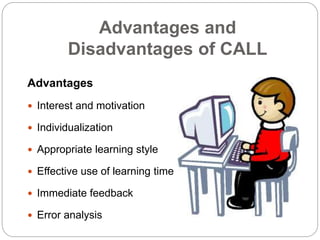
Advantages and
Disadvantages of CALL
Advantages
 Interest and motivation
 Individualization
 Appropriate learning style
 Effective use of learning time
 Immediate feedback
 Error analysis
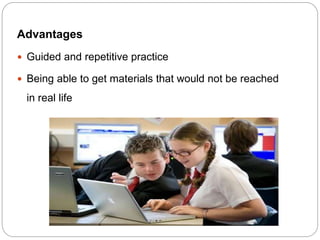
Advantages
 Guided and repetitive practice
 Being able to get materials that would not be reached
in real life
Disadvantages
 Less-handy equipment
 Economical factors
 Lack of trained teachers
 Insufficient speaking programs
 Inability to handle unexpected
situations
AS A
CONCLUSION…
THANKS FOR
LISTENING


Computer assisted language learning

  • 1.
    Yasemin Yılmazer Seda Kalaycıoğlu LatifePalta Zeynep Uçar COMPUTER ASSISTED LANGUAGE LEARNING
  • 2.
    OUTLINE  What isCALL ?  History of CALL  Application of CALL  Advantages and Disadvantages  Conclusion
  • 3.
    What is CALL? Levy ( 1997:1) defines CALL more broadly as ‘’ the search for and study of applications of the computer in language teaching and learning.
  • 4.
    • Computers beingused for language learning since 1960’s • Behaviorist CALL, Communicative CALL, Integrative CALL • Certain level of technology and certain pedagogical theories HISTORY OF CALL
  • 5.
    Behaviorist CALL  Thefirst form of CALL ( in the 1960’s- 70’s)  Repetitive language drills  Based on the behaviorist learning model  First designed and implemented in the era of PLATO System (Mainly used for extensive drills, explicit grammar instruction, and translation tests)
  • 6.
    Communicative CALL  Emergedin the 1970s and 1980s  A reaction to the Behaviorist approach to language learning  Focusing more on using forms rather than on the forms themselves  Grammar should be taught implicitly, students should create original sentences  Corresponds to cognitive theories  Cognitive theories Creative process of discovery, expression, and development  Personal computers  Software used in the era included text reconstruction programmers and simulations
  • 7.
    Integrative CALL  Themost recent stage of CALL  Integrating technology more fully into language teaching  Communicative CALL being criticized for using the computer in an ad hoc and disconnected fashion  Teachers moving away from a cognitive view of communicative language teaching to a socio-cognitive view (Real language use in a meaningful, authentic context)  Multimedia-networked computers (Provides a range of informational, communicative, and publishing tools available to every student)
  • 8.
    WHAT ARE THEMAIN ROLES OF COMPUTERS PLAY LANGUAGE CLASSROOMS?
  • 9.
    COMPUTER AS TUTORIN CLASSROOM. - To function as a tutor in some subject, the computer must be programmed by "experts" in programming and in that subject. -The computer presents some subject material, the student responds, the computer evaluates the response, and, from the results of the evaluation, determines what to present next.
  • 10.
     COMPUTER ASTOOL IN CLASSROOM.  To function as a tool, the classroom computer need only have some useful capability programmed into it such as statistical analysis, calculation, or word processing.  For learners, it assists reading, allow students to produce and arrange texts easily.  Ex: Word processing program • .
  • 11.
     COMPUTER ASTUTEE.  To use the computer as tutee is to tutor the computer; for that, the student or teacher doing the tutoring must learn to program, to talk to the computer in a language it understands.  The computer makes a good "tutee" because of its dumbness, its patience, its rigidity, and its capacity for being initialized.
  • 12.
    Advantages and Disadvantages ofCALL Advantages  Interest and motivation  Individualization  Appropriate learning style  Effective use of learning time  Immediate feedback  Error analysis
  • 13.
    Advantages  Guided andrepetitive practice  Being able to get materials that would not be reached in real life
  • 14.
    Disadvantages  Less-handy equipment Economical factors  Lack of trained teachers  Insufficient speaking programs  Inability to handle unexpected situations
  • 15.
  • 16.