CNIT 129S: Securing
Web Applications
Ch 8: Attacking Access Controls
Access Control
• Authentication and session management
• Ensure that you know who is using the
application
• Access Controls
• Limit what actions are possible for
authenticated users
• Must be tested for every request and
operation
Common Vulnerabilities
• Vertical
• Horizontal
• Context-dependent
Vertical Privilege Escalation
• Allow user to access a different part of the
application's functionality
• Such as escalating from User to Administrator
Horizontal Privilege
Escalation
• Allow a user to access a wider range of
resources of the same type
• Such as reading another user's email
Context-Dependent:
Business Logic Exploitation
• User can do things that should not be possible
in context
• Such as performing tasks out of order
• Or bypassing the payment step when
checking out
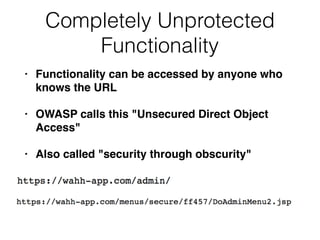
Completely Unprotected
Functionality
• Functionality can be accessed by anyone who
knows the URL
• OWASP calls this "Unsecured Direct Object
Access"
• Also called "security through obscurity"
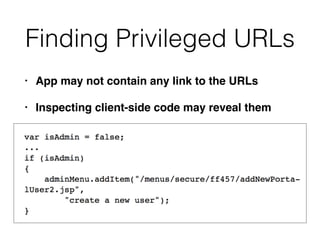
Finding Privileged URLs
• App may not contain any link to the URLs
• Inspecting client-side code may reveal them
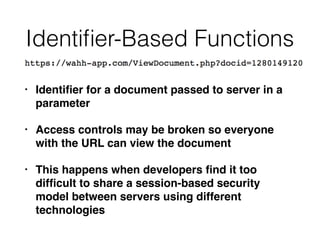
Identifier-Based Functions
• Identifier for a document passed to server in a
parameter
• Access controls may be broken so everyone
with the URL can view the document
• This happens when developers find it too
difficult to share a session-based security
model between servers using different
technologies
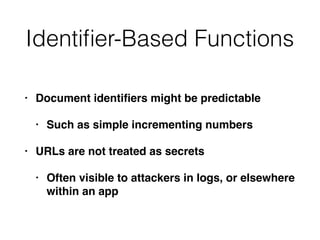
Identifier-Based Functions
• Document identifiers might be predictable
• Such as simple incrementing numbers
• URLs are not treated as secrets
• Often visible to attackers in logs, or elsewhere
within an app
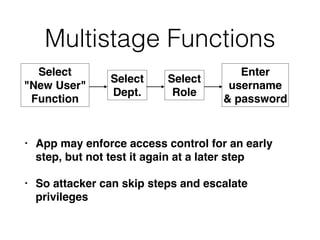
Multistage Functions
• App may enforce access control for an early
step, but not test it again at a later step
• So attacker can skip steps and escalate
privileges
Select
"New User"
Function
Select
Dept.
Select
Role
Enter
username
& password
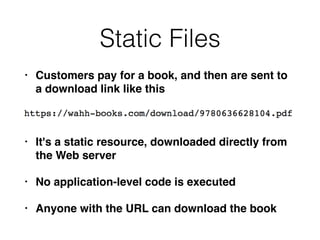
Static Files
• Customers pay for a book, and then are sent to
a download link like this
• It's a static resource, downloaded directly from
the Web server
• No application-level code is executed
• Anyone with the URL can download the book
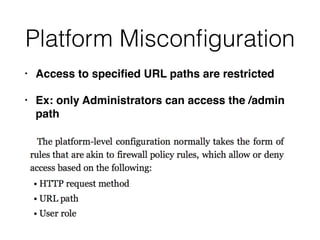
Platform Misconfiguration
• Access to specified URL paths are restricted
• Ex: only Administrators can access the /admin
path
Verb Tampering
• Access control rule may only apply to the POST
method
• Using GET may allow a non-administrator to
perform admin-level tasks
• Also, the HEAD method is often implemented
internally on the Web server with the GET method
• And then just returning only the headers
• So an admin function is still performed
• Unrecognized HTTP methods may default to GET
Insecure Access Control
Methods
• Parameter-based access control
• Referer-based access control
• Location-based access control
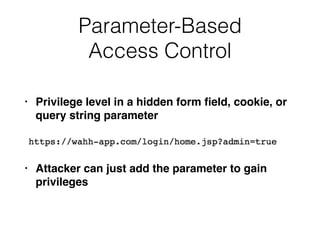
Parameter-Based
Access Control
• Privilege level in a hidden form field, cookie, or
query string parameter
• Attacker can just add the parameter to gain
privileges
Referer-Based
Access Control
• HTTP Referer header grants access
• User can modify that field to gain privileges
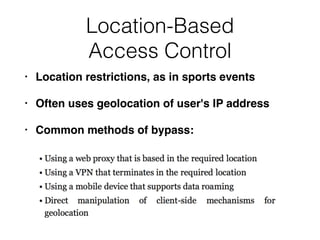
Location-Based
Access Control
• Location restrictions, as in sports events
• Often uses geolocation of user's IP address
• Common methods of bypass:
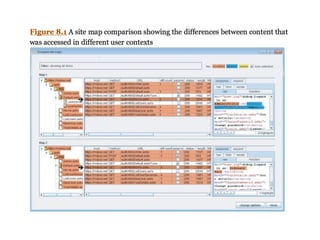
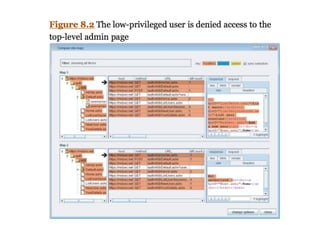
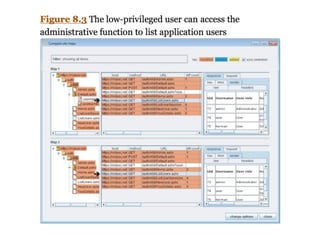
Testing with Different User
Accounts
• Burp can map the contents of an application
using two user accounts and compare them
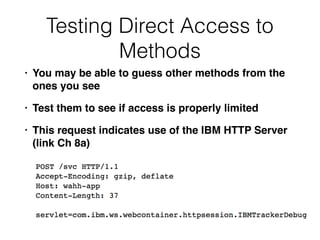
Testing Direct Access to
Methods
• You may be able to guess other methods from the
ones you see
• Test them to see if access is properly limited
• This request indicates use of the IBM HTTP Server
(link Ch 8a)
Testing Controls Over Static
Resources
• Walk through the app while logged in as
Administrator
• Note the URLs of high-privilege resources
• Log in as a low-privilege user
• Return to those URLs to see if you can still
access them
• If you can, try to guess other sensitive URLS
from the pattern of the ones you have found
Testing Restrictions on HTTP
Methods
• Log in as Administrator
• Find sensitive requests
• Try other methods: POST, GET, HEAD, invalid
• If other methods are honored, test them with a
low-privilege account
Securing Access Controls
• Don't rely on user's ignorance of URLS or
identifiers like document ID2
• Don't trust any user-supplied parameters like
admin=true
• Don't assume users will access pages in the
intended sequence
• Don't trust the user not to tamper with data;
revalidate it before using it
Best Practices
• Explicitly evaluate and document access control
requirements for every unit of application
functionality
• Drive all access control decisions from the
user's session
• Use a central application component to check
access controls; use it for every client request;
mandate that every page must include an
interface to this component
Best Practices
• For particularly sensitive functionality, further
restrict access by IP address
• Protect static content by
• Passing filename to a server-side page that
implements access control logic, or
• Use HTTP authentication or other features of
the application server to restrict access
Best Practices
• Don't trust resource identifiers from the client--
validate them on the server
• Consider requiring re-authentication or two-
factor authentication for security-critical
application functions, such as creating a new
payee
• Log events using sensitive data or actions
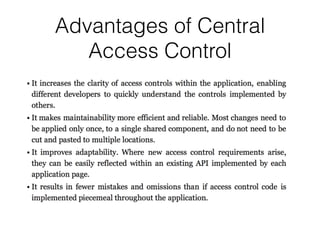
Advantages of Central
Access Control
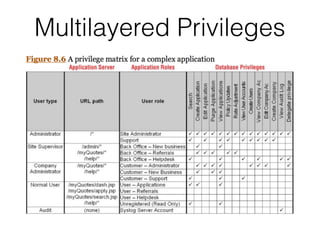
Multilayered Privileges
CNIT 129S: 8: Attacking Access Controls

CNIT 129S: 8: Attacking Access Controls

  • 1.
    CNIT 129S: Securing WebApplications Ch 8: Attacking Access Controls
  • 2.
    Access Control • Authenticationand session management • Ensure that you know who is using the application • Access Controls • Limit what actions are possible for authenticated users • Must be tested for every request and operation
  • 3.
    Common Vulnerabilities • Vertical •Horizontal • Context-dependent
  • 4.
    Vertical Privilege Escalation •Allow user to access a different part of the application's functionality • Such as escalating from User to Administrator
  • 5.
    Horizontal Privilege Escalation • Allowa user to access a wider range of resources of the same type • Such as reading another user's email
  • 6.
    Context-Dependent: Business Logic Exploitation •User can do things that should not be possible in context • Such as performing tasks out of order • Or bypassing the payment step when checking out
  • 7.
    Completely Unprotected Functionality • Functionalitycan be accessed by anyone who knows the URL • OWASP calls this "Unsecured Direct Object Access" • Also called "security through obscurity"
  • 8.
    Finding Privileged URLs •App may not contain any link to the URLs • Inspecting client-side code may reveal them
  • 9.
    Identifier-Based Functions • Identifierfor a document passed to server in a parameter • Access controls may be broken so everyone with the URL can view the document • This happens when developers find it too difficult to share a session-based security model between servers using different technologies
  • 10.
    Identifier-Based Functions • Documentidentifiers might be predictable • Such as simple incrementing numbers • URLs are not treated as secrets • Often visible to attackers in logs, or elsewhere within an app
  • 11.
    Multistage Functions • Appmay enforce access control for an early step, but not test it again at a later step • So attacker can skip steps and escalate privileges Select "New User" Function Select Dept. Select Role Enter username & password
  • 12.
    Static Files • Customerspay for a book, and then are sent to a download link like this • It's a static resource, downloaded directly from the Web server • No application-level code is executed • Anyone with the URL can download the book
  • 13.
    Platform Misconfiguration • Accessto specified URL paths are restricted • Ex: only Administrators can access the /admin path
  • 14.
    Verb Tampering • Accesscontrol rule may only apply to the POST method • Using GET may allow a non-administrator to perform admin-level tasks • Also, the HEAD method is often implemented internally on the Web server with the GET method • And then just returning only the headers • So an admin function is still performed • Unrecognized HTTP methods may default to GET
  • 15.
    Insecure Access Control Methods •Parameter-based access control • Referer-based access control • Location-based access control
  • 16.
    Parameter-Based Access Control • Privilegelevel in a hidden form field, cookie, or query string parameter • Attacker can just add the parameter to gain privileges
  • 17.
    Referer-Based Access Control • HTTPReferer header grants access • User can modify that field to gain privileges
  • 18.
    Location-Based Access Control • Locationrestrictions, as in sports events • Often uses geolocation of user's IP address • Common methods of bypass:
  • 19.
    Testing with DifferentUser Accounts • Burp can map the contents of an application using two user accounts and compare them
  • 23.
    Testing Direct Accessto Methods • You may be able to guess other methods from the ones you see • Test them to see if access is properly limited • This request indicates use of the IBM HTTP Server (link Ch 8a)
  • 24.
    Testing Controls OverStatic Resources • Walk through the app while logged in as Administrator • Note the URLs of high-privilege resources • Log in as a low-privilege user • Return to those URLs to see if you can still access them • If you can, try to guess other sensitive URLS from the pattern of the ones you have found
  • 25.
    Testing Restrictions onHTTP Methods • Log in as Administrator • Find sensitive requests • Try other methods: POST, GET, HEAD, invalid • If other methods are honored, test them with a low-privilege account
  • 26.
    Securing Access Controls •Don't rely on user's ignorance of URLS or identifiers like document ID2 • Don't trust any user-supplied parameters like admin=true • Don't assume users will access pages in the intended sequence • Don't trust the user not to tamper with data; revalidate it before using it
  • 27.
    Best Practices • Explicitlyevaluate and document access control requirements for every unit of application functionality • Drive all access control decisions from the user's session • Use a central application component to check access controls; use it for every client request; mandate that every page must include an interface to this component
  • 28.
    Best Practices • Forparticularly sensitive functionality, further restrict access by IP address • Protect static content by • Passing filename to a server-side page that implements access control logic, or • Use HTTP authentication or other features of the application server to restrict access
  • 29.
    Best Practices • Don'ttrust resource identifiers from the client-- validate them on the server • Consider requiring re-authentication or two- factor authentication for security-critical application functions, such as creating a new payee • Log events using sensitive data or actions
  • 30.
  • 31.